
7 Admin Support III - Higher Education Administration Cover Letter Templates with Example
This guide will help you write a clear cover letter for an Admin Support III - Higher Education Administration position. You will learn how to explain your fit for the work and make your interest easy to understand.
A strong letter connects your administrative judgment with the needs of an academic office. The examples show how to choose useful evidence, explain your motivation and connection to the employer, and end with a professional closing.
Explore one example presented in 7 layouts, each offering a different way to organize the same message. Use the format descriptions to choose a presentation that suits your application and communication style.
What Makes a Great Admin Support III - Higher Education Administration Cover Letter in 2026
A strong letter explains how your administrative support can help an academic office serve leaders, faculty, students, and visitors. Keep the opening focused, support your fit in the body, and close with clear interest in the role.
Use specific evidence, such as coordinating events, preparing meeting records, tracking budgets, or handling service requests. Connect those examples to the employer’s needs without claiming skills or experience you do not have.
The featured example moves from a clear opening to relevant evidence, employer alignment, and a professional close. Adapt that focused progression, then choose a presentation that suits the employer and the communication context.
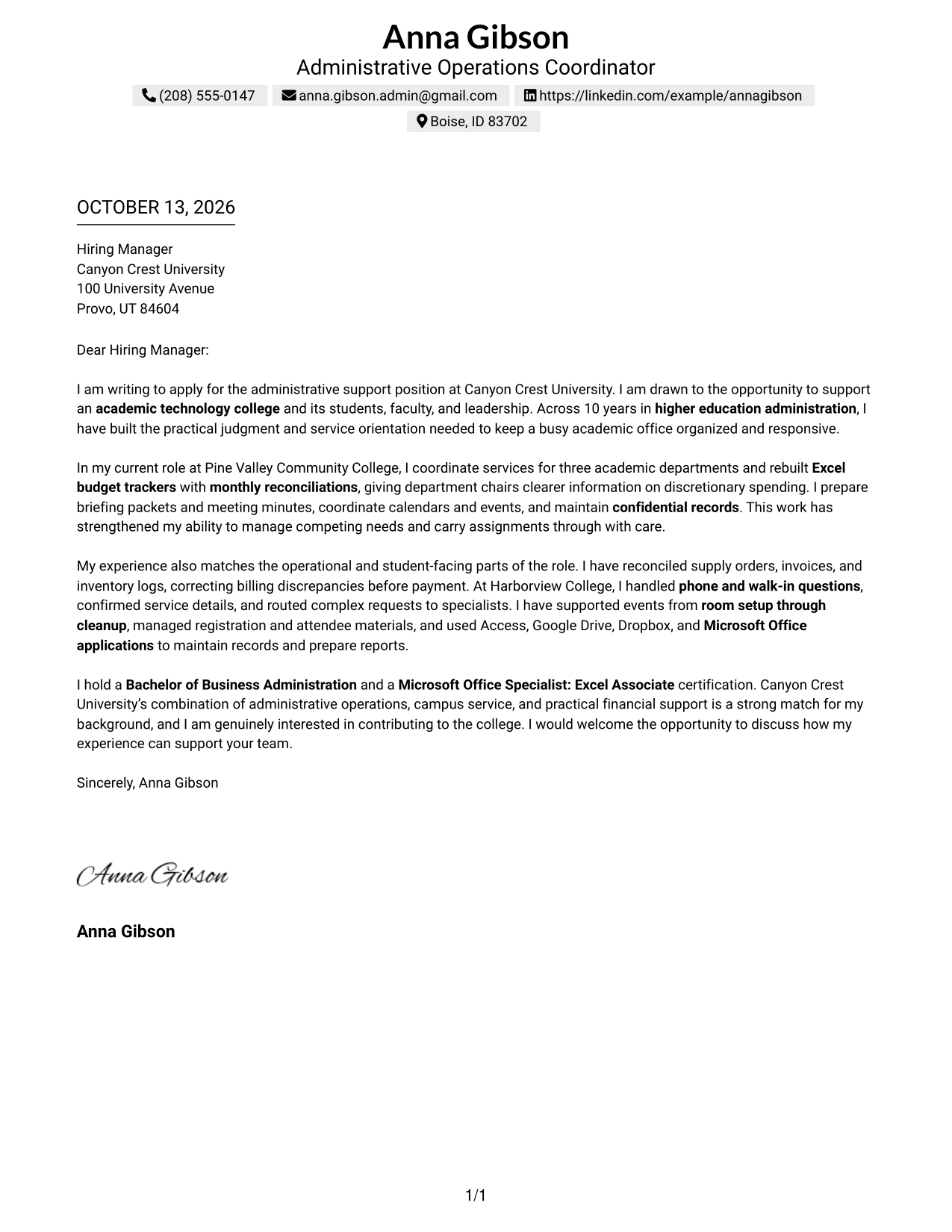
#1 Simple One Column Format Cover Letter Example
The Simple One Column Format keeps the opening, motivation, evidence, and closing in one reading path, helping reviewers follow the letter's case for fit.
Why This Format Works
- A single reading path keeps the opening, motivation, evidence, and closing in sequence.
- Header-based sender details leave the letter body focused on its case for fit.
- Steady paragraph flow helps reviewers connect the opening interest to the closing request.
Best For
- Single-path letter review
- Sequential motivation and evidence
- Header contact information
- Text-led application materials
- Letters with a clear opening and close
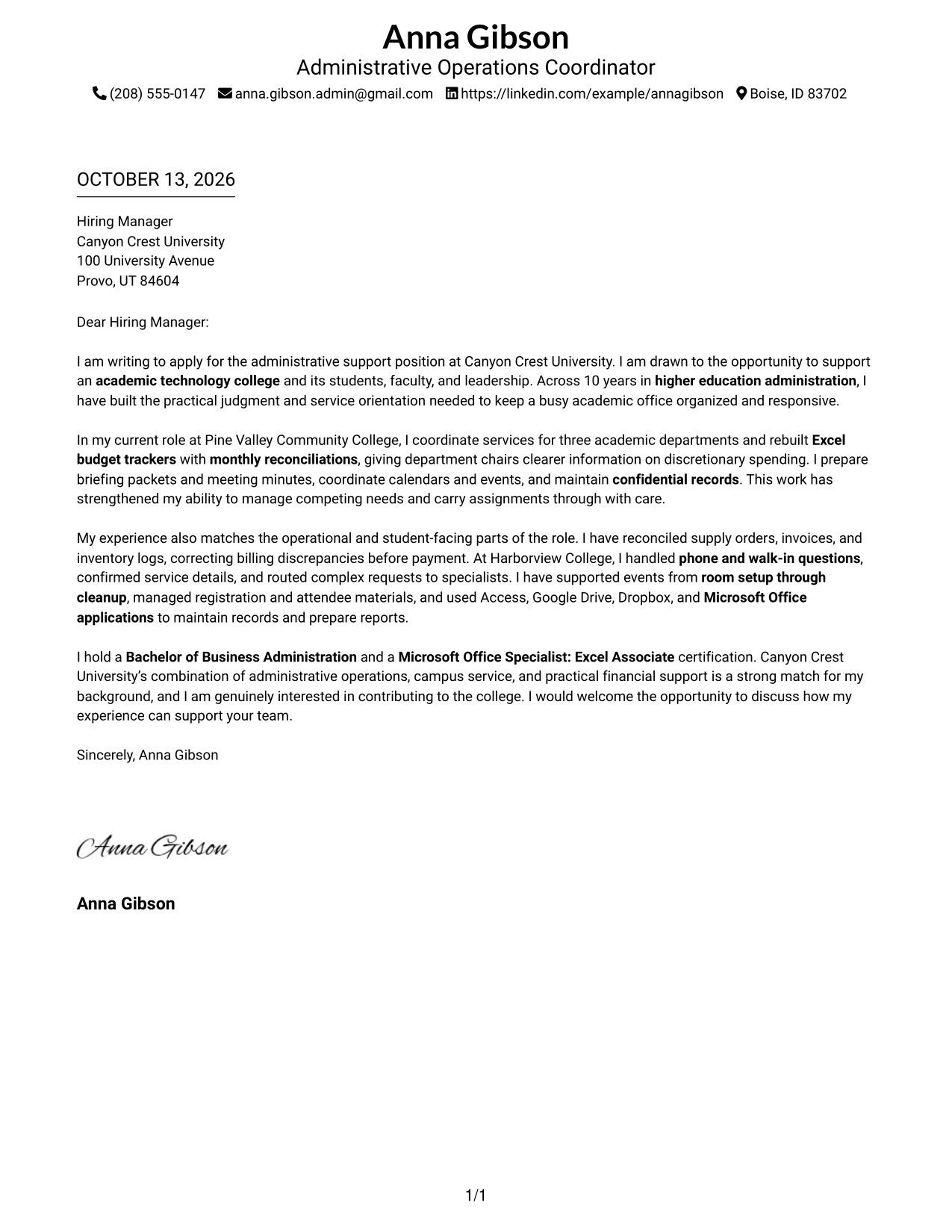
#2 Two Column Format Cover Letter Example
The Two Column Format separates contact details into a sidebar while the letter's opening, motivation, evidence, and closing stay in one body, making the argument easy to follow.
Why This Format Works
- Contact details remain separate, while the letter body carries the full case for fit.
- One continuous sequence lets reviewers follow motivation into supporting evidence.
- Sidebar separation keeps sender information from interrupting the closing request.
Best For
- Contact details beside the message
- Distinct sender and letter areas
- Continuous body paragraphs
- Readers checking contact details quickly
- Higher education cover letters
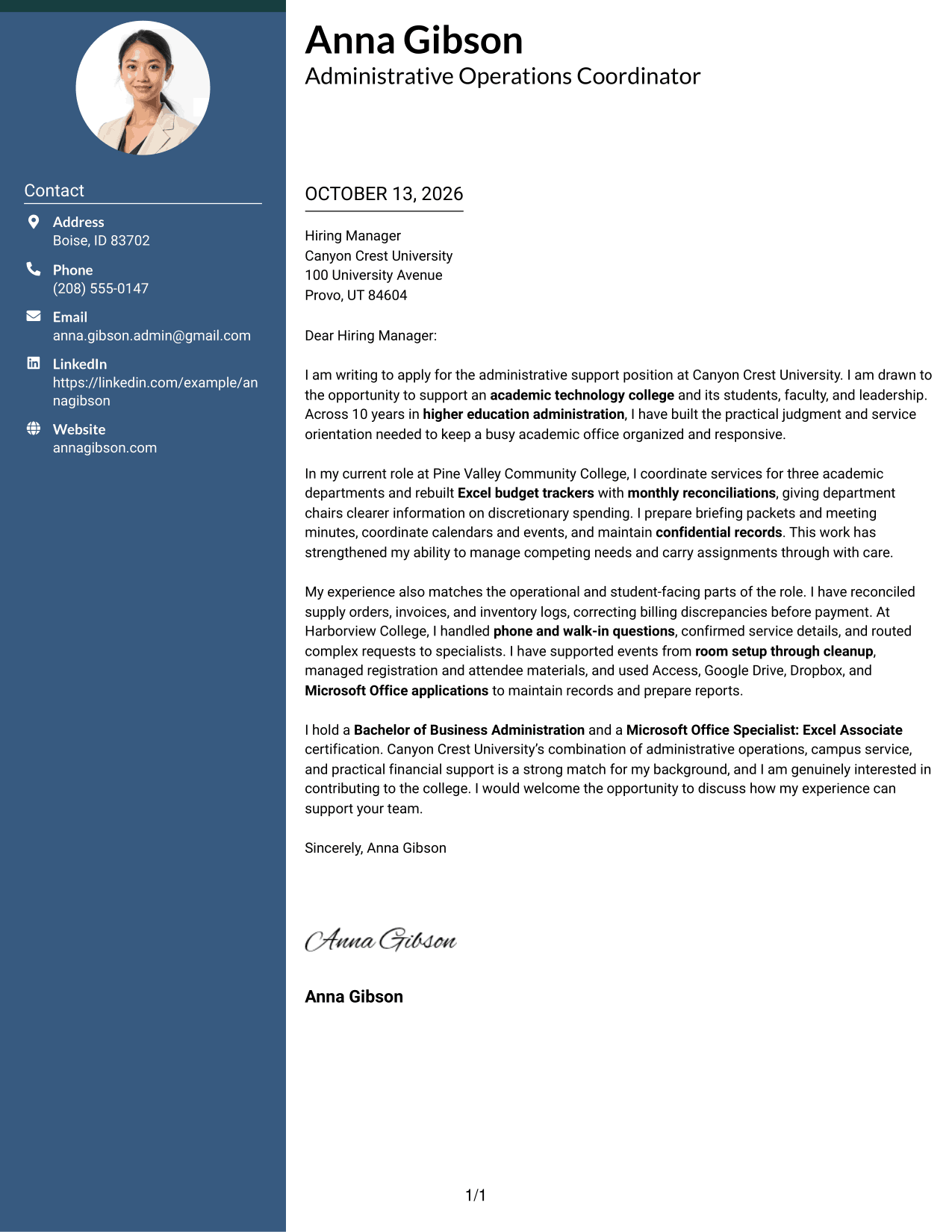
#3 Photo Header Two Column Format Cover Letter Example
The Photo Header Two Column Format pairs a photo and contact sidebar with one continuous letter body, so reviewers can see sender details while following the letter's case for fit.
Why This Format Works
- A contact sidebar separates sender details from the continuous argument for fit.
- A photo adds a visual cue; the letter body carries opening and evidence.
- Separate contact details leave the closing connected to the full argument.
Best For
- Photo-inclusive application materials
- Contact sidebar beside the full letter
- Continuous persuasive body text
- Quick access to sender details
- Applications with a visual introduction
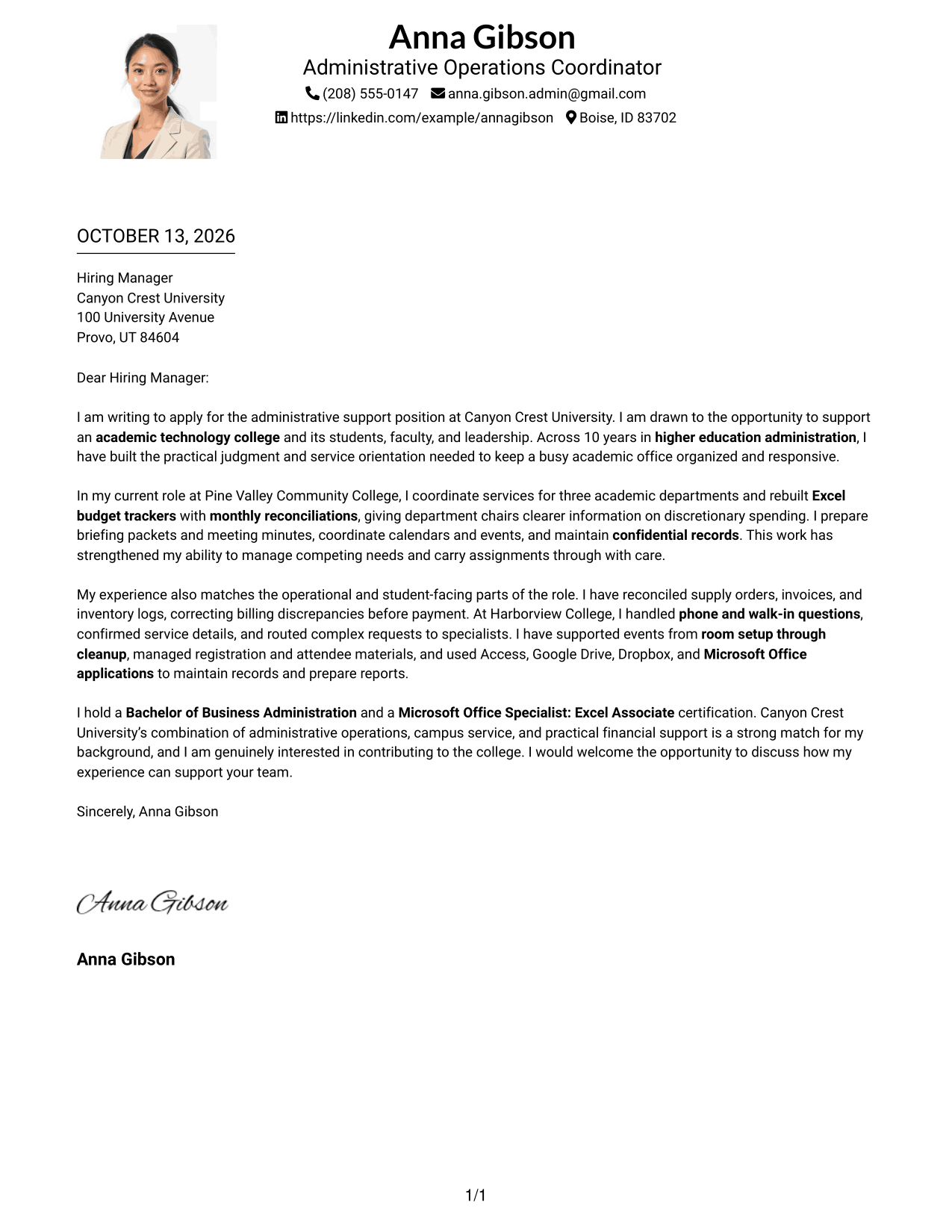
#4 One Column Format with Photo Cover Letter Example
The One Column Format with Photo adds a photo to a single letter reading path, helping reviewers follow the opening, supporting evidence, and closing without a break in the body.
Why This Format Works
- The continuous one-column body guides readers from opening motivation through evidence to closing.
- A photo adds a visual element without interrupting the letter's reading order.
- Header details keep the message focused on employer interest and fit.
Best For
- Single-path letter review
- Photo-inclusive application materials
- Opening-to-closing message flow
- Sender details in the header
- Letters with a clear visual introduction
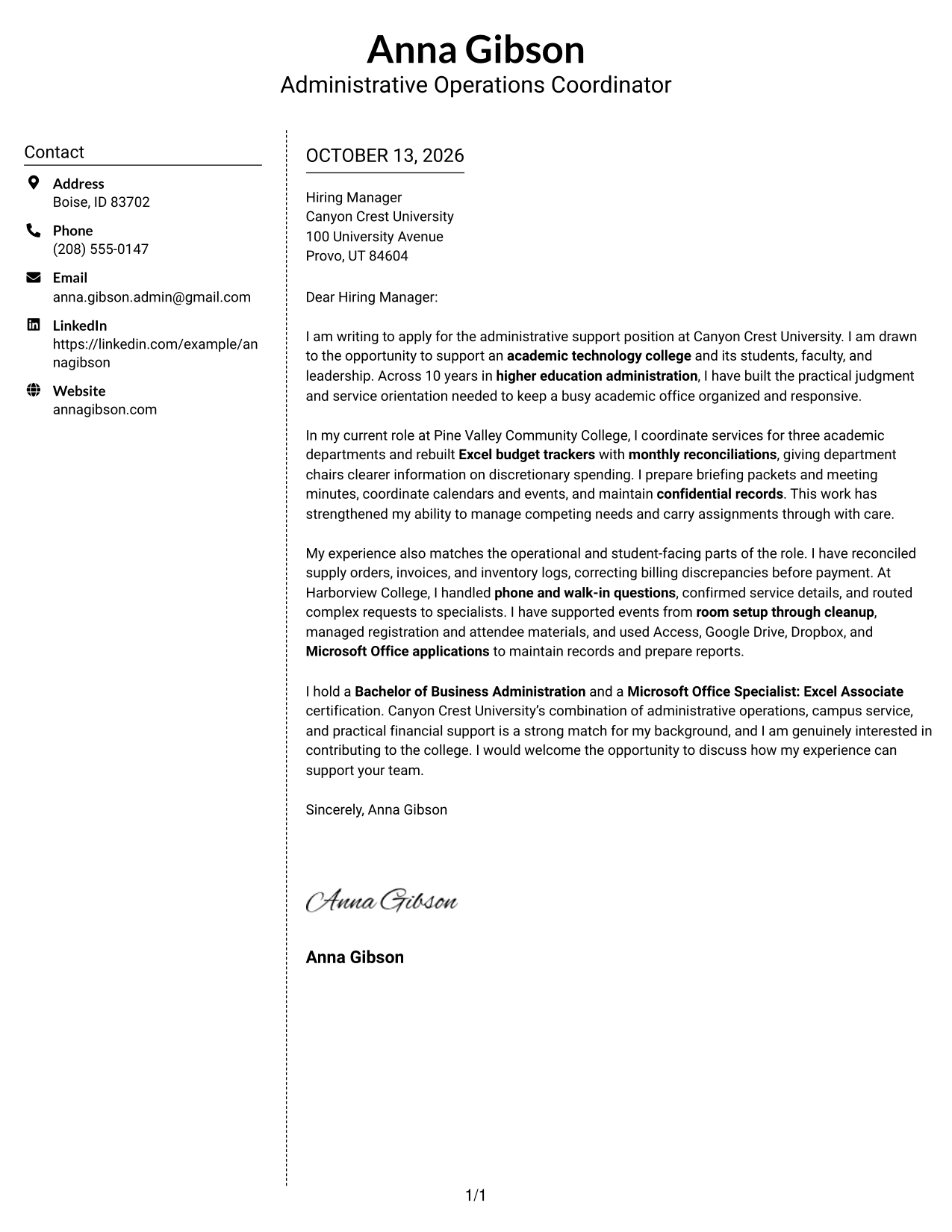
#5 Simple Two Column Format Cover Letter Example
The Simple Two Column Format places contact details beside one continuous letter body, giving reviewers a clear way to find sender information while reading the argument in order.
Why This Format Works
- Contact details sit apart from the letter's persuasive message.
- The continuous body keeps motivation, supporting evidence, and the request together.
- Readers can follow the argument without treating its paragraphs as separate columns.
Best For
- Contact details apart from letter text
- One continuous argument
- Simple sidebar navigation
- Clear separation of motivation and evidence
- Applications needing an easy reading order
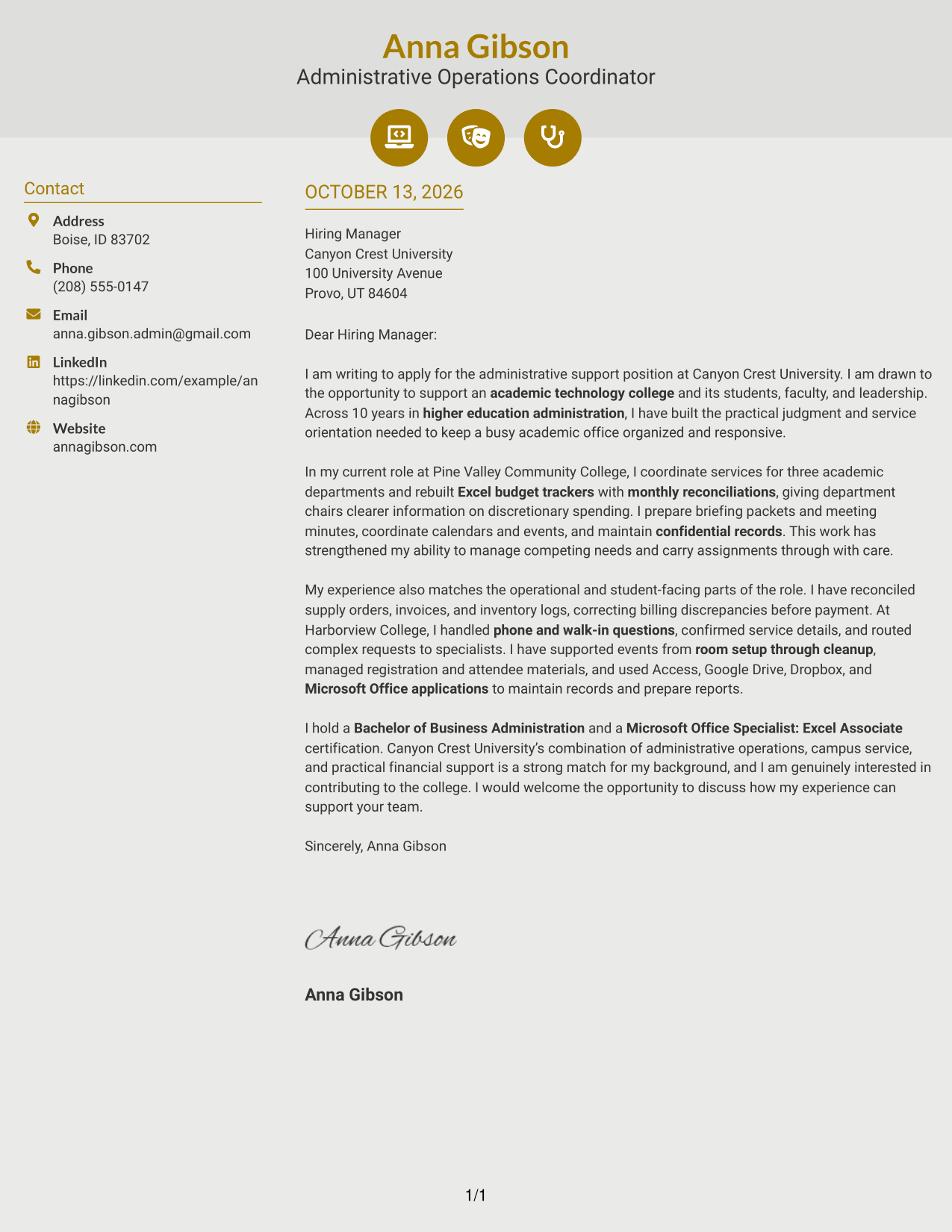
#6 Modern Icon Format Cover Letter Example
The Modern Icon Format uses contact cues in a sidebar beside one continuous letter body, helping reviewers locate sender information and follow the message from opening to closing.
Why This Format Works
- Contact icons distinguish sender details from the letter's opening and evidence.
- One continuous body keeps motivation and supporting examples in sequence.
- Contact cues stay beside, not within, the closing argument.
Best For
- Contact details with visual cues
- Icon-supported sender information
- Continuous letter body
- Fast contact-information lookup
- Applications with a separate message area
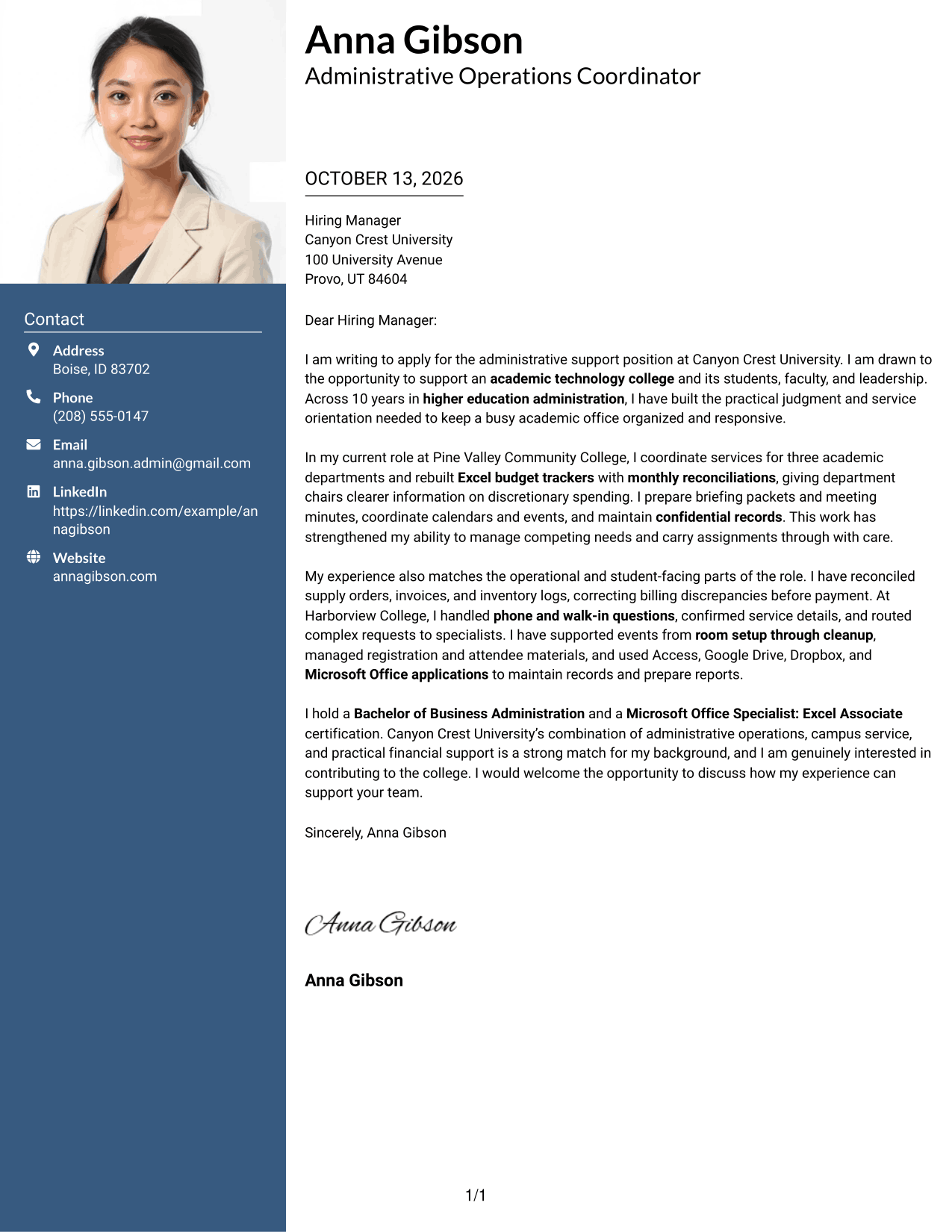
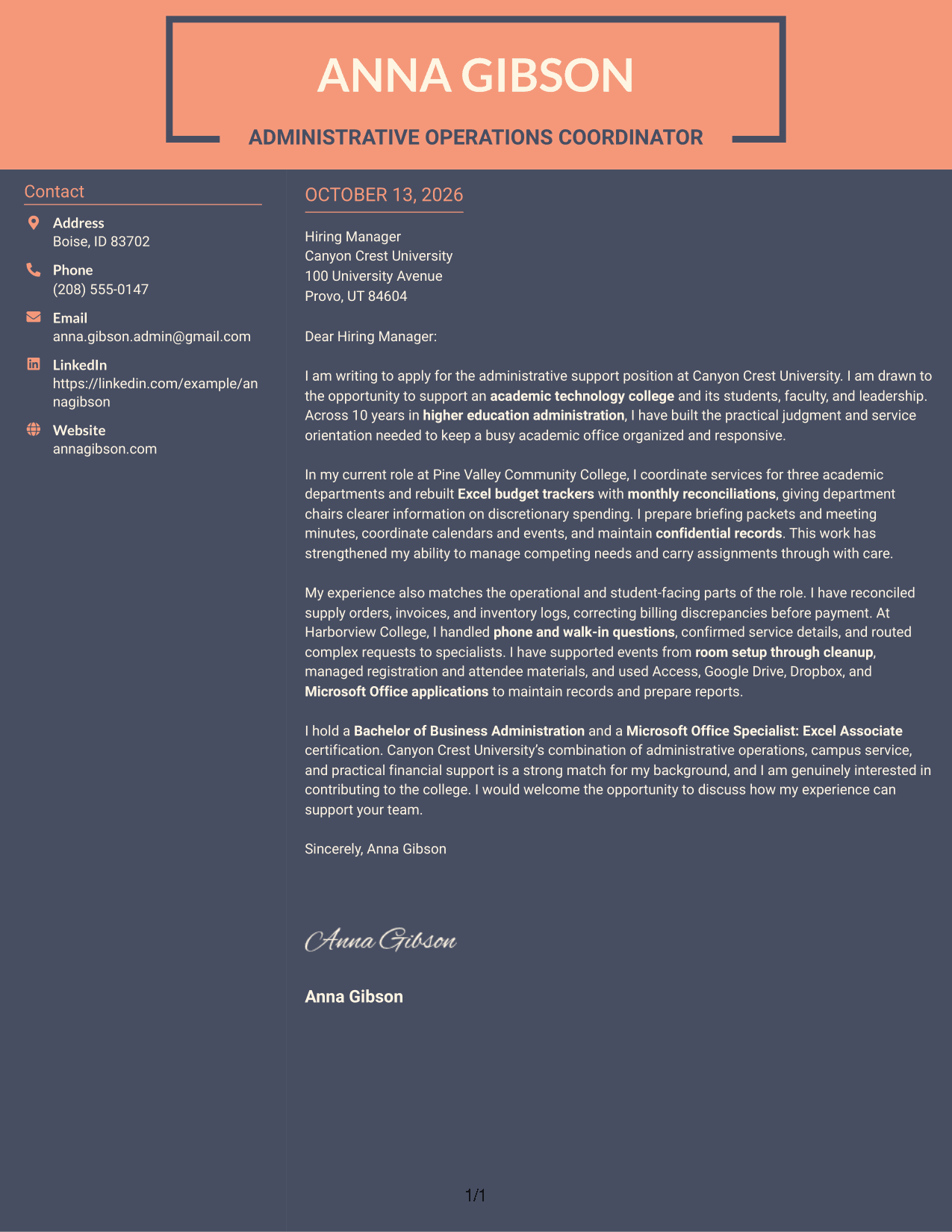
#7 Creative Two Tone Format Cover Letter Example
The Creative Two Tone Format uses contrasting visual areas for the contact sidebar and continuous letter body, helping reviewers distinguish sender details from the message while following its flow.
Why This Format Works
- Two-tone styling separates contact details from the letter's continuous body.
- Color contrast marks the shift from sender details to the persuasive message.
- Continuous body keeps role interest and supporting evidence in intended order.
Best For
- Two-tone contact and message areas
- Continuous persuasive letter text
- Visual separation of sender details and argument
- Color-accented application materials
- Applications needing a clear reading order
Why Use ResumeInMinutes for an Admin Support III - Higher Education Administration Cover Letter
ResumeInMinutes helps you shape a role-specific cover letter without starting with a blank page. Use your own experience to explain how you can support academic operations and campus service.
- Clear, professional layouts
- Editable cover letter text
- Role-focused guidance
- Quick cover letter creation
- Multiple presentation styles
- Downloadable letter options
Build your message around relevant administrative work, such as budget tracking, meeting coordination, confidential records, event support, and helpful communication with students and visitors.
See Also
- 7 Admin Support III - Higher Education Administration Resume Templates with Example
- 7 Administrative Support Assistant III Resume Templates with Example
- 7 Clerk III - Research Support Services Clerical Administrator Resume Templates with Example
- 7 Shop Administrative Technician III - Maintenance Operations Support Resume Templates with Example
- 33 Admin/Mgmt Travel Nurse Resume Templates with Example 2026 (ATS-Optimized)
- 7 Account Executive III (Farmer) Resume Templates with Example
- 7 Assembler III Resume Templates with Example
- 33 Banquet Cook III Resume Templates with Example 2026 (ATS-Optimized)
- 30+ Admin/Mgmt Travel Nurse Cover Letter Templates with Example 2026
- 30+ Banquet Cook III Cover Letter Templates with Example 2026
Frequently Asked Questions
What should an Admin Support III - Higher Education Administration cover letter include?
Include a direct opening, a few relevant examples, a clear reason for your interest, and a courteous close. Examples may relate to academic office coordination, budget tracking, event support, records, or campus service.
How can I show that I fit a higher education administrative role?
Describe work that shows you can coordinate schedules, prepare meeting materials, support events, handle records with care, or respond to questions. Explain how your actions helped the office or the people it served.
How can I discuss budget and financial support in my letter?
Give a short, accurate example of work such as tracking spending, reconciling invoices, or preparing financial summaries. State what you did and why it mattered to the team.
Should I mention customer service in this cover letter?
Yes, if it is part of your background. A brief example of answering calls, welcoming visitors, or directing questions can show how you support students and campus guests.
How do I explain my interest in the position?
Connect your interest to the work itself, such as helping an academic office stay organized and responsive. You can also explain why the employer’s stated duties match the kind of contribution you want to make.
What cover letter style should I choose?
Choose a clean, readable style that makes your message easy to follow. Consider the employer’s communication context and use a layout that feels professional and comfortable to read.
Can I customize these cover letter templates?
Yes. Edit the wording and presentation so the letter reflects your own background, the Admin Support III - Higher Education Administration role, and the employer’s needs.




