
US English


7 Admin Support III - Higher Education Administration Resume Templates with Example
By Ria · Last Updated On October 12, 2026
Resume Example Page 1

This guide shows you how to create an Admin Support III - Higher Education Administration resume that presents your skills and results clearly. You will learn how to organize your experience and compare professional formats.

A strong resume connects office work to useful outcomes, such as accurate budget tracking, smooth event operations, reliable records, and responsive service. Clear sections and achievement-focused bullets help readers see how you coordinate people, information, and resources.

The example presents one resume in 7 layouts, so you can compare the page structure and choose a format that supports quick review. You will also find guidance on resume sections, ATS keywords, and evidence for this specific role.

What Makes a Great Admin Support III - Higher Education Administration Resume in 2026

A strong resume shows how your administrative work supports academic teams, students, and campus services. Use clear sections and bullets that link your actions to accurate records, timely reporting, and well-run events.

Include relevant tools and terms such as Microsoft Office, budget monitoring, financial reporting, calendar coordination, event logistics, database management, and confidentiality. Support each keyword with a specific task or result.

The examples shown below are intentionally detailed to demonstrate a range of experiences, skills, accomplishments and relevant keywords. We prefer detailed resumes as they provide more context to the hiring managers and also help the ATS systems identify relevant qualifications and score your resume better for a match. But the length of a resume is an individual choice. If you want a one page resume, just keep the most relevant experience and information for the job. Note: Resume examples are for educational purposes only. Use only information that accurately reflects your experience and qualifications. References to real organizations do not imply affiliation or endorsement.

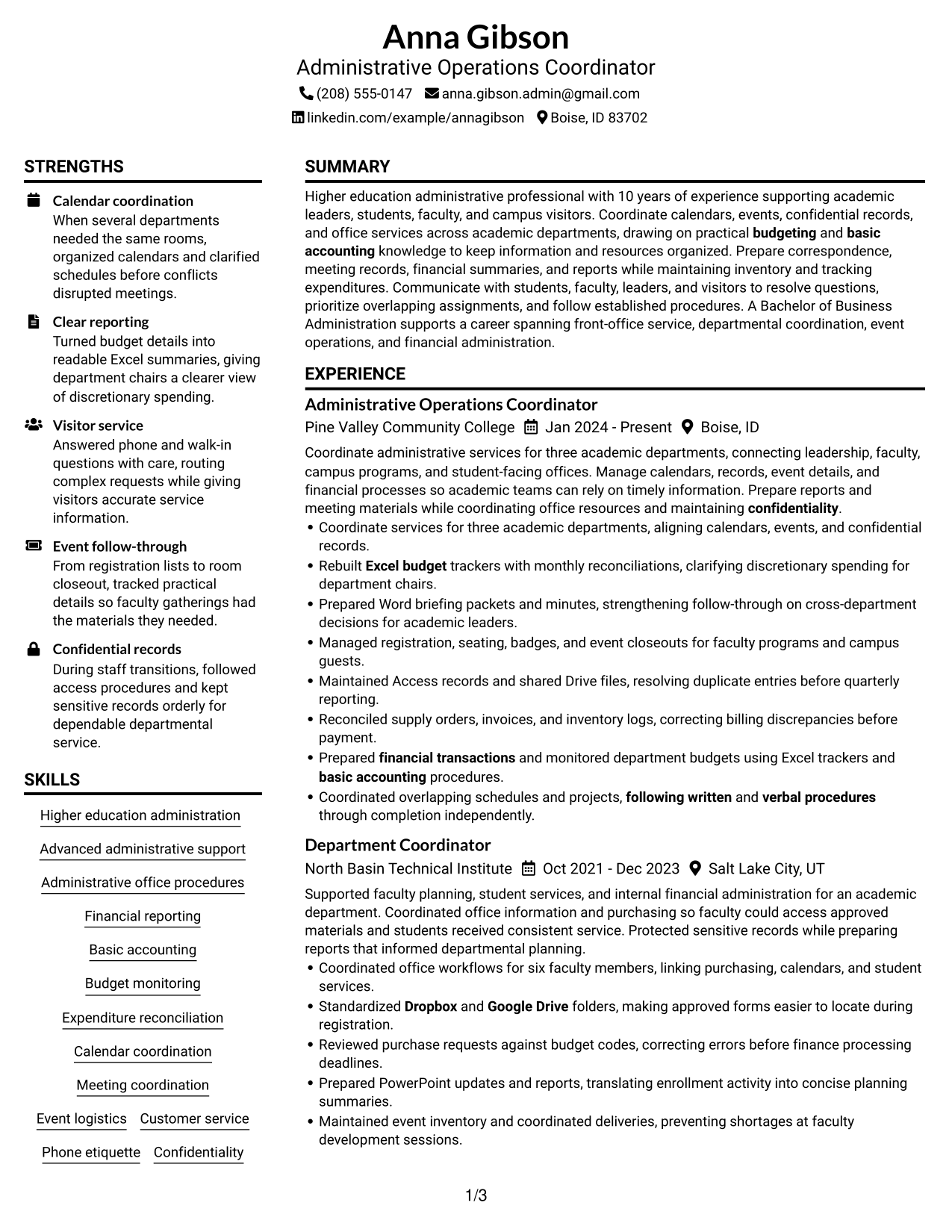
#1 Plain Two Column Format Resume Example

A plain two-column layout keeps resume sections in parallel areas, helping recruiters scan experience and qualifications.
 
Resume Example Page 1   Resume Example Page 2

Resume Snapshot

  • Experience: 10 years in higher education administration
  • Education: Bachelor of Business Administration, Utah State University, 2016
  • Certification: Microsoft Office Specialist: Excel Associate, 2022
  • Focus: Department coordination, budgets, events, and confidential records

Why This Format Works

  • Side-by-side sections let reviewers compare career history with education and credentials.
  • Distinct column areas keep skills and office tools easy to locate during review.
  • The two-column reading path helps reviewers move from experience to project evidence.

Best For

  • Side-by-side review of resume sections
  • Career histories with supporting projects
  • Skills and credentials needing quick lookup
  • Experience bullets paired with education details
  • Academic administration resumes with varied evidence

Resume Keywords

  • Advanced administrative support
  • Higher education administration
  • Administrative office procedures
  • Financial reporting
  • Basic accounting
  • budgeting
  • financial transactions
  • Budget monitoring
  • Expenditure reconciliation
  • Calendar coordination
  • Meeting coordination
  • Coordinated overlapping schedules and projects, following written and verbal procedures through completion independently.
  • Event Coordination
  • Event logistics
  • Customer service
See all keywords
 

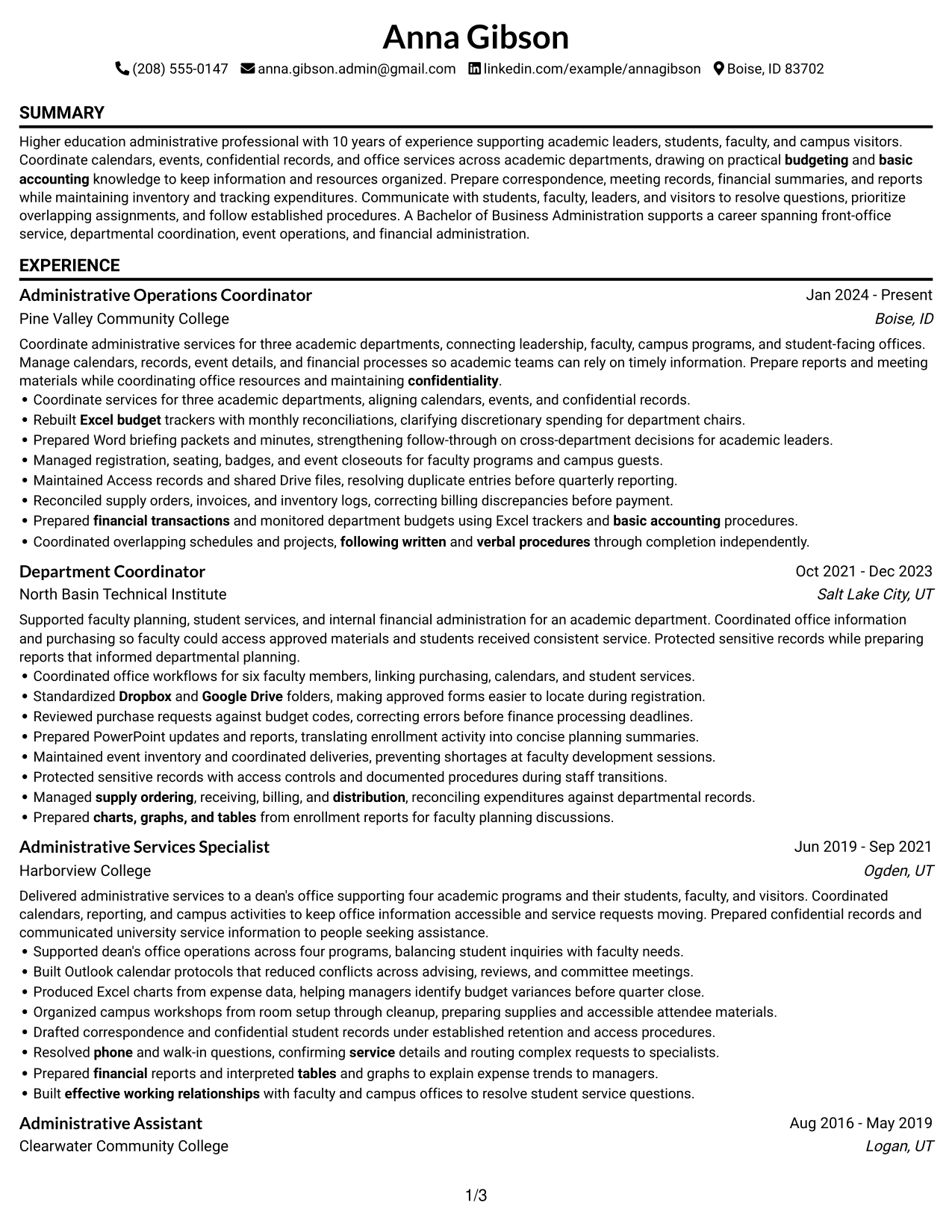
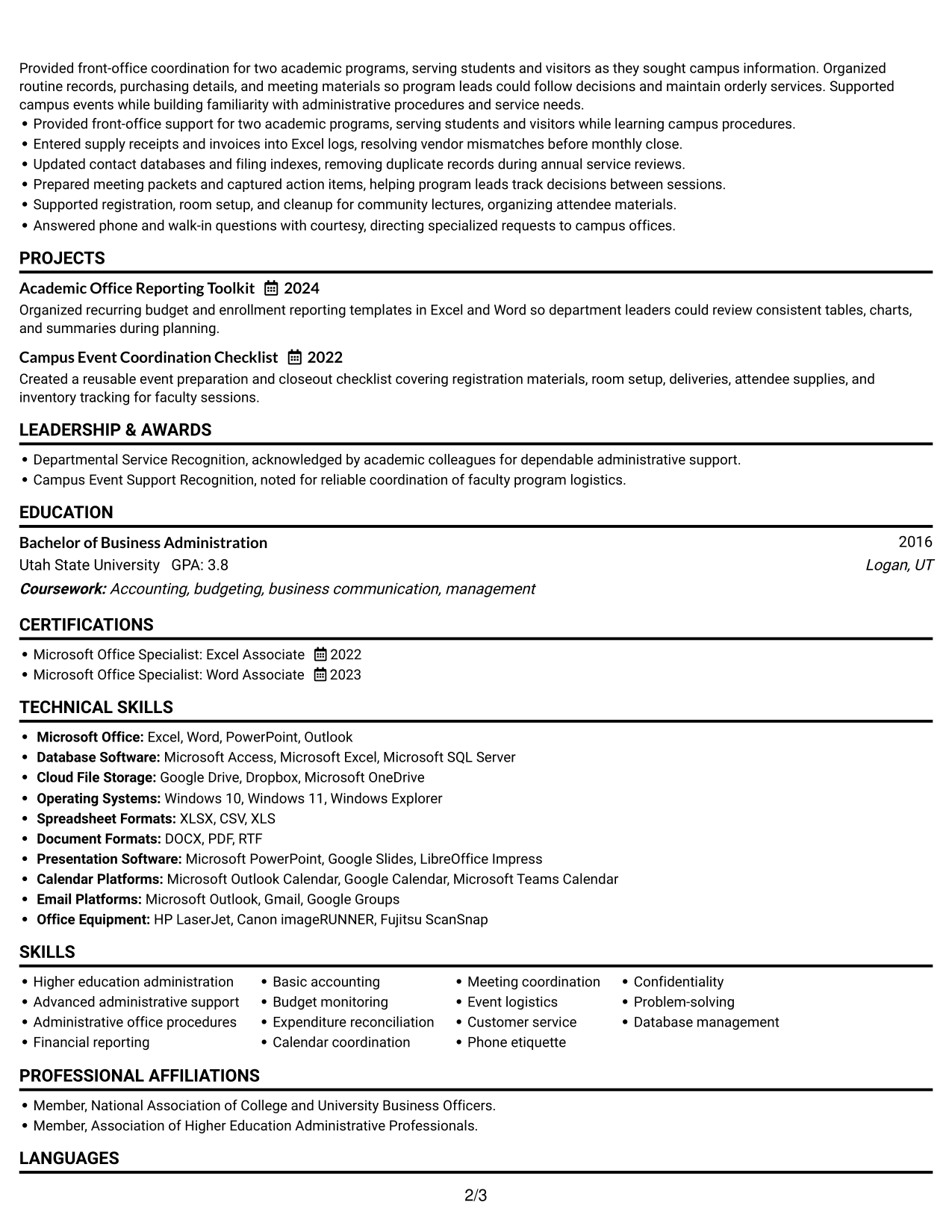
#2 Simple One Column Format Resume Example

A simple one-column layout gives recruiters a direct reading path through experience, achievements, education, and credentials.
 
Resume Example Page 1   Resume Example Page 2

Why This Format Works

  • One continuous reading path makes career progression easy to follow from role to role.
  • Consistent section order keeps education and certification details easy to find.
  • The single-column structure gives achievement bullets room to read as complete statements.

Best For

  • Straightforward top-to-bottom review
  • Chronological career histories
  • Detailed achievement bullets
  • Education and credentials in sequence
  • Simple section navigation
 

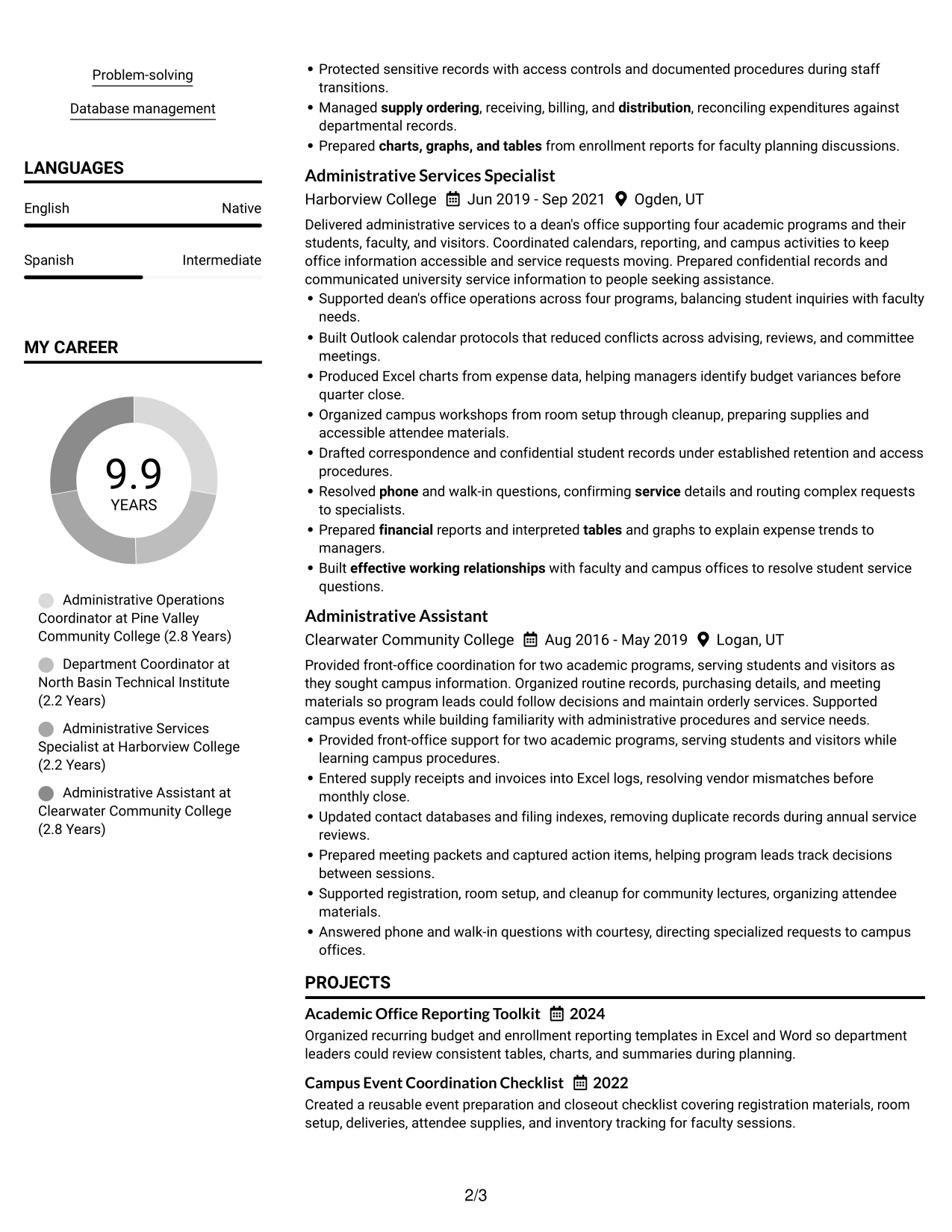
#3 Clean Two Column Sidebar Format Resume Example

A clean sidebar gives supporting resume details a separate place beside career history, helping recruiters scan experience and qualifications.
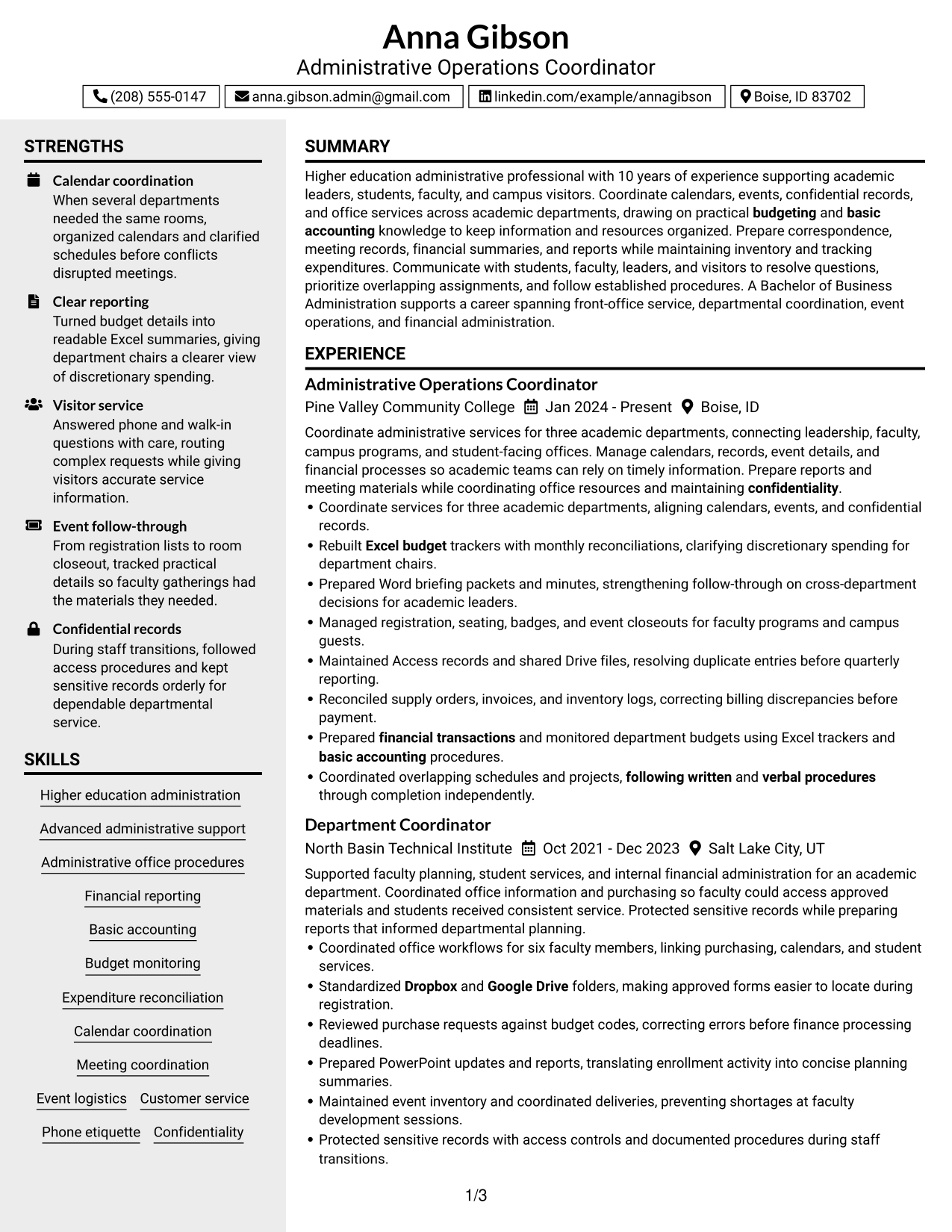
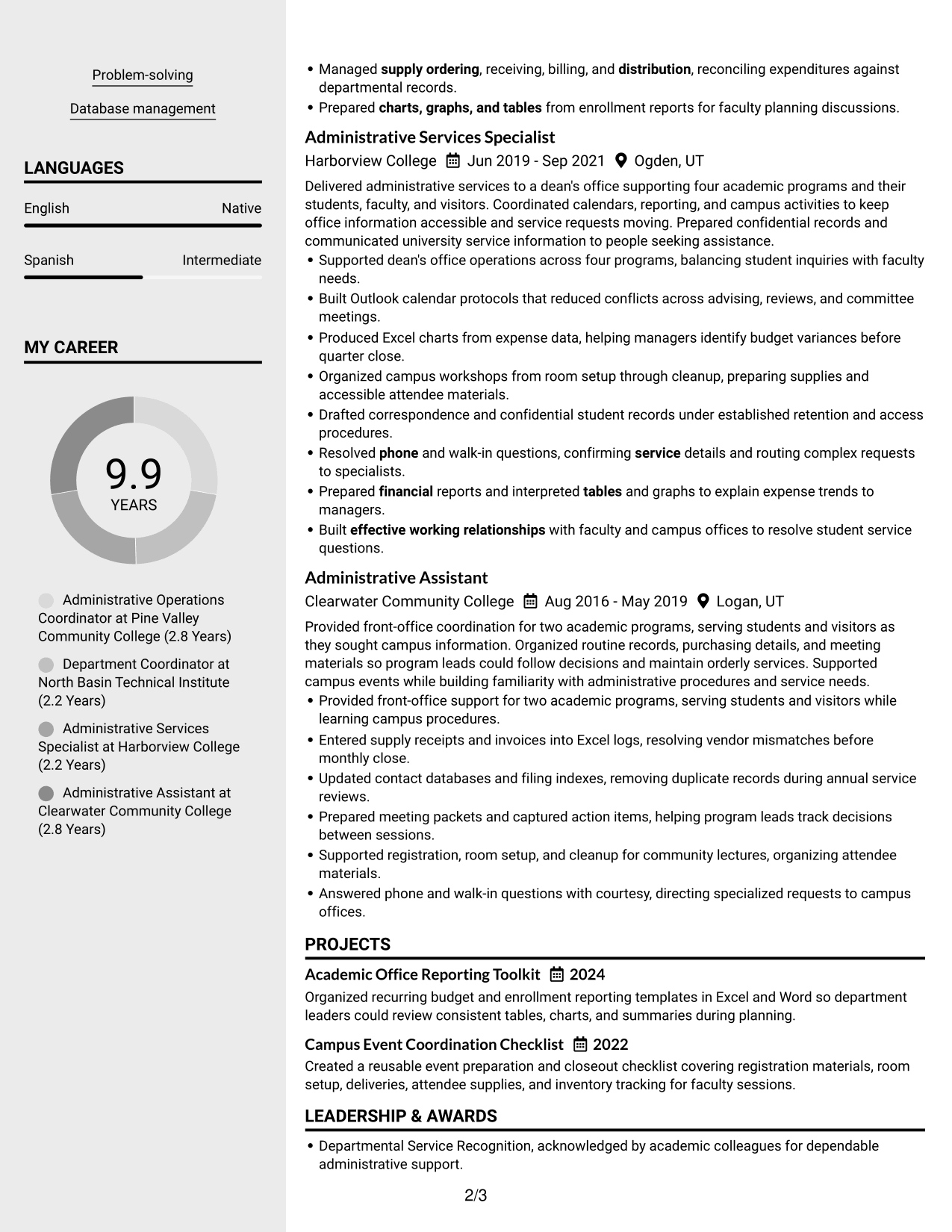
 
Resume Example Page 1   Resume Example Page 2

Why This Format Works

  • Sidebar separation gives skills and credentials a distinct place beside career history.
  • The main reading area keeps experience entries together, making progression easier to follow.
  • Clear section boundaries help reviewers locate project evidence and education details.

Best For

  • Separate main and supporting content
  • Quick lookup of skills and credentials
  • Career histories with detailed bullets
  • Resume sections needing clear visual grouping
  • Projects alongside a work history
 

#4 Two Column Format Resume Example

A two-column layout divides the resume into parallel reading areas, helping recruiters scan career history and supporting qualifications.
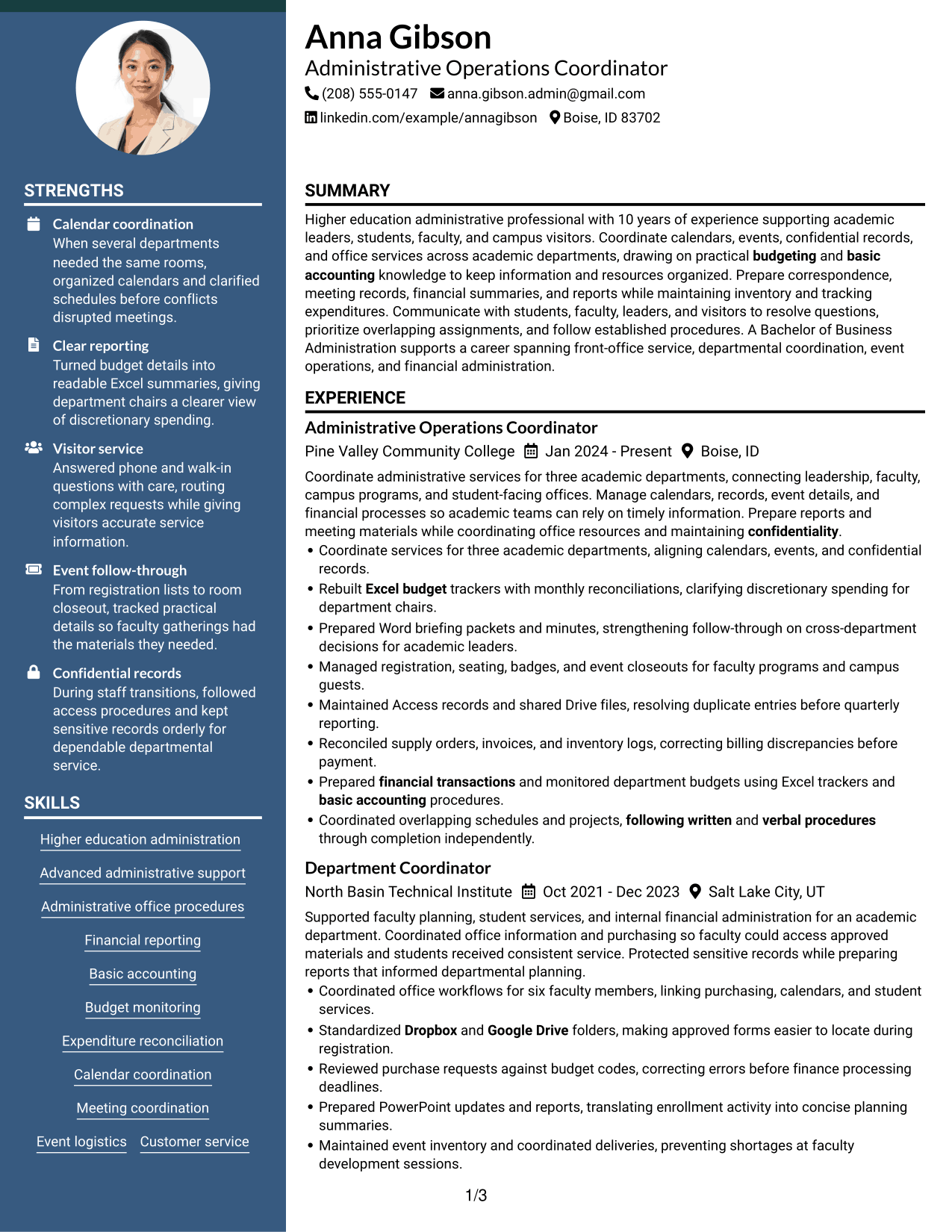
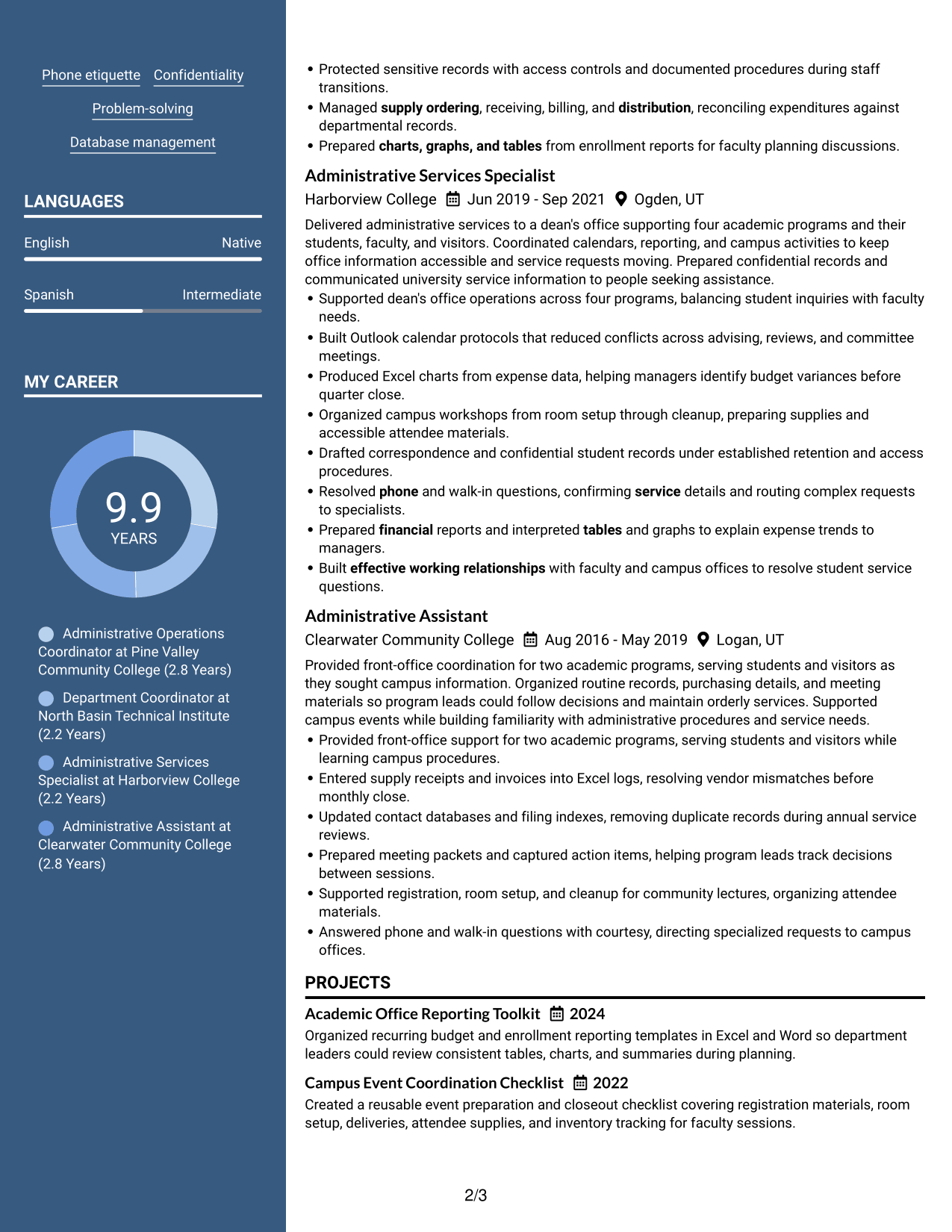
 
Resume Example Page 1   Resume Example Page 2

Why This Format Works

  • Two reading areas let reviewers scan career history while locating education and credentials.
  • Parallel section grouping keeps skills visible without interrupting the sequence of experience entries.
  • The divided layout helps project evidence stand apart from the work history.

Best For

  • Resume content with distinct section groups
  • Career history beside supporting qualifications
  • Skills and experience reviewed together
  • Projects separate from employment details
  • Multiple types of professional evidence


#5 Photo Header Two Column Format Resume Example

A photo header marks the start of this two-column resume, while the body lets recruiters scan experience beside supporting sections.
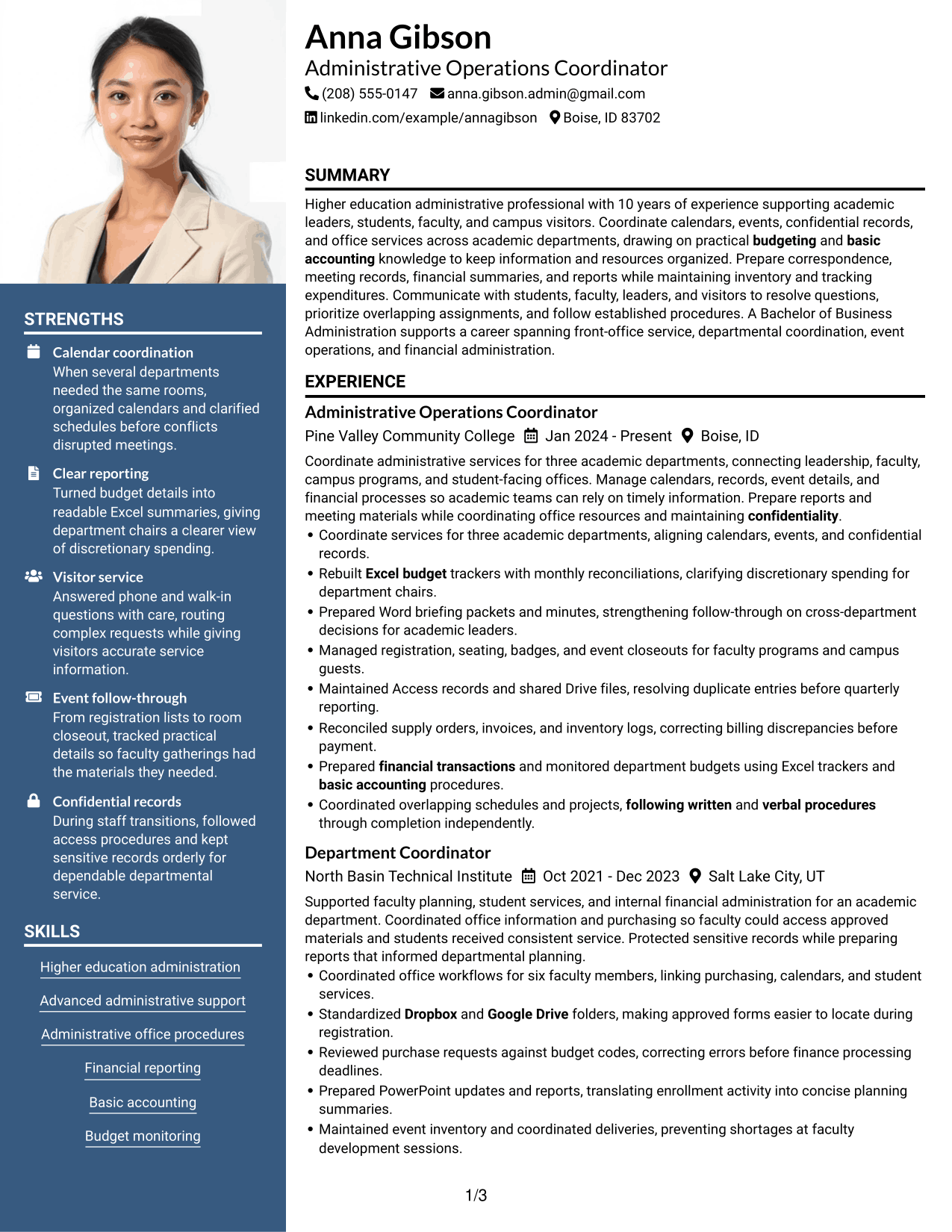
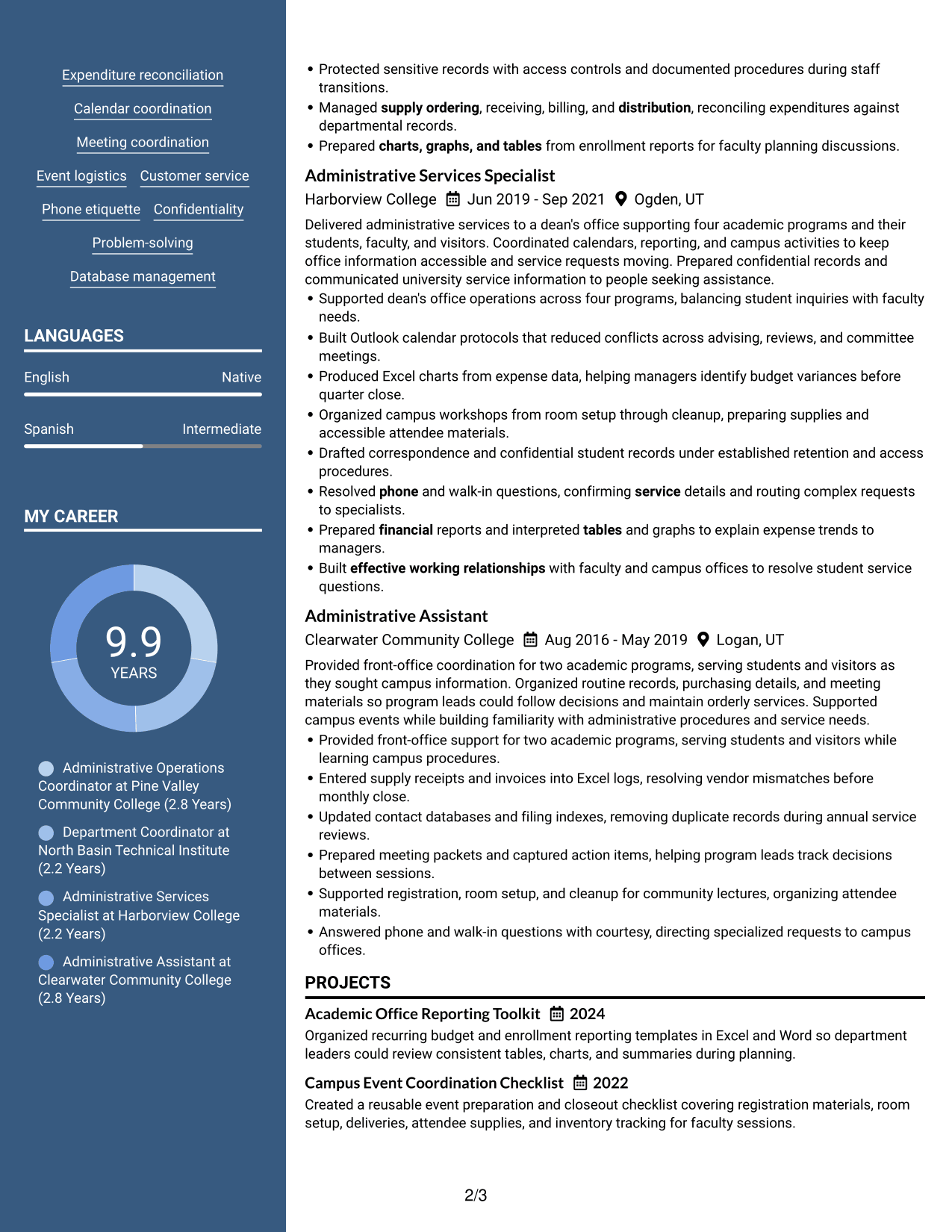
 
Resume Example Page 1   Resume Example Page 2

Why This Format Works

  • The distinct header gives the page a clear start before reviewers reach career history.
  • Two body columns let recruiters scan experience alongside education and skills.
  • Separated content areas help project details remain distinct from achievement bullets.

Best For

  • Photo-inclusive resume presentation
  • Two-column review of resume sections
  • Career history with supporting details
  • Projects and achievements in separate groups
  • Applications that request a professional photo
 

#6 Colored Two Column Format Resume Example

Color distinguishes areas of this two-column resume, helping recruiters navigate experience and supporting sections.
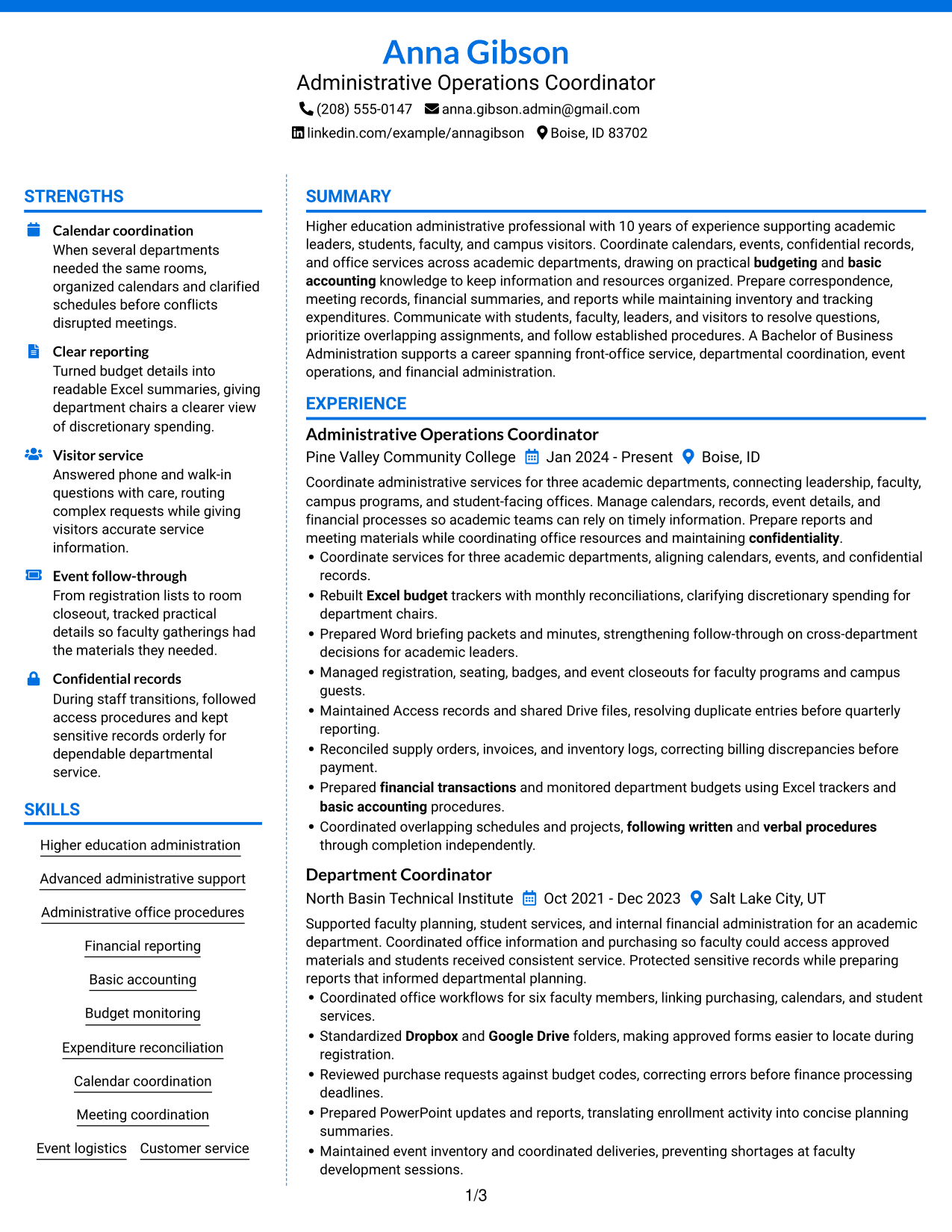
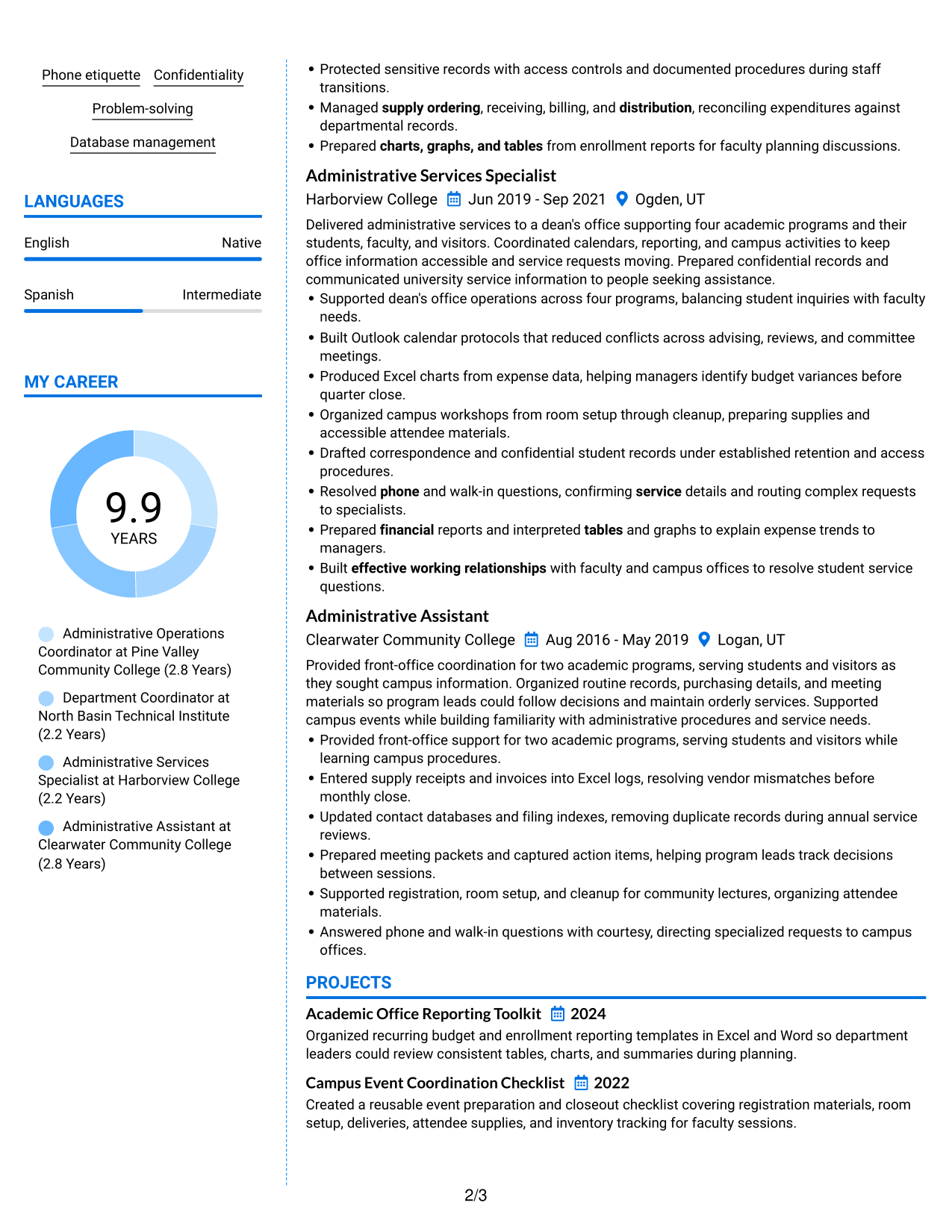
 
Resume Example Page 1   Resume Example Page 2

Why This Format Works

  • Color contrast marks separate areas, helping reviewers move between experience and skills.
  • Section boundaries help reviewers distinguish achievement bullets from project and education details.
  • The two-column order lets recruiters compare career progression with supporting qualifications.

Best For

  • Color-defined resume sections
  • Career progression with supporting qualifications
  • Achievement bullets grouped by role
  • Projects and education in distinct areas
  • Quick movement between content groups
 

#7 Stylish Two Column Designer Format Resume Example

A stylish two-column design gives career history and supporting details distinct areas, helping recruiters scan the resume's structure.
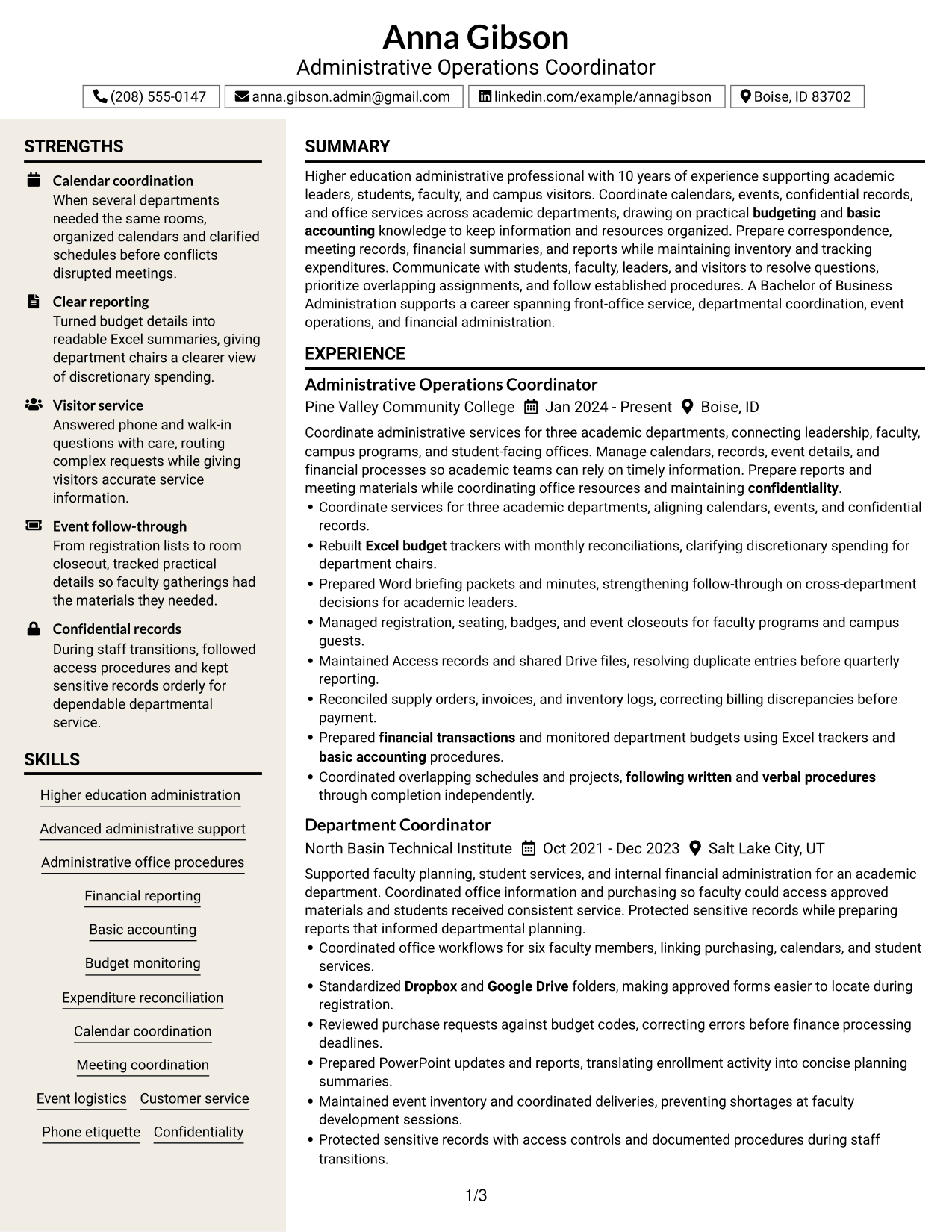
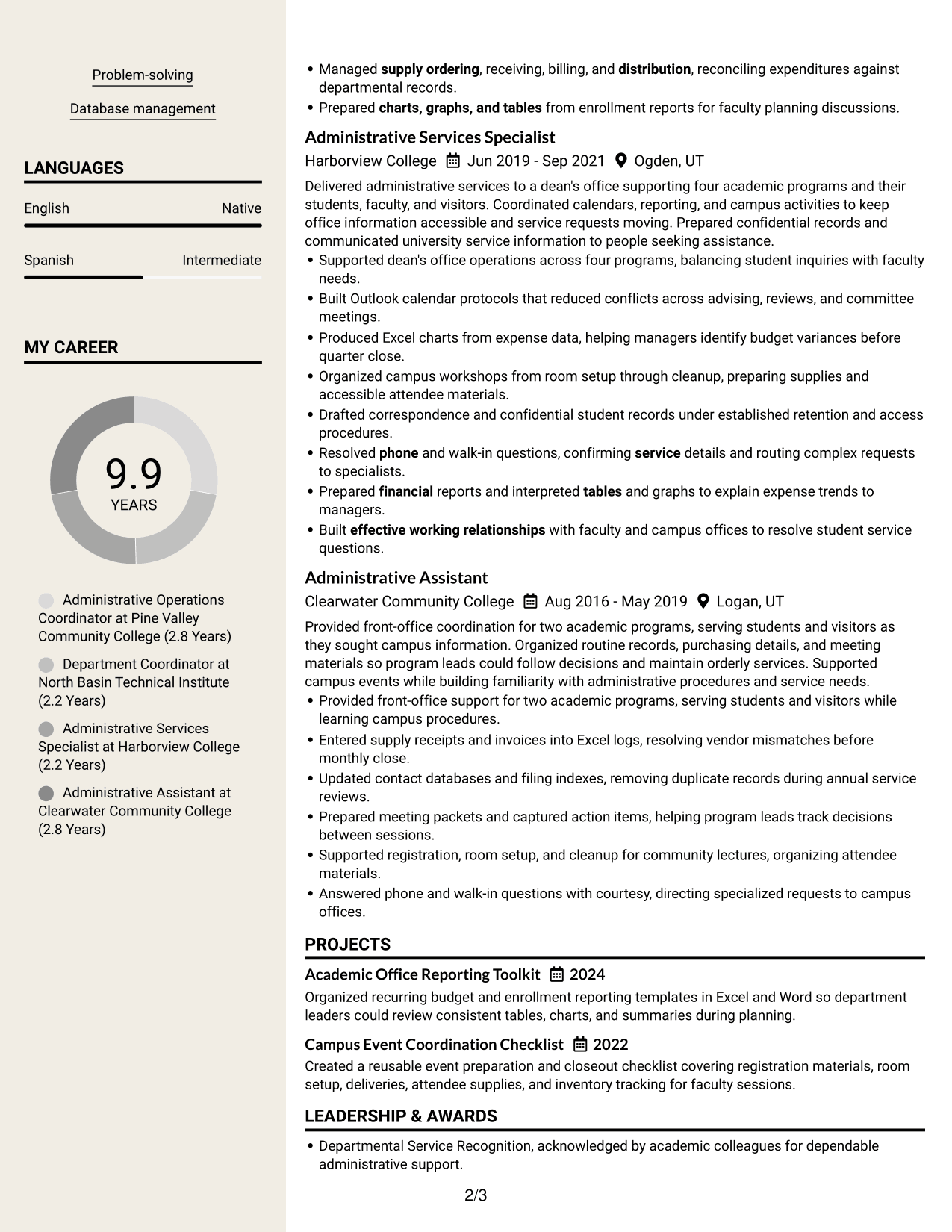
 
Resume Example Page 1   Resume Example Page 2

Why This Format Works

  • Distinct column groups make skills and credentials easier to scan beside career history.
  • Visual hierarchy guides reviewers from role headings into achievement bullets while preserving chronology.
  • Separate content areas keep project evidence visible alongside the experience record.

Best For

  • Resume sections with different content types
  • Career history alongside skills and credentials
  • Chronological experience with achievement bullets
  • Project evidence near professional experience
  • A more designed two-column presentation


Why Build Your Admin Support III - Higher Education Administration Resume with ResumeInMinutes

ResumeInMinutes helps you organize administrative experience, skills, and achievements in a resume that is easy to review and update.

  • Resume formats to compare
  • Clear section structure
  • Space for role-specific keywords
  • Organized skills and experience
  • Free PDF resume previews
  • Editable resume content

Use the format that makes your office coordination, financial support, records work, and service results easy to find.


See Also


Frequently Asked Questions

Are these Admin Support III - Higher Education Administration resume templates ATS-friendly?

The examples use clear sections and readable headings. For stronger ATS matching, use relevant terms such as budget monitoring, financial reporting, Microsoft Office, database management, and event logistics when they reflect your experience.

Do these templates show different candidates?

No. The guide shows one resume example in different layouts. The content stays focused on higher education administrative support while the page designs vary.

What should an Admin Support III - Higher Education Administration resume include?

Include a concise summary, relevant experience, education, skills, and certifications. Use bullets to show calendar and meeting coordination, budget and financial tasks, event support, recordkeeping, and service to students and visitors.

Can I download the resume templates as PDFs?

Yes. Each resume design offers a free PDF preview so you can review the layout before choosing one.

Which resume style works well for this position?

A simple layout with clear headings makes experience and skills easy to scan. Choose a design that gives enough space for relevant results while keeping the sections easy to follow.

How can I show results in administrative resume bullets?

Describe the task, the action you took, and the outcome. For example, explain how budget trackers improved spending visibility or how calendar coordination prevented scheduling conflicts, using only results you can support.

Which software skills should I list?

List the tools you have used that match the role, such as Excel, Word, PowerPoint, Access, Outlook, Google Drive, Dropbox, and Windows Explorer. Add examples that show how you used them for reports, records, schedules, or file organization.

Can I customize these resume templates?

Yes. You can edit the resume text and layout to emphasize your relevant administrative work, software skills, education, and measurable results.


ATS score 94%

How we calculate this score

  • Keywords: 60% of the total. AI extracts keywords from your job description. If you do not provide one, a standard job description for the title matching your resume is used. This is not a match to a specific vacancy.
  • Text-based resume: 20%. The text resume assessed here receives 100 for this part.
  • Resume quality: 20%. We start at 100 and subtract points for issues found by our resume checks, down to a minimum of zero.
  • Keyword coverage = 100 × (confirmed matches + 0.8 × possible matches) ÷ total keywords, rounded and capped at 100. Possible matches still need checking. Saved generation audits use their saved keyword percentage.
  • Final score = 60% of keyword coverage + 20% of the text score + 20% of the quality score, rounded to a whole number. Without keywords, no overall ATS score is available.

What this score means

Our scores are estimates, not employer ratings. They may contain errors and do not guarantee accurate parsing, a ranking, an interview, or a job. Check your document against the employer’s requirements. You are responsible for relying on this score.

Terms and Conditions

Score weights: Keywords 60% · Text based resume 20% · Resume quality 20%

Keywords: 37 matched + 2 possible of 43 (90%) · Resume quality: 100%

Resume quality 100% · Weight 20% · Issues (0)

Details
  • ✓Name present: Anna Gibson
  • ✓Email format: anna.gibson.admin@gmail.com
  • ✓Phone format: (208) 555-0147
  • ✓Experience 1: Job title: Administrative Operations Coordinator
  • ✓Experience 1: Company name: Pine Valley Community College
  • ✓Experience 1: Work location: Boise, ID
  • ✓Experience 1: Employment dates: Jan 2024 - Present
  • ✓Experience 1: Description or achievements: Present
  • ✓Experience 2: Job title: Department Coordinator
  • ✓Experience 2: Company name: North Basin Technical Institute
  • ✓Experience 2: Work location: Salt Lake City, UT
  • ✓Experience 2: Employment dates: Oct 2021 - Dec 2023
  • ✓Experience 2: Description or achievements: Present
  • ✓Experience 3: Job title: Administrative Services Specialist
  • ✓Experience 3: Company name: Harborview College
  • ✓Experience 3: Work location: Ogden, UT
  • ✓Experience 3: Employment dates: Jun 2019 - Sep 2021
  • ✓Experience 3: Description or achievements: Present
  • ✓Experience 4: Job title: Administrative Assistant
  • ✓Experience 4: Company name: Clearwater Community College
  • ✓Experience 4: Work location: Logan, UT
  • ✓Experience 4: Employment dates: Aug 2016 - May 2019
  • ✓Experience 4: Description or achievements: Present
  • ✓No placeholder fields
  • ✓No repeated achievement bullets
  • ✓No empty bullets

No issues found by the current checks.

Text Based Resume 100% · Weight 20%

Parsed text
Anna Gibson
Administrative Operations Coordinator
(208) 555-0147
anna.gibson.admin@gmail.com
linkedin.com/example/annagibson
Boise, ID 83702
STRENGTHS
Calendar coordination
When several departments needed the same rooms, organized calendars and clarified schedules before conflicts disrupted meetings.
Clear reporting
Turned budget details into readable Excel summaries, giving department chairs a clearer view of discretionary spending.
Visitor service
Answered phone and walk-in questions with care, routing complex requests while giving visitors accurate service information.
Event follow-through
From registration lists to room closeout, tracked practical details so faculty gatherings had the materials they needed.
Confidential records
During staff transitions, followed access procedures and kept sensitive records orderly for dependable departmental service.
SUMMARY
Higher education administrative professional with 10 years of experience supporting academic leaders, students, faculty, and campus visitors. Coordinate calendars, events, confidential records, and office services across academic departments, drawing on practical budgeting and basic accounting knowledge to keep information and resources organized. Prepare correspondence, meeting records, financial summaries, and reports while maintaining inventory and tracking expenditures. Communicate with students, faculty, leaders, and visitors to resolve questions, prioritize overlapping assignments, and follow established procedures. A Bachelor of Business Administration supports a career spanning front-office service, departmental coordination, event operations, and financial administration.
EXPERIENCE
Administrative Operations Coordinator
Pine Valley Community College
Jan 2024 - Present
Boise, ID
Coordinate administrative services for three academic departments, connecting leadership, faculty, campus programs, and student-facing offices. Manage calendars, records, event details, and financial processes so academic teams can rely on timely information. Prepare reports and meeting materials while coordinating office resources and maintaining confidentiality.
Coordinate services for three academic departments, aligning calendars, events, and confidential records.
Rebuilt Excel budget trackers with monthly reconciliations, clarifying discretionary spending for department chairs.
Prepared Word briefing packets and minutes, strengthening follow-through on cross-department decisions for academic leaders.
Managed registration, seating, badges, and event closeouts for faculty programs and campus guests.
Maintained Access records and shared Drive files, resolving duplicate entries before quarterly reporting.
Reconciled supply orders, invoices, and inventory logs, correcting billing discrepancies before payment.
Prepared financial transactions and monitored department budgets using Excel trackers and basic accounting procedures.
Coordinated overlapping schedules and projects, following written and verbal procedures through completion independently.
Department Coordinator
North Basin Technical Institute
Oct 2021 - Dec 2023
Salt Lake City, UT
Supported faculty planning, student services, and internal financial administration for an academic department. Coordinated office information and purchasing so faculty could access approved materials and students received consistent service. Protected sensitive records while preparing reports that informed departmental planning.
Coordinated office workflows for six faculty members, linking purchasing, calendars, and student services.
Standardized Dropbox and Google Drive folders, making approved forms easier to locate during registration.
Reviewed purchase requests against budget codes, correcting errors before finance processing deadlines.
Prepared PowerPoint updates and reports, translating enrollment activity into concise planning summaries.
Maintained event inventory and coordinated deliveries, preventing shortages at faculty development sessions.
Protected sensitive records with access controls and documented procedures during staff transitions.
Managed supply ordering, receiving, billing, and distribution, reconciling expenditures against departmental records.
Prepared charts, graphs, and tables from enrollment reports for faculty planning discussions.
Administrative Services Specialist
Harborview College
Jun 2019 - Sep 2021
Ogden, UT
Delivered administrative services to a dean's office supporting four academic programs and their students, faculty, and visitors. Coordinated calendars, reporting, and campus activities to keep office information accessible and service requests moving. Prepared confidential records and communicated university service information to people seeking assistance.
Supported dean's office operations across four programs, balancing student inquiries with faculty needs.
Built Outlook calendar protocols that reduced conflicts across advising, reviews, and committee meetings.
Produced Excel charts from expense data, helping managers identify budget variances before quarter close.
Organized campus workshops from room setup through cleanup, preparing supplies and accessible attendee materials.
Drafted correspondence and confidential student records under established retention and access procedures.
Resolved phone and walk-in questions, confirming service details and routing complex requests to specialists.
Prepared financial reports and interpreted tables and graphs to explain expense trends to managers.
Built effective working relationships with faculty and campus offices to resolve student service questions.
Administrative Assistant
Clearwater Community College
Aug 2016 - May 2019
Logan, UT
Provided front-office coordination for two academic programs, serving students and visitors as they sought campus information. Organized routine records, purchasing details, and meeting materials so program leads could follow decisions and maintain orderly services. Supported campus events while building familiarity with administrative procedures and service needs.
Provided front-office support for two academic programs, serving students and visitors while learning campus procedures.
Entered supply receipts and invoices into Excel logs, resolving vendor mismatches before monthly close.
Updated contact databases and filing indexes, removing duplicate records during annual service reviews.
Prepared meeting packets and captured action items, helping program leads track decisions between sessions.
Supported registration, room setup, and cleanup for community lectures, organizing attendee materials.
Answered phone and walk-in questions with courtesy, directing specialized requests to campus offices.
SKILLS
Event logistics
Phone etiquette
Advanced administrative support
Higher education administration
Administrative office procedures
Expenditure reconciliation
Database management
Calendar coordination
Meeting coordination
Financial reporting
Budget monitoring
Basic accounting
Problem-solving
Customer service
Confidentiality
LANGUAGES
English
Native
Spanish
Intermediate
MY CAREER
9.9Years
Administrative Operations Coordinator at Pine Valley Community College (2.8 Years)
Department Coordinator at North Basin Technical Institute (2.2 Years)
Administrative Services Specialist at Harborview College (2.2 Years)
Administrative Assistant at Clearwater Community College (2.8 Years)
PROJECTS
Academic Office Reporting Toolkit
2024
Organized recurring budget and enrollment reporting templates in Excel and Word so department leaders could review consistent tables, charts, and summaries during planning.
Campus Event Coordination Checklist
2022
Created a reusable event preparation and closeout checklist covering registration materials, room setup, deliveries, attendee supplies, and inventory tracking for faculty sessions.
LEADERSHIP & AWARDS
Departmental Service Recognition, acknowledged by academic colleagues for dependable administrative support.
Campus Event Support Recognition, noted for reliable coordination of faculty program logistics.
EDUCATION
Bachelor of Business Administration
Utah State University
GPA: 3.8
2016
Logan, UT
Coursework: Accounting, budgeting, business communication, management
CERTIFICATIONS
Microsoft Office Specialist: Excel Associate
2022
Microsoft Office Specialist: Word Associate
2023
TECHNICAL SKILLS
Microsoft Office: Excel, Word, PowerPoint, Outlook
Database Software: Microsoft Access, Microsoft Excel, Microsoft SQL Server
Cloud File Storage: Google Drive, Dropbox, Microsoft OneDrive
Operating Systems: Windows 10, Windows 11, Windows Explorer
Spreadsheet Formats: XLSX, CSV, XLS
Document Formats: DOCX, PDF, RTF
Presentation Software: Microsoft PowerPoint, Google Slides, LibreOffice Impress
Calendar Platforms: Microsoft Outlook Calendar, Google Calendar, Microsoft Teams Calendar
Email Platforms: Microsoft Outlook, Gmail, Google Groups
Office Equipment: HP LaserJet, Canon imageRUNNER, Fujitsu ScanSnap
PROFESSIONAL AFFILIATIONS
Member, National Association of College and University Business Officers.
Member, Association of Higher Education Administrative Professionals.
ADDITIONAL INFORMATION
Work Status
: Authorized to work in United States. No sponsorship required.

Matched keywords (37)

  • Advanced administrative support
  • Higher education administration
  • Administrative office procedures
  • Financial reporting
  • Basic accounting
  • budgeting
  • financial transactions
  • Budget monitoring
  • Expenditure reconciliation
  • Calendar coordination
  • Meeting coordination
  • Coordinated overlapping schedules and projects, following written and verbal procedures through completion independently.Original keyword in JD: Schedule coordination
  • Coordinated overlapping schedules and projects, following written and verbal procedures through completion independently.Original keyword in JD: Project coordination
  • Event Coordination
  • Event logistics
  • Customer service
  • Phone etiquette
  • Confidentiality
  • Problem-solving
  • Coordinated overlapping schedules and projects, following written and verbal procedures through completion independently.Original keyword in JD: Independent prioritization
  • Prepared financial reports and interpreted tables and graphs to explain expense trends to managers.Original keyword in JD: Report preparation and interpretation
  • charts, graphs, and tables
  • Rebuilt Excel budget trackers with monthly reconciliations, clarifying discretionary spending for department chairs.Original keyword in JD: Spreadsheet management
  • Database management
  • Microsoft Excel
  • Microsoft PowerPoint
  • Microsoft Access
  • Microsoft Outlook
  • Google Drive
  • Dropbox
  • Windows Explorer
  • Managed supply ordering, receiving, billing, and distribution, reconciling expenditures against departmental records.Original keyword in JD: Supply ordering and receiving
  • billing, and distribution
  • Answered phone and walk-in questions with courtesy, directing specialized requests to campus offices.Original keyword in JD: Visitor reception
  • Resolved phone and walk-in questions, confirming service details and routing complex requests to specialists.Original keyword in JD: Information services
  • effective working relationships
  • Coordinated overlapping schedules and projects, following written and verbal procedures through completion independently.Original keyword in JD: Following verbal and written procedures

Missing keywords (4)

  • Written communication
  • Verbal communication
  • Decision-making
  • Inventory management

Possible matches (2)

  • Microsoft Word80% credit: 1.86 percentage points of 2.33 possible.
  • Bachelor's degree in a related field OR equivalent education and related experience80% credit: 1.86 percentage points of 2.33 possible.
Disclaimer: All names, images, contact information, employment histories, achievements, security clearances, military credentials, and other qualifications shown in this content are fictional and used for illustrative purposes only. Any resemblance to actual persons, living or deceased, is purely coincidental.

Resume and cover-letter examples and recommendations in this article reflect general best practices and professional experience and are provided for guidance only. Results may vary based on role, industry, region, and hiring organization.

Content Accuracy and Verification: To the fullest extent permitted by applicable law, we do not represent or warrant that resume or cover-letter guidance, examples, recommendations, or related information are accurate, complete, current, error-free, or suitable for any particular purpose. You are responsible for independently reviewing and verifying the information before relying on it.

ATS and Cover-Letter Scores: ATS scores are estimates calculated using our own formula, informed by publicly available guidance on resume formatting and keyword matching. They are not scores issued or endorsed by an ATS provider or employer. Cover-letter scores are also our own assessments. Parsing, weighting, screening criteria, and results vary between systems, employers, job descriptions, and document formats. No score guarantees successful parsing, a particular ranking, an interview, or employment. Use scores as general guidance and independently check your documents against the employer’s requirements. To the fullest extent permitted by applicable law, we accept no liability for errors in scores or parsing, or losses arising from reliance on these assessments. Nothing in this notice excludes liability or limits consumer rights that cannot lawfully be excluded or limited.

Terms and Conditions
 
> JP 1 1
PDF Footer and Margins Setup
The margins are applied to the document, and the footer shows up in the preview and the PDF

Footer Font Settings

Are you applying for a specific job
so we can tailor your resume to it?
Are you applying for a specific job
so we can tailor your cover letter to it?
Type your details as text to generate a personalized resume Type your details as text to generate a personalized cover letter
Website link found! Ready to create resume from:
Drag the into the box to verify you're human.
Drop here

My Resumes

Displaying {number_of_files} files (out of {total_of_all_files} total)
Name File Type Last Modified: Description:

Rename File

Filename already exists!

Delete Files

Warning: This action is irreversible. Once you click submit, the files will be permanently deleted.

Heading text
Upload From Computer Upload
Select From Existing
LinkedIn
Drag & Drop files anywhere in this tab, or

Uploaded Files

Delete Name Last Updated Use This File
Select this to use the file for generating your resume and cover letter. Only one source—uploaded file, selected file, or LinkedIn text—can be used.

My Files

Resumes or cover letters you create will appear here. No files available yet.
Delete Name Last Updated Use This File
Select this to use the file for generating your resume and cover letter. Only one source—uploaded file, selected file, or LinkedIn text—can be used.

Add LinkedIn Profile PDF

You can download your LinkedIn profile as a PDF by opening linkedin.com in a web browser, clicking your profile photo, selecting the “More” or “Resources” button, and choosing “Save to PDF.” You can then attach the PDF using the Upload From Computer tab.

Paste Your LinkedIn Profile Text

If you have copied the LinkedIn profile text, paste it below. See how to copy your profile from LinkedIn

Select this to use the LinkedIn profile text for generating your resume and cover letter. Only one source—uploaded file, selected file, or LinkedIn text—can be used.

Try these controls

<
>


