
US English


7 Architect - Buildings Government Services Resume Templates with Example
By Ria · Last Updated On October 21, 2026
Resume example — page 1

This guide shows you how to build an Architect - Buildings Government Services resume that makes project contributions clear and easy to review. Learn how to organize your experience so readers can quickly see how you move public building work from planning through construction closeout.

Strong resumes connect design work to project results, using concise bullet points to show how you coordinate teams, manage documents, and support budgets and schedules. Include relevant evidence such as building-code interpretation, Revit and BIM coordination, existing-building assessments, and construction-phase services.

The resume example is presented in 7 layouts, so you can compare ways to arrange the same core information and open an example in the editor.

What Makes a Great Architect - Buildings Government Services Resume in 2026

A strong resume makes project scope, design work, and delivery responsibilities easy to scan. Clear experience bullets show how your decisions support quality, coordination, budgets, and schedules.

Use specific terms that match your work, such as Revit, BIM coordination, building codes, construction documents, cost estimating, and contract administration. Support each skill with a brief example of the work performed.

Note: Resume examples are for educational purposes only. Use only information that accurately reflects your experience and qualifications. References to real organizations do not imply affiliation or endorsement.

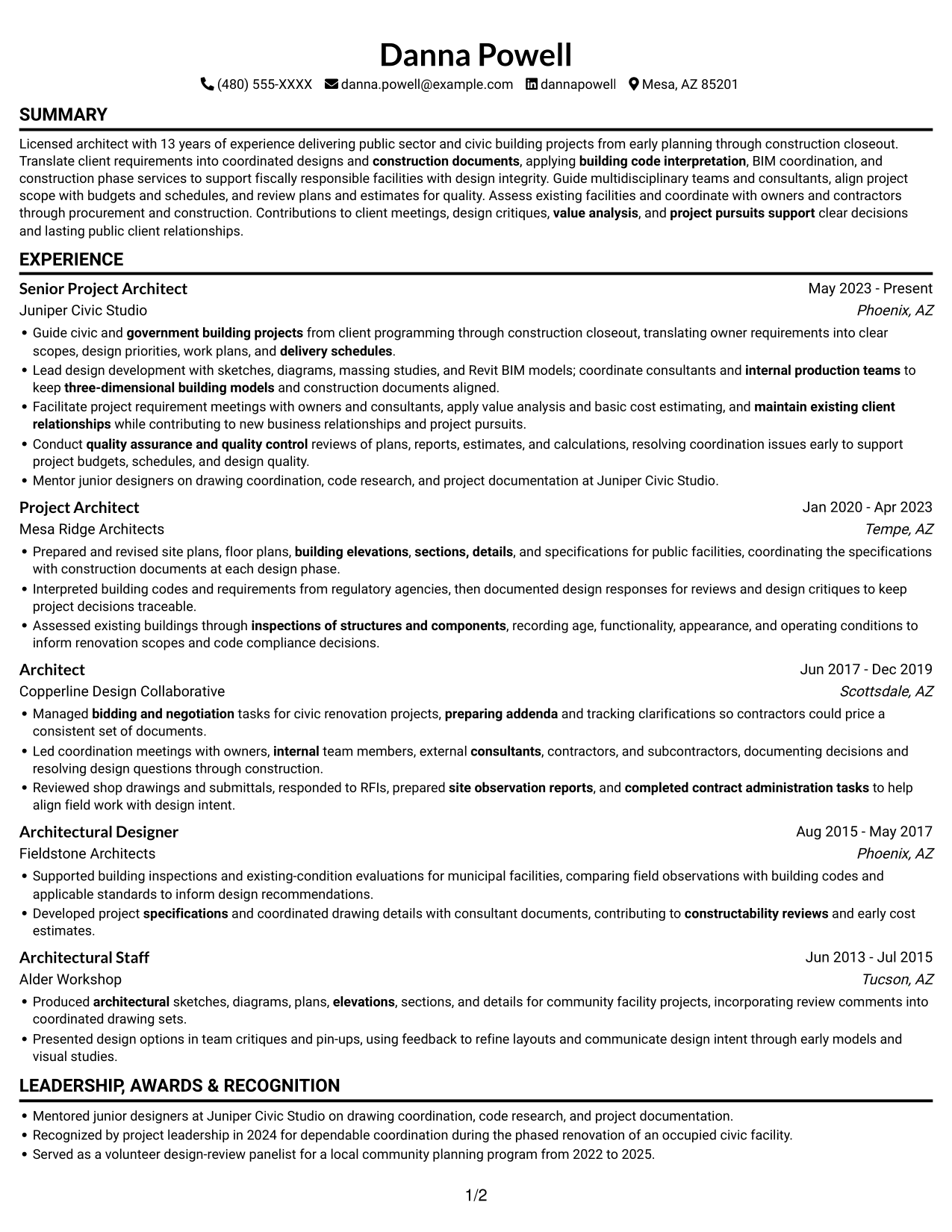
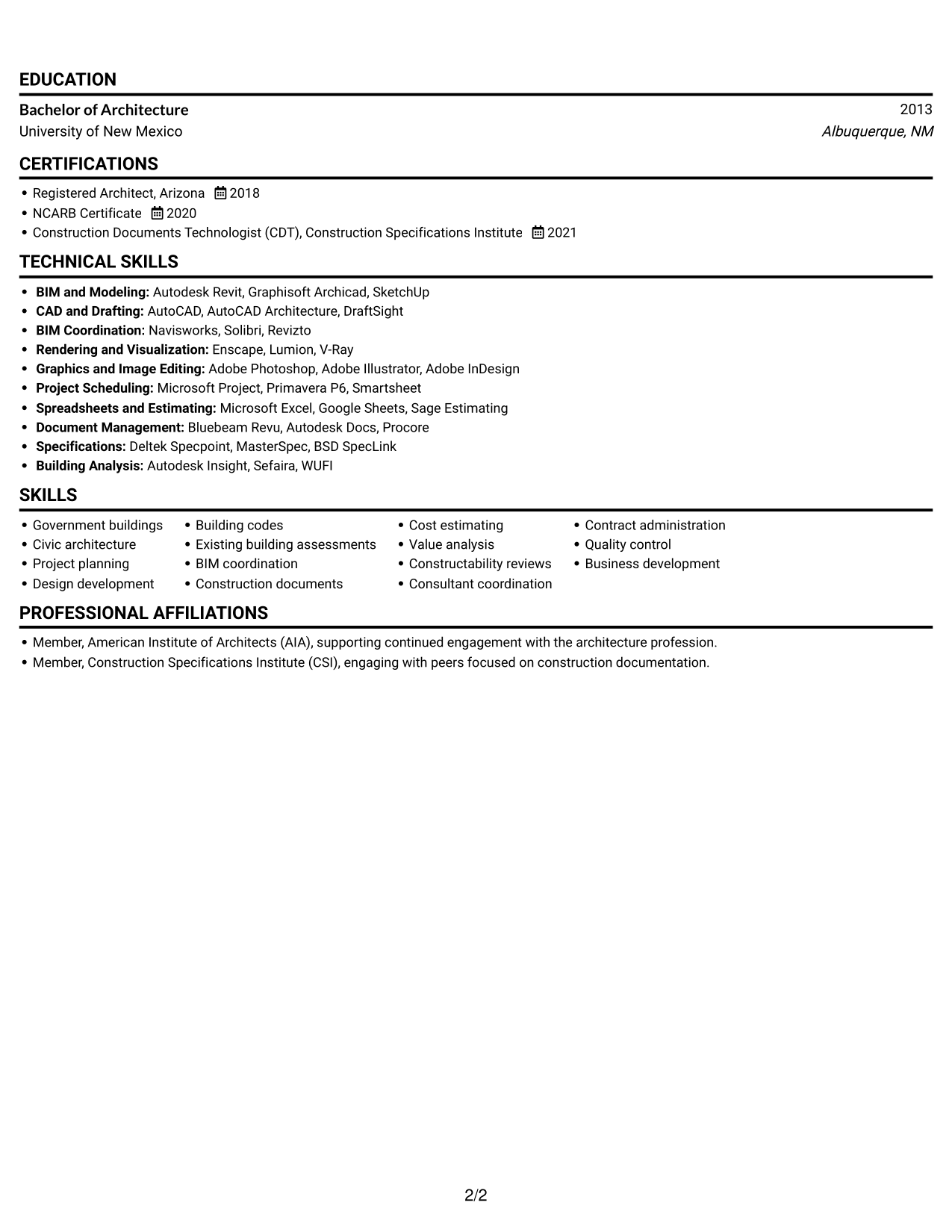
#1 Simple One Column Format Resume Example

A single-column layout presents the resume in one vertical sequence, giving project details and credentials a direct reading path.
 
Resume example — page 1   Resume example — page 2

Why This Format Works

  • A continuous sequence makes career progression easier to follow from role to role.
  • Skills and tools appear within the same reading path as project evidence.
  • Education and credentials remain part of the document’s straightforward section flow.

Best For

  • Single-column reading preference
  • Sequential career histories
  • Text-led resume presentation
  • Detailed project records
  • Government architecture applications

Resume Keywords

  • government building projects
  • Guide civic and government building projects from client programming through construction closeout
  • Lead design development
  • three-dimensional building models
  • construction documents
  • building code interpretation
  • inspections of structures and components
  • Existing building assessments
  • coordinate consultants and internal production teams
  • Facilitate project requirement meetings with owners and consultants
  • work plans
  • coordinate consultants and internal production teams to keep three-dimensional building models and construction documents aligned
  • delivery schedules
  • quality assurance and quality control
  • Produced architectural sketches, diagrams, plans, elevations, sections, and details
See all keywords
 

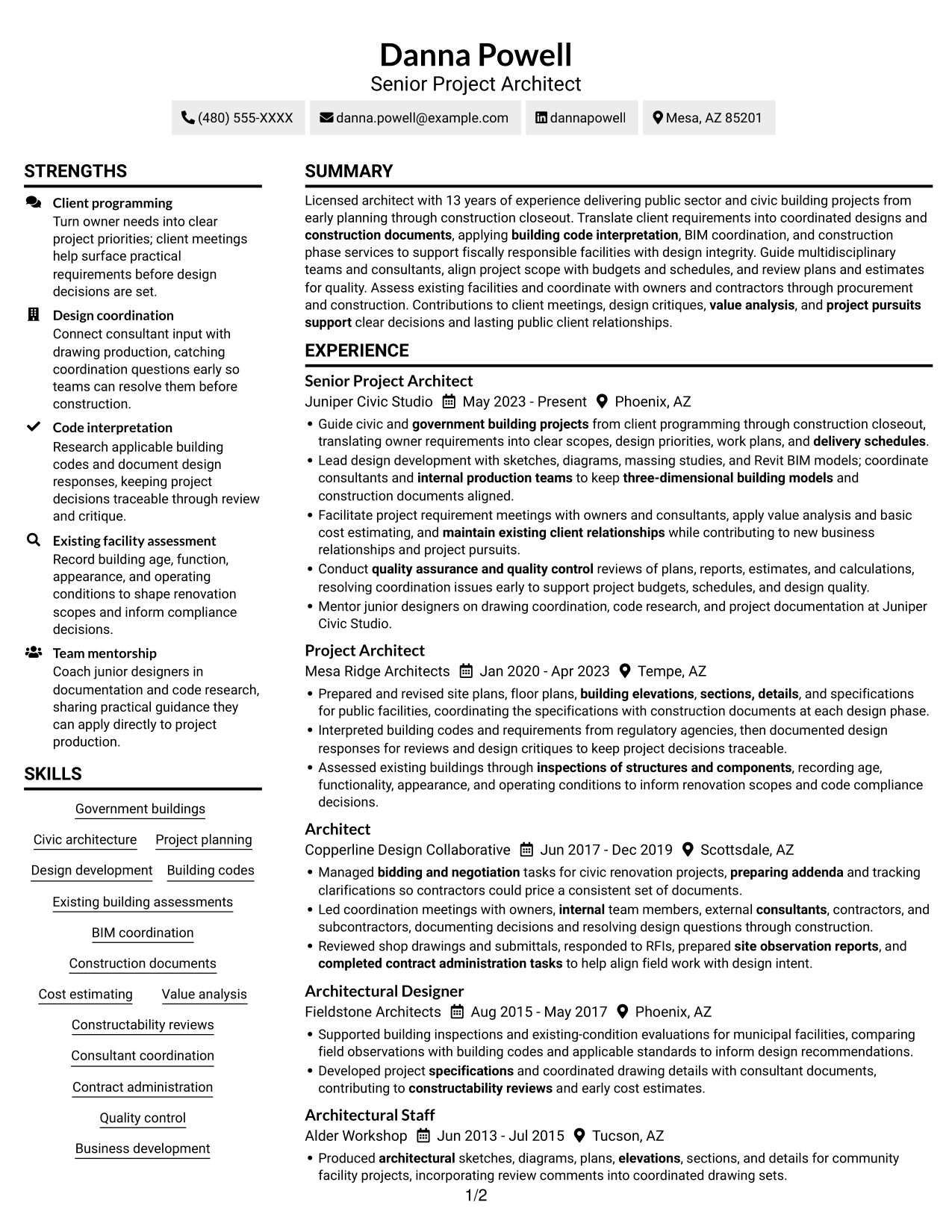
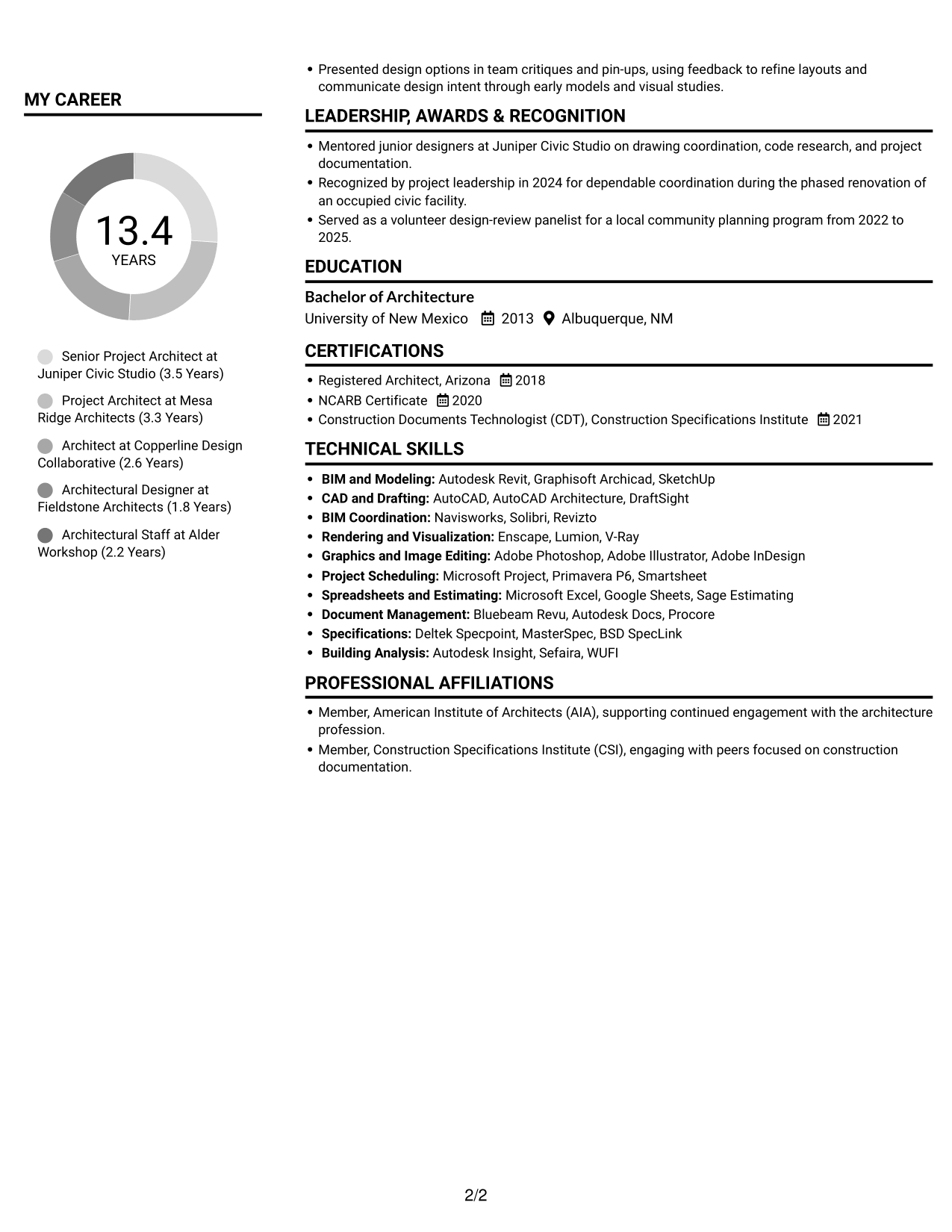
#2 Simple Two Column Format Resume Example

Two columns separate career details from supporting sections, helping reviewers move between project history and credentials.
 
Resume example — page 1   Resume example — page 2

Why This Format Works

  • Two columns give experience and supporting skills distinct reading areas.
  • Education and credentials stay easy to locate during a focused review.
  • Project details can be scanned without passing through every skills entry.

Best For

  • Side-by-side section access
  • Experience paired with skills
  • Education and credentials review
  • Detailed project histories
  • Resumes with varied content

#3 Plain One Column with Shaded Labels Resume Example

This one-column format keeps the resume in a vertical sequence, which suits readers who prefer to follow career details from section to section.
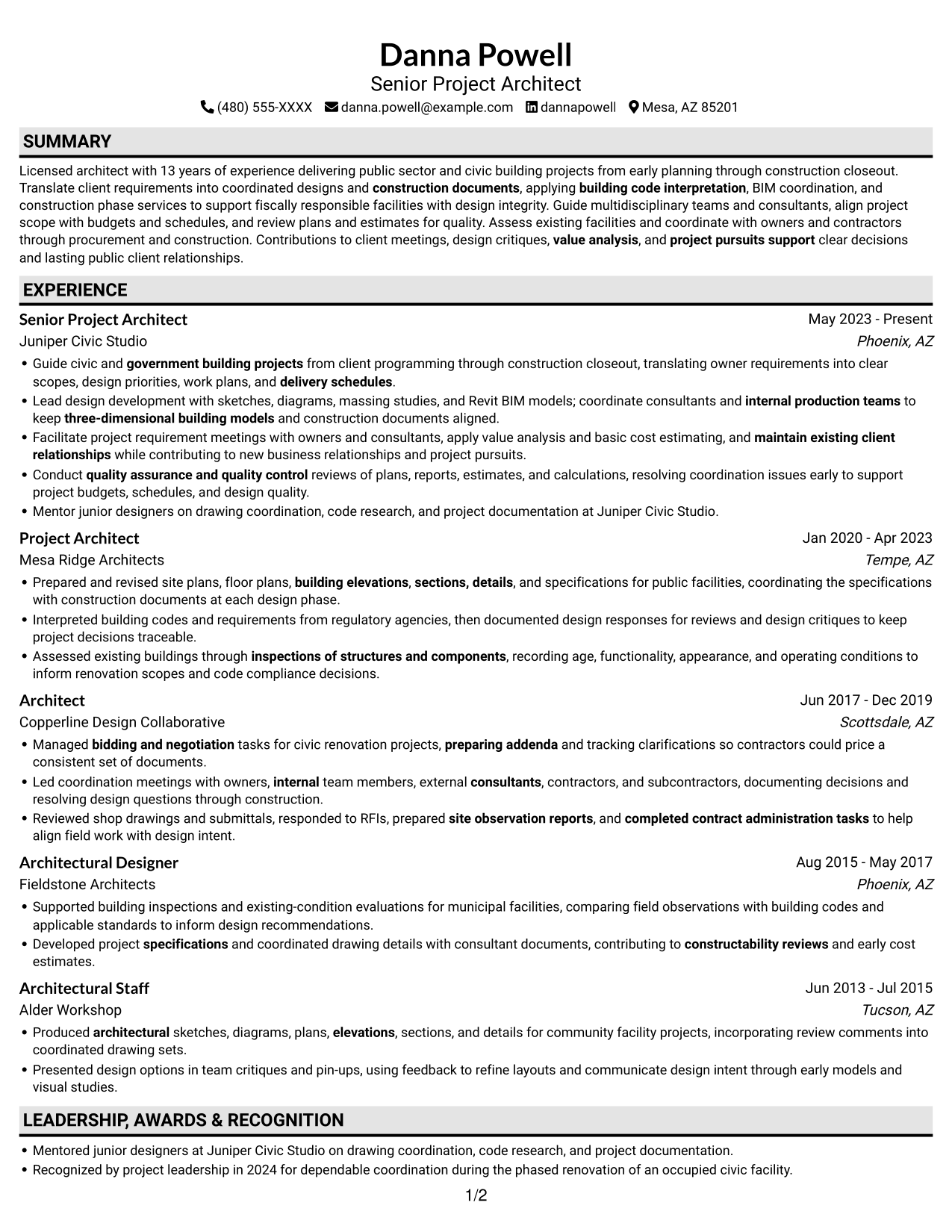
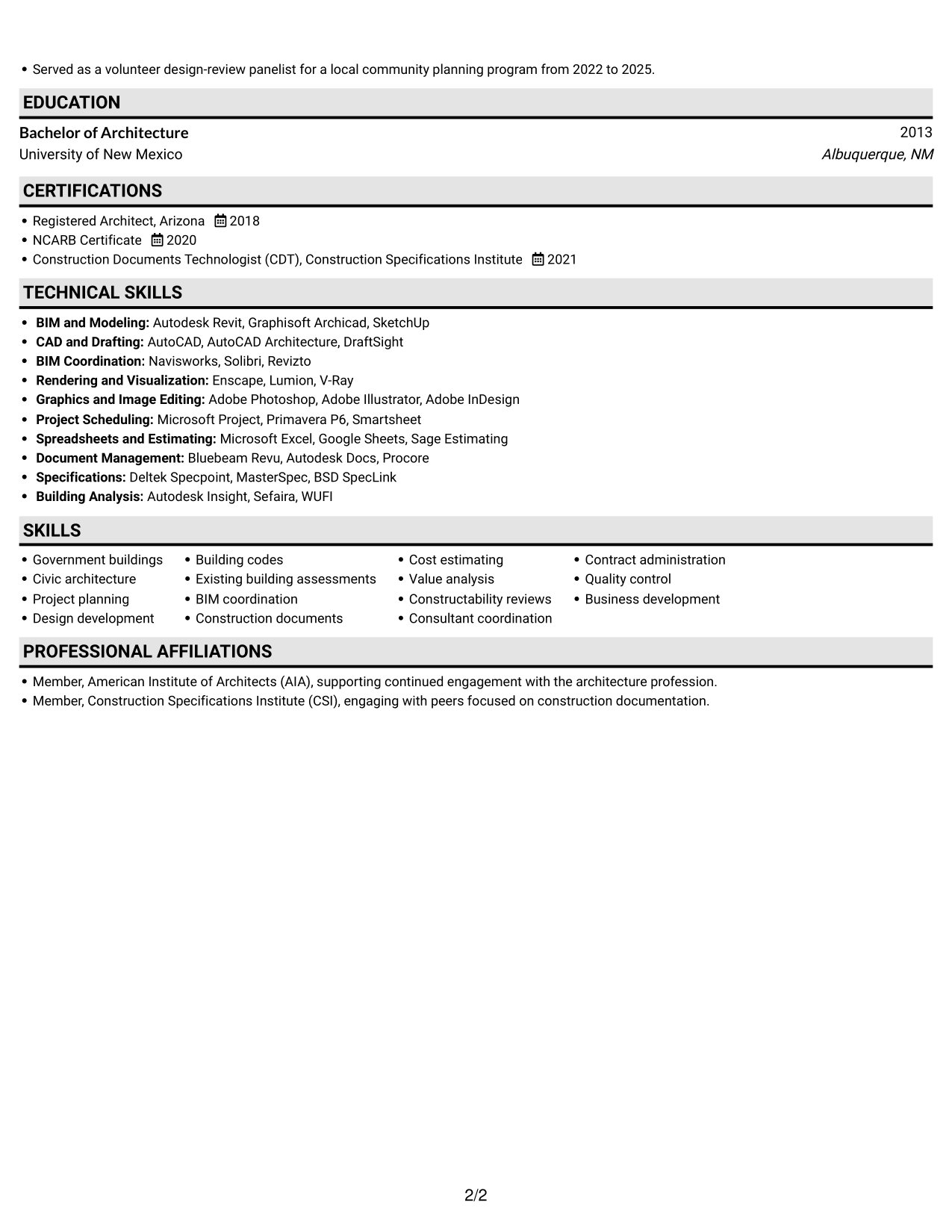
 
Resume example — page 1   Resume example — page 2

Why This Format Works

  • A single vertical path keeps experience entries in a clear sequence.
  • Education and licenses fit within the same section flow as project history.
  • Reviewers can follow achievements without switching between parallel content areas.

Best For

  • Continuous vertical reading
  • Longer career records
  • Multiple resume sections
  • Text-first review workflows
  • Government building project applications
 

#4 One Column Format with Photo Right Resume Example

This one-column layout places a portrait at the right, offering a visible personal element while keeping resume content in one reading sequence.
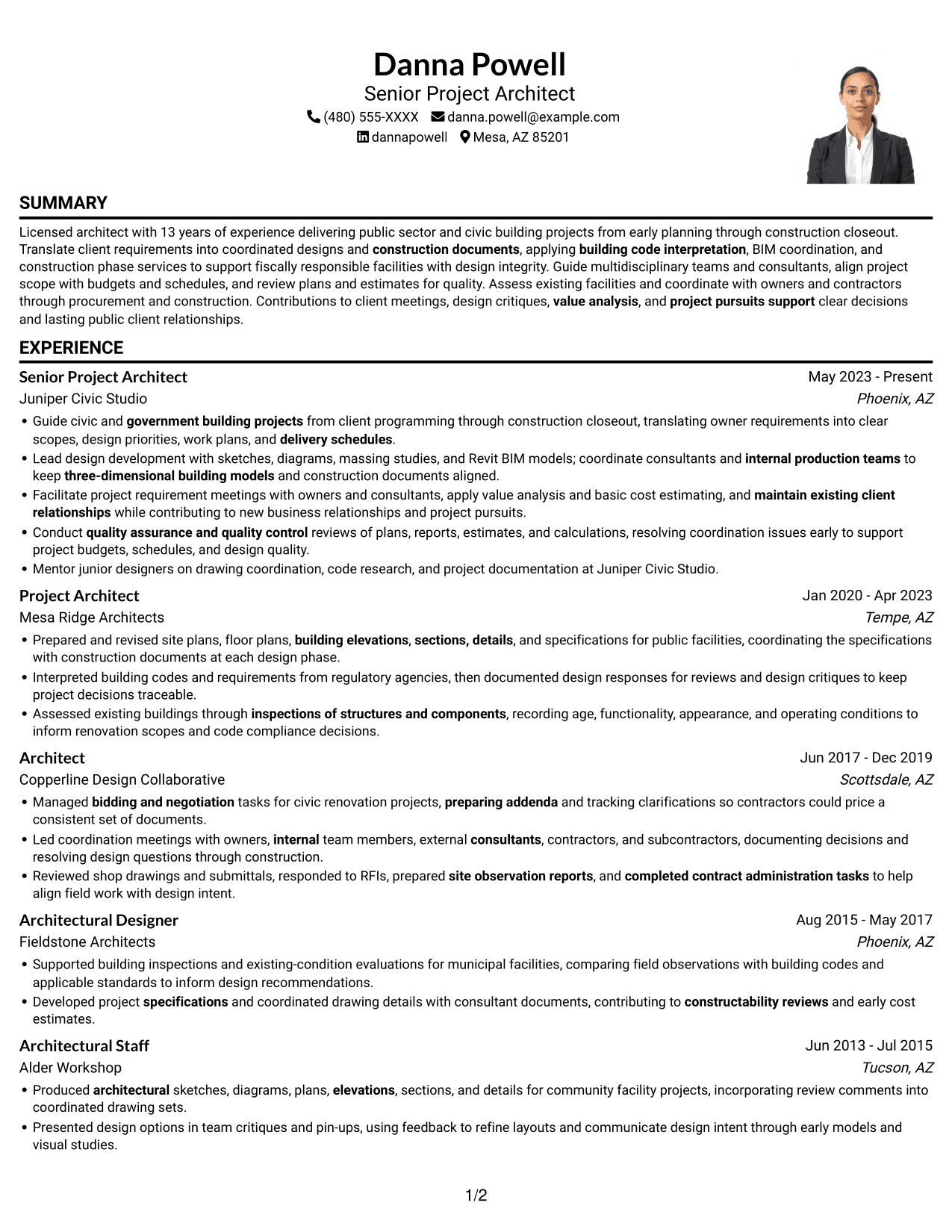
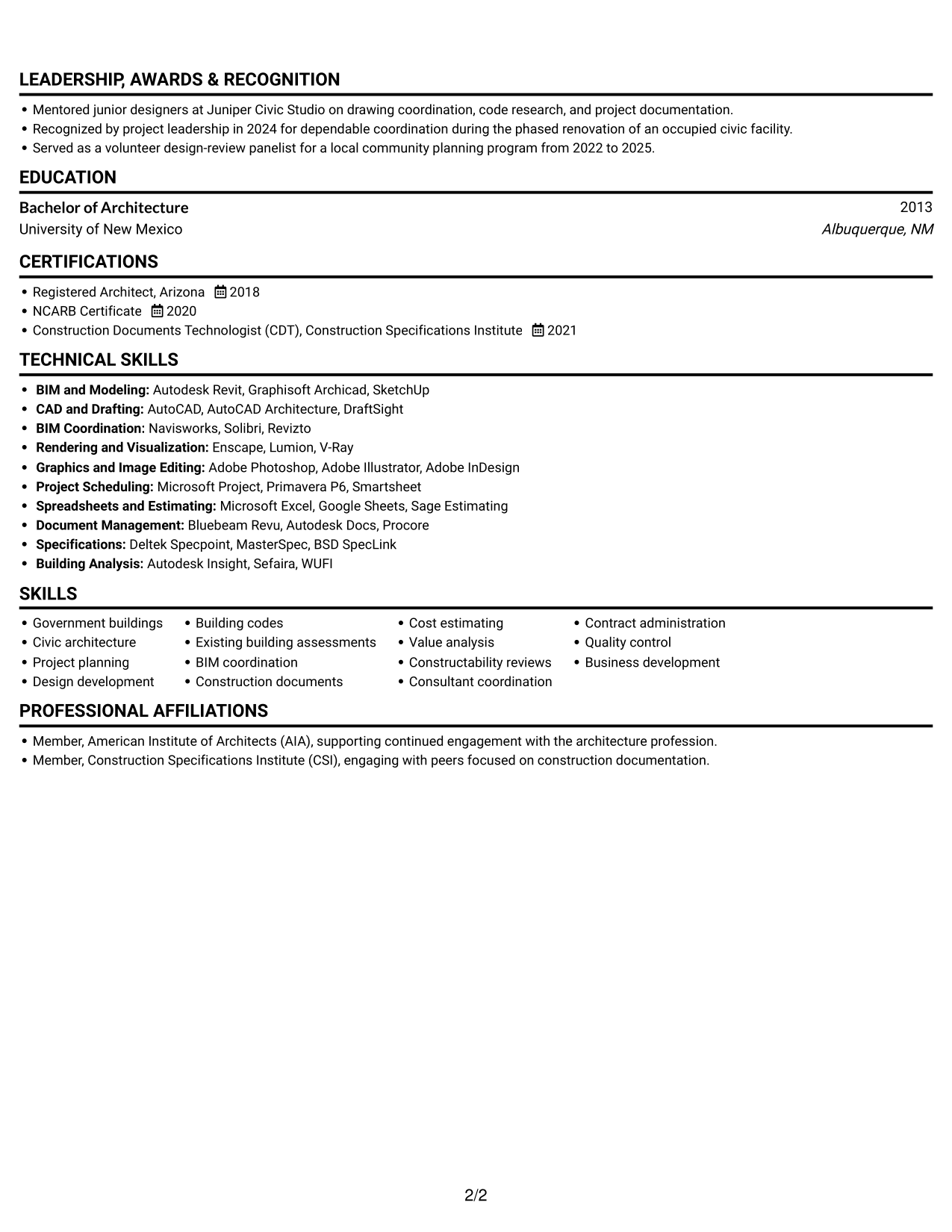
 
Resume example — page 1   Resume example — page 2

Why This Format Works

  • One-column reading keeps project history in a continuous vertical sequence.
  • Skills and credentials remain part of the same scan path as experience.
  • The portrait stays visually distinct from details documenting project achievements.

Best For

  • Resumes with a portrait
  • Right-side photo presentation
  • Single-column content flow
  • Career histories with project detail
  • Visual identification preference
 

#5 Clean Two Column Sidebar Format Resume Example

The two-column sidebar layout places supporting resume sections beside career history, helping reviewers consult both without treating them as one long list.
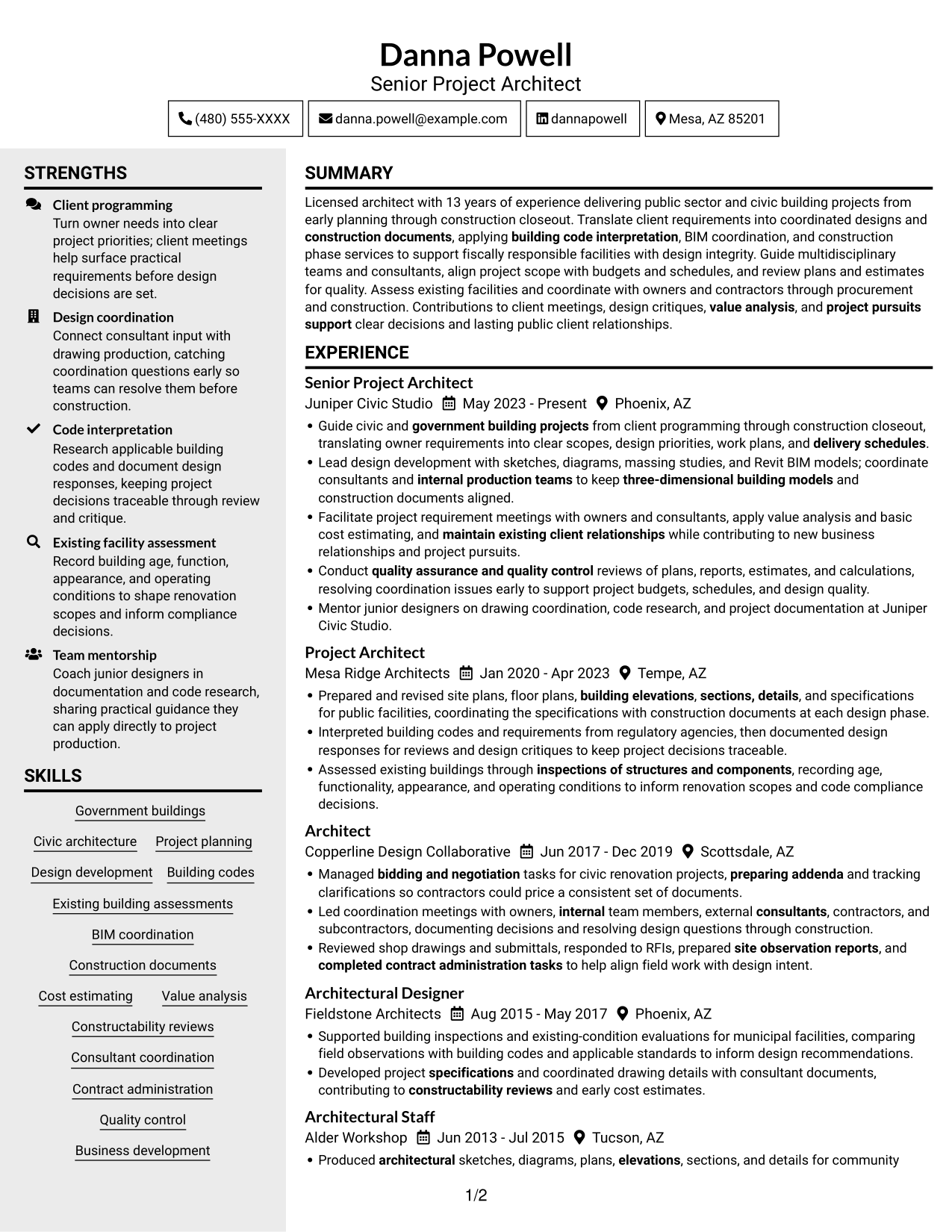
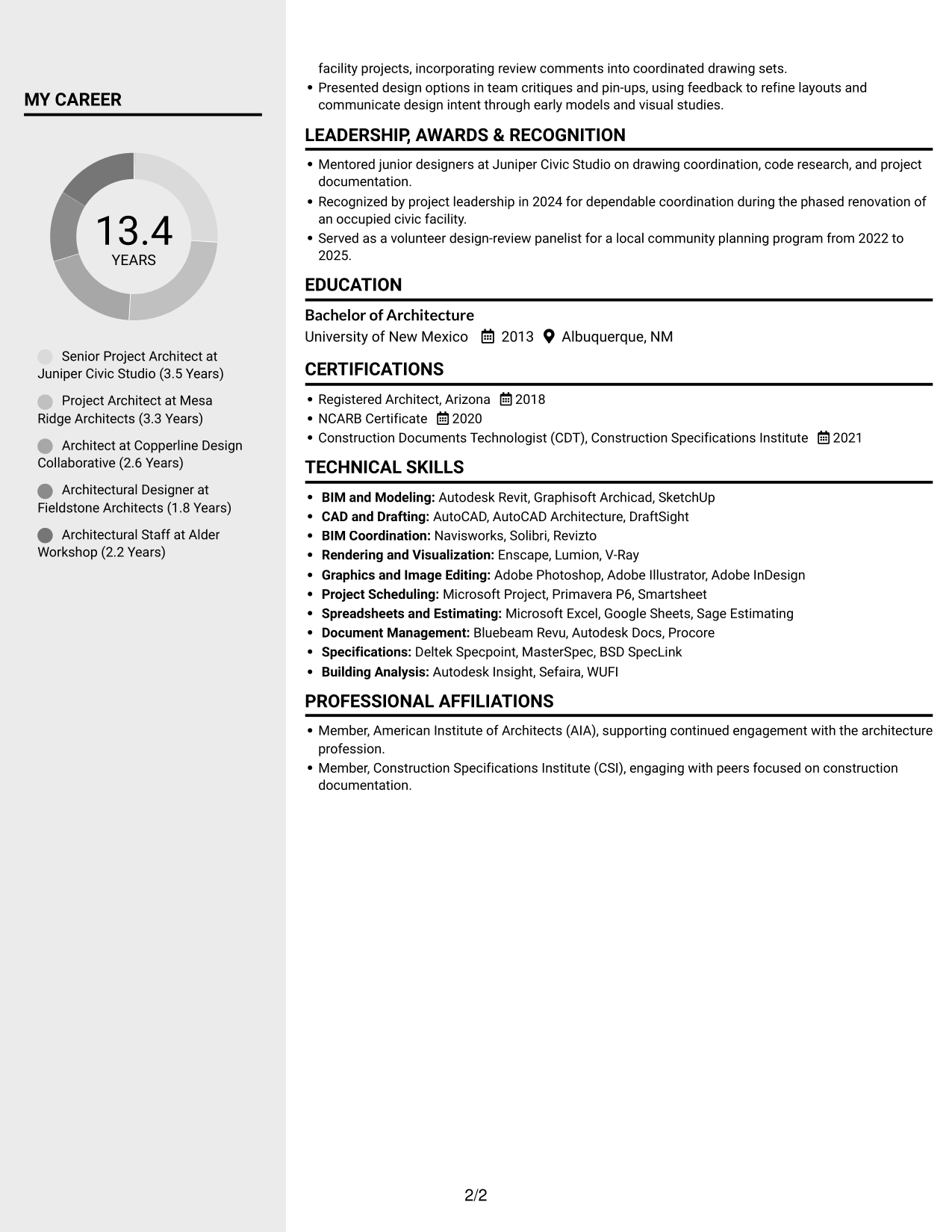
 
Resume example — page 1   Resume example — page 2

Why This Format Works

  • A sidebar gives supporting details a separate place beside the main career record.
  • Career entries remain easy to compare without crowding supporting information.
  • Reviewers can scan skills and credentials without interrupting the experience sequence.

Best For

  • Sidebar-based section access
  • Career history beside supporting details
  • Skills and credentials at a glance
  • Resumes with varied content sections
  • Project records needing clear separation


#6 Two Column Format Resume Example

Two body columns organize resume content into parallel areas, giving reviewers a practical way to move between career history and supporting sections.
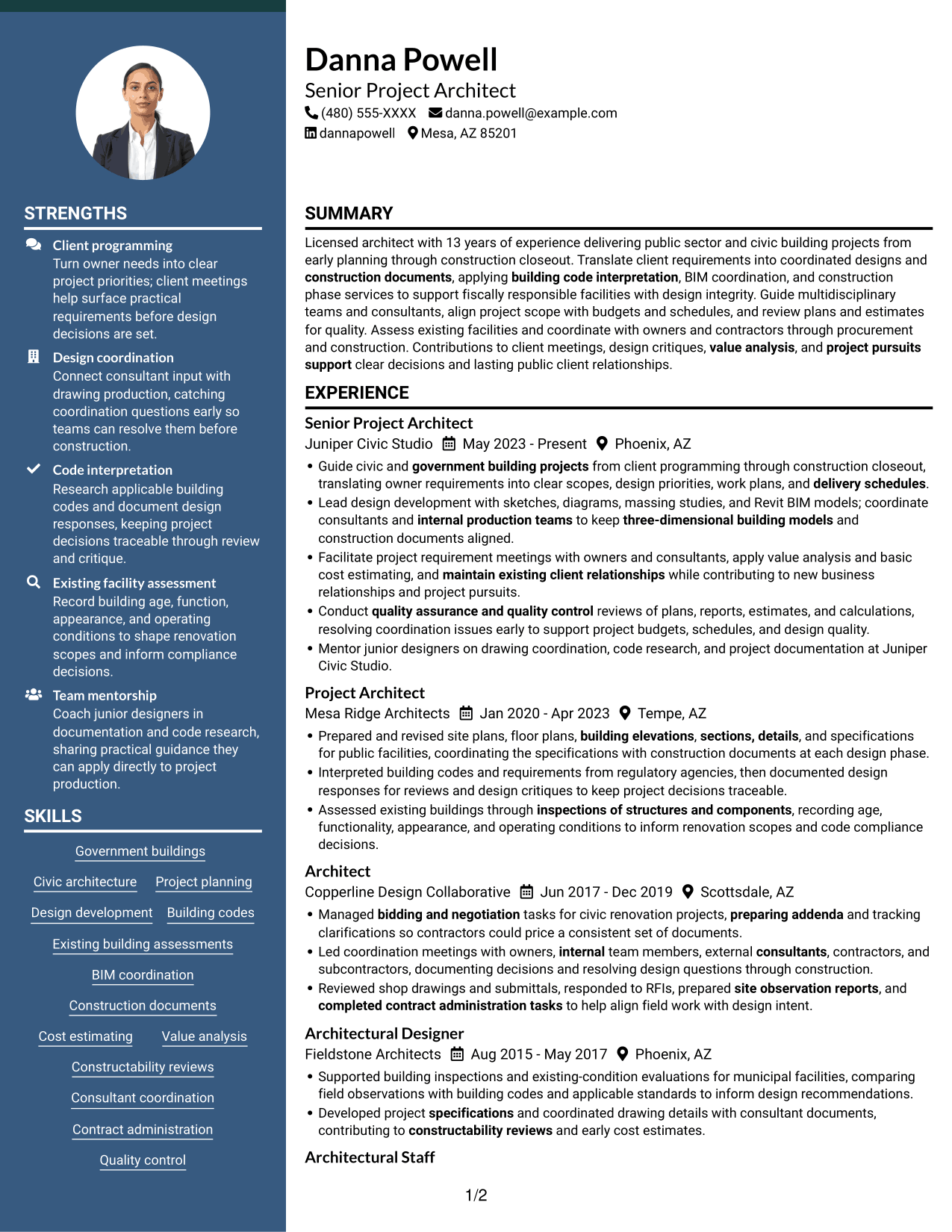
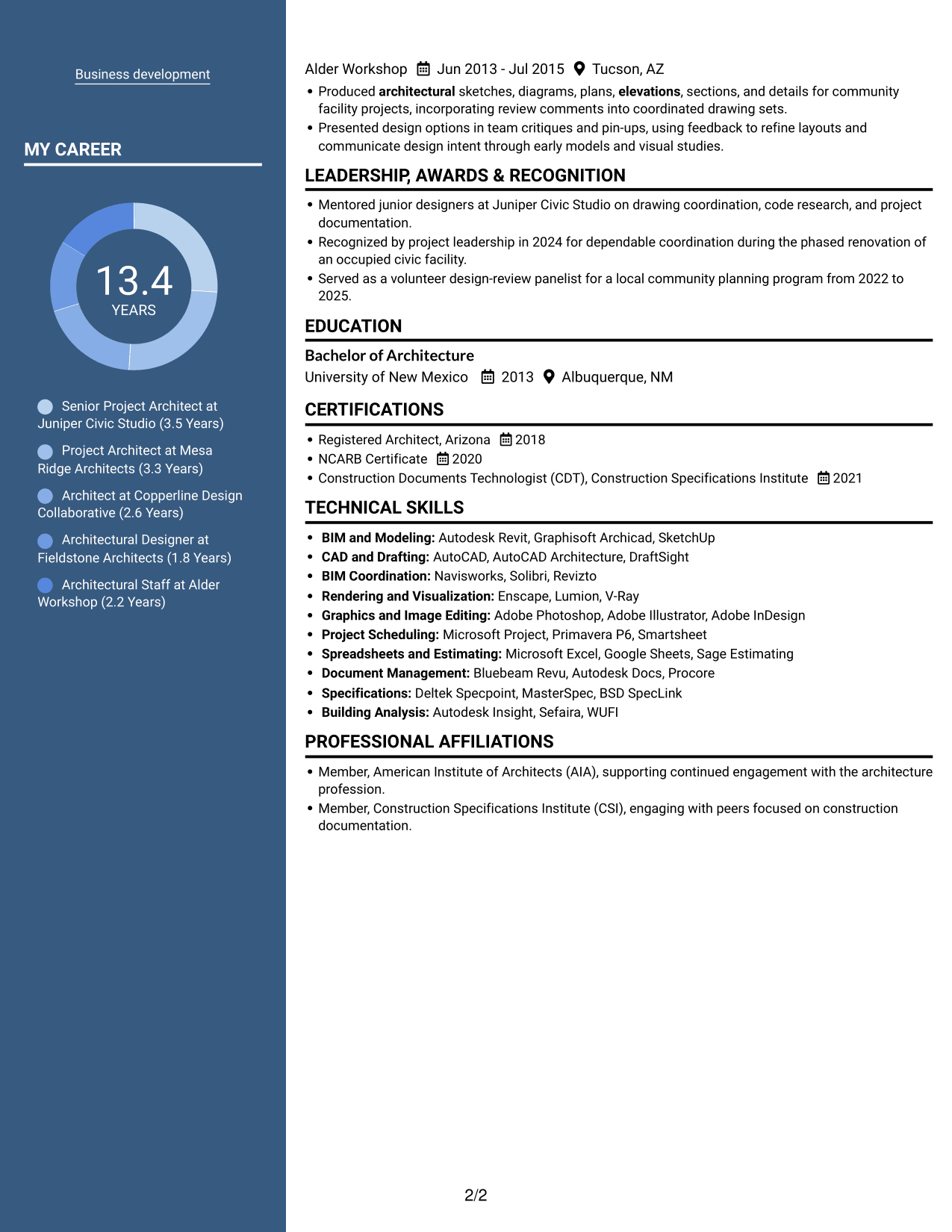
 
Resume example — page 1   Resume example — page 2

Why This Format Works

  • Two columns let reviewers find skills and tools apart from career history.
  • The experience record keeps its own sequence for following progression across roles.
  • Education and credentials can be checked without scanning every project entry.

Best For

  • Two-column section organization
  • Quick reference across resume sections
  • Career details with supporting content
  • Experience and credentials review
  • Detailed project histories
 

#7 Photo Header Two Column Format Resume Example

A photo in the header gives this two-column resume a visible portrait, while the body keeps career details and supporting sections in separate areas.
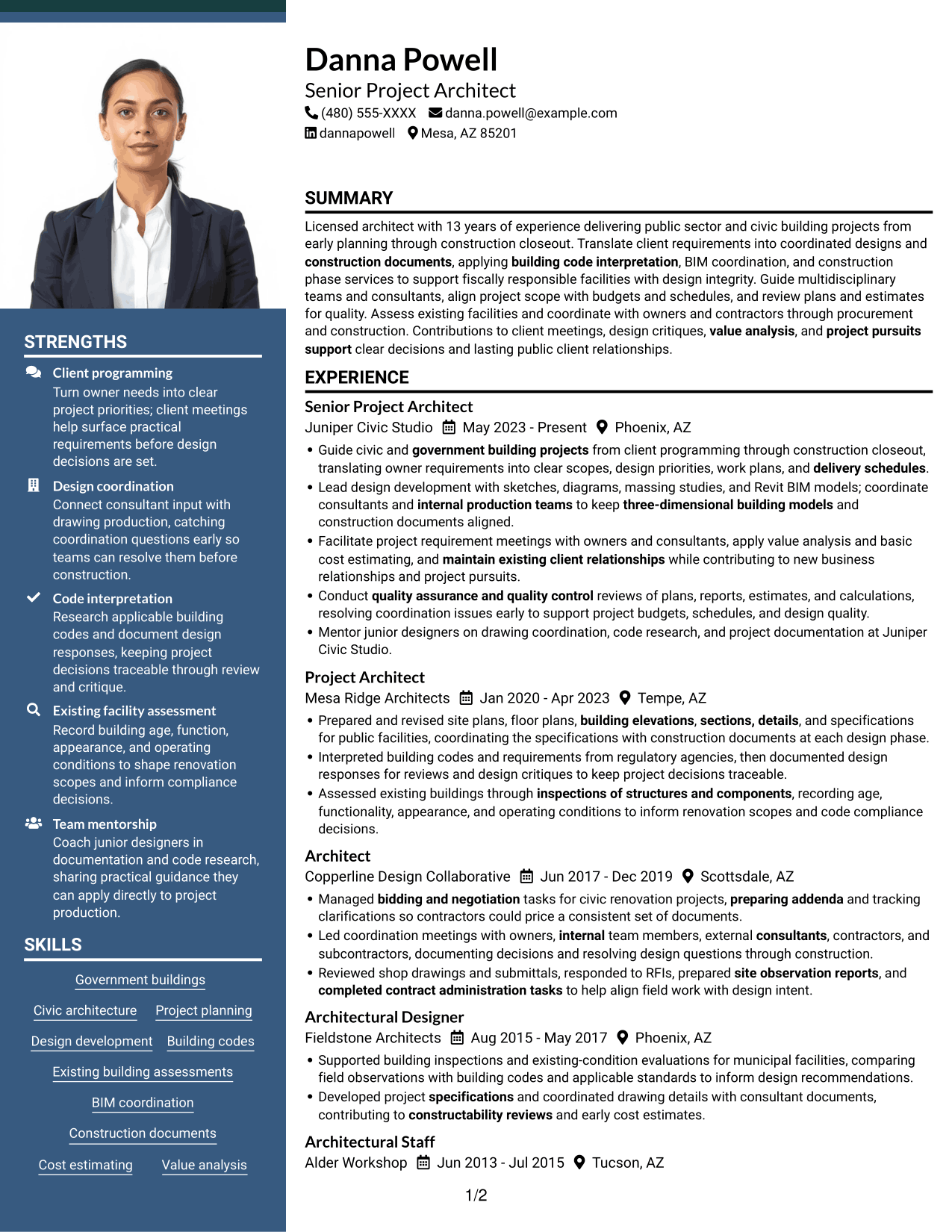
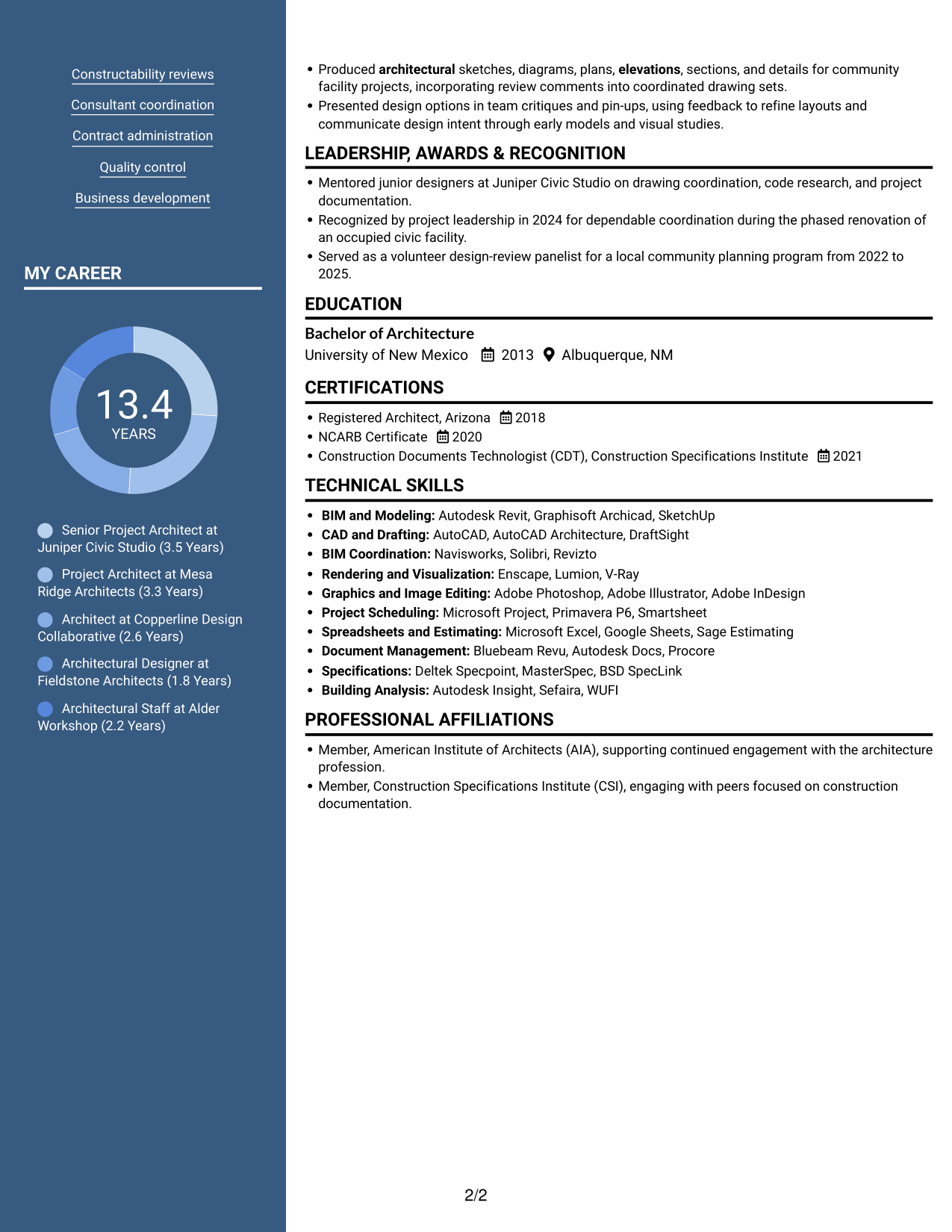
 
Resume example — page 1   Resume example — page 2

Why This Format Works

  • The header portrait offers a clear visual point of identification.
  • Two body columns distinguish career details from supporting resume sections.
  • Education and credentials remain distinct from the longer experience record.

Best For

  • Photo-led header preference
  • Two-column resume bodies
  • Portrait with detailed career history
  • Parallel section access
  • Project records with supporting credentials


See Also


Frequently Asked Questions

Are these Architect - Buildings Government Services resume templates ATS-friendly?

The layouts use clear section headings and readable text. For better ATS parsing, use common resume section names and include role-related terms only when they accurately describe your work.

Are these different resumes?

No. The page shows one resume example in different layouts and design styles, which makes it easier to compare how the same information can be organized.

What should an Architect - Buildings Government Services resume include?

Include a focused summary, relevant experience, education, licenses or certifications, and skills. Experience bullets can cover client requirements, design development, building codes, document coordination, inspections, and construction administration when these match your background.

How can I show the impact of my architecture work?

Describe the work you completed and the project need it addressed. Where you have accurate figures, add measurable results such as schedule improvements, cost savings, or the number of coordinated project documents.

Which resume layout should I choose?

Choose a layout with clear headings and enough space for your project evidence. A simple, well-organized format helps readers find experience, skills, and credentials quickly.

Should I include a photo on my resume?

For U.S. applications, a photo is generally not needed. A no-photo layout keeps attention on your qualifications and project work.


ATS Score 98%

How we calculate this score

  • Keywords: 60% of the total. AI extracts keywords from your job description. If you do not provide one, a standard job description for the title matching your resume is used. This is not a match to a specific vacancy.
  • Text-based resume: 20%. The text resume assessed here receives 100 for this part.
  • Resume quality: 20%. We start at 100 and subtract points for issues found by our resume checks, down to a minimum of zero.
  • Keyword coverage = round(100 × confirmed matches ÷ total keywords). Exact matches and supported equivalents verified by AI receive full credit; unsupported keywords receive none. Live text checks use the saved equivalents and do not request a new AI review. Without keywords, no overall ATS score is available.
  • Final score = 60% of keyword coverage + 20% of the text score + 20% of the quality score, rounded to a whole number. Without keywords, no overall ATS score is available.

What this score means

Our scores are estimates, not employer ratings. They may contain errors and do not guarantee accurate parsing, a ranking, an interview, or a job. Check your document against the employer’s requirements. You are responsible for relying on this score.

Terms and Conditions

Score weights: Keywords 60% · Text based resume 20% · Resume quality 20%

Keyword coverage: 35 of 36 (97%) · Resume quality: 100%

Resume quality 100% · Weight 20% · Issues (0)

Details
  • ✓Name present: Danna Powell
  • ✓Email format: danna.powell@example.com
  • ✓Phone format: (480) 555-XXXX
  • ✓Experience 1: Job title: Senior Project Architect
  • ✓Experience 1: Company name: Juniper Civic Studio
  • ✓Experience 1: Work location: Phoenix, AZ
  • ✓Experience 1: Employment dates: May 2023 - Present
  • ✓Experience 1: Description or achievements: Present
  • ✓Experience 2: Job title: Project Architect
  • ✓Experience 2: Company name: Mesa Ridge Architects
  • ✓Experience 2: Work location: Tempe, AZ
  • ✓Experience 2: Employment dates: Jan 2020 - Apr 2023
  • ✓Experience 2: Description or achievements: Present
  • ✓Experience 3: Job title: Architect
  • ✓Experience 3: Company name: Copperline Design Collaborative
  • ✓Experience 3: Work location: Scottsdale, AZ
  • ✓Experience 3: Employment dates: Jun 2017 - Dec 2019
  • ✓Experience 3: Description or achievements: Present
  • ✓Experience 4: Job title: Architectural Designer
  • ✓Experience 4: Company name: Fieldstone Architects
  • ✓Experience 4: Work location: Phoenix, AZ
  • ✓Experience 4: Employment dates: Aug 2015 - May 2017
  • ✓Experience 4: Description or achievements: Present
  • ✓Experience 5: Job title: Architectural Staff
  • ✓Experience 5: Company name: Alder Workshop
  • ✓Experience 5: Work location: Tucson, AZ
  • ✓Experience 5: Employment dates: Jun 2013 - Jul 2015
  • ✓Experience 5: Description or achievements: Present
  • ✓No placeholder fields
  • ✓No repeated achievement bullets
  • ✓No empty bullets

No issues found by the current checks.

Text Based Resume 100% · Weight 20%

Parsed text
Danna Powell
(480) 555-XXXX
danna.powell@example.com
dannapowell
Mesa, AZ 85201
SUMMARY
Licensed architect with 13 years of experience delivering public sector and civic building projects from early planning through construction closeout. Translate client requirements into coordinated designs and construction documents, applying building code interpretation, BIM coordination, and construction phase services to support fiscally responsible facilities with design integrity. Guide multidisciplinary teams and consultants, align project scope with budgets and schedules, and review plans and estimates for quality. Assess existing facilities and coordinate with owners and contractors through procurement and construction. Contributions to client meetings, design critiques, value analysis, and project pursuits support clear decisions and lasting public client relationships.
EXPERIENCE
Senior Project Architect
May 2023 - Present
Juniper Civic Studio
Phoenix, AZ
Guide civic and government building projects from client programming through construction closeout, translating owner requirements into clear scopes, design priorities, work plans, and delivery schedules.
Lead design development with sketches, diagrams, massing studies, and Revit BIM models; coordinate consultants and internal production teams to keep three-dimensional building models and construction documents aligned.
Facilitate project requirement meetings with owners and consultants, apply value analysis and basic cost estimating, and maintain existing client relationships while contributing to new business relationships and project pursuits.
Conduct quality assurance and quality control reviews of plans, reports, estimates, and calculations, resolving coordination issues early to support project budgets, schedules, and design quality.
Mentor junior designers on drawing coordination, code research, and project documentation at Juniper Civic Studio.
Project Architect
Jan 2020 - Apr 2023
Mesa Ridge Architects
Tempe, AZ
Prepared and revised site plans, floor plans, building elevations, sections, details, and specifications for public facilities, coordinating the specifications with construction documents at each design phase.
Interpreted building codes and requirements from regulatory agencies, then documented design responses for reviews and design critiques to keep project decisions traceable.
Assessed existing buildings through inspections of structures and components, recording age, functionality, appearance, and operating conditions to inform renovation scopes and code compliance decisions.
Architect
Jun 2017 - Dec 2019
Copperline Design Collaborative
Scottsdale, AZ
Managed bidding and negotiation tasks for civic renovation projects, preparing addenda and tracking clarifications so contractors could price a consistent set of documents.
Led coordination meetings with owners, internal team members, external consultants, contractors, and subcontractors, documenting decisions and resolving design questions through construction.
Reviewed shop drawings and submittals, responded to RFIs, prepared site observation reports, and completed contract administration tasks to help align field work with design intent.
Architectural Designer
Aug 2015 - May 2017
Fieldstone Architects
Phoenix, AZ
Supported building inspections and existing-condition evaluations for municipal facilities, comparing field observations with building codes and applicable standards to inform design recommendations.
Developed project specifications and coordinated drawing details with consultant documents, contributing to constructability reviews and early cost estimates.
Architectural Staff
Jun 2013 - Jul 2015
Alder Workshop
Tucson, AZ
Produced architectural sketches, diagrams, plans, elevations, sections, and details for community facility projects, incorporating review comments into coordinated drawing sets.
Presented design options in team critiques and pin-ups, using feedback to refine layouts and communicate design intent through early models and visual studies.
LEADERSHIP, AWARDS & RECOGNITION
Mentored junior designers at Juniper Civic Studio on drawing coordination, code research, and project documentation.
Recognized by project leadership in 2024 for dependable coordination during the phased renovation of an occupied civic facility.
Served as a volunteer design-review panelist for a local community planning program from 2022 to 2025.
EDUCATION
Bachelor of Architecture
2013
University of New Mexico
Albuquerque, NM
CERTIFICATIONS
Registered Architect, Arizona
2018
NCARB Certificate
2020
Construction Documents Technologist (CDT), Construction Specifications Institute
2021
TECHNICAL SKILLS
BIM and Modeling: Autodesk Revit, Graphisoft Archicad, SketchUp
CAD and Drafting: AutoCAD, AutoCAD Architecture, DraftSight
BIM Coordination: Navisworks, Solibri, Revizto
Rendering and Visualization: Enscape, Lumion, V-Ray
Graphics and Image Editing: Adobe Photoshop, Adobe Illustrator, Adobe InDesign
Project Scheduling: Microsoft Project, Primavera P6, Smartsheet
Spreadsheets and Estimating: Microsoft Excel, Google Sheets, Sage Estimating
Document Management: Bluebeam Revu, Autodesk Docs, Procore
Specifications: Deltek Specpoint, MasterSpec, BSD SpecLink
Building Analysis: Autodesk Insight, Sefaira, WUFI
SKILLS
Government buildings
Civic architecture
Project planning
Design development
Building codes
Existing building assessments
BIM coordination
Construction documents
Cost estimating
Value analysis
Constructability reviews
Consultant coordination
Contract administration
Quality control
Business development
PROFESSIONAL AFFILIATIONS
Member, American Institute of Architects (AIA), supporting continued engagement with the architecture profession.
Member, Construction Specifications Institute (CSI), engaging with peers focused on construction documentation.

Matched keywords (35)

  • government building projects
  • Guide civic and government building projects from client programming through construction closeoutOriginal keyword in JD: Architectural project lifecycle management
  • Lead design developmentOriginal keyword in JD: Architectural design development
  • three-dimensional building modelsOriginal keyword in JD: BIM-based 3D modeling
  • construction documents
  • building code interpretation
  • inspections of structures and componentsOriginal keyword in JD: Building and structure inspections
  • Existing building assessments
  • coordinate consultants and internal production teamsOriginal keyword in JD: Project team coordination
  • Facilitate project requirement meetings with owners and consultantsOriginal keyword in JD: Client requirements discussions
  • work plansOriginal keyword in JD: Project work planning
  • coordinate consultants and internal production teams to keep three-dimensional building models and construction documents alignedOriginal keyword in JD: Production workflow coordination
  • delivery schedulesOriginal keyword in JD: Project schedule management
  • quality assurance and quality control
  • Produced architectural sketches, diagrams, plans, elevations, sections, and detailsOriginal keyword in JD: Architectural drawing production
  • site plans
  • floor plans
  • building elevations
  • sections, detailsOriginal keyword in JD: Building sections and details
  • specificationsOriginal keyword in JD: Architectural specifications
  • Consultant coordination
  • Led coordination meetings with owners, internal team members, external consultants, contractors, and subcontractorsOriginal keyword in JD: Owner and contractor coordination
  • Led coordination meetingsOriginal keyword in JD: Project meeting leadership
  • value analysis
  • cost estimating
  • constructability reviews
  • bidding and negotiation
  • preparing addendaOriginal keyword in JD: Addenda preparation
  • Reviewed shop drawings and submittalsOriginal keyword in JD: Shop drawing and submittal review
  • responded to RFIsOriginal keyword in JD: Request for Information responses
  • site observation reports
  • completed contract administration tasksOriginal keyword in JD: Construction contract administration
  • Business development
  • maintain existing client relationshipsOriginal keyword in JD: Client relationship management
  • project pursuits supportOriginal keyword in JD: Project pursuit support

Missing keywords (1)

  • Project budget management
Disclaimer: All names, images, contact information, employment histories, achievements, security clearances, military credentials, and other qualifications shown in this content are fictional and used for illustrative purposes only. Any resemblance to actual persons, living or deceased, is purely coincidental.

Resume and cover-letter examples and recommendations in this article reflect general best practices and professional experience and are provided for guidance only. Results may vary based on role, industry, region, and hiring organization.

Content Accuracy and Verification: To the fullest extent permitted by applicable law, we do not represent or warrant that resume or cover-letter guidance, examples, recommendations, or related information are accurate, complete, current, error-free, or suitable for any particular purpose. You are responsible for independently reviewing and verifying the information before relying on it.

ATS and Cover-Letter Scores: ATS scores are estimates calculated using our own formula, informed by publicly available guidance on resume formatting and keyword matching. They are not scores issued or endorsed by an ATS provider or employer. Cover-letter scores are also our own assessments. Parsing, weighting, screening criteria, and results vary between systems, employers, job descriptions, and document formats. No score guarantees successful parsing, a particular ranking, an interview, or employment. Use scores as general guidance and independently check your documents against the employer’s requirements. To the fullest extent permitted by applicable law, we accept no liability for errors in scores or parsing, or losses arising from reliance on these assessments. Nothing in this notice excludes liability or limits consumer rights that cannot lawfully be excluded or limited.

Terms and Conditions
 
> JP 1 1
PDF Footer and Margins Setup
The margins are applied to the document, and the footer shows up in the preview and the PDF

Footer Font Settings

Are you applying for a specific job
so we can tailor your resume to it?
Are you applying for a specific job
so we can tailor your cover letter to it?

Your data stays private and is never used for training.Privacy Policy

Type your details as text to generate a personalized resume Type your details as text to generate a personalized cover letter
Website link found! Ready to create resume from:

Your data stays private and is never used for training.Privacy Policy

Drag the into the box to verify you're human.
Drop here

My Resumes

Displaying {number_of_files} files (out of {total_of_all_files} total)
Name File Type Last Modified: Description:

Rename File

Filename already exists!

Delete Files

Warning: This action is irreversible. Once you click submit, the files will be permanently deleted.

Heading text
Upload From Computer Upload
Select From Existing
LinkedIn
Drag & Drop files anywhere in this tab, or

Uploaded Files

Delete Name Last Updated Use This File
Select this to use the file for generating your resume and cover letter. Only one source—uploaded file, selected file, or LinkedIn text—can be used.

My Files

Resumes or cover letters you create will appear here. No files available yet.
Delete Name Last Updated Use This File
Select this to use the file for generating your resume and cover letter. Only one source—uploaded file, selected file, or LinkedIn text—can be used.

Add LinkedIn Profile PDF

You can download your LinkedIn profile as a PDF by opening linkedin.com in a web browser, clicking your profile photo, selecting the “More” or “Resources” button, and choosing “Save to PDF.” You can then attach the PDF using the Upload From Computer tab.

Paste Your LinkedIn Profile Text

If you have copied the LinkedIn profile text, paste it below. See how to copy your profile from LinkedIn

Select this to use the LinkedIn profile text for generating your resume and cover letter. Only one source—uploaded file, selected file, or LinkedIn text—can be used.

Try these controls

<
>


