
7 Assistant Planner - GIS Cover Letter Templates with Example
A practical Assistant Planner - GIS cover letter should make your interest and fit clear from the start. This guide shows how to shape a focused letter and use specific evidence to help an employer understand the value you can bring.
For this role, explain how your planning work connects GIS information with land-use review and public communication. Choose examples that show sound judgment, clear writing, and care with technical details.
You will learn how to write a direct opening, select relevant evidence, explain your motivation and alignment with the employer, and close professionally. The same example is presented in 7 layouts, so you can compare the presentation while keeping the message focused.
What Makes a Great Assistant Planner - GIS Cover Letter in 2026
A strong letter links GIS work, land-use review, and clear communication to the Assistant Planner - GIS role. It also gives a simple, genuine reason for wanting to do this work.
Use specific evidence, such as maintaining zoning data, reviewing plans, or sharing map findings. Connect that evidence to the employer’s planning needs without claiming skills or experience you cannot support.
The featured Assistant Planner - GIS example moves from interest and role fit to relevant evidence, employer alignment, and a professional close. Adapt that focused progression to your own experience, and choose a presentation that suits the employer and the way you will communicate.
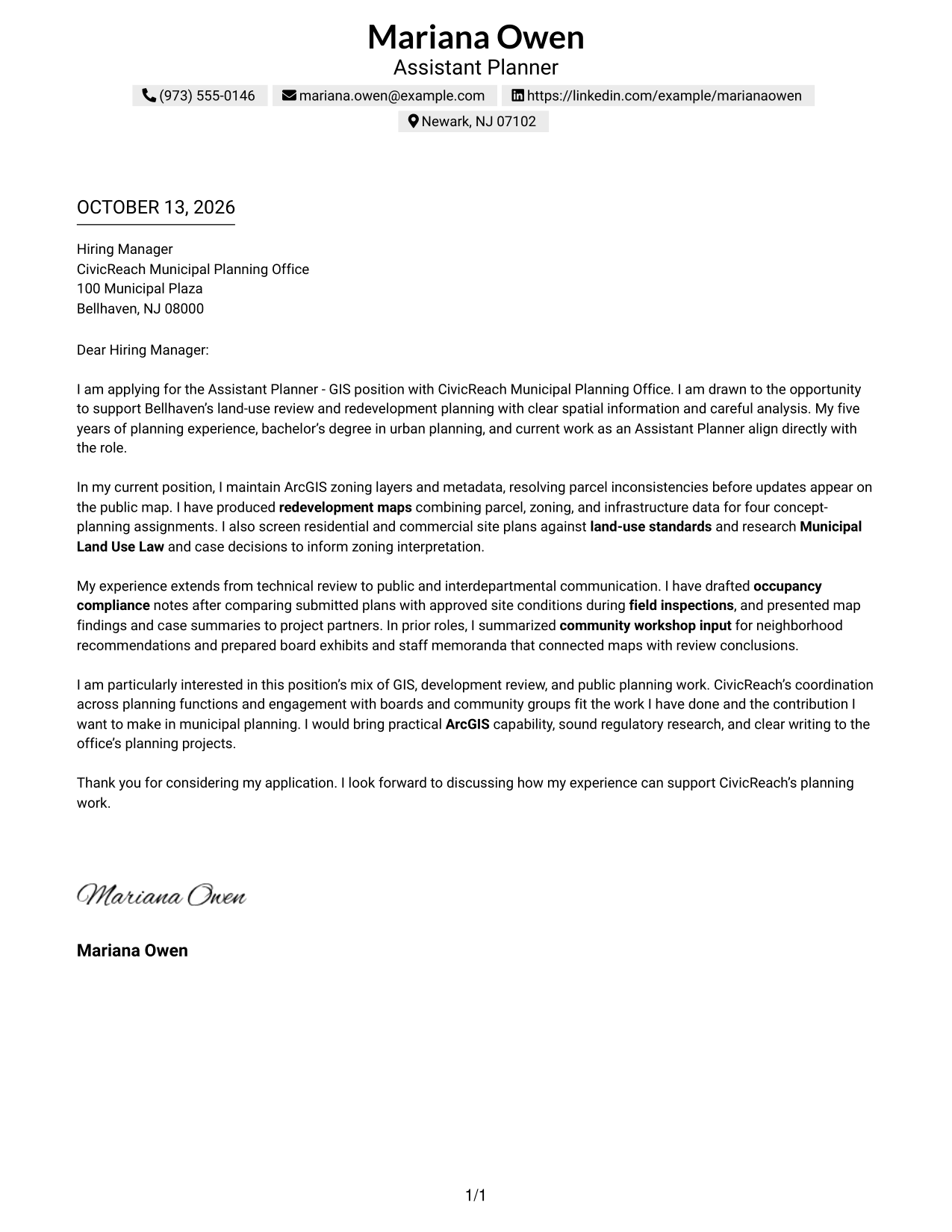
#1 Simple One Column Format Cover Letter Example
The Simple One Column Format gives the greeting, motivation, evidence, and closing one clear reading path.
Why This Format Works
- One uninterrupted reading path lets reviewers follow motivation from opening through closing.
- Even paragraph widths give experience evidence room without splitting the argument.
- Sender details stay in the header, keeping the letter body focused on role fit.
Best For
- Letters needing a direct reading path
- Applications with a brief persuasive case
- Sender details kept outside the body
- Motivation followed by concrete evidence
- Closings that should feel connected
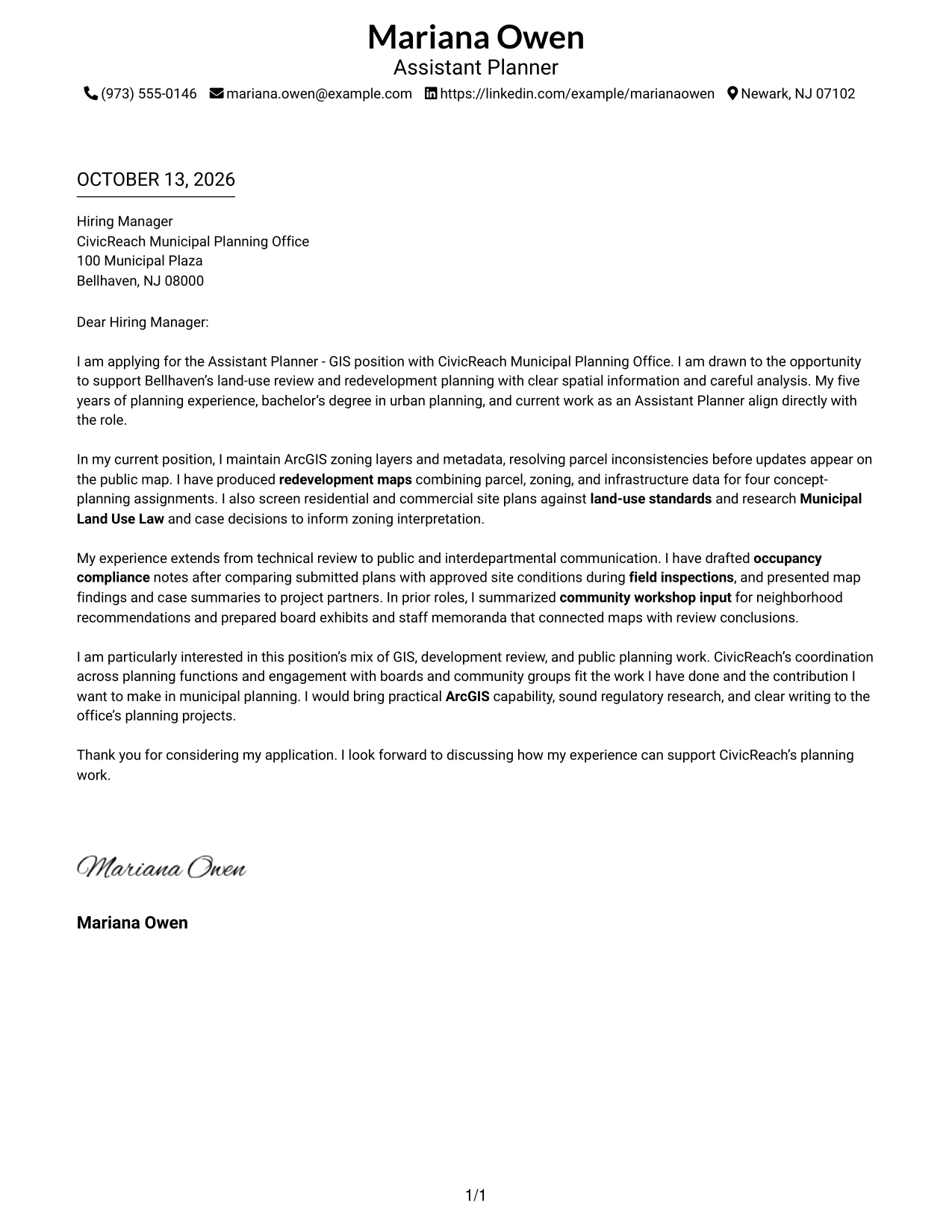
#2 Two Column Format Cover Letter Example
The Two Column Format places contact details in a sidebar while keeping the letter's full persuasive case in one continuous body.
Why This Format Works
- Sidebar contact details keep the opening, evidence, and closing together in the letter body.
- One continuous body lets reviewers trace motivation into supporting experience without a column break.
- Separate contact information from the argument for a clearer first read.
Best For
- Contact details beside the letter body
- Longer letter bodies
- Separate contact and message areas
- Opening-to-closing reading continuity
- Correspondence needing visible sender details
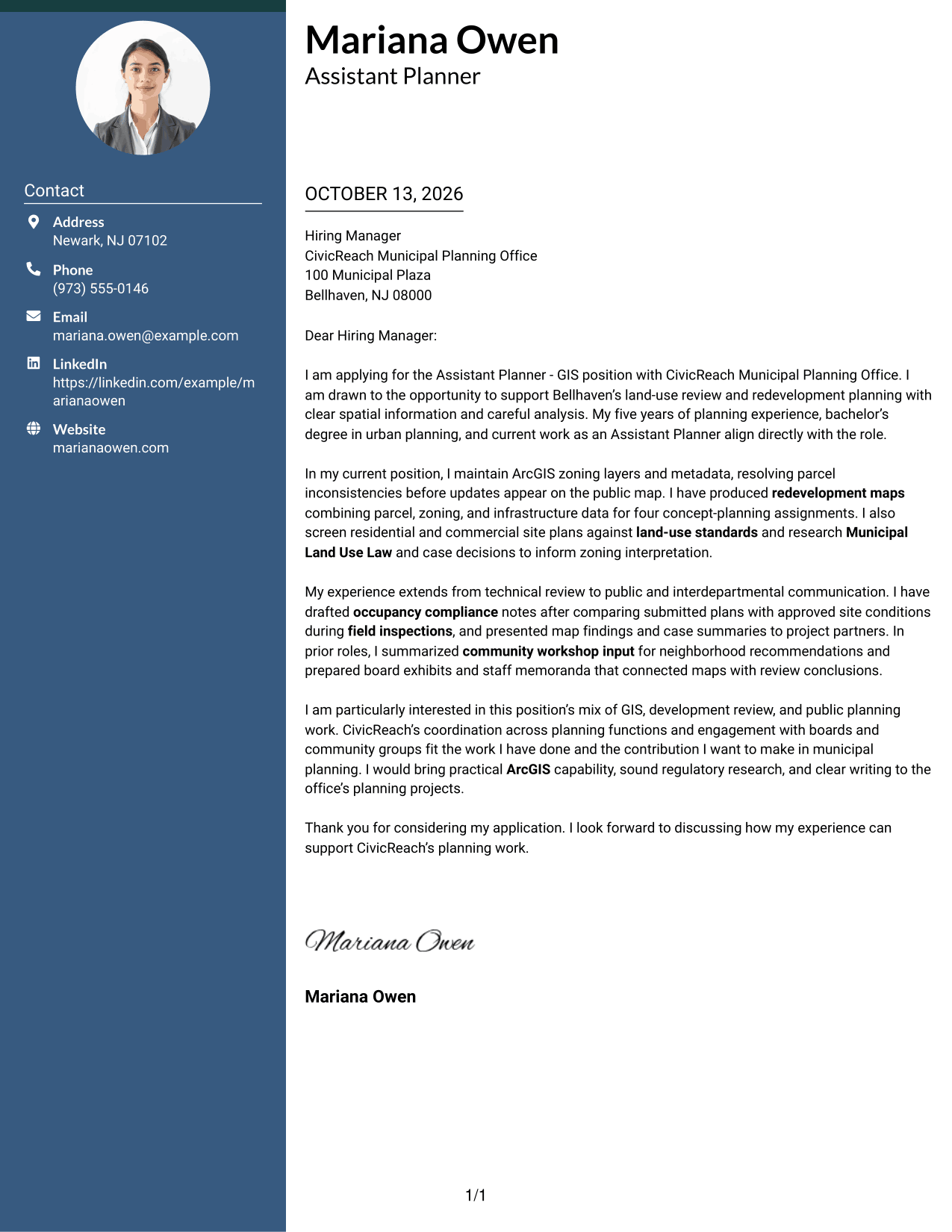
#3 Photo Header Two Column Format Cover Letter Example
The Photo Header Two Column Format pairs a photo and contact sidebar with one continuous body for the letter's opening, evidence, and close.
Why This Format Works
- Contact details sit apart while the letter's motivation and evidence remain in one body.
- Photo and header create a clear starting point before the written case begins.
- Main-body width keeps motivation, experience evidence, and closing connected in reading order.
Best For
- Photo-led header presentation
- Contact details beside a continuous letter
- Letters needing a distinct visual opening
- One-body argument with separate contact information
- Applications where a photo is appropriate
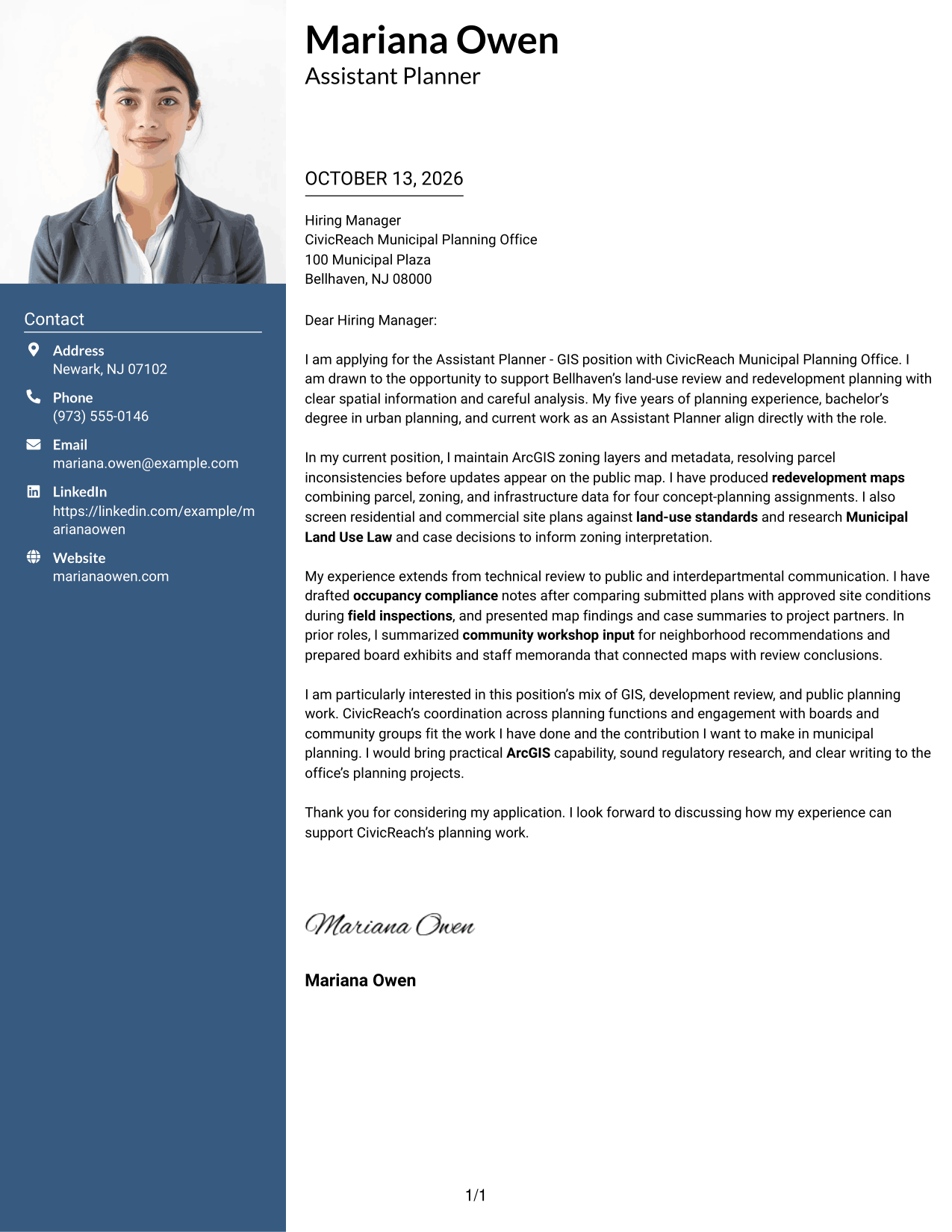
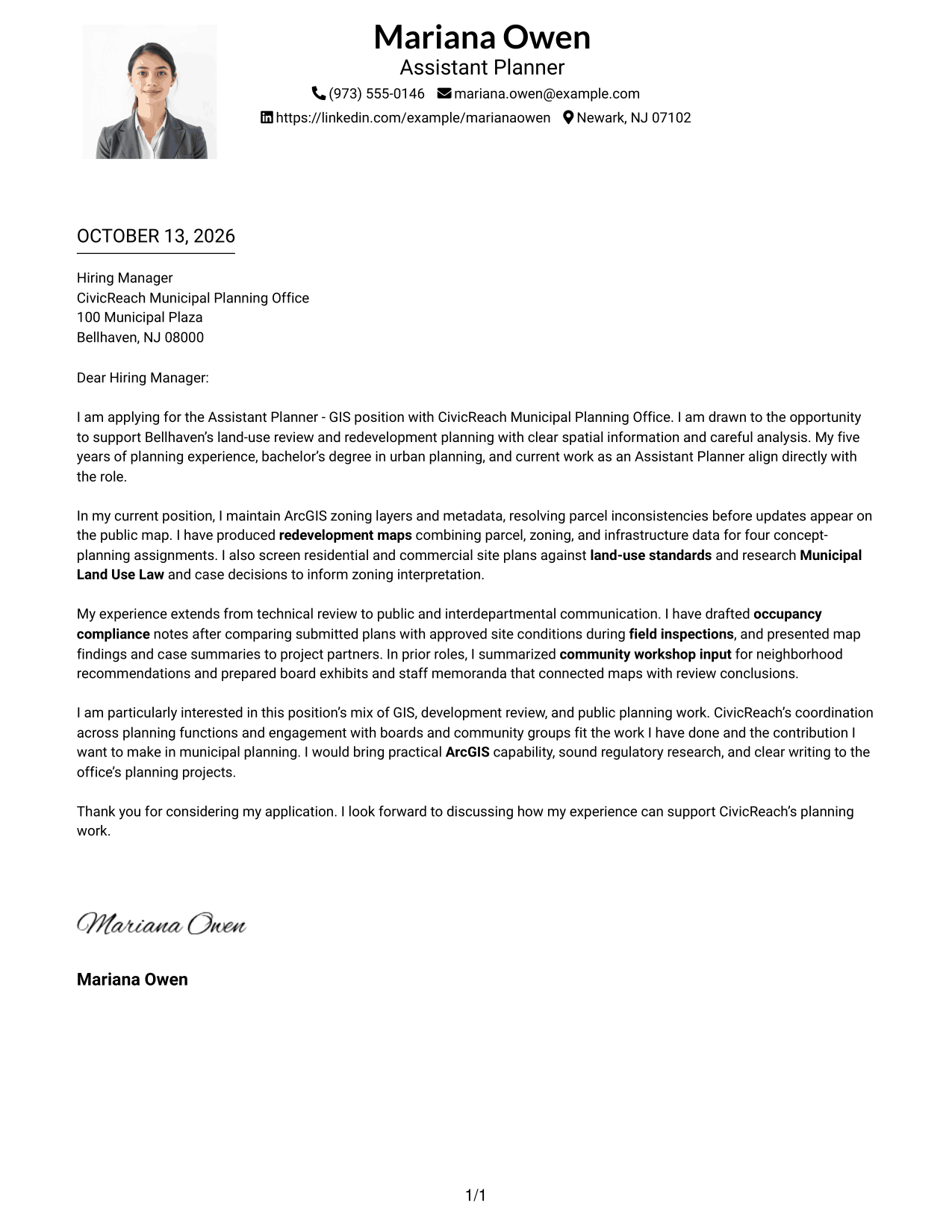
#4 One Column Format with Photo Cover Letter Example
The One Column Format with Photo places a photo in the header above a single, continuous letter body.
Why This Format Works
- Header photo sits above the continuous body, keeping the opening easy to locate.
- One-column reading order carries motivation, supporting evidence, and closing without side-by-side text.
- Sender details remain in the header, leaving the body for the employer-focused case.
Best For
- Single-column letters with a photo
- Photo in the sender header
- Letters needing a straight reading path
- Continuous argument from opening to close
- Header details apart from the letter body
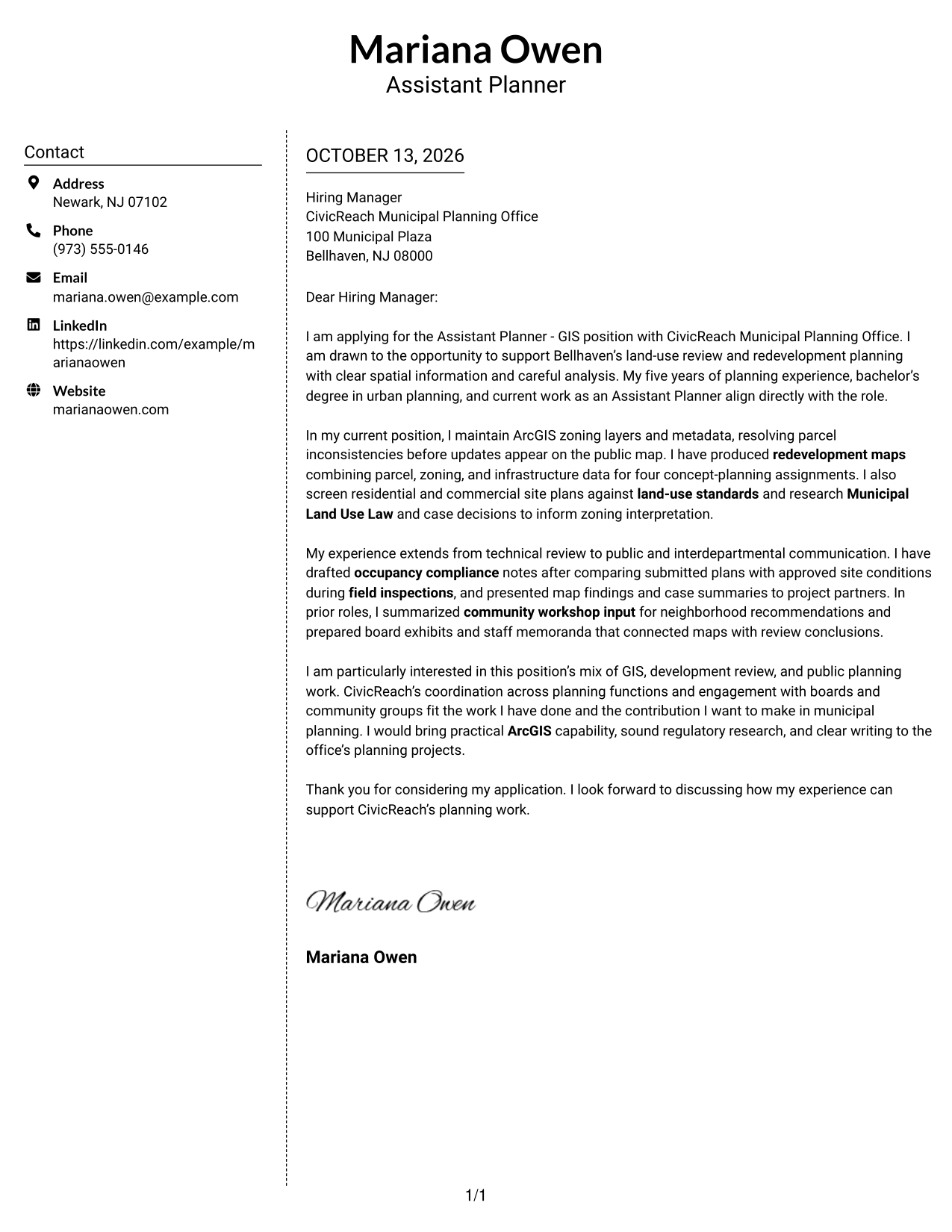
#5 Simple Two Column Format Cover Letter Example
The Simple Two Column Format keeps contact information in a sidebar and presents the letter's full argument in one continuous body.
Why This Format Works
- Sidebar separates contact details from the continuous argument, helping readers keep their place.
- Single letter-body column keeps the opening, evidence, and close in natural order.
- Contact information stays easy to find without interrupting the role-fit explanation.
Best For
- Sidebar contact information
- One-body persuasive narratives
- Letters with connected evidence and closing
- Contact details easy to locate
- Unsplit letter arguments
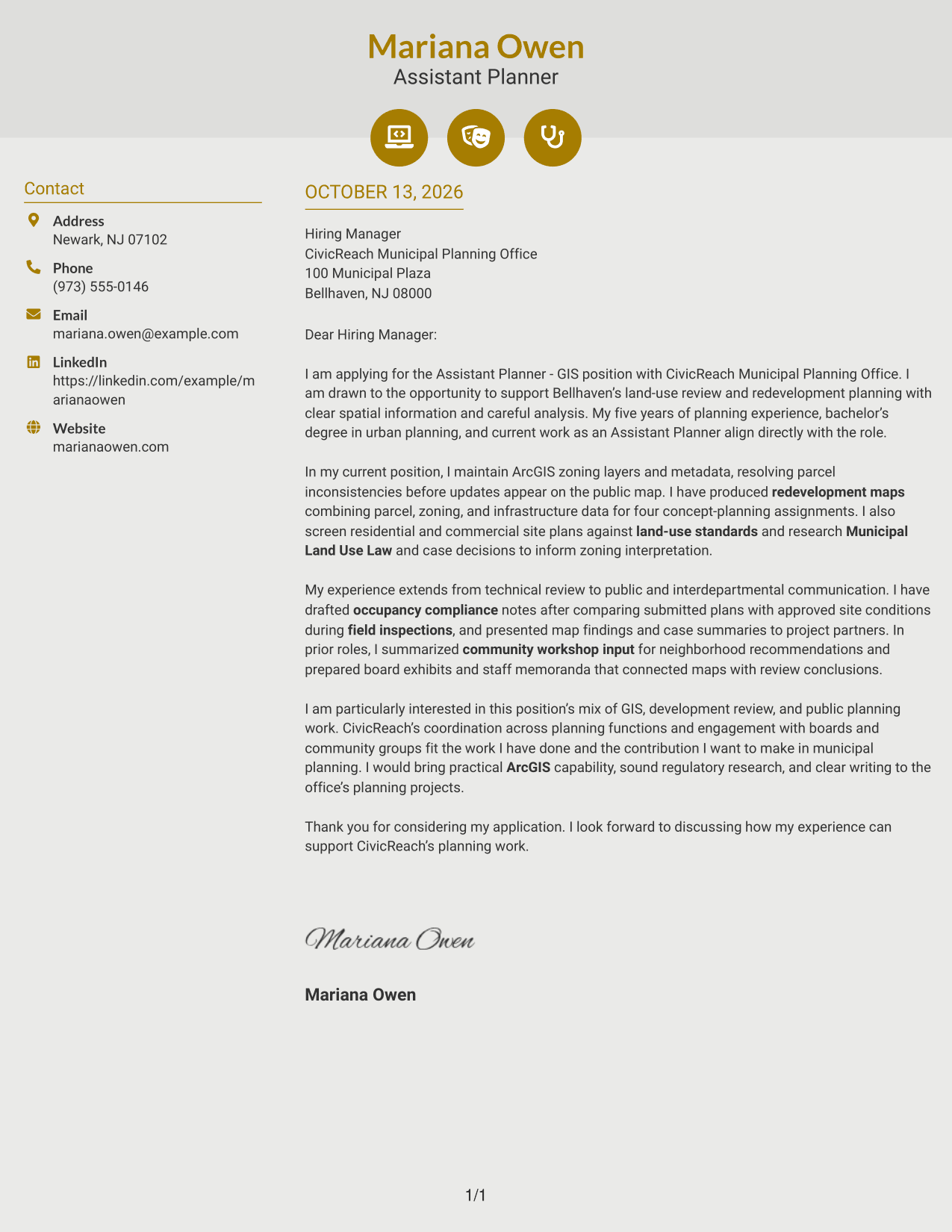
#6 Modern Icon Format Cover Letter Example
The Modern Icon Format uses two columns for contact details and the continuous letter body, with icons as contact cues rather than paragraph labels.
Why This Format Works
- Contact icons help reviewers locate sender details before reading the uninterrupted letter body.
- Two-column placement keeps contact information apart from motivation and supporting evidence.
- Continuous body lets the closing follow the case without competing side-column text.
Best For
- Icon-cued contact information
- Letters with a separate contact panel
- Continuous persuasive letter bodies
- Quick access to sender details
- Decorative header accents
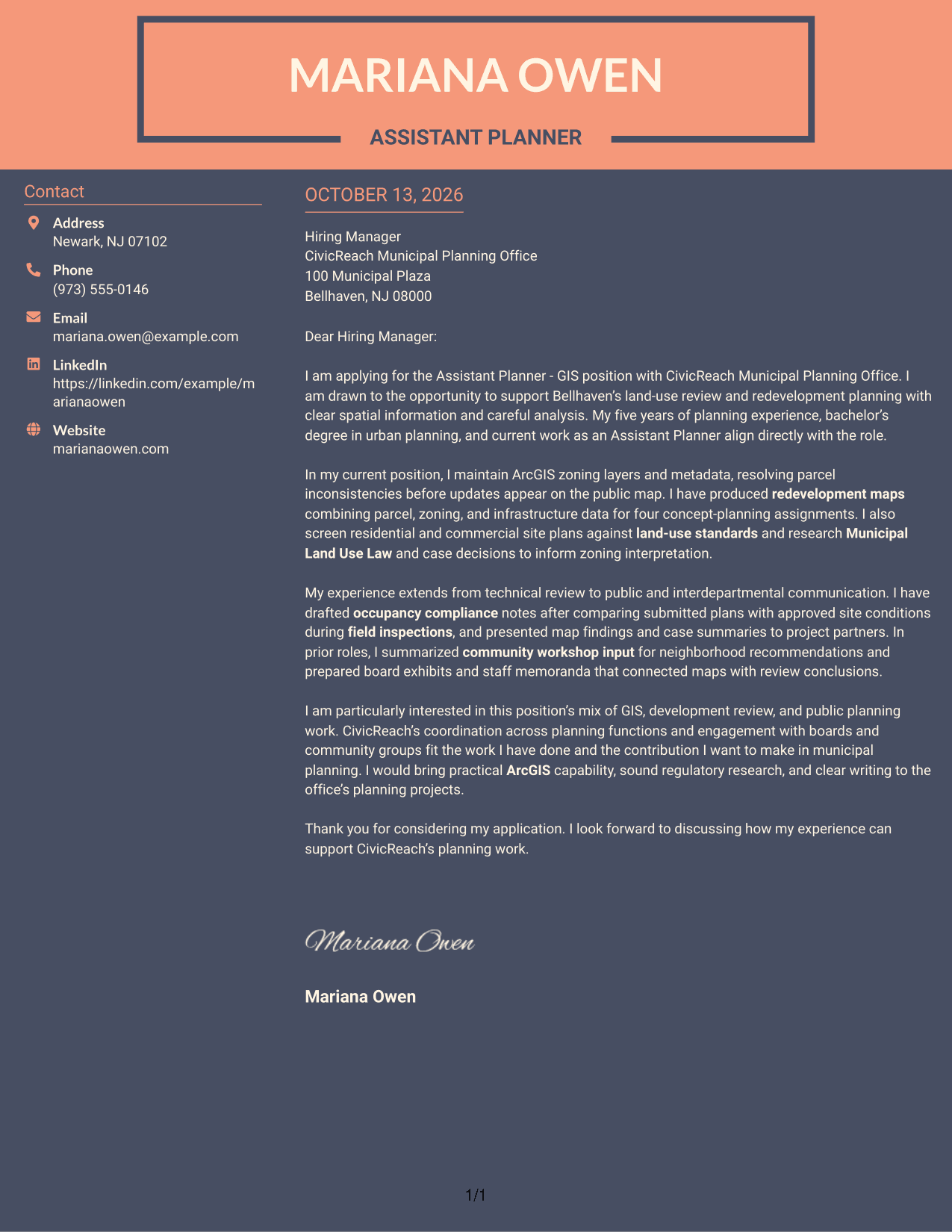
#7 Creative Two Tone Format Cover Letter Example
The Creative Two Tone Format uses color contrast to set the contact sidebar apart from the letter's continuous persuasive body.
Why This Format Works
- Two-tone contrast distinguishes the contact sidebar from the letter's continuous persuasive body.
- Keeping all paragraphs together lets reviewers follow motivation, evidence, and closing in sequence.
- Separate contact details leave the main body clear for the employer-specific case.
Best For
- Two-tone contact and message areas
- Letters needing a clear sidebar distinction
- Single-body arguments with connected paragraphs
- Sender details apart from the case
- Color contrast between contact and letter
See Also
- 7 Assistant Planner - GIS Resume Templates with Example
- 7 Academic Records Assistant - Student Records Resume Templates with Example
- 33 Accounting Assistant Resume Templates with Example 2026 (ATS-Optimized)
- 33 Accounts Payable Assistant Resume Templates with Example 2026 (ATS-Optimized)
- 7 Administrative Assistant 5 - Executive Operations Resume Templates with Example
- 33 Administrative Assistant Bookkeeper Resume Templates with Example 2026 (ATS-Optimized)
- 7 Administrative Assistant - Disability & Elder Law Resume Templates with Example
- 7 Administrative Assistant - Executive and Office Support Resume Templates with Example
- 30+ Accounting Assistant Cover Letter Templates with Example 2026
- 30+ Accounts Payable Assistant Cover Letter Templates with Example 2026
Frequently Asked Questions
What should an Assistant Planner - GIS cover letter emphasize?
Focus on evidence that connects GIS work with planning decisions. Depending on your background, you might discuss zoning data, redevelopment mapping, site-plan review, land-use research, or clear communication with project partners.
How can I show GIS skills in a cover letter?
Describe a specific task and why it mattered. For example, explain how accurate parcel and zoning information supported a map or planning review, if that reflects work you have done.
How do I connect my experience to a municipal planning role?
Choose examples that match the role’s duties, such as reviewing proposals against land-use standards, researching zoning rules, or preparing clear materials for staff and community discussions. Explain how your work helped support the review.
How should I explain my interest in the employer?
Name the parts of the role that genuinely interest you, such as its mix of GIS, development review, and public planning. Then connect that interest to the contribution you hope to make.
What is a good way to close an Assistant Planner - GIS cover letter?
Thank the reader for considering your application and express interest in discussing your fit. Keep the close brief, courteous, and confident.
Should I use a photo on my cover letter?
For U.S. job applications, a no-photo cover letter is usually the safer choice. A clean page keeps attention on your writing and role-related evidence.
Can I customize these cover letter templates?
Yes. Adapt the wording to the Assistant Planner - GIS position, your own experience, and the employer’s communication needs. Choose a layout that keeps the letter easy to read.




