
US English


7 Claims Adjuster I - Auto and Liability Claims Resume Templates with Example
By Ria · Last Updated On October 15, 2026
Resume example — page 1

This guide shows you how to create a clear, focused Claims Adjuster I - Auto and Liability Claims resume. You will learn how to organize claim experience and compare professional formats so reviewers can find the right details quickly.

Strong resumes for this role show how you investigate auto, bodily injury, and property damage claims, assess liability, and document decisions. Use concise bullet points to explain the evidence reviewed, the action taken, and the result when you can support it.

The examples present the resume in 7 layouts, with guidance on choosing a readable design and shaping your experience around the role. Relevant details may include subrogation, the Texas Tort Claims Act, claimant communication, workers' compensation coordination, hearing preparation, and an active adjuster license.

What Makes a Great Claims Adjuster I - Auto and Liability Claims Resume in 2026

A strong resume makes claim investigation, liability review, and file documentation easy to understand. Clear sections and focused bullets help reviewers see your decisions and responsibilities at a glance.

Use accurate terms such as auto claims, bodily injury, property damage, subrogation, and Texas Tort Claims Act. Add evidence, tools, and measurable results only when they reflect your actual work.

Note: Resume examples are for educational purposes only. Use only information that accurately reflects your experience and qualifications. References to real organizations do not imply affiliation or endorsement.

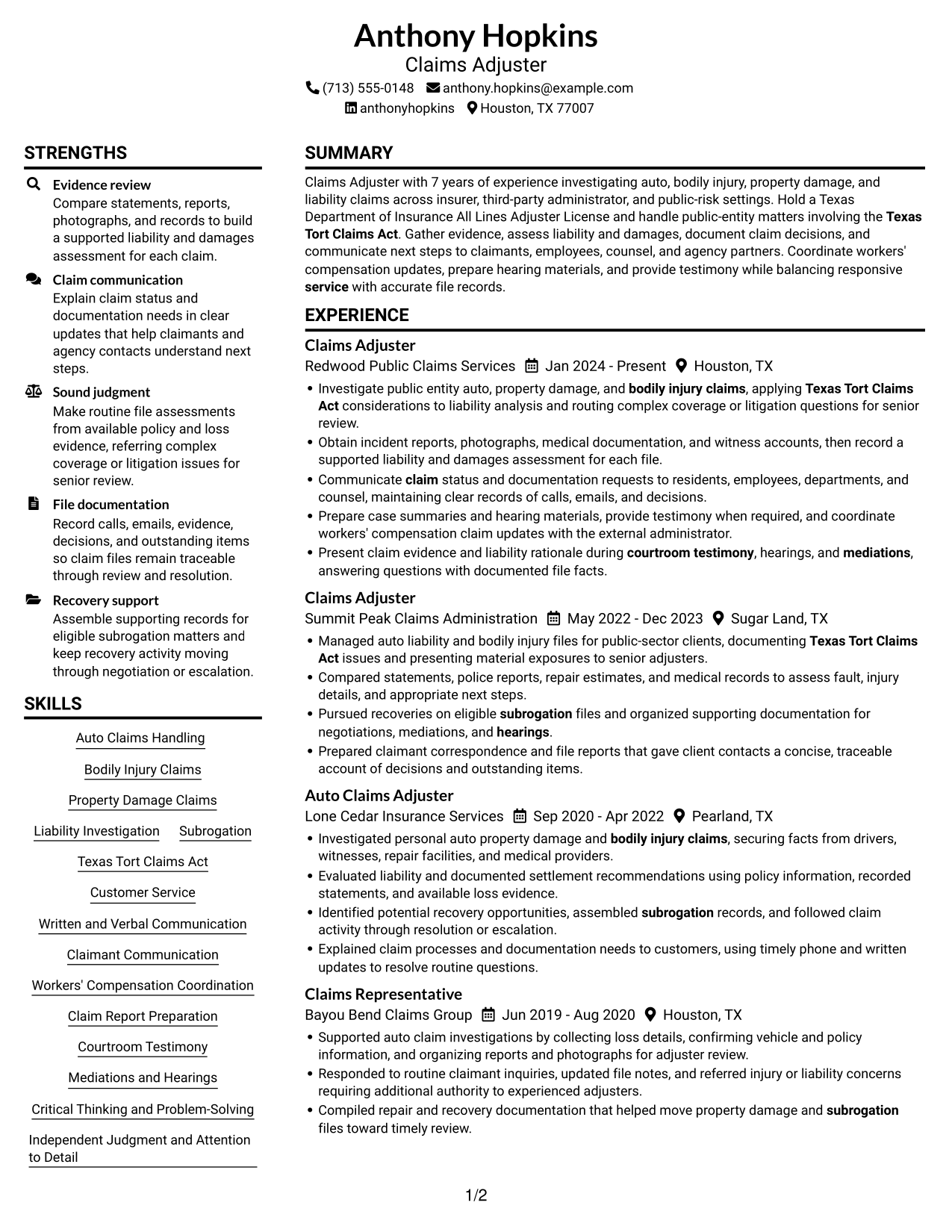
#1 Plain Two Column Format Resume Example

The Plain Two Column Format gives resume content two columns, a practical choice for a compact view of multiple sections.
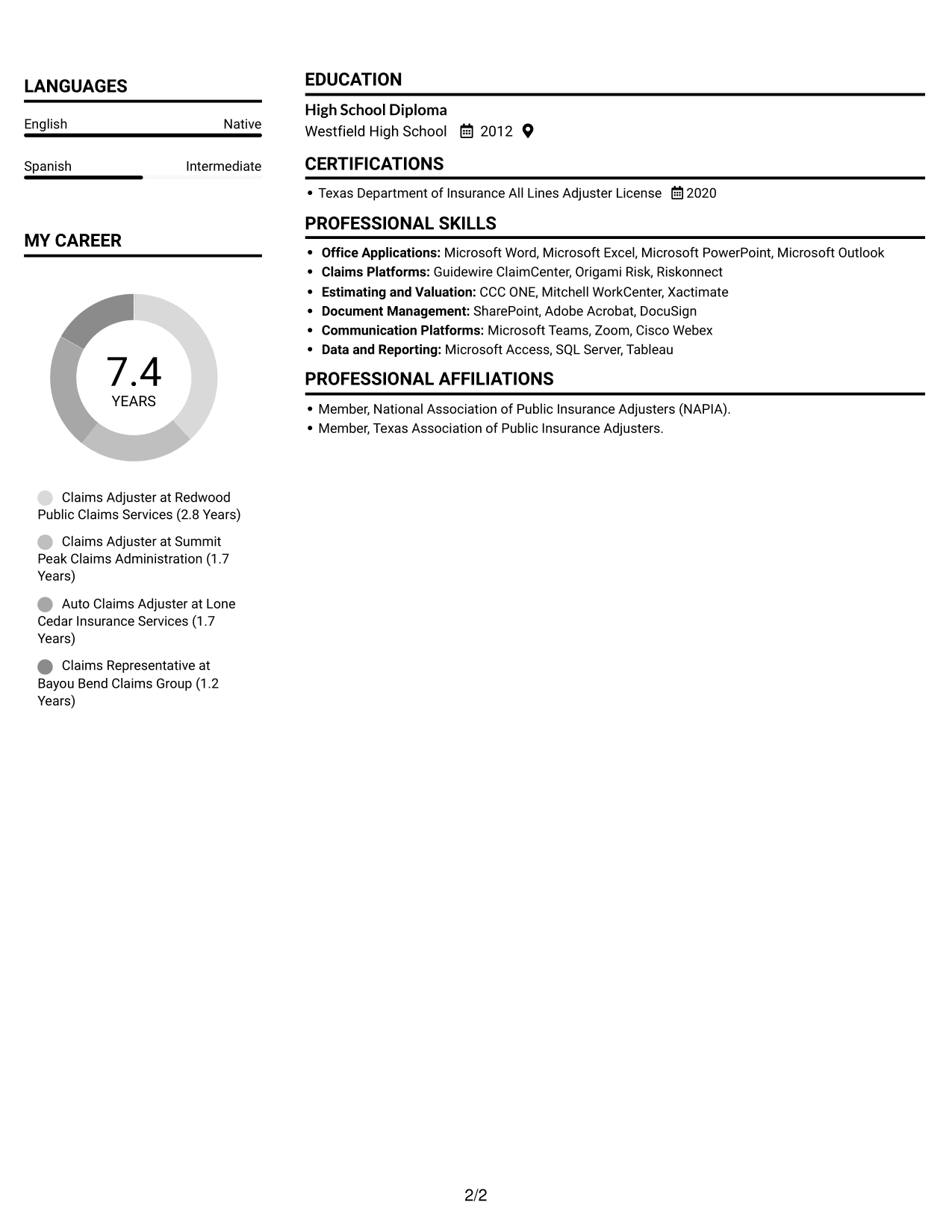
 
Resume example — page 1   Resume example — page 2

Resume Snapshot

  • Target role: Claims Adjuster
  • 7 years of claims experience
  • Texas Department of Insurance All Lines Adjuster License
  • High School Diploma

Why This Format Works

  • Two columns give experience and supporting sections distinct spaces for a compact review.
  • Clear section separation helps reviewers find education and license details alongside work history.
  • Skills and credentials can remain visible without interrupting the experience section's progression.

Best For

  • Compact resume content
  • Side-by-side section review
  • Multiple work-history entries
  • Skills with education and credentials
  • Readers comparing resume sections

Resume Keywords

  • Auto Claims Handling
  • Bodily Injury Claims
  • subrogation
  • Property Damage Claims
  • Liability Investigation
  • Texas Tort Claims Act
  • Customer Service
  • Written and Verbal Communication
  • Claimant Communication
  • Workers' Compensation Coordination
  • Claim Report Preparation
  • Courtroom Testimony
  • Mediations
  • Hearings
  • Microsoft Word
See all keywords
 

#2 Simple One Column Format Resume Example

The Simple One Column Format keeps resume sections in one vertical column, helping reviewers follow the content from top to bottom.
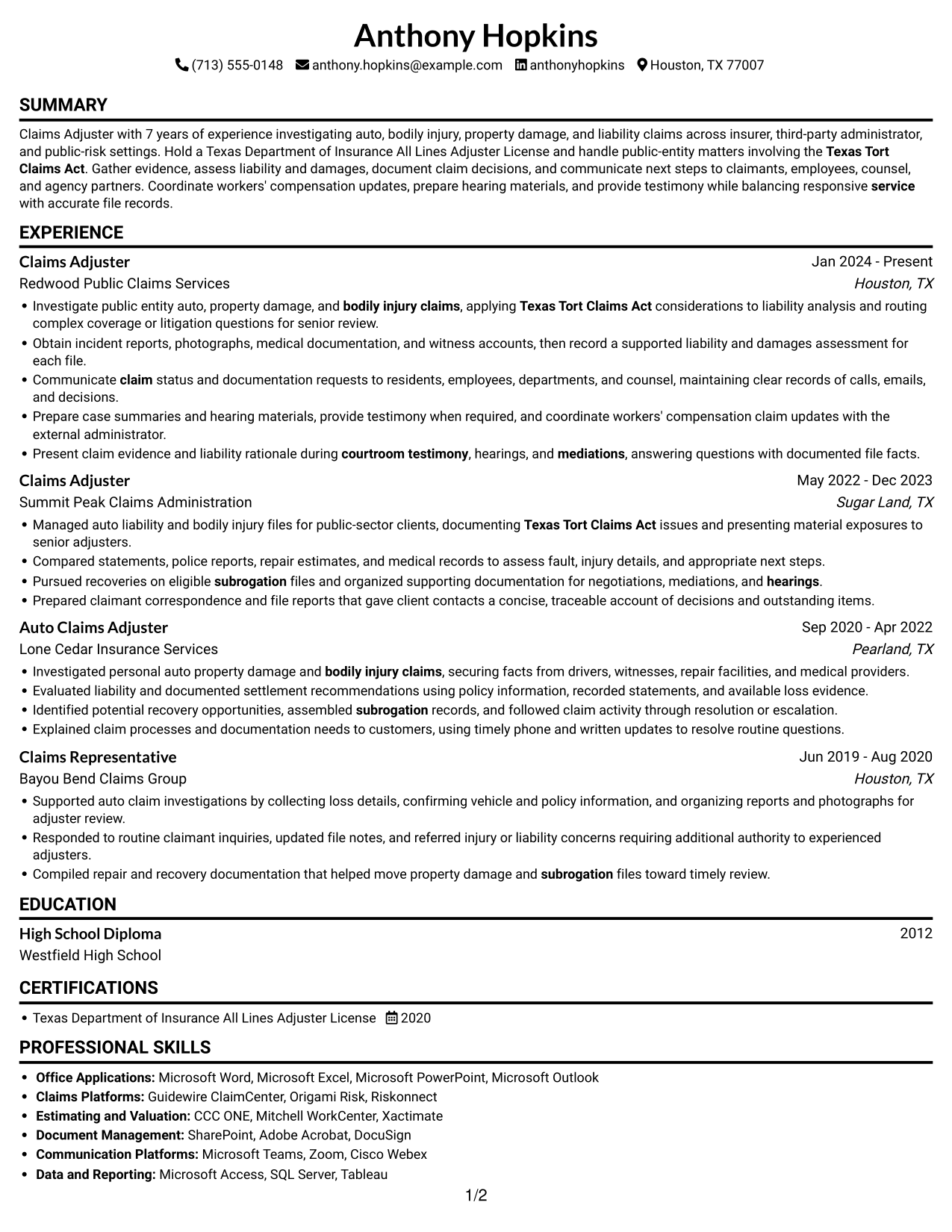
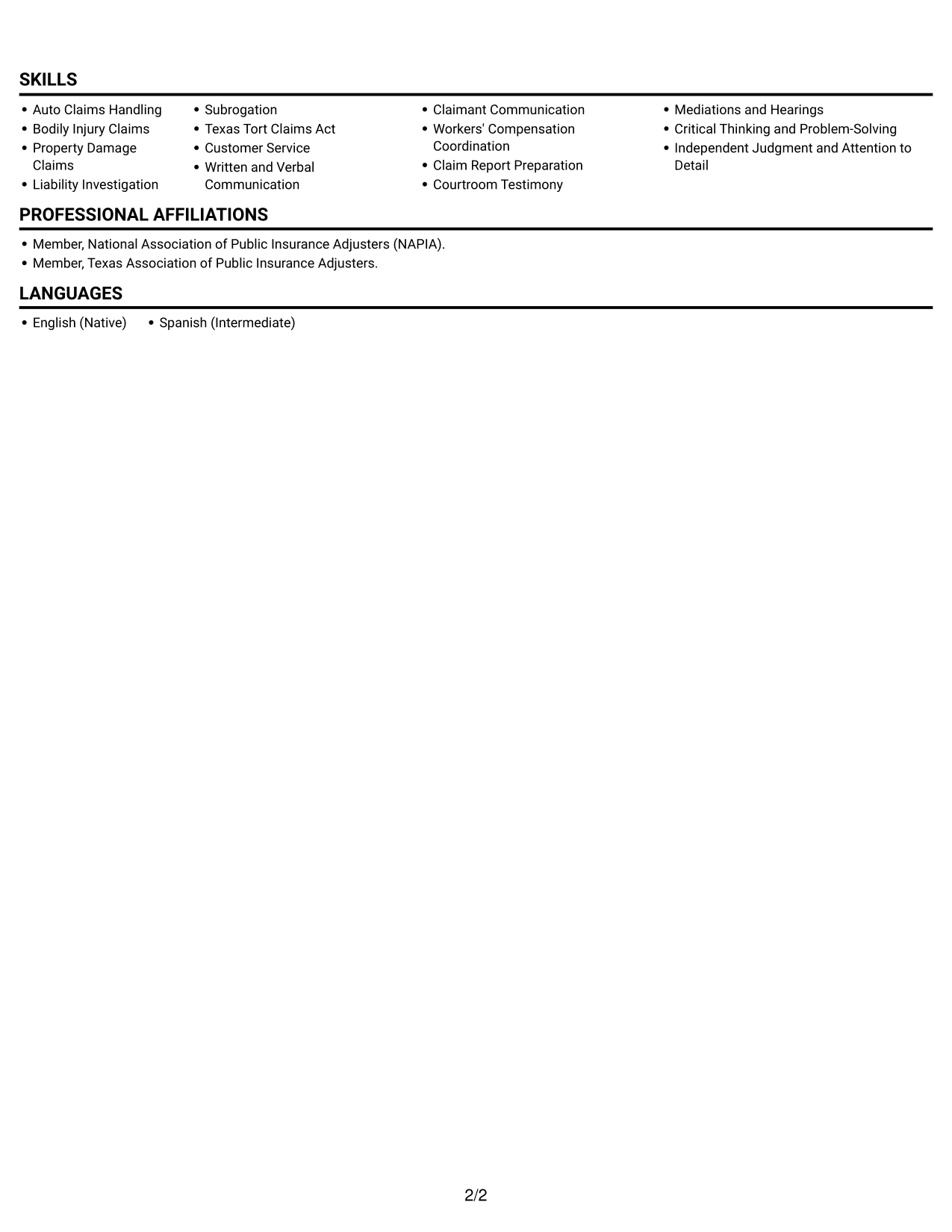
 
Resume example — page 1   Resume example — page 2

Why This Format Works

  • One column keeps experience, skills, and education in a single top-to-bottom reading path.
  • Work-history entries can unfold in sequence, making career progression easy to follow.
  • Full-width lines give detailed claim evidence room to read without a parallel column.

Best For

  • Single-column reading preference
  • Chronological work-history review
  • Detailed experience descriptions
  • Straightforward section scanning
  • Simple text-based resume review
 

#3 Clean Two Column Sidebar Format Resume Example

The Clean Two Column Sidebar Format places resume information in two columns, suiting readers who want compact organization and distinct content areas.
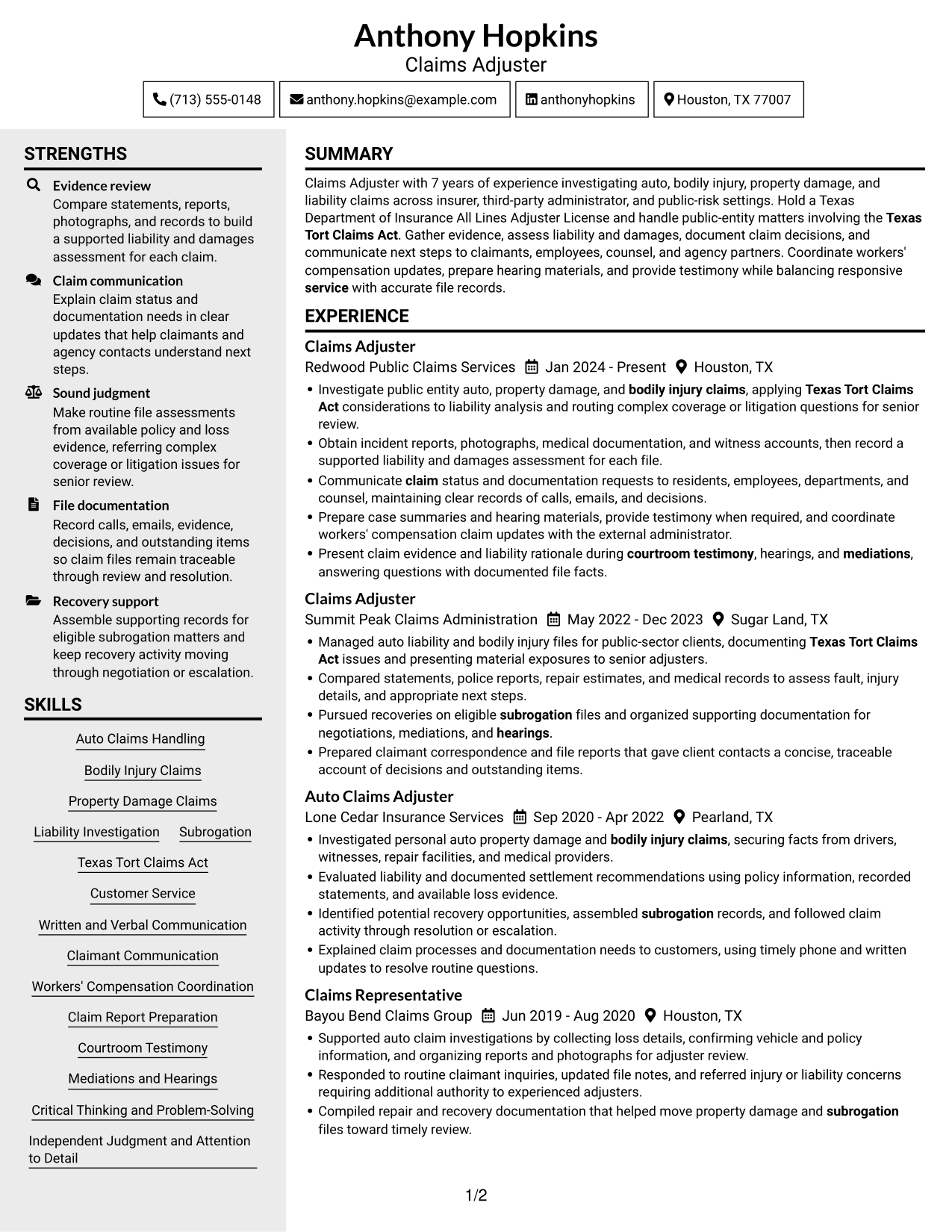
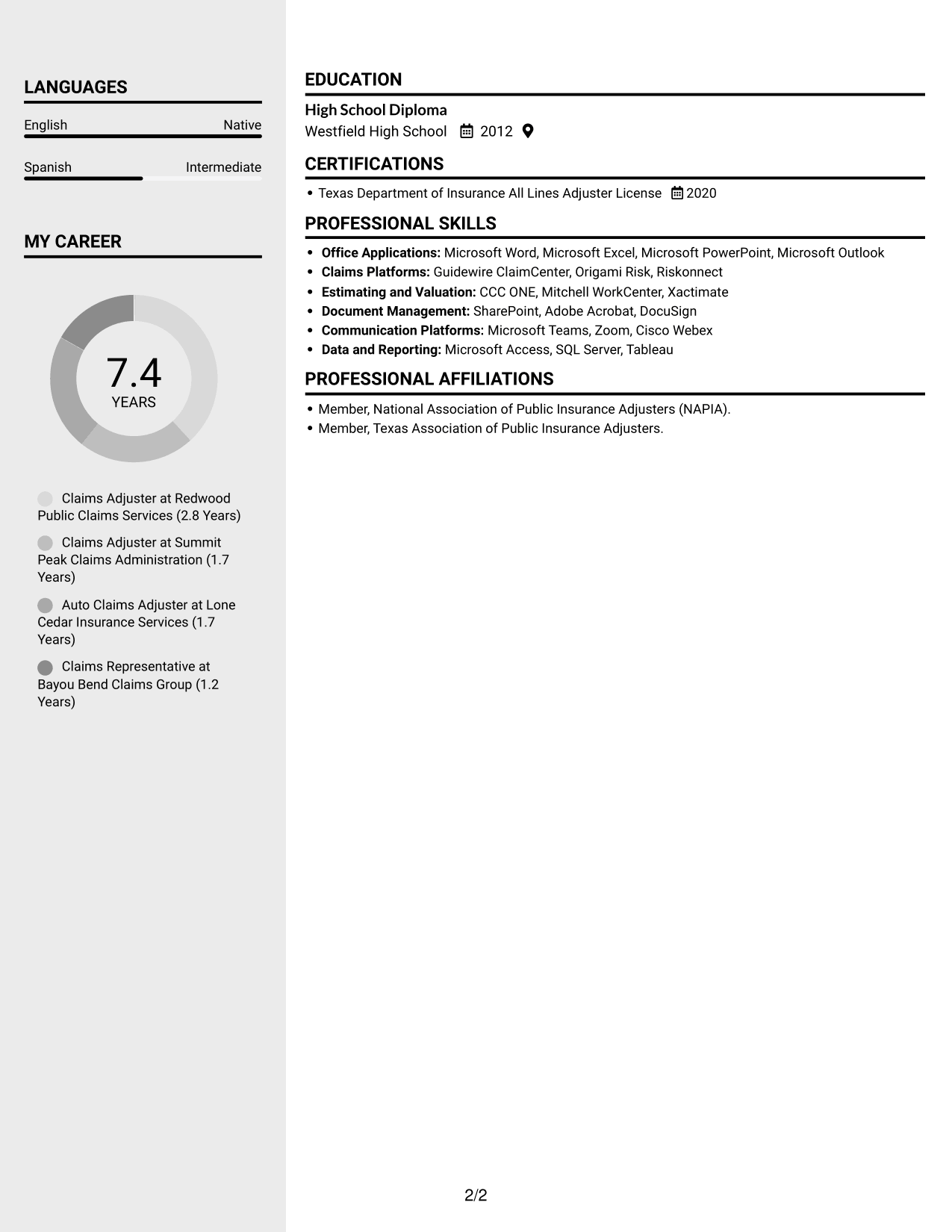
 
Resume example — page 1   Resume example — page 2

Why This Format Works

  • Separate column areas help reviewers move between work history and supporting resume sections.
  • Experience entries stay in sequence while other details remain easy to locate.
  • Skills, education, and credentials can be reviewed without losing the experience context.

Best For

  • Compact two-column resumes
  • Distinct section navigation
  • Work history with supporting details
  • Resumes with several content areas
  • Readers checking skills and credentials
 

#4 Two Column Format Resume Example

The Two Column Format presents resume content in parallel columns, a useful choice when readers need a compact view of work history and other sections.
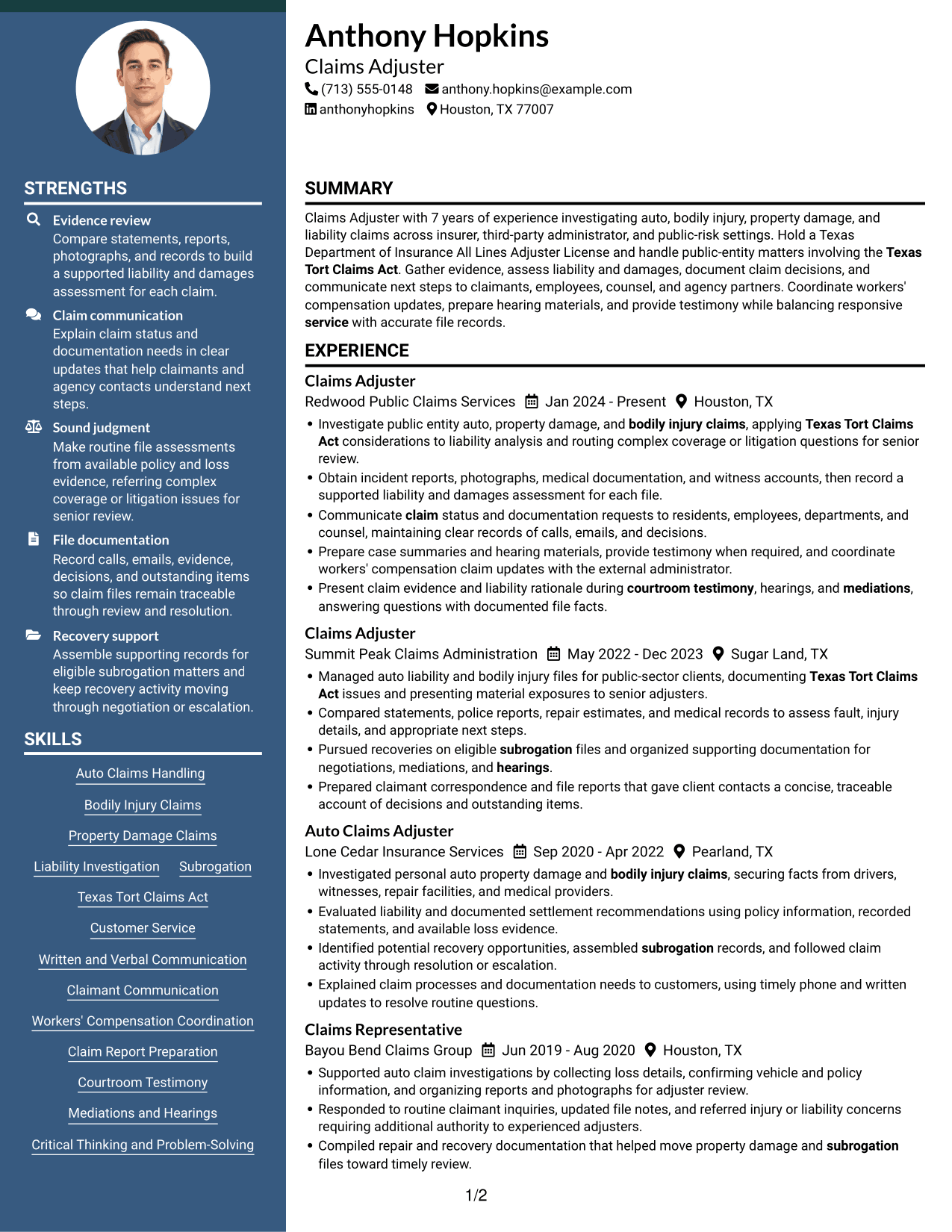
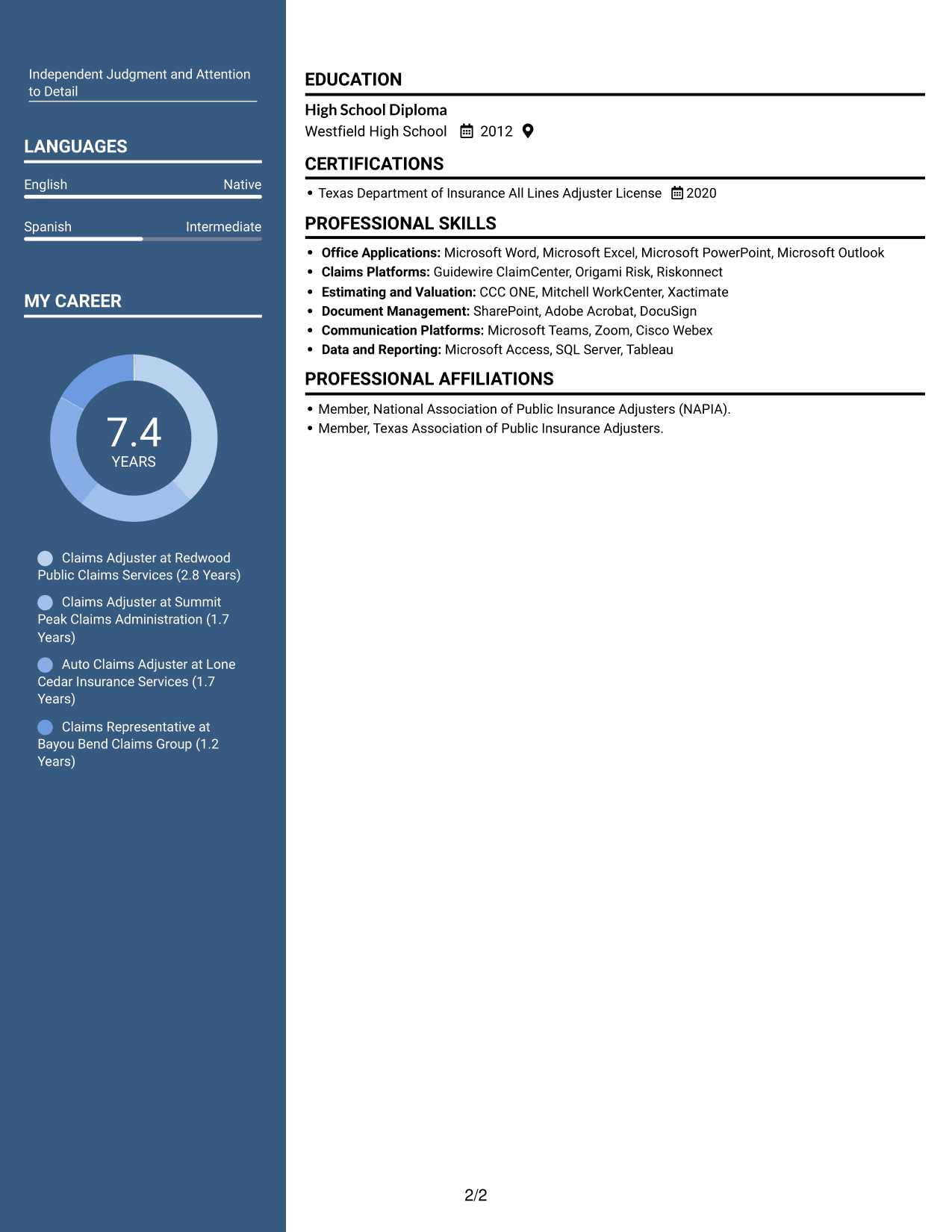
 
Resume example — page 1   Resume example — page 2

Why This Format Works

  • Two columns create a compact route between career history and other resume sections.
  • Reviewers can scan experience and supporting information in parallel, then check details.
  • Section boundaries help keep skills, education, and license information distinct.

Best For

  • Parallel section review
  • Concise work-history presentation
  • Experience alongside supporting details
  • Quick access to resume sections
  • Resumes balancing detail and brevity


#5 Photo Header Two Column Format Resume Example

The Photo Header Two Column Format pairs a header portrait with two-column content, offering a personal visual identifier alongside compact section organization.
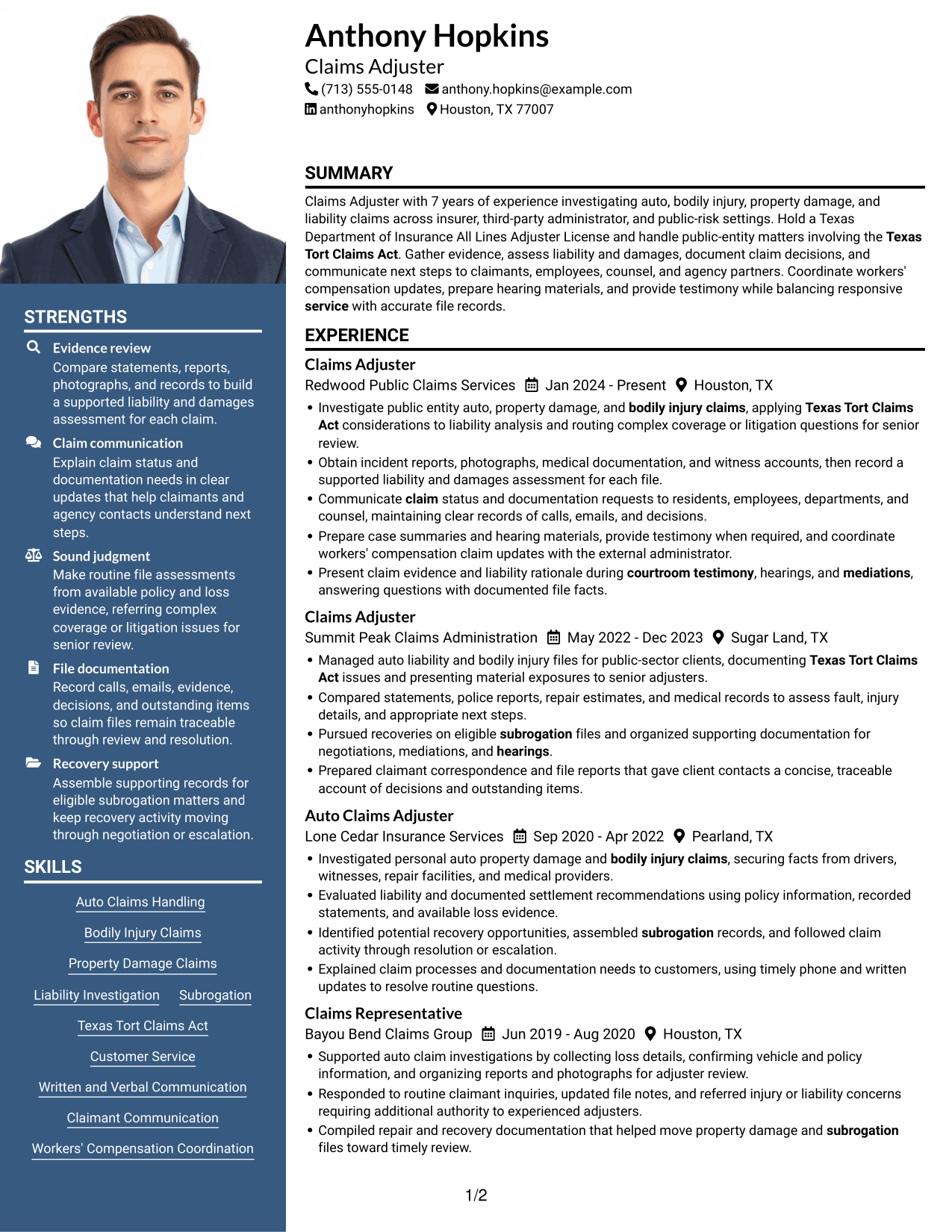
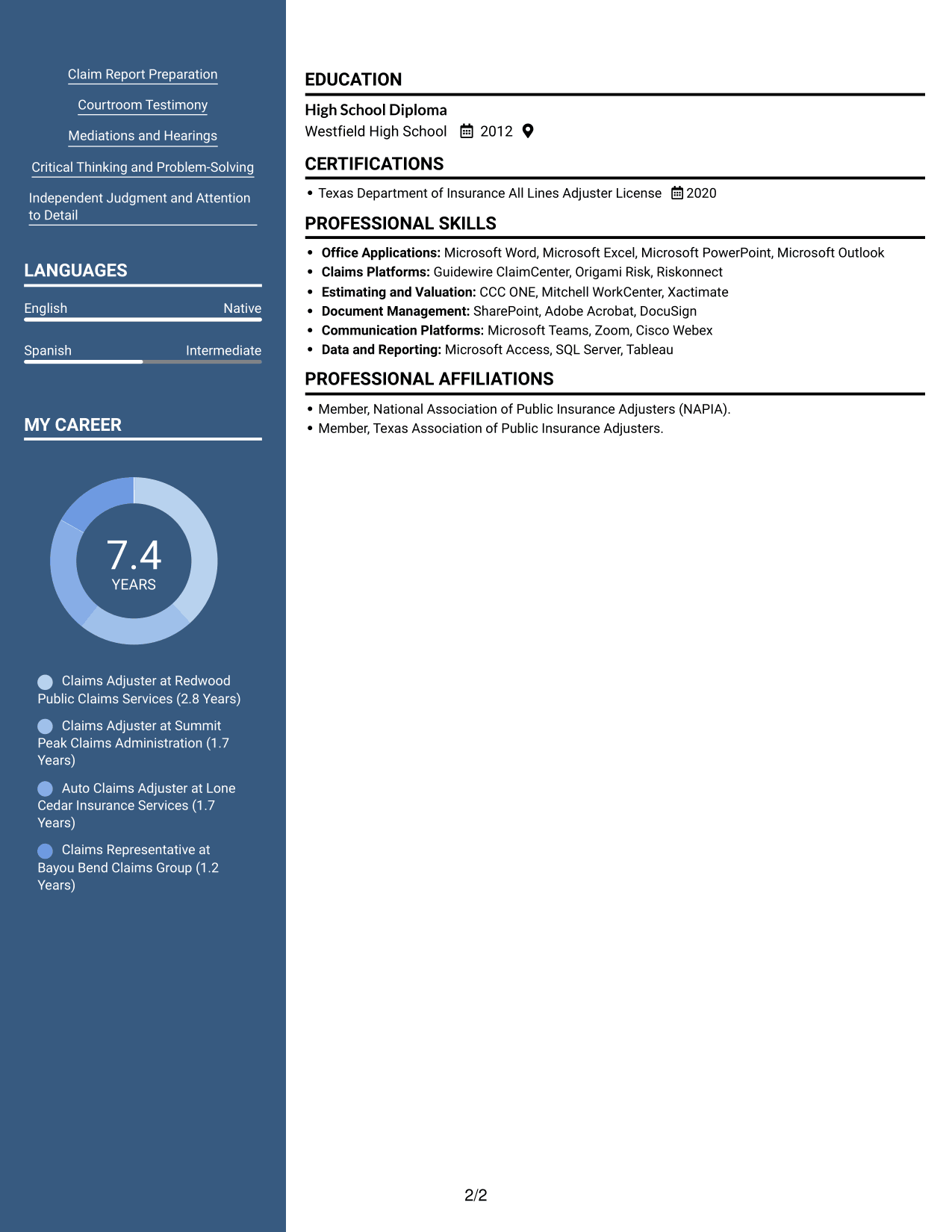
 
Resume example — page 1   Resume example — page 2

Why This Format Works

  • Two-column organization lets experience and supporting sections occupy separate reading areas.
  • Career entries can retain a clear sequence while reviewers locate education and credentials.
  • The header portrait offers a visual identification point, separate from resume evidence.

Best For

  • Photo-inclusive resume preference
  • Two-column section organization
  • Sequential work-history review
  • Readers who value visual identification
  • Compact resume content with a portrait
 

#6 Colored Two Column Format Resume Example

The Colored Two Column Format uses two content columns, a practical option for readers who want sections grouped in a compact view.
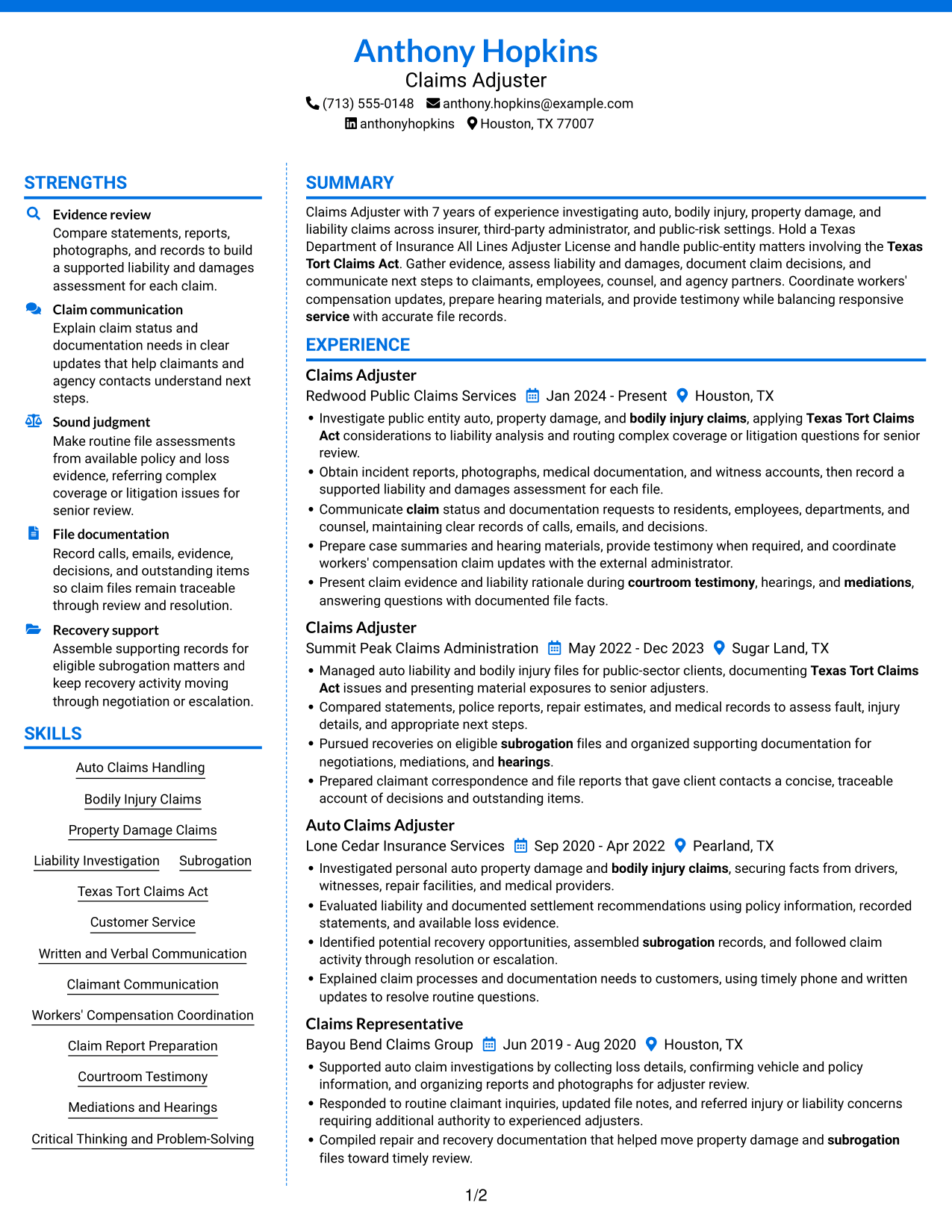
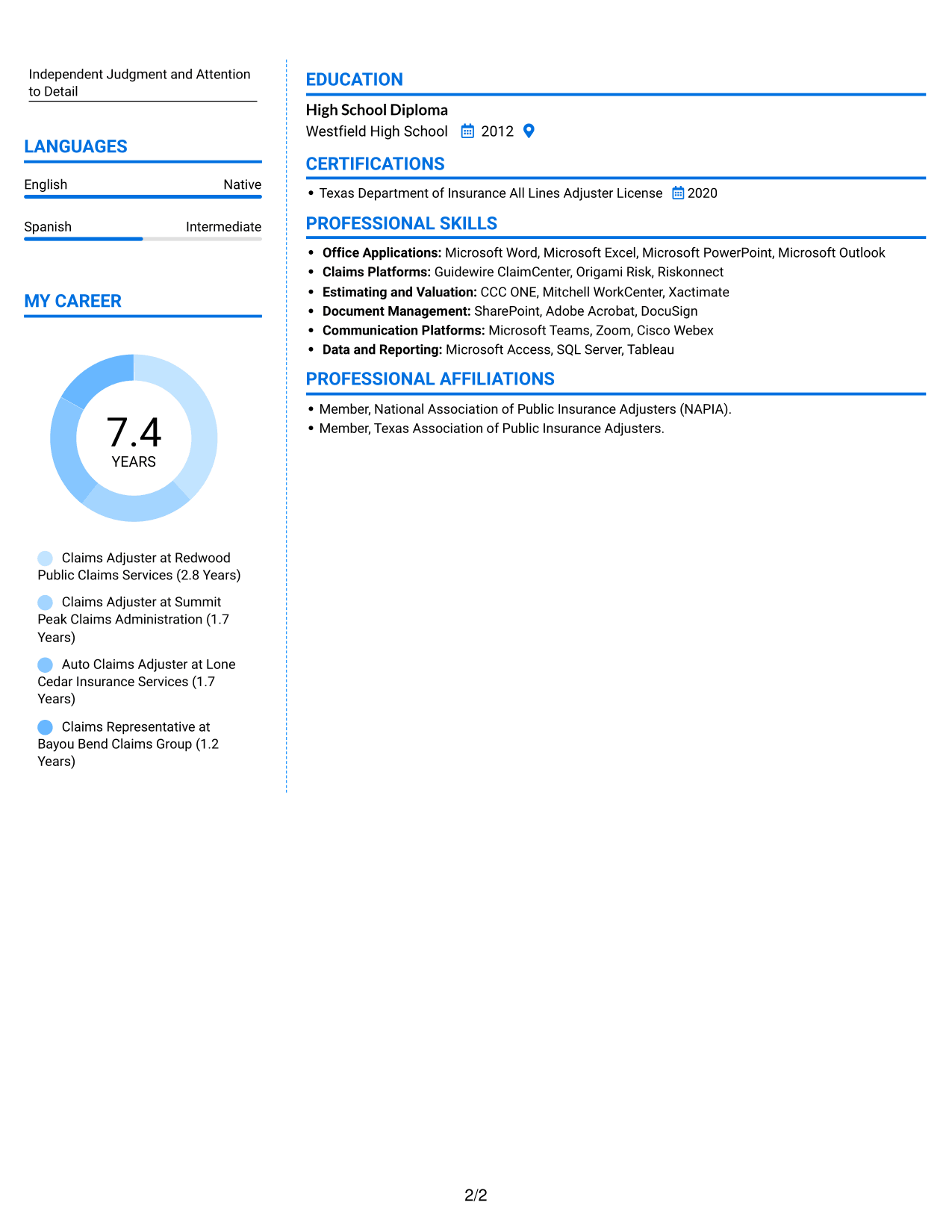
 
Resume example — page 1   Resume example — page 2

Why This Format Works

  • Two-column grouping helps reviewers locate career history and related resume details.
  • A compact layout keeps education and credentials available beside the broader work record.
  • Separate content areas make skills easier to find during a focused review.

Best For

  • Compact section grouping
  • Career history with related details
  • Quick review of supporting sections
  • Skills and credentials in one resume
  • Readers comparing experience and education
 

#7 Stylish Two Column Designer Format Resume Example

For readers who prefer a two-column resume, the Stylish Two Column Designer Format keeps the sections together in a compact, easy-to-review layout.
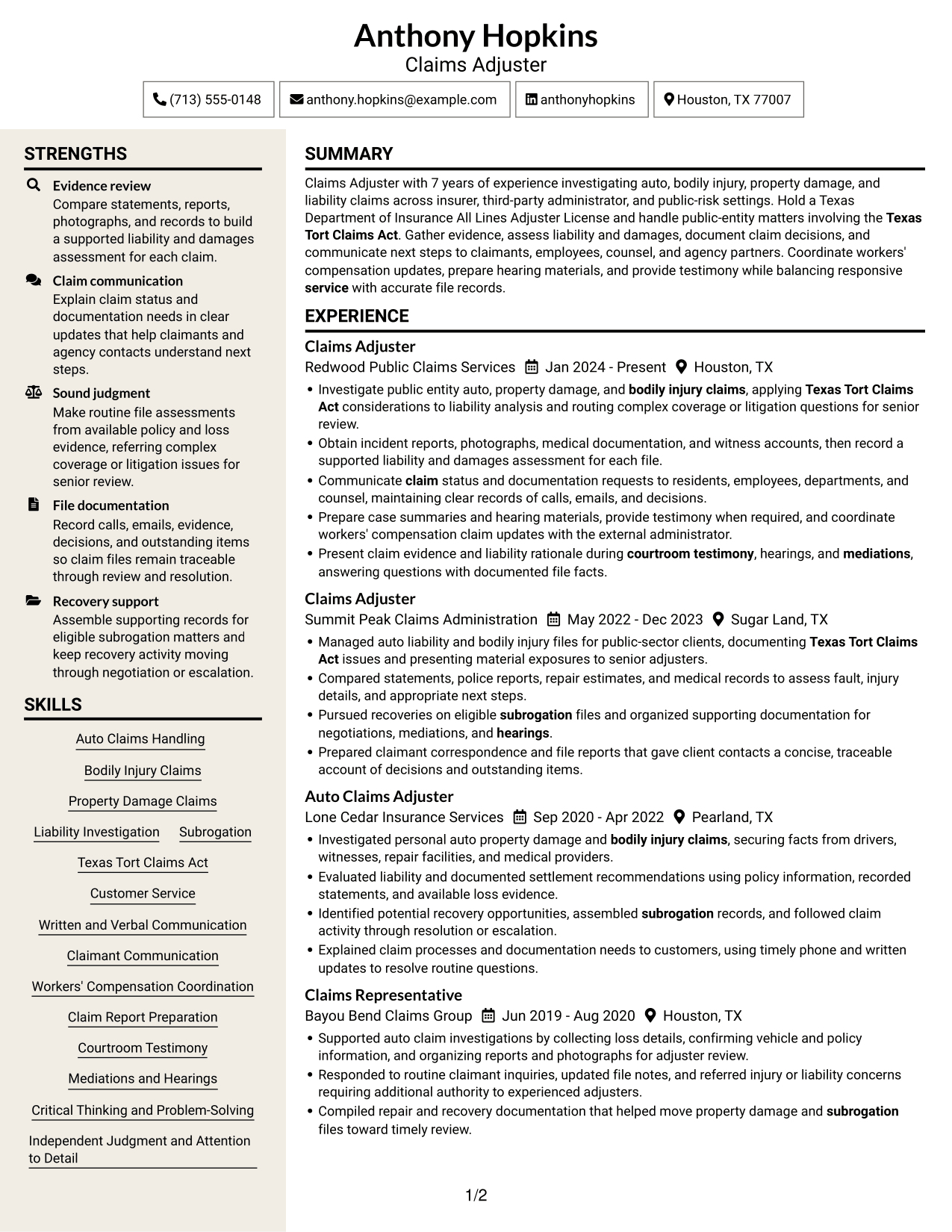
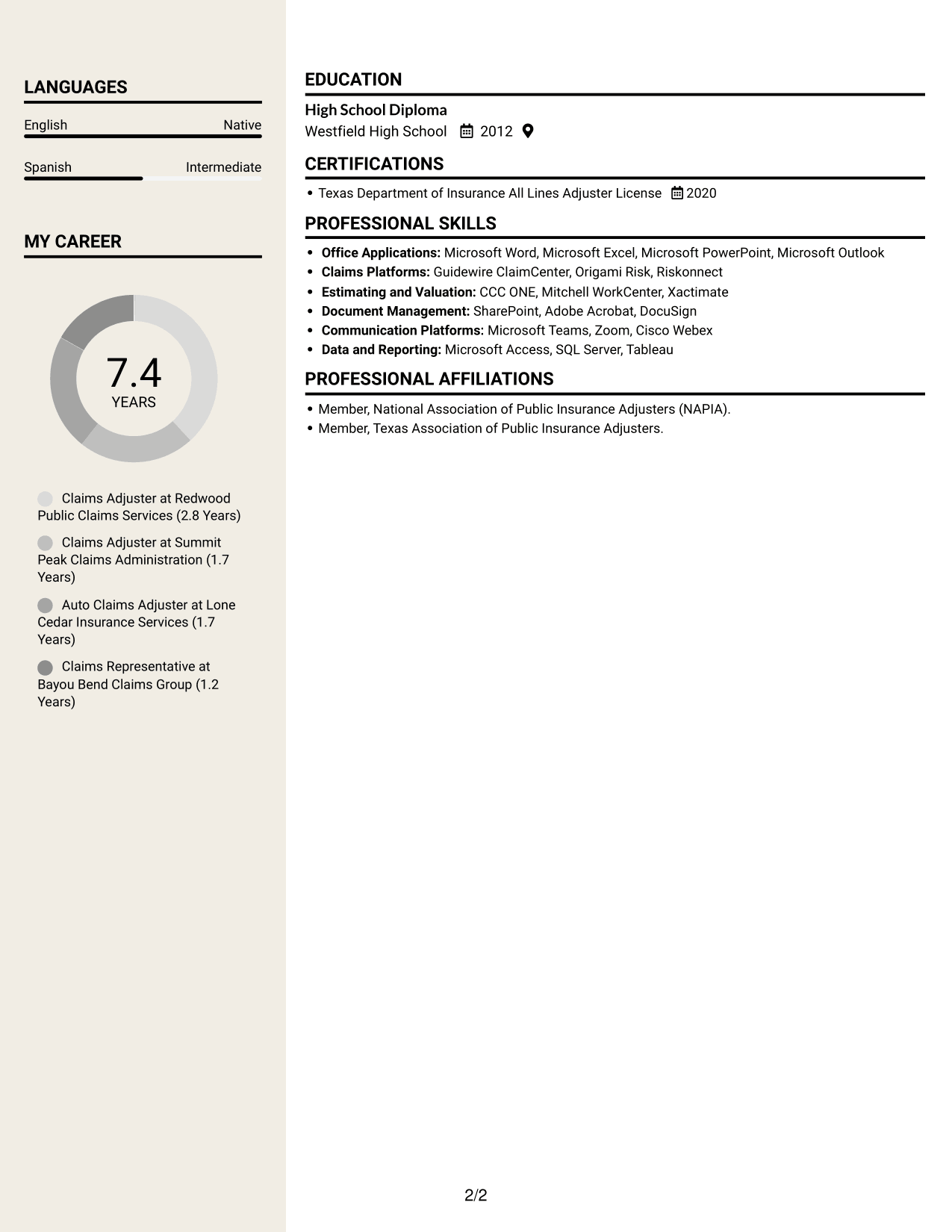
 
Resume example — page 1   Resume example — page 2

Why This Format Works

  • The two-column structure gives work history and other resume sections separate areas.
  • Reviewers can follow career progression while locating education and skills in the same document.
  • Distinct content areas help keep credentials easy to find during a section-by-section review.

Best For

  • Compact two-column organization
  • Section-by-section resume review
  • Career progression with related details
  • Education and skills in one document
  • Readers who prefer parallel columns


Why Use ResumeInMinutes for Your Claims Adjuster Resume

ResumeInMinutes gives you a way to compare resume image previews and open an example in the editor. Use the layout as a guide while you organize your claims experience, skills, and license details.

  • Resume format choices
  • Clear section organization
  • Space for role-specific keywords
  • Easy-to-scan experience bullets
  • Image previews for comparing layouts
  • Examples you can open in the editor

Keep your resume focused on supported facts, such as the claims you handled, evidence you reviewed, decisions you documented, and any hearings or recoveries you supported.


See Also


Frequently Asked Questions

Are these Claims Adjuster I - Auto and Liability Claims resume templates ATS-friendly?

The examples use resume sections and readable headings that help organize information for both people and applicant tracking systems. Include relevant terms, such as liability evaluation, bodily injury claims, and subrogation, when they match your experience.

Are these different resume examples or layouts of one example?

This page presents one resume example shown in different visual layouts. Compare the image previews, then open an example in the editor to view or customize it.

What should a Claims Adjuster I - Auto and Liability Claims resume include?

Include a clear summary, claims experience, relevant skills, education, and licenses or certifications. Use bullets to describe investigation steps, liability assessments, claim reports, subrogation work, and hearing support that reflect your background.

Which resume style works well for this claims adjuster role?

Choose a layout with familiar headings, clear spacing, and enough room for experience bullets. A simple design can make claim duties, evidence review, and file decisions easier to scan.

How can I show claims experience clearly?

Start bullets with direct action words, then describe the claim task and the evidence or decision involved. Add a result or measure only when you can verify it.

Should I include a photo on my resume?

For most U.S. job applications, a resume without a photo is a practical choice. Use a photo only when the employer or local hiring practice specifically expects one.


ATS Score 99%

How we calculate this score

  • Keywords: 60% of the total. AI extracts keywords from your job description. If you do not provide one, a standard job description for the title matching your resume is used. This is not a match to a specific vacancy.
  • Text-based resume: 20%. The text resume assessed here receives 100 for this part.
  • Resume quality: 20%. We start at 100 and subtract points for issues found by our resume checks, down to a minimum of zero.
  • Keyword coverage = 100 × (confirmed matches + 0.8 × possible matches) ÷ total keywords, rounded and capped at 100. Possible matches still need checking. Saved generation audits use their saved keyword percentage.
  • Final score = 60% of keyword coverage + 20% of the text score + 20% of the quality score, rounded to a whole number. Without keywords, no overall ATS score is available.

What this score means

Our scores are estimates, not employer ratings. They may contain errors and do not guarantee accurate parsing, a ranking, an interview, or a job. Check your document against the employer’s requirements. You are responsible for relying on this score.

Terms and Conditions

Score weights: Keywords 60% · Text based resume 20% · Resume quality 20%

Keywords: 24 matched + 1 possible of 25 (99%) · Resume quality: 100%

Resume quality 100% · Weight 20% · Issues (0)

Details
  • ✓Name present: Anthony Hopkins
  • ✓Email format: anthony.hopkins@example.com
  • ✓Phone format: (713) 555-0148
  • ✓Experience 1: Job title: Claims Adjuster
  • ✓Experience 1: Company name: Redwood Public Claims Services
  • ✓Experience 1: Work location: Houston, TX
  • ✓Experience 1: Employment dates: Jan 2024 - Present
  • ✓Experience 1: Description or achievements: Present
  • ✓Experience 2: Job title: Claims Adjuster
  • ✓Experience 2: Company name: Summit Peak Claims Administration
  • ✓Experience 2: Work location: Sugar Land, TX
  • ✓Experience 2: Employment dates: May 2022 - Dec 2023
  • ✓Experience 2: Description or achievements: Present
  • ✓Experience 3: Job title: Auto Claims Adjuster
  • ✓Experience 3: Company name: Lone Cedar Insurance Services
  • ✓Experience 3: Work location: Pearland, TX
  • ✓Experience 3: Employment dates: Sep 2020 - Apr 2022
  • ✓Experience 3: Description or achievements: Present
  • ✓Experience 4: Job title: Claims Representative
  • ✓Experience 4: Company name: Bayou Bend Claims Group
  • ✓Experience 4: Work location: Houston, TX
  • ✓Experience 4: Employment dates: Jun 2019 - Aug 2020
  • ✓Experience 4: Description or achievements: Present
  • ✓No placeholder fields
  • ✓No repeated achievement bullets
  • ✓No empty bullets

No issues found by the current checks.

Text Based Resume 100% · Weight 20%

Parsed text
Anthony Hopkins
Claims Adjuster
(713) 555-0148
anthonyhopkins
anthony.hopkins@example.com
Houston, TX 77007
STRENGTHS
Evidence review
Compare statements, reports, photographs, and records to build a supported liability and damages assessment for each claim.
Claim communication
Explain claim status and documentation needs in clear updates that help claimants and agency contacts understand next steps.
Sound judgment
Make routine file assessments from available policy and loss evidence, referring complex coverage or litigation issues for senior review.
File documentation
Record calls, emails, evidence, decisions, and outstanding items so claim files remain traceable through review and resolution.
Recovery support
Assemble supporting records for eligible subrogation matters and keep recovery activity moving through negotiation or escalation.
SUMMARY
Claims Adjuster with 7 years of experience investigating auto, bodily injury, property damage, and liability claims across insurer, third-party administrator, and public-risk settings. Hold a Texas Department of Insurance All Lines Adjuster License and handle public-entity matters involving the Texas Tort Claims Act. Gather evidence, assess liability and damages, document claim decisions, and communicate next steps to claimants, employees, counsel, and agency partners. Coordinate workers' compensation updates, prepare hearing materials, and provide testimony while balancing responsive service with accurate file records.
EXPERIENCE
Claims Adjuster
Redwood Public Claims Services
Jan 2024 - Present
Houston, TX
Investigate public entity auto, property damage, and bodily injury claims, applying Texas Tort Claims Act considerations to liability analysis and routing complex coverage or litigation questions for senior review.
Obtain incident reports, photographs, medical documentation, and witness accounts, then record a supported liability and damages assessment for each file.
Communicate claim status and documentation requests to residents, employees, departments, and counsel, maintaining clear records of calls, emails, and decisions.
Prepare case summaries and hearing materials, provide testimony when required, and coordinate workers' compensation claim updates with the external administrator.
Present claim evidence and liability rationale during courtroom testimony, hearings, and mediations, answering questions with documented file facts.
Claims Adjuster
Summit Peak Claims Administration
May 2022 - Dec 2023
Sugar Land, TX
Managed auto liability and bodily injury files for public-sector clients, documenting Texas Tort Claims Act issues and presenting material exposures to senior adjusters.
Compared statements, police reports, repair estimates, and medical records to assess fault, injury details, and appropriate next steps.
Pursued recoveries on eligible subrogation files and organized supporting documentation for negotiations, mediations, and hearings.
Prepared claimant correspondence and file reports that gave client contacts a concise, traceable account of decisions and outstanding items.
Auto Claims Adjuster
Lone Cedar Insurance Services
Sep 2020 - Apr 2022
Pearland, TX
Investigated personal auto property damage and bodily injury claims, securing facts from drivers, witnesses, repair facilities, and medical providers.
Evaluated liability and documented settlement recommendations using policy information, recorded statements, and available loss evidence.
Identified potential recovery opportunities, assembled subrogation records, and followed claim activity through resolution or escalation.
Explained claim processes and documentation needs to customers, using timely phone and written updates to resolve routine questions.
Claims Representative
Bayou Bend Claims Group
Jun 2019 - Aug 2020
Houston, TX
Supported auto claim investigations by collecting loss details, confirming vehicle and policy information, and organizing reports and photographs for adjuster review.
Responded to routine claimant inquiries, updated file notes, and referred injury or liability concerns requiring additional authority to experienced adjusters.
Compiled repair and recovery documentation that helped move property damage and subrogation files toward timely review.
SKILLS
Independent Judgment and Attention to Detail
Critical Thinking and Problem-Solving
Workers' Compensation Coordination
Liability Investigation
Written and Verbal Communication
Claimant Communication
Claim Report Preparation
Mediations and Hearings
Property Damage Claims
Auto Claims Handling
Texas Tort Claims Act
Courtroom Testimony
Bodily Injury Claims
Customer Service
Subrogation
EDUCATION
High School Diploma
Westfield High School
2012
LANGUAGES
English
Native
Spanish
Intermediate
CERTIFICATIONS
Texas Department of Insurance All Lines Adjuster License
2020
PROFESSIONAL SKILLS
Office Applications: Microsoft Word, Microsoft Excel, Microsoft PowerPoint, Microsoft Outlook
Claims Platforms: Guidewire ClaimCenter, Origami Risk, Riskonnect
Estimating and Valuation: CCC ONE, Mitchell WorkCenter, Xactimate
Document Management: SharePoint, Adobe Acrobat, DocuSign
Communication Platforms: Microsoft Teams, Zoom, Cisco Webex
Data and Reporting: Microsoft Access, SQL Server, Tableau
MY CAREER
7.4Years
Claims Adjuster at Redwood Public Claims Services (2.8 Years)
Claims Adjuster at Summit Peak Claims Administration (1.7 Years)
Auto Claims Adjuster at Lone Cedar Insurance Services (1.7 Years)
Claims Representative at Bayou Bend Claims Group (1.2 Years)
PROFESSIONAL AFFILIATIONS
Member, National Association of Public Insurance Adjusters (NAPIA).
Member, Texas Association of Public Insurance Adjusters.

Matched keywords (24)

  • Auto Claims Handling
  • Bodily Injury Claims
  • subrogation
  • Property Damage Claims
  • Liability Investigation
  • Texas Tort Claims Act
  • Customer Service
  • Written and Verbal Communication
  • Claimant Communication
  • Workers' Compensation Coordination
  • Claim Report Preparation
  • Courtroom Testimony
  • Mediations
  • Hearings
  • Microsoft Word
  • Microsoft Excel
  • Microsoft PowerPoint
  • Critical Thinking
  • Problem-Solving
  • Independent Judgment
  • Attention to Detail
  • balancing responsive service with accurate file recordsOriginal keyword in JD: Competing Priorities Management
  • Communicate claim status and documentation requests to residents, employees, departments, and counselOriginal keyword in JD: Relationship Building Across Diverse Backgrounds
  • High School DiplomaOriginal keyword in JD: High School Diploma OR GED

Missing keywords (0)

No missing keywords.

Possible matches (1)

  • Texas Department of Insurance Adjuster License80% credit: 3.20 percentage points of 4.00 possible.
Disclaimer: All names, images, contact information, employment histories, achievements, security clearances, military credentials, and other qualifications shown in this content are fictional and used for illustrative purposes only. Any resemblance to actual persons, living or deceased, is purely coincidental.

Resume and cover-letter examples and recommendations in this article reflect general best practices and professional experience and are provided for guidance only. Results may vary based on role, industry, region, and hiring organization.

Content Accuracy and Verification: To the fullest extent permitted by applicable law, we do not represent or warrant that resume or cover-letter guidance, examples, recommendations, or related information are accurate, complete, current, error-free, or suitable for any particular purpose. You are responsible for independently reviewing and verifying the information before relying on it.

ATS and Cover-Letter Scores: ATS scores are estimates calculated using our own formula, informed by publicly available guidance on resume formatting and keyword matching. They are not scores issued or endorsed by an ATS provider or employer. Cover-letter scores are also our own assessments. Parsing, weighting, screening criteria, and results vary between systems, employers, job descriptions, and document formats. No score guarantees successful parsing, a particular ranking, an interview, or employment. Use scores as general guidance and independently check your documents against the employer’s requirements. To the fullest extent permitted by applicable law, we accept no liability for errors in scores or parsing, or losses arising from reliance on these assessments. Nothing in this notice excludes liability or limits consumer rights that cannot lawfully be excluded or limited.

Terms and Conditions
 
> JP 1 1
PDF Footer and Margins Setup
The margins are applied to the document, and the footer shows up in the preview and the PDF

Footer Font Settings

Are you applying for a specific job
so we can tailor your resume to it?
Are you applying for a specific job
so we can tailor your cover letter to it?
Type your details as text to generate a personalized resume Type your details as text to generate a personalized cover letter
Website link found! Ready to create resume from:
Drag the into the box to verify you're human.
Drop here

My Resumes

Displaying {number_of_files} files (out of {total_of_all_files} total)
Name File Type Last Modified: Description:

Rename File

Filename already exists!

Delete Files

Warning: This action is irreversible. Once you click submit, the files will be permanently deleted.

Heading text
Upload From Computer Upload
Select From Existing
LinkedIn
Drag & Drop files anywhere in this tab, or

Uploaded Files

Delete Name Last Updated Use This File
Select this to use the file for generating your resume and cover letter. Only one source—uploaded file, selected file, or LinkedIn text—can be used.

My Files

Resumes or cover letters you create will appear here. No files available yet.
Delete Name Last Updated Use This File
Select this to use the file for generating your resume and cover letter. Only one source—uploaded file, selected file, or LinkedIn text—can be used.

Add LinkedIn Profile PDF

You can download your LinkedIn profile as a PDF by opening linkedin.com in a web browser, clicking your profile photo, selecting the “More” or “Resources” button, and choosing “Save to PDF.” You can then attach the PDF using the Upload From Computer tab.

Paste Your LinkedIn Profile Text

If you have copied the LinkedIn profile text, paste it below. See how to copy your profile from LinkedIn

Select this to use the LinkedIn profile text for generating your resume and cover letter. Only one source—uploaded file, selected file, or LinkedIn text—can be used.

Try these controls

<
>


