
7 Cloud Engineer - Enterprise Application Infrastructure Resume Templates with Example
This guide shows you how to build a Cloud Engineer - Enterprise Application Infrastructure resume that is clear, focused, and easy to review. You will see how to organize evidence so recruiters can understand your fit quickly.
Strong resumes for this role connect infrastructure design and production support with specific evidence. Useful sections can show Azure and AWS work, Windows and Red Hat Enterprise Linux administration, Active Directory, WSUS, VMware, networking, storage, authentication, databases, and clear technical documentation.
The same complete resume is presented in 7 ATS-friendly layouts so you can compare reading order, section structure, and visual organization. The examples also show where automation skills such as PowerShell and Terraform/HCL can strengthen the match when they are supported by your experience.
What Makes a Great Cloud Engineer - Enterprise Application Infrastructure Resume in 2026
A strong resume makes the business value of infrastructure work easy to see. Use clear sections and concise achievement bullets that show design, operations, automation, troubleshooting, and reliable production support.
Match supported keywords to the role, including Azure, AWS, Windows Server, Red Hat Enterprise Linux, Active Directory, WSUS, VMware, PowerShell, Terraform/HCL, networking, storage, authentication, and technical documentation.
The examples shown below are intentionally detailed to demonstrate a range of experiences, skills, accomplishments and relevant keywords. We prefer detailed resumes as they provide more context to the hiring managers and also help the ATS systems identify relevant qualifications and score your resume better for a match. But the length of a resume is an individual choice. If you want a one page resume, just keep the most relevant experience and information for the job. Note: Resume examples are for educational purposes only. Use only information that accurately reflects your experience and qualifications. References to real organizations do not imply affiliation or endorsement.
#1 Simple One Column Format Resume Example
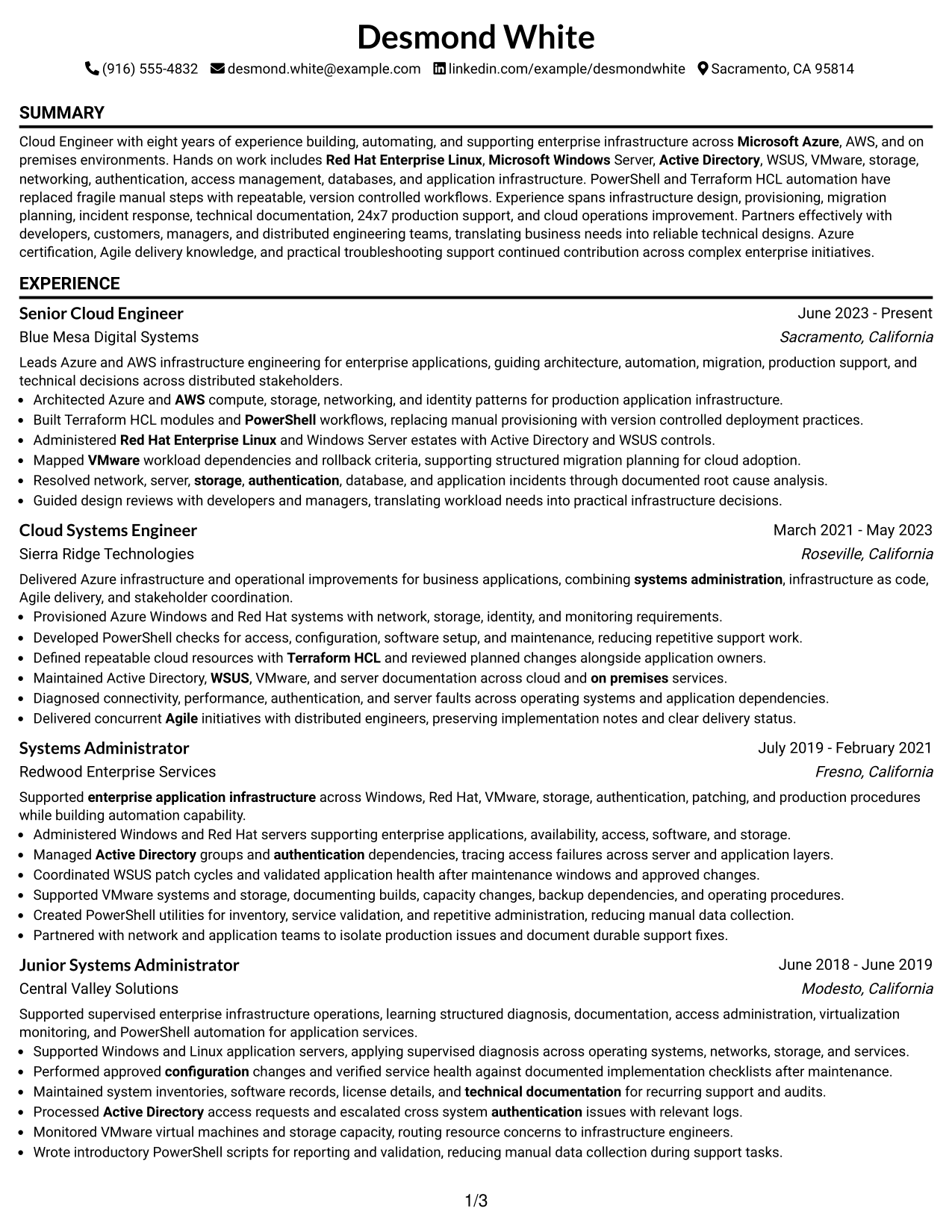
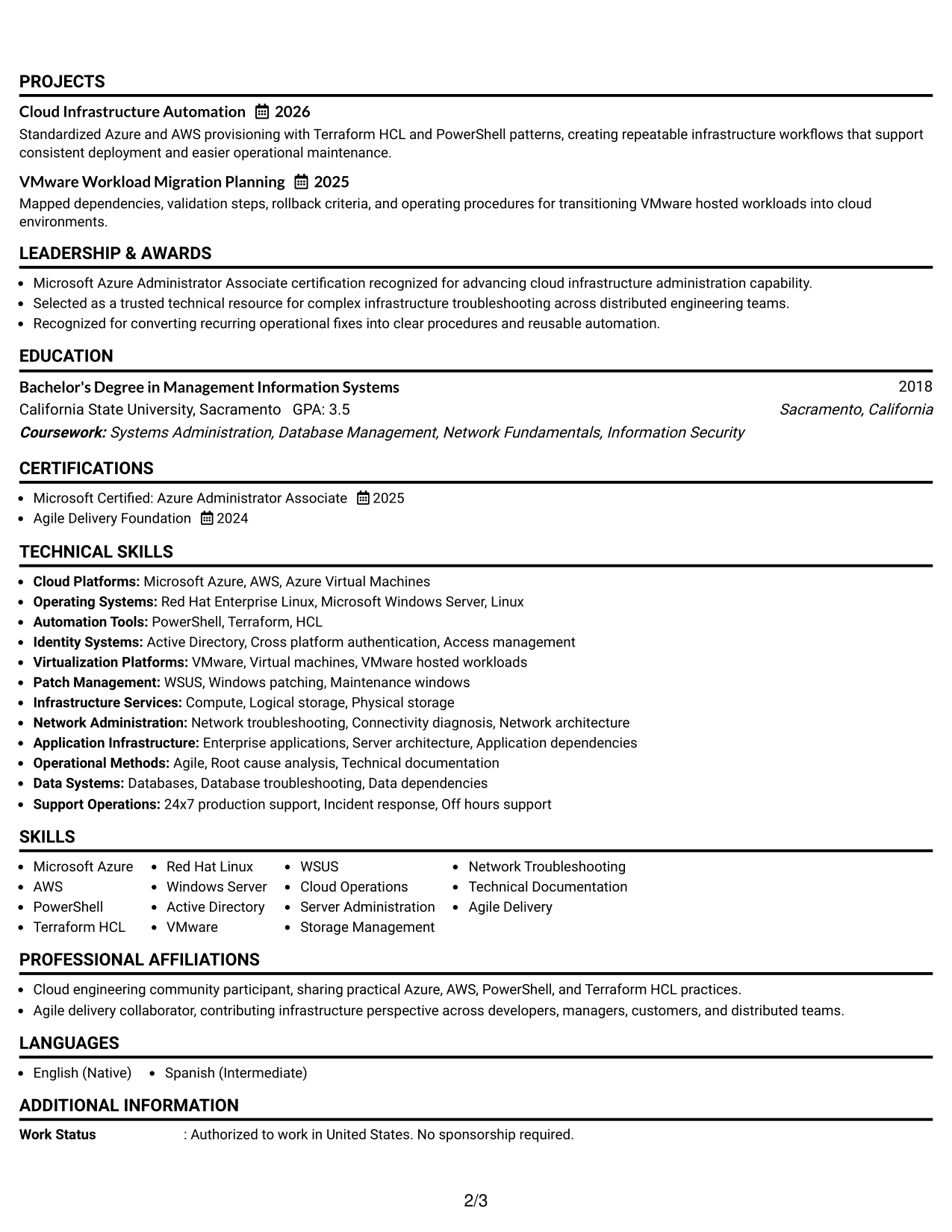
The Simple One Column Format keeps every section in one clear reading path, helping recruiters scan the resume from top to bottom.
Why This Format Works
- Straight reading order makes career progression easy to follow without side tracks.
- Full-width sections give experience and achievements enough room for clear detail.
- Skills, education, and credentials stay easy to locate under familiar headings.
Best For
- Straightforward recruiter scanning
- Detailed experience sections
- Clear career progression
- ATS-conscious applications
- Cloud Engineer applications
Resume Keywords
- Microsoft Azure
- AWS
- Red Hat Enterprise Linux
- Microsoft Windows Server
- Active Directory
- WSUS
- VMware
- PowerShell
- Terraform HCL
- Cloud Infrastructure
- Server Administration
- Network Troubleshooting
- Technical Documentation
- 24x7 production support
#2 Plain One Column with Shaded Labels Resume Example
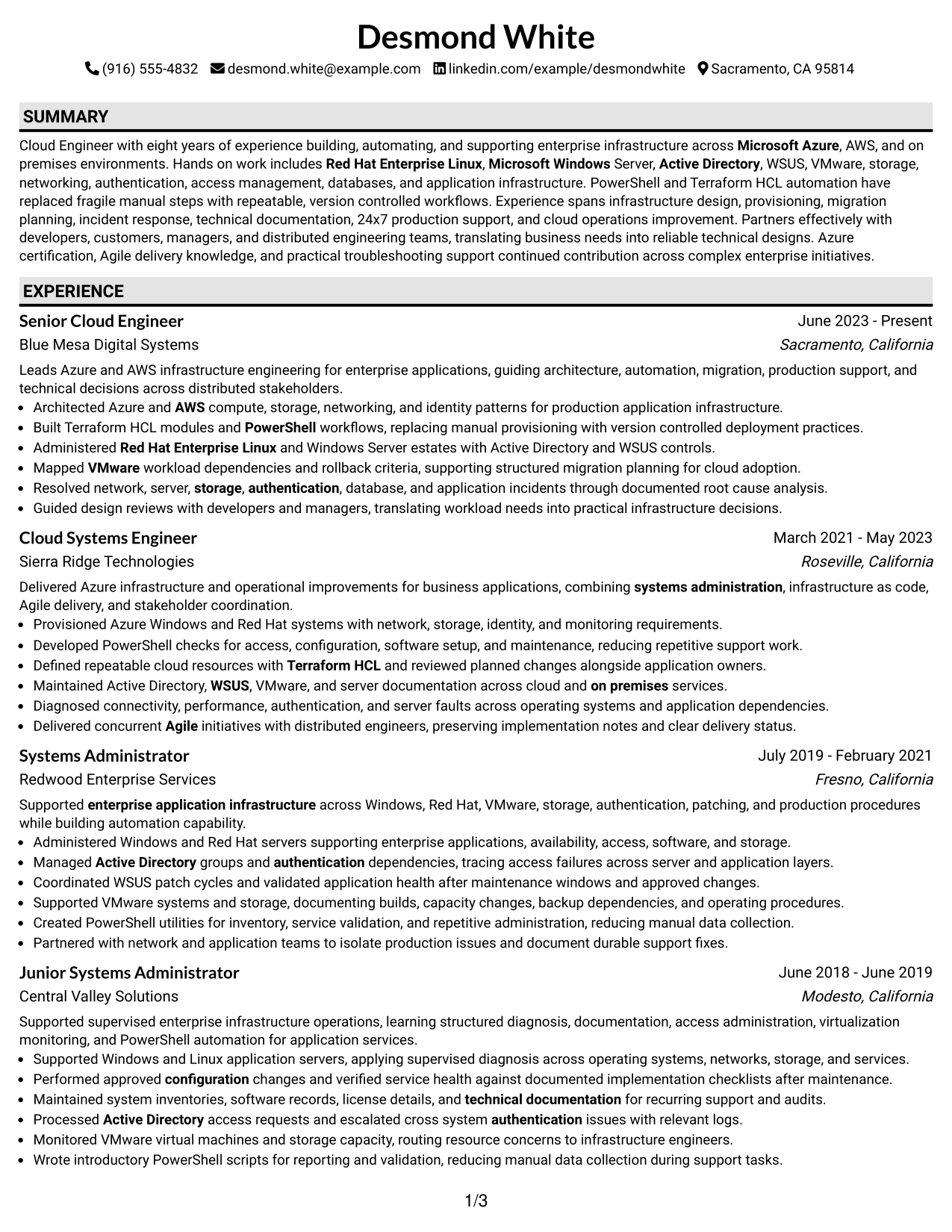
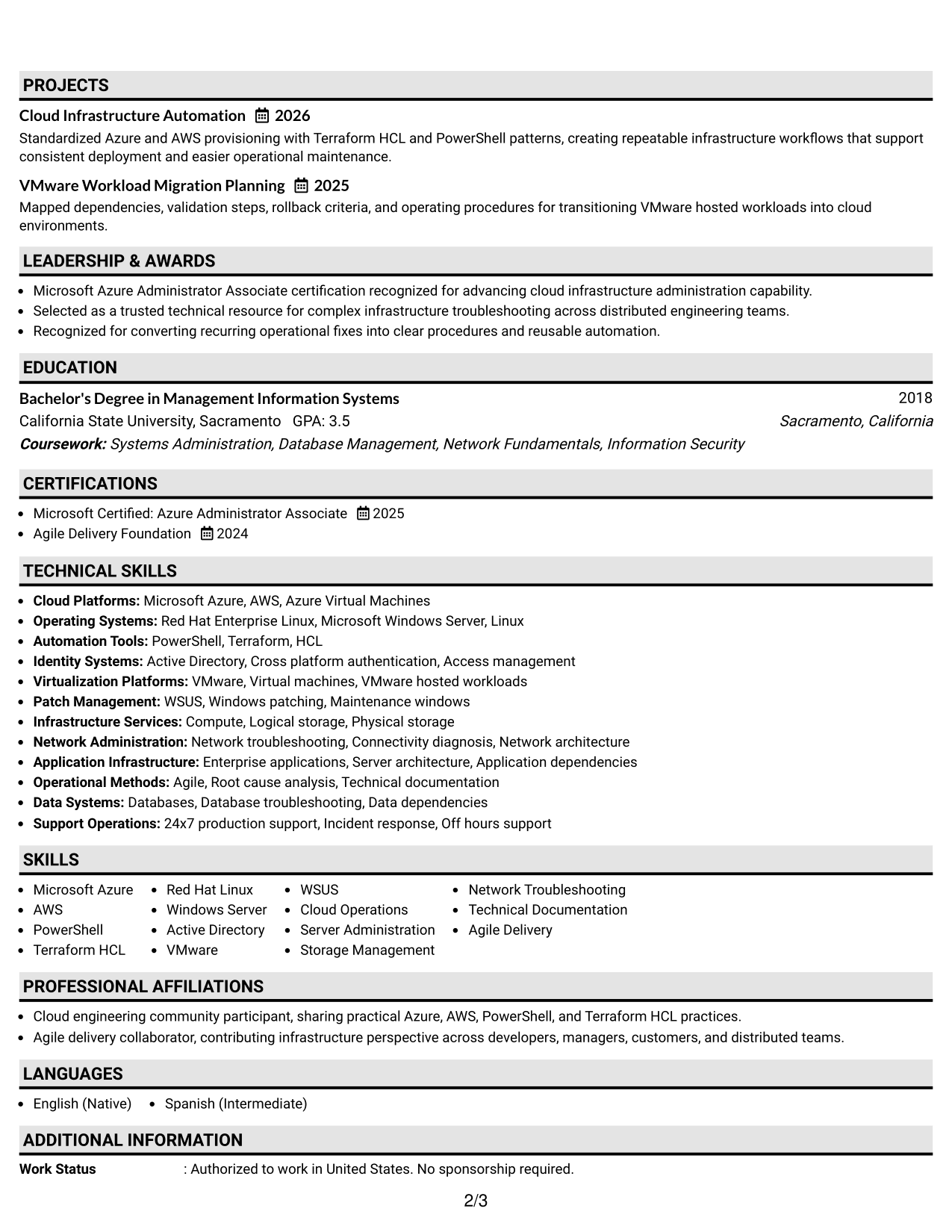
Plain One Column with Shaded Labels uses a single reading path with clear section markers, so recruiters can find key resume areas quickly.
Why This Format Works
- Shaded labels separate major sections without breaking the natural reading order.
- Experience entries remain easy to compare because the body stays vertically aligned.
- Clear section markers help reviewers move between skills, education, and credentials.
Best For
- Fast section finding
- Long technical skill lists
- Traditional reading order
- Experience-heavy resumes
- Clearly separated credentials
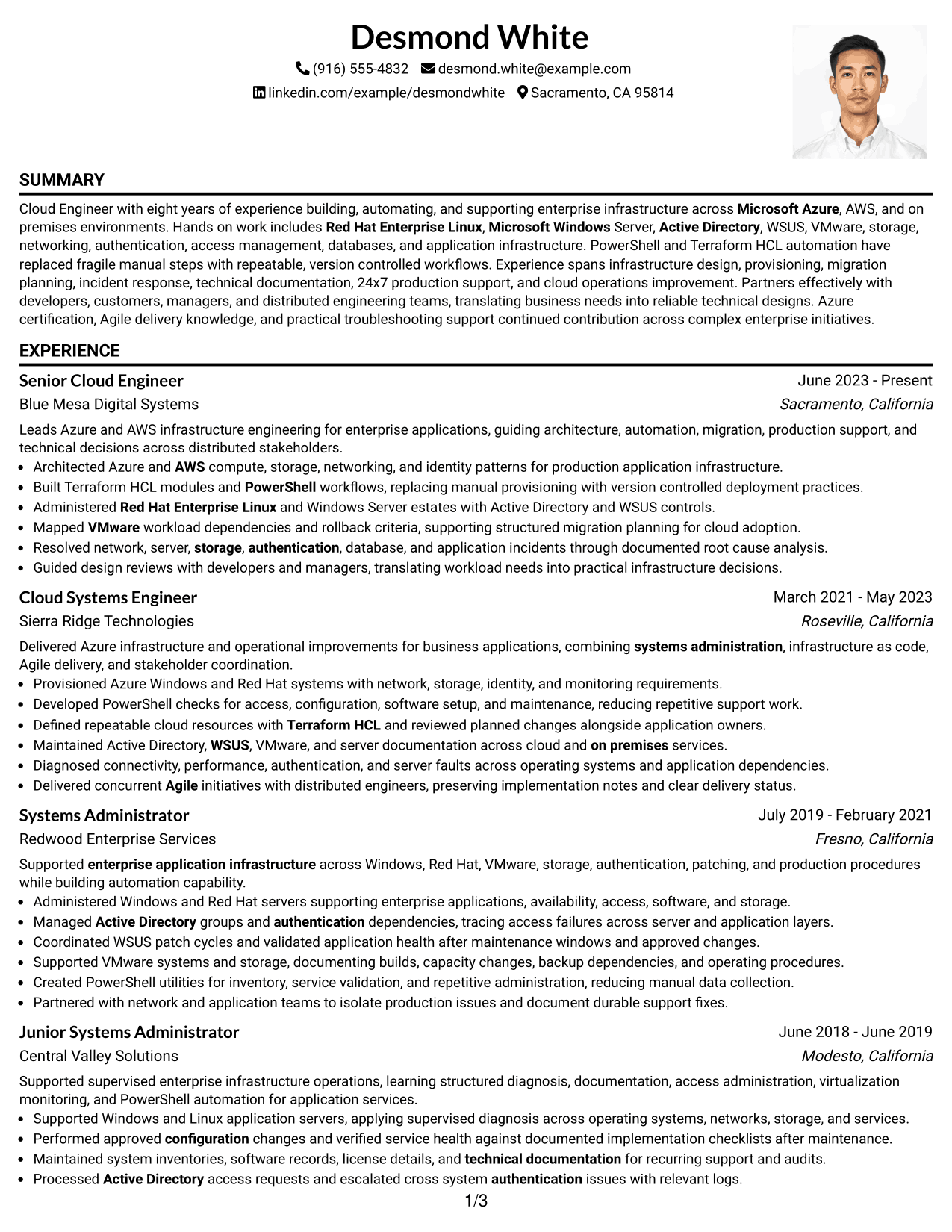
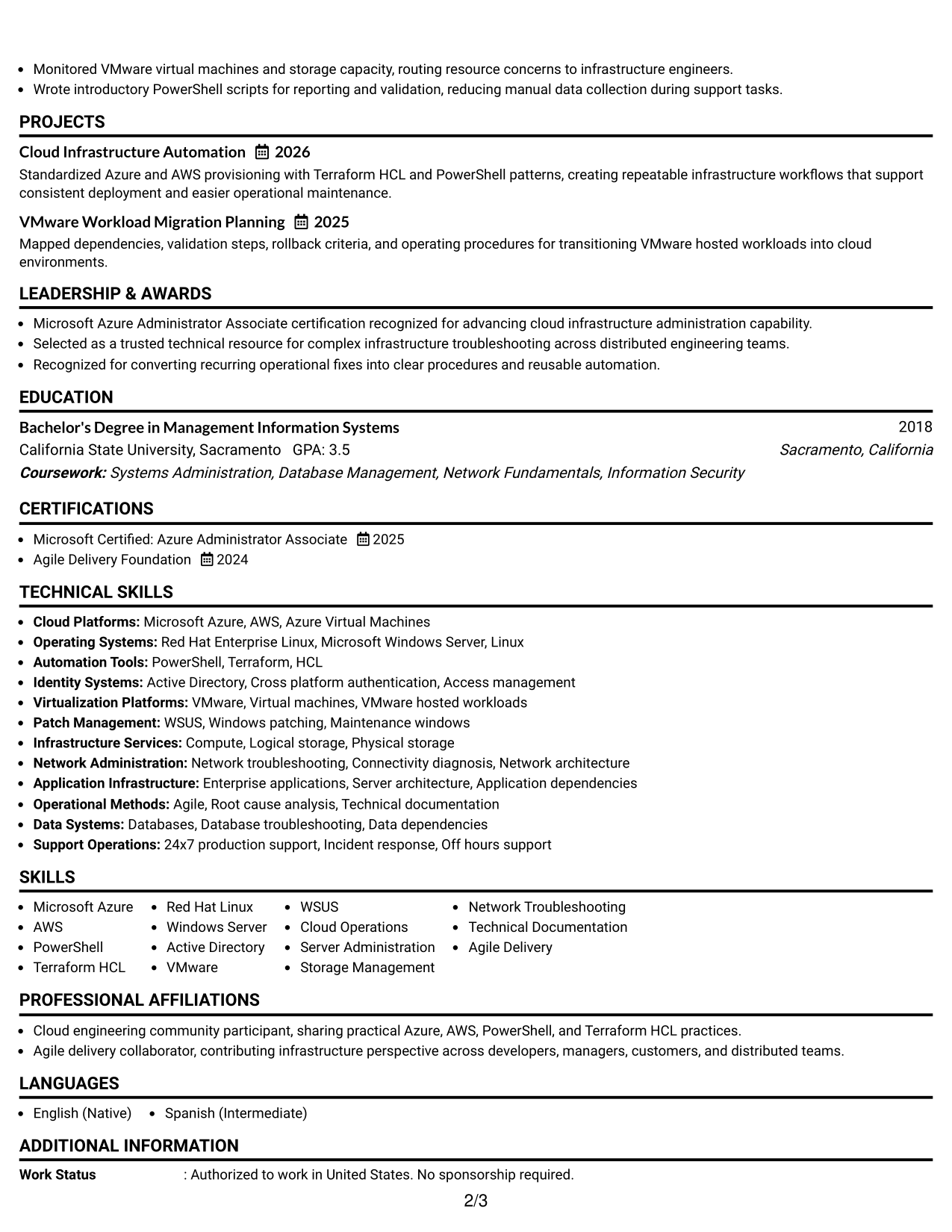
#3 One Column Format with Photo Right Resume Example
One Column Format with Photo Right keeps the resume body in one reading path while a right-side photo adds a visible personal identifier.
Why This Format Works
- One-column body keeps experience and achievements in a simple top-to-bottom sequence.
- Right-side photo stays separate from the main career information.
- Open body width supports clear sections for skills, education, and credentials.
Best For
- Markets where resume photos are expected
- Single-path reading
- Visible personal identification
- Broad experience descriptions
- Separated career sections
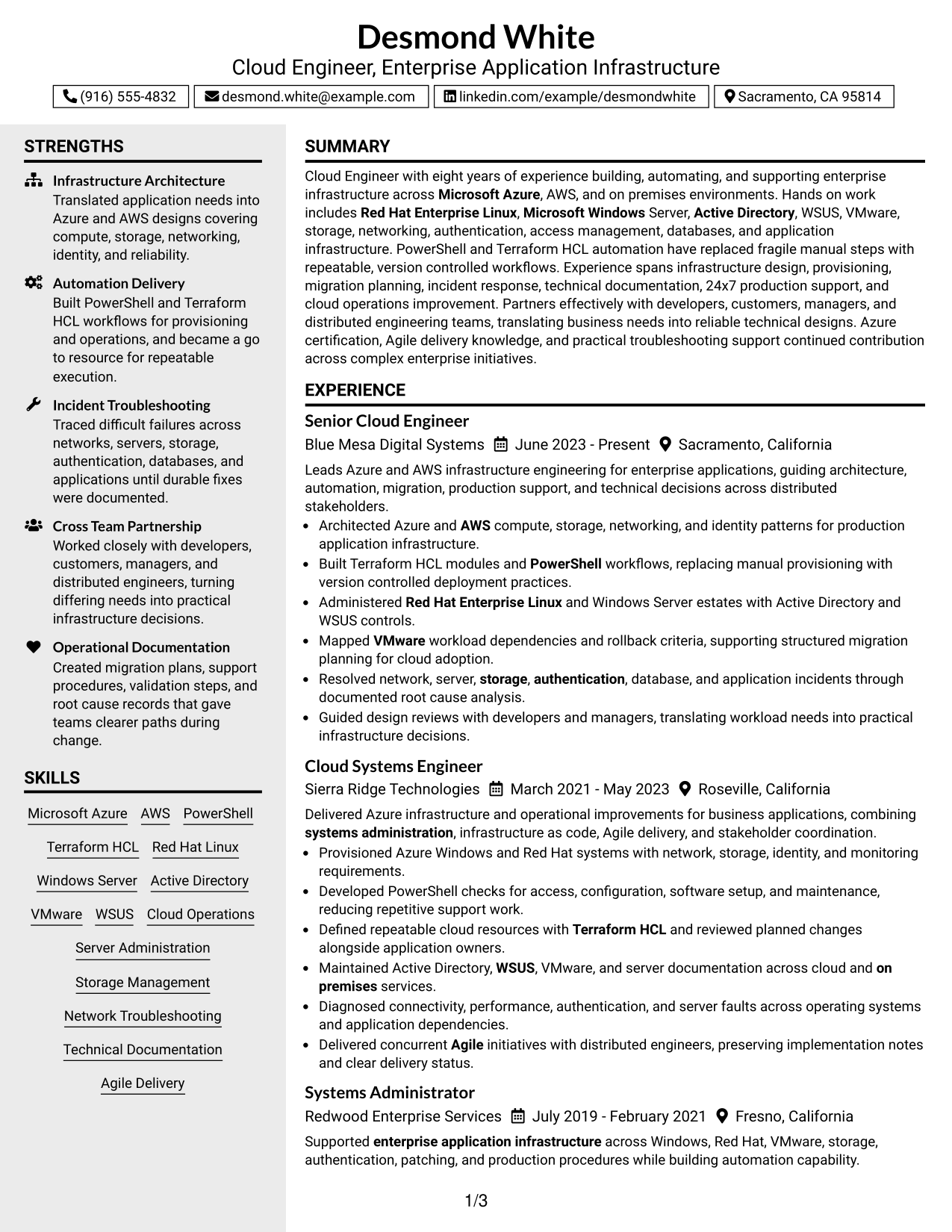
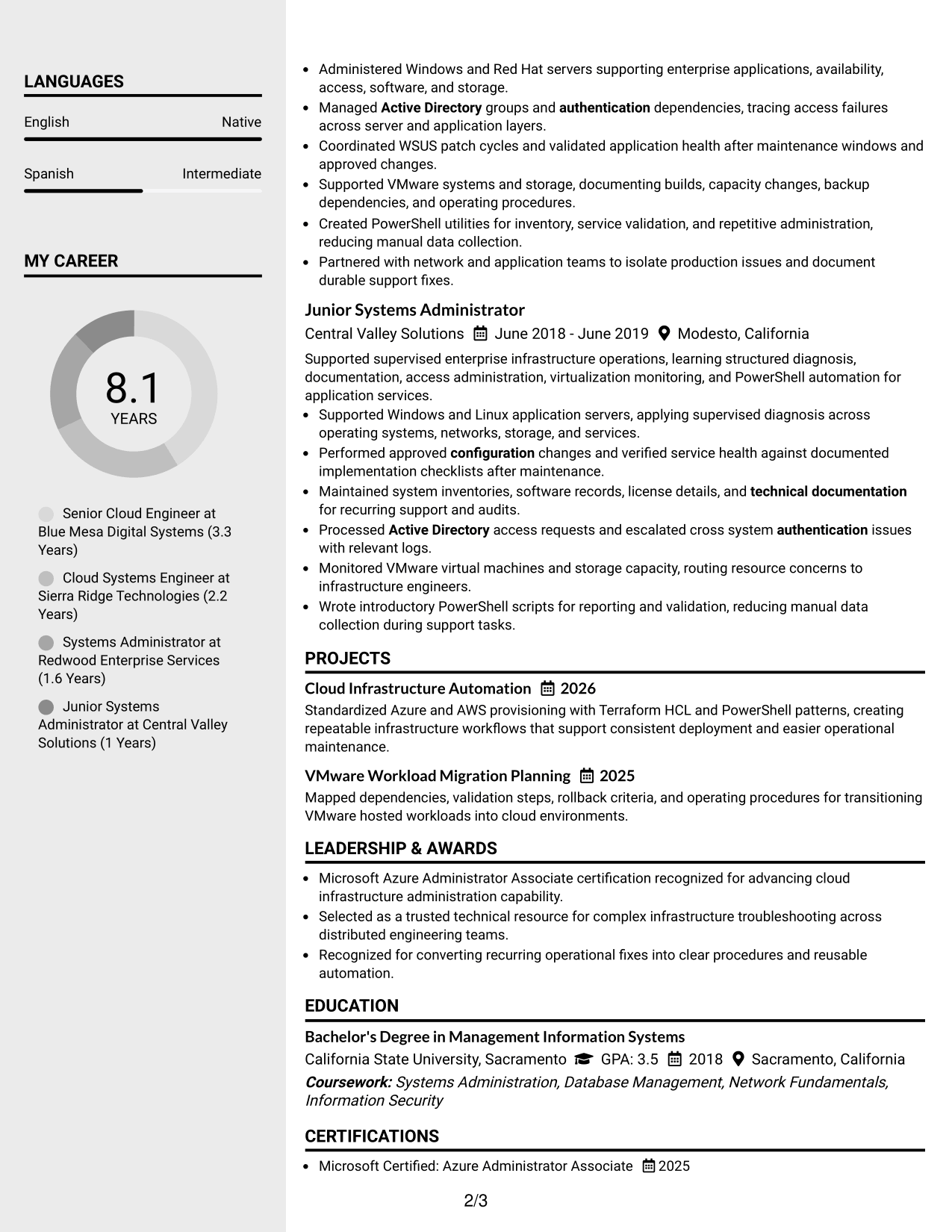
#4 Clean Two Column Sidebar Format Resume Example
Clean Two Column Sidebar Format separates supporting details from the main career record, helping recruiters scan related resume information in parallel.
Why This Format Works
- Two-column structure separates supporting details from the main experience narrative.
- Sidebar space keeps skills and credentials visible without interrupting career progression.
- Main column gives achievements a consistent path for focused review.
Best For
- Compact skills visibility
- Strong experience narrative
- Quick credential reference
- Parallel information scanning
- Resumes with varied section types
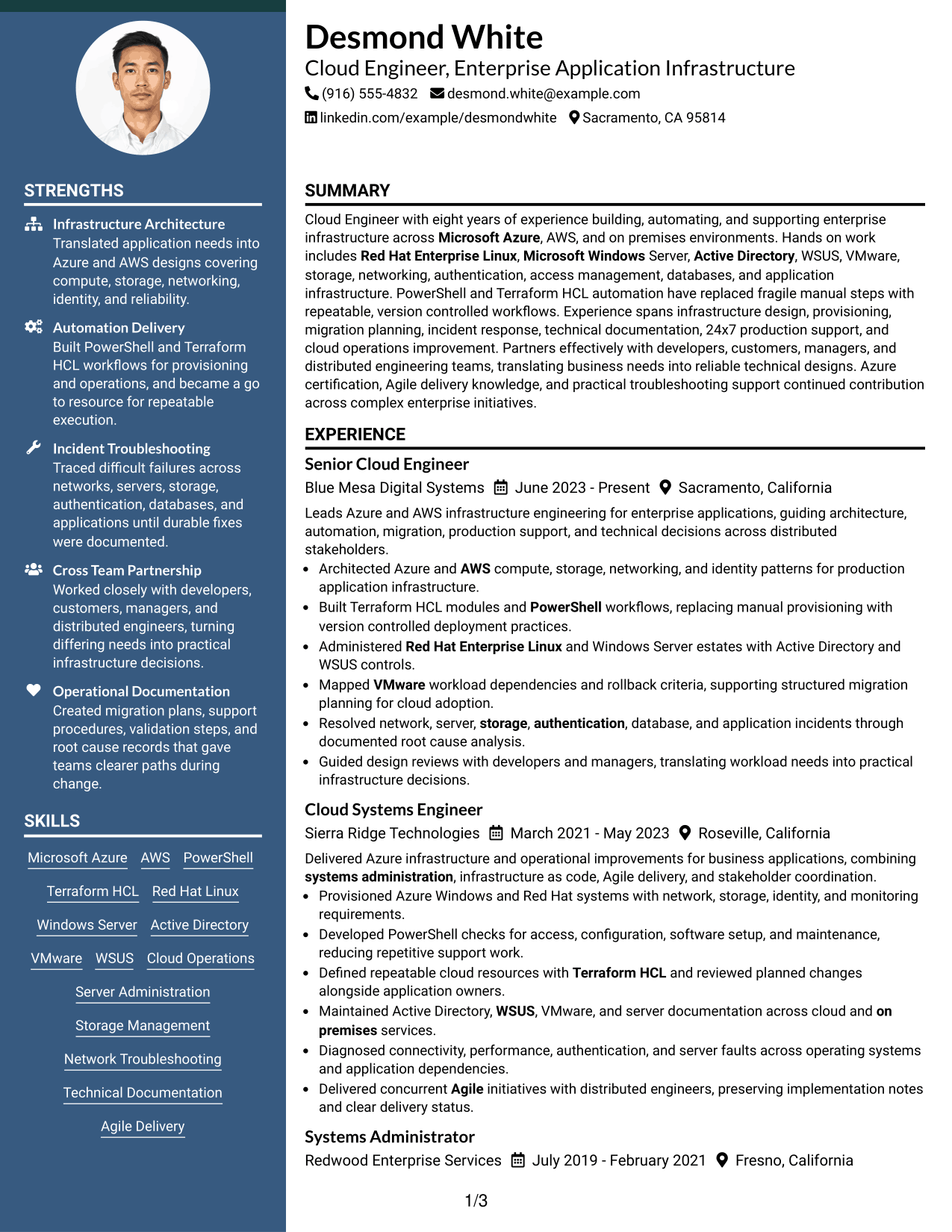
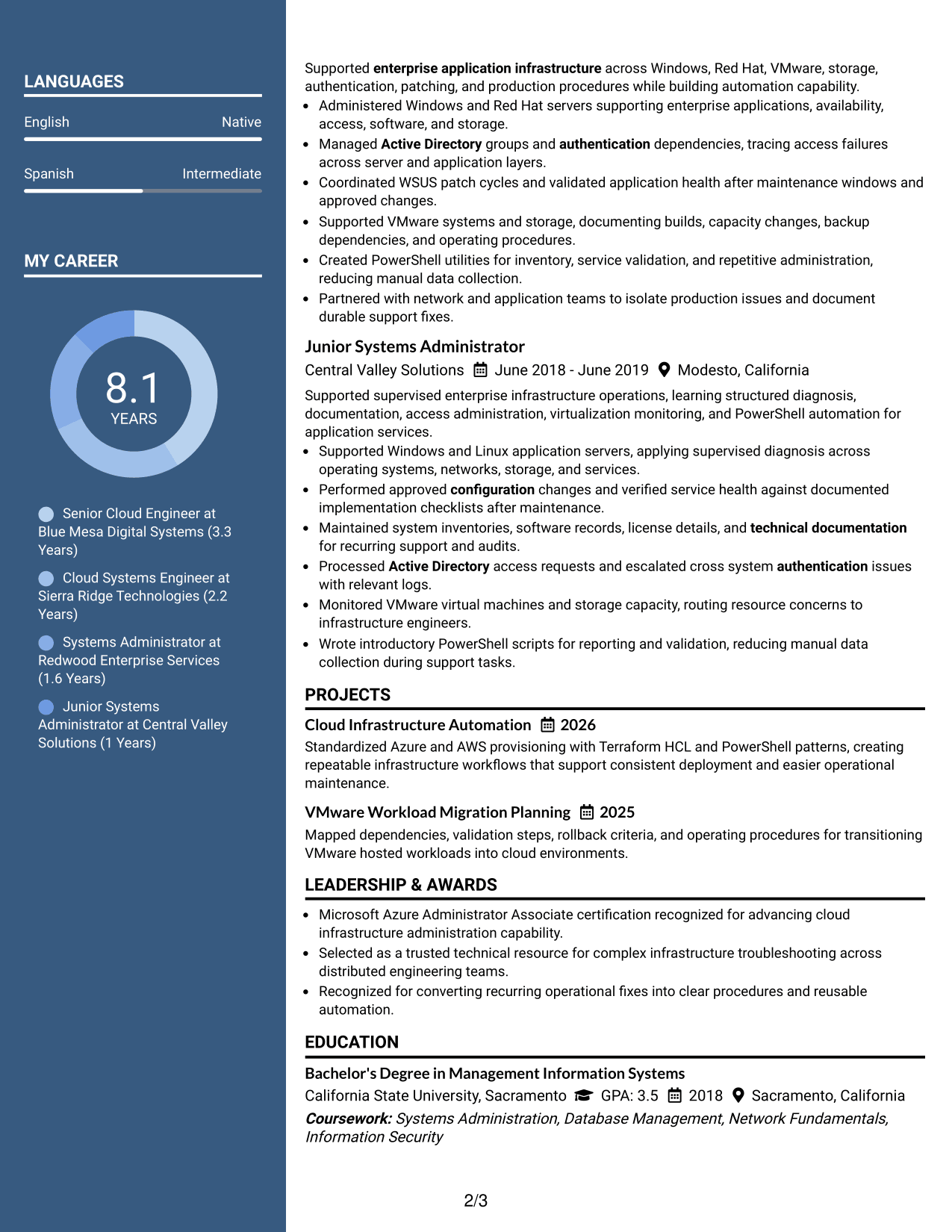
#5 Two Column Format Resume Example
Two Column Format divides resume content into balanced areas, helping recruiters compare core experience with supporting qualifications without losing structure.
Why This Format Works
- Balanced columns create separate zones for experience and supporting qualifications.
- Parallel structure reduces long vertical stretches across a detailed career history.
- Section separation helps reviewers compare achievements, skills, education, and credentials.
Best For
- Balanced information density
- Mixed experience and qualifications
- Shorter vertical scanning
- Multiple supporting sections
- Side-by-side content review
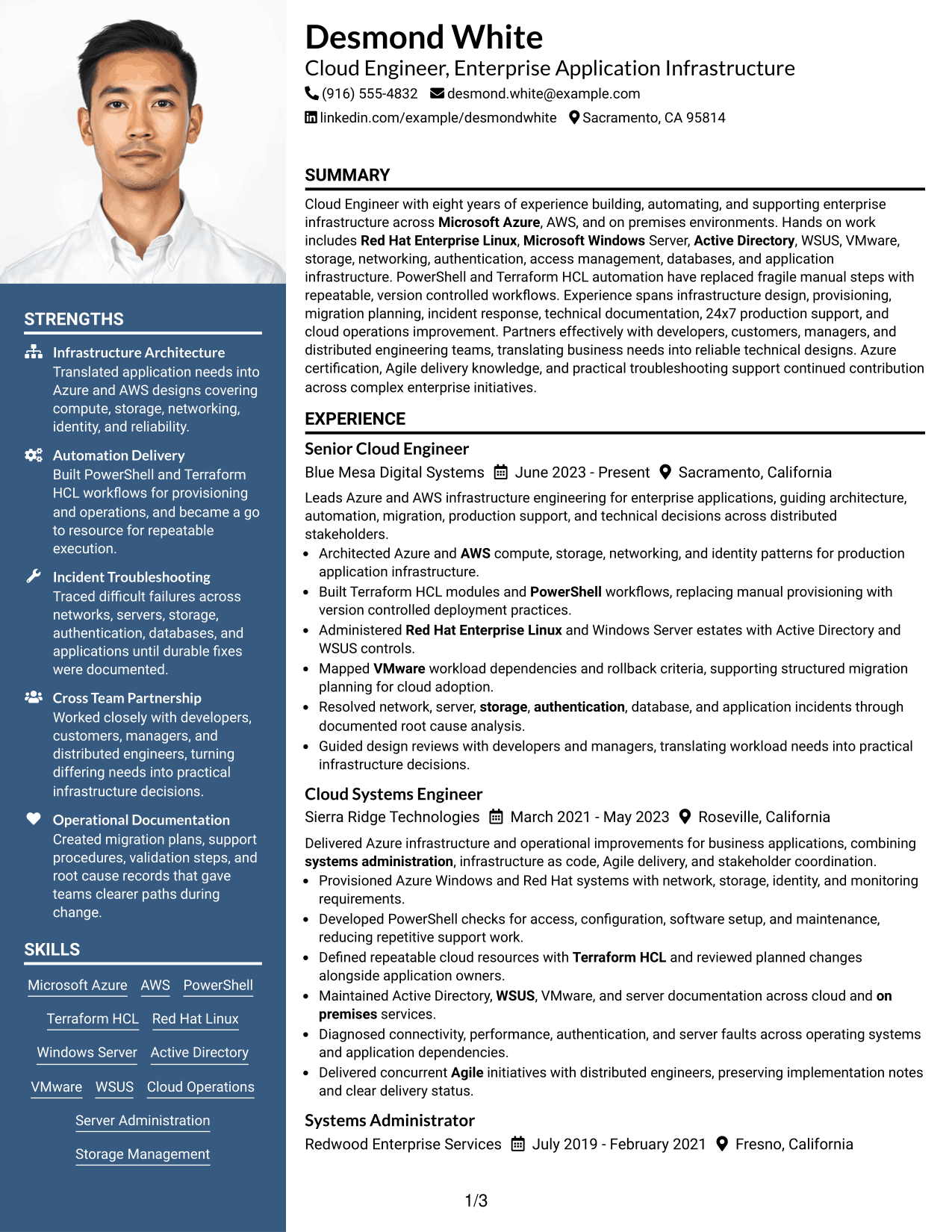
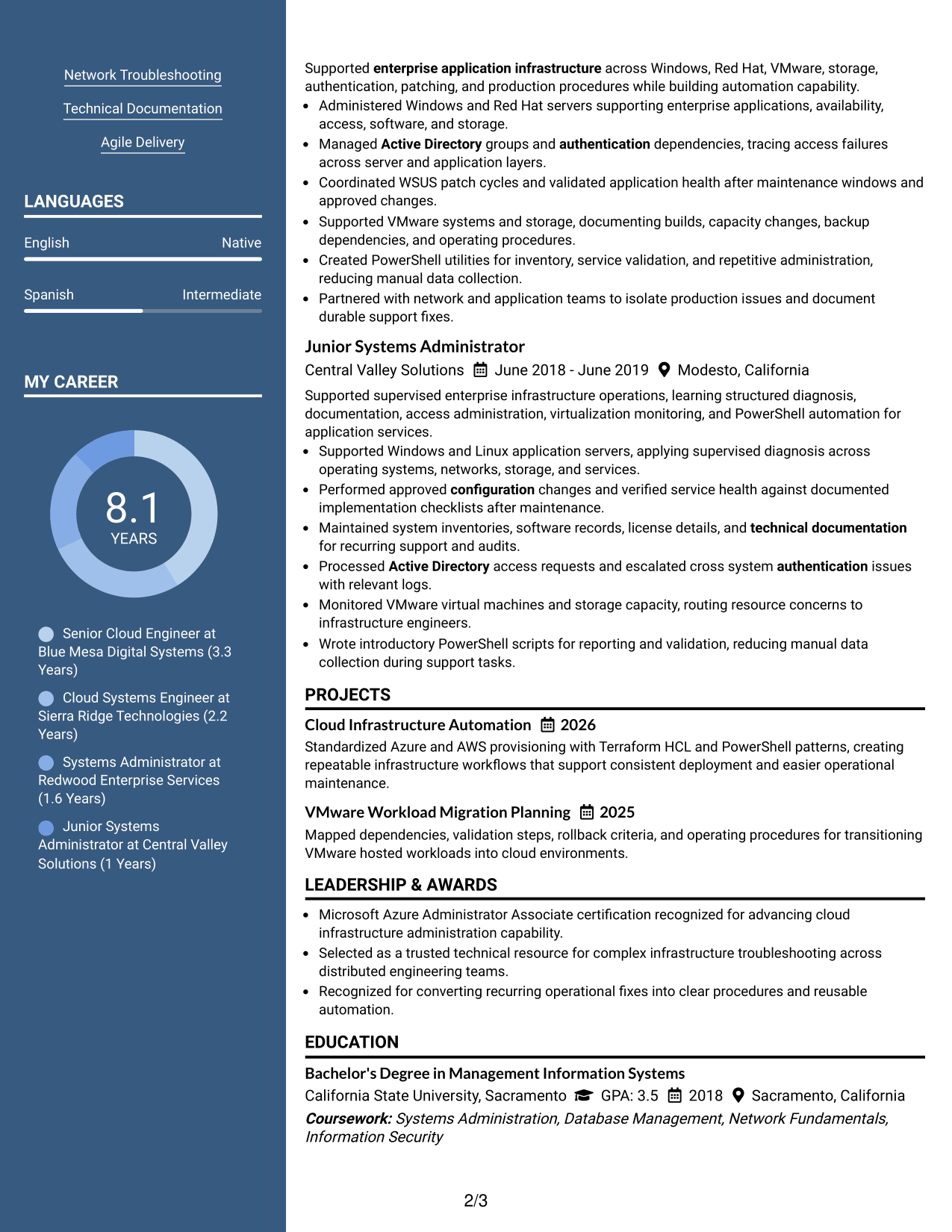
#6 Photo Header Two Column Format Resume Example
Photo Header Two Column Format combines a visible photo header with two organized content columns, giving recruiters clear paths through the resume.
Why This Format Works
- Photo header identifies the person while leaving body sections clearly separated.
- Two body columns create distinct routes for experience and supporting information.
- Section boundaries help recruiters locate achievements, skills, education, and credentials.
Best For
- Markets that commonly use resume photos
- Two-track section organization
- Visible identity in the header
- Condensed supporting details
- Structured career evidence
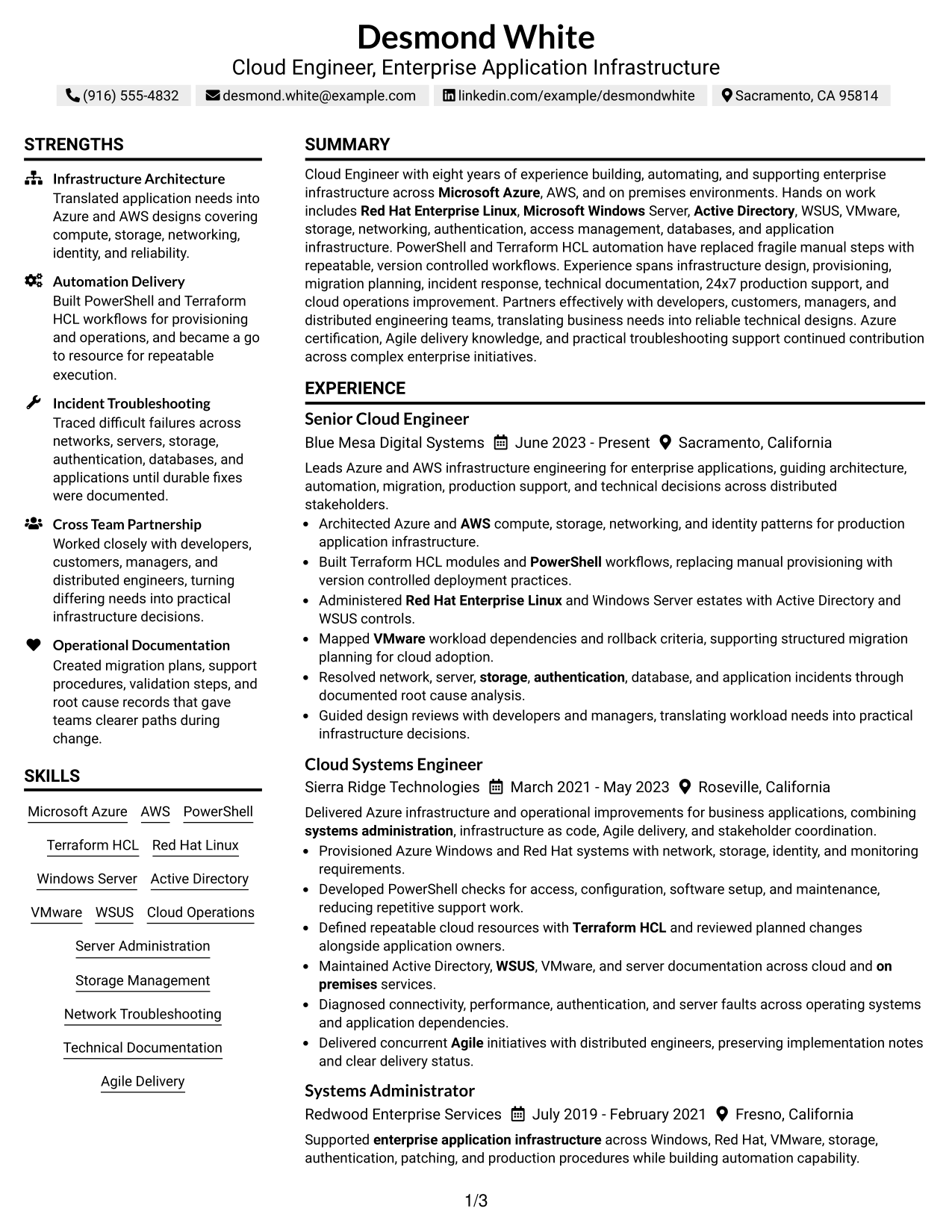
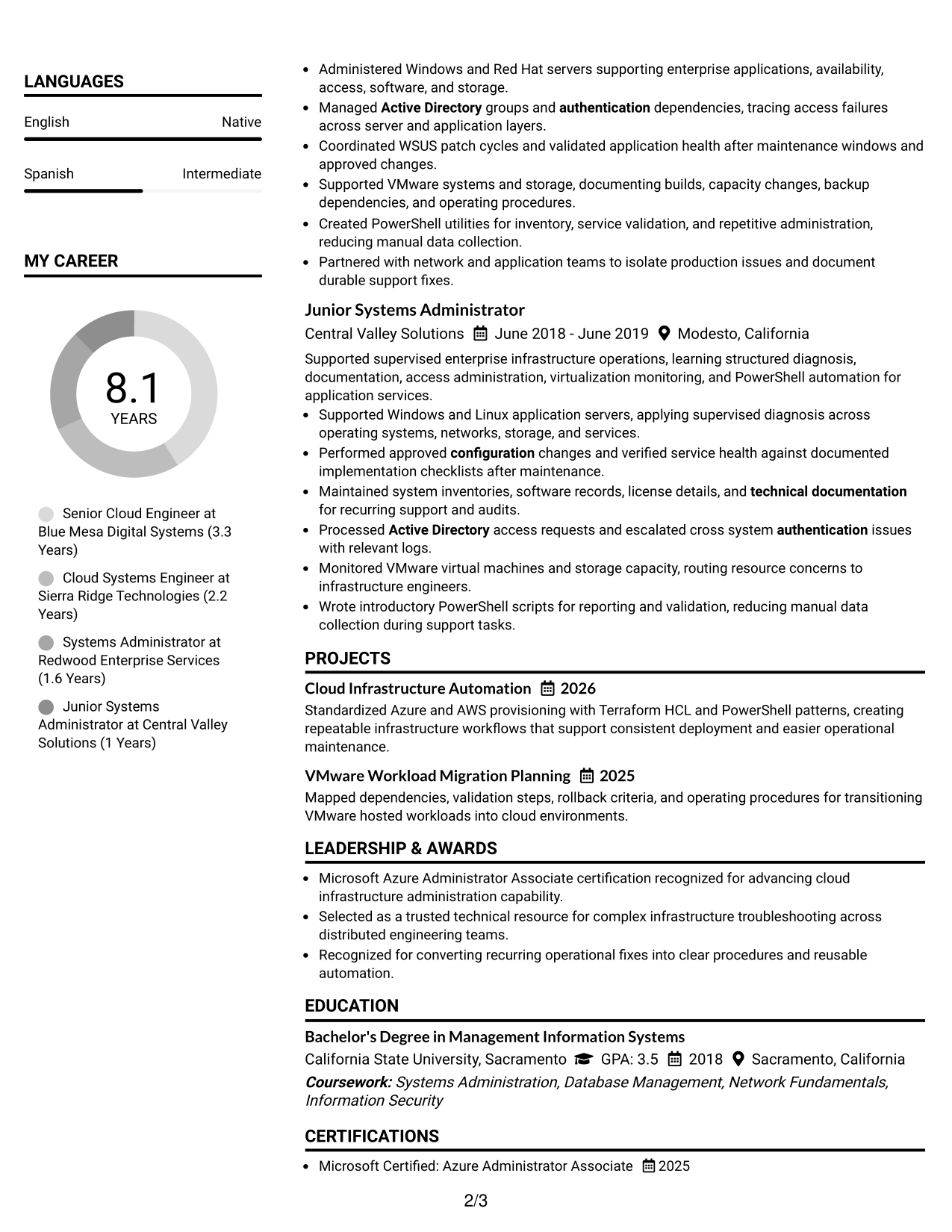
#7 Simple Two Column Format Resume Example
Simple Two Column Format uses two clear content areas with restrained styling, helping recruiters scan main and supporting resume sections efficiently.
Why This Format Works
- Simple column split keeps experience distinct from shorter supporting sections.
- Clear spacing gives achievements room while preserving quick access to qualifications.
- Consistent section structure helps reviewers connect career progression with skills and credentials.
Best For
- Simple two-column organization
- Experience plus concise qualifications
- Easy cross-section reference
- Moderate content density
- Readers who prefer restrained styling
See Also
- 33 Cloud Engineer - Cloud Native Infrastructure Resume Templates with Example 2026 (ATS-Optimized)
- 33 ML & Cloud Infrastructure Engineer Intern Resume Templates with Example 2026 (ATS-Optimized)
- 33 Principal Cloud Infrastructure Engineer Resume Templates with Example 2026 (ATS-Optimized)
- 7 Systems Engineer - Infrastructure & Cloud Platforms Resume Templates with Example
- 33 AI/ML Engineer Intern, Cloud & Developer Infra Resume Templates with Example 2026 (ATS-Optimized)
- 33 Applied AI Research Engineer - Production ML & Cloud Resume Templates with Example 2026 (ATS-Optimized)
- 33 Associate Cloud Engineer Resume Templates with Example 2026 (ATS-Optimized)
- 33 Azure Cloud Engineer Resume Templates with Example
- 30+ ML & Cloud Infrastructure Engineer Intern Cover Letter Templates with Example 2026
- 30+ Principal Cloud Infrastructure Engineer Cover Letter Templates with Example 2026
Frequently Asked Questions
Are these Cloud Engineer - Enterprise Application Infrastructure resume templates ATS-friendly?
They use clear headings and structured resume sections that are easy for common applicant tracking systems to read. Keep your wording simple and use role keywords only when they match your real experience.
Are these different resumes?
No. The guide shows one complete Cloud Engineer - Enterprise Application Infrastructure resume in several visual formats so you can compare organization without changing the underlying career facts.
What should a Cloud Engineer - Enterprise Application Infrastructure resume include?
Include a focused summary, relevant experience, cloud and systems skills, automation tools, education, certifications, and clear examples of infrastructure design, troubleshooting, documentation, and production support.
Which technical skills are useful to include?
Use skills that you can support with evidence. For this role, relevant examples include Microsoft Azure, AWS, Windows Server, Red Hat Enterprise Linux, Active Directory, WSUS, VMware, PowerShell, Terraform/HCL, networking, storage, and databases.
How should I show automation work on the resume?
Describe the manual process, the automation you built, and the operational result. PowerShell and Terraform/HCL examples are especially useful when they show more repeatable provisioning, maintenance, or deployment work.
Should I include an Azure certification?
Yes, if you hold one. Place a current Azure certification in a clear certifications section and connect it to hands-on cloud administration in your experience when the evidence supports that link.
Should I include a photo on a U.S. resume?
For most U.S. applications, a no-photo resume is the safer standard. Use a photo only when it is normal or expected in the country or market where you are applying.
Can I customize these resume templates?
Yes. Adjust the text, section order, and format so the resume matches your supported experience and the requirements of the Cloud Engineer - Enterprise Application Infrastructure role.




