
US English


7 Copier Field Service Technician Resume Templates with Example
By Ria · Last Updated On October 17, 2026
Resume example — page 1

This guide shows you how to create a clear, focused Copier Field Service Technician resume. Learn how to organize repair evidence, show the value of your work, and compare professional resume formats.

Strong resumes connect hands-on service to reliable equipment operation. Show how you diagnose mechanical, electrical, print-quality, and basic network issues, complete preventive maintenance, configure peer-to-peer scanning, and keep customers informed. Use accurate details about parts, service records, route planning, training, and certifications to support your claims.

Explore one resume example presented in 7 layouts. Compare the image previews to see how each format arranges skills and work history, then open an example in the editor to customize it.

What Makes a Great Copier Field Service Technician Resume in 2026

A strong resume puts equipment repair, independent diagnosis, and customer service near the top. Clear headings and focused bullet points help readers see how your work supports equipment uptime.

Use specific evidence, such as resolving feed or image-quality faults, setting up scanning, or reducing repeat visits. Include relevant terms like preventive maintenance, basic networking, parts inventory, service documentation, and manufacturer training when they match your experience.

Note: Resume examples are for educational purposes only. Use only information that accurately reflects your experience and qualifications. References to real organizations do not imply affiliation or endorsement.

#1 Simple One Column Format Resume Example

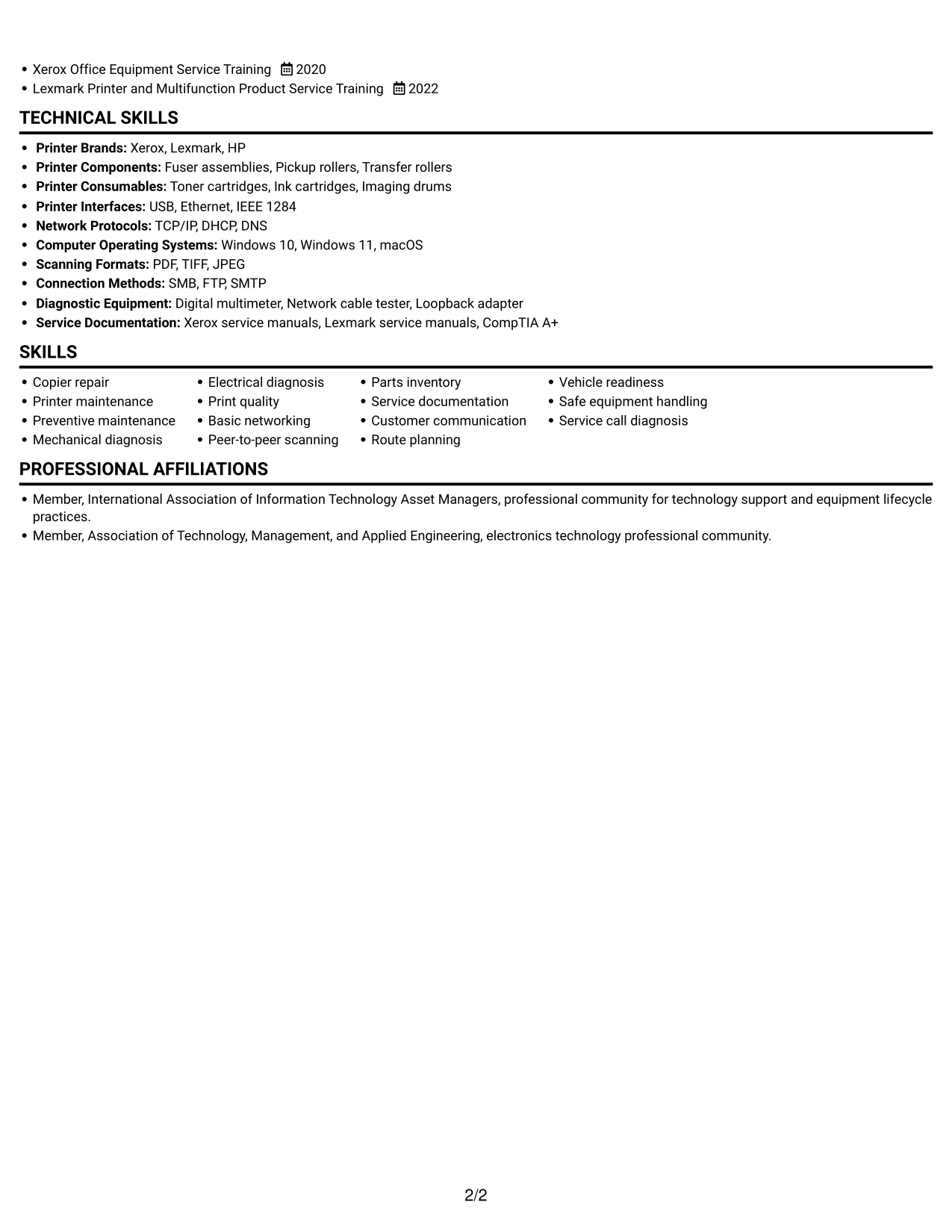
Simple One Column Format keeps resume sections in one reading path, helping reviewers follow the work history without shifting between columns.
 
Resume example — page 1   Resume example — page 2

Why This Format Works

  • One reading path helps reviewers follow experience across roles in chronological order.
  • Skills, education, and credentials remain within the same continuous review sequence.
  • Role details can be read without shifting between parallel content areas.

Best For

  • Linear resume review
  • Detailed employment histories
  • Chronological role progression
  • Combined skills and education details
  • One-column ATS review

Resume Keywords

  • using fault codes, print samples, and component checks to identify the cause
  • Basic networking
  • Configure scan-to-computer functions in peer-to-peer environments
  • Planned service calls around equipment urgency and parts availability
  • Prepared parts kits and tools for field appointments, keeping equipment and supplies organized
  • maintain an orderly vehicle and tool kit
  • Customer communication
  • kept customers informed of arrival timing and repair findings to build dependable working relationships.
  • Share recurring equipment concerns and documented repair findings with sales partners, helping customers consider service needs and appropriate replacement options.
  • identify the cause and restore operation.
  • safe equipment handling
  • associate degree in electronics
  • a clean recent driving record
 

#2 Simple Two Column Format Resume Example

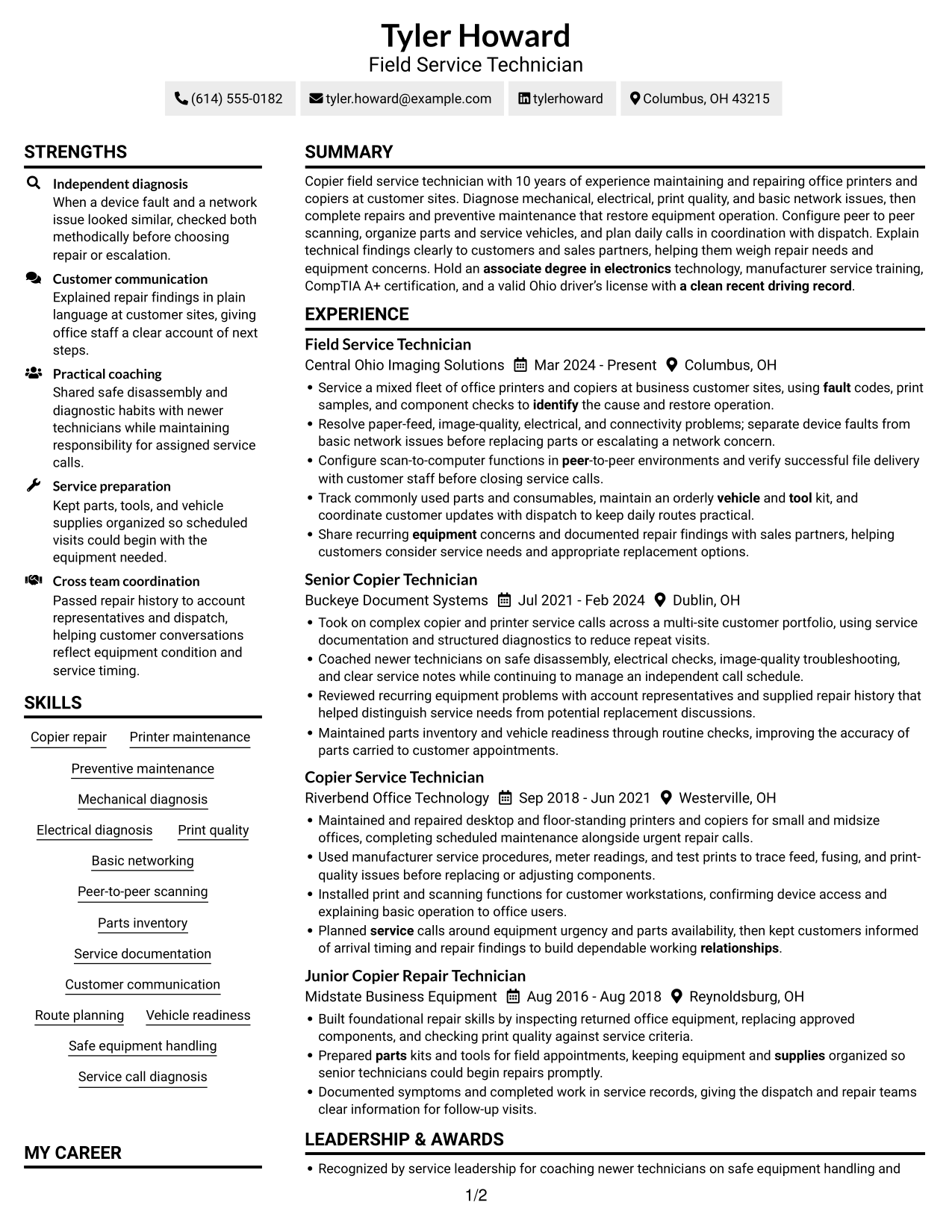
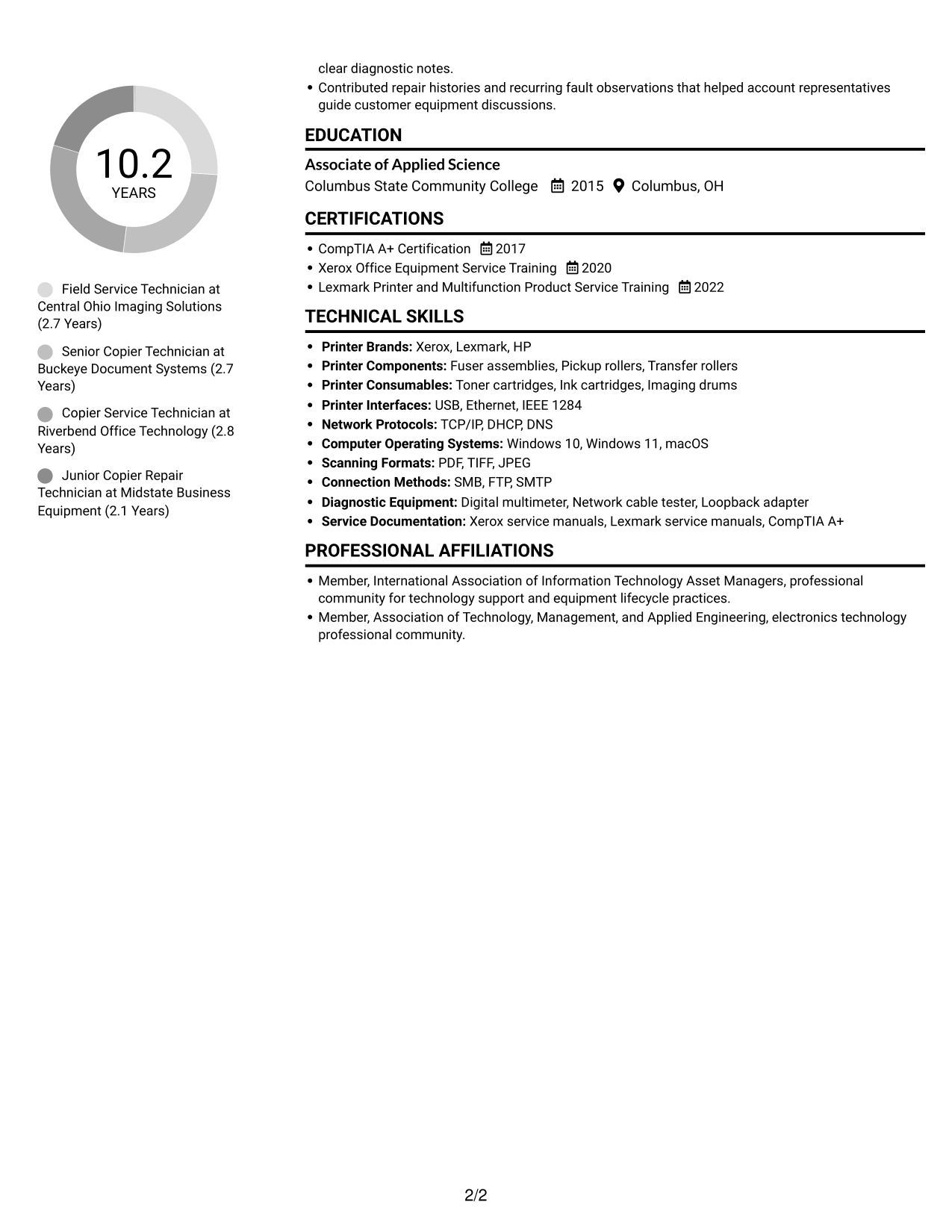
Simple Two Column Format separates resume content into two areas, giving reviewers a clear way to scan distinct sections.
 
Resume example — page 1   Resume example — page 2

Why This Format Works

  • Two columns separate career history from supporting sections, making the document easier to scan.
  • Reviewers can locate skills and education while keeping the work record in view.
  • Distinct column areas give credentials and experience clear places in the reading order.

Best For

  • Side-by-side content review
  • Resumes with distinct content groups
  • Quick access to supporting qualifications
  • Detailed career records
  • Combined experience and skills sections

#3 Plain One Column with Shaded Labels Resume Example

Plain One Column with Shaded Labels presents resume content in a single column, keeping each section within a direct reading path.
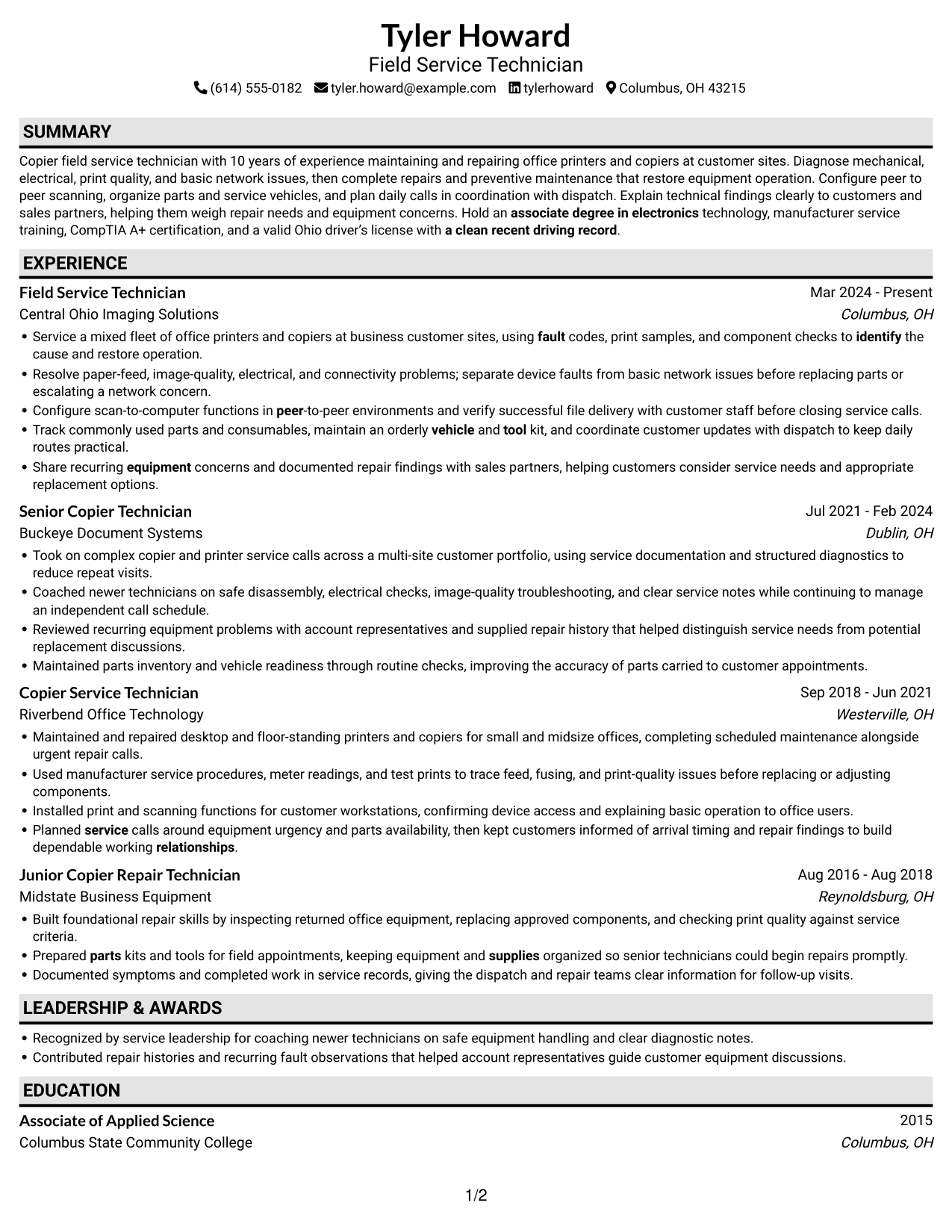
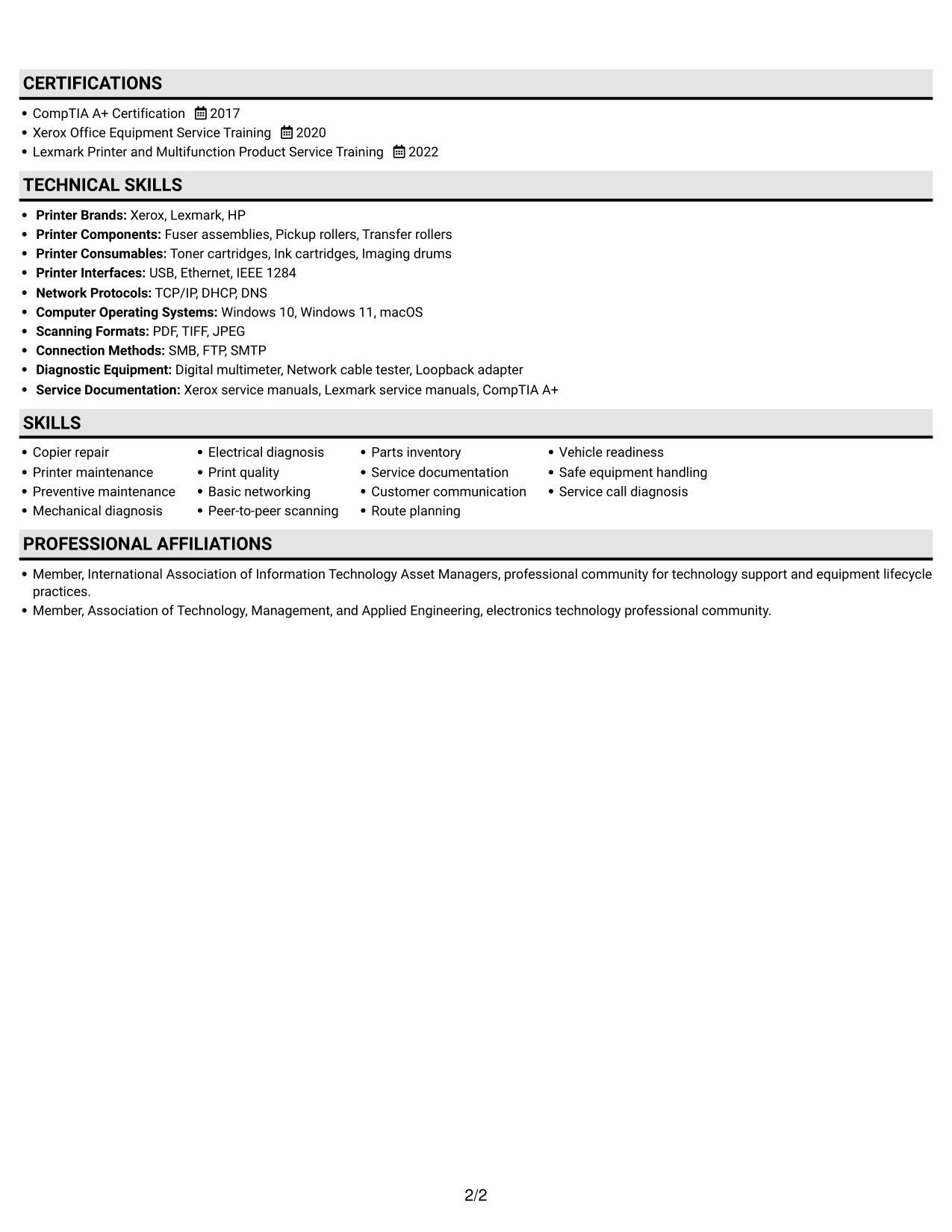
 
Resume example — page 1   Resume example — page 2

Why This Format Works

  • Vertical reading order lets recruiters trace dated roles from earlier work to current work.
  • Keeping resume sections in one column makes education and skills part of one scan.
  • One-column text carries detailed employment entries in a steady top-to-bottom sequence.

Best For

  • Sequential review of dated roles
  • Longer employment records
  • Single-column section navigation
  • Education and skills in one document
  • Straightforward ATS text review
 

#4 One Column Format with Photo Right Resume Example

One Column Format with Photo Right combines a single text column with a portrait, pairing a direct reading path with a visible profile image.
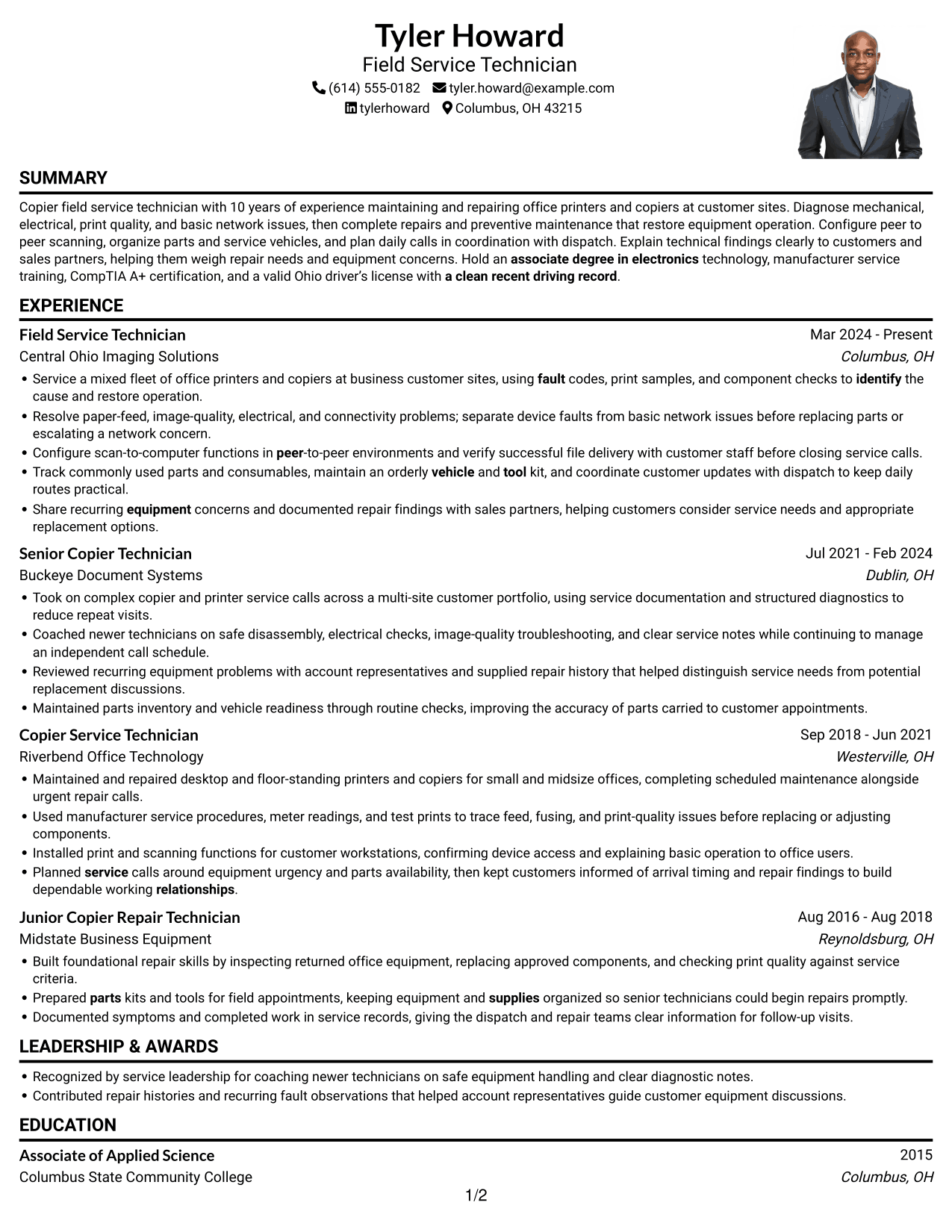
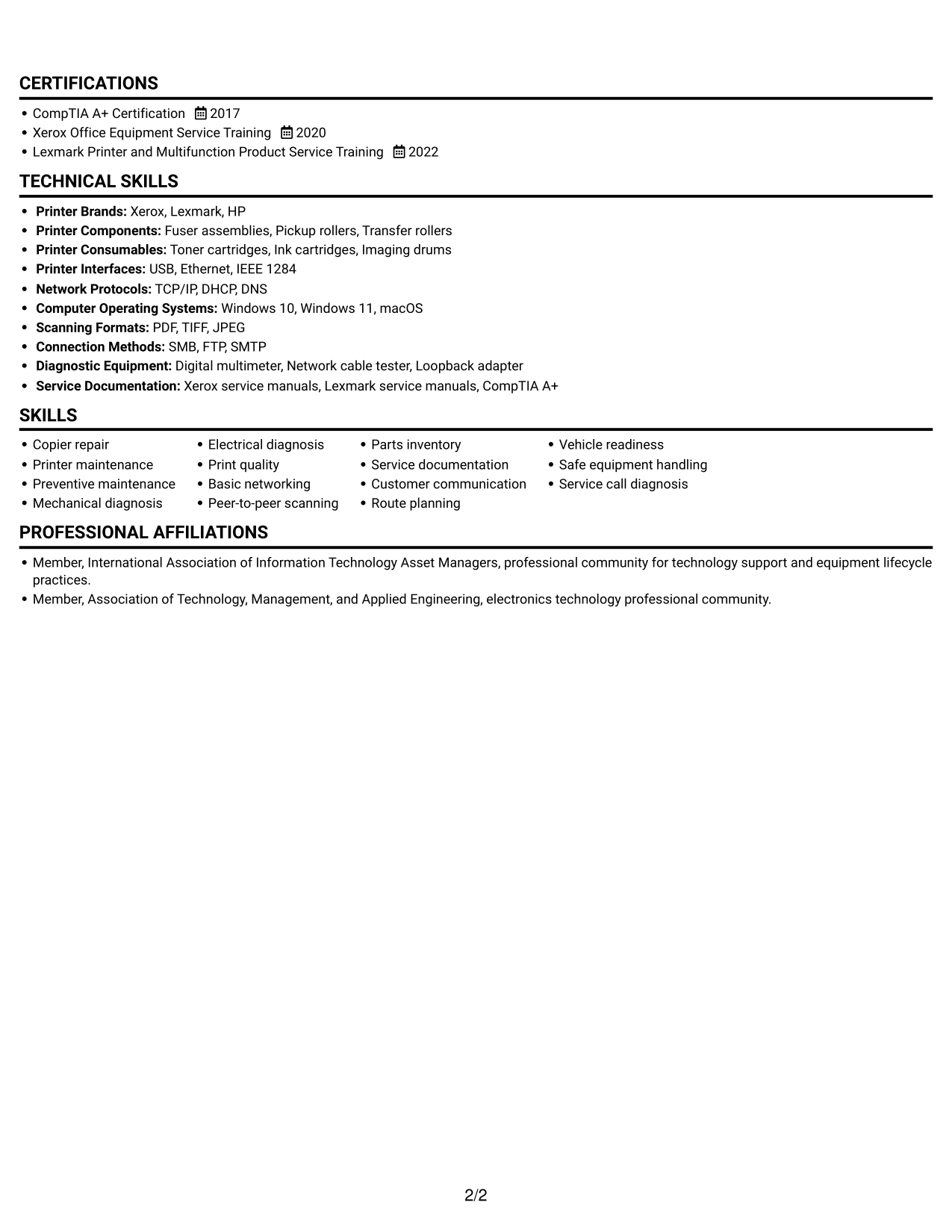
 
Resume example — page 1   Resume example — page 2

Why This Format Works

  • One-column structure keeps role history readable as a continuous vertical record.
  • Education and technical credentials remain part of the same text path as experience.
  • The portrait offers a visual identity cue without changing the resume's text sequence.

Best For

  • Portrait-inclusive resume layouts
  • Single-path section review
  • Detailed employment records
  • Visual identity beside resume content
  • Combined experience and credential details
 

#5 Clean Two Column Sidebar Format Resume Example

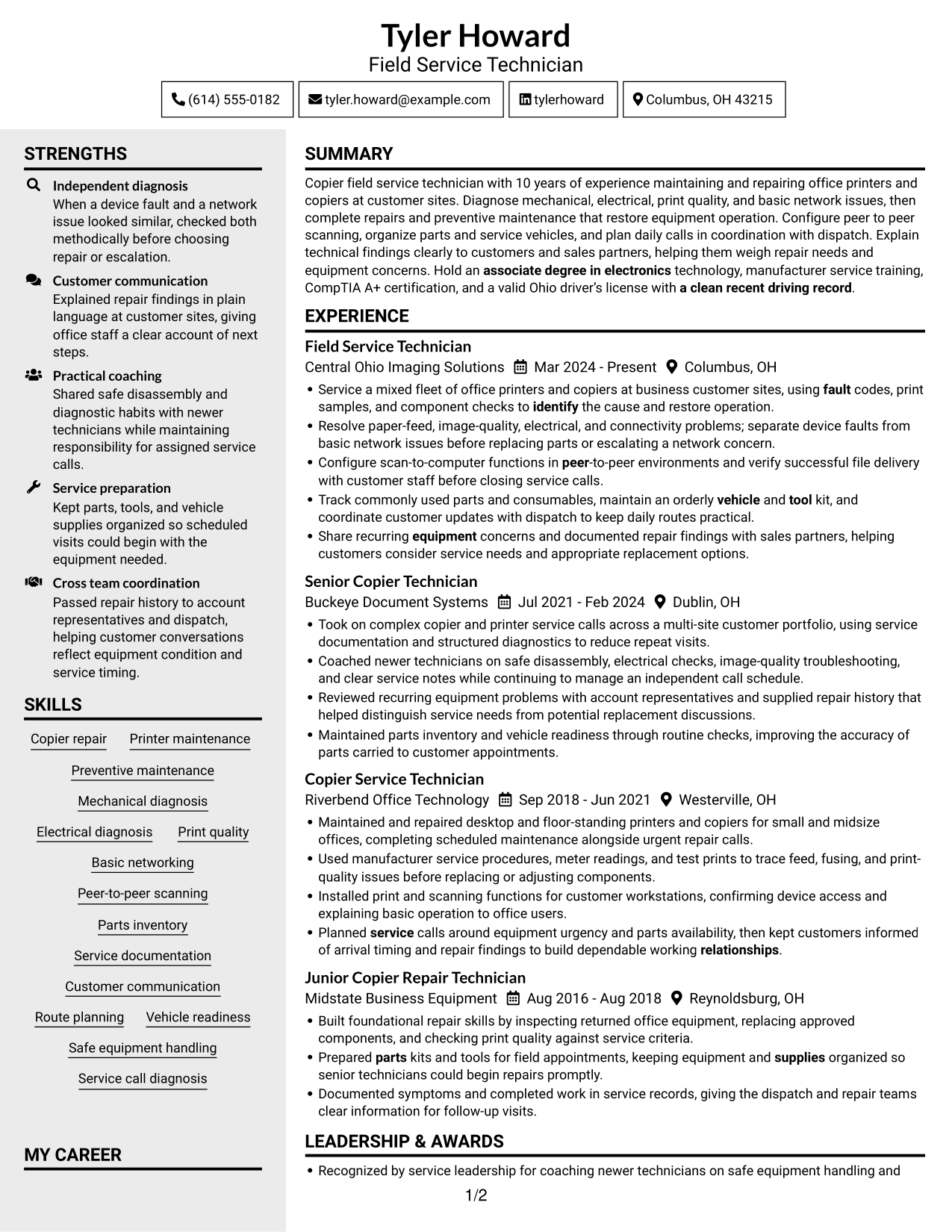
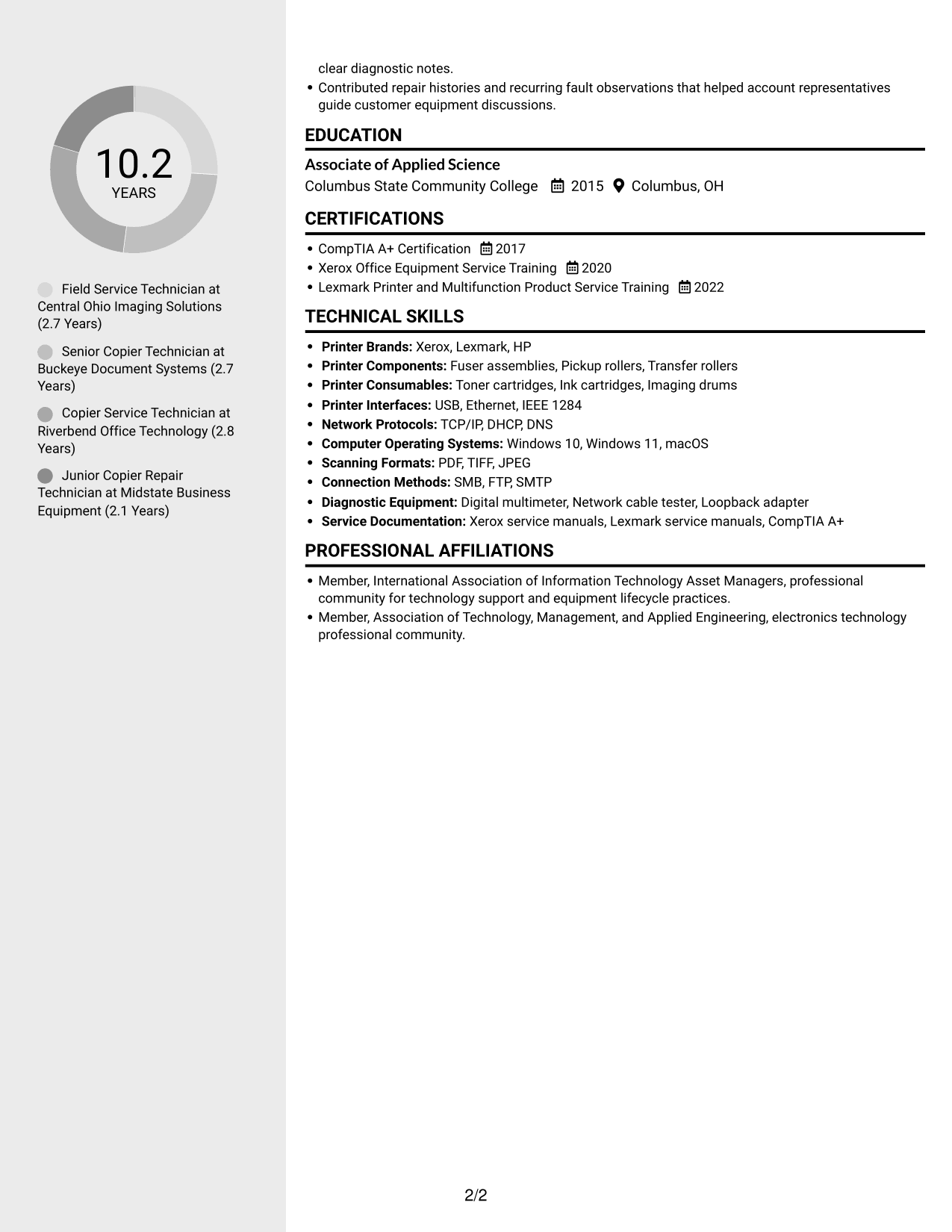
Clean Two Column Sidebar Format uses two content columns to keep resume sections visually distinct during review.
 
Resume example — page 1   Resume example — page 2

Why This Format Works

  • Two content areas let reviewers move between employment history and supporting qualifications.
  • Skills, education, and certifications can be found apart from the longer work history.
  • Role dates and job details stay connected as reviewers scan the employment record.

Best For

  • Separate resume content areas
  • Employment history with supporting details
  • Fast access to skills and credentials
  • Longer role descriptions
  • Organized multi-section records


#6 Two Column Format Resume Example

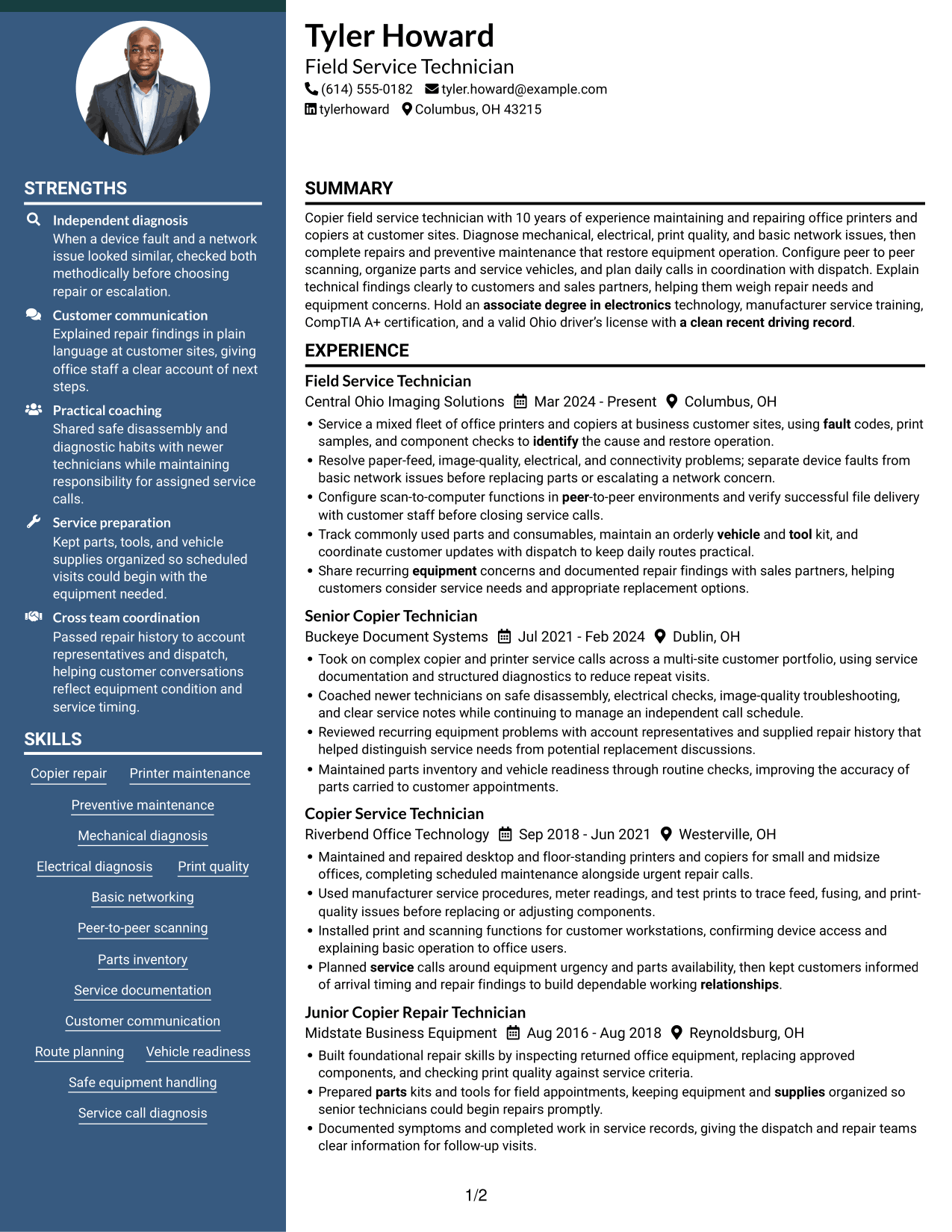
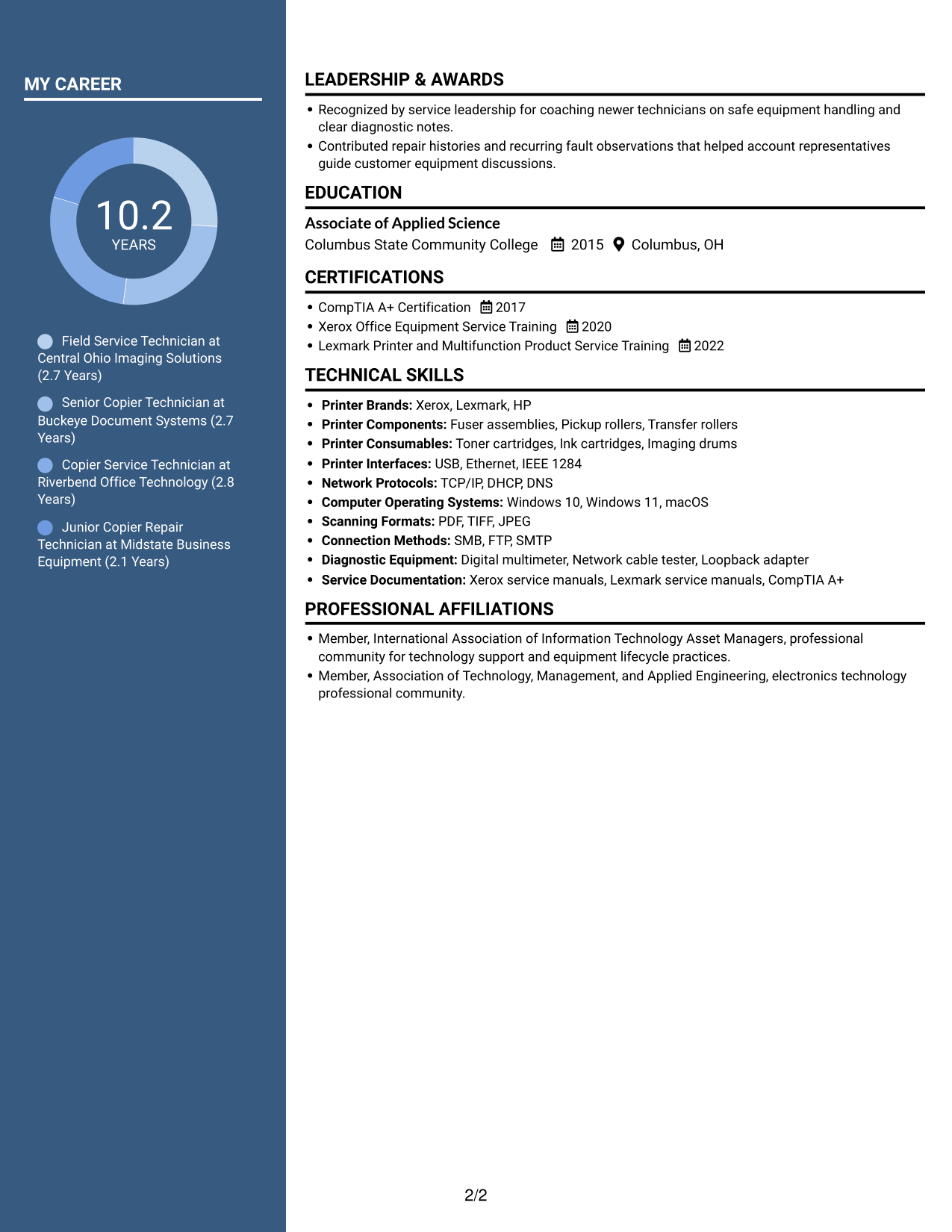
Two Column Format places resume sections in two columns, giving reviewers a clear structure for moving through work history and qualifications.
 
Resume example — page 1   Resume example — page 2

Why This Format Works

  • The two-column reading order gives work history and qualifications distinct visual areas.
  • Reviewers can scan role dates without losing sight of other resume sections.
  • Skills, education, and credentials remain easy to find within the section structure.

Best For

  • Two-area resume organization
  • Work history with related qualifications
  • Scanning several resume sections
  • Dated experience and credentials
  • Compact presentation of career details
 

#7 Photo Header Two Column Format Resume Example

Photo Header Two Column Format combines a portrait with two resume columns, pairing a visible profile image with separate content areas.
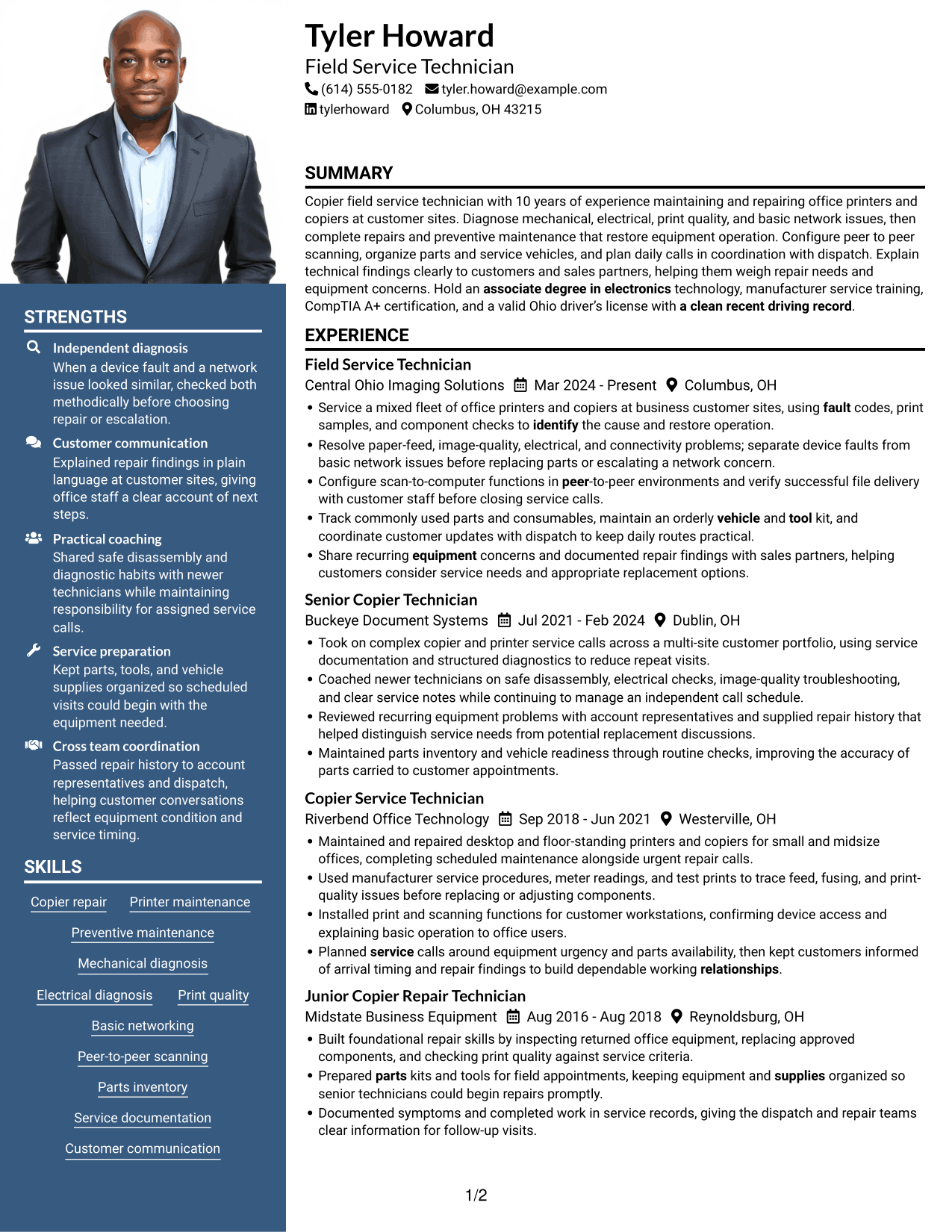
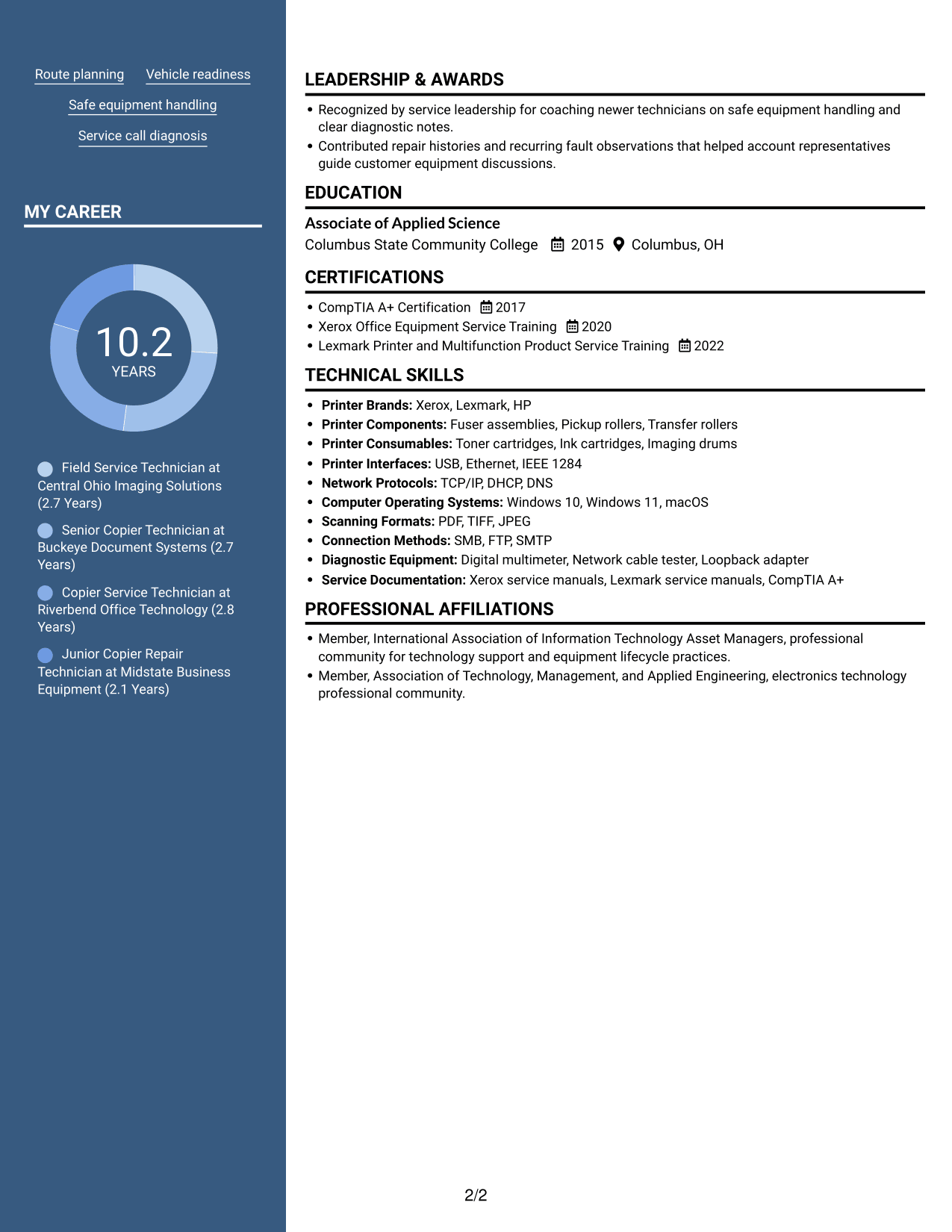
 
Resume example — page 1   Resume example — page 2

Why This Format Works

  • Two columns give career history and supporting qualifications separate areas for review.
  • The portrait adds a visible profile image while leaving the resume text structure intact.
  • Reviewers can scan experience and find education without following one long text column.

Best For

  • Portrait with two-column content
  • Separate experience and qualification areas
  • Quick review of education and work history
  • Detailed career information
  • Photo-inclusive resume presentation


Why Build Your Copier Field Service Technician Resume with ResumeInMinutes

ResumeInMinutes helps you arrange service experience, technical skills, education, and training in a resume that is easy to scan and update. Focus each bullet on the problem, the action you took, and the result for the customer or equipment.

  • ATS-friendly section structure
  • Clear work history and skills sections
  • Role-focused keyword guidance
  • Space for repair outcomes
  • Image previews for format comparison
  • Resume customization in the editor

Keep the details tied to your own work. Describe the equipment you serviced, the faults you diagnosed, and the steps that helped restore operation. Add training, certifications, and tools only when they reflect your background.


See Also


Frequently Asked Questions

Are these Copier Field Service Technician resume templates ATS-friendly?

The formats use readable headings and organized sections to make resume details easier to scan. Include relevant terms such as copier repair, printer maintenance, mechanical and electrical diagnosis, basic networking, and peer-to-peer scanning when they match your experience.

Does this page show different resume examples?

It presents one Copier Field Service Technician resume example in different layouts. Compare the image previews, then open a format in the editor to customize it.

What should a Copier Field Service Technician resume include?

Include a focused summary, relevant work history, technical skills, education, and service training or certifications. Use bullet points to show the faults you handled, the repairs or maintenance you completed, and how your work helped customers or equipment operation.

How can I show repair results without exact metrics?

Describe the issue, your diagnostic steps, and the outcome. For example, explain how you separated a device fault from a basic network issue, completed the repair, or verified that scanning worked for the customer.

Which resume details help show readiness for field service work?

Describe your experience planning service calls, organizing parts and tools, maintaining a service vehicle, documenting repairs, and communicating with customers. List a valid license, training, or certifications only if you hold them.

Should I include a photo on my resume?

For U.S. applications, a resume without a photo is generally the safer choice. Use the space for relevant service experience, skills, and training.


ATS Score 91%

How we calculate this score

  • Keywords: 60% of the total. AI extracts keywords from your job description. If you do not provide one, a standard job description for the title matching your resume is used. This is not a match to a specific vacancy.
  • Text-based resume: 20%. The text resume assessed here receives 100 for this part.
  • Resume quality: 20%. We start at 100 and subtract points for issues found by our resume checks, down to a minimum of zero.
  • Keyword coverage = 100 × (confirmed matches + 0.8 × possible matches) ÷ total keywords, rounded and capped at 100. Possible matches still need checking. Saved generation audits use their saved keyword percentage.
  • Final score = 60% of keyword coverage + 20% of the text score + 20% of the quality score, rounded to a whole number. Without keywords, no overall ATS score is available.

What this score means

Our scores are estimates, not employer ratings. They may contain errors and do not guarantee accurate parsing, a ranking, an interview, or a job. Check your document against the employer’s requirements. You are responsible for relying on this score.

Terms and Conditions

Score weights: Keywords 60% · Text based resume 20% · Resume quality 20%

Keywords: 14 matched + 6 possible of 22 (85%) · Resume quality: 100%

Resume quality 100% · Weight 20% · Issues (0)

Details
  • ✓Name present: Tyler Howard
  • ✓Email format: tyler.howard@example.com
  • ✓Phone format: (614) 555-0182
  • ✓Experience 1: Job title: Field Service Technician
  • ✓Experience 1: Company name: Central Ohio Imaging Solutions
  • ✓Experience 1: Work location: Columbus, OH
  • ✓Experience 1: Employment dates: Mar 2024 - Present
  • ✓Experience 1: Description or achievements: Present
  • ✓Experience 2: Job title: Senior Copier Technician
  • ✓Experience 2: Company name: Buckeye Document Systems
  • ✓Experience 2: Work location: Dublin, OH
  • ✓Experience 2: Employment dates: Jul 2021 - Feb 2024
  • ✓Experience 2: Description or achievements: Present
  • ✓Experience 3: Job title: Copier Service Technician
  • ✓Experience 3: Company name: Riverbend Office Technology
  • ✓Experience 3: Work location: Westerville, OH
  • ✓Experience 3: Employment dates: Sep 2018 - Jun 2021
  • ✓Experience 3: Description or achievements: Present
  • ✓Experience 4: Job title: Junior Copier Repair Technician
  • ✓Experience 4: Company name: Midstate Business Equipment
  • ✓Experience 4: Work location: Reynoldsburg, OH
  • ✓Experience 4: Employment dates: Aug 2016 - Aug 2018
  • ✓Experience 4: Description or achievements: Present
  • ✓No placeholder fields
  • ✓No repeated achievement bullets
  • ✓No empty bullets

No issues found by the current checks.

Text Based Resume 100% · Weight 20%

Parsed text
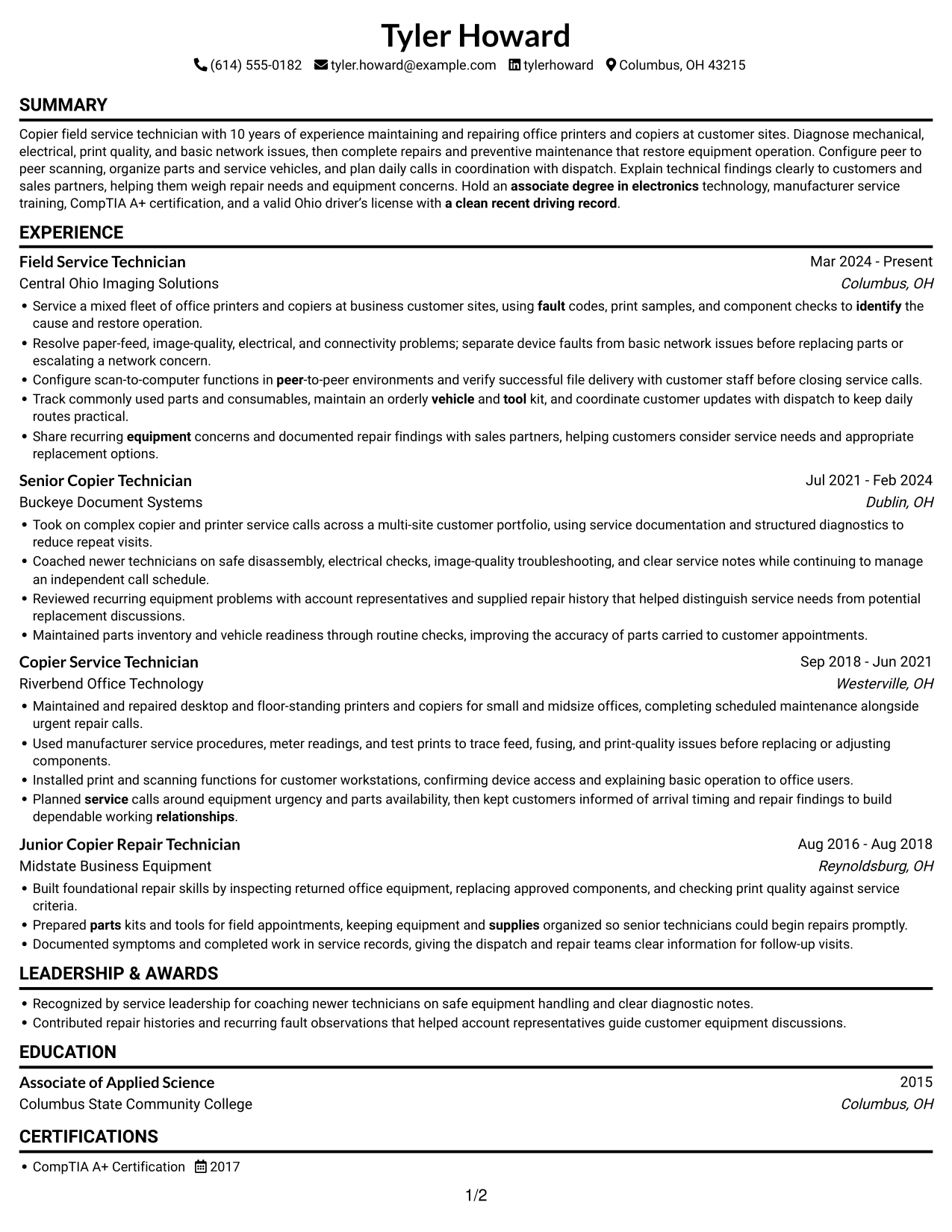
Tyler Howard
(614) 555-0182
tyler.howard@example.com
tylerhoward
Columbus, OH 43215
SUMMARY
Copier field service technician with 10 years of experience maintaining and repairing office printers and copiers at customer sites. Diagnose mechanical, electrical, print quality, and basic network issues, then complete repairs and preventive maintenance that restore equipment operation. Configure peer to peer scanning, organize parts and service vehicles, and plan daily calls in coordination with dispatch. Explain technical findings clearly to customers and sales partners, helping them weigh repair needs and equipment concerns. Hold an associate degree in electronics technology, manufacturer service training, CompTIA A+ certification, and a valid Ohio driver’s license with a clean recent driving record.
EXPERIENCE
Field Service Technician
Mar 2024 - Present
Central Ohio Imaging Solutions
Columbus, OH
Service a mixed fleet of office printers and copiers at business customer sites, using fault codes, print samples, and component checks to identify the cause and restore operation.
Resolve paper-feed, image-quality, electrical, and connectivity problems; separate device faults from basic network issues before replacing parts or escalating a network concern.
Configure scan-to-computer functions in peer-to-peer environments and verify successful file delivery with customer staff before closing service calls.
Track commonly used parts and consumables, maintain an orderly vehicle and tool kit, and coordinate customer updates with dispatch to keep daily routes practical.
Share recurring equipment concerns and documented repair findings with sales partners, helping customers consider service needs and appropriate replacement options.
Senior Copier Technician
Jul 2021 - Feb 2024
Buckeye Document Systems
Dublin, OH
Took on complex copier and printer service calls across a multi-site customer portfolio, using service documentation and structured diagnostics to reduce repeat visits.
Coached newer technicians on safe disassembly, electrical checks, image-quality troubleshooting, and clear service notes while continuing to manage an independent call schedule.
Reviewed recurring equipment problems with account representatives and supplied repair history that helped distinguish service needs from potential replacement discussions.
Maintained parts inventory and vehicle readiness through routine checks, improving the accuracy of parts carried to customer appointments.
Copier Service Technician
Sep 2018 - Jun 2021
Riverbend Office Technology
Westerville, OH
Maintained and repaired desktop and floor-standing printers and copiers for small and midsize offices, completing scheduled maintenance alongside urgent repair calls.
Used manufacturer service procedures, meter readings, and test prints to trace feed, fusing, and print-quality issues before replacing or adjusting components.
Installed print and scanning functions for customer workstations, confirming device access and explaining basic operation to office users.
Planned service calls around equipment urgency and parts availability, then kept customers informed of arrival timing and repair findings to build dependable working relationships.
Junior Copier Repair Technician
Aug 2016 - Aug 2018
Midstate Business Equipment
Reynoldsburg, OH
Built foundational repair skills by inspecting returned office equipment, replacing approved components, and checking print quality against service criteria.
Prepared parts kits and tools for field appointments, keeping equipment and supplies organized so senior technicians could begin repairs promptly.
Documented symptoms and completed work in service records, giving the dispatch and repair teams clear information for follow-up visits.
LEADERSHIP & AWARDS
Recognized by service leadership for coaching newer technicians on safe equipment handling and clear diagnostic notes.
Contributed repair histories and recurring fault observations that helped account representatives guide customer equipment discussions.
EDUCATION
Associate of Applied Science
2015
Columbus State Community College
Columbus, OH
CERTIFICATIONS
CompTIA A+ Certification
2017
Xerox Office Equipment Service Training
2020
Lexmark Printer and Multifunction Product Service Training
2022
TECHNICAL SKILLS
Printer Brands: Xerox, Lexmark, HP
Printer Components: Fuser assemblies, Pickup rollers, Transfer rollers
Printer Consumables: Toner cartridges, Ink cartridges, Imaging drums
Printer Interfaces: USB, Ethernet, IEEE 1284
Network Protocols: TCP/IP, DHCP, DNS
Computer Operating Systems: Windows 10, Windows 11, macOS
Scanning Formats: PDF, TIFF, JPEG
Connection Methods: SMB, FTP, SMTP
Diagnostic Equipment: Digital multimeter, Network cable tester, Loopback adapter
Service Documentation: Xerox service manuals, Lexmark service manuals, CompTIA A+
SKILLS
Copier repair
Printer maintenance
Preventive maintenance
Mechanical diagnosis
Electrical diagnosis
Print quality
Basic networking
Peer-to-peer scanning
Parts inventory
Service documentation
Customer communication
Route planning
Vehicle readiness
Safe equipment handling
Service call diagnosis
PROFESSIONAL AFFILIATIONS
Member, International Association of Information Technology Asset Managers, professional community for technology support and equipment lifecycle practices.
Member, Association of Technology, Management, and Applied Engineering, electronics technology professional community.

Matched keywords (14)

  • using fault codes, print samples, and component checks to identify the causeOriginal keyword in JD: Equipment fault diagnosis
  • Basic networking
  • Configure scan-to-computer functions in peer-to-peer environmentsOriginal keyword in JD: Peer-to-peer scanning installation
  • using fault codes, print samples, and component checks to identify the causeOriginal keyword in JD: Analytical problem-solving
  • Planned service calls around equipment urgency and parts availabilityOriginal keyword in JD: Service call planning
  • Prepared parts kits and tools for field appointments, keeping equipment and supplies organizedOriginal keyword in JD: Parts and supplies organization
  • maintain an orderly vehicle and tool kitOriginal keyword in JD: Service vehicle and tool maintenance
  • Customer communication
  • kept customers informed of arrival timing and repair findings to build dependable working relationships.Original keyword in JD: Professional customer relationships
  • Share recurring equipment concerns and documented repair findings with sales partners, helping customers consider service needs and appropriate replacement options.Original keyword in JD: Sales opportunity identification
  • identify the cause and restore operation.Original keyword in JD: Equipment uptime
  • safe equipment handling
  • associate degree in electronicsOriginal keyword in JD: High School Diploma OR Associate Degree in Electronics OR Computer Studies
  • a clean recent driving recordOriginal keyword in JD: Clean driving record

Missing keywords (2)

  • Mechanical troubleshooting
  • Computer skills

Possible matches (6)

  • Printer and copier maintenance and repair80% credit: 3.64 percentage points of 4.55 possible.
  • Independent troubleshooting80% credit: 3.64 percentage points of 4.55 possible.
  • Electrical troubleshooting80% credit: 3.64 percentage points of 4.55 possible.
  • Professional conduct at customer sites80% credit: 3.64 percentage points of 4.55 possible.
  • Ability to lift and carry 50 pounds80% credit: 3.64 percentage points of 4.55 possible.
  • Valid driver's license80% credit: 3.64 percentage points of 4.55 possible.
Disclaimer: All names, images, contact information, employment histories, achievements, security clearances, military credentials, and other qualifications shown in this content are fictional and used for illustrative purposes only. Any resemblance to actual persons, living or deceased, is purely coincidental.

Resume and cover-letter examples and recommendations in this article reflect general best practices and professional experience and are provided for guidance only. Results may vary based on role, industry, region, and hiring organization.

Content Accuracy and Verification: To the fullest extent permitted by applicable law, we do not represent or warrant that resume or cover-letter guidance, examples, recommendations, or related information are accurate, complete, current, error-free, or suitable for any particular purpose. You are responsible for independently reviewing and verifying the information before relying on it.

ATS and Cover-Letter Scores: ATS scores are estimates calculated using our own formula, informed by publicly available guidance on resume formatting and keyword matching. They are not scores issued or endorsed by an ATS provider or employer. Cover-letter scores are also our own assessments. Parsing, weighting, screening criteria, and results vary between systems, employers, job descriptions, and document formats. No score guarantees successful parsing, a particular ranking, an interview, or employment. Use scores as general guidance and independently check your documents against the employer’s requirements. To the fullest extent permitted by applicable law, we accept no liability for errors in scores or parsing, or losses arising from reliance on these assessments. Nothing in this notice excludes liability or limits consumer rights that cannot lawfully be excluded or limited.

Terms and Conditions
 
> JP 1 1
PDF Footer and Margins Setup
The margins are applied to the document, and the footer shows up in the preview and the PDF

Footer Font Settings

Are you applying for a specific job
so we can tailor your resume to it?
Are you applying for a specific job
so we can tailor your cover letter to it?

Your data stays private and is never used for training.Privacy Policy

Type your details as text to generate a personalized resume Type your details as text to generate a personalized cover letter
Website link found! Ready to create resume from:

Your data stays private and is never used for training.Privacy Policy

Drag the into the box to verify you're human.
Drop here

My Resumes

Displaying {number_of_files} files (out of {total_of_all_files} total)
Name File Type Last Modified: Description:

Rename File

Filename already exists!

Delete Files

Warning: This action is irreversible. Once you click submit, the files will be permanently deleted.

Heading text
Upload From Computer Upload
Select From Existing
LinkedIn
Drag & Drop files anywhere in this tab, or

Uploaded Files

Delete Name Last Updated Use This File
Select this to use the file for generating your resume and cover letter. Only one source—uploaded file, selected file, or LinkedIn text—can be used.

My Files

Resumes or cover letters you create will appear here. No files available yet.
Delete Name Last Updated Use This File
Select this to use the file for generating your resume and cover letter. Only one source—uploaded file, selected file, or LinkedIn text—can be used.

Add LinkedIn Profile PDF

You can download your LinkedIn profile as a PDF by opening linkedin.com in a web browser, clicking your profile photo, selecting the “More” or “Resources” button, and choosing “Save to PDF.” You can then attach the PDF using the Upload From Computer tab.

Paste Your LinkedIn Profile Text

If you have copied the LinkedIn profile text, paste it below. See how to copy your profile from LinkedIn

Select this to use the LinkedIn profile text for generating your resume and cover letter. Only one source—uploaded file, selected file, or LinkedIn text—can be used.

Try these controls

<
>


