
US English


7 Customer Care Advisor - Health Plan Member Support Resume Templates with Example
By Ria · Last Updated On October 27, 2026
Resume example — page 1

This guide shows you how to build a clear, focused Customer Care Advisor - Health Plan Member Support resume. You will learn how to present your service experience and compare professional layouts that make key details easy to find.

A strong resume connects member support work to its value: clear explanations of benefits, accurate CRM notes, and careful handling of billing questions, disputes, and escalations. Use concise bullets to show how you support members across phone, email, and chat while meeting service measures.

The example is presented in 7 layouts. Compare the image previews to see how each one organizes experience, skills, education, and certifications, then open a layout in the editor to view or customize it.

What Makes a Great Customer Care Advisor - Health Plan Member Support Resume in 2026

A strong resume makes health plan member support easy to assess. Use clear section headings and concise experience bullets to show how you explain benefits, document contacts, resolve routine concerns, and route complex cases.

Include relevant terms such as CRM documentation, benefit plan explanation, billing issue resolution, enrollment request routing, and schedule adherence. Add specific results only when you can support them with accurate details.

Note: Resume examples are for educational purposes only. Use only information that accurately reflects your experience and qualifications. References to real organizations do not imply affiliation or endorsement.

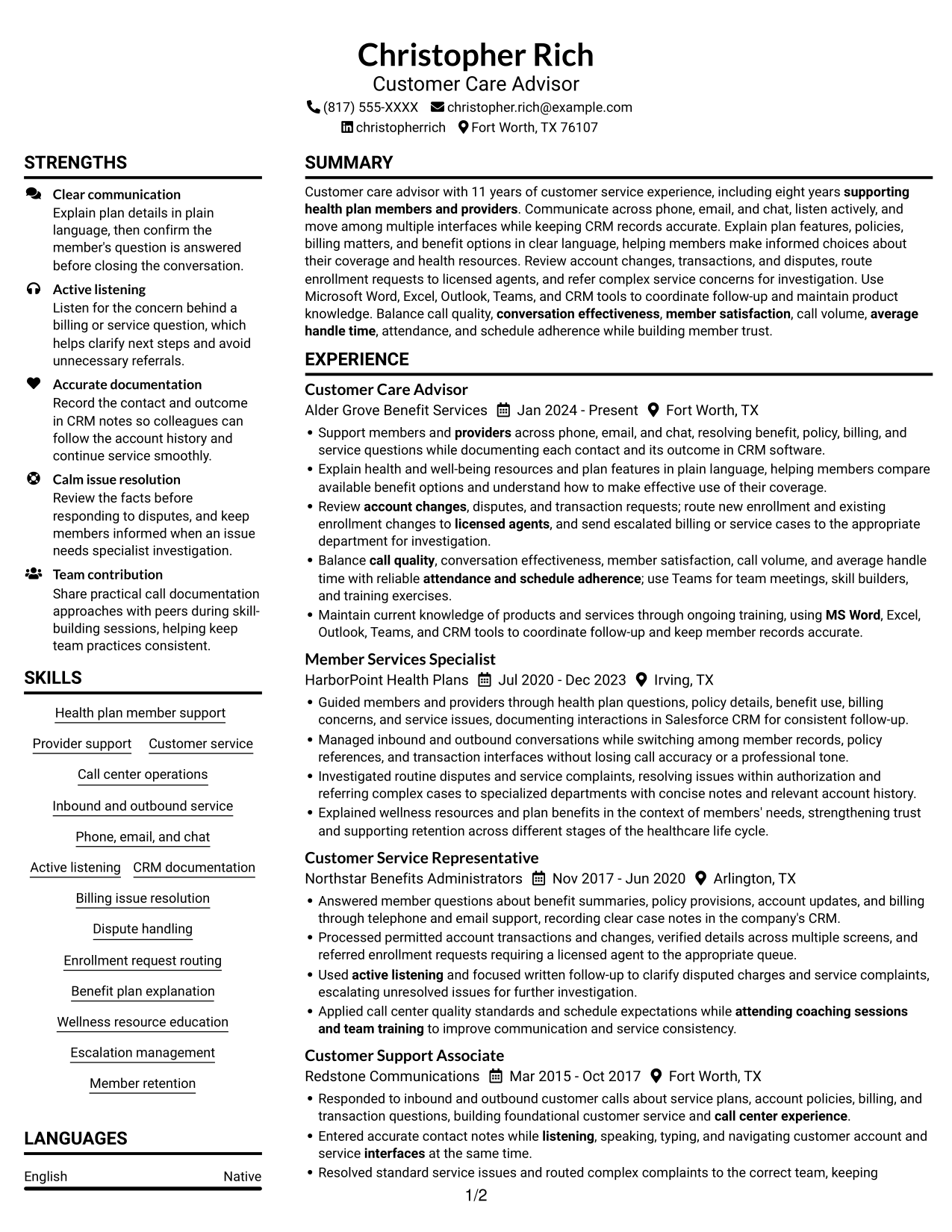
#1 Plain Two Column Format Resume Example

Its two-column body organizes resume content in parallel areas, while the no-photo design keeps attention on the text.
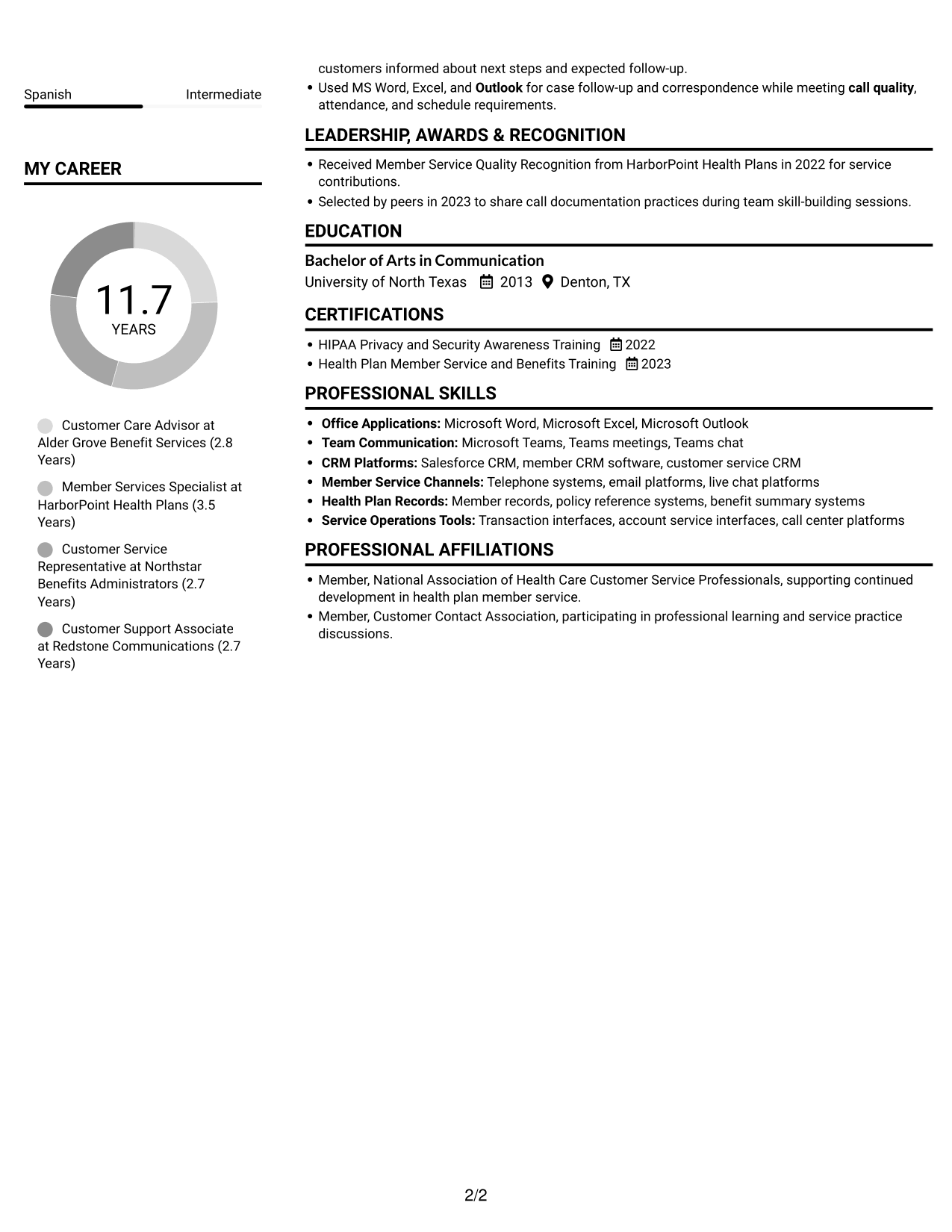
 
Resume example — page 1   Resume example — page 2

Resume Snapshot

  • 11 years in customer service
  • Eight years supporting health plan members
  • Bachelor of Arts in Communication, University of North Texas
  • HIPAA Privacy and Security Awareness Training, 2022

Why This Format Works

  • Two distinct columns give experience and supporting details separate places in the reading order.
  • Skills and education remain easier to locate without interrupting the career timeline.
  • Separate reading areas help keep detailed work history from crowding credential and recognition sections.

Best For

  • Parallel section organization
  • Text-first resume presentation
  • Detailed career histories
  • Skills and credentials beside experience
  • No-photo document preference

Resume Keywords

  • call center experience
  • supporting health plan members and providers
  • Communicate across phone, email, and chat
  • Support members and providers across phone, email, and chat
  • Active listening
  • listening, speaking, typing, and navigating customer account and service interfaces at the same time
  • documenting each contact and its outcome in CRM software
  • Explain health and well-being resources and plan features in plain language
  • Benefit plan explanation
  • resolving benefit, policy, billing, and service questions
  • send escalated billing or service cases to the appropriate department for investigation
  • route new enrollment and existing enrollment changes to licensed agents
  • Member retention
  • call quality
  • conversation effectiveness
See all keywords
 

#2 Simple One Column Format Resume Example

A single-column body presents resume sections in one top-to-bottom sequence, helping readers follow career history without moving between columns.
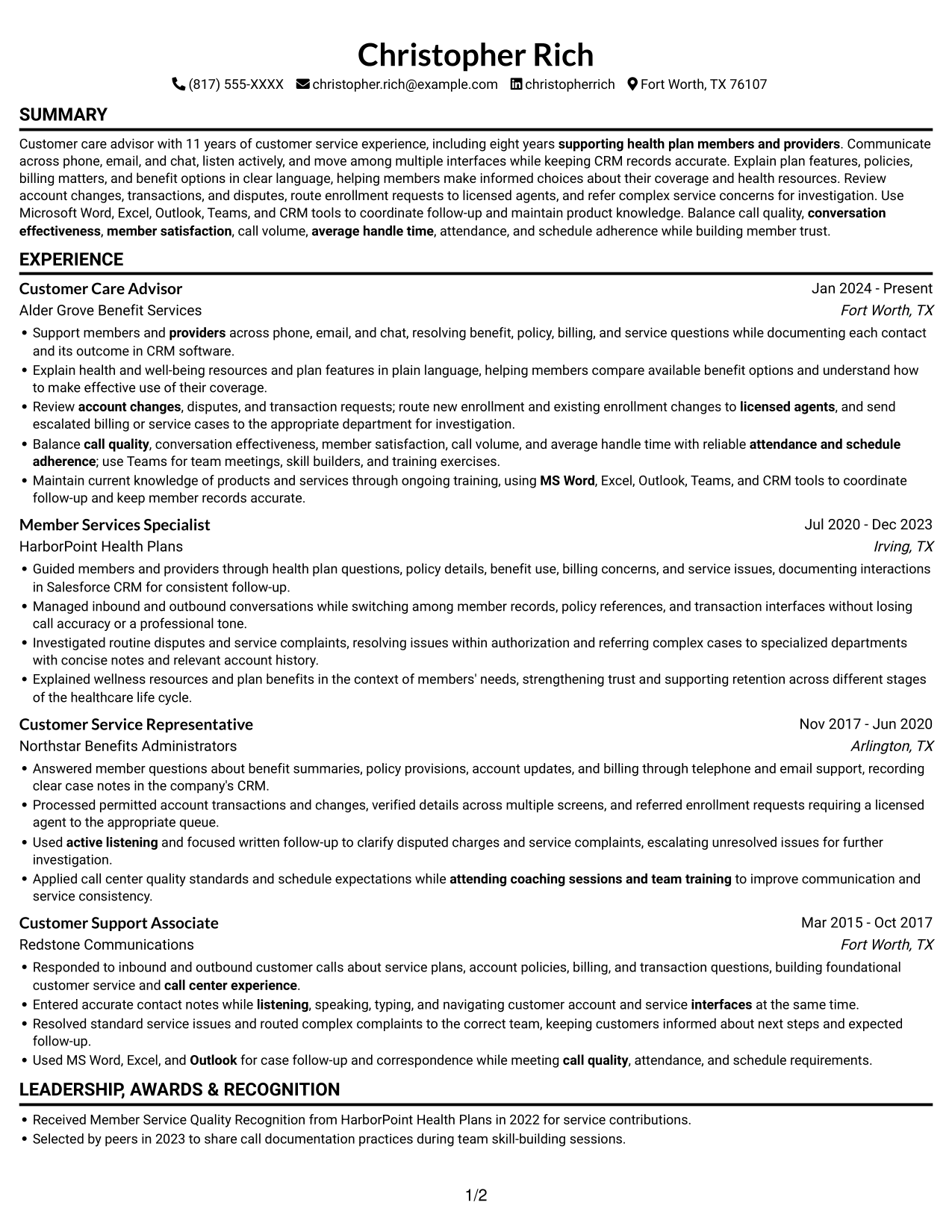
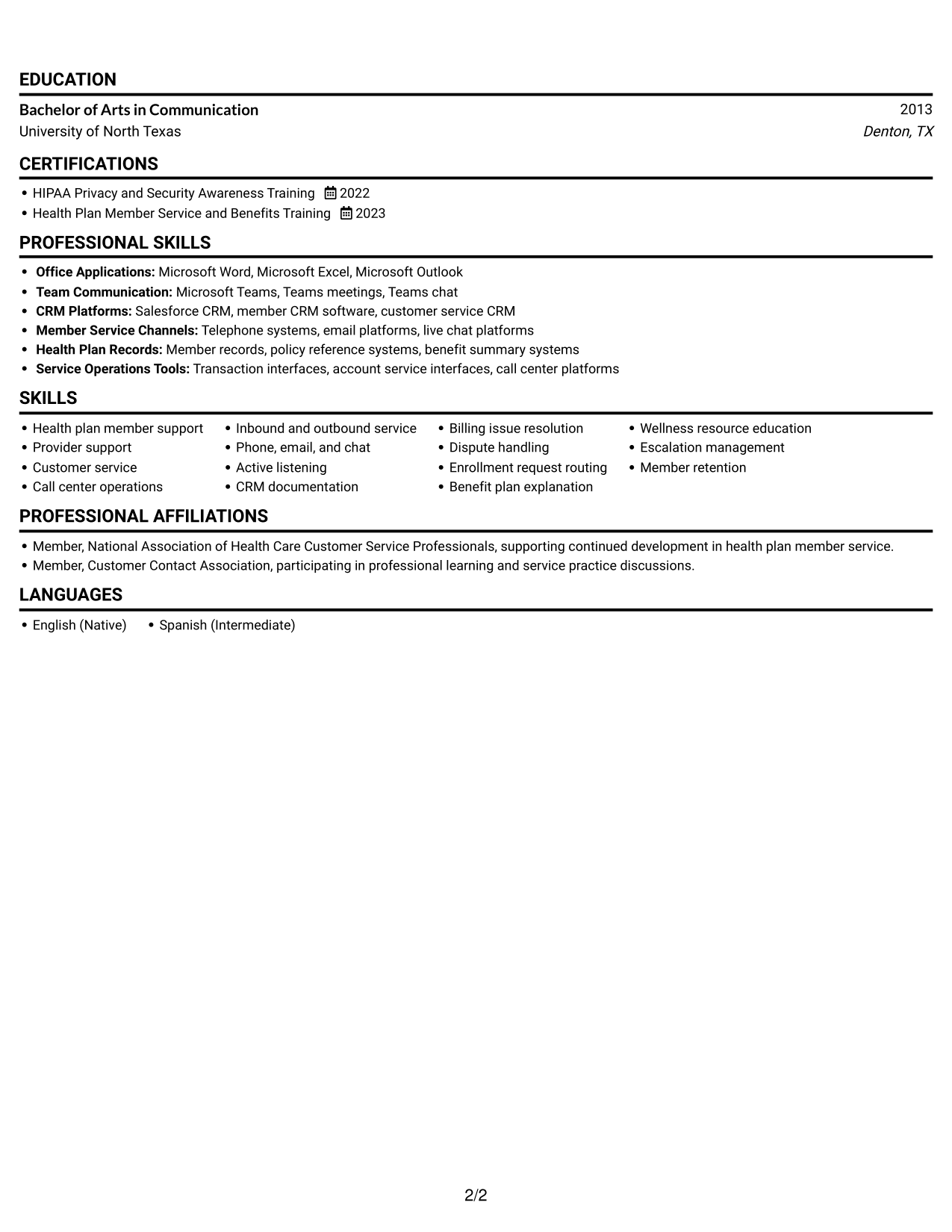
 
Resume example — page 1   Resume example — page 2

Why This Format Works

  • One vertical sequence keeps education, credentials, and experience within a consistent reading path.
  • Skills and tools can sit within the same progression without a second content column.
  • Reviewers can move through work history in order without shifting between separate areas.

Best For

  • Linear recruiter scanning
  • ATS-conscious text structure
  • Chronological work histories
  • Detailed experience records
  • Text-led resume review
 

#3 Clean Two Column Sidebar Format Resume Example

Two columns create parallel areas for career history and supporting resume details, giving readers a clear way to move between content groups.
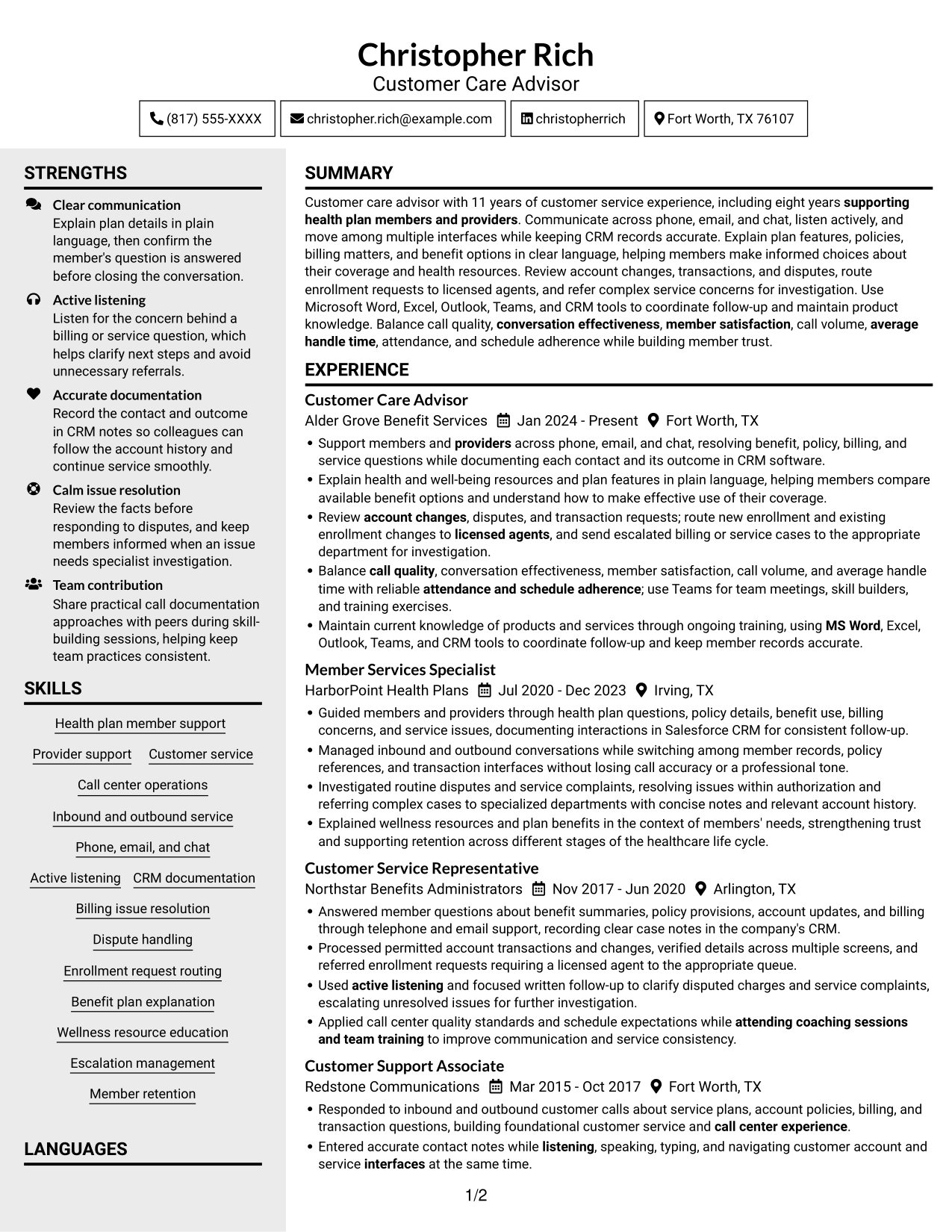
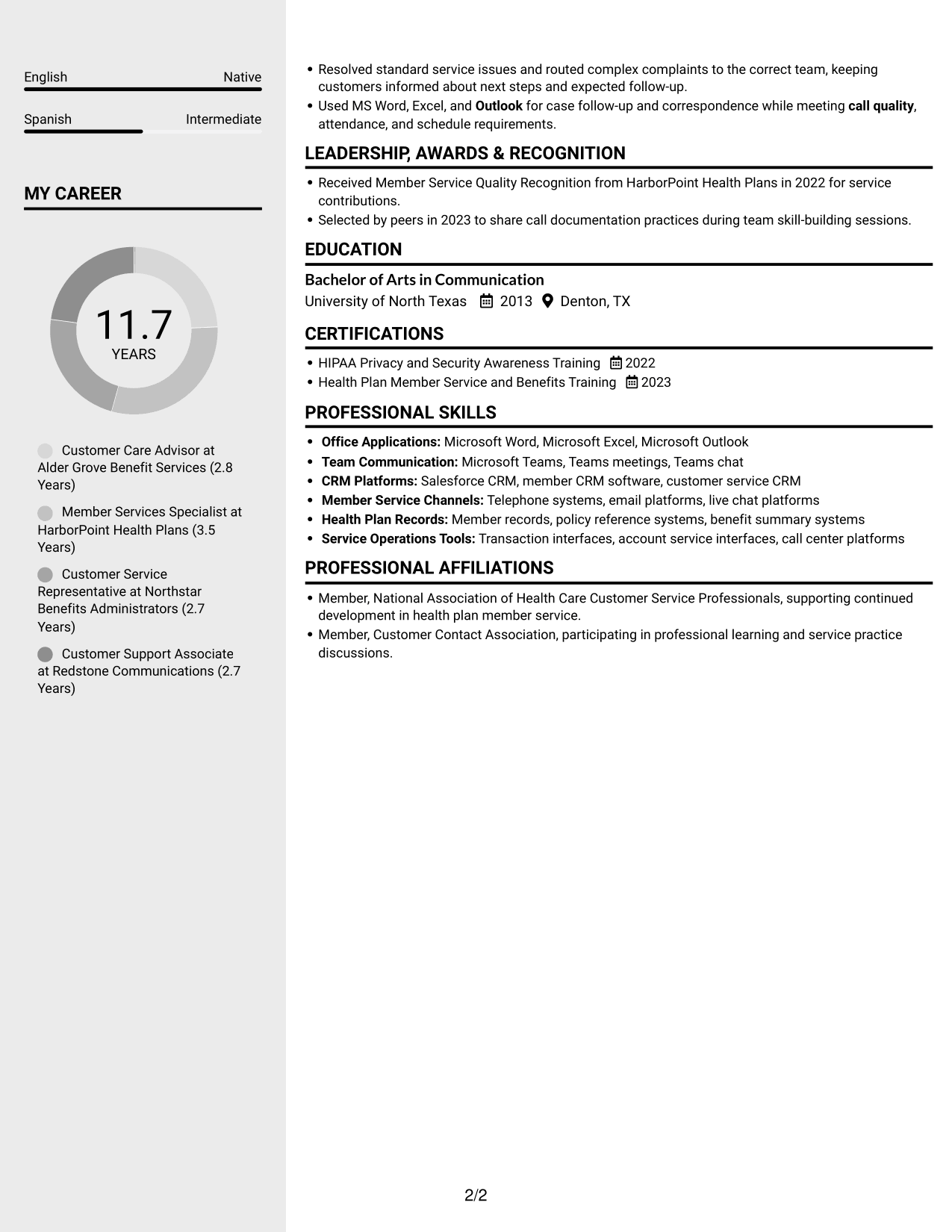
 
Resume example — page 1   Resume example — page 2

Why This Format Works

  • Separate columns let experience and supporting sections remain distinct during a resume review.
  • Skills and education can be found apart from the longer career history.
  • Parallel content areas give reviewers a second route to locate credentials and recognition.

Best For

  • Side-by-side information review
  • Career history with supporting sections
  • Skills and education visibility
  • No-photo resume preference
  • Multiple resume section groups
 

#4 Two Column Format Resume Example

This two-column body offers a direct way to separate career experience from supporting details during a resume review.
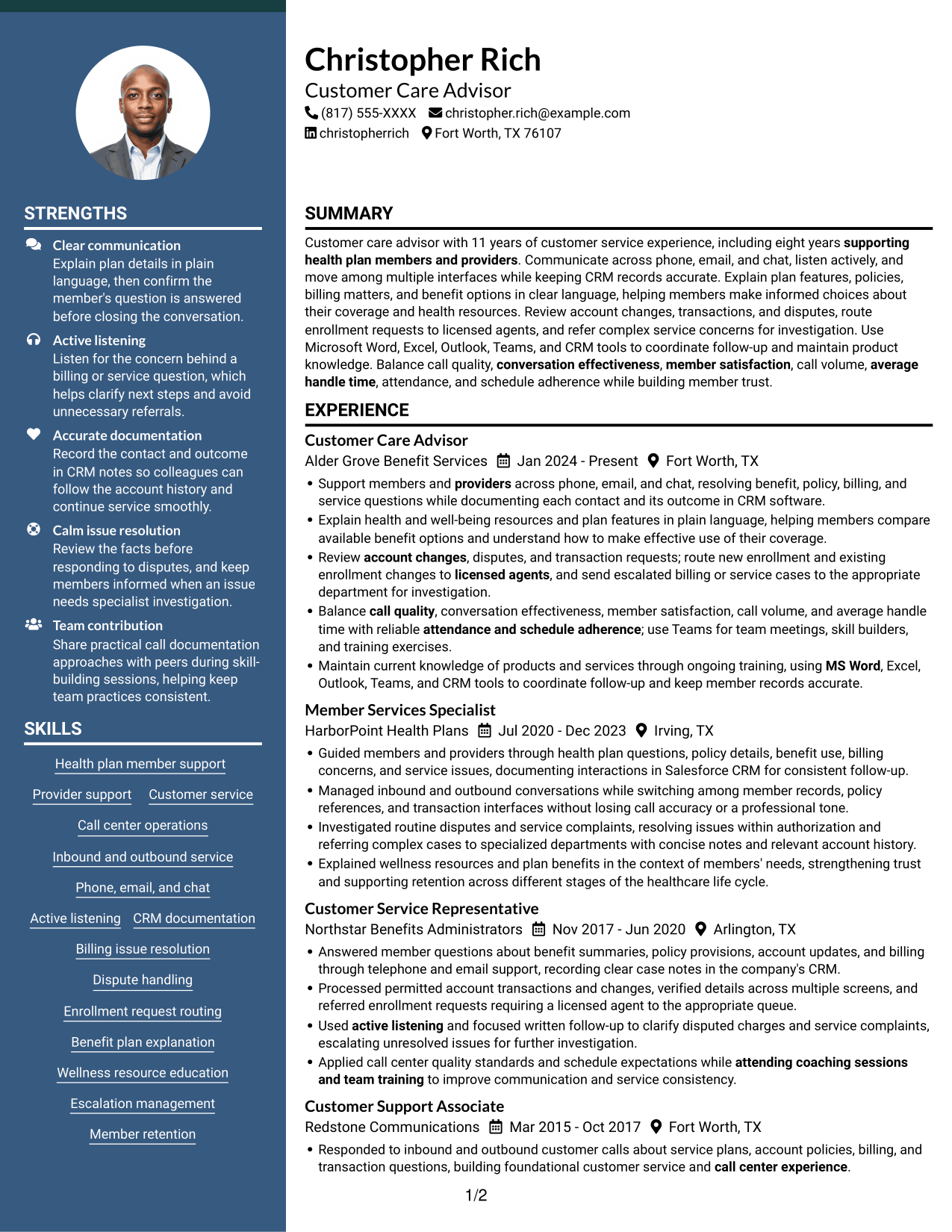
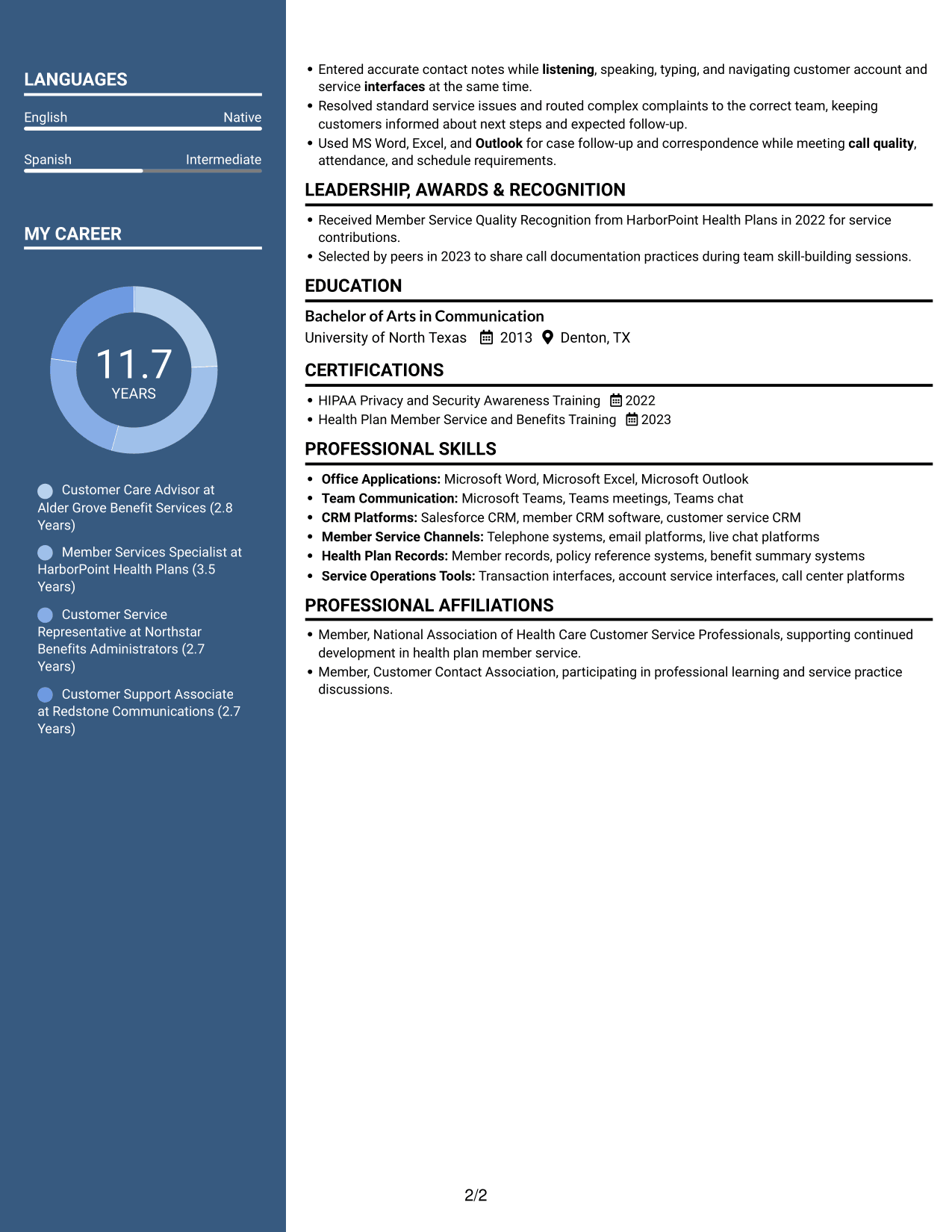
 
Resume example — page 1   Resume example — page 2

Why This Format Works

  • Paired content areas help reviewers connect career progression with skills and education.
  • Work history and supporting credentials can occupy distinct parts of the page.
  • Two reading areas give detailed experience a clear counterpart in the resume structure.

Best For

  • Parallel content organization
  • Career history with credentials
  • Resume sections reviewed together
  • Detailed experience and education
  • No-photo layout preference


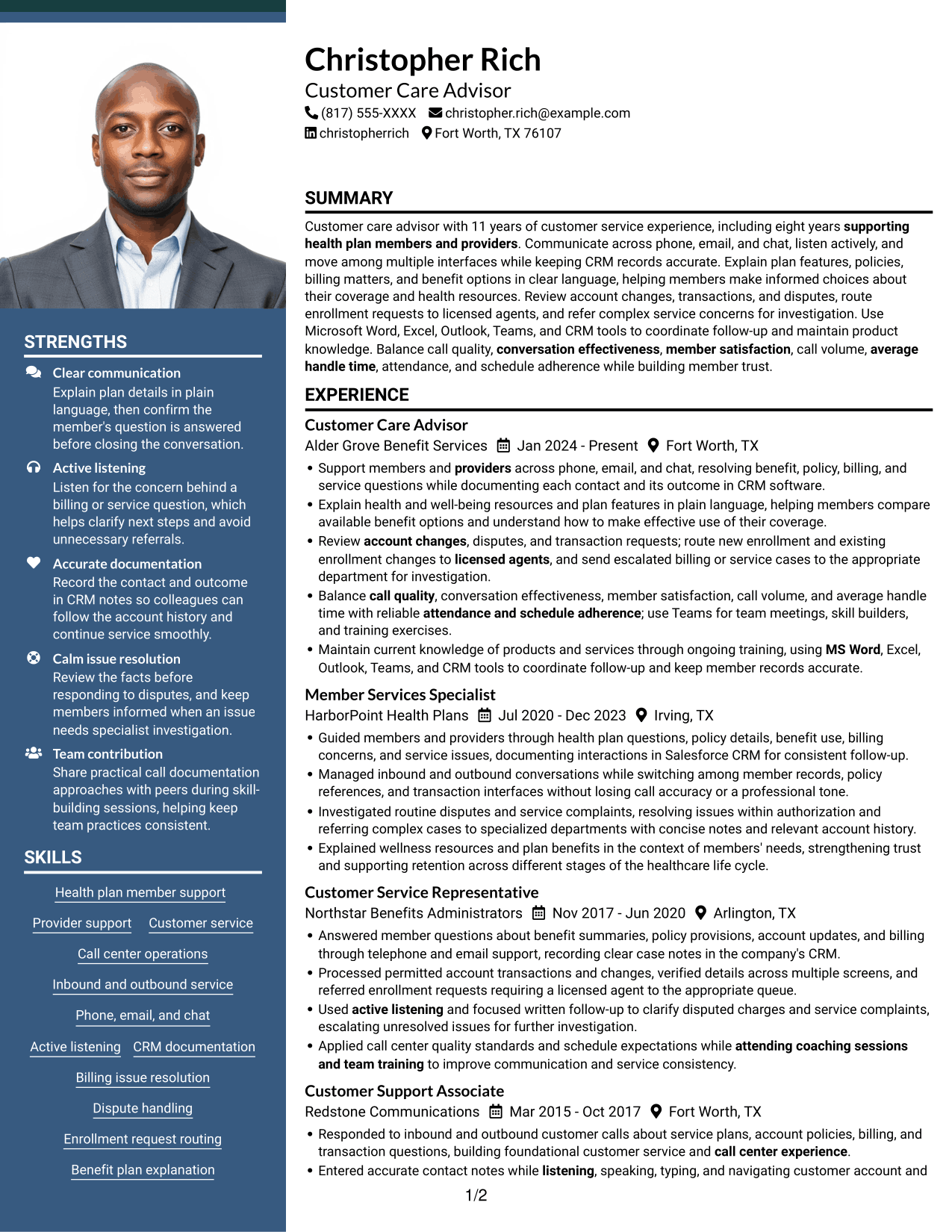
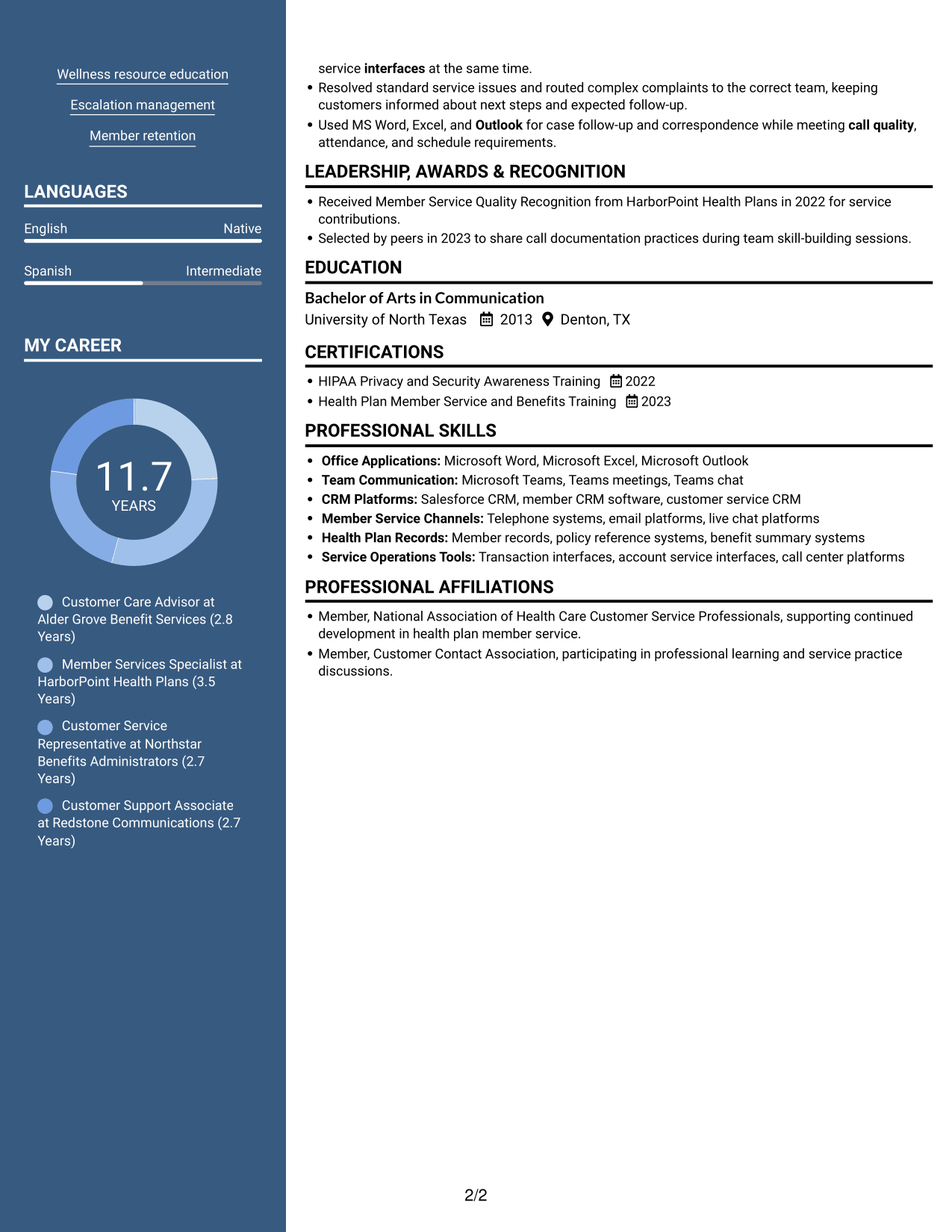
#5 Photo Header Two Column Format Resume Example

A photo accompanies the two-column resume body, adding a personal visual element while preserving distinct content areas.
 
Resume example — page 1   Resume example — page 2

Why This Format Works

  • Two body columns keep career details distinct from supporting sections during review.
  • Skills and education can be located apart from the full career timeline.
  • The portrait provides a visual point of identification while experience remains in the two-column body.

Best For

  • Photo in the resume header
  • Parallel section reading
  • Career history with supporting details
  • Detailed experience review
  • Skills and education visibility
 

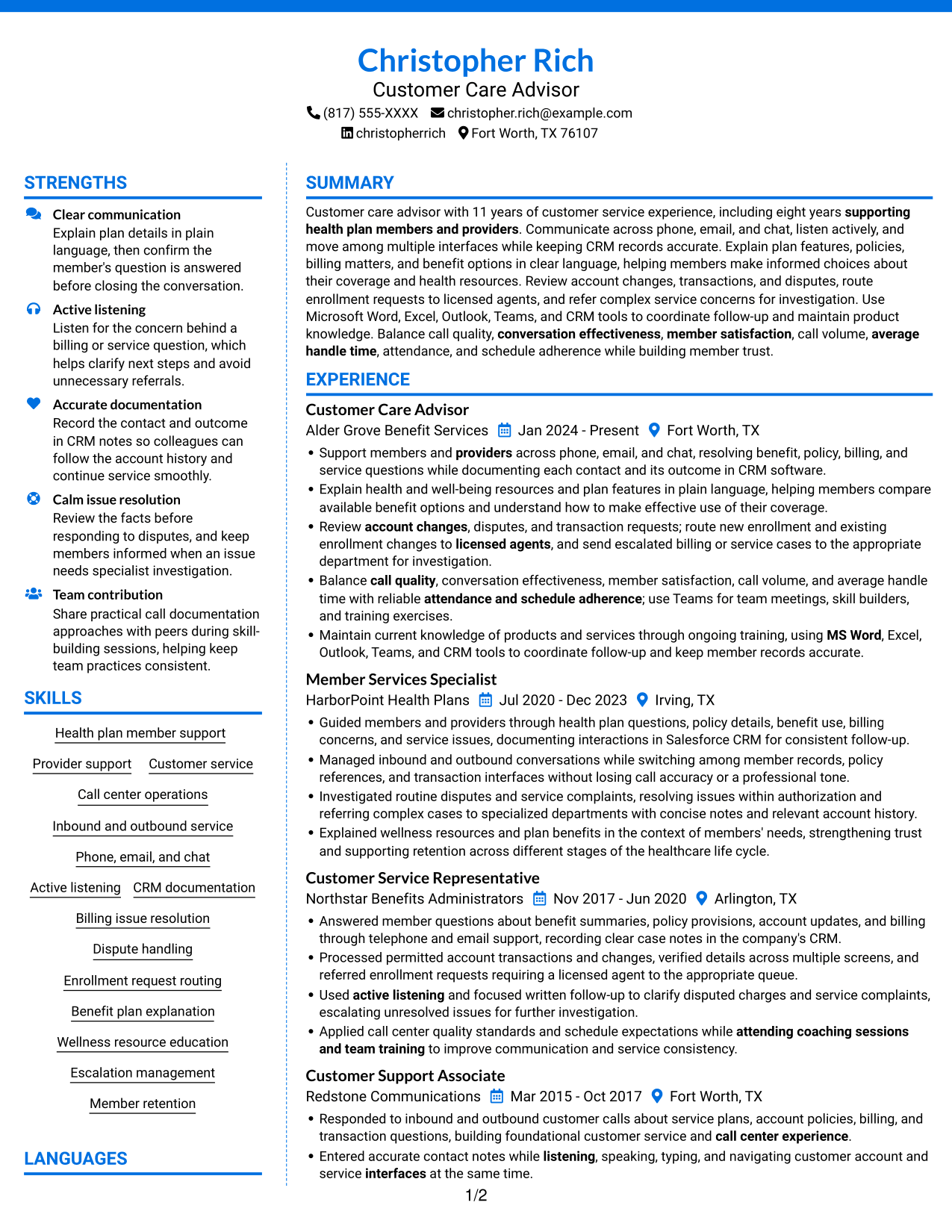
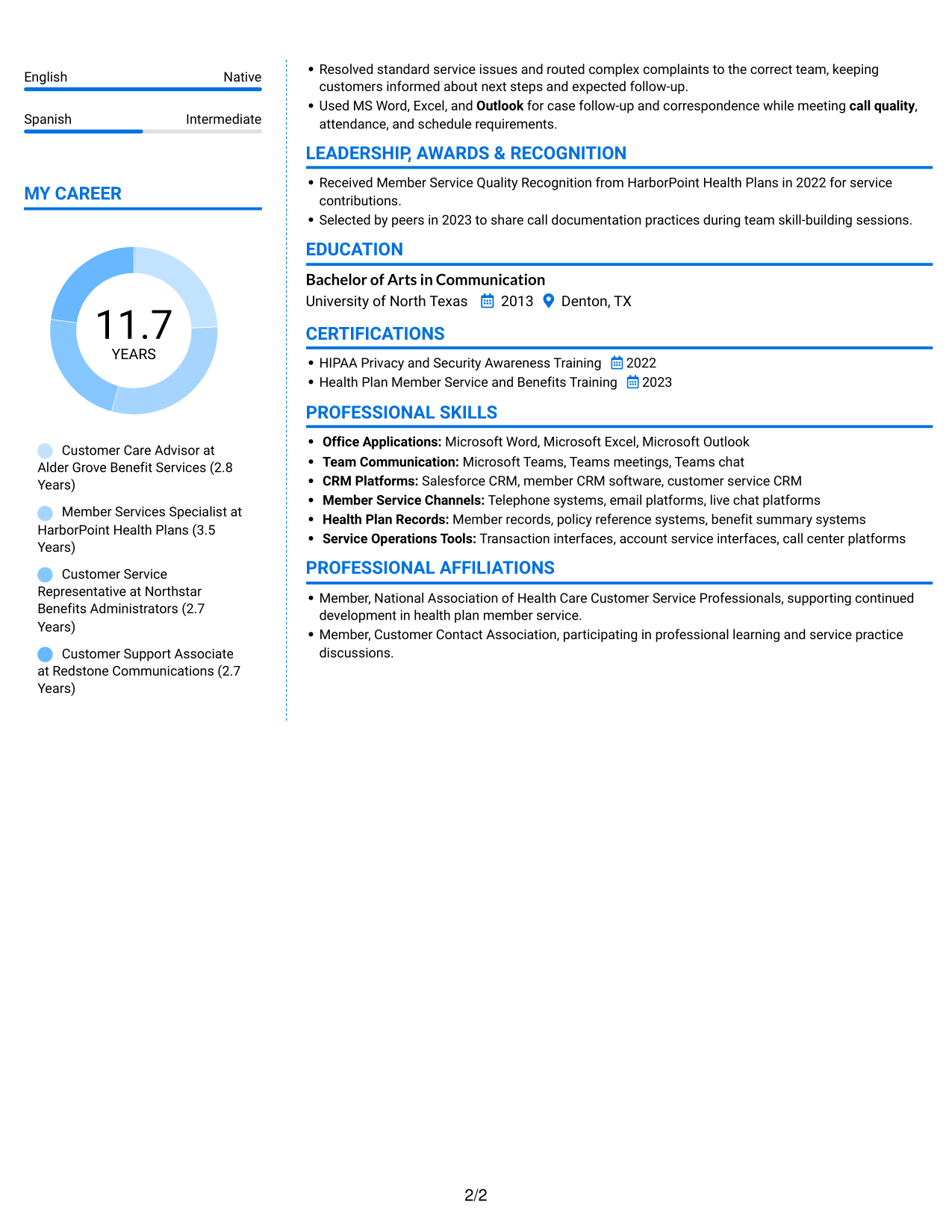
#6 Colored Two Column Format Resume Example

The two-column body provides separate areas for resume content, giving reviewers a clear way to move among sections.
 
Resume example — page 1   Resume example — page 2

Why This Format Works

  • Parallel areas can separate experience from skills, education, and credentials.
  • Distinct content zones help a reviewer move between career history and supporting qualifications.
  • Work history stays easier to compare with education and recognition across the page.

Best For

  • Parallel section organization
  • Career history beside supporting content
  • Resumes with several information groups
  • No-photo document preference
  • Review across experience and credentials
 

#7 Stylish Two Column Designer Format Resume Example

The two-column layout offers a structured alternative for readers who want resume sections arranged in parallel rather than one long vertical sequence.
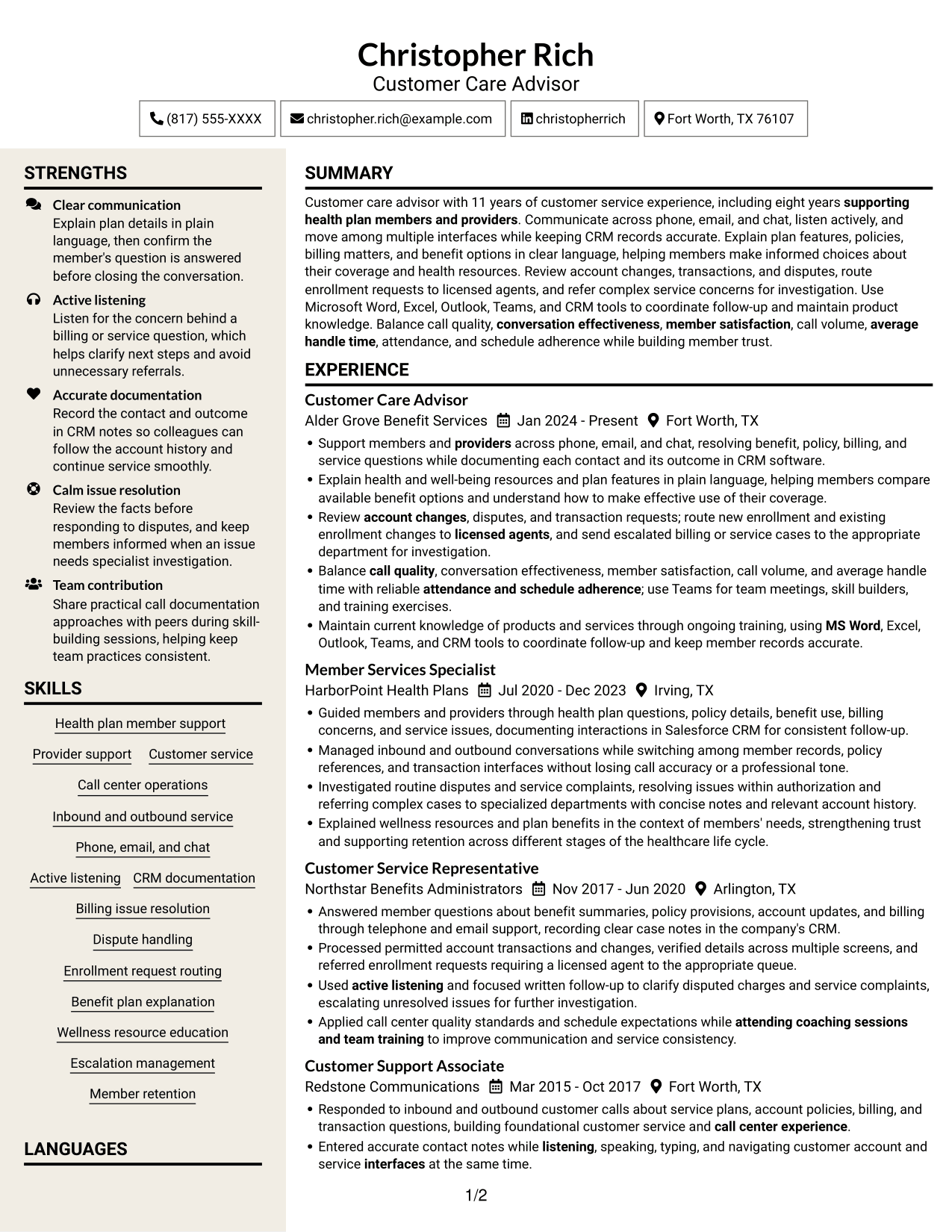
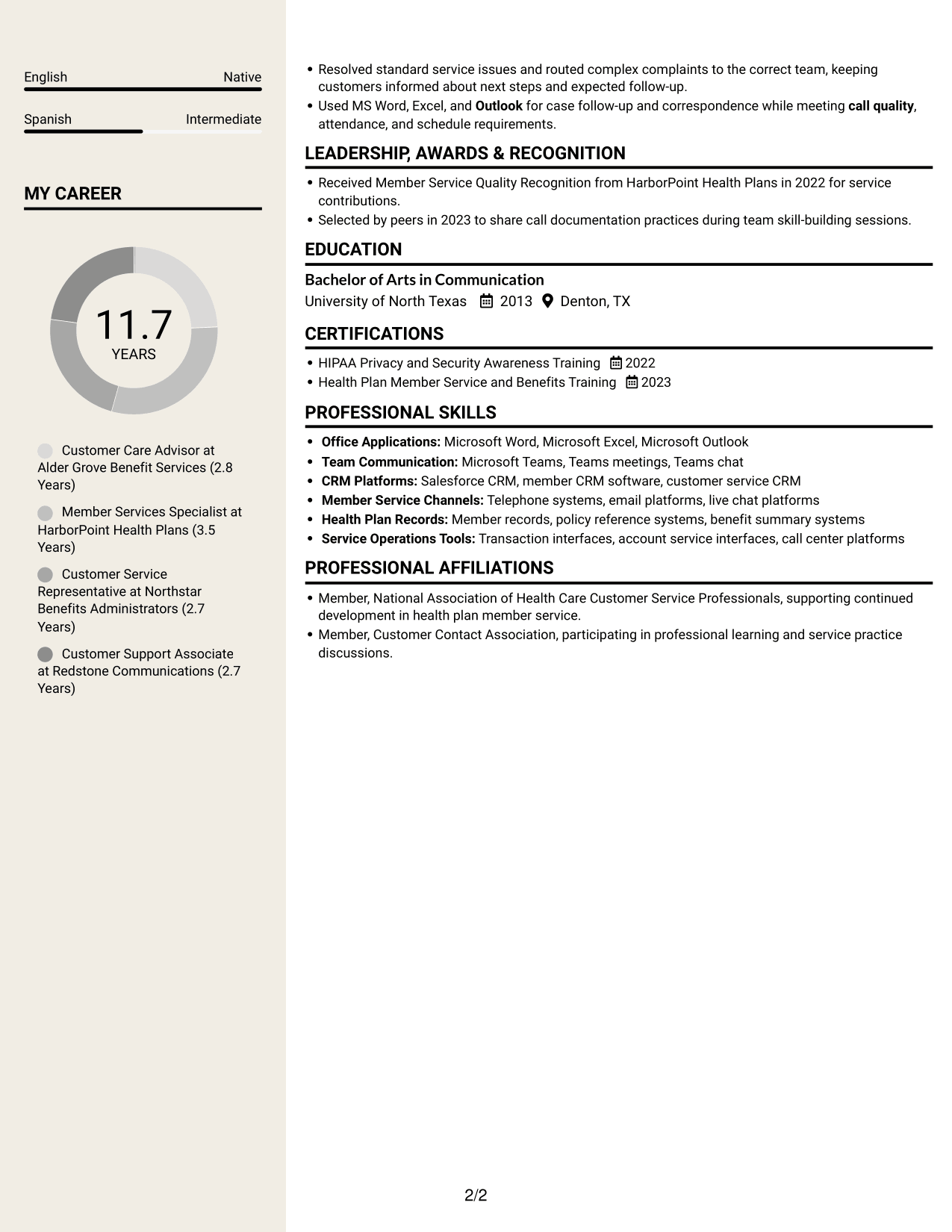
 
Resume example — page 1   Resume example — page 2

Why This Format Works

  • Parallel sections give career history and related qualifications a clear visual relationship.
  • Reviewers can locate skills and credentials without reading every experience entry first.
  • Separate areas help keep education, recognition, and work history easy to distinguish.

Best For

  • Parallel reading preference
  • Multiple resume section groups
  • Skills alongside full work history
  • No-photo document preference
  • Career and education review


Why Build Your Customer Care Advisor Resume with ResumeInMinutes

A well-organized resume helps readers find your member service experience, communication channels, CRM tools, and performance responsibilities. Choose a layout that gives your strongest evidence a clear place.

  • Clear resume section structure
  • Readable experience and skills sections
  • Space for role-specific keywords
  • Organized tools and systems
  • Image previews for layout comparison
  • Resume customization in the editor

Use the editor to view or customize an example, then make sure each section reflects your own experience and verified qualifications.


See Also


Frequently Asked Questions

Are these Customer Care Advisor - Health Plan Member Support resume templates ATS-friendly?

They use clear headings and organized sections that support easy review. Add accurate role-related terms such as CRM documentation, benefit plan explanation, billing issue resolution, and enrollment request routing.

Are these different resumes or layouts of one example?

This guide shows one resume example in different layouts. Review the image previews to compare how each design presents the same kind of resume content.

What should a Customer Care Advisor - Health Plan Member Support resume include?

Include a focused summary, relevant experience, skills, education, and applicable training or certifications. Describe how you support members and providers, record CRM notes, explain benefits, resolve service questions, and route requests or escalations.

Which resume layout works well for health plan member support?

Choose a layout with clear headings and space for concise experience bullets. A simple structure helps readers find your service channels, CRM experience, skills, and results quickly.

How can I show the value of my customer service experience?

Describe the work you handled and its outcome. When you have accurate figures, include relevant service measures such as member satisfaction, call volume, average handle time, or schedule adherence.

Should I include a photo on my resume?

For U.S. applications, a resume without a photo is usually a practical choice. Follow local norms if you are applying in another region.


ATS Score 100%

How we calculate this score

  • Keywords: 60% of the total. AI extracts keywords from your job description. If you do not provide one, a standard job description for the title matching your resume is used. This is not a match to a specific vacancy.
  • Text-based resume: 20%. The text resume assessed here receives 100 for this part.
  • Resume quality: 20%. We start at 100 and subtract points for issues found by our resume checks, down to a minimum of zero.
  • Keyword coverage = round(100 × confirmed matches ÷ total keywords). Exact matches and supported equivalents verified by AI receive full credit; unsupported keywords receive none. Live text checks use the saved equivalents and do not request a new AI review. Without keywords, no overall ATS score is available.
  • Final score = 60% of keyword coverage + 20% of the text score + 20% of the quality score, rounded to a whole number. Without keywords, no overall ATS score is available.

What this score means

Our scores are estimates, not employer ratings. They may contain errors and do not guarantee accurate parsing, a ranking, an interview, or a job. Check your document against the employer’s requirements. You are responsible for relying on this score.

Terms and Conditions

Score weights: Keywords 60% · Text based resume 20% · Resume quality 20%

Keyword coverage: 28 of 28 (100%) · Resume quality: 100%

Resume quality 100% · Weight 20% · Issues (0)

Details
  • ✓Name present: Christopher Rich
  • ✓Email format: christopher.rich@example.com
  • ✓Phone format: (817) 555-XXXX
  • ✓Experience 1: Job title: Customer Care Advisor
  • ✓Experience 1: Company name: Alder Grove Benefit Services
  • ✓Experience 1: Work location: Fort Worth, TX
  • ✓Experience 1: Employment dates: Jan 2024 - Present
  • ✓Experience 1: Description or achievements: Present
  • ✓Experience 2: Job title: Member Services Specialist
  • ✓Experience 2: Company name: HarborPoint Health Plans
  • ✓Experience 2: Work location: Irving, TX
  • ✓Experience 2: Employment dates: Jul 2020 - Dec 2023
  • ✓Experience 2: Description or achievements: Present
  • ✓Experience 3: Job title: Customer Service Representative
  • ✓Experience 3: Company name: Northstar Benefits Administrators
  • ✓Experience 3: Work location: Arlington, TX
  • ✓Experience 3: Employment dates: Nov 2017 - Jun 2020
  • ✓Experience 3: Description or achievements: Present
  • ✓Experience 4: Job title: Customer Support Associate
  • ✓Experience 4: Company name: Redstone Communications
  • ✓Experience 4: Work location: Fort Worth, TX
  • ✓Experience 4: Employment dates: Mar 2015 - Oct 2017
  • ✓Experience 4: Description or achievements: Present
  • ✓No placeholder fields
  • ✓No repeated achievement bullets
  • ✓No empty bullets

No issues found by the current checks.

Text Based Resume 100% · Weight 20%

Parsed text
Christopher Rich
Customer Care Advisor
(817) 555-XXXX
christopherrich
christopher.rich@example.com
Fort Worth, TX 76107
STRENGTHS
Clear communication
Explain plan details in plain language, then confirm the member's question is answered before closing the conversation.
Active listening
Listen for the concern behind a billing or service question, which helps clarify next steps and avoid unnecessary referrals.
Accurate documentation
Record the contact and outcome in CRM notes so colleagues can follow the account history and continue service smoothly.
Calm issue resolution
Review the facts before responding to disputes, and keep members informed when an issue needs specialist investigation.
Team contribution
Share practical call documentation approaches with peers during skill-building sessions, helping keep team practices consistent.
SUMMARY
Customer care advisor with 11 years of customer service experience, including eight years supporting health plan members and providers. Communicate across phone, email, and chat, listen actively, and move among multiple interfaces while keeping CRM records accurate. Explain plan features, policies, billing matters, and benefit options in clear language, helping members make informed choices about their coverage and health resources. Review account changes, transactions, and disputes, route enrollment requests to licensed agents, and refer complex service concerns for investigation. Use Microsoft Word, Excel, Outlook, Teams, and CRM tools to coordinate follow-up and maintain product knowledge. Balance call quality, conversation effectiveness, member satisfaction, call volume, average handle time, attendance, and schedule adherence while building member trust.
EXPERIENCE
Customer Care Advisor
Alder Grove Benefit Services
Jan 2024 - Present
Fort Worth, TX
Support members and providers across phone, email, and chat, resolving benefit, policy, billing, and service questions while documenting each contact and its outcome in CRM software.
Explain health and well-being resources and plan features in plain language, helping members compare available benefit options and understand how to make effective use of their coverage.
Review account changes, disputes, and transaction requests; route new enrollment and existing enrollment changes to licensed agents, and send escalated billing or service cases to the appropriate department for investigation.
Balance call quality, conversation effectiveness, member satisfaction, call volume, and average handle time with reliable attendance and schedule adherence; use Teams for team meetings, skill builders, and training exercises.
Maintain current knowledge of products and services through ongoing training, using MS Word, Excel, Outlook, Teams, and CRM tools to coordinate follow-up and keep member records accurate.
Member Services Specialist
HarborPoint Health Plans
Jul 2020 - Dec 2023
Irving, TX
Guided members and providers through health plan questions, policy details, benefit use, billing concerns, and service issues, documenting interactions in Salesforce CRM for consistent follow-up.
Managed inbound and outbound conversations while switching among member records, policy references, and transaction interfaces without losing call accuracy or a professional tone.
Investigated routine disputes and service complaints, resolving issues within authorization and referring complex cases to specialized departments with concise notes and relevant account history.
Explained wellness resources and plan benefits in the context of members' needs, strengthening trust and supporting retention across different stages of the healthcare life cycle.
Customer Service Representative
Northstar Benefits Administrators
Nov 2017 - Jun 2020
Arlington, TX
Answered member questions about benefit summaries, policy provisions, account updates, and billing through telephone and email support, recording clear case notes in the company's CRM.
Processed permitted account transactions and changes, verified details across multiple screens, and referred enrollment requests requiring a licensed agent to the appropriate queue.
Used active listening and focused written follow-up to clarify disputed charges and service complaints, escalating unresolved issues for further investigation.
Applied call center quality standards and schedule expectations while attending coaching sessions and team training to improve communication and service consistency.
Customer Support Associate
Redstone Communications
Mar 2015 - Oct 2017
Fort Worth, TX
Responded to inbound and outbound customer calls about service plans, account policies, billing, and transaction questions, building foundational customer service and call center experience.
Entered accurate contact notes while listening, speaking, typing, and navigating customer account and service interfaces at the same time.
Resolved standard service issues and routed complex complaints to the correct team, keeping customers informed about next steps and expected follow-up.
Used MS Word, Excel, and Outlook for case follow-up and correspondence while meeting call quality, attendance, and schedule requirements.
SKILLS
Active listening
Provider support
Inbound and outbound service
Health plan member support
Wellness resource education
Enrollment request routing
Escalation management
Benefit plan explanation
Phone, email, and chat
Billing issue resolution
Call center operations
Member retention
Dispute handling
CRM documentation
Customer service
LANGUAGES
English
Native
Spanish
Intermediate
LEADERSHIP, AWARDS & RECOGNITION
Received Member Service Quality Recognition from HarborPoint Health Plans in 2022 for service contributions.
Selected by peers in 2023 to share call documentation practices during team skill-building sessions.
EDUCATION
Bachelor of Arts in Communication
University of North Texas
2013
Denton, TX
MY CAREER
11.7Years
Customer Care Advisor at Alder Grove Benefit Services (2.8 Years)
Member Services Specialist at HarborPoint Health Plans (3.5 Years)
Customer Service Representative at Northstar Benefits Administrators (2.7 Years)
Customer Support Associate at Redstone Communications (2.7 Years)
CERTIFICATIONS
HIPAA Privacy and Security Awareness Training
2022
Health Plan Member Service and Benefits Training
2023
PROFESSIONAL SKILLS
Office Applications: Microsoft Word, Microsoft Excel, Microsoft Outlook
Team Communication: Microsoft Teams, Teams meetings, Teams chat
CRM Platforms: Salesforce CRM, member CRM software, customer service CRM
Member Service Channels: Telephone systems, email platforms, live chat platforms
Health Plan Records: Member records, policy reference systems, benefit summary systems
Service Operations Tools: Transaction interfaces, account service interfaces, call center platforms
PROFESSIONAL AFFILIATIONS
Member, National Association of Health Care Customer Service Professionals, supporting continued development in health plan member service.
Member, Customer Contact Association, participating in professional learning and service practice discussions.

Matched keywords (28)

  • call center experienceOriginal keyword in JD: 2+ years of customer service OR call center experience
  • supporting health plan members and providersOriginal keyword in JD: Health plan member and provider support
  • Communicate across phone, email, and chatOriginal keyword in JD: Verbal and written communication
  • Support members and providers across phone, email, and chatOriginal keyword in JD: Phone, email, and chat support
  • Active listening
  • listening, speaking, typing, and navigating customer account and service interfaces at the same timeOriginal keyword in JD: Multitasking across multiple interfaces
  • documenting each contact and its outcome in CRM softwareOriginal keyword in JD: CRM interaction documentation
  • Explain health and well-being resources and plan features in plain languageOriginal keyword in JD: Health and wellness resource education
  • Benefit plan explanation
  • resolving benefit, policy, billing, and service questionsOriginal keyword in JD: Billing and service issue resolution
  • send escalated billing or service cases to the appropriate department for investigationOriginal keyword in JD: Escalation routing and case referral
  • route new enrollment and existing enrollment changes to licensed agentsOriginal keyword in JD: Enrollment request routing to licensed agents
  • Member retention
  • call quality
  • conversation effectiveness
  • member satisfaction
  • Balance call quality, conversation effectiveness, member satisfaction, call volume, average handle time, attendance, and schedule adherenceOriginal keyword in JD: Call volume management
  • average handle time
  • attendance, and schedule adherence
  • Maintain current knowledge of products and services through ongoing trainingOriginal keyword in JD: Product and service knowledge
  • Review account changes, disputes, and transaction requestsOriginal keyword in JD: Account changes and transactions
  • Dispute handling
  • MS Word
  • Excel
  • Outlook
  • Teams
  • use Teams for team meetings, skill buildersOriginal keyword in JD: Team meetings and skill-building
  • attending coaching sessions and team trainingOriginal keyword in JD: Training participation

Missing keywords (0)

No missing keywords.

Disclaimer: All names, images, contact information, employment histories, achievements, security clearances, military credentials, and other qualifications shown in this content are fictional and used for illustrative purposes only. Any resemblance to actual persons, living or deceased, is purely coincidental.

Resume and cover-letter examples and recommendations in this article reflect general best practices and professional experience and are provided for guidance only. Results may vary based on role, industry, region, and hiring organization.

Content Accuracy and Verification: To the fullest extent permitted by applicable law, we do not represent or warrant that resume or cover-letter guidance, examples, recommendations, or related information are accurate, complete, current, error-free, or suitable for any particular purpose. You are responsible for independently reviewing and verifying the information before relying on it.

ATS and Cover-Letter Scores: ATS scores are estimates calculated using our own formula, informed by publicly available guidance on resume formatting and keyword matching. They are not scores issued or endorsed by an ATS provider or employer. Cover-letter scores are also our own assessments. Parsing, weighting, screening criteria, and results vary between systems, employers, job descriptions, and document formats. No score guarantees successful parsing, a particular ranking, an interview, or employment. Use scores as general guidance and independently check your documents against the employer’s requirements. To the fullest extent permitted by applicable law, we accept no liability for errors in scores or parsing, or losses arising from reliance on these assessments. Nothing in this notice excludes liability or limits consumer rights that cannot lawfully be excluded or limited.

Terms and Conditions
 
> JP 1 1
PDF Footer and Margins Setup
The margins are applied to the document, and the footer shows up in the preview and the PDF

Footer Font Settings

Are you applying for a specific job
so we can tailor your resume to it?
Are you applying for a specific job
so we can tailor your cover letter to it?

Your data stays private and is never used for training.Privacy Policy

Type your details as text to generate a personalized resume Type your details as text to generate a personalized cover letter
Website link found! Ready to create resume from:

Your data stays private and is never used for training.Privacy Policy

Drag the into the box to verify you're human.
Drop here

My Resumes

Displaying {number_of_files} files (out of {total_of_all_files} total)
Name File Type Last Modified: Description:

Rename File

Filename already exists!

Delete Files

Warning: This action is irreversible. Once you click submit, the files will be permanently deleted.

Heading text
Upload From Computer Upload
Select From Existing
LinkedIn
Drag & Drop files anywhere in this tab, or

Uploaded Files

Delete Name Last Updated Use This File
Select this to use the file for generating your resume and cover letter. Only one source—uploaded file, selected file, or LinkedIn text—can be used.

My Files

Resumes or cover letters you create will appear here. No files available yet.
Delete Name Last Updated Use This File
Select this to use the file for generating your resume and cover letter. Only one source—uploaded file, selected file, or LinkedIn text—can be used.

Add LinkedIn Profile PDF

You can download your LinkedIn profile as a PDF by opening linkedin.com in a web browser, clicking your profile photo, selecting the “More” or “Resources” button, and choosing “Save to PDF.” You can then attach the PDF using the Upload From Computer tab.

Paste Your LinkedIn Profile Text

If you have copied the LinkedIn profile text, paste it below. See how to copy your profile from LinkedIn

Select this to use the LinkedIn profile text for generating your resume and cover letter. Only one source—uploaded file, selected file, or LinkedIn text—can be used.

Try these controls

<
>


