
7 Data & AI Engineering Intern Resume Templates with Example
This guide shows you how to build a clear, focused Data & AI Engineering Intern resume. You will learn how to organize relevant evidence and choose a professional layout that is easy to scan.
Strong resumes for this role connect technical work to its purpose. Show how projects use Python and SQL pipelines, Azure or Databricks data systems, data quality checks, or AI workflows, and explain the result in direct, specific bullet points.
The example is presented in 7 resume layouts. Compare the image previews to see how each format arranges skills, education, projects, and experience, then open an example in the editor to review or customize it.
What Makes a Great Data & AI Engineering Intern Resume in 2026
A strong resume makes technical work easy to check. Use clear section headings, concise project bullets, and a simple order that helps readers find your education, skills, and results.
Include relevant terms when they match your work, such as Python, SQL, LangGraph, Databricks, Delta tables, Azure Data Factory, data quality checks, and CI/CD. Support them with concrete project details, tests, documentation, or reporting outcomes.
Note: Resume examples are for educational purposes only. Use only information that accurately reflects your experience and qualifications. References to real organizations do not imply affiliation or endorsement.
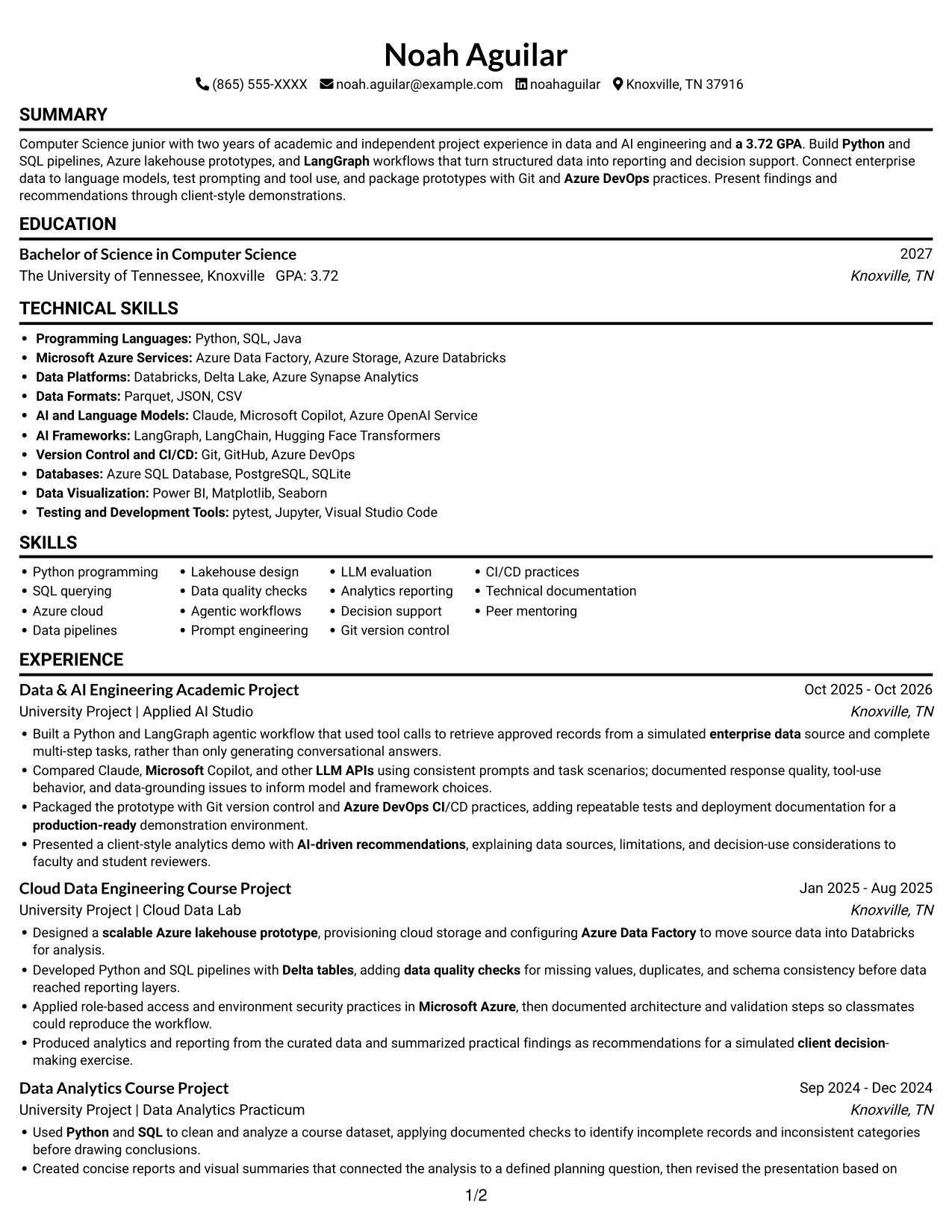
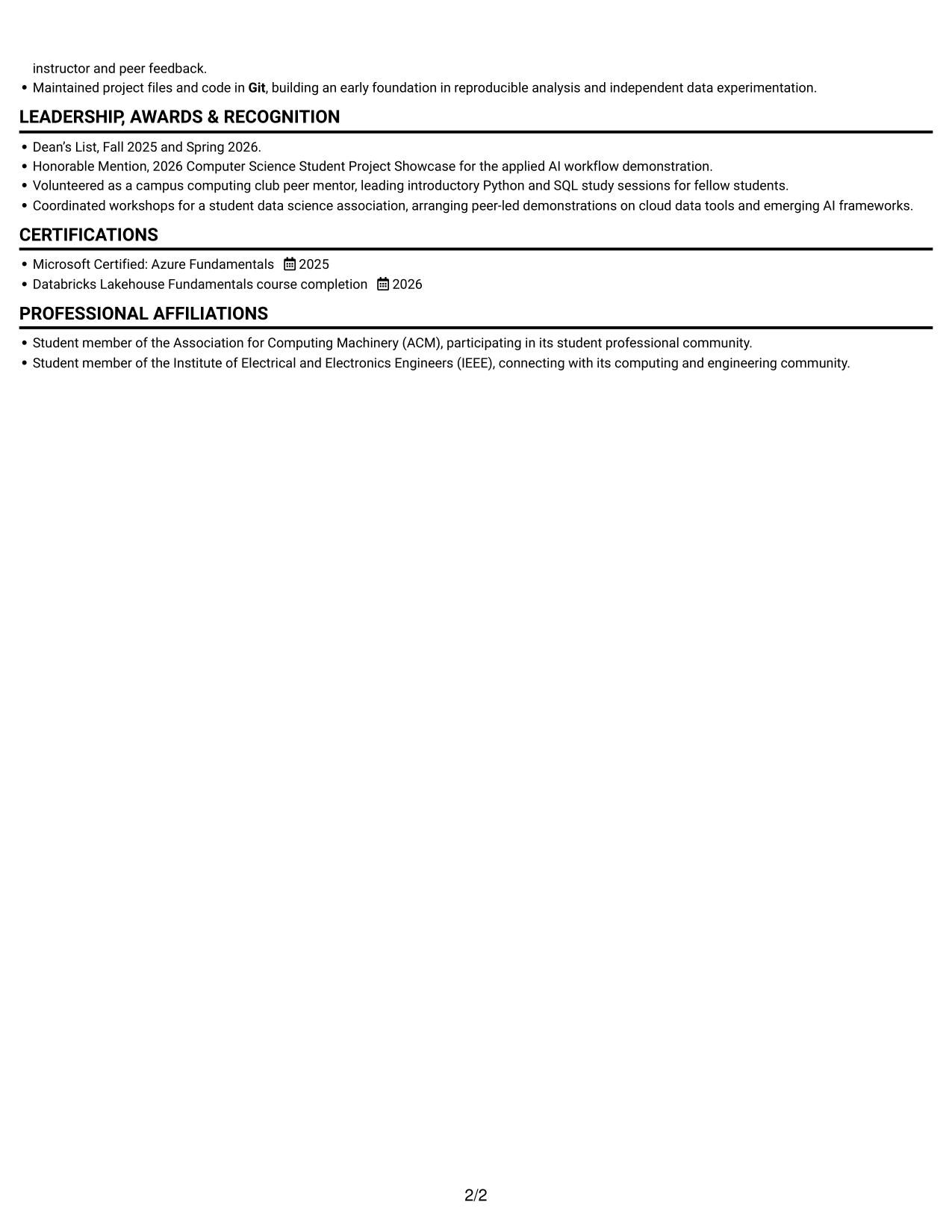
#1 Simple One Column Format Resume Example
A single-column layout keeps the resume on one reading path, helping reviewers move through its sections in order.
Why This Format Works
- Dated project entries help reviewers follow the progression of academic work.
- Achievement bullets pair methods with outcomes, making evidence easier to assess.
- Education and credentials fit into the same clear reading sequence.
Best For
- Linear reading preference
- Chronological project histories
- Text-first document presentation
- Simple section navigation
- Academic project records
Resume Keywords
- Python
- SQL
- Agentic workflows
- LangGraph
- Databricks
- Data pipelines
- Designed a scalable Azure lakehouse prototype
- Delta tables
- Data quality checks
- Microsoft Azure
- Azure Data Factory
- Azure Storage
- Applied role-based access and environment security practices in Microsoft Azure
- Designed a scalable Azure lakehouse prototype, provisioning cloud storage and configuring Azure Data Factory to move source data into Databricks for analysis.
- Compared Claude, Microsoft Copilot, and other LLM APIs
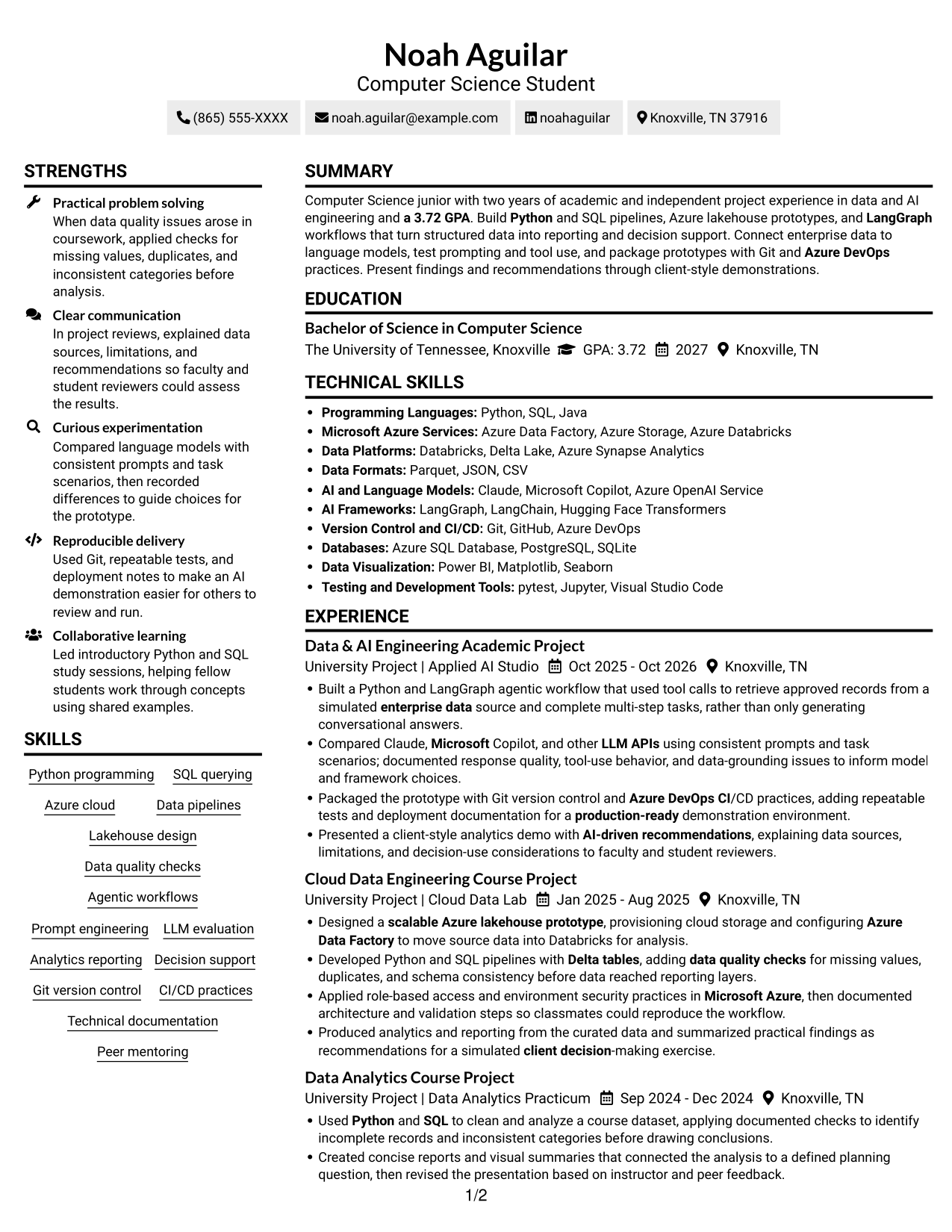
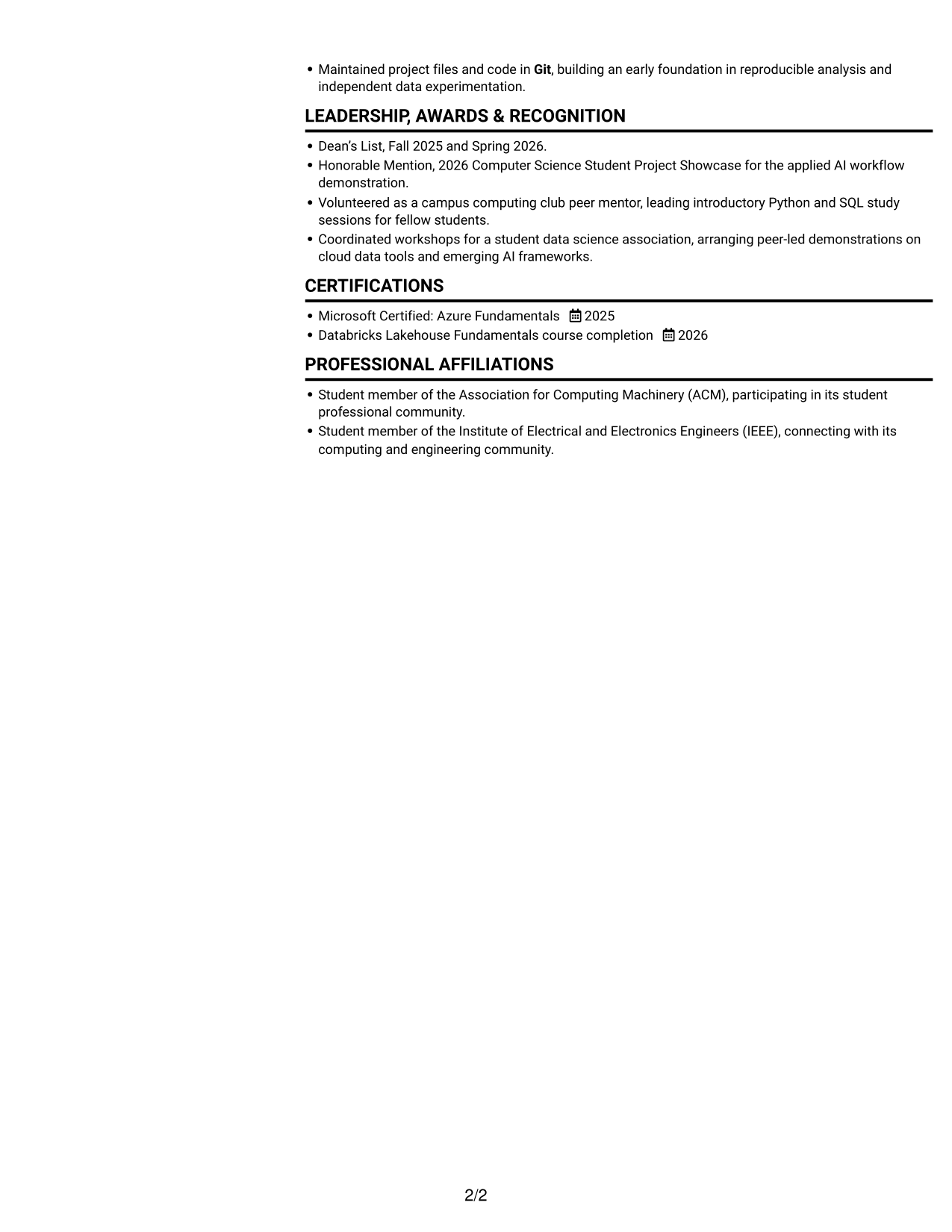
#2 Simple Two Column Format Resume Example
The two-column body presents resume sections in parallel, giving reviewers a clear way to navigate different types of information.
Why This Format Works
- Project entries give reviewers a clear timeline across academic work.
- Achievement bullets keep methods and outcomes close for direct comparison.
- Education and credentials remain easy to locate during a focused review.
Best For
- Parallel section organization
- Several distinct resume sections
- Readers comparing varied content
- Academic and project histories
- Supporting details for review
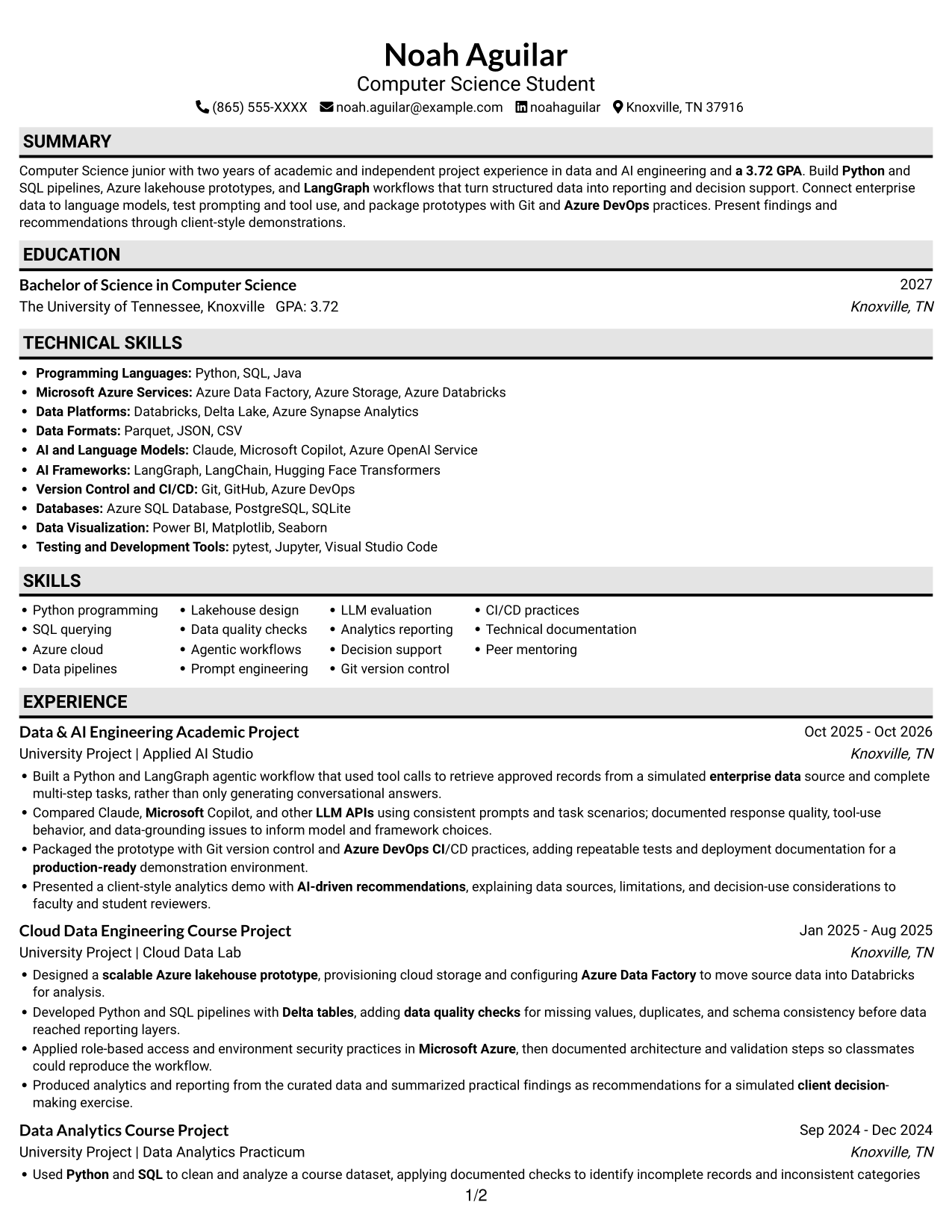
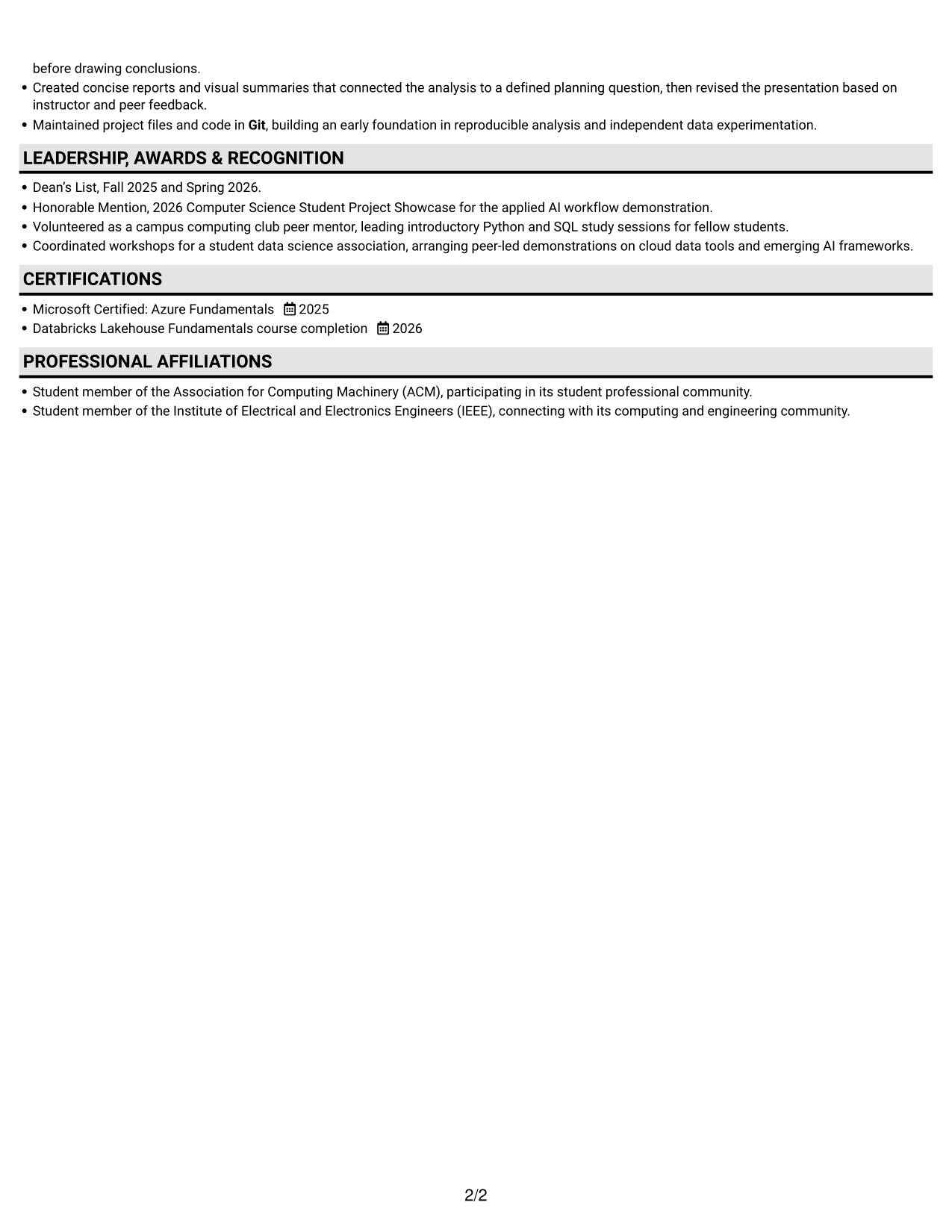
#3 Plain One Column with Shaded Labels Resume Example
A one-column body keeps the resume's content in a direct sequence, making it easy to follow from section to section.
Why This Format Works
- One text path lets reviewers move through sections in a steady sequence.
- Project bullets keep methods and outcomes together for direct comparison.
- Education and credentials remain easy to find during a focused scan.
Best For
- Single-path reading preference
- Chronological project histories
- Resume reviews focused on text
- Simple section navigation
- Academic project records
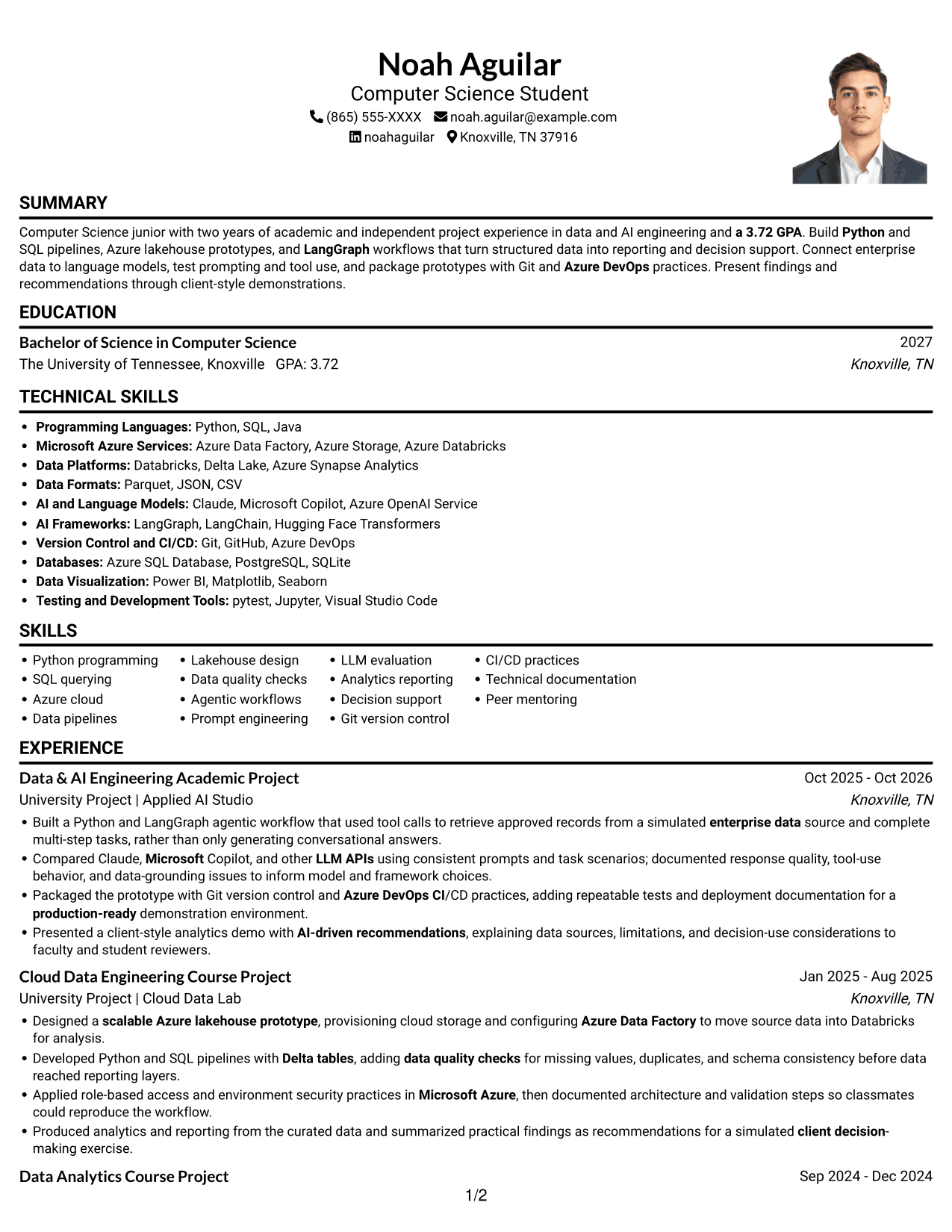
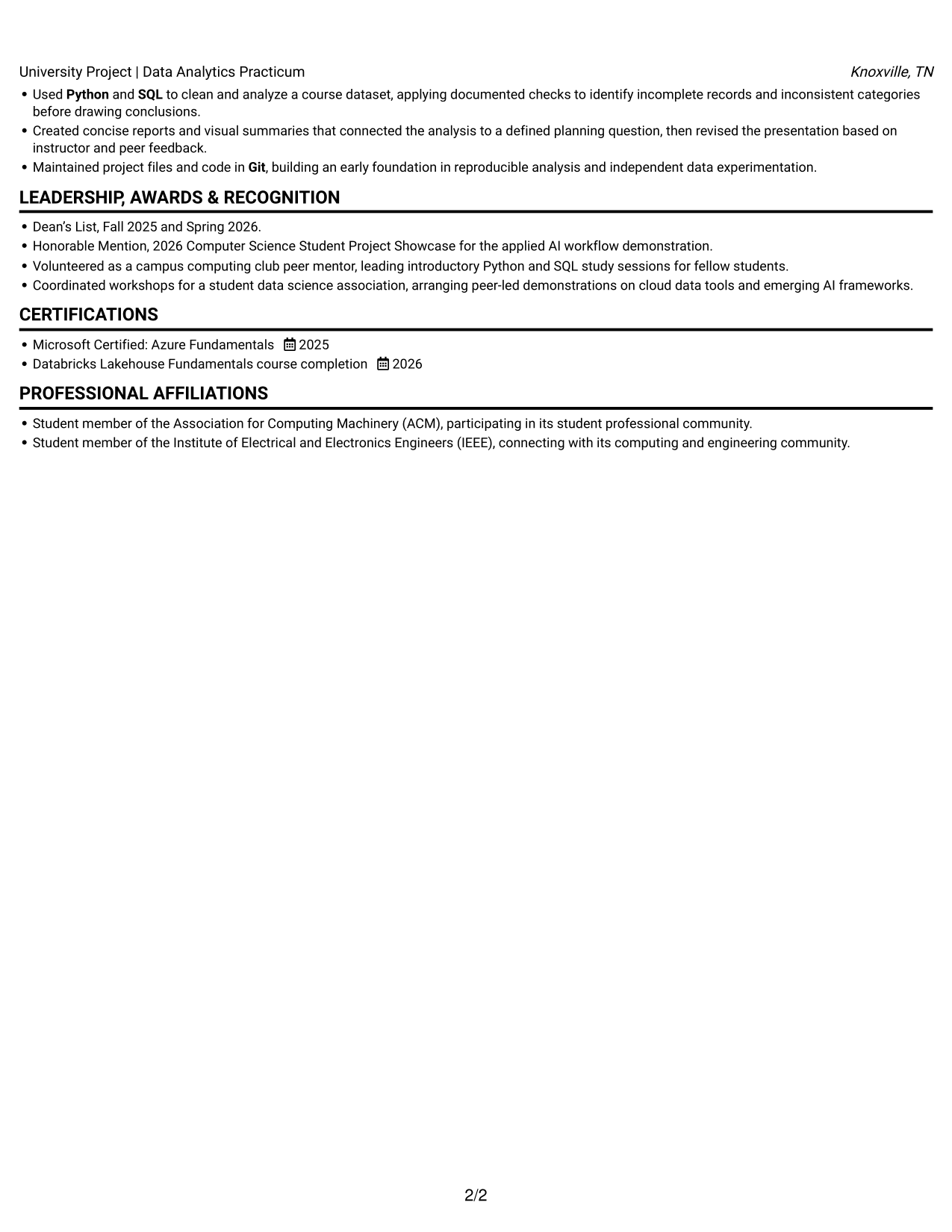
#4 One Column Format with Photo Right Resume Example
A portrait sits to the right of the one-column resume, adding a personal visual element without splitting the text into columns.
Why This Format Works
- Chronological project records make academic work easy to review over time.
- Achievement bullets let reviewers compare methods and results across entries.
- Education and credentials remain easy to locate in the resume text.
Best For
- Right-side portrait placement
- Single-path text review
- Chronological project histories
- Resumes with several sections
- Photo-inclusive application materials
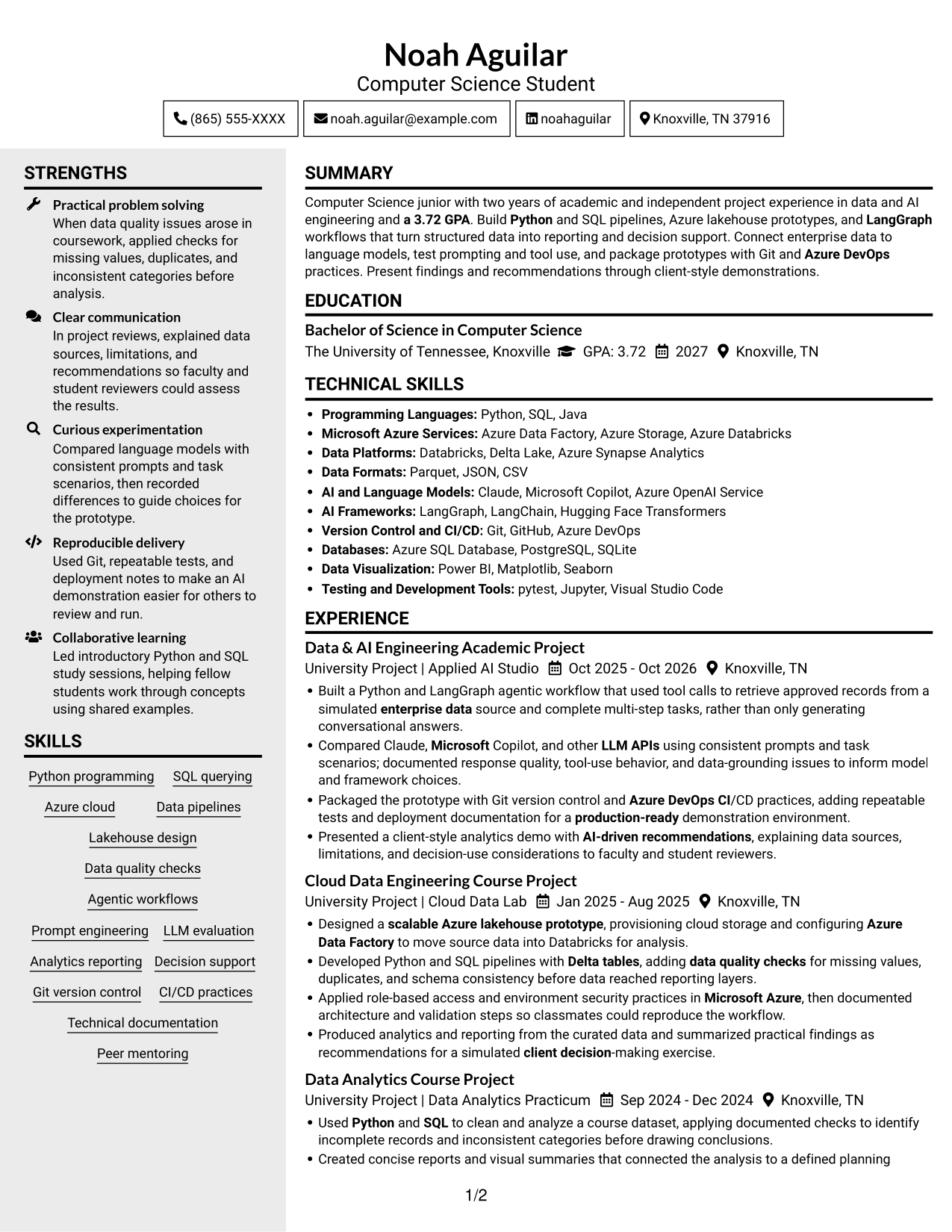
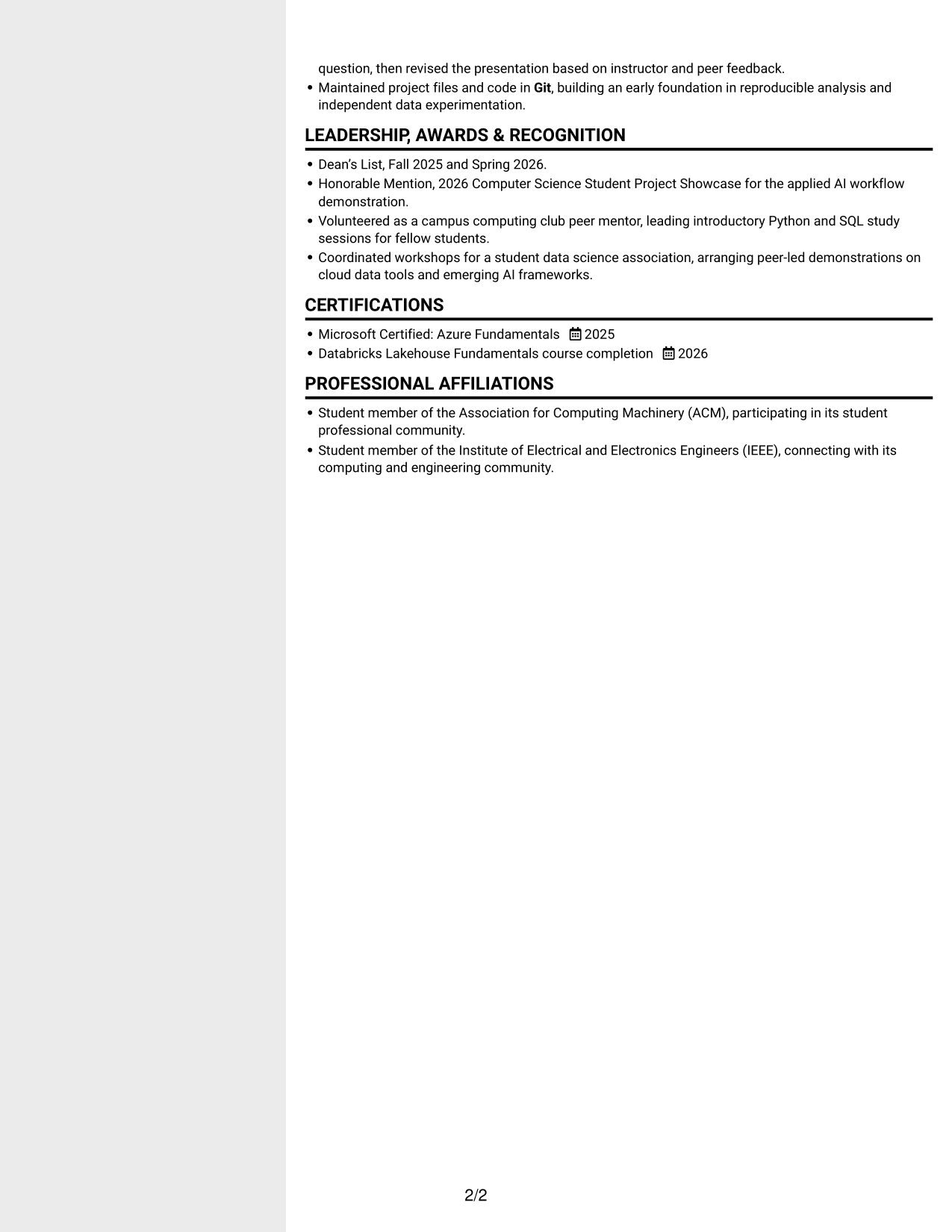
#5 Clean Two Column Sidebar Format Resume Example
The two-column body gives the resume's sections separate areas, helping reviewers move among its content categories.
Why This Format Works
- Experience dates preserve a clear timeline across the wider section layout.
- Project achievements remain easy to compare through concise, grouped bullets.
- Education and credentials stay identifiable during a focused review.
Best For
- Two-column section organization
- Readers moving between resume sections
- Project history with supporting details
- Several experience and education entries
- Side-by-side reading preference
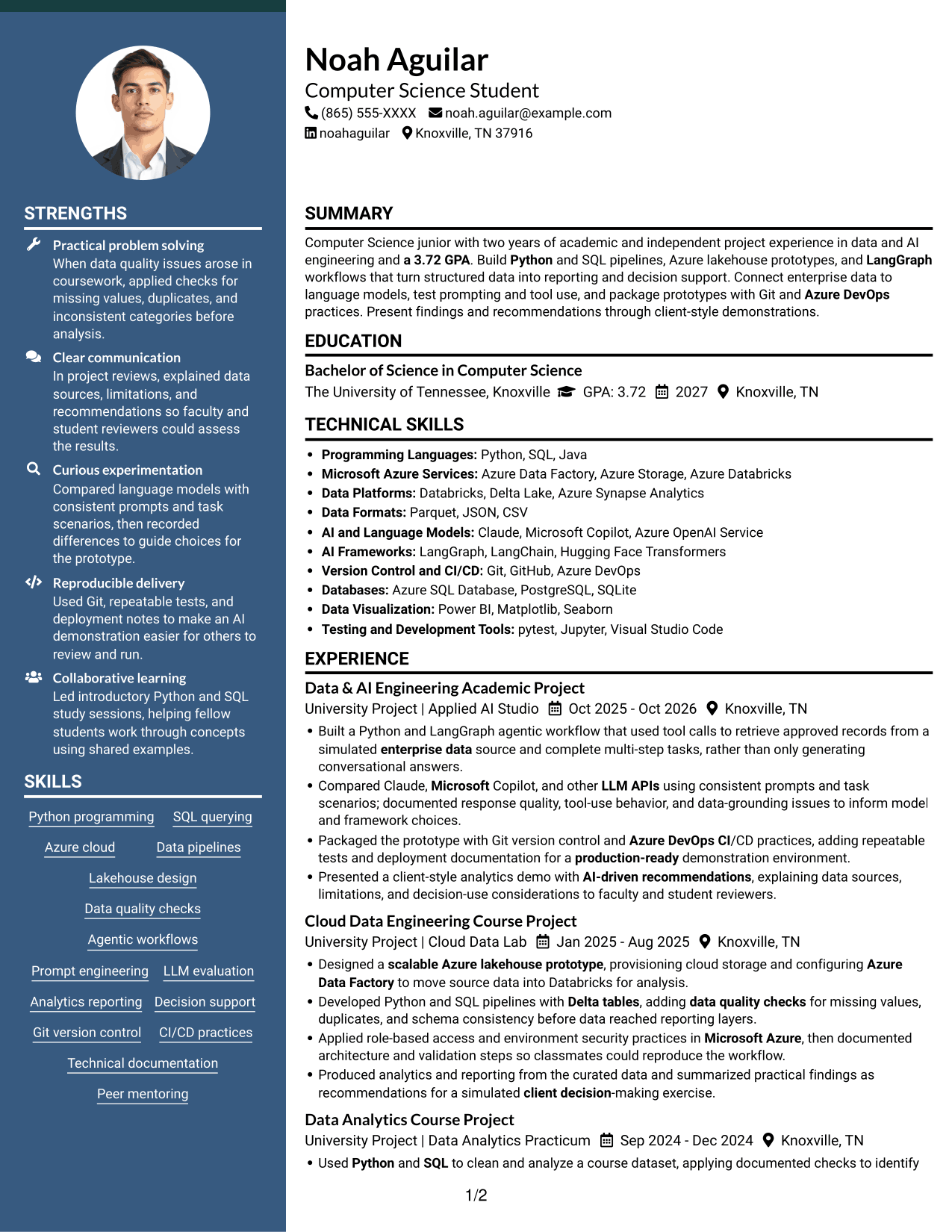
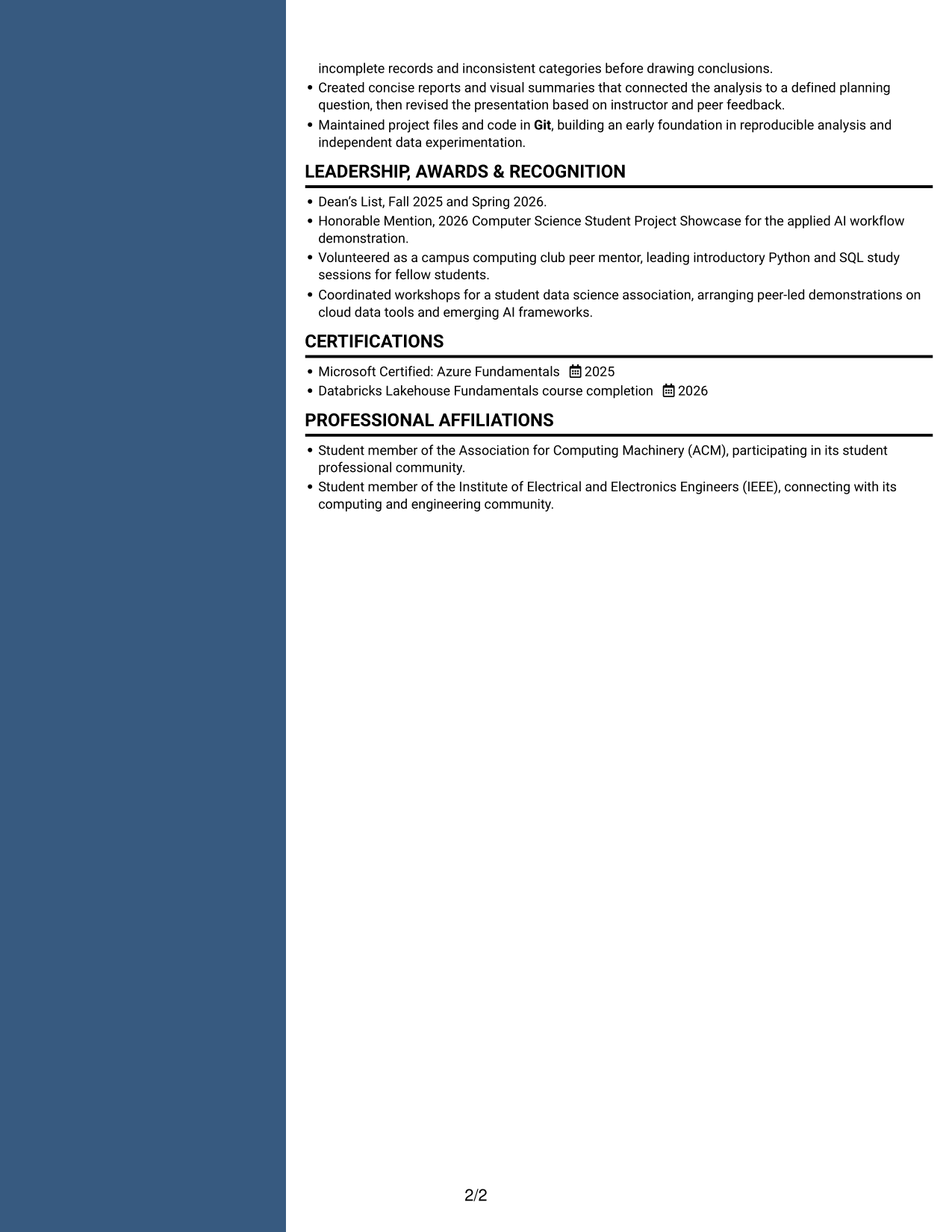
#6 Two Column Format Resume Example
A two-column body gives the resume a clear structure for reviewing its main sections and supporting details.
Why This Format Works
- Project bullets give reviewers concrete evidence of methods and results.
- Education details and credentials remain recognizable within the section hierarchy.
- Skills and experience read as distinct parts of the document.
Best For
- Multiple resume content categories
- Skills and experience review
- Academic credentials with project work
- Readers checking details across sections
- Two-column document preference
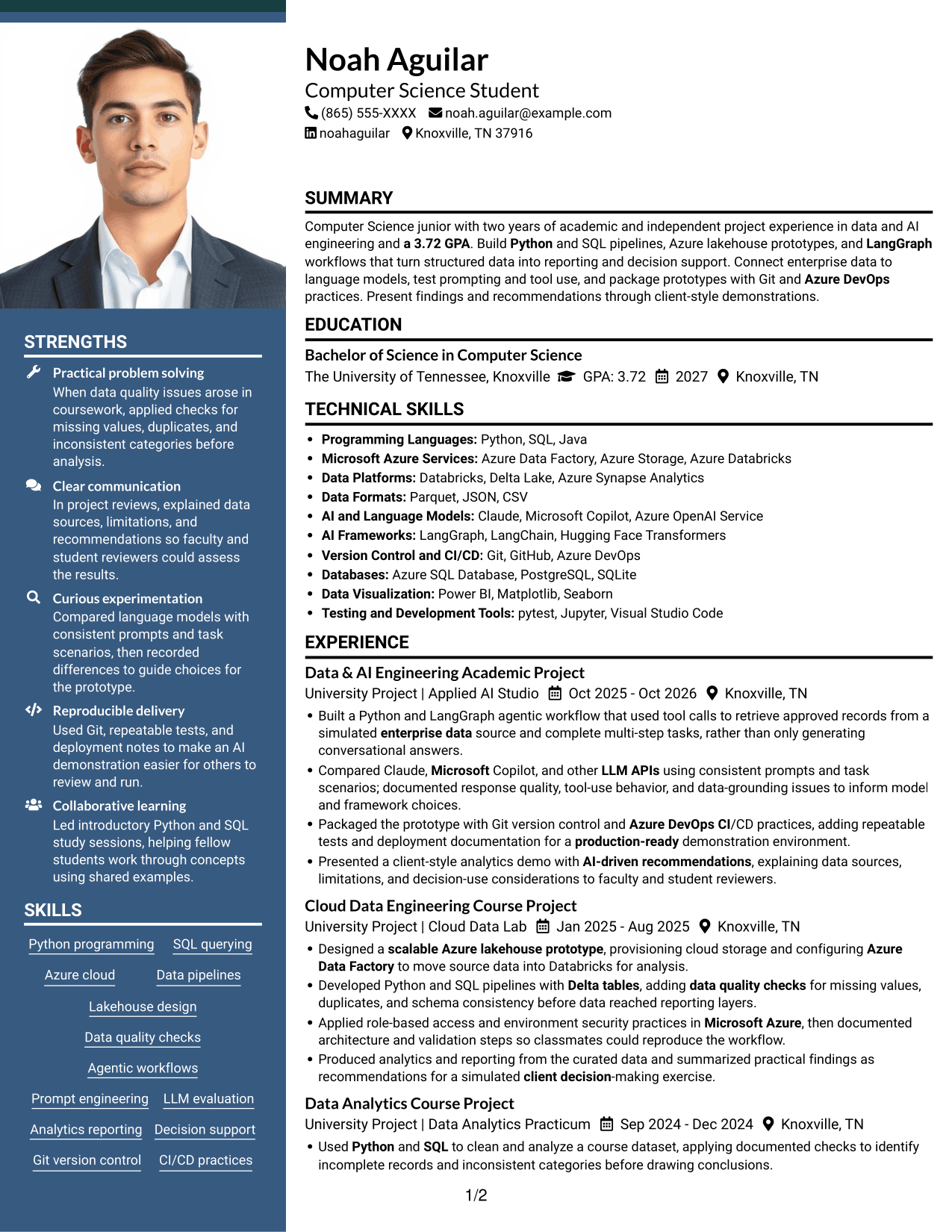
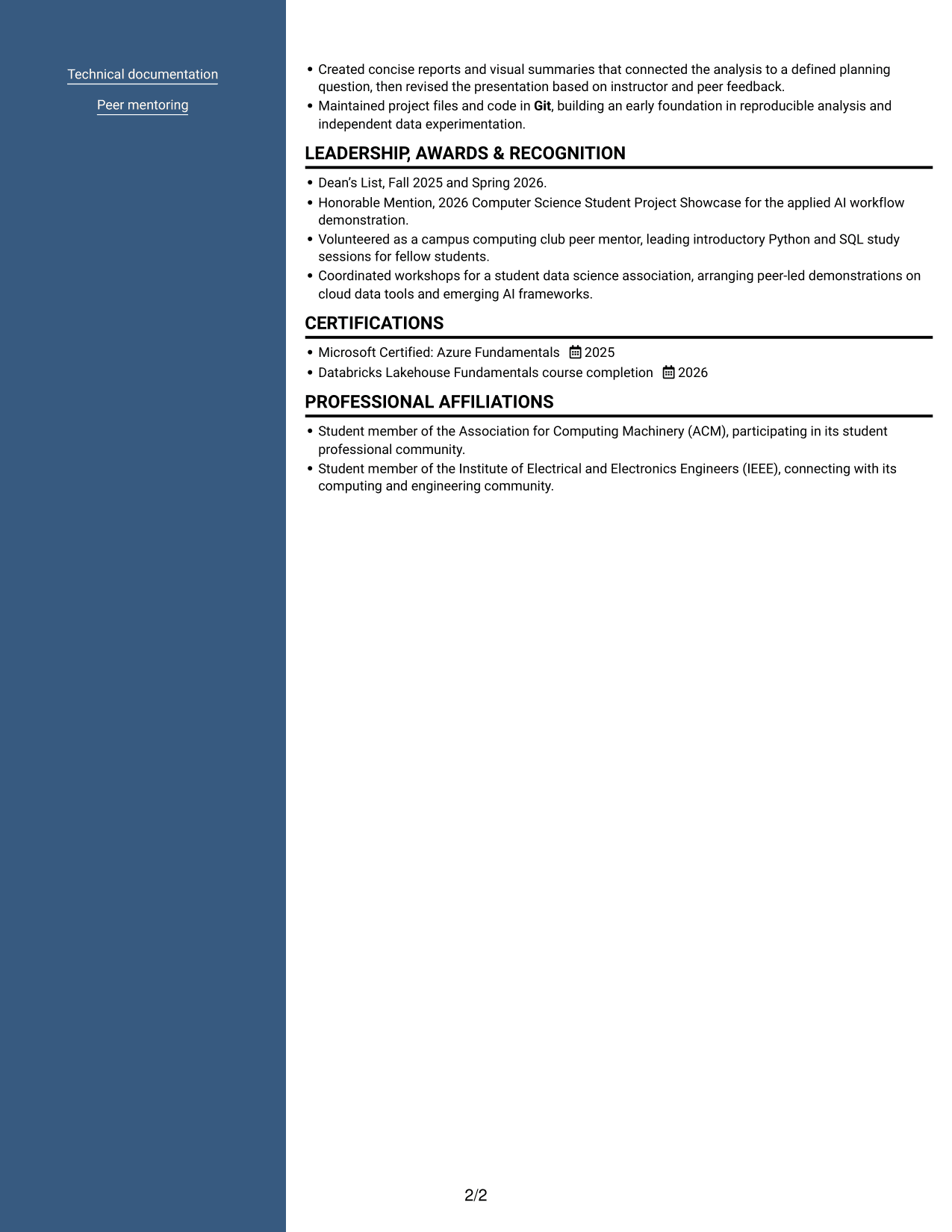
#7 Photo Header Two Column Format Resume Example
A photo in the header pairs with a two-column resume body, adding a portrait while keeping the main sections in separate areas.
Why This Format Works
- Project history can be followed by date across the resume's section structure.
- Achievement bullets present methods and outcomes in a form suited to comparison.
- Education and credentials remain clear parts of the resume's section hierarchy.
Best For
- Portrait in the resume header
- Two-column section organization
- Readers reviewing varied content
- Academic project histories with credentials
- Applications calling for a photo
Why Build Your Data & AI Engineering Intern Resume with ResumeInMinutes
ResumeInMinutes offers resume examples that can help you organize coursework, technical projects, skills, and relevant experience. Use a clear structure to show how your data and AI work was built, tested, and presented.
- Professional resume layouts
- Clear section structure
- Relevant keyword guidance
- Project and skills organization
- Easy-to-scan experience details
- Resume customization support
Compare the image previews to find a layout that suits your information. Open an example in the editor to review its structure and customize your resume content.
See Also
- 7 Full Stack Data Scientist - AI/ML Platform Engineering Resume Templates with Example
- 33 VP of Software Engineering Cloud-Native AI & Data Resume Templates with Example 2026 (ATS-Optimized)
- 33 AI and Software Development Engineering Intern Resume Templates with Example 2026 (ATS-Optimized)
- 33 AI Automation Engineering Intern Resume Templates with Example 2026 (ATS-Optimized)
- 7 AI Engineering Intern - Agentic AI and RAG Resume Templates with Example
- 7 AI Engineering Intern - Generative AI and RAG Resume Templates with Example
- 33 AI Engineering Intern Resume Templates with Example 2026 (ATS-Optimized)
- 33 AI Engineering Intern, Voice & LLM Systems Resume Templates with Example 2026 (ATS-Optimized)
- 7 Data & AI Engineering Intern Cover Letter Templates with Example
- 7 Full Stack Data Scientist - AI/ML Platform Engineering Cover Letter Templates with Example
Frequently Asked Questions
Are these Data & AI Engineering Intern resume templates ATS-friendly?
The examples use clear headings and organized sections to support scanning and parsing. Add role-relevant terms such as Python, SQL, Azure, Databricks, LangGraph, data pipelines, and data quality checks when they accurately describe your work.
What should a Data & AI Engineering Intern resume include?
Include education, relevant technical skills, projects or experience, and certifications when applicable. Describe the tools you used, the steps you took, and the outcome of each project.
How can I show project experience on an intern resume?
Use concise bullets to explain the task, your approach, and the result. For example, describe how you built a Python or SQL pipeline, added data checks, documented a workflow, or tested an AI prototype.
Which resume format works well for this role?
A simple format with familiar headings is a practical choice. Keep skills, education, projects, and experience easy to find, and use consistent dates and bullet styles so readers can review the details quickly.
Can coursework and academic projects support an intern resume?
Yes. Relevant coursework and academic projects can show practical skills. Explain your contribution and include specific evidence, such as data quality checks, repeatable tests, technical documentation, or a presentation of findings.
Should I include a photo on my resume?
Include a photo only if it is customary or expected in your country, region, or industry. For U.S. applications, a no-photo resume is generally the safer choice.




