
7 Database Administrator I - Oracle and SQL Server Resume Templates with Example
This guide shows you how to build a clear, focused resume for a Database Administrator I - Oracle and SQL Server role. It explains how to present your experience and choose a professional layout that helps readers review your qualifications.
Organize your resume around database operations, incident response, patching, backup and recovery, and collaboration with developers and users. Include relevant platforms and skills, such as Oracle, SQL Server, SQL, PL/SQL, Unix, Linux, Windows, Ellucian Banner, and ODS Enterprise, when they match your background.
The example is presented in 7 layouts, with guidance on ATS-friendly structure, focused experience bullets, and the resume details that help show reliable database support.
What Makes a Great Database Administrator I - Oracle and SQL Server Resume in 2026
A strong resume makes database responsibilities and results easy to find. Use clear section headings and concise bullets to show work with database operations, incident analysis, system changes, and service continuity.
Include relevant terms such as Oracle, SQL Server, SQL, PL/SQL, Unix, Linux, Windows, backup and recovery, security patching, Ellucian Banner, and ODS Enterprise. Support each skill with a specific example from your experience.
The examples shown below are intentionally detailed to demonstrate a range of experiences, skills, accomplishments and relevant keywords. We prefer detailed resumes as they provide more context to the hiring managers and also help the ATS systems identify relevant qualifications and score your resume better for a match. But the length of a resume is an individual choice. If you want a one page resume, just keep the most relevant experience and information for the job. Note: Resume examples are for educational purposes only. Use only information that accurately reflects your experience and qualifications. References to real organizations do not imply affiliation or endorsement.
#1 Simple One Column Format Resume Example
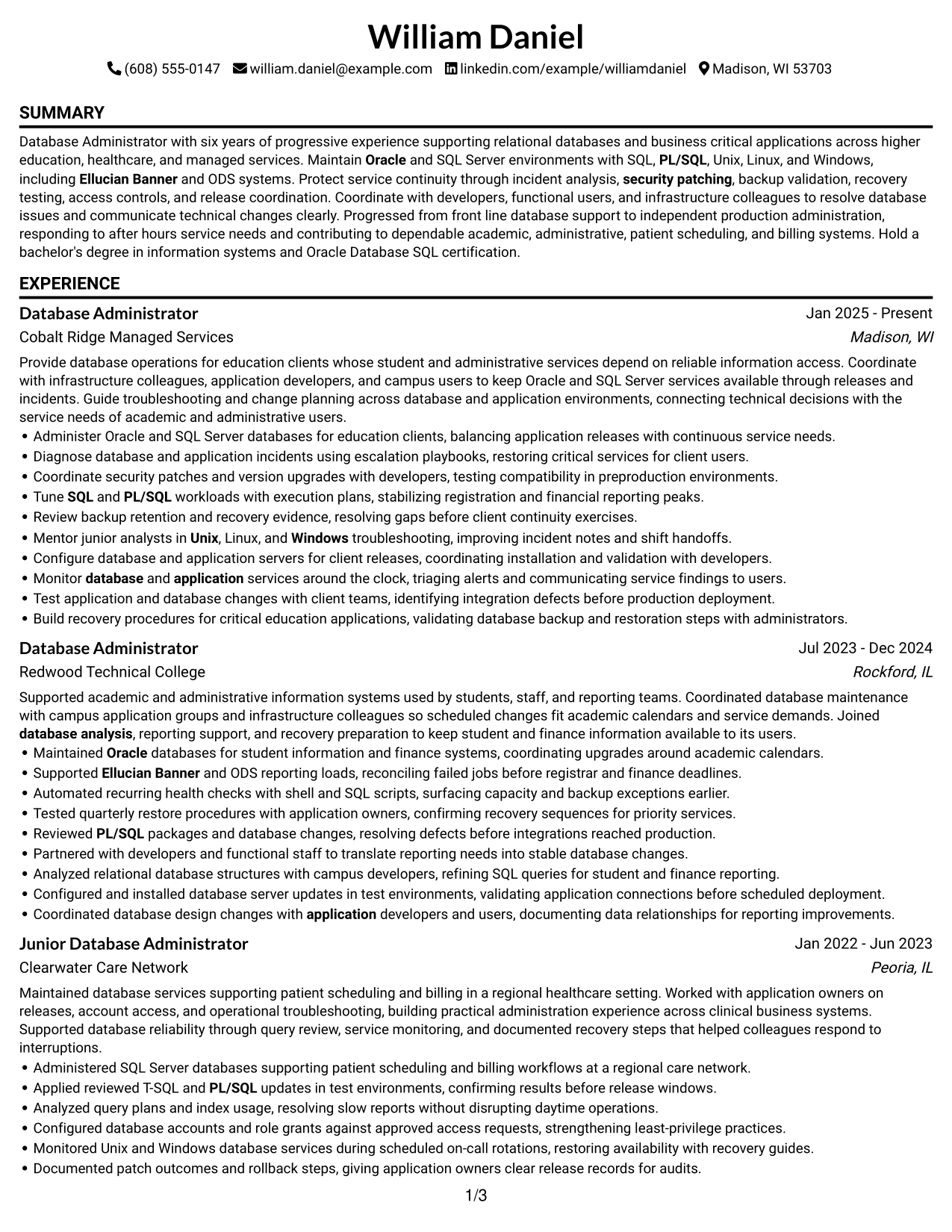
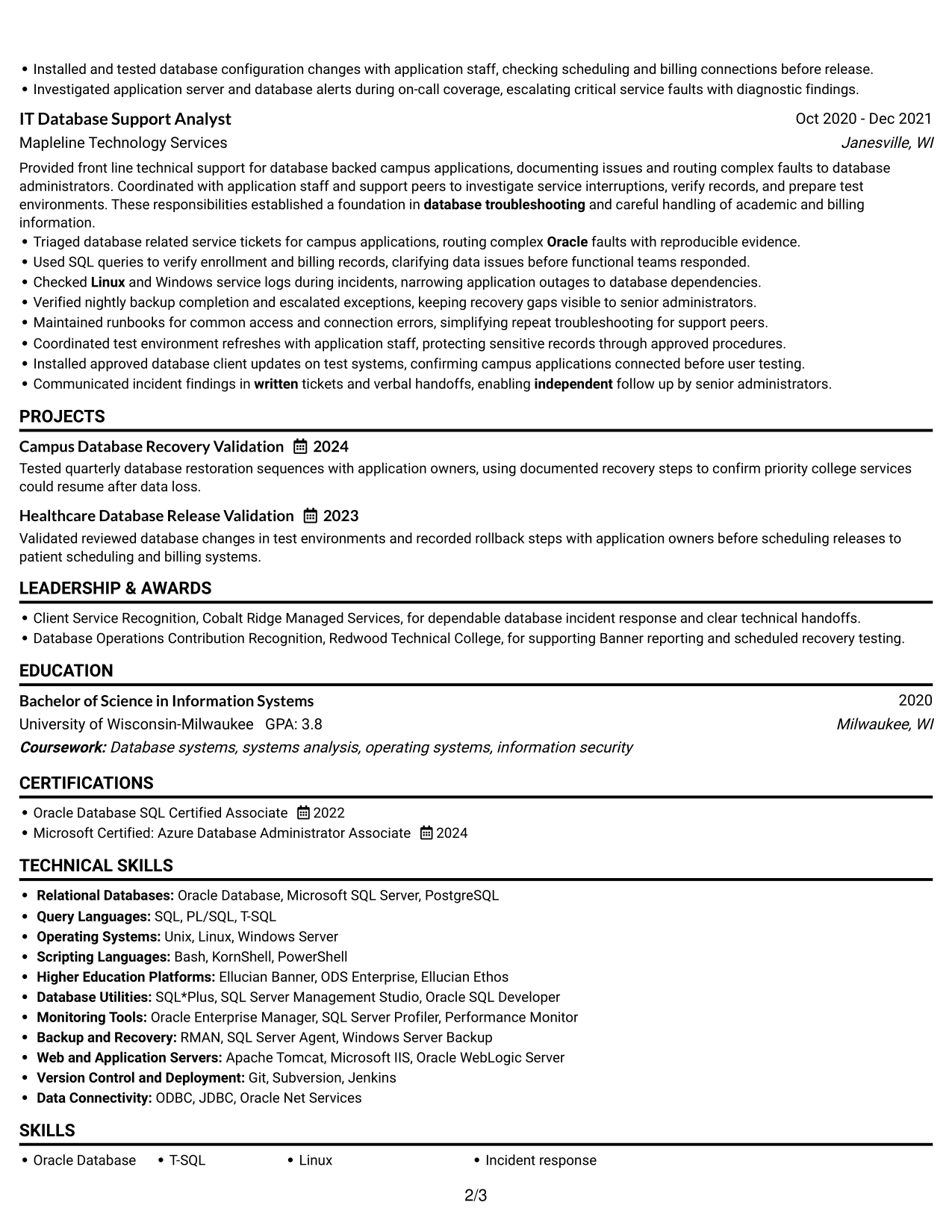
Simple One Column Format keeps the resume in one vertical reading path, helping reviewers follow career history, skills, education, and credentials in order.
Why This Format Works
- One continuous reading path lets reviewers follow career progression from support through administration.
- Consistent section order makes education and certification details easy to locate.
- Full-width entries give experience bullets room to explain operational results clearly.
Best For
- Chronological career histories
- Resumes with detailed experience bullets
- Straightforward ATS text parsing
- Readers who prefer one reading path
- Education and credentials in one sequence
Resume Keywords
- Oracle
- SQL
- PL/SQL
- database analysis
- database troubleshooting
- Coordinated database design changes with application developers and users, documenting data relationships for reporting improvements.
- Installed and tested database configuration changes with application staff, checking scheduling and billing connections before release.
- security patching
- Unix
- Linux
- Windows
- Monitor database and application services around the clock, triaging alerts and communicating service findings to users.
- Ellucian Banner
- ODS Enterprise
- Scripting Languages
#2 Plain One Column with Shaded Labels Resume Example
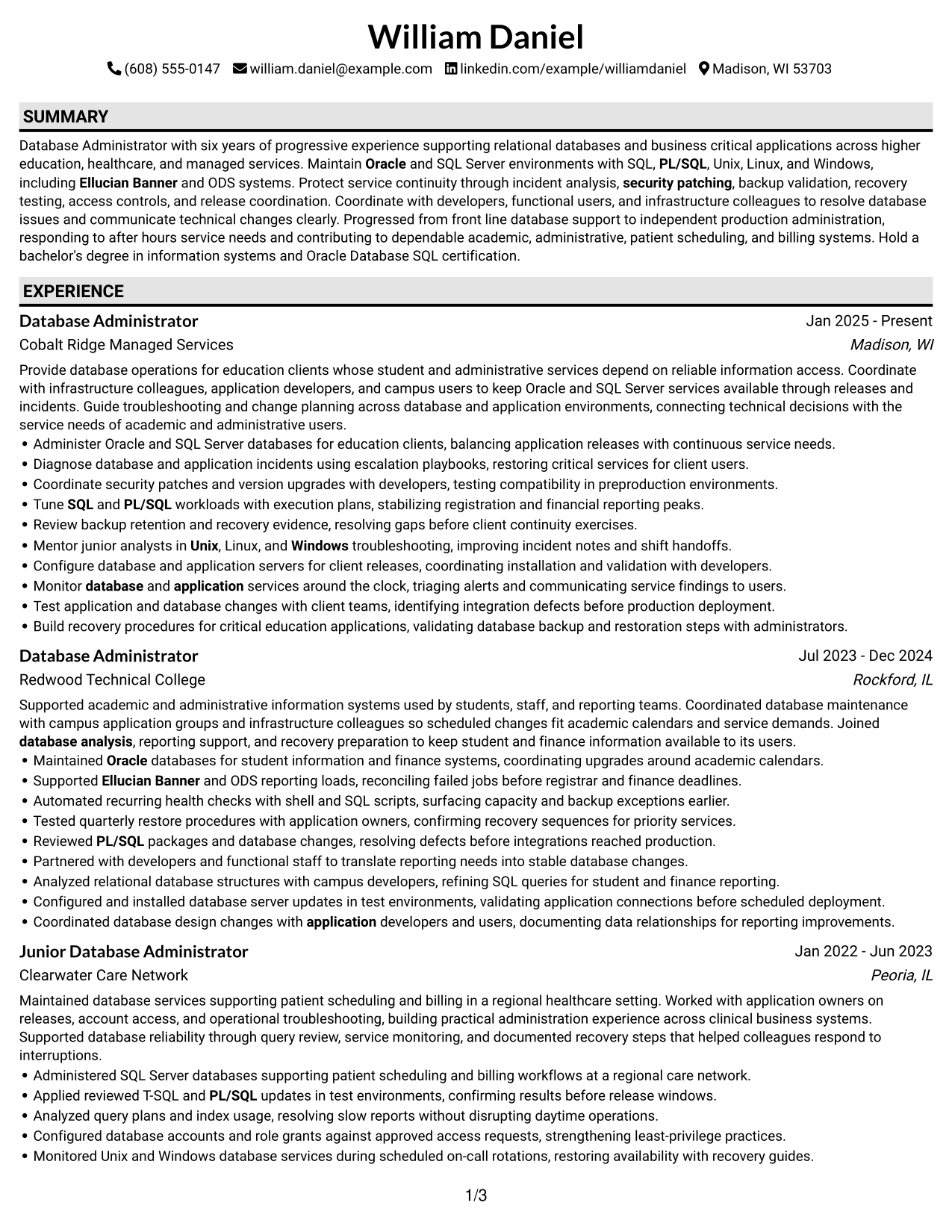
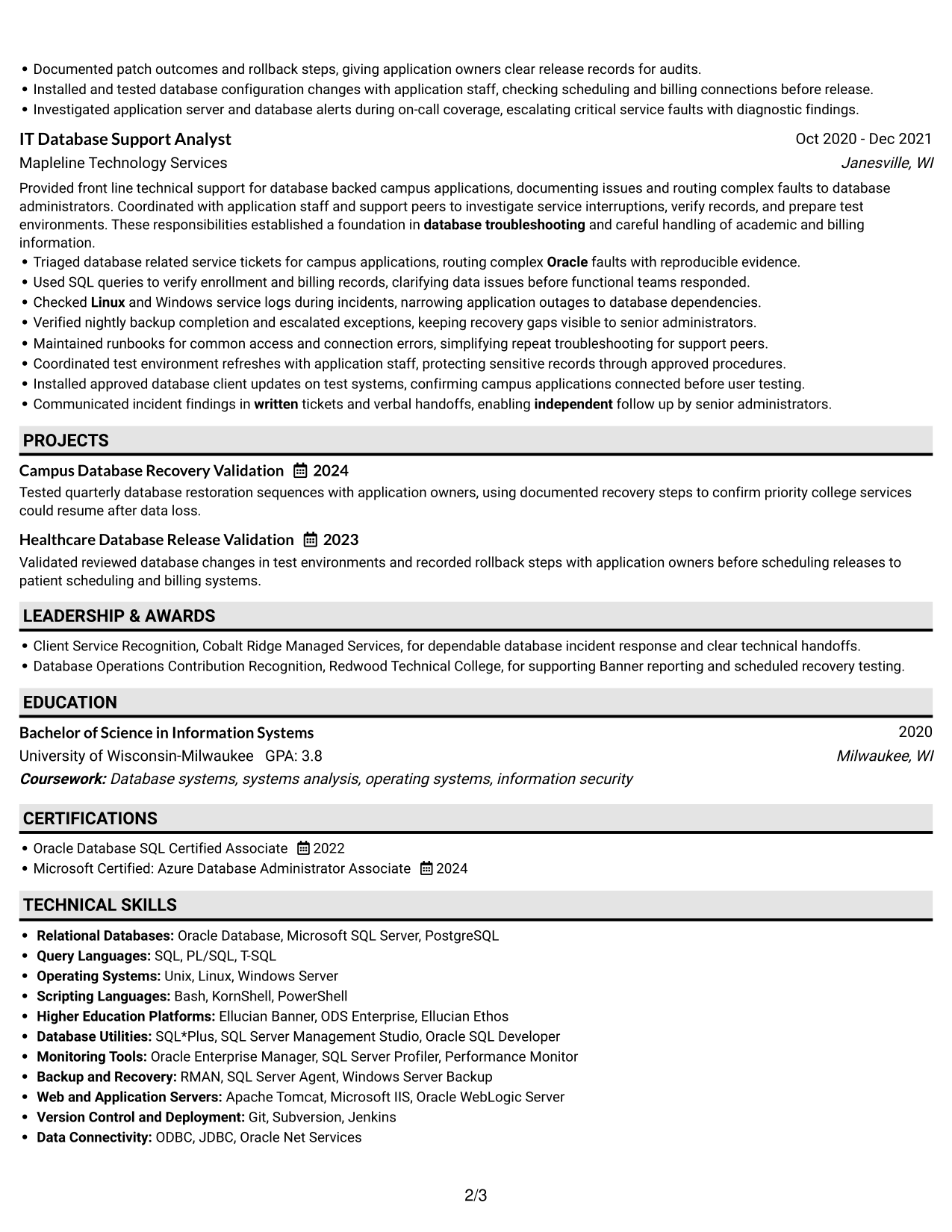
With shaded section labels, Plain One Column with Shaded Labels makes experience, skills, education, and credentials easier to locate in a single-column review.
Why This Format Works
- Shaded section labels help reviewers move between experience, skills, education, and credentials.
- Clear label contrast separates career history from supporting skills and technical qualifications.
- A steady one-column flow keeps dated roles readable as reviewers scan career progression.
Best For
- Resumes with many distinct sections
- Fast section-by-section review
- Clear divisions between experience and qualifications
- One-column text reading needs
- Scannable work and education records
#3 One Column Format with Photo Right Resume Example
One Column Format with Photo Right places the photo on the right of a single-column resume body, so reviewers can follow experience, skills, and education in sequence.
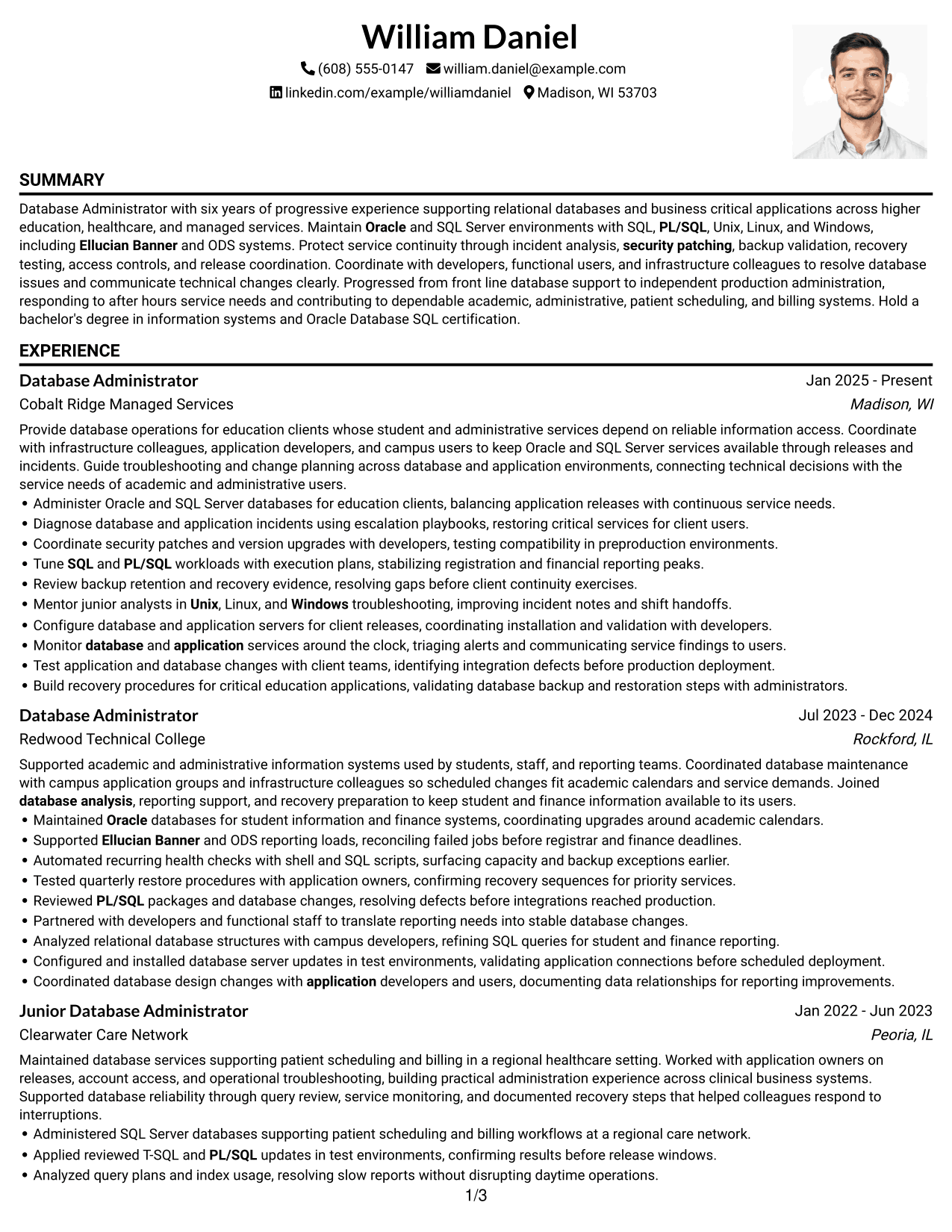
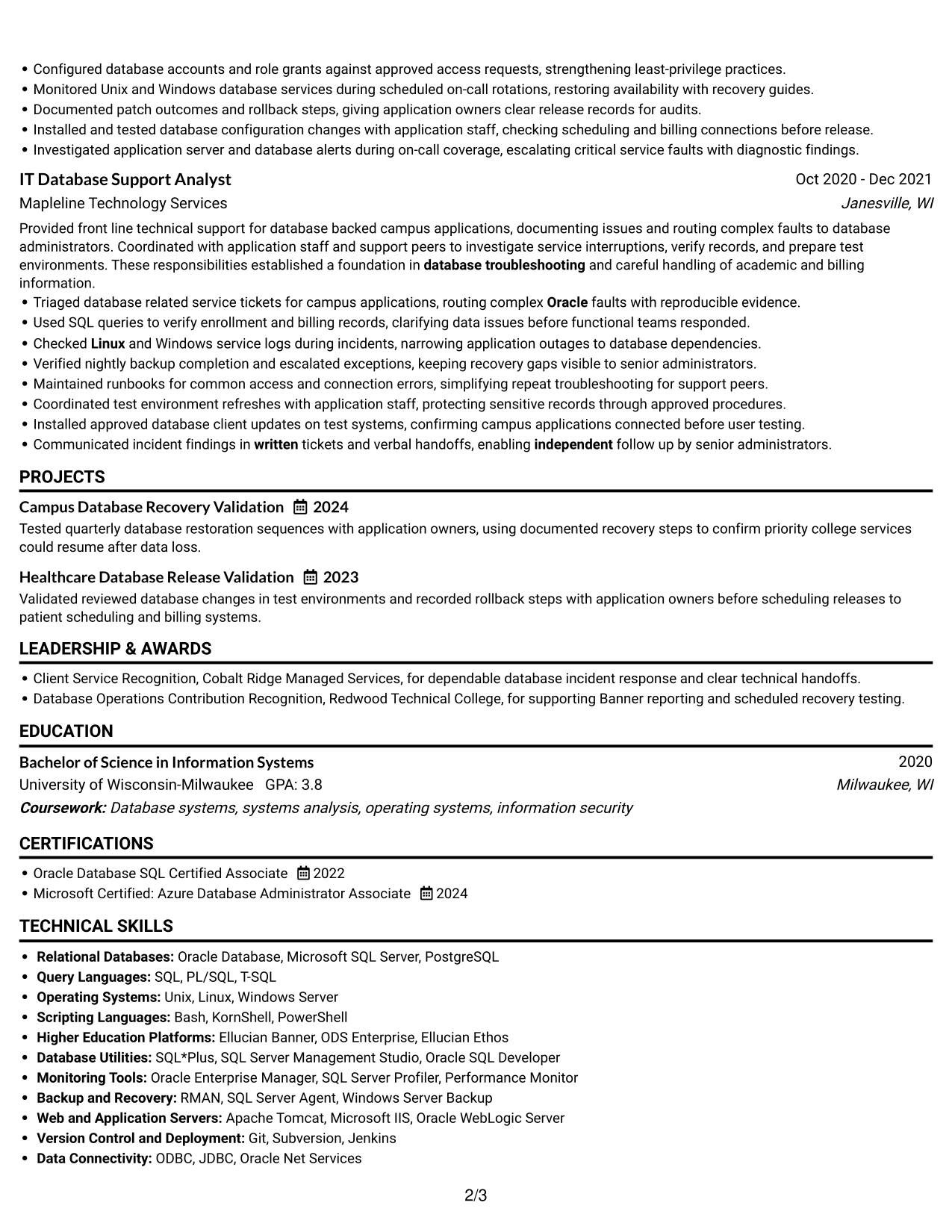
Why This Format Works
- Continuous text order lets reviewers compare early support work with later administration roles.
- Unbroken full-width sections keep technical skills and operating systems easy to scan.
- A single-column body gives project, education, and certification details a clear sequence.
Best For
- Resumes that use a right-side photo
- Single-path review of detailed role history
- Chronological experience with earlier support roles
- Skills and credentials in a continuous text flow
- Photo-inclusive resume presentation
#4 Clean Two Column Sidebar Format Resume Example
Clean Two Column Sidebar Format uses a sidebar beside the main resume area, giving reviewers two clear routes through experience, skills, education, and credentials.
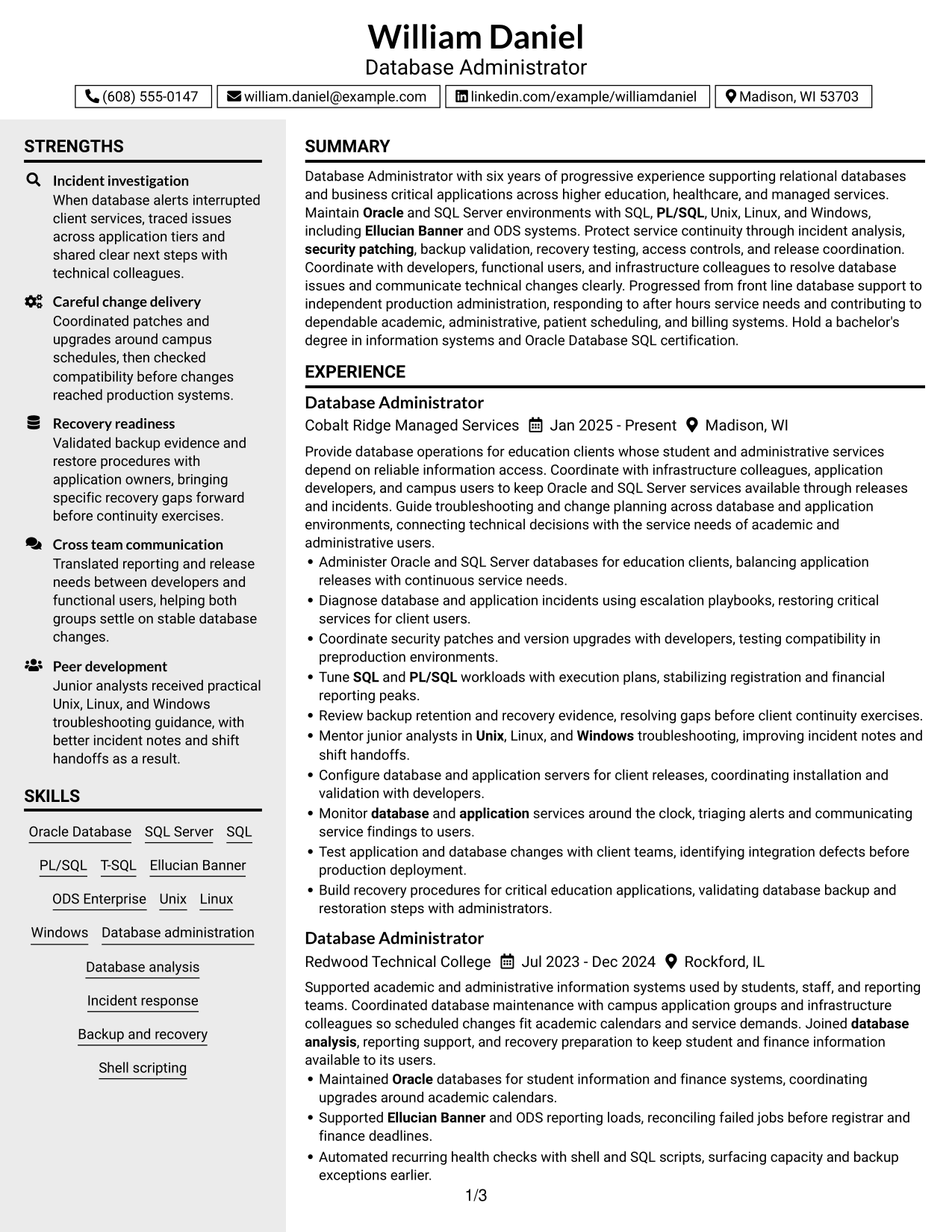
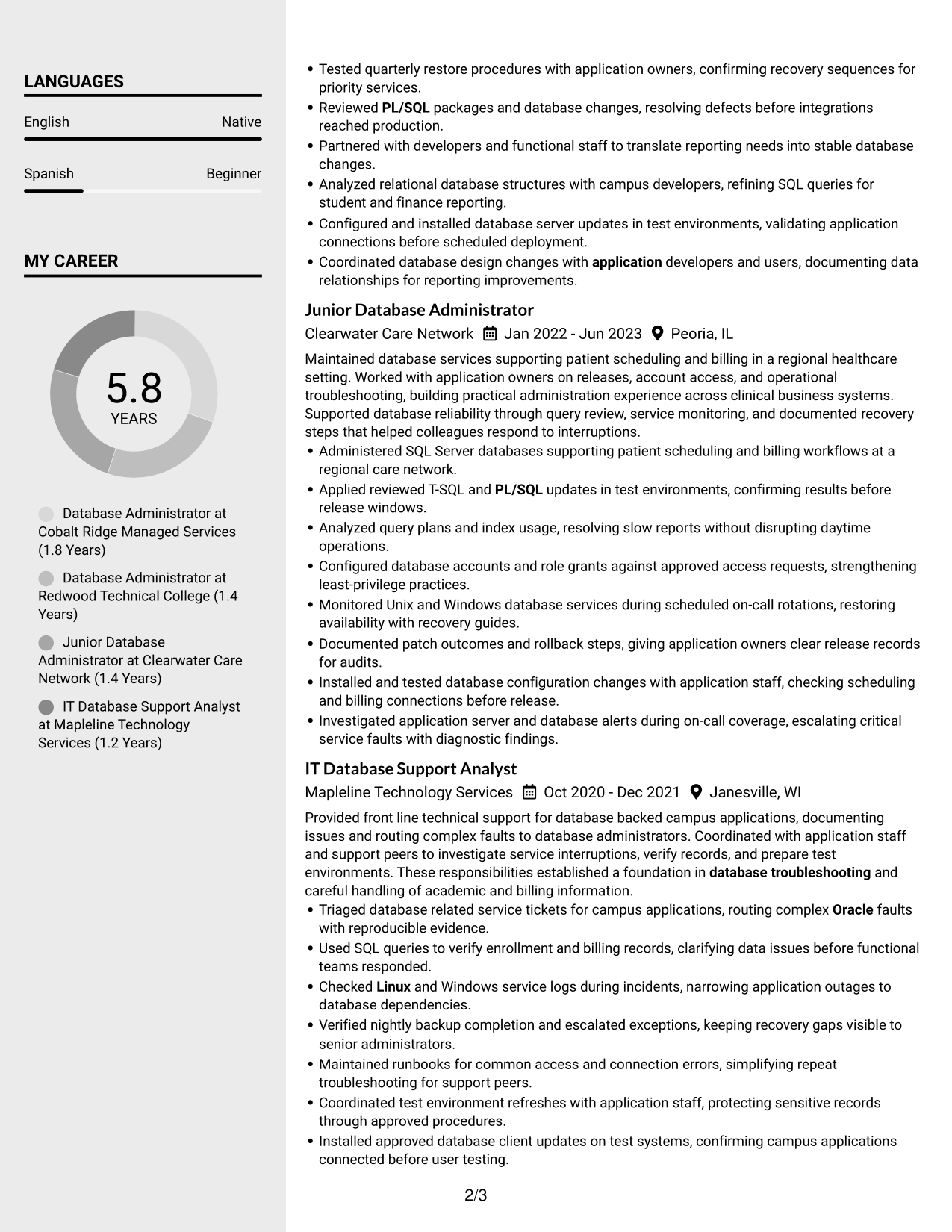
Why This Format Works
- Two reading areas help reviewers distinguish experience from supporting skills and credentials.
- Side-by-side grouping makes education and certification details easier to find during a scan.
- Separate columns let the work record stay distinct from additional resume sections.
Best For
- Separate routes for experience and qualifications
- Resumes with many supporting details
- Side-by-side review of skills and career history
- Compact organization of education and credentials
- Readers seeking quick section navigation
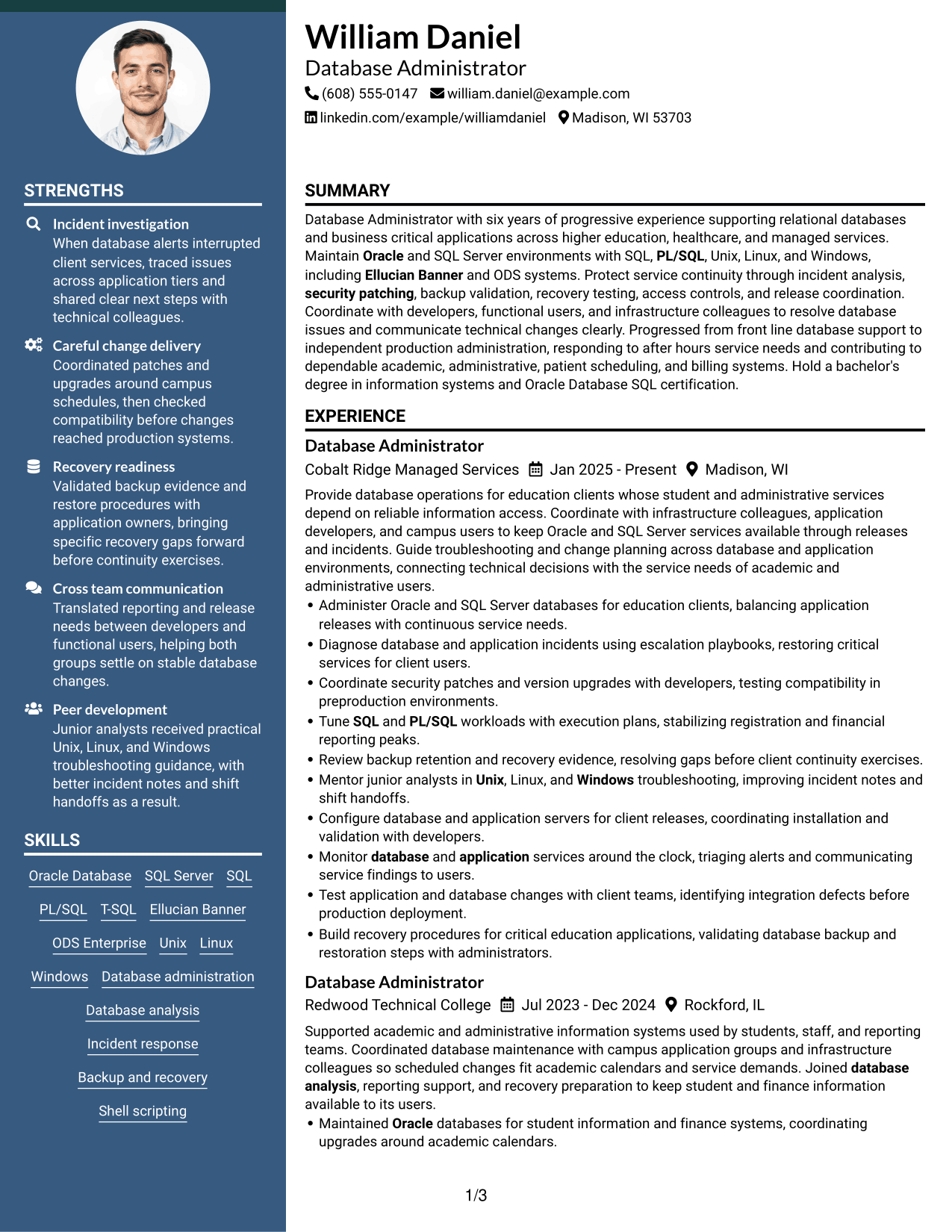
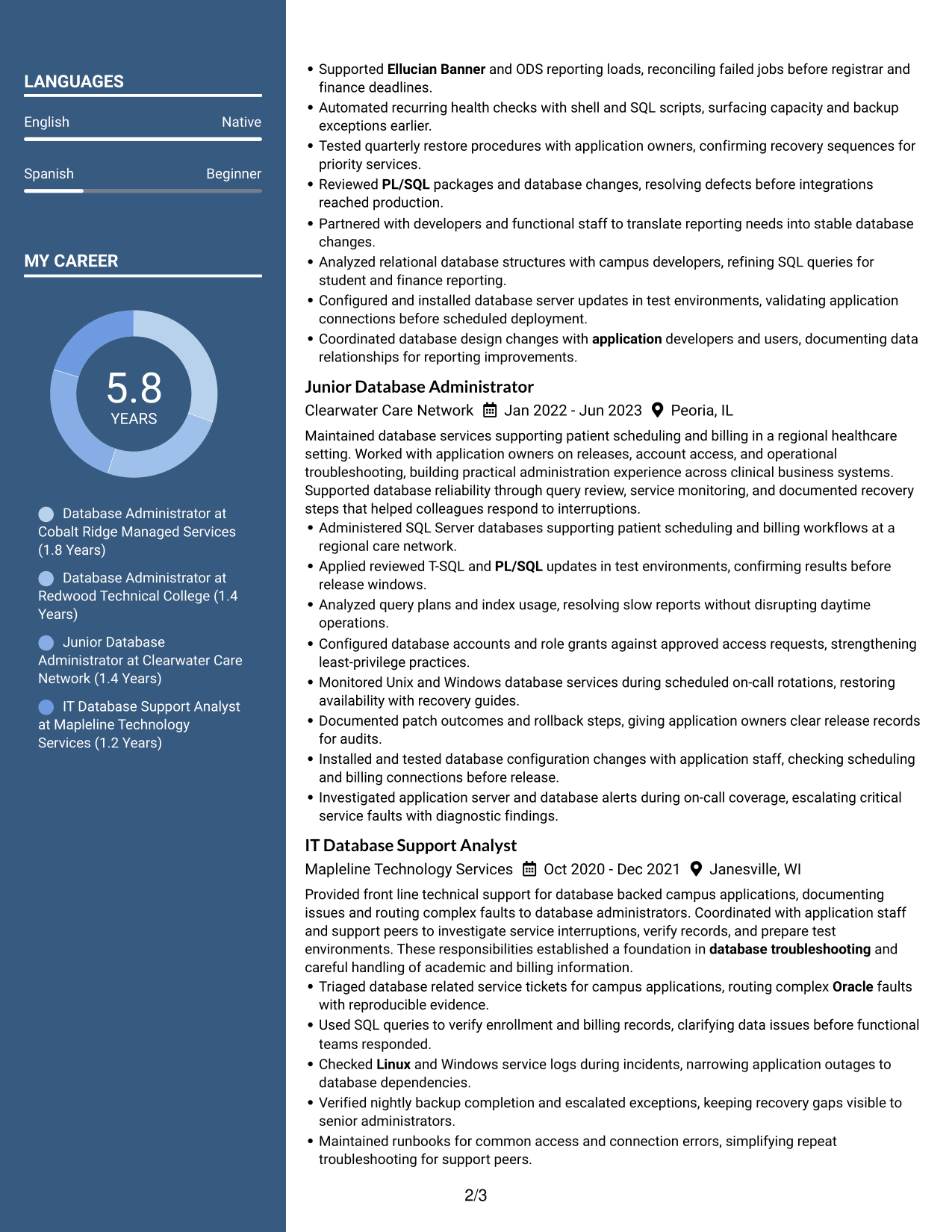
#5 Two Column Format Resume Example
Two Column Format arranges resume sections in parallel areas, helping reviewers scan work history and supporting qualifications with less back-and-forth.
Why This Format Works
- Parallel columns let reviewers compare skills and education while keeping experience easy to follow.
- Section groupings make projects and credentials visible without breaking the career-history sequence.
- The two-column body offers separate paths for scanning detailed experience and supporting qualifications.
Best For
- Parallel review of related resume sections
- Resumes combining detailed work history and skills
- Quick comparison of education and experience
- Several content groups needing visual separation
- Readers scanning across adjacent sections
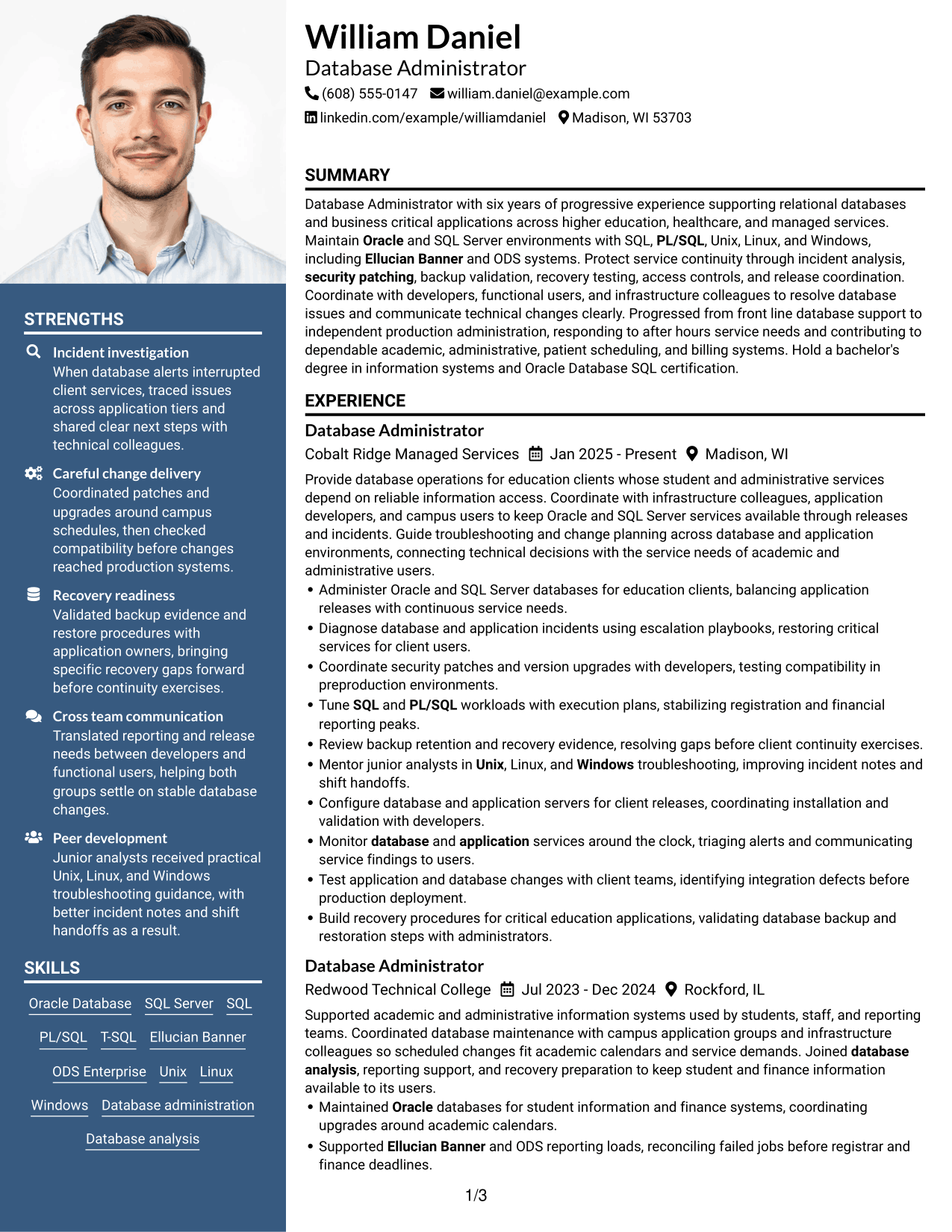
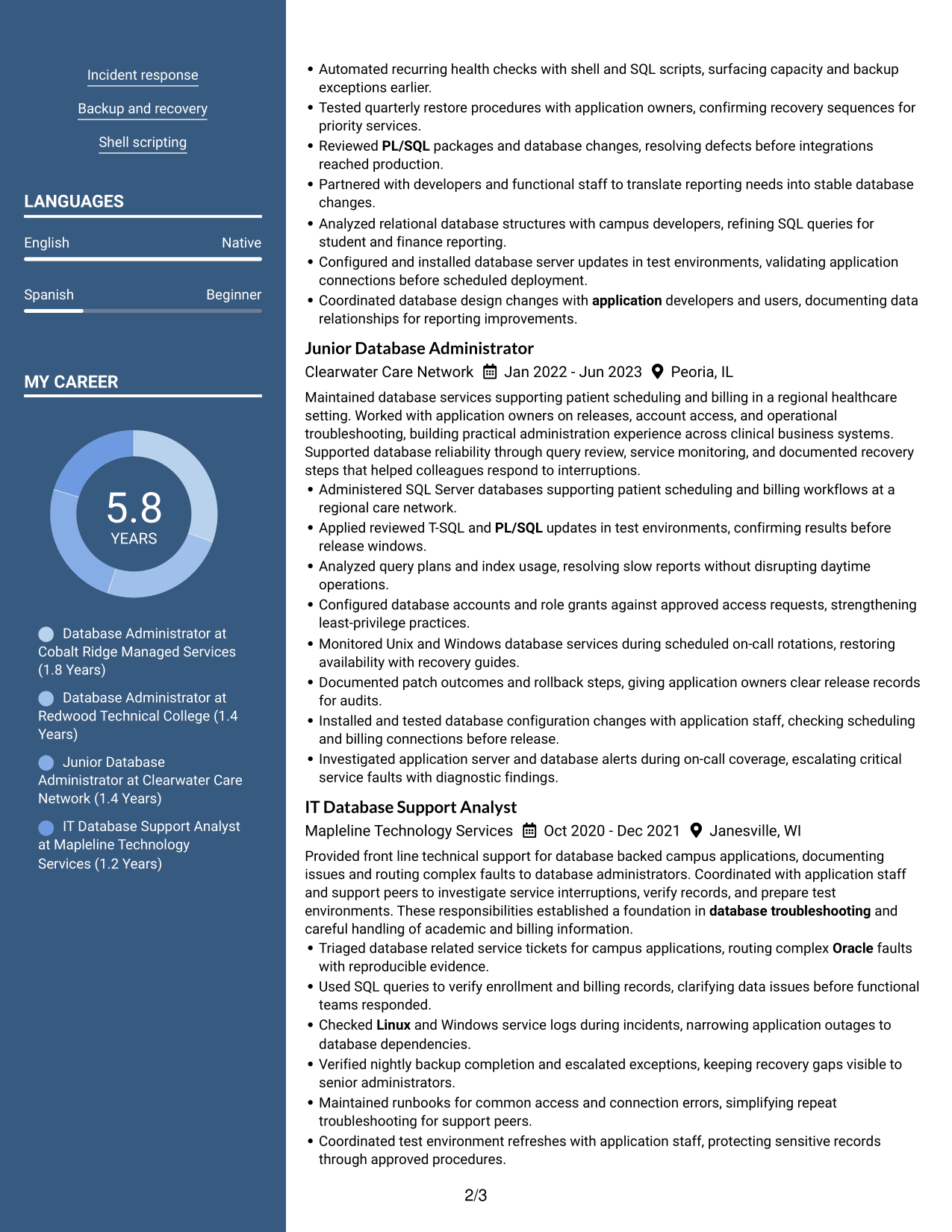
#6 Photo Header Two Column Format Resume Example
Photo Header Two Column Format combines a photo in the header with a two-column body, helping reviewers move between career history and supporting sections.
Why This Format Works
- Two columns let reviewers find skills and education alongside a clear career-history path.
- Grouped sections make projects and credentials easy to distinguish from work achievements.
- The header photo stays apart from resume details, so experience remains the focus of the body.
Best For
- Applications that request a header photo
- Two-column review of career and supporting details
- Resumes balancing photo presentation with detailed evidence
- Skills and education grouped beside experience
- Photo presentation with separate content areas
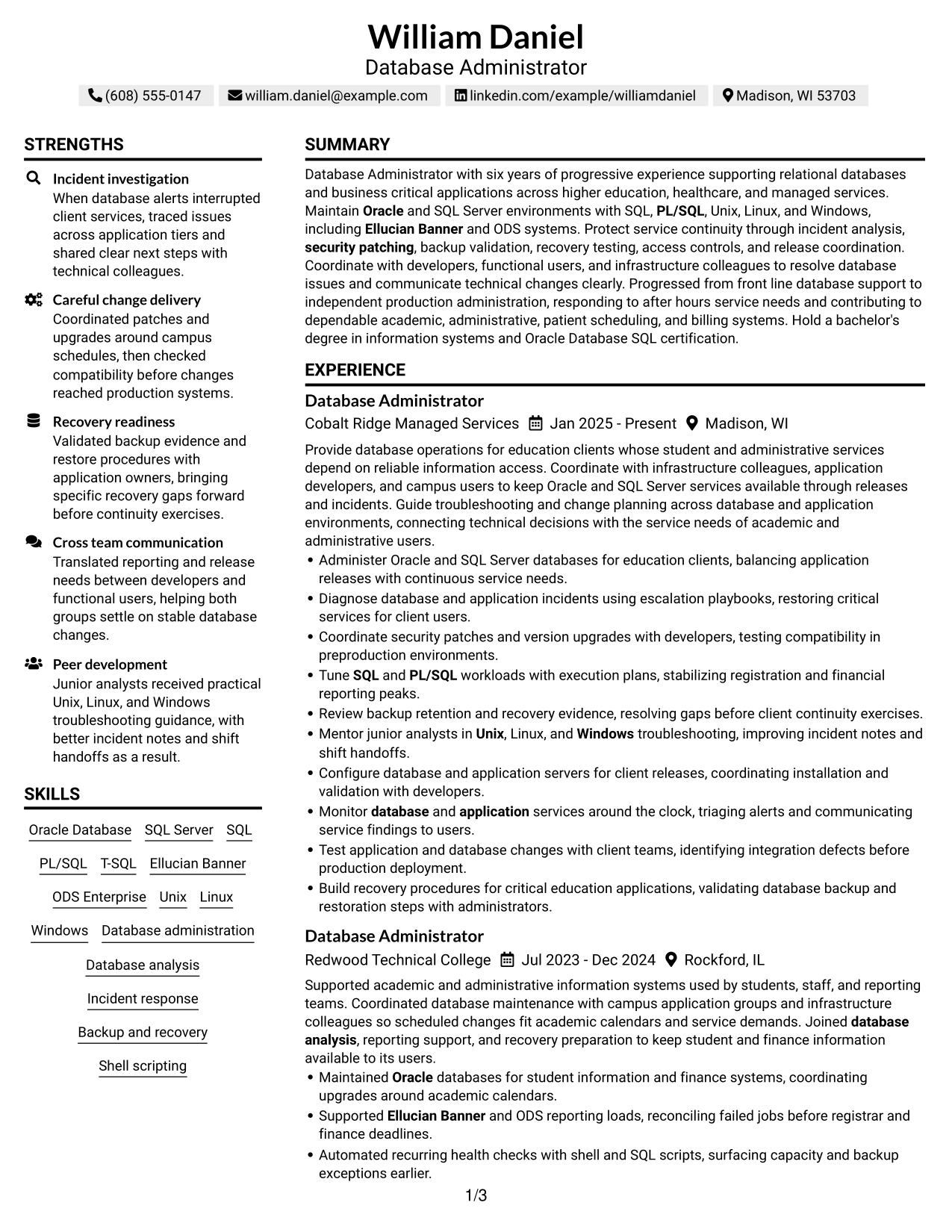
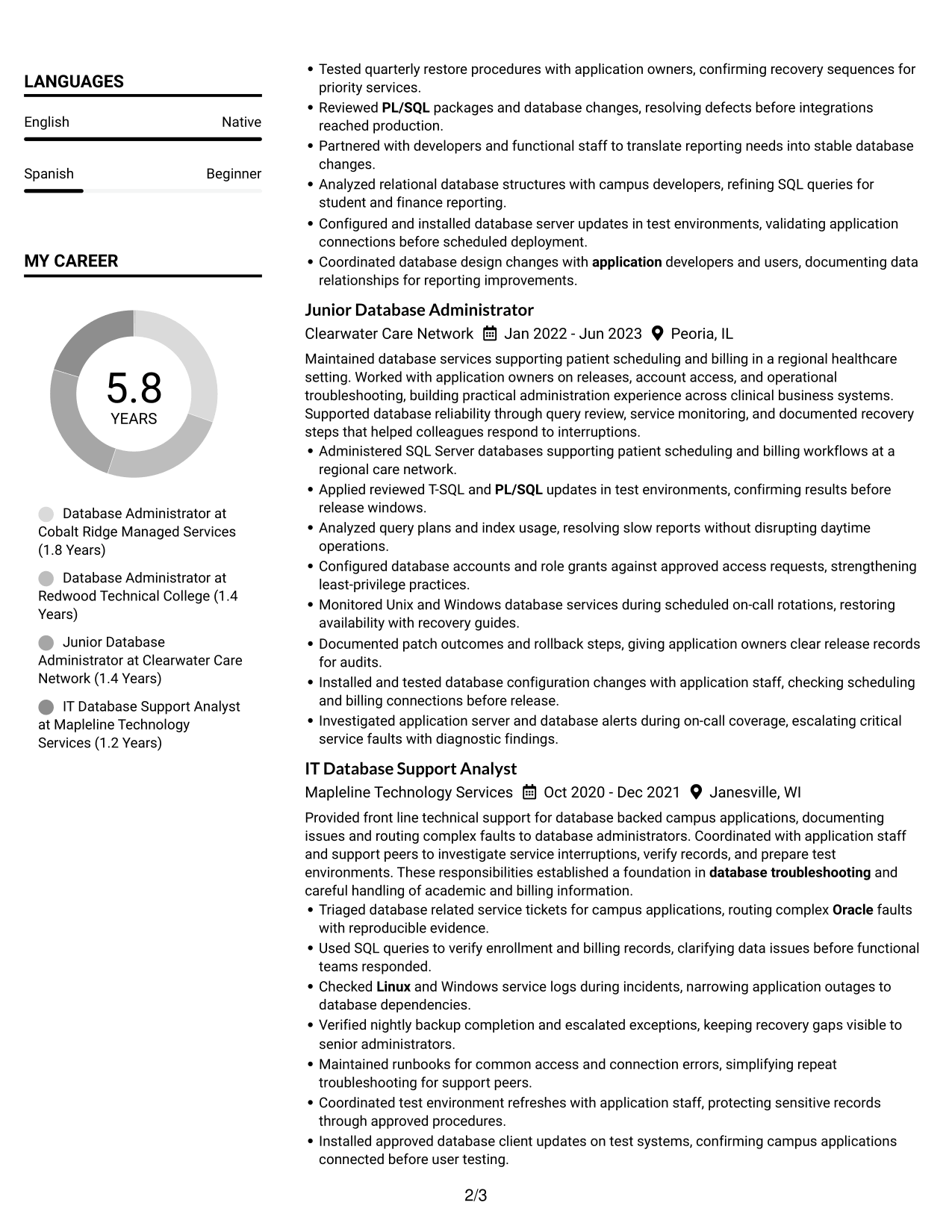
#7 Simple Two Column Format Resume Example
Simple Two Column Format places resume content in two clear areas, making it easier for reviewers to track career history and supporting sections.
Why This Format Works
- Distinct column groups help reviewers move between career history and supporting education details.
- Skills and credentials can be scanned as their own sections beside the work record.
- Visible section breaks help reviewers track projects and achievements across the two-column body.
Best For
- Resume sections needing clear visual grouping
- Side-by-side review of history and qualifications
- Career records with several supporting sections
- Fast scanning across distinct content groups
- Compact two-column reading needs
Why Build Your Database Administrator I - Oracle and SQL Server Resume with ResumeInMinutes
ResumeInMinutes helps you organize database experience, technical skills, education, and certifications in a resume that is easy to review and customize.
- Professional resume layouts
- ATS-friendly section structure
- Relevant keyword guidance
- Clear skills and experience sections
- Free PDF resume previews
- Resume customization support
Build a resume that presents your database platforms, operational work, projects, education, and certifications in a clear order. Keep each detail accurate and relevant to the Database Administrator I - Oracle and SQL Server role.
See Also
- 7 Oracle Database Architect Resume Templates with Example
- 7 Journey IT System Administrator - Microsoft 365 and Server Infrastructure Resume Templates with Example
- 7 Consultant - Databases Resume Templates with Example
- 7 Staff Platform Database Engineer Resume Templates with Example
- 7 Administrator for Program Integrity Resume Templates with Example
- 7 Atlassian Administrator (CMDB & Configuration Management) Resume Templates with Example
- 7 Branch Administrator Resume Templates with Example
- 7 Business Administrator Intermediate - Academic Finance and Research Administration Resume Templates with Example
- 7 Database Administrator I - Oracle and SQL Server Cover Letter Templates with Example
- 7 Journey IT System Administrator - Microsoft 365 and Server Infrastructure Cover Letter Templates with Example
Frequently Asked Questions
Are these Database Administrator I - Oracle and SQL Server resume templates ATS-friendly?
The resume examples use readable headings and clear sections. To support ATS review, use standard section names and include relevant terms such as Oracle, SQL Server, SQL, PL/SQL, Unix, Linux, Windows, backup and recovery, and database troubleshooting when they reflect your experience.
Are these different resumes or layouts of one example?
This guide shows one resume example in different layouts and design themes. The content offers a reference for how to organize role-related information.
What should a Database Administrator I - Oracle and SQL Server resume include?
Include a focused summary, relevant experience, technical skills, education, and certifications. Use concise bullets to show database analysis, incident response, patching, backup and recovery, access controls, and collaboration with application teams where relevant.
Can I download the resume templates as PDFs?
Yes. You can preview the resume styles and download a PDF to review the layout.
Which resume layout works well for this database administrator role?
A simple layout with clear headings and a logical section order makes experience and technical skills easier to scan. Keep the design readable and avoid placing key details in areas that may be missed by ATS software.
How can I show database experience clearly on my resume?
Write short bullet points that explain the task, the tools or systems used, and the result when you can support it. Examples may cover query tuning, tested recovery steps, incident response, or planned upgrades.
Should I include a photo on my resume?
Include a photo only if it is customary or expected in your country, region, or industry. For U.S. applications, a no-photo resume is generally the safer choice.
Can I customize these resume templates?
Yes. You can edit the resume text and adjust the layout and design to fit your background and the Database Administrator I - Oracle and SQL Server role.




