
US English


7 Enterprise Security Engineer - Vulnerability Management Resume Templates with Example
By Ria · Last Updated On October 16, 2026
Resume example — page 1

This guide shows you how to create an Enterprise Security Engineer - Vulnerability Management resume that is clear, focused, and easy to review. You will learn how to organize relevant evidence and choose a professional format for your resume.

Strong resumes for this role show how findings move from investigation to verified remediation. Use concise experience bullets to explain exposure assessment, zero-day response, emergency safeguards, asset data quality, and the business impact of security risks.

The example is presented in 7 resume layouts, so you can compare their page designs and section order. The guidance also covers ATS-friendly structure, relevant skills and tools, and ways to describe measurable outcomes.

What Makes a Great Enterprise Security Engineer - Vulnerability Management Resume in 2026

A strong resume for this role is easy to scan and connects security work to clear results. It uses focused sections and concise bullets to show investigation, risk decisions, and confirmed fixes.

Add evidence such as verified remediation, improved asset ownership, or fewer unassigned findings. Include relevant terms like vulnerability management, exposure assessment, API integrations, and AI-agent safeguards where they match your experience.

Note: Resume examples are for educational purposes only. Use only information that accurately reflects your experience and qualifications. References to real organizations do not imply affiliation or endorsement.

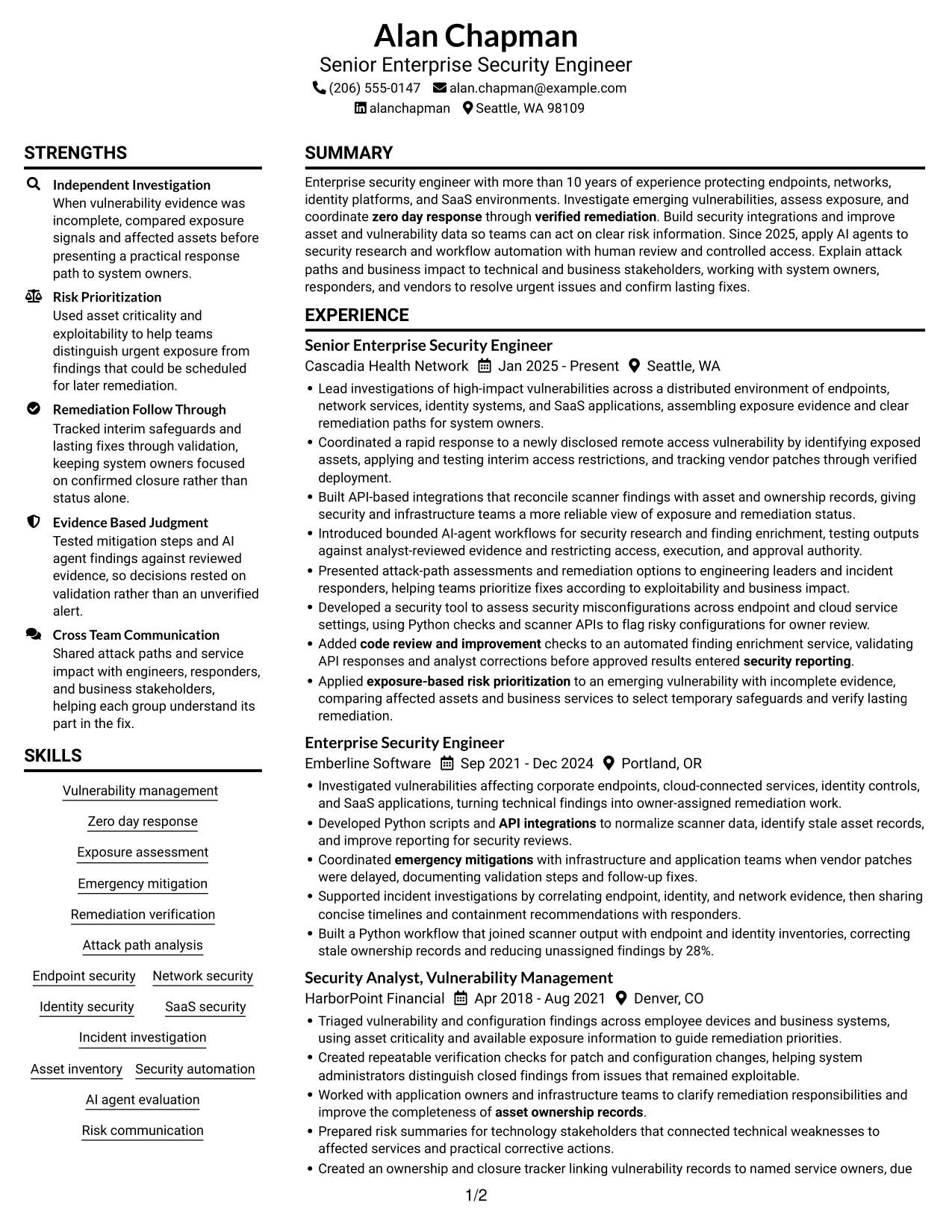
#1 Plain Two Column Format Resume Example

Plain Two Column Format places resume content in two columns, giving reviewers clear areas for experience and supporting sections.
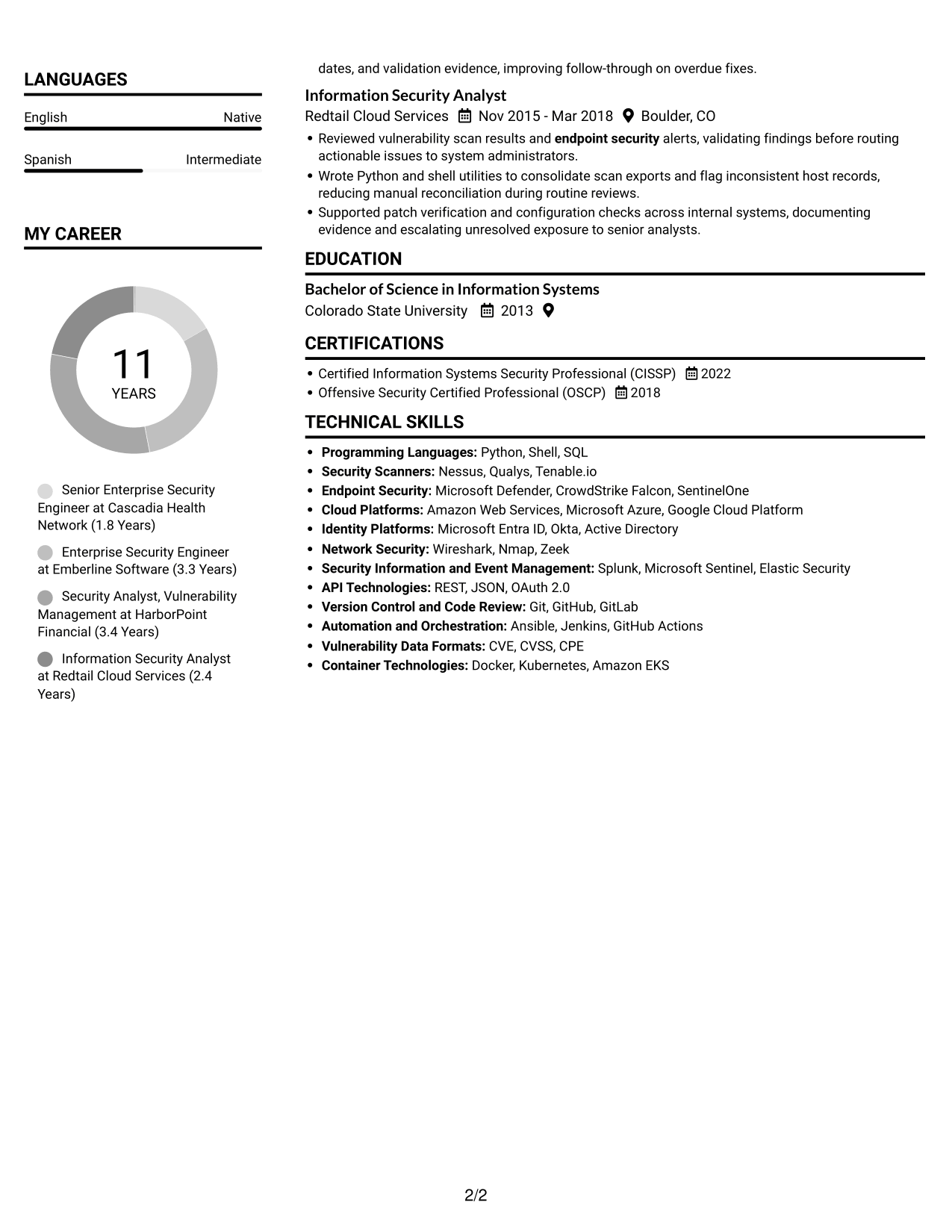
 
Resume example — page 1   Resume example — page 2

Resume Snapshot

  • 10+ years in enterprise security engineering
  • Vulnerability discovery, exposure prioritization, and zero-day response
  • API-driven workflows, asset data quality, and AI-agent controls
  • B.S. in Information Systems; CISSP and OSCP

Why This Format Works

  • Experience and supporting sections occupy two columns, helping reviewers compare key resume areas.
  • Career history follows a clear sequence that makes progression easy to track.
  • Skills, education, and certifications stay easy to locate within the resume.

Best For

  • Multi-section resumes with varied content
  • Work histories spanning several roles
  • Skills and credentials beside career history
  • Readers comparing experience and qualifications
  • Security resumes with detailed evidence

Resume Keywords

  • Vulnerability management
  • Zero day response
  • exposure-based risk prioritization
  • verified remediation
  • emergency mitigations
  • Attack path analysis
  • Endpoint security
  • Identity security
  • SaaS security
  • asset ownership records
  • security reporting
  • code review and improvement
  • API integrations
  • Security automation
  • Risk communication
 

#2 Simple One Column Format Resume Example

Simple One Column Format keeps all resume content in one column, creating a direct top-to-bottom path through each section.
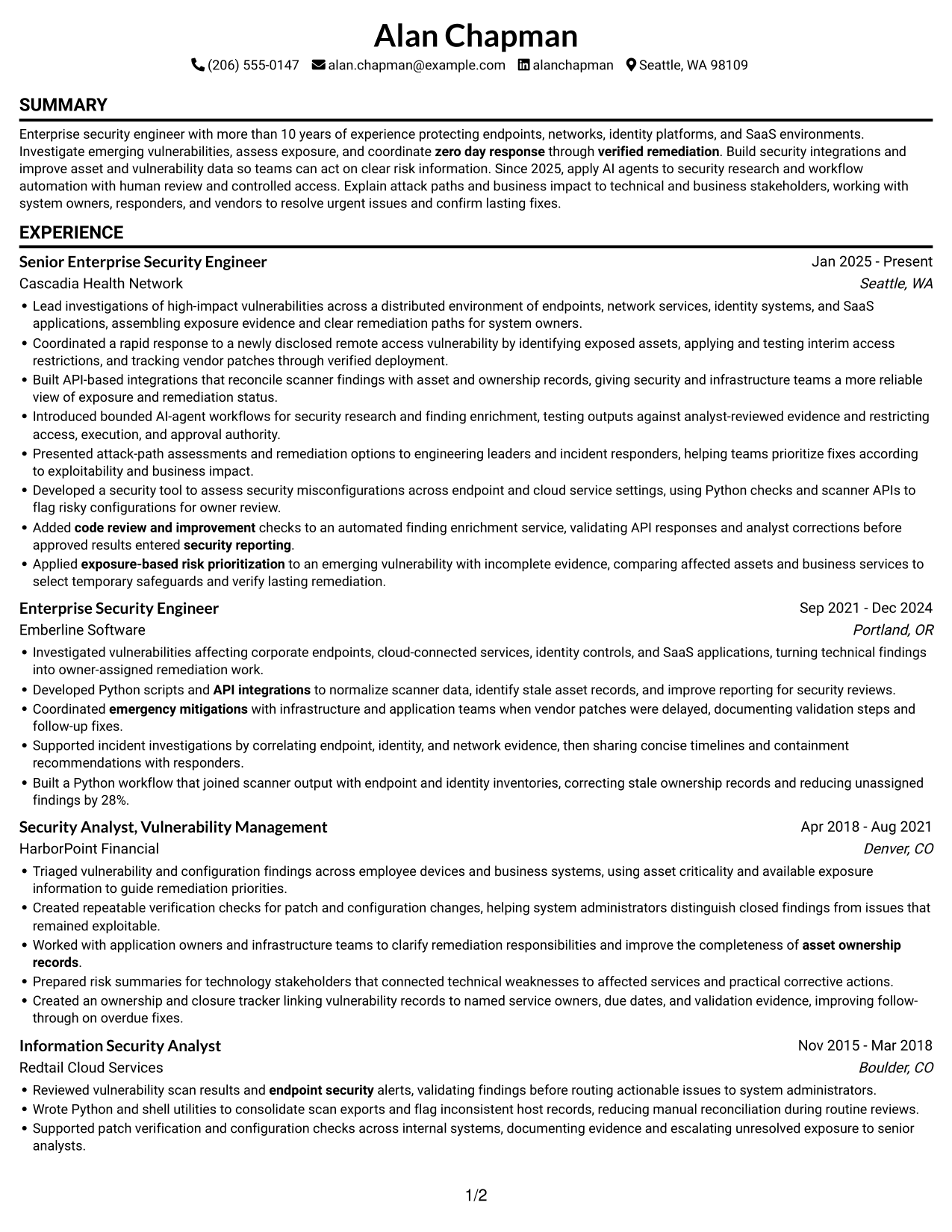
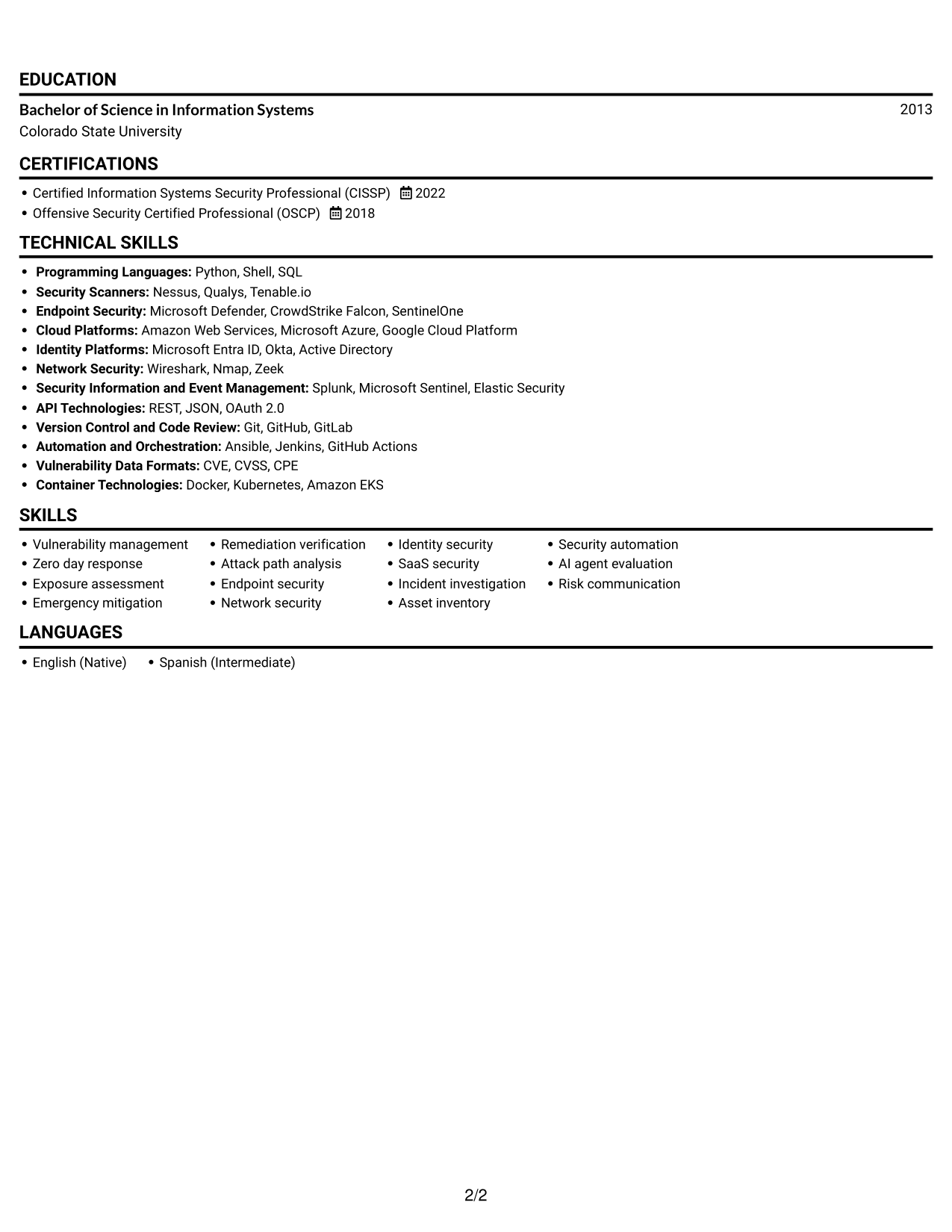
 
Resume example — page 1   Resume example — page 2

Why This Format Works

  • A single column gives career progression one clear path from role to role.
  • Experience bullets remain in a steady reading sequence for straightforward review.
  • Skills, education, and certifications fit into the same continuous document flow.

Best For

  • Top-to-bottom resume review
  • Chronological career histories
  • Detailed experience bullet points
  • Resumes with multiple sections
  • ATS-focused text organization
 

#3 Clean Two Column Sidebar Format Resume Example

Clean Two Column Sidebar Format uses two columns to keep the work history and supporting resume sections in distinct areas.
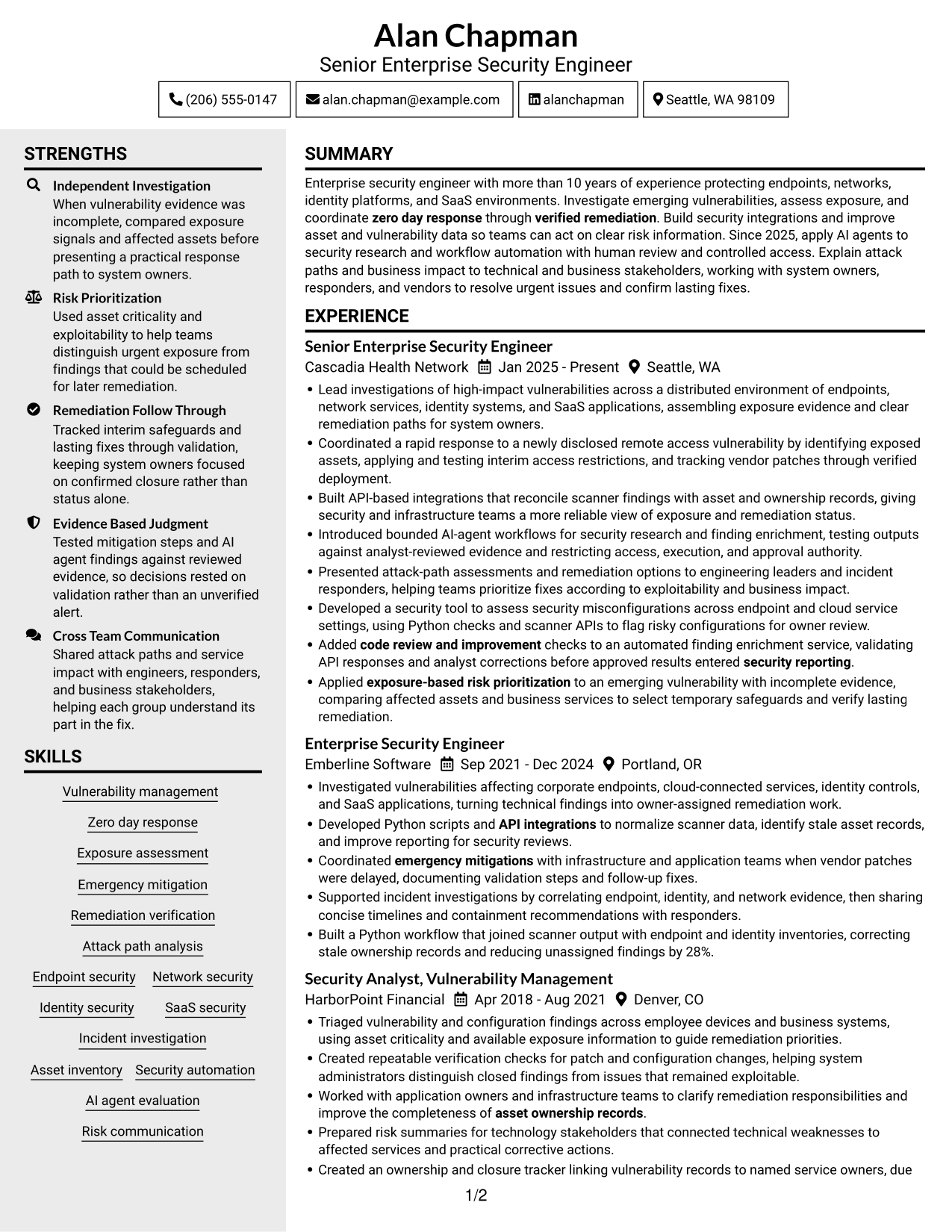
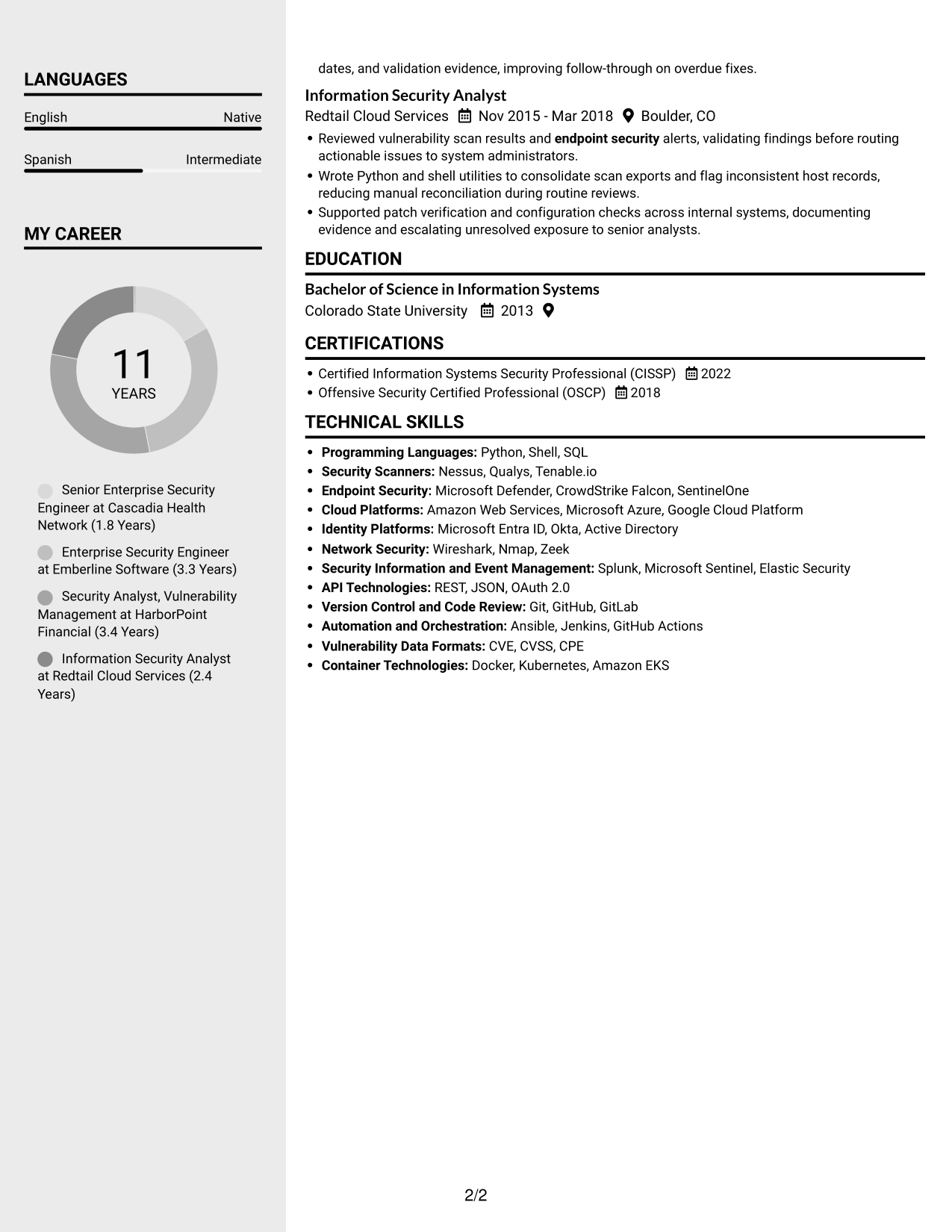
 
Resume example — page 1   Resume example — page 2

Why This Format Works

  • Two-column organization gives work history and supporting sections separate areas for review.
  • Readers can follow dated roles without shifting away from the main career sequence.
  • Skills and credentials remain distinct from the detailed work history.

Best For

  • Resumes balancing experience and supporting details
  • Quick access to skills and credentials
  • Career histories with several dated roles
  • Readers comparing multiple resume sections
  • Security work with detailed evidence
 

#4 Two Column Format Resume Example

Two Column Format groups resume content across two columns, helping reviewers move between experience and supporting information.
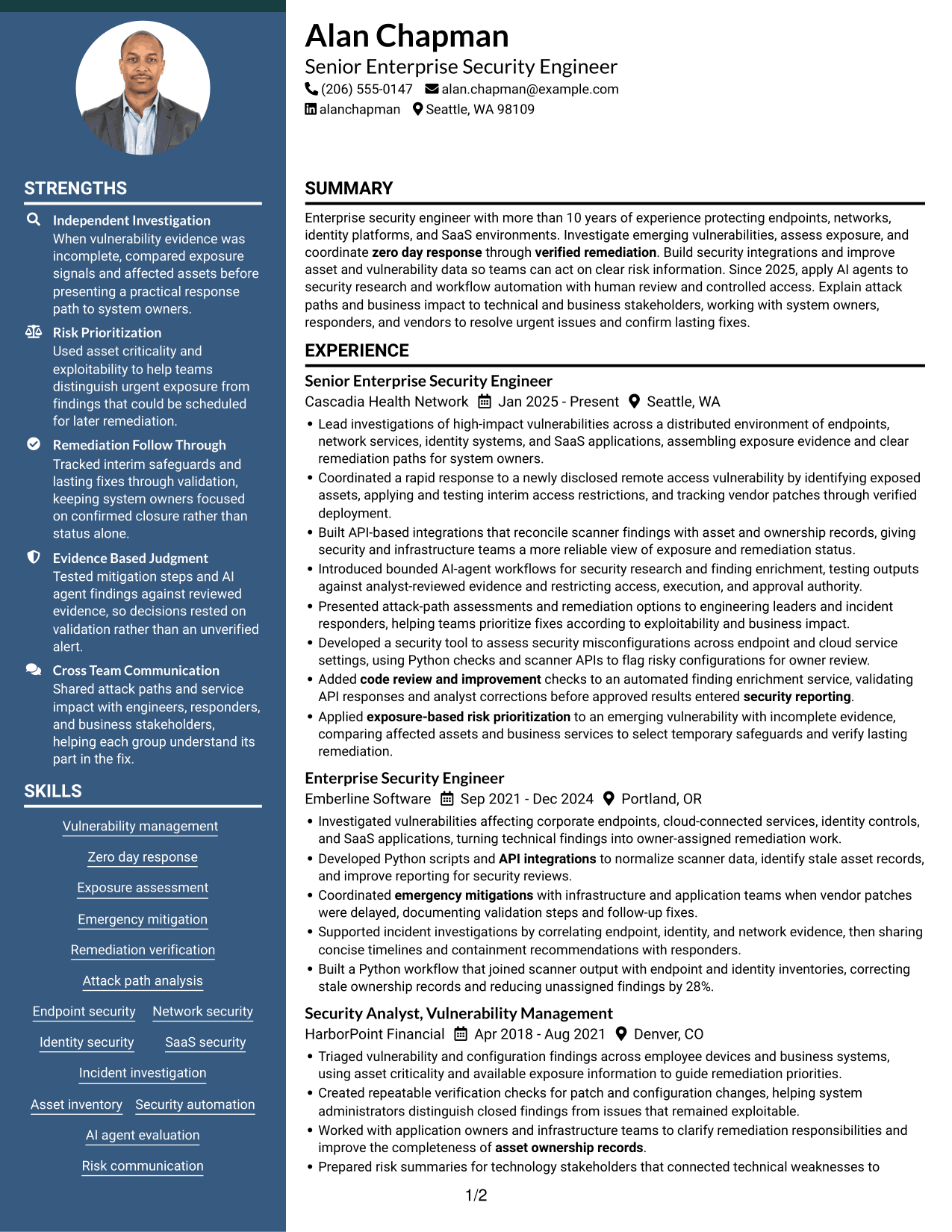
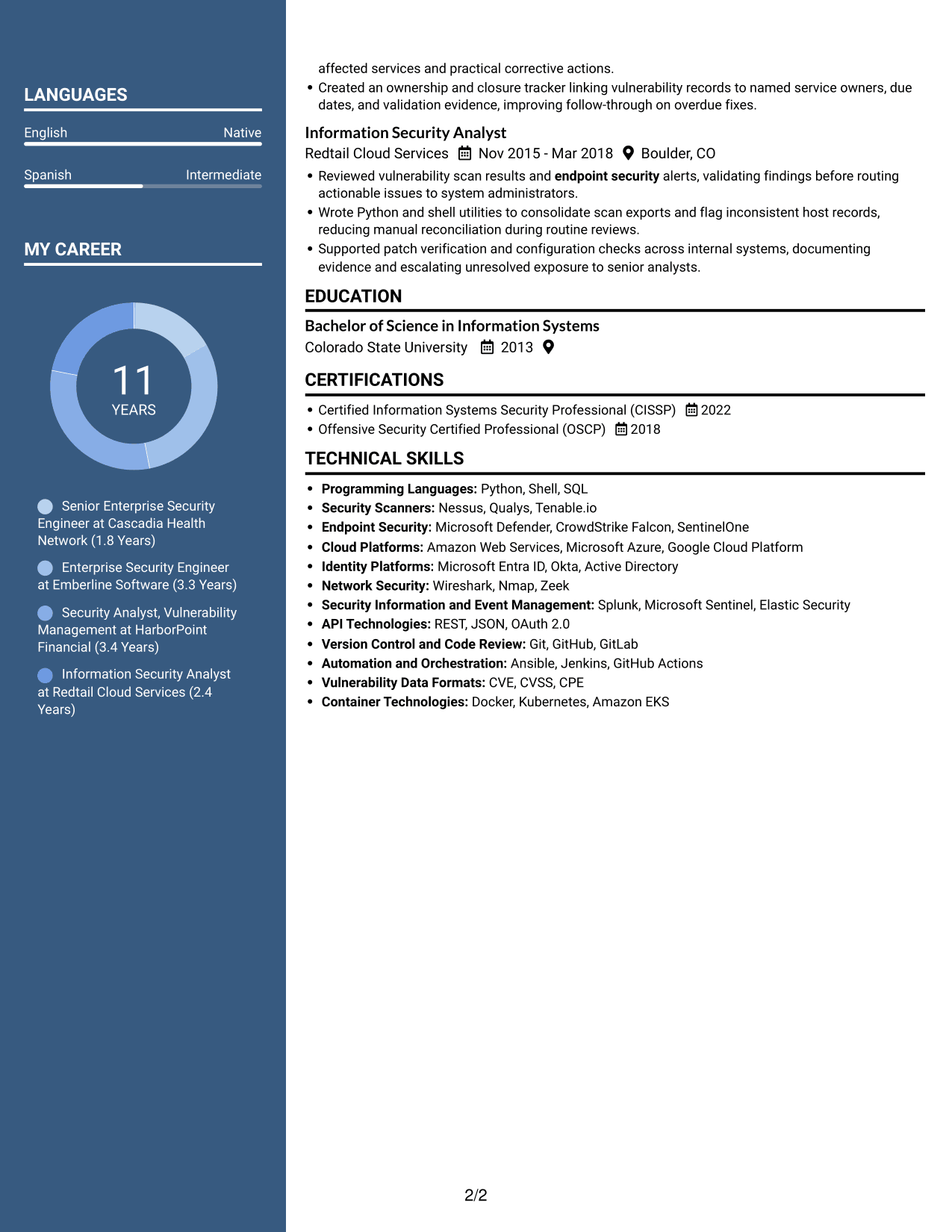
 
Resume example — page 1   Resume example — page 2

Why This Format Works

  • Two columns let reviewers move between experience and supporting information with clear reading order.
  • Work history can retain its chronological sequence while other resume sections stay accessible.
  • Skills and education are easier to find when sections have separate visual areas.

Best For

  • Parallel review of experience and qualifications
  • Resumes with separate content groups
  • Career histories needing clear sequence
  • Skills and education shown with work history
  • Detailed security experience


#5 Photo Header Two Column Format Resume Example

Photo Header Two Column Format combines a photo in the header with a two-column resume body for a personal visual touch and organized content.
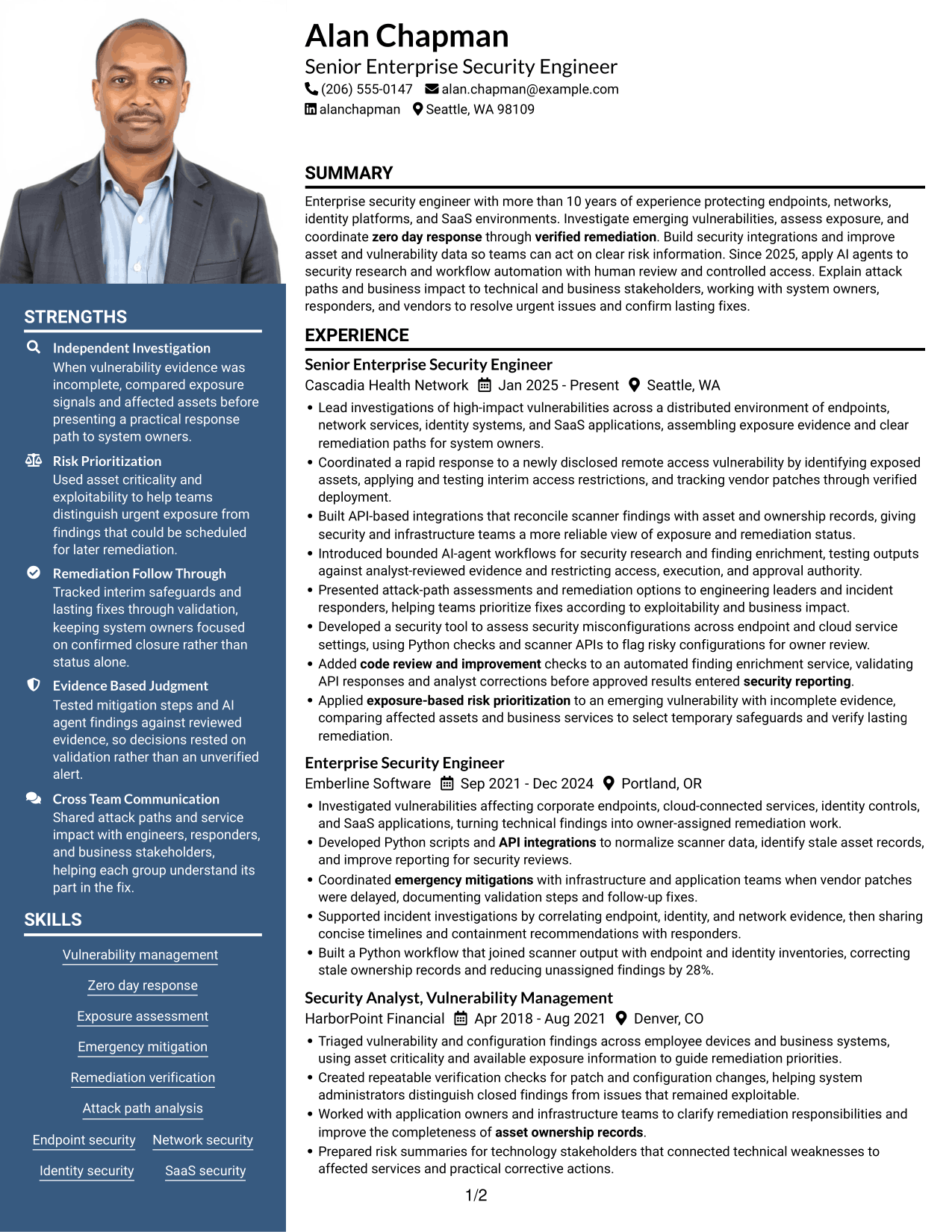
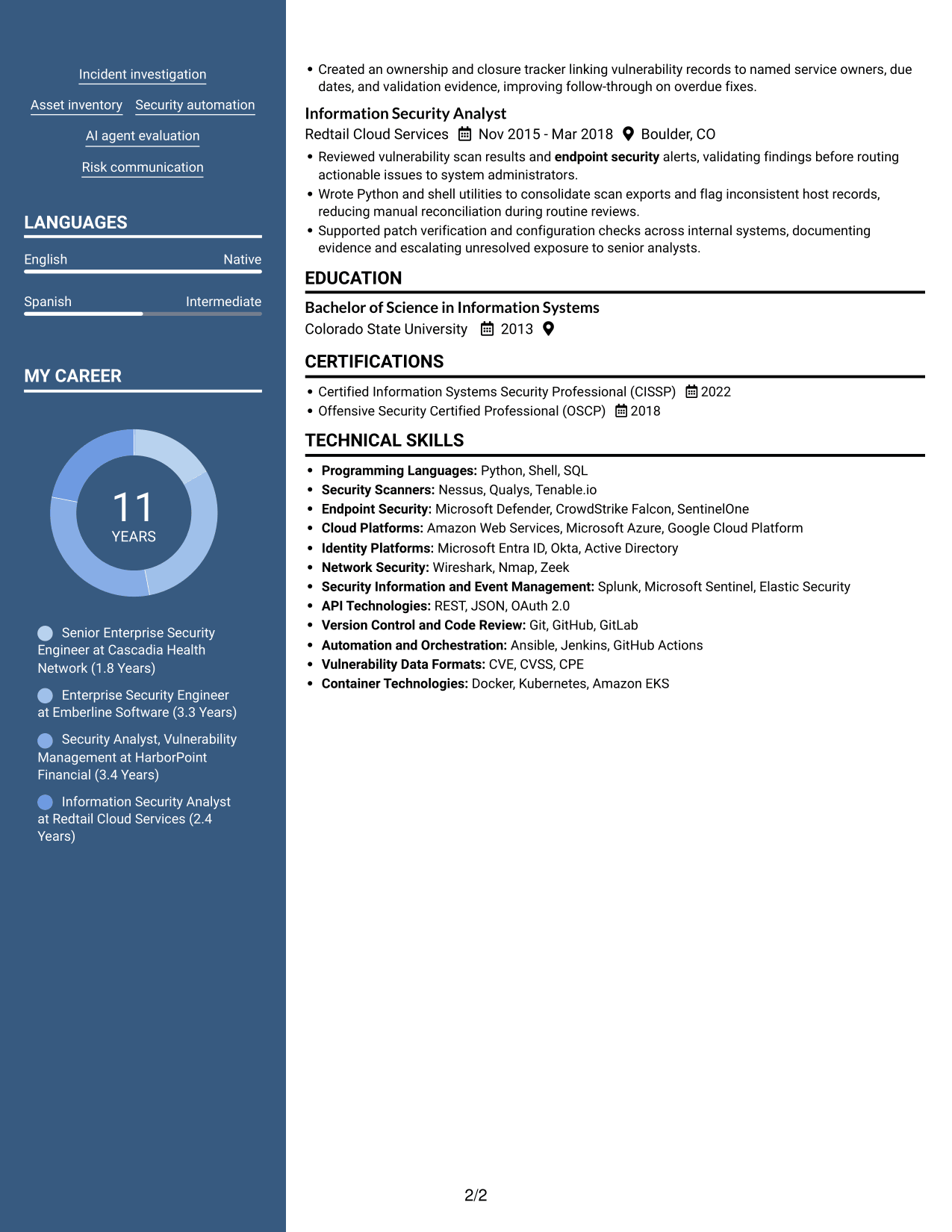
 
Resume example — page 1   Resume example — page 2

Why This Format Works

  • Two resume columns keep experience and supporting sections organized beneath the photo header.
  • Separate column areas help reviewers locate skills without interrupting the experience sequence.
  • Education and credentials remain easy to find apart from work history.

Best For

  • Photo presentation with structured content
  • Two-column resume organization
  • Career histories with supporting credentials
  • Experience and skill sections needing separation
  • Resumes where a portrait is useful
 

#6 Colored Two Column Format Resume Example

Colored Two Column Format organizes resume content in two columns, giving reviewers a direct way to move between experience and other sections.
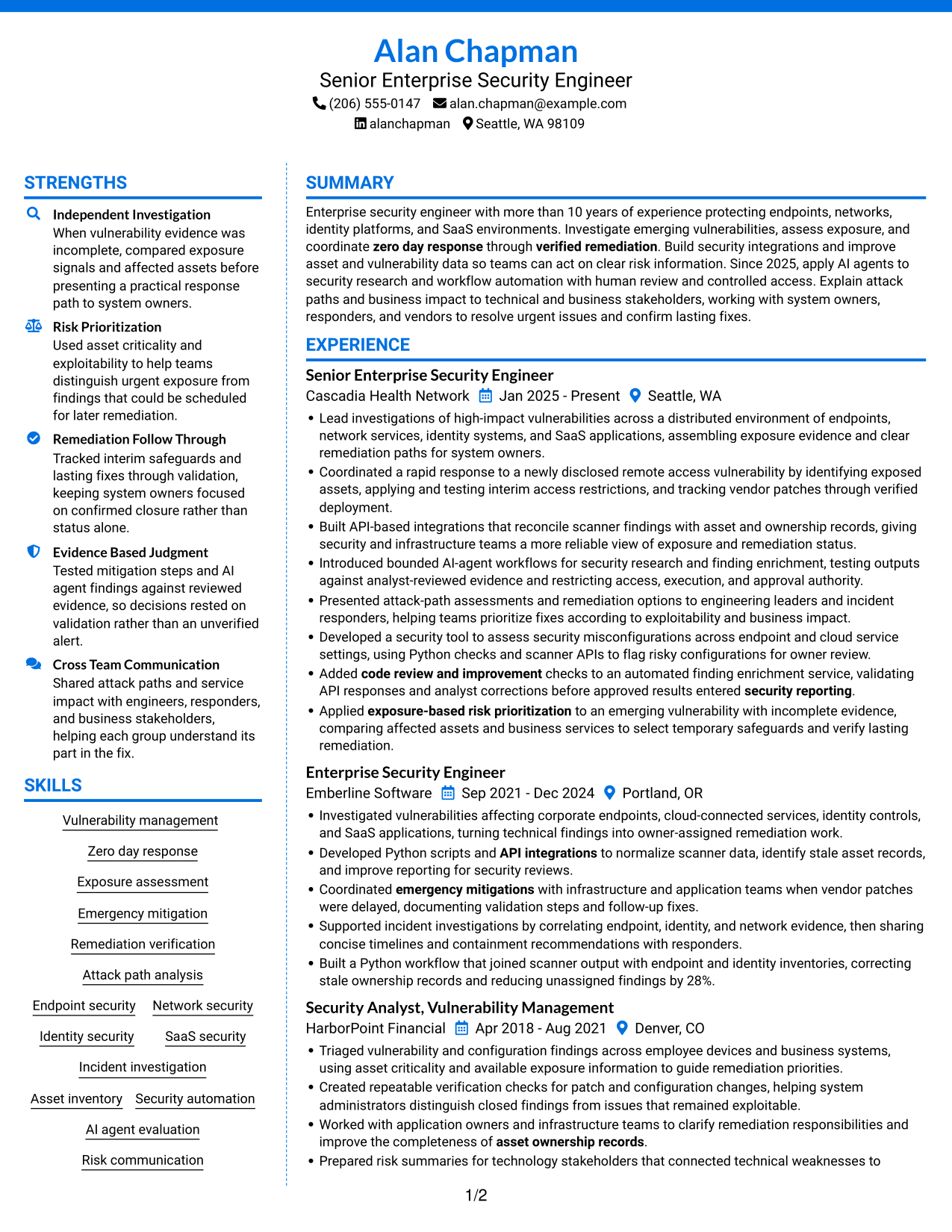
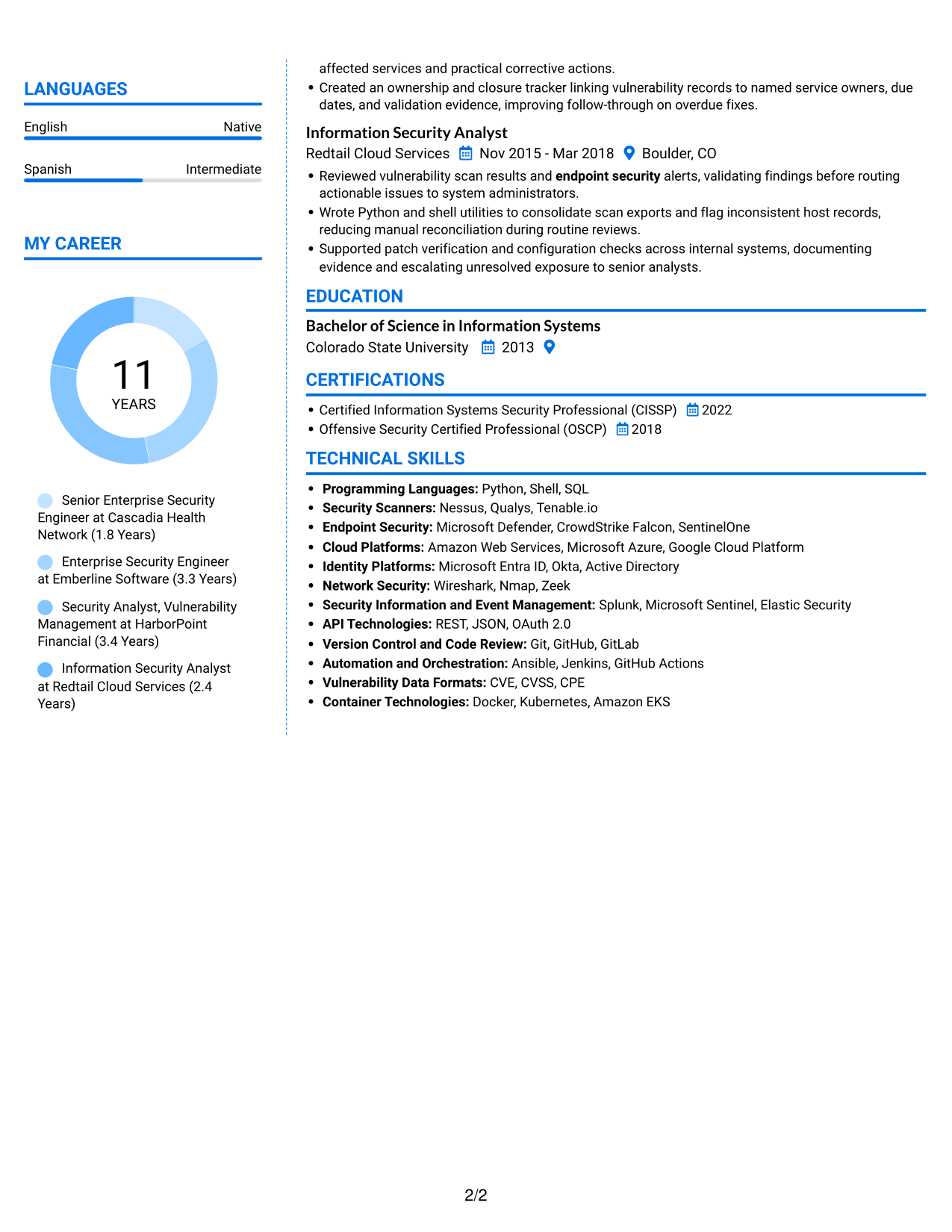
 
Resume example — page 1   Resume example — page 2

Why This Format Works

  • Two columns distinguish experience from supporting sections, giving the resume a clear reading order.
  • Career history remains easier to follow when dated roles share a consistent sequence.
  • Skills and certifications can be found separately from experience details.

Best For

  • Resumes with distinct content groups
  • Career histories with dated roles
  • Separate access to skills and certifications
  • Reviewers comparing work history and education
  • Detailed vulnerability management experience
 

#7 Stylish Two Column Designer Format Resume Example

Stylish Two Column Designer Format arranges the resume in two columns, giving reviewers a clear way to scan career history and supporting information.
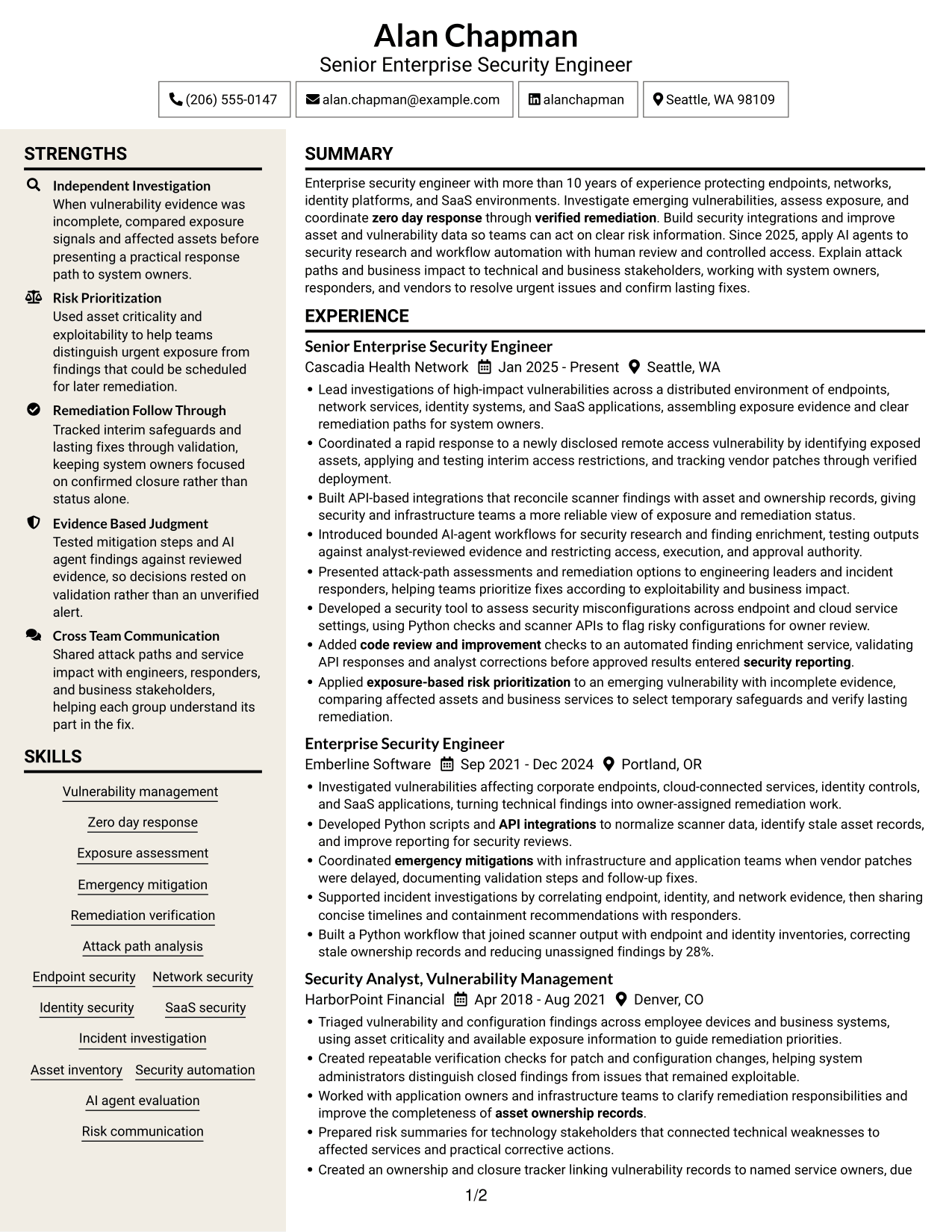
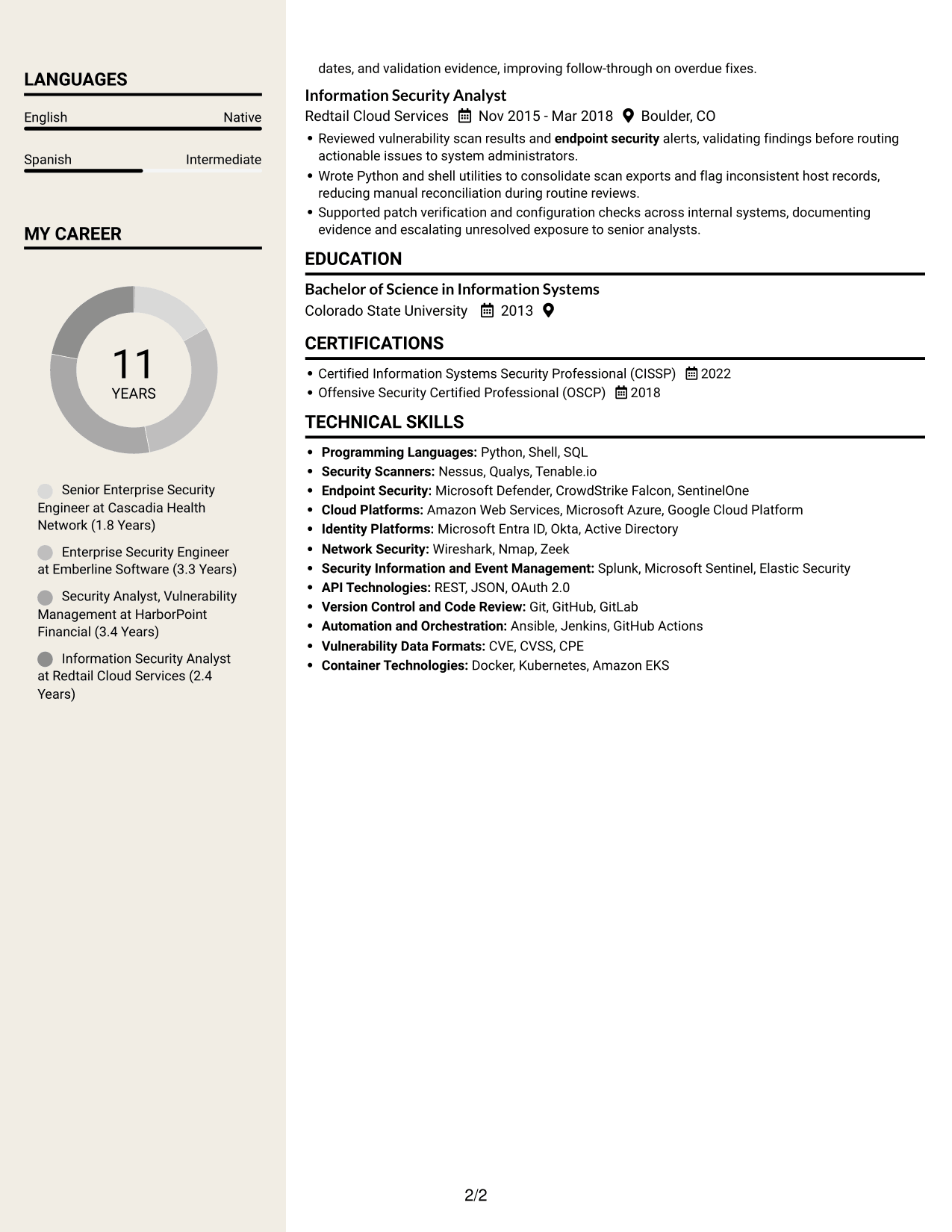
 
Resume example — page 1   Resume example — page 2

Why This Format Works

  • Two columns give work history and supporting sections clear, separate reading areas.
  • Reviewers can follow career progression without losing sight of skills and credentials.
  • Experience, education, and certifications each remain findable within the resume structure.

Best For

  • Work history with supporting details
  • Career progression and skills in view
  • Resumes with several content sections
  • Quick review of education and certifications
  • Security experience with detailed evidence


Why Build Your Enterprise Security Engineer - Vulnerability Management Resume with ResumeInMinutes

ResumeInMinutes provides a clear way to review resume layouts and open an example in the editor. Use the structure to present security experience, technical skills, tools, education, and certifications in a readable format.

  • Professional resume layouts
  • Clear resume section structure
  • Role-focused keyword guidance
  • Organized experience and skills
  • PNG image previews
  • Examples you can open in the editor

Choose a layout that supports quick review, then tailor your resume with accurate details about your vulnerability investigations, tools, decisions, and results.


See Also


Frequently Asked Questions

Are these Enterprise Security Engineer - Vulnerability Management resume templates ATS-friendly?

The examples use clear headings and organized sections to support scanning and ATS parsing. Match keywords such as vulnerability management, exposure assessment, and remediation verification to your own experience.

Are these separate resume examples?

This guide shows one resume example in different layouts. Compare the image previews to see how the same content can appear with different section arrangements.

What should an Enterprise Security Engineer - Vulnerability Management resume include?

Include a focused summary, relevant work experience, technical skills, education, and certifications. Use bullets to explain vulnerability investigation, exposure-based prioritization, emergency mitigations, API integrations, and verified fixes when these reflect your work.

Which resume layout works well for this role?

Choose a layout with readable headings, a clear experience section, and enough space for technical skills and measurable results. A simple structure can make important security evidence easier to find.

How can I show the impact of vulnerability management work?

Describe the risk or issue, the action you took, and the outcome. Where you have reliable measures, include results such as faster verification, improved ownership records, or fewer unassigned findings.

Should I include a photo on my resume?

For U.S. applications, a resume without a photo is usually the safer choice. Use the space for relevant skills, experience, certifications, or measurable results instead.


ATS Score 86%

How we calculate this score

  • Keywords: 60% of the total. AI extracts keywords from your job description. If you do not provide one, a standard job description for the title matching your resume is used. This is not a match to a specific vacancy.
  • Text-based resume: 20%. The text resume assessed here receives 100 for this part.
  • Resume quality: 20%. We start at 100 and subtract points for issues found by our resume checks, down to a minimum of zero.
  • Keyword coverage = 100 × (confirmed matches + 0.8 × possible matches) ÷ total keywords, rounded and capped at 100. Possible matches still need checking. Saved generation audits use their saved keyword percentage.
  • Final score = 60% of keyword coverage + 20% of the text score + 20% of the quality score, rounded to a whole number. Without keywords, no overall ATS score is available.

What this score means

Our scores are estimates, not employer ratings. They may contain errors and do not guarantee accurate parsing, a ranking, an interview, or a job. Check your document against the employer’s requirements. You are responsible for relying on this score.

Terms and Conditions

Score weights: Keywords 60% · Text based resume 20% · Resume quality 20%

Keywords: 15 matched + 10 possible of 30 (77%) · Resume quality: 100%

Resume quality 100% · Weight 20% · Issues (0)

Details
  • ✓Name present: Alan Chapman
  • ✓Email format: alan.chapman@example.com
  • ✓Phone format: (206) 555-0147
  • ✓Experience 1: Job title: Senior Enterprise Security Engineer
  • ✓Experience 1: Company name: Cascadia Health Network
  • ✓Experience 1: Work location: Seattle, WA
  • ✓Experience 1: Employment dates: Jan 2025 - Present
  • ✓Experience 1: Description or achievements: Present
  • ✓Experience 2: Job title: Enterprise Security Engineer
  • ✓Experience 2: Company name: Emberline Software
  • ✓Experience 2: Work location: Portland, OR
  • ✓Experience 2: Employment dates: Sep 2021 - Dec 2024
  • ✓Experience 2: Description or achievements: Present
  • ✓Experience 3: Job title: Security Analyst, Vulnerability Management
  • ✓Experience 3: Company name: HarborPoint Financial
  • ✓Experience 3: Work location: Denver, CO
  • ✓Experience 3: Employment dates: Apr 2018 - Aug 2021
  • ✓Experience 3: Description or achievements: Present
  • ✓Experience 4: Job title: Information Security Analyst
  • ✓Experience 4: Company name: Redtail Cloud Services
  • ✓Experience 4: Work location: Boulder, CO
  • ✓Experience 4: Employment dates: Nov 2015 - Mar 2018
  • ✓Experience 4: Description or achievements: Present
  • ✓No placeholder fields
  • ✓No repeated achievement bullets
  • ✓No empty bullets

No issues found by the current checks.

Text Based Resume 100% · Weight 20%

Parsed text
Alan Chapman
Senior Enterprise Security Engineer
(206) 555-0147
alanchapman
alan.chapman@example.com
Seattle, WA 98109
STRENGTHS
Independent Investigation
When vulnerability evidence was incomplete, compared exposure signals and affected assets before presenting a practical response path to system owners.
Risk Prioritization
Used asset criticality and exploitability to help teams distinguish urgent exposure from findings that could be scheduled for later remediation.
Remediation Follow Through
Tracked interim safeguards and lasting fixes through validation, keeping system owners focused on confirmed closure rather than status alone.
Evidence Based Judgment
Tested mitigation steps and AI agent findings against reviewed evidence, so decisions rested on validation rather than an unverified alert.
Cross Team Communication
Shared attack paths and service impact with engineers, responders, and business stakeholders, helping each group understand its part in the fix.
SUMMARY
Enterprise security engineer with more than 10 years of experience protecting endpoints, networks, identity platforms, and SaaS environments. Investigate emerging vulnerabilities, assess exposure, and coordinate zero day response through verified remediation. Build security integrations and improve asset and vulnerability data so teams can act on clear risk information. Since 2025, apply AI agents to security research and workflow automation with human review and controlled access. Explain attack paths and business impact to technical and business stakeholders, working with system owners, responders, and vendors to resolve urgent issues and confirm lasting fixes.
EXPERIENCE
Senior Enterprise Security Engineer
Cascadia Health Network
Jan 2025 - Present
Seattle, WA
Lead investigations of high-impact vulnerabilities across a distributed environment of endpoints, network services, identity systems, and SaaS applications, assembling exposure evidence and clear remediation paths for system owners.
Coordinated a rapid response to a newly disclosed remote access vulnerability by identifying exposed assets, applying and testing interim access restrictions, and tracking vendor patches through verified deployment.
Built API-based integrations that reconcile scanner findings with asset and ownership records, giving security and infrastructure teams a more reliable view of exposure and remediation status.
Introduced bounded AI-agent workflows for security research and finding enrichment, testing outputs against analyst-reviewed evidence and restricting access, execution, and approval authority.
Presented attack-path assessments and remediation options to engineering leaders and incident responders, helping teams prioritize fixes according to exploitability and business impact.
Developed a security tool to assess security misconfigurations across endpoint and cloud service settings, using Python checks and scanner APIs to flag risky configurations for owner review.
Added code review and improvement checks to an automated finding enrichment service, validating API responses and analyst corrections before approved results entered security reporting.
Applied exposure-based risk prioritization to an emerging vulnerability with incomplete evidence, comparing affected assets and business services to select temporary safeguards and verify lasting remediation.
Enterprise Security Engineer
Emberline Software
Sep 2021 - Dec 2024
Portland, OR
Investigated vulnerabilities affecting corporate endpoints, cloud-connected services, identity controls, and SaaS applications, turning technical findings into owner-assigned remediation work.
Developed Python scripts and API integrations to normalize scanner data, identify stale asset records, and improve reporting for security reviews.
Coordinated emergency mitigations with infrastructure and application teams when vendor patches were delayed, documenting validation steps and follow-up fixes.
Supported incident investigations by correlating endpoint, identity, and network evidence, then sharing concise timelines and containment recommendations with responders.
Built a Python workflow that joined scanner output with endpoint and identity inventories, correcting stale ownership records and reducing unassigned findings by 28%.
Security Analyst, Vulnerability Management
HarborPoint Financial
Apr 2018 - Aug 2021
Denver, CO
Triaged vulnerability and configuration findings across employee devices and business systems, using asset criticality and available exposure information to guide remediation priorities.
Created repeatable verification checks for patch and configuration changes, helping system administrators distinguish closed findings from issues that remained exploitable.
Worked with application owners and infrastructure teams to clarify remediation responsibilities and improve the completeness of asset ownership records.
Prepared risk summaries for technology stakeholders that connected technical weaknesses to affected services and practical corrective actions.
Created an ownership and closure tracker linking vulnerability records to named service owners, due dates, and validation evidence, improving follow-through on overdue fixes.
Information Security Analyst
Redtail Cloud Services
Nov 2015 - Mar 2018
Boulder, CO
Reviewed vulnerability scan results and endpoint security alerts, validating findings before routing actionable issues to system administrators.
Wrote Python and shell utilities to consolidate scan exports and flag inconsistent host records, reducing manual reconciliation during routine reviews.
Supported patch verification and configuration checks across internal systems, documenting evidence and escalating unresolved exposure to senior analysts.
SKILLS
Asset inventory
Endpoint security
Identity security
Vulnerability management
Remediation verification
Exposure assessment
Emergency mitigation
Incident investigation
Risk communication
Attack path analysis
AI agent evaluation
Zero day response
Security automation
Network security
SaaS security
LANGUAGES
English
Native
Spanish
Intermediate
MY CAREER
11Years
Senior Enterprise Security Engineer at Cascadia Health Network (1.8 Years)
Enterprise Security Engineer at Emberline Software (3.3 Years)
Security Analyst, Vulnerability Management at HarborPoint Financial (3.4 Years)
Information Security Analyst at Redtail Cloud Services (2.4 Years)
EDUCATION
Bachelor of Science in Information Systems
Colorado State University
2013
CERTIFICATIONS
Certified Information Systems Security Professional (CISSP)
2022
Offensive Security Certified Professional (OSCP)
2018
TECHNICAL SKILLS
Programming Languages: Python, Shell, SQL
Security Scanners: Nessus, Qualys, Tenable.io
Endpoint Security: Microsoft Defender, CrowdStrike Falcon, SentinelOne
Cloud Platforms: Amazon Web Services, Microsoft Azure, Google Cloud Platform
Identity Platforms: Microsoft Entra ID, Okta, Active Directory
Network Security: Wireshark, Nmap, Zeek
Security Information and Event Management: Splunk, Microsoft Sentinel, Elastic Security
API Technologies: REST, JSON, OAuth 2.0
Version Control and Code Review: Git, GitHub, GitLab
Automation and Orchestration: Ansible, Jenkins, GitHub Actions
Vulnerability Data Formats: CVE, CVSS, CPE
Container Technologies: Docker, Kubernetes, Amazon EKS

Matched keywords (15)

  • Vulnerability management
  • Zero day response
  • exposure-based risk prioritization
  • verified remediation
  • emergency mitigationsOriginal keyword in JD: Emergency mitigation
  • Attack path analysis
  • Endpoint security
  • Identity security
  • SaaS security
  • asset ownership records
  • security reporting
  • code review and improvement
  • API integrationsOriginal keyword in JD: API integration
  • Security automation
  • Risk communication

Missing keywords (5)

  • Security misconfiguration assessment
  • Asset visibility
  • Cross-functional collaboration
  • Vendor coordination
  • Security judgment under ambiguity

Possible matches (10)

  • Emerging vulnerability investigation80% credit: 2.67 percentage points of 3.33 possible.
  • Enterprise network security80% credit: 2.67 percentage points of 3.33 possible.
  • Security incident investigation80% credit: 2.67 percentage points of 3.33 possible.
  • Vulnerability data quality80% credit: 2.67 percentage points of 3.33 possible.
  • Security tool development80% credit: 2.67 percentage points of 3.33 possible.
  • AI agent implementation80% credit: 2.67 percentage points of 3.33 possible.
  • AI agent output evaluation80% credit: 2.67 percentage points of 3.33 possible.
  • Agent access and execution safeguards80% credit: 2.67 percentage points of 3.33 possible.
  • Business impact assessment80% credit: 2.67 percentage points of 3.33 possible.
  • Remediation ownership and closure80% credit: 2.67 percentage points of 3.33 possible.
Disclaimer: All names, images, contact information, employment histories, achievements, security clearances, military credentials, and other qualifications shown in this content are fictional and used for illustrative purposes only. Any resemblance to actual persons, living or deceased, is purely coincidental.

Resume and cover-letter examples and recommendations in this article reflect general best practices and professional experience and are provided for guidance only. Results may vary based on role, industry, region, and hiring organization.

Content Accuracy and Verification: To the fullest extent permitted by applicable law, we do not represent or warrant that resume or cover-letter guidance, examples, recommendations, or related information are accurate, complete, current, error-free, or suitable for any particular purpose. You are responsible for independently reviewing and verifying the information before relying on it.

ATS and Cover-Letter Scores: ATS scores are estimates calculated using our own formula, informed by publicly available guidance on resume formatting and keyword matching. They are not scores issued or endorsed by an ATS provider or employer. Cover-letter scores are also our own assessments. Parsing, weighting, screening criteria, and results vary between systems, employers, job descriptions, and document formats. No score guarantees successful parsing, a particular ranking, an interview, or employment. Use scores as general guidance and independently check your documents against the employer’s requirements. To the fullest extent permitted by applicable law, we accept no liability for errors in scores or parsing, or losses arising from reliance on these assessments. Nothing in this notice excludes liability or limits consumer rights that cannot lawfully be excluded or limited.

Terms and Conditions
 
> JP 1 1
PDF Footer and Margins Setup
The margins are applied to the document, and the footer shows up in the preview and the PDF

Footer Font Settings

Are you applying for a specific job
so we can tailor your resume to it?
Are you applying for a specific job
so we can tailor your cover letter to it?

Your data stays private and is never used for training.Privacy Policy

Type your details as text to generate a personalized resume Type your details as text to generate a personalized cover letter
Website link found! Ready to create resume from:

Your data stays private and is never used for training.Privacy Policy

Drag the into the box to verify you're human.
Drop here

My Resumes

Displaying {number_of_files} files (out of {total_of_all_files} total)
Name File Type Last Modified: Description:

Rename File

Filename already exists!

Delete Files

Warning: This action is irreversible. Once you click submit, the files will be permanently deleted.

Heading text
Upload From Computer Upload
Select From Existing
LinkedIn
Drag & Drop files anywhere in this tab, or

Uploaded Files

Delete Name Last Updated Use This File
Select this to use the file for generating your resume and cover letter. Only one source—uploaded file, selected file, or LinkedIn text—can be used.

My Files

Resumes or cover letters you create will appear here. No files available yet.
Delete Name Last Updated Use This File
Select this to use the file for generating your resume and cover letter. Only one source—uploaded file, selected file, or LinkedIn text—can be used.

Add LinkedIn Profile PDF

You can download your LinkedIn profile as a PDF by opening linkedin.com in a web browser, clicking your profile photo, selecting the “More” or “Resources” button, and choosing “Save to PDF.” You can then attach the PDF using the Upload From Computer tab.

Paste Your LinkedIn Profile Text

If you have copied the LinkedIn profile text, paste it below. See how to copy your profile from LinkedIn

Select this to use the LinkedIn profile text for generating your resume and cover letter. Only one source—uploaded file, selected file, or LinkedIn text—can be used.

Try these controls

<
>


