
7 Grants and Development Manager - Humanitarian Services Cover Letter Templates with Example
This guide helps you create a persuasive Grants and Development Manager - Humanitarian Services cover letter and compare seven layouts in image previews.
What Makes a Great Grants and Development Manager - Humanitarian Services Cover Letter in 2026
A strong letter links funding leadership to the mission of humanitarian and community programs. Its opening shows clear interest, while the body explains how your work can support funding goals and accountable grant delivery.
Use specific evidence, such as coordinating proposal budgets, award terms, reporting, or donor relationships. Connect that experience to the employer’s needs and explain why its work matters to you.
The featured example moves from role interest to relevant evidence and a clear close, giving you a focused progression to adapt while choosing a presentation that fits the employer and communication context.
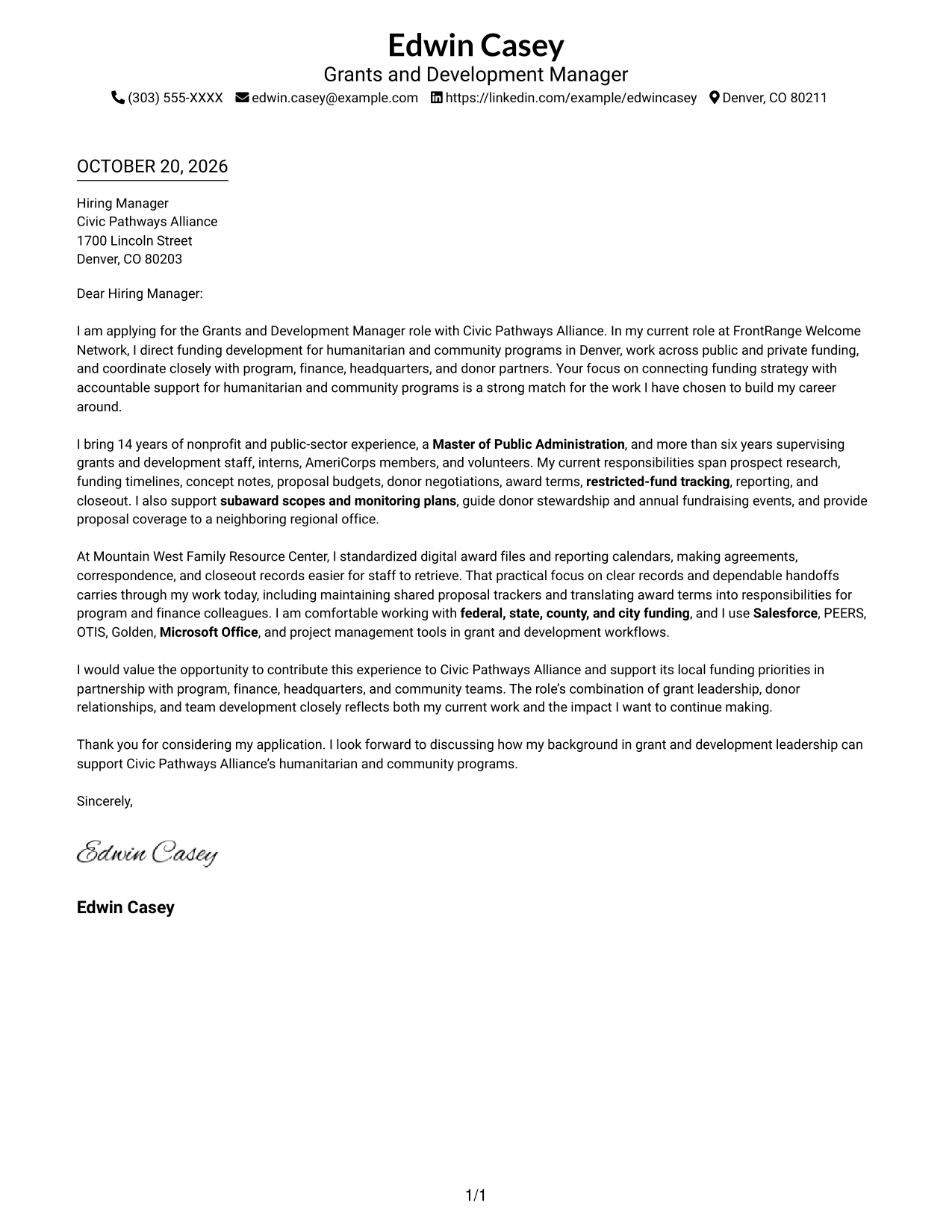
#1 Simple One Column Format Cover Letter Example
The Simple One Column Format presents the continuous letter body in one column, with sender details in the header.
Why This Format Works
- One column keeps the greeting, motivation, evidence, and closing in one reading path.
- Sender details in the header stay apart from the employer-facing message.
- Without a photo, the design keeps attention on the letter's written case.
Best For
- One-column reading preference
- Letters with several evidence paragraphs
- Header-based contact information
- Text-led application materials
- Motivation linked to role needs
#2 Two Column Format Cover Letter Example
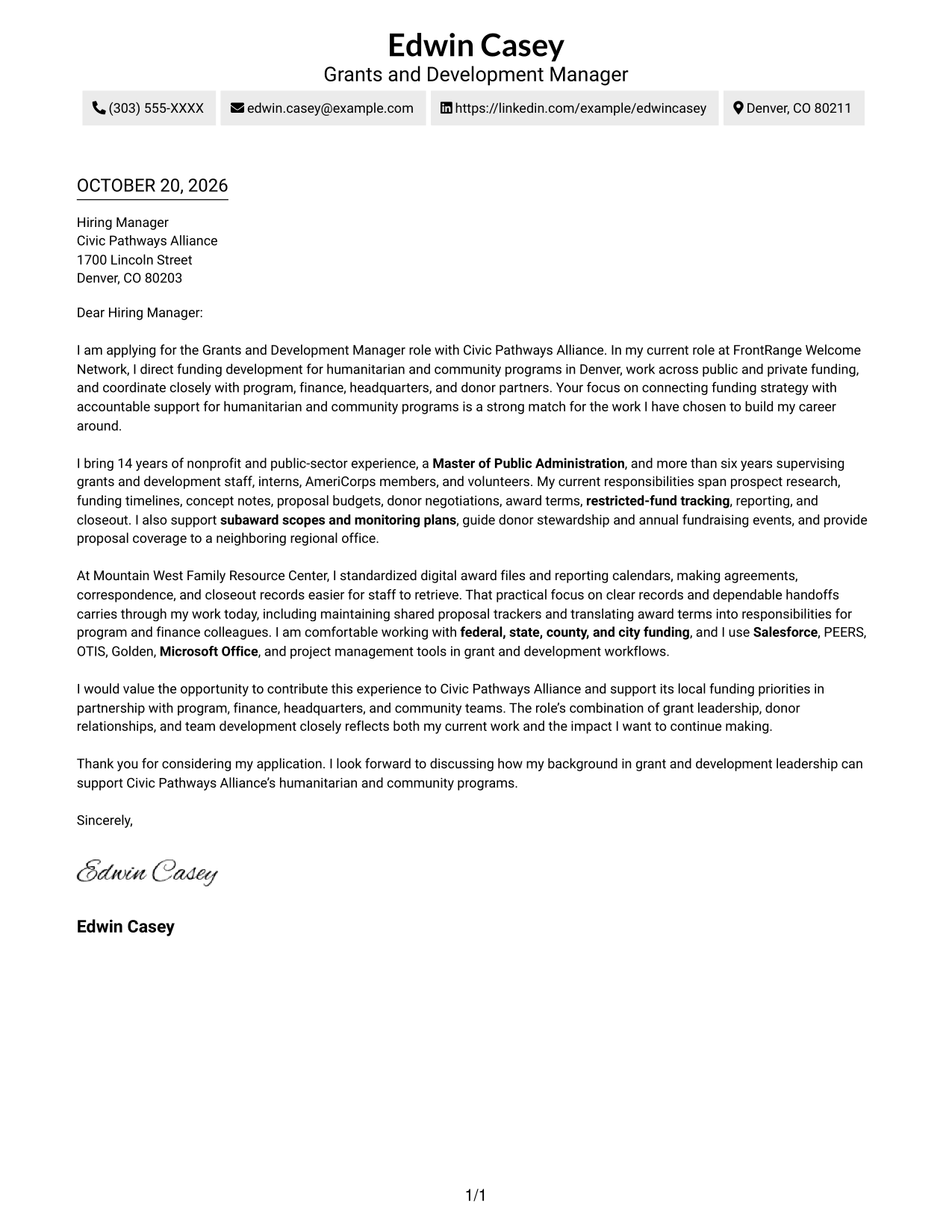
The Two Column Format places a contact sidebar beside one continuous letter body, keeping contact details apart from the message.
Why This Format Works
- Contact details remain easy to locate apart from the employer-facing message.
- A single body column keeps motivation, evidence, and closing in sequence.
- With no photo, visual attention stays on the letter's wording.
Best For
- Distinct contact and message areas
- Continuous letter-body reading
- Several supporting paragraphs
- Role-fit motivation and evidence
- Clear access to sender details
#3 Photo Header Two Column Format Cover Letter Example
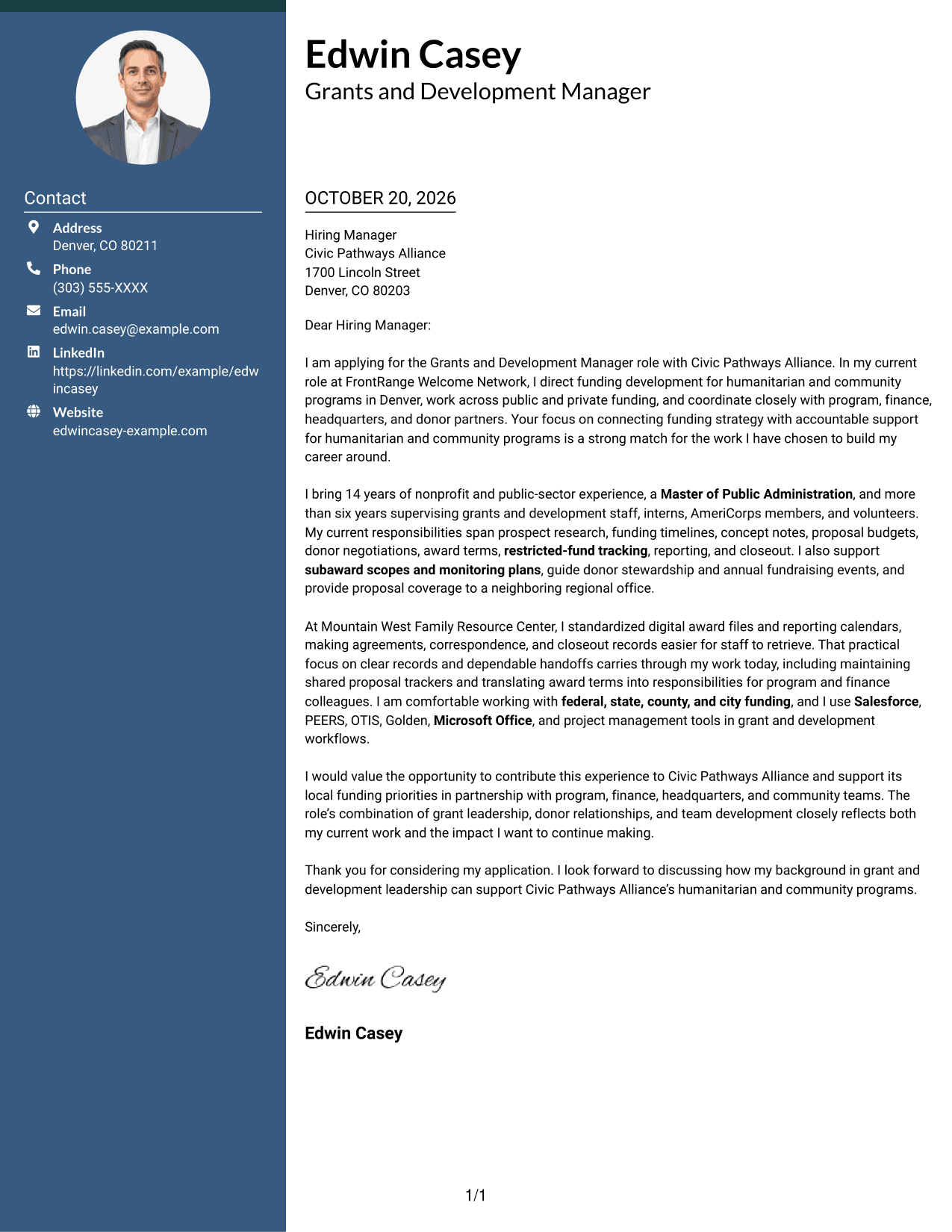
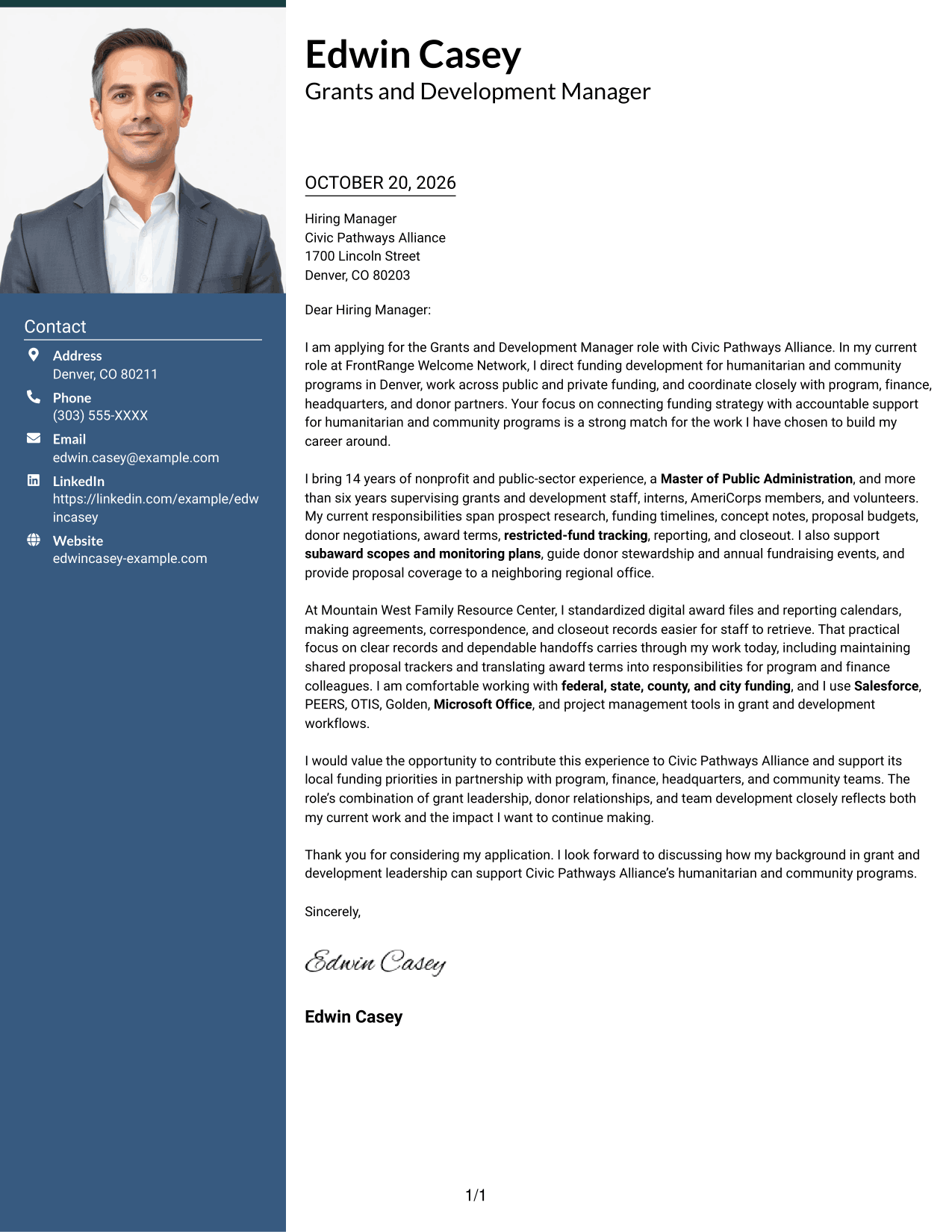
The Photo Header Two Column Format includes a photo in the header, with a contact sidebar beside the continuous letter body.
Why This Format Works
- The header photo adds a personal visual cue without entering the letter argument.
- Contact details stay separate while the message keeps its natural reading order.
- Motivation, evidence, and closing remain paragraphs in one body column.
Best For
- Photo-inclusive letter layouts
- Sidebar contact details
- Continuous persuasive body text
- Several supporting paragraphs
- Role-specific motivation
#4 One Column Format with Photo Cover Letter Example
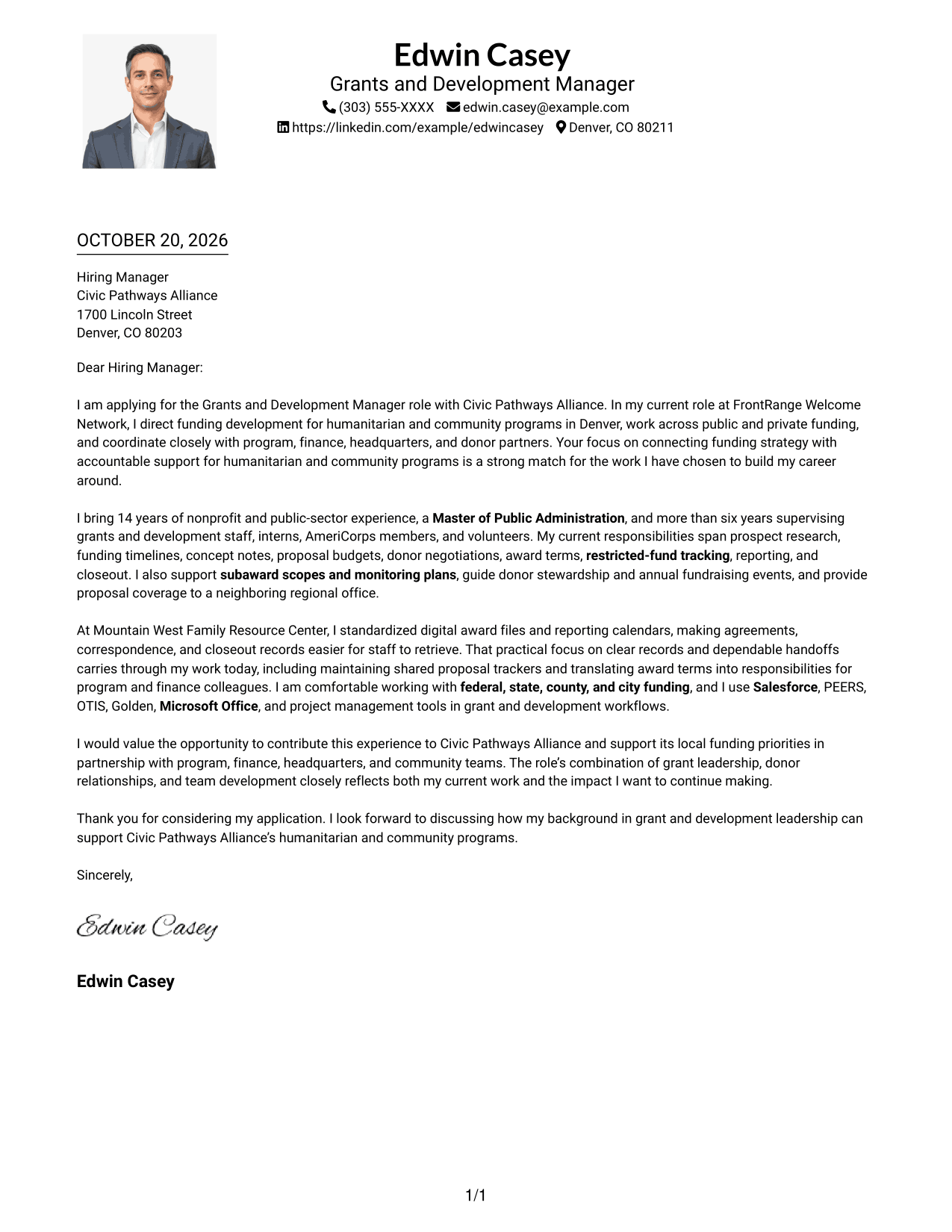
The One Column Format with Photo pairs a continuous letter body in one column with a photo and sender details in the header.
Why This Format Works
- One body column carries the message from motivation through its closing.
- The header photo adds a personal visual element without dividing the written case.
- Contact details stay apart from the supporting paragraphs in the letter body.
Best For
- One-column letter preference
- Photo-inclusive presentation
- Header contact details
- Connected body paragraphs
- Text-led role alignment
#5 Simple Two Column Format Cover Letter Example
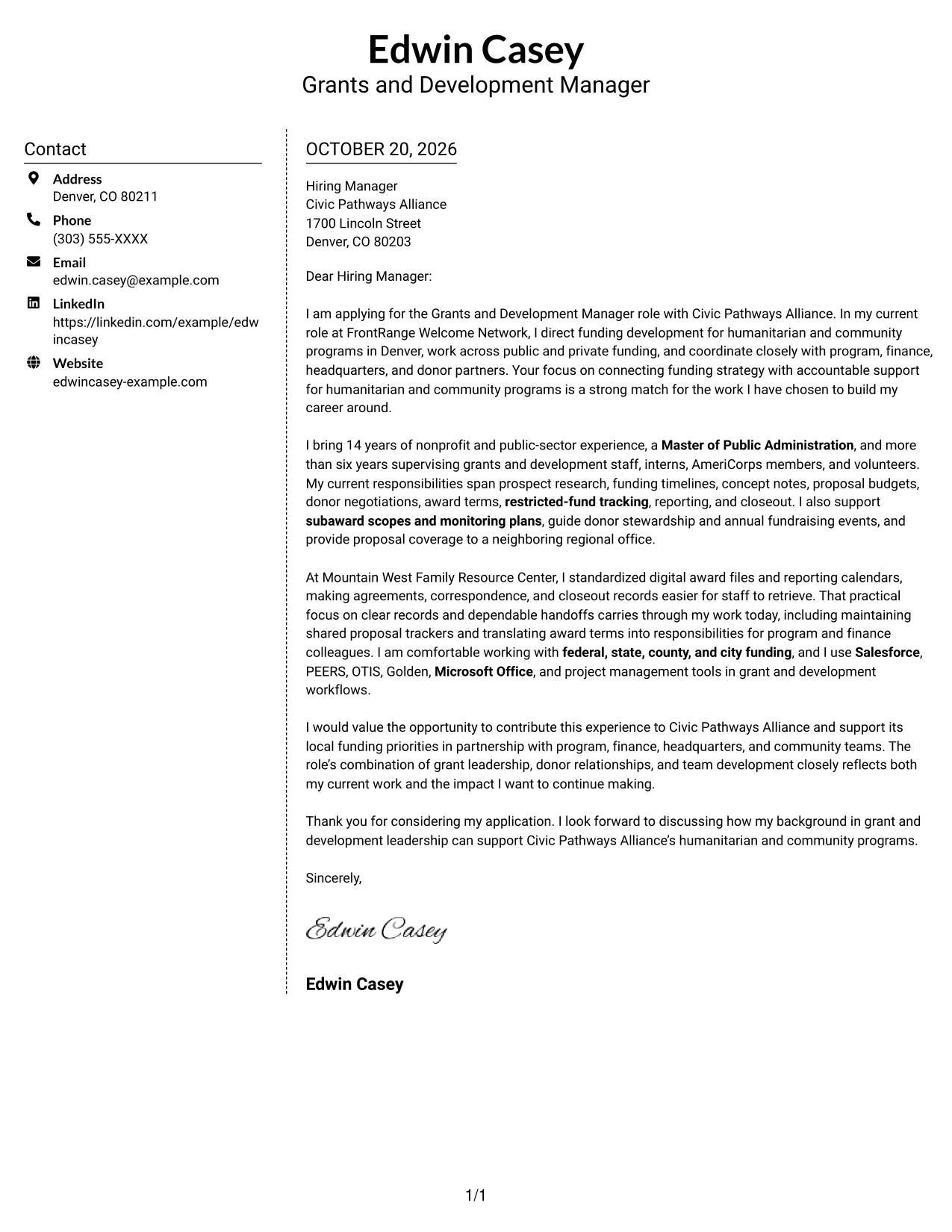
The Simple Two Column Format sets contact details in a sidebar beside a single, continuous letter body.
Why This Format Works
- The contact sidebar gives sender details a clear place beside the letter body.
- One continuous text column lets the argument unfold in its intended order.
- A restrained, photo-free presentation keeps visual focus on the written message.
Best For
- Contact sidebar organization
- Letters with multiple evidence paragraphs
- Continuous persuasive body text
- Simple visual presentation
- Role-fit motivation
#6 Modern Icon Format Cover Letter Example
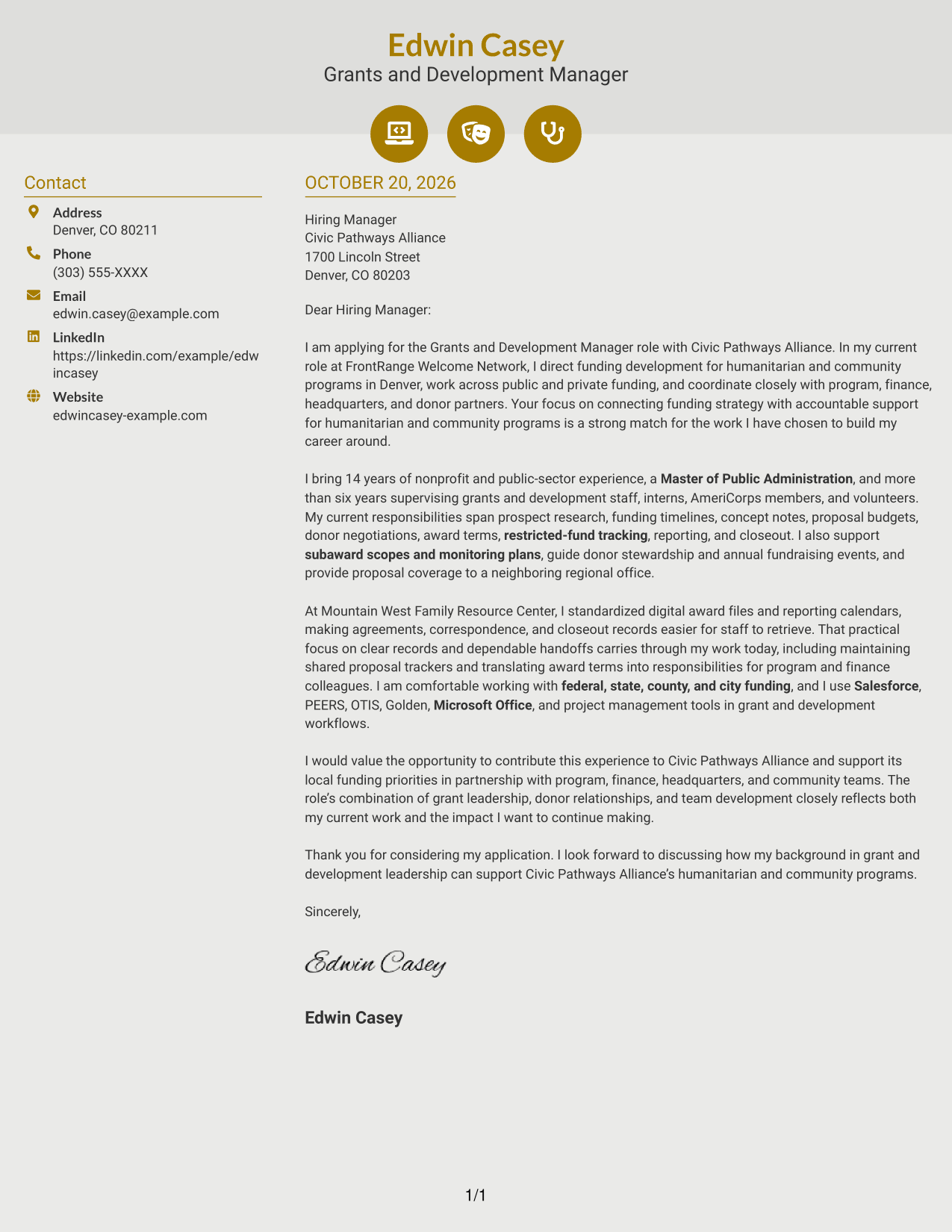
The Modern Icon Format uses two columns for the contact sidebar and continuous letter body, with icons as contact cues or header accents.
Why This Format Works
- Contact icons help identify sender details without marking stages of the message.
- Separate contact and letter columns keep the argument in one reading stream.
- Decorative header cues add visual distinction without labeling evidence or closing.
Best For
- Icon-supported contact cues
- Two-column contact organization
- Longer letter content
- Paragraph-led persuasion
- Visual header accents
#7 Creative Two Tone Format Cover Letter Example
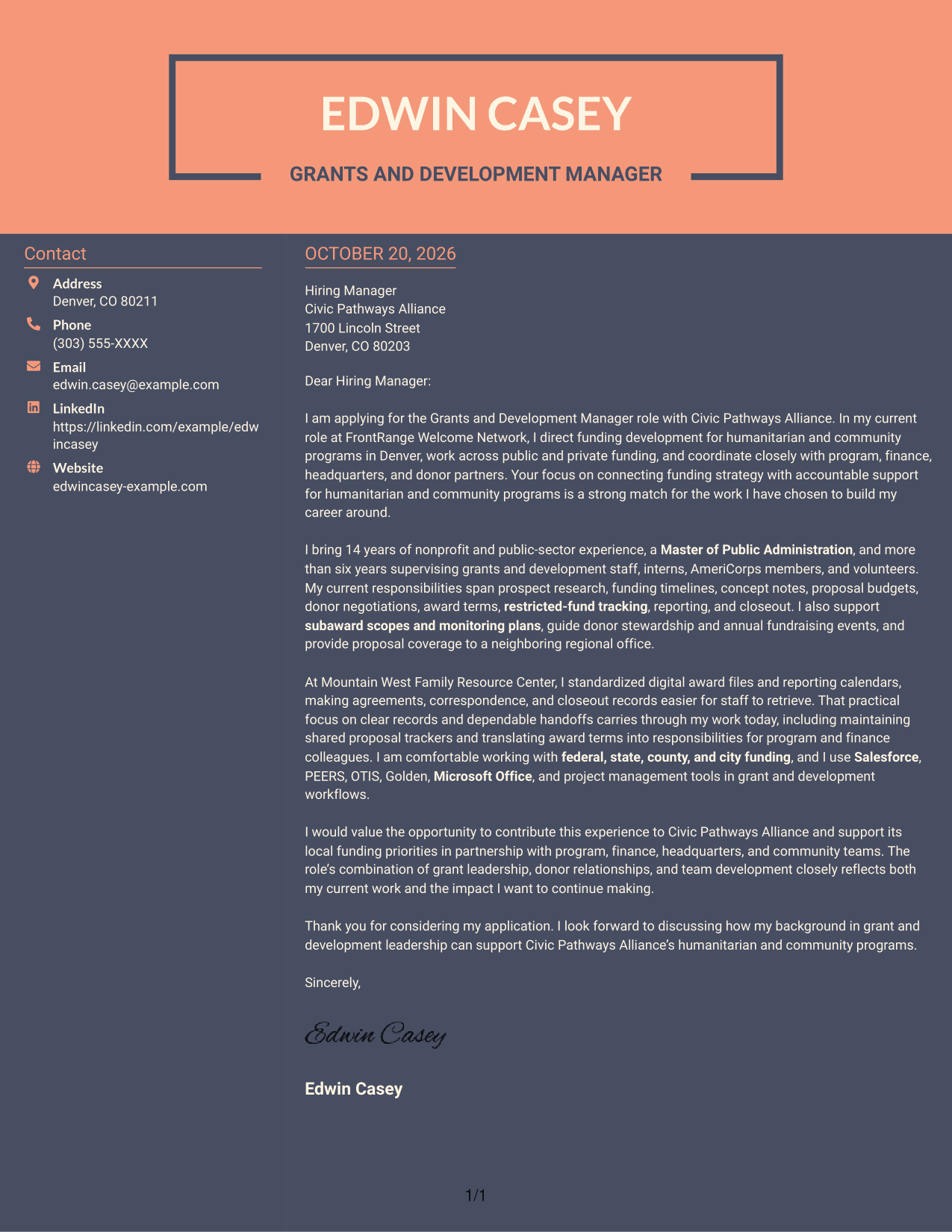
The Creative Two Tone Format places a contact sidebar beside one continuous letter body, keeping sender information distinct from the message.
Why This Format Works
- The contact sidebar separates sender information from the continuous employer-facing letter.
- One body column keeps the opening, supporting case, and close in order.
- The photo-free presentation keeps visual focus on the written message.
Best For
- Sidebar contact details
- Letters with a continuous argument
- Several supporting paragraphs
- Text-focused application materials
- Clear role-fit narratives
Why Use ResumeInMinutes for a Grants and Development Manager - Humanitarian Services Cover Letter
Compare image previews to see how different presentations shape the same kind of application. Open an example in the editor to customize its letter content for the role.
- Role-focused letter guidance
- Several visual styles
- Image previews
- Examples to guide your opening and close
- Editor access for customization
- Clear focus on funding and donor alignment
Use the example to shape a direct opening, support your fit with relevant grant and development work, and close with a clear connection to the organization’s humanitarian programs.
See Also
- 7 Grants and Development Manager - Humanitarian Services Resume Templates with Example
- 7 Grants Coordinator & Constituent Services Representative Resume Templates with Example
- 7 Director of Strategic Grants Resume Templates with Example
- 7 Grants Contract Coordinator Resume Templates with Example
- 7 Scientific Research Grant Assistant Resume Templates with Example
- 7 Specialist III, Grants and Contracts Resume Templates with Example
- 7 Student Worker - Grants & Research Office Support Resume Templates with Example
- 7 Air Service & Business Development Manager Resume Templates with Example
- 7 Grants Coordinator & Constituent Services Representative Cover Letter Templates with Example
- 7 Scientific Research Grant Assistant Cover Letter Templates with Example
Frequently Asked Questions
What should the opening paragraph say for this role?
State your interest in the Grants and Development Manager - Humanitarian Services role and connect it to the organization’s humanitarian and community programs. Briefly show how your funding or development work relates to that purpose.
What experience should this cover letter highlight?
Choose evidence that matches the role, such as funding strategy, proposal development, budget coordination, award management, reporting, donor stewardship, or team supervision. Explain how your work supported reliable funding and program delivery.
How can I show that I am a good fit for the employer?
Link your experience to the employer’s stated needs. For this role, you could discuss working with program and finance teams, coordinating public and private funding, or turning award terms into clear responsibilities.
How should I choose a cover letter layout?
Choose a layout that is easy to read and suits the employer’s communication style. Compare the image previews, then open an example in the editor if you want to customize its presentation.
Should I include every grant or fundraising task in my letter?
No. Select a few relevant examples that support your main message. Explain the value of your work, such as clear proposal planning, dependable reporting, or strong donor communication.




