
US English


7 IFS Cloud Solution Architect - Utility Asset Management Resume Templates with Example
By Ria · Last Updated On October 21, 2026
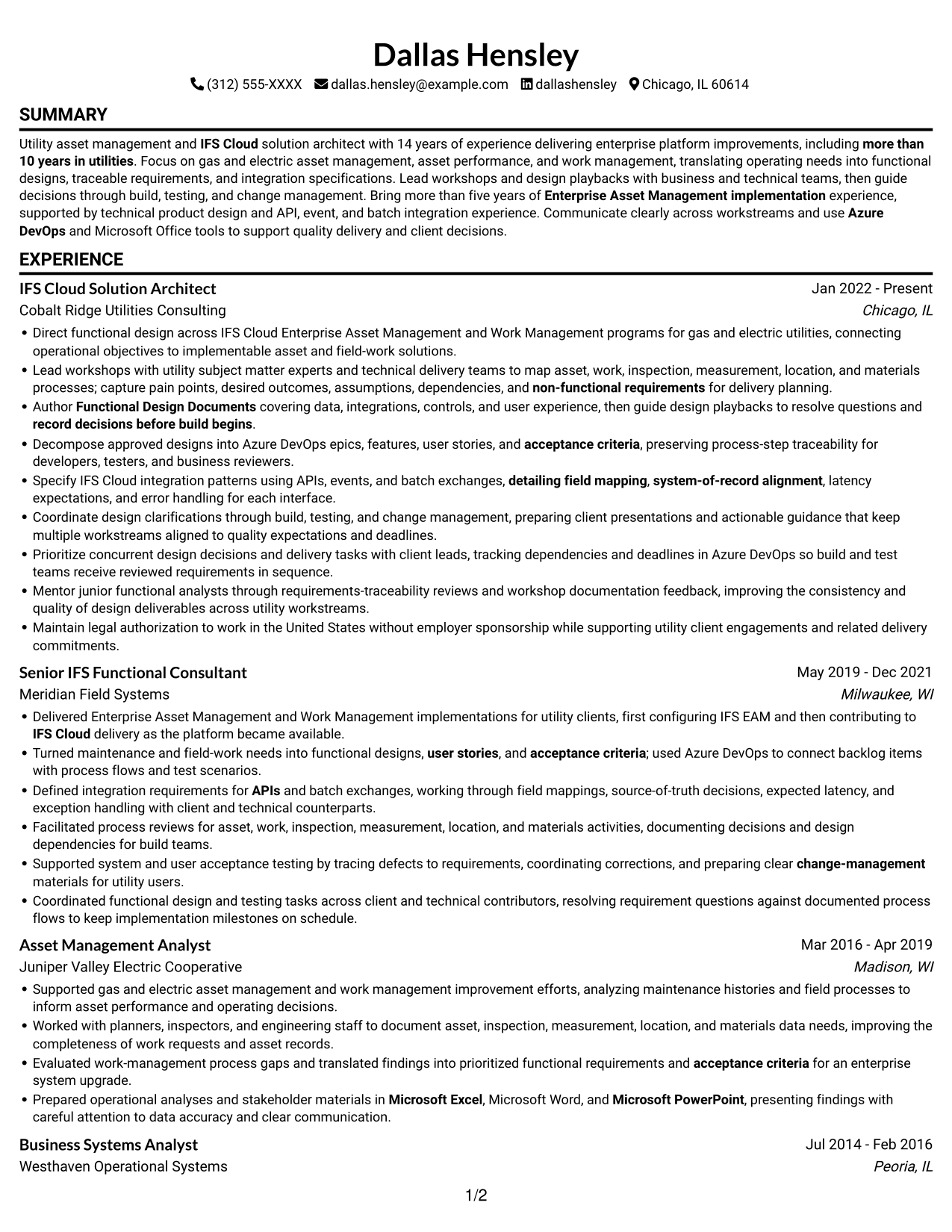
Resume example — page 1

This guide shows you how to build an IFS Cloud Solution Architect - Utility Asset Management resume that is clear, focused, and easy to review. It explains how to organize your experience and present relevant evidence for this specific role.

Strong resumes for this work connect utility operating needs to practical IFS Cloud Enterprise Asset Management and Work Management designs. Clear details about workshops, functional requirements, integrations, and delivery support help readers understand the scope of your work.

Explore one resume example in 7 layouts, with guidance on choosing a format and presenting Functional Design Documents, Azure DevOps requirements, and API, event, or batch integration work.

What Makes a Great IFS Cloud Solution Architect - Utility Asset Management Resume in 2026

A strong resume makes utility asset and work management experience easy to scan. It uses clear sections and focused bullets to show design work, collaboration, and delivery results.

Use relevant terms such as IFS Cloud, Enterprise Asset Management, Functional Design Documents, Azure DevOps, user stories, acceptance criteria, APIs, events, batch integrations, field mapping, and error handling. Support each term with a specific example where possible.

Note: Resume examples are for educational purposes only. Use only information that accurately reflects your experience and qualifications. References to real organizations do not imply affiliation or endorsement.

#1 Simple One Column Format Resume Example

The Simple One Column Format keeps content in one reading path, helping reviewers follow the resume section by section.
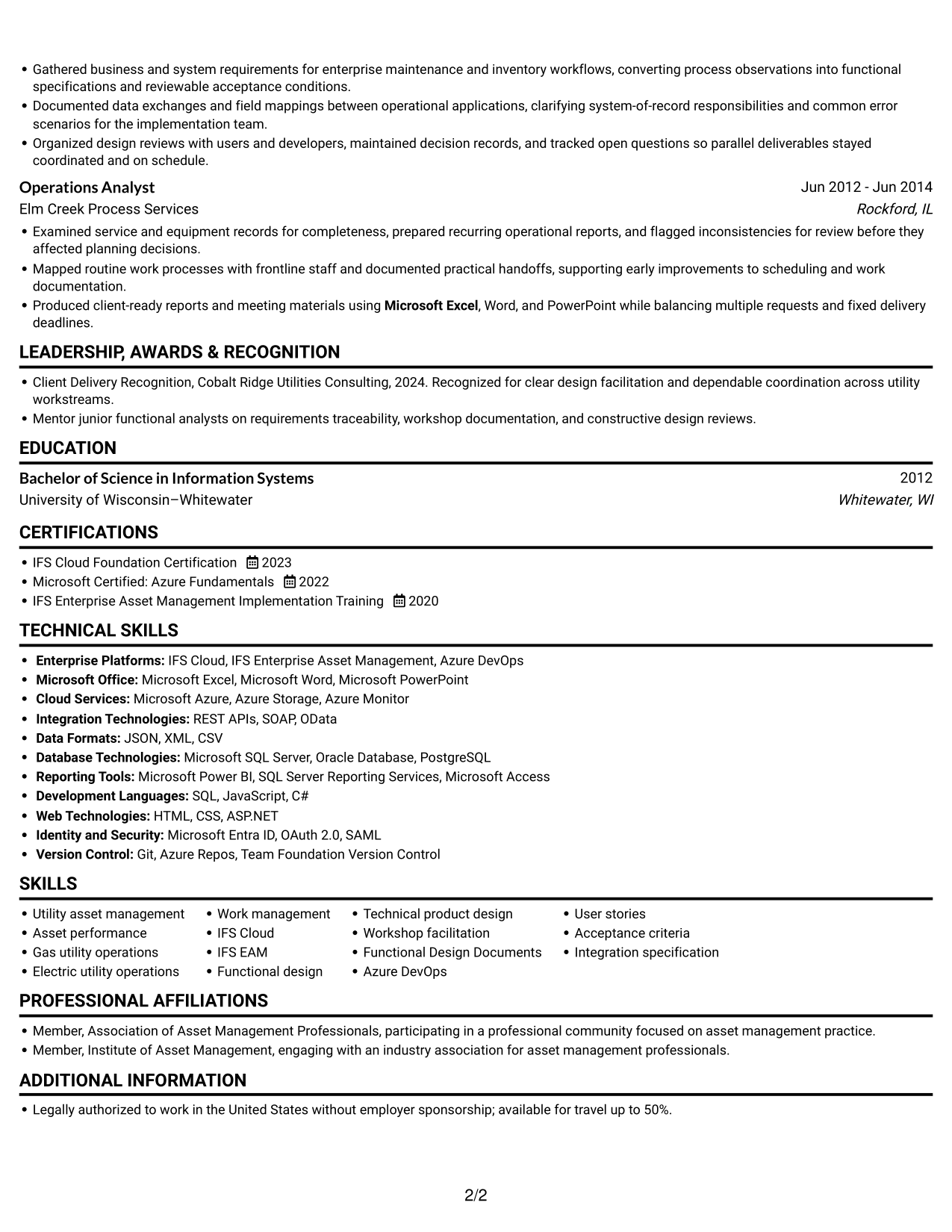
 
Resume example — page 1   Resume example — page 2

Why This Format Works

  • Career history stays in one reading path, helping reviewers follow progression.
  • Experience entries can show dates and achievements in a clear sequence.
  • Skills, education, and credentials remain easy to locate in the same flow.

Best For

  • Single-path recruiter review
  • Detailed experience bullets
  • Career histories with several roles
  • Education and credentials in sequence
  • Section-by-section reading

Resume Keywords

  • Bachelor of Science in Information Systems
  • more than 10 years in utilities
  • Enterprise Asset Management implementation
  • IFS Cloud
  • Functional Design Documents
  • user stories
  • acceptance criteria
  • Azure DevOps
  • requirements-traceability
  • APIs
  • detailing field mapping
  • system-of-record alignment
  • latency expectations
  • error handling
  • Microsoft PowerPoint
See all keywords
 

#2 Simple Two Column Format Resume Example

The Simple Two Column Format places resume content in two columns, a useful choice for parallel review of experience and qualifications.
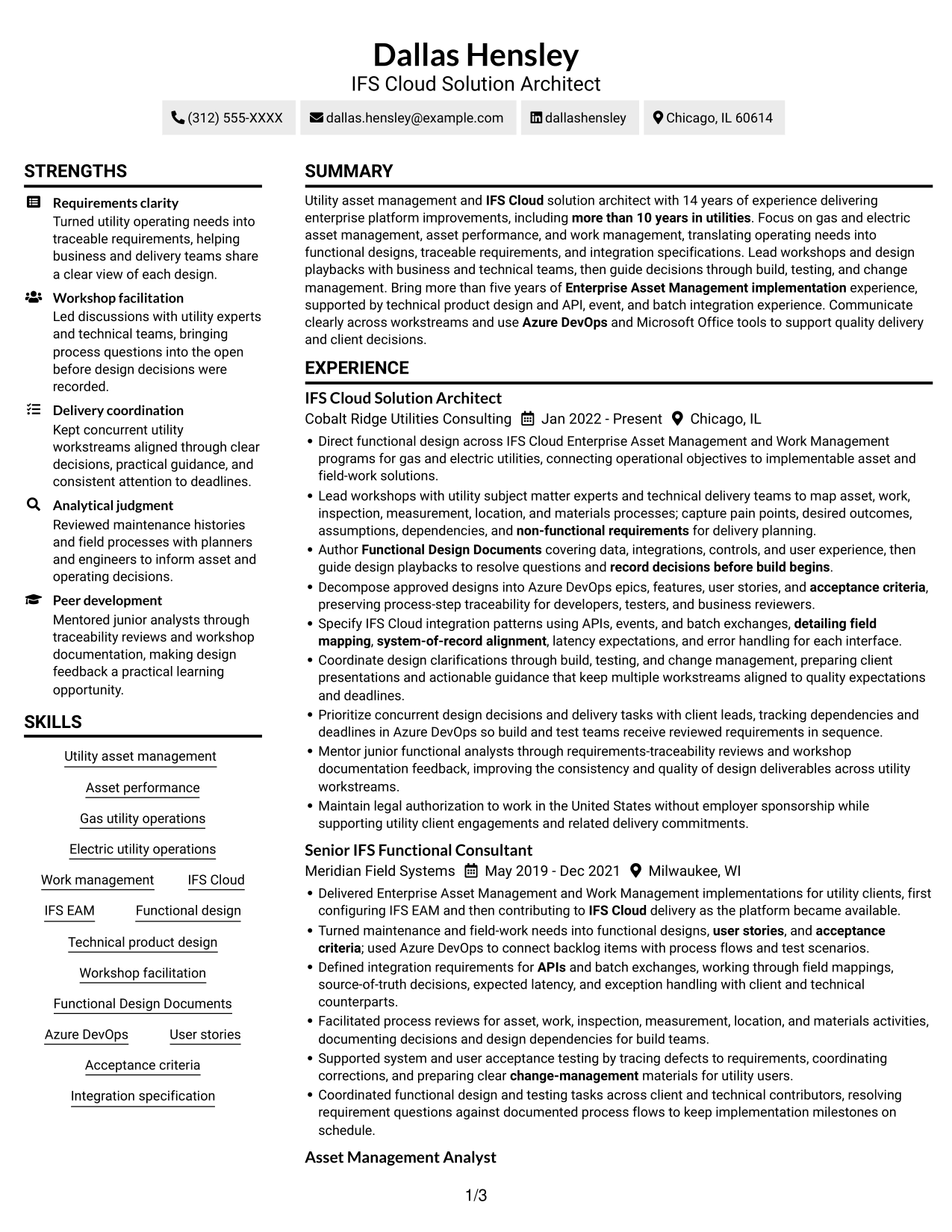
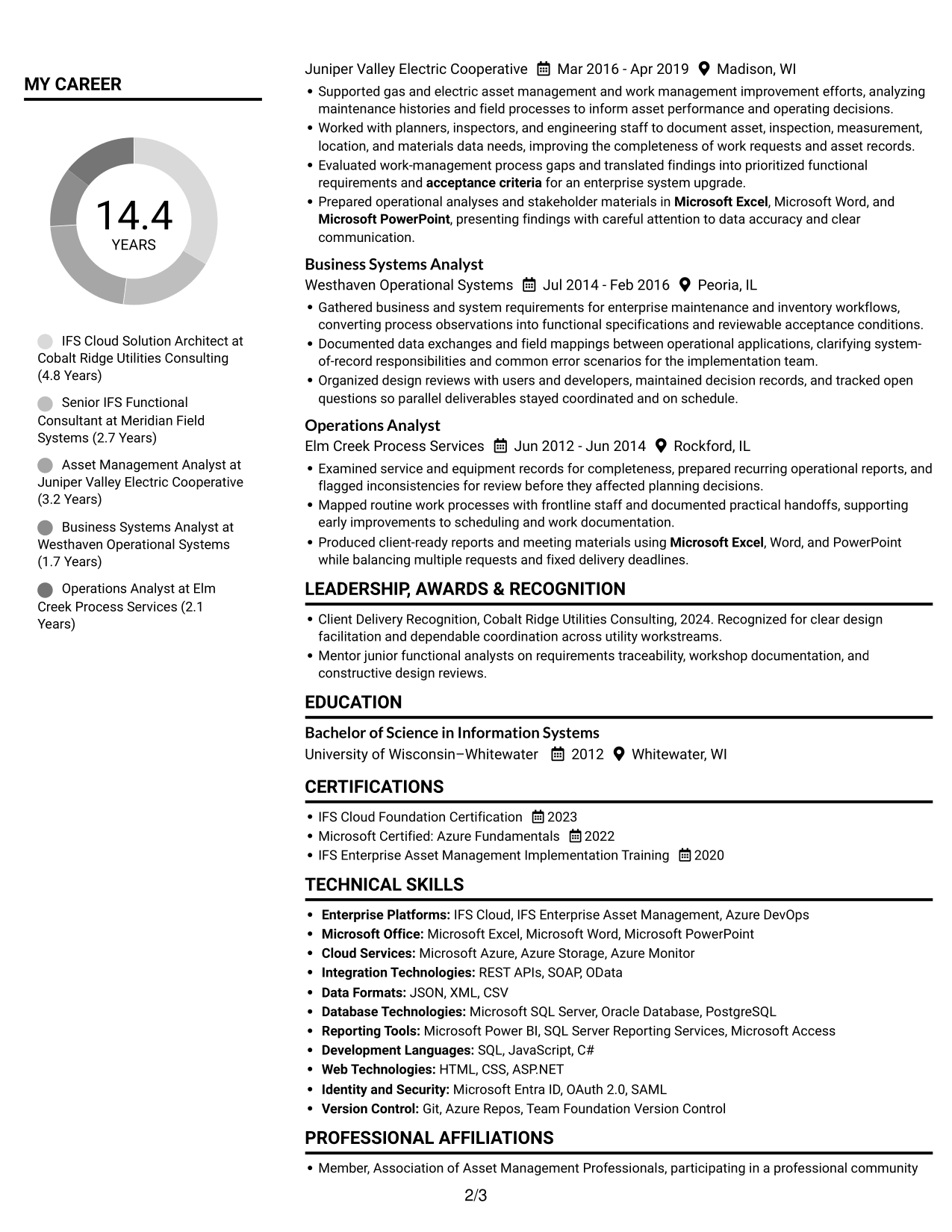
 
Resume example — page 1   Resume example — page 2

Why This Format Works

  • Two-column reading lets reviewers compare career history with supporting details.
  • Separate content areas help reviewers move between experience and qualifications.
  • The layout gives skills and education room beside work history.

Best For

  • Two-part resume organization
  • Skills alongside work history
  • Parallel section review
  • Resumes with several content areas
  • Experience with supporting qualifications

#3 Plain One Column with Shaded Labels Resume Example

The Plain One Column with Shaded Labels format follows a single reading path, making direct section-to-section review easy.
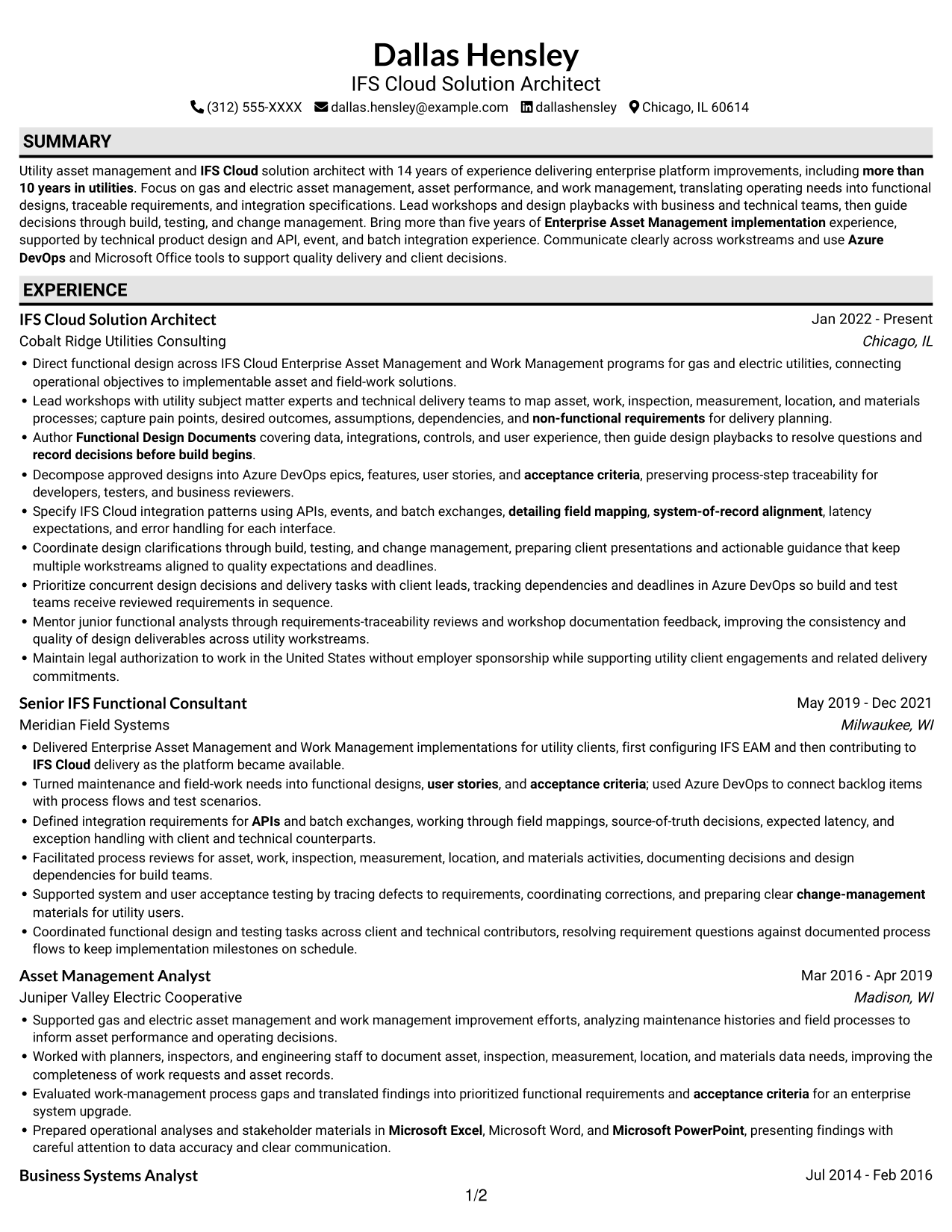
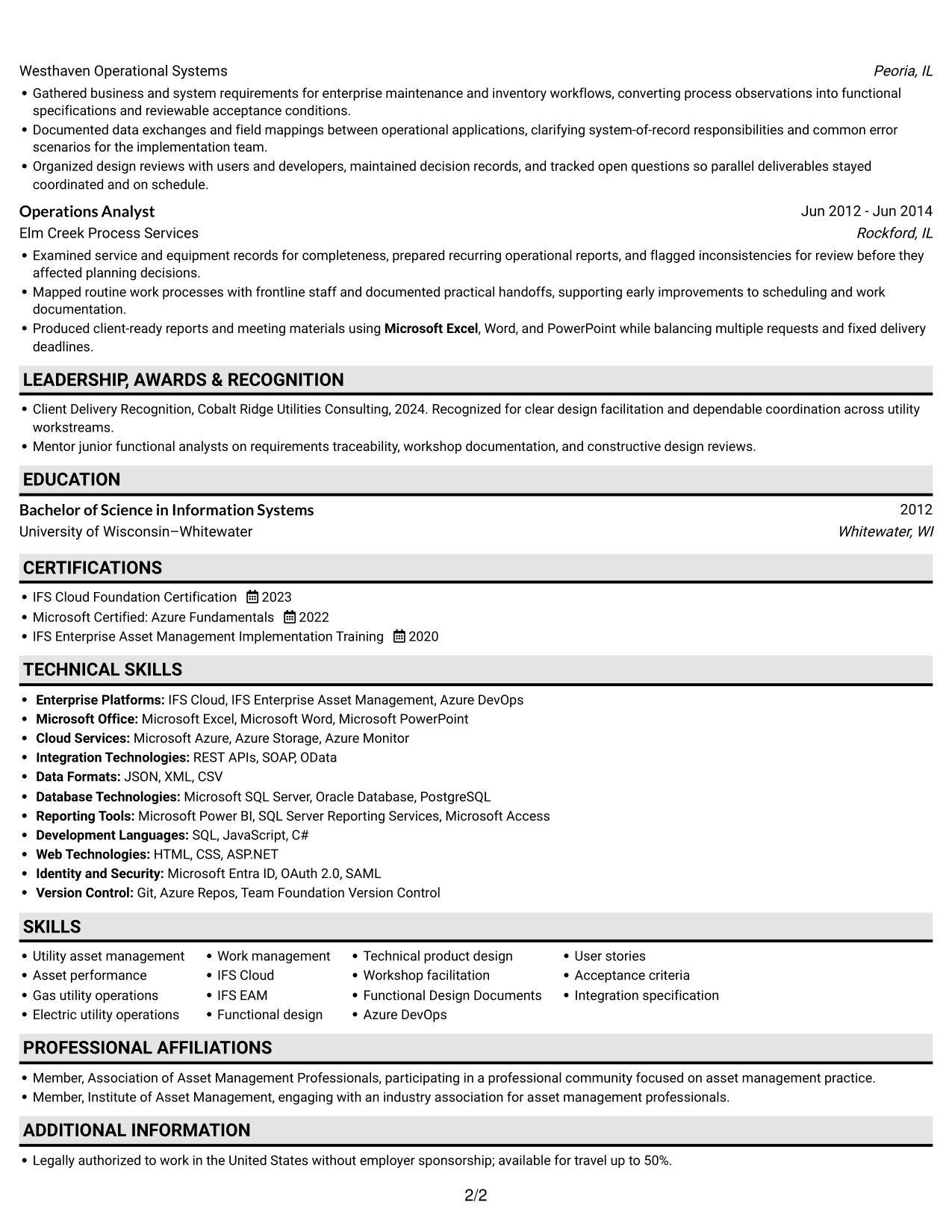
 
Resume example — page 1   Resume example — page 2

Why This Format Works

  • One reading path helps reviewers follow career progression from role to role.
  • The steady flow keeps education and credentials connected to work history.
  • Skills can be considered alongside the experience and qualifications they support.

Best For

  • Direct section-to-section review
  • Chronological career histories
  • Resumes with detailed experience
  • Education and career details together
  • Content needing a steady reading order
 

#4 One Column Format with Photo Right Resume Example

The One Column Format with Photo Right pairs a single reading path with a portrait on the right, for resumes where a photo is preferred.
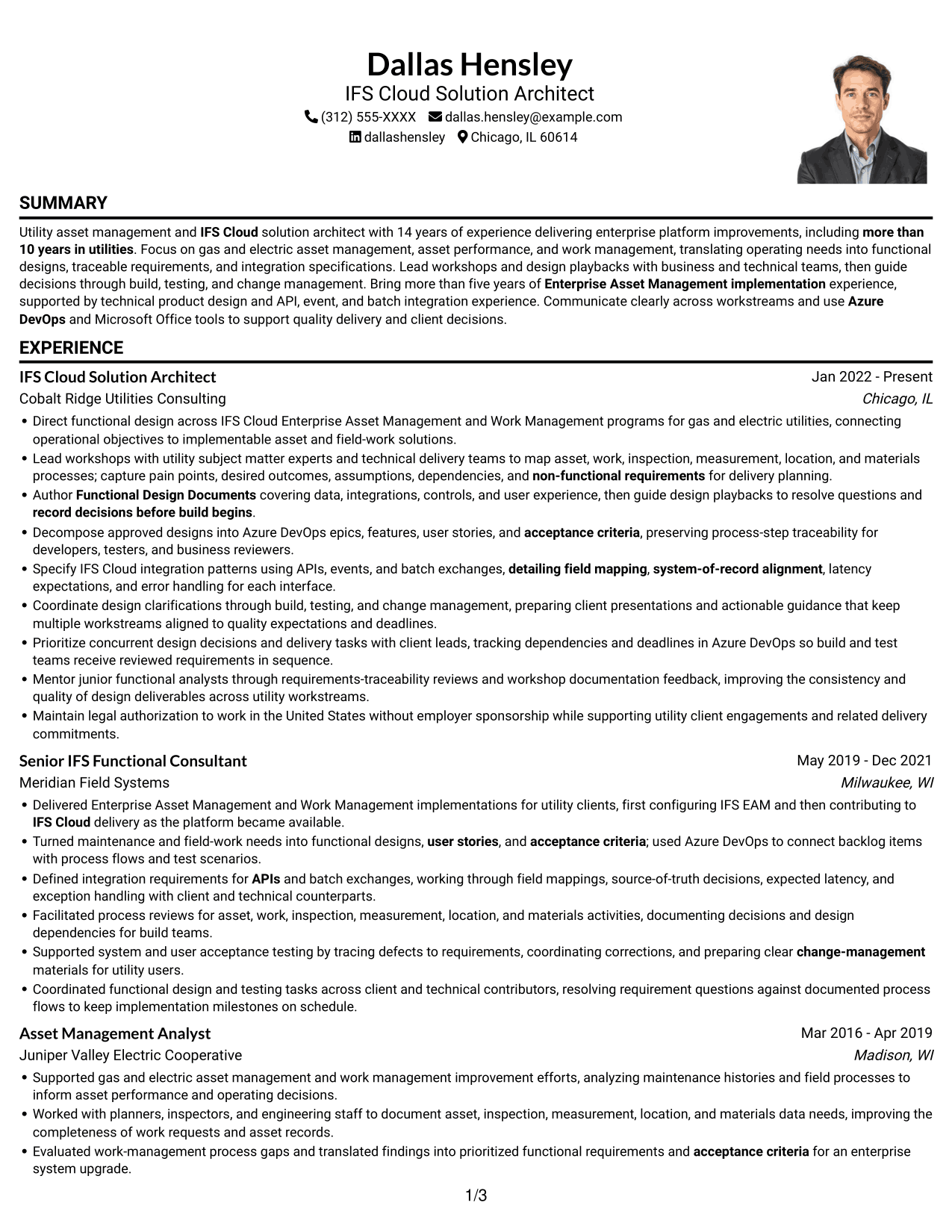
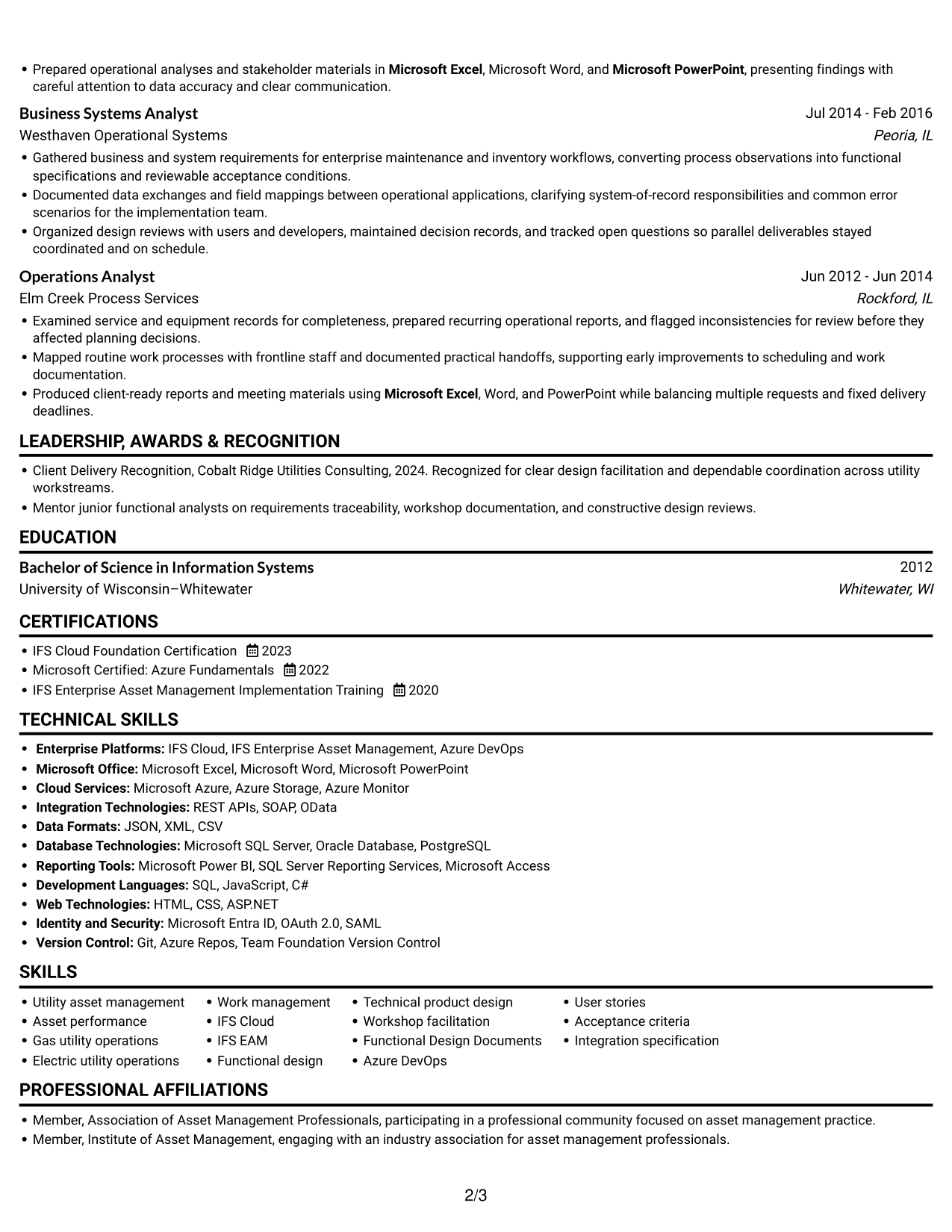
 
Resume example — page 1   Resume example — page 2

Why This Format Works

  • A single column keeps experience entries in a clear top-to-bottom order.
  • Career dates and achievements remain part of an easy-to-follow sequence.
  • The portrait adds a visual element without dividing the resume content into columns.

Best For

  • Portrait-inclusive resumes
  • Single-path content review
  • Detailed work histories
  • Career progression in sequence
  • Resumes with several content sections
 

#5 Clean Two Column Sidebar Format Resume Example

The Clean Two Column Sidebar Format organizes the resume in two columns, offering a parallel view of experience and supporting qualifications.
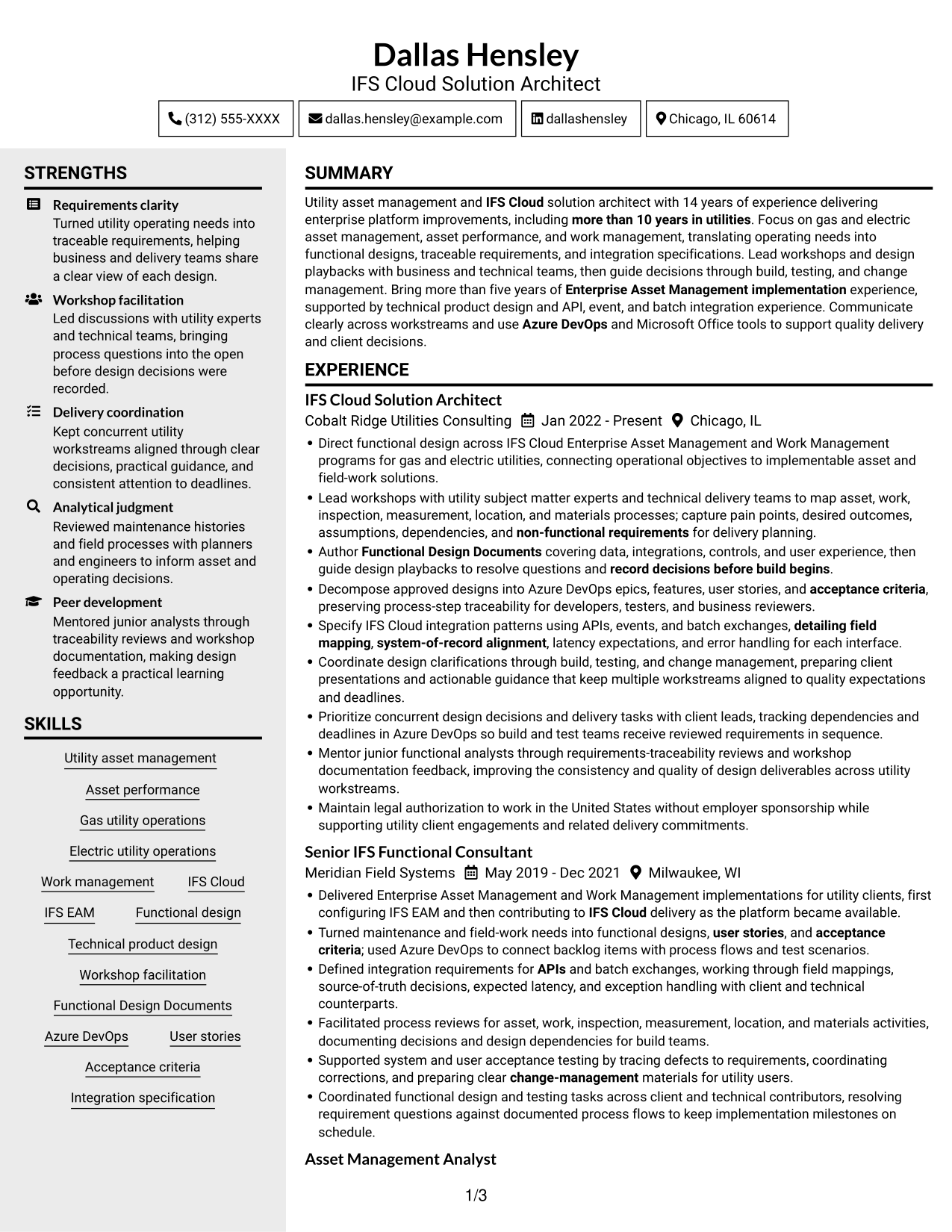
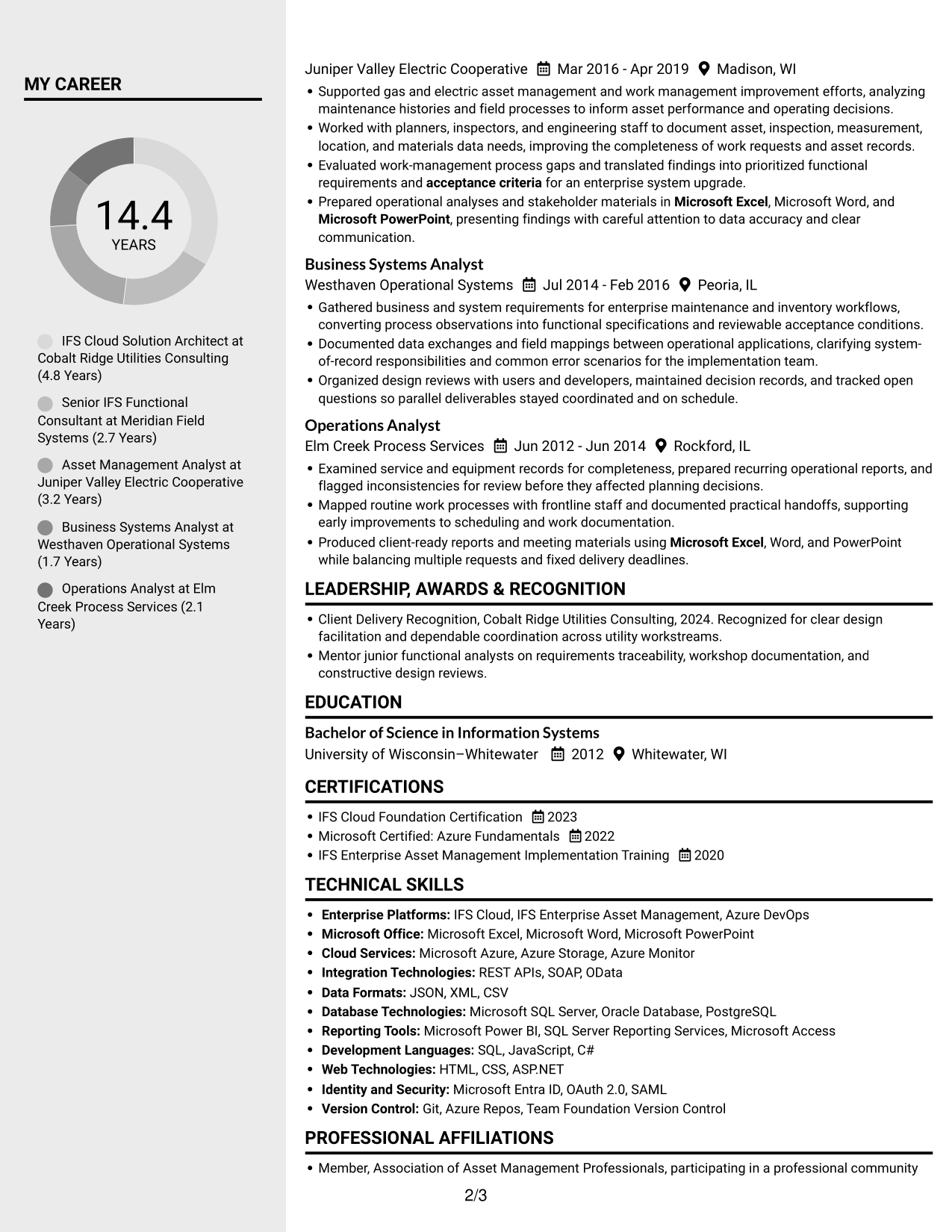
 
Resume example — page 1   Resume example — page 2

Why This Format Works

  • The two-column structure lets reviewers move between experience and other resume sections.
  • Career details and qualifications can be reviewed in parallel.
  • Separate areas help keep skills and education distinct from work history.

Best For

  • Parallel review of resume sections
  • Skills and experience in separate areas
  • Compact section navigation
  • Resumes with multiple content areas
  • Work history with supporting qualifications


#6 Two Column Format Resume Example

The Two Column Format presents resume content in parallel columns, a practical option when readers need to move between sections.
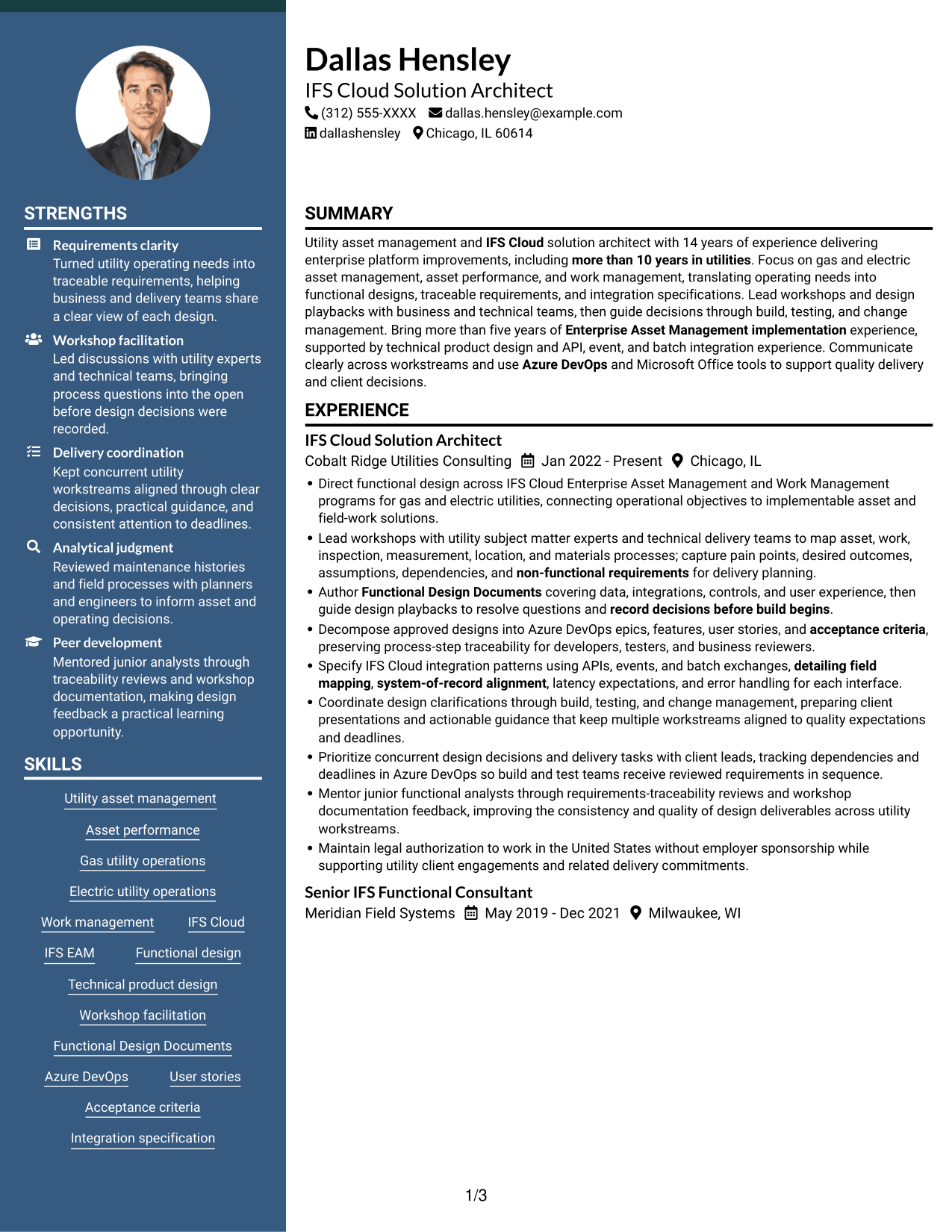
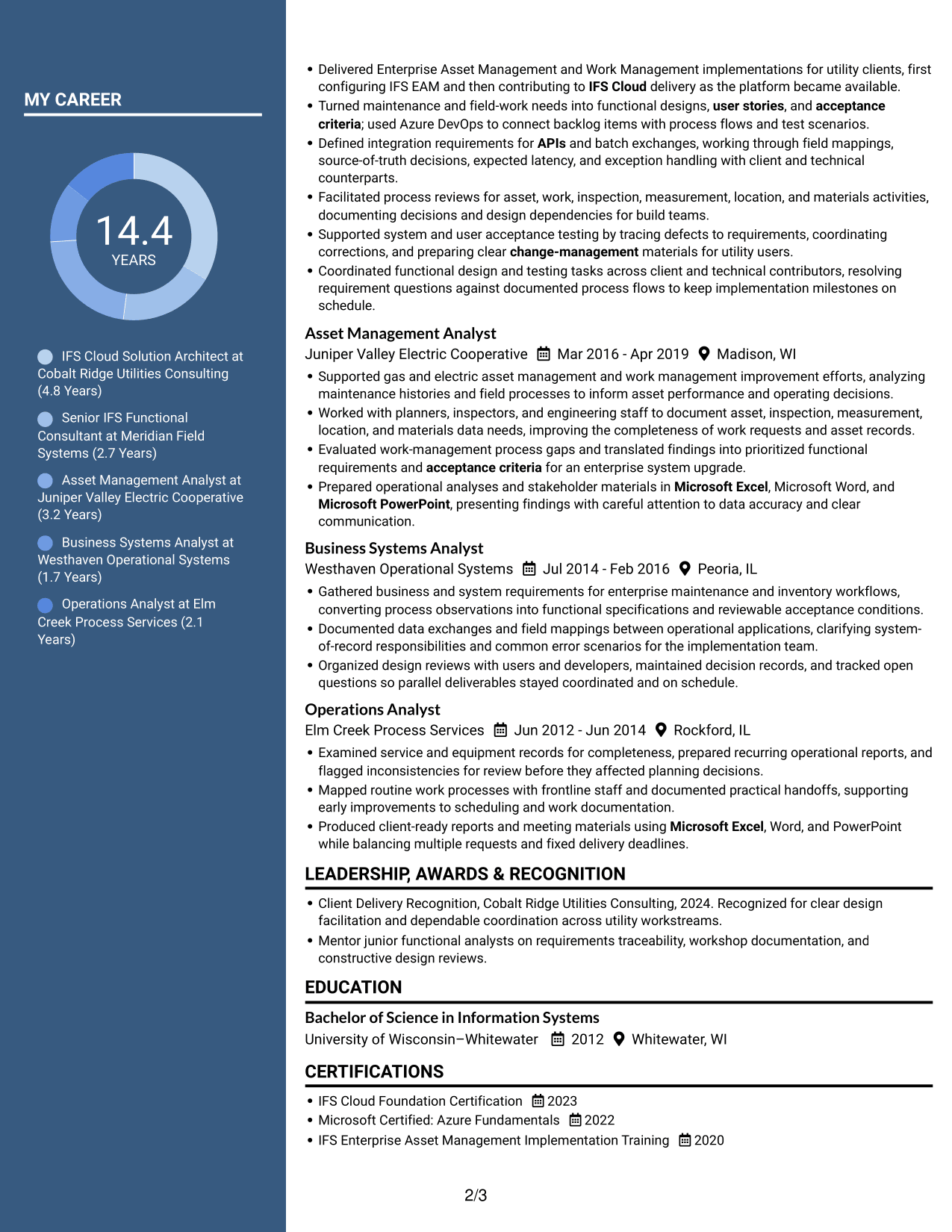
 
Resume example — page 1   Resume example — page 2

Why This Format Works

  • Parallel columns let reviewers move between work history and supporting details.
  • The layout makes separate resume sections available for side-by-side review.
  • Education and credentials can sit alongside the broader career record.

Best For

  • Side-by-side section review
  • Work history with supporting details
  • Resume content suited to parallel organization
  • Skills and credentials with experience
  • Quick movement between sections
 

#7 Photo Header Two Column Format Resume Example

The Photo Header Two Column Format combines a photo in the header with two-column resume content, for readers who prefer both features.
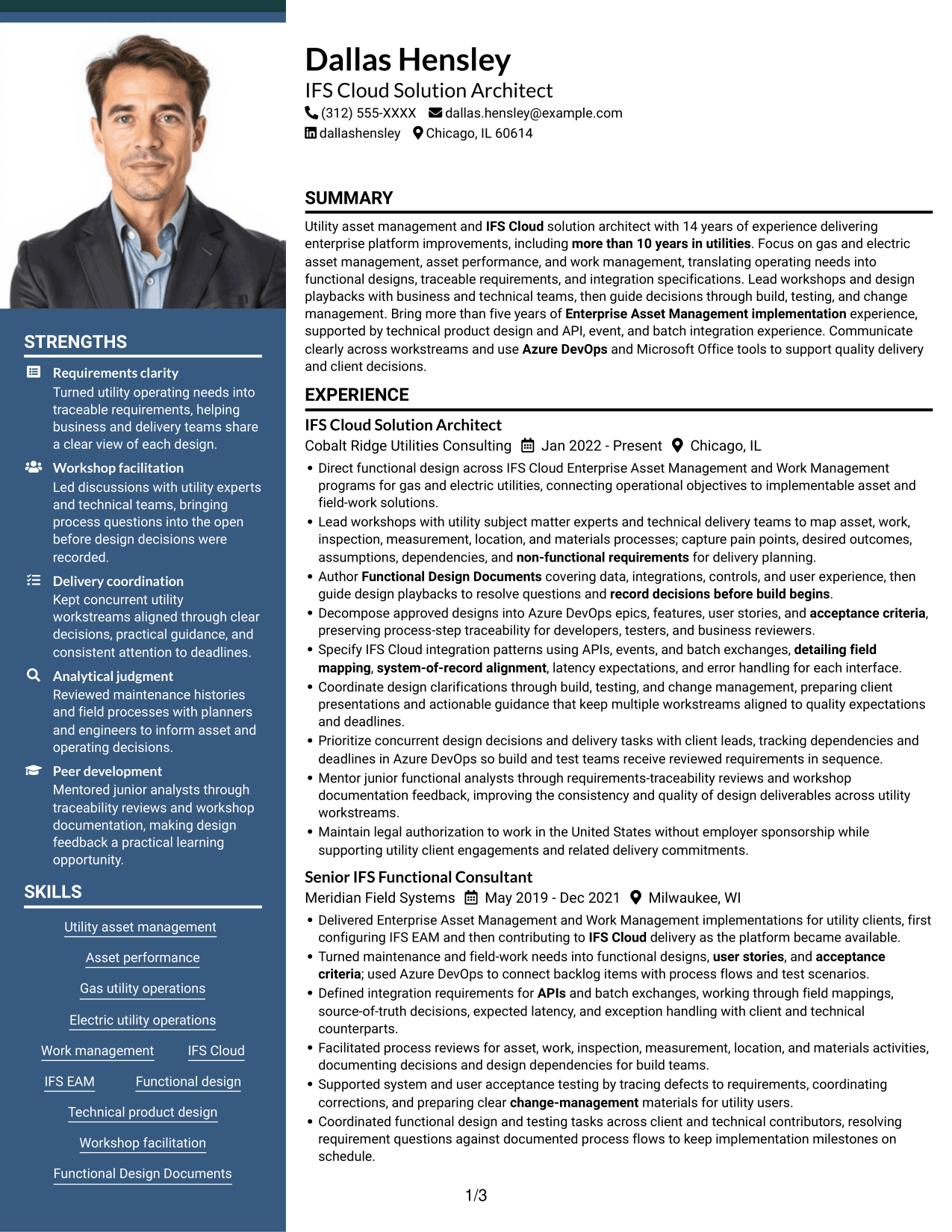
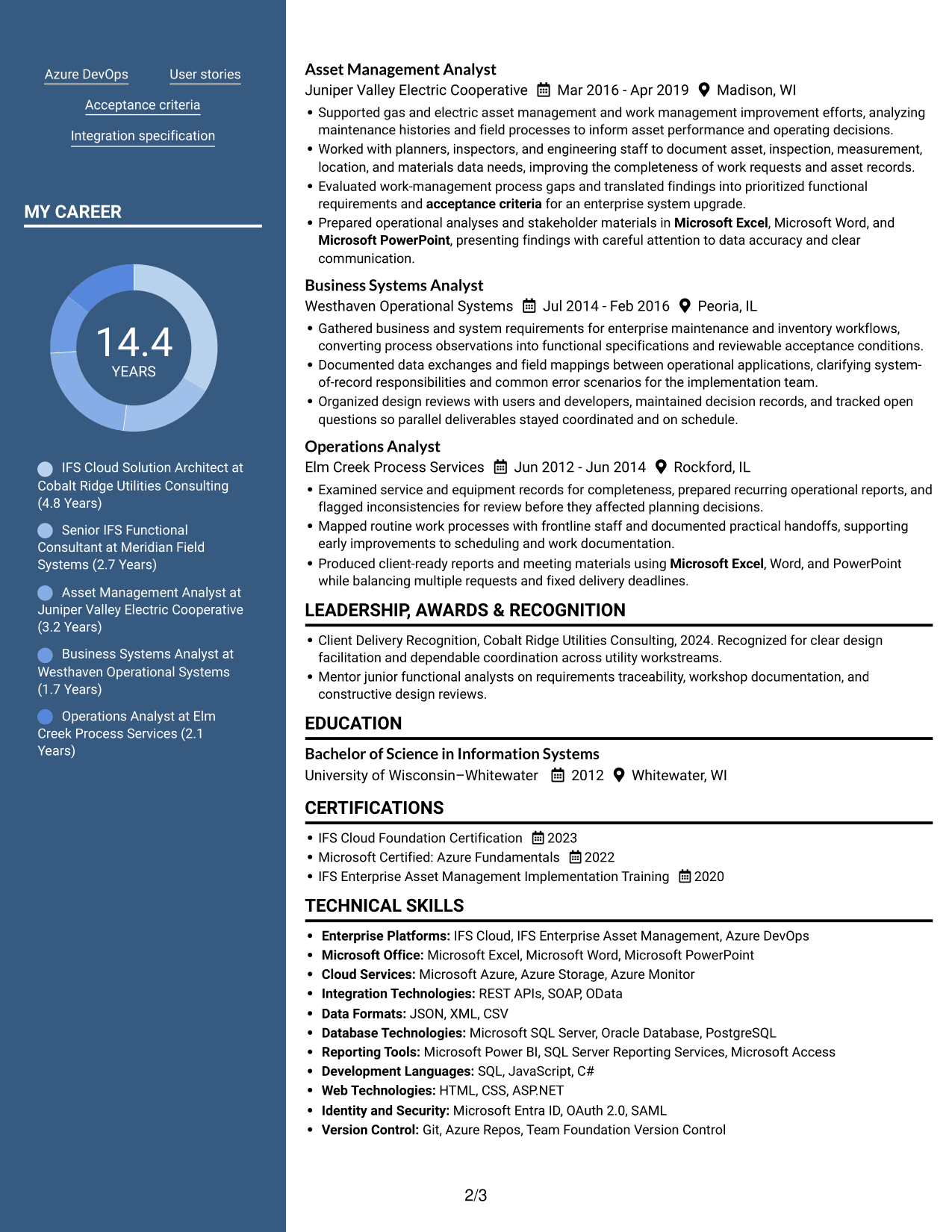
 
Resume example — page 1   Resume example — page 2

Why This Format Works

  • The two-column body supports movement between career history and other sections.
  • Parallel content areas make work experience and qualifications available for comparison.
  • The header photo adds a portrait without changing the two-column reading structure.

Best For

  • Photo-led header preference
  • Two-column content review
  • Experience beside supporting sections
  • Resumes with several information areas
  • Parallel review of qualifications


See Also


Frequently Asked Questions

Are these IFS Cloud Solution Architect - Utility Asset Management resume examples ATS-friendly?

The examples use clear headings and resume sections that are easy to scan. Add role-specific terms, such as IFS Cloud, Enterprise Asset Management, Azure DevOps, functional design, and integration requirements, where they accurately describe your work.

Are these separate resumes or layouts of one example?

This guide shows one IFS Cloud Solution Architect - Utility Asset Management resume example in different layouts and design styles.

What should an IFS Cloud Solution Architect - Utility Asset Management resume include?

Include a focused summary, relevant experience, skills, education, and certifications. Use concise bullets to describe utility workshops, functional design, user stories, acceptance criteria, integrations, and support through build and testing.

How should I describe integration work on this resume?

State the integration methods you used, such as APIs, events, or batch processes. When relevant, explain your role in field mapping, system-of-record choices, latency expectations, and error handling.

How can I compare the resume formats?

Review the PNG image previews to compare each layout. Choose a format with clear section headings and readable experience details, then open the example in the editor to customize it.

Should I include a photo on my resume?

For U.S. applications, a resume without a photo is generally the safer choice unless the employer or field asks for one.


ATS Score 87%

How we calculate this score

  • Keywords: 60% of the total. AI extracts keywords from your job description. If you do not provide one, a standard job description for the title matching your resume is used. This is not a match to a specific vacancy.
  • Text-based resume: 20%. The text resume assessed here receives 100 for this part.
  • Resume quality: 20%. We start at 100 and subtract points for issues found by our resume checks, down to a minimum of zero.
  • Keyword coverage = round(100 × confirmed matches ÷ total keywords). Exact matches and supported equivalents verified by AI receive full credit; unsupported keywords receive none. Live text checks use the saved equivalents and do not request a new AI review. Without keywords, no overall ATS score is available.
  • Final score = 60% of keyword coverage + 20% of the text score + 20% of the quality score, rounded to a whole number. Without keywords, no overall ATS score is available.

What this score means

Our scores are estimates, not employer ratings. They may contain errors and do not guarantee accurate parsing, a ranking, an interview, or a job. Check your document against the employer’s requirements. You are responsible for relying on this score.

Terms and Conditions

Score weights: Keywords 60% · Text based resume 20% · Resume quality 20%

Keyword coverage: 30 of 38 (79%) · Resume quality: 100%

Resume quality 100% · Weight 20% · Issues (0)

Details
  • ✓Name present: Dallas Hensley
  • ✓Email format: dallas.hensley@example.com
  • ✓Phone format: (312) 555-XXXX
  • ✓Experience 1: Job title: IFS Cloud Solution Architect
  • ✓Experience 1: Company name: Cobalt Ridge Utilities Consulting
  • ✓Experience 1: Work location: Chicago, IL
  • ✓Experience 1: Employment dates: Jan 2022 - Present
  • ✓Experience 1: Description or achievements: Present
  • ✓Experience 2: Job title: Senior IFS Functional Consultant
  • ✓Experience 2: Company name: Meridian Field Systems
  • ✓Experience 2: Work location: Milwaukee, WI
  • ✓Experience 2: Employment dates: May 2019 - Dec 2021
  • ✓Experience 2: Description or achievements: Present
  • ✓Experience 3: Job title: Asset Management Analyst
  • ✓Experience 3: Company name: Juniper Valley Electric Cooperative
  • ✓Experience 3: Work location: Madison, WI
  • ✓Experience 3: Employment dates: Mar 2016 - Apr 2019
  • ✓Experience 3: Description or achievements: Present
  • ✓Experience 4: Job title: Business Systems Analyst
  • ✓Experience 4: Company name: Westhaven Operational Systems
  • ✓Experience 4: Work location: Peoria, IL
  • ✓Experience 4: Employment dates: Jul 2014 - Feb 2016
  • ✓Experience 4: Description or achievements: Present
  • ✓Experience 5: Job title: Operations Analyst
  • ✓Experience 5: Company name: Elm Creek Process Services
  • ✓Experience 5: Work location: Rockford, IL
  • ✓Experience 5: Employment dates: Jun 2012 - Jun 2014
  • ✓Experience 5: Description or achievements: Present
  • ✓No placeholder fields
  • ✓No repeated achievement bullets
  • ✓No empty bullets

No issues found by the current checks.

Text Based Resume 100% · Weight 20%

Parsed text
Dallas Hensley
(312) 555-XXXX
dallas.hensley@example.com
dallashensley
Chicago, IL 60614
SUMMARY
Utility asset management and IFS Cloud solution architect with 14 years of experience delivering enterprise platform improvements, including more than 10 years in utilities. Focus on gas and electric asset management, asset performance, and work management, translating operating needs into functional designs, traceable requirements, and integration specifications. Lead workshops and design playbacks with business and technical teams, then guide decisions through build, testing, and change management. Bring more than five years of Enterprise Asset Management implementation experience, supported by technical product design and API, event, and batch integration experience. Communicate clearly across workstreams and use Azure DevOps and Microsoft Office tools to support quality delivery and client decisions.
EXPERIENCE
IFS Cloud Solution Architect
Jan 2022 - Present
Cobalt Ridge Utilities Consulting
Chicago, IL
Direct functional design across IFS Cloud Enterprise Asset Management and Work Management programs for gas and electric utilities, connecting operational objectives to implementable asset and field-work solutions.
Lead workshops with utility subject matter experts and technical delivery teams to map asset, work, inspection, measurement, location, and materials processes; capture pain points, desired outcomes, assumptions, dependencies, and non-functional requirements for delivery planning.
Author Functional Design Documents covering data, integrations, controls, and user experience, then guide design playbacks to resolve questions and record decisions before build begins.
Decompose approved designs into Azure DevOps epics, features, user stories, and acceptance criteria, preserving process-step traceability for developers, testers, and business reviewers.
Specify IFS Cloud integration patterns using APIs, events, and batch exchanges, detailing field mapping, system-of-record alignment, latency expectations, and error handling for each interface.
Coordinate design clarifications through build, testing, and change management, preparing client presentations and actionable guidance that keep multiple workstreams aligned to quality expectations and deadlines.
Prioritize concurrent design decisions and delivery tasks with client leads, tracking dependencies and deadlines in Azure DevOps so build and test teams receive reviewed requirements in sequence.
Mentor junior functional analysts through requirements-traceability reviews and workshop documentation feedback, improving the consistency and quality of design deliverables across utility workstreams.
Maintain legal authorization to work in the United States without employer sponsorship while supporting utility client engagements and related delivery commitments.
Senior IFS Functional Consultant
May 2019 - Dec 2021
Meridian Field Systems
Milwaukee, WI
Delivered Enterprise Asset Management and Work Management implementations for utility clients, first configuring IFS EAM and then contributing to IFS Cloud delivery as the platform became available.
Turned maintenance and field-work needs into functional designs, user stories, and acceptance criteria; used Azure DevOps to connect backlog items with process flows and test scenarios.
Defined integration requirements for APIs and batch exchanges, working through field mappings, source-of-truth decisions, expected latency, and exception handling with client and technical counterparts.
Facilitated process reviews for asset, work, inspection, measurement, location, and materials activities, documenting decisions and design dependencies for build teams.
Supported system and user acceptance testing by tracing defects to requirements, coordinating corrections, and preparing clear change-management materials for utility users.
Coordinated functional design and testing tasks across client and technical contributors, resolving requirement questions against documented process flows to keep implementation milestones on schedule.
Asset Management Analyst
Mar 2016 - Apr 2019
Juniper Valley Electric Cooperative
Madison, WI
Supported gas and electric asset management and work management improvement efforts, analyzing maintenance histories and field processes to inform asset performance and operating decisions.
Worked with planners, inspectors, and engineering staff to document asset, inspection, measurement, location, and materials data needs, improving the completeness of work requests and asset records.
Evaluated work-management process gaps and translated findings into prioritized functional requirements and acceptance criteria for an enterprise system upgrade.
Prepared operational analyses and stakeholder materials in Microsoft Excel, Microsoft Word, and Microsoft PowerPoint, presenting findings with careful attention to data accuracy and clear communication.
Business Systems Analyst
Jul 2014 - Feb 2016
Westhaven Operational Systems
Peoria, IL
Gathered business and system requirements for enterprise maintenance and inventory workflows, converting process observations into functional specifications and reviewable acceptance conditions.
Documented data exchanges and field mappings between operational applications, clarifying system-of-record responsibilities and common error scenarios for the implementation team.
Organized design reviews with users and developers, maintained decision records, and tracked open questions so parallel deliverables stayed coordinated and on schedule.
Operations Analyst
Jun 2012 - Jun 2014
Elm Creek Process Services
Rockford, IL
Examined service and equipment records for completeness, prepared recurring operational reports, and flagged inconsistencies for review before they affected planning decisions.
Mapped routine work processes with frontline staff and documented practical handoffs, supporting early improvements to scheduling and work documentation.
Produced client-ready reports and meeting materials using Microsoft Excel, Word, and PowerPoint while balancing multiple requests and fixed delivery deadlines.
LEADERSHIP, AWARDS & RECOGNITION
Client Delivery Recognition, Cobalt Ridge Utilities Consulting, 2024. Recognized for clear design facilitation and dependable coordination across utility workstreams.
Mentor junior functional analysts on requirements traceability, workshop documentation, and constructive design reviews.
EDUCATION
Bachelor of Science in Information Systems
2012
University of Wisconsin–Whitewater
Whitewater, WI
CERTIFICATIONS
IFS Cloud Foundation Certification
2023
Microsoft Certified: Azure Fundamentals
2022
IFS Enterprise Asset Management Implementation Training
2020
TECHNICAL SKILLS
Enterprise Platforms: IFS Cloud, IFS Enterprise Asset Management, Azure DevOps
Microsoft Office: Microsoft Excel, Microsoft Word, Microsoft PowerPoint
Cloud Services: Microsoft Azure, Azure Storage, Azure Monitor
Integration Technologies: REST APIs, SOAP, OData
Data Formats: JSON, XML, CSV
Database Technologies: Microsoft SQL Server, Oracle Database, PostgreSQL
Reporting Tools: Microsoft Power BI, SQL Server Reporting Services, Microsoft Access
Development Languages: SQL, JavaScript, C#
Web Technologies: HTML, CSS, ASP.NET
Identity and Security: Microsoft Entra ID, OAuth 2.0, SAML
Version Control: Git, Azure Repos, Team Foundation Version Control
SKILLS
Utility asset management
Asset performance
Gas utility operations
Electric utility operations
Work management
IFS Cloud
IFS EAM
Functional design
Technical product design
Workshop facilitation
Functional Design Documents
Azure DevOps
User stories
Acceptance criteria
Integration specification
PROFESSIONAL AFFILIATIONS
Member, Association of Asset Management Professionals, participating in a professional community focused on asset management practice.
Member, Institute of Asset Management, engaging with an industry association for asset management professionals.
ADDITIONAL INFORMATION
Legally authorized to work in the United States without employer sponsorship; available for travel up to 50%.

Matched keywords (30)

  • Bachelor of Science in Information SystemsOriginal keyword in JD: Bachelor's degree
  • more than 10 years in utilitiesOriginal keyword in JD: 5+ years in utilities or serving utility clients
  • Enterprise Asset Management implementation
  • IFS Cloud
  • Functional Design Documents
  • user stories
  • acceptance criteria
  • Azure DevOpsOriginal keyword in JD: Azure DevOps (ADO)
  • requirements-traceability
  • APIsOriginal keyword in JD: APIs OR events OR batch processes
  • detailing field mappingOriginal keyword in JD: Integration field mapping
  • system-of-record alignment
  • latency expectationsOriginal keyword in JD: Integration latency expectations
  • error handlingOriginal keyword in JD: Integration error handling
  • Microsoft PowerPoint
  • Microsoft Word
  • Microsoft Excel
  • Lead workshops with utility subject matter experts and technical delivery teamsOriginal keyword in JD: Functional workshops
  • map asset, work, inspection, measurement, location, and materials processesOriginal keyword in JD: Utility asset and work management processes
  • non-functional requirements
  • design playbacks
  • record decisions before build beginsOriginal keyword in JD: Design decision documentation
  • Coordinate design clarifications through build, testing, and change managementOriginal keyword in JD: Build and test execution support
  • change management
  • client presentations
  • Prioritize concurrent design decisions and delivery tasksOriginal keyword in JD: Task prioritization
  • tracking dependencies and deadlines in Azure DevOpsOriginal keyword in JD: Deadline management
  • Mentor junior functional analysts through requirements-traceability reviews and workshop documentation feedbackOriginal keyword in JD: Guiding others
  • Prepared operational analyses and stakeholder materials in Microsoft Excel, Microsoft Word, and Microsoft PowerPoint, presenting findings with careful attention to data accuracy and clear communication.Original keyword in JD: Written and verbal communication
  • Maintain legal authorization to work in the United States without employer sponsorshipOriginal keyword in JD: U.S. work authorization without sponsorship

Missing keywords (8)

  • 5+ years in gas and electric utility asset management, asset performance management, or work management
  • 3+ years of technical product design on enterprise platforms
  • 2+ years specifying integrations
  • Workstream leadership
  • Project leadership
  • Independent and team collaboration
  • Professional relationship building
  • Attention to detail and quality
Disclaimer: All names, images, contact information, employment histories, achievements, security clearances, military credentials, and other qualifications shown in this content are fictional and used for illustrative purposes only. Any resemblance to actual persons, living or deceased, is purely coincidental.

Resume and cover-letter examples and recommendations in this article reflect general best practices and professional experience and are provided for guidance only. Results may vary based on role, industry, region, and hiring organization.

Content Accuracy and Verification: To the fullest extent permitted by applicable law, we do not represent or warrant that resume or cover-letter guidance, examples, recommendations, or related information are accurate, complete, current, error-free, or suitable for any particular purpose. You are responsible for independently reviewing and verifying the information before relying on it.

ATS and Cover-Letter Scores: ATS scores are estimates calculated using our own formula, informed by publicly available guidance on resume formatting and keyword matching. They are not scores issued or endorsed by an ATS provider or employer. Cover-letter scores are also our own assessments. Parsing, weighting, screening criteria, and results vary between systems, employers, job descriptions, and document formats. No score guarantees successful parsing, a particular ranking, an interview, or employment. Use scores as general guidance and independently check your documents against the employer’s requirements. To the fullest extent permitted by applicable law, we accept no liability for errors in scores or parsing, or losses arising from reliance on these assessments. Nothing in this notice excludes liability or limits consumer rights that cannot lawfully be excluded or limited.

Terms and Conditions
 
> JP 1 1
PDF Footer and Margins Setup
The margins are applied to the document, and the footer shows up in the preview and the PDF

Footer Font Settings

Are you applying for a specific job
so we can tailor your resume to it?
Are you applying for a specific job
so we can tailor your cover letter to it?

Your data stays private and is never used for training.Privacy Policy

Type your details as text to generate a personalized resume Type your details as text to generate a personalized cover letter
Website link found! Ready to create resume from:

Your data stays private and is never used for training.Privacy Policy

Drag the into the box to verify you're human.
Drop here

My Resumes

Displaying {number_of_files} files (out of {total_of_all_files} total)
Name File Type Last Modified: Description:

Rename File

Filename already exists!

Delete Files

Warning: This action is irreversible. Once you click submit, the files will be permanently deleted.

Heading text
Upload From Computer Upload
Select From Existing
LinkedIn
Drag & Drop files anywhere in this tab, or

Uploaded Files

Delete Name Last Updated Use This File
Select this to use the file for generating your resume and cover letter. Only one source—uploaded file, selected file, or LinkedIn text—can be used.

My Files

Resumes or cover letters you create will appear here. No files available yet.
Delete Name Last Updated Use This File
Select this to use the file for generating your resume and cover letter. Only one source—uploaded file, selected file, or LinkedIn text—can be used.

Add LinkedIn Profile PDF

You can download your LinkedIn profile as a PDF by opening linkedin.com in a web browser, clicking your profile photo, selecting the “More” or “Resources” button, and choosing “Save to PDF.” You can then attach the PDF using the Upload From Computer tab.

Paste Your LinkedIn Profile Text

If you have copied the LinkedIn profile text, paste it below. See how to copy your profile from LinkedIn

Select this to use the LinkedIn profile text for generating your resume and cover letter. Only one source—uploaded file, selected file, or LinkedIn text—can be used.

Try these controls

<
>


