
US English


7 Landscape Designer - Site Planning and Documentation Resume Templates with Example
By Ria · Last Updated On October 21, 2026
Resume example — page 1

This guide shows you how to create a clear, focused Landscape Designer - Site Planning and Documentation resume. You will learn how to organize your experience and present relevant evidence in a professional format.

For this role, connect site planning, grading, planting plans, and construction documents to concise project bullets. Show how you coordinate drawing details with landscape architects, engineers, and planners, and include relevant tools such as AutoCAD, Civil 3D, Adobe Suite, SketchUp, and Microsoft Office.

The same Landscape Designer - Site Planning and Documentation resume example is presented in 7 layouts. Compare the image previews, then open the example in the editor to view or customize it.

What Makes a Great Landscape Designer - Site Planning and Documentation Resume in 2026

A strong resume has clear sections, focused project bullets, and a readable order. It helps reviewers quickly see your role in site planning, design production, and documentation.

Use accurate keywords such as grading, planting plans, construction documents, and project coordination. Name relevant tools, and support claims with specific project tasks or results when available.

Note: Resume examples are for educational purposes only. Use only information that accurately reflects your experience and qualifications. References to real organizations do not imply affiliation or endorsement.

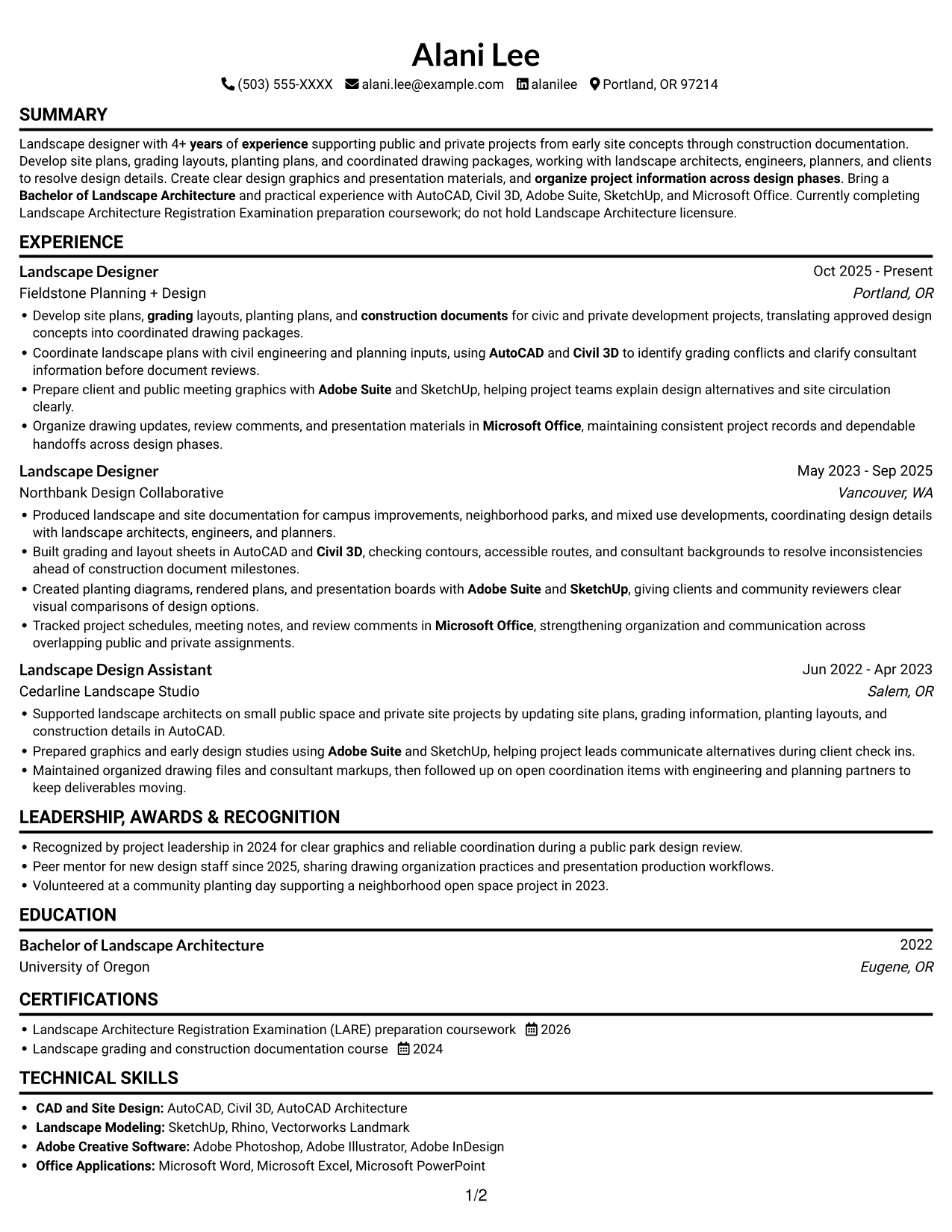
#1 Simple One Column Format Resume Example

The Simple One Column Format presents resume content in a single vertical path, giving reviewers a direct route through each section.
 
Resume example — page 1   Resume example — page 2

Why This Format Works

  • A single reading path lets reviewers follow experience, education, and credentials in sequence.
  • Skills remain easy to locate within the same vertical structure.
  • Chronological experience entries can retain complete bullet groups without a parallel column.

Best For

  • Chronological work histories
  • Detailed experience bullets
  • Direct top-to-bottom review
  • Resumes with several sections
  • Straightforward ATS parsing

Resume Keywords

  • Bachelor of Landscape Architecture
  • 4+ years of experience supporting public and private projects
  • Site planning
  • grading
  • Landscape Design
  • construction documents
  • AutoCAD
  • Adobe Suite
  • Civil 3D
  • SketchUp
  • Microsoft Office
  • design graphics
  • Production materials
  • organize project information across design phases
  • working with landscape architects, engineers, planners, and clients to resolve design details
See all keywords
 

#2 Simple Two Column Format Resume Example

The Simple Two Column Format uses two body columns to keep several resume sections visible in a compact, side-by-side reading view.
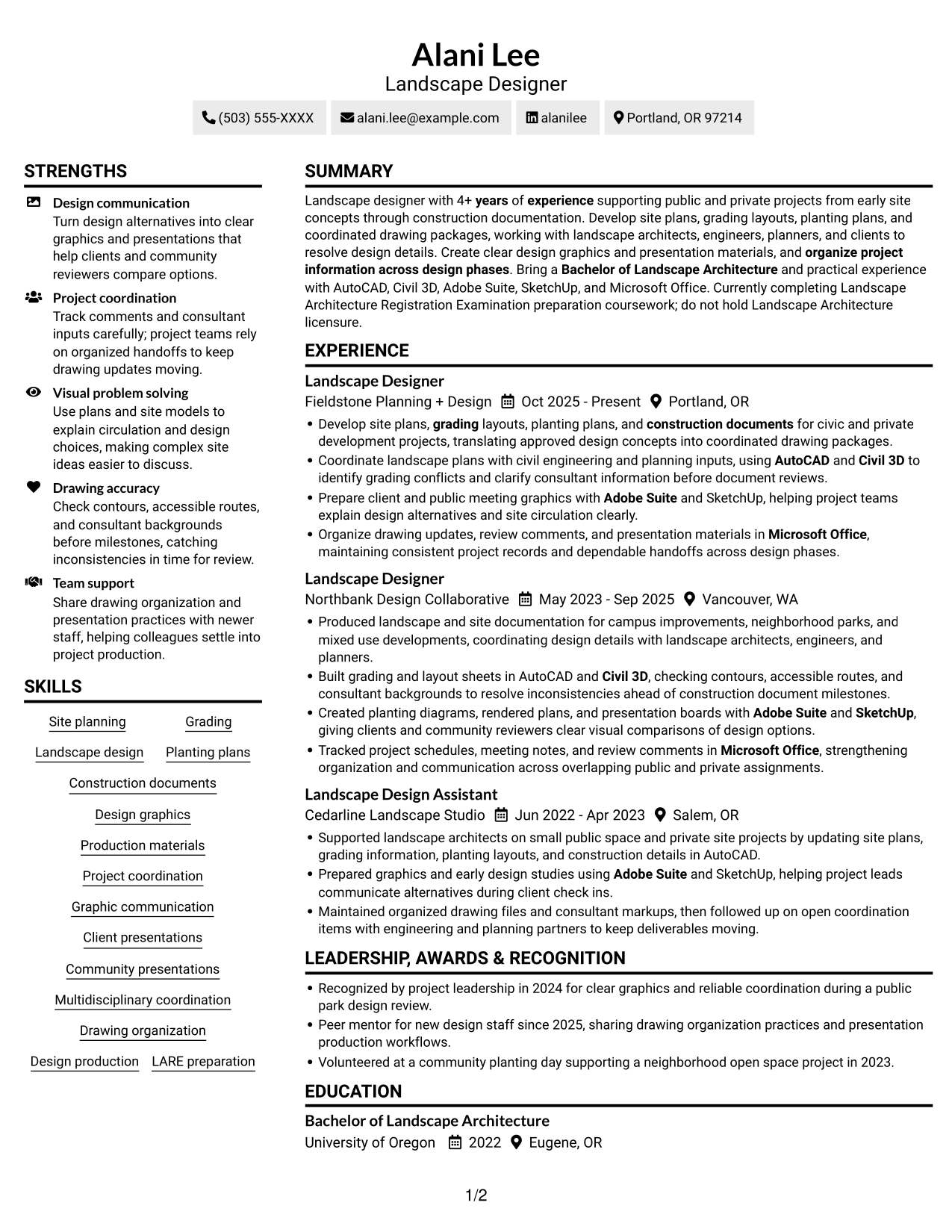
 
Resume example — page 1   Resume example — page 2

Why This Format Works

  • Two body columns let reviewers compare career history with supporting sections quickly.
  • The separated reading areas keep skill groups distinct from career entries.
  • Education and credentials are easier to locate during a brief section scan.

Best For

  • Side-by-side section organization
  • Compact access to supporting details
  • Resumes with varied section types
  • Quick comparisons across content areas
  • Work history paired with skills

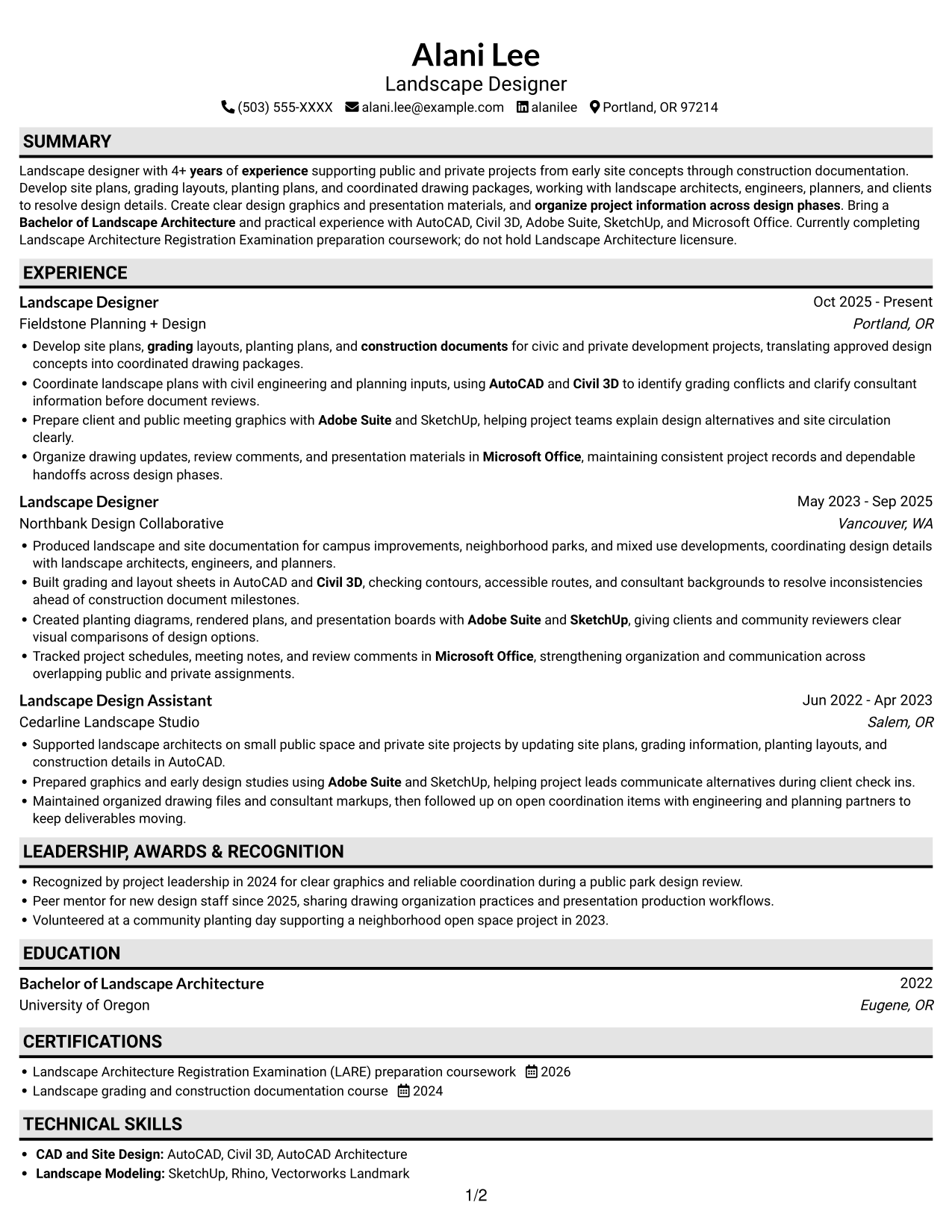
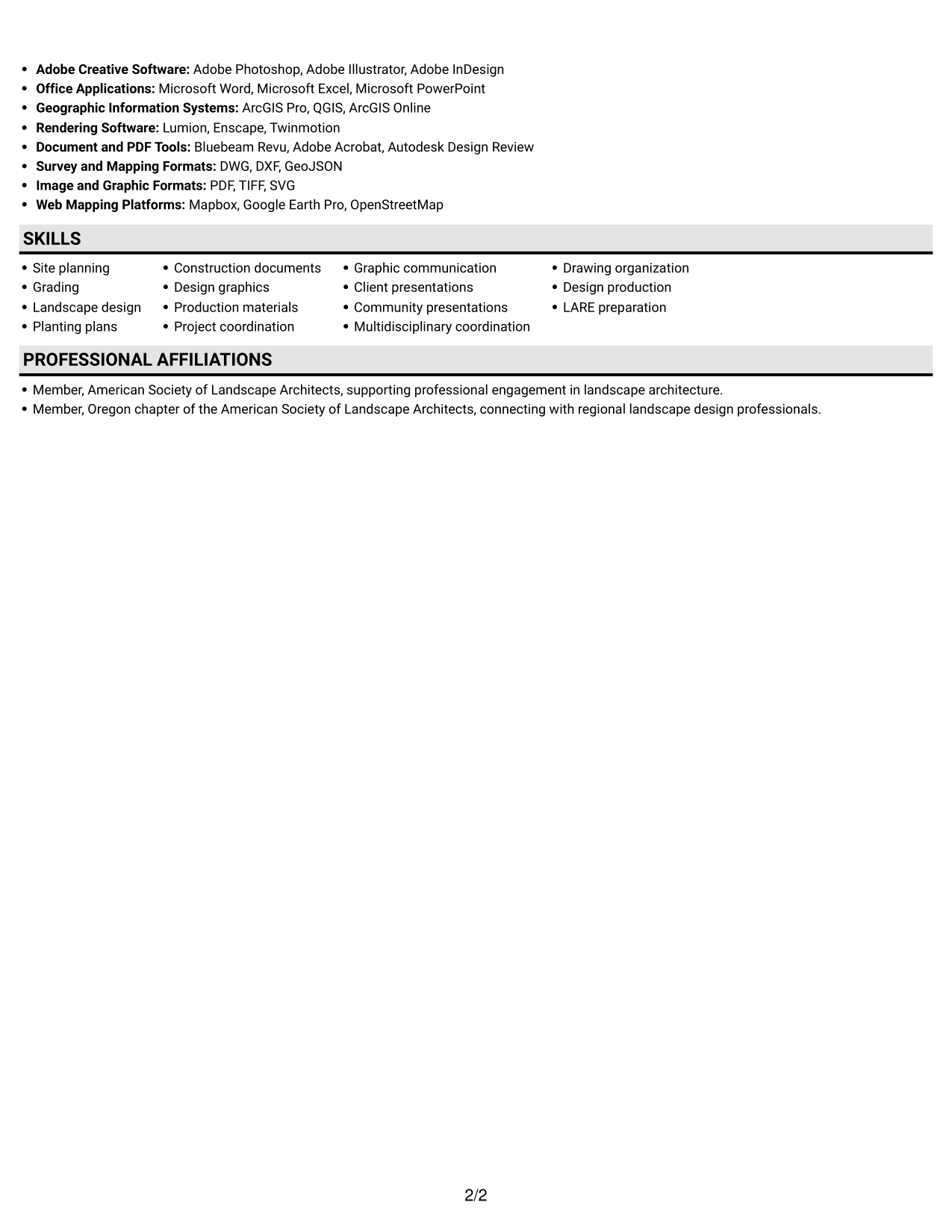
#3 Plain One Column with Shaded Labels Resume Example

The Plain One Column with Shaded Labels uses shaded section labels to make each part of the resume easier to spot.
 
Resume example — page 1   Resume example — page 2

Why This Format Works

  • Shaded section labels help reviewers find experience and education without searching each entry.
  • One-column reading keeps detailed experience bullets in a clear top-to-bottom sequence.
  • Label contrast separates skills and credentials from longer career entries.

Best For

  • Section-led resume navigation
  • Clear labels for long histories
  • Fast access to education and skills
  • Single-column chronology
  • Resumes with distinct section groups
 

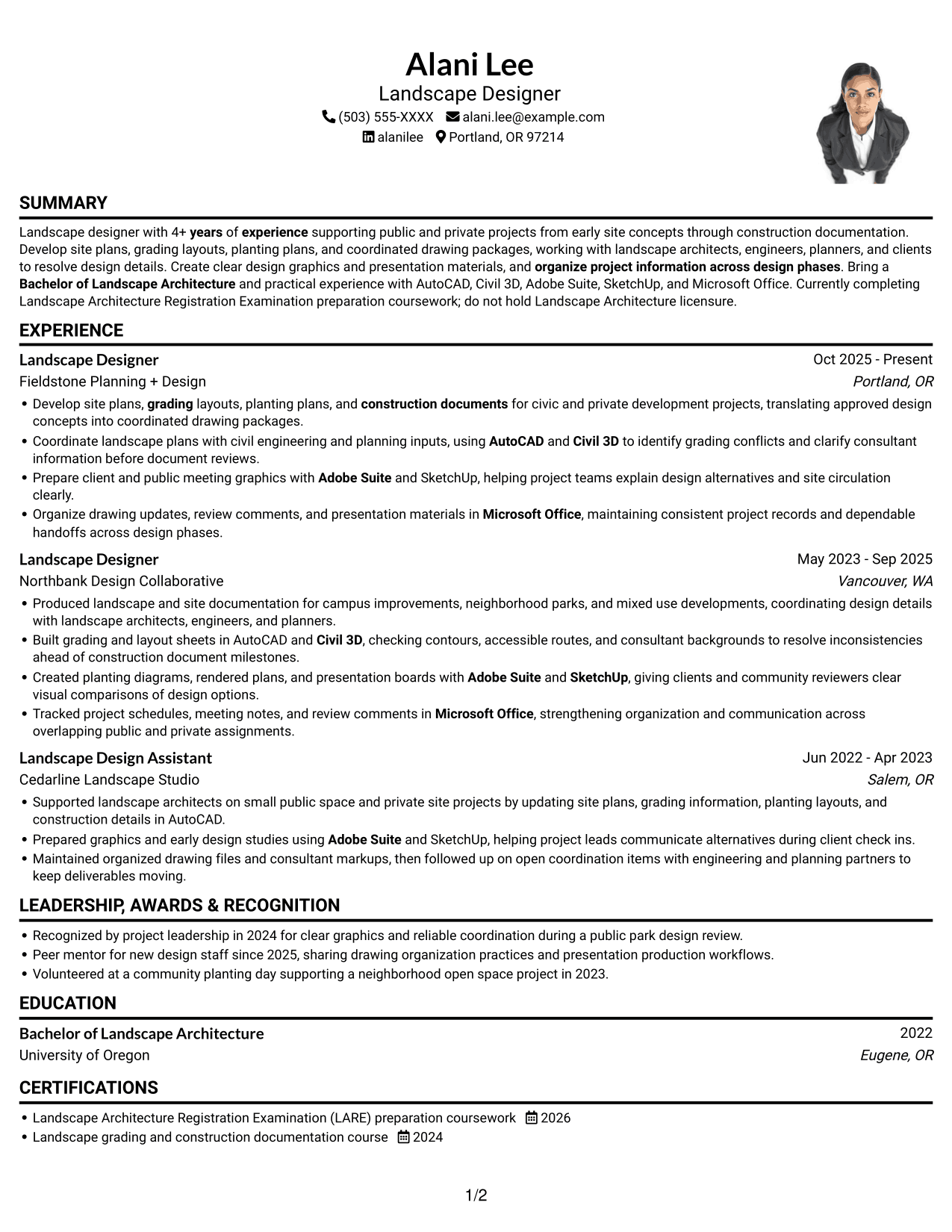
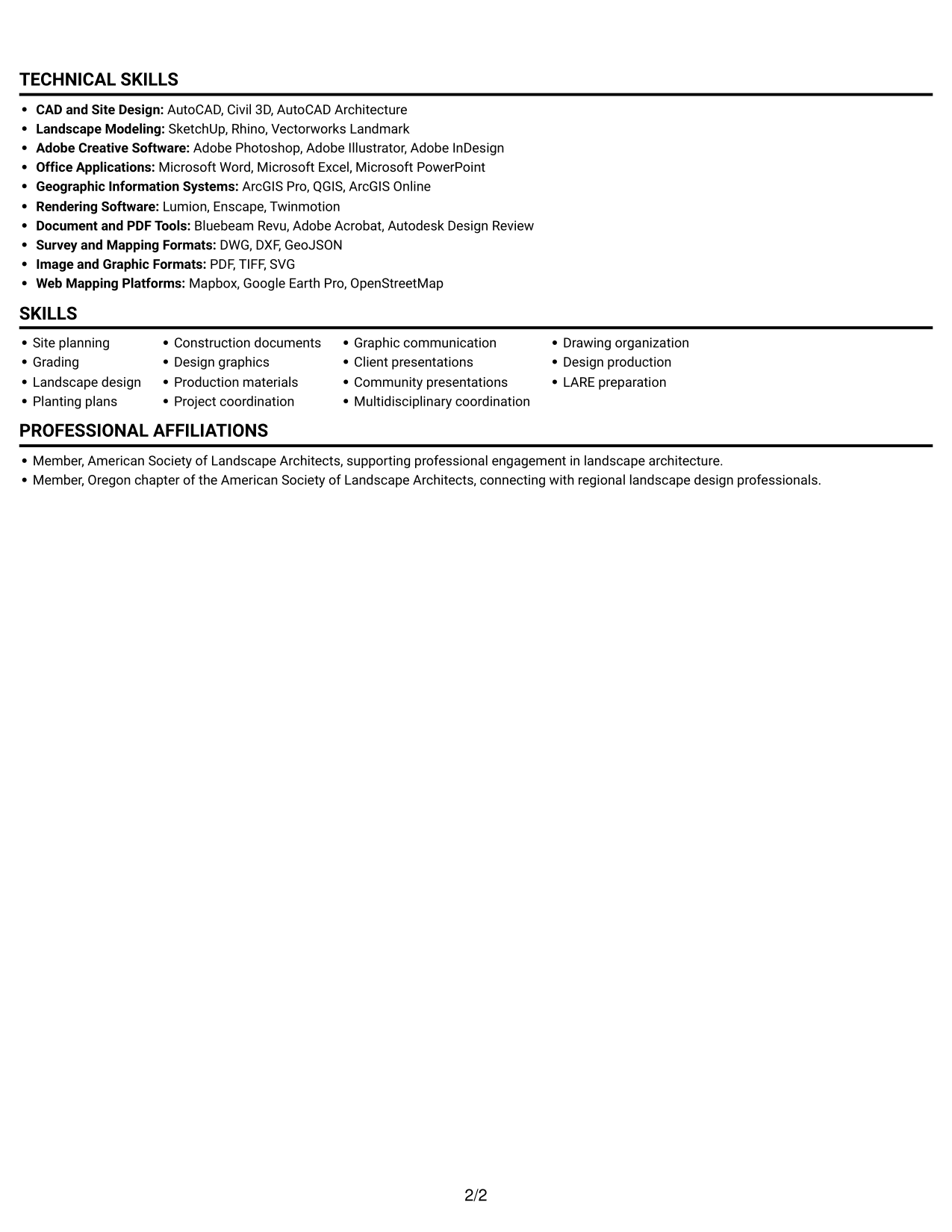
#4 One Column Format with Photo Right Resume Example

The One Column Format with Photo Right pairs a right-side photo with a single-column body, keeping the content in a clear reading order.
 
Resume example — page 1   Resume example — page 2

Why This Format Works

  • One-column reading keeps experience bullets together for steady review.
  • Skills and education remain within the same body reading path.
  • Chronological role entries avoid competing with a parallel content column.

Best For

  • Portrait-forward resume presentation
  • One-column experience review
  • Visible photo with resume details
  • Chronological work-history detail
  • Resume content in one reading path
 

#5 Clean Two Column Sidebar Format Resume Example

The Clean Two Column Sidebar Format places supporting information in a sidebar, giving the resume a clear visual split from its main content.
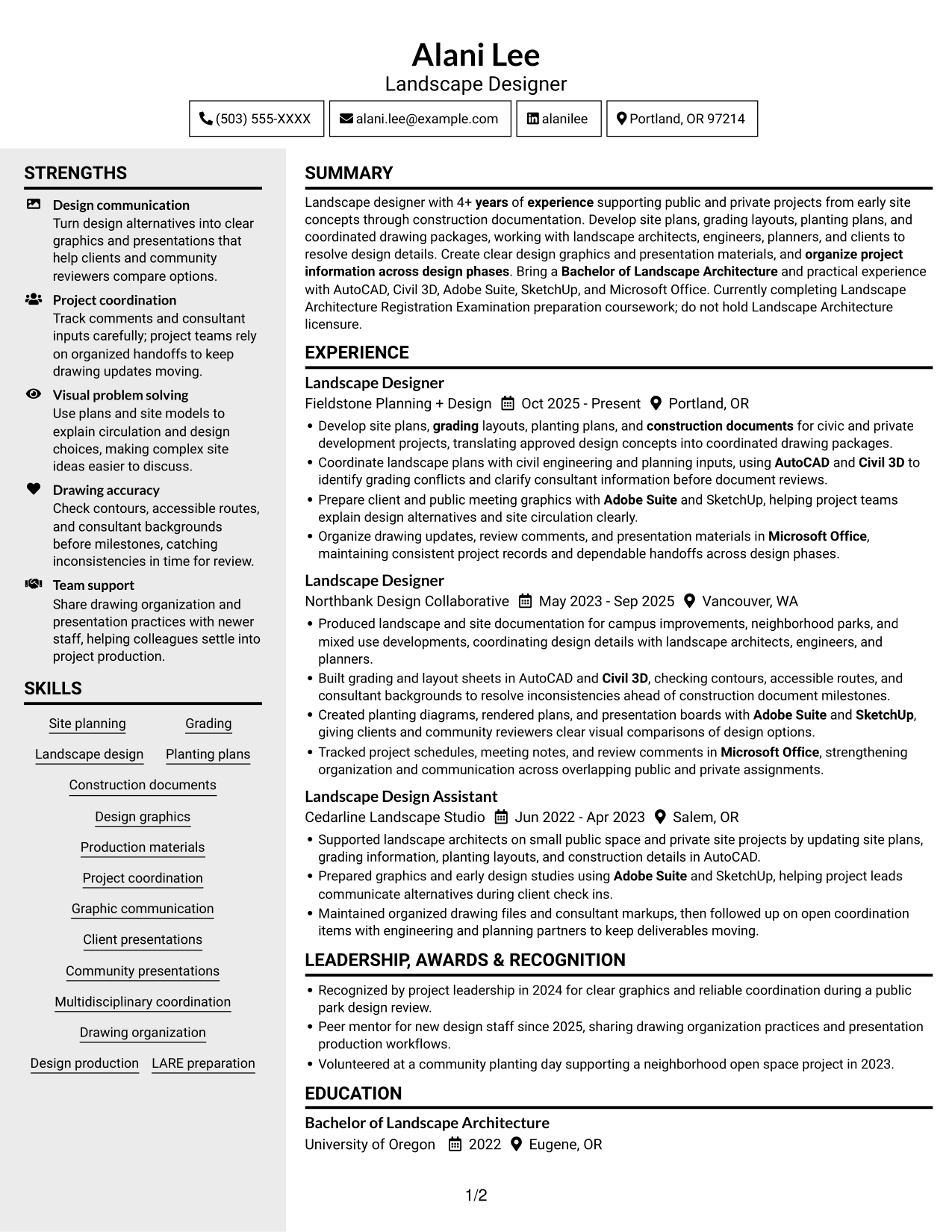
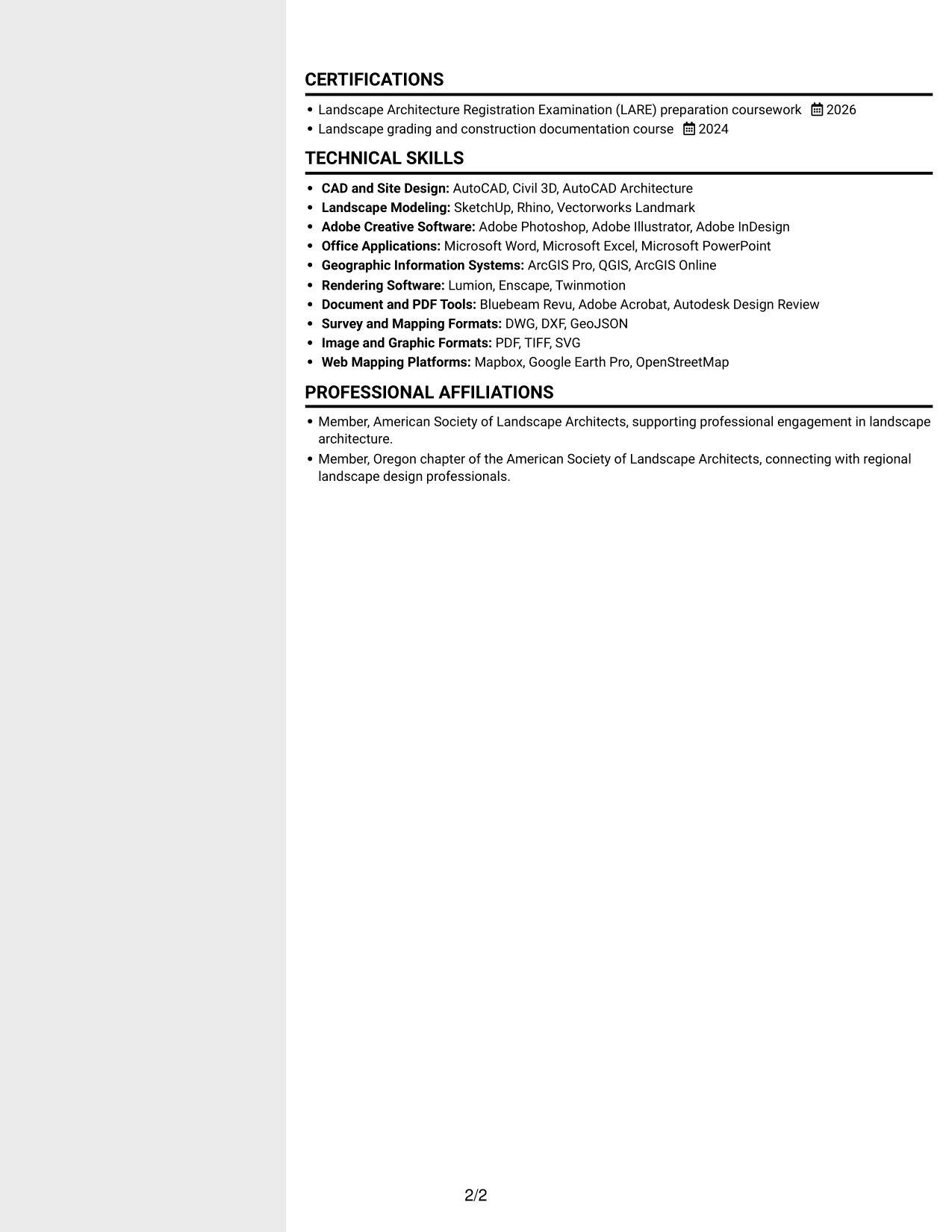
 
Resume example — page 1   Resume example — page 2

Why This Format Works

  • Sidebar organization separates supporting details from the main experience sequence.
  • Career entries remain a main reading path beside supporting resume information.
  • Education and credentials are easy to revisit without losing the work-history thread.

Best For

  • Sidebar-based section organization
  • Separate access to supporting details
  • Work histories with related sections
  • Skills beside career information
  • Quick movement between resume sections


#6 Two Column Format Resume Example

The Two Column Format divides resume content between two body columns, offering a compact way to review related sections.
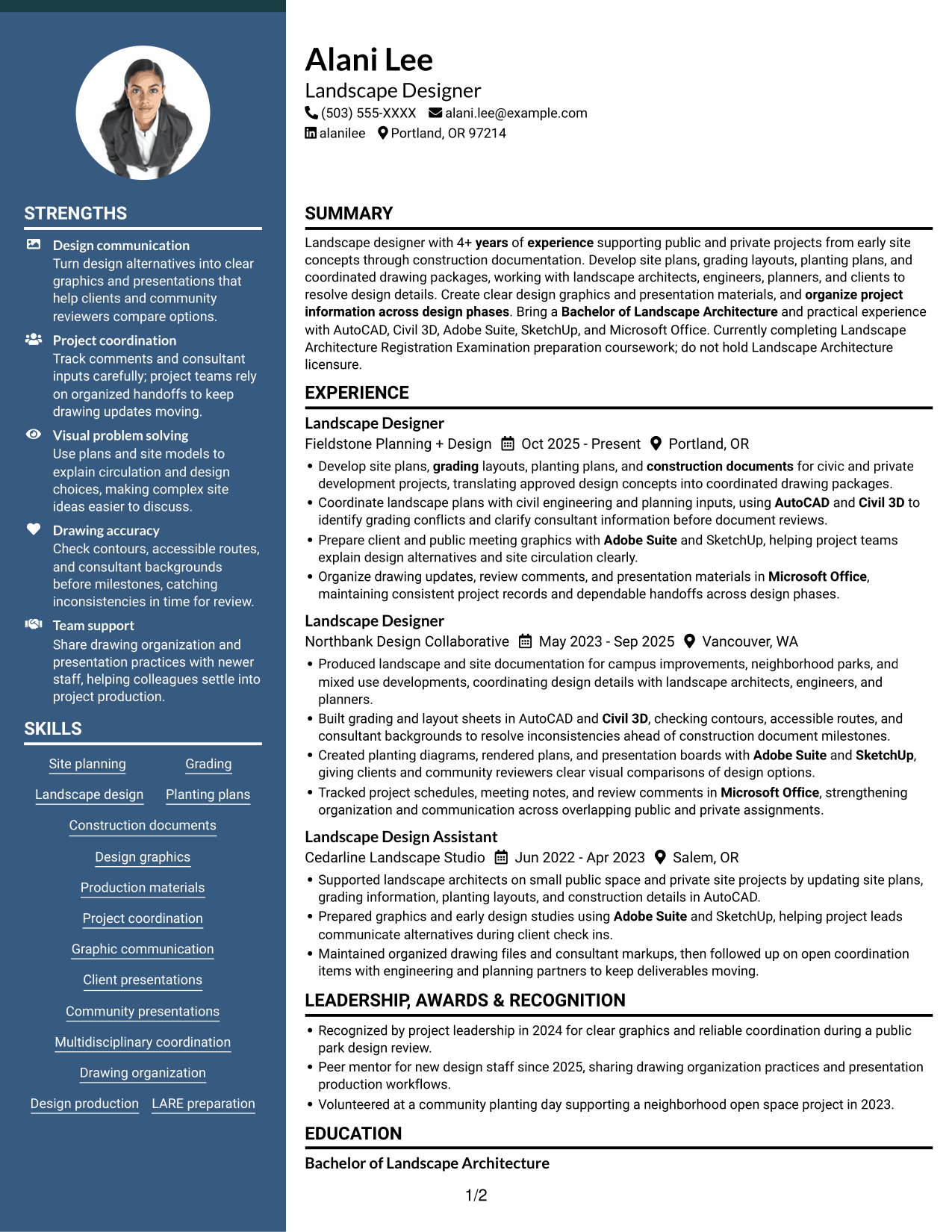
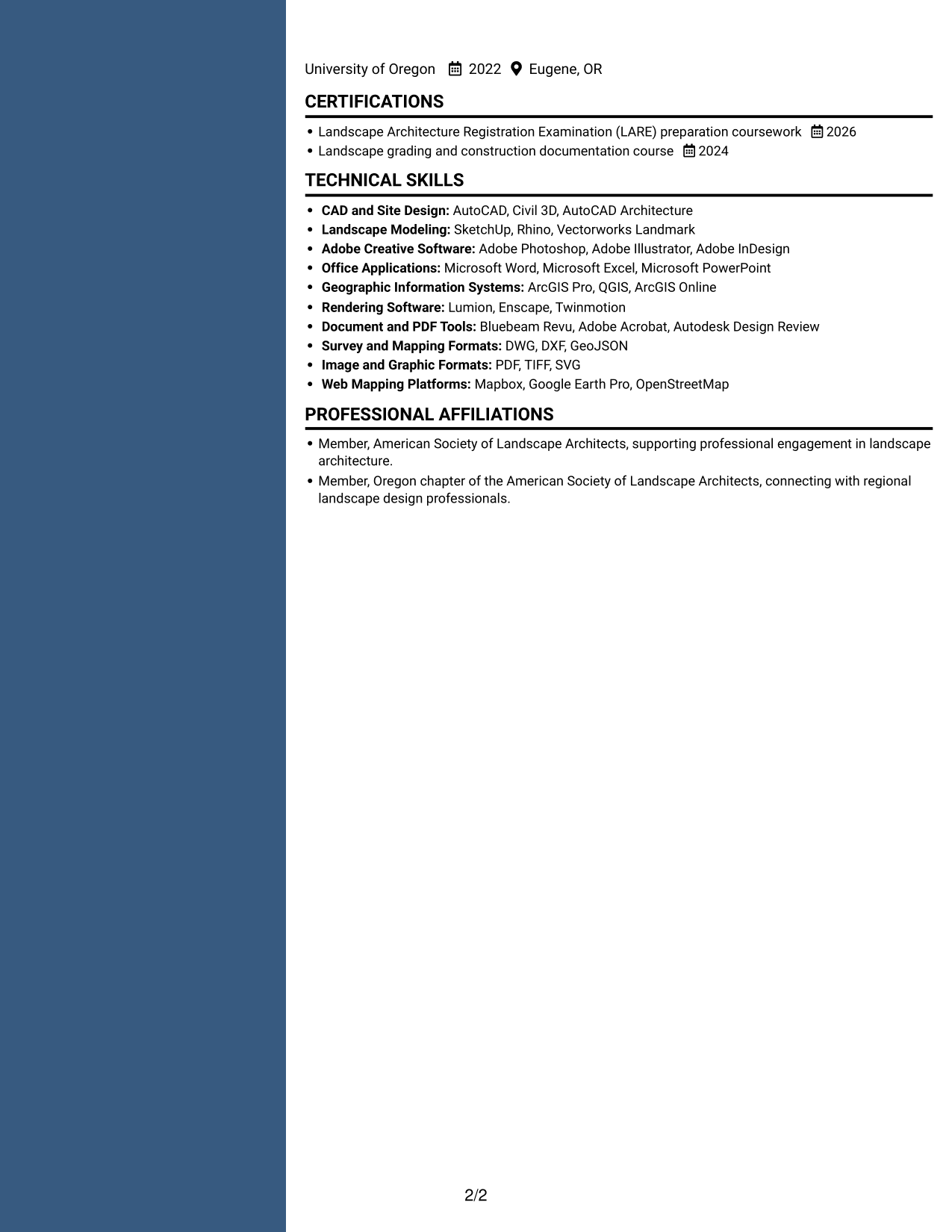
 
Resume example — page 1   Resume example — page 2

Why This Format Works

  • Two-column organization places experience and supporting sections in distinct reading areas.
  • Career history can keep its chronology while skills stay easy to find.
  • Education and credentials remain accessible without interrupting the experience sequence.

Best For

  • Two-column content organization
  • Parallel review of related sections
  • Career history with supporting details
  • Resumes with varied section lengths
  • Skills and education in a compact layout
 

#7 Photo Header Two Column Format Resume Example

The Photo Header Two Column Format places a photo in the header above a two-column body, separating the portrait treatment from resume details.
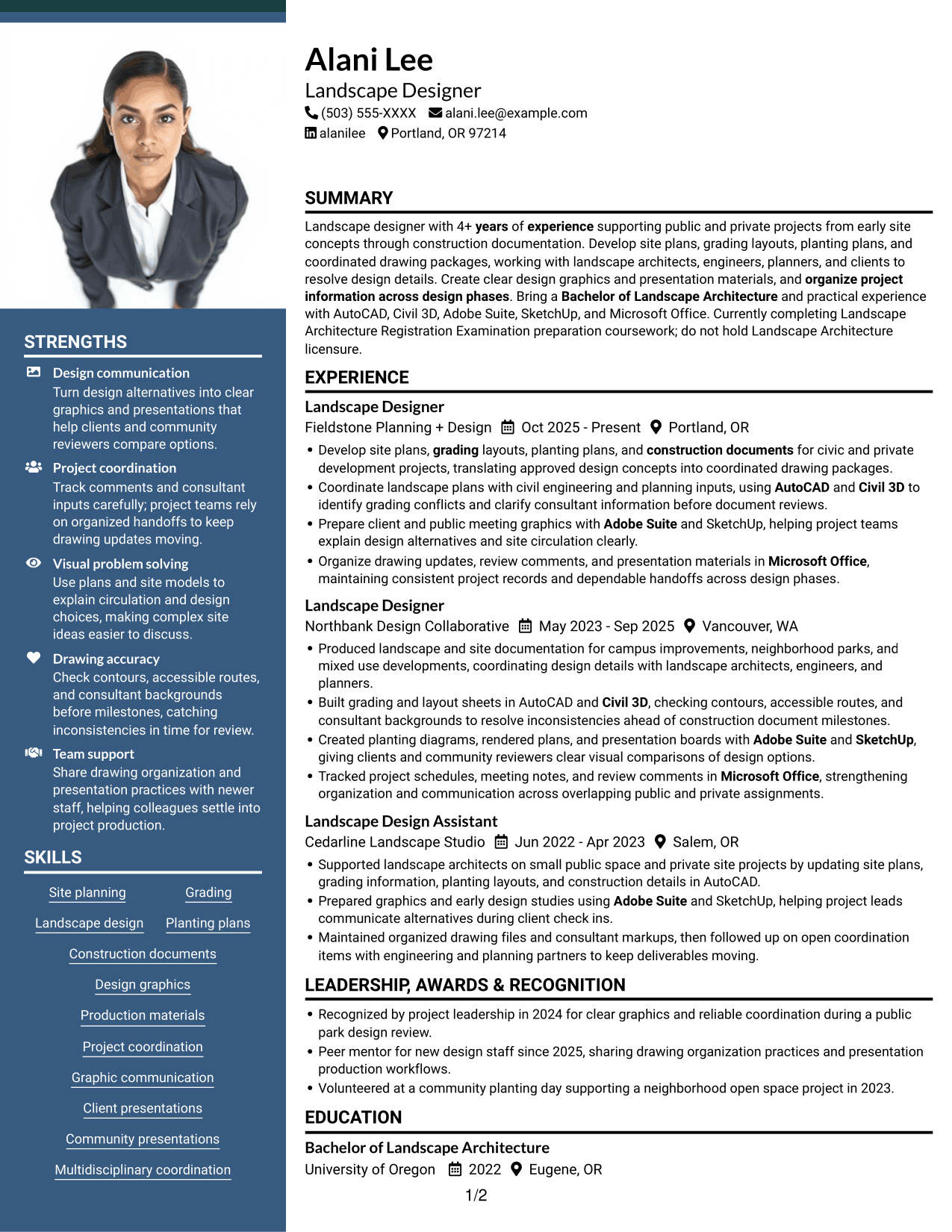
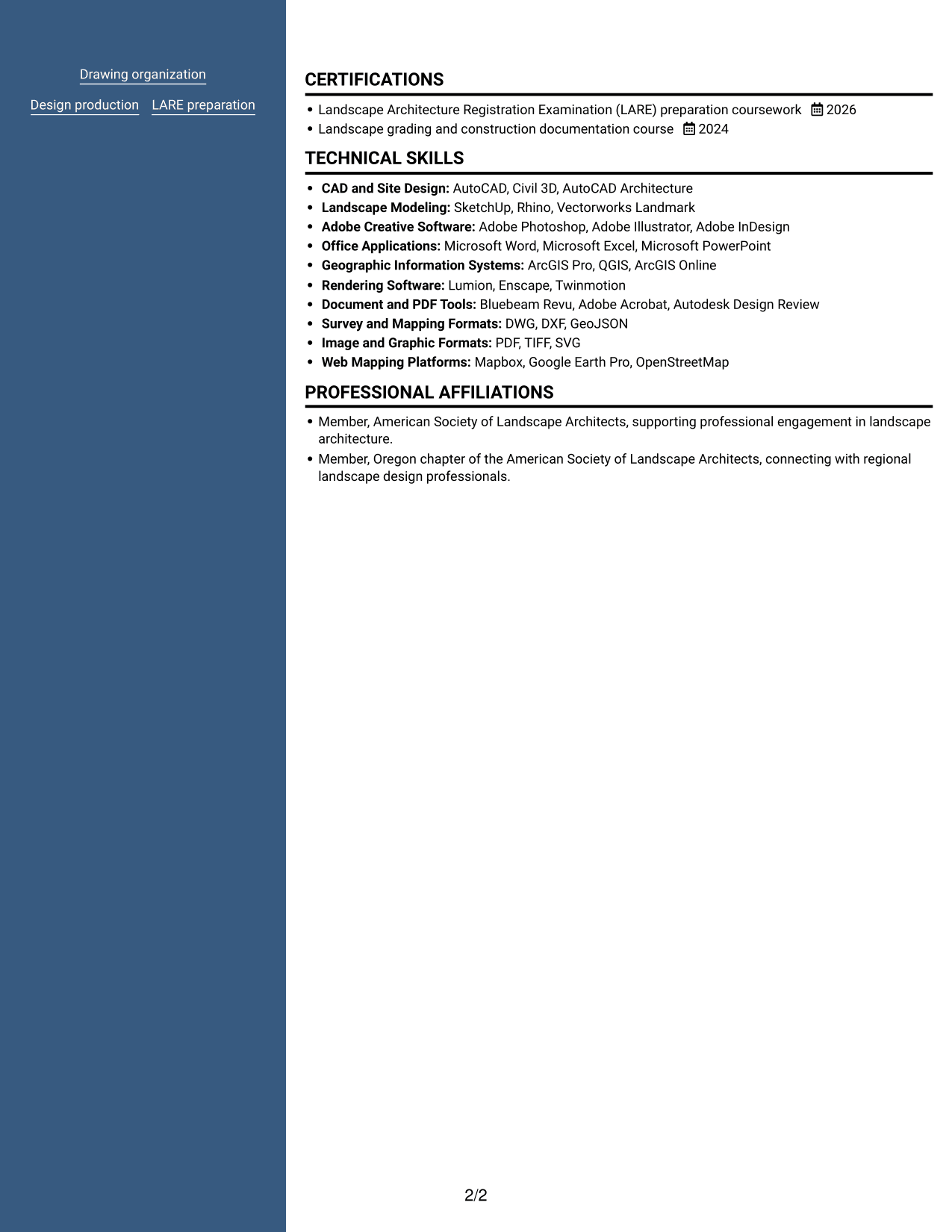
 
Resume example — page 1   Resume example — page 2

Why This Format Works

  • Two body columns distinguish career history from supporting sections during review.
  • Reviewers can move between experience and skills without following one long sequence.
  • Education and credentials remain separate from the main work-history reading path.

Best For

  • Photo-led header presentation
  • Two-column body organization
  • Portrait and detailed work history
  • Resume sections for quick scanning
  • Supporting information beside career history


Why Build Your Landscape Designer - Site Planning and Documentation Resume with ResumeInMinutes

ResumeInMinutes provides a resume example you can review in the editor and customize. Use it to organize your experience, skills, education, and project details in a clear format.

  • ATS-friendly section structure
  • Role-focused keyword guidance
  • Clear experience and skills sections
  • Space for education and certifications
  • Readable project bullet points
  • Resume customization in the editor

Present your site planning, grading, planting, and documentation work with concise evidence. Keep the content accurate, easy to scan, and relevant to the Landscape Designer - Site Planning and Documentation role.


See Also


Frequently Asked Questions

Are these Landscape Designer - Site Planning and Documentation resume templates ATS-friendly?

The examples use clear headings and readable sections. Include role-related terms such as site planning, grading, construction documents, and project coordination where they accurately describe your experience.

Does this page show one resume example in different layouts?

Yes. It presents one Landscape Designer - Site Planning and Documentation resume example in several visual layouts.

What should a Landscape Designer - Site Planning and Documentation resume include?

Include a focused summary, relevant experience, education, skills, and certifications or coursework. Use concise bullets to explain your work with site plans, grading, planting plans, construction documents, and project coordination.

Which resume format works well for this role?

A simple format with clear headings and a logical section order is a good choice. It helps readers scan your experience, project contributions, skills, and education.

How should I describe software skills on my resume?

List tools you can use, such as AutoCAD, Civil 3D, Adobe Suite, SketchUp, and Microsoft Office. Where useful, connect a tool to a real task, such as preparing grading sheets or presentation graphics.

Can I view and customize the resume example?

Yes. Compare the image previews and use the editor link to view or customize the example.

ATS Score 93%

How we calculate this score

  • Keywords: 60% of the total. AI extracts keywords from your job description. If you do not provide one, a standard job description for the title matching your resume is used. This is not a match to a specific vacancy.
  • Text-based resume: 20%. The text resume assessed here receives 100 for this part.
  • Resume quality: 20%. We start at 100 and subtract points for issues found by our resume checks, down to a minimum of zero.
  • Keyword coverage = round(100 × confirmed matches ÷ total keywords). Exact matches and supported equivalents verified by AI receive full credit; unsupported keywords receive none. Live text checks use the saved equivalents and do not request a new AI review. Without keywords, no overall ATS score is available.
  • Final score = 60% of keyword coverage + 20% of the text score + 20% of the quality score, rounded to a whole number. Without keywords, no overall ATS score is available.

What this score means

Our scores are estimates, not employer ratings. They may contain errors and do not guarantee accurate parsing, a ranking, an interview, or a job. Check your document against the employer’s requirements. You are responsible for relying on this score.

Terms and Conditions

Score weights: Keywords 60% · Text based resume 20% · Resume quality 20%

Keyword coverage: 17 of 19 (89%) · Resume quality: 100%

Resume quality 100% · Weight 20% · Issues (0)

Details
  • ✓Name present: Alani Lee
  • ✓Email format: alani.lee@example.com
  • ✓Phone format: (503) 555-XXXX
  • ✓Experience 1: Job title: Landscape Designer
  • ✓Experience 1: Company name: Fieldstone Planning + Design
  • ✓Experience 1: Work location: Portland, OR
  • ✓Experience 1: Employment dates: Oct 2025 - Present
  • ✓Experience 1: Description or achievements: Present
  • ✓Experience 2: Job title: Landscape Designer
  • ✓Experience 2: Company name: Northbank Design Collaborative
  • ✓Experience 2: Work location: Vancouver, WA
  • ✓Experience 2: Employment dates: May 2023 - Sep 2025
  • ✓Experience 2: Description or achievements: Present
  • ✓Experience 3: Job title: Landscape Design Assistant
  • ✓Experience 3: Company name: Cedarline Landscape Studio
  • ✓Experience 3: Work location: Salem, OR
  • ✓Experience 3: Employment dates: Jun 2022 - Apr 2023
  • ✓Experience 3: Description or achievements: Present
  • ✓No placeholder fields
  • ✓No repeated achievement bullets
  • ✓No empty bullets

No issues found by the current checks.

Text Based Resume 100% · Weight 20%

Parsed text
Alani Lee
(503) 555-XXXX
alani.lee@example.com
alanilee
Portland, OR 97214
SUMMARY
Landscape designer with 4+ years of experience supporting public and private projects from early site concepts through construction documentation. Develop site plans, grading layouts, planting plans, and coordinated drawing packages, working with landscape architects, engineers, planners, and clients to resolve design details. Create clear design graphics and presentation materials, and organize project information across design phases. Bring a Bachelor of Landscape Architecture and practical experience with AutoCAD, Civil 3D, Adobe Suite, SketchUp, and Microsoft Office. Currently completing Landscape Architecture Registration Examination preparation coursework; do not hold Landscape Architecture licensure.
EXPERIENCE
Landscape Designer
Oct 2025 - Present
Fieldstone Planning + Design
Portland, OR
Develop site plans, grading layouts, planting plans, and construction documents for civic and private development projects, translating approved design concepts into coordinated drawing packages.
Coordinate landscape plans with civil engineering and planning inputs, using AutoCAD and Civil 3D to identify grading conflicts and clarify consultant information before document reviews.
Prepare client and public meeting graphics with Adobe Suite and SketchUp, helping project teams explain design alternatives and site circulation clearly.
Organize drawing updates, review comments, and presentation materials in Microsoft Office, maintaining consistent project records and dependable handoffs across design phases.
Landscape Designer
May 2023 - Sep 2025
Northbank Design Collaborative
Vancouver, WA
Produced landscape and site documentation for campus improvements, neighborhood parks, and mixed use developments, coordinating design details with landscape architects, engineers, and planners.
Built grading and layout sheets in AutoCAD and Civil 3D, checking contours, accessible routes, and consultant backgrounds to resolve inconsistencies ahead of construction document milestones.
Created planting diagrams, rendered plans, and presentation boards with Adobe Suite and SketchUp, giving clients and community reviewers clear visual comparisons of design options.
Tracked project schedules, meeting notes, and review comments in Microsoft Office, strengthening organization and communication across overlapping public and private assignments.
Landscape Design Assistant
Jun 2022 - Apr 2023
Cedarline Landscape Studio
Salem, OR
Supported landscape architects on small public space and private site projects by updating site plans, grading information, planting layouts, and construction details in AutoCAD.
Prepared graphics and early design studies using Adobe Suite and SketchUp, helping project leads communicate alternatives during client check ins.
Maintained organized drawing files and consultant markups, then followed up on open coordination items with engineering and planning partners to keep deliverables moving.
LEADERSHIP, AWARDS & RECOGNITION
Recognized by project leadership in 2024 for clear graphics and reliable coordination during a public park design review.
Peer mentor for new design staff since 2025, sharing drawing organization practices and presentation production workflows.
Volunteered at a community planting day supporting a neighborhood open space project in 2023.
EDUCATION
Bachelor of Landscape Architecture
2022
University of Oregon
Eugene, OR
CERTIFICATIONS
Landscape Architecture Registration Examination (LARE) preparation coursework
2026
Landscape grading and construction documentation course
2024
TECHNICAL SKILLS
CAD and Site Design: AutoCAD, Civil 3D, AutoCAD Architecture
Landscape Modeling: SketchUp, Rhino, Vectorworks Landmark
Adobe Creative Software: Adobe Photoshop, Adobe Illustrator, Adobe InDesign
Office Applications: Microsoft Word, Microsoft Excel, Microsoft PowerPoint
Geographic Information Systems: ArcGIS Pro, QGIS, ArcGIS Online
Rendering Software: Lumion, Enscape, Twinmotion
Document and PDF Tools: Bluebeam Revu, Adobe Acrobat, Autodesk Design Review
Survey and Mapping Formats: DWG, DXF, GeoJSON
Image and Graphic Formats: PDF, TIFF, SVG
Web Mapping Platforms: Mapbox, Google Earth Pro, OpenStreetMap
SKILLS
Site planning
Grading
Landscape design
Planting plans
Construction documents
Design graphics
Production materials
Project coordination
Graphic communication
Client presentations
Community presentations
Multidisciplinary coordination
Drawing organization
Design production
LARE preparation
PROFESSIONAL AFFILIATIONS
Member, American Society of Landscape Architects, supporting professional engagement in landscape architecture.
Member, Oregon chapter of the American Society of Landscape Architects, connecting with regional landscape design professionals.

Matched keywords (17)

  • Bachelor of Landscape ArchitectureOriginal keyword in JD: Bachelor's degree in Landscape Architecture
  • 4+ years of experience supporting public and private projectsOriginal keyword in JD: 4+ years of professional experience
  • Site planning
  • grading
  • Landscape Design
  • construction documents
  • AutoCAD
  • Adobe Suite
  • Civil 3D
  • SketchUp
  • Microsoft Office
  • design graphics
  • Production materials
  • organize project information across design phasesOriginal keyword in JD: Project information coordination
  • working with landscape architects, engineers, planners, and clients to resolve design detailsOriginal keyword in JD: Multidisciplinary collaboration
  • Create clear design graphics and presentation materialsOriginal keyword in JD: Graphic skills
  • Organize drawing updates, review comments, and presentation materials in Microsoft OfficeOriginal keyword in JD: Organizational skills

Missing keywords (2)

  • Communication skills
  • Landscape Architecture licensure (preferred)
Disclaimer: All names, images, contact information, employment histories, achievements, security clearances, military credentials, and other qualifications shown in this content are fictional and used for illustrative purposes only. Any resemblance to actual persons, living or deceased, is purely coincidental.

Resume and cover-letter examples and recommendations in this article reflect general best practices and professional experience and are provided for guidance only. Results may vary based on role, industry, region, and hiring organization.

Content Accuracy and Verification: To the fullest extent permitted by applicable law, we do not represent or warrant that resume or cover-letter guidance, examples, recommendations, or related information are accurate, complete, current, error-free, or suitable for any particular purpose. You are responsible for independently reviewing and verifying the information before relying on it.

ATS and Cover-Letter Scores: ATS scores are estimates calculated using our own formula, informed by publicly available guidance on resume formatting and keyword matching. They are not scores issued or endorsed by an ATS provider or employer. Cover-letter scores are also our own assessments. Parsing, weighting, screening criteria, and results vary between systems, employers, job descriptions, and document formats. No score guarantees successful parsing, a particular ranking, an interview, or employment. Use scores as general guidance and independently check your documents against the employer’s requirements. To the fullest extent permitted by applicable law, we accept no liability for errors in scores or parsing, or losses arising from reliance on these assessments. Nothing in this notice excludes liability or limits consumer rights that cannot lawfully be excluded or limited.

Terms and Conditions
 
> JP 1 1
PDF Footer and Margins Setup
The margins are applied to the document, and the footer shows up in the preview and the PDF

Footer Font Settings

Are you applying for a specific job
so we can tailor your resume to it?
Are you applying for a specific job
so we can tailor your cover letter to it?

Your data stays private and is never used for training.Privacy Policy

Type your details as text to generate a personalized resume Type your details as text to generate a personalized cover letter
Website link found! Ready to create resume from:

Your data stays private and is never used for training.Privacy Policy

Drag the into the box to verify you're human.
Drop here

My Resumes

Displaying {number_of_files} files (out of {total_of_all_files} total)
Name File Type Last Modified: Description:

Rename File

Filename already exists!

Delete Files

Warning: This action is irreversible. Once you click submit, the files will be permanently deleted.

Heading text
Upload From Computer Upload
Select From Existing
LinkedIn
Drag & Drop files anywhere in this tab, or

Uploaded Files

Delete Name Last Updated Use This File
Select this to use the file for generating your resume and cover letter. Only one source—uploaded file, selected file, or LinkedIn text—can be used.

My Files

Resumes or cover letters you create will appear here. No files available yet.
Delete Name Last Updated Use This File
Select this to use the file for generating your resume and cover letter. Only one source—uploaded file, selected file, or LinkedIn text—can be used.

Add LinkedIn Profile PDF

You can download your LinkedIn profile as a PDF by opening linkedin.com in a web browser, clicking your profile photo, selecting the “More” or “Resources” button, and choosing “Save to PDF.” You can then attach the PDF using the Upload From Computer tab.

Paste Your LinkedIn Profile Text

If you have copied the LinkedIn profile text, paste it below. See how to copy your profile from LinkedIn

Select this to use the LinkedIn profile text for generating your resume and cover letter. Only one source—uploaded file, selected file, or LinkedIn text—can be used.

Try these controls

<
>



