
US English


7 Library Technical Assistant I - Technical Services Resume Templates with Example
By Ria · Last Updated On October 17, 2026
Resume example — page 1

This guide shows you how to create a clear, focused Library Technical Assistant I - Technical Services resume. Learn how to present relevant work, training, and skills so readers can quickly understand your fit for the role.

Highlight work with technical services, circulation, preliminary cataloging, Cutter numbers, and serials processing. Use concise bullet points to show accurate records, helpful patron service, and careful materials handling.

Compare the example in 7 layouts to see how each presents resume information. The page includes image previews and links to view or customize an example in the editor.

What Makes a Great Library Technical Assistant I - Technical Services Resume in 2026

A strong resume makes technical services, circulation, and public service experience easy to scan. Clear sections and focused bullet points help show how you handle materials, records, and routine requests.

Include role-specific terms such as preliminary cataloging, Cutter numbers, serials processing, collection inventory, and materials routing. Add tools or measurable results only when they reflect your own experience.

Note: Resume examples are for educational purposes only. Use only information that accurately reflects your experience and qualifications. References to real organizations do not imply affiliation or endorsement.

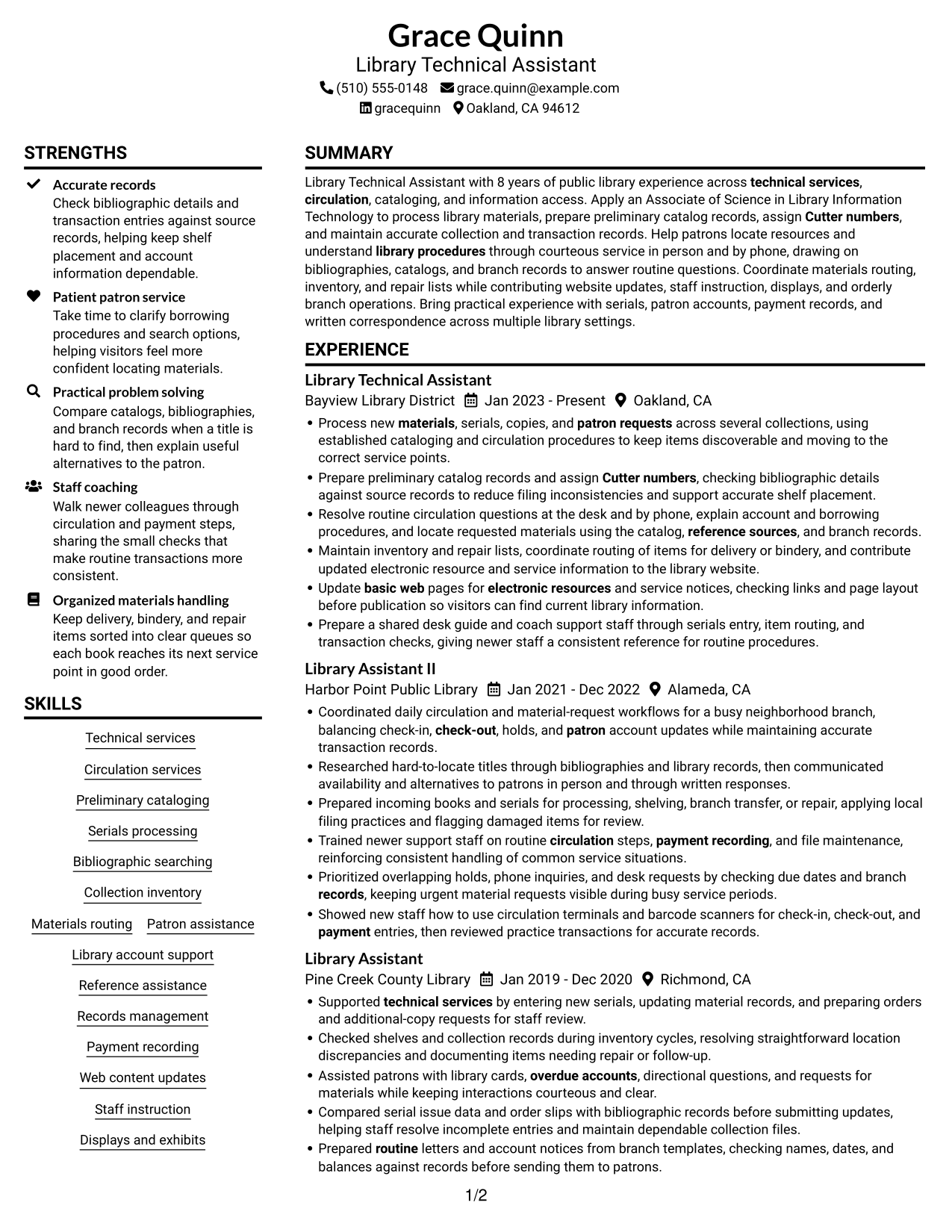
#1 Plain Two Column Format Resume Example

The Plain Two Column Format uses two body columns, giving reviewers a direct way to compare career history with supporting sections.
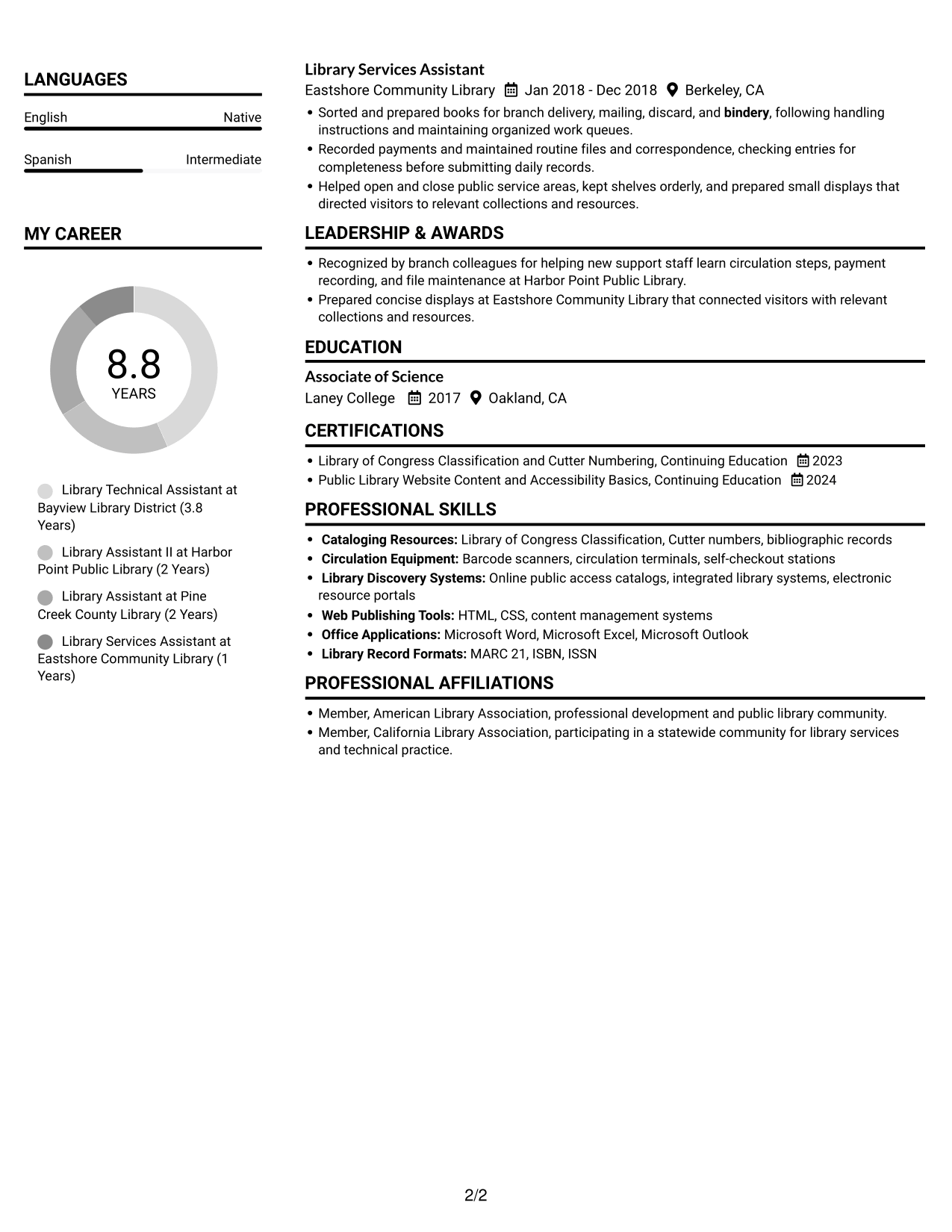
 
Resume example — page 1   Resume example — page 2

Resume Snapshot

  • 8 years in public library settings
  • Associate of Science in Library Information Technology
  • Technical services, circulation, cataloging, and information access
  • Continuing education in classification, Cutter numbering, and website accessibility

Why This Format Works

  • Separate content areas let reviewers find career history, education, and credentials without searching.
  • Skills stay easy to locate without interrupting the sequence of experience entries.
  • Two-column reading order helps balance several experience entries with supporting sections.

Best For

  • Detailed career histories
  • Resumes with multiple supporting sections
  • Quick comparison of experience and qualifications
  • Education and credentials alongside work history
  • Library experience applications

Resume Keywords

  • circulation
  • Preliminary cataloging
  • Cutter numbers
  • Serials processing
  • Process new materials, serials, copies, and patron requests across several collections
  • reference sources
  • Bibliographic searching
  • Collection inventory
  • Records management
  • patron service
  • library procedures
  • Technical services
  • overdue accounts
  • balancing check-in, check-out, holds, and patron account updates
  • Materials routing
See all keywords
 

#2 Simple One Column Format Resume Example

The Simple One Column Format places each resume section in one vertical path, helping reviewers follow career history in sequence.
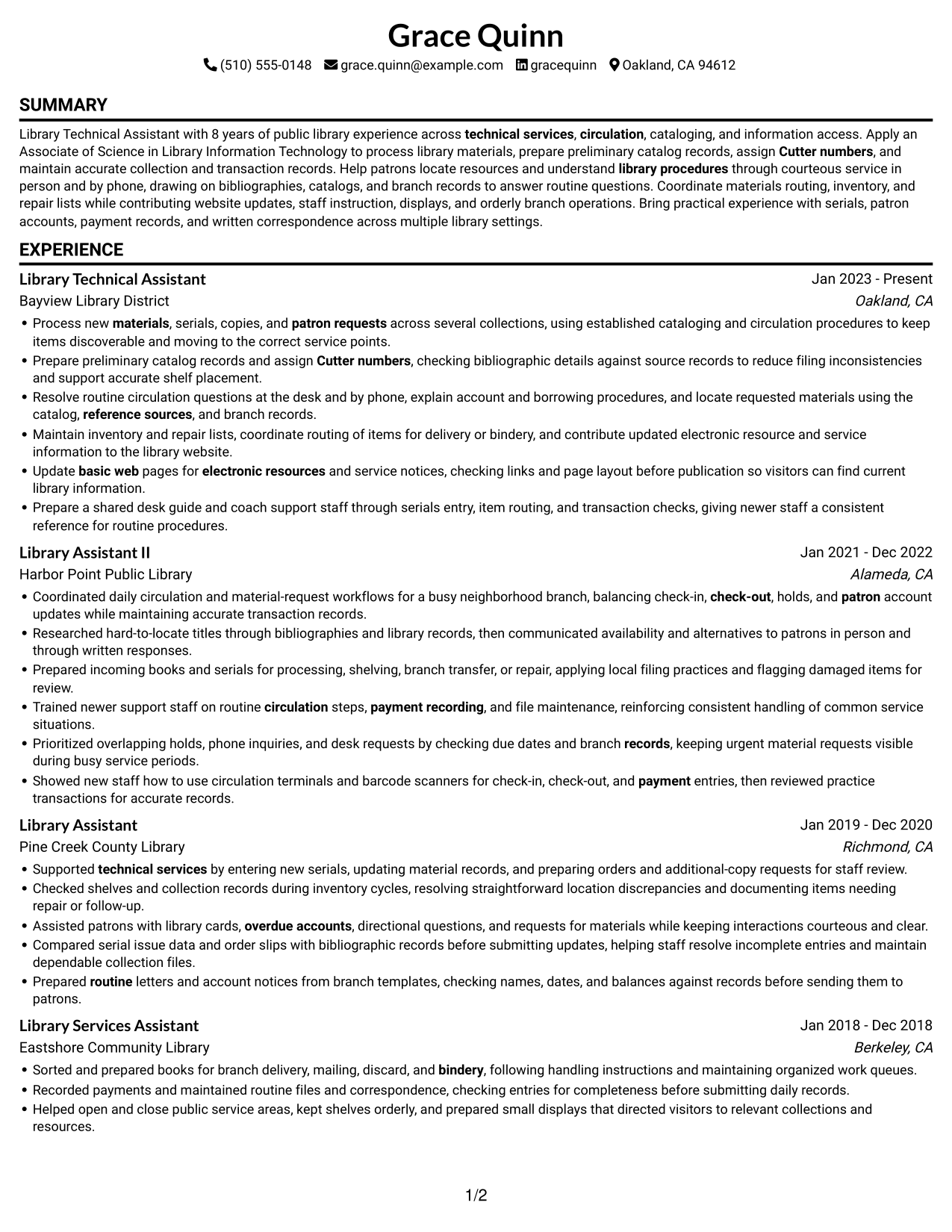
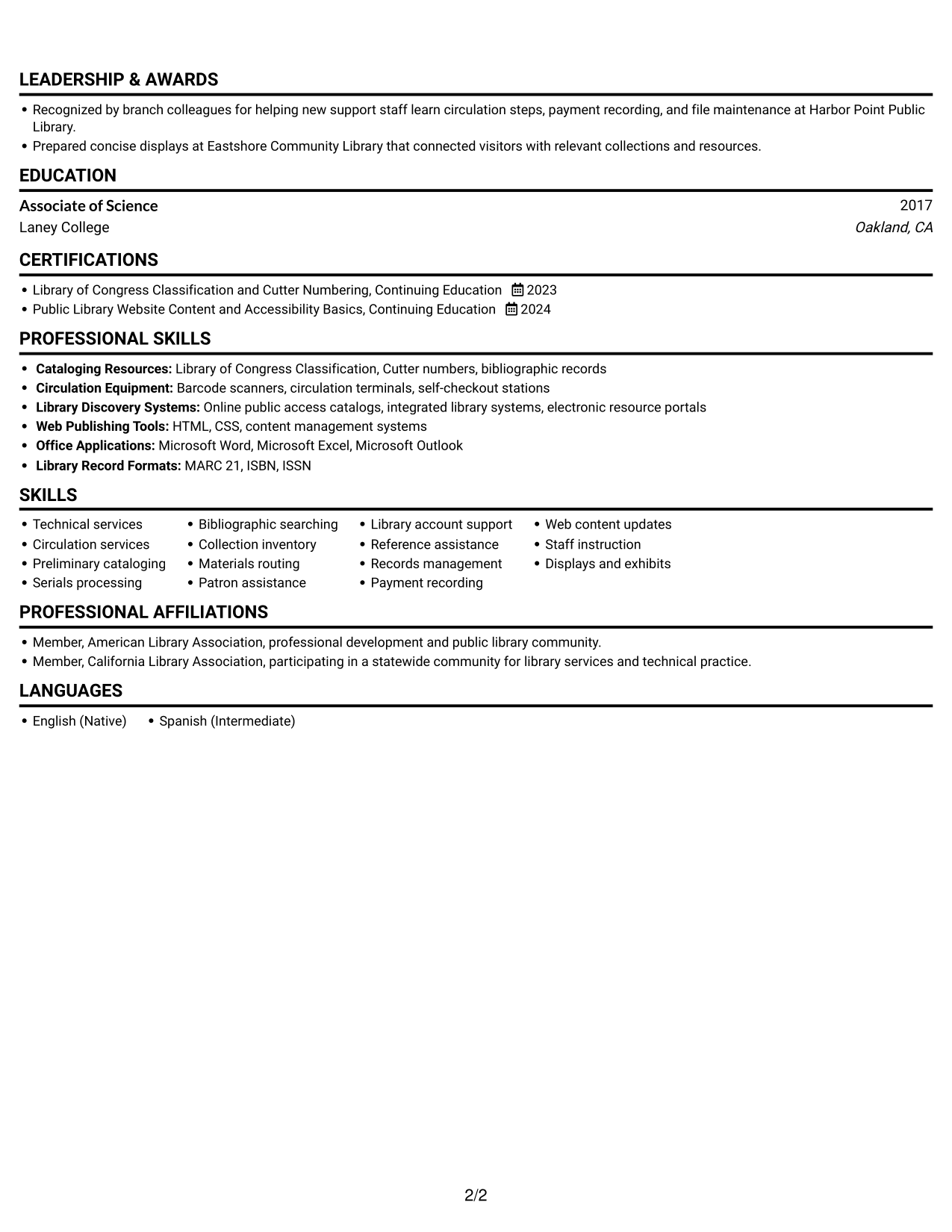
 
Resume example — page 1   Resume example — page 2

Why This Format Works

  • One reading path keeps experience entries in a clear sequence for reviewers.
  • Skills and education appear within the same flow as career history.
  • Section breaks help readers move through the resume without shifting between columns.

Best For

  • Chronological career review
  • Resumes needing a direct reading sequence
  • Experience-led applications
  • Simple section navigation
  • Documents without parallel content areas
 

#3 Clean Two Column Sidebar Format Resume Example

The Clean Two Column Sidebar Format arranges resume content in two columns, helping reviewers move between work history and other sections.
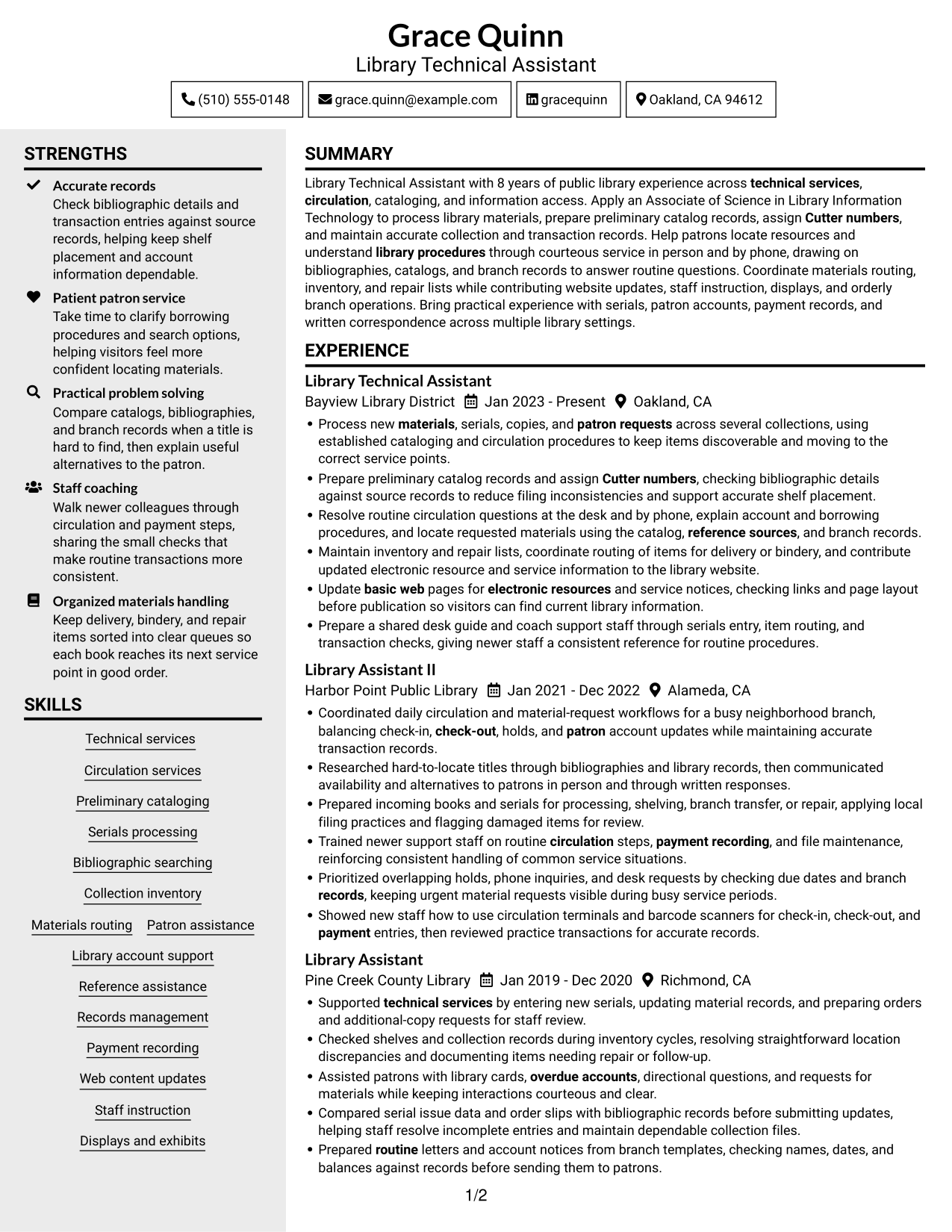
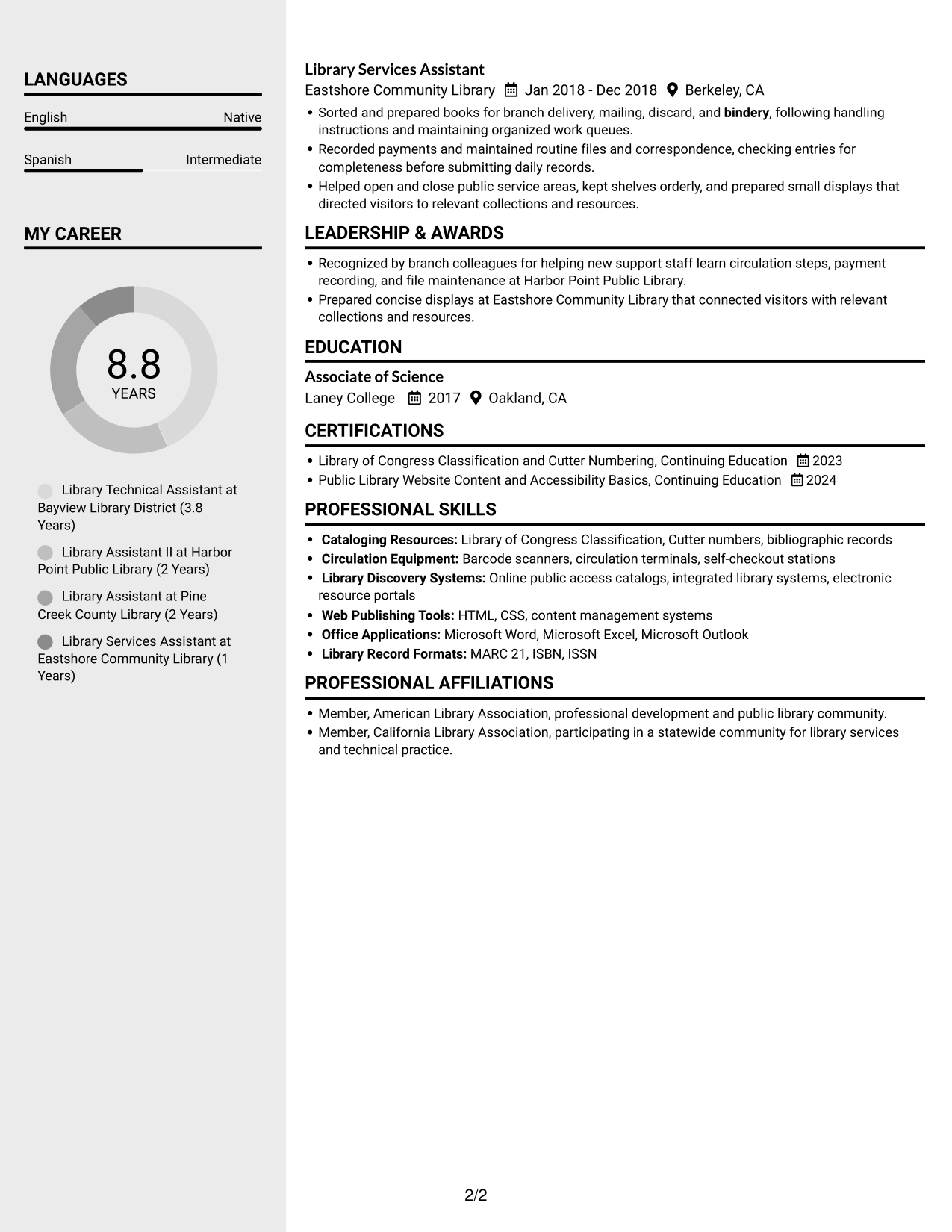
 
Resume example — page 1   Resume example — page 2

Why This Format Works

  • Distinct columns help reviewers move from career progression to education and credentials.
  • Skills remain easy to find without interrupting the sequence of experience entries.
  • Section separation gives detailed work history room alongside supporting resume information.

Best For

  • Work history with supporting sections
  • Side-by-side section review
  • Career histories with education and credentials
  • Several distinct resume categories
  • Readers comparing experience and qualifications
 

#4 Two Column Format Resume Example

The Two Column Format divides resume content across two columns, helping reviewers locate experience and supporting details in a clear reading order.
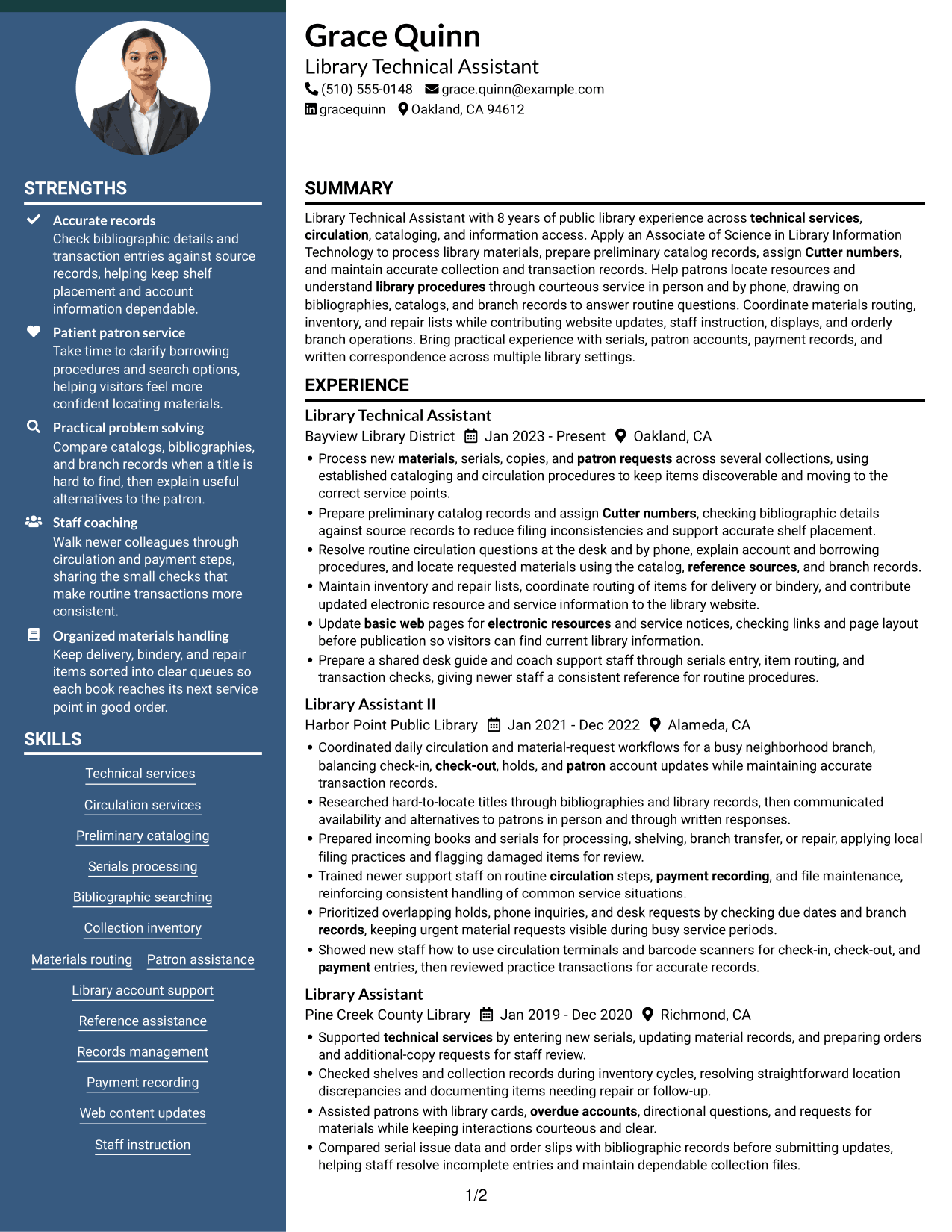
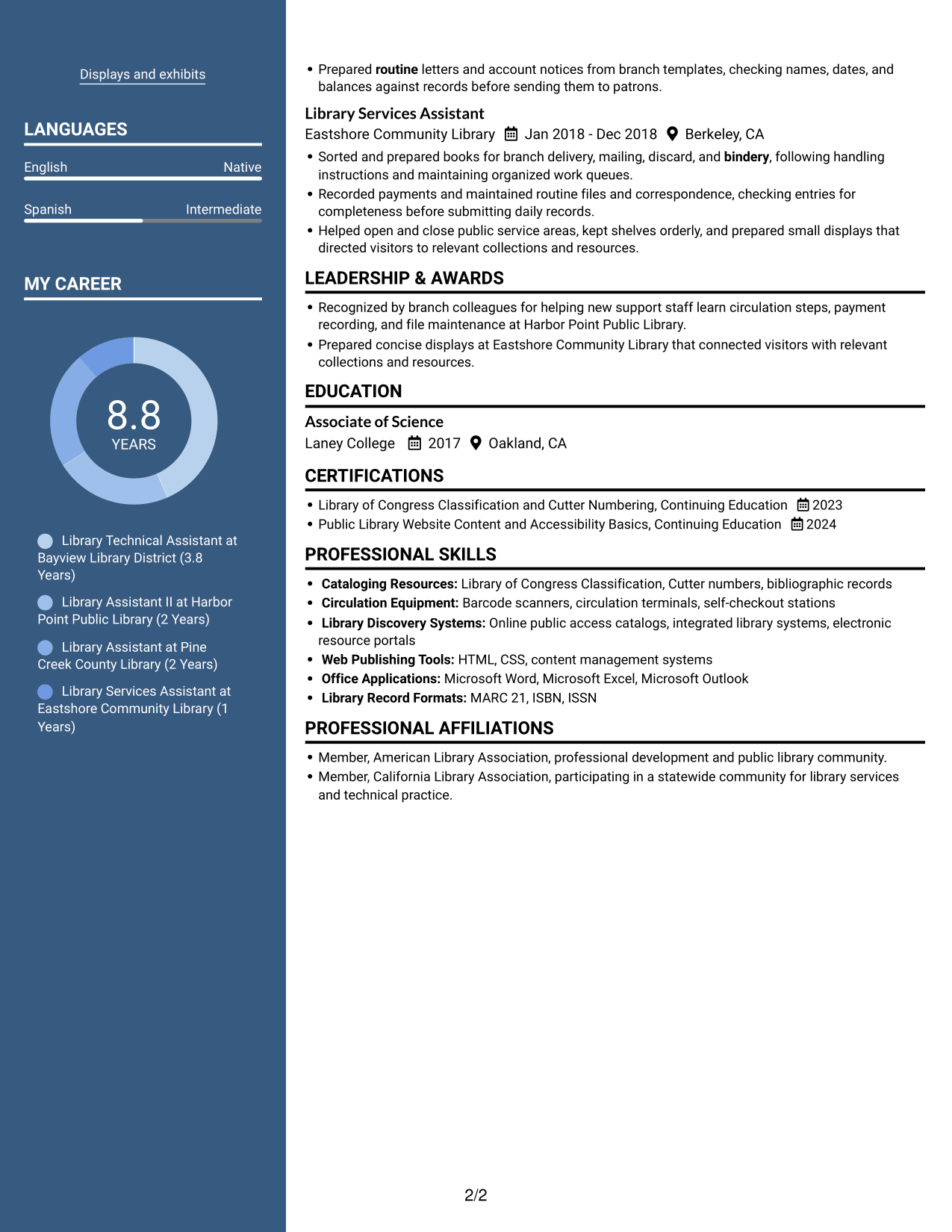
 
Resume example — page 1   Resume example — page 2

Why This Format Works

  • Clear column boundaries help reviewers distinguish experience from education and other sections.
  • Career history stays easy to follow while skills and credentials remain accessible.
  • Separate content areas limit searching across unrelated details during a resume review.

Best For

  • Resume sections needing clear separation
  • Career history beside supporting details
  • Reviewers scanning several content areas
  • Experience with related credentials
  • Applications with detailed work records


#5 Photo Header Two Column Format Resume Example

The Photo Header Two Column Format pairs a portrait with a two-column body, keeping the photo distinct from the resume details.
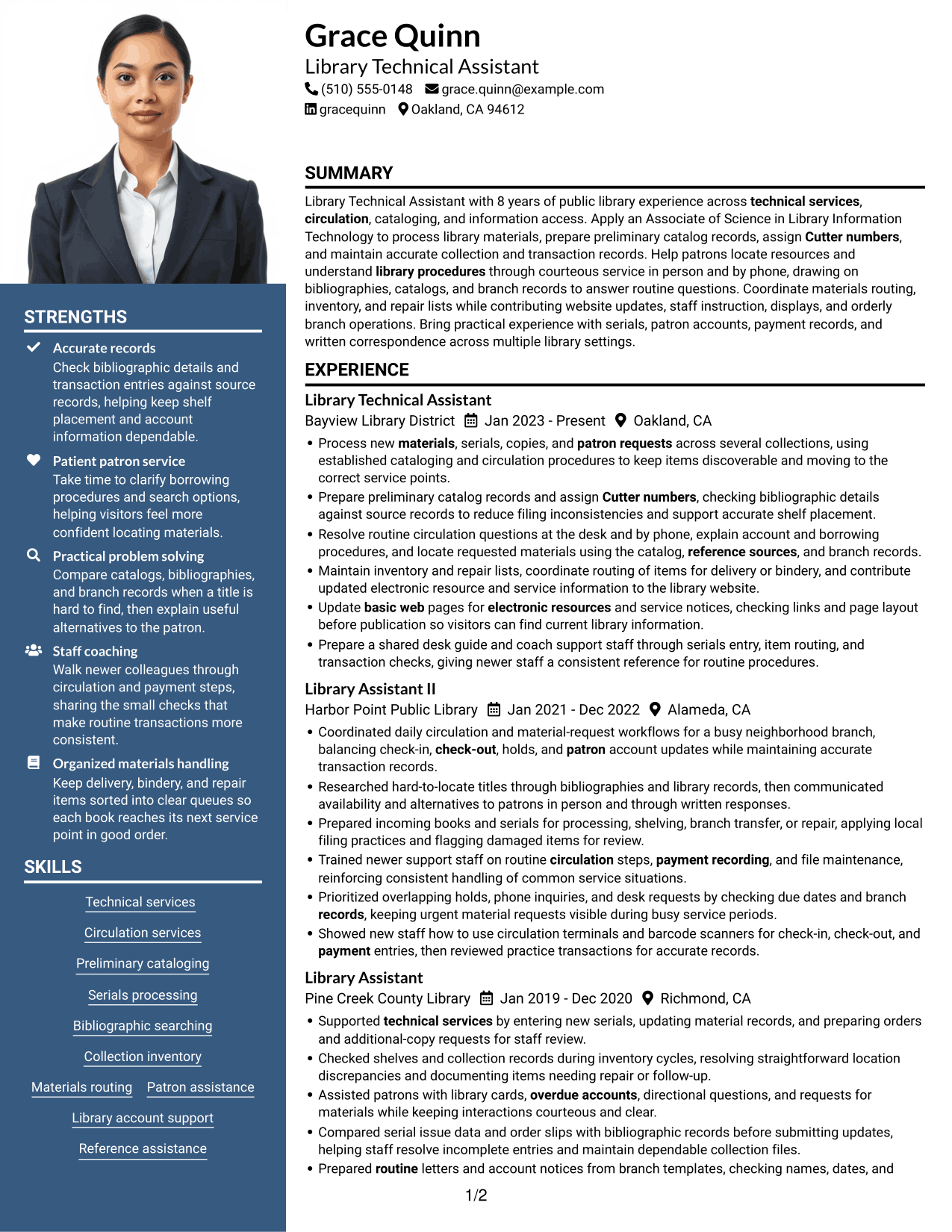
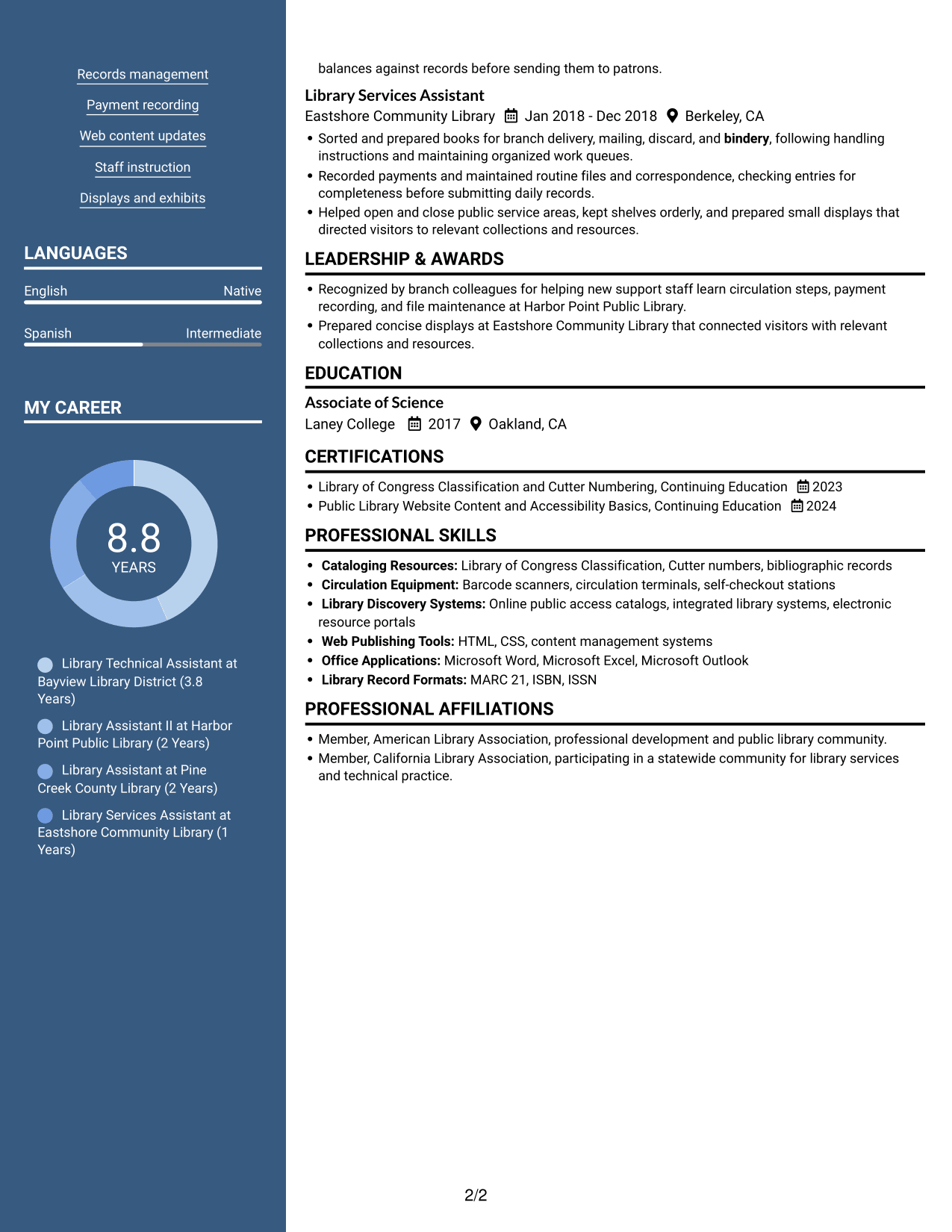
 
Resume example — page 1   Resume example — page 2

Why This Format Works

  • The two-column body keeps experience and supporting sections distinct near the photo header.
  • Reviewers can scan career history while locating education and credentials in separate content areas.
  • Section divisions help skills and training stay distinct from experience entries.

Best For

  • Resumes with a portrait
  • Career history and supporting sections
  • Experience entries with related credentials
  • Readers who prefer a photo header
  • Applications with several resume categories
 

#6 Colored Two Column Format Resume Example

The Colored Two Column Format organizes the resume in two columns, helping reviewers move between experience and supporting sections.
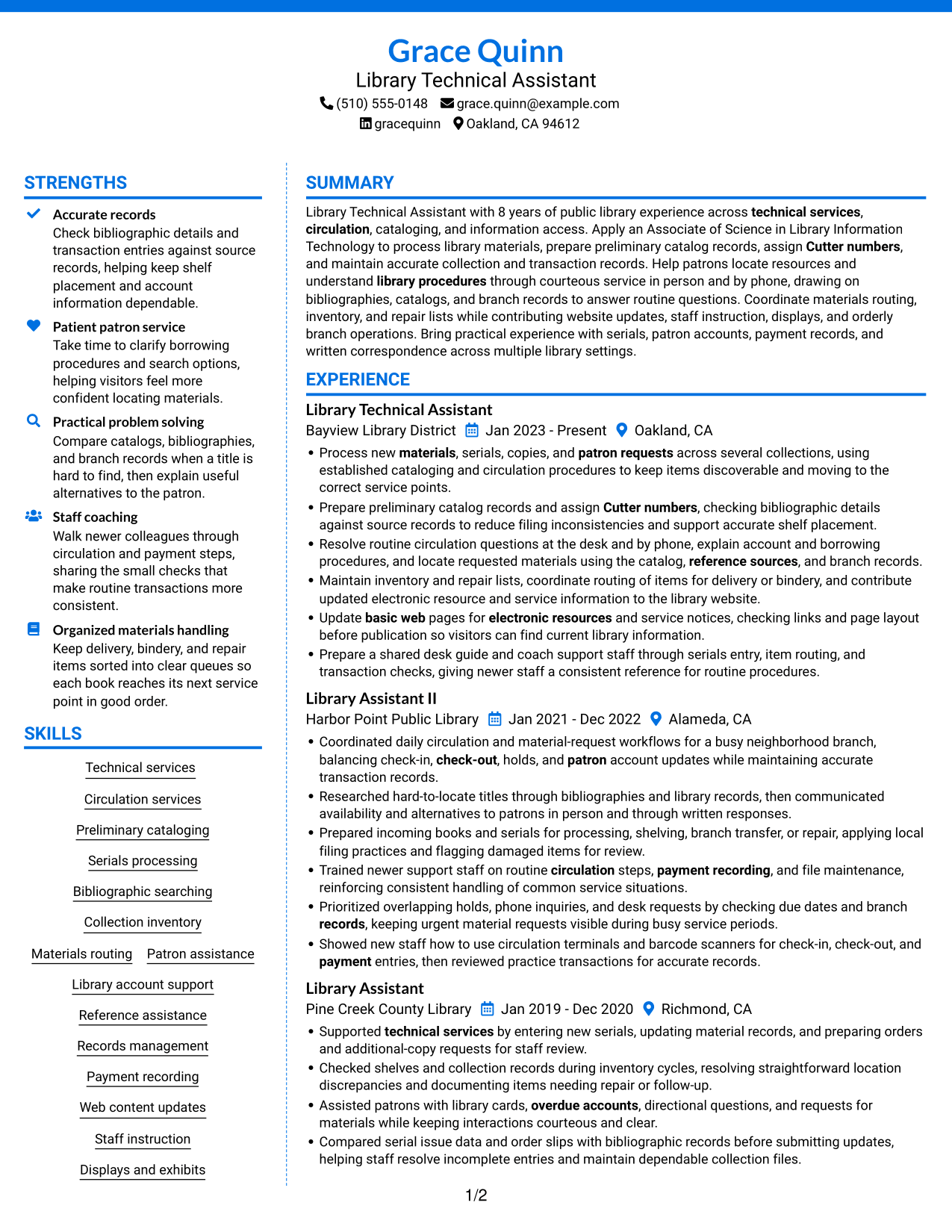
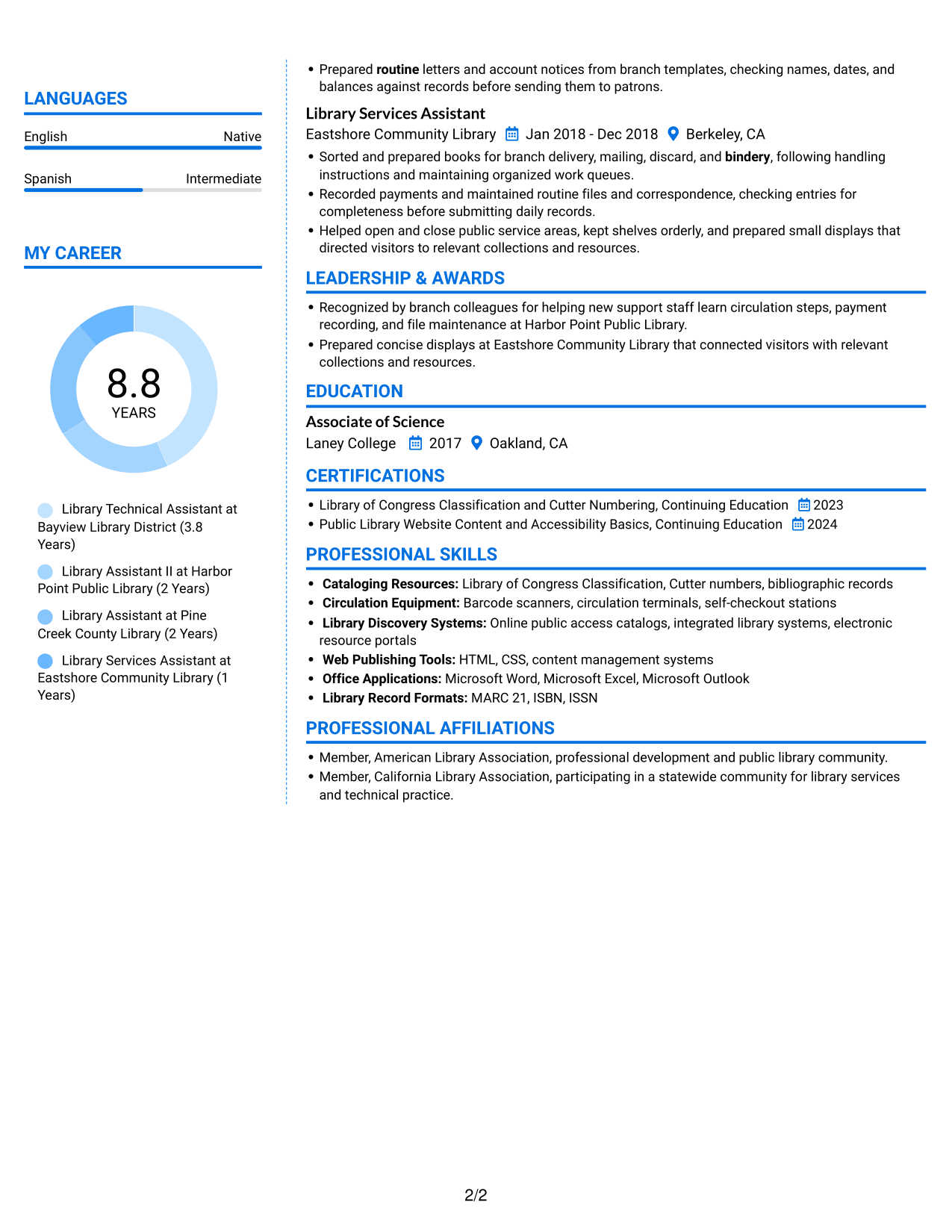
 
Resume example — page 1   Resume example — page 2

Why This Format Works

  • Separate columns help reviewers locate experience, skills, and education during a focused scan.
  • Career history remains distinct from credentials and other supporting resume sections.
  • Two-column reading makes several resume categories easier to locate independently.

Best For

  • Experience with several supporting sections
  • Resume categories needing clear separation
  • Reviewers locating skills and education
  • Career history with credentials
  • Applications with varied resume content
 

#7 Stylish Two Column Designer Format Resume Example

The Stylish Two Column Designer Format presents resume content in two columns, making separate sections easier to scan.
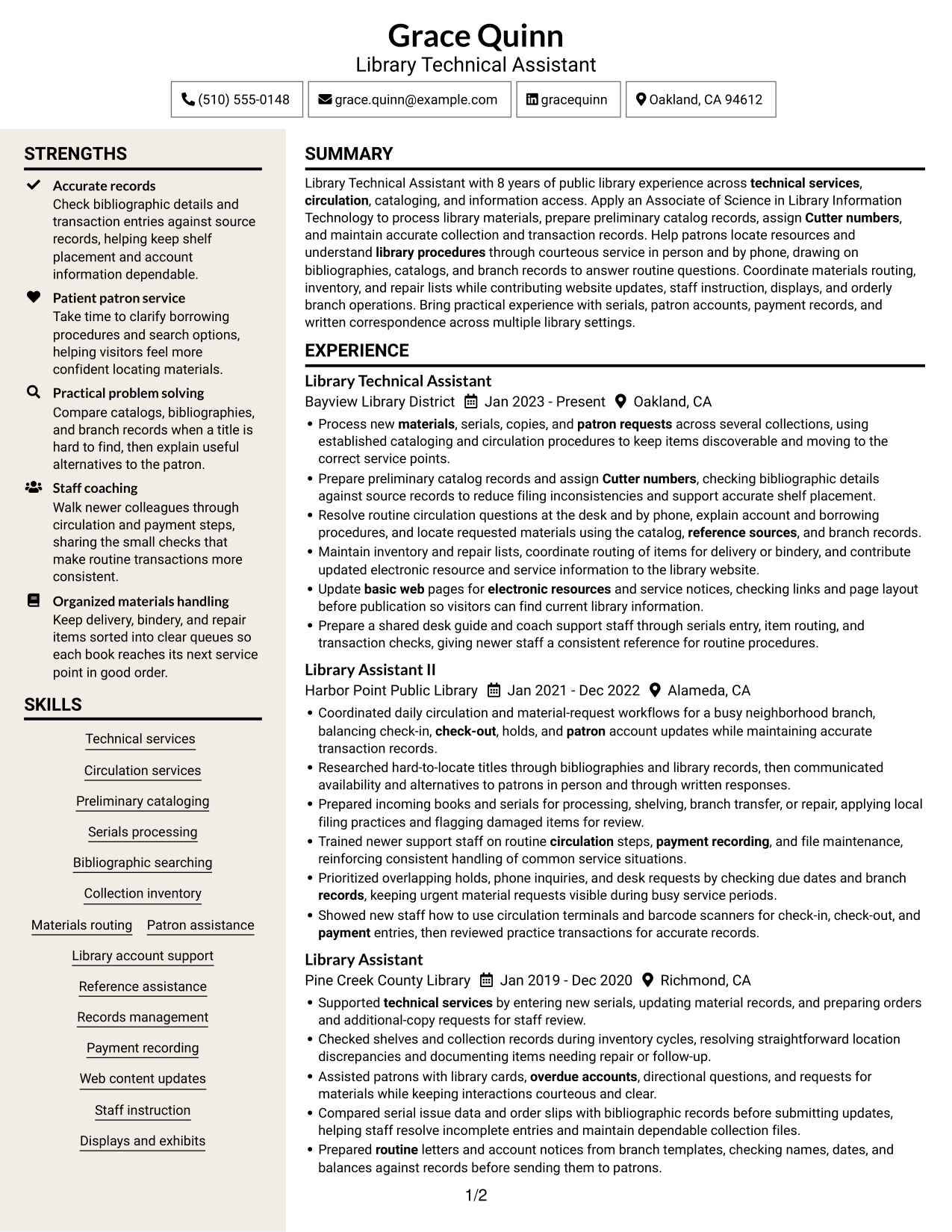
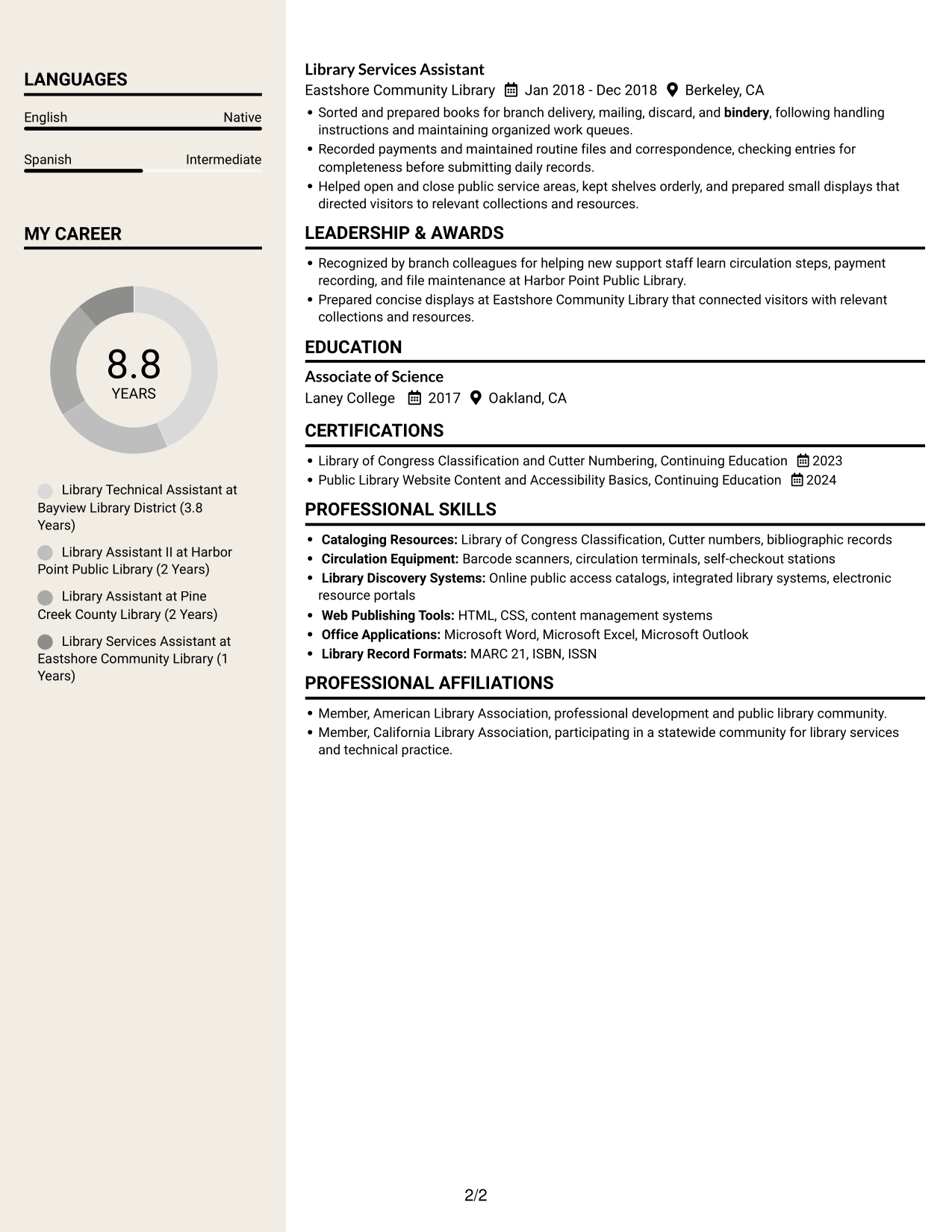
 
Resume example — page 1   Resume example — page 2

Why This Format Works

  • Distinct content areas help reviewers move between career history and supporting details.
  • Skills and education remain accessible without breaking the experience sequence.
  • Two-column organization gives separate resume sections a clear reading order.

Best For

  • Resume sections with different content types
  • Career histories with supporting details
  • Readers reviewing experience in sequence
  • Skills and education beside work history
  • Applications with detailed professional records


Why Use ResumeInMinutes for Your Library Technical Assistant I - Technical Services Resume

ResumeInMinutes lets you compare resume image previews and open an example in the editor. Use the layout that makes your experience and skills easiest to review.

  • Different resume layouts
  • Clear section structure
  • Role-specific keyword guidance
  • Organized skills and experience
  • Image previews for comparison
  • Example links to the editor

Keep the focus on the exact work in the Library Technical Assistant I - Technical Services role. Show how you process materials, maintain records, and help visitors find what they need.


See Also


Frequently Asked Questions

Are these Library Technical Assistant I - Technical Services resume templates ATS-friendly?

They use readable sections and straightforward layouts. Include accurate terms such as circulation, preliminary cataloging, Cutter numbers, and serials processing to help connect your resume to the role.

Does this page show one resume in different layouts?

Yes. The page presents an example resume through image previews with different layouts, so you can compare how the information is arranged.

What should a Library Technical Assistant I - Technical Services resume include?

Include a focused summary, relevant experience, education, skills, and certifications. Describe work with catalog records, circulation, materials routing, inventory, patron requests, and records when those areas match your experience.

Which resume layout works well for this role?

Choose a layout with clear headings and an easy-to-follow reading order. This helps reviewers find your technical services experience, skills, and education quickly.

How can I show experience with library procedures?

Use concise bullet points that name the task and explain how you handled it. Examples may cover material processing, preliminary cataloging, account support, record checks, or helping patrons locate resources, when these reflect your work.

Should I include technical tools and library systems?

List tools and systems you have used, such as cataloging resources, circulation equipment, or web publishing tools. Be specific about your experience, and do not list tools you have not used.


ATS Score 92%

How we calculate this score

  • Keywords: 60% of the total. AI extracts keywords from your job description. If you do not provide one, a standard job description for the title matching your resume is used. This is not a match to a specific vacancy.
  • Text-based resume: 20%. The text resume assessed here receives 100 for this part.
  • Resume quality: 20%. We start at 100 and subtract points for issues found by our resume checks, down to a minimum of zero.
  • Keyword coverage = 100 × (confirmed matches + 0.8 × possible matches) ÷ total keywords, rounded and capped at 100. Possible matches still need checking. Saved generation audits use their saved keyword percentage.
  • Final score = 60% of keyword coverage + 20% of the text score + 20% of the quality score, rounded to a whole number. Without keywords, no overall ATS score is available.

What this score means

Our scores are estimates, not employer ratings. They may contain errors and do not guarantee accurate parsing, a ranking, an interview, or a job. Check your document against the employer’s requirements. You are responsible for relying on this score.

Terms and Conditions

Score weights: Keywords 60% · Text based resume 20% · Resume quality 20%

Keywords: 31 matched + 6 possible of 41 (87%) · Resume quality: 100%

Resume quality 100% · Weight 20% · Issues (0)

Details
  • ✓Name present: Grace Quinn
  • ✓Email format: grace.quinn@example.com
  • ✓Phone format: (510) 555-0148
  • ✓Experience 1: Job title: Library Technical Assistant
  • ✓Experience 1: Company name: Bayview Library District
  • ✓Experience 1: Work location: Oakland, CA
  • ✓Experience 1: Employment dates: Jan 2023 - Present
  • ✓Experience 1: Description or achievements: Present
  • ✓Experience 2: Job title: Library Assistant II
  • ✓Experience 2: Company name: Harbor Point Public Library
  • ✓Experience 2: Work location: Alameda, CA
  • ✓Experience 2: Employment dates: Jan 2021 - Dec 2022
  • ✓Experience 2: Description or achievements: Present
  • ✓Experience 3: Job title: Library Assistant
  • ✓Experience 3: Company name: Pine Creek County Library
  • ✓Experience 3: Work location: Richmond, CA
  • ✓Experience 3: Employment dates: Jan 2019 - Dec 2020
  • ✓Experience 3: Description or achievements: Present
  • ✓Experience 4: Job title: Library Services Assistant
  • ✓Experience 4: Company name: Eastshore Community Library
  • ✓Experience 4: Work location: Berkeley, CA
  • ✓Experience 4: Employment dates: Jan 2018 - Dec 2018
  • ✓Experience 4: Description or achievements: Present
  • ✓No placeholder fields
  • ✓No repeated achievement bullets
  • ✓No empty bullets

No issues found by the current checks.

Text Based Resume 100% · Weight 20%

Parsed text
Grace Quinn
Library Technical Assistant
(510) 555-0148
gracequinn
grace.quinn@example.com
Oakland, CA 94612
STRENGTHS
Accurate records
Check bibliographic details and transaction entries against source records, helping keep shelf placement and account information dependable.
Patient patron service
Take time to clarify borrowing procedures and search options, helping visitors feel more confident locating materials.
Practical problem solving
Compare catalogs, bibliographies, and branch records when a title is hard to find, then explain useful alternatives to the patron.
Staff coaching
Walk newer colleagues through circulation and payment steps, sharing the small checks that make routine transactions more consistent.
Organized materials handling
Keep delivery, bindery, and repair items sorted into clear queues so each book reaches its next service point in good order.
SUMMARY
Library Technical Assistant with 8 years of public library experience across technical services, circulation, cataloging, and information access. Apply an Associate of Science in Library Information Technology to process library materials, prepare preliminary catalog records, assign Cutter numbers, and maintain accurate collection and transaction records. Help patrons locate resources and understand library procedures through courteous service in person and by phone, drawing on bibliographies, catalogs, and branch records to answer routine questions. Coordinate materials routing, inventory, and repair lists while contributing website updates, staff instruction, displays, and orderly branch operations. Bring practical experience with serials, patron accounts, payment records, and written correspondence across multiple library settings.
EXPERIENCE
Library Technical Assistant
Bayview Library District
Jan 2023 - Present
Oakland, CA
Process new materials, serials, copies, and patron requests across several collections, using established cataloging and circulation procedures to keep items discoverable and moving to the correct service points.
Prepare preliminary catalog records and assign Cutter numbers, checking bibliographic details against source records to reduce filing inconsistencies and support accurate shelf placement.
Resolve routine circulation questions at the desk and by phone, explain account and borrowing procedures, and locate requested materials using the catalog, reference sources, and branch records.
Maintain inventory and repair lists, coordinate routing of items for delivery or bindery, and contribute updated electronic resource and service information to the library website.
Update basic web pages for electronic resources and service notices, checking links and page layout before publication so visitors can find current library information.
Prepare a shared desk guide and coach support staff through serials entry, item routing, and transaction checks, giving newer staff a consistent reference for routine procedures.
Library Assistant II
Harbor Point Public Library
Jan 2021 - Dec 2022
Alameda, CA
Coordinated daily circulation and material-request workflows for a busy neighborhood branch, balancing check-in, check-out, holds, and patron account updates while maintaining accurate transaction records.
Researched hard-to-locate titles through bibliographies and library records, then communicated availability and alternatives to patrons in person and through written responses.
Prepared incoming books and serials for processing, shelving, branch transfer, or repair, applying local filing practices and flagging damaged items for review.
Trained newer support staff on routine circulation steps, payment recording, and file maintenance, reinforcing consistent handling of common service situations.
Prioritized overlapping holds, phone inquiries, and desk requests by checking due dates and branch records, keeping urgent material requests visible during busy service periods.
Showed new staff how to use circulation terminals and barcode scanners for check-in, check-out, and payment entries, then reviewed practice transactions for accurate records.
Library Assistant
Pine Creek County Library
Jan 2019 - Dec 2020
Richmond, CA
Supported technical services by entering new serials, updating material records, and preparing orders and additional-copy requests for staff review.
Checked shelves and collection records during inventory cycles, resolving straightforward location discrepancies and documenting items needing repair or follow-up.
Assisted patrons with library cards, overdue accounts, directional questions, and requests for materials while keeping interactions courteous and clear.
Compared serial issue data and order slips with bibliographic records before submitting updates, helping staff resolve incomplete entries and maintain dependable collection files.
Prepared routine letters and account notices from branch templates, checking names, dates, and balances against records before sending them to patrons.
Library Services Assistant
Eastshore Community Library
Jan 2018 - Dec 2018
Berkeley, CA
Sorted and prepared books for branch delivery, mailing, discard, and bindery, following handling instructions and maintaining organized work queues.
Recorded payments and maintained routine files and correspondence, checking entries for completeness before submitting daily records.
Helped open and close public service areas, kept shelves orderly, and prepared small displays that directed visitors to relevant collections and resources.
SKILLS
Materials routing
Library account support
Bibliographic searching
Preliminary cataloging
Records management
Reference assistance
Web content updates
Displays and exhibits
Collection inventory
Circulation services
Technical services
Payment recording
Serials processing
Staff instruction
Patron assistance
LANGUAGES
English
Native
Spanish
Intermediate
MY CAREER
8.8Years
Library Technical Assistant at Bayview Library District (3.8 Years)
Library Assistant II at Harbor Point Public Library (2 Years)
Library Assistant at Pine Creek County Library (2 Years)
Library Services Assistant at Eastshore Community Library (1 Years)
LEADERSHIP & AWARDS
Recognized by branch colleagues for helping new support staff learn circulation steps, payment recording, and file maintenance at Harbor Point Public Library.
Prepared concise displays at Eastshore Community Library that connected visitors with relevant collections and resources.
EDUCATION
Associate of Science
Laney College
2017
Oakland, CA
CERTIFICATIONS
Library of Congress Classification and Cutter Numbering, Continuing Education
2023
Public Library Website Content and Accessibility Basics, Continuing Education
2024
PROFESSIONAL SKILLS
Cataloging Resources: Library of Congress Classification, Cutter numbers, bibliographic records
Circulation Equipment: Barcode scanners, circulation terminals, self-checkout stations
Library Discovery Systems: Online public access catalogs, integrated library systems, electronic resource portals
Web Publishing Tools: HTML, CSS, content management systems
Office Applications: Microsoft Word, Microsoft Excel, Microsoft Outlook
Library Record Formats: MARC 21, ISBN, ISSN
PROFESSIONAL AFFILIATIONS
Member, American Library Association, professional development and public library community.
Member, California Library Association, participating in a statewide community for library services and technical practice.

Matched keywords (31)

  • circulation
  • Preliminary cataloging
  • Cutter numbers
  • Serials processing
  • Process new materials, serials, copies, and patron requests across several collectionsOriginal keyword in JD: Library materials processing
  • reference sources
  • Bibliographic searching
  • Collection inventory
  • Records management
  • patron service
  • library procedures
  • Technical services
  • overdue accounts
  • Process new materials, serials, copies, and patron requests across several collectionsOriginal keyword in JD: Material requests and orders
  • balancing check-in, check-out, holds, and patron account updatesOriginal keyword in JD: Check-in and check-out
  • Materials routing
  • Sorted and prepared books for branch delivery, mailing, discard, and binderyOriginal keyword in JD: Bindery preparation
  • Maintain inventory and repair listsOriginal keyword in JD: Materials repair identification
  • Payment recordingOriginal keyword in JD: Money handling
  • Prepared routine letters and account notices from branch templatesOriginal keyword in JD: Routine correspondence
  • electronic resources
  • Update basic web pages for electronic resources and service notices, checking links and page layout before publicationOriginal keyword in JD: Basic web editing and design
  • use circulation terminals and barcode scanners for check-in, check-out, and payment entriesOriginal keyword in JD: Software applications
  • Staff instruction
  • coach support staff through serials entry, item routing, and transaction checksOriginal keyword in JD: Technical training
  • problem solving
  • Prioritized overlapping holds, phone inquiries, and desk requests by checking due dates and branch recordsOriginal keyword in JD: Prioritization
  • checking names, dates, and balances against records before sending them to patronsOriginal keyword in JD: Accuracy
  • maintained routine files and correspondence, checking entries for completeness before submitting daily recordsOriginal keyword in JD: Office practices
  • Payment recording
  • use circulation terminals and barcode scanners for check-in, check-out, and payment entriesOriginal keyword in JD: Equipment operation

Missing keywords (4)

  • Library card applications
  • Shelf maintenance
  • Bilingual proficiency
  • California driver's license

Possible matches (6)

  • Technical library procedures80% credit: 1.95 percentage points of 2.44 possible.
  • Library Information Technology associate degree OR certificate plus qualifying library experience OR two years qualifying library experience80% credit: 1.95 percentage points of 2.44 possible.
  • Information services80% credit: 1.95 percentage points of 2.44 possible.
  • Public service communication80% credit: 1.95 percentage points of 2.44 possible.
  • Library website content updates80% credit: 1.95 percentage points of 2.44 possible.
  • Public and school library roles80% credit: 1.95 percentage points of 2.44 possible.
Disclaimer: All names, images, contact information, employment histories, achievements, security clearances, military credentials, and other qualifications shown in this content are fictional and used for illustrative purposes only. Any resemblance to actual persons, living or deceased, is purely coincidental.

Resume and cover-letter examples and recommendations in this article reflect general best practices and professional experience and are provided for guidance only. Results may vary based on role, industry, region, and hiring organization.

Content Accuracy and Verification: To the fullest extent permitted by applicable law, we do not represent or warrant that resume or cover-letter guidance, examples, recommendations, or related information are accurate, complete, current, error-free, or suitable for any particular purpose. You are responsible for independently reviewing and verifying the information before relying on it.

ATS and Cover-Letter Scores: ATS scores are estimates calculated using our own formula, informed by publicly available guidance on resume formatting and keyword matching. They are not scores issued or endorsed by an ATS provider or employer. Cover-letter scores are also our own assessments. Parsing, weighting, screening criteria, and results vary between systems, employers, job descriptions, and document formats. No score guarantees successful parsing, a particular ranking, an interview, or employment. Use scores as general guidance and independently check your documents against the employer’s requirements. To the fullest extent permitted by applicable law, we accept no liability for errors in scores or parsing, or losses arising from reliance on these assessments. Nothing in this notice excludes liability or limits consumer rights that cannot lawfully be excluded or limited.

Terms and Conditions
 
> JP 1 1
PDF Footer and Margins Setup
The margins are applied to the document, and the footer shows up in the preview and the PDF

Footer Font Settings

Are you applying for a specific job
so we can tailor your resume to it?
Are you applying for a specific job
so we can tailor your cover letter to it?

Your data stays private and is never used for training.Privacy Policy

Type your details as text to generate a personalized resume Type your details as text to generate a personalized cover letter
Website link found! Ready to create resume from:

Your data stays private and is never used for training.Privacy Policy

Drag the into the box to verify you're human.
Drop here

My Resumes

Displaying {number_of_files} files (out of {total_of_all_files} total)
Name File Type Last Modified: Description:

Rename File

Filename already exists!

Delete Files

Warning: This action is irreversible. Once you click submit, the files will be permanently deleted.

Heading text
Upload From Computer Upload
Select From Existing
LinkedIn
Drag & Drop files anywhere in this tab, or

Uploaded Files

Delete Name Last Updated Use This File
Select this to use the file for generating your resume and cover letter. Only one source—uploaded file, selected file, or LinkedIn text—can be used.

My Files

Resumes or cover letters you create will appear here. No files available yet.
Delete Name Last Updated Use This File
Select this to use the file for generating your resume and cover letter. Only one source—uploaded file, selected file, or LinkedIn text—can be used.

Add LinkedIn Profile PDF

You can download your LinkedIn profile as a PDF by opening linkedin.com in a web browser, clicking your profile photo, selecting the “More” or “Resources” button, and choosing “Save to PDF.” You can then attach the PDF using the Upload From Computer tab.

Paste Your LinkedIn Profile Text

If you have copied the LinkedIn profile text, paste it below. See how to copy your profile from LinkedIn

Select this to use the LinkedIn profile text for generating your resume and cover letter. Only one source—uploaded file, selected file, or LinkedIn text—can be used.

Try these controls

<
>


