
US English


7 Lifeguard - Waterpark Safety Resume Templates with Example
By Ria · Last Updated On October 17, 2026
Resume example — page 1

This guide shows you how to create a clear, focused Lifeguard - Waterpark Safety resume. You will learn how to present safety experience and qualifications so readers can quickly see your readiness for the role.

Strong resumes connect relevant evidence to daily duties, such as swimmer surveillance, assigned-zone monitoring, rule enforcement, guest service, and emergency response. Use concise bullets to show how you follow safety procedures, report hazards, and keep pool areas orderly.

Compare the same resume in 7 layouts to see how section order and visual style affect readability. The example can help you choose a format and open it in the editor to customize its content.

What Makes a Great Lifeguard - Waterpark Safety Resume in 2026

A strong resume is easy to scan and puts safety qualifications, relevant experience, and clear communication near the top. Focus each section on evidence that relates to swimmer care and waterpark operations.

Use accurate keywords such as Ellis & Associates Lifeguard Training, First Aid, CPR, AED, swimmer surveillance, emergency response, hazard reporting, and cleanliness checks. Add brief, specific bullets about duties or assessments you have completed.

Note: Resume examples are for educational purposes only. Use only information that accurately reflects your experience and qualifications. References to real organizations do not imply affiliation or endorsement.

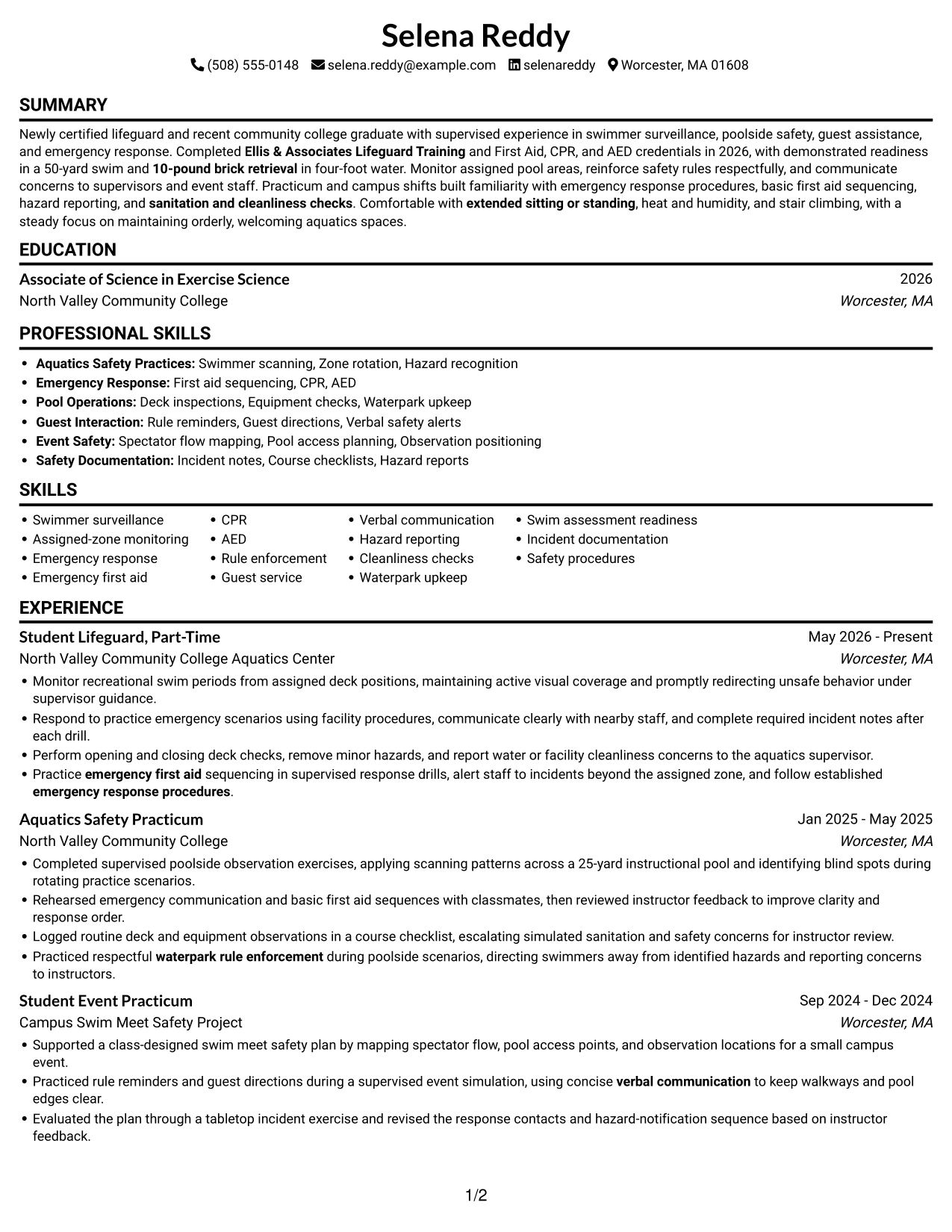
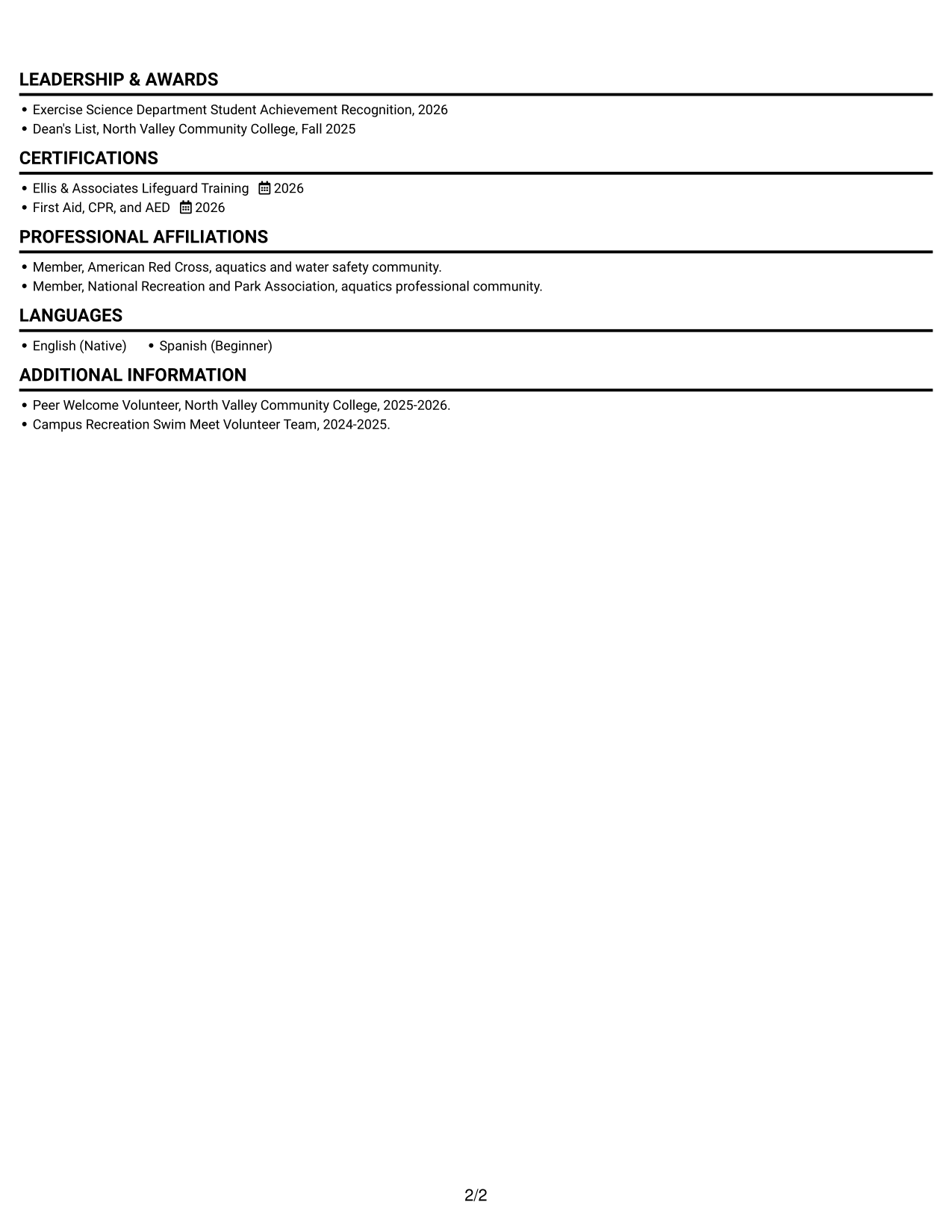
#1 Simple One Column Format Resume Example

Simple One Column Format keeps every resume section in one vertical path, helping reviewers move through the content in order.
 
Resume example — page 1   Resume example — page 2

Why This Format Works

  • One reading path helps reviewers follow experience from current work to earlier practicum.
  • Separate section breaks make skills, education, and certifications easier to find.
  • Full-width entries give experience bullets room to retain context and results.

Best For

  • Linear section-by-section review
  • Several experience and practicum entries
  • Full-width experience descriptions
  • ATS text parsing
  • Clear education and credential sections

Resume Keywords

  • swimmer surveillance
  • Assigned-zone monitoring
  • emergency response
  • Emergency first aid
  • CPR
  • AED
  • Ellis & Associates Lifeguard Training
  • emergency response procedures
  • waterpark rule enforcement
  • Guest service
  • Verbal communication
  • sanitation and cleanliness checks
  • Waterpark upkeep
  • 10-pound brick retrieval
  • extended sitting or standing
See all keywords
 

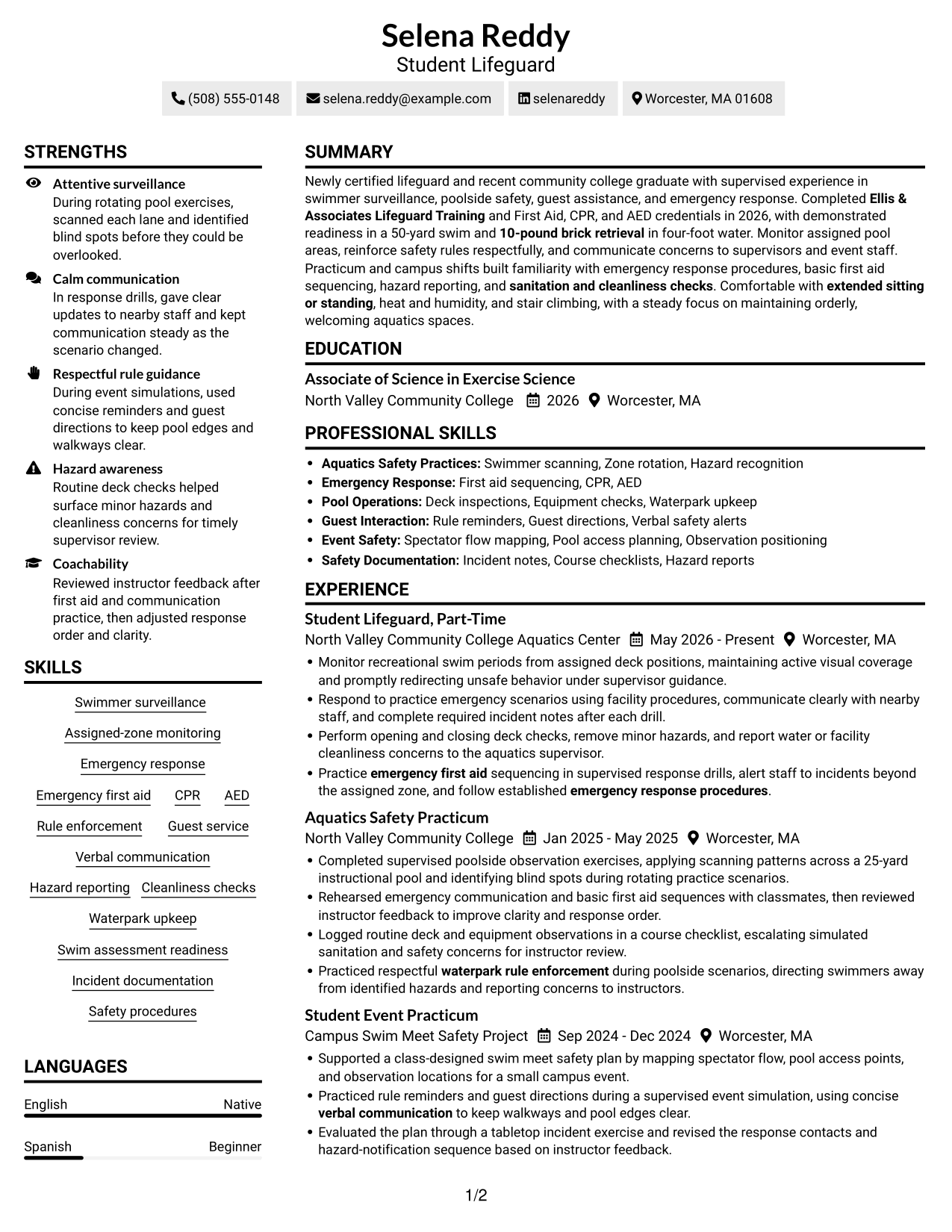
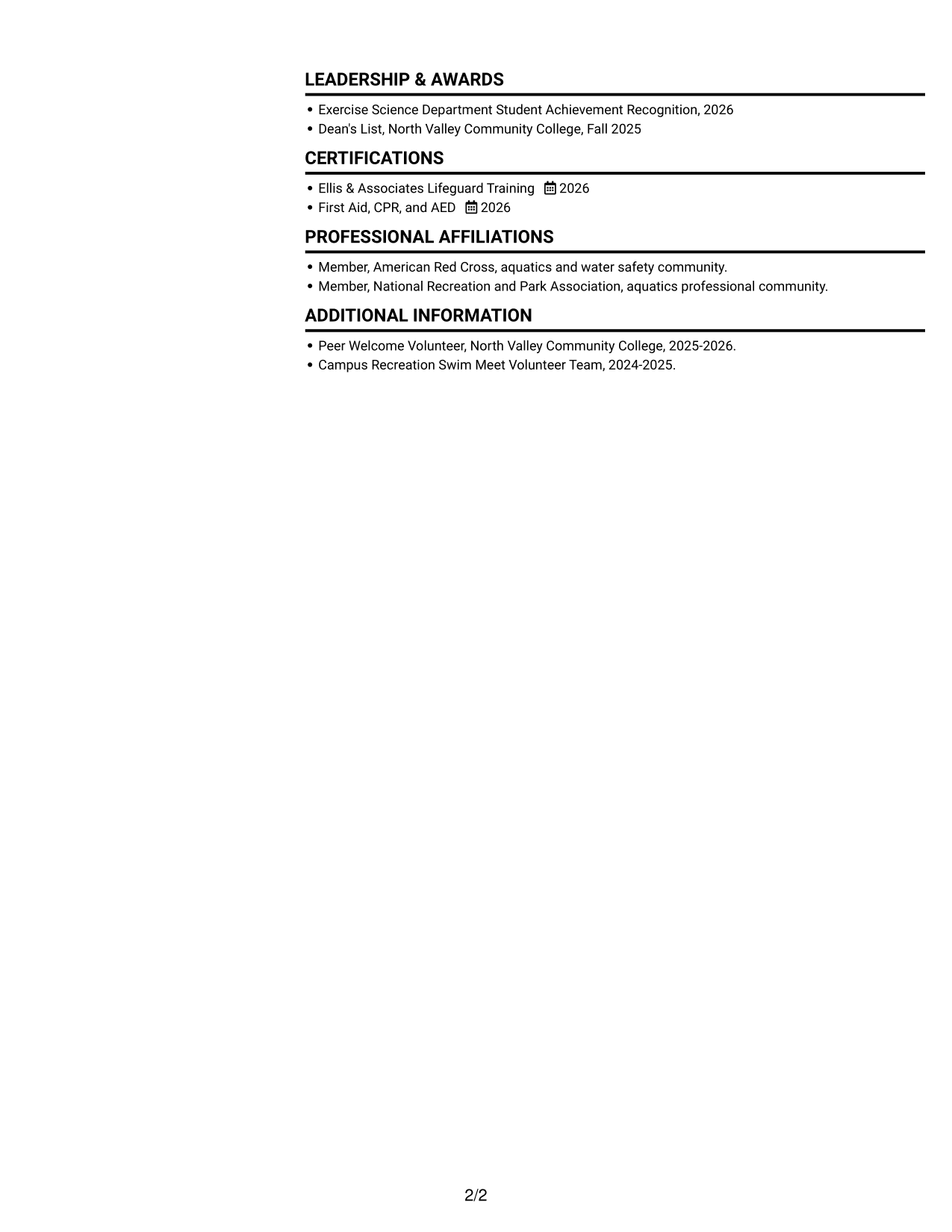
#2 Simple Two Column Format Resume Example

Simple Two Column Format places resume content in two parallel columns, giving reviewers a side-by-side view of its sections.
 
Resume example — page 1   Resume example — page 2

Why This Format Works

  • Two reading areas can distinguish experience from supporting sections when content is placed clearly.
  • Short skill and credential entries can stay grouped without interrupting experience details.
  • Reviewers can compare education and awards with other resume details at a glance.

Best For

  • Side-by-side section review
  • Resumes with varied content areas
  • Compact skills and credential entries
  • Short details paired with longer entries
  • Quick section-to-section comparison

#3 Plain One Column with Shaded Labels Resume Example

Plain One Column with Shaded Labels combines one vertical reading path with shaded section labels, helping readers spot resume categories.
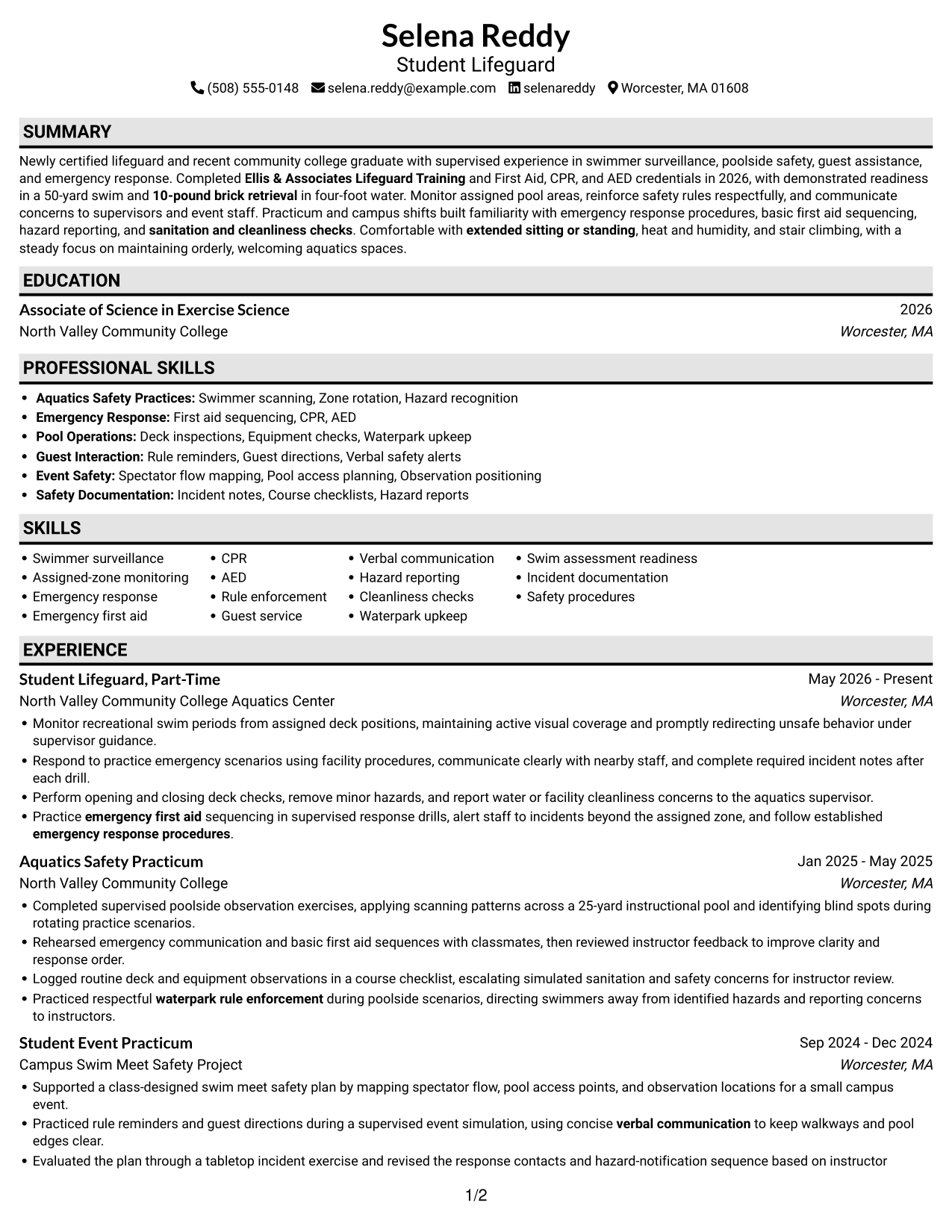
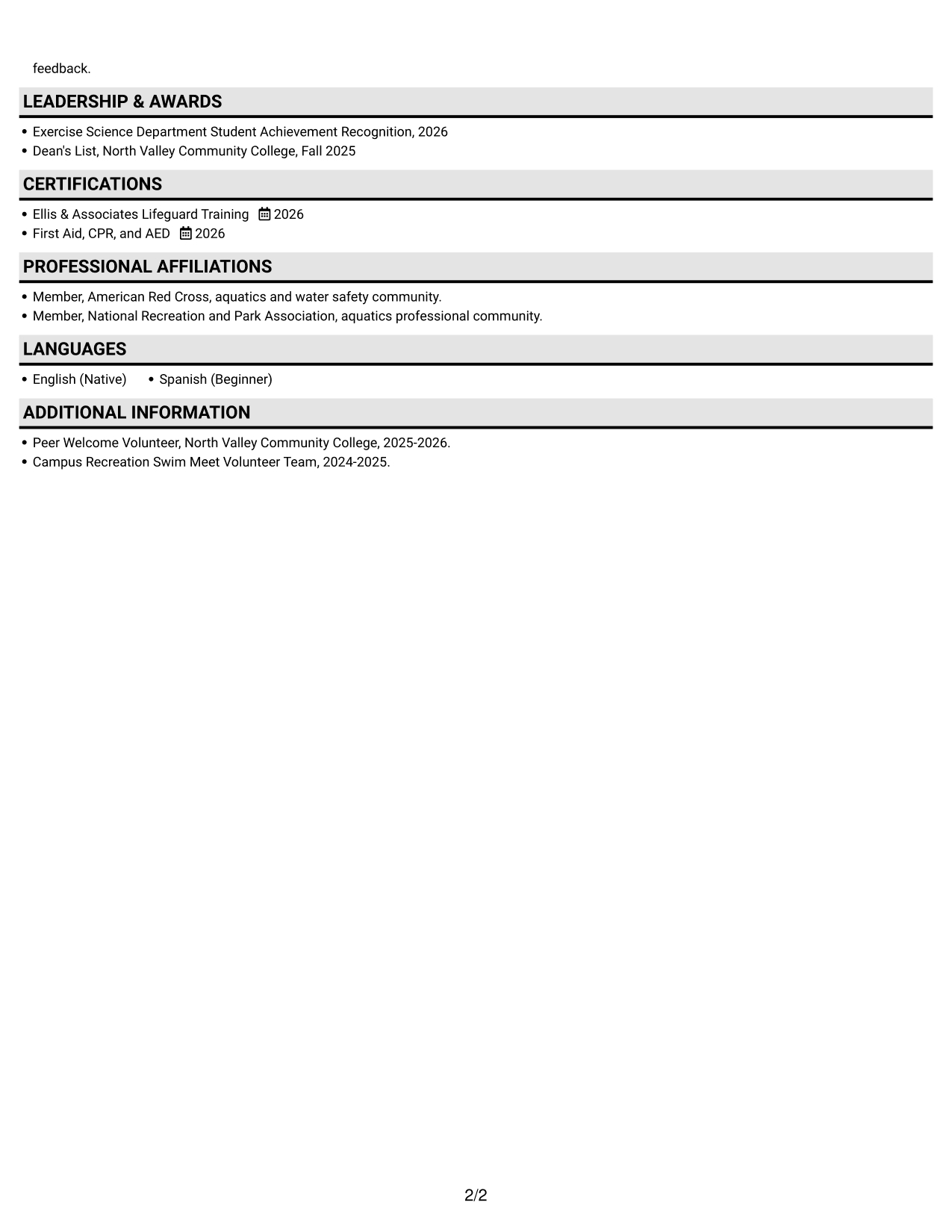
 
Resume example — page 1   Resume example — page 2

Why This Format Works

  • Shaded labels mark where experience, education, and credentials begin along the same reading path.
  • Label contrast helps reviewers locate skills and awards within one reading path.
  • Full-width entries preserve context in practicum descriptions and achievement bullets.

Best For

  • Visible section-label hierarchy
  • Single-path resume reading
  • Full-width work and practicum entries
  • Frequent review of key sections
  • Resumes with several section types
 

#4 One Column Format with Photo Right Resume Example

One Column Format with Photo Right keeps resume content in one vertical path and places a portrait on the right for a distinct visual touch.
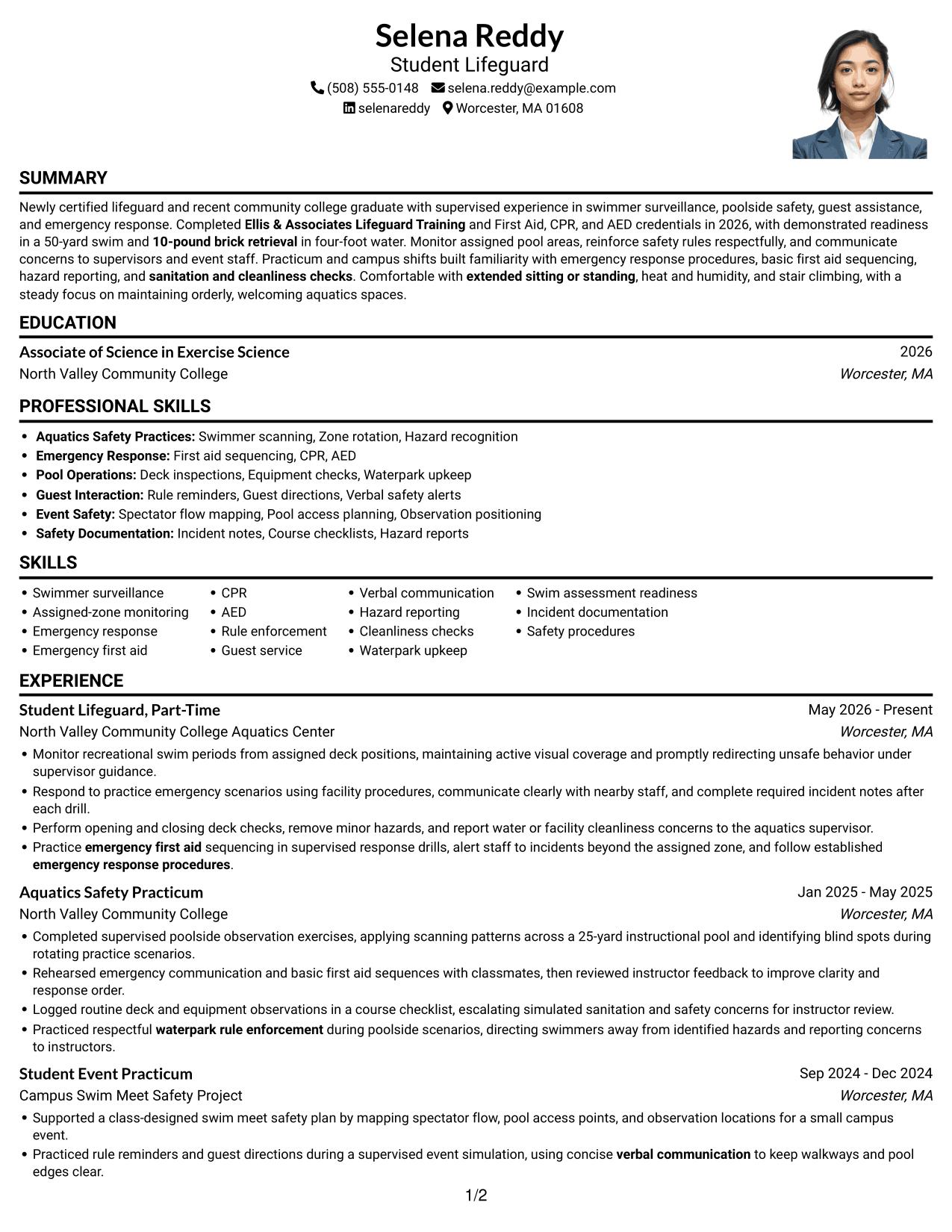
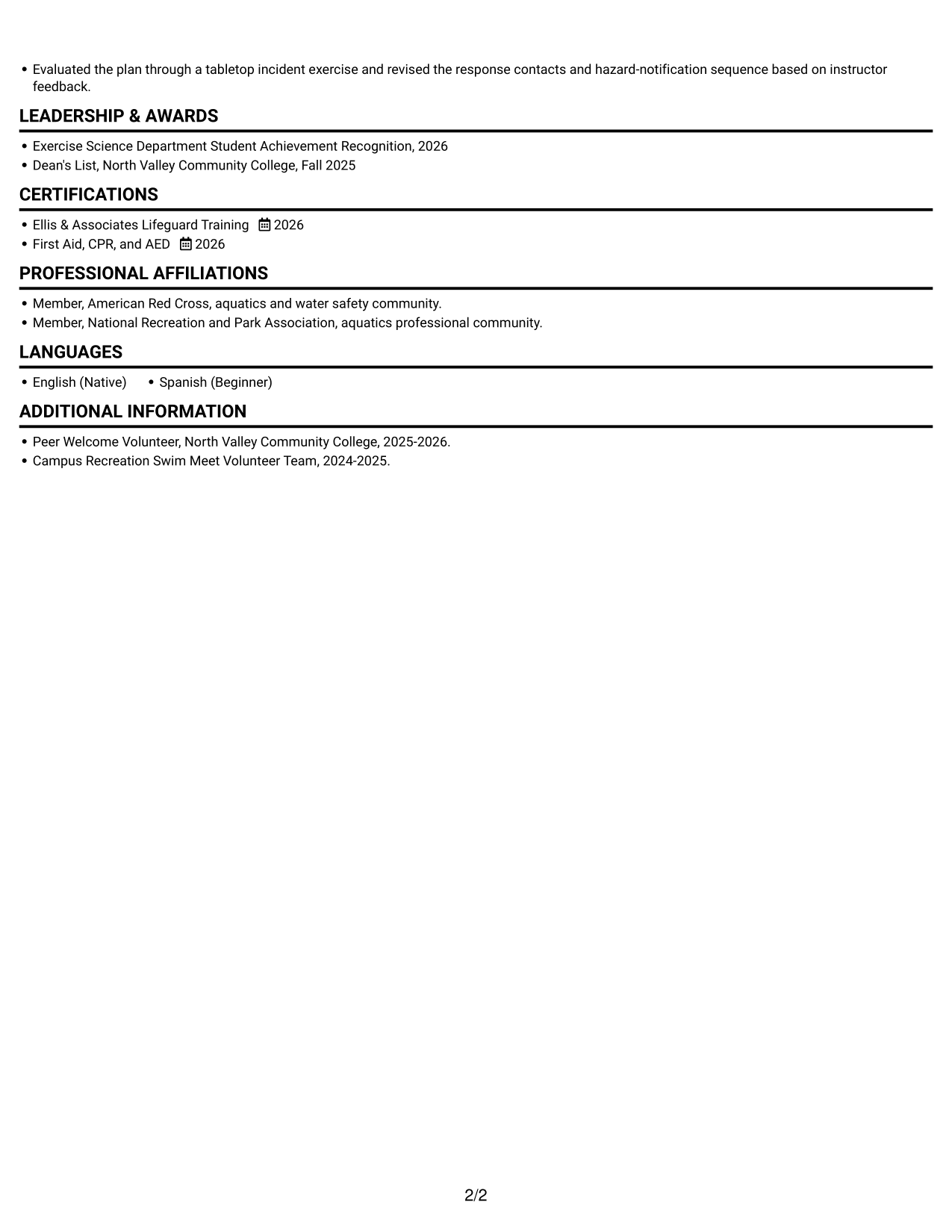
 
Resume example — page 1   Resume example — page 2

Why This Format Works

  • One-column ordering keeps experience, education, and credentials in a clear sequence.
  • Full-width bullets leave room for context in practicum and work entries.
  • The right-side portrait stays separate from text, preserving the resume's reading path.

Best For

  • Right-side portrait preference
  • Single-column resume reading
  • Full-width experience descriptions
  • Detailed practicum entries
  • Clear section-by-section review
 

#5 Clean Two Column Sidebar Format Resume Example

Clean Two Column Sidebar Format sets a sidebar beside the main resume area, separating supporting details from the central content.
 
Resume example — page 1   Resume example — page 2

Why This Format Works

  • Supporting sections can sit in the sidebar while the main area holds longer entries.
  • Two reading areas let reviewers move between brief details and experience without losing place.
  • Separate content zones help education, credentials, and awards remain easy to revisit.

Best For

  • Sidebar and main-area organization
  • Longer experience descriptions
  • Compact supporting sections
  • Resume with credentials and awards
  • Distinct content groupings


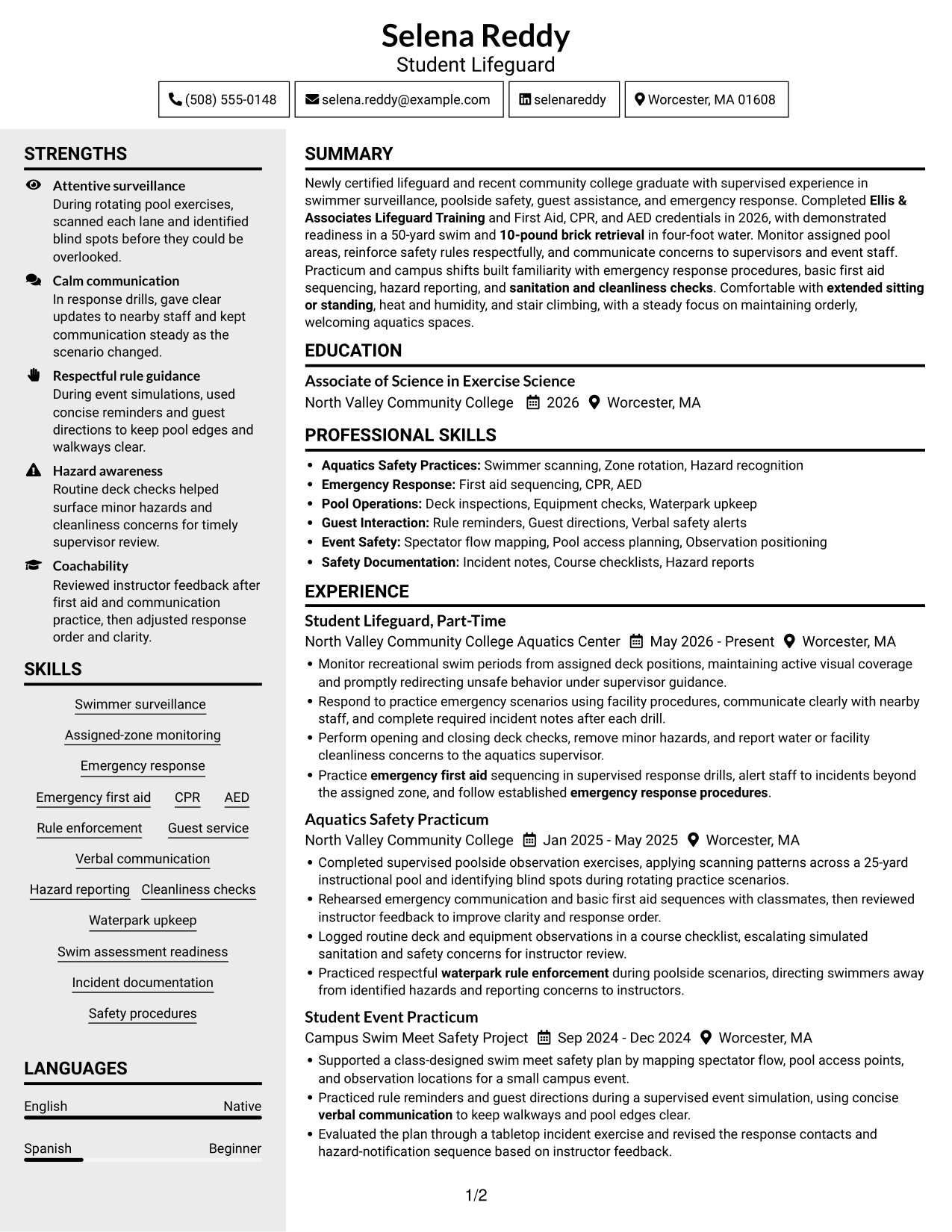
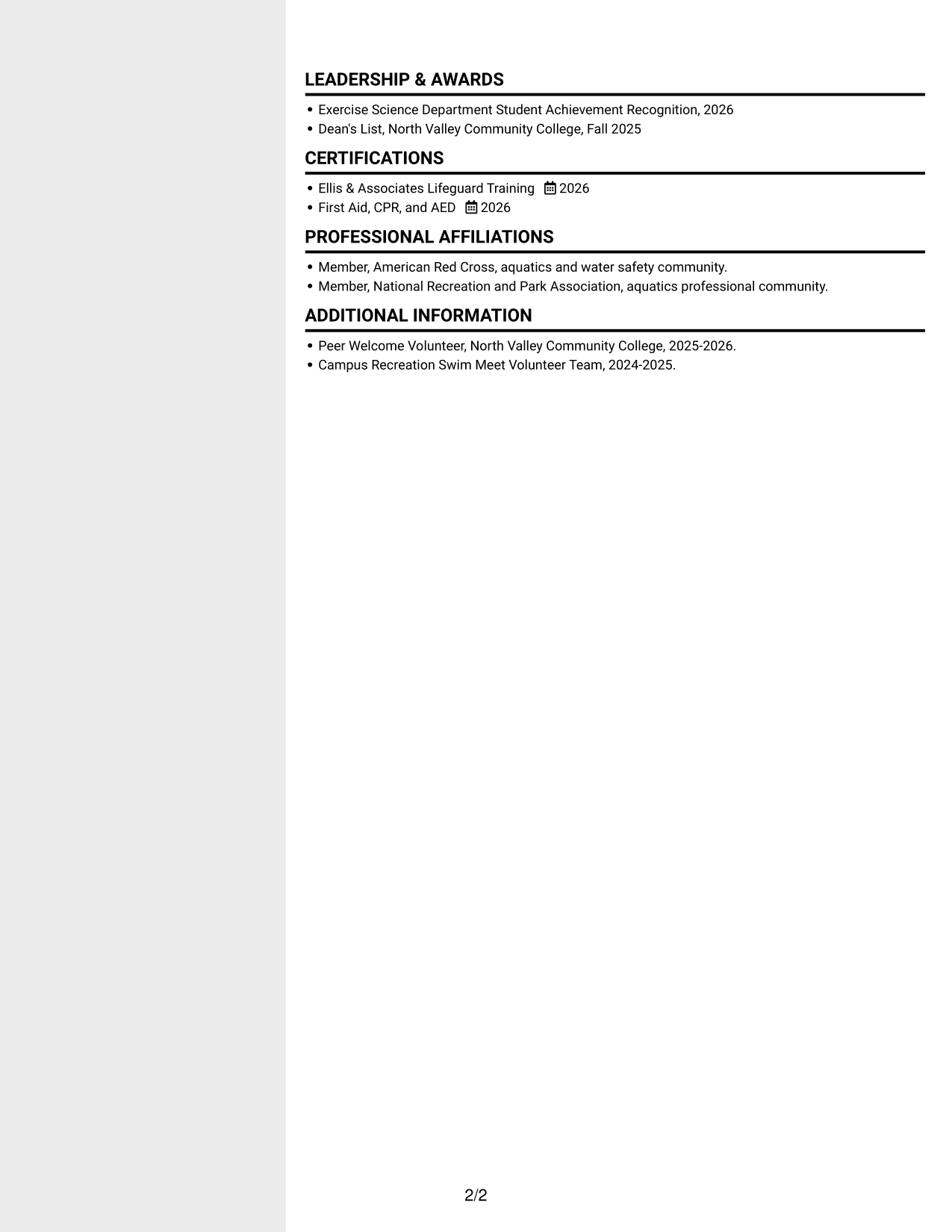
#6 Two Column Format Resume Example

Two Column Format arranges resume sections across two columns, offering a side-by-side view of career details.
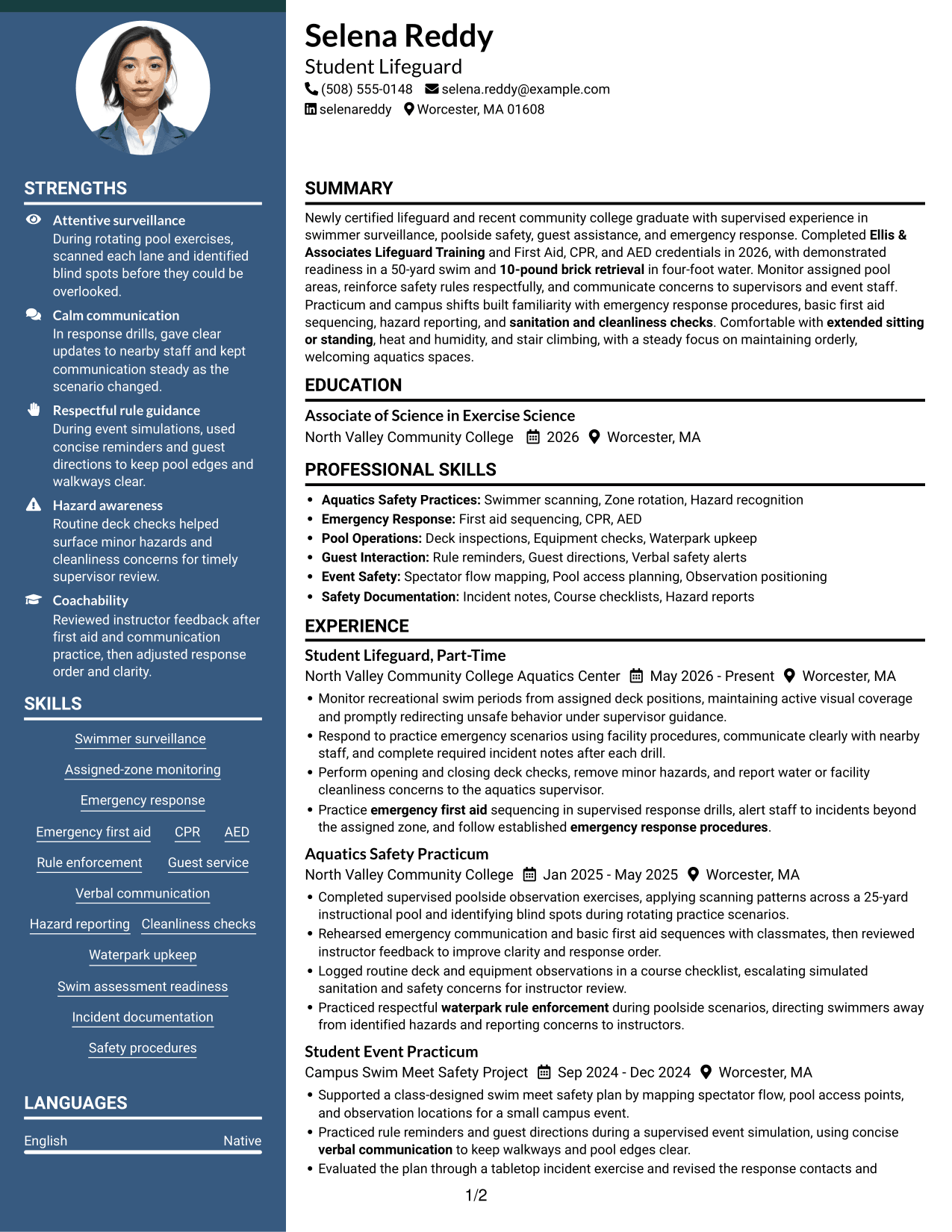
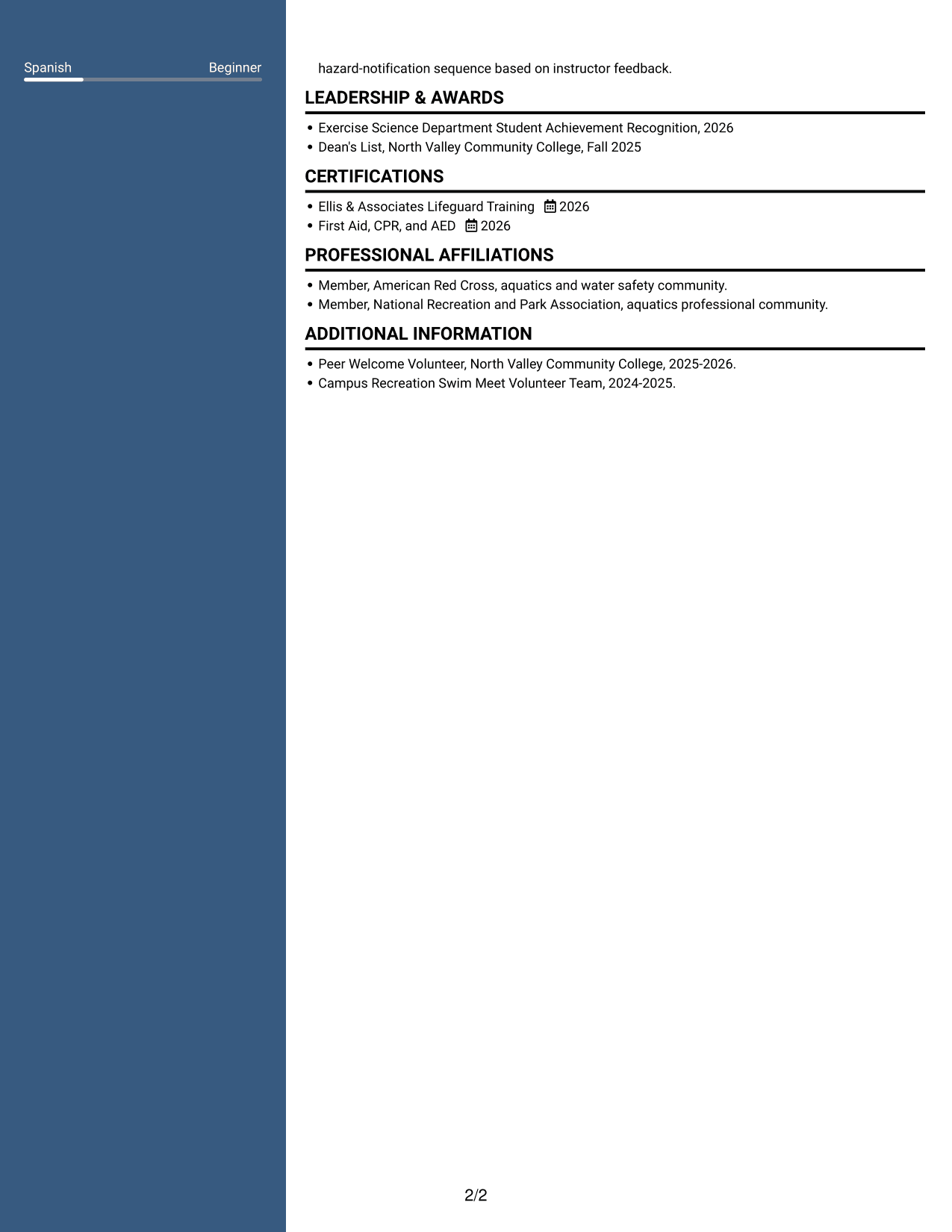
 
Resume example — page 1   Resume example — page 2

Why This Format Works

  • Parallel areas can distinguish brief qualifications from longer experience and practicum entries.
  • Side-by-side sections let reviewers compare details without moving through one long vertical list.
  • Clear grouping can keep education, credentials, and awards findable in the same scan.

Best For

  • Side-by-side information review
  • Separate grouping for resume sections
  • Experience alongside supporting details
  • Resumes with mixed entry lengths
  • Education and experience review
 

#7 Photo Header Two Column Format Resume Example

Photo Header Two Column Format pairs a header portrait with a two-column resume body, giving the page a clear visual identity and divided reading areas.
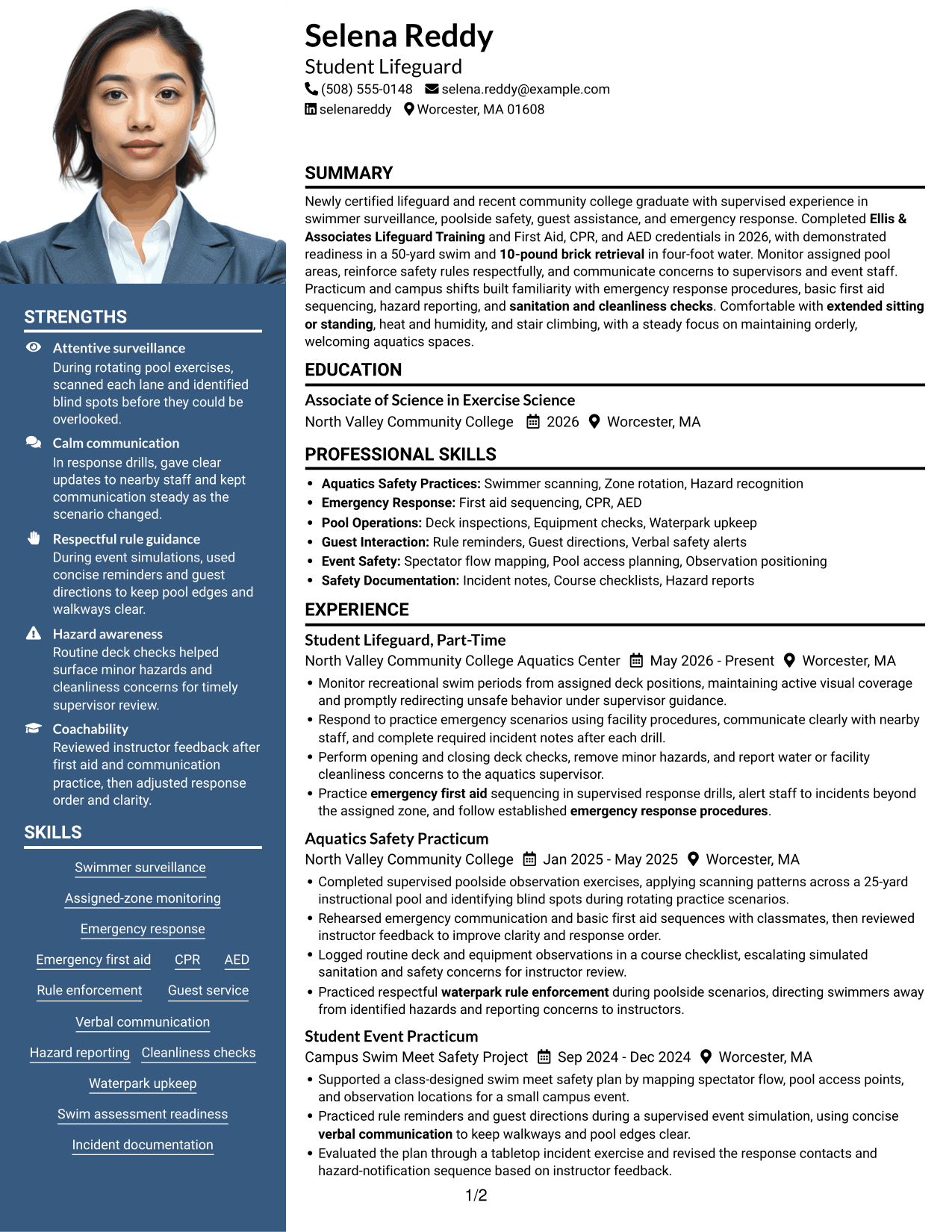
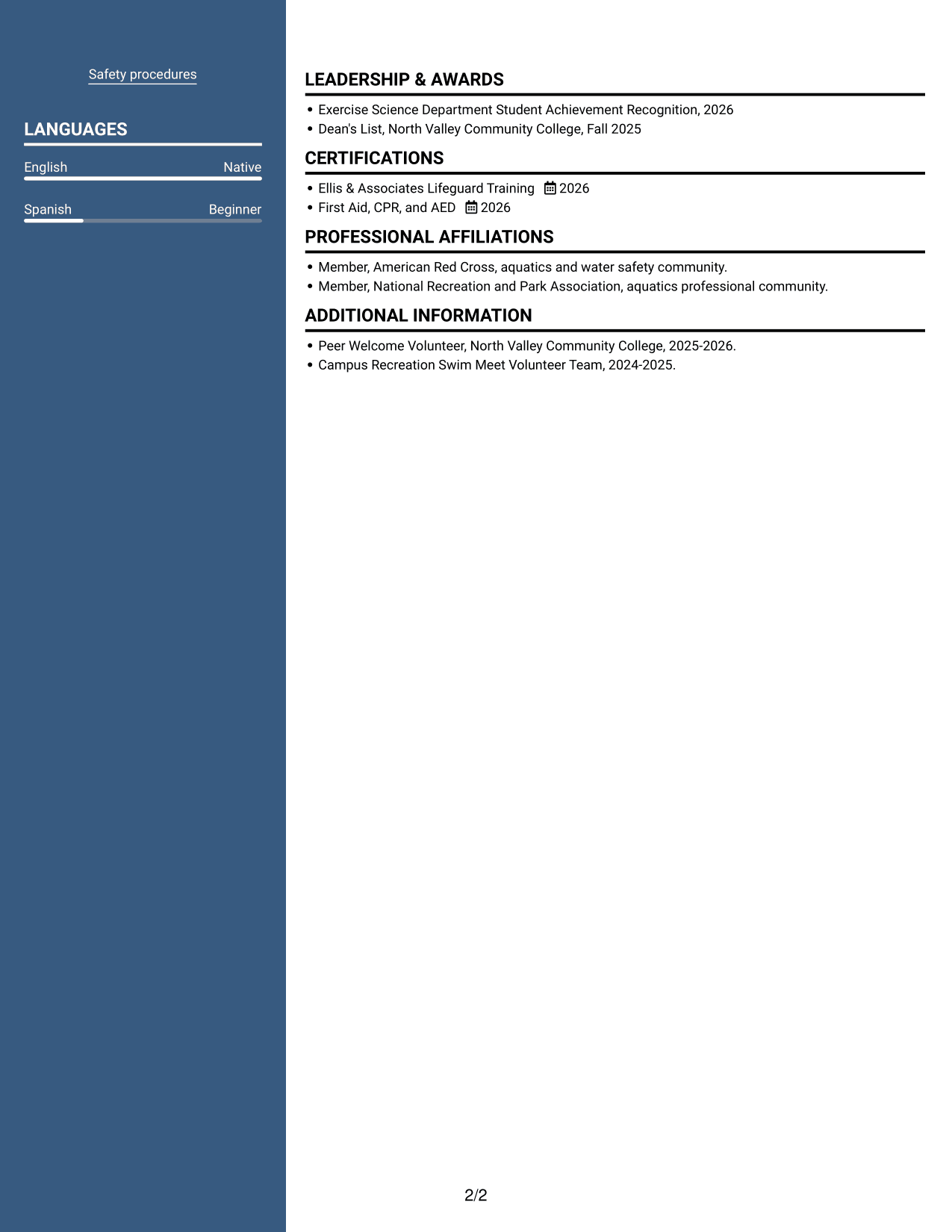
 
Resume example — page 1   Resume example — page 2

Why This Format Works

  • The header portrait stays above the two-column content, separate from experience and skills.
  • Two body columns give reviewers distinct areas for scanning career information.
  • Separate content zones help keep education, credentials, and awards visible during review.

Best For

  • Header portrait preference
  • Two-column section review
  • Resumes with varied content types
  • Career details needing separate areas
  • Education and experience review


Why Build Your Lifeguard - Waterpark Safety Resume with ResumeInMinutes

ResumeInMinutes helps you organize your experience, training, and skills in a resume that is easy to review and edit. Start with a format that fits your information, then tailor the wording to the waterpark safety role.

  • ATS-friendly section structure
  • Clear skills and certification sections
  • Relevant safety keywords
  • Experience bullets that are easy to scan
  • Image previews for format comparison
  • Resume customization in the editor

Use the example to check how certifications, training, poolside duties, and safety skills can work together. Open a layout in the editor to adjust the sections and wording for your own background.


See Also


Frequently Asked Questions

Are these Lifeguard - Waterpark Safety resume templates ATS-friendly?

The layouts use clear headings and organized sections to support easy reading. Use role-related terms that match your actual background, such as swimmer surveillance, emergency response, CPR, AED, rule enforcement, and hazard reporting.

What should a Lifeguard - Waterpark Safety resume include?

Include a focused summary, relevant experience or supervised practice, education, certifications, and skills. If applicable, mention swim assessment readiness, emergency procedures, guest assistance, deck checks, and incident documentation.

How can I show lifeguard skills when my experience is limited?

Use accurate examples from supervised shifts, training, practicum work, or event activities. Explain the task, the safety procedure you followed, and how you communicated or reported concerns.

Which resume style works well for waterpark safety roles?

Choose a clean layout with readable headings and a clear order for certifications, skills, and experience. A simple design helps readers find key safety information quickly.

Which keywords can help describe waterpark safety experience?

When they match your background, use terms such as assigned-zone monitoring, swimmer surveillance, emergency first aid, CPR, AED, Ellis & Associates Lifeguard Training, guest service, waterpark rule enforcement, and cleanliness checks.

Should I include a photo on my resume?

For U.S. applications, a resume without a photo is generally the safer choice. Use a photo only when it is expected for the role or local application norms.


ATS Score 90%

How we calculate this score

  • Keywords: 60% of the total. AI extracts keywords from your job description. If you do not provide one, a standard job description for the title matching your resume is used. This is not a match to a specific vacancy.
  • Text-based resume: 20%. The text resume assessed here receives 100 for this part.
  • Resume quality: 20%. We start at 100 and subtract points for issues found by our resume checks, down to a minimum of zero.
  • Keyword coverage = 100 × (confirmed matches + 0.8 × possible matches) ÷ total keywords, rounded and capped at 100. Possible matches still need checking. Saved generation audits use their saved keyword percentage.
  • Final score = 60% of keyword coverage + 20% of the text score + 20% of the quality score, rounded to a whole number. Without keywords, no overall ATS score is available.

What this score means

Our scores are estimates, not employer ratings. They may contain errors and do not guarantee accurate parsing, a ranking, an interview, or a job. Check your document against the employer’s requirements. You are responsible for relying on this score.

Terms and Conditions

Score weights: Keywords 60% · Text based resume 20% · Resume quality 20%

Keywords: 16 matched + 3 possible of 22 (84%) · Resume quality: 100%

Resume quality 100% · Weight 20% · Issues (0)

Details
  • ✓Name present: Selena Reddy
  • ✓Email format: selena.reddy@example.com
  • ✓Phone format: (508) 555-0148
  • ✓Experience 1: Job title: Student Lifeguard, Part-Time
  • ✓Experience 1: Company name: North Valley Community College Aquatics Center
  • ✓Experience 1: Work location: Worcester, MA
  • ✓Experience 1: Employment dates: May 2026 - Present
  • ✓Experience 1: Description or achievements: Present
  • ✓Experience 2: Job title: Aquatics Safety Practicum
  • ✓Experience 2: Company name: North Valley Community College
  • ✓Experience 2: Work location: Worcester, MA
  • ✓Experience 2: Employment dates: Jan 2025 - May 2025
  • ✓Experience 2: Description or achievements: Present
  • ✓Experience 3: Job title: Student Event Practicum
  • ✓Experience 3: Company name: Campus Swim Meet Safety Project
  • ✓Experience 3: Work location: Worcester, MA
  • ✓Experience 3: Employment dates: Sep 2024 - Dec 2024
  • ✓Experience 3: Description or achievements: Present
  • ✓No placeholder fields
  • ✓No repeated achievement bullets
  • ✓No empty bullets

No issues found by the current checks.

Text Based Resume 100% · Weight 20%

Parsed text
Selena Reddy
(508) 555-0148
selena.reddy@example.com
selenareddy
Worcester, MA 01608
SUMMARY
Newly certified lifeguard and recent community college graduate with supervised experience in swimmer surveillance, poolside safety, guest assistance, and emergency response. Completed Ellis & Associates Lifeguard Training and First Aid, CPR, and AED credentials in 2026, with demonstrated readiness in a 50-yard swim and 10-pound brick retrieval in four-foot water. Monitor assigned pool areas, reinforce safety rules respectfully, and communicate concerns to supervisors and event staff. Practicum and campus shifts built familiarity with emergency response procedures, basic first aid sequencing, hazard reporting, and sanitation and cleanliness checks. Comfortable with extended sitting or standing, heat and humidity, and stair climbing, with a steady focus on maintaining orderly, welcoming aquatics spaces.
EDUCATION
Associate of Science in Exercise Science
2026
North Valley Community College
Worcester, MA
PROFESSIONAL SKILLS
Aquatics Safety Practices: Swimmer scanning, Zone rotation, Hazard recognition
Emergency Response: First aid sequencing, CPR, AED
Pool Operations: Deck inspections, Equipment checks, Waterpark upkeep
Guest Interaction: Rule reminders, Guest directions, Verbal safety alerts
Event Safety: Spectator flow mapping, Pool access planning, Observation positioning
Safety Documentation: Incident notes, Course checklists, Hazard reports
SKILLS
Swimmer surveillance
Assigned-zone monitoring
Emergency response
Emergency first aid
CPR
AED
Rule enforcement
Guest service
Verbal communication
Hazard reporting
Cleanliness checks
Waterpark upkeep
Swim assessment readiness
Incident documentation
Safety procedures
EXPERIENCE
Student Lifeguard, Part-Time
May 2026 - Present
North Valley Community College Aquatics Center
Worcester, MA
Monitor recreational swim periods from assigned deck positions, maintaining active visual coverage and promptly redirecting unsafe behavior under supervisor guidance.
Respond to practice emergency scenarios using facility procedures, communicate clearly with nearby staff, and complete required incident notes after each drill.
Perform opening and closing deck checks, remove minor hazards, and report water or facility cleanliness concerns to the aquatics supervisor.
Practice emergency first aid sequencing in supervised response drills, alert staff to incidents beyond the assigned zone, and follow established emergency response procedures.
Aquatics Safety Practicum
Jan 2025 - May 2025
North Valley Community College
Worcester, MA
Completed supervised poolside observation exercises, applying scanning patterns across a 25-yard instructional pool and identifying blind spots during rotating practice scenarios.
Rehearsed emergency communication and basic first aid sequences with classmates, then reviewed instructor feedback to improve clarity and response order.
Logged routine deck and equipment observations in a course checklist, escalating simulated sanitation and safety concerns for instructor review.
Practiced respectful waterpark rule enforcement during poolside scenarios, directing swimmers away from identified hazards and reporting concerns to instructors.
Student Event Practicum
Sep 2024 - Dec 2024
Campus Swim Meet Safety Project
Worcester, MA
Supported a class-designed swim meet safety plan by mapping spectator flow, pool access points, and observation locations for a small campus event.
Practiced rule reminders and guest directions during a supervised event simulation, using concise verbal communication to keep walkways and pool edges clear.
Evaluated the plan through a tabletop incident exercise and revised the response contacts and hazard-notification sequence based on instructor feedback.
LEADERSHIP & AWARDS
Exercise Science Department Student Achievement Recognition, 2026
Dean's List, North Valley Community College, Fall 2025
CERTIFICATIONS
Ellis & Associates Lifeguard Training
2026
First Aid, CPR, and AED
2026
PROFESSIONAL AFFILIATIONS
Member, American Red Cross, aquatics and water safety community.
Member, National Recreation and Park Association, aquatics professional community.
LANGUAGES
English (Native)
Spanish (Beginner)
ADDITIONAL INFORMATION
Peer Welcome Volunteer, North Valley Community College, 2025-2026.
Campus Recreation Swim Meet Volunteer Team, 2024-2025.

Matched keywords (16)

  • swimmer surveillance
  • Assigned-zone monitoring
  • emergency response
  • Emergency first aid
  • CPR
  • AED
  • Ellis & Associates Lifeguard Training
  • emergency response procedures
  • waterpark rule enforcement
  • Guest service
  • Verbal communication
  • sanitation and cleanliness checks
  • Waterpark upkeep
  • 10-pound brick retrieval
  • extended sitting or standing
  • stair climbing

Missing keywords (3)

  • 20/25 vision requirement
  • Criminal background check
  • Drug screening

Possible matches (3)

  • Hazard identification and reporting80% credit: 3.64 percentage points of 4.55 possible.
  • 50-yard swimming ability80% credit: 3.64 percentage points of 4.55 possible.
  • Heat and humidity tolerance80% credit: 3.64 percentage points of 4.55 possible.
Disclaimer: All names, images, contact information, employment histories, achievements, security clearances, military credentials, and other qualifications shown in this content are fictional and used for illustrative purposes only. Any resemblance to actual persons, living or deceased, is purely coincidental.

Resume and cover-letter examples and recommendations in this article reflect general best practices and professional experience and are provided for guidance only. Results may vary based on role, industry, region, and hiring organization.

Content Accuracy and Verification: To the fullest extent permitted by applicable law, we do not represent or warrant that resume or cover-letter guidance, examples, recommendations, or related information are accurate, complete, current, error-free, or suitable for any particular purpose. You are responsible for independently reviewing and verifying the information before relying on it.

ATS and Cover-Letter Scores: ATS scores are estimates calculated using our own formula, informed by publicly available guidance on resume formatting and keyword matching. They are not scores issued or endorsed by an ATS provider or employer. Cover-letter scores are also our own assessments. Parsing, weighting, screening criteria, and results vary between systems, employers, job descriptions, and document formats. No score guarantees successful parsing, a particular ranking, an interview, or employment. Use scores as general guidance and independently check your documents against the employer’s requirements. To the fullest extent permitted by applicable law, we accept no liability for errors in scores or parsing, or losses arising from reliance on these assessments. Nothing in this notice excludes liability or limits consumer rights that cannot lawfully be excluded or limited.

Terms and Conditions
 
> JP 1 1
PDF Footer and Margins Setup
The margins are applied to the document, and the footer shows up in the preview and the PDF

Footer Font Settings

Are you applying for a specific job
so we can tailor your resume to it?
Are you applying for a specific job
so we can tailor your cover letter to it?

Your data stays private and is never used for training.Privacy Policy

Type your details as text to generate a personalized resume Type your details as text to generate a personalized cover letter
Website link found! Ready to create resume from:

Your data stays private and is never used for training.Privacy Policy

Drag the into the box to verify you're human.
Drop here

My Resumes

Displaying {number_of_files} files (out of {total_of_all_files} total)
Name File Type Last Modified: Description:

Rename File

Filename already exists!

Delete Files

Warning: This action is irreversible. Once you click submit, the files will be permanently deleted.

Heading text
Upload From Computer Upload
Select From Existing
LinkedIn
Drag & Drop files anywhere in this tab, or

Uploaded Files

Delete Name Last Updated Use This File
Select this to use the file for generating your resume and cover letter. Only one source—uploaded file, selected file, or LinkedIn text—can be used.

My Files

Resumes or cover letters you create will appear here. No files available yet.
Delete Name Last Updated Use This File
Select this to use the file for generating your resume and cover letter. Only one source—uploaded file, selected file, or LinkedIn text—can be used.

Add LinkedIn Profile PDF

You can download your LinkedIn profile as a PDF by opening linkedin.com in a web browser, clicking your profile photo, selecting the “More” or “Resources” button, and choosing “Save to PDF.” You can then attach the PDF using the Upload From Computer tab.

Paste Your LinkedIn Profile Text

If you have copied the LinkedIn profile text, paste it below. See how to copy your profile from LinkedIn

Select this to use the LinkedIn profile text for generating your resume and cover letter. Only one source—uploaded file, selected file, or LinkedIn text—can be used.

Try these controls

<
>


