
US English


7 Microsoft Copilot Studio & Power Platform Solution Engineer Resume Templates with Example
By Ria · Last Updated On October 14, 2026
Resume example — page 1

This guide shows you how to create a clear, focused resume for a Microsoft Copilot Studio & Power Platform Solution Engineer role. It explains how to organize your experience and present technical work in a way that is easy for recruiters to review.

Strong resumes connect solution delivery to business needs. Use concise bullets to show how you handled discovery, designed applications and workflows, supported testing, and helped users adopt the solution.

The example is presented in 7 resume layouts. Compare the image previews to see how each layout presents experience, skills, education, certifications, and measurable results.

What Makes a Great Microsoft Copilot Studio & Power Platform Solution Engineer Resume in 2026

A strong resume uses clear section headings and focused bullets to show how you turn client needs into tested, supported solutions. Keep the summary brief and place relevant experience, skills, education, and certifications where recruiters can find them quickly.

Use role-specific terms where they match your background, such as Copilot Studio, Power Apps, Power Automate, Dataverse, SharePoint Online, Power BI, CoE governance, C#, .NET, and SQL. Support each key skill with a specific example from your work.

The examples shown below are intentionally detailed to demonstrate a range of experiences, skills, accomplishments and relevant keywords. We prefer detailed resumes as they provide more context to the hiring managers and also help the ATS systems identify relevant qualifications and score your resume better for a match. But the length of a resume is an individual choice. If you want a one page resume, just keep the most relevant experience and information for the job. Note: Resume examples are for educational purposes only. Use only information that accurately reflects your experience and qualifications. References to real organizations do not imply affiliation or endorsement.

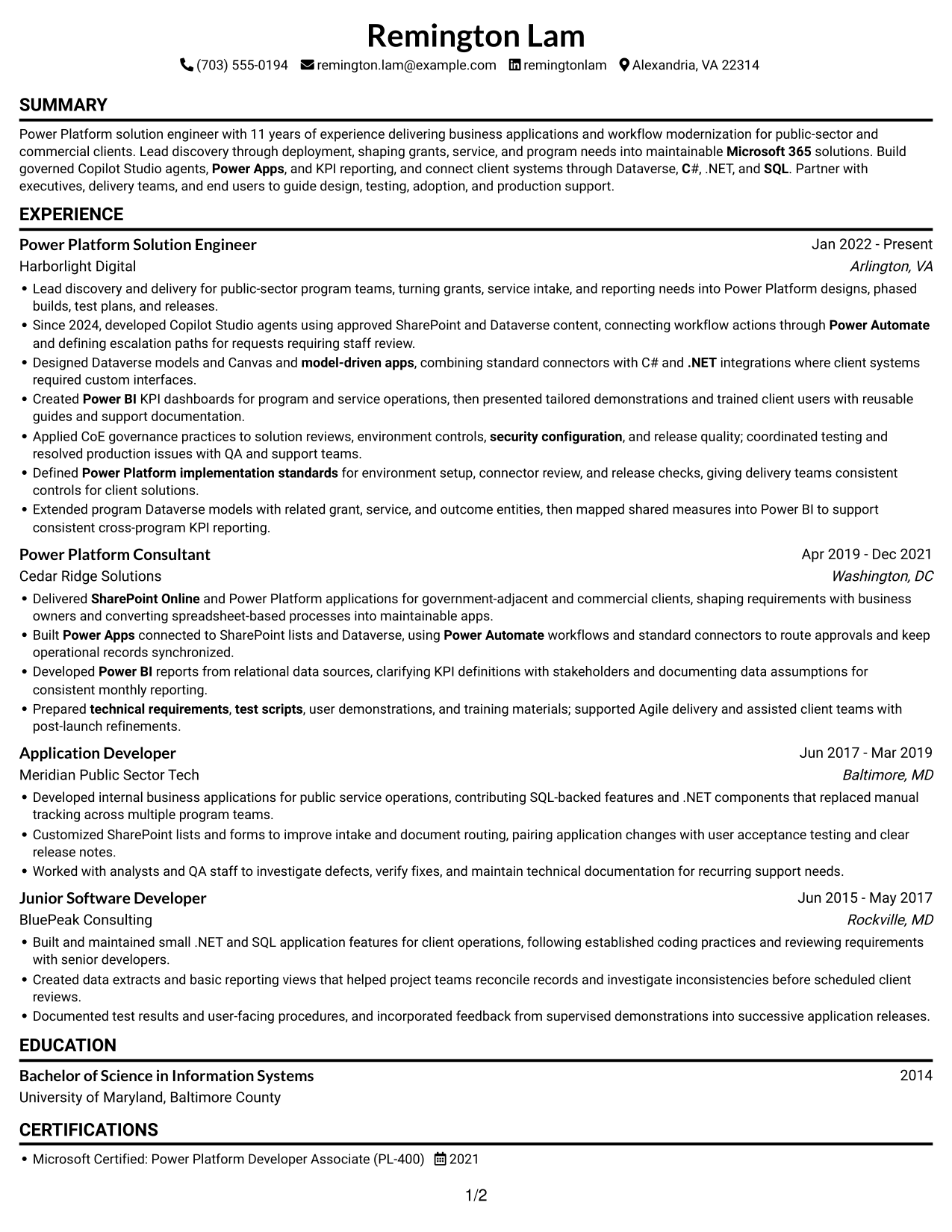
#1 Simple One Column Format Resume Example

A single-column body keeps the resume in one reading path, a practical choice for reviewers who prefer a familiar top-to-bottom scan.
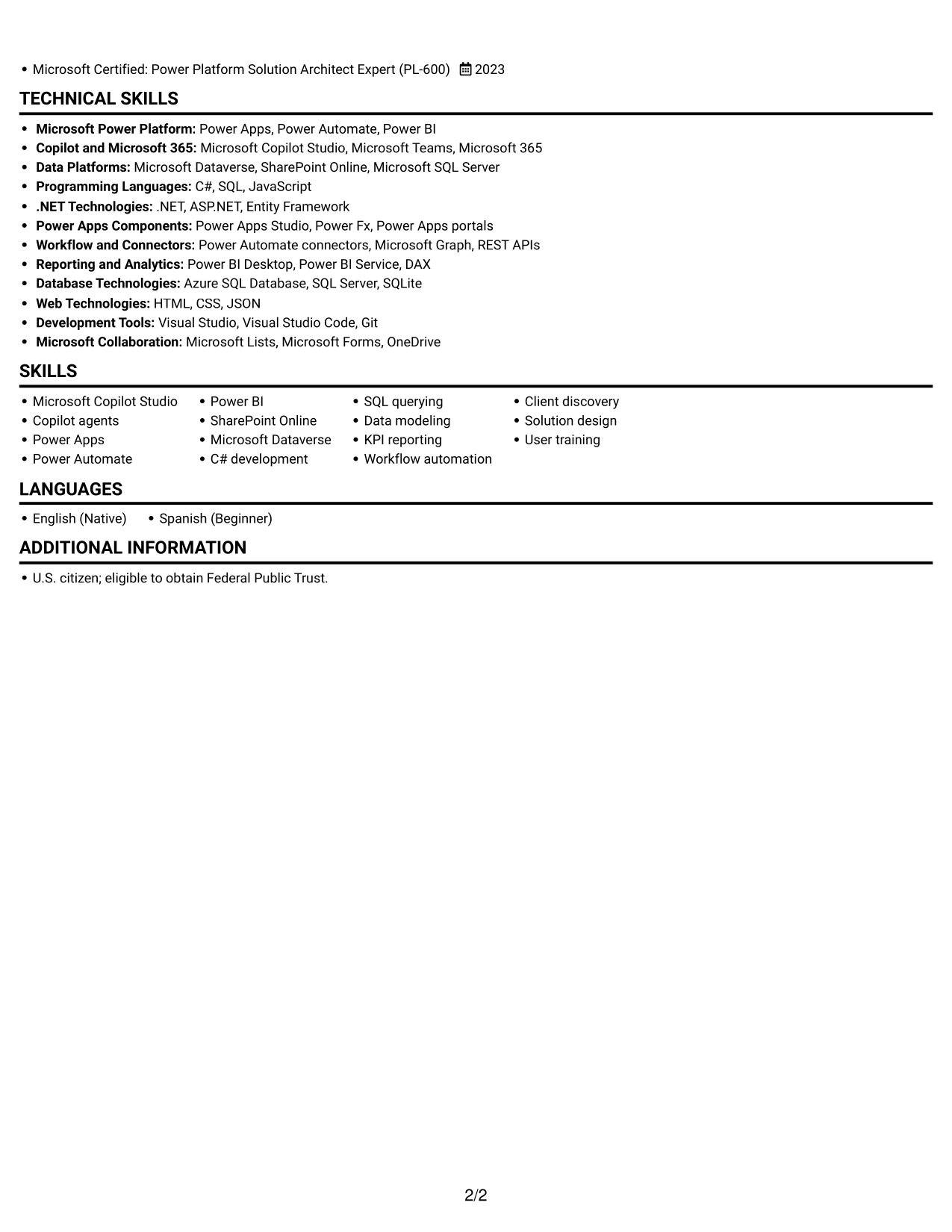
 
Resume example — page 1   Resume example — page 2

Why This Format Works

  • A single reading path lets reviewers follow experience from recent roles to earlier work.
  • Summary and skills can be reviewed before the detailed career history.
  • Education and certifications remain within the same clear section sequence.

Best For

  • Top-to-bottom reading preference
  • Chronological experience review
  • Full career-history summaries
  • Skills and credentials in sequence
  • Text-first resume review

Resume Keywords

  • Microsoft Copilot Studio
  • Copilot agents
  • Power Apps
  • Power Automate
  • SharePoint Online
  • Microsoft Dataverse
  • model-driven apps
  • Power BI
  • C
  • SQL
  • .NET
  • security configuration
  • Workflow automation
  • technical requirements
  • test scripts
See all keywords
 

#2 Simple Two Column Format Resume Example

The two-column body places resume content in parallel areas, giving reviewers a compact way to move between sections.
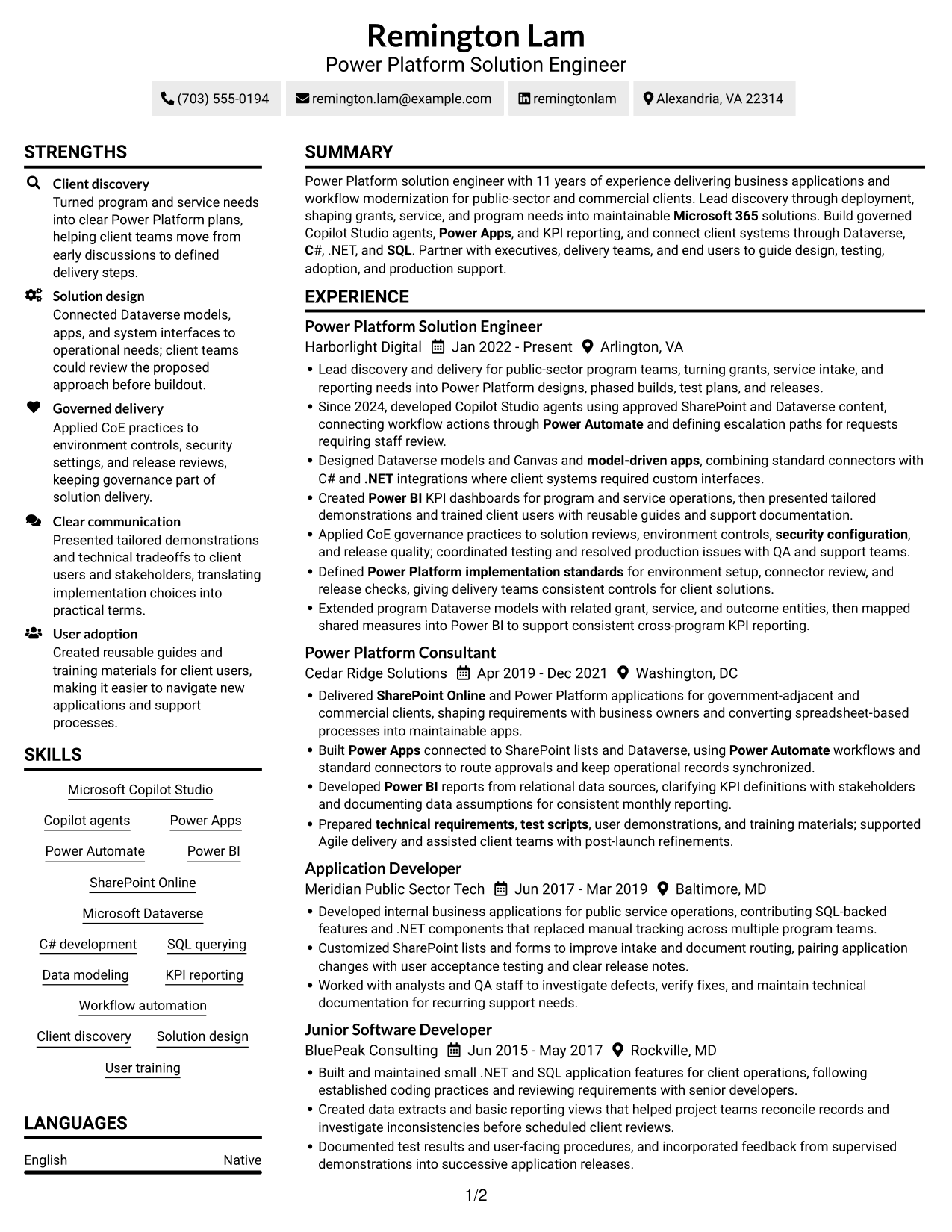
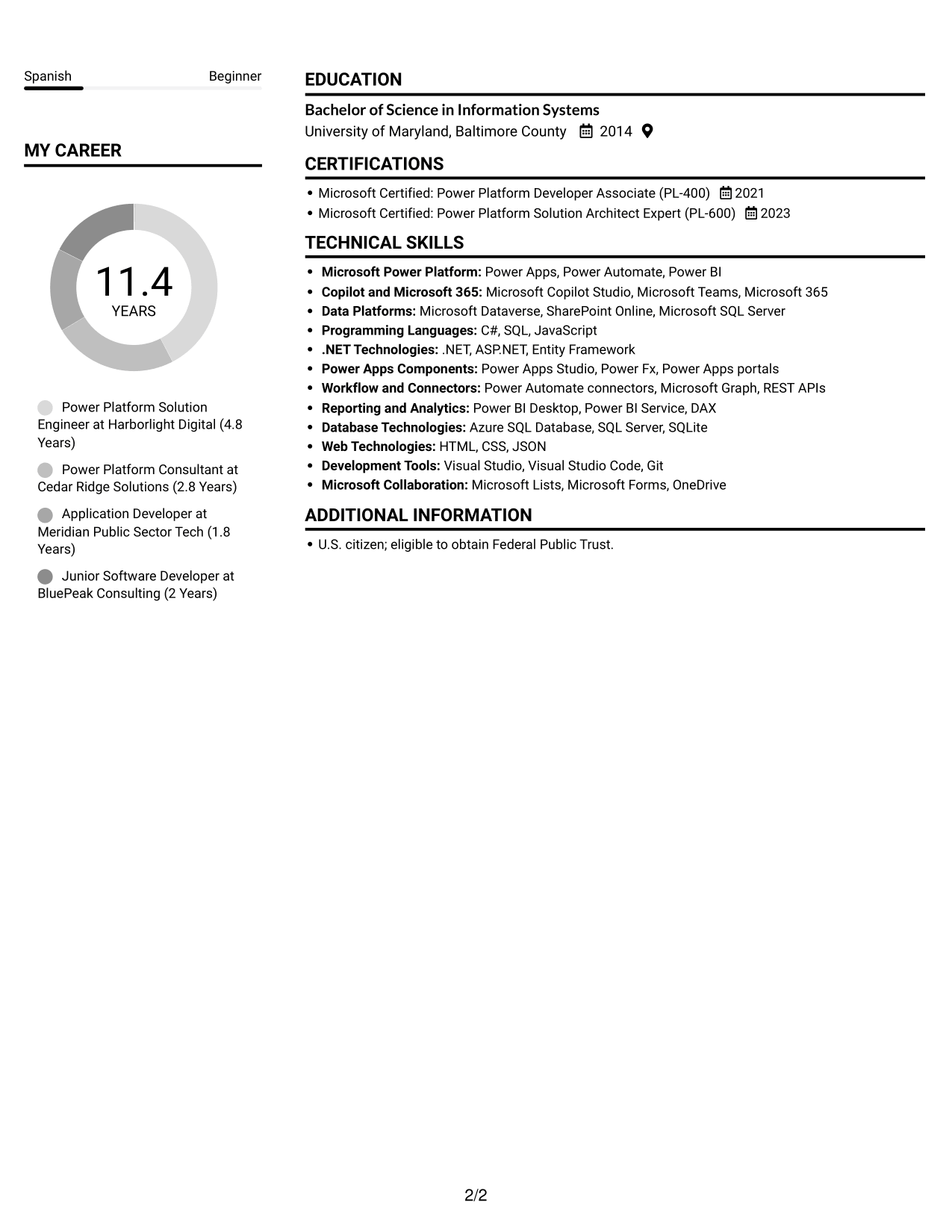
 
Resume example — page 1   Resume example — page 2

Why This Format Works

  • Separate content areas help reviewers compare career history with supporting resume sections.
  • Skills and tools are easier to locate during a focused resume review.
  • Education and credentials remain accessible without searching through every experience entry.

Best For

  • Side-by-side content review
  • Quick section navigation
  • Detailed supporting information
  • Resume with varied sections
  • Parallel content scanning

#3 Plain One Column with Shaded Labels Resume Example

A one-column body keeps sections in a single vertical sequence, which suits reviewers who prefer a direct reading order.
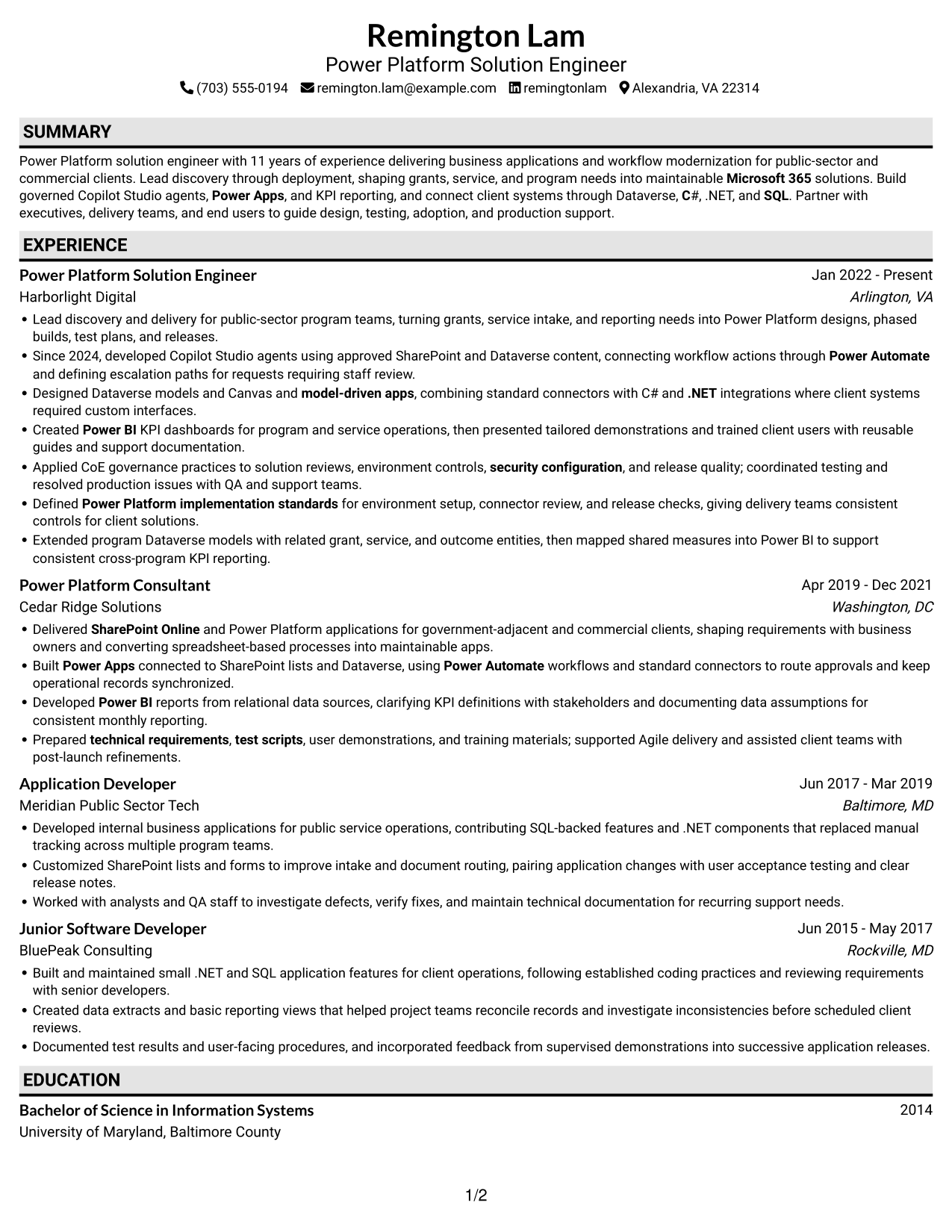
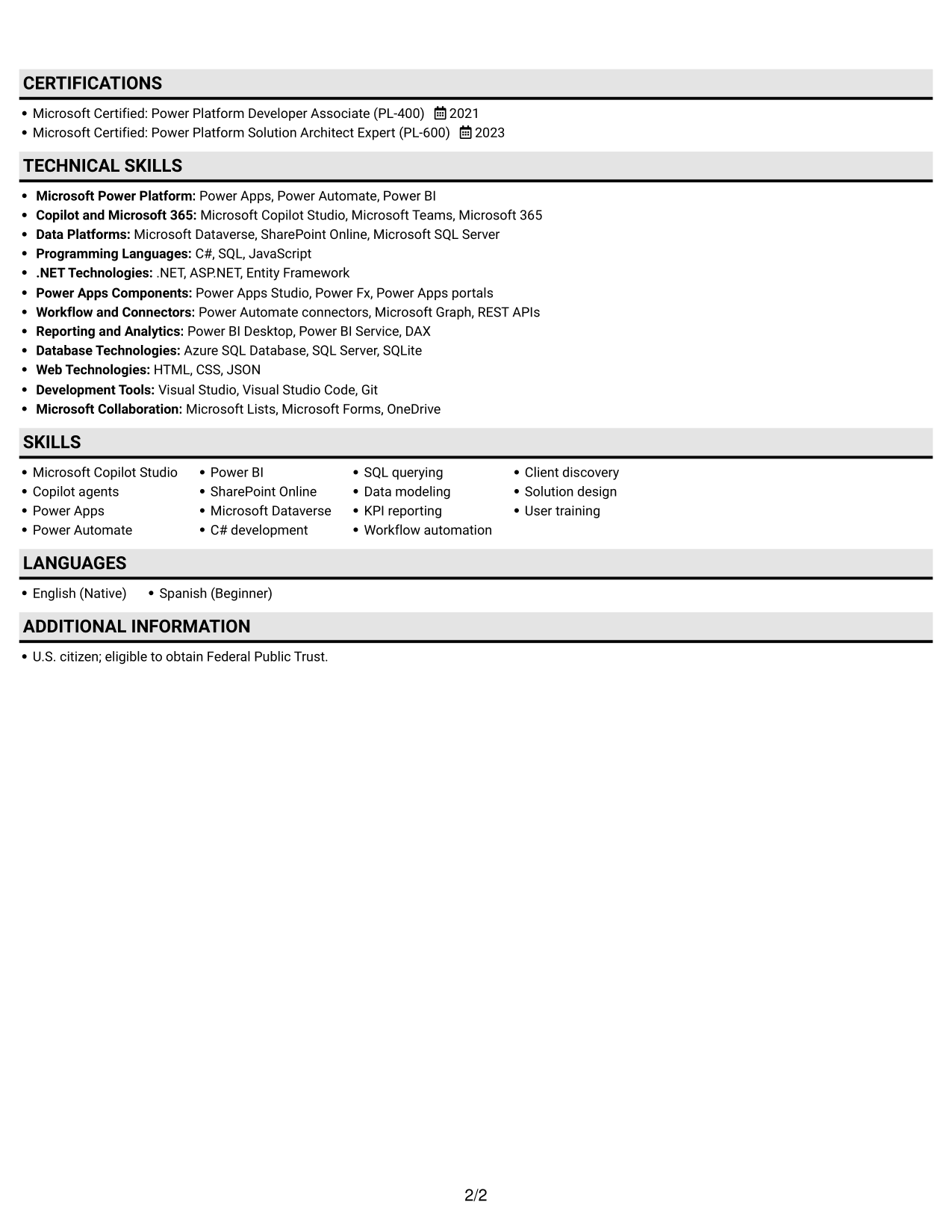
 
Resume example — page 1   Resume example — page 2

Why This Format Works

  • One-column reading keeps experience entries in a clear sequence for review.
  • The same vertical flow links summary, skills, and employment details.
  • Education and certifications fit into the section order without competing columns.

Best For

  • Single-path resume reading
  • Section-by-section review
  • Detailed work histories
  • Compact skill summaries
  • Education and credential records
 

#4 One Column Format with Photo Right Resume Example

A portrait paired with a one-column body balances a personal visual element with a straightforward reading path.
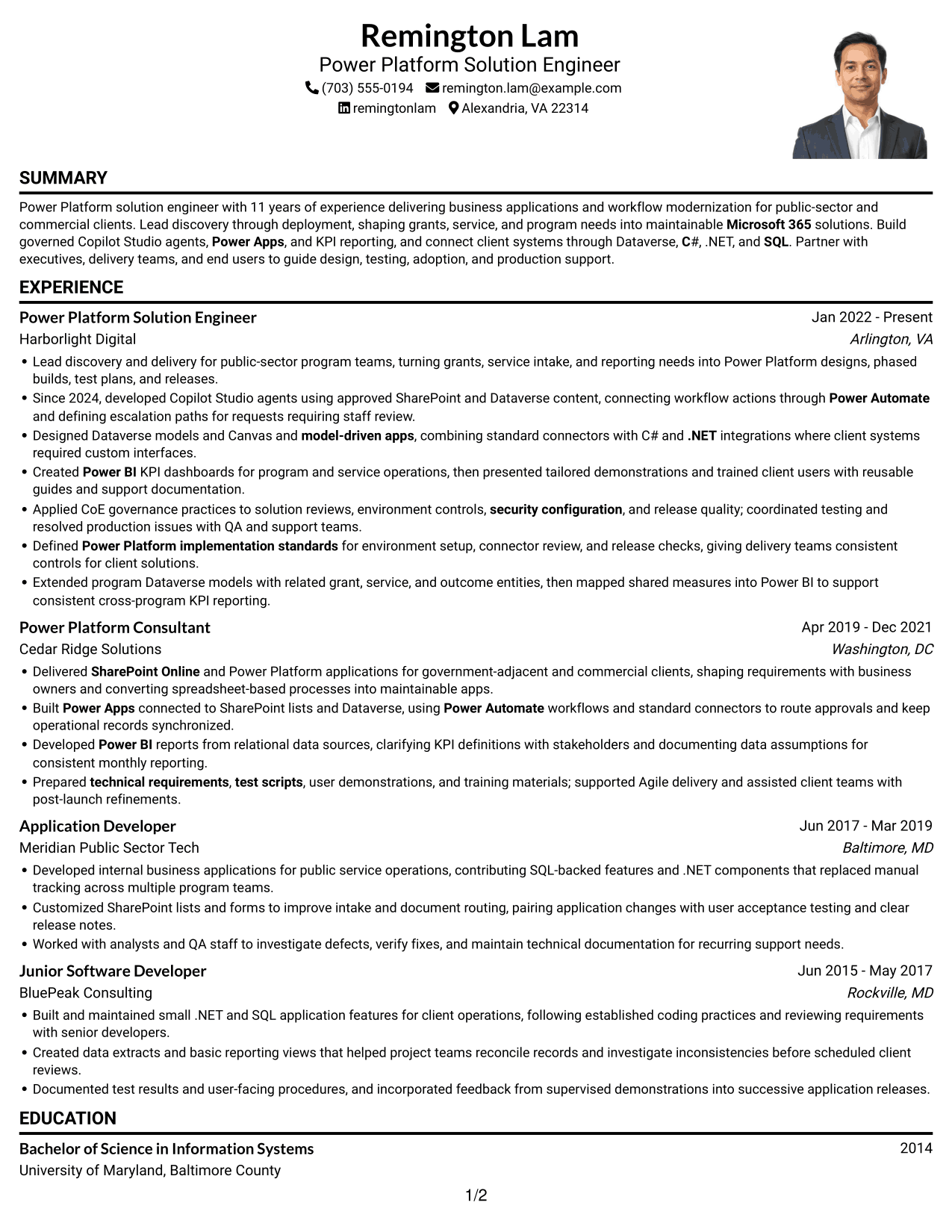
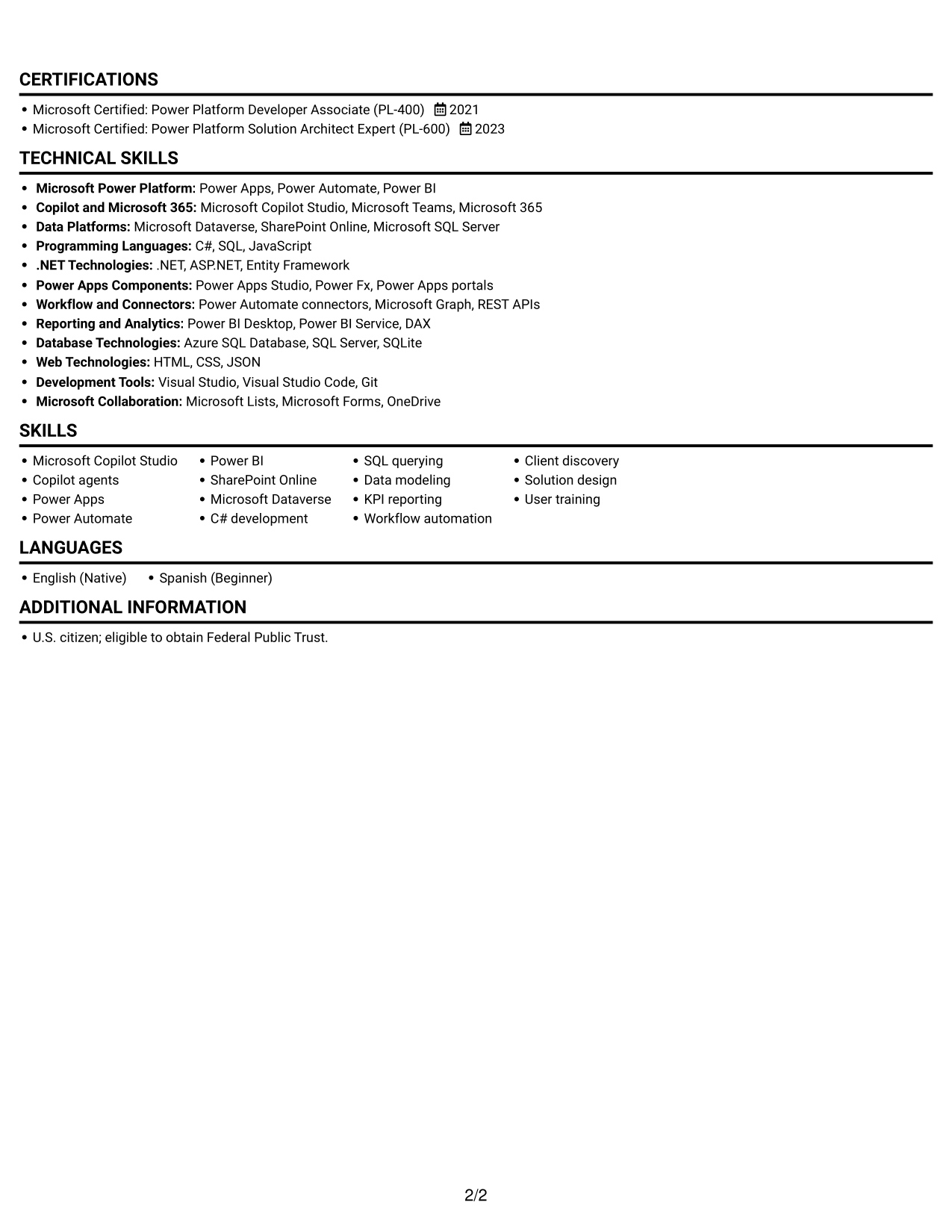
 
Resume example — page 1   Resume example — page 2

Why This Format Works

  • One column carries reviewers from the summary into career history in a steady reading order.
  • Experience entries stay together, making role progression easier to follow.
  • Education and certifications are easy to find after the work history.

Best For

  • Portrait-inclusive resume format
  • Single-column career review
  • Top-to-bottom section flow
  • Career histories with detailed entries
  • Resume with a personal image
 

#5 Clean Two Column Sidebar Format Resume Example

The two-column body separates resume content into distinct areas, useful when reviewers want to locate sections in parallel.
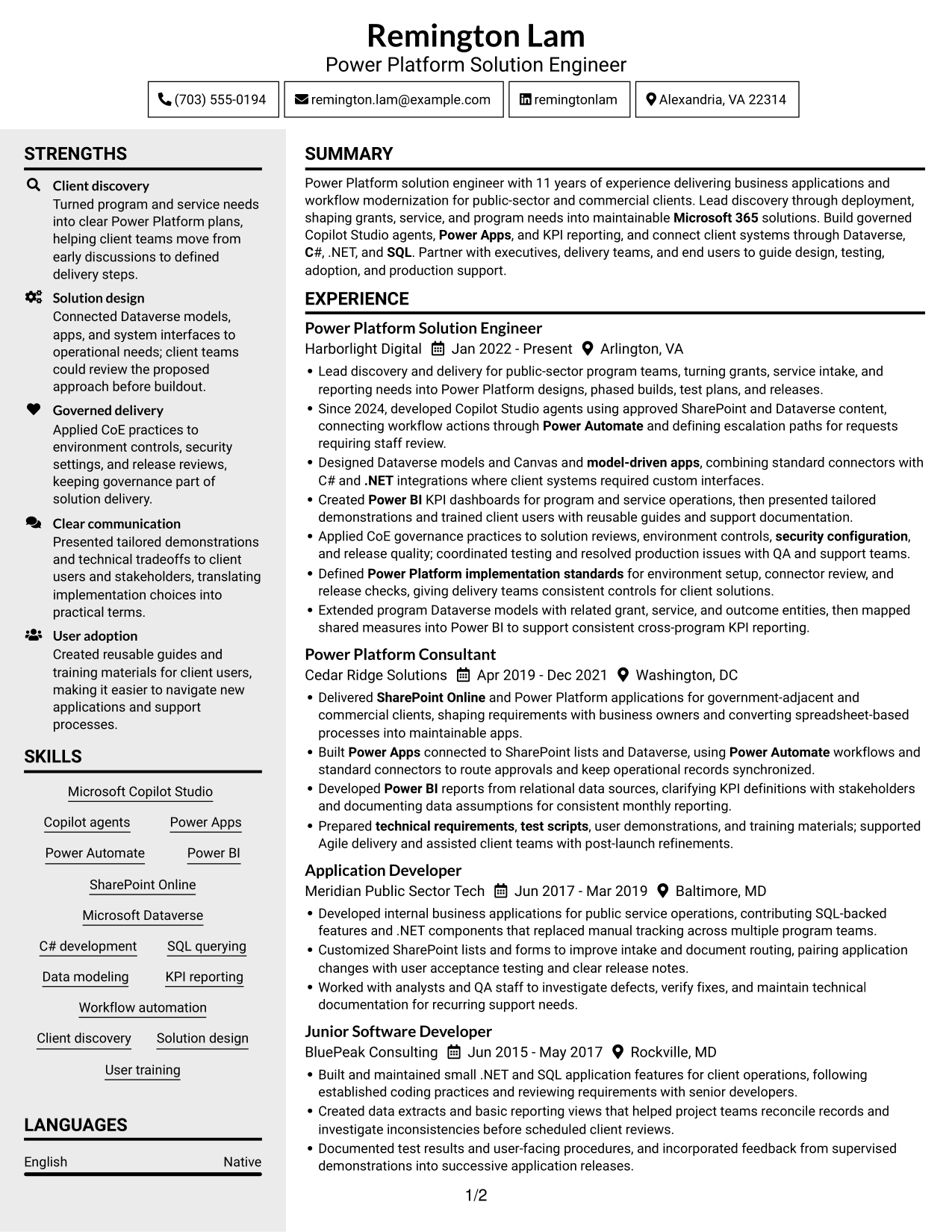
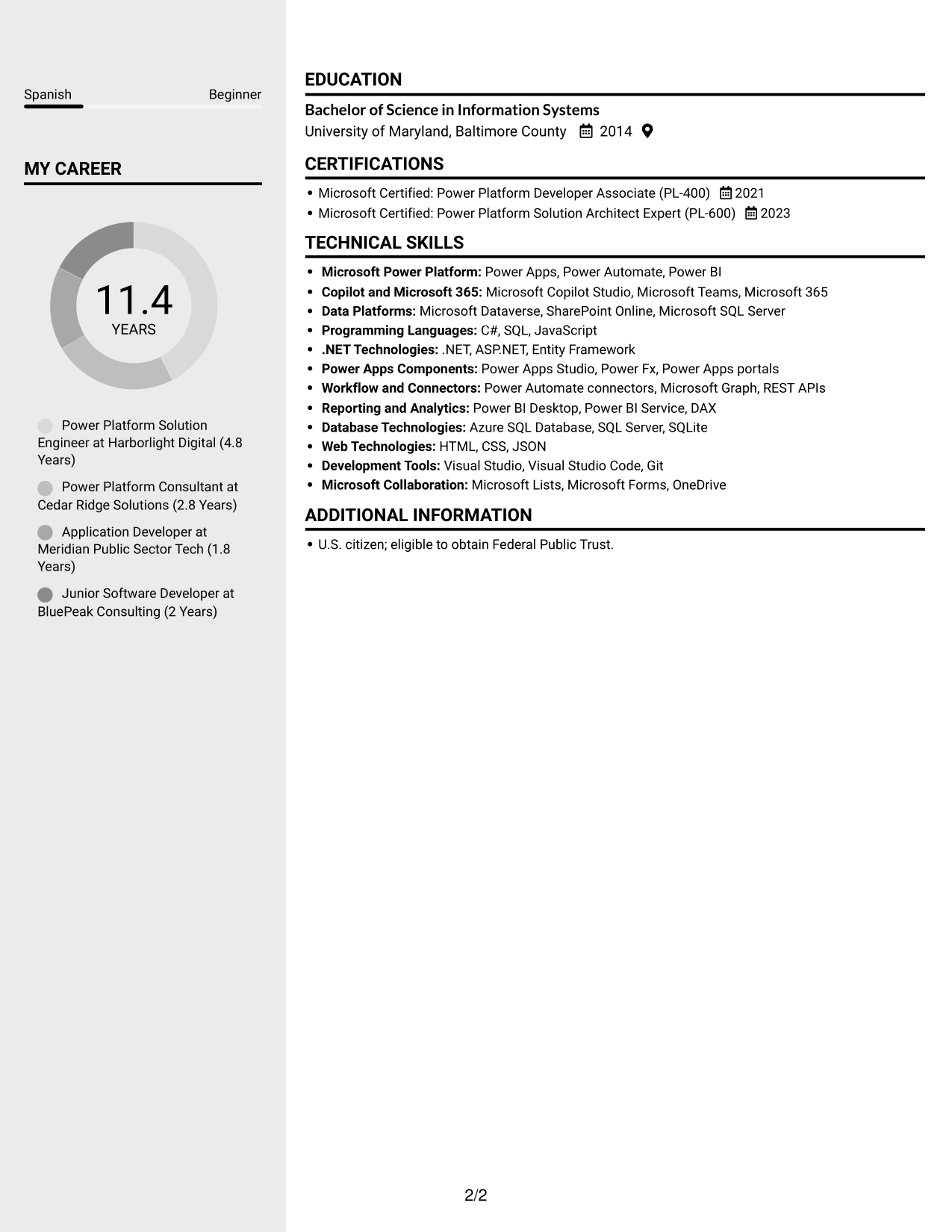
 
Resume example — page 1   Resume example — page 2

Why This Format Works

  • The two-column body gives skills and career details distinct places in the resume.
  • Reviewers can locate education without moving through each employment bullet.
  • Separate sections keep certifications visible alongside the broader career record.

Best For

  • Side-by-side section navigation
  • Resume with many skill details
  • Career history plus credentials
  • Separate content areas
  • Supporting information beside work history


#6 Two Column Format Resume Example

Two columns give the resume a side-by-side structure, helping reviewers move between content groups without one long vertical scan.
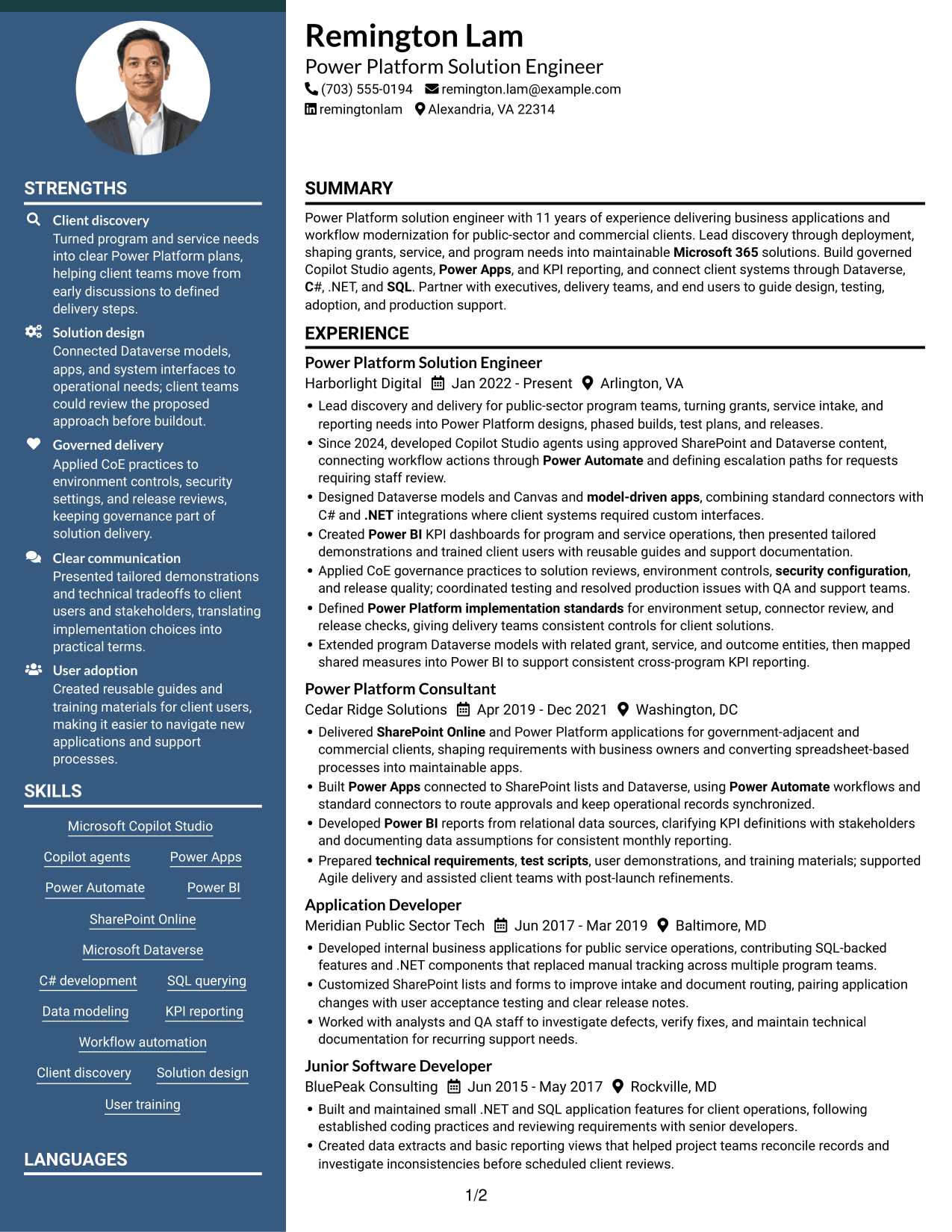
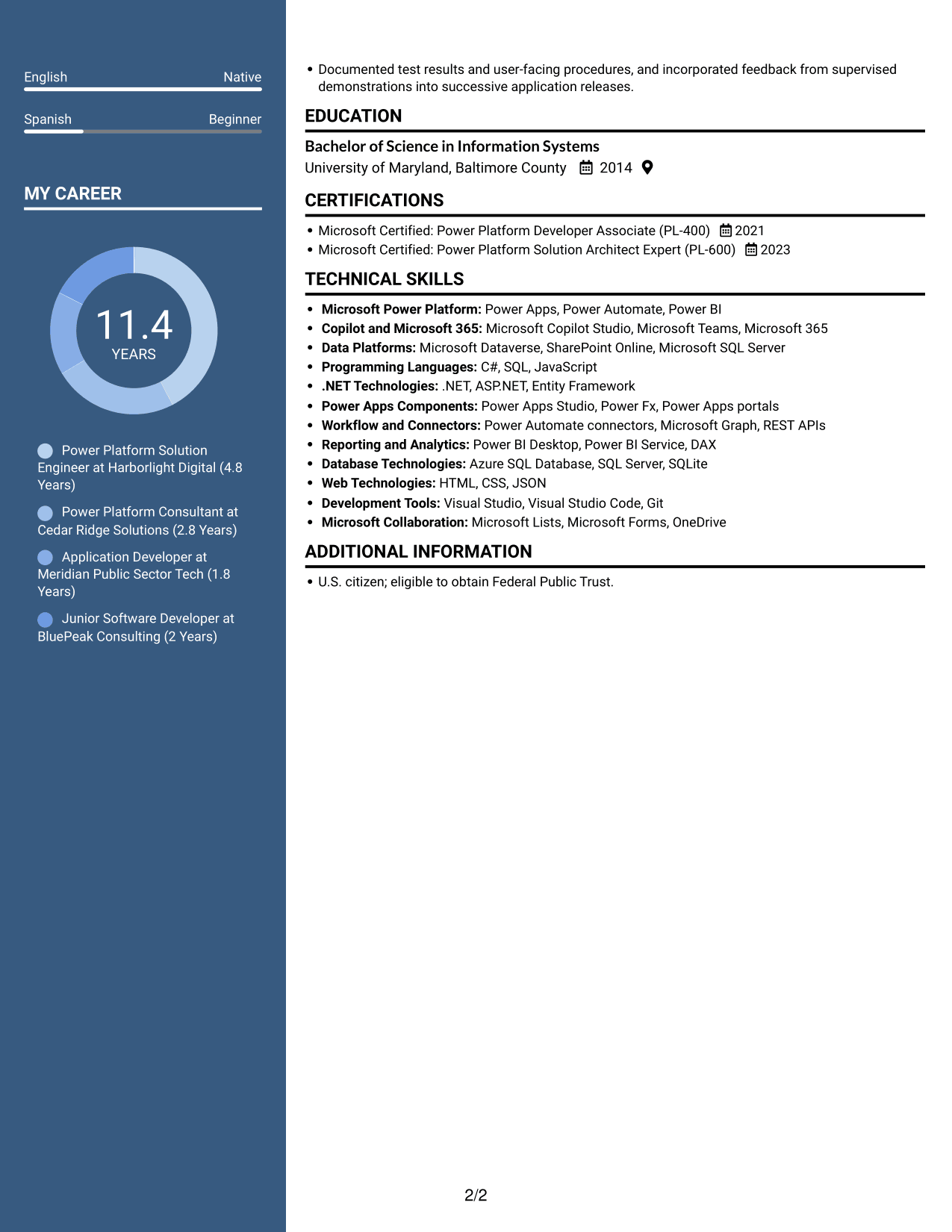
 
Resume example — page 1   Resume example — page 2

Why This Format Works

  • Two columns let reviewers scan career history and supporting sections as separate groups.
  • The layout gives skills a clear place apart from experience entries.
  • Education and credentials remain easy to return to during a detailed review.

Best For

  • Side-by-side resume review
  • Separate career and supporting details
  • Frequent section cross-checking
  • Skills with broad supporting content
  • Detailed credential records
 

#7 Photo Header Two Column Format Resume Example

A portrait appears with a two-column body, pairing a personal visual element with separate areas for resume content.
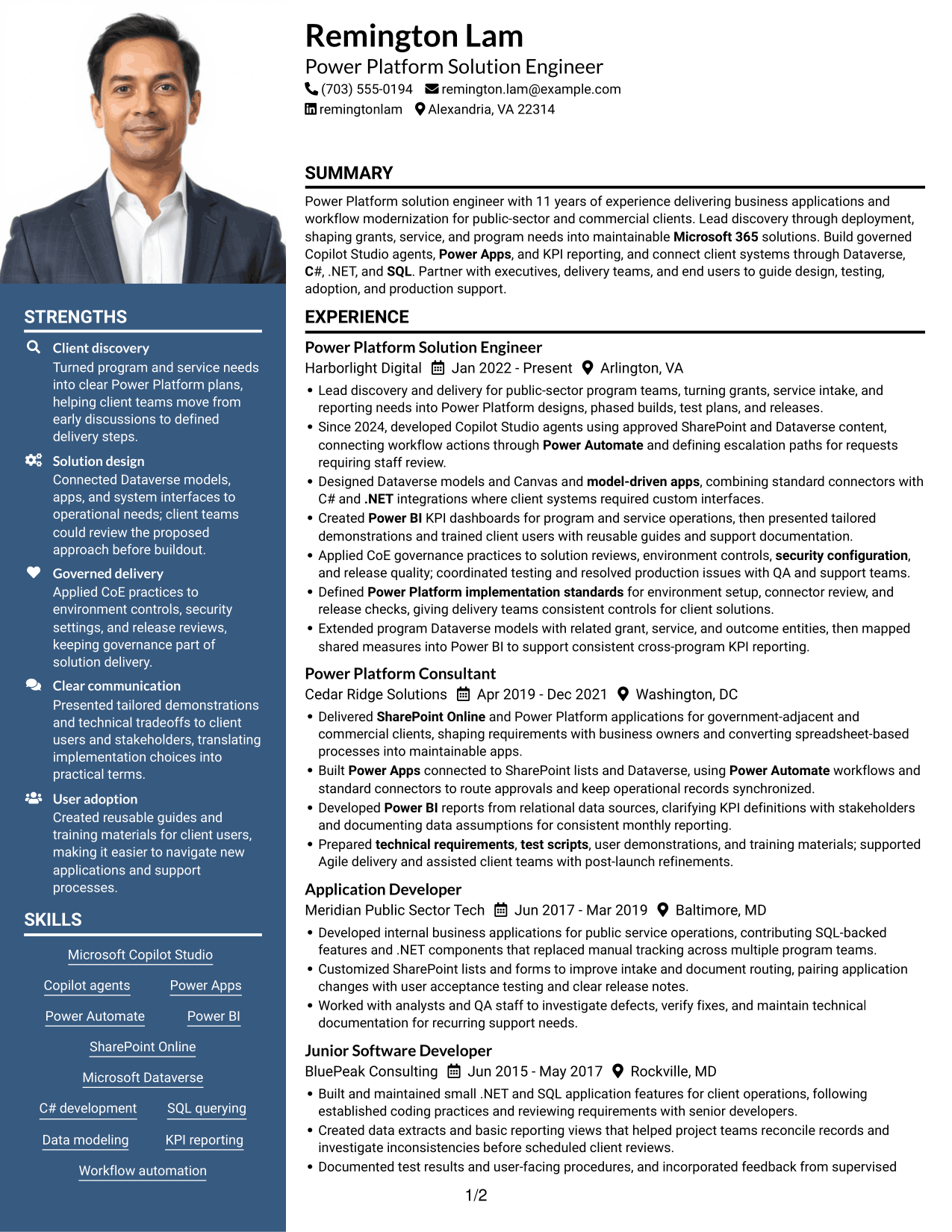
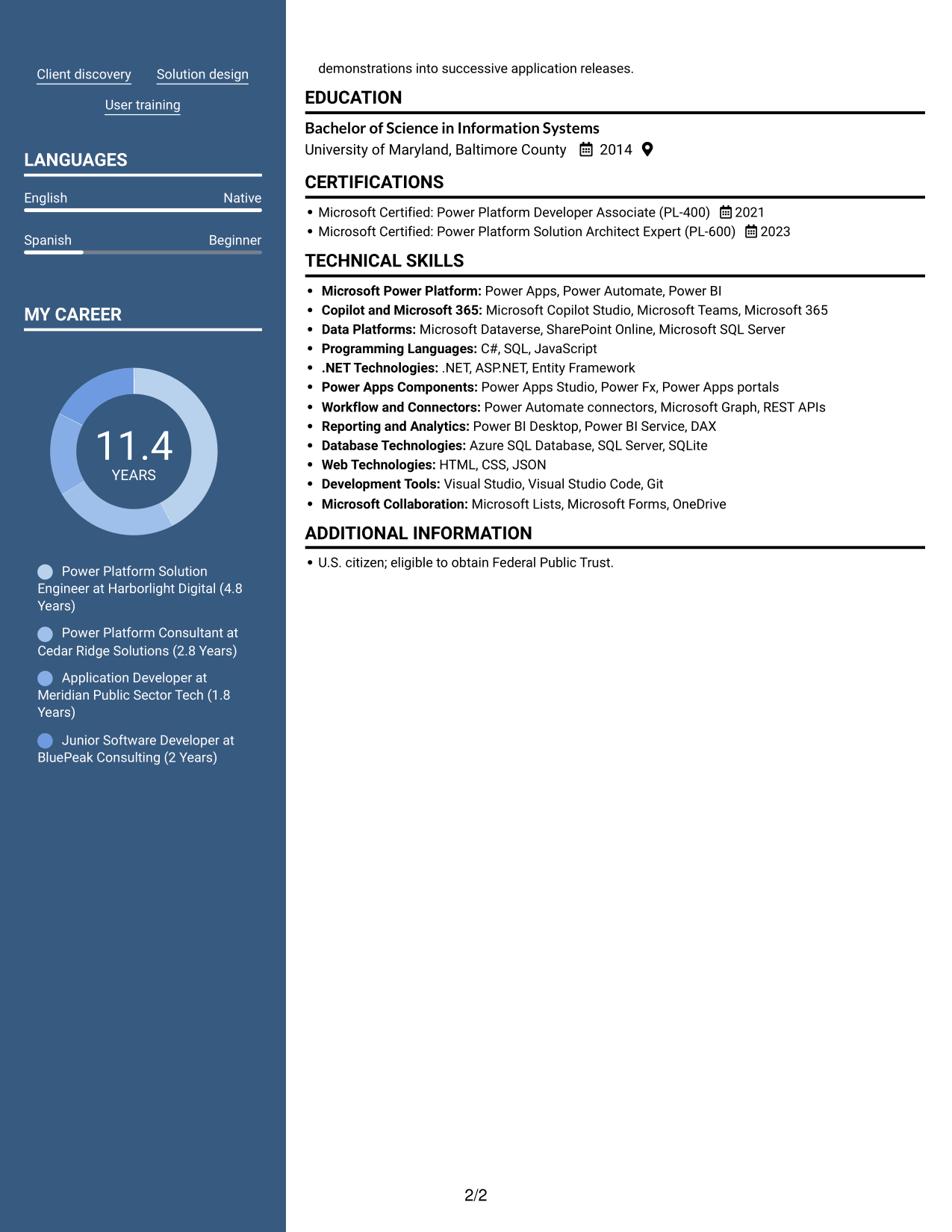
 
Resume example — page 1   Resume example — page 2

Why This Format Works

  • The paired columns give career details and supporting information separate reading areas.
  • A reviewer can revisit skills without scanning each work-history entry.
  • Education and certifications stay within the same organized resume body.

Best For

  • Portrait with side-by-side content
  • Separate career and supporting sections
  • Resume with several content groups
  • Skills reviewed apart from work history
  • Education and credentials in one document


Why Use ResumeInMinutes for Your Microsoft Copilot Studio & Power Platform Solution Engineer Resume

Review the image previews to compare how each resume layout organizes technical skills, certifications, and work history. Open an example in the editor when you want to customize its content and layout.

  • Clear resume section structure
  • ATS-readable headings
  • Space for role-specific keywords
  • Skills and experience organization
  • PNG image previews
  • Editor access to customize an example

Choose a layout that makes your project scope and contribution easy to scan. Use direct, accurate bullets to show how your Power Platform work served program and service needs.


See Also


Frequently Asked Questions

Are these Microsoft Copilot Studio & Power Platform Solution Engineer resume templates ATS-friendly?

The layouts use readable section headings and a clear structure. For stronger ATS matching, use relevant terms such as Copilot Studio, Power Apps, Power Automate, Dataverse, SharePoint Online, Power BI, and CoE governance when they accurately describe your experience.

What should this resume include?

Include a concise summary, relevant work experience, technical skills, education, and certifications. Add bullets that show discovery, solution design, application development, testing, governance, user training, and production support where these fit your background.

How can I show Copilot Studio experience clearly?

Describe the agent’s purpose, the approved content or systems it used, any workflow actions, and how requests needing staff review were handled. Include testing and governance details when they are part of your work.

How should I describe Power Platform results?

State the business need, the tools or data model involved, and your contribution. Add measured results when you can verify them, such as changes in processing time, reporting accuracy, or user adoption.

Which resume layout should I choose?

Choose a layout with clear headings and a simple reading order. Make sure experience, technical skills, education, and certifications are easy to locate, then use the image previews to compare layouts before opening an example in the editor.

Should I include a photo on my resume?

For U.S. applications, a resume without a photo is generally the safer choice. Use the space for relevant experience, skills, and certifications instead.


ATS Score 84%

How we calculate this score

  • Keywords: 60% of the total. AI extracts keywords from your job description. If you do not provide one, a standard job description for the title matching your resume is used. This is not a match to a specific vacancy.
  • Text-based resume: 20%. The text resume assessed here receives 100 for this part.
  • Resume quality: 20%. We start at 100 and subtract points for issues found by our resume checks, down to a minimum of zero.
  • Keyword coverage = 100 × (confirmed matches + 0.8 × possible matches) ÷ total keywords, rounded and capped at 100. Possible matches still need checking. Saved generation audits use their saved keyword percentage.
  • Final score = 60% of keyword coverage + 20% of the text score + 20% of the quality score, rounded to a whole number. Without keywords, no overall ATS score is available.

What this score means

Our scores are estimates, not employer ratings. They may contain errors and do not guarantee accurate parsing, a ranking, an interview, or a job. Check your document against the employer’s requirements. You are responsible for relying on this score.

Terms and Conditions

Score weights: Keywords 60% · Text based resume 20% · Resume quality 20%

Keywords: 22 matched + 14 possible of 45 (74%) · Resume quality: 100%

Resume quality 100% · Weight 20% · Issues (0)

Details
  • ✓Name present: Remington Lam
  • ✓Email format: remington.lam@example.com
  • ✓Phone format: (703) 555-0194
  • ✓Experience 1: Job title: Power Platform Solution Engineer
  • ✓Experience 1: Company name: Harborlight Digital
  • ✓Experience 1: Work location: Arlington, VA
  • ✓Experience 1: Employment dates: Jan 2022 - Present
  • ✓Experience 1: Description or achievements: Present
  • ✓Experience 2: Job title: Power Platform Consultant
  • ✓Experience 2: Company name: Cedar Ridge Solutions
  • ✓Experience 2: Work location: Washington, DC
  • ✓Experience 2: Employment dates: Apr 2019 - Dec 2021
  • ✓Experience 2: Description or achievements: Present
  • ✓Experience 3: Job title: Application Developer
  • ✓Experience 3: Company name: Meridian Public Sector Tech
  • ✓Experience 3: Work location: Baltimore, MD
  • ✓Experience 3: Employment dates: Jun 2017 - Mar 2019
  • ✓Experience 3: Description or achievements: Present
  • ✓Experience 4: Job title: Junior Software Developer
  • ✓Experience 4: Company name: BluePeak Consulting
  • ✓Experience 4: Work location: Rockville, MD
  • ✓Experience 4: Employment dates: Jun 2015 - May 2017
  • ✓Experience 4: Description or achievements: Present
  • ✓No placeholder fields
  • ✓No repeated achievement bullets
  • ✓No empty bullets

No issues found by the current checks.

Text Based Resume 100% · Weight 20%

Parsed text
Remington Lam
(703) 555-0194
remington.lam@example.com
remingtonlam
Alexandria, VA 22314
SUMMARY
Power Platform solution engineer with 11 years of experience delivering business applications and workflow modernization for public-sector and commercial clients. Lead discovery through deployment, shaping grants, service, and program needs into maintainable Microsoft 365 solutions. Build governed Copilot Studio agents, Power Apps, and KPI reporting, and connect client systems through Dataverse, C#, .NET, and SQL. Partner with executives, delivery teams, and end users to guide design, testing, adoption, and production support.
EXPERIENCE
Power Platform Solution Engineer
Harborlight Digital
Jan 2022 - Present
Arlington, VA
Lead discovery and delivery for public-sector program teams, turning grants, service intake, and reporting needs into Power Platform designs, phased builds, test plans, and releases.
Since 2024, developed Copilot Studio agents using approved SharePoint and Dataverse content, connecting workflow actions through Power Automate and defining escalation paths for requests requiring staff review.
Designed Dataverse models and Canvas and model-driven apps, combining standard connectors with C# and .NET integrations where client systems required custom interfaces.
Created Power BI KPI dashboards for program and service operations, then presented tailored demonstrations and trained client users with reusable guides and support documentation.
Applied CoE governance practices to solution reviews, environment controls, security configuration, and release quality; coordinated testing and resolved production issues with QA and support teams.
Defined Power Platform implementation standards for environment setup, connector review, and release checks, giving delivery teams consistent controls for client solutions.
Extended program Dataverse models with related grant, service, and outcome entities, then mapped shared measures into Power BI to support consistent cross-program KPI reporting.
Power Platform Consultant
Cedar Ridge Solutions
Apr 2019 - Dec 2021
Washington, DC
Delivered SharePoint Online and Power Platform applications for government-adjacent and commercial clients, shaping requirements with business owners and converting spreadsheet-based processes into maintainable apps.
Built Power Apps connected to SharePoint lists and Dataverse, using Power Automate workflows and standard connectors to route approvals and keep operational records synchronized.
Developed Power BI reports from relational data sources, clarifying KPI definitions with stakeholders and documenting data assumptions for consistent monthly reporting.
Prepared technical requirements, test scripts, user demonstrations, and training materials; supported Agile delivery and assisted client teams with post-launch refinements.
Application Developer
Meridian Public Sector Tech
Jun 2017 - Mar 2019
Baltimore, MD
Developed internal business applications for public service operations, contributing SQL-backed features and .NET components that replaced manual tracking across multiple program teams.
Customized SharePoint lists and forms to improve intake and document routing, pairing application changes with user acceptance testing and clear release notes.
Worked with analysts and QA staff to investigate defects, verify fixes, and maintain technical documentation for recurring support needs.
Junior Software Developer
BluePeak Consulting
Jun 2015 - May 2017
Rockville, MD
Built and maintained small .NET and SQL application features for client operations, following established coding practices and reviewing requirements with senior developers.
Created data extracts and basic reporting views that helped project teams reconcile records and investigate inconsistencies before scheduled client reviews.
Documented test results and user-facing procedures, and incorporated feedback from supervised demonstrations into successive application releases.
EDUCATION
Bachelor of Science in Information Systems
University of Maryland, Baltimore County
2014
CERTIFICATIONS
Microsoft Certified: Power Platform Developer Associate (PL-400)
2021
Microsoft Certified: Power Platform Solution Architect Expert (PL-600)
2023
TECHNICAL SKILLS
Microsoft Power Platform: Power Apps, Power Automate, Power BI
Copilot and Microsoft 365: Microsoft Copilot Studio, Microsoft Teams, Microsoft 365
Data Platforms: Microsoft Dataverse, SharePoint Online, Microsoft SQL Server
Programming Languages: C#, SQL, JavaScript
.NET Technologies: .NET, ASP.NET, Entity Framework
Power Apps Components: Power Apps Studio, Power Fx, Power Apps portals
Workflow and Connectors: Power Automate connectors, Microsoft Graph, REST APIs
Reporting and Analytics: Power BI Desktop, Power BI Service, DAX
Database Technologies: Azure SQL Database, SQL Server, SQLite
Web Technologies: HTML, CSS, JSON
Development Tools: Visual Studio, Visual Studio Code, Git
Microsoft Collaboration: Microsoft Lists, Microsoft Forms, OneDrive
SKILLS
Microsoft Copilot Studio
Copilot agents
Power Apps
Power Automate
Power BI
SharePoint Online
Microsoft Dataverse
C# development
SQL querying
Data modeling
KPI reporting
Workflow automation
Client discovery
Solution design
User training
LANGUAGES
English (Native)
Spanish (Beginner)
ADDITIONAL INFORMATION
U.S. citizen; eligible to obtain Federal Public Trust.

Matched keywords (22)

  • Microsoft Copilot Studio
  • Copilot agents
  • Power Apps
  • Power Automate
  • SharePoint Online
  • Microsoft Dataverse
  • model-driven apps
  • Power BI
  • C
  • SQL
  • .NET
  • security configuration
  • Workflow automation
  • technical requirements
  • test scripts
  • Client discovery
  • Solution design
  • AgileOriginal keyword in JD: Agile OR Hybrid-Agile delivery
  • Power Platform implementation standards
  • Microsoft 365
  • FederalOriginal keyword in JD: Federal OR DOE Public Trust
  • Bachelor of Science in Information SystemsOriginal keyword in JD: Bachelor's degree

Missing keywords (9)

  • Complex common data models
  • Relational database concepts
  • System architecture
  • Data integration
  • SaaS environments
  • Requirements definition
  • Production issue resolution
  • U.S. citizenship
  • Energy modeling and savings calculators

Possible matches (14)

  • Canvas apps80% credit: 1.78 percentage points of 2.22 possible.
  • KPI reporting and visualizations80% credit: 1.78 percentage points of 2.22 possible.
  • Power Apps and Power Automate connectors80% credit: 1.78 percentage points of 2.22 possible.
  • Power Platform Center of Excellence (CoE)80% credit: 1.78 percentage points of 2.22 possible.
  • Power Platform governance80% credit: 1.78 percentage points of 2.22 possible.
  • Technical and nontechnical communication80% credit: 1.78 percentage points of 2.22 possible.
  • Work planning and delivery risk management80% credit: 1.78 percentage points of 2.22 possible.
  • Technical documentation and knowledge transfer80% credit: 1.78 percentage points of 2.22 possible.
  • Client demonstrations80% credit: 1.78 percentage points of 2.22 possible.
  • End-user training80% credit: 1.78 percentage points of 2.22 possible.
  • Program data analysis and reporting80% credit: 1.78 percentage points of 2.22 possible.
  • Federal grants management and monitoring80% credit: 1.78 percentage points of 2.22 possible.
  • DOE operations and programs80% credit: 1.78 percentage points of 2.22 possible.
  • National, state, and local government80% credit: 1.78 percentage points of 2.22 possible.
Disclaimer: All names, images, contact information, employment histories, achievements, security clearances, military credentials, and other qualifications shown in this content are fictional and used for illustrative purposes only. Any resemblance to actual persons, living or deceased, is purely coincidental.

Resume and cover-letter examples and recommendations in this article reflect general best practices and professional experience and are provided for guidance only. Results may vary based on role, industry, region, and hiring organization.

Content Accuracy and Verification: To the fullest extent permitted by applicable law, we do not represent or warrant that resume or cover-letter guidance, examples, recommendations, or related information are accurate, complete, current, error-free, or suitable for any particular purpose. You are responsible for independently reviewing and verifying the information before relying on it.

ATS and Cover-Letter Scores: ATS scores are estimates calculated using our own formula, informed by publicly available guidance on resume formatting and keyword matching. They are not scores issued or endorsed by an ATS provider or employer. Cover-letter scores are also our own assessments. Parsing, weighting, screening criteria, and results vary between systems, employers, job descriptions, and document formats. No score guarantees successful parsing, a particular ranking, an interview, or employment. Use scores as general guidance and independently check your documents against the employer’s requirements. To the fullest extent permitted by applicable law, we accept no liability for errors in scores or parsing, or losses arising from reliance on these assessments. Nothing in this notice excludes liability or limits consumer rights that cannot lawfully be excluded or limited.

Terms and Conditions
 
> JP 1 1
PDF Footer and Margins Setup
The margins are applied to the document, and the footer shows up in the preview and the PDF

Footer Font Settings

Are you applying for a specific job
so we can tailor your resume to it?
Are you applying for a specific job
so we can tailor your cover letter to it?
Type your details as text to generate a personalized resume Type your details as text to generate a personalized cover letter
Website link found! Ready to create resume from:
Drag the into the box to verify you're human.
Drop here

My Resumes

Displaying {number_of_files} files (out of {total_of_all_files} total)
Name File Type Last Modified: Description:

Rename File

Filename already exists!

Delete Files

Warning: This action is irreversible. Once you click submit, the files will be permanently deleted.

Heading text
Upload From Computer Upload
Select From Existing
LinkedIn
Drag & Drop files anywhere in this tab, or

Uploaded Files

Delete Name Last Updated Use This File
Select this to use the file for generating your resume and cover letter. Only one source—uploaded file, selected file, or LinkedIn text—can be used.

My Files

Resumes or cover letters you create will appear here. No files available yet.
Delete Name Last Updated Use This File
Select this to use the file for generating your resume and cover letter. Only one source—uploaded file, selected file, or LinkedIn text—can be used.

Add LinkedIn Profile PDF

You can download your LinkedIn profile as a PDF by opening linkedin.com in a web browser, clicking your profile photo, selecting the “More” or “Resources” button, and choosing “Save to PDF.” You can then attach the PDF using the Upload From Computer tab.

Paste Your LinkedIn Profile Text

If you have copied the LinkedIn profile text, paste it below. See how to copy your profile from LinkedIn

Select this to use the LinkedIn profile text for generating your resume and cover letter. Only one source—uploaded file, selected file, or LinkedIn text—can be used.

Try these controls

<
>


