
US English


7 Payroll Technician - Public Sector Payroll Resume Templates with Example
By Ria · Last Updated On October 14, 2026
Resume example — page 1

This guide shows you how to build a Payroll Technician - Public Sector Payroll resume that presents your payroll work clearly and helps readers find key details quickly. You will learn how to organize your experience and choose a format that fits the information you want to highlight.

A strong resume connects careful payroll work to clear evidence. Show how you handle semi-monthly processing, time audits, payroll and general ledger reconciliations, employee records, and reporting duties.

The examples present this resume in 7 layouts, so you can compare the image previews and open an example in the editor. You will also find guidance on ATS-readable sections and role-specific terms such as Oregon PERS, collective bargaining agreements, Form 941, W-2s, and 1095-Cs.

What Makes a Great Payroll Technician - Public Sector Payroll Resume in 2026

A strong resume makes payroll accuracy, sound judgment, and reliable deadline work easy to see. Use clear sections and concise bullets to show your role in processing, audits, reconciliations, and employee support.

Include relevant terms such as semi-monthly payroll, Oregon PERS reporting, FRANCES quarterly reporting, Form 941, garnishments, and collective bargaining agreement payroll. Support these terms with specific duties or measurable results from your own work.

The examples shown below are intentionally detailed to demonstrate a range of experiences, skills, accomplishments and relevant keywords. We prefer detailed resumes as they provide more context to the hiring managers and also help the ATS systems identify relevant qualifications and score your resume better for a match. But the length of a resume is an individual choice. If you want a one page resume, just keep the most relevant experience and information for the job. Note: Resume examples are for educational purposes only. Use only information that accurately reflects your experience and qualifications. References to real organizations do not imply affiliation or endorsement.

#1 Plain Two Column Format Resume Example

The Plain Two Column Format uses parallel content areas, a practical choice when a resume includes several sections.
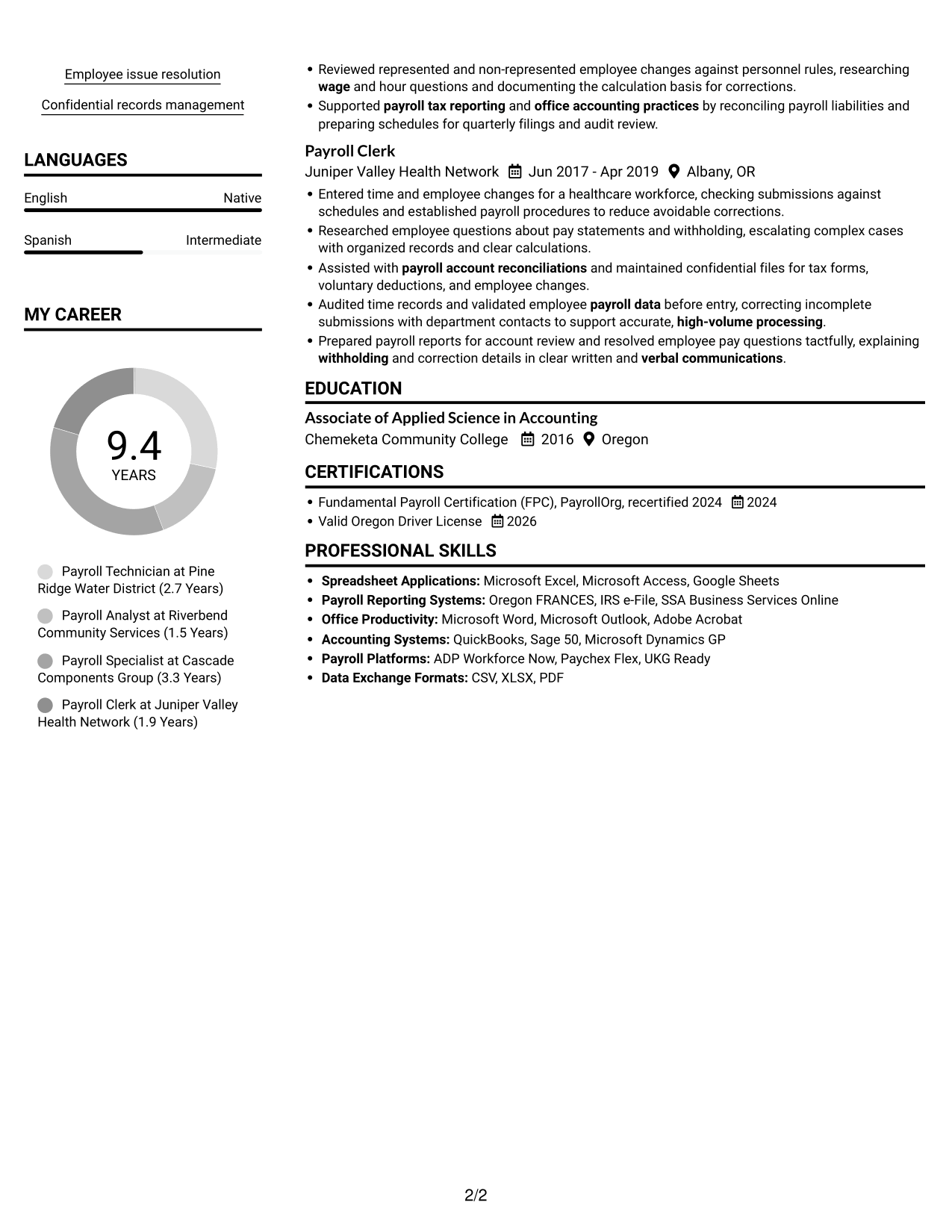
 
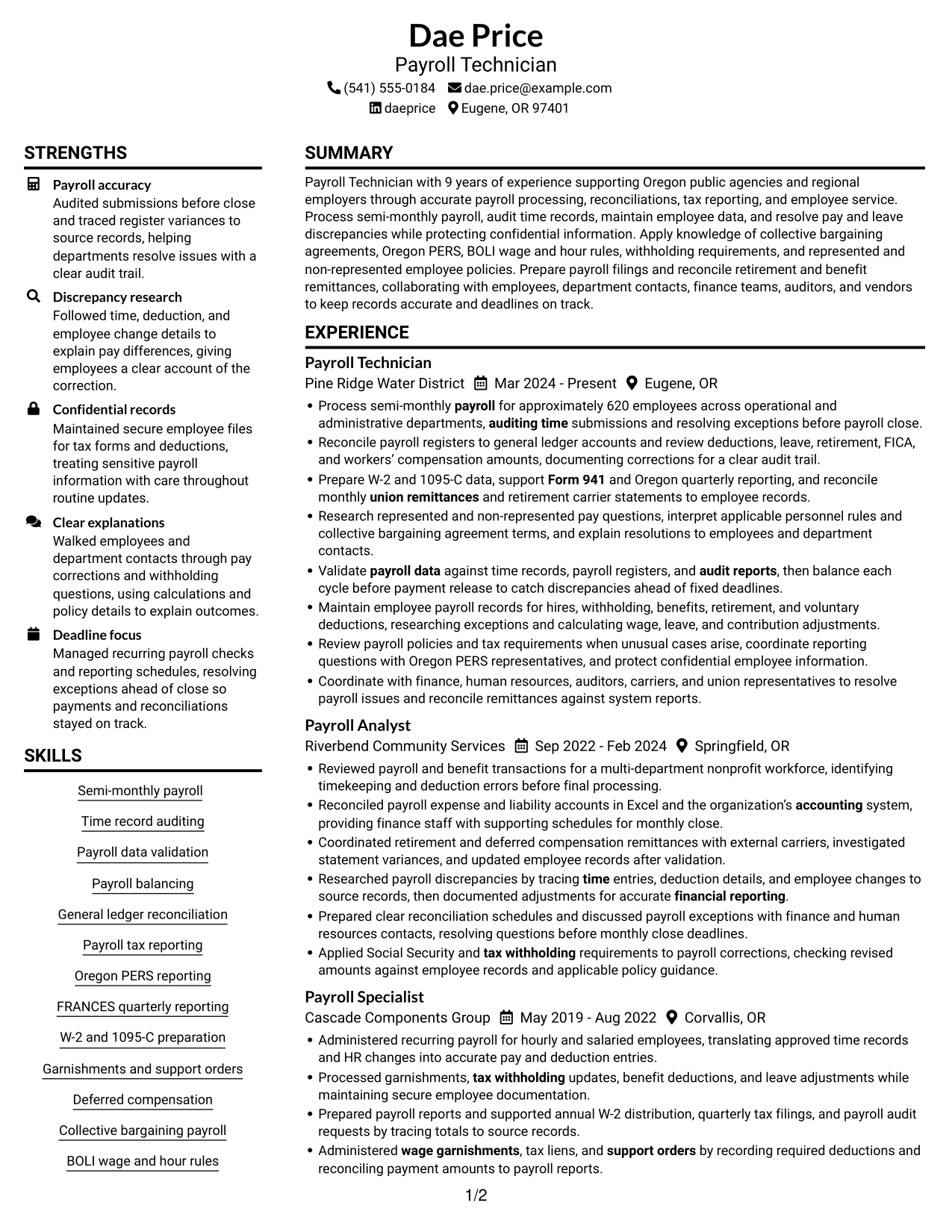
Resume example — page 1   Resume example — page 2

Resume Snapshot

  • 9 years of payroll experience
  • Payroll processing for approximately 620 employees
  • Associate of Applied Science in Accounting, Chemeketa Community College, 2016
  • Fundamental Payroll Certification (FPC), recertified 2024

Why This Format Works

  • Section headings help reviewers locate work history, education, and credentials across distinct areas.
  • Parallel areas give skills and experience room without making either section hard to find.
  • Reviewers can follow the career timeline while keeping other resume sections in view.

Best For

  • Resumes with varied section types
  • Detailed employment histories
  • Quick category-by-category review
  • Skills and credentials alongside experience
  • Readers who prefer parallel content areas

Resume Keywords

  • Payroll data validation
  • Time record auditing
  • Payroll balancing
  • payroll account reconciliations
  • General ledger reconciliation
  • Researched payroll discrepancies by tracing time entries, deduction details, and employee changes to source records, then documented adjustments for accurate financial reporting.
  • Maintain employee payroll records for hires, withholding, benefits, retirement, and voluntary deductions, researching exceptions and calculating wage, leave, and contribution adjustments.
  • tax withholding
  • FICA
  • wage garnishments
  • tax liens
  • support orders
  • union remittances
  • Payroll tax reporting
  • Form 941
See all keywords
 

#2 Simple One Column Format Resume Example

The Simple One Column Format keeps sections in a top-to-bottom path, making the resume easy to follow in order.
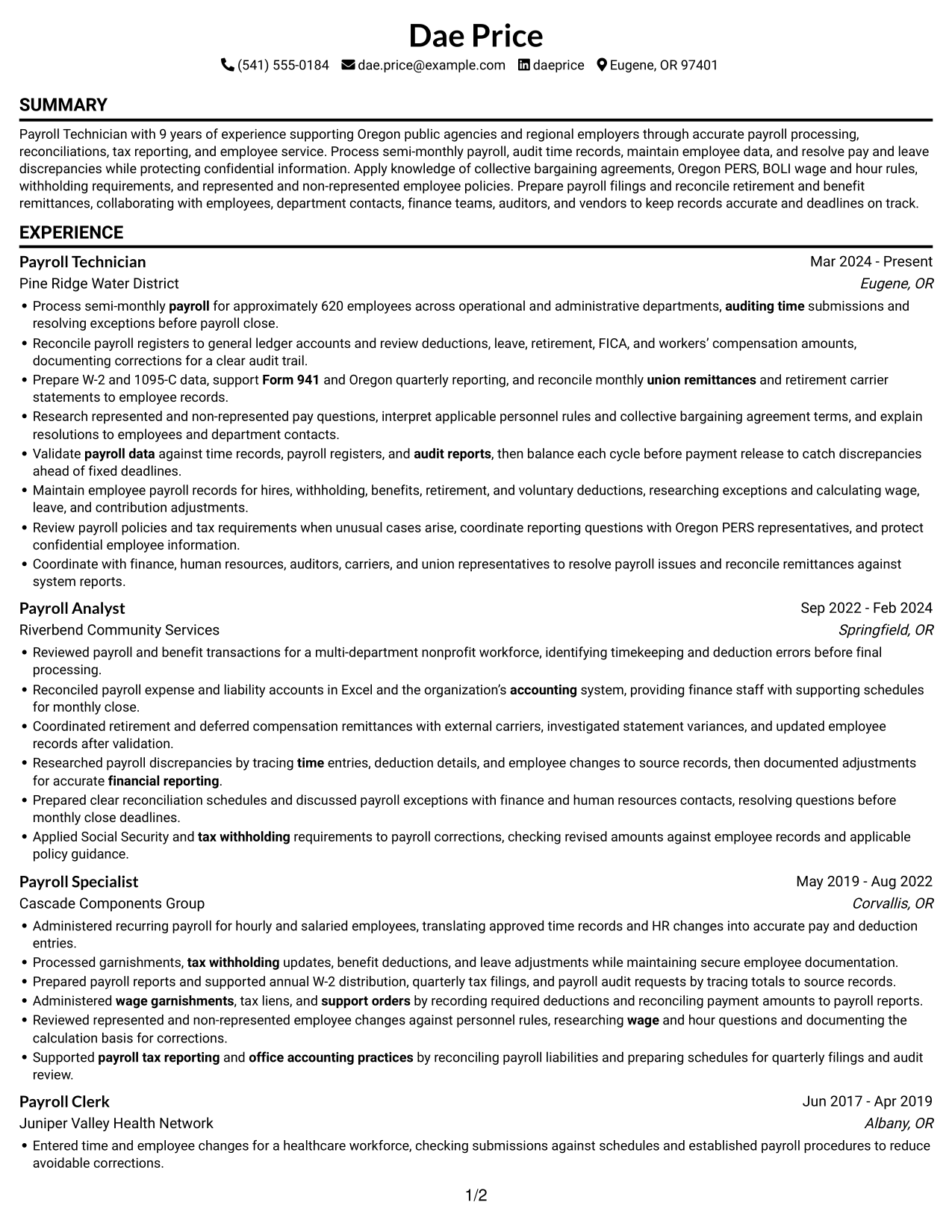
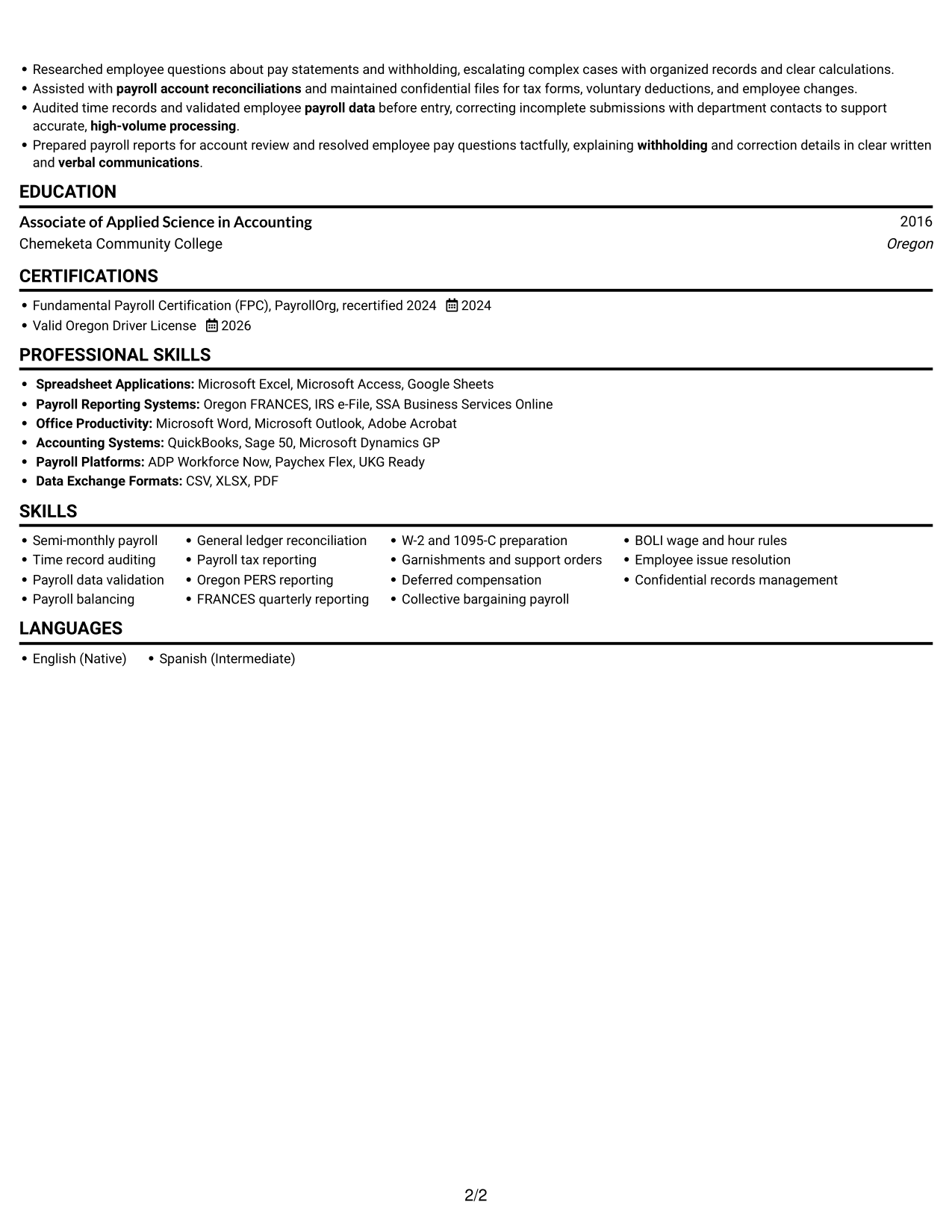
 
Resume example — page 1   Resume example — page 2

Why This Format Works

  • One reading path helps reviewers follow career progression from earlier roles to current work.
  • Consistent section order keeps education and credentials easy to find during a full review.
  • Work history, skills, and training can be read in sequence without jumping between columns.

Best For

  • Top-to-bottom resume reading
  • Chronological career histories
  • ATS-focused document structure
  • Straightforward section navigation
  • Resumes with clear work and education sections
 

#3 Clean Two Column Sidebar Format Resume Example

The Clean Two Column Sidebar Format uses two body columns, giving a multi-section resume distinct areas for review.
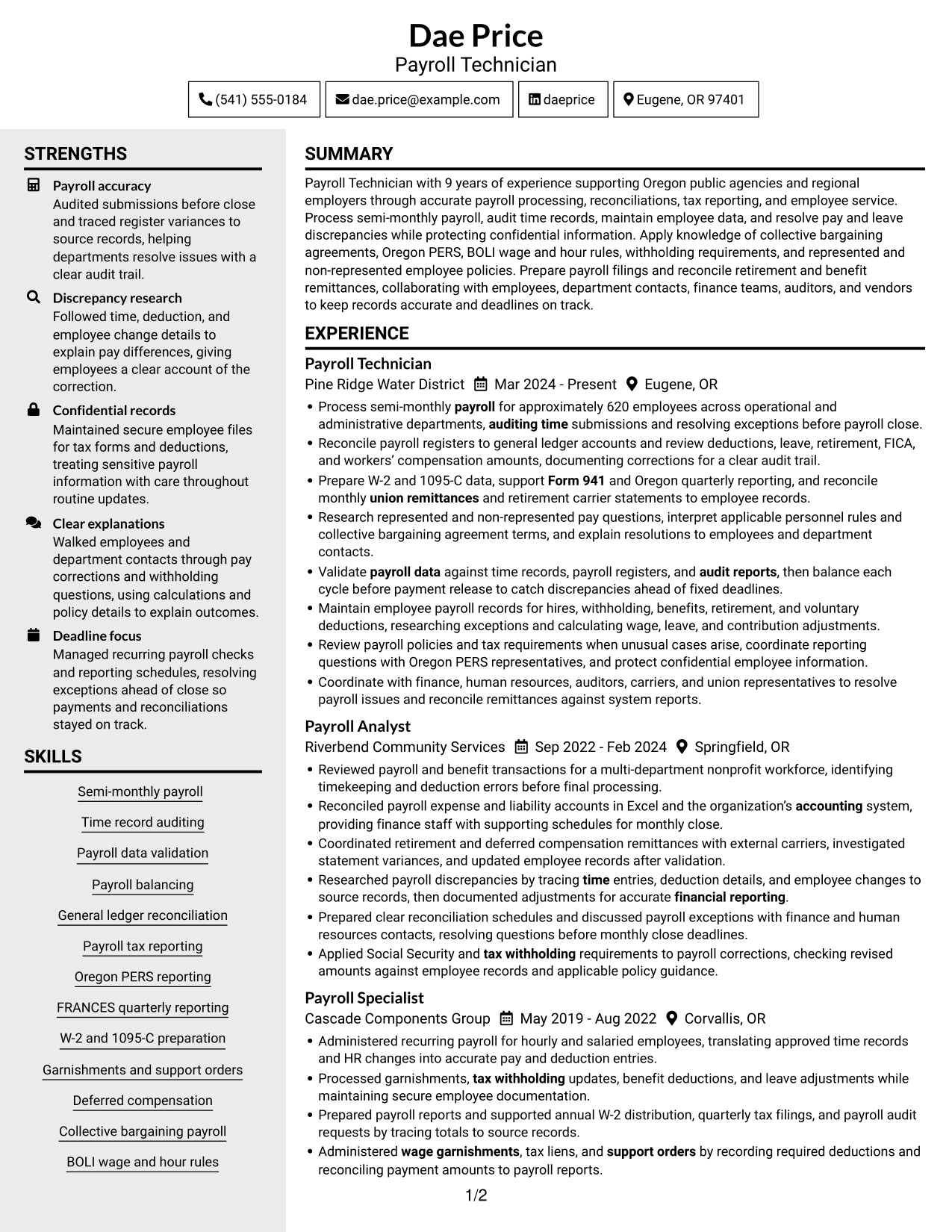
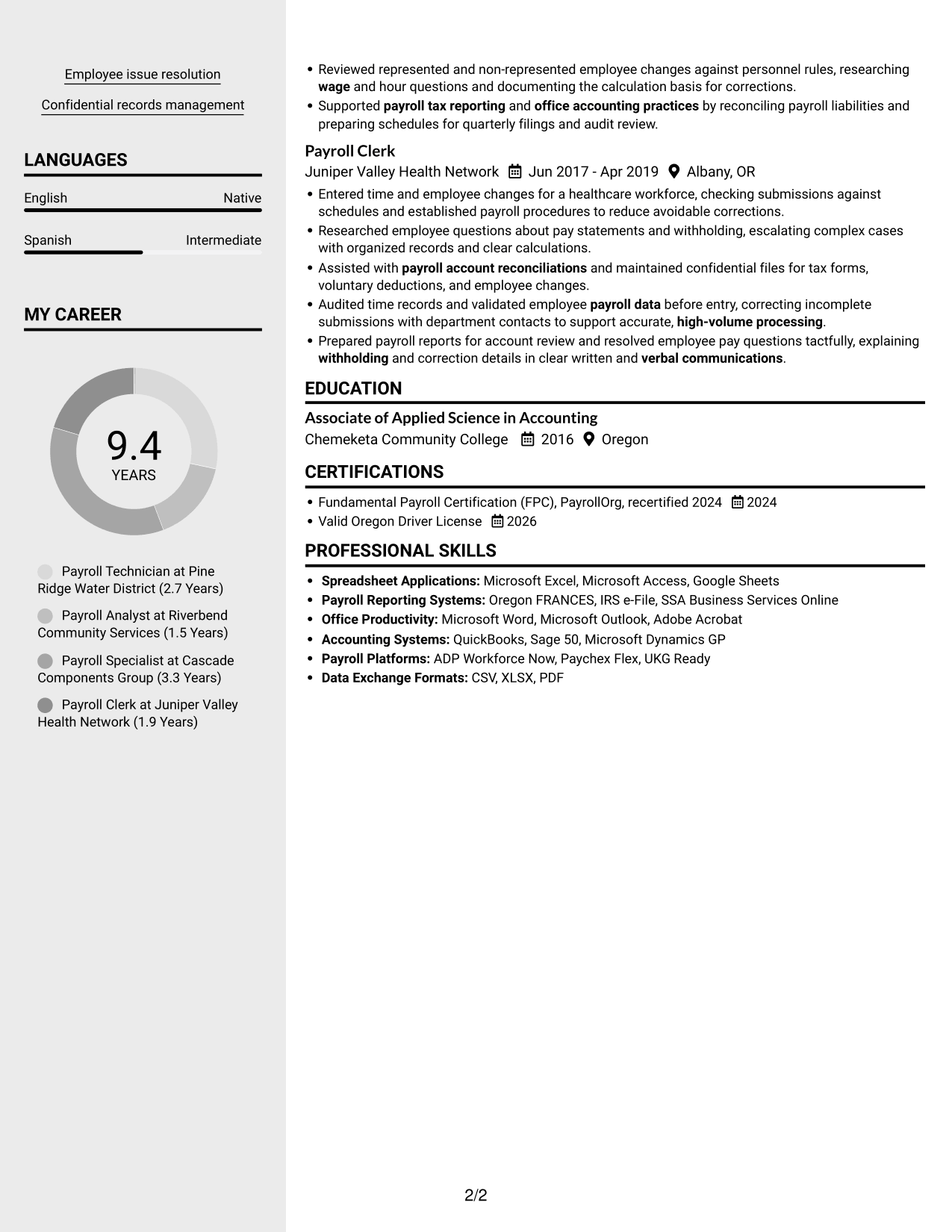
 
Resume example — page 1   Resume example — page 2

Why This Format Works

  • Two body columns let reviewers move between career history and supporting sections with a clear reading order.
  • Skills, education, and credentials remain grouped as readers review the employment timeline.
  • Distinct content areas help keep the resume’s varied sections easy to locate.

Best For

  • Resumes with varied qualifications
  • Separate review of skills and work history
  • Education and certification details
  • Multi-section resume navigation
  • Readers who prefer two content areas
 

#4 Two Column Format Resume Example

The Two Column Format places resume content in parallel areas, which can help reviewers move among several sections.
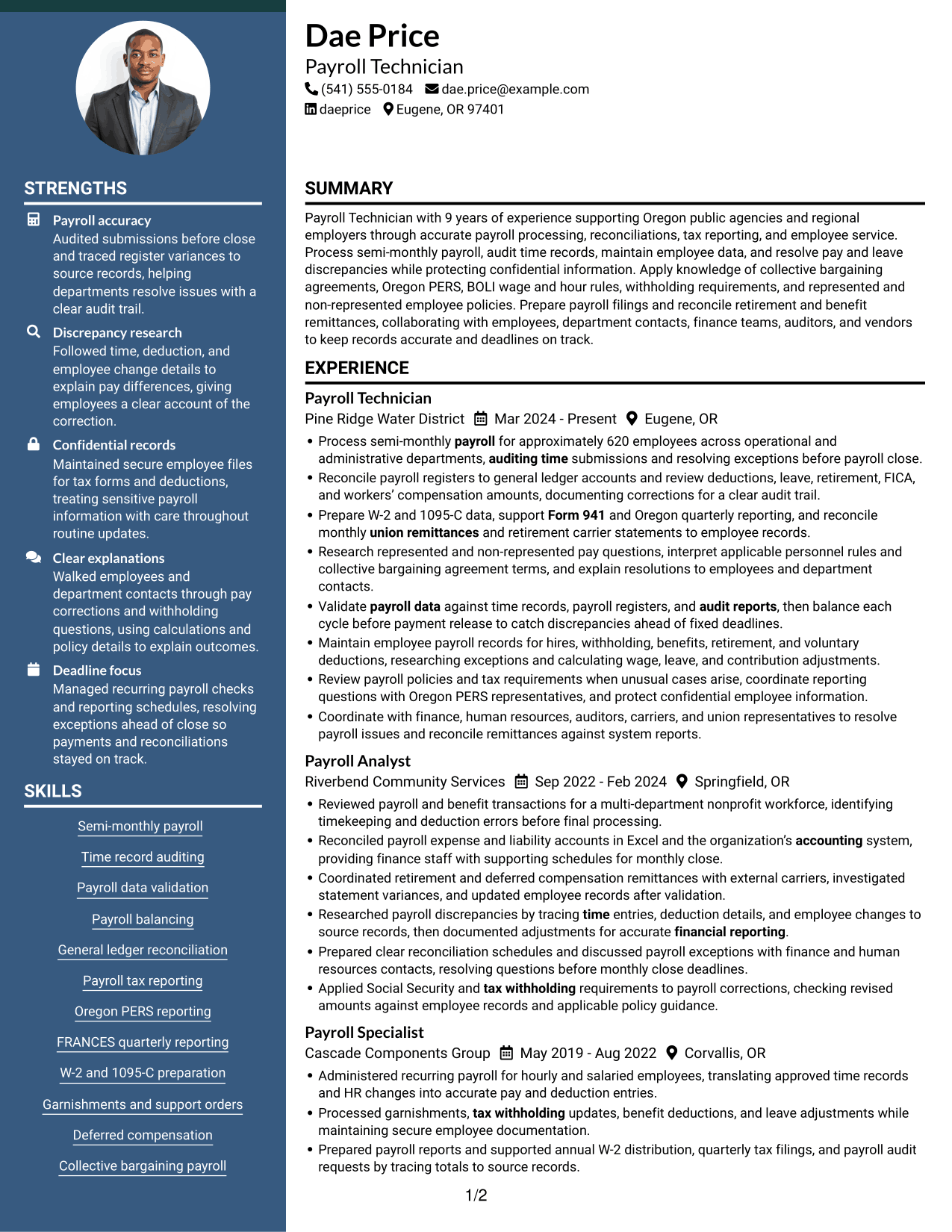
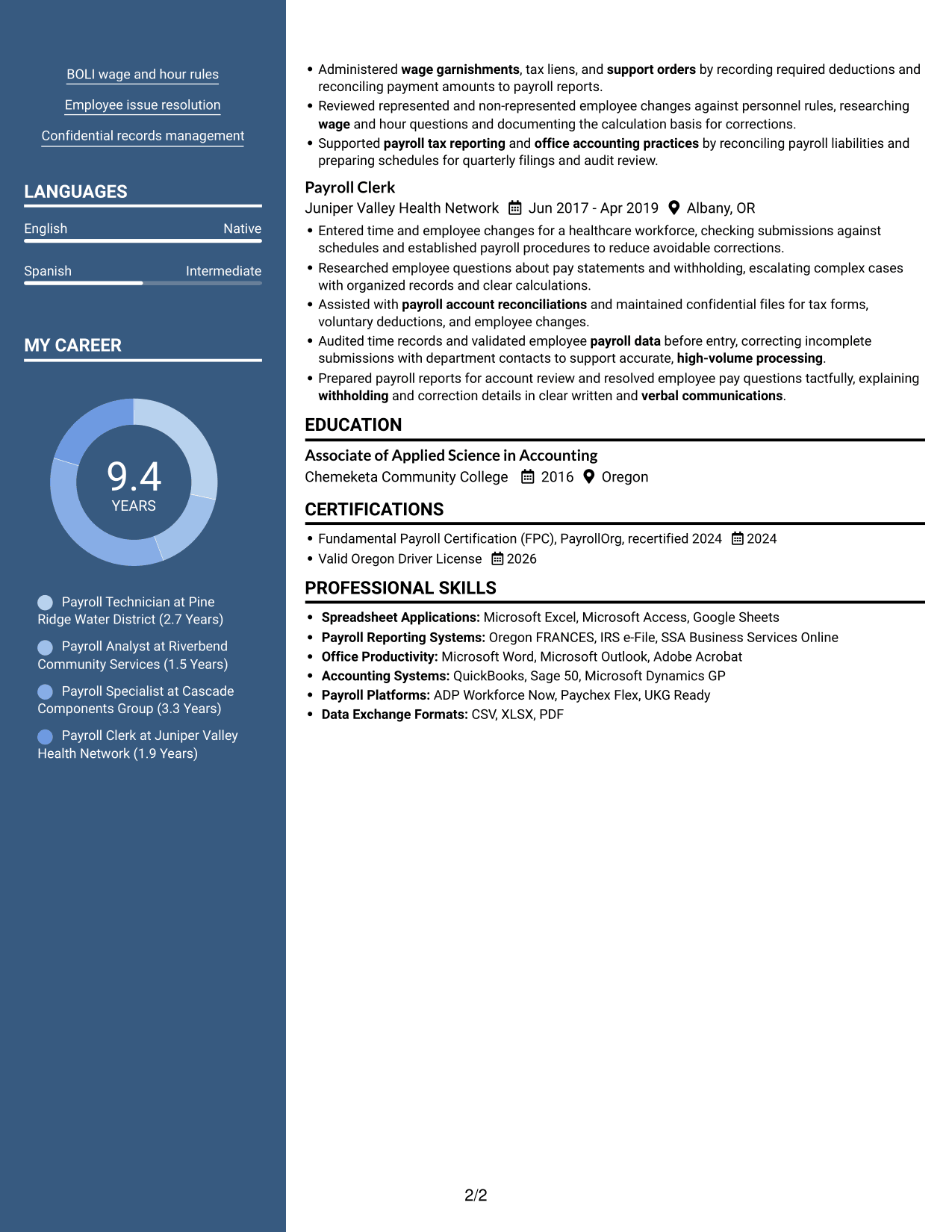
 
Resume example — page 1   Resume example — page 2

Why This Format Works

  • Separate columns can distinguish career history from skills, education, and credentials.
  • Reviewers can trace employment progression while keeping supporting resume sections in view.
  • Section-level organization helps a detailed resume avoid one uninterrupted block.

Best For

  • Payroll experience with supporting details
  • Multiple resume section types
  • Category-by-category review
  • Career histories with credentials
  • Readers who prefer parallel content areas


#5 Photo Header Two Column Format Resume Example

A photo header gives the Photo Header Two Column Format a visual identifier, while its two-column body keeps sections within easy reach.
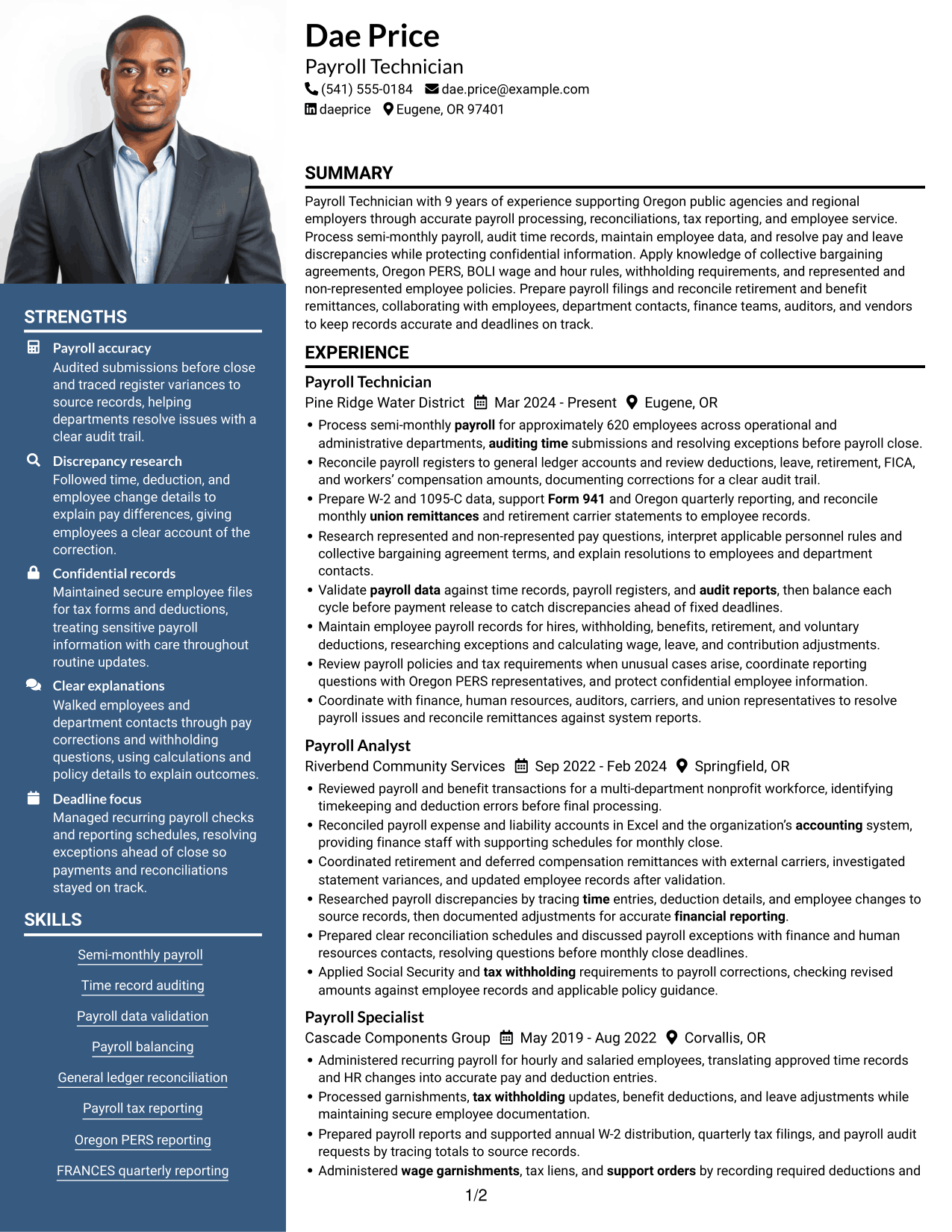
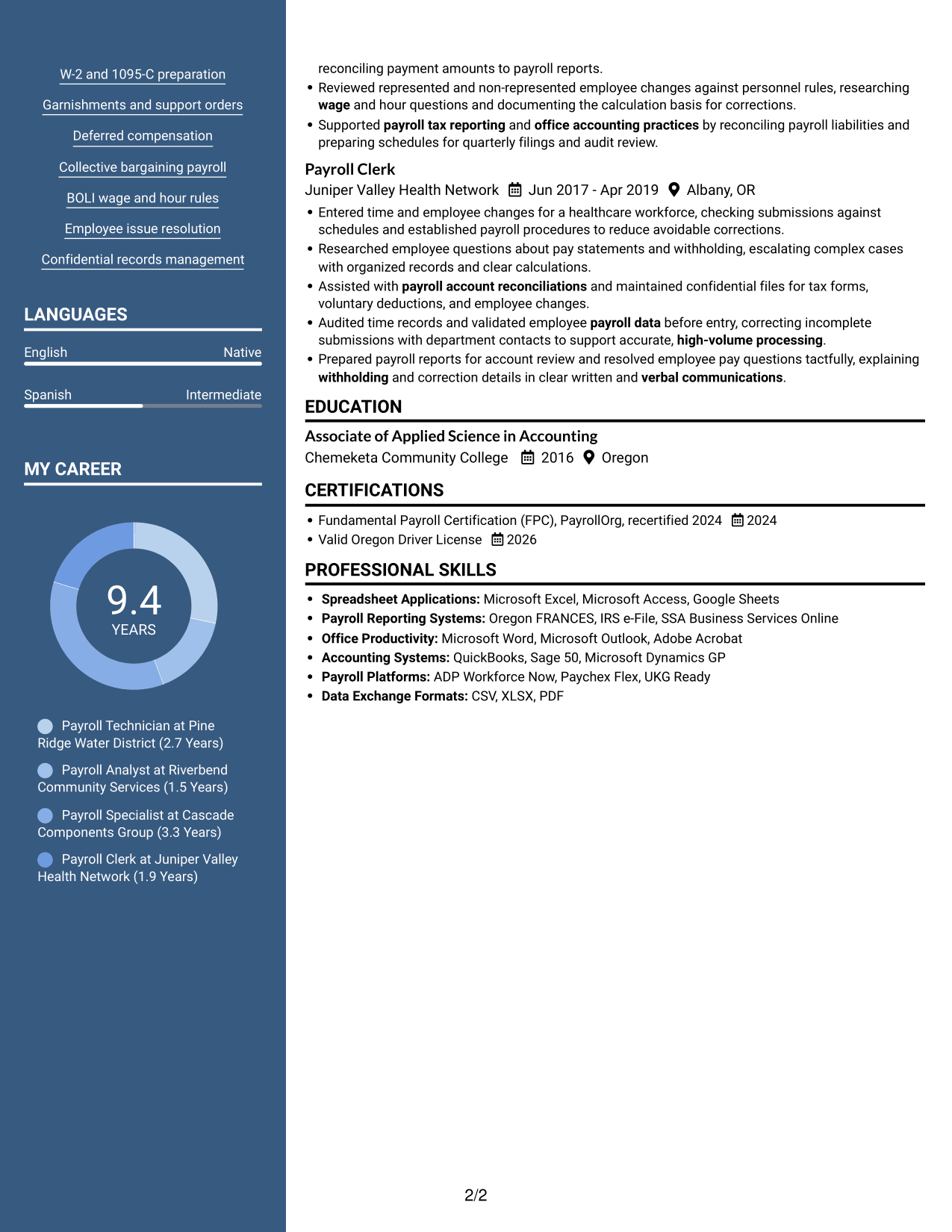
 
Resume example — page 1   Resume example — page 2

Why This Format Works

  • Two body columns give experience and supporting sections their own areas to review.
  • Clear section groupings help reviewers find education and certifications alongside career details.
  • The photo header provides a visual identifier, while qualifications remain documented in resume sections.

Best For

  • Applications where a resume photo is requested
  • Multiple resume section types
  • Experience with supporting details
  • Two-area reading preferences
  • Skills and education in one document
 

#6 Colored Two Column Format Resume Example

The Colored Two Column Format places resume content in two body columns, a useful structure for reviewing several kinds of information.
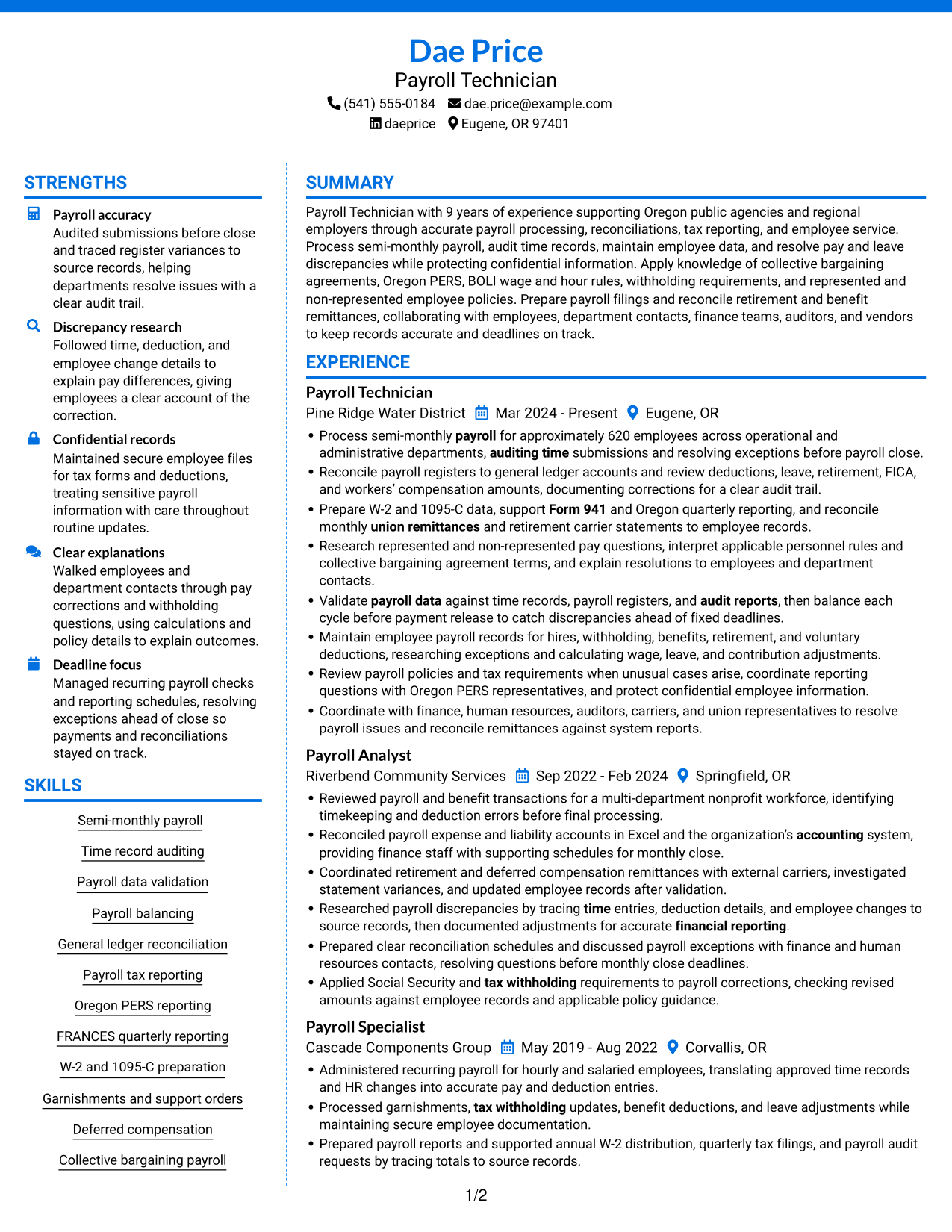
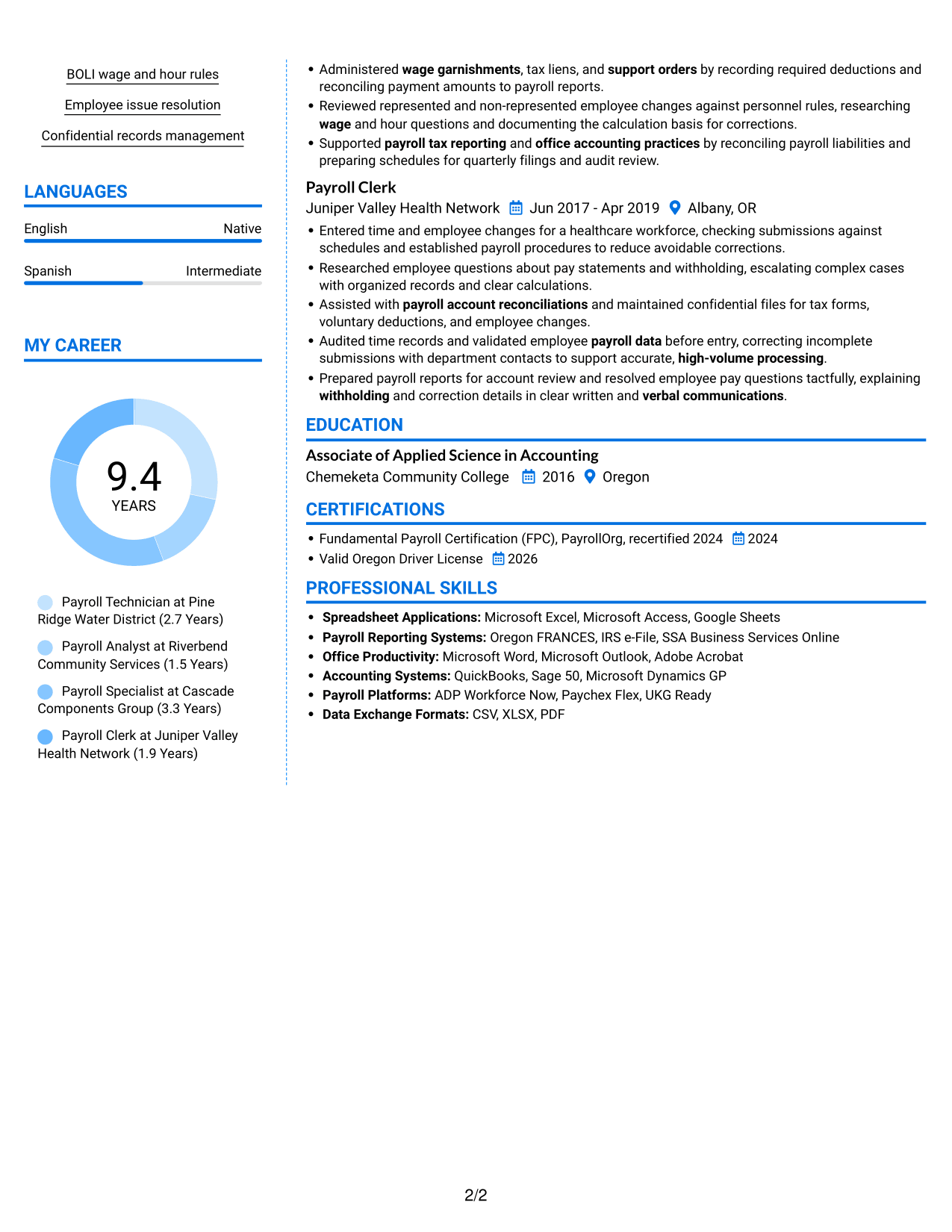
 
Resume example — page 1   Resume example — page 2

Why This Format Works

  • Reviewers can compare experience and supporting details across the two body areas.
  • Section boundaries make education, skills, and certifications easier to pick out.
  • Parallel reading areas help preserve the career timeline alongside other resume content.

Best For

  • Resumes with several content categories
  • Career timelines with supporting details
  • Separate review of education and skills
  • Parallel section navigation
  • Readers comparing different resume sections
 

#7 Stylish Two Column Designer Format Resume Example

The Stylish Two Column Designer Format gives the resume two reading areas, useful when reviewers need access to several sections.
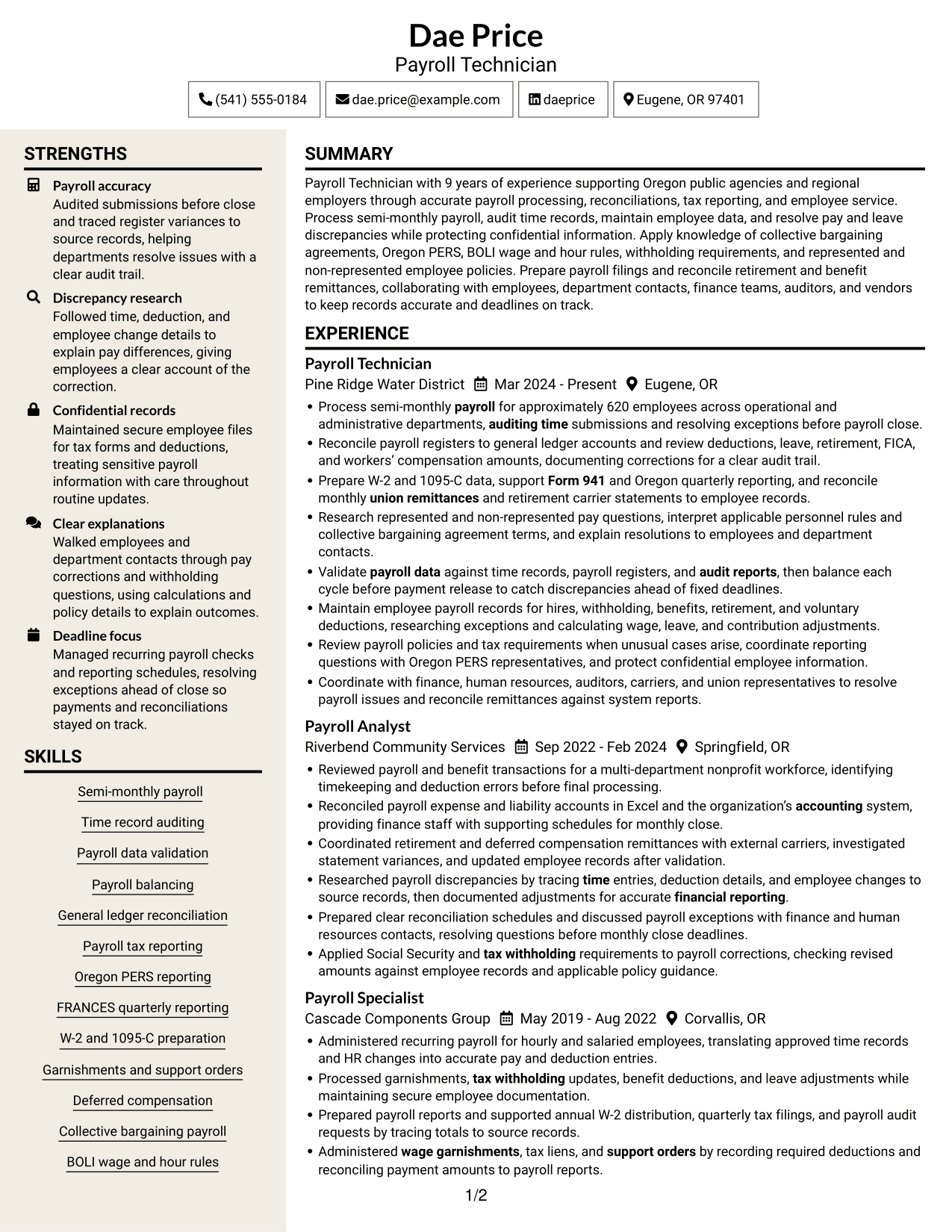
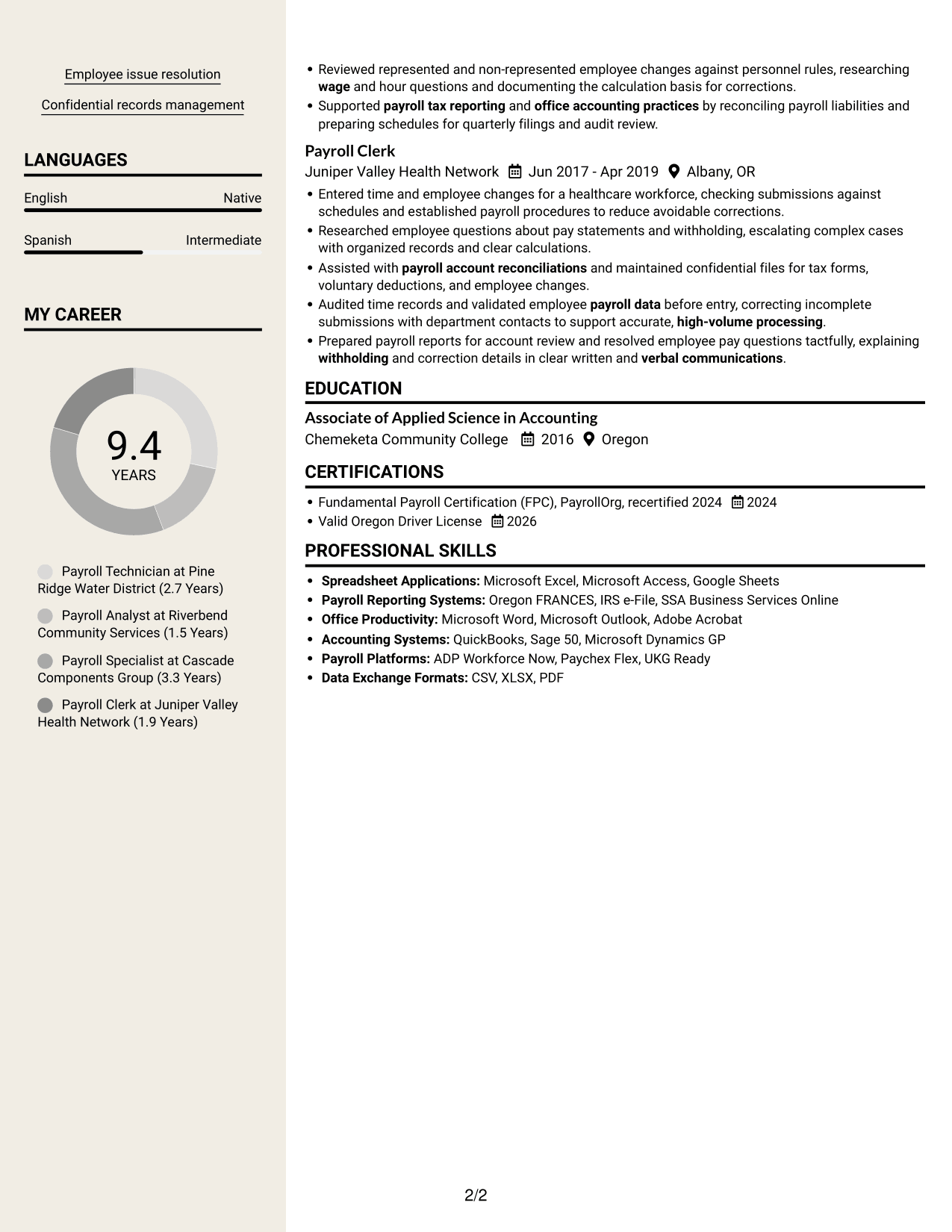
 
Resume example — page 1   Resume example — page 2

Why This Format Works

  • Distinct column areas support movement between experience and other resume sections.
  • Reviewers can follow career progression while keeping skills and credentials in view.
  • Section hierarchy helps readers separate education and certifications from employment details.

Best For

  • Resumes with multiple section types
  • Career progression with supporting details
  • Quick access to skills and credentials
  • Education and employment history
  • Readers who prefer two-column organization


Why Build Your Payroll Technician - Public Sector Payroll Resume with ResumeInMinutes

ResumeInMinutes gives you a way to arrange payroll experience, skills, and credentials in a clear resume. Compare the image previews, then open an example in the editor to customize its content.

  • Resume layout choices
  • Clear section structure
  • Space for relevant payroll keywords
  • Organized experience and skills sections
  • PNG image previews
  • Editor customization

Choose a layout that makes your payroll duties and results easy to scan. Keep each bullet focused on the work, the records or rules involved, and the outcome you can support.


See Also


Frequently Asked Questions

Are these Payroll Technician - Public Sector Payroll resume templates ATS-friendly?

They use clear sections and readable headings to help organize resume content. Include relevant terms such as semi-monthly payroll, general ledger reconciliation, Oregon PERS reporting, and Form 941 where they match your experience.

Are these different resumes?

No. The examples show one resume in different layouts. Compare the image previews to see how each design arranges the same type of resume information.

What should a Payroll Technician - Public Sector Payroll resume include?

Include a focused summary, payroll experience, relevant skills, education, and certifications. Add details about time audits, payroll balancing, reconciliations, tax reporting, deductions, and employee record management when they reflect your work.

Which resume style works well for public sector payroll?

A simple layout with clear headings helps readers scan payroll duties and results. Choose a format that gives enough space for experience and skills while keeping the section order easy to follow.

How can I show payroll results on my resume?

Use concise bullets that name the task, show its scale when you have reliable figures, and explain the result. For example, describe payroll volume, reconciliation work, reporting deadlines, or how you resolved a discrepancy, using only details you can verify.

Should I include a photo on my resume?

For U.S. applications, a resume without a photo is usually the safer choice. Keep the focus on your payroll experience, skills, education, and certifications.


ATS Score 92%

How we calculate this score

  • Keywords: 60% of the total. AI extracts keywords from your job description. If you do not provide one, a standard job description for the title matching your resume is used. This is not a match to a specific vacancy.
  • Text-based resume: 20%. The text resume assessed here receives 100 for this part.
  • Resume quality: 20%. We start at 100 and subtract points for issues found by our resume checks, down to a minimum of zero.
  • Keyword coverage = 100 × (confirmed matches + 0.8 × possible matches) ÷ total keywords, rounded and capped at 100. Possible matches still need checking. Saved generation audits use their saved keyword percentage.
  • Final score = 60% of keyword coverage + 20% of the text score + 20% of the quality score, rounded to a whole number. Without keywords, no overall ATS score is available.

What this score means

Our scores are estimates, not employer ratings. They may contain errors and do not guarantee accurate parsing, a ranking, an interview, or a job. Check your document against the employer’s requirements. You are responsible for relying on this score.

Terms and Conditions

Score weights: Keywords 60% · Text based resume 20% · Resume quality 20%

Keywords: 29 matched + 12 possible of 45 (86%) · Resume quality: 100%

Resume quality 100% · Weight 20% · Issues (0)

Details
  • ✓Name present: Dae Price
  • ✓Email format: dae.price@example.com
  • ✓Phone format: (541) 555-0184
  • ✓Experience 1: Job title: Payroll Technician
  • ✓Experience 1: Company name: Pine Ridge Water District
  • ✓Experience 1: Work location: Eugene, OR
  • ✓Experience 1: Employment dates: Mar 2024 - Present
  • ✓Experience 1: Description or achievements: Present
  • ✓Experience 2: Job title: Payroll Analyst
  • ✓Experience 2: Company name: Riverbend Community Services
  • ✓Experience 2: Work location: Springfield, OR
  • ✓Experience 2: Employment dates: Sep 2022 - Feb 2024
  • ✓Experience 2: Description or achievements: Present
  • ✓Experience 3: Job title: Payroll Specialist
  • ✓Experience 3: Company name: Cascade Components Group
  • ✓Experience 3: Work location: Corvallis, OR
  • ✓Experience 3: Employment dates: May 2019 - Aug 2022
  • ✓Experience 3: Description or achievements: Present
  • ✓Experience 4: Job title: Payroll Clerk
  • ✓Experience 4: Company name: Juniper Valley Health Network
  • ✓Experience 4: Work location: Albany, OR
  • ✓Experience 4: Employment dates: Jun 2017 - Apr 2019
  • ✓Experience 4: Description or achievements: Present
  • ✓No placeholder fields
  • ✓No repeated achievement bullets
  • ✓No empty bullets

No issues found by the current checks.

Text Based Resume 100% · Weight 20%

Parsed text
Dae Price
Payroll Technician
(541) 555-0184
daeprice
dae.price@example.com
Eugene, OR 97401
STRENGTHS
Payroll accuracy
Audited submissions before close and traced register variances to source records, helping departments resolve issues with a clear audit trail.
Discrepancy research
Followed time, deduction, and employee change details to explain pay differences, giving employees a clear account of the correction.
Confidential records
Maintained secure employee files for tax forms and deductions, treating sensitive payroll information with care throughout routine updates.
Clear explanations
Walked employees and department contacts through pay corrections and withholding questions, using calculations and policy details to explain outcomes.
Deadline focus
Managed recurring payroll checks and reporting schedules, resolving exceptions ahead of close so payments and reconciliations stayed on track.
SUMMARY
Payroll Technician with 9 years of experience supporting Oregon public agencies and regional employers through accurate payroll processing, reconciliations, tax reporting, and employee service. Process semi-monthly payroll, audit time records, maintain employee data, and resolve pay and leave discrepancies while protecting confidential information. Apply knowledge of collective bargaining agreements, Oregon PERS, BOLI wage and hour rules, withholding requirements, and represented and non-represented employee policies. Prepare payroll filings and reconcile retirement and benefit remittances, collaborating with employees, department contacts, finance teams, auditors, and vendors to keep records accurate and deadlines on track.
EXPERIENCE
Payroll Technician
Pine Ridge Water District
Mar 2024 - Present
Eugene, OR
Process semi-monthly payroll for approximately 620 employees across operational and administrative departments, auditing time submissions and resolving exceptions before payroll close.
Reconcile payroll registers to general ledger accounts and review deductions, leave, retirement, FICA, and workers’ compensation amounts, documenting corrections for a clear audit trail.
Prepare W-2 and 1095-C data, support Form 941 and Oregon quarterly reporting, and reconcile monthly union remittances and retirement carrier statements to employee records.
Research represented and non-represented pay questions, interpret applicable personnel rules and collective bargaining agreement terms, and explain resolutions to employees and department contacts.
Validate payroll data against time records, payroll registers, and audit reports, then balance each cycle before payment release to catch discrepancies ahead of fixed deadlines.
Maintain employee payroll records for hires, withholding, benefits, retirement, and voluntary deductions, researching exceptions and calculating wage, leave, and contribution adjustments.
Review payroll policies and tax requirements when unusual cases arise, coordinate reporting questions with Oregon PERS representatives, and protect confidential employee information.
Coordinate with finance, human resources, auditors, carriers, and union representatives to resolve payroll issues and reconcile remittances against system reports.
Payroll Analyst
Riverbend Community Services
Sep 2022 - Feb 2024
Springfield, OR
Reviewed payroll and benefit transactions for a multi-department nonprofit workforce, identifying timekeeping and deduction errors before final processing.
Reconciled payroll expense and liability accounts in Excel and the organization’s accounting system, providing finance staff with supporting schedules for monthly close.
Coordinated retirement and deferred compensation remittances with external carriers, investigated statement variances, and updated employee records after validation.
Researched payroll discrepancies by tracing time entries, deduction details, and employee changes to source records, then documented adjustments for accurate financial reporting.
Prepared clear reconciliation schedules and discussed payroll exceptions with finance and human resources contacts, resolving questions before monthly close deadlines.
Applied Social Security and tax withholding requirements to payroll corrections, checking revised amounts against employee records and applicable policy guidance.
Payroll Specialist
Cascade Components Group
May 2019 - Aug 2022
Corvallis, OR
Administered recurring payroll for hourly and salaried employees, translating approved time records and HR changes into accurate pay and deduction entries.
Processed garnishments, tax withholding updates, benefit deductions, and leave adjustments while maintaining secure employee documentation.
Prepared payroll reports and supported annual W-2 distribution, quarterly tax filings, and payroll audit requests by tracing totals to source records.
Administered wage garnishments, tax liens, and support orders by recording required deductions and reconciling payment amounts to payroll reports.
Reviewed represented and non-represented employee changes against personnel rules, researching wage and hour questions and documenting the calculation basis for corrections.
Supported payroll tax reporting and office accounting practices by reconciling payroll liabilities and preparing schedules for quarterly filings and audit review.
Payroll Clerk
Juniper Valley Health Network
Jun 2017 - Apr 2019
Albany, OR
Entered time and employee changes for a healthcare workforce, checking submissions against schedules and established payroll procedures to reduce avoidable corrections.
Researched employee questions about pay statements and withholding, escalating complex cases with organized records and clear calculations.
Assisted with payroll account reconciliations and maintained confidential files for tax forms, voluntary deductions, and employee changes.
Audited time records and validated employee payroll data before entry, correcting incomplete submissions with department contacts to support accurate, high-volume processing.
Prepared payroll reports for account review and resolved employee pay questions tactfully, explaining withholding and correction details in clear written and verbal communications.
SKILLS
Confidential records management
Garnishments and support orders
FRANCES quarterly reporting
General ledger reconciliation
Collective bargaining payroll
W-2 and 1095-C preparation
Employee issue resolution
BOLI wage and hour rules
Deferred compensation
Oregon PERS reporting
Payroll data validation
Semi-monthly payroll
Time record auditing
Payroll tax reporting
Payroll balancing
LANGUAGES
English
Native
Spanish
Intermediate
MY CAREER
9.4Years
Payroll Technician at Pine Ridge Water District (2.7 Years)
Payroll Analyst at Riverbend Community Services (1.5 Years)
Payroll Specialist at Cascade Components Group (3.3 Years)
Payroll Clerk at Juniper Valley Health Network (1.9 Years)
EDUCATION
Associate of Applied Science in Accounting
Chemeketa Community College
2016
Oregon
CERTIFICATIONS
Fundamental Payroll Certification (FPC), PayrollOrg, recertified 2024
2024
Valid Oregon Driver License
2026
PROFESSIONAL SKILLS
Spreadsheet Applications: Microsoft Excel, Microsoft Access, Google Sheets
Payroll Reporting Systems: Oregon FRANCES, IRS e-File, SSA Business Services Online
Office Productivity: Microsoft Word, Microsoft Outlook, Adobe Acrobat
Accounting Systems: QuickBooks, Sage 50, Microsoft Dynamics GP
Payroll Platforms: ADP Workforce Now, Paychex Flex, UKG Ready
Data Exchange Formats: CSV, XLSX, PDF

Matched keywords (29)

  • Payroll data validation
  • Time record auditing
  • Payroll balancing
  • payroll account reconciliationsOriginal keyword in JD: Payroll account reconciliation
  • General ledger reconciliation
  • Researched payroll discrepancies by tracing time entries, deduction details, and employee changes to source records, then documented adjustments for accurate financial reporting.Original keyword in JD: Payroll discrepancy investigation
  • Maintain employee payroll records for hires, withholding, benefits, retirement, and voluntary deductions, researching exceptions and calculating wage, leave, and contribution adjustments.Original keyword in JD: Wage and leave adjustments
  • tax withholding
  • FICA
  • wage garnishments
  • tax liens
  • support orders
  • union remittances
  • Payroll tax reporting
  • Form 941
  • 1095-C preparation
  • Oregon PERS reporting
  • Reconciled payroll expense and liability accounts in Excel and the organization’s accounting system, providing finance staff with supporting schedules for monthly close.Original keyword in JD: Automated payroll and accounting systems
  • financial reporting
  • Validate payroll data against time records, payroll registers, and audit reports, then balance each cycle before payment release to catch discrepancies ahead of fixed deadlines.Original keyword in JD: Payroll audit reports
  • office accounting practices
  • Audited time records and validated employee payroll data before entry, correcting incomplete submissions with department contacts to support accurate, high-volume processing.Original keyword in JD: High-volume processing accuracy
  • Process semi-monthly payroll for approximately 620 employees across operational and administrative departments, auditing time submissions and resolving exceptions before payroll close.Original keyword in JD: Fixed-deadline management
  • Reviewed represented and non-represented employee changes against personnel rules, researching wage and hour questions and documenting the calculation basis for corrections.Original keyword in JD: Complex payroll research
  • Review payroll policies and tax requirements when unusual cases arise, coordinate reporting questions with Oregon PERS representatives, and protect confidential employee information.Original keyword in JD: Payroll policy and regulation interpretation
  • written and verbal communicationsOriginal keyword in JD: Written and verbal communication
  • Coordinate with finance, human resources, auditors, carriers, and union representatives to resolve payroll issues and reconcile remittances against system reports.Original keyword in JD: Cross-functional collaboration
  • Reconcile payroll registers to general ledger accounts and review deductions, leave, retirement, FICA, and workers’ compensation amounts, documenting corrections for a clear audit trail.Original keyword in JD: Attention to detail
  • Prepared payroll reports for account review and resolved employee pay questions tactfully, explaining withholding and correction details in clear written and verbal communications.Original keyword in JD: Tact

Missing keywords (4)

  • Carrier statement reconciliation
  • Spreadsheet tools
  • Initiative
  • High school diploma or equivalent OR associate degree

Possible matches (12)

  • Semi-monthly payroll processing80% credit: 1.78 percentage points of 2.22 possible.
  • Employee payroll records maintenance80% credit: 1.78 percentage points of 2.22 possible.
  • Collective bargaining agreement payroll80% credit: 1.78 percentage points of 2.22 possible.
  • Oregon FRANCES quarterly reporting80% credit: 1.78 percentage points of 2.22 possible.
  • W-2 preparation80% credit: 1.78 percentage points of 2.22 possible.
  • Retirement and deferred compensation contributions80% credit: 1.78 percentage points of 2.22 possible.
  • BOLI wage and hour laws80% credit: 1.78 percentage points of 2.22 possible.
  • Social Security requirements80% credit: 1.78 percentage points of 2.22 possible.
  • Represented and non-represented employee rules80% credit: 1.78 percentage points of 2.22 possible.
  • Confidential information management80% credit: 1.78 percentage points of 2.22 possible.
  • Employee payroll issue resolution80% credit: 1.78 percentage points of 2.22 possible.
  • Valid Oregon driver's license80% credit: 1.78 percentage points of 2.22 possible.
Disclaimer: All names, images, contact information, employment histories, achievements, security clearances, military credentials, and other qualifications shown in this content are fictional and used for illustrative purposes only. Any resemblance to actual persons, living or deceased, is purely coincidental.

Resume and cover-letter examples and recommendations in this article reflect general best practices and professional experience and are provided for guidance only. Results may vary based on role, industry, region, and hiring organization.

Content Accuracy and Verification: To the fullest extent permitted by applicable law, we do not represent or warrant that resume or cover-letter guidance, examples, recommendations, or related information are accurate, complete, current, error-free, or suitable for any particular purpose. You are responsible for independently reviewing and verifying the information before relying on it.

ATS and Cover-Letter Scores: ATS scores are estimates calculated using our own formula, informed by publicly available guidance on resume formatting and keyword matching. They are not scores issued or endorsed by an ATS provider or employer. Cover-letter scores are also our own assessments. Parsing, weighting, screening criteria, and results vary between systems, employers, job descriptions, and document formats. No score guarantees successful parsing, a particular ranking, an interview, or employment. Use scores as general guidance and independently check your documents against the employer’s requirements. To the fullest extent permitted by applicable law, we accept no liability for errors in scores or parsing, or losses arising from reliance on these assessments. Nothing in this notice excludes liability or limits consumer rights that cannot lawfully be excluded or limited.

Terms and Conditions
 
> JP 1 1
PDF Footer and Margins Setup
The margins are applied to the document, and the footer shows up in the preview and the PDF

Footer Font Settings

Are you applying for a specific job
so we can tailor your resume to it?
Are you applying for a specific job
so we can tailor your cover letter to it?
Type your details as text to generate a personalized resume Type your details as text to generate a personalized cover letter
Website link found! Ready to create resume from:
Drag the into the box to verify you're human.
Drop here

My Resumes

Displaying {number_of_files} files (out of {total_of_all_files} total)
Name File Type Last Modified: Description:

Rename File

Filename already exists!

Delete Files

Warning: This action is irreversible. Once you click submit, the files will be permanently deleted.

Heading text
Upload From Computer Upload
Select From Existing
LinkedIn
Drag & Drop files anywhere in this tab, or

Uploaded Files

Delete Name Last Updated Use This File
Select this to use the file for generating your resume and cover letter. Only one source—uploaded file, selected file, or LinkedIn text—can be used.

My Files

Resumes or cover letters you create will appear here. No files available yet.
Delete Name Last Updated Use This File
Select this to use the file for generating your resume and cover letter. Only one source—uploaded file, selected file, or LinkedIn text—can be used.

Add LinkedIn Profile PDF

You can download your LinkedIn profile as a PDF by opening linkedin.com in a web browser, clicking your profile photo, selecting the “More” or “Resources” button, and choosing “Save to PDF.” You can then attach the PDF using the Upload From Computer tab.

Paste Your LinkedIn Profile Text

If you have copied the LinkedIn profile text, paste it below. See how to copy your profile from LinkedIn

Select this to use the LinkedIn profile text for generating your resume and cover letter. Only one source—uploaded file, selected file, or LinkedIn text—can be used.

Try these controls

<
>


