
US English


7 Project Manager - Enterprise SaaS Implementations Resume Templates with Example
By Ria · Last Updated On October 14, 2026
Resume example — page 1

This guide shows you how to create a clear, focused Project Manager - Enterprise SaaS Implementations resume. You will learn how to organize your delivery experience and compare professional layouts.

A strong resume makes it easy to see how you guide enterprise SaaS work from discovery through launch. Use concise bullets to show how you manage scope, SOWs, project plans, technical dependencies, customer communication, and launch readiness.

The example is presented in 7 layouts, so you can compare how different formats arrange experience, skills, education, certifications, and measurable results. Look for a layout that keeps key details easy to scan and opens in the editor for customization.

What Makes a Great Project Manager - Enterprise SaaS Implementations Resume in 2026

A strong resume uses clear section headings, focused experience bullets, and a simple order that helps readers find project scope, delivery results, and customer work quickly.

Include relevant terms such as SOW management, RACI, risk and dependency planning, software integrations, data migration, and customer success handoffs. Support them with specific outcomes, such as reducing unresolved launch defects by 18%.

The examples shown below are intentionally detailed to demonstrate a range of experiences, skills, accomplishments and relevant keywords. We prefer detailed resumes as they provide more context to the hiring managers and also help the ATS systems identify relevant qualifications and score your resume better for a match. But the length of a resume is an individual choice. If you want a one page resume, just keep the most relevant experience and information for the job. Note: Resume examples are for educational purposes only. Use only information that accurately reflects your experience and qualifications. References to real organizations do not imply affiliation or endorsement.

#1 Simple One Column Format Resume Example

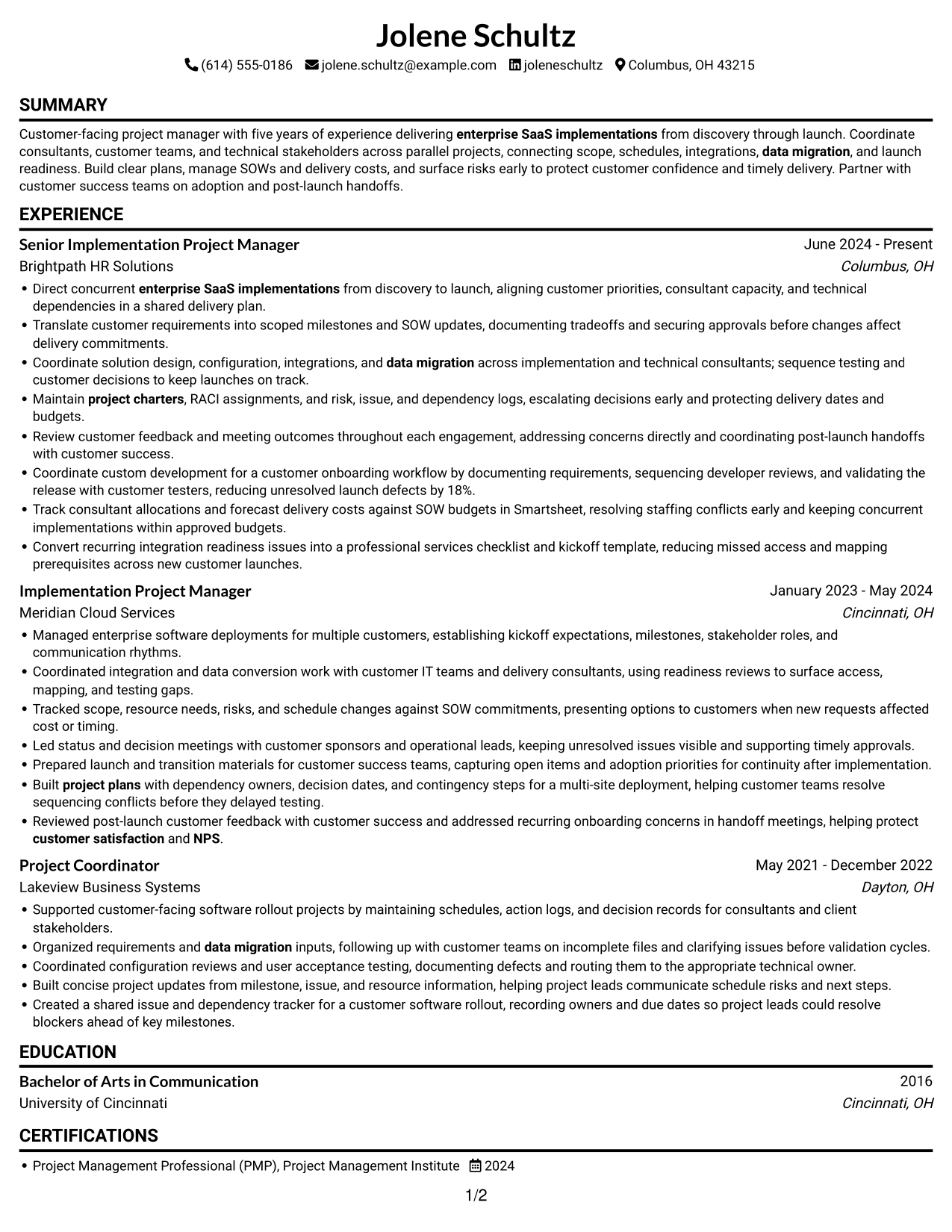
The Simple One Column Format keeps all resume content in one reading lane, making the section order easy to follow.
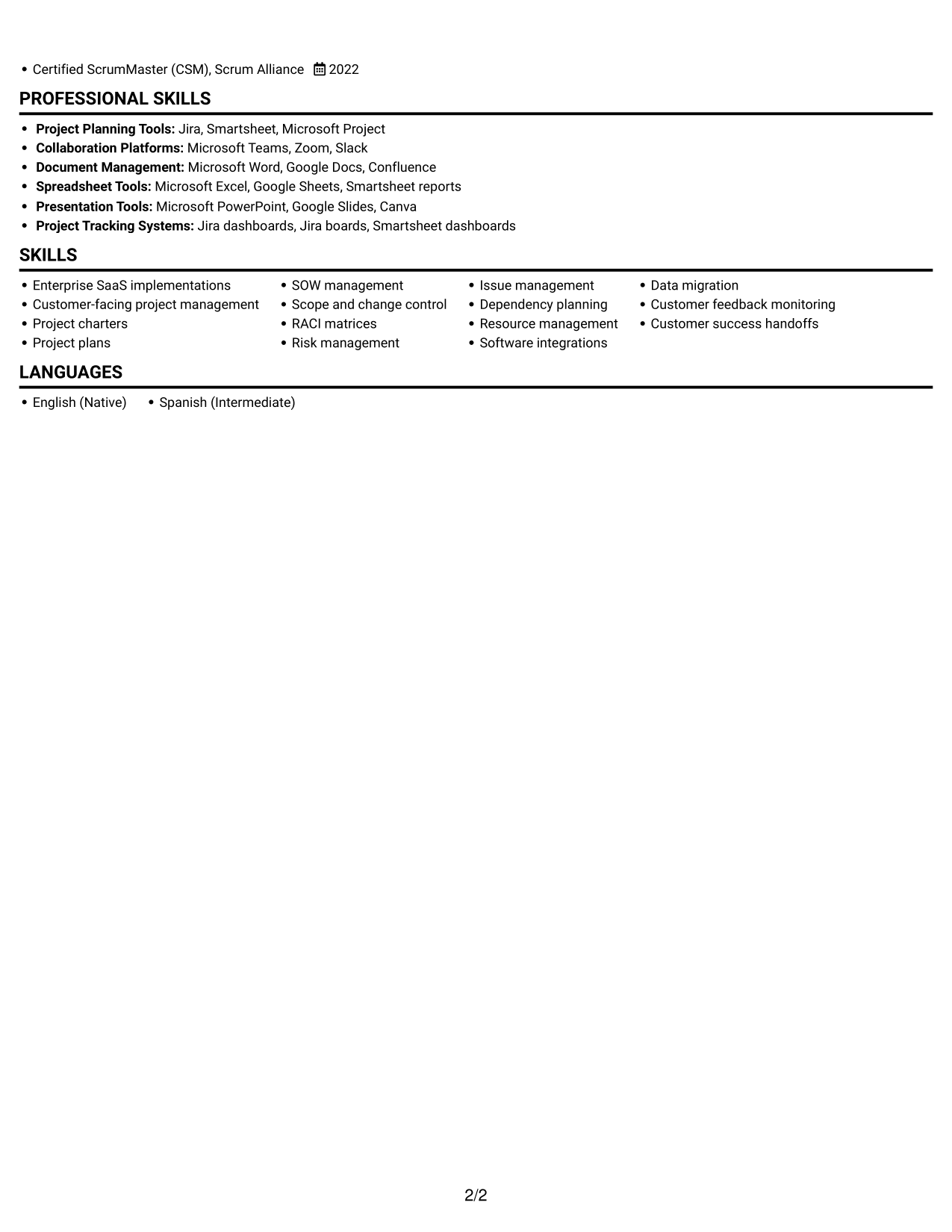
 
Resume example — page 1   Resume example — page 2

Why This Format Works

  • Experience reads in sequence, helping reviewers follow career progression across implementation roles.
  • Skills and certifications can be found within the same direct reading path.
  • Education remains part of the resume's clear top-to-bottom section order.

Best For

  • Straightforward section navigation
  • A clear career timeline
  • Compact skills and credentials
  • Sequential experience review
  • Simple text-first presentation

Resume Keywords

  • enterprise SaaS implementations
  • Customer-facing project management
  • project charters
  • project plans
  • RACI matrices
  • Risk management
  • Issue management
  • Dependency planning
  • Resource management
  • Scope and change control
  • customer satisfaction
  • NPS
  • Customer feedback monitoring
  • data migration
  • Customer success handoffs
See all keywords
 

#2 Simple Two Column Format Resume Example

The Simple Two Column Format separates resume information into two areas, giving readers a clear way to move through experience and supporting details.
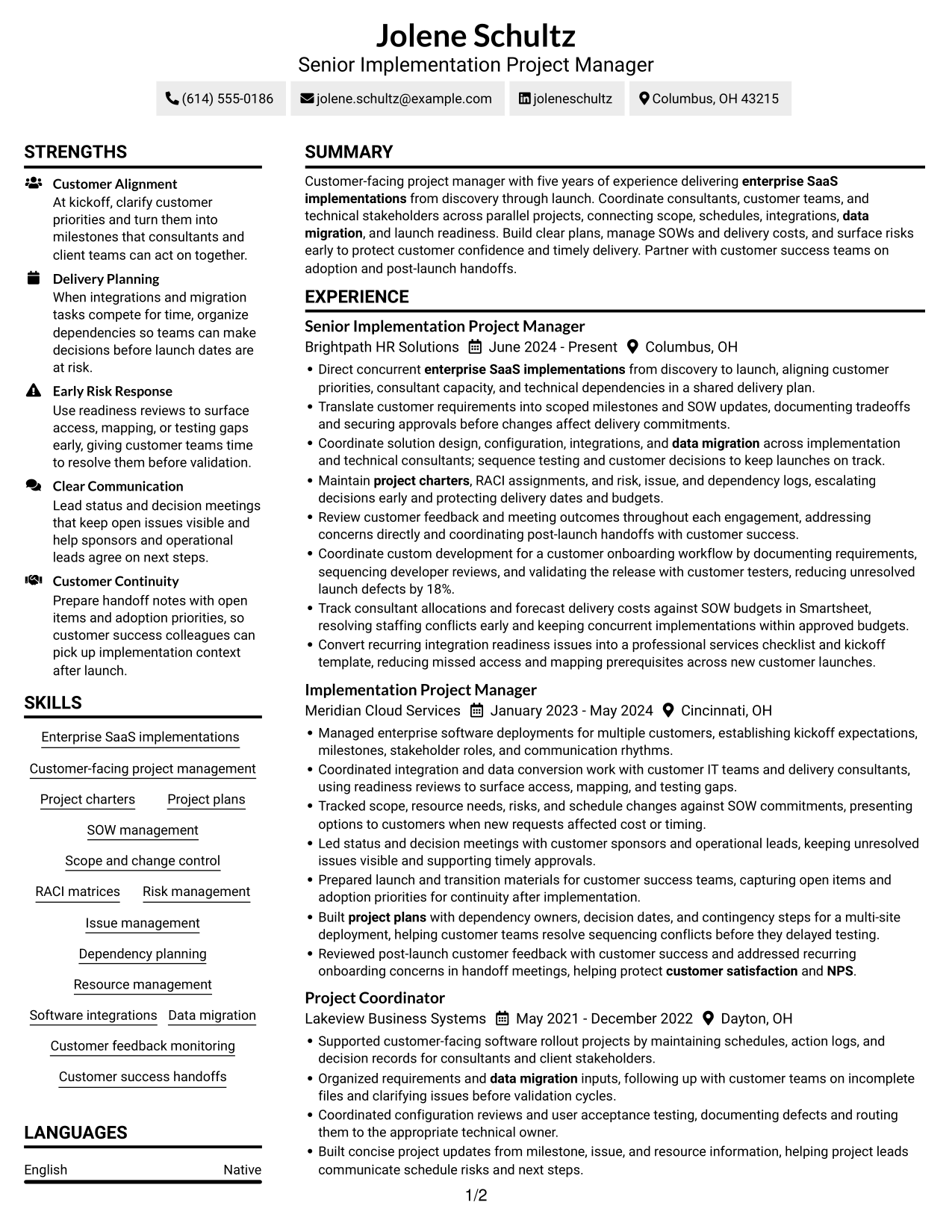
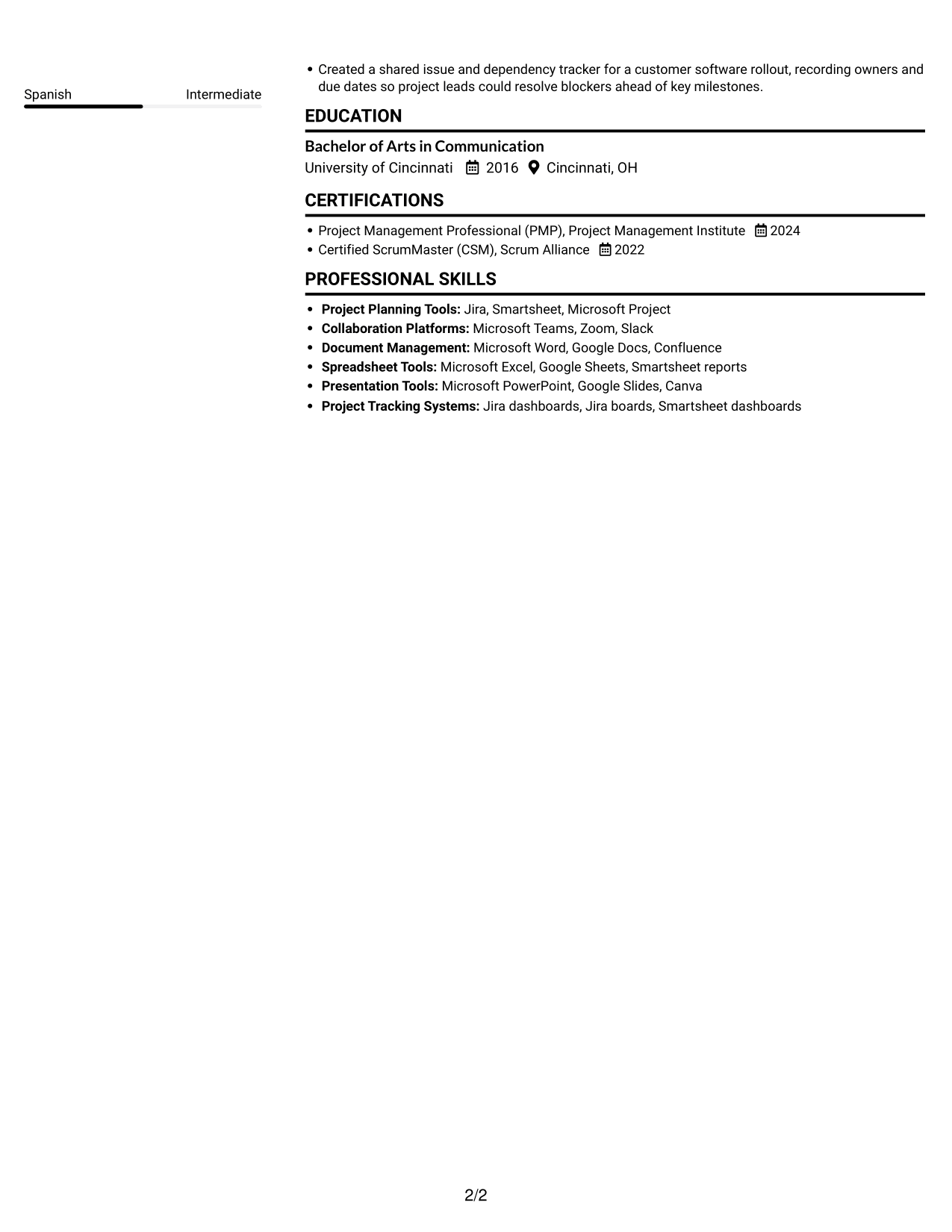
 
Resume example — page 1   Resume example — page 2

Why This Format Works

  • Two-column organization separates resume information areas while preserving a clear path through experience.
  • Project achievements remain easy to scan alongside the document's other sections.
  • Skills and education stay distinct from the career timeline for quick reference.

Best For

  • Separate information areas
  • Experience with supporting details
  • Quick skills reference
  • Clear section boundaries
  • A balanced content layout

#3 Plain One Column with Shaded Labels Resume Example

Plain One Column with Shaded Labels keeps the resume in one reading lane, a useful choice for a direct, orderly review.
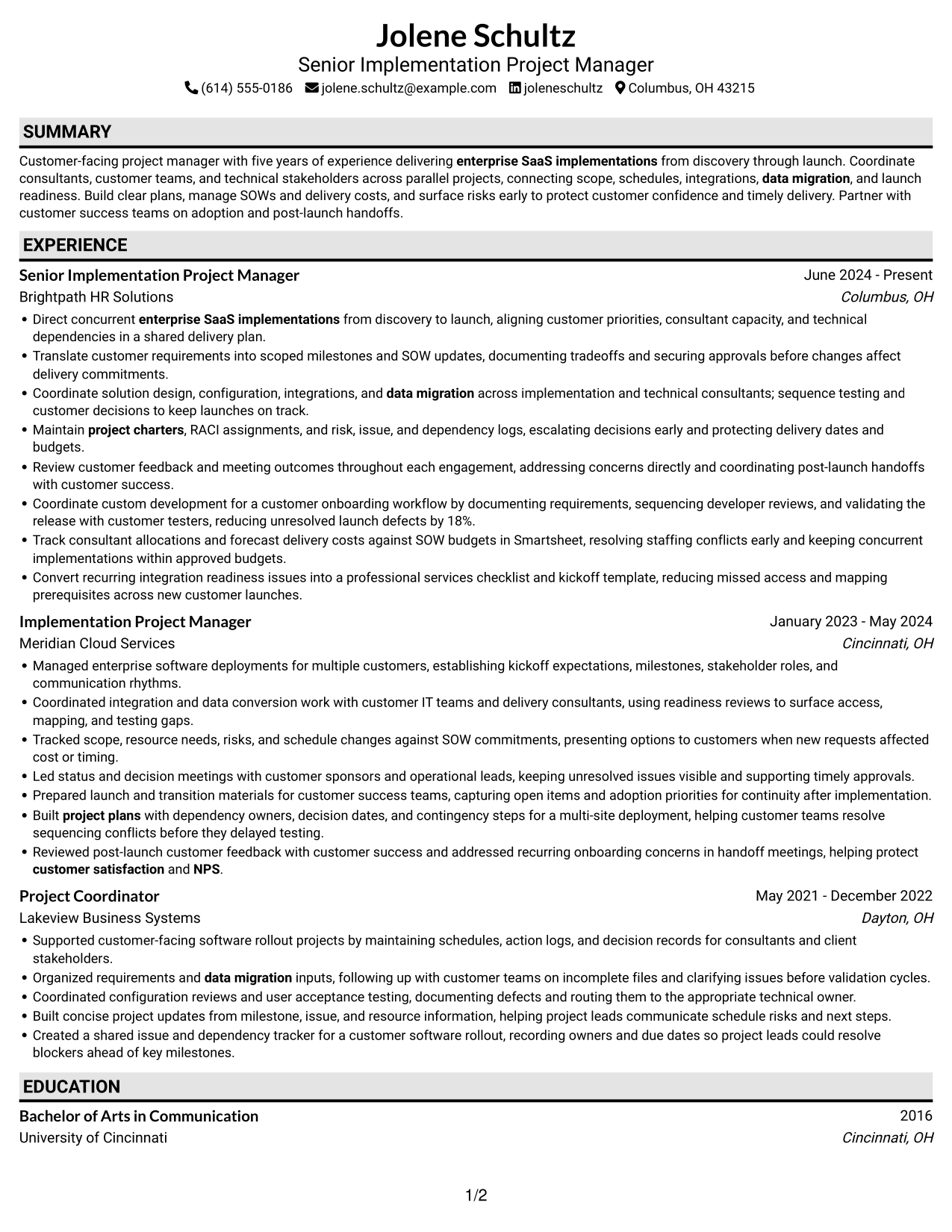
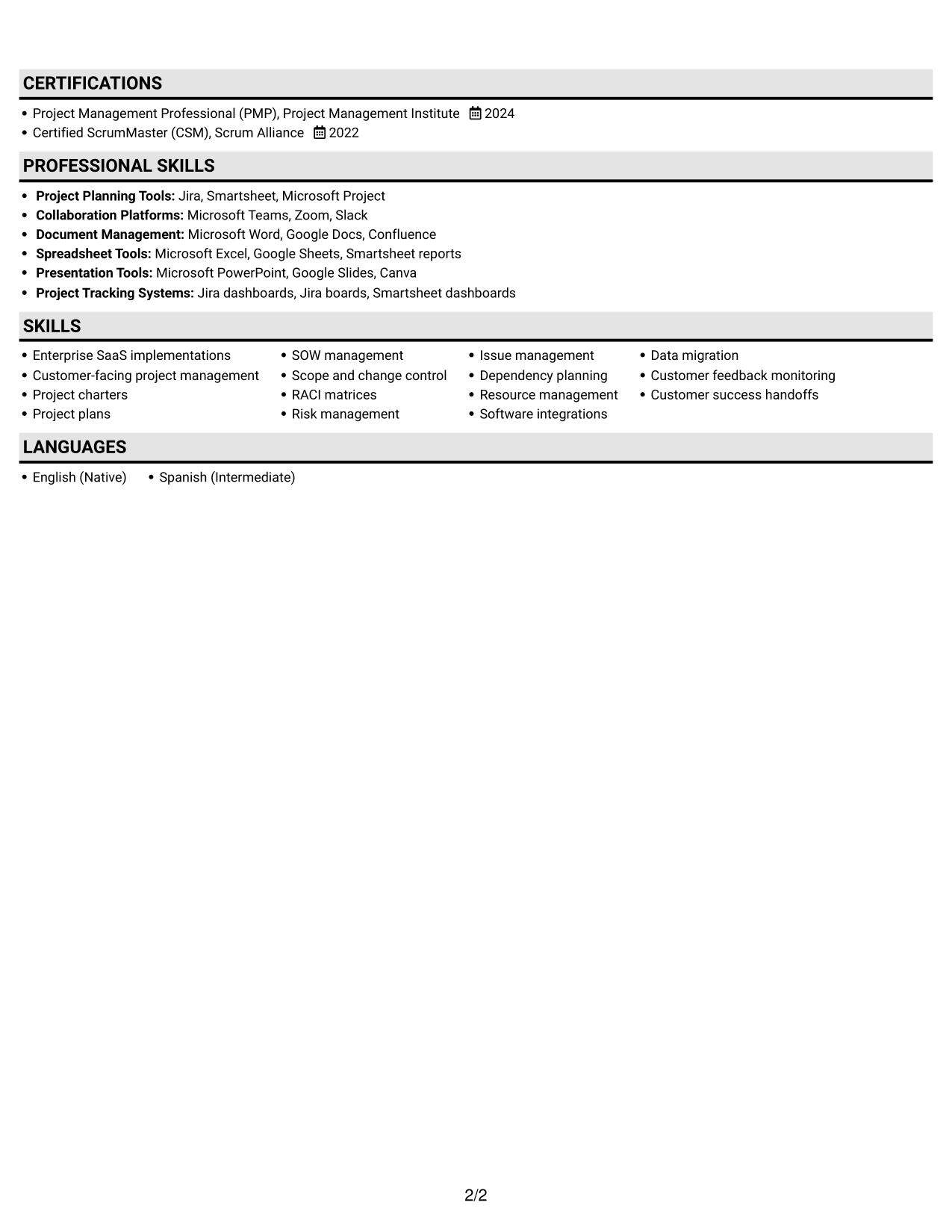
 
Resume example — page 1   Resume example — page 2

Why This Format Works

  • One continuous column lets reviewers move from summary through experience without switching reading lanes.
  • Experience bullets stay together, making project outcomes easier to compare across roles.
  • Education and certifications remain visible within the same sequential section flow.

Best For

  • A direct reading sequence
  • Role-by-role experience review
  • Project outcome comparisons
  • Skills within a linear resume
  • Education and credentials in sequence
 

#4 One Column Format with Photo Right Resume Example

One Column Format with Photo Right combines a one-column resume body with a portrait, for a presentation that includes both text and a photo.
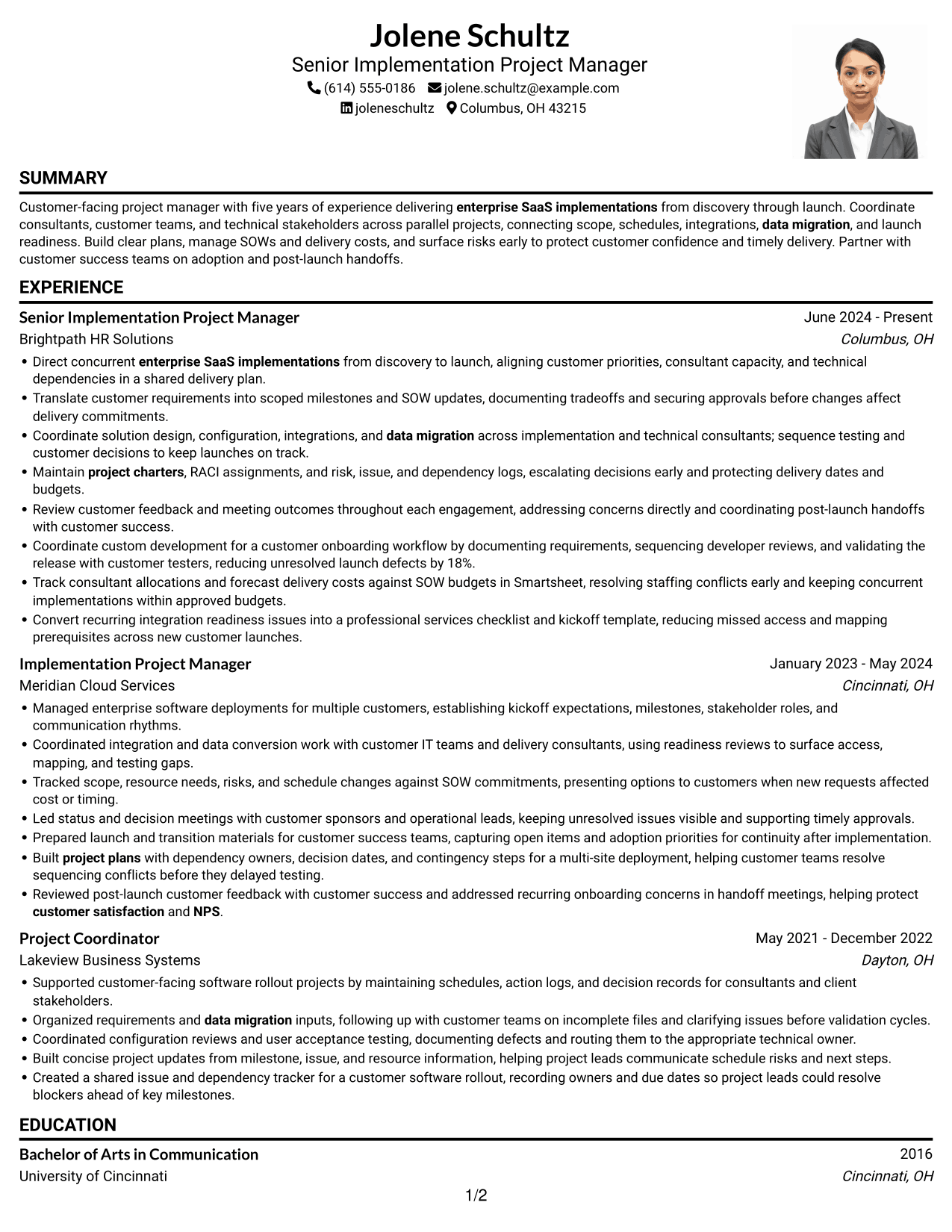
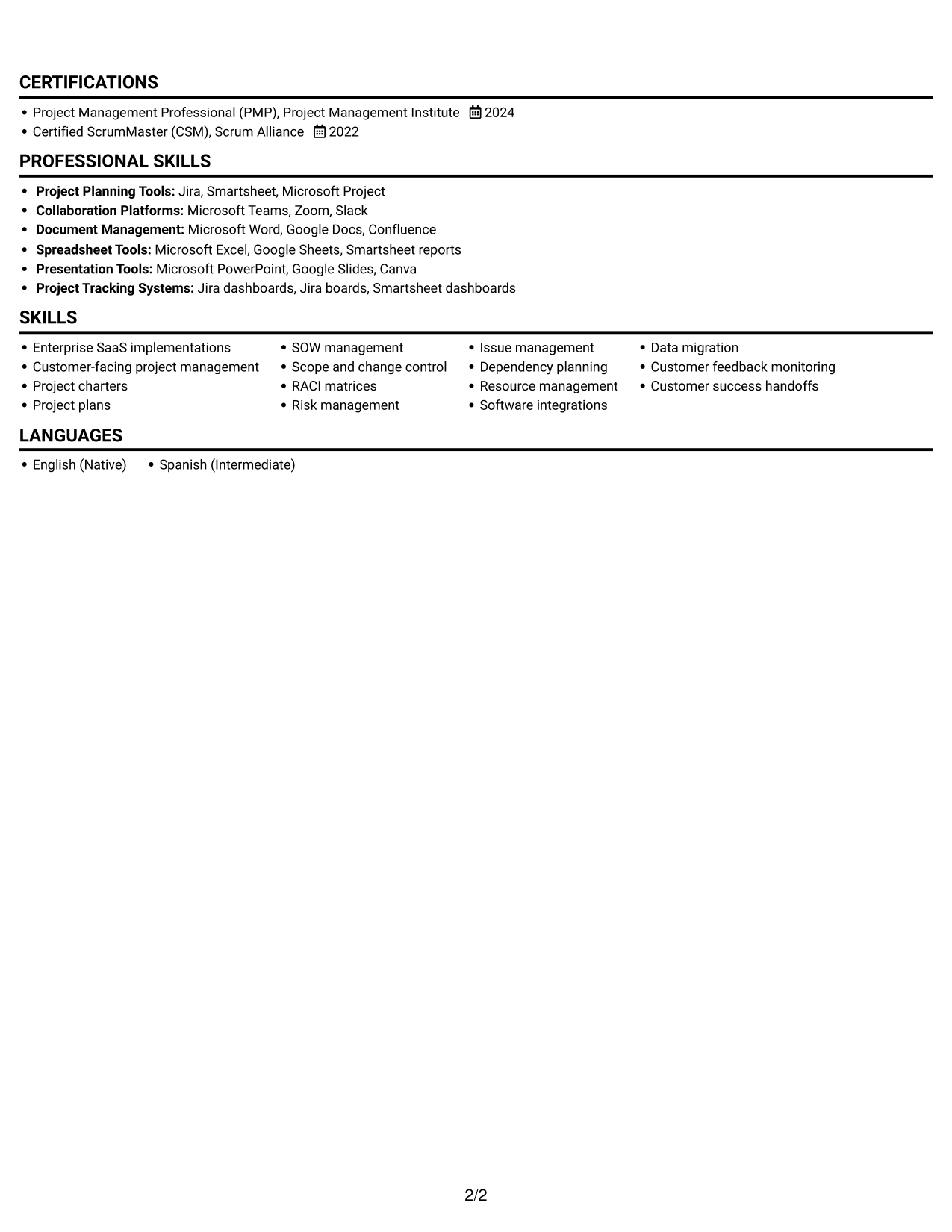
 
Resume example — page 1   Resume example — page 2

Why This Format Works

  • Career history follows one reading path, so reviewers can track role changes easily.
  • Achievement bullets stay grouped by role, helping readers compare project work across engagements.
  • Skills, education, and credentials remain part of one consistent document flow.

Best For

  • A portrait-inclusive resume
  • One-lane section navigation
  • Role-based achievement review
  • A direct career timeline
  • Text paired with a photo
 

#5 Clean Two Column Sidebar Format Resume Example

Clean Two Column Sidebar Format divides the resume body into two areas, giving readers a clear way to review different sections.
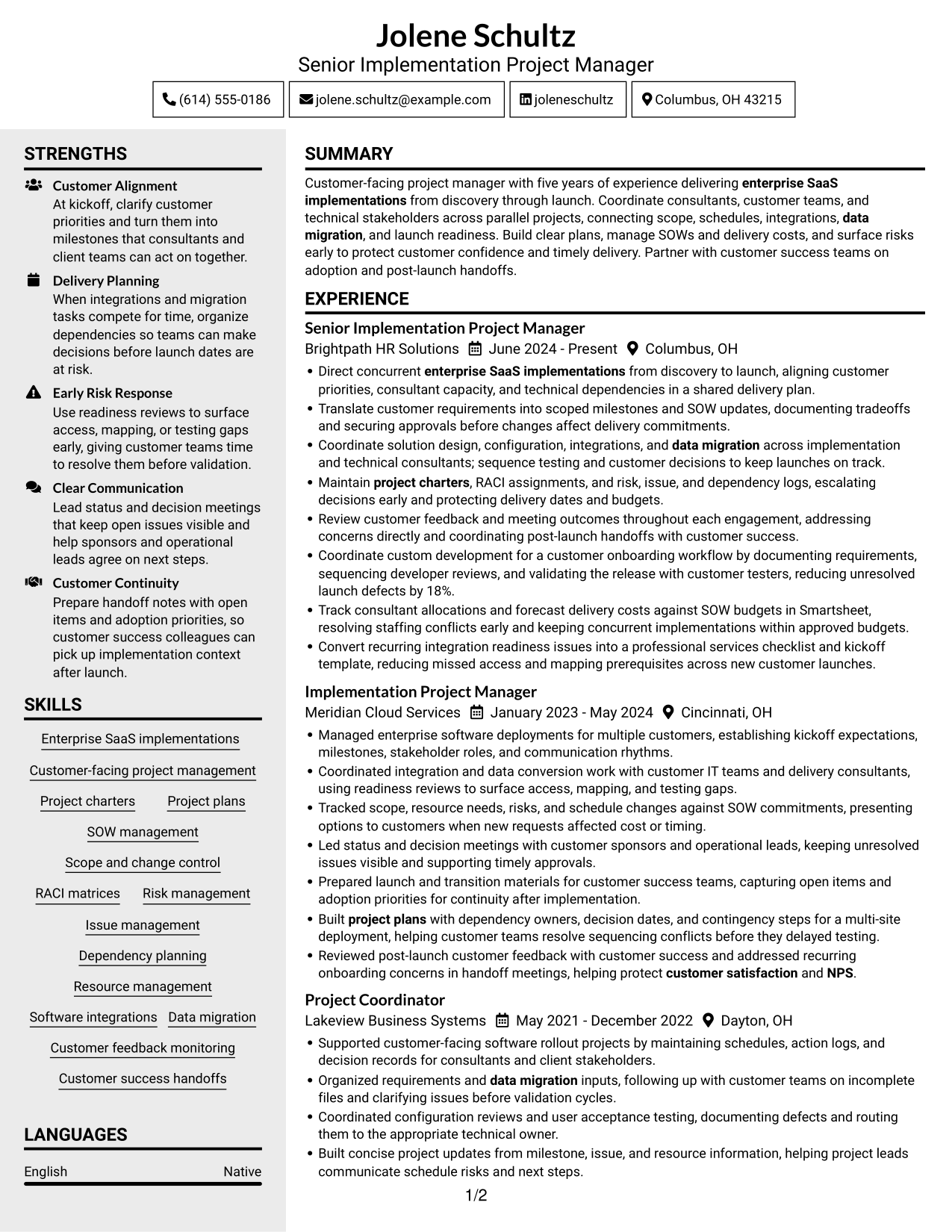
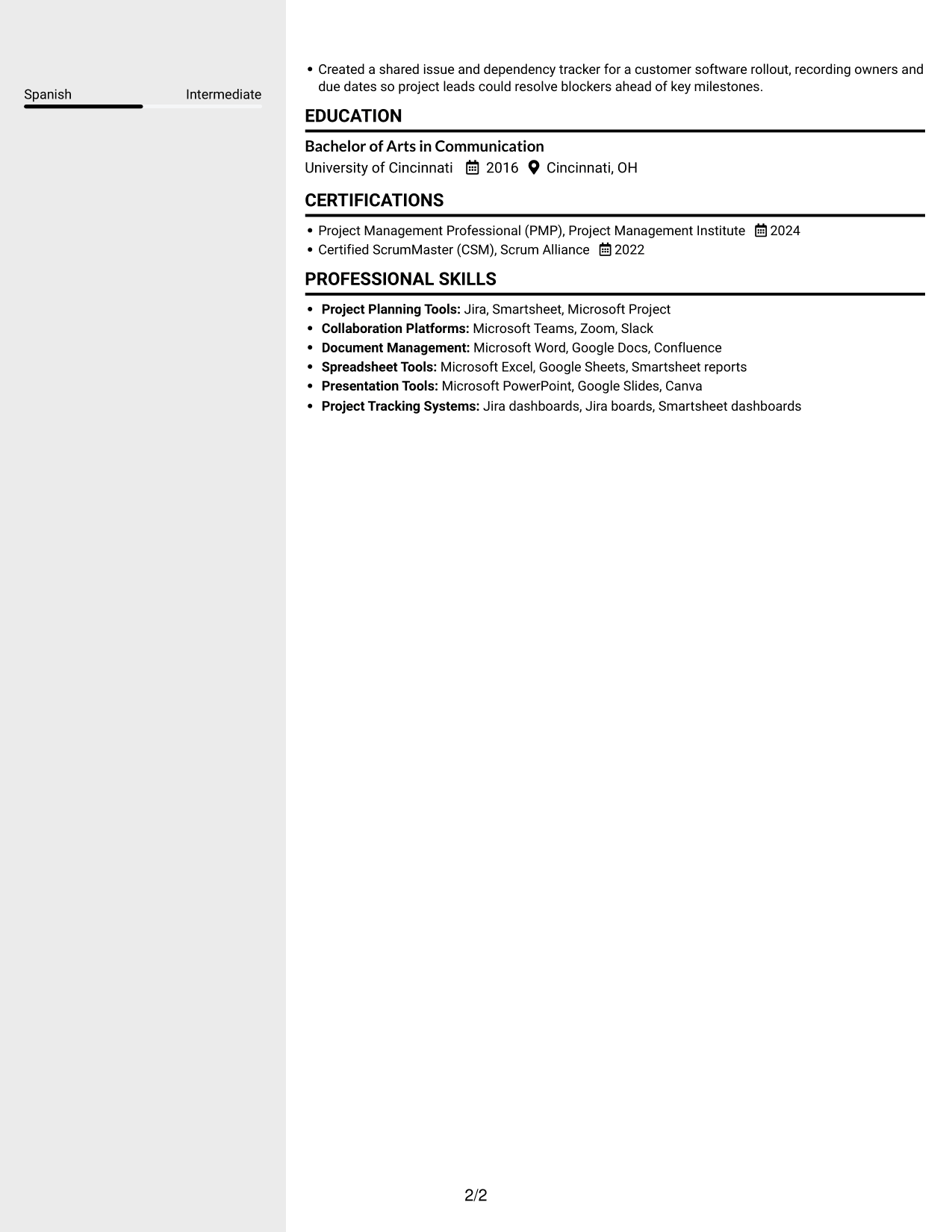
 
Resume example — page 1   Resume example — page 2

Why This Format Works

  • Separate content areas let reviewers locate skills while keeping the experience timeline clear.
  • Consistent role groupings make project achievements easier to compare across positions.
  • Education and certifications can be reviewed apart from experience details.

Best For

  • A divided resume body
  • Skills and experience in separate areas
  • Role-by-role comparisons
  • Independent education review
  • Clear section navigation


#6 Two Column Format Resume Example

Two Column Format uses two content areas to organize the resume, a practical choice when readers need clear access to different sections.
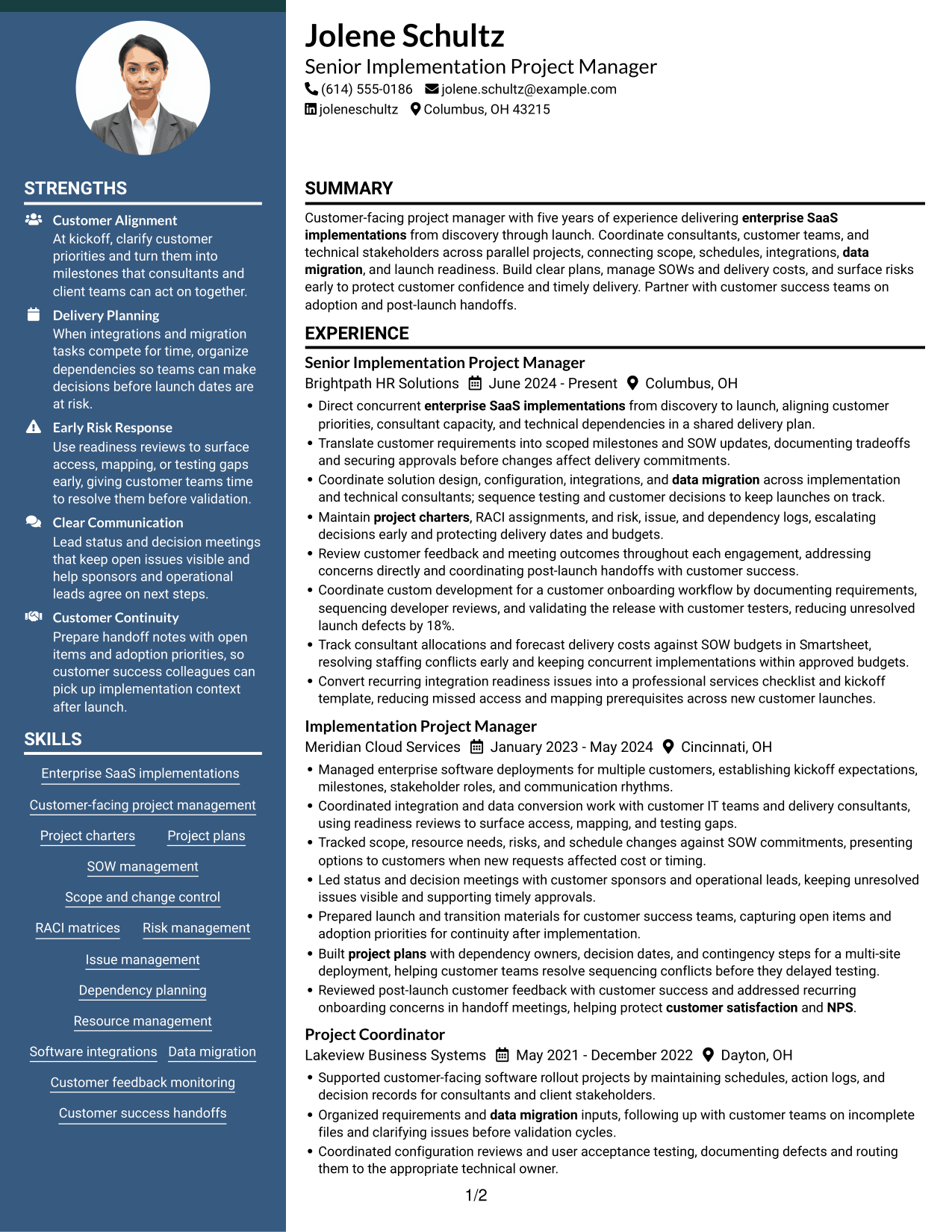
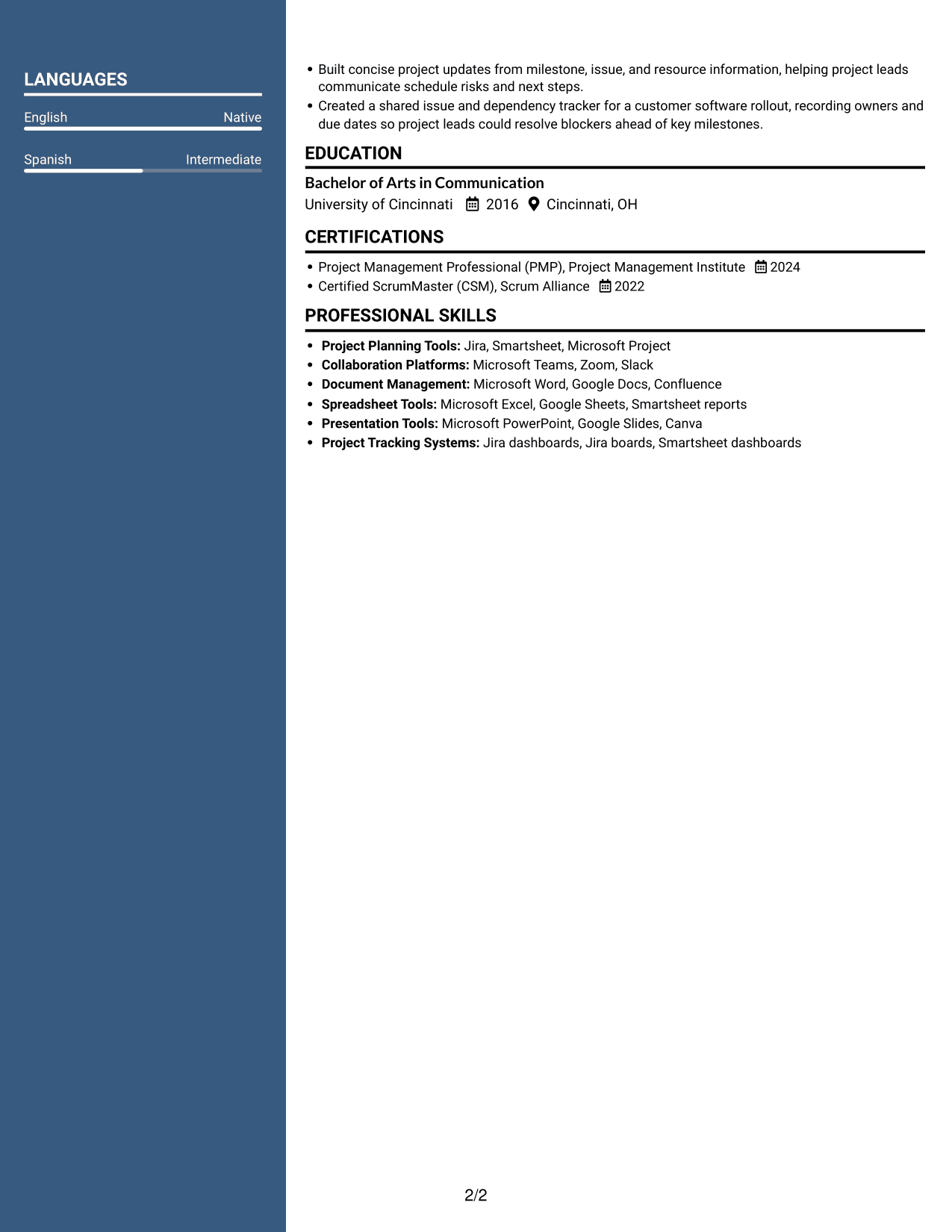
 
Resume example — page 1   Resume example — page 2

Why This Format Works

  • The two-column body gives resume sections distinct areas without breaking the overall reading order.
  • Grouped experience details help reviewers follow project work from one role to the next.
  • Skills and credentials remain easy to locate during a focused resume review.

Best For

  • Two distinct content areas
  • A guided section sequence
  • Grouped role details
  • Fast credential checks
  • A focused resume review
 

#7 Photo Header Two Column Format Resume Example

Photo Header Two Column Format pairs a portrait with a two-column resume body, suited to readers who want both features in one layout.
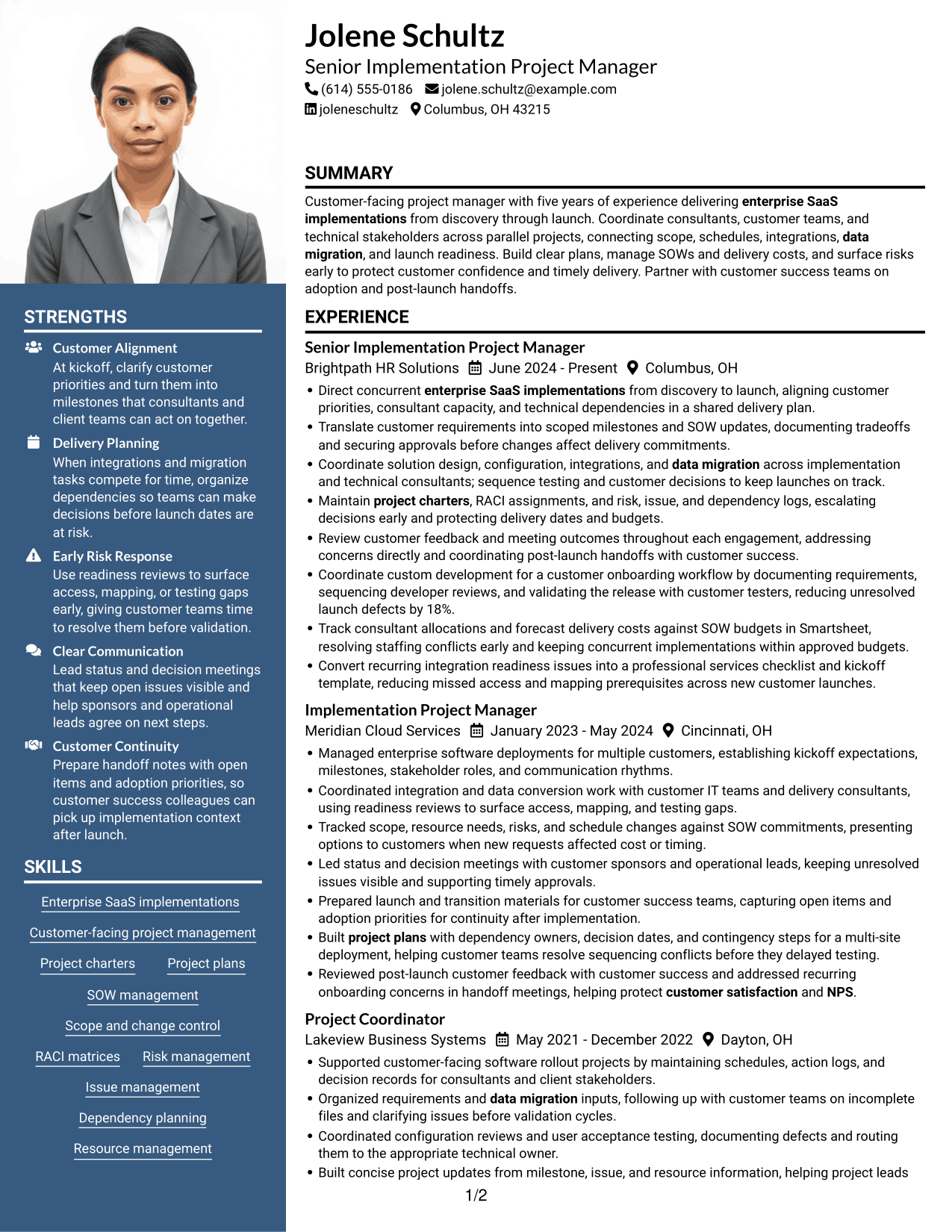
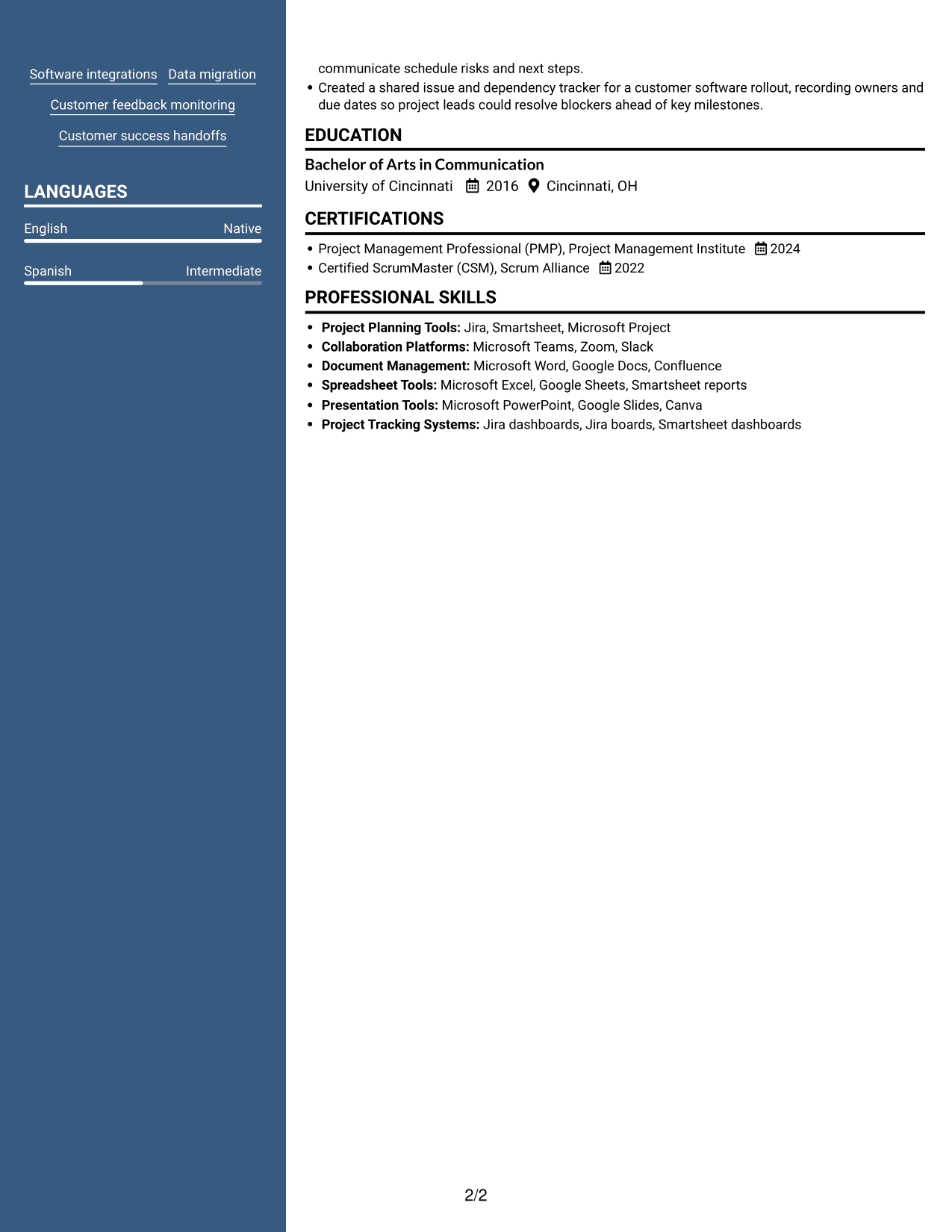
 
Resume example — page 1   Resume example — page 2

Why This Format Works

  • Two-column reading areas give resume sections clear boundaries for a structured review.
  • Role-based achievement groups help reviewers compare project outcomes across positions.
  • Education remains distinct from experience details within the divided body.

Best For

  • A portrait and divided body
  • Clear resume section boundaries
  • Role-based achievement review
  • A structured content scan
  • Distinct education and experience sections


Why Build Your Project Manager - Enterprise SaaS Implementations Resume with ResumeInMinutes

Use the resume preview to review how experience, skills, education, and certifications appear on the page. Then open the example in the editor to customize its content for your project delivery work.

  • Clear resume section structure
  • ATS-aware headings and keywords
  • Space for project achievements
  • Organized skills and tools
  • Easy-to-review image previews
  • Example customization in the editor

Make your evidence easy to verify. For example, a bullet can show how you coordinated custom development and customer testing to reduce unresolved launch defects by 18%. Use only results and details that you can support.


See Also


Frequently Asked Questions

Are these Project Manager - Enterprise SaaS Implementations resume templates ATS-friendly?

The layouts use resume sections and readable headings to support clear review. Use standard section names and include relevant terms, such as project plans, SOW management, RACI, risk management, integrations, and data migration, where they match your experience.

What should a Project Manager - Enterprise SaaS Implementations resume include?

Include a focused summary, relevant experience, skills, education, and certifications. Use bullets to show how you managed scope, schedules, resources, customer decisions, technical workstreams, risks, and launch handoffs.

How can I show results on an enterprise SaaS implementation resume?

Describe the action you took and the result it produced. You might explain how you protected a launch date, kept work within an approved budget, reduced unresolved defects, or improved readiness. Add numbers only when you can verify them.

Which resume layout works well for this project management role?

Choose a layout with clear headings and enough room for concise experience bullets. A straightforward structure can make project scope, delivery results, skills, and certifications easy to find.

Which keywords are useful for an enterprise SaaS implementation resume?

Use relevant terms from your work, such as enterprise SaaS implementations, project charters, project plans, SOW management, scope and change control, RACI, risk and issue management, dependency planning, integrations, data migration, and customer success handoffs. Add tools such as Jira, Smartsheet, or Microsoft Project only if you have used them.

Should I include a photo on my resume?

For U.S. applications, a resume without a photo is generally the safer choice. Focus the page on relevant project experience, skills, and measurable results.


ATS Score 81%

How we calculate this score

  • Keywords: 60% of the total. AI extracts keywords from your job description. If you do not provide one, a standard job description for the title matching your resume is used. This is not a match to a specific vacancy.
  • Text-based resume: 20%. The text resume assessed here receives 100 for this part.
  • Resume quality: 20%. We start at 100 and subtract points for issues found by our resume checks, down to a minimum of zero.
  • Keyword coverage = 100 × (confirmed matches + 0.8 × possible matches) ÷ total keywords, rounded and capped at 100. Possible matches still need checking. Saved generation audits use their saved keyword percentage.
  • Final score = 60% of keyword coverage + 20% of the text score + 20% of the quality score, rounded to a whole number. Without keywords, no overall ATS score is available.

What this score means

Our scores are estimates, not employer ratings. They may contain errors and do not guarantee accurate parsing, a ranking, an interview, or a job. Check your document against the employer’s requirements. You are responsible for relying on this score.

Terms and Conditions

Score weights: Keywords 60% · Text based resume 20% · Resume quality 20%

Keywords: 16 matched + 10 possible of 35 (69%) · Resume quality: 100%

Resume quality 100% · Weight 20% · Issues (0)

Details
  • ✓Name present: Jolene Schultz
  • ✓Email format: jolene.schultz@example.com
  • ✓Phone format: (614) 555-0186
  • ✓Experience 1: Job title: Senior Implementation Project Manager
  • ✓Experience 1: Company name: Brightpath HR Solutions
  • ✓Experience 1: Work location: Columbus, OH
  • ✓Experience 1: Employment dates: June 2024 - Present
  • ✓Experience 1: Description or achievements: Present
  • ✓Experience 2: Job title: Implementation Project Manager
  • ✓Experience 2: Company name: Meridian Cloud Services
  • ✓Experience 2: Work location: Cincinnati, OH
  • ✓Experience 2: Employment dates: January 2023 - May 2024
  • ✓Experience 2: Description or achievements: Present
  • ✓Experience 3: Job title: Project Coordinator
  • ✓Experience 3: Company name: Lakeview Business Systems
  • ✓Experience 3: Work location: Dayton, OH
  • ✓Experience 3: Employment dates: May 2021 - December 2022
  • ✓Experience 3: Description or achievements: Present
  • ✓No placeholder fields
  • ✓No repeated achievement bullets
  • ✓No empty bullets

No issues found by the current checks.

Text Based Resume 100% · Weight 20%

Parsed text
Jolene Schultz
(614) 555-0186
jolene.schultz@example.com
joleneschultz
Columbus, OH 43215
SUMMARY
Customer-facing project manager with five years of experience delivering enterprise SaaS implementations from discovery through launch. Coordinate consultants, customer teams, and technical stakeholders across parallel projects, connecting scope, schedules, integrations, data migration, and launch readiness. Build clear plans, manage SOWs and delivery costs, and surface risks early to protect customer confidence and timely delivery. Partner with customer success teams on adoption and post-launch handoffs.
EXPERIENCE
Senior Implementation Project Manager
Brightpath HR Solutions
June 2024 - Present
Columbus, OH
Direct concurrent enterprise SaaS implementations from discovery to launch, aligning customer priorities, consultant capacity, and technical dependencies in a shared delivery plan.
Translate customer requirements into scoped milestones and SOW updates, documenting tradeoffs and securing approvals before changes affect delivery commitments.
Coordinate solution design, configuration, integrations, and data migration across implementation and technical consultants; sequence testing and customer decisions to keep launches on track.
Maintain project charters, RACI assignments, and risk, issue, and dependency logs, escalating decisions early and protecting delivery dates and budgets.
Review customer feedback and meeting outcomes throughout each engagement, addressing concerns directly and coordinating post-launch handoffs with customer success.
Coordinate custom development for a customer onboarding workflow by documenting requirements, sequencing developer reviews, and validating the release with customer testers, reducing unresolved launch defects by 18%.
Track consultant allocations and forecast delivery costs against SOW budgets in Smartsheet, resolving staffing conflicts early and keeping concurrent implementations within approved budgets.
Convert recurring integration readiness issues into a professional services checklist and kickoff template, reducing missed access and mapping prerequisites across new customer launches.
Implementation Project Manager
Meridian Cloud Services
January 2023 - May 2024
Cincinnati, OH
Managed enterprise software deployments for multiple customers, establishing kickoff expectations, milestones, stakeholder roles, and communication rhythms.
Coordinated integration and data conversion work with customer IT teams and delivery consultants, using readiness reviews to surface access, mapping, and testing gaps.
Tracked scope, resource needs, risks, and schedule changes against SOW commitments, presenting options to customers when new requests affected cost or timing.
Led status and decision meetings with customer sponsors and operational leads, keeping unresolved issues visible and supporting timely approvals.
Prepared launch and transition materials for customer success teams, capturing open items and adoption priorities for continuity after implementation.
Built project plans with dependency owners, decision dates, and contingency steps for a multi-site deployment, helping customer teams resolve sequencing conflicts before they delayed testing.
Reviewed post-launch customer feedback with customer success and addressed recurring onboarding concerns in handoff meetings, helping protect customer satisfaction and NPS.
Project Coordinator
Lakeview Business Systems
May 2021 - December 2022
Dayton, OH
Supported customer-facing software rollout projects by maintaining schedules, action logs, and decision records for consultants and client stakeholders.
Organized requirements and data migration inputs, following up with customer teams on incomplete files and clarifying issues before validation cycles.
Coordinated configuration reviews and user acceptance testing, documenting defects and routing them to the appropriate technical owner.
Built concise project updates from milestone, issue, and resource information, helping project leads communicate schedule risks and next steps.
Created a shared issue and dependency tracker for a customer software rollout, recording owners and due dates so project leads could resolve blockers ahead of key milestones.
EDUCATION
Bachelor of Arts in Communication
University of Cincinnati
2016
Cincinnati, OH
CERTIFICATIONS
Project Management Professional (PMP), Project Management Institute
2024
Certified ScrumMaster (CSM), Scrum Alliance
2022
PROFESSIONAL SKILLS
Project Planning Tools: Jira, Smartsheet, Microsoft Project
Collaboration Platforms: Microsoft Teams, Zoom, Slack
Document Management: Microsoft Word, Google Docs, Confluence
Spreadsheet Tools: Microsoft Excel, Google Sheets, Smartsheet reports
Presentation Tools: Microsoft PowerPoint, Google Slides, Canva
Project Tracking Systems: Jira dashboards, Jira boards, Smartsheet dashboards
SKILLS
Enterprise SaaS implementations
Customer-facing project management
Project charters
Project plans
SOW management
Scope and change control
RACI matrices
Risk management
Issue management
Dependency planning
Resource management
Software integrations
Data migration
Customer feedback monitoring
Customer success handoffs
LANGUAGES
English (Native)
Spanish (Intermediate)

Matched keywords (16)

  • enterprise SaaS implementations
  • Customer-facing project management
  • project charters
  • project plans
  • RACI matrices
  • Risk management
  • Issue management
  • Dependency planning
  • Resource management
  • Scope and change control
  • customer satisfaction
  • NPSOriginal keyword in JD: Net Promoter Score (NPS)
  • Customer feedback monitoring
  • data migration
  • Customer success handoffs
  • PMPOriginal keyword in JD: PMP OR Project Management Certification

Missing keywords (9)

  • Concurrent Implementation Projects
  • Project Scheduling
  • Delivery Cost Management
  • On-Time Delivery
  • Budget Management
  • Project Health Monitoring
  • Software Configuration
  • Written Communication
  • Verbal Communication

Possible matches (10)

  • Technical Integrations80% credit: 2.29 percentage points of 2.86 possible.
  • Large-Scale Software Deployments80% credit: 2.29 percentage points of 2.86 possible.
  • Project Scope Management80% credit: 2.29 percentage points of 2.86 possible.
  • Project Delivery Approach80% credit: 2.29 percentage points of 2.86 possible.
  • Statement of Work (SOW) Management80% credit: 2.29 percentage points of 2.86 possible.
  • Solution Design Coordination80% credit: 2.29 percentage points of 2.86 possible.
  • Custom Development Coordination80% credit: 2.29 percentage points of 2.86 possible.
  • Customer Stakeholder Meetings80% credit: 2.29 percentage points of 2.86 possible.
  • Customer Adoption80% credit: 2.29 percentage points of 2.86 possible.
  • Professional Services Process Improvement80% credit: 2.29 percentage points of 2.86 possible.
Disclaimer: All names, images, contact information, employment histories, achievements, security clearances, military credentials, and other qualifications shown in this content are fictional and used for illustrative purposes only. Any resemblance to actual persons, living or deceased, is purely coincidental.

Resume and cover-letter examples and recommendations in this article reflect general best practices and professional experience and are provided for guidance only. Results may vary based on role, industry, region, and hiring organization.

Content Accuracy and Verification: To the fullest extent permitted by applicable law, we do not represent or warrant that resume or cover-letter guidance, examples, recommendations, or related information are accurate, complete, current, error-free, or suitable for any particular purpose. You are responsible for independently reviewing and verifying the information before relying on it.

ATS and Cover-Letter Scores: ATS scores are estimates calculated using our own formula, informed by publicly available guidance on resume formatting and keyword matching. They are not scores issued or endorsed by an ATS provider or employer. Cover-letter scores are also our own assessments. Parsing, weighting, screening criteria, and results vary between systems, employers, job descriptions, and document formats. No score guarantees successful parsing, a particular ranking, an interview, or employment. Use scores as general guidance and independently check your documents against the employer’s requirements. To the fullest extent permitted by applicable law, we accept no liability for errors in scores or parsing, or losses arising from reliance on these assessments. Nothing in this notice excludes liability or limits consumer rights that cannot lawfully be excluded or limited.

Terms and Conditions
 
> JP 1 1
PDF Footer and Margins Setup
The margins are applied to the document, and the footer shows up in the preview and the PDF

Footer Font Settings

Are you applying for a specific job
so we can tailor your resume to it?
Are you applying for a specific job
so we can tailor your cover letter to it?
Type your details as text to generate a personalized resume Type your details as text to generate a personalized cover letter
Website link found! Ready to create resume from:
Drag the into the box to verify you're human.
Drop here

My Resumes

Displaying {number_of_files} files (out of {total_of_all_files} total)
Name File Type Last Modified: Description:

Rename File

Filename already exists!

Delete Files

Warning: This action is irreversible. Once you click submit, the files will be permanently deleted.

Heading text
Upload From Computer Upload
Select From Existing
LinkedIn
Drag & Drop files anywhere in this tab, or

Uploaded Files

Delete Name Last Updated Use This File
Select this to use the file for generating your resume and cover letter. Only one source—uploaded file, selected file, or LinkedIn text—can be used.

My Files

Resumes or cover letters you create will appear here. No files available yet.
Delete Name Last Updated Use This File
Select this to use the file for generating your resume and cover letter. Only one source—uploaded file, selected file, or LinkedIn text—can be used.

Add LinkedIn Profile PDF

You can download your LinkedIn profile as a PDF by opening linkedin.com in a web browser, clicking your profile photo, selecting the “More” or “Resources” button, and choosing “Save to PDF.” You can then attach the PDF using the Upload From Computer tab.

Paste Your LinkedIn Profile Text

If you have copied the LinkedIn profile text, paste it below. See how to copy your profile from LinkedIn

Select this to use the LinkedIn profile text for generating your resume and cover letter. Only one source—uploaded file, selected file, or LinkedIn text—can be used.

Try these controls

<
>


