
7 Security Specialist - Visitor and Access Control Resume Templates with Example
This guide shows you how to create a clear, focused resume for a Security Specialist - Visitor and Access Control role. You will learn how to organize relevant experience and show how your work supports secure, welcoming visitor services.
A strong resume makes visitor registration, credential checks, photo identification, badge operations, and access audits easy to find. Clear examples of system use, careful recordkeeping, training, and process improvements help readers see how you support security requirements.
The resume example is presented in 7 layouts, so you can compare the image previews and see how each design organizes the same information. Open an example in the editor to view or customize its layout.
What Makes a Great Security Specialist - Visitor and Access Control Resume in 2026
A strong resume puts visitor services, access control, and security operations experience in clear sections. Focus each bullet on your actions, the process you supported, and the result when you can show it.
Use relevant terms such as visitor registration, credential validation, Lenel OnGuard, RightCrowd, access audits, Lean methods, and KPI analysis when they match your experience. Keep skills, systems, education, and certifications easy to scan.
Note: Resume examples are for educational purposes only. Use only information that accurately reflects your experience and qualifications. References to real organizations do not imply affiliation or endorsement.
#1 Plain Two Column Format Resume Example
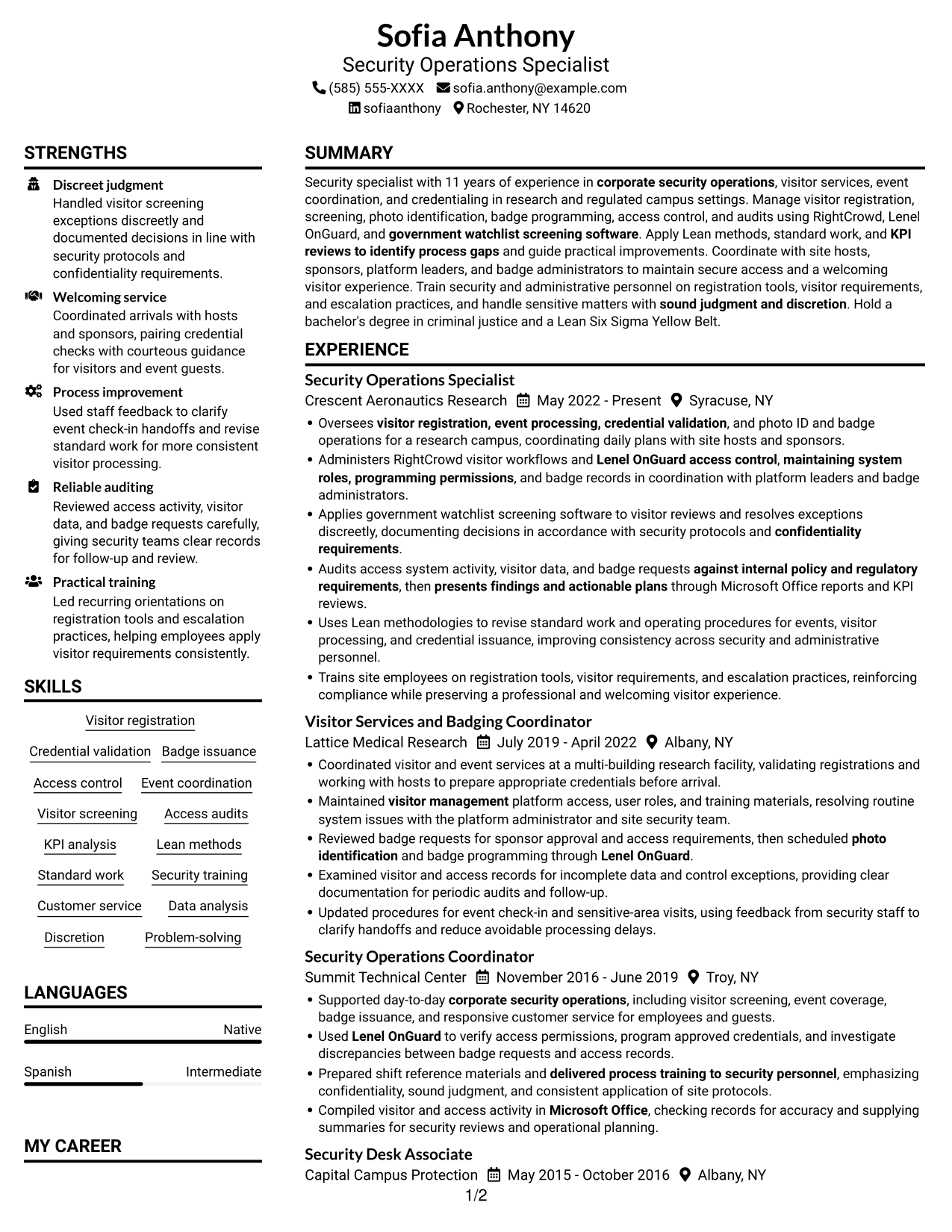
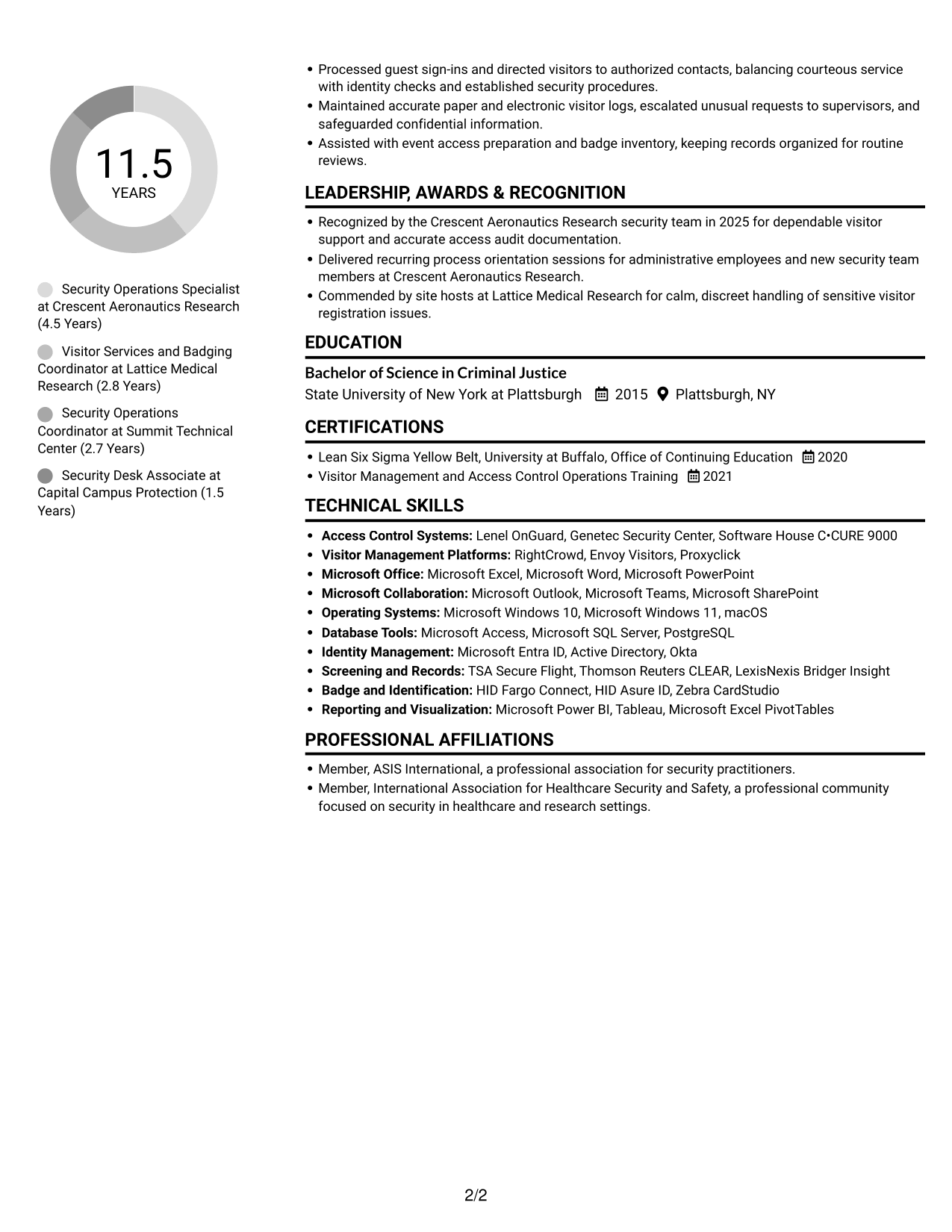
The Plain Two Column Format uses two reading areas, a practical choice when a resume needs to show career history alongside supporting sections.
Resume Snapshot
- 11 years of experience in corporate security operations and visitor services
- Bachelor of Science in Criminal Justice
- Experience with RightCrowd, Lenel OnGuard, and watchlist screening software
- Lean Six Sigma Yellow Belt, earned in 2020
Why This Format Works
- Two reading areas can keep career history distinct from education and credentials.
- Skills and tools are easier to locate when supporting sections have their own area.
- Reviewers can scan key resume sections without following one long vertical sequence.
Best For
- Resumes with several content sections
- Quick scans across key details
- Career histories with supporting credentials
- Applications that need a clear reading order
- Documents balancing experience and skills
Resume Keywords
- bachelor's degree
- 11 years of experience in corporate security operations, visitor services
- visitor management
- corporate security operations
- visitor registration, event processing, credential validation
- Administers RightCrowd visitor workflows and Lenel OnGuard access control
- Visitor Management Platforms
- maintaining system roles, programming permissions
- programming permissions
- confidentiality requirements
- sound judgment and discretion
- Event coordination
- photo identification
- standard work
- Audits access system activity, visitor data, and badge requests
#2 Simple One Column Format Resume Example
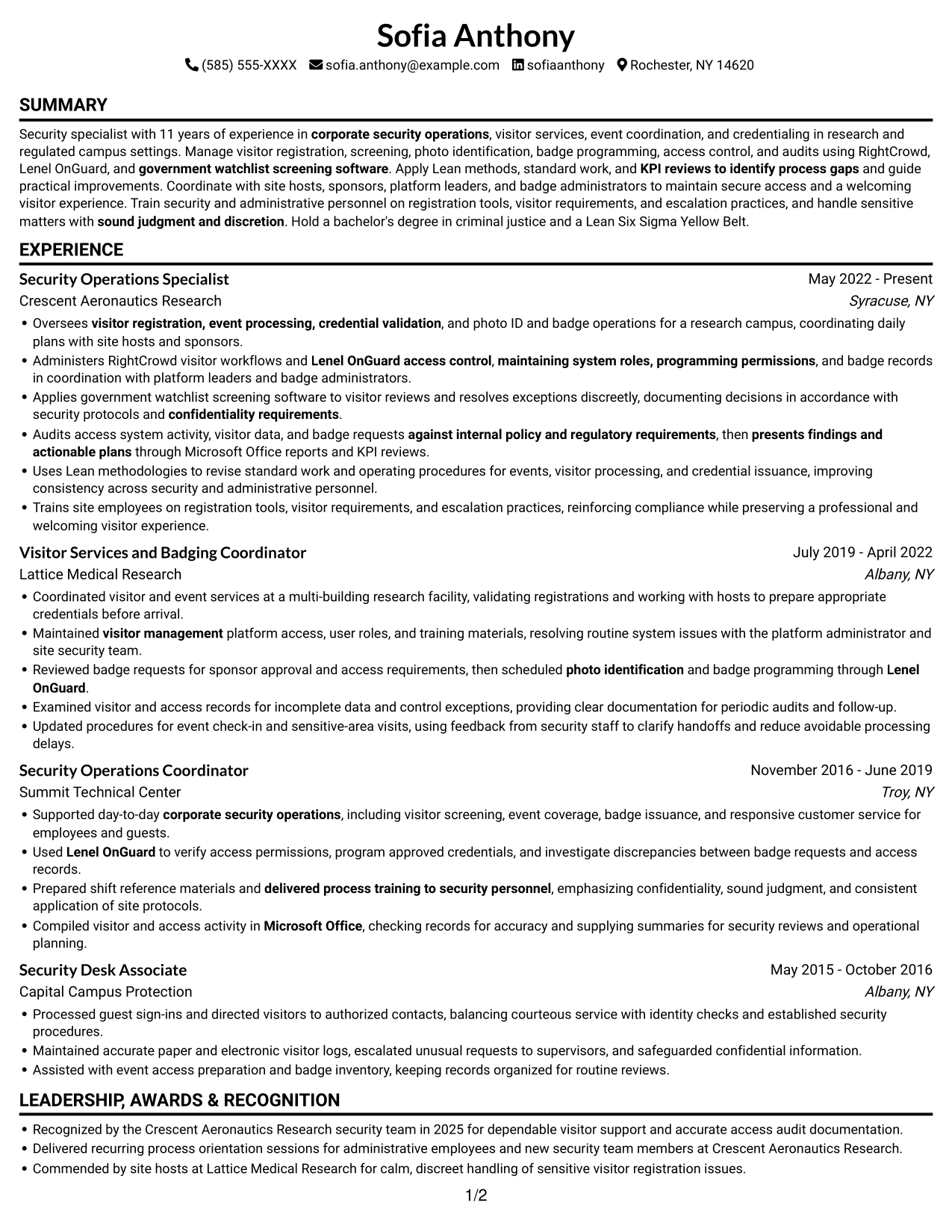
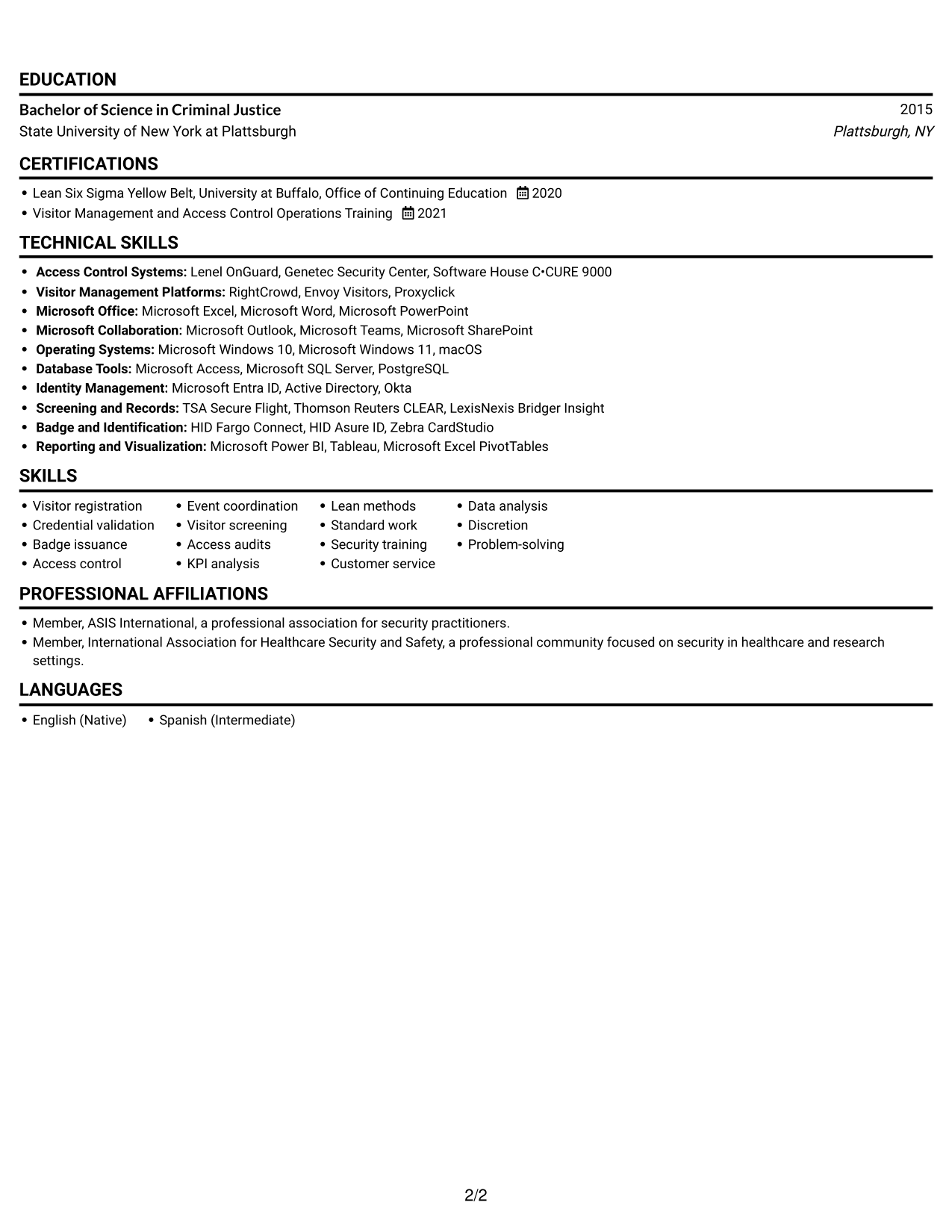
With one column, the Simple One Column Format gives the resume a single reading path, making its sequence of experience, skills, and education easy to follow.
Why This Format Works
- One reading path helps reviewers follow the work history in sequence.
- Skills and education remain part of the same clear section flow.
- A single text path gives experience and qualifications a clear review order.
Best For
- Resumes with a clear section sequence
- Work histories read from role to role
- Straightforward education and skills sections
- A single path through resume details
- Documents with concise supporting information
#3 Clean Two Column Sidebar Format Resume Example
The Clean Two Column Sidebar Format divides resume content across two areas, helping reviewers move between experience and supporting details while keeping the reading order clear.
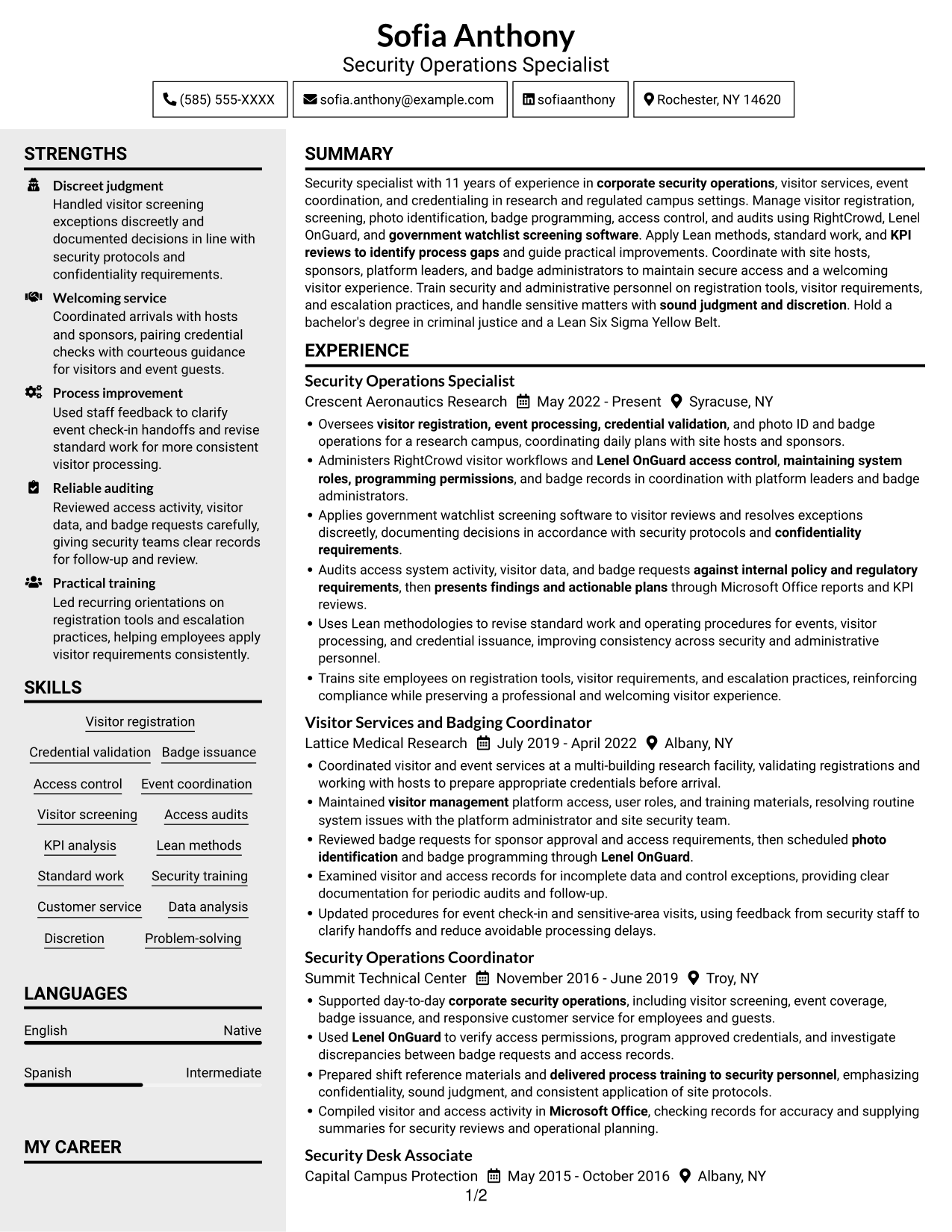
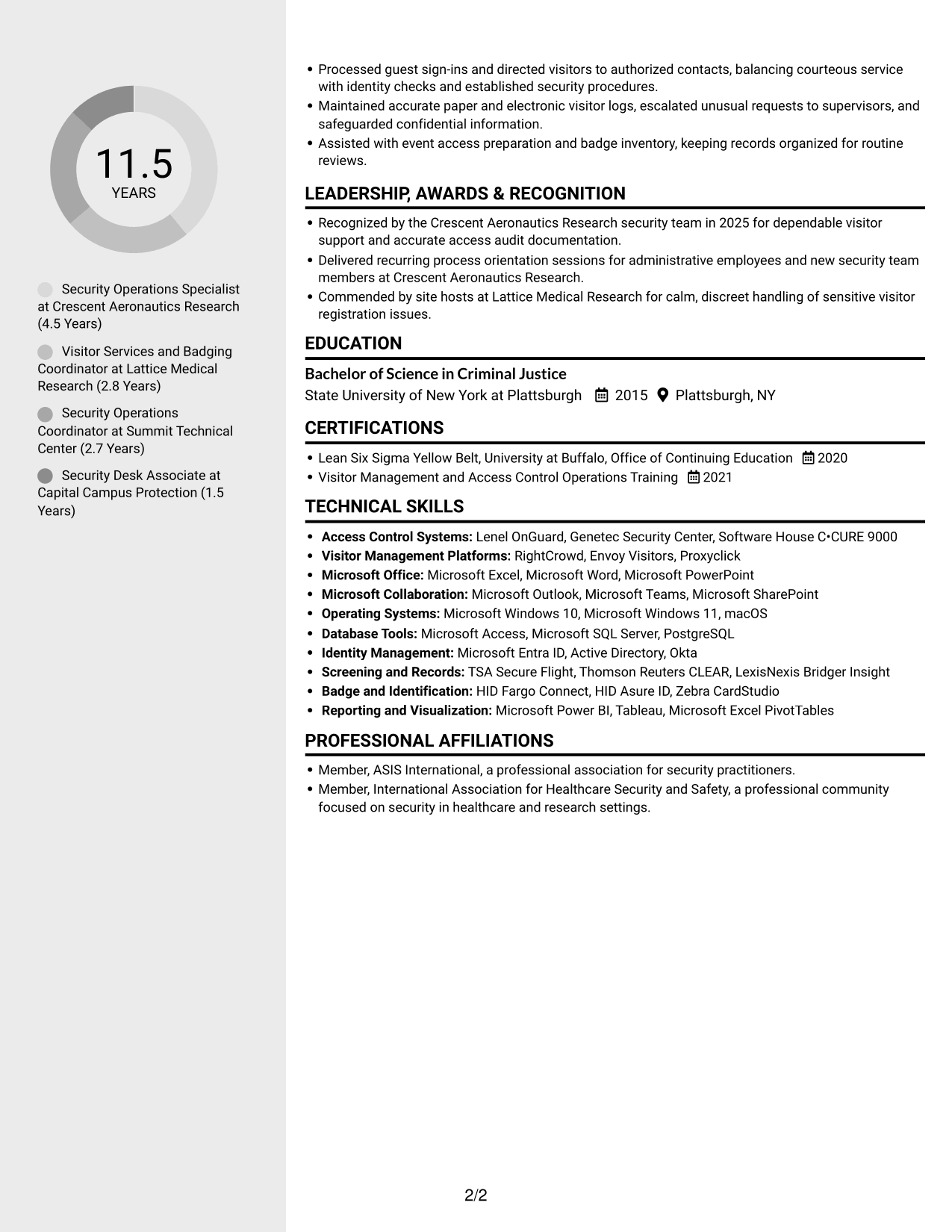
Why This Format Works
- Separate columns can distinguish career history from supporting sections during a quick review.
- Education and credentials remain easy to locate within the broader resume.
- Distinct reading areas help reviewers return to skills without retracing every role.
Best For
- Resumes with varied section types
- Quick reference to education and credentials
- Career history alongside supporting details
- Readers comparing skills and experience
- Documents with several concise sections
#4 Two Column Format Resume Example
The Two Column Format places resume content in parallel reading areas, a useful option when both career details and supporting qualifications need room.
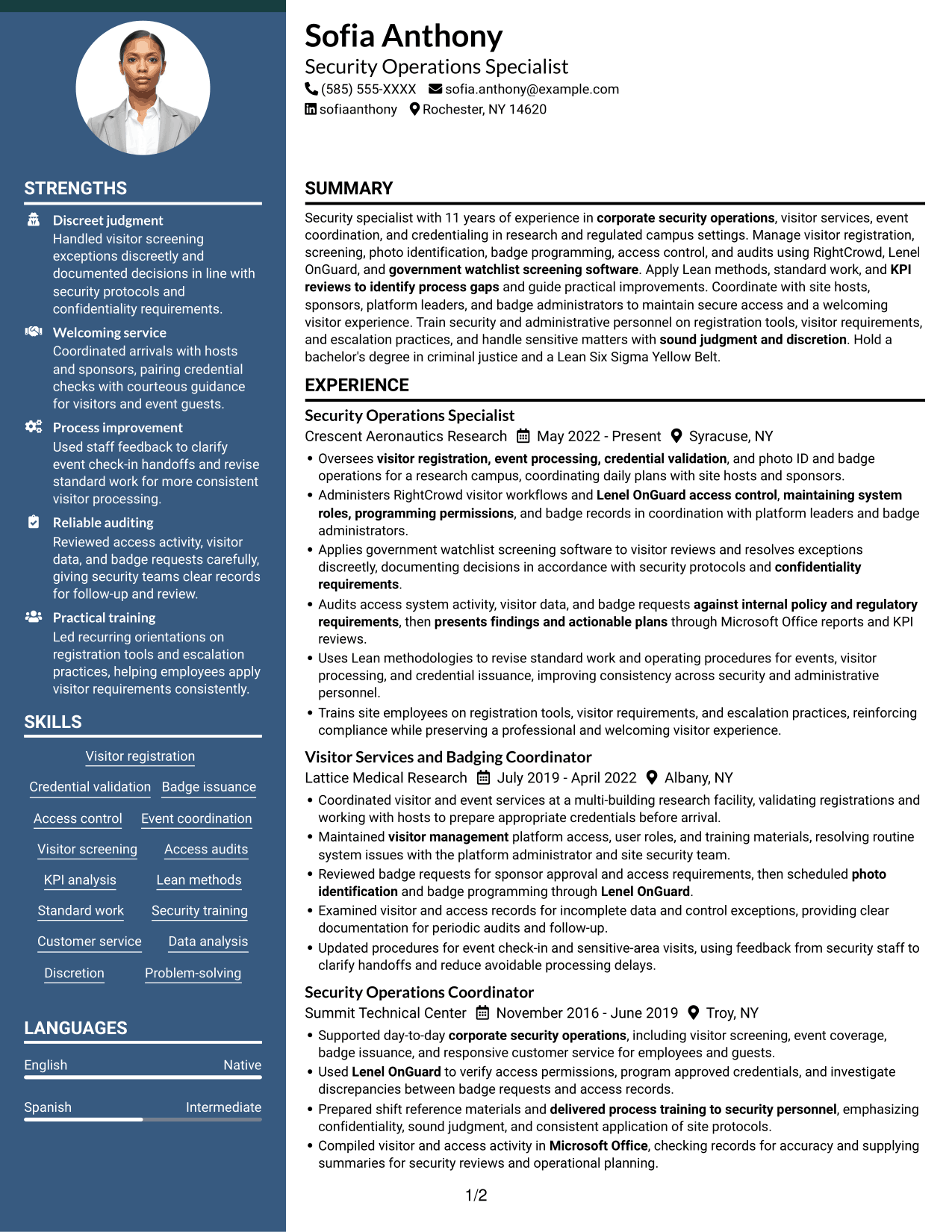
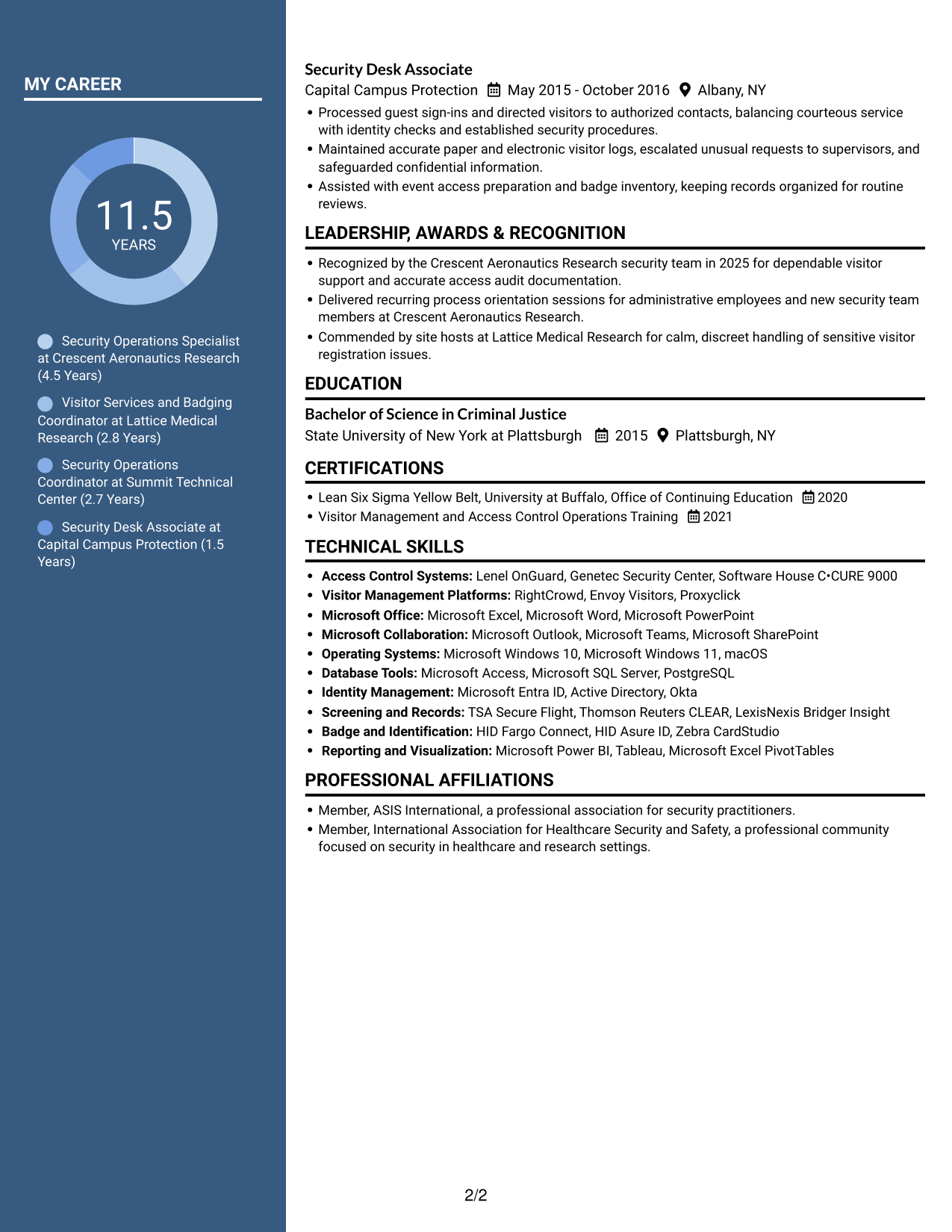
Why This Format Works
- Parallel reading areas give experience and supporting qualifications distinct visual zones.
- Reviewers can locate education and credentials without losing sight of career history.
- Skills and tools have a clear place within the overall section hierarchy.
Best For
- Resumes with detailed work histories
- Separate review of skills and experience
- Education and credentials beside career details
- Documents with multiple supporting sections
- Readers who prefer parallel content areas
#5 Photo Header Two Column Format Resume Example
The Photo Header Two Column Format combines a photo with a two-column body, a practical choice for readers who want a visual header and separate content areas.
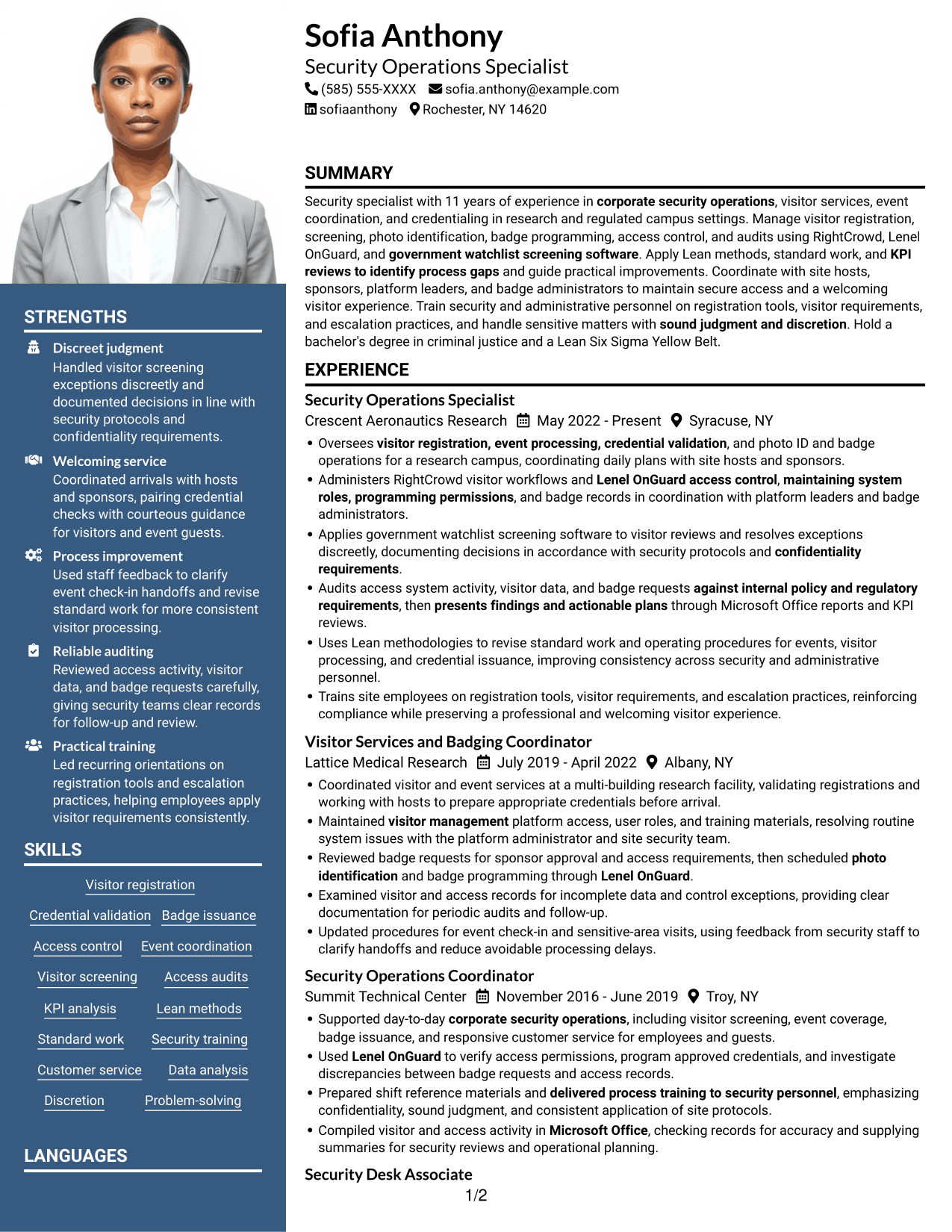
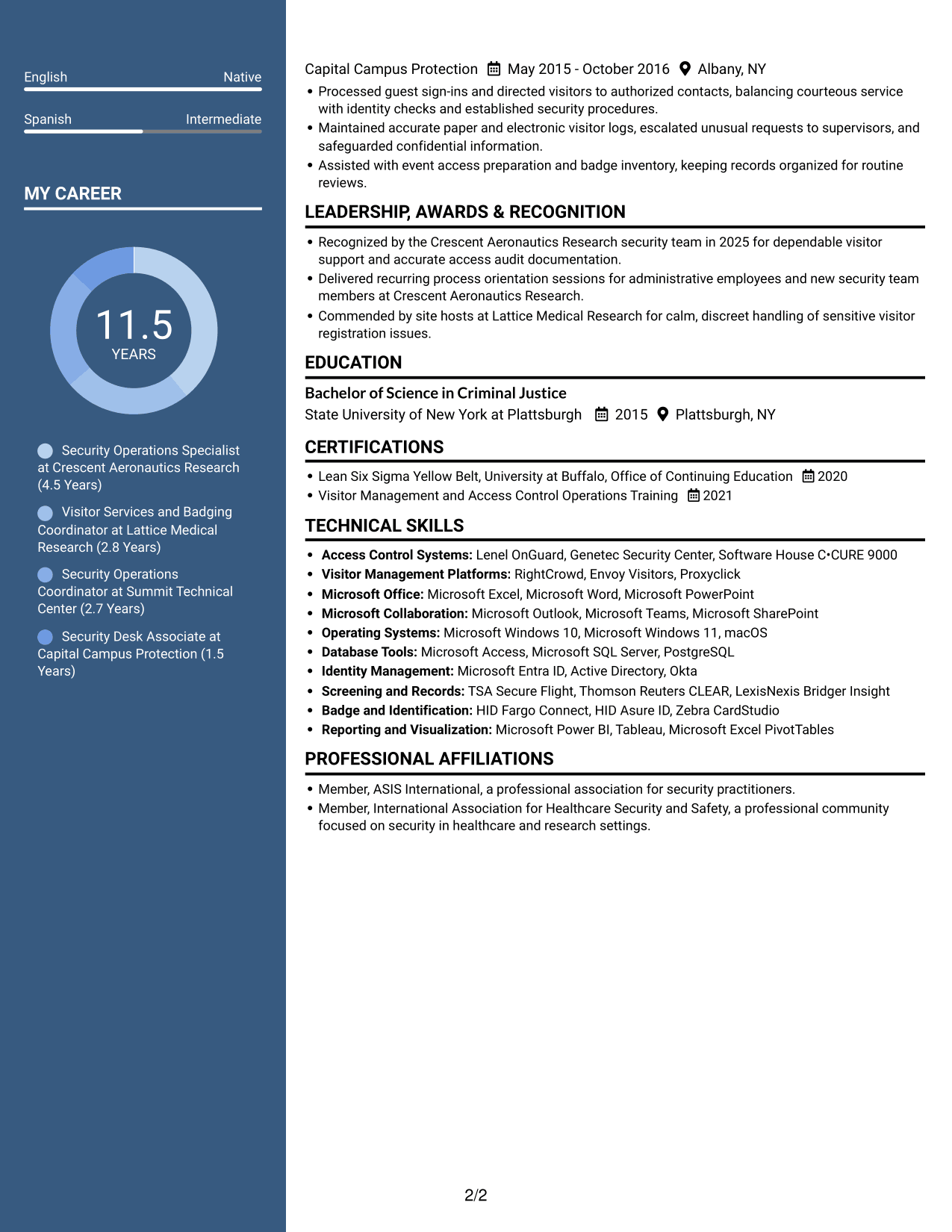
Why This Format Works
- Two columns separate career history from supporting resume sections for easier review.
- The photo gives the header a visual element while the body keeps its two-column order.
- Education and credentials can be found apart from detailed career entries.
Best For
- Resumes with a photo in the header
- Two-column reading preferences
- Career details with supporting sections
- Quick access to education and credentials
- Documents with a visual header
#6 Colored Two Column Format Resume Example
The Colored Two Column Format arranges resume content in two areas, offering a clear way to review career history alongside supporting qualifications.
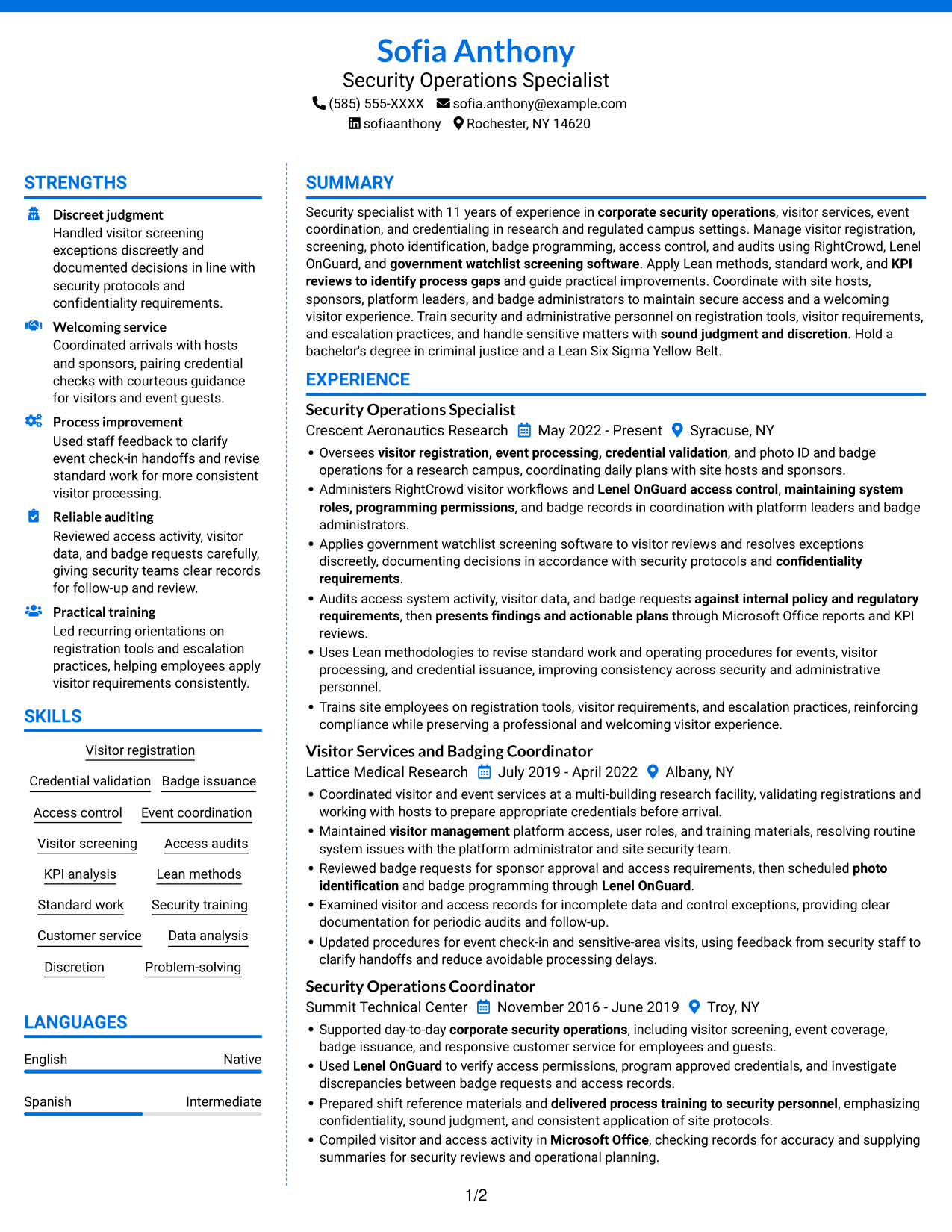
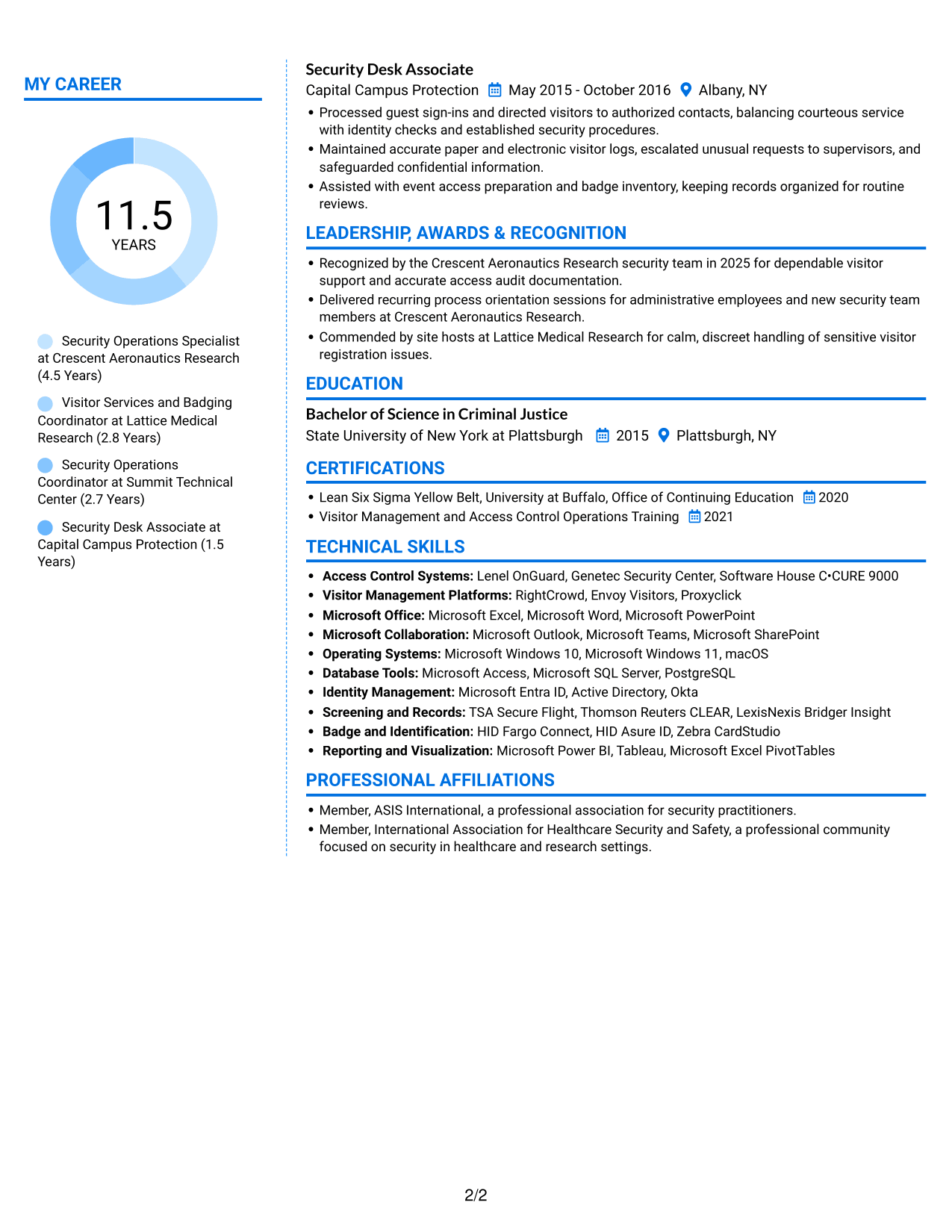
Why This Format Works
- Two areas let reviewers compare experience sections with supporting qualifications at a glance.
- Career history and education can occupy distinct parts of the resume.
- Skills remain easy to review without following every experience detail.
Best For
- Resumes with several supporting qualifications
- Career history and education in separate areas
- Quick review of key sections
- Documents with both skills and experience
- Readers who prefer two-column organization
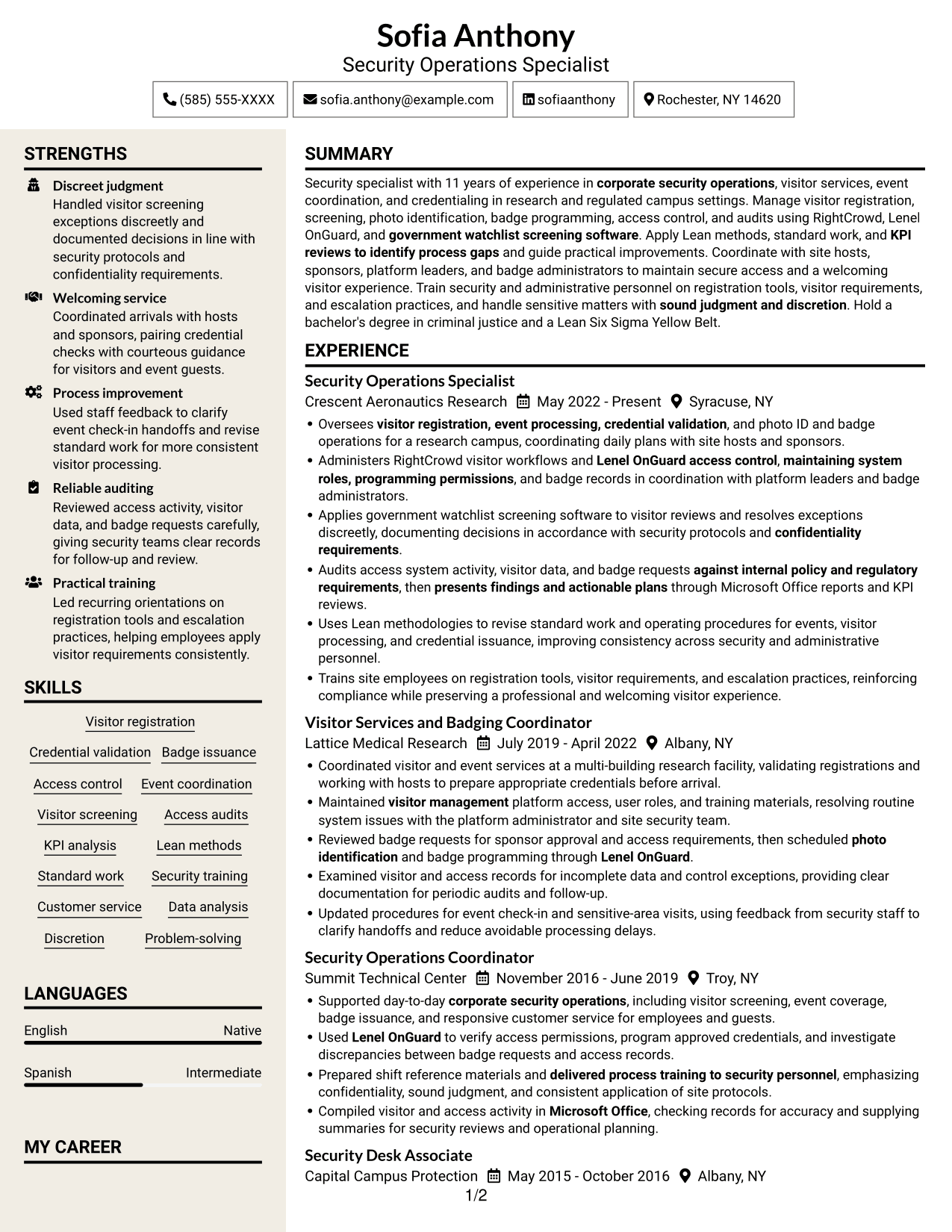
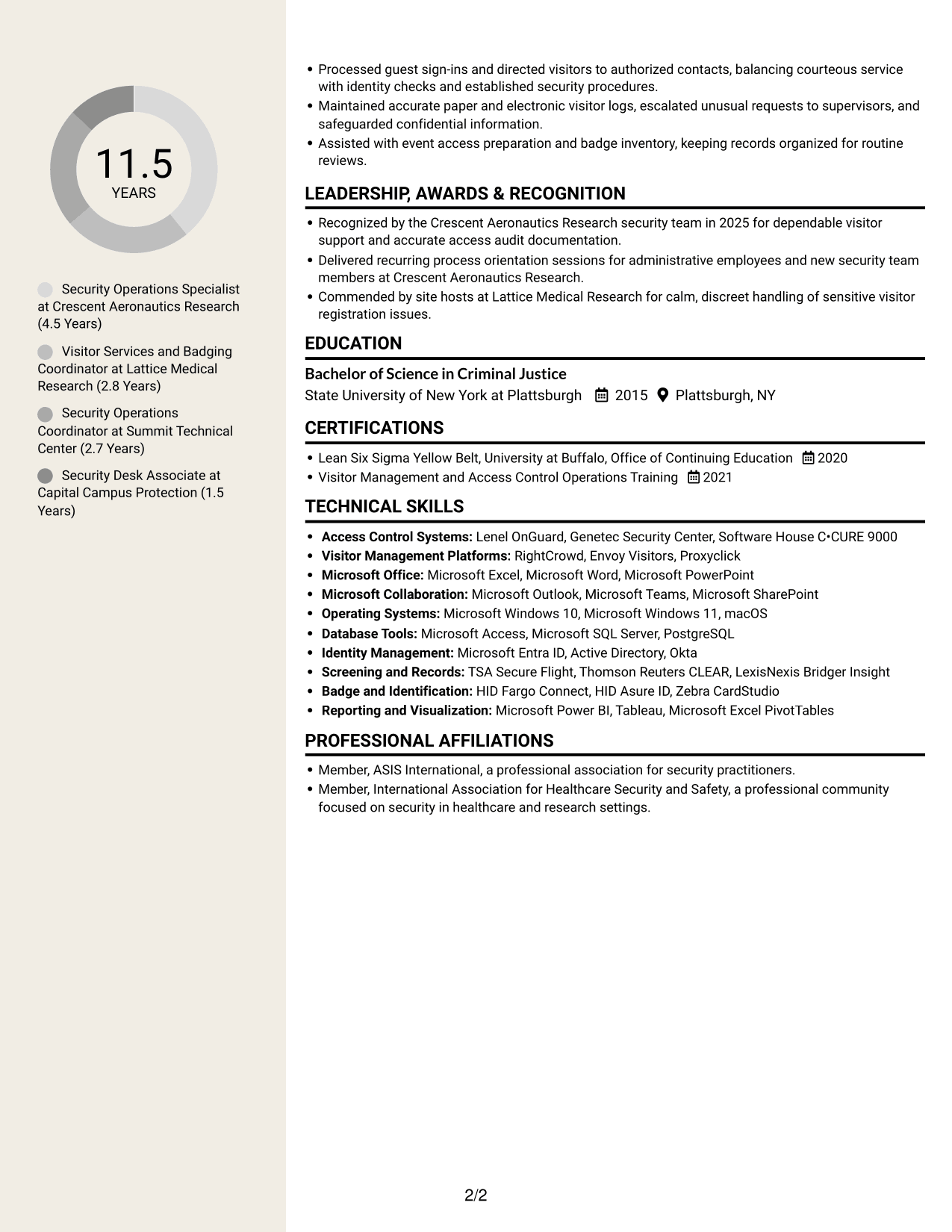
#7 Stylish Two Column Designer Format Resume Example
The Stylish Two Column Designer Format keeps resume material in two reading areas, a useful choice when readers need to scan career details and supporting sections.
Why This Format Works
- The two-column body helps reviewers move between experience and supporting resume content.
- Separate areas make education and credentials easier to find during a review.
- Career details and skills can be considered without one long vertical scan.
Best For
- Two-column resume reading
- Career details with related qualifications
- Resumes with several distinct sections
- Readers who scan skills and experience
- Documents that need compact organization
Why Use ResumeInMinutes for Your Security Specialist Resume
ResumeInMinutes lets you compare resume layouts and open an example in the editor. Use a clear structure to present visitor operations, access control work, and process improvements in a way that is easy to review.
- Layouts with clear section structure
- ATS-conscious headings and organization
- Space for role-relevant keywords
- Organized skills and system details
- Easy-to-review experience bullets
- Examples you can view or customize in the editor
Choose a layout that makes your security experience easy to follow. Then make sure your resume accurately reflects your own systems knowledge, responsibilities, and results.
See Also
- 7 Security Control Specialist Resume Templates with Example
- 7 Senior Associate, Higher Education Consulting - Research Security and Export Control Resume Templates with Example
- 33 AI Automation Engineer, Security Resume Templates with Example 2026 (ATS-Optimized)
- 7 Application Engineer - Electronic Security Systems Resume Templates with Example
- 7 Armed Security Officer Resume Templates with Example
- 7 Corporate Security GSOC Operator Resume Templates with Example
- 7 Correctional Officer - Hospital Security Team Resume Templates with Example
- 33 Cyber Security Engineer, Junior Resume Templates with Example 2026 (ATS-Optimized)
- 7 Security Specialist - Visitor and Access Control Cover Letter Templates with Example
- 7 Senior Associate, Higher Education Consulting - Research Security and Export Control Cover Letter Templates with Example
Frequently Asked Questions
Are these Security Specialist - Visitor and Access Control resume templates ATS-friendly?
The layouts use recognizable resume sections and readable headings. For stronger ATS matching, include accurate terms from your experience, such as visitor registration, access control, badge administration, and access audits.
Does this guide show several different resumes?
No. It shows one resume example in different layouts, so you can compare how the same type of information is organized.
What should a Security Specialist - Visitor and Access Control resume include?
Include a focused summary, relevant experience, skills, education, and certifications. Describe visitor processing, credential checks, badge operations, system administration, audits, training, and process improvements that match your background.
Which resume layout works well for this role?
A simple layout with clear section headings helps readers find your security experience and system skills quickly. Choose a design that keeps the text easy to scan and the information in a logical order.
How can I show access control experience clearly?
Name the systems you have used, such as Lenel OnGuard or RightCrowd, when those details are accurate for you. Explain the work you performed, such as managing permissions, validating badge requests, or reviewing access records.
Should I include a photo on my resume?
Include a photo only if it is customary or expected in your region, industry, or role. For U.S. applications, a resume without a photo is usually the safer choice.




