US English


7 Senior Architect - Data Center Design Resume Templates with Example
By Ria · Last Updated On October 21, 2026
Resume example — page 1

This guide shows you how to build a clear, focused Senior Architect - Data Center Design resume. It explains how to present design decisions and project results so readers can quickly see the value of your work.

Strong resumes for this role connect technical scope to project outcomes. Show how you guide data center design from schematic development through construction, coordinate disciplines, and plan for modular growth, tiered redundancy, and critical power and cooling.

The guide covers resume structure, ATS keyword choices, and ways to describe work with Revit/BIM, Navisworks clash detection, IBC, NFPA, TIA-942, and ASHRAE guidance. Compare the example in 7 layouts, then open a format in the editor to view or customize it.

What Makes a Great Senior Architect - Data Center Design Resume in 2026

A strong resume makes project scope, design judgment, and results easy to scan. Use clear headings and concise experience bullets to show how your decisions support reliable, scalable facilities.

Include relevant terms such as Basis of Design, site-fit analysis, federated BIM models, Navisworks clash detection, TIA-942, and construction documents. Add measurable results only when you can support them with evidence.

Note: Resume examples are for educational purposes only. Use only information that accurately reflects your experience and qualifications. References to real organizations do not imply affiliation or endorsement.

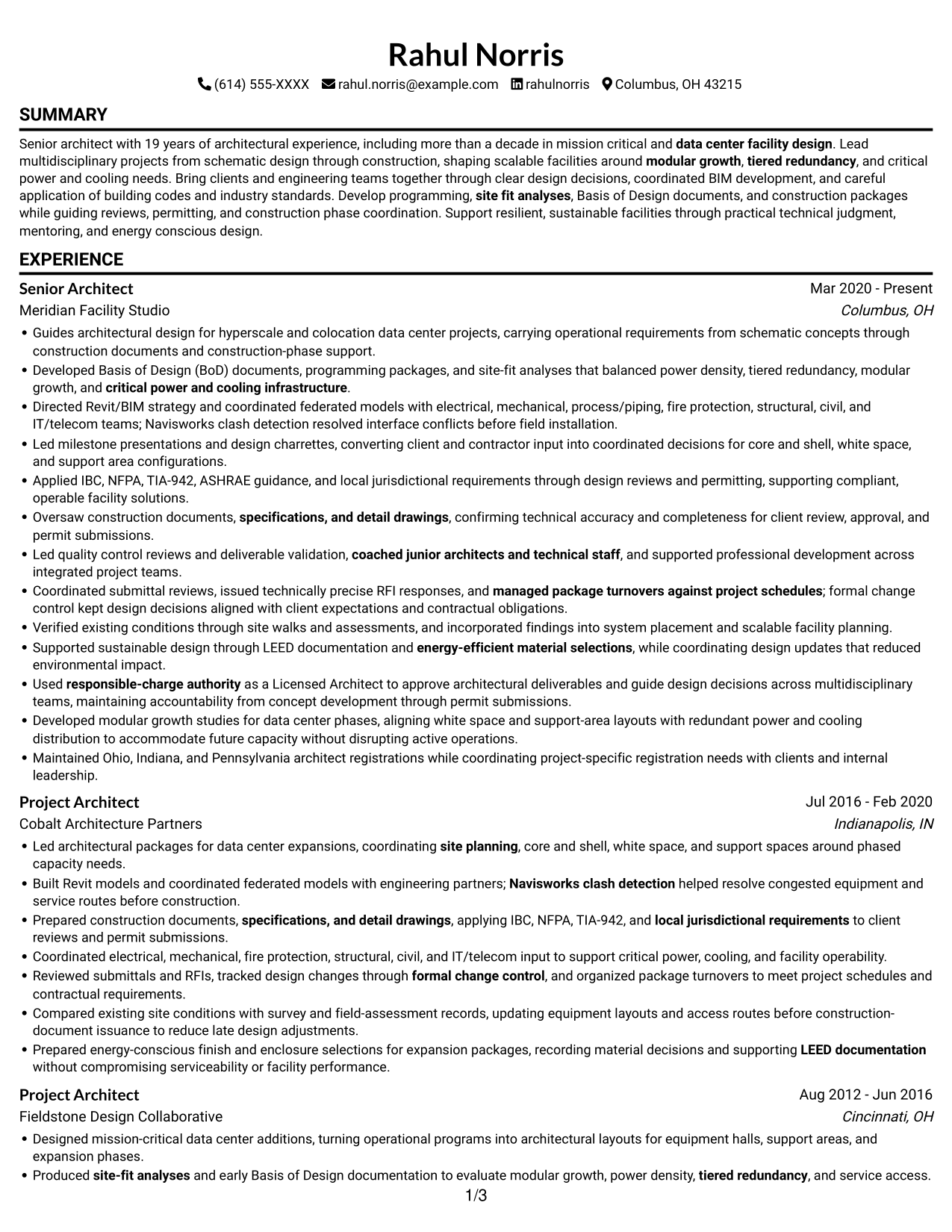
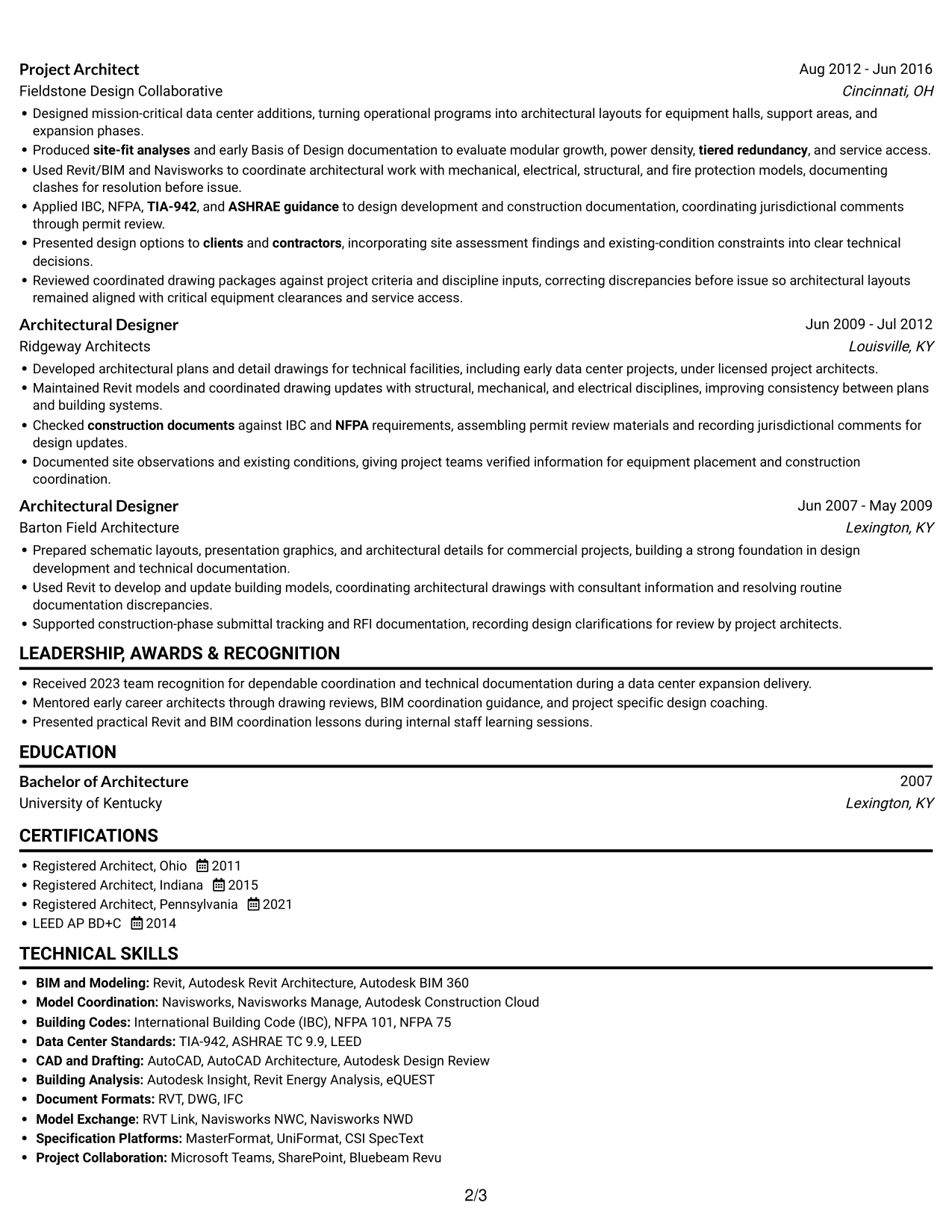
#1 Simple One Column Format Resume Example

The Simple One Column Format keeps the resume body in one vertical path, helping reviewers follow its sections in sequence.
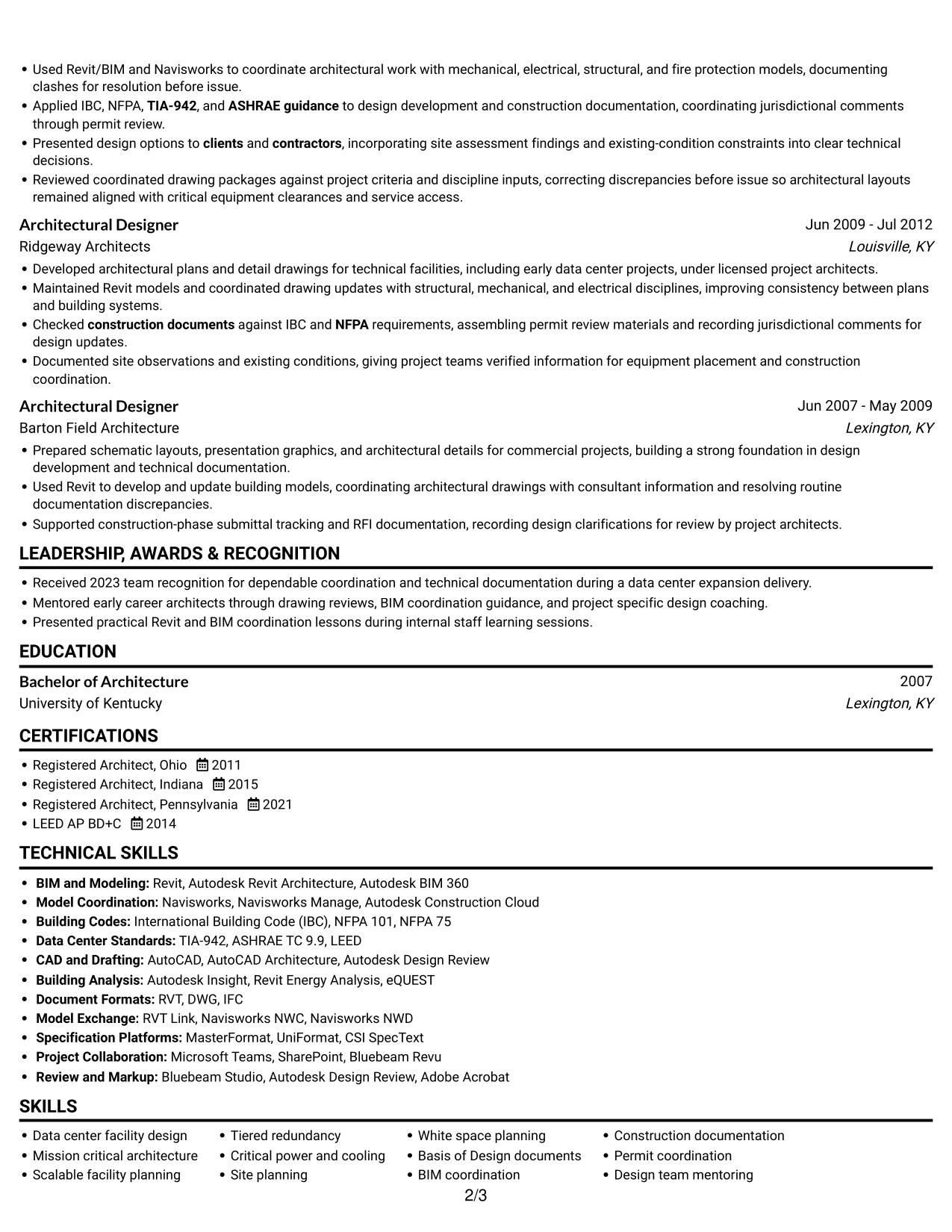
 
Resume example — page 1   Resume example — page 2

Why This Format Works

  • A single vertical path lets reviewers follow the experience timeline in order.
  • Education, licenses, and skills remain within the same reading sequence.
  • The continuous column gives detailed project history room to read clearly.

Best For

  • Long experience histories
  • Sequential section navigation
  • Detailed project records
  • Compact top-to-bottom review
  • Skills and credentials in one column

Resume Keywords

  • Licensed Architect
  • responsible-charge authority
  • Maintained Ohio, Indiana, and Pennsylvania architect registrations
  • data center facility design
  • Mission critical architecture
  • shaping scalable facilities around modular growth, tiered redundancy, and critical power and cooling needs
  • modular growth
  • tiered redundancy
  • critical power and cooling infrastructure
  • IBC
  • NFPA
  • TIA-942
  • Directed Revit/BIM strategy
  • coordinated federated models with electrical, mechanical, process/piping, fire protection, structural, civil, and IT/telecom teams
  • Navisworks clash detection
See all keywords
 

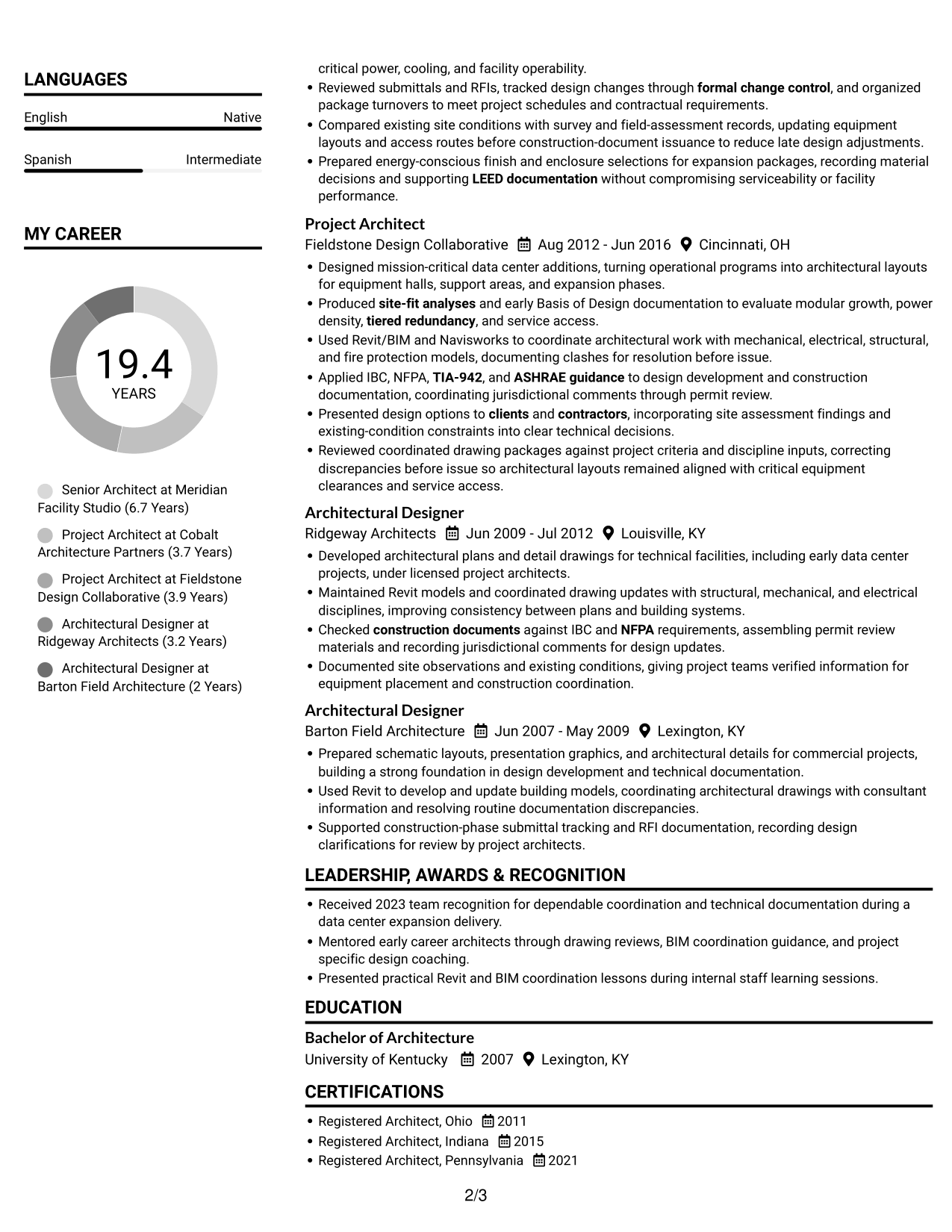
#2 Simple Two Column Format Resume Example

Simple Two Column Format places the resume body in two reading areas, making separate section groups easier to scan.
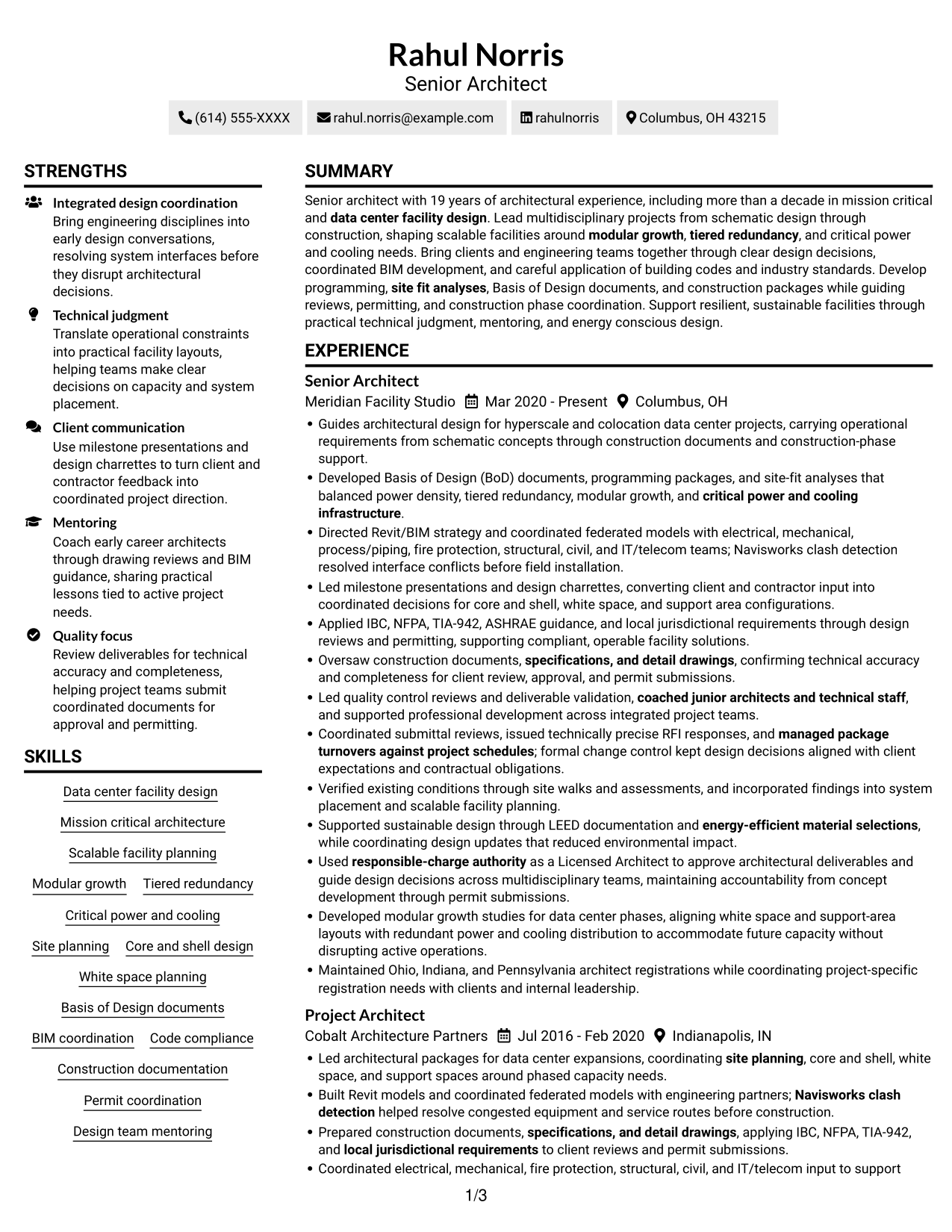
 
Resume example — page 1   Resume example — page 2

Why This Format Works

  • Two columns give section groups separate areas while keeping the resume body compact.
  • Readers can scan skills and credentials without interrupting the experience sequence.
  • The column structure makes education and professional history easier to locate.

Best For

  • Two-area reading preference
  • Section groups needing separation
  • Long histories with supporting details
  • Compact resume content
  • Skills and credentials kept distinct

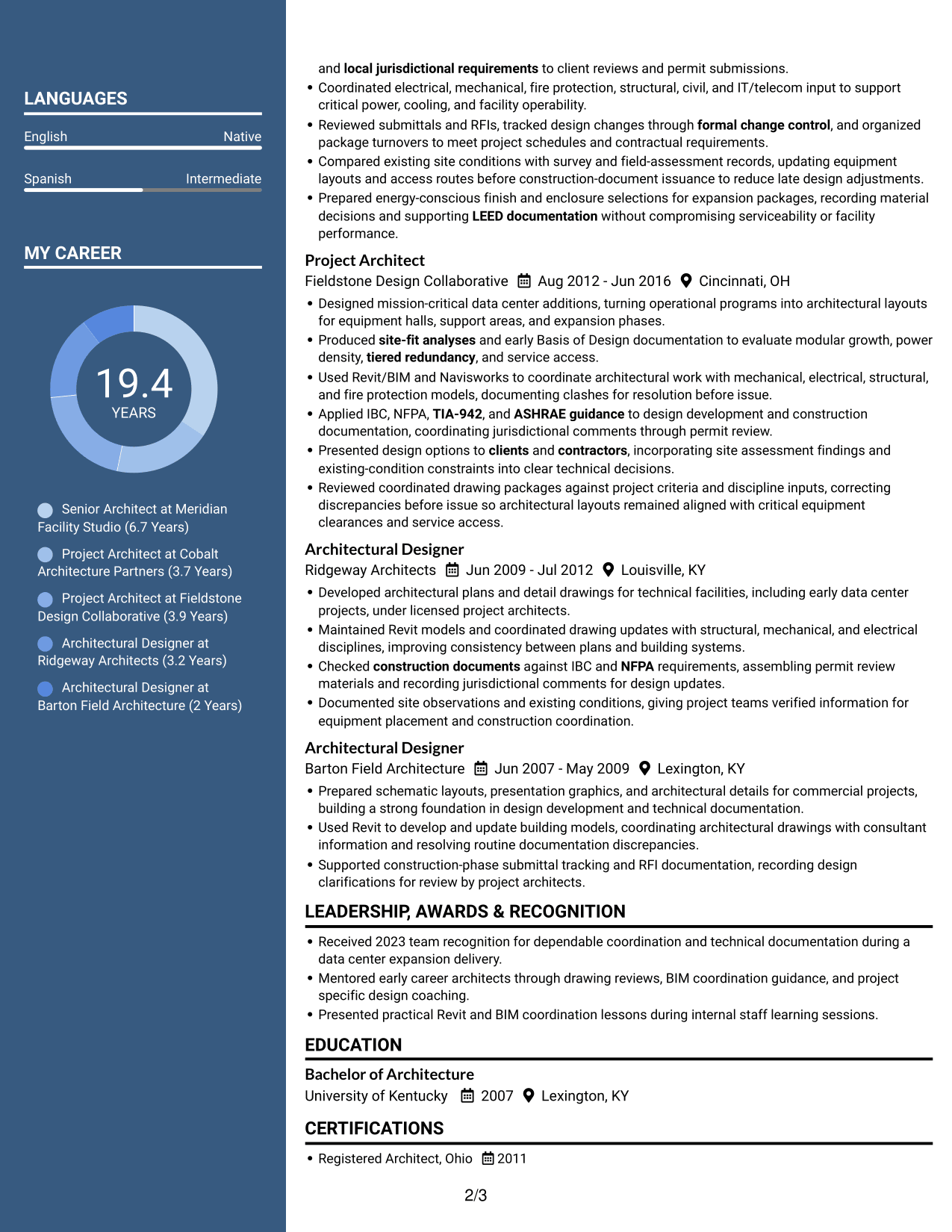
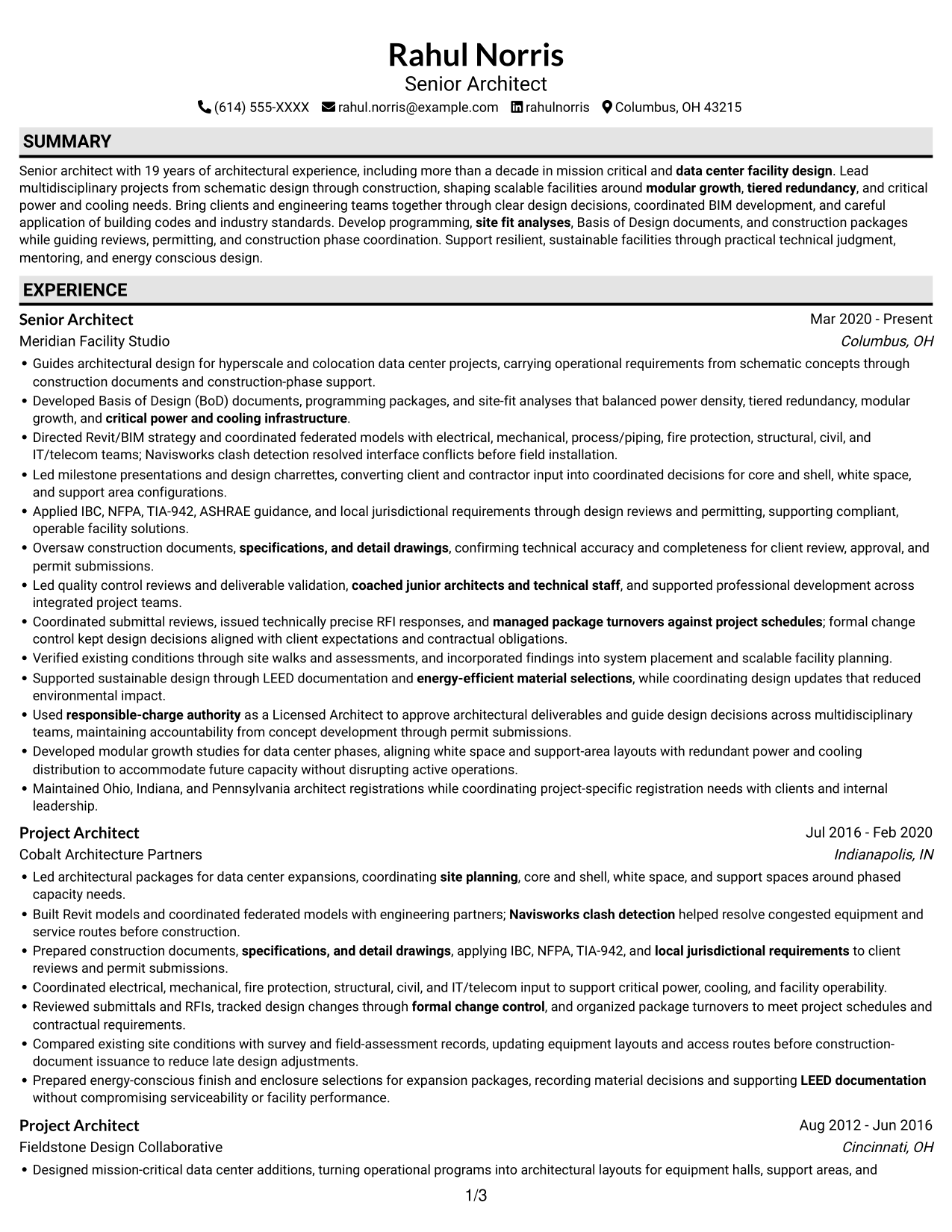
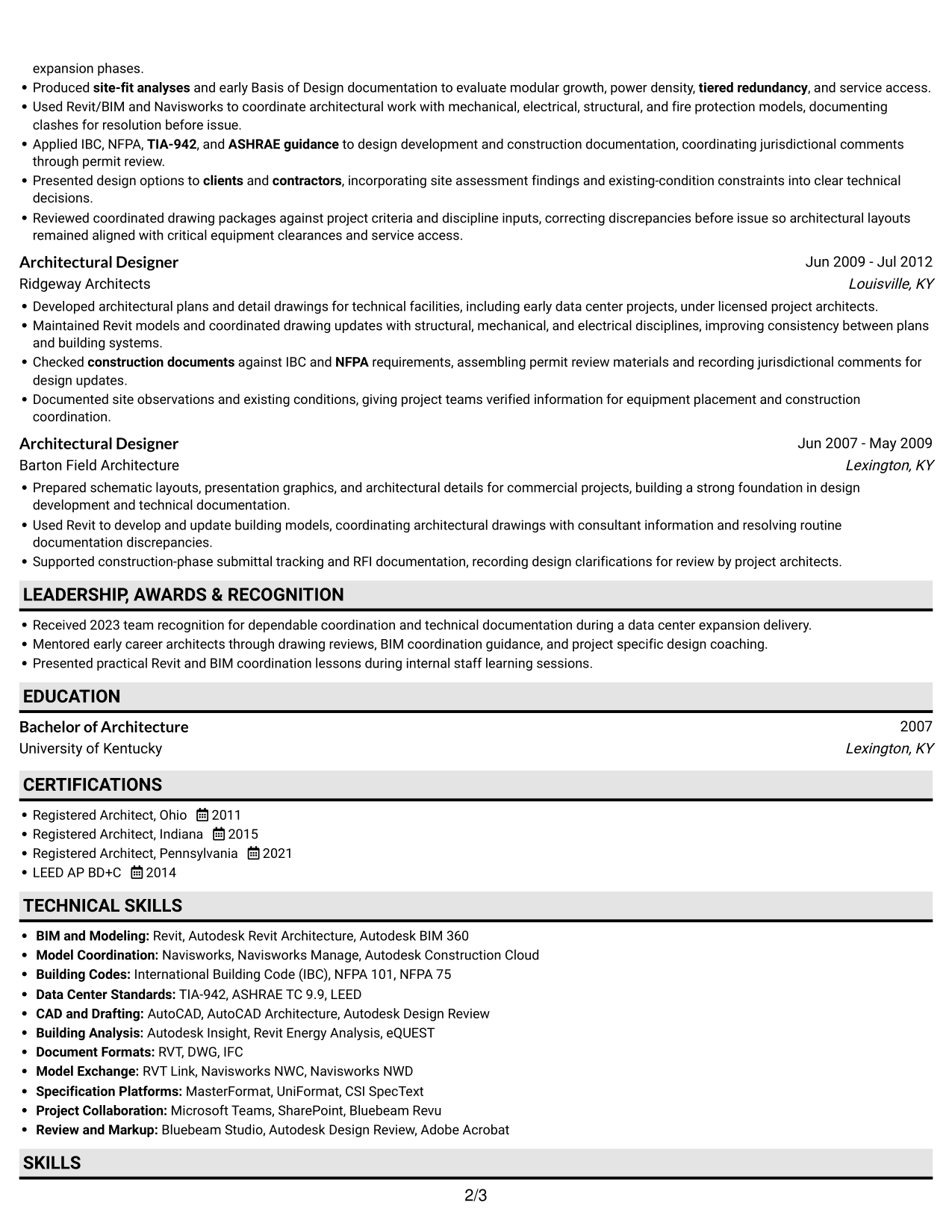
#3 Plain One Column with Shaded Labels Resume Example

Plain One Column with Shaded Labels keeps the resume body in one reading path, so reviewers can follow its sections from top to bottom.
 
Resume example — page 1   Resume example — page 2

Why This Format Works

  • One-column reading keeps experience entries in a familiar top-to-bottom order.
  • Career progression stays visible as reviewers move through successive roles and dates.
  • Skills and credentials remain accessible without a separate column to navigate.

Best For

  • Straightforward section order
  • Chronological career reviews
  • Single-column reading preference
  • Role and date comparisons
  • Skills and credentials in one reading area
 

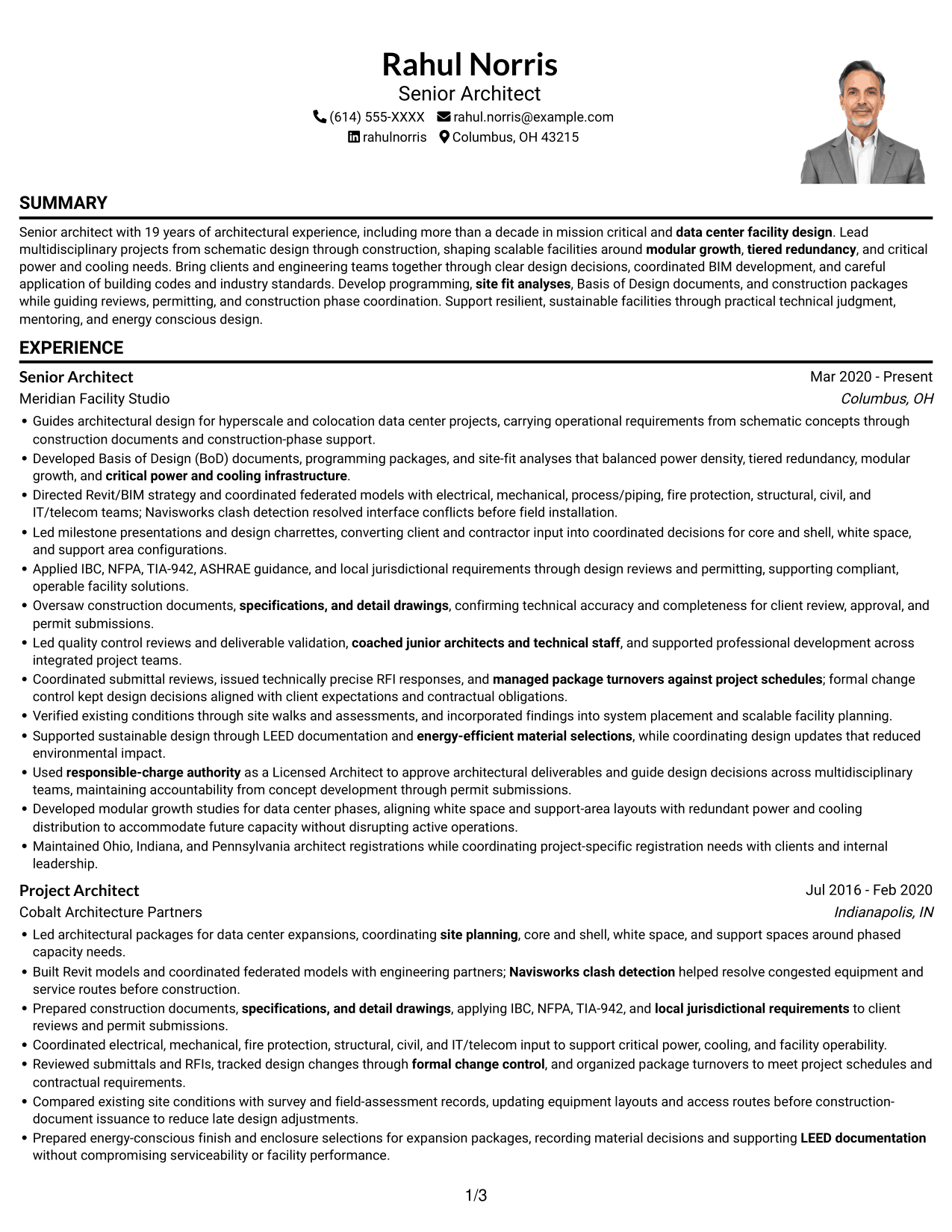
#4 One Column Format with Photo Right Resume Example

One Column Format with Photo Right keeps the body in one column and places a photo at right, combining direct reading with a portrait.
 
Resume example — page 1   Resume example — page 2

Why This Format Works

  • The single body column keeps detailed experience entries in a direct reading order.
  • Role dates and descriptions stay together as reviewers move through career history.
  • Skills, education, and licenses remain in the same vertical scan.

Best For

  • Portrait-inclusive resume layouts
  • One-column reading preference
  • Detailed career histories
  • Chronological role reviews
  • Skills and education in one body column
 

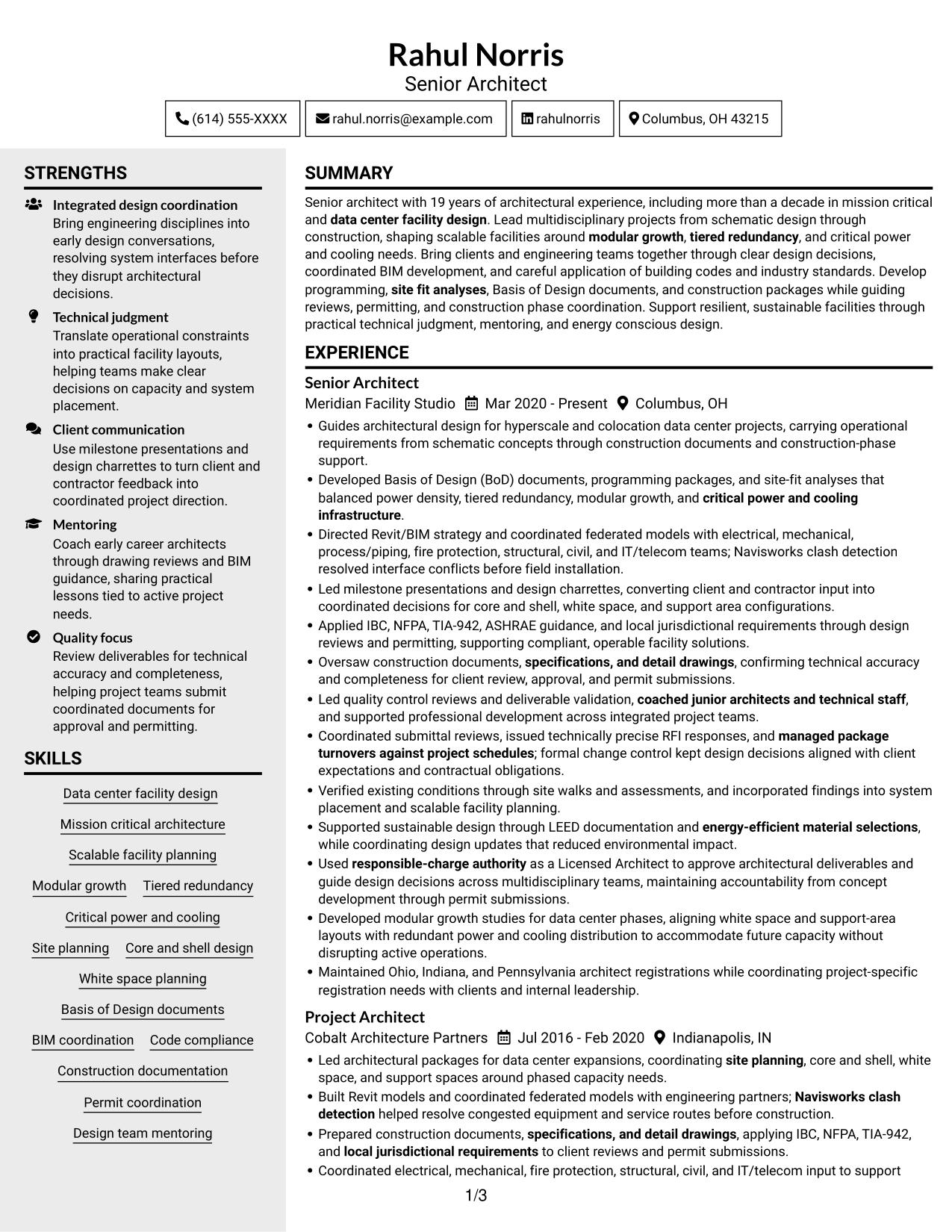
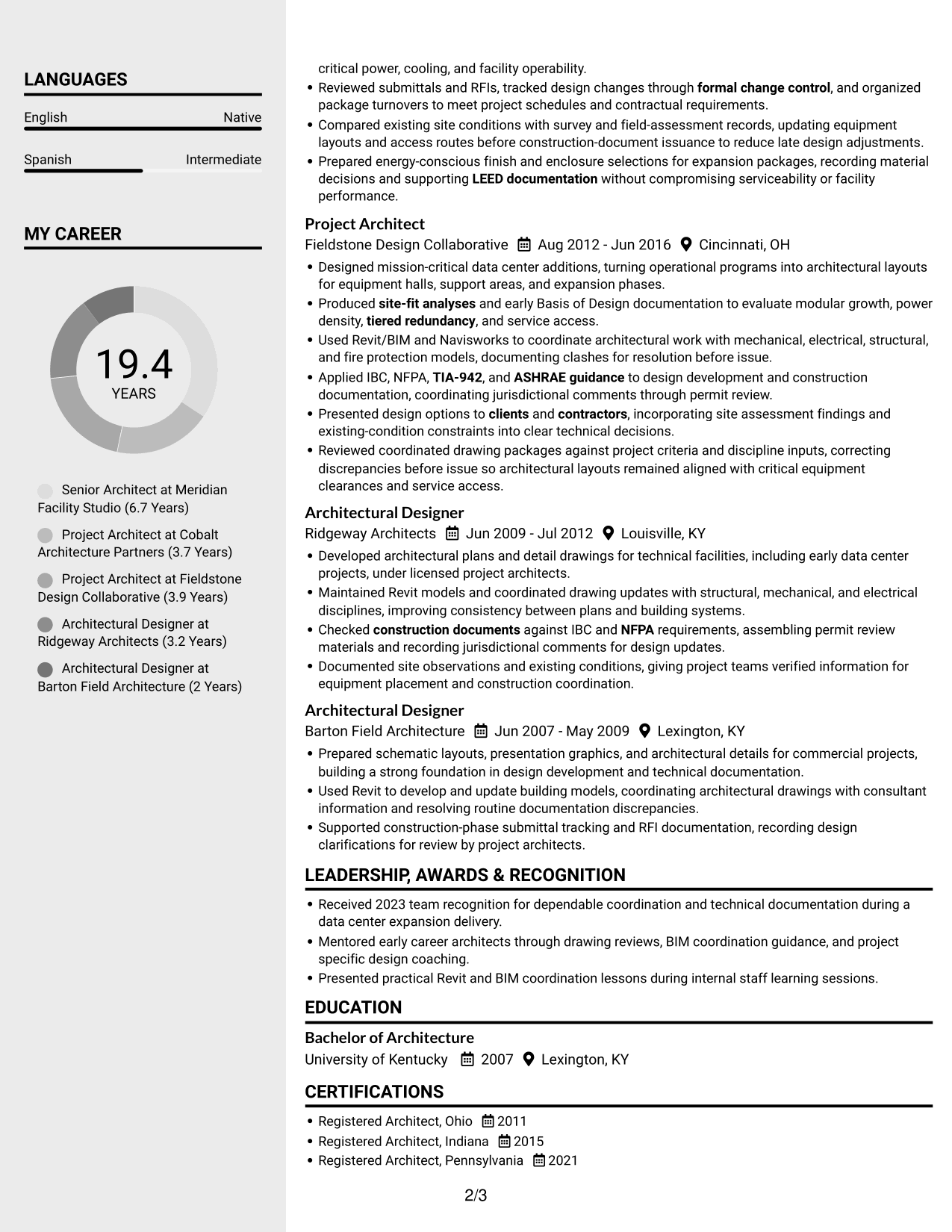
#5 Clean Two Column Sidebar Format Resume Example

Clean Two Column Sidebar Format uses two reading areas, giving reviewers a clear way to move among resume sections.
 
Resume example — page 1   Resume example — page 2

Why This Format Works

  • Two columns divide the resume body into separate areas for its section groups.
  • Reviewers can move between career history and supporting details without one long column.
  • Distinct areas help keep skills, credentials, and education easy to locate.

Best For

  • Separate resume content areas
  • Career history with supporting details
  • Quick access to credentials
  • Compact information grouping
  • Two-column reading preference


#6 Two Column Format Resume Example

Two Column Format uses a two-column body to make resume sections easier to scan side by side.
 
Resume example — page 1   Resume example — page 2

Why This Format Works

  • Two-column organization gives section groups clear boundaries across the resume body.
  • The career timeline remains easy to follow across experience entries and dates.
  • Skills and credentials can be found without rereading the full work history.

Best For

  • Side-by-side section review
  • Career timelines with supporting content
  • Separate skills and experience areas
  • Compact information flow
  • Readers comparing resume sections
 

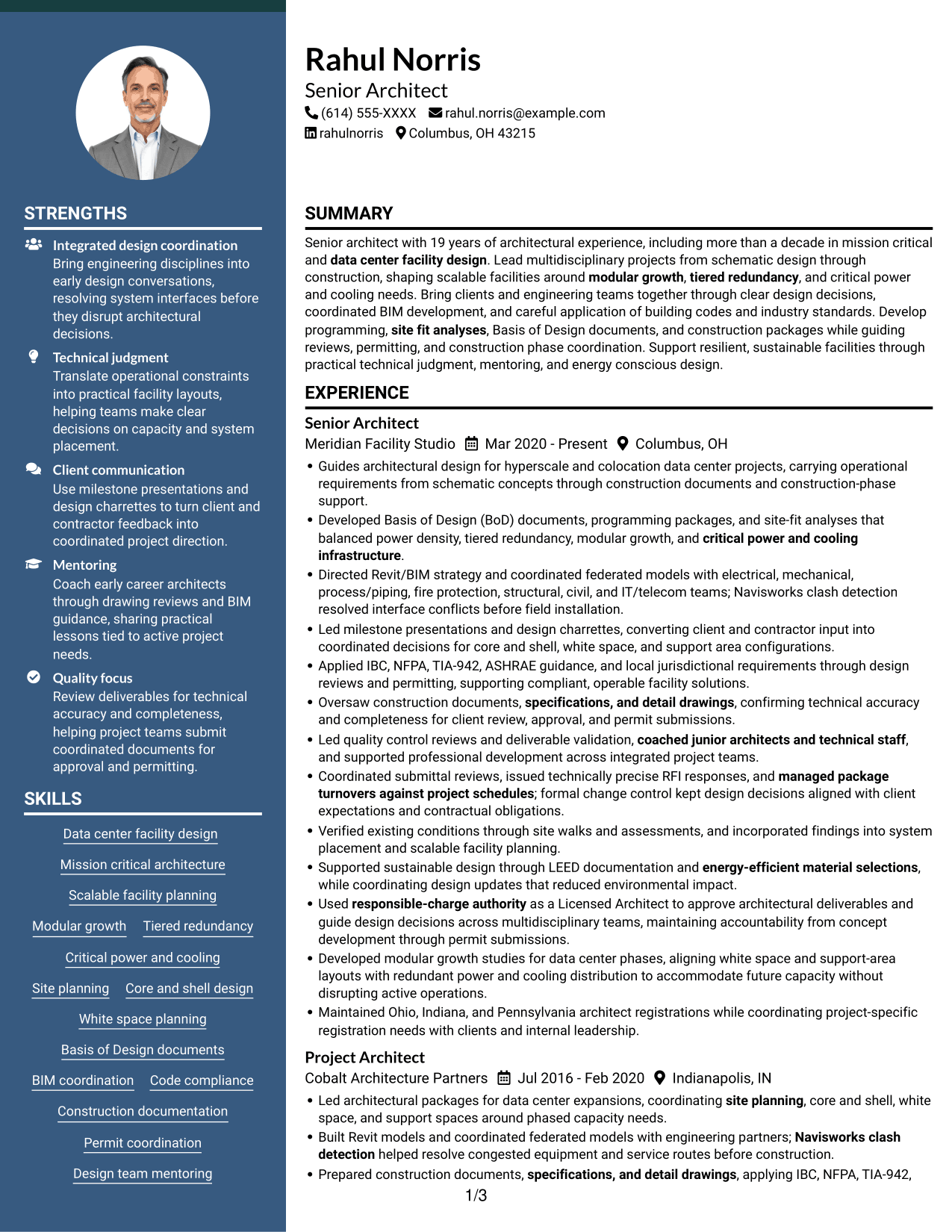
#7 Photo Header Two Column Format Resume Example

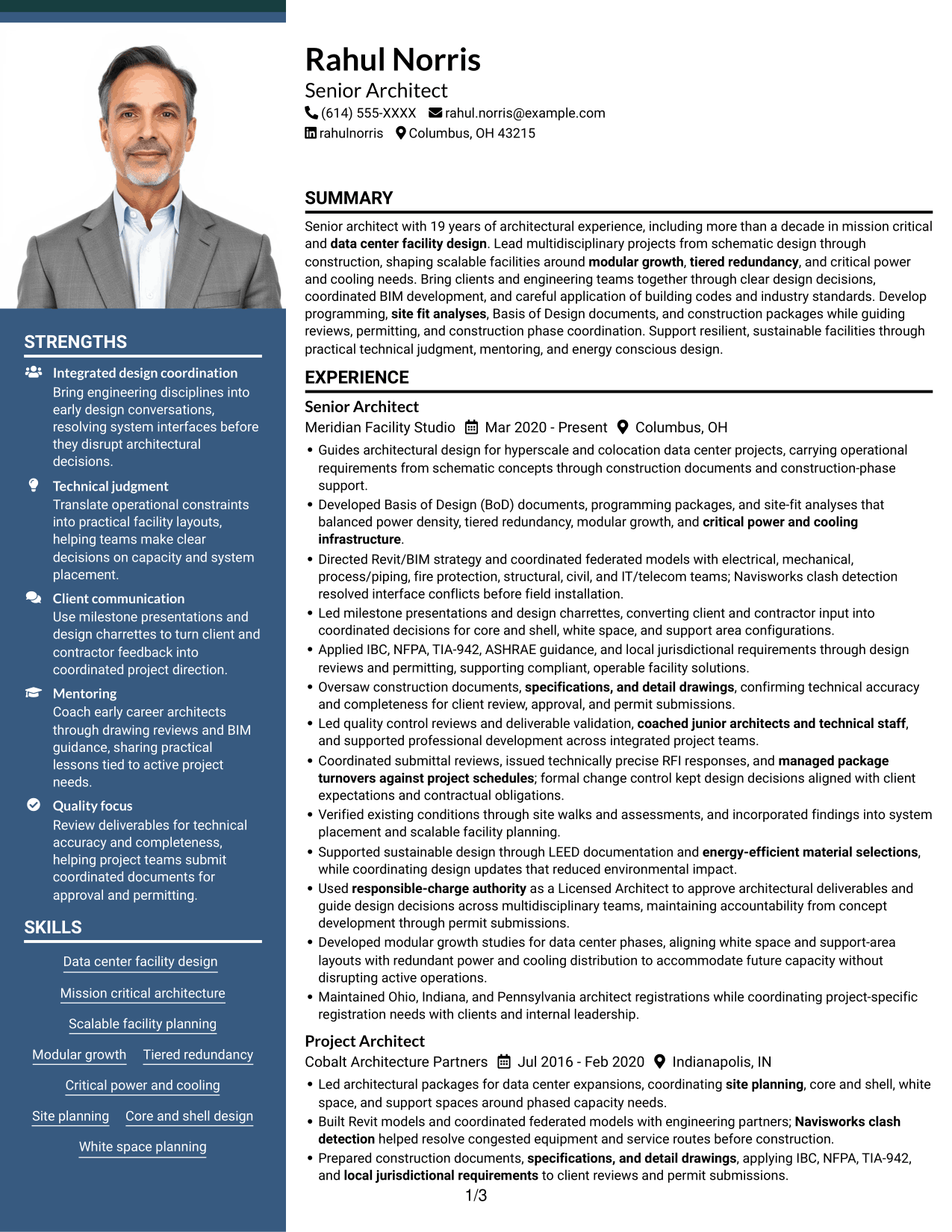
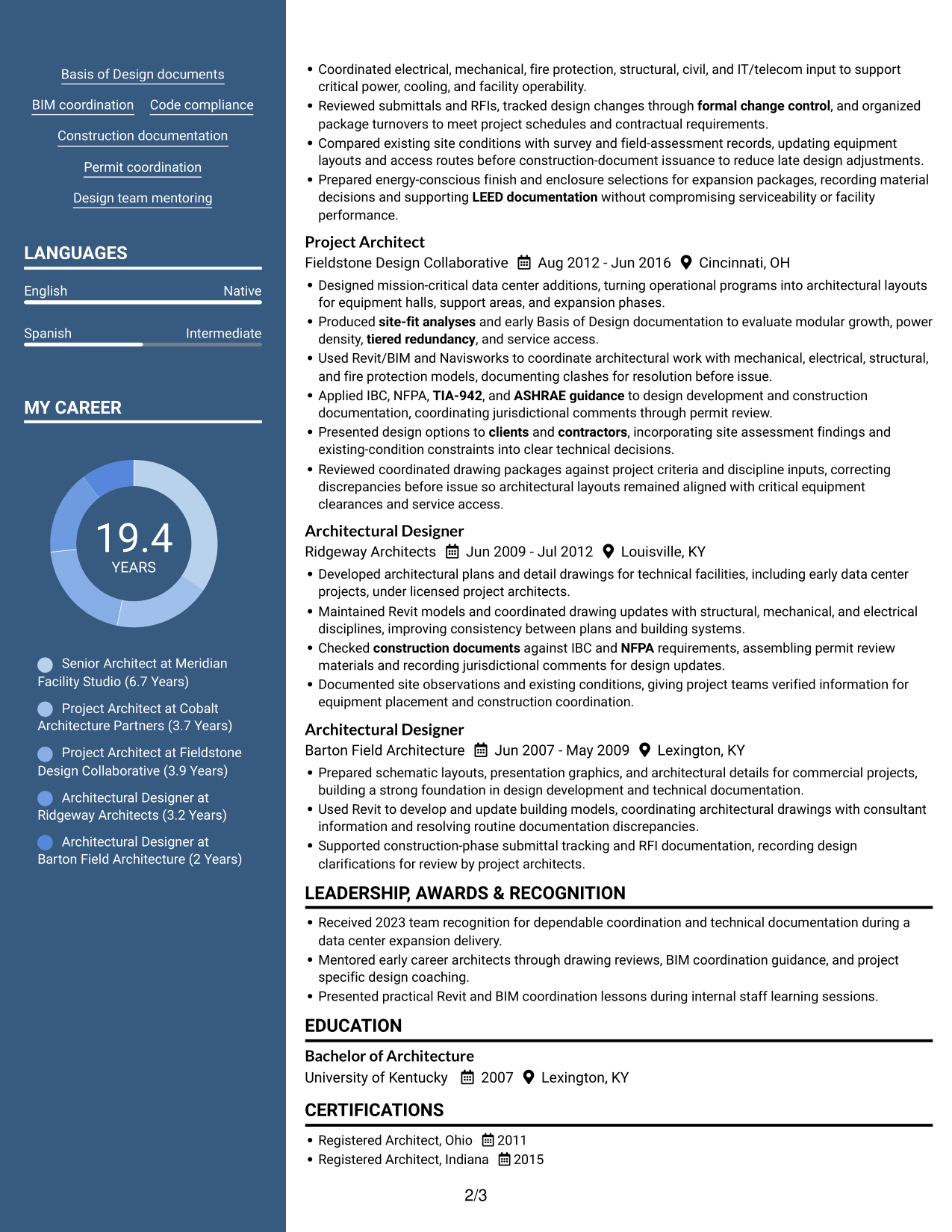
Photo Header Two Column Format pairs a two-column body with a photo in the header, for readers who want both features.
 
Resume example — page 1   Resume example — page 2

Why This Format Works

  • Two columns let reviewers scan section groups while keeping career history legible.
  • Professional experience can retain a clear sequence across roles and dates.
  • Education and licenses remain available as distinct resume details.

Best For

  • Photo header preference
  • Two-column resume reading
  • Career histories with supporting sections
  • Distinct education and license details
  • Compact section navigation


Why Build Your Senior Architect - Data Center Design Resume with ResumeInMinutes

ResumeInMinutes helps you organize technical work into a resume that is easy to scan and update. Use the image previews to compare layouts, then open an example in the editor to view or customize it.

  • Clear resume layouts
  • ATS-friendly section structure
  • Role-specific keyword guidance
  • Skills and experience organization
  • Project evidence and achievements
  • Resume customization support

Keep the focus on data center facility design. Connect technical coordination, code knowledge, and delivery work to the needs of scalable, mission-critical projects.


See Also


Frequently Asked Questions

How can I make a Senior Architect - Data Center Design resume ATS-friendly?

Use standard section headings and include relevant terms in context, such as data center facility design, Revit/BIM, Navisworks, IBC, NFPA, TIA-942, and ASHRAE. Keep formatting clear and describe technical work in concise bullet points.

Do the examples show different resumes?

The guide presents one Senior Architect - Data Center Design resume example in several layouts. The image previews help you compare presentation styles, and you can open an example in the editor to view or customize it.

What should a Senior Architect - Data Center Design resume include?

Include a focused summary, architectural experience, education, licenses and certifications, and relevant skills. Experience bullets can cover Basis of Design documents, site-fit analyses, multidisciplinary BIM coordination, construction documents, permitting, and project delivery.

How should I describe data center project work?

Explain the project need, your design responsibility, and the result. Where relevant, show how planning addressed power density, modular growth, redundancy, critical power and cooling, or coordination between disciplines.

Which resume layout works well for this role?

Choose a clean layout with familiar headings and an easy-to-follow experience section. Keep important skills and project outcomes easy to find, and use a format that remains readable when scanned by an ATS.

Should I include licenses and certifications?

Yes. List relevant architect registrations and certifications in a dedicated section, with the issuing state or credential name and date when useful. This helps readers quickly confirm professional credentials.


ATS Score 97%

How we calculate this score

  • Keywords: 60% of the total. AI extracts keywords from your job description. If you do not provide one, a standard job description for the title matching your resume is used. This is not a match to a specific vacancy.
  • Text-based resume: 20%. The text resume assessed here receives 100 for this part.
  • Resume quality: 20%. We start at 100 and subtract points for issues found by our resume checks, down to a minimum of zero.
  • Keyword coverage = round(100 × confirmed matches ÷ total keywords). Exact matches and supported equivalents verified by AI receive full credit; unsupported keywords receive none. Live text checks use the saved equivalents and do not request a new AI review. Without keywords, no overall ATS score is available.
  • Final score = 60% of keyword coverage + 20% of the text score + 20% of the quality score, rounded to a whole number. Without keywords, no overall ATS score is available.

What this score means

Our scores are estimates, not employer ratings. They may contain errors and do not guarantee accurate parsing, a ranking, an interview, or a job. Check your document against the employer’s requirements. You are responsible for relying on this score.

Terms and Conditions

Score weights: Keywords 60% · Text based resume 20% · Resume quality 20%

Keyword coverage: 40 of 42 (95%) · Resume quality: 100%

Resume quality 100% · Weight 20% · Issues (0)

Details
  • ✓Name present: Rahul Norris
  • ✓Email format: rahul.norris@example.com
  • ✓Phone format: (614) 555-XXXX
  • ✓Experience 1: Job title: Senior Architect
  • ✓Experience 1: Company name: Meridian Facility Studio
  • ✓Experience 1: Work location: Columbus, OH
  • ✓Experience 1: Employment dates: Mar 2020 - Present
  • ✓Experience 1: Description or achievements: Present
  • ✓Experience 2: Job title: Project Architect
  • ✓Experience 2: Company name: Cobalt Architecture Partners
  • ✓Experience 2: Work location: Indianapolis, IN
  • ✓Experience 2: Employment dates: Jul 2016 - Feb 2020
  • ✓Experience 2: Description or achievements: Present
  • ✓Experience 3: Job title: Project Architect
  • ✓Experience 3: Company name: Fieldstone Design Collaborative
  • ✓Experience 3: Work location: Cincinnati, OH
  • ✓Experience 3: Employment dates: Aug 2012 - Jun 2016
  • ✓Experience 3: Description or achievements: Present
  • ✓Experience 4: Job title: Architectural Designer
  • ✓Experience 4: Company name: Ridgeway Architects
  • ✓Experience 4: Work location: Louisville, KY
  • ✓Experience 4: Employment dates: Jun 2009 - Jul 2012
  • ✓Experience 4: Description or achievements: Present
  • ✓Experience 5: Job title: Architectural Designer
  • ✓Experience 5: Company name: Barton Field Architecture
  • ✓Experience 5: Work location: Lexington, KY
  • ✓Experience 5: Employment dates: Jun 2007 - May 2009
  • ✓Experience 5: Description or achievements: Present
  • ✓No placeholder fields
  • ✓No repeated achievement bullets
  • ✓No empty bullets

No issues found by the current checks.

Text Based Resume 100% · Weight 20%

Parsed text
Rahul Norris
(614) 555-XXXX
rahul.norris@example.com
rahulnorris
Columbus, OH 43215
SUMMARY
Senior architect with 19 years of architectural experience, including more than a decade in mission critical and data center facility design. Lead multidisciplinary projects from schematic design through construction, shaping scalable facilities around modular growth, tiered redundancy, and critical power and cooling needs. Bring clients and engineering teams together through clear design decisions, coordinated BIM development, and careful application of building codes and industry standards. Develop programming, site fit analyses, Basis of Design documents, and construction packages while guiding reviews, permitting, and construction phase coordination. Support resilient, sustainable facilities through practical technical judgment, mentoring, and energy conscious design.
EXPERIENCE
Senior Architect
Mar 2020 - Present
Meridian Facility Studio
Columbus, OH
Guides architectural design for hyperscale and colocation data center projects, carrying operational requirements from schematic concepts through construction documents and construction-phase support.
Developed Basis of Design (BoD) documents, programming packages, and site-fit analyses that balanced power density, tiered redundancy, modular growth, and critical power and cooling infrastructure.
Directed Revit/BIM strategy and coordinated federated models with electrical, mechanical, process/piping, fire protection, structural, civil, and IT/telecom teams; Navisworks clash detection resolved interface conflicts before field installation.
Led milestone presentations and design charrettes, converting client and contractor input into coordinated decisions for core and shell, white space, and support area configurations.
Applied IBC, NFPA, TIA-942, ASHRAE guidance, and local jurisdictional requirements through design reviews and permitting, supporting compliant, operable facility solutions.
Oversaw construction documents, specifications, and detail drawings, confirming technical accuracy and completeness for client review, approval, and permit submissions.
Led quality control reviews and deliverable validation, coached junior architects and technical staff, and supported professional development across integrated project teams.
Coordinated submittal reviews, issued technically precise RFI responses, and managed package turnovers against project schedules; formal change control kept design decisions aligned with client expectations and contractual obligations.
Verified existing conditions through site walks and assessments, and incorporated findings into system placement and scalable facility planning.
Supported sustainable design through LEED documentation and energy-efficient material selections, while coordinating design updates that reduced environmental impact.
Used responsible-charge authority as a Licensed Architect to approve architectural deliverables and guide design decisions across multidisciplinary teams, maintaining accountability from concept development through permit submissions.
Developed modular growth studies for data center phases, aligning white space and support-area layouts with redundant power and cooling distribution to accommodate future capacity without disrupting active operations.
Maintained Ohio, Indiana, and Pennsylvania architect registrations while coordinating project-specific registration needs with clients and internal leadership.
Project Architect
Jul 2016 - Feb 2020
Cobalt Architecture Partners
Indianapolis, IN
Led architectural packages for data center expansions, coordinating site planning, core and shell, white space, and support spaces around phased capacity needs.
Built Revit models and coordinated federated models with engineering partners; Navisworks clash detection helped resolve congested equipment and service routes before construction.
Prepared construction documents, specifications, and detail drawings, applying IBC, NFPA, TIA-942, and local jurisdictional requirements to client reviews and permit submissions.
Coordinated electrical, mechanical, fire protection, structural, civil, and IT/telecom input to support critical power, cooling, and facility operability.
Reviewed submittals and RFIs, tracked design changes through formal change control, and organized package turnovers to meet project schedules and contractual requirements.
Compared existing site conditions with survey and field-assessment records, updating equipment layouts and access routes before construction-document issuance to reduce late design adjustments.
Prepared energy-conscious finish and enclosure selections for expansion packages, recording material decisions and supporting LEED documentation without compromising serviceability or facility performance.
Project Architect
Aug 2012 - Jun 2016
Fieldstone Design Collaborative
Cincinnati, OH
Designed mission-critical data center additions, turning operational programs into architectural layouts for equipment halls, support areas, and expansion phases.
Produced site-fit analyses and early Basis of Design documentation to evaluate modular growth, power density, tiered redundancy, and service access.
Used Revit/BIM and Navisworks to coordinate architectural work with mechanical, electrical, structural, and fire protection models, documenting clashes for resolution before issue.
Applied IBC, NFPA, TIA-942, and ASHRAE guidance to design development and construction documentation, coordinating jurisdictional comments through permit review.
Presented design options to clients and contractors, incorporating site assessment findings and existing-condition constraints into clear technical decisions.
Reviewed coordinated drawing packages against project criteria and discipline inputs, correcting discrepancies before issue so architectural layouts remained aligned with critical equipment clearances and service access.
Architectural Designer
Jun 2009 - Jul 2012
Ridgeway Architects
Louisville, KY
Developed architectural plans and detail drawings for technical facilities, including early data center projects, under licensed project architects.
Maintained Revit models and coordinated drawing updates with structural, mechanical, and electrical disciplines, improving consistency between plans and building systems.
Checked construction documents against IBC and NFPA requirements, assembling permit review materials and recording jurisdictional comments for design updates.
Documented site observations and existing conditions, giving project teams verified information for equipment placement and construction coordination.
Architectural Designer
Jun 2007 - May 2009
Barton Field Architecture
Lexington, KY
Prepared schematic layouts, presentation graphics, and architectural details for commercial projects, building a strong foundation in design development and technical documentation.
Used Revit to develop and update building models, coordinating architectural drawings with consultant information and resolving routine documentation discrepancies.
Supported construction-phase submittal tracking and RFI documentation, recording design clarifications for review by project architects.
LEADERSHIP, AWARDS & RECOGNITION
Received 2023 team recognition for dependable coordination and technical documentation during a data center expansion delivery.
Mentored early career architects through drawing reviews, BIM coordination guidance, and project specific design coaching.
Presented practical Revit and BIM coordination lessons during internal staff learning sessions.
EDUCATION
Bachelor of Architecture
2007
University of Kentucky
Lexington, KY
CERTIFICATIONS
Registered Architect, Ohio
2011
Registered Architect, Indiana
2015
Registered Architect, Pennsylvania
2021
LEED AP BD+C
2014
TECHNICAL SKILLS
BIM and Modeling: Revit, Autodesk Revit Architecture, Autodesk BIM 360
Model Coordination: Navisworks, Navisworks Manage, Autodesk Construction Cloud
Building Codes: International Building Code (IBC), NFPA 101, NFPA 75
Data Center Standards: TIA-942, ASHRAE TC 9.9, LEED
CAD and Drafting: AutoCAD, AutoCAD Architecture, Autodesk Design Review
Building Analysis: Autodesk Insight, Revit Energy Analysis, eQUEST
Document Formats: RVT, DWG, IFC
Model Exchange: RVT Link, Navisworks NWC, Navisworks NWD
Specification Platforms: MasterFormat, UniFormat, CSI SpecText
Project Collaboration: Microsoft Teams, SharePoint, Bluebeam Revu
Review and Markup: Bluebeam Studio, Autodesk Design Review, Adobe Acrobat
SKILLS
Data center facility design
Mission critical architecture
Scalable facility planning
Modular growth
Tiered redundancy
Critical power and cooling
Site planning
Core and shell design
White space planning
Basis of Design documents
BIM coordination
Code compliance
Construction documentation
Permit coordination
Design team mentoring
PROFESSIONAL AFFILIATIONS
Member, American Institute of Architects (AIA), supporting continued engagement with architectural practice and professional standards.
Member, U.S. Green Building Council (USGBC), engaging with sustainable building design and LEED related professional resources.
LANGUAGES
English (Native)
Spanish (Intermediate)

Matched keywords (40)

  • Licensed Architect
  • responsible-charge authority
  • Maintained Ohio, Indiana, and Pennsylvania architect registrationsOriginal keyword in JD: Additional state registration eligibility
  • data center facility design
  • Mission critical architecture
  • shaping scalable facilities around modular growth, tiered redundancy, and critical power and cooling needsOriginal keyword in JD: Scalable data center design
  • modular growth
  • tiered redundancy
  • critical power and cooling infrastructure
  • IBC
  • NFPA
  • TIA-942
  • Directed Revit/BIM strategyOriginal keyword in JD: Revit/BIM development
  • coordinated federated models with electrical, mechanical, process/piping, fire protection, structural, civil, and IT/telecom teamsOriginal keyword in JD: Federated model coordination
  • Navisworks clash detection
  • coordinated federated models with electrical, mechanical, process/piping, fire protection, structural, civil, and IT/telecom teamsOriginal keyword in JD: Multidisciplinary design coordination
  • site planning
  • Core and shell design
  • Led milestone presentations and design charrettes, converting client and contractor input into coordinated decisions for core and shell, white space, and support area configurationsOriginal keyword in JD: White space and support area design
  • programming
  • site fit analysesOriginal keyword in JD: Site-fit analysis
  • Developed Basis of Design (BoD) documentsOriginal keyword in JD: Basis of Design (BoD) documentation
  • Verified existing conditions through site walks and assessmentsOriginal keyword in JD: Existing-condition site assessments
  • construction documents
  • specifications, and detail drawings
  • Applied IBC, NFPA, TIA-942, ASHRAE guidance, and local jurisdictional requirements through design reviews and permittingOriginal keyword in JD: Design permitting
  • quality control reviews
  • deliverable validation
  • submittal reviews
  • RFI responses
  • formal change control
  • managed package turnovers against project schedulesOriginal keyword in JD: Project schedule and package turnover management
  • Presented design options to clients and contractorsOriginal keyword in JD: Technical communication with clients and contractors
  • Led milestone presentations and design charrettesOriginal keyword in JD: Design presentations and charrettes
  • coached junior architects and technical staffOriginal keyword in JD: Mentoring junior architects and technical staff
  • sustainable design
  • LEED documentation
  • energy-efficient material selectionsOriginal keyword in JD: Energy-efficient material selection
  • ASHRAE guidance
  • local jurisdictional requirements

Missing keywords (2)

  • Bachelor of Architecture from an accredited program
  • 12+ years of professional architectural experience, primarily in mission-critical or data center design
Disclaimer: All names, images, contact information, employment histories, achievements, security clearances, military credentials, and other qualifications shown in this content are fictional and used for illustrative purposes only. Any resemblance to actual persons, living or deceased, is purely coincidental.

Resume and cover-letter examples and recommendations in this article reflect general best practices and professional experience and are provided for guidance only. Results may vary based on role, industry, region, and hiring organization.

Content Accuracy and Verification: To the fullest extent permitted by applicable law, we do not represent or warrant that resume or cover-letter guidance, examples, recommendations, or related information are accurate, complete, current, error-free, or suitable for any particular purpose. You are responsible for independently reviewing and verifying the information before relying on it.

ATS and Cover-Letter Scores: ATS scores are estimates calculated using our own formula, informed by publicly available guidance on resume formatting and keyword matching. They are not scores issued or endorsed by an ATS provider or employer. Cover-letter scores are also our own assessments. Parsing, weighting, screening criteria, and results vary between systems, employers, job descriptions, and document formats. No score guarantees successful parsing, a particular ranking, an interview, or employment. Use scores as general guidance and independently check your documents against the employer’s requirements. To the fullest extent permitted by applicable law, we accept no liability for errors in scores or parsing, or losses arising from reliance on these assessments. Nothing in this notice excludes liability or limits consumer rights that cannot lawfully be excluded or limited.

Terms and Conditions
 
> JP 1 1
PDF Footer and Margins Setup
The margins are applied to the document, and the footer shows up in the preview and the PDF

Footer Font Settings

Are you applying for a specific job
so we can tailor your resume to it?
Are you applying for a specific job
so we can tailor your cover letter to it?

Your data stays private and is never used for training.Privacy Policy

Type your details as text to generate a personalized resume Type your details as text to generate a personalized cover letter
Website link found! Ready to create resume from:

Your data stays private and is never used for training.Privacy Policy

Drag the into the box to verify you're human.
Drop here

My Resumes

Displaying {number_of_files} files (out of {total_of_all_files} total)
Name File Type Last Modified: Description:

Rename File

Filename already exists!

Delete Files

Warning: This action is irreversible. Once you click submit, the files will be permanently deleted.

Heading text
Upload From Computer Upload
Select From Existing
LinkedIn
Drag & Drop files anywhere in this tab, or

Uploaded Files

Delete Name Last Updated Use This File
Select this to use the file for generating your resume and cover letter. Only one source—uploaded file, selected file, or LinkedIn text—can be used.

My Files

Resumes or cover letters you create will appear here. No files available yet.
Delete Name Last Updated Use This File
Select this to use the file for generating your resume and cover letter. Only one source—uploaded file, selected file, or LinkedIn text—can be used.

Add LinkedIn Profile PDF

You can download your LinkedIn profile as a PDF by opening linkedin.com in a web browser, clicking your profile photo, selecting the “More” or “Resources” button, and choosing “Save to PDF.” You can then attach the PDF using the Upload From Computer tab.

Paste Your LinkedIn Profile Text

If you have copied the LinkedIn profile text, paste it below. See how to copy your profile from LinkedIn

Select this to use the LinkedIn profile text for generating your resume and cover letter. Only one source—uploaded file, selected file, or LinkedIn text—can be used.

Try these controls

<
>