
7 Senior Manager, Service Desk Cover Letter Templates with Example
This practical guide helps you create a Senior Manager, Service Desk cover letter by comparing seven layouts and learning how to present your role fit clearly.
What Makes a Strong Senior Manager, Service Desk Cover Letter in 2026
A strong letter links service desk leadership to dependable employee support, incident response, and ongoing improvement.
Use evidence that fits the role, such as team scope, ServiceNow problem reviews, service trends, vendor planning, and cross-team change work, then connect it to the employer’s needs.
The featured example moves from clear interest and role fit to specific leadership evidence, employer alignment, and a focused close. Adapt that progression while choosing a presentation that suits the employer and the communication context.
#1 Simple One Column Format Cover Letter Example
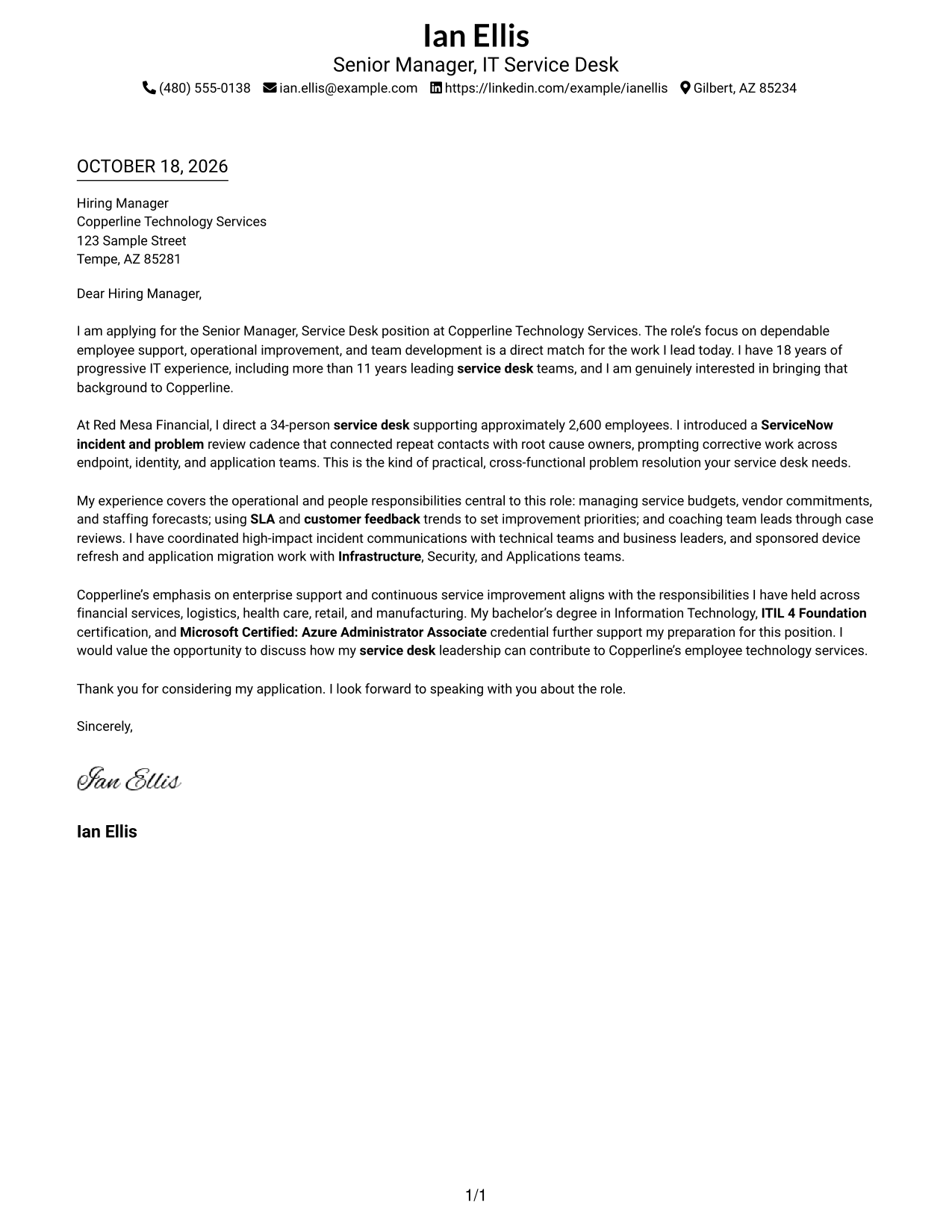
The Simple One Column Format places sender details above a continuous letter, giving the message one clear reading path.
Why This Format Works
- Sender details remain in the header, apart from the letter's persuasive paragraphs.
- Reviewers can follow the appeal from opening interest through the closing request.
- One body column avoids competing text beside the letter's central message.
Best For
- Single-column letter reading
- Sender details in the header
- Uninterrupted letter paragraphs
- Letters without body headings
- Straightforward page organization
#2 Two Column Format Cover Letter Example
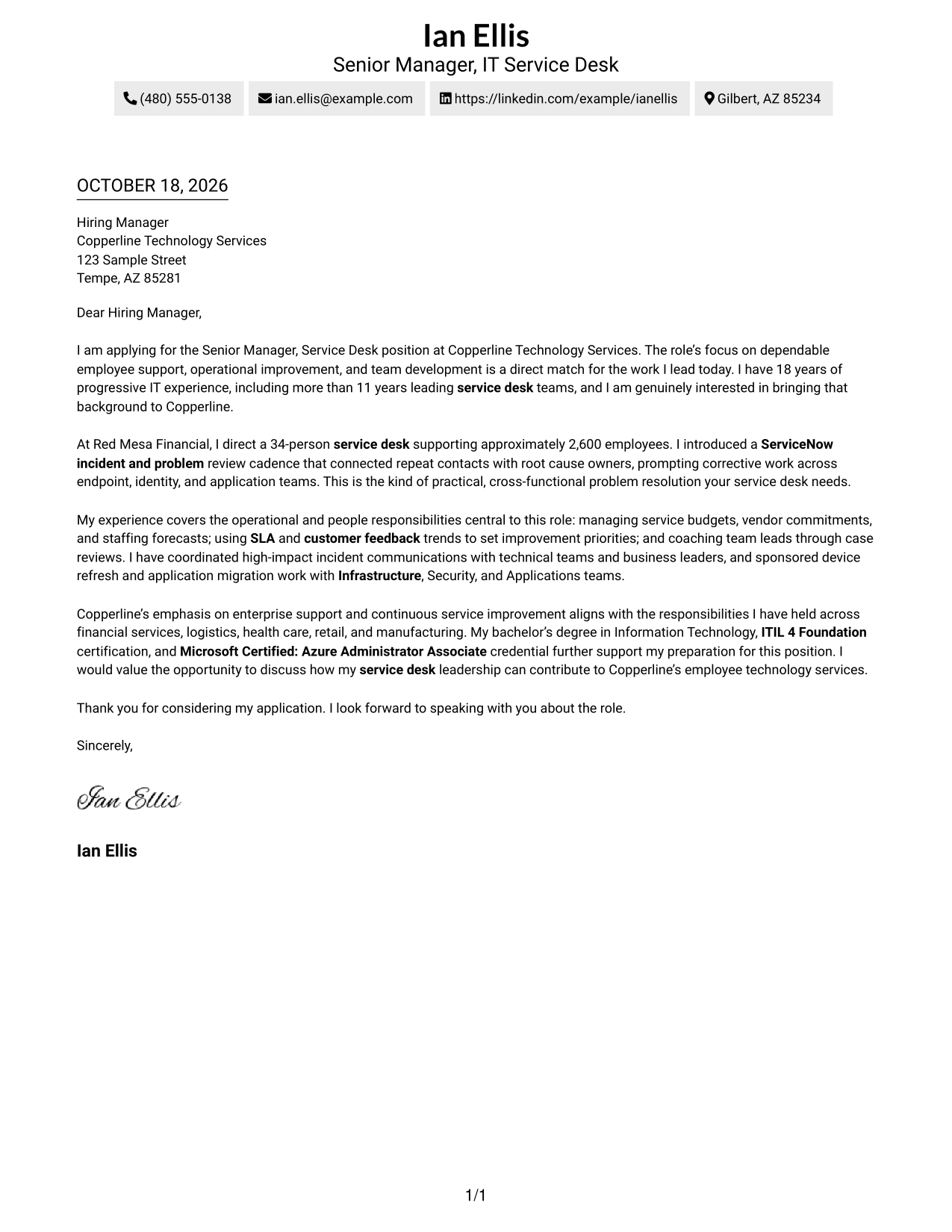
The Two Column Format sets contact details beside one continuous letter body, separating sender information from the message.
Why This Format Works
- Contact details sit apart from the body, making sender information easy to find.
- Motivation, supporting evidence, and closing stay together in one letter column.
- A single body column keeps the argument from competing with parallel text.
Best For
- Contact sidebar preferences
- Separate sender information
- Continuous letter paragraphs
- Single-column argument flow
- Letters without internal headings
#3 Photo Header Two Column Format Cover Letter Example
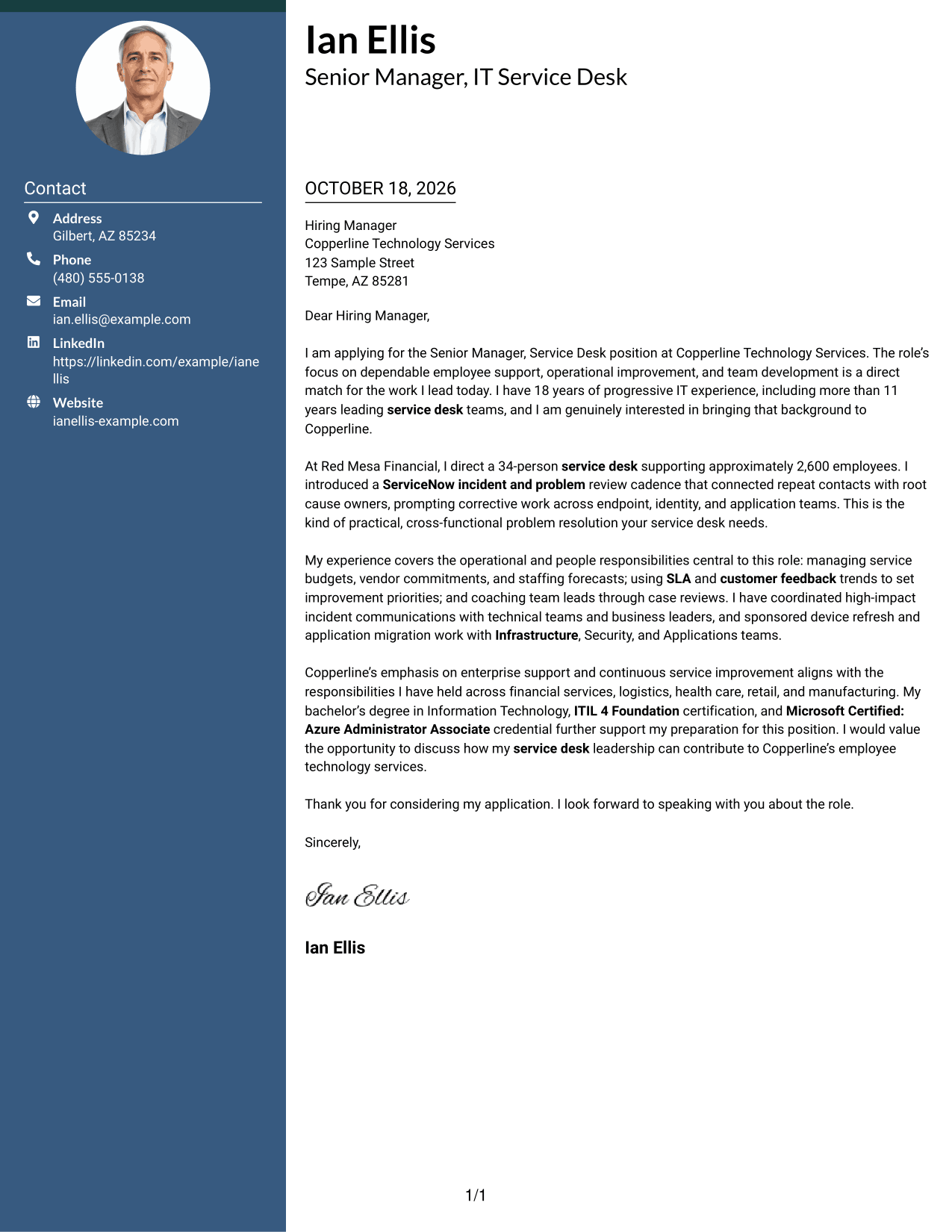
The Photo Header Two Column Format pairs a portrait-led header with a contact sidebar beside the continuous letter body.
Why This Format Works
- The portrait adds a personal visual element without changing the letter's argument.
- Sidebar contact details remain separate from the continuous paragraphs.
- Reviewers can read the full case in one body column, from opening to close.
Best For
- Portrait in the header
- Sidebar contact details
- Continuous letter paragraphs
- Two-column page organization
- Photo-inclusive correspondence
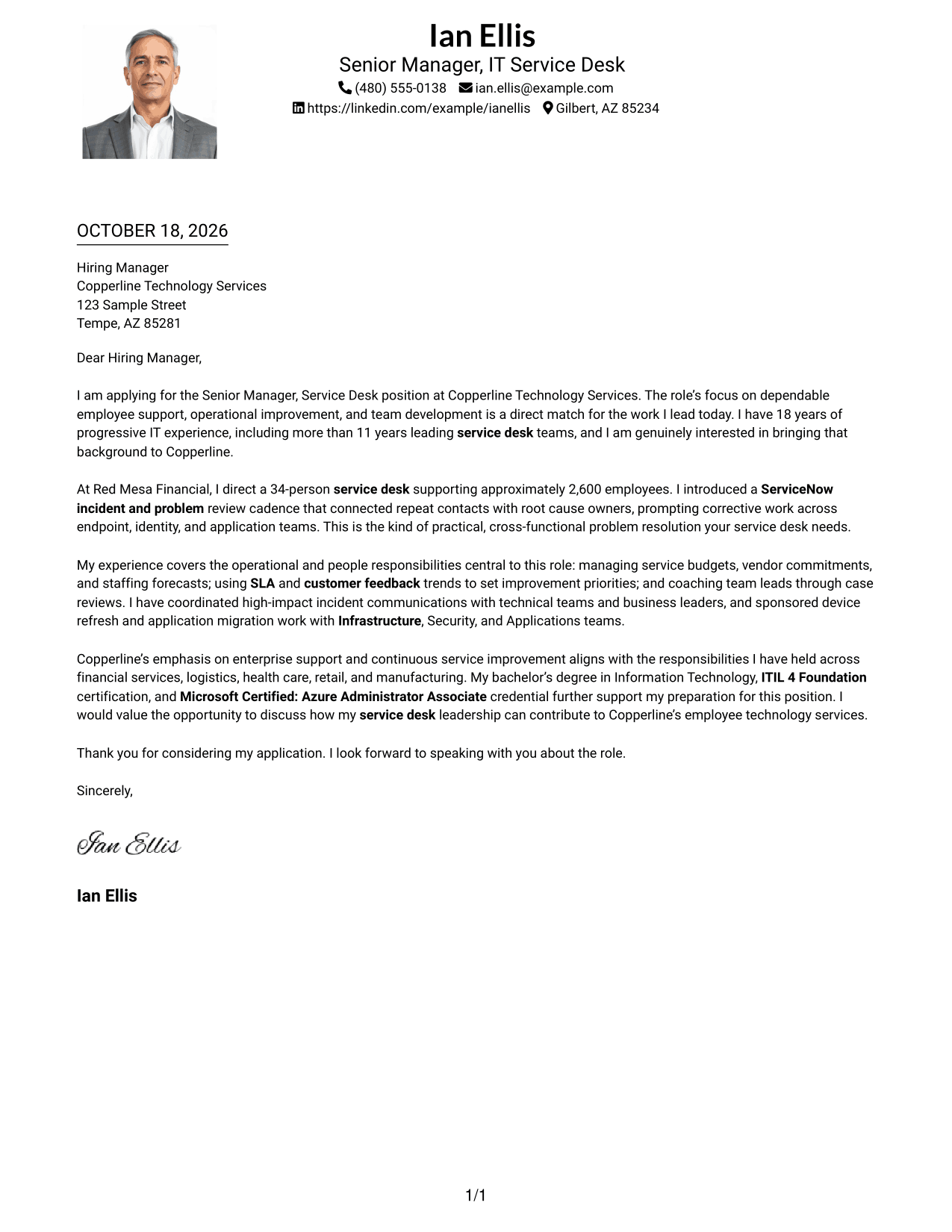
#4 One Column Format with Photo Cover Letter Example
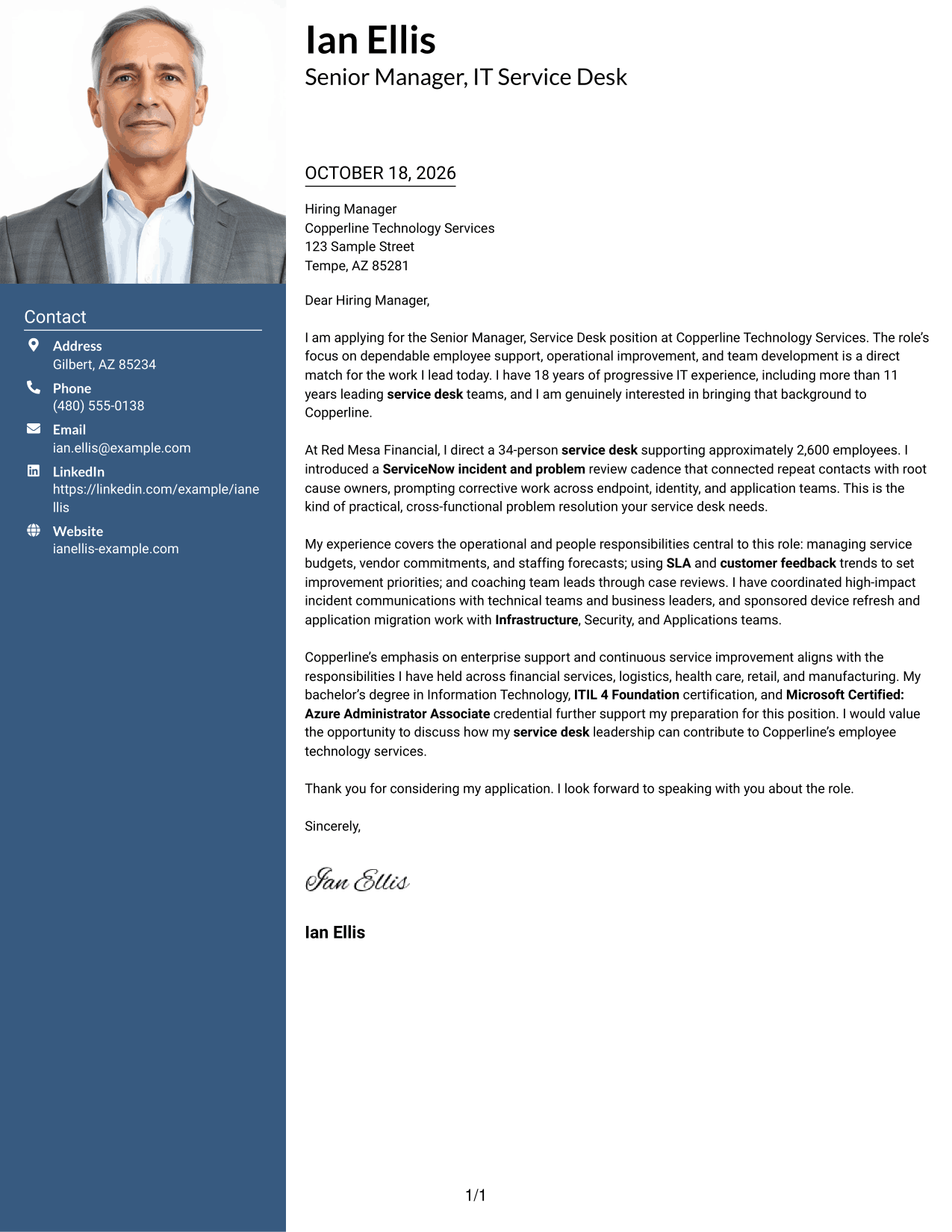
The One Column Format with Photo combines a single letter path with a portrait, adding a personal visual element.
Why This Format Works
- Sender details and the letter share one column, keeping page order straightforward.
- The portrait offers a visible personal touch while leaving the message unchanged.
- Continuous paragraphs carry the case from initial interest through the final request.
Best For
- Portrait-inclusive correspondence
- Single-column letter flow
- Sender details in the header
- Continuous message paragraphs
- Letters without parallel body columns
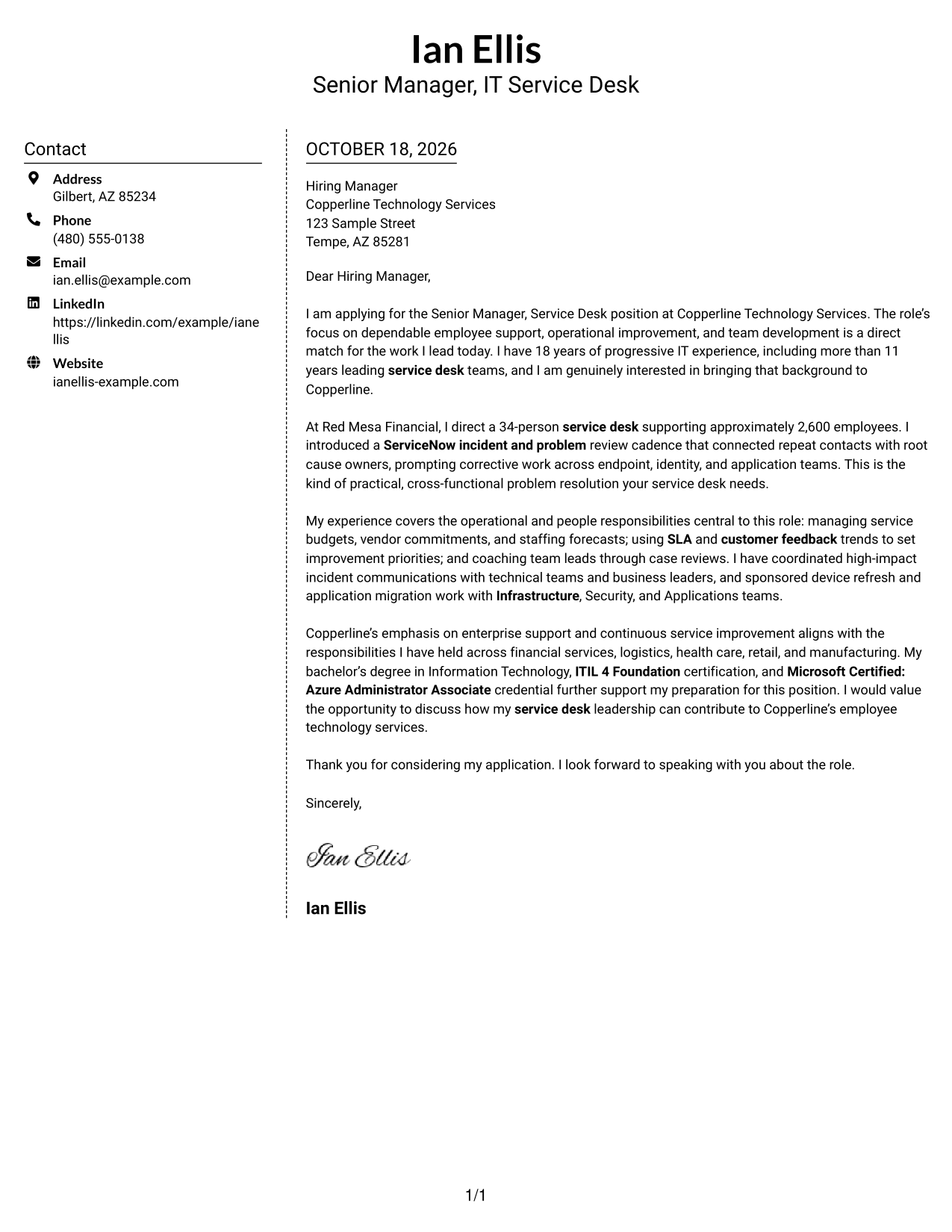
#5 Simple Two Column Format Cover Letter Example
The Simple Two Column Format places contact details in a sidebar beside one uninterrupted letter, keeping the message distinct.
Why This Format Works
- Readers can check contact information without searching through the letter's closing lines.
- Each paragraph remains part of one persuasive message, not a separate column.
- A single letter column keeps the case in a familiar reading order.
Best For
- Contact details in a sidebar
- One-column letter argument
- Uninterrupted paragraphs
- Letters without internal headings
- Side-by-side contact and message
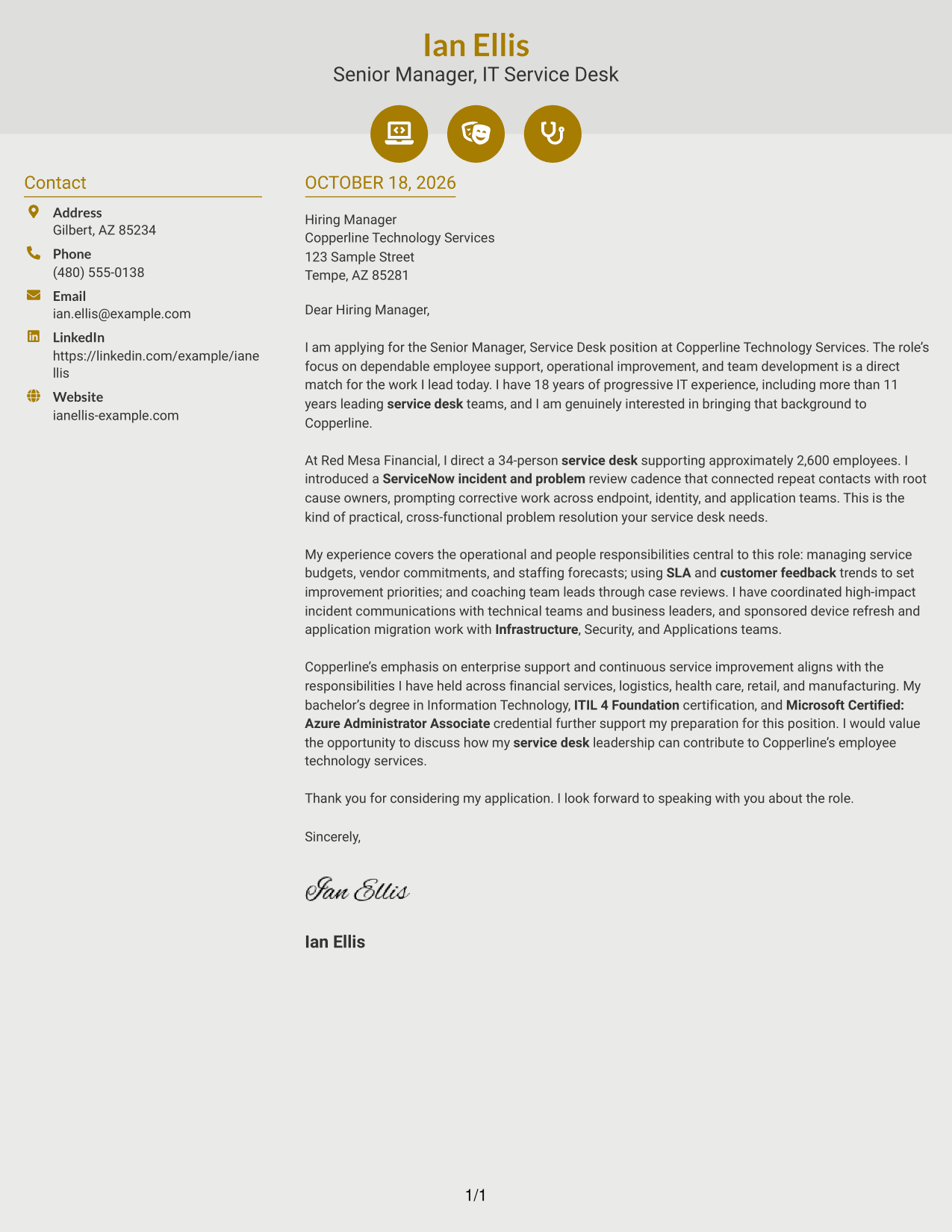
#6 Modern Icon Format Cover Letter Example
Modern Icon Format uses contact cues in a sidebar beside the continuous letter, helping readers distinguish details from the message.
Why This Format Works
- Contact cues help readers identify details without scanning the full letter.
- The sidebar stays separate, while every persuasive paragraph remains in one body column.
- Opening, evidence, and closing retain a natural order without section labels.
Best For
- Icon-cued contact details
- Contact sidebar organization
- Single-column letter body
- Continuous persuasive paragraphs
- Letters without body section labels
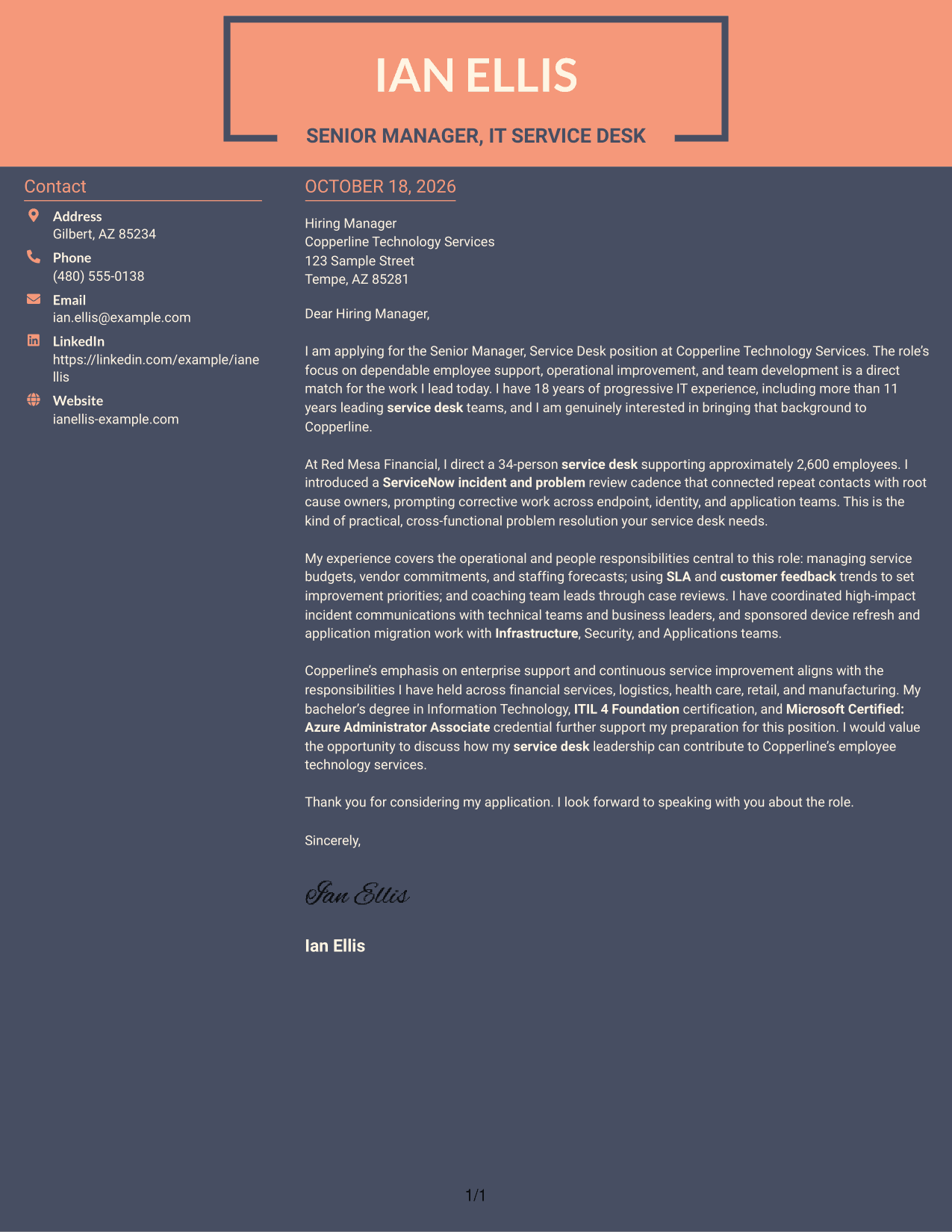
#7 Creative Two Tone Format Cover Letter Example
Creative Two Tone Format pairs a contact sidebar with one continuous letter body, keeping the message separate from sender details.
Why This Format Works
- Sender information sits apart from the message, making contact details easy to locate.
- All persuasive paragraphs remain together rather than split across parallel body columns.
- Readers can follow the letter's case in a single, continuous sequence.
Best For
- Contact sidebar layout
- Single-column argument
- Continuous letter body
- Contact details apart from the message
- Letters without body headings
Why Use ResumeInMinutes for a Senior Manager, Service Desk Cover Letter
Compare PNG previews to see how each letter is presented, then open an example in the editor to customize its wording and style.
- Role-focused letter guidance
- Clear opening, body, and close
- Examples grounded in service desk work
- Employer alignment prompts
- PNG image previews
- Editor links for customization
Build a focused case for your fit by connecting service operations, team leadership, and improvement work to the needs of the Senior Manager, Service Desk role.
See Also
- 7 Senior Manager, Service Desk Resume Templates with Example
- 7 Service Desk Queue Specialist Resume Templates with Example
- 7 Front Desk Agent Resume Templates with Example
- 7 Front Desk Associate Resume Templates with Example
- 33 Medical Receptionist - Front Desk Resume Templates with Example 2026 (ATS-Optimized)
- 7 Office Assistant, Information Desk/Switchboard Operator Resume Templates with Example
- 33 Patient Care Front Desk Specialist Resume Templates with Example 2026 (ATS-Optimized)
- 7 Security Officer - Emergency Dispatch Desk Resume Templates with Example
- 30+ Medical Receptionist - Front Desk Cover Letter Templates with Example 2026
- 30+ Patient Care Front Desk Specialist Cover Letter Templates with Example 2026
Frequently Asked Questions
What should a Senior Manager, Service Desk cover letter emphasize?
Show how you lead reliable support, handle escalations, improve recurring issue practices, and develop a capable team. Connect those examples to service quality and business needs.
Does the guide show one letter in different layouts?
Yes. It presents one Senior Manager, Service Desk cover letter example in different visual layouts. Compare the PNG previews to see which presentation fits your message.
What evidence can make the letter more persuasive?
Use specific results and responsibilities that match the role. The featured example includes leadership of a 34-person service desk, support for about 2,600 employees, ServiceNow incident and problem reviews, and cross-team change work.
How can I choose a suitable cover letter style?
Choose a clear layout that supports easy reading and fits the employer’s communication style. Focus on a direct opening, useful evidence in the body, and a concise close.
Can I preview and customize a letter?
Yes. Review the PNG image previews, then use the editor link to open an example and customize its presentation and wording.




