
US English


7 Senior Manager, Service Desk Resume Templates with Example
By Ria · Last Updated On October 17, 2026
Resume example — page 1

This guide shows you how to create a clear, focused resume for a Senior Manager, Service Desk role. Learn how to present leadership results and service delivery experience so employers can quickly see your value.

Strong resumes for this role connect team leadership with daily operations. Show how you use ServiceNow, ITIL practices, service level agreement (SLA) reporting, customer feedback, and cross-team work to improve support.

Compare one Senior Manager, Service Desk resume example presented in 7 layouts. The guide also explains how each format organizes experience, skills, certifications, and education for easy review.

What Makes a Great Senior Manager, Service Desk Resume in 2026

A strong resume makes leadership scope, service priorities, and team results easy to find. Clear sections and focused achievement bullets help readers understand how you guide support operations.

Use evidence such as team size, employee population, SLA trends, and service improvements when available. Add role keywords like incident response, problem management, vendor management, resource planning, and knowledge base development where they match your experience.

Note: Resume examples are for educational purposes only. Use only information that accurately reflects your experience and qualifications. References to real organizations do not imply affiliation or endorsement.

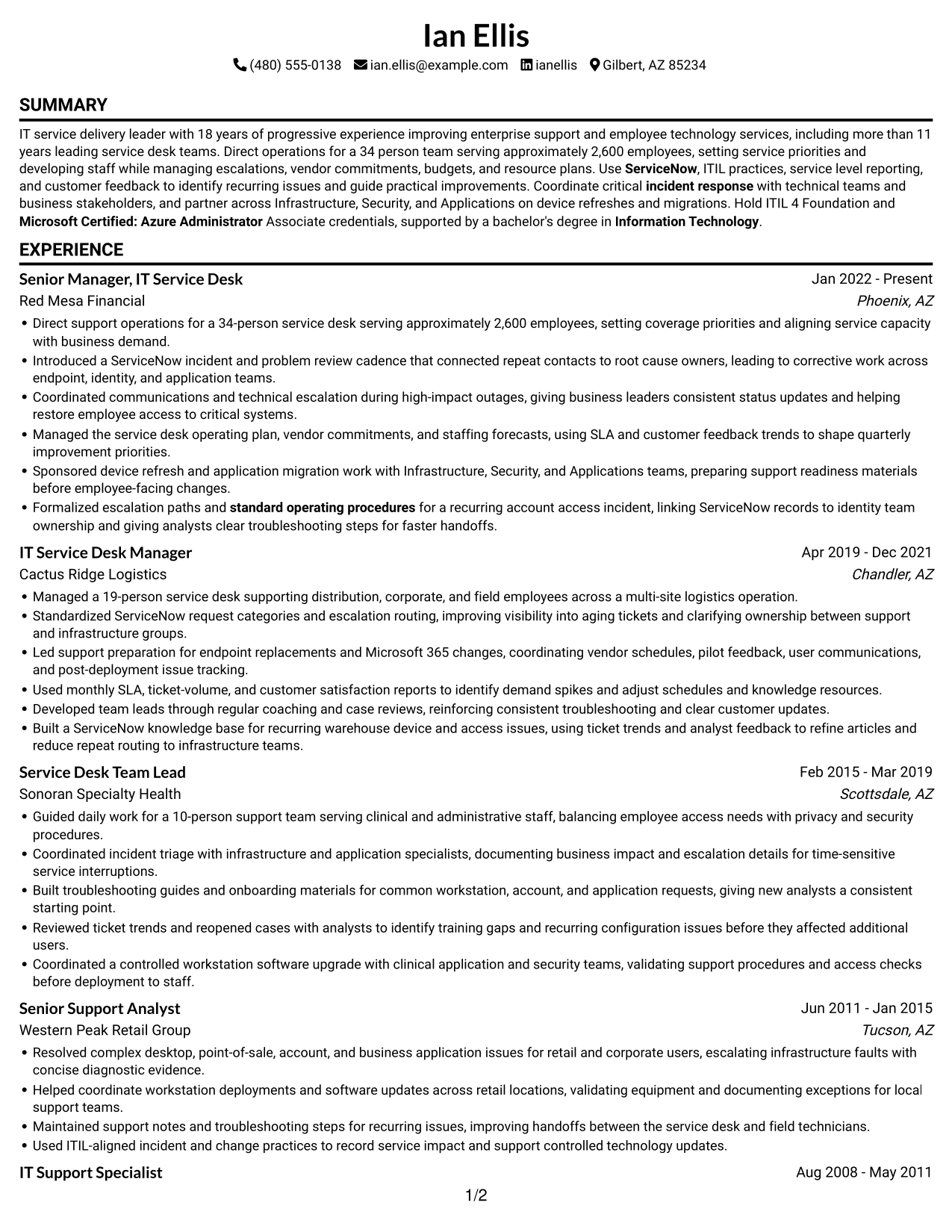
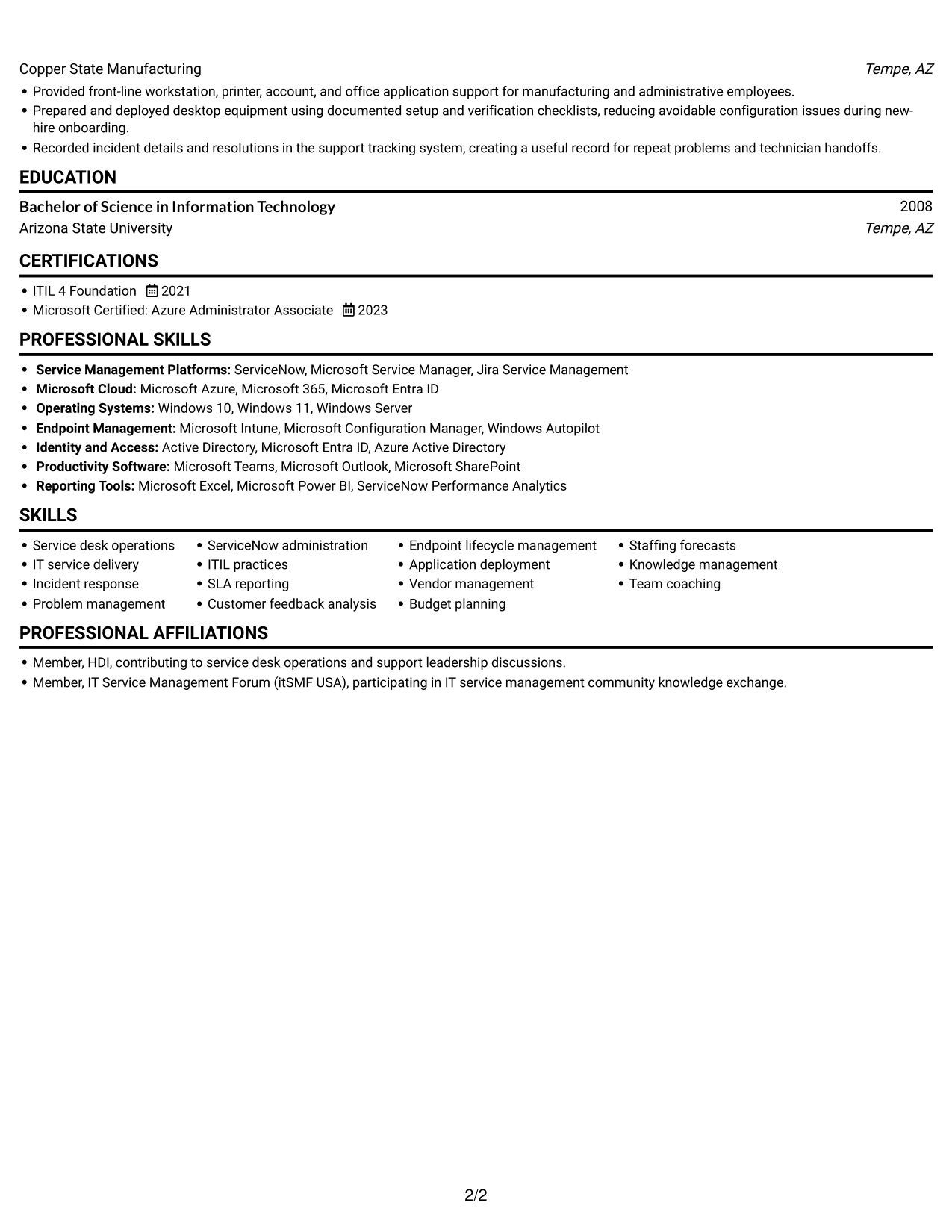
#1 Simple One Column Format Resume Example

A single-column body gives the resume one clear reading path, helping reviewers follow its sections in order.
 
Resume example — page 1   Resume example — page 2

Why This Format Works

  • One reading path helps reviewers follow experience and career progression without switching between columns.
  • Experience bullets keep achievements connected to each role throughout the work history.
  • Skills, education, and credentials stay easy to locate within the resume's section flow.

Best For

  • Resume content with several sections
  • Detailed role-by-role histories
  • Achievement bullets with context
  • Separate skills and credential entries
  • Text-centered application materials

Resume Keywords

  • Service desk operations
  • IT service delivery
  • incident response
  • Problem management
  • ServiceNow
  • standard operating procedures
  • Information Technology
  • Microsoft Certified: Azure Administrator
 

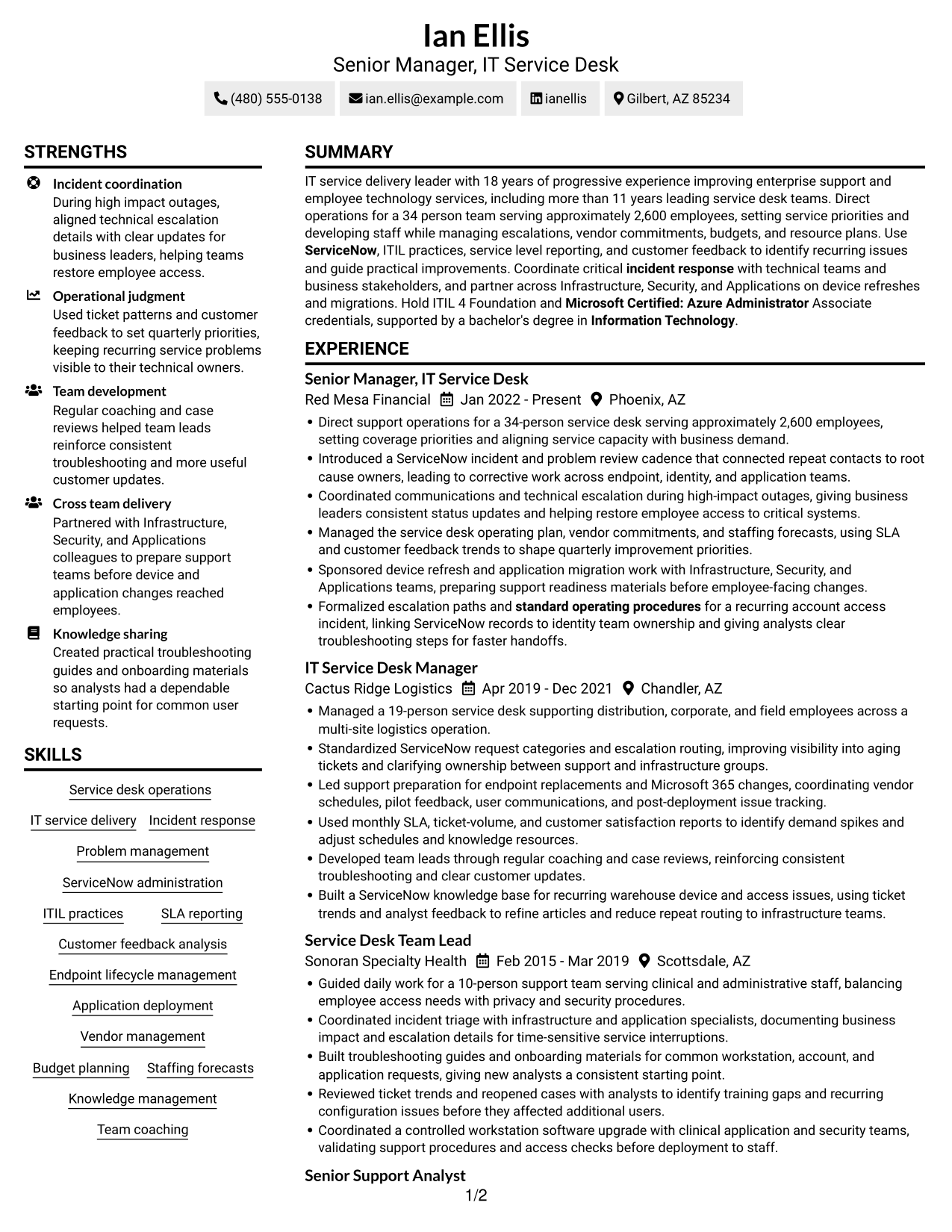
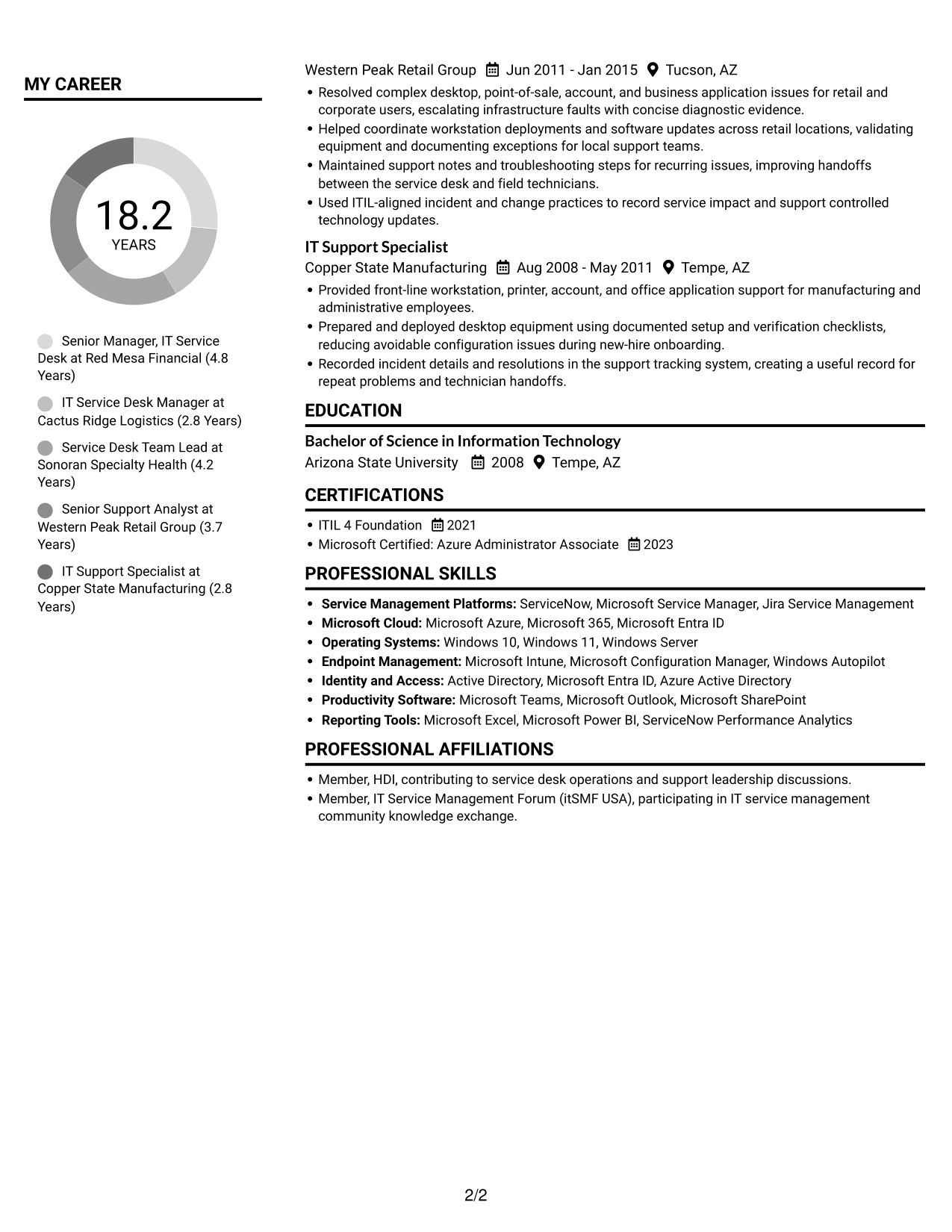
#2 Simple Two Column Format Resume Example

Two body columns place resume content in separate visual areas, giving reviewers another way to move among sections.
 
Resume example — page 1   Resume example — page 2

Why This Format Works

  • Separate columns give skills a distinct area from detailed work-history entries.
  • Education and certifications stay easy to locate among the resume sections.
  • Distinct content areas help reviewers return to key sections during focused review.

Best For

  • Resume content in separate areas
  • Skills alongside career details
  • Work histories with supporting sections
  • Multiple education or credential entries
  • Readers who prefer divided content

#3 Plain One Column with Shaded Labels Resume Example

A single-column body keeps the resume's sections in one vertical reading sequence for straightforward review.
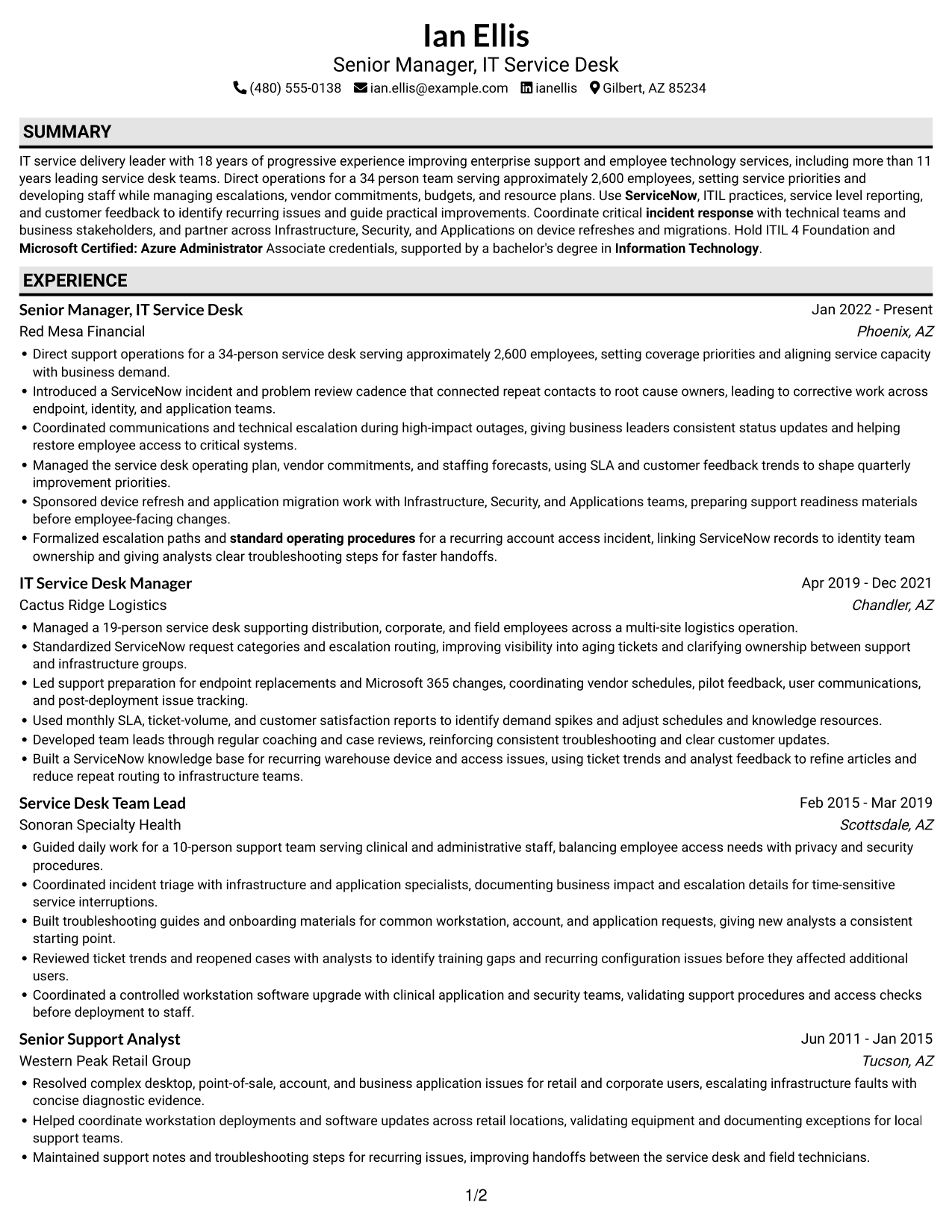
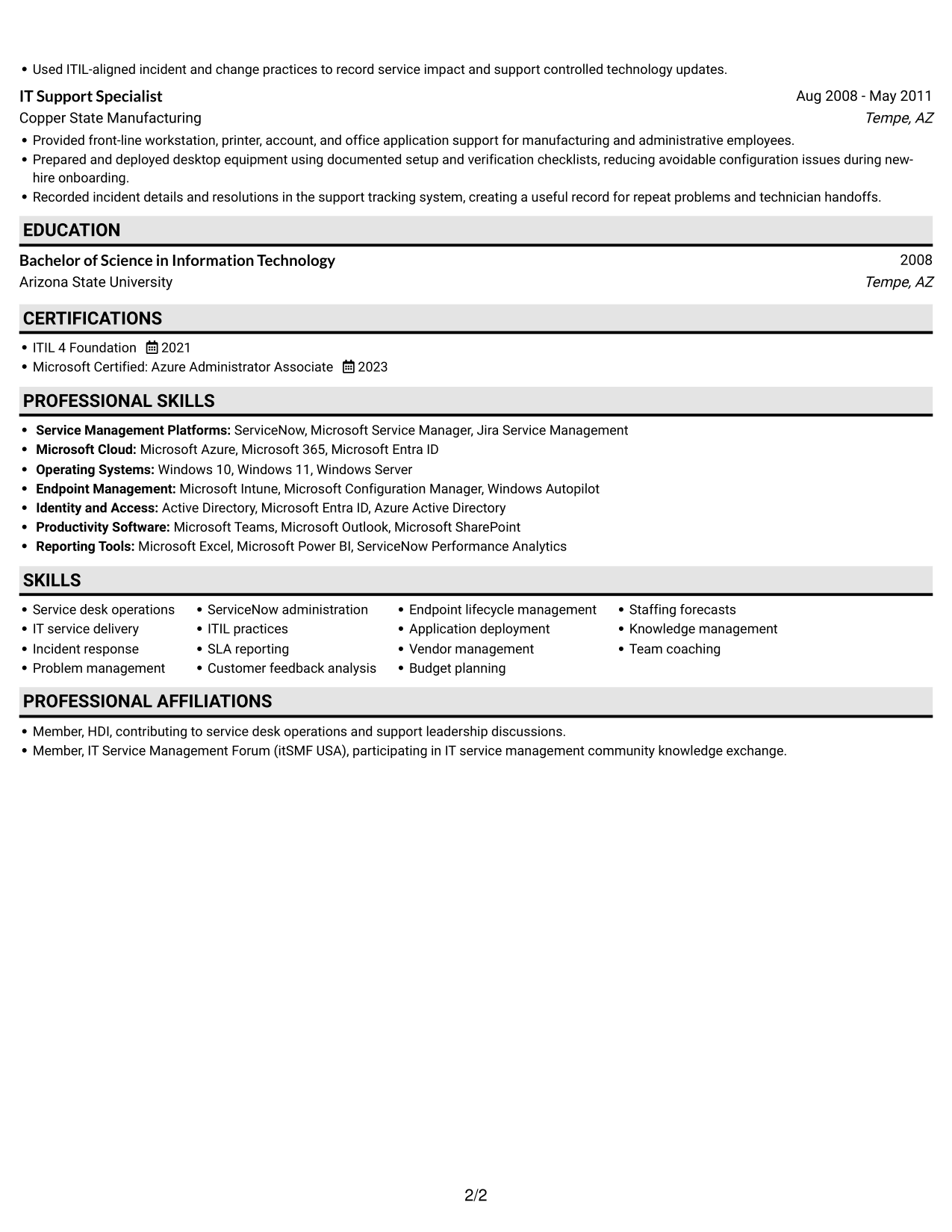
 
Resume example — page 1   Resume example — page 2

Why This Format Works

  • One continuous column lets reviewers follow experience in its listed order.
  • Consistent section flow keeps achievements tied to the roles where they occurred.
  • Skills and credentials remain part of the same straightforward scan.

Best For

  • One-direction resume reading
  • Clearly ordered work histories
  • Role-based achievement details
  • Skills and credentials in one sequence
  • Text-first resume review
 

#4 One Column Format with Photo Right Resume Example

The one-column body includes a photo, pairing a personal visual element with a direct path through resume sections.
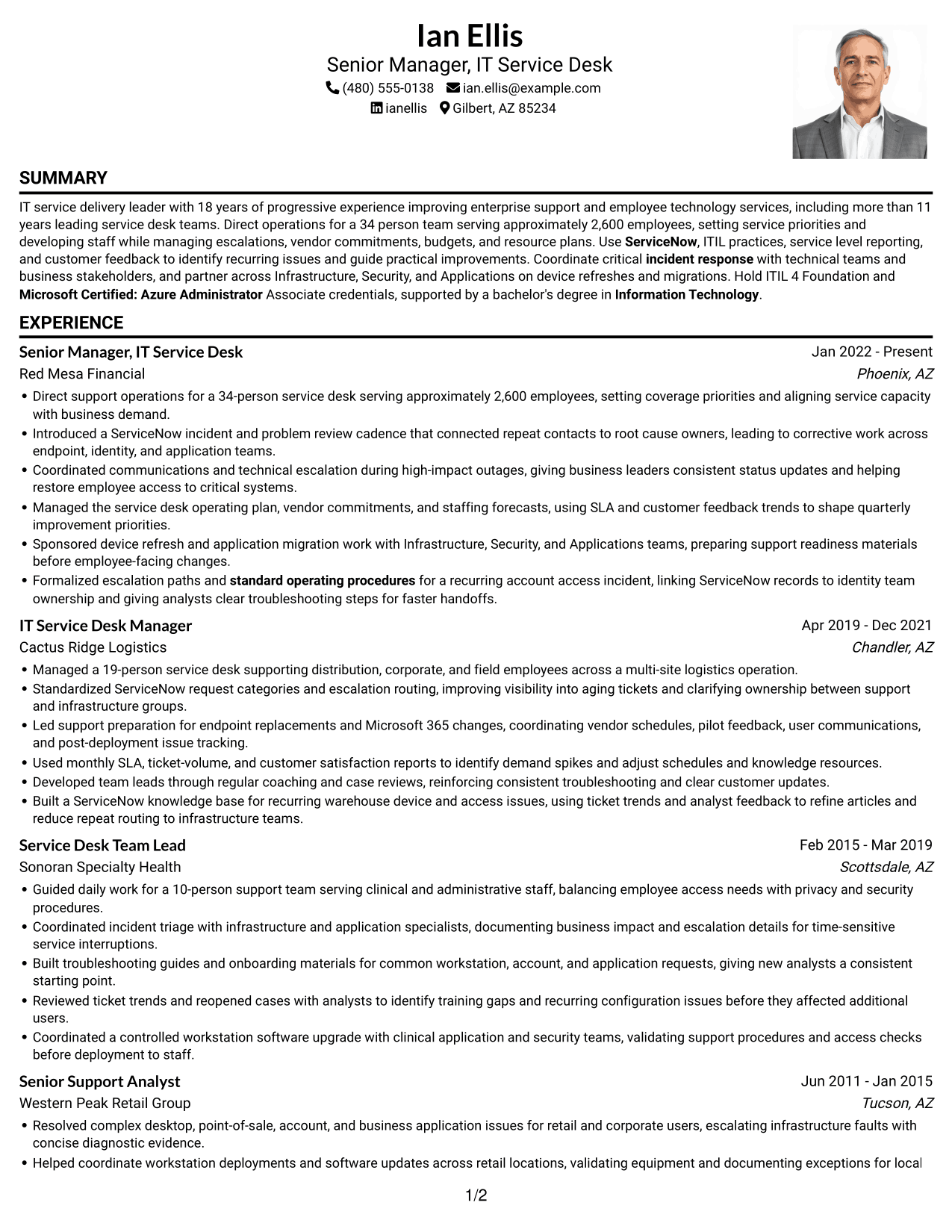
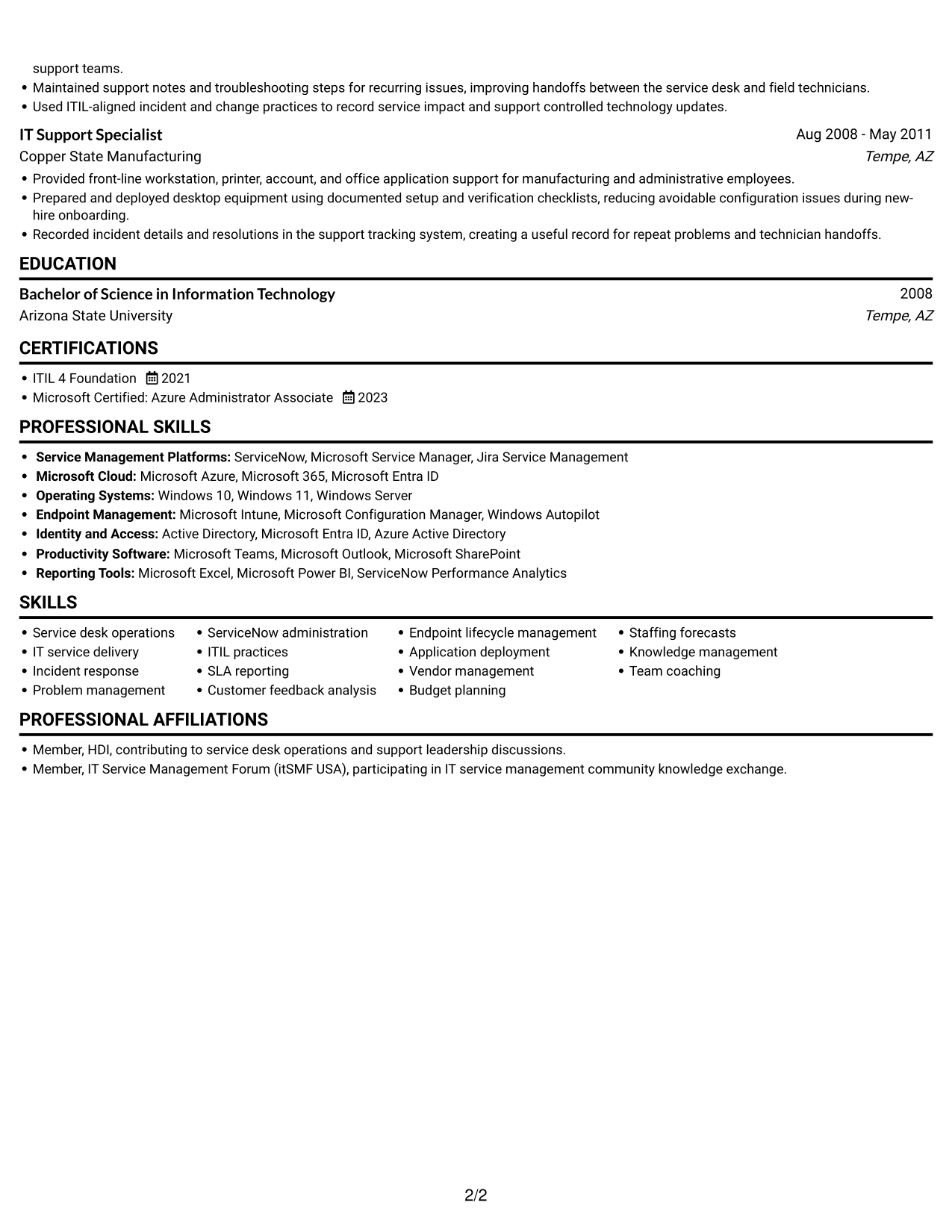
 
Resume example — page 1   Resume example — page 2

Why This Format Works

  • One-column reading keeps experience and achievements in a clear sequence.
  • Skills, education, and credentials remain easy to find within the body.
  • Work-history bullets can be read in order without column changes.

Best For

  • Photo-inclusive resume presentation
  • Direct section-by-section reading
  • Detailed work-history entries
  • Achievement bullets with role context
  • Skills and credentials in one body
 

#5 Clean Two Column Sidebar Format Resume Example

Two columns divide the resume body into separate areas, supporting quick movement between its sections.
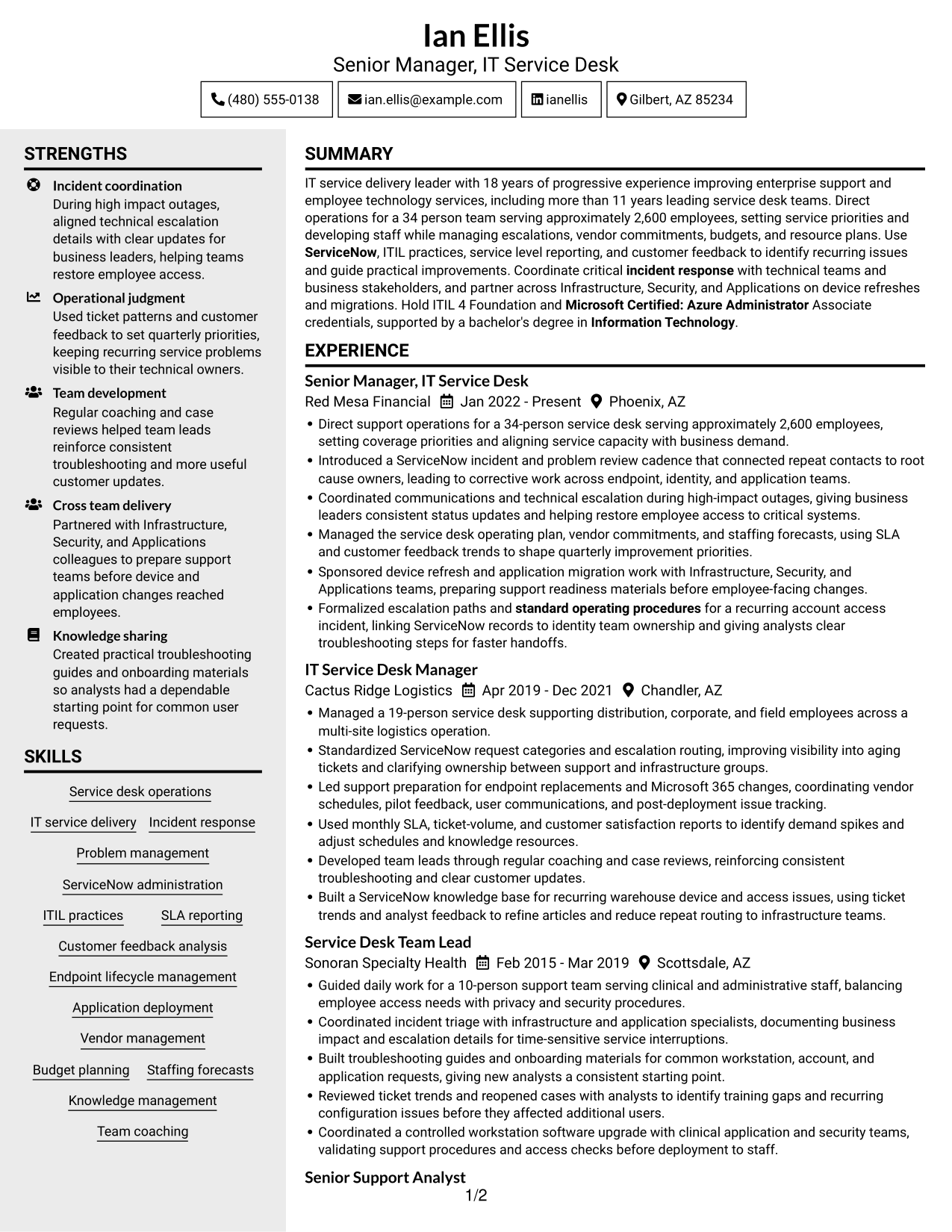
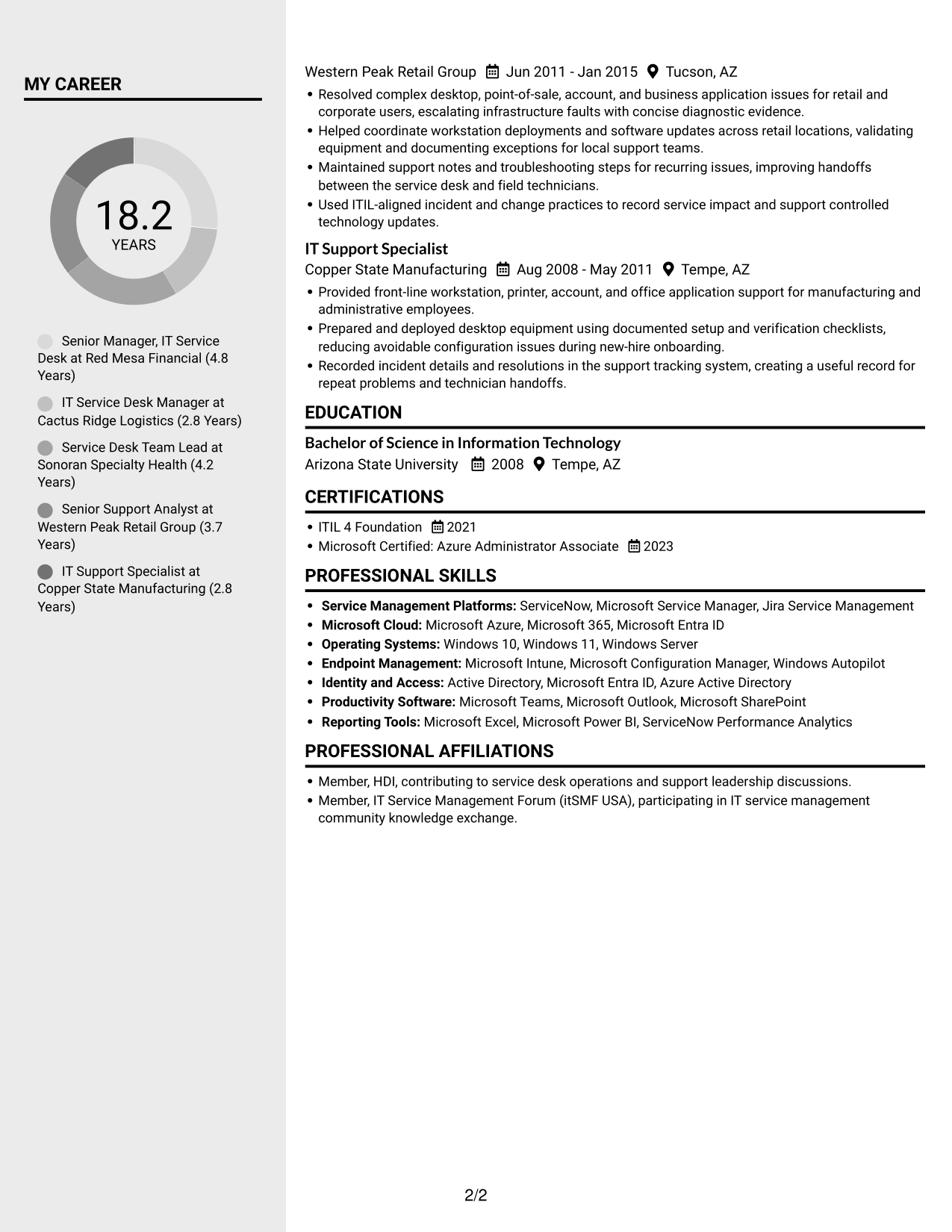
 
Resume example — page 1   Resume example — page 2

Why This Format Works

  • Separate columns give skills a distinct area from detailed work-history entries.
  • Education and certifications stay easy to locate among the resume sections.
  • Distinct content areas help reviewers return to key sections during focused review.

Best For

  • Resume sections in separate areas
  • Skills with detailed work history
  • Easy access to education details
  • Several distinct content categories
  • Readers who prefer divided sections


#6 Two Column Format Resume Example

The two-column body offers a clear split between content areas while keeping the resume organized for review.
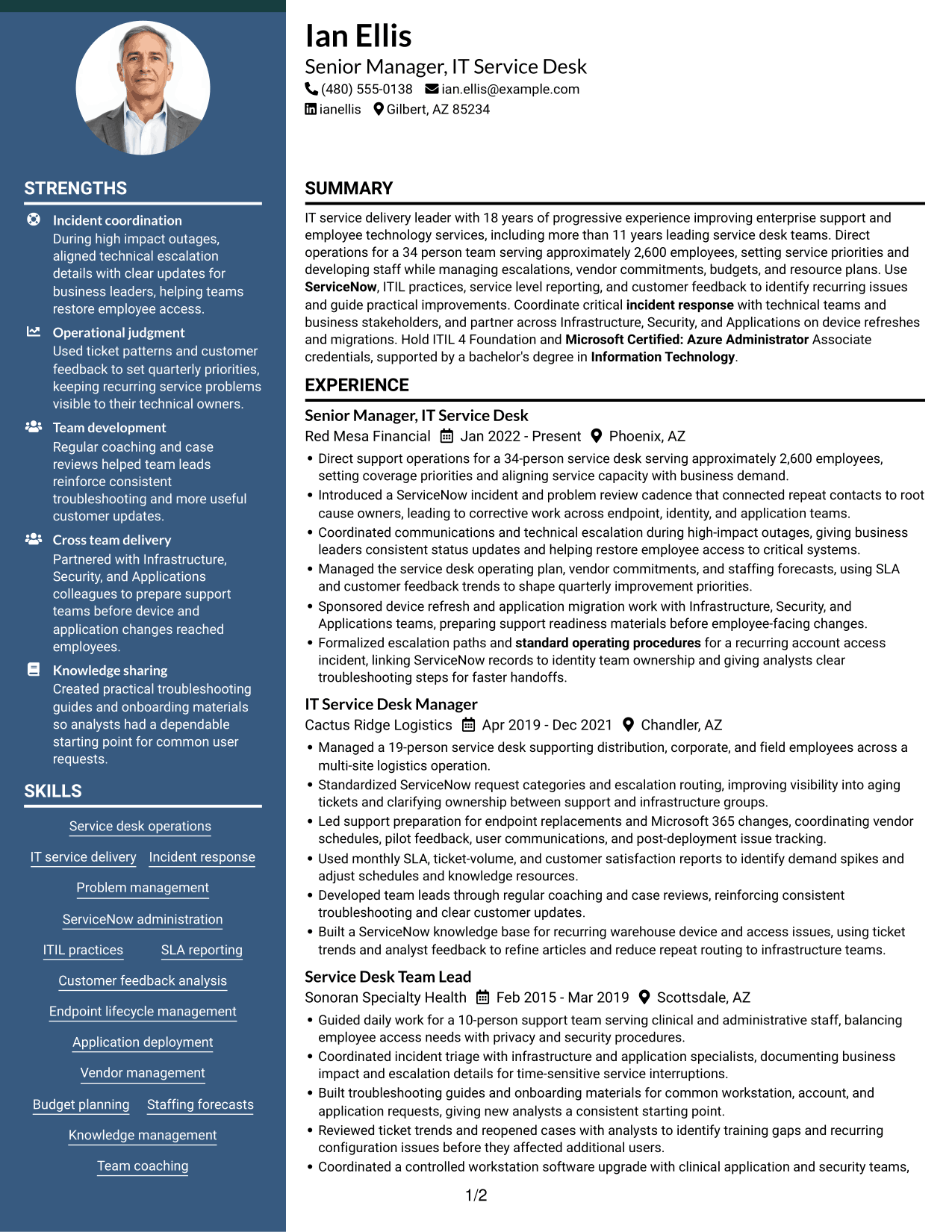
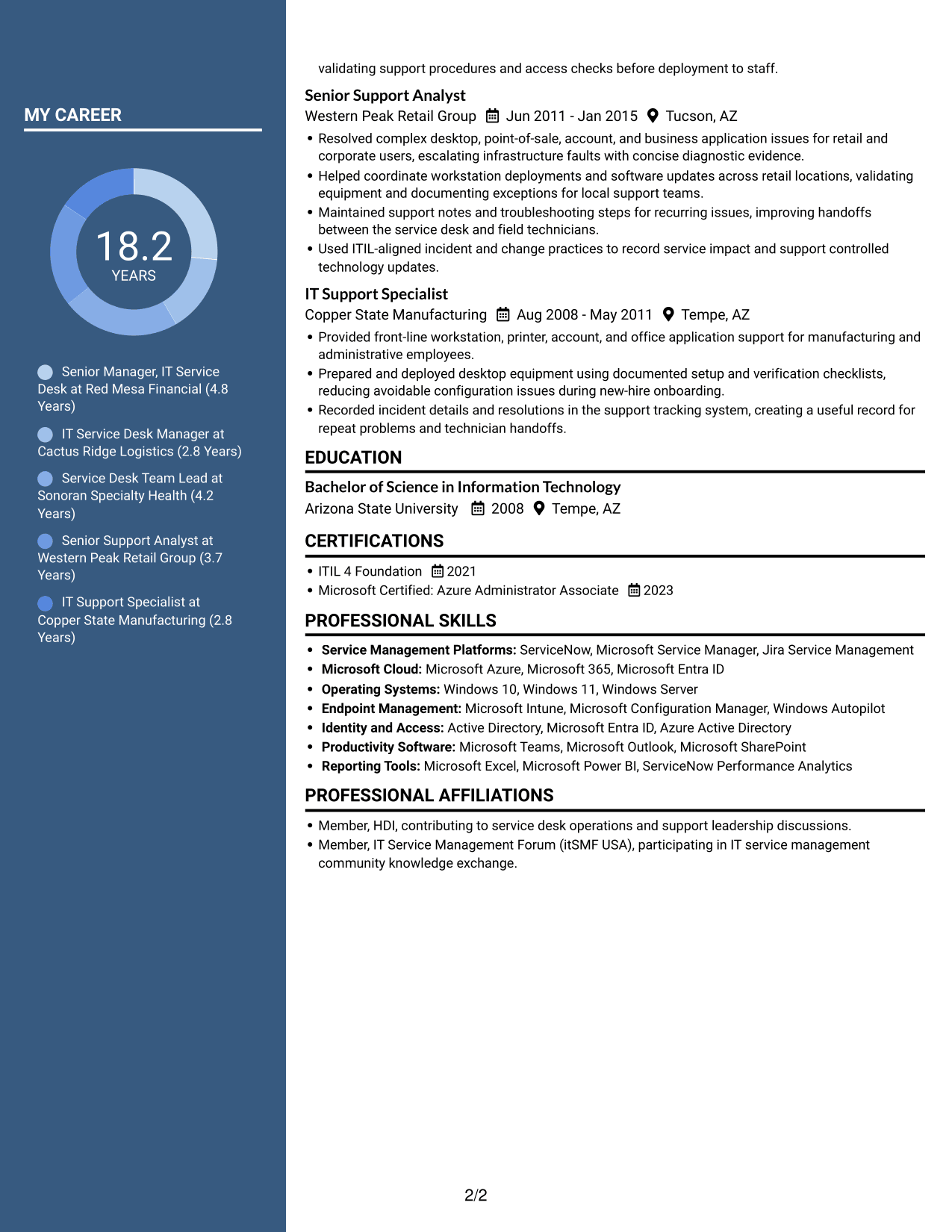
 
Resume example — page 1   Resume example — page 2

Why This Format Works

  • Two distinct areas help reviewers locate skills apart from career history.
  • Education and credentials remain easy to identify among the resume sections.
  • The divided body supports scanning separate groups of experience and supporting details.

Best For

  • Separated resume content groups
  • Skills apart from career history
  • Education and credentials with experience
  • Several kinds of supporting details
  • Readers who scan by section
 

#7 Photo Header Two Column Format Resume Example

A photo is included with the two-column resume body, combining personal presentation with divided content areas.
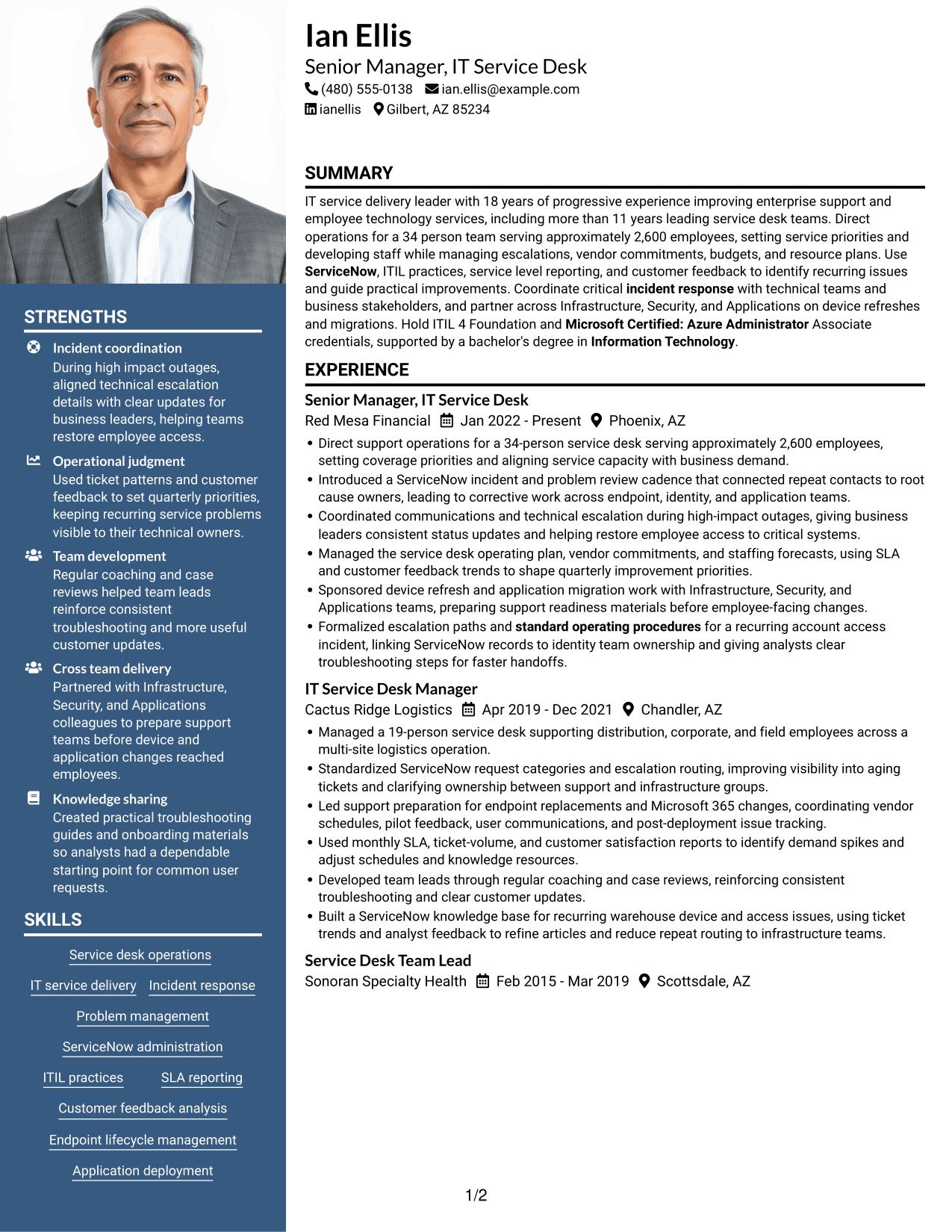
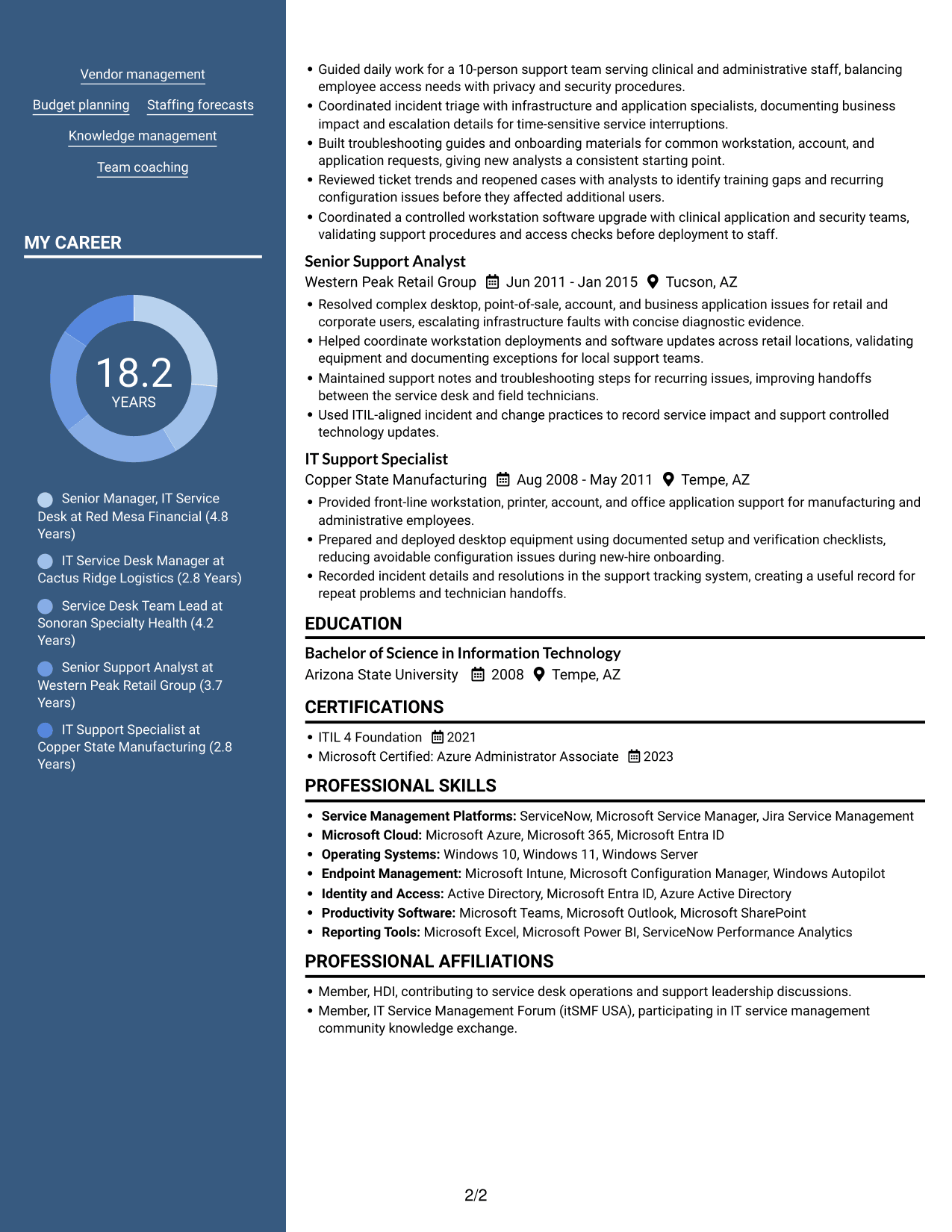
 
Resume example — page 1   Resume example — page 2

Why This Format Works

  • Separate columns let reviewers move between skills and experience without one long section sequence.
  • Education and credentials have a distinct place among the resume's content areas.
  • The two-column body keeps career details grouped for focused review.

Best For

  • Photo-inclusive resume presentation
  • Resume sections in separate areas
  • Career details grouped for review
  • Skills with related supporting sections
  • Readers who prefer a photo


Explore Senior Manager, Service Desk Resume Examples with ResumeInMinutes

Compare the image previews to see how each resume format arranges leadership experience, skills, certifications, and education. Open an example in the editor to view or customize its layout.

  • Clear resume section structure
  • Readable experience and achievement bullets
  • Space for service desk keywords
  • Skills and tools organization
  • Certifications and education sections
  • Resume examples to compare

Choose a layout that keeps key leadership evidence easy to scan. Tailor your summary and bullets to show how your work supports reliable employee technology services.


See Also


Frequently Asked Questions

Are these Senior Manager, Service Desk resume templates ATS-friendly?

Use clear section headings, simple formatting, and terms that match your real experience. Keywords such as ServiceNow, ITIL, incident response, SLA reporting, and vendor management can help describe relevant service desk work.

Are the examples different resumes or different layouts?

The examples show the same resume content in different layouts. Compare the image previews, then open an example in the editor to view or customize its format.

What should a Senior Manager, Service Desk resume include?

Include a focused summary, professional experience, skills, education, and certifications. Highlight team leadership, service metrics, incident and problem management, vendor and budget responsibilities, and cross-functional technology work when these match your background.

How can I show the impact of service desk leadership?

Use specific evidence, such as team size, number of employees supported, service trends, or operational improvements. Explain your action and its result without claiming a metric you cannot support.

Which resume layout works well for this role?

Choose a layout with clear headings and an easy-to-follow experience section. A straightforward structure helps readers find leadership scope, measurable results, skills, and credentials quickly.

Should I include a photo on my resume?

For U.S. applications, a resume without a photo is generally the safer choice. Include one only when it is expected in the location or field where you are applying.


ATS Score 78%

How we calculate this score

  • Keywords: 60% of the total. AI extracts keywords from your job description. If you do not provide one, a standard job description for the title matching your resume is used. This is not a match to a specific vacancy.
  • Text-based resume: 20%. The text resume assessed here receives 100 for this part.
  • Resume quality: 20%. We start at 100 and subtract points for issues found by our resume checks, down to a minimum of zero.
  • Keyword coverage = 100 × (confirmed matches + 0.8 × possible matches) ÷ total keywords, rounded and capped at 100. Possible matches still need checking. Saved generation audits use their saved keyword percentage.
  • Final score = 60% of keyword coverage + 20% of the text score + 20% of the quality score, rounded to a whole number. Without keywords, no overall ATS score is available.

What this score means

Our scores are estimates, not employer ratings. They may contain errors and do not guarantee accurate parsing, a ranking, an interview, or a job. Check your document against the employer’s requirements. You are responsible for relying on this score.

Terms and Conditions

Score weights: Keywords 60% · Text based resume 20% · Resume quality 20%

Keywords: 8 matched + 16 possible of 33 (63%) · Resume quality: 100%

Resume quality 100% · Weight 20% · Issues (0)

Details
  • ✓Name present: Ian Ellis
  • ✓Email format: ian.ellis@example.com
  • ✓Phone format: (480) 555-0138
  • ✓Experience 1: Job title: Senior Manager, IT Service Desk
  • ✓Experience 1: Company name: Red Mesa Financial
  • ✓Experience 1: Work location: Phoenix, AZ
  • ✓Experience 1: Employment dates: Jan 2022 - Present
  • ✓Experience 1: Description or achievements: Present
  • ✓Experience 2: Job title: IT Service Desk Manager
  • ✓Experience 2: Company name: Cactus Ridge Logistics
  • ✓Experience 2: Work location: Chandler, AZ
  • ✓Experience 2: Employment dates: Apr 2019 - Dec 2021
  • ✓Experience 2: Description or achievements: Present
  • ✓Experience 3: Job title: Service Desk Team Lead
  • ✓Experience 3: Company name: Sonoran Specialty Health
  • ✓Experience 3: Work location: Scottsdale, AZ
  • ✓Experience 3: Employment dates: Feb 2015 - Mar 2019
  • ✓Experience 3: Description or achievements: Present
  • ✓Experience 4: Job title: Senior Support Analyst
  • ✓Experience 4: Company name: Western Peak Retail Group
  • ✓Experience 4: Work location: Tucson, AZ
  • ✓Experience 4: Employment dates: Jun 2011 - Jan 2015
  • ✓Experience 4: Description or achievements: Present
  • ✓Experience 5: Job title: IT Support Specialist
  • ✓Experience 5: Company name: Copper State Manufacturing
  • ✓Experience 5: Work location: Tempe, AZ
  • ✓Experience 5: Employment dates: Aug 2008 - May 2011
  • ✓Experience 5: Description or achievements: Present
  • ✓No placeholder fields
  • ✓No repeated achievement bullets
  • ✓No empty bullets

No issues found by the current checks.

Text Based Resume 100% · Weight 20%

Parsed text
Ian Ellis
(480) 555-0138
ian.ellis@example.com
ianellis
Gilbert, AZ 85234
SUMMARY
IT service delivery leader with 18 years of progressive experience improving enterprise support and employee technology services, including more than 11 years leading service desk teams. Direct operations for a 34 person team serving approximately 2,600 employees, setting service priorities and developing staff while managing escalations, vendor commitments, budgets, and resource plans. Use ServiceNow, ITIL practices, service level reporting, and customer feedback to identify recurring issues and guide practical improvements. Coordinate critical incident response with technical teams and business stakeholders, and partner across Infrastructure, Security, and Applications on device refreshes and migrations. Hold ITIL 4 Foundation and Microsoft Certified: Azure Administrator Associate credentials, supported by a bachelor's degree in Information Technology.
EXPERIENCE
Senior Manager, IT Service Desk
Jan 2022 - Present
Red Mesa Financial
Phoenix, AZ
Direct support operations for a 34-person service desk serving approximately 2,600 employees, setting coverage priorities and aligning service capacity with business demand.
Introduced a ServiceNow incident and problem review cadence that connected repeat contacts to root cause owners, leading to corrective work across endpoint, identity, and application teams.
Coordinated communications and technical escalation during high-impact outages, giving business leaders consistent status updates and helping restore employee access to critical systems.
Managed the service desk operating plan, vendor commitments, and staffing forecasts, using SLA and customer feedback trends to shape quarterly improvement priorities.
Sponsored device refresh and application migration work with Infrastructure, Security, and Applications teams, preparing support readiness materials before employee-facing changes.
Formalized escalation paths and standard operating procedures for a recurring account access incident, linking ServiceNow records to identity team ownership and giving analysts clear troubleshooting steps for faster handoffs.
IT Service Desk Manager
Apr 2019 - Dec 2021
Cactus Ridge Logistics
Chandler, AZ
Managed a 19-person service desk supporting distribution, corporate, and field employees across a multi-site logistics operation.
Standardized ServiceNow request categories and escalation routing, improving visibility into aging tickets and clarifying ownership between support and infrastructure groups.
Led support preparation for endpoint replacements and Microsoft 365 changes, coordinating vendor schedules, pilot feedback, user communications, and post-deployment issue tracking.
Used monthly SLA, ticket-volume, and customer satisfaction reports to identify demand spikes and adjust schedules and knowledge resources.
Developed team leads through regular coaching and case reviews, reinforcing consistent troubleshooting and clear customer updates.
Built a ServiceNow knowledge base for recurring warehouse device and access issues, using ticket trends and analyst feedback to refine articles and reduce repeat routing to infrastructure teams.
Service Desk Team Lead
Feb 2015 - Mar 2019
Sonoran Specialty Health
Scottsdale, AZ
Guided daily work for a 10-person support team serving clinical and administrative staff, balancing employee access needs with privacy and security procedures.
Coordinated incident triage with infrastructure and application specialists, documenting business impact and escalation details for time-sensitive service interruptions.
Built troubleshooting guides and onboarding materials for common workstation, account, and application requests, giving new analysts a consistent starting point.
Reviewed ticket trends and reopened cases with analysts to identify training gaps and recurring configuration issues before they affected additional users.
Coordinated a controlled workstation software upgrade with clinical application and security teams, validating support procedures and access checks before deployment to staff.
Senior Support Analyst
Jun 2011 - Jan 2015
Western Peak Retail Group
Tucson, AZ
Resolved complex desktop, point-of-sale, account, and business application issues for retail and corporate users, escalating infrastructure faults with concise diagnostic evidence.
Helped coordinate workstation deployments and software updates across retail locations, validating equipment and documenting exceptions for local support teams.
Maintained support notes and troubleshooting steps for recurring issues, improving handoffs between the service desk and field technicians.
Used ITIL-aligned incident and change practices to record service impact and support controlled technology updates.
IT Support Specialist
Aug 2008 - May 2011
Copper State Manufacturing
Tempe, AZ
Provided front-line workstation, printer, account, and office application support for manufacturing and administrative employees.
Prepared and deployed desktop equipment using documented setup and verification checklists, reducing avoidable configuration issues during new-hire onboarding.
Recorded incident details and resolutions in the support tracking system, creating a useful record for repeat problems and technician handoffs.
EDUCATION
Bachelor of Science in Information Technology
2008
Arizona State University
Tempe, AZ
CERTIFICATIONS
ITIL 4 Foundation
2021
Microsoft Certified: Azure Administrator Associate
2023
PROFESSIONAL SKILLS
Service Management Platforms: ServiceNow, Microsoft Service Manager, Jira Service Management
Microsoft Cloud: Microsoft Azure, Microsoft 365, Microsoft Entra ID
Operating Systems: Windows 10, Windows 11, Windows Server
Endpoint Management: Microsoft Intune, Microsoft Configuration Manager, Windows Autopilot
Identity and Access: Active Directory, Microsoft Entra ID, Azure Active Directory
Productivity Software: Microsoft Teams, Microsoft Outlook, Microsoft SharePoint
Reporting Tools: Microsoft Excel, Microsoft Power BI, ServiceNow Performance Analytics
SKILLS
Service desk operations
IT service delivery
Incident response
Problem management
ServiceNow administration
ITIL practices
SLA reporting
Customer feedback analysis
Endpoint lifecycle management
Application deployment
Vendor management
Budget planning
Staffing forecasts
Knowledge management
Team coaching
PROFESSIONAL AFFILIATIONS
Member, HDI, contributing to service desk operations and support leadership discussions.
Member, IT Service Management Forum (itSMF USA), participating in IT service management community knowledge exchange.

Matched keywords (8)

  • Service desk operations
  • IT service delivery
  • incident response
  • Problem management
  • ServiceNow
  • standard operating procedures
  • Information TechnologyOriginal keyword in JD: Information Technology OR Computer Science OR related discipline
  • Microsoft Certified: Azure Administrator

Missing keywords (9)

  • Cross-functional technology initiatives
  • Service process transformation
  • Departmental budget management
  • Escalation path development
  • Troubleshooting resources
  • Project management
  • Stakeholder communication
  • Cross-functional collaboration
  • Information security principles

Possible matches (16)

  • Enterprise end-user support80% credit: 2.42 percentage points of 3.03 possible.
  • Service desk team leadership80% credit: 2.42 percentage points of 3.03 possible.
  • Critical incident escalation80% credit: 2.42 percentage points of 3.03 possible.
  • ITIL v4 Foundation OR higher ITIL credential80% credit: 2.42 percentage points of 3.03 possible.
  • Service level agreement (SLA) management80% credit: 2.42 percentage points of 3.03 possible.
  • Service metrics and operational analytics80% credit: 2.42 percentage points of 3.03 possible.
  • Customer satisfaction analysis80% credit: 2.42 percentage points of 3.03 possible.
  • End-user technology lifecycle management80% credit: 2.42 percentage points of 3.03 possible.
  • Device and application deployment80% credit: 2.42 percentage points of 3.03 possible.
  • Technology upgrades and migrations80% credit: 2.42 percentage points of 3.03 possible.
  • Vendor relationship management80% credit: 2.42 percentage points of 3.03 possible.
  • Staffing and resource planning80% credit: 2.42 percentage points of 3.03 possible.
  • Service desk process improvement80% credit: 2.42 percentage points of 3.03 possible.
  • Knowledge base management80% credit: 2.42 percentage points of 3.03 possible.
  • Team coaching and development80% credit: 2.42 percentage points of 3.03 possible.
  • Enterprise technology environments80% credit: 2.42 percentage points of 3.03 possible.
Disclaimer: All names, images, contact information, employment histories, achievements, security clearances, military credentials, and other qualifications shown in this content are fictional and used for illustrative purposes only. Any resemblance to actual persons, living or deceased, is purely coincidental.

Resume and cover-letter examples and recommendations in this article reflect general best practices and professional experience and are provided for guidance only. Results may vary based on role, industry, region, and hiring organization.

Content Accuracy and Verification: To the fullest extent permitted by applicable law, we do not represent or warrant that resume or cover-letter guidance, examples, recommendations, or related information are accurate, complete, current, error-free, or suitable for any particular purpose. You are responsible for independently reviewing and verifying the information before relying on it.

ATS and Cover-Letter Scores: ATS scores are estimates calculated using our own formula, informed by publicly available guidance on resume formatting and keyword matching. They are not scores issued or endorsed by an ATS provider or employer. Cover-letter scores are also our own assessments. Parsing, weighting, screening criteria, and results vary between systems, employers, job descriptions, and document formats. No score guarantees successful parsing, a particular ranking, an interview, or employment. Use scores as general guidance and independently check your documents against the employer’s requirements. To the fullest extent permitted by applicable law, we accept no liability for errors in scores or parsing, or losses arising from reliance on these assessments. Nothing in this notice excludes liability or limits consumer rights that cannot lawfully be excluded or limited.

Terms and Conditions
 
> JP 1 1
PDF Footer and Margins Setup
The margins are applied to the document, and the footer shows up in the preview and the PDF

Footer Font Settings

Are you applying for a specific job
so we can tailor your resume to it?
Are you applying for a specific job
so we can tailor your cover letter to it?

Your data stays private and is never used for training.Privacy Policy

Type your details as text to generate a personalized resume Type your details as text to generate a personalized cover letter
Website link found! Ready to create resume from:

Your data stays private and is never used for training.Privacy Policy

Drag the into the box to verify you're human.
Drop here

My Resumes

Displaying {number_of_files} files (out of {total_of_all_files} total)
Name File Type Last Modified: Description:

Rename File

Filename already exists!

Delete Files

Warning: This action is irreversible. Once you click submit, the files will be permanently deleted.

Heading text
Upload From Computer Upload
Select From Existing
LinkedIn
Drag & Drop files anywhere in this tab, or

Uploaded Files

Delete Name Last Updated Use This File
Select this to use the file for generating your resume and cover letter. Only one source—uploaded file, selected file, or LinkedIn text—can be used.

My Files

Resumes or cover letters you create will appear here. No files available yet.
Delete Name Last Updated Use This File
Select this to use the file for generating your resume and cover letter. Only one source—uploaded file, selected file, or LinkedIn text—can be used.

Add LinkedIn Profile PDF

You can download your LinkedIn profile as a PDF by opening linkedin.com in a web browser, clicking your profile photo, selecting the “More” or “Resources” button, and choosing “Save to PDF.” You can then attach the PDF using the Upload From Computer tab.

Paste Your LinkedIn Profile Text

If you have copied the LinkedIn profile text, paste it below. See how to copy your profile from LinkedIn

Select this to use the LinkedIn profile text for generating your resume and cover letter. Only one source—uploaded file, selected file, or LinkedIn text—can be used.

Try these controls

<
>


