
US English


7 Senior Order Management Analyst - SaaS Billing Operations Resume Templates with Example
By Ria · Last Updated On October 20, 2026
Resume example — page 1

This guide shows you how to create a clear, focused resume for a Senior Order Management Analyst - SaaS Billing Operations role. It explains how to organize your evidence so reviewers can see your impact across the path from contract to invoice.

Strong resumes connect accurate order review with what follows: billing setup, invoicing, reconciliations, and close support. Learn how to describe cross-system issue resolution, UAT, controls, and process improvements with concise, specific bullet points.

The example is presented in 7 layouts, so you can compare image previews and choose a format that makes your experience easy to scan. You will also find guidance on ATS terms such as Salesforce CPQ, NetSuite, Stripe, SQL, SOX controls, and SLA delivery.

What Makes a Great Senior Order Management Analyst - SaaS Billing Operations Resume in 2026

A strong resume makes the order-to-cash process easy to follow, from contract checks and order entry to invoicing, reconciliation, and close support. Clear sections and focused achievement bullets help reviewers find relevant experience quickly.

Use accurate terms for systems and tasks, such as Salesforce CPQ, NetSuite, Stripe, UAT, SQL, and SOX controls. Add measurable results when you can support them, and show how your work improved accuracy, SLA delivery, or issue resolution.

Note: Resume examples are for educational purposes only. Use only information that accurately reflects your experience and qualifications. References to real organizations do not imply affiliation or endorsement.

#1 Plain Two Column Format Resume Example

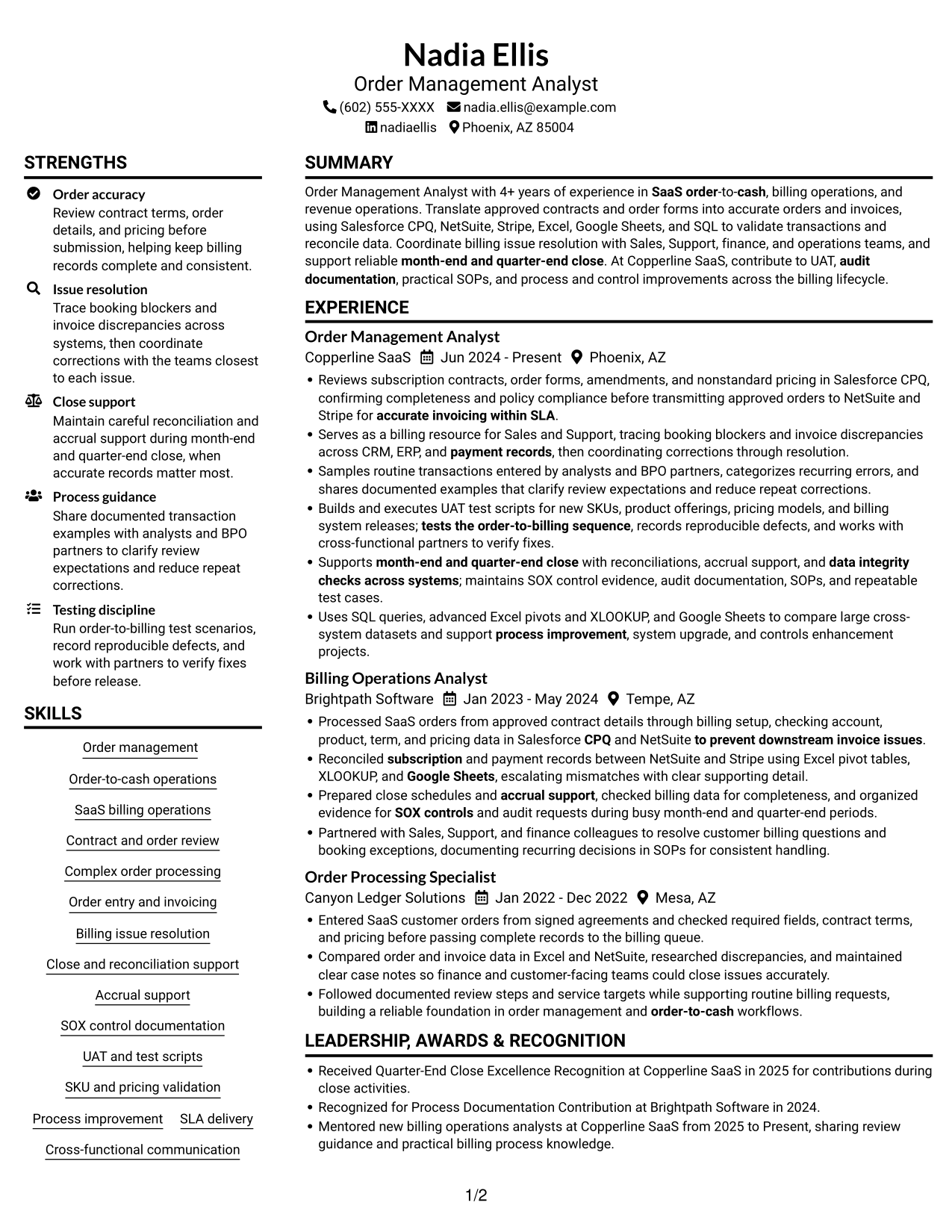
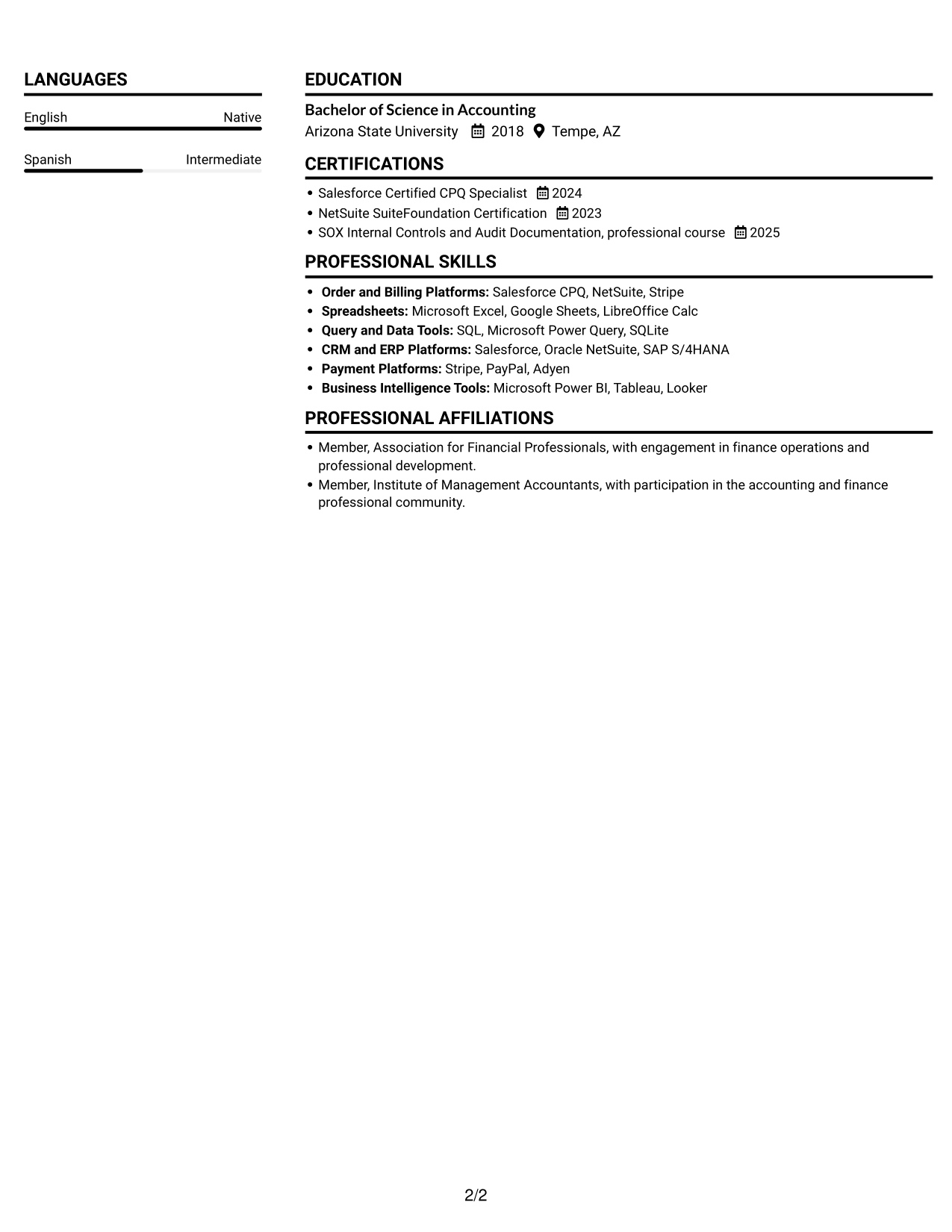
The Plain Two Column Format presents resume content in two columns, a useful choice for readers who prefer a shorter path between sections.
 
Resume example — page 1   Resume example — page 2

Resume Snapshot

  • 4+ years of experience in SaaS order-to-cash, billing operations, and revenue operations.
  • Reviews approved contracts and order forms, then supports accurate order entry and invoicing.
  • Uses Salesforce CPQ, NetSuite, Stripe, Excel, Google Sheets, and SQL for validation and reconciliation.
  • Supports UAT, month-end and quarter-end close, audit documentation, and process improvements.

Why This Format Works

  • Two columns give experience and supporting sections distinct places in the resume.
  • Section separation helps reviewers locate education, credentials, and skills without losing chronology.
  • Related experience details remain easier to compare during a focused resume review.

Best For

  • Resumes with several content areas
  • Separate career and supporting details
  • Visible education and credential sections
  • Cross-section reviewer comparisons
  • Short transitions between resume sections

Resume Keywords

  • Order-to-cash
  • CPQ
  • across CRM, ERP, and payment records
  • Reconciled subscription and payment records between NetSuite and Stripe
  • 4+ years of experience in SaaS order-to-cash
  • SaaS billing operations
  • Reviews subscription contracts, order forms
  • Complex order processing
  • Order entry
  • accurate invoicing within SLA
  • to prevent downstream invoice issues
  • tracing booking blockers and invoice discrepancies across CRM, ERP, and payment records, then coordinating corrections through resolution
  • Samples routine transactions entered by analysts and BPO partners, categorizes recurring errors
  • UAT
  • Builds and executes UAT test scripts
See all keywords
 

#2 Simple One Column Format Resume Example

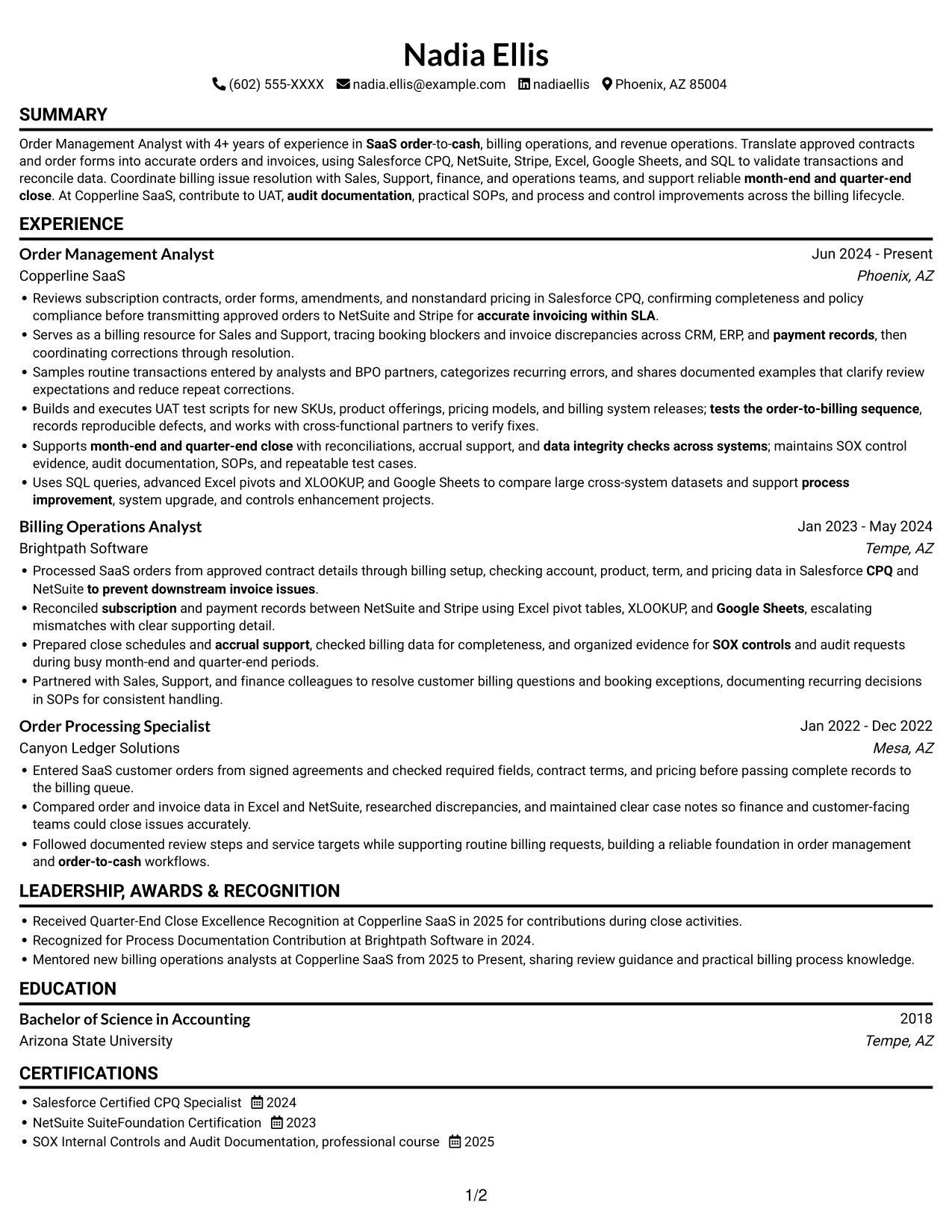
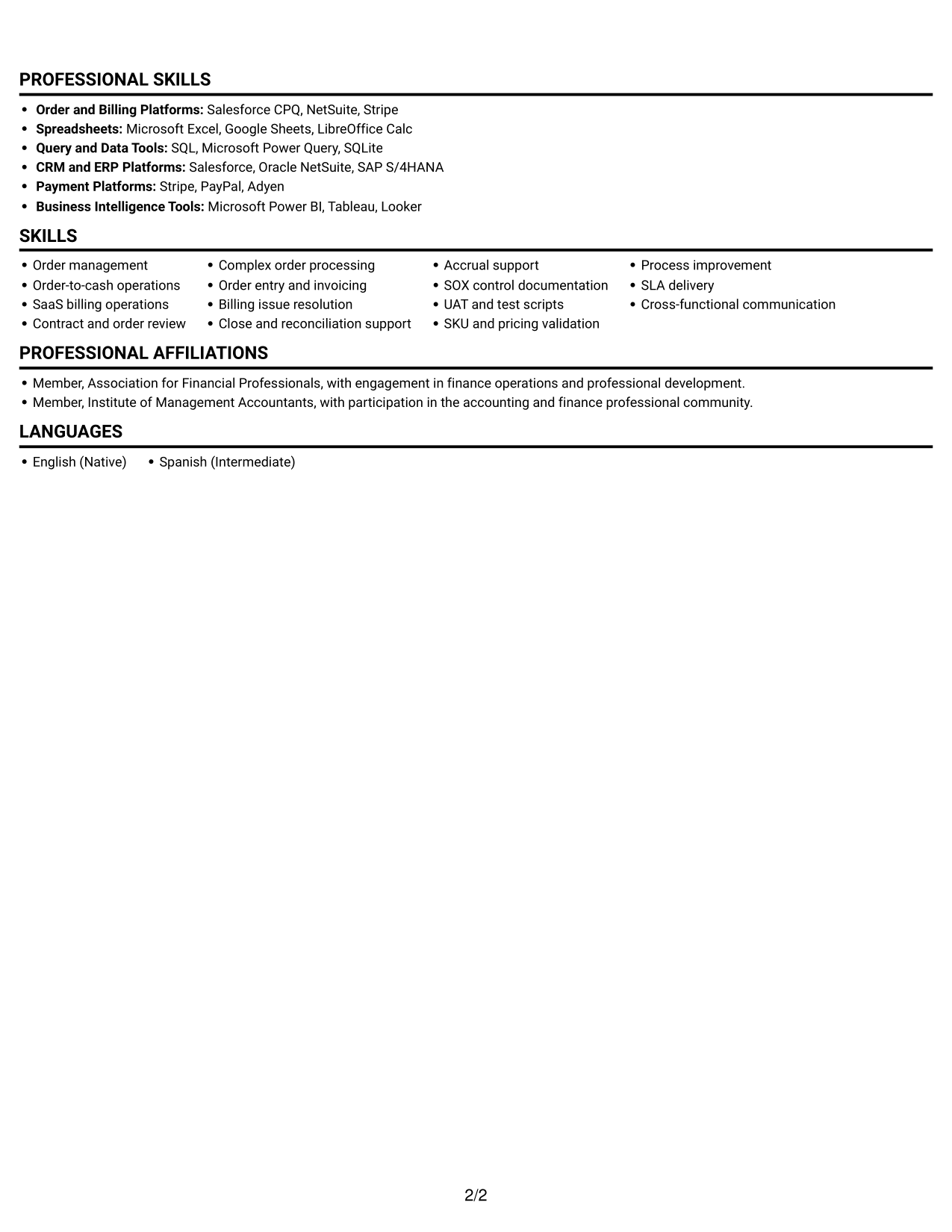
With one column, the Simple One Column Format keeps the resume's sections in a single vertical reading order for straightforward review.
 
Resume example — page 1   Resume example — page 2

Why This Format Works

  • One vertical reading order lets reviewers follow the work history from role to role.
  • Skills, education, and credentials stay within the same straightforward section sequence.
  • Consistent movement down the page supports a close review of detailed bullets.

Best For

  • Linear section-by-section review
  • Detailed chronological work histories
  • ATS-focused text presentation
  • Consistent section order
  • Role-by-role reading
 

#3 Clean Two Column Sidebar Format Resume Example

The Clean Two Column Sidebar Format uses two columns, helping readers move between resume sections without tracing one continuous vertical sequence.
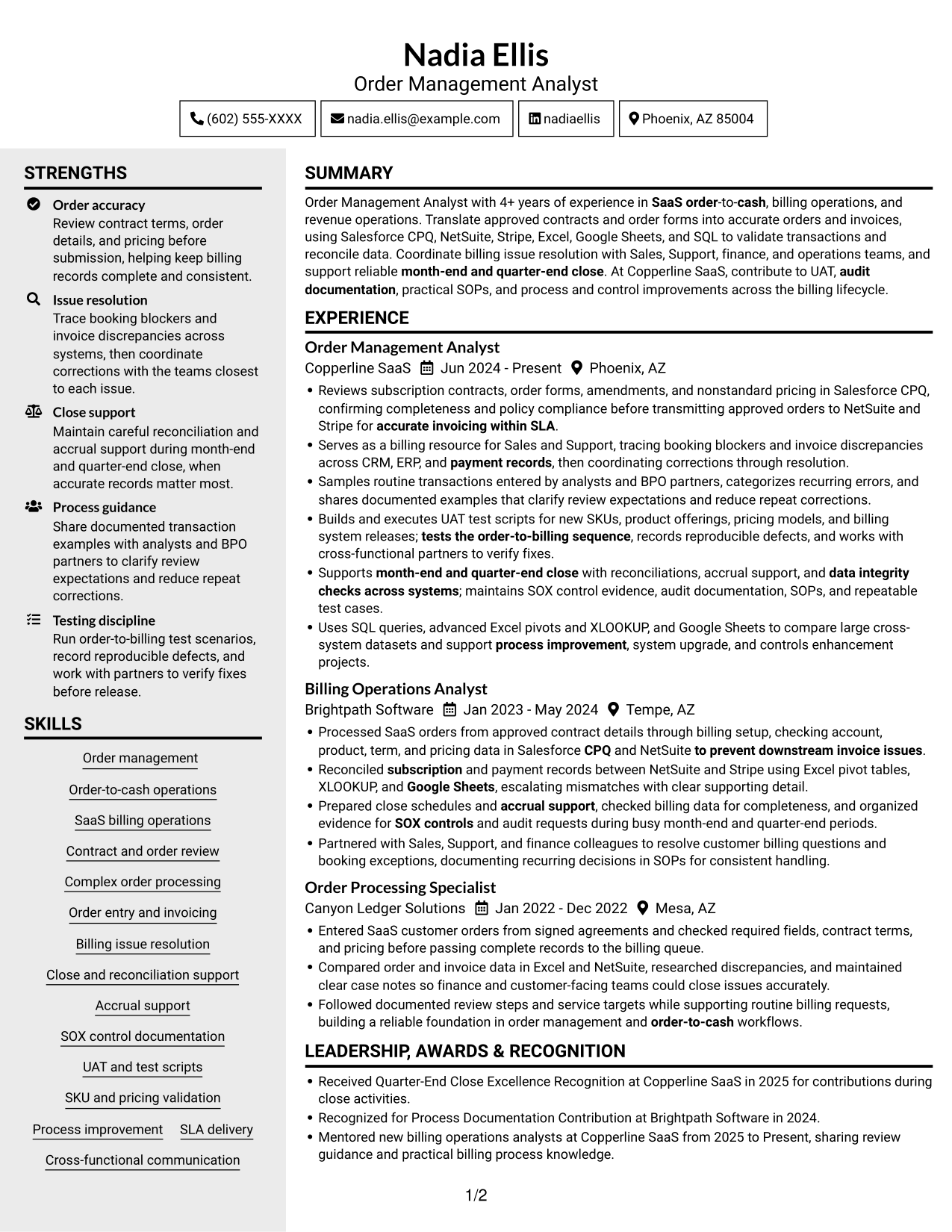
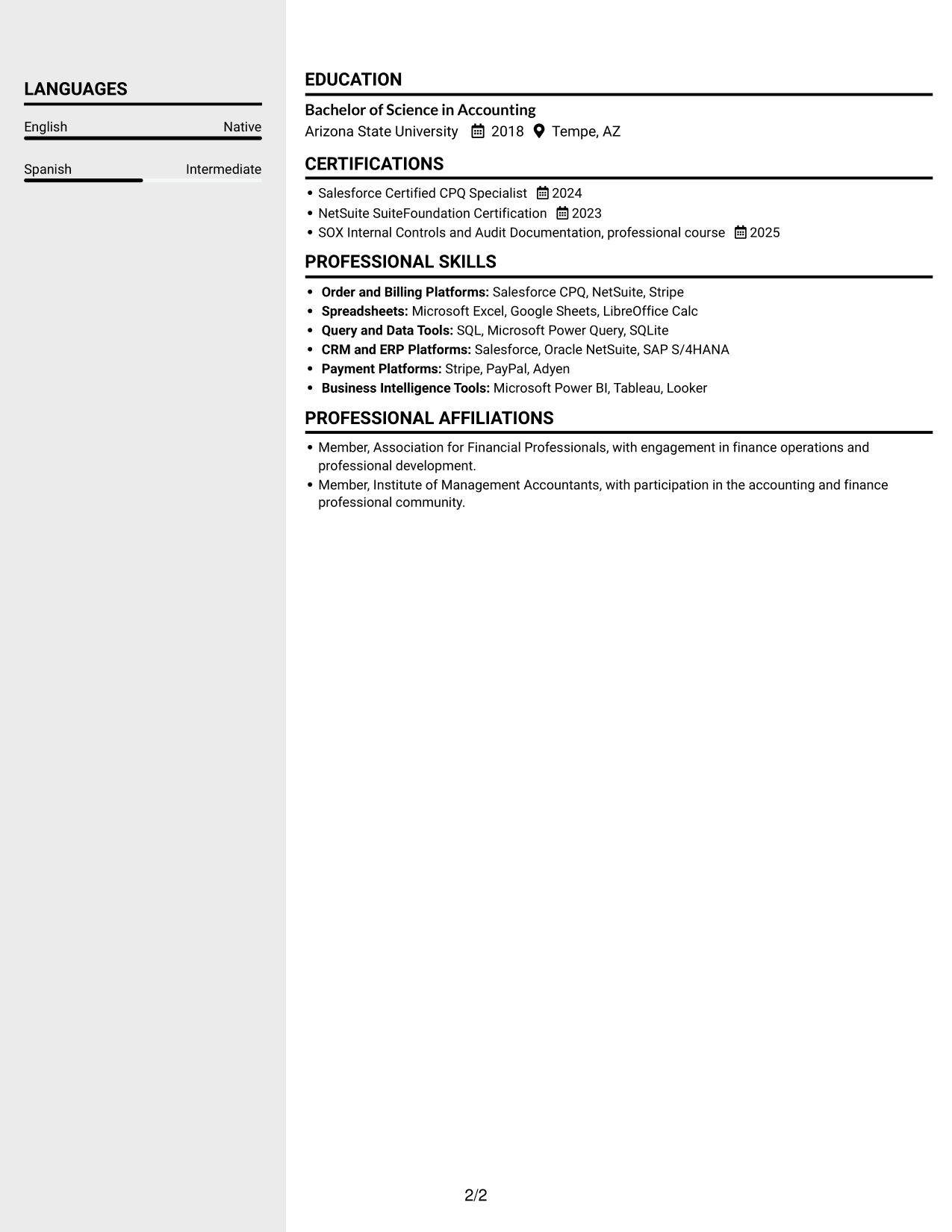
 
Resume example — page 1   Resume example — page 2

Why This Format Works

  • Separate columns help reviewers move between experience and supporting sections with less vertical scanning.
  • Education and credentials can be located apart from the work history for quick reference.
  • Distinct reading areas suit resumes that combine detailed experience with several other sections.

Best For

  • Resumes with varied content sections
  • Quick reference to credentials
  • Detailed experience records
  • Side-by-side section review
  • Separate career and supporting information
 

#4 Two Column Format Resume Example

The Two Column Format presents resume sections in two reading columns, a practical option for readers who want to move between content areas.
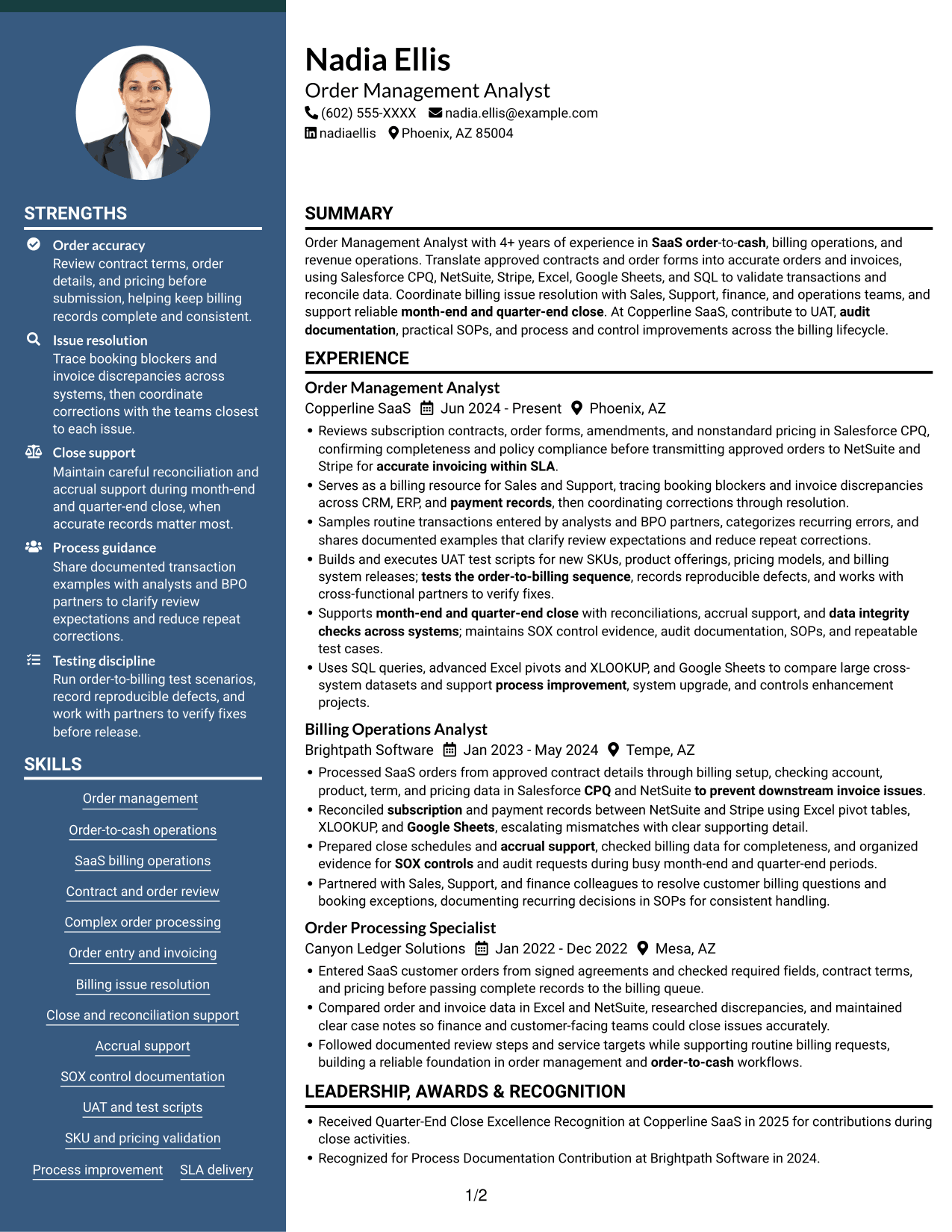
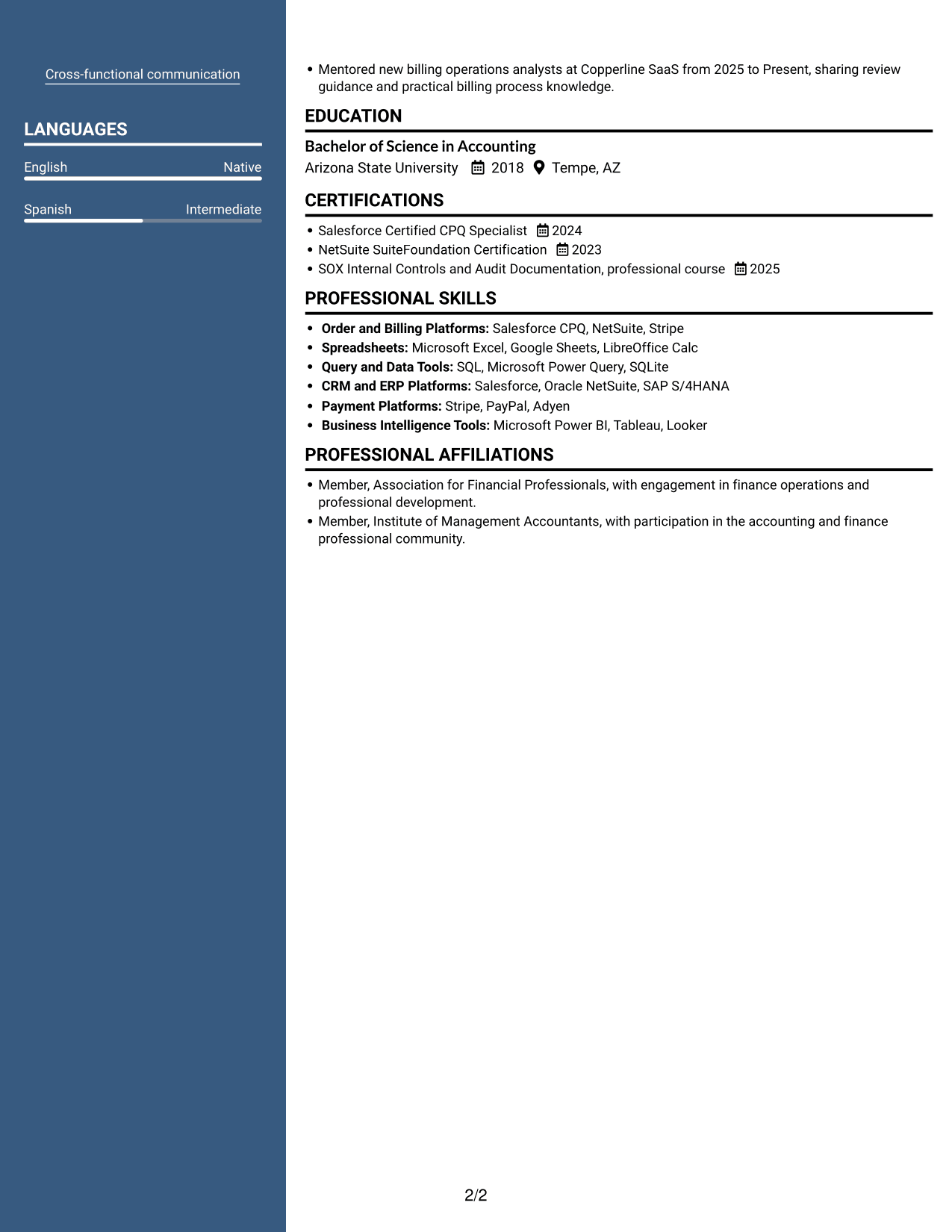
 
Resume example — page 1   Resume example — page 2

Why This Format Works

  • Two reading columns let reviewers move between work history and other resume sections.
  • Section separation helps skills and education remain easy to locate during review.
  • Readers can scan supporting credentials without losing the broader career sequence.

Best For

  • Section-based resume review
  • Work histories with supporting details
  • Easy access to education
  • Credential reference during review
  • Two-column reading preference


#5 Photo Header Two Column Format Resume Example

The Photo Header Two Column Format pairs a header photo with two columns, for applications where a portrait is part of the preferred resume presentation.
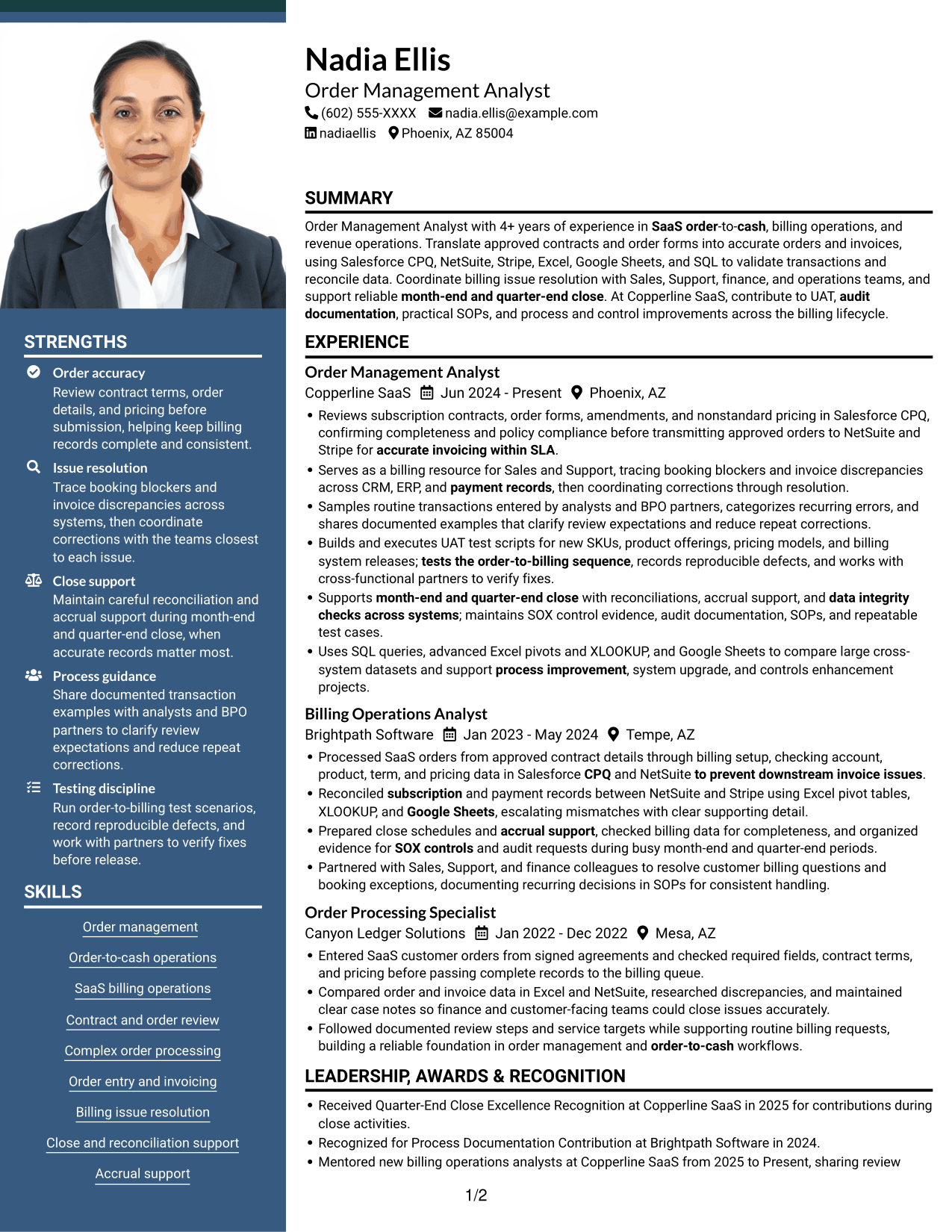
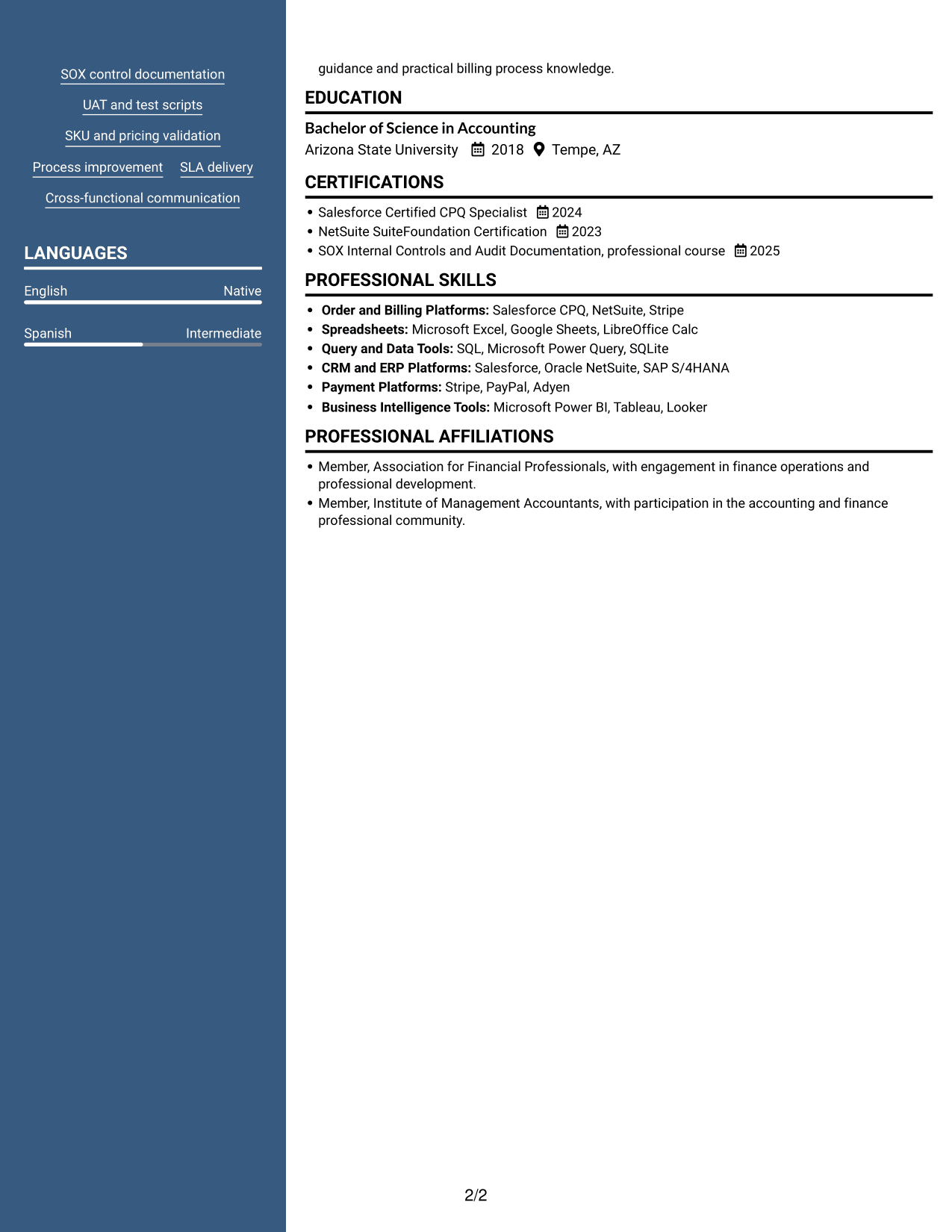
 
Resume example — page 1   Resume example — page 2

Why This Format Works

  • Two columns give reviewers a clear route across experience and supporting resume sections.
  • Separate reading areas help keep education and credentials easy to locate.
  • The header photo gives the document a portrait-led presentation without changing its section order.

Best For

  • Applications requesting a profile photo
  • Two-column resume reading
  • Resumes with several sections
  • Quick access to supporting details
  • Portrait-led document presentation
 

#6 Colored Two Column Format Resume Example

The Colored Two Column Format places resume content in two columns, suiting readers who prefer to navigate between separate information areas.
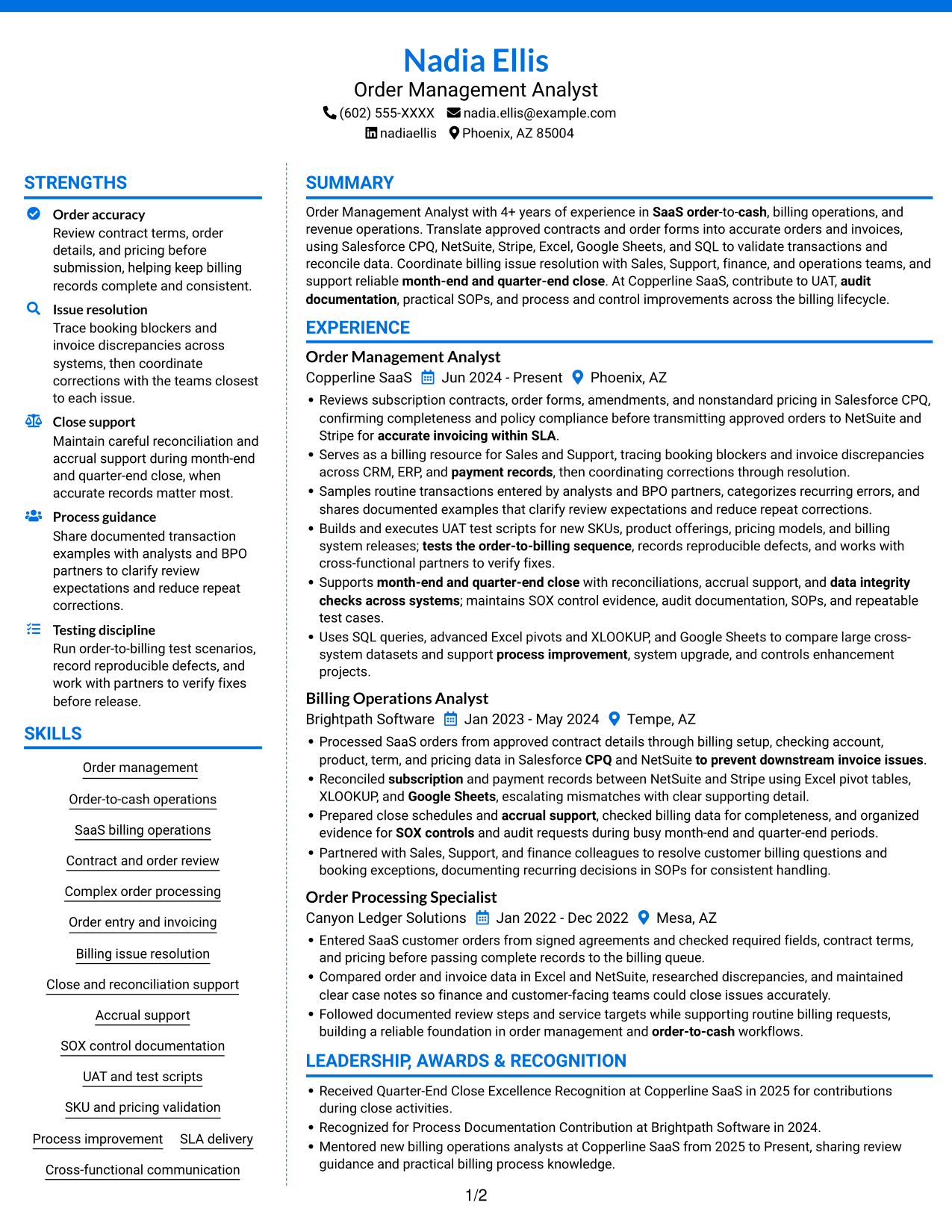
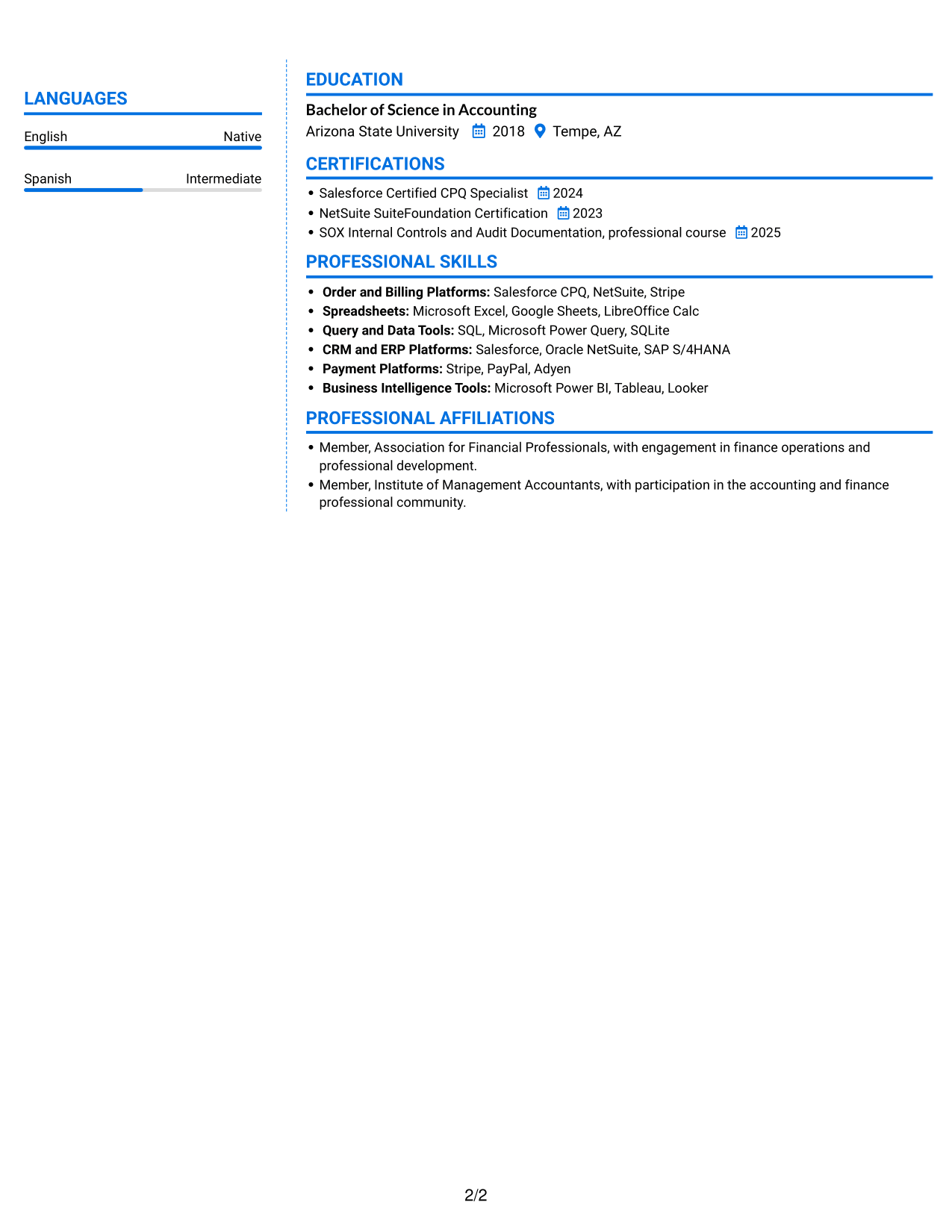
 
Resume example — page 1   Resume example — page 2

Why This Format Works

  • Two-column organization gives reviewers a direct route between experience and supporting resume sections.
  • Section boundaries help skills and credentials stand apart from the career timeline.
  • Readers can scan education details without moving through every experience entry.

Best For

  • Resumes with multiple information areas
  • Separate career and skills sections
  • Education details easy to revisit
  • Credential-focused reference needs
  • Readers who prefer two columns
 

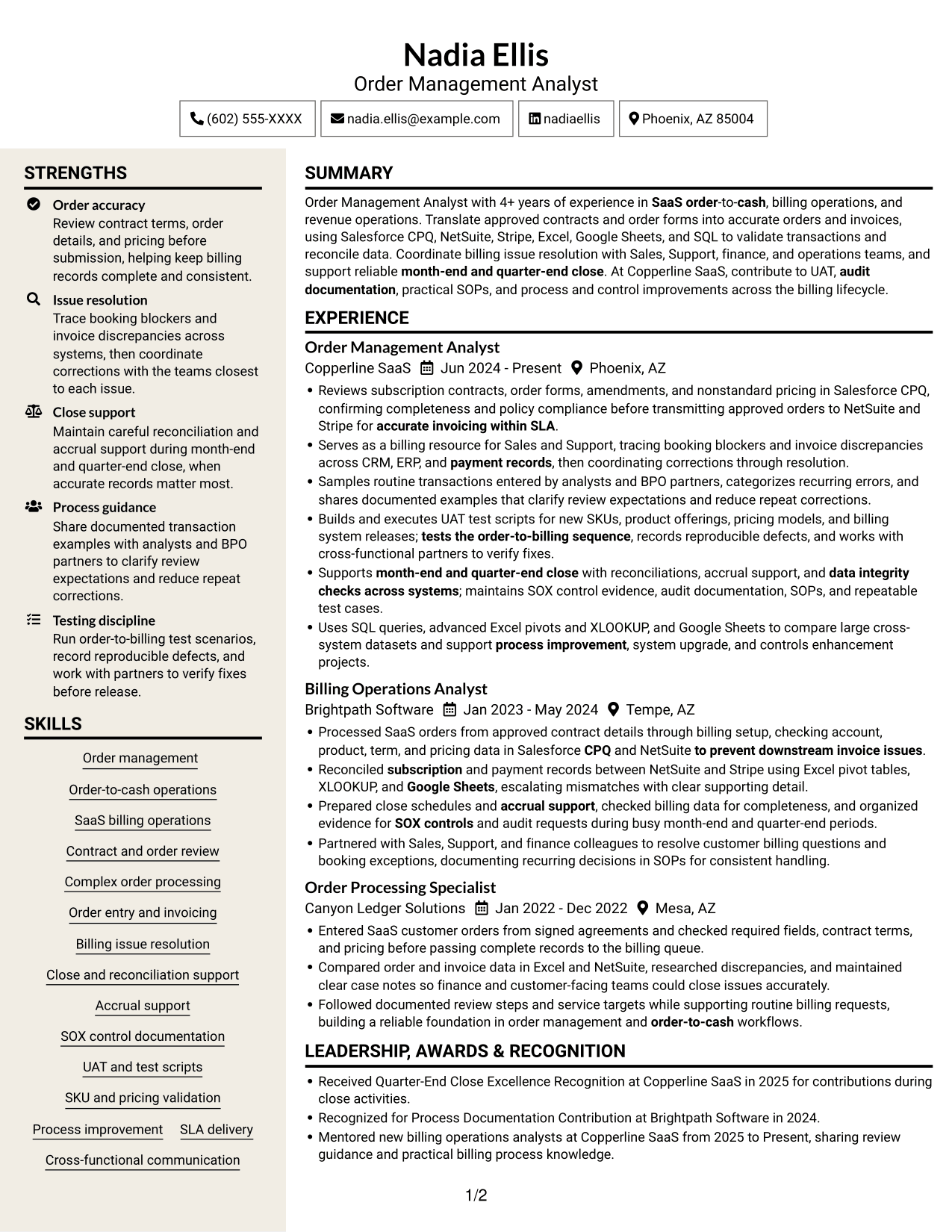
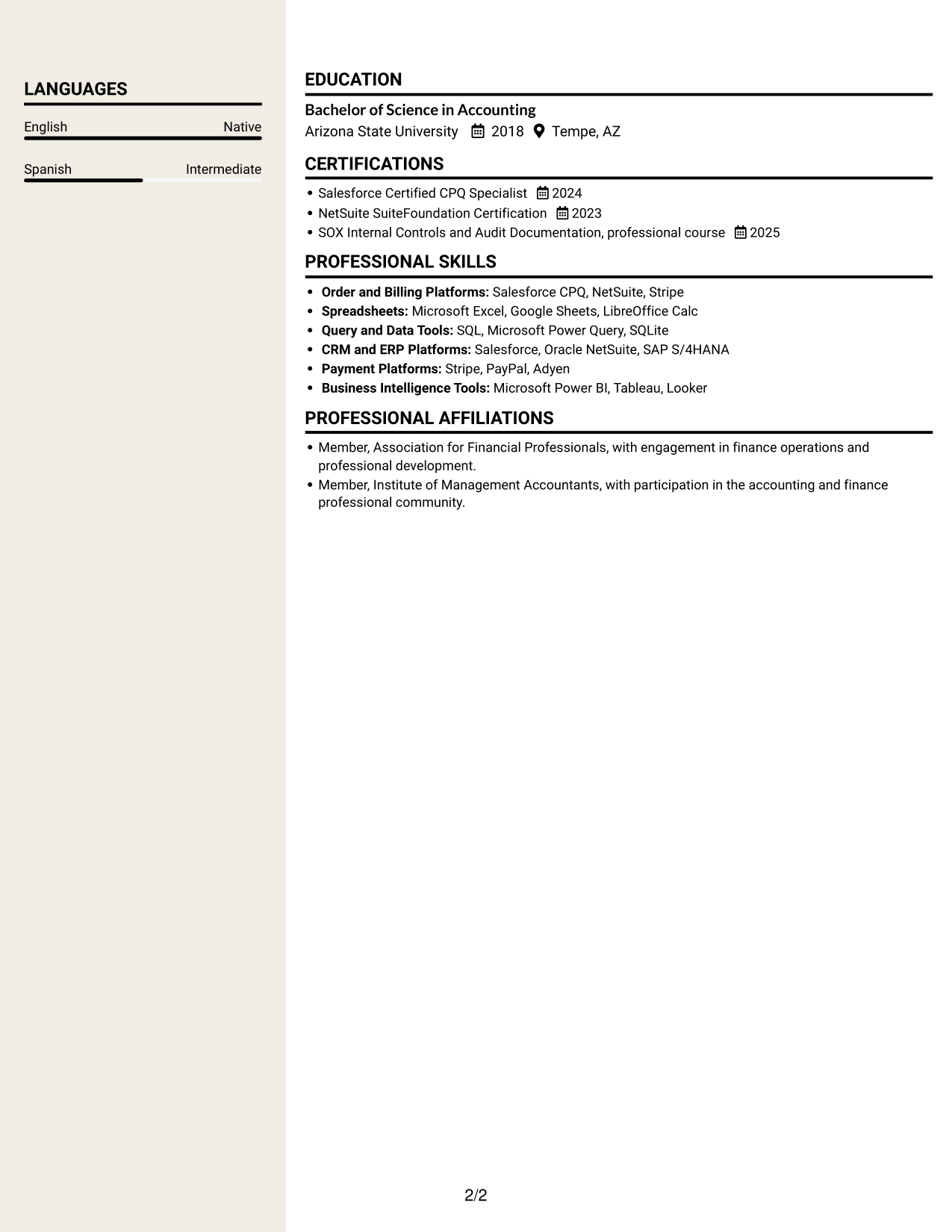
#7 Stylish Two Column Designer Format Resume Example

The Stylish Two Column Designer Format uses two columns, giving readers an alternative to a single vertical sequence when navigating resume sections.
 
Resume example — page 1   Resume example — page 2

Why This Format Works

  • Two columns let reviewers compare resume sections without following one uninterrupted vertical sequence.
  • Clear section separation helps experience and education remain distinct during review.
  • Supporting credentials are easier to revisit alongside the wider career history.

Best For

  • Two-column section navigation
  • Resumes with distinct content areas
  • Experience alongside supporting details
  • Repeated reference to credentials
  • Readers comparing resume sections


Why Build Your Senior Order Management Analyst - SaaS Billing Operations Resume with ResumeInMinutes

ResumeInMinutes lets you review resume image previews and open an example in the editor. Use the layout to organize your experience, skills, certifications, and education in a clear order.

  • Clear resume section structure
  • Easy-to-scan experience bullets
  • Skills and tools shown in context
  • Space for close and reconciliation work
  • Image previews for layout comparison
  • Examples you can open in the editor

Keep the details accurate to your own work. Focus each bullet on the order, system, control, or issue you handled, then explain the result when you have evidence to support it.


See Also


Frequently Asked Questions

Are these Senior Order Management Analyst - SaaS Billing Operations resume templates ATS-friendly?

Clear headings and simple section structure can help applicant tracking systems and people scan a resume. Use relevant terms naturally, including order-to-cash, Salesforce CPQ, NetSuite, Stripe, UAT, reconciliations, and SOX controls when they match your experience.

Are these separate resumes or different layouts for one example?

They are different layouts for the same resume example. Compare the image previews to see how each arrangement presents experience, skills, and education.

What should a Senior Order Management Analyst - SaaS Billing Operations resume include?

Include a focused summary, relevant work experience, skills, education, and certifications. Describe contract and order review, billing issue resolution, UAT, reconciliations, close support, and process improvements when these reflect your background.

Which resume layout works well for this role?

A clear, single-column layout is often easy to scan and keeps section order straightforward. Choose a design that gives enough space for concise experience bullets and lists tools without crowding the page.

How can I show the value of order management work?

Explain what you reviewed or resolved, which systems or teams were involved, and what changed as a result. Use numbers only when you can verify them, such as order volume, error reduction, turnaround time, or SLA results.

Should I include a photo on my resume?

For U.S. applications, a resume without a photo is usually the safer choice. Use the space for relevant skills, system knowledge, and work results instead.


ATS Score 89%

How we calculate this score

  • Keywords: 60% of the total. AI extracts keywords from your job description. If you do not provide one, a standard job description for the title matching your resume is used. This is not a match to a specific vacancy.
  • Text-based resume: 20%. The text resume assessed here receives 100 for this part.
  • Resume quality: 20%. We start at 100 and subtract points for issues found by our resume checks, down to a minimum of zero.
  • Keyword coverage = round(100 × confirmed matches ÷ total keywords). Exact matches and supported equivalents verified by AI receive full credit; unsupported keywords receive none. Live text checks use the saved equivalents and do not request a new AI review. Without keywords, no overall ATS score is available.
  • Final score = 60% of keyword coverage + 20% of the text score + 20% of the quality score, rounded to a whole number. Without keywords, no overall ATS score is available.

What this score means

Our scores are estimates, not employer ratings. They may contain errors and do not guarantee accurate parsing, a ranking, an interview, or a job. Check your document against the employer’s requirements. You are responsible for relying on this score.

Terms and Conditions

Score weights: Keywords 60% · Text based resume 20% · Resume quality 20%

Keyword coverage: 34 of 42 (81%) · Resume quality: 100%

Resume quality 100% · Weight 20% · Issues (0)

Details
  • ✓Name present: Nadia Ellis
  • ✓Email format: nadia.ellis@example.com
  • ✓Phone format: (602) 555-XXXX
  • ✓Experience 1: Job title: Order Management Analyst
  • ✓Experience 1: Company name: Copperline SaaS
  • ✓Experience 1: Work location: Phoenix, AZ
  • ✓Experience 1: Employment dates: Jun 2024 - Present
  • ✓Experience 1: Description or achievements: Present
  • ✓Experience 2: Job title: Billing Operations Analyst
  • ✓Experience 2: Company name: Brightpath Software
  • ✓Experience 2: Work location: Tempe, AZ
  • ✓Experience 2: Employment dates: Jan 2023 - May 2024
  • ✓Experience 2: Description or achievements: Present
  • ✓Experience 3: Job title: Order Processing Specialist
  • ✓Experience 3: Company name: Canyon Ledger Solutions
  • ✓Experience 3: Work location: Mesa, AZ
  • ✓Experience 3: Employment dates: Jan 2022 - Dec 2022
  • ✓Experience 3: Description or achievements: Present
  • ✓No placeholder fields
  • ✓No repeated achievement bullets
  • ✓No empty bullets

No issues found by the current checks.

Text Based Resume 100% · Weight 20%

Parsed text
Nadia Ellis
Order Management Analyst
(602) 555-XXXX
nadiaellis
nadia.ellis@example.com
Phoenix, AZ 85004
STRENGTHS
Order accuracy
Review contract terms, order details, and pricing before submission, helping keep billing records complete and consistent.
Issue resolution
Trace booking blockers and invoice discrepancies across systems, then coordinate corrections with the teams closest to each issue.
Close support
Maintain careful reconciliation and accrual support during month-end and quarter-end close, when accurate records matter most.
Process guidance
Share documented transaction examples with analysts and BPO partners to clarify review expectations and reduce repeat corrections.
Testing discipline
Run order-to-billing test scenarios, record reproducible defects, and work with partners to verify fixes before release.
SUMMARY
Order Management Analyst with 4+ years of experience in SaaS order-to-cash, billing operations, and revenue operations. Translate approved contracts and order forms into accurate orders and invoices, using Salesforce CPQ, NetSuite, Stripe, Excel, Google Sheets, and SQL to validate transactions and reconcile data. Coordinate billing issue resolution with Sales, Support, finance, and operations teams, and support reliable month-end and quarter-end close. At Copperline SaaS, contribute to UAT, audit documentation, practical SOPs, and process and control improvements across the billing lifecycle.
EXPERIENCE
Order Management Analyst
Copperline SaaS
Jun 2024 - Present
Phoenix, AZ
Reviews subscription contracts, order forms, amendments, and nonstandard pricing in Salesforce CPQ, confirming completeness and policy compliance before transmitting approved orders to NetSuite and Stripe for accurate invoicing within SLA.
Serves as a billing resource for Sales and Support, tracing booking blockers and invoice discrepancies across CRM, ERP, and payment records, then coordinating corrections through resolution.
Samples routine transactions entered by analysts and BPO partners, categorizes recurring errors, and shares documented examples that clarify review expectations and reduce repeat corrections.
Builds and executes UAT test scripts for new SKUs, product offerings, pricing models, and billing system releases; tests the order-to-billing sequence, records reproducible defects, and works with cross-functional partners to verify fixes.
Supports month-end and quarter-end close with reconciliations, accrual support, and data integrity checks across systems; maintains SOX control evidence, audit documentation, SOPs, and repeatable test cases.
Uses SQL queries, advanced Excel pivots and XLOOKUP, and Google Sheets to compare large cross-system datasets and support process improvement, system upgrade, and controls enhancement projects.
Billing Operations Analyst
Brightpath Software
Jan 2023 - May 2024
Tempe, AZ
Processed SaaS orders from approved contract details through billing setup, checking account, product, term, and pricing data in Salesforce CPQ and NetSuite to prevent downstream invoice issues.
Reconciled subscription and payment records between NetSuite and Stripe using Excel pivot tables, XLOOKUP, and Google Sheets, escalating mismatches with clear supporting detail.
Prepared close schedules and accrual support, checked billing data for completeness, and organized evidence for SOX controls and audit requests during busy month-end and quarter-end periods.
Partnered with Sales, Support, and finance colleagues to resolve customer billing questions and booking exceptions, documenting recurring decisions in SOPs for consistent handling.
Order Processing Specialist
Canyon Ledger Solutions
Jan 2022 - Dec 2022
Mesa, AZ
Entered SaaS customer orders from signed agreements and checked required fields, contract terms, and pricing before passing complete records to the billing queue.
Compared order and invoice data in Excel and NetSuite, researched discrepancies, and maintained clear case notes so finance and customer-facing teams could close issues accurately.
Followed documented review steps and service targets while supporting routine billing requests, building a reliable foundation in order management and order-to-cash workflows.
SKILLS
Process improvement
Cross-functional communication
Close and reconciliation support
SOX control documentation
Complex order processing
SKU and pricing validation
Contract and order review
Order entry and invoicing
Order-to-cash operations
SaaS billing operations
Billing issue resolution
Order management
UAT and test scripts
Accrual support
SLA delivery
LEADERSHIP, AWARDS & RECOGNITION
Received Quarter-End Close Excellence Recognition at Copperline SaaS in 2025 for contributions during close activities.
Recognized for Process Documentation Contribution at Brightpath Software in 2024.
Mentored new billing operations analysts at Copperline SaaS from 2025 to Present, sharing review guidance and practical billing process knowledge.
EDUCATION
Bachelor of Science in Accounting
Arizona State University
2018
Tempe, AZ
LANGUAGES
English
Native
Spanish
Intermediate
CERTIFICATIONS
Salesforce Certified CPQ Specialist
2024
NetSuite SuiteFoundation Certification
2023
SOX Internal Controls and Audit Documentation, professional course
2025
PROFESSIONAL SKILLS
Order and Billing Platforms: Salesforce CPQ, NetSuite, Stripe
Spreadsheets: Microsoft Excel, Google Sheets, LibreOffice Calc
Query and Data Tools: SQL, Microsoft Power Query, SQLite
CRM and ERP Platforms: Salesforce, Oracle NetSuite, SAP S/4HANA
Payment Platforms: Stripe, PayPal, Adyen
Business Intelligence Tools: Microsoft Power BI, Tableau, Looker
PROFESSIONAL AFFILIATIONS
Member, Association for Financial Professionals, with engagement in finance operations and professional development.
Member, Institute of Management Accountants, with participation in the accounting and finance professional community.

Matched keywords (34)

  • Order-to-cashOriginal keyword in JD: 3+ years of order management OR order-to-cash OR billing operations OR revenue operations experience at a SaaS company
  • CPQOriginal keyword in JD: Salesforce Revenue Lifecycle Management (RLM) OR CPQ
  • across CRM, ERP, and payment recordsOriginal keyword in JD: ERP systems
  • Reconciled subscription and payment records between NetSuite and StripeOriginal keyword in JD: Payment processors
  • 4+ years of experience in SaaS order-to-cashOriginal keyword in JD: Order-to-cash lifecycle
  • SaaS billing operations
  • Reviews subscription contracts, order formsOriginal keyword in JD: Contract and order form review
  • Complex order processing
  • Order entry
  • accurate invoicing within SLAOriginal keyword in JD: Service-level agreement (SLA) delivery
  • to prevent downstream invoice issuesOriginal keyword in JD: Downstream billing and revenue impact
  • tracing booking blockers and invoice discrepancies across CRM, ERP, and payment records, then coordinating corrections through resolutionOriginal keyword in JD: Cross-system issue investigation and resolution
  • Samples routine transactions entered by analysts and BPO partners, categorizes recurring errorsOriginal keyword in JD: Order review and recurring error analysis
  • UATOriginal keyword in JD: User acceptance testing (UAT)
  • Builds and executes UAT test scriptsOriginal keyword in JD: Test script development and execution
  • tests the order-to-billing sequenceOriginal keyword in JD: End-to-end order-to-billing testing
  • records reproducible defects, and works with cross-functional partners to verify fixesOriginal keyword in JD: Defect documentation and resolution
  • month-end and quarter-end close
  • reconciliations
  • accrual supportOriginal keyword in JD: Accruals
  • data integrity checks across systemsOriginal keyword in JD: Cross-system data integrity checks
  • SOX controls
  • audit documentation
  • SOPsOriginal keyword in JD: Standard operating procedures (SOPs)
  • maintains SOX control evidence, audit documentation, SOPs, and repeatable test casesOriginal keyword in JD: Test case maintenance
  • Process improvement
  • system upgradeOriginal keyword in JD: System upgrades
  • controls enhancement
  • advanced Excel
  • Google Sheets
  • pivot tables
  • XLOOKUP
  • Uses SQL queriesOriginal keyword in JD: Data query tools
  • Coordinate billing issue resolution with Sales, Support, finance, and operations teamsOriginal keyword in JD: Finance and non-finance stakeholder communication

Missing keywords (8)

  • Invoicing coordination
  • Transaction completeness, accuracy, and policy compliance
  • Billing and invoicing support
  • Business process outsourcing (BPO) partner coordination
  • SKU and pricing model validation
  • Large-dataset reconciliation
  • Attention to detail
  • Written and verbal communication
Disclaimer: All names, images, contact information, employment histories, achievements, security clearances, military credentials, and other qualifications shown in this content are fictional and used for illustrative purposes only. Any resemblance to actual persons, living or deceased, is purely coincidental.

Resume and cover-letter examples and recommendations in this article reflect general best practices and professional experience and are provided for guidance only. Results may vary based on role, industry, region, and hiring organization.

Content Accuracy and Verification: To the fullest extent permitted by applicable law, we do not represent or warrant that resume or cover-letter guidance, examples, recommendations, or related information are accurate, complete, current, error-free, or suitable for any particular purpose. You are responsible for independently reviewing and verifying the information before relying on it.

ATS and Cover-Letter Scores: ATS scores are estimates calculated using our own formula, informed by publicly available guidance on resume formatting and keyword matching. They are not scores issued or endorsed by an ATS provider or employer. Cover-letter scores are also our own assessments. Parsing, weighting, screening criteria, and results vary between systems, employers, job descriptions, and document formats. No score guarantees successful parsing, a particular ranking, an interview, or employment. Use scores as general guidance and independently check your documents against the employer’s requirements. To the fullest extent permitted by applicable law, we accept no liability for errors in scores or parsing, or losses arising from reliance on these assessments. Nothing in this notice excludes liability or limits consumer rights that cannot lawfully be excluded or limited.

Terms and Conditions
 
> JP 1 1
PDF Footer and Margins Setup
The margins are applied to the document, and the footer shows up in the preview and the PDF

Footer Font Settings

Are you applying for a specific job
so we can tailor your resume to it?
Are you applying for a specific job
so we can tailor your cover letter to it?

Your data stays private and is never used for training.Privacy Policy

Type your details as text to generate a personalized resume Type your details as text to generate a personalized cover letter
Website link found! Ready to create resume from:

Your data stays private and is never used for training.Privacy Policy

Drag the into the box to verify you're human.
Drop here

My Resumes

Displaying {number_of_files} files (out of {total_of_all_files} total)
Name File Type Last Modified: Description:

Rename File

Filename already exists!

Delete Files

Warning: This action is irreversible. Once you click submit, the files will be permanently deleted.

Heading text
Upload From Computer Upload
Select From Existing
LinkedIn
Drag & Drop files anywhere in this tab, or

Uploaded Files

Delete Name Last Updated Use This File
Select this to use the file for generating your resume and cover letter. Only one source—uploaded file, selected file, or LinkedIn text—can be used.

My Files

Resumes or cover letters you create will appear here. No files available yet.
Delete Name Last Updated Use This File
Select this to use the file for generating your resume and cover letter. Only one source—uploaded file, selected file, or LinkedIn text—can be used.

Add LinkedIn Profile PDF

You can download your LinkedIn profile as a PDF by opening linkedin.com in a web browser, clicking your profile photo, selecting the “More” or “Resources” button, and choosing “Save to PDF.” You can then attach the PDF using the Upload From Computer tab.

Paste Your LinkedIn Profile Text

If you have copied the LinkedIn profile text, paste it below. See how to copy your profile from LinkedIn

Select this to use the LinkedIn profile text for generating your resume and cover letter. Only one source—uploaded file, selected file, or LinkedIn text—can be used.

Try these controls

<
>


