
US English


7 Senior Technical Support Specialist - Apple and macOS Systems Resume Templates with Example
By Ria · Last Updated On October 18, 2026
Resume example — page 1

This guide shows you how to create a clear, focused resume for a Senior Technical Support Specialist - Apple and macOS Systems role. You will learn how to present technical expertise, service leadership, and results so employers can quickly understand your value.

Strong resumes connect advanced macOS support with broader endpoint and infrastructure work. Use concise achievement bullets to show how you handle Jamf Pro, FileVault, Active Directory, scripting, Windows Server services, and complex incidents.

The example is presented in 7 layouts, so you can compare the image previews and choose a format that makes your experience easy to scan. Open an example in the editor to review and customize its resume content.

What Makes a Great Senior Technical Support Specialist - Apple and macOS Systems Resume in 2026

A strong resume makes technical leadership clear through focused sections, readable headings, and specific achievement bullets. Show how you resolve difficult issues, improve service, and guide teams.

Use accurate keywords such as Jamf Pro, macOS, FileVault, endpoint security, Active Directory, Python, Bash, zsh, and Windows Server. Support them with evidence from incident response, automation, documentation, and technology projects.

Note: Resume examples are for educational purposes only. Use only information that accurately reflects your experience and qualifications. References to real organizations do not imply affiliation or endorsement.

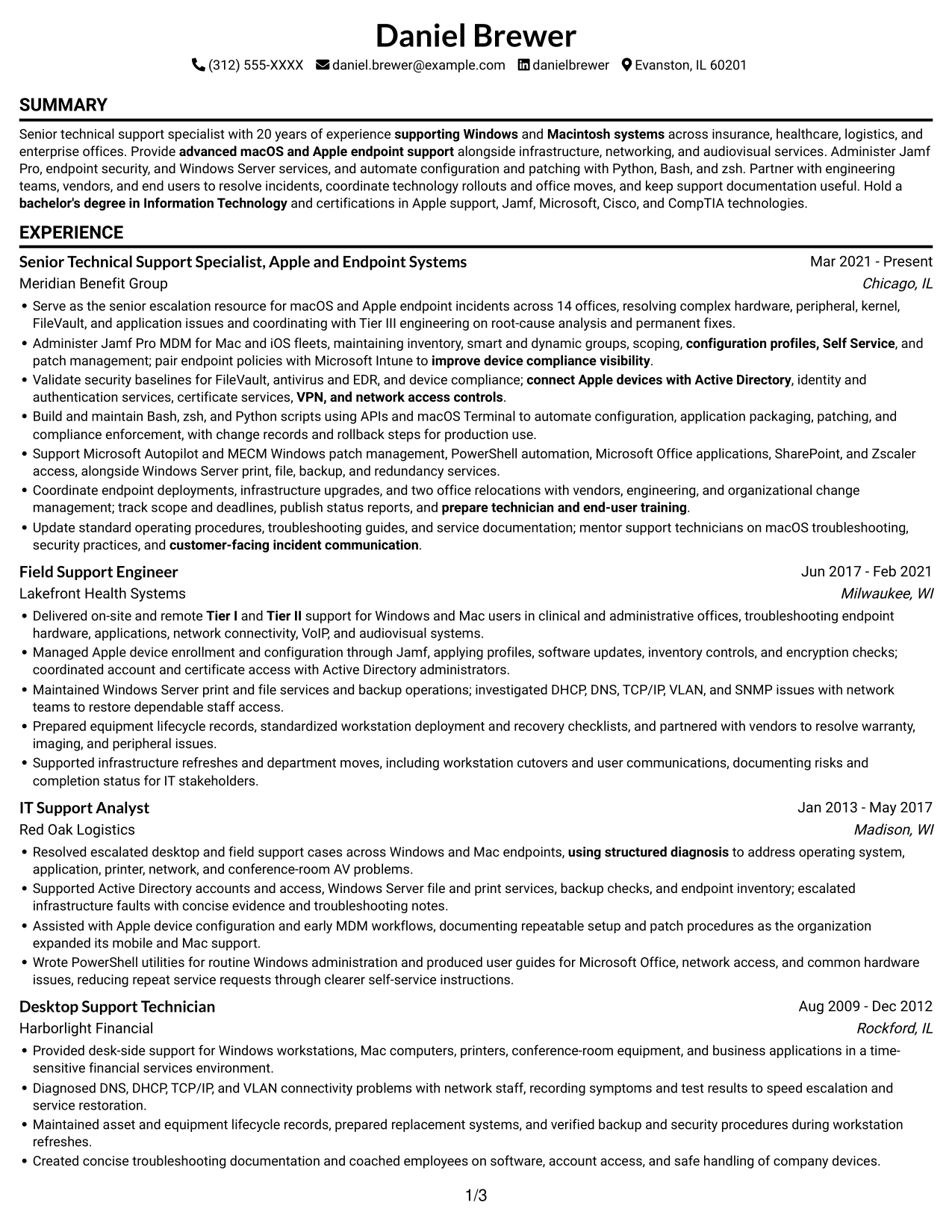
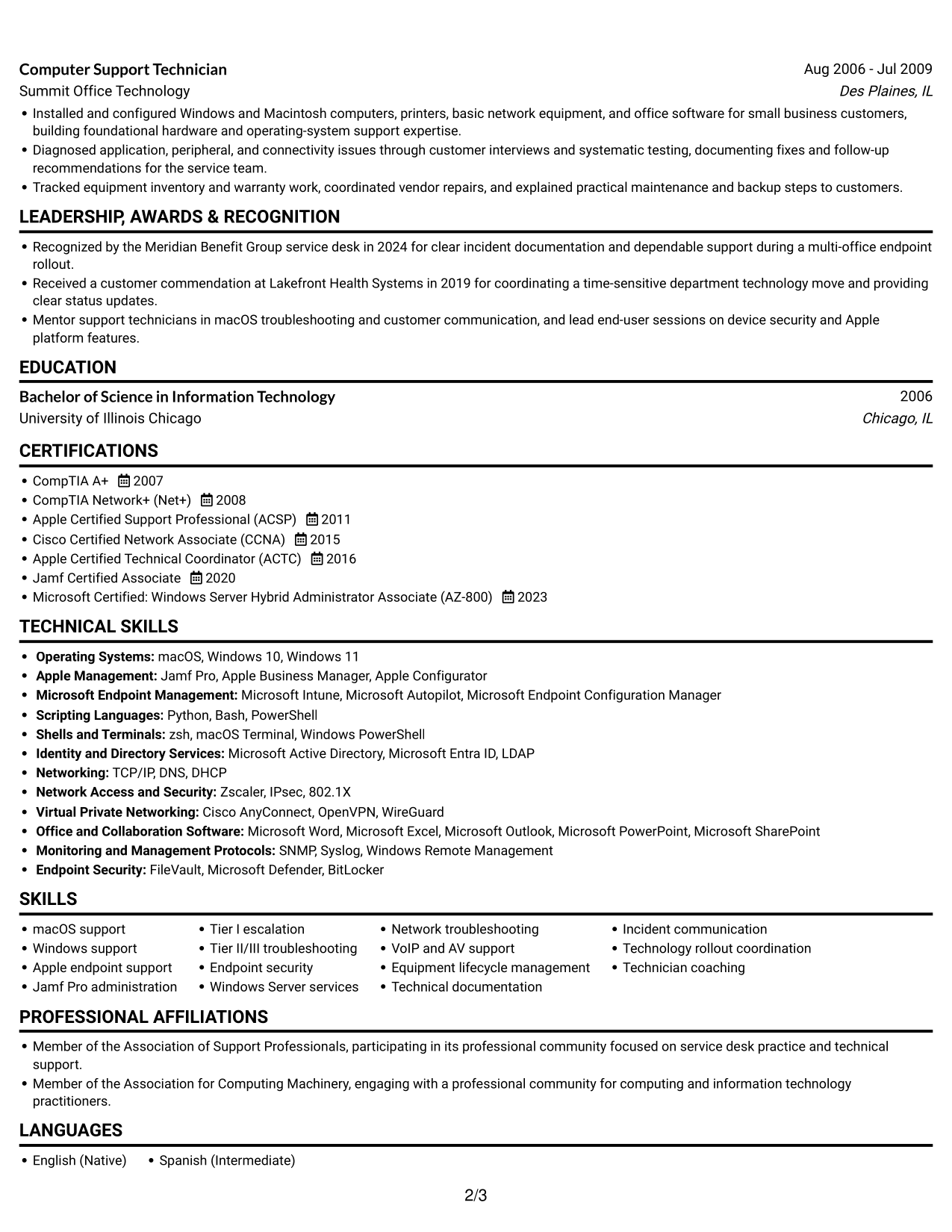
#1 Simple One Column Format Resume Example

The Simple One Column Format places resume content in one vertical sequence, giving reviewers a direct path through experience, skills, and credentials.
 
Resume example — page 1   Resume example — page 2

Why This Format Works

  • Career progression follows a direct sequence, so reviewers can trace role changes.
  • Section order helps readers locate skills, education, and credentials within the same path.
  • One text column supports straightforward parsing of experience and supporting resume sections.

Best For

  • Chronological career histories
  • Straightforward ATS review
  • Detailed experience records
  • Clear education and credential sections
  • Traditional top-to-bottom review

Resume Keywords

  • 20 years of experience supporting Windows and Macintosh systems
  • networking
  • bachelor's degree in Information Technology
  • CompTIA A+
  • CompTIA Network+
  • Apple Certified Support Professional (ACSP)
  • Jamf Certified Associate
  • Administer Jamf Pro MDM for Mac and iOS fleets
  • advanced macOS and Apple endpoint support
  • Delivered on-site and remote Tier I and Tier II support
  • Windows Server print, file, backup, and redundancy services
  • automate configuration and patching with Python, Bash, and zsh
  • Equipment lifecycle management
  • root-cause analysis
  • connect Apple devices with Active Directory
See all keywords
 

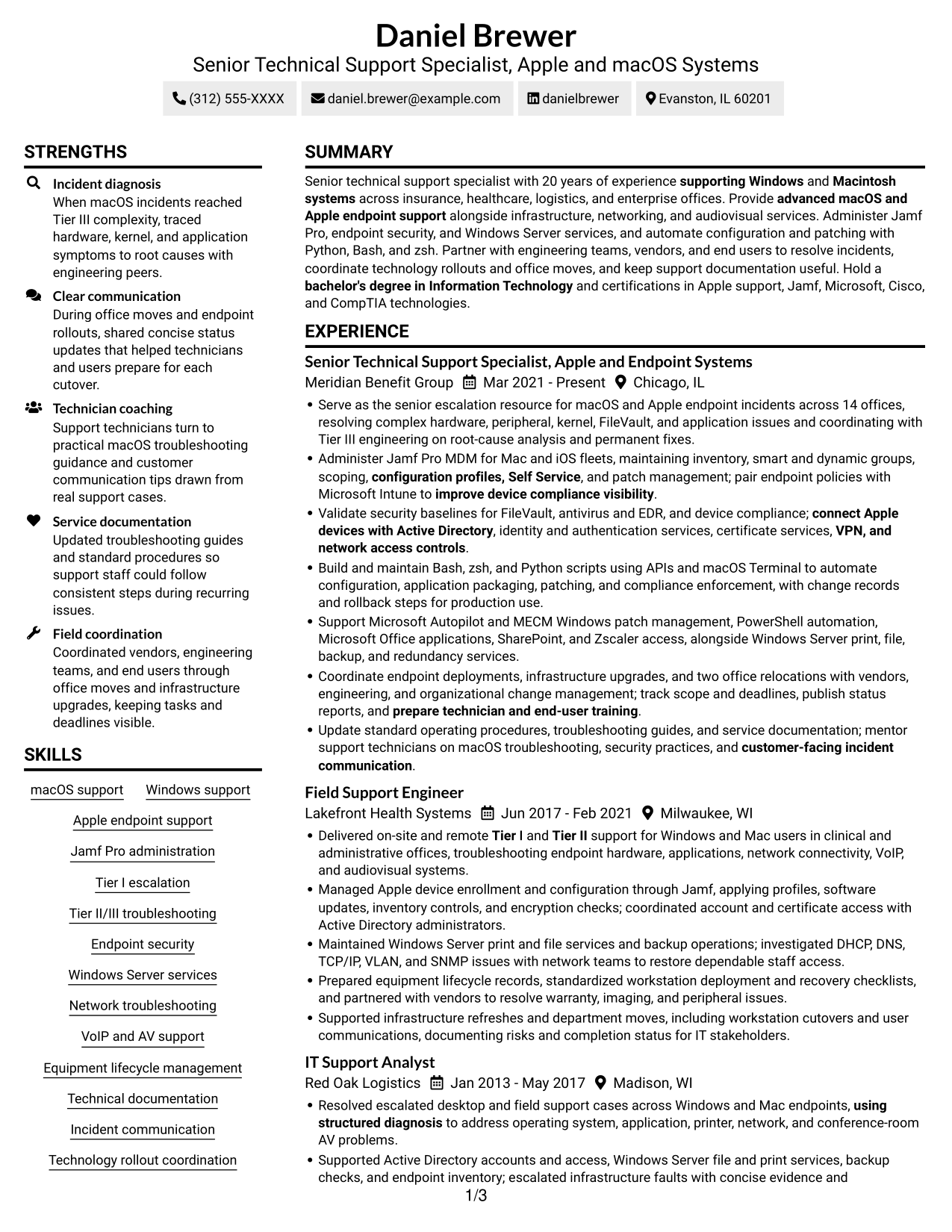
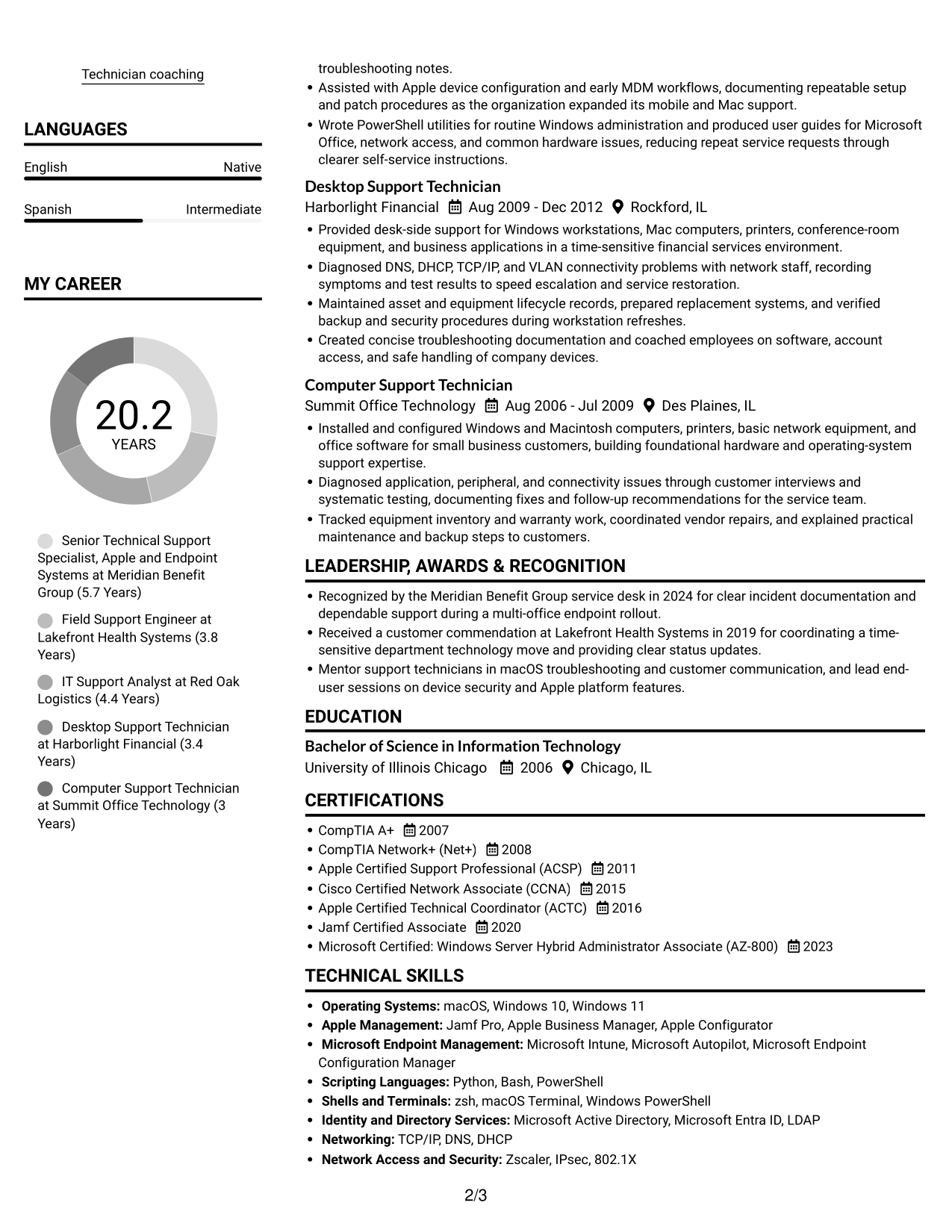
#2 Simple Two Column Format Resume Example

With two columns across the resume body, the Simple Two Column Format suits readers who want supporting details alongside the career record.
 
Resume example — page 1   Resume example — page 2

Why This Format Works

  • Two columns give career history and supporting content separate visual areas.
  • Reviewers can compare experience with skills and credentials without searching through one long block.
  • Education and certifications remain distinct from the employment timeline.

Best For

  • Multiple resume content groups
  • Skills alongside career history
  • Compact supporting sections
  • At-a-glance section navigation
  • Experience with broad supporting details

#3 Plain One Column with Shaded Labels Resume Example

The Plain One Column with Shaded Labels keeps the resume body in one reading path, a practical choice when reviewers need a clear sequence through its sections.
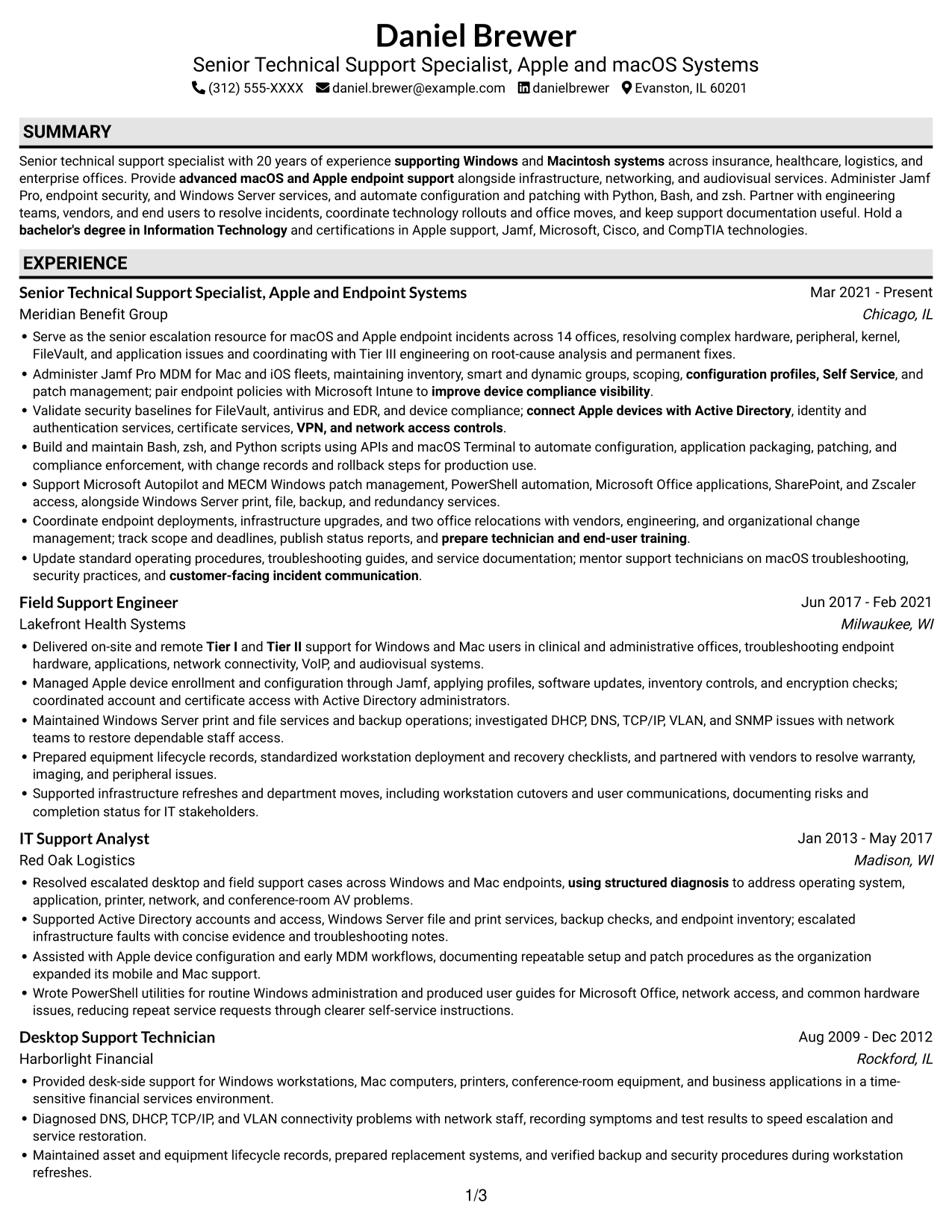
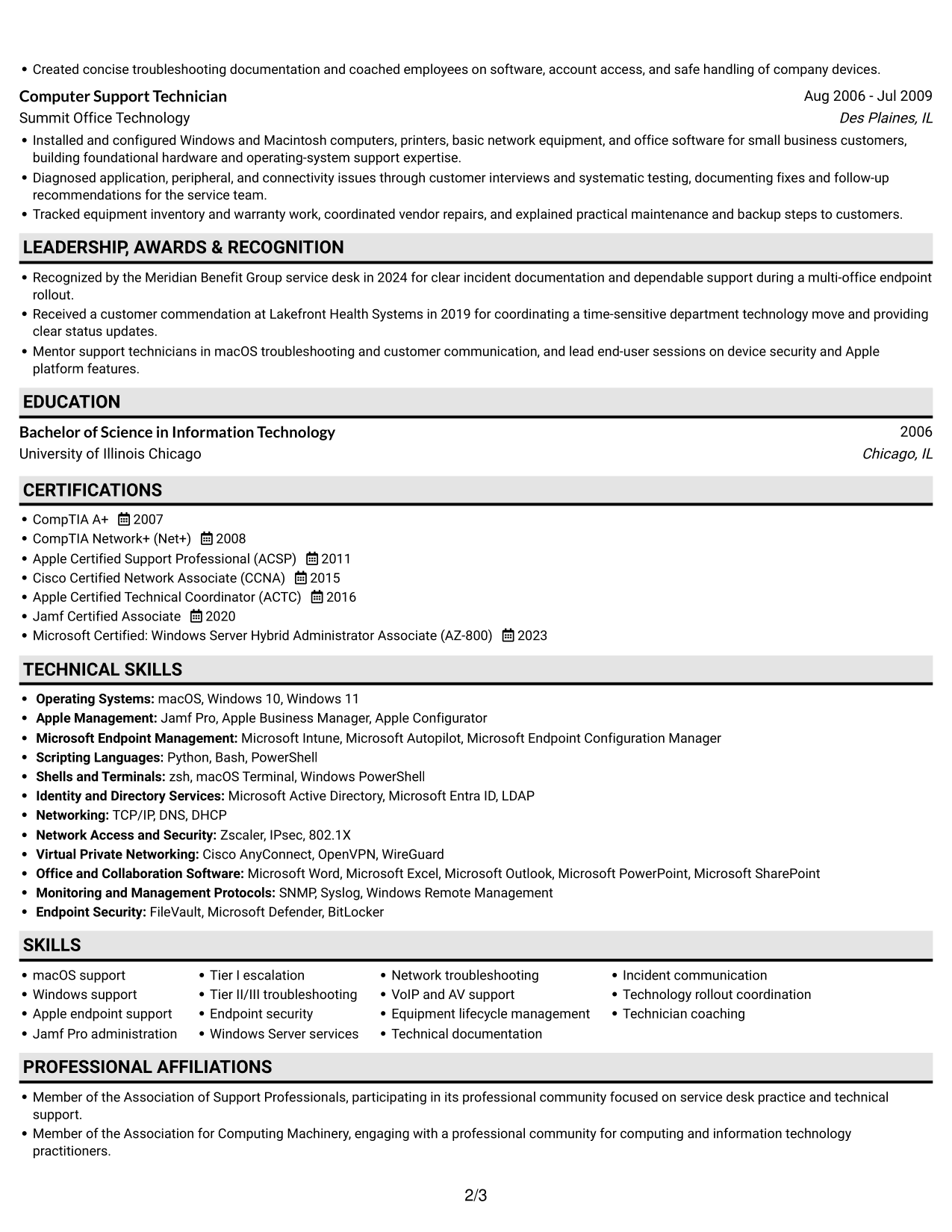
 
Resume example — page 1   Resume example — page 2

Why This Format Works

  • One vertical reading path keeps the career timeline in a familiar sequence.
  • Clear section order makes education and certifications easier to locate.
  • A simple text flow can support ATS parsing of core resume sections.

Best For

  • Sequential career timelines
  • Text-first resume review
  • ATS-focused applications
  • Easy-to-find education details
  • Records with several resume sections
 

#4 One Column Format with Photo Right Resume Example

A single-column body paired with a photo on the right gives this format a clear text path and a visible portrait.
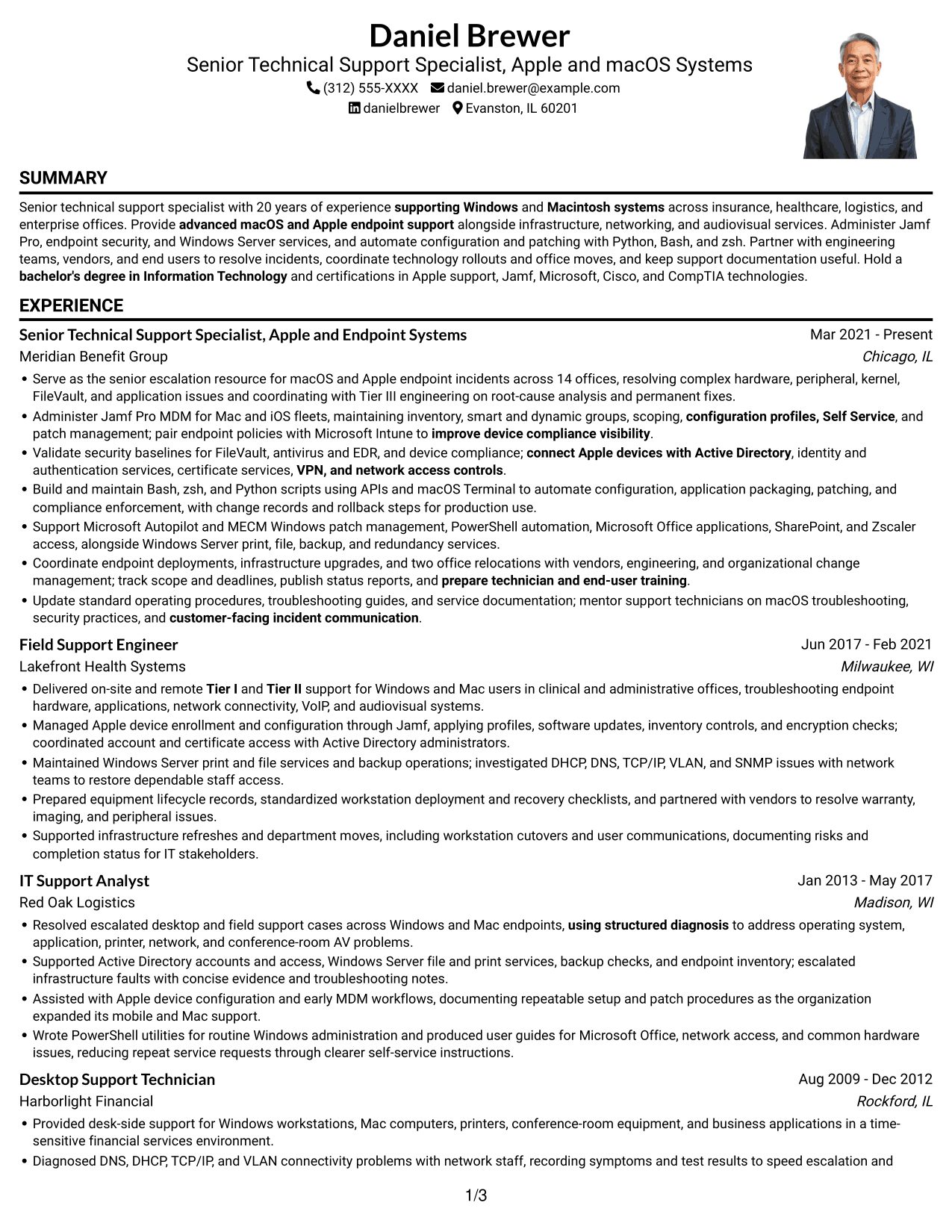
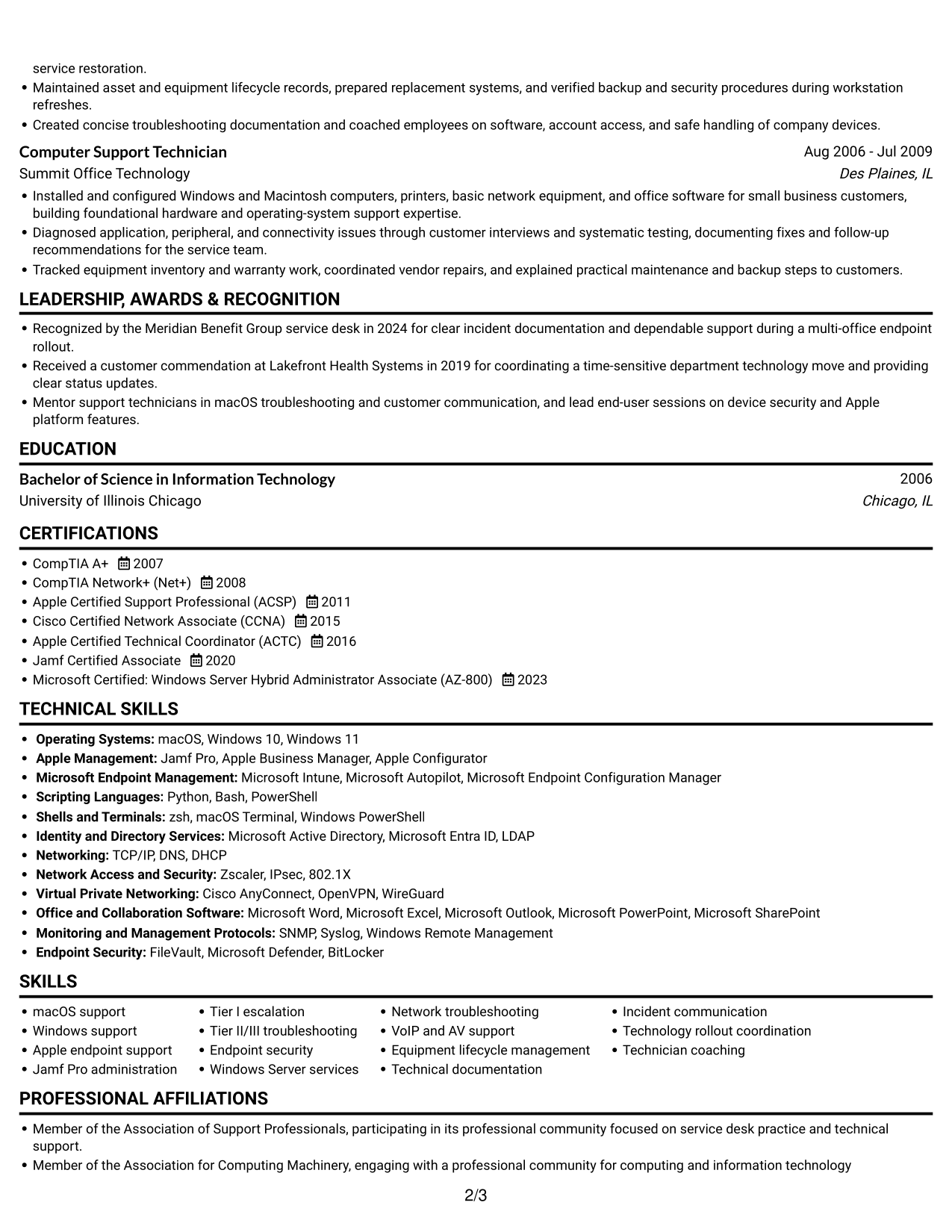
 
Resume example — page 1   Resume example — page 2

Why This Format Works

  • One-column reading keeps experience, skills, and education in a clear sequence.
  • Compact section breaks help reviewers move through a broad work history.
  • A right-side portrait adds a visible photo while the resume body remains one column.

Best For

  • Resume formats that include a portrait
  • Single-column career chronology
  • Clear separation of major sections
  • Text-first experience review
  • Applications where a photo is preferred
 

#5 Clean Two Column Sidebar Format Resume Example

The Clean Two Column Sidebar Format uses two body columns, a useful choice when compact details need a distinct area beside the career record.
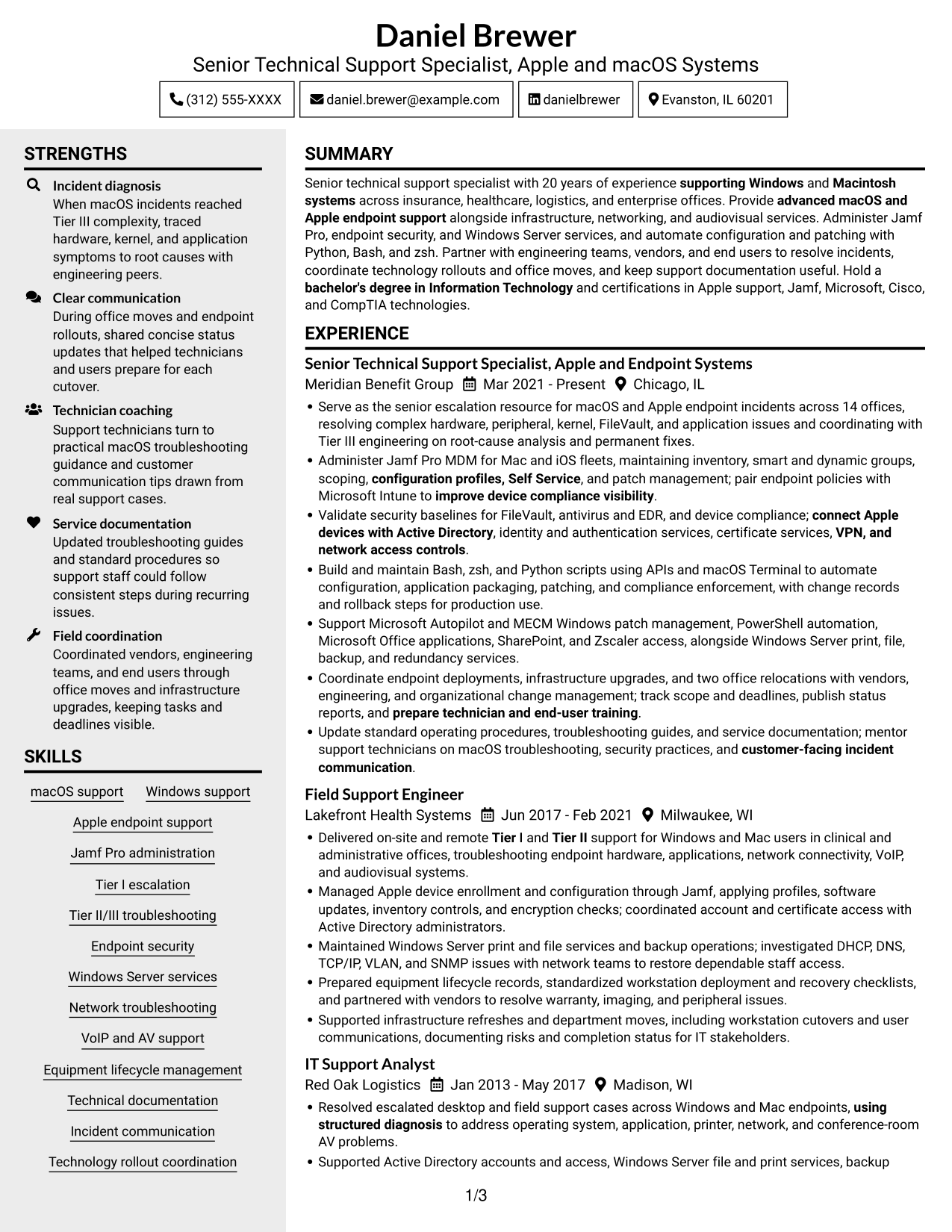
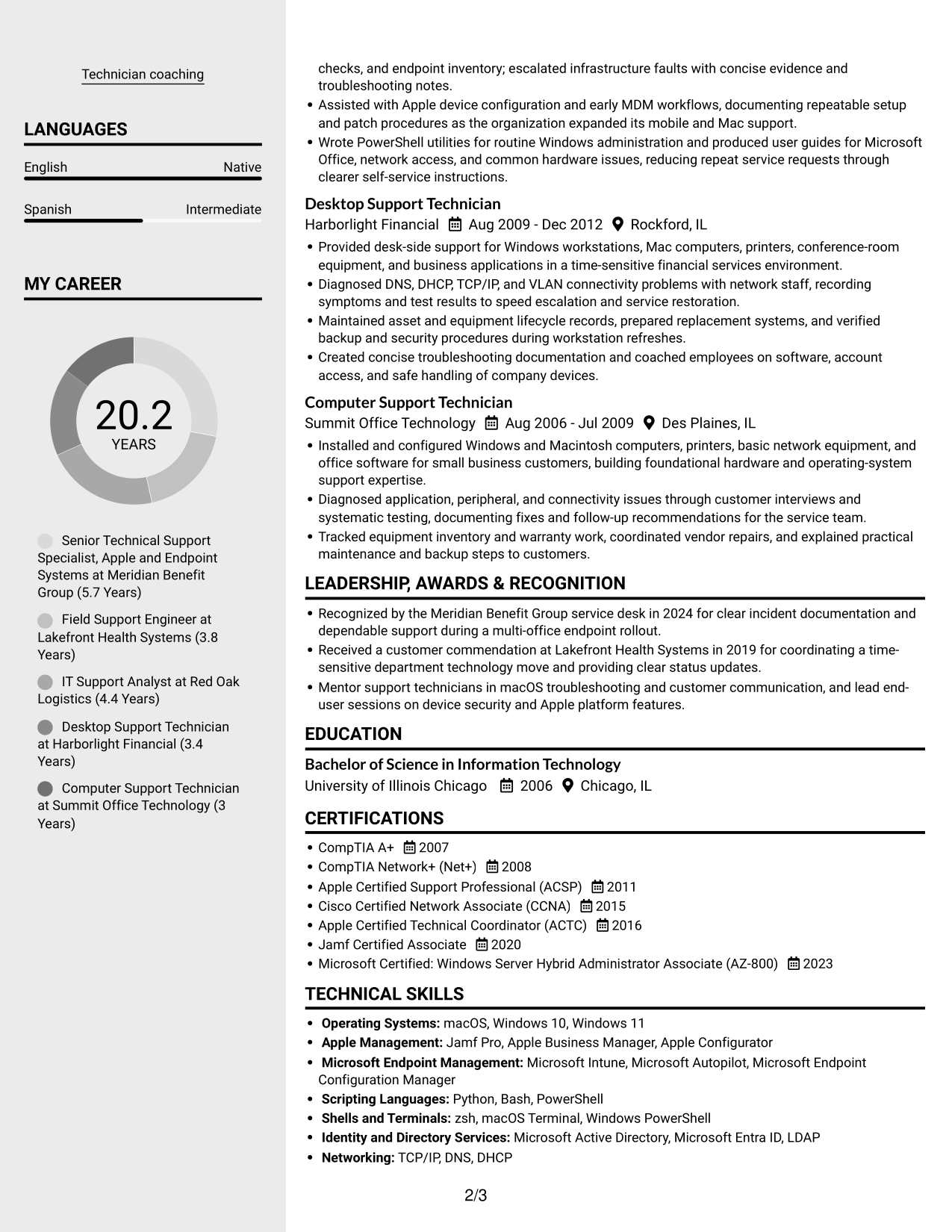
 
Resume example — page 1   Resume example — page 2

Why This Format Works

  • Sidebar structure can separate compact supporting details from the main career record.
  • Two reading areas help reviewers move between employment history and other resume sections.
  • Distinct content groupings suit a record that combines experience, education, and credentials.

Best For

  • Sidebar-based section navigation
  • Compact supporting information
  • Experience paired with credentials
  • Several distinct resume sections
  • Quick access to education details


#6 Two Column Format Resume Example

The Two Column Format balances supporting information and work history across two body columns, helping reviewers move between content groups.
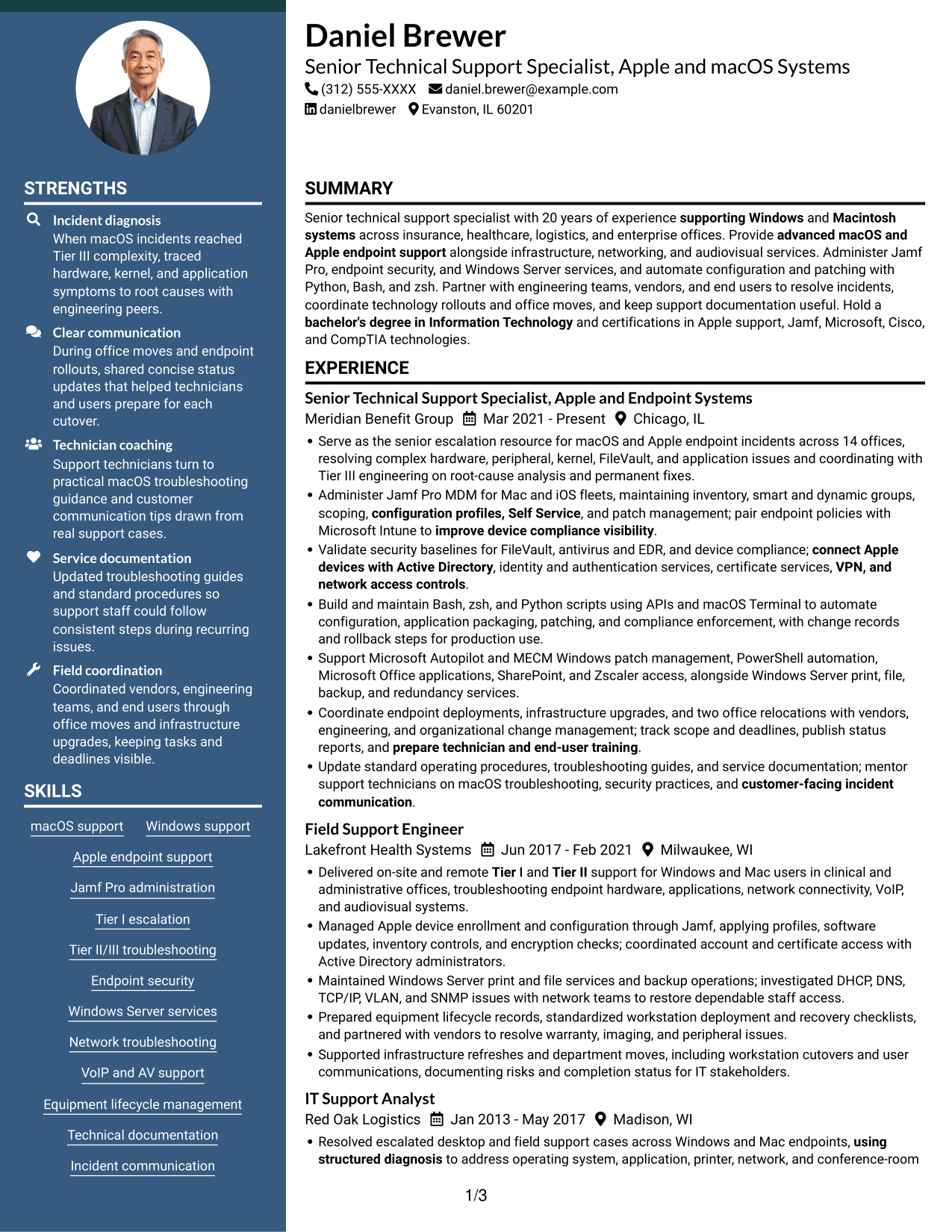
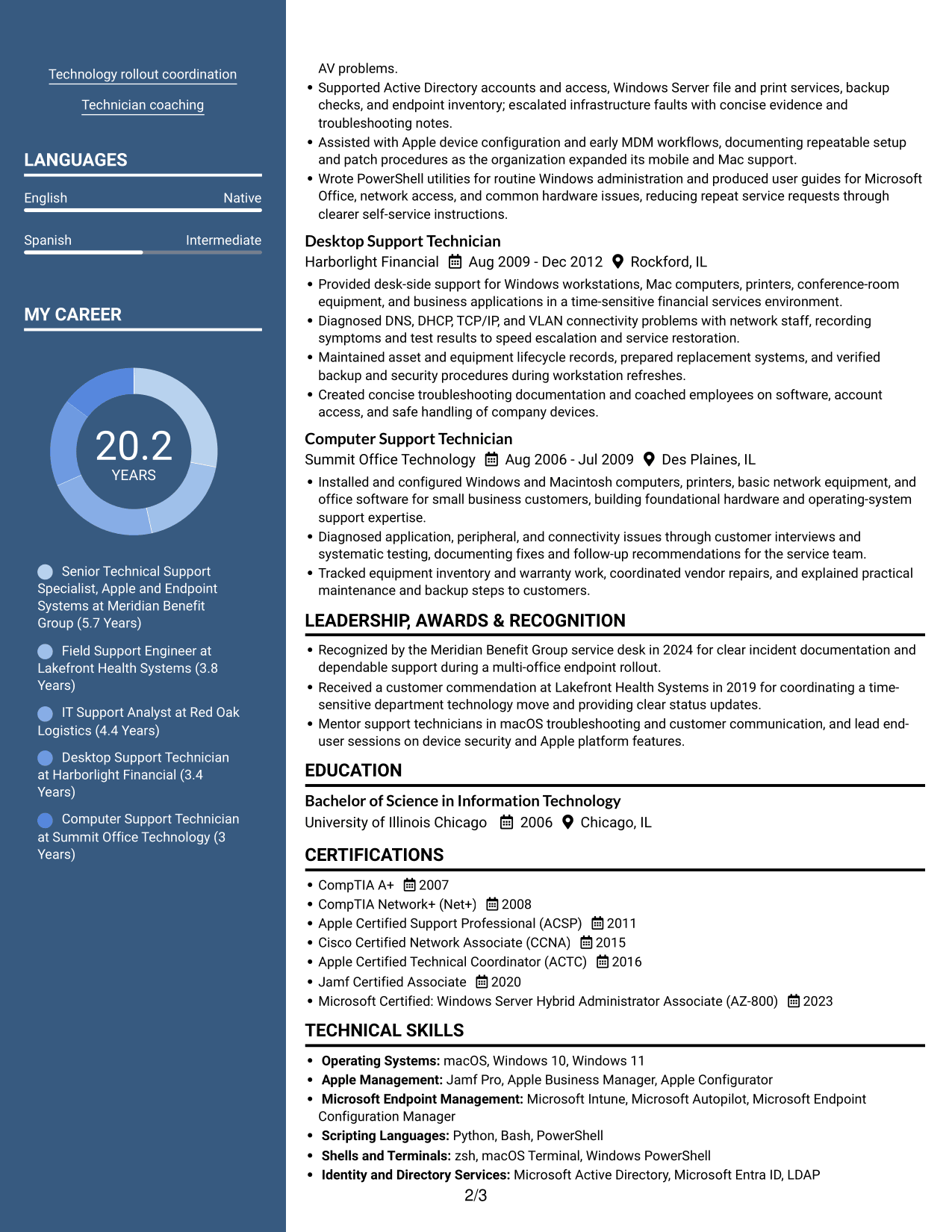
 
Resume example — page 1   Resume example — page 2

Why This Format Works

  • Parallel content areas help reviewers locate skills without losing sight of career progression.
  • Two-column reading order keeps supporting details distinct from the work timeline.
  • Separate content groups make education and certifications easier to find.

Best For

  • Side-by-side resume sections
  • Broad skills and experience records
  • Supporting details near work history
  • Multiple education and credential entries
  • Readers comparing resume content groups
 

#7 Photo Header Two Column Format Resume Example

A photo in the header and a two-column body give this format a visible portrait above organized space for resume sections.
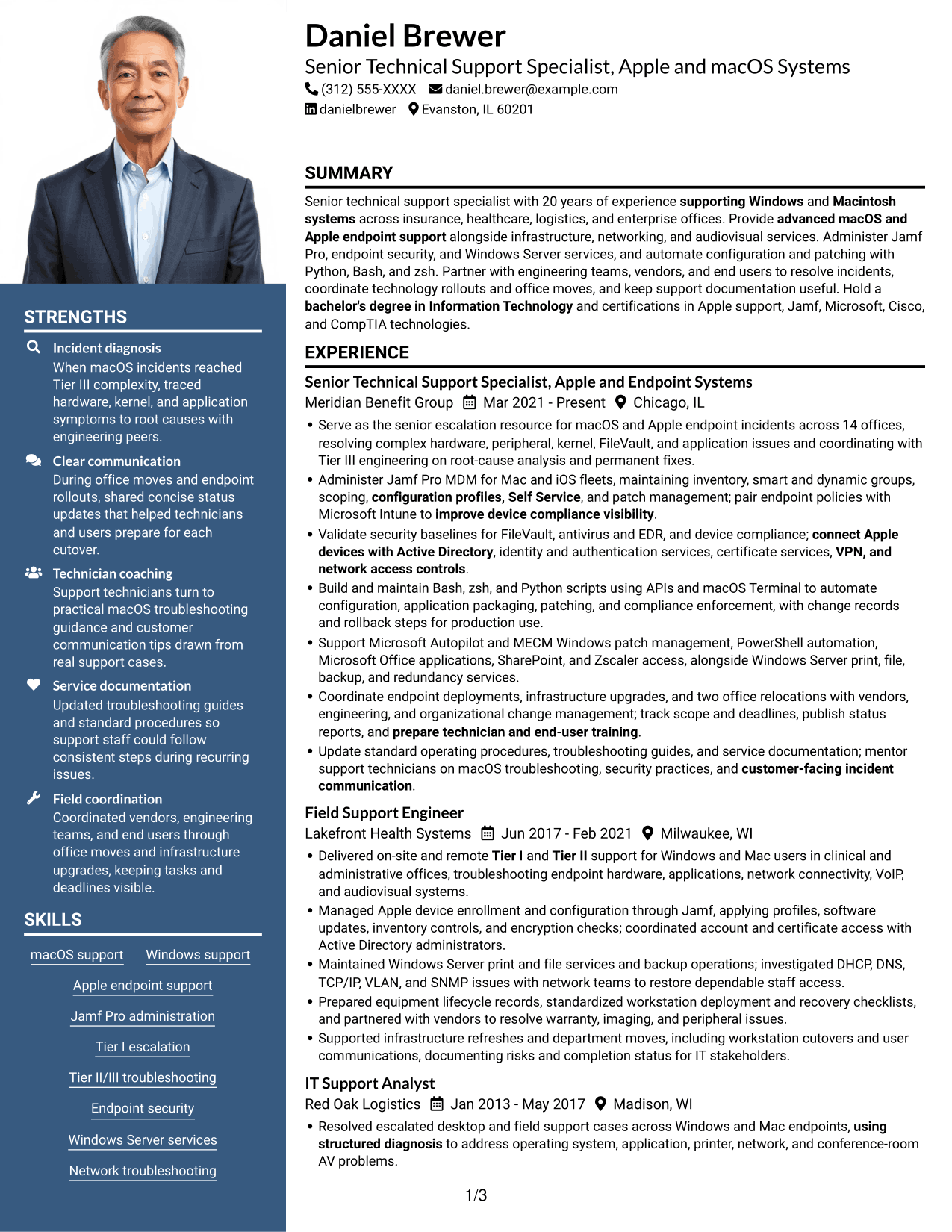
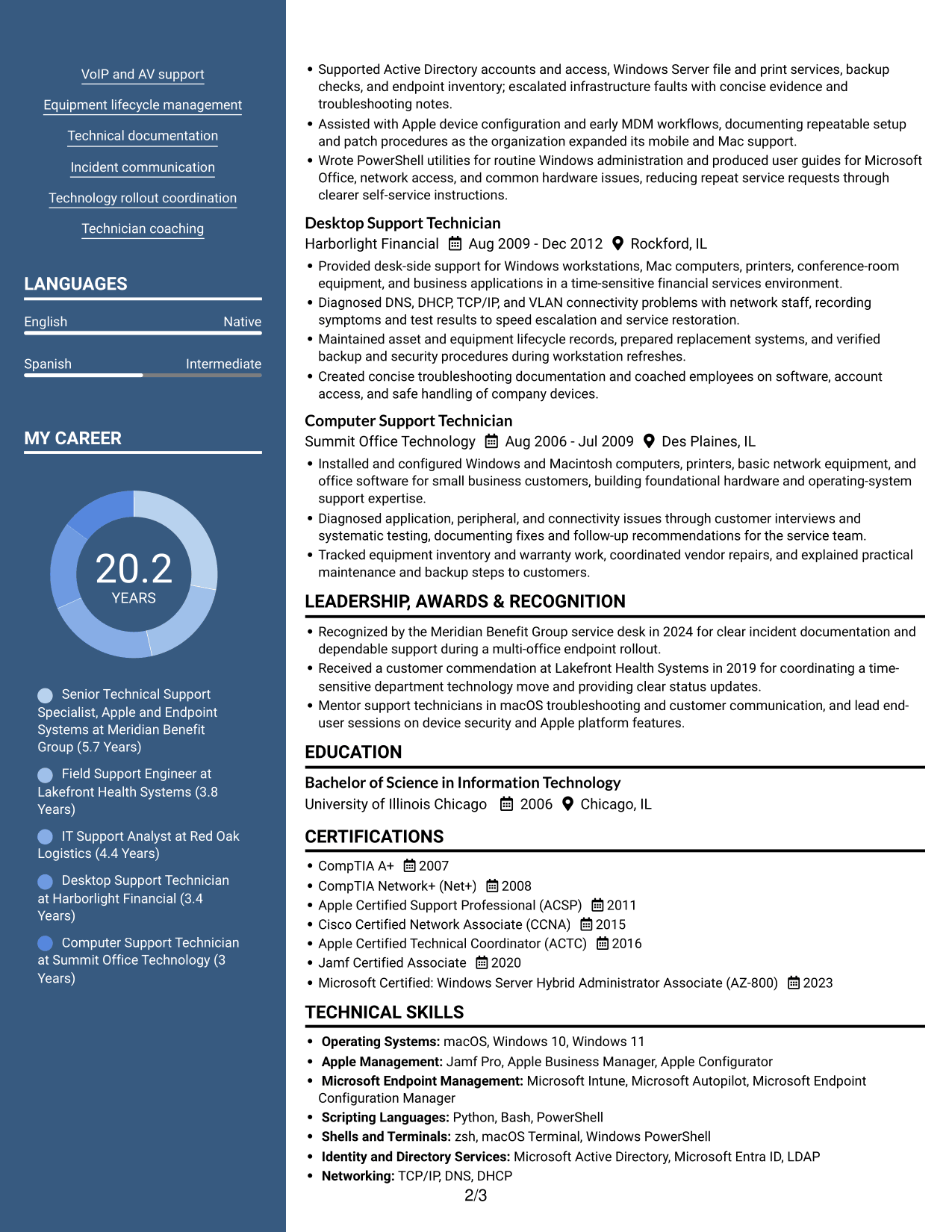
 
Resume example — page 1   Resume example — page 2

Why This Format Works

  • The header portrait offers a visible photo while body columns organize resume sections.
  • Two body columns help separate supporting details from the employment record.
  • Readers can move between career history and credentials without one continuous long section.

Best For

  • Resume layouts with a photo header
  • Two-column content organization
  • Career history with supporting details
  • Clear access to credentials
  • Applications where a portrait is preferred


See Also


Frequently Asked Questions

Are these Senior Technical Support Specialist - Apple and macOS Systems resume templates ATS-friendly?

The examples use standard resume sections and clear headings that support scanning by people and applicant tracking systems. Include relevant terms such as macOS, Jamf Pro, endpoint security, FileVault, and Active Directory where they match your experience.

Are these different resumes?

This guide shows one resume example in different layouts. Compare the image previews, then open an example in the editor to review and customize it.

What should a Senior Technical Support Specialist - Apple and macOS Systems resume include?

Include a focused summary, technical skills, work experience, education, and relevant certifications. Use bullets to show macOS and Apple support, MDM administration, security, scripting, infrastructure work, and measurable service or project results.

How can I show both Apple expertise and broader technical support experience?

Lead with macOS and Apple endpoint work, then show related Windows, network, server, VoIP, and audiovisual support. Group tools clearly and use experience bullets to explain the problem, action, and result.

Which certifications are relevant to this resume?

List credentials that you hold and that fit the role, such as CompTIA A+, CompTIA Network+, Apple Certified Support Professional, Jamf Certified Associate, Apple Certified Technical Coordinator, Cisco CCNA, or Microsoft AZ-800.

Should I include a photo on my resume?

For U.S. applications, a resume without a photo is generally the safer choice. Use the space for relevant skills, certifications, and achievements instead.


ATS Score 97%

How we calculate this score

  • Keywords: 60% of the total. AI extracts keywords from your job description. If you do not provide one, a standard job description for the title matching your resume is used. This is not a match to a specific vacancy.
  • Text-based resume: 20%. The text resume assessed here receives 100 for this part.
  • Resume quality: 20%. We start at 100 and subtract points for issues found by our resume checks, down to a minimum of zero.
  • Keyword coverage = round(100 × confirmed matches ÷ total keywords). Exact matches and supported equivalents verified by AI receive full credit; unsupported keywords receive none. Live text checks use the saved equivalents and do not request a new AI review. Without keywords, no overall ATS score is available.
  • Final score = 60% of keyword coverage + 20% of the text score + 20% of the quality score, rounded to a whole number. Without keywords, no overall ATS score is available.

What this score means

Our scores are estimates, not employer ratings. They may contain errors and do not guarantee accurate parsing, a ranking, an interview, or a job. Check your document against the employer’s requirements. You are responsible for relying on this score.

Terms and Conditions

Score weights: Keywords 60% · Text based resume 20% · Resume quality 20%

Keyword coverage: 43 of 44 (98%) · Resume quality: 90%

Resume quality 90% · Weight 20% · Issues (1)

Details
  • ✓Name present: Daniel Brewer
  • ✓Email format: daniel.brewer@example.com
  • ✗Phone format: (312) 555-XXXX
  • ✓Experience 1: Job title: Senior Technical Support Specialist, Apple and Endpoint Systems
  • ✓Experience 1: Company name: Meridian Benefit Group
  • ✓Experience 1: Work location: Chicago, IL
  • ✓Experience 1: Employment dates: Mar 2021 - Present
  • ✓Experience 1: Description or achievements: Present
  • ✓Experience 2: Job title: Field Support Engineer
  • ✓Experience 2: Company name: Lakefront Health Systems
  • ✓Experience 2: Work location: Milwaukee, WI
  • ✓Experience 2: Employment dates: Jun 2017 - Feb 2021
  • ✓Experience 2: Description or achievements: Present
  • ✓Experience 3: Job title: IT Support Analyst
  • ✓Experience 3: Company name: Red Oak Logistics
  • ✓Experience 3: Work location: Madison, WI
  • ✓Experience 3: Employment dates: Jan 2013 - May 2017
  • ✓Experience 3: Description or achievements: Present
  • ✓Experience 4: Job title: Desktop Support Technician
  • ✓Experience 4: Company name: Harborlight Financial
  • ✓Experience 4: Work location: Rockford, IL
  • ✓Experience 4: Employment dates: Aug 2009 - Dec 2012
  • ✓Experience 4: Description or achievements: Present
  • ✓Experience 5: Job title: Computer Support Technician
  • ✓Experience 5: Company name: Summit Office Technology
  • ✓Experience 5: Work location: Des Plaines, IL
  • ✓Experience 5: Employment dates: Aug 2006 - Jul 2009
  • ✓Experience 5: Description or achievements: Present
  • ✓No placeholder fields
  • ✓No repeated achievement bullets
  • ✓No empty bullets

Header: Check the phone number: “(312) 555-XXXX”. Use 7–15 digits, with an optional country code.

Expand details to review the checks.

Text Based Resume 100% · Weight 20%

Parsed text
Daniel Brewer
(312) 555-XXXX
daniel.brewer@example.com
danielbrewer
Evanston, IL 60201
SUMMARY
Senior technical support specialist with 20 years of experience supporting Windows and Macintosh systems across insurance, healthcare, logistics, and enterprise offices. Provide advanced macOS and Apple endpoint support alongside infrastructure, networking, and audiovisual services. Administer Jamf Pro, endpoint security, and Windows Server services, and automate configuration and patching with Python, Bash, and zsh. Partner with engineering teams, vendors, and end users to resolve incidents, coordinate technology rollouts and office moves, and keep support documentation useful. Hold a bachelor's degree in Information Technology and certifications in Apple support, Jamf, Microsoft, Cisco, and CompTIA technologies.
EXPERIENCE
Senior Technical Support Specialist, Apple and Endpoint Systems
Mar 2021 - Present
Meridian Benefit Group
Chicago, IL
Serve as the senior escalation resource for macOS and Apple endpoint incidents across 14 offices, resolving complex hardware, peripheral, kernel, FileVault, and application issues and coordinating with Tier III engineering on root-cause analysis and permanent fixes.
Administer Jamf Pro MDM for Mac and iOS fleets, maintaining inventory, smart and dynamic groups, scoping, configuration profiles, Self Service, and patch management; pair endpoint policies with Microsoft Intune to improve device compliance visibility.
Validate security baselines for FileVault, antivirus and EDR, and device compliance; connect Apple devices with Active Directory, identity and authentication services, certificate services, VPN, and network access controls.
Build and maintain Bash, zsh, and Python scripts using APIs and macOS Terminal to automate configuration, application packaging, patching, and compliance enforcement, with change records and rollback steps for production use.
Support Microsoft Autopilot and MECM Windows patch management, PowerShell automation, Microsoft Office applications, SharePoint, and Zscaler access, alongside Windows Server print, file, backup, and redundancy services.
Coordinate endpoint deployments, infrastructure upgrades, and two office relocations with vendors, engineering, and organizational change management; track scope and deadlines, publish status reports, and prepare technician and end-user training.
Update standard operating procedures, troubleshooting guides, and service documentation; mentor support technicians on macOS troubleshooting, security practices, and customer-facing incident communication.
Field Support Engineer
Jun 2017 - Feb 2021
Lakefront Health Systems
Milwaukee, WI
Delivered on-site and remote Tier I and Tier II support for Windows and Mac users in clinical and administrative offices, troubleshooting endpoint hardware, applications, network connectivity, VoIP, and audiovisual systems.
Managed Apple device enrollment and configuration through Jamf, applying profiles, software updates, inventory controls, and encryption checks; coordinated account and certificate access with Active Directory administrators.
Maintained Windows Server print and file services and backup operations; investigated DHCP, DNS, TCP/IP, VLAN, and SNMP issues with network teams to restore dependable staff access.
Prepared equipment lifecycle records, standardized workstation deployment and recovery checklists, and partnered with vendors to resolve warranty, imaging, and peripheral issues.
Supported infrastructure refreshes and department moves, including workstation cutovers and user communications, documenting risks and completion status for IT stakeholders.
IT Support Analyst
Jan 2013 - May 2017
Red Oak Logistics
Madison, WI
Resolved escalated desktop and field support cases across Windows and Mac endpoints, using structured diagnosis to address operating system, application, printer, network, and conference-room AV problems.
Supported Active Directory accounts and access, Windows Server file and print services, backup checks, and endpoint inventory; escalated infrastructure faults with concise evidence and troubleshooting notes.
Assisted with Apple device configuration and early MDM workflows, documenting repeatable setup and patch procedures as the organization expanded its mobile and Mac support.
Wrote PowerShell utilities for routine Windows administration and produced user guides for Microsoft Office, network access, and common hardware issues, reducing repeat service requests through clearer self-service instructions.
Desktop Support Technician
Aug 2009 - Dec 2012
Harborlight Financial
Rockford, IL
Provided desk-side support for Windows workstations, Mac computers, printers, conference-room equipment, and business applications in a time-sensitive financial services environment.
Diagnosed DNS, DHCP, TCP/IP, and VLAN connectivity problems with network staff, recording symptoms and test results to speed escalation and service restoration.
Maintained asset and equipment lifecycle records, prepared replacement systems, and verified backup and security procedures during workstation refreshes.
Created concise troubleshooting documentation and coached employees on software, account access, and safe handling of company devices.
Computer Support Technician
Aug 2006 - Jul 2009
Summit Office Technology
Des Plaines, IL
Installed and configured Windows and Macintosh computers, printers, basic network equipment, and office software for small business customers, building foundational hardware and operating-system support expertise.
Diagnosed application, peripheral, and connectivity issues through customer interviews and systematic testing, documenting fixes and follow-up recommendations for the service team.
Tracked equipment inventory and warranty work, coordinated vendor repairs, and explained practical maintenance and backup steps to customers.
LEADERSHIP, AWARDS & RECOGNITION
Recognized by the Meridian Benefit Group service desk in 2024 for clear incident documentation and dependable support during a multi-office endpoint rollout.
Received a customer commendation at Lakefront Health Systems in 2019 for coordinating a time-sensitive department technology move and providing clear status updates.
Mentor support technicians in macOS troubleshooting and customer communication, and lead end-user sessions on device security and Apple platform features.
EDUCATION
Bachelor of Science in Information Technology
2006
University of Illinois Chicago
Chicago, IL
CERTIFICATIONS
CompTIA A+
2007
CompTIA Network+ (Net+)
2008
Apple Certified Support Professional (ACSP)
2011
Cisco Certified Network Associate (CCNA)
2015
Apple Certified Technical Coordinator (ACTC)
2016
Jamf Certified Associate
2020
Microsoft Certified: Windows Server Hybrid Administrator Associate (AZ-800)
2023
TECHNICAL SKILLS
Operating Systems: macOS, Windows 10, Windows 11
Apple Management: Jamf Pro, Apple Business Manager, Apple Configurator
Microsoft Endpoint Management: Microsoft Intune, Microsoft Autopilot, Microsoft Endpoint Configuration Manager
Scripting Languages: Python, Bash, PowerShell
Shells and Terminals: zsh, macOS Terminal, Windows PowerShell
Identity and Directory Services: Microsoft Active Directory, Microsoft Entra ID, LDAP
Networking: TCP/IP, DNS, DHCP
Network Access and Security: Zscaler, IPsec, 802.1X
Virtual Private Networking: Cisco AnyConnect, OpenVPN, WireGuard
Office and Collaboration Software: Microsoft Word, Microsoft Excel, Microsoft Outlook, Microsoft PowerPoint, Microsoft SharePoint
Monitoring and Management Protocols: SNMP, Syslog, Windows Remote Management
Endpoint Security: FileVault, Microsoft Defender, BitLocker
SKILLS
macOS support
Windows support
Apple endpoint support
Jamf Pro administration
Tier I escalation
Tier II/III troubleshooting
Endpoint security
Windows Server services
Network troubleshooting
VoIP and AV support
Equipment lifecycle management
Technical documentation
Incident communication
Technology rollout coordination
Technician coaching
PROFESSIONAL AFFILIATIONS
Member of the Association of Support Professionals, participating in its professional community focused on service desk practice and technical support.
Member of the Association for Computing Machinery, engaging with a professional community for computing and information technology practitioners.
LANGUAGES
English (Native)
Spanish (Intermediate)
ADDITIONAL INFORMATION
Available for on-site work Monday through Friday, after-hours on-call support, and travel to U.S. offices.
Able to lift and transport equipment weighing up to 50 pounds.

Matched keywords (43)

  • 20 years of experience supporting Windows and Macintosh systemsOriginal keyword in JD: 10+ years supporting Windows and Macintosh operating systems
  • networkingOriginal keyword in JD: 5+ years in technical support OR IT infrastructure OR networking OR audiovisual systems support
  • bachelor's degree in Information TechnologyOriginal keyword in JD: Bachelor's degree in Information Technology OR Bachelor's degree in Engineering OR Bachelor's degree in Computer Science OR Bachelor's degree in a related field OR four years of equivalent experience
  • CompTIA A+
  • CompTIA Network+
  • Apple Certified Support Professional (ACSP)
  • Jamf Certified Associate
  • Administer Jamf Pro MDM for Mac and iOS fleetsOriginal keyword in JD: Enterprise Apple MDM administration
  • advanced macOS and Apple endpoint supportOriginal keyword in JD: macOS and Apple ecosystem expertise
  • Delivered on-site and remote Tier I and Tier II supportOriginal keyword in JD: Tier I escalation and Tier II/III troubleshooting
  • Windows Server print, file, backup, and redundancy servicesOriginal keyword in JD: Windows Server backup, print, and file services
  • automate configuration and patching with Python, Bash, and zshOriginal keyword in JD: Python and Bash OR zsh scripting
  • Equipment lifecycle managementOriginal keyword in JD: IT equipment lifecycle management
  • root-cause analysis
  • connect Apple devices with Active DirectoryOriginal keyword in JD: Active Directory integration
  • Validate security baselinesOriginal keyword in JD: Endpoint security baselines
  • FileVaultOriginal keyword in JD: FileVault and disk encryption
  • improve device compliance visibilityOriginal keyword in JD: Device compliance policies
  • configuration profiles, Self ServiceOriginal keyword in JD: Configuration profiles and Self Service
  • patch management
  • identity and authentication services
  • certificate services
  • VPN, and network access controls
  • APIs
  • macOS Terminal
  • troubleshooting endpoint hardware, applications, network connectivity, VoIP, and audiovisual systemsOriginal keyword in JD: Networking, VoIP, and audiovisual systems support
  • Update standard operating procedures, troubleshooting guides, and service documentationOriginal keyword in JD: Technical documentation and standard operating procedures
  • two office relocationsOriginal keyword in JD: Office relocations and infrastructure upgrades
  • Coordinate endpoint deployments, infrastructure upgradesOriginal keyword in JD: Technology rollouts and project coordination
  • organizational change management
  • prepare technician and end-user trainingOriginal keyword in JD: Technician coaching and end-user training
  • customer-facing incident communicationOriginal keyword in JD: Customer-facing communication
  • using structured diagnosisOriginal keyword in JD: Independent troubleshooting and problem-solving
  • Microsoft Active Directory
  • Microsoft Word, Microsoft Excel, Microsoft Outlook, Microsoft PowerPointOriginal keyword in JD: Microsoft Office: Word, Excel, Outlook, and PowerPoint
  • Microsoft SharePoint
  • Microsoft Autopilot
  • Microsoft Intune
  • Zscaler
  • MECM Windows patch managementOriginal keyword in JD: MECM for Windows patch management
  • PowerShell automationOriginal keyword in JD: PowerShell scripting
  • Apple Certified Technical Coordinator (ACTC)Original keyword in JD: Apple Certified Technical Coordinator (ACTC) OR Microsoft AZ-800 OR Cisco CCNA
  • Able to lift and transport equipment weighing up to 50 pounds.Original keyword in JD: Ability to lift and transport 40 to 50 pounds

Missing keywords (1)

  • Windows and Mac hardware and software support
Disclaimer: All names, images, contact information, employment histories, achievements, security clearances, military credentials, and other qualifications shown in this content are fictional and used for illustrative purposes only. Any resemblance to actual persons, living or deceased, is purely coincidental.

Resume and cover-letter examples and recommendations in this article reflect general best practices and professional experience and are provided for guidance only. Results may vary based on role, industry, region, and hiring organization.

Content Accuracy and Verification: To the fullest extent permitted by applicable law, we do not represent or warrant that resume or cover-letter guidance, examples, recommendations, or related information are accurate, complete, current, error-free, or suitable for any particular purpose. You are responsible for independently reviewing and verifying the information before relying on it.

ATS and Cover-Letter Scores: ATS scores are estimates calculated using our own formula, informed by publicly available guidance on resume formatting and keyword matching. They are not scores issued or endorsed by an ATS provider or employer. Cover-letter scores are also our own assessments. Parsing, weighting, screening criteria, and results vary between systems, employers, job descriptions, and document formats. No score guarantees successful parsing, a particular ranking, an interview, or employment. Use scores as general guidance and independently check your documents against the employer’s requirements. To the fullest extent permitted by applicable law, we accept no liability for errors in scores or parsing, or losses arising from reliance on these assessments. Nothing in this notice excludes liability or limits consumer rights that cannot lawfully be excluded or limited.

Terms and Conditions
 
> JP 1 1
PDF Footer and Margins Setup
The margins are applied to the document, and the footer shows up in the preview and the PDF

Footer Font Settings

Are you applying for a specific job
so we can tailor your resume to it?
Are you applying for a specific job
so we can tailor your cover letter to it?

Your data stays private and is never used for training.Privacy Policy

Type your details as text to generate a personalized resume Type your details as text to generate a personalized cover letter
Website link found! Ready to create resume from:

Your data stays private and is never used for training.Privacy Policy

Drag the into the box to verify you're human.
Drop here

My Resumes

Displaying {number_of_files} files (out of {total_of_all_files} total)
Name File Type Last Modified: Description:

Rename File

Filename already exists!

Delete Files

Warning: This action is irreversible. Once you click submit, the files will be permanently deleted.

Heading text
Upload From Computer Upload
Select From Existing
LinkedIn
Drag & Drop files anywhere in this tab, or

Uploaded Files

Delete Name Last Updated Use This File
Select this to use the file for generating your resume and cover letter. Only one source—uploaded file, selected file, or LinkedIn text—can be used.

My Files

Resumes or cover letters you create will appear here. No files available yet.
Delete Name Last Updated Use This File
Select this to use the file for generating your resume and cover letter. Only one source—uploaded file, selected file, or LinkedIn text—can be used.

Add LinkedIn Profile PDF

You can download your LinkedIn profile as a PDF by opening linkedin.com in a web browser, clicking your profile photo, selecting the “More” or “Resources” button, and choosing “Save to PDF.” You can then attach the PDF using the Upload From Computer tab.

Paste Your LinkedIn Profile Text

If you have copied the LinkedIn profile text, paste it below. See how to copy your profile from LinkedIn

Select this to use the LinkedIn profile text for generating your resume and cover letter. Only one source—uploaded file, selected file, or LinkedIn text—can be used.

Try these controls

<
>


