
US English


7 Service Desk Lead - Federal IT Support Resume Templates with Example
By Ria · Last Updated On October 20, 2026
Resume example — page 1

This guide shows you how to create a clear, focused Service Desk Lead - Federal IT Support resume. It explains how to organize your evidence and assess resume formats for this role.

Strong resumes connect team leadership and hands-on support to clear results. Use concise bullets to show technician training, ticket workflow ownership, SLA performance, security compliance, and service improvements, with relevant terms such as NIST, risk assessments, and ServiceNow where they match your background.

The resume example is presented in 7 layouts. Compare the PNG image previews to see how each format handles sections and page flow, then open an example in the editor to view or customize it.

What Makes a Great Service Desk Lead - Federal IT Support Resume in 2026

A strong resume makes leadership, technical support, and security responsibilities easy to find. Clear headings and focused achievement bullets help readers scan your qualifications quickly.

Use evidence to connect team coaching, ticket and SLA management, audits, risk assessments, and process changes to results. Include relevant terms such as NIST, federal compliance, ServiceNow, ITIL, and CHDM when they accurately reflect your experience.

Note: Resume examples are for educational purposes only. Use only information that accurately reflects your experience and qualifications. References to real organizations do not imply affiliation or endorsement.

#1 Simple One Column Format Resume Example

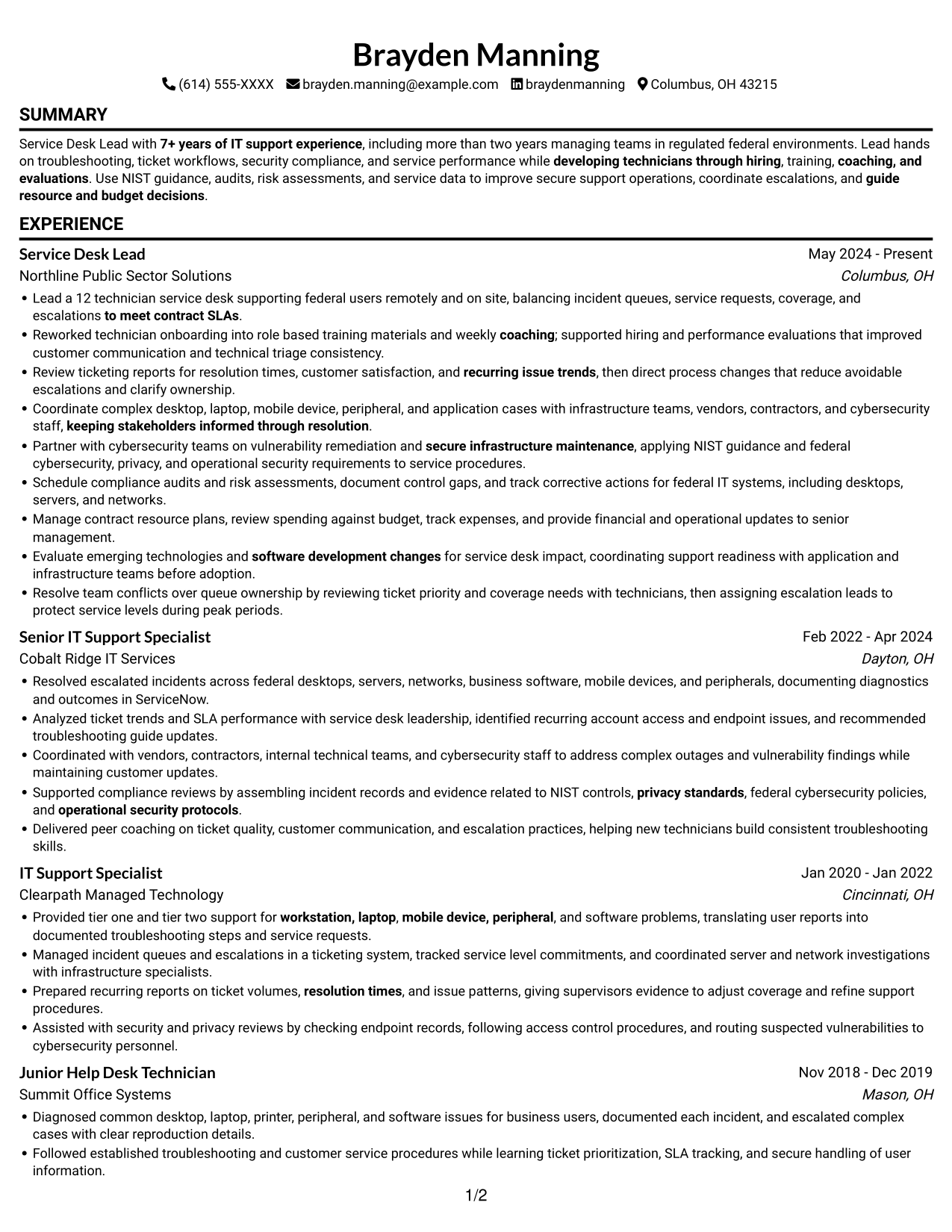
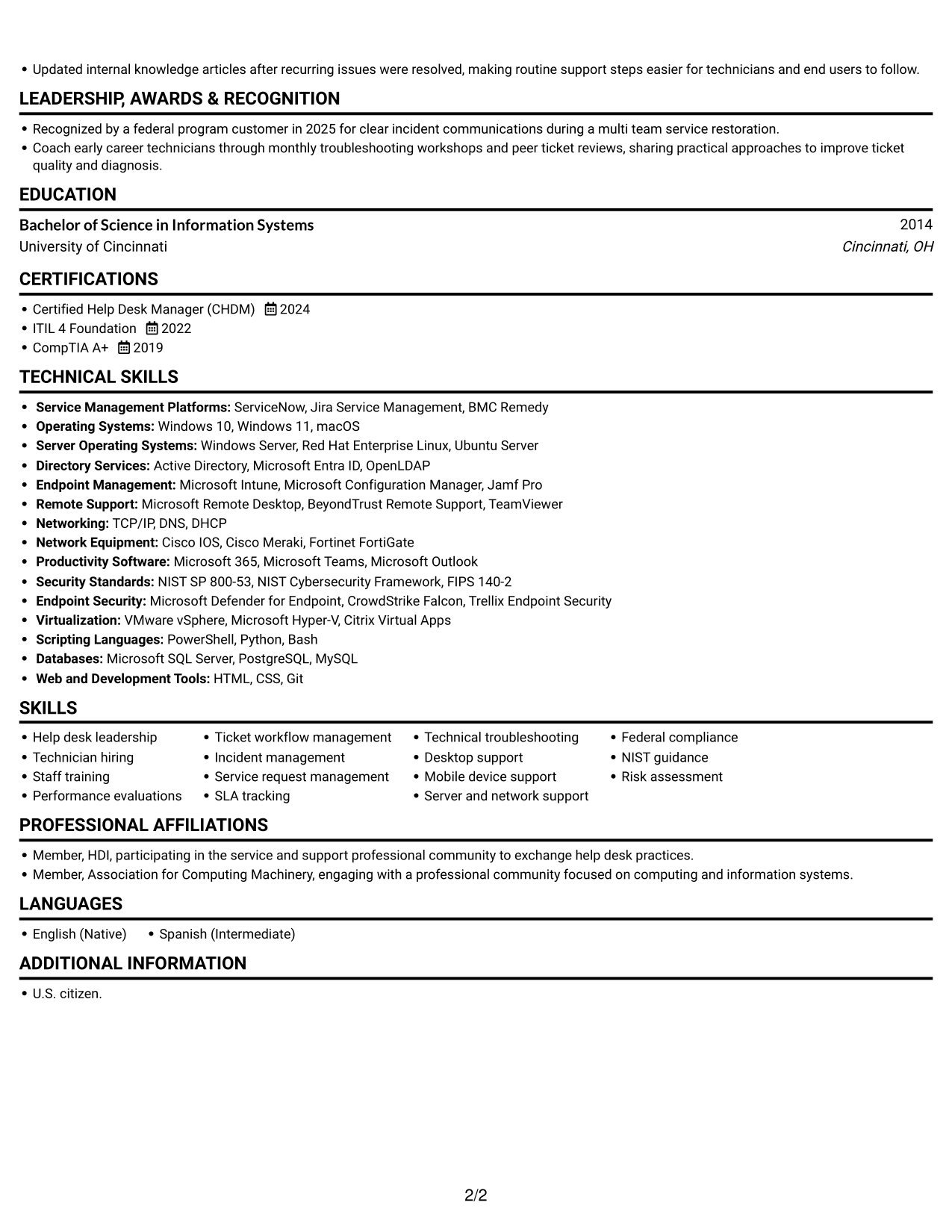
The Simple One Column Format keeps resume content in one vertical path, a practical choice for readers who prefer a steady review sequence.
 
Resume example — page 1   Resume example — page 2

Why This Format Works

  • The single-column sequence lets reviewers follow career progression from role to role.
  • Experience bullets keep a direct reading order without side-to-side shifts.
  • Education and credentials stay within the same vertical review path.

Best For

  • Chronological work histories
  • Continuous vertical review
  • Resumes with several section types
  • Photo-free resume submissions
  • Service desk leadership resumes

Resume Keywords

  • 7+ years of IT support experience
  • Bachelor of Science in Information Systems
  • U.S. citizen.
  • Lead a 12 technician service desk
  • developing technicians through hiring
  • role based training materials and weekly coaching
  • coaching, and evaluations
  • federal IT systems, including desktops, servers, and networks
  • Ticket workflow management
  • Incident management
  • Service request management
  • to meet contract SLAs
  • Coordinate complex desktop, laptop, mobile device, peripheral, and application cases with infrastructure teams
  • workstation, laptop
  • mobile device, peripheral
See all keywords
 

#2 Simple Two Column Format Resume Example

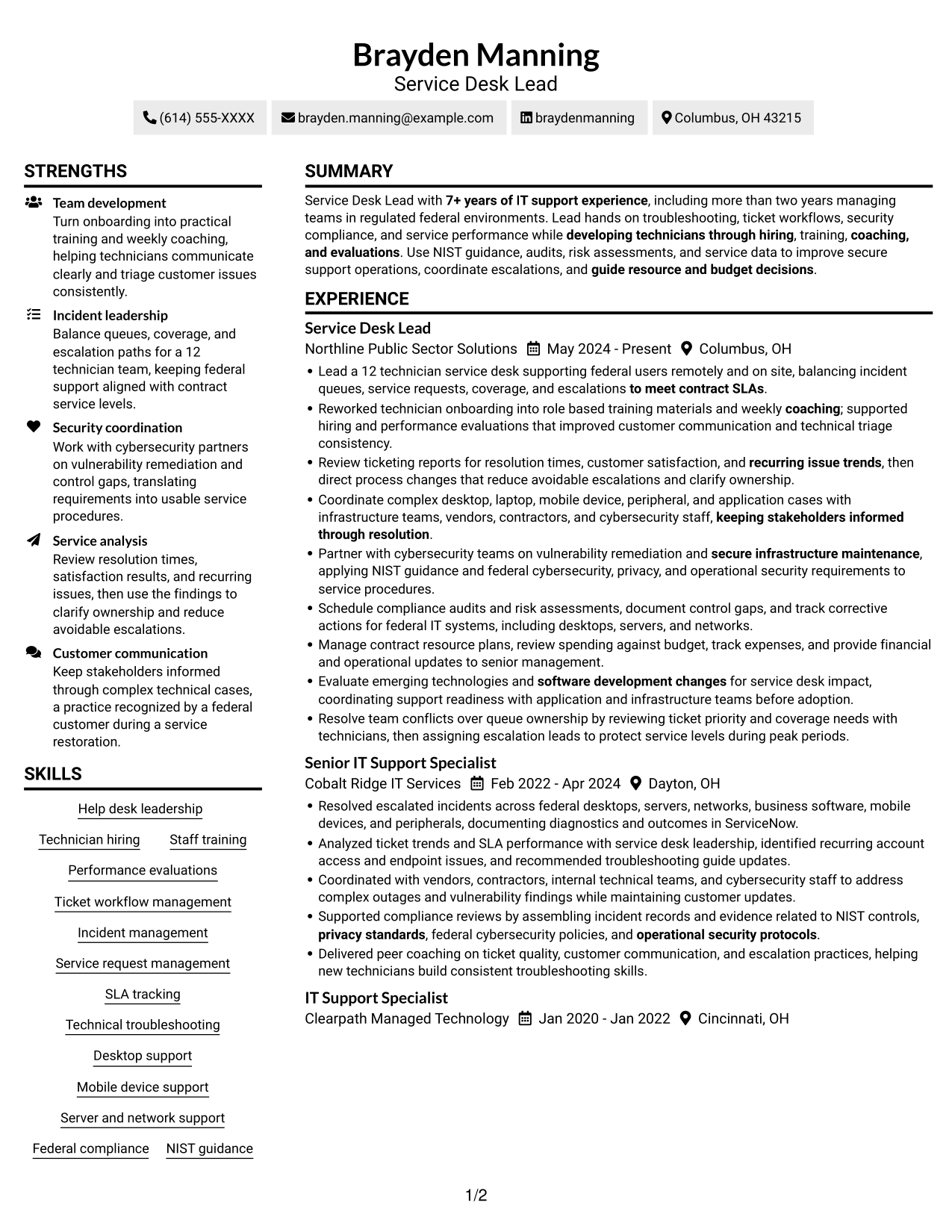
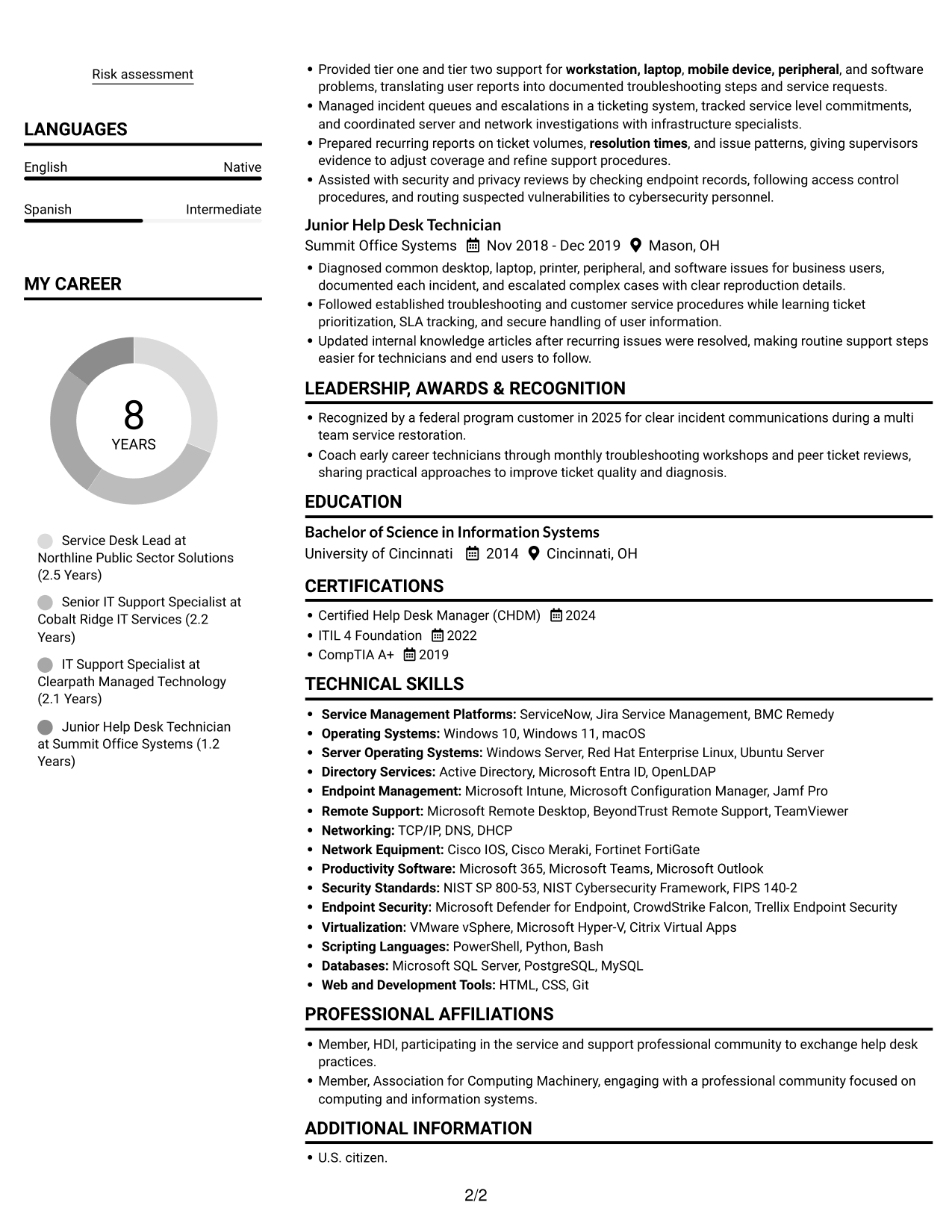
The Simple Two Column Format places resume content in two areas, a practical choice for readers who like to navigate between sections.
 
Resume example — page 1   Resume example — page 2

Why This Format Works

  • Two columns can set supporting details apart from the experience narrative.
  • Reviewers can move between sections while keeping career history easy to locate.
  • Distinct content areas help separate skills and credentials from job history.

Best For

  • Side-by-side section navigation
  • Resumes with detailed job histories
  • Separate skills and experience areas
  • Readers comfortable with two columns
  • Federal IT support applications

#3 Plain One Column with Shaded Labels Resume Example

The Plain One Column with Shaded Labels format keeps resume content in a single vertical path, suited to readers who prefer a direct top-to-bottom review.
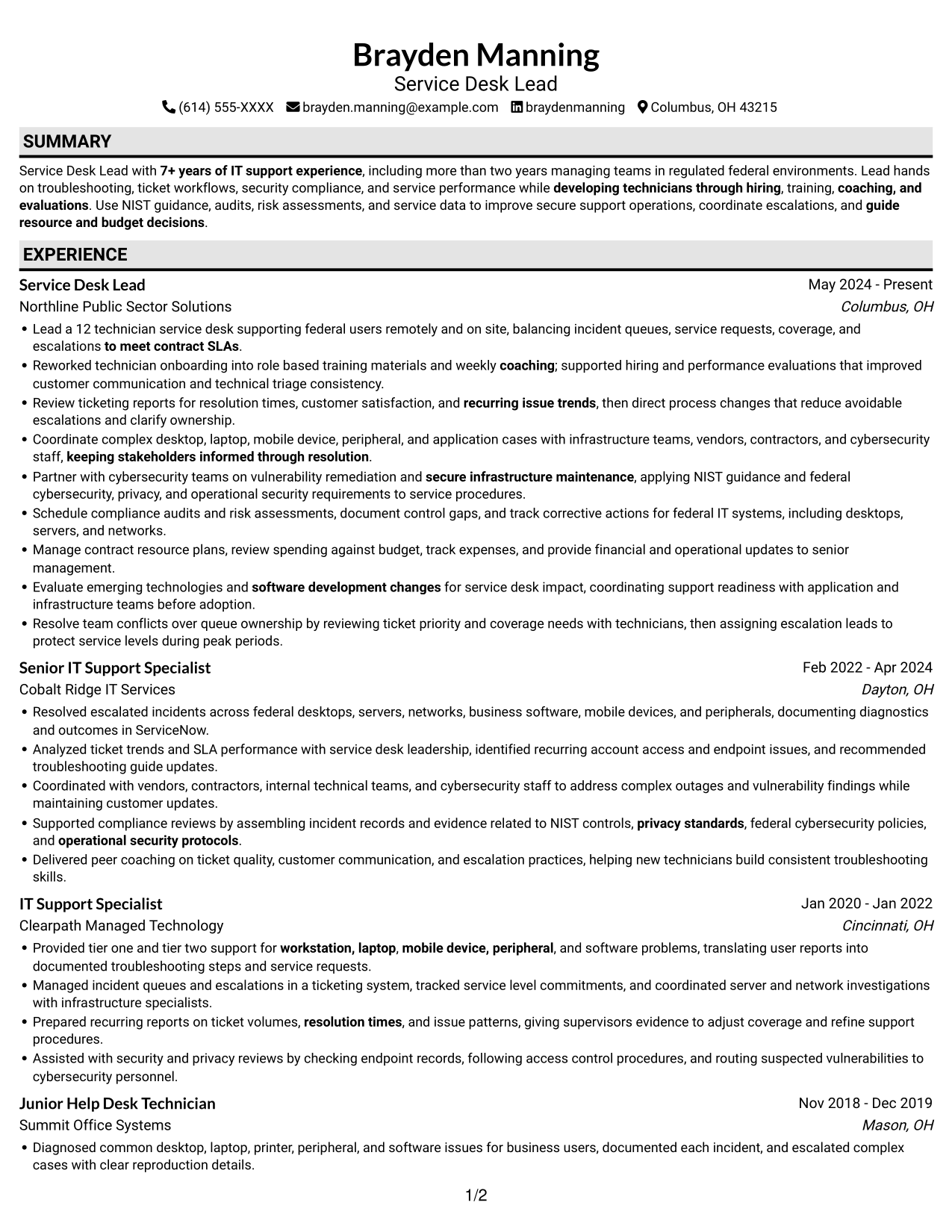
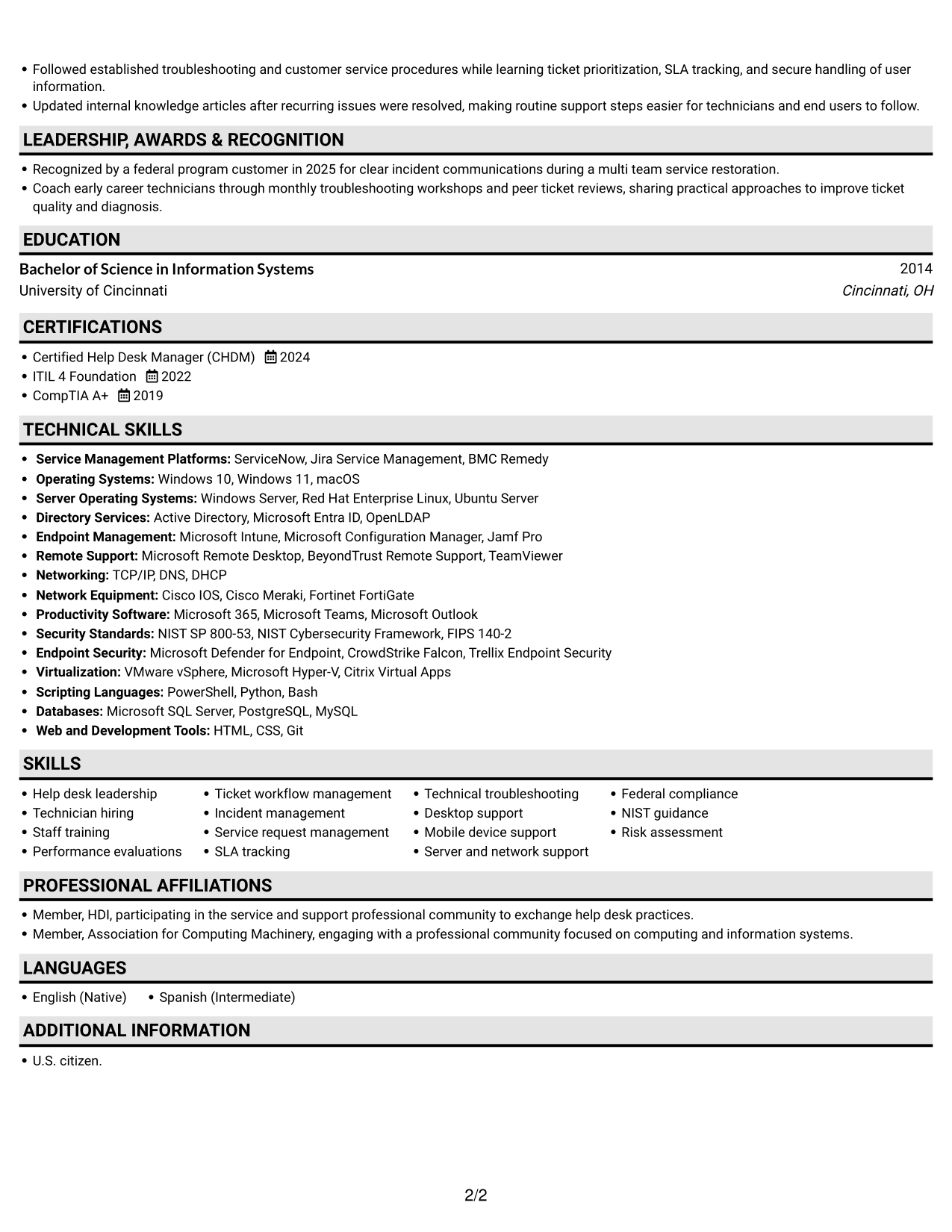
 
Resume example — page 1   Resume example — page 2

Why This Format Works

  • A single vertical path keeps role history in a clear chronological sequence.
  • Reviewers can scan experience bullets without shifting between body columns.
  • Education and certifications remain within the same reading sequence as experience.

Best For

  • Chronological experience reviews
  • Single-path resume reading
  • Resumes with several credentials
  • Readers who prefer one-column structure
  • Federal contract applications
 

#4 One Column Format with Photo Right Resume Example

The One Column Format with Photo Right pairs a vertical resume layout with a portrait at the right, a practical choice when a photo is appropriate.
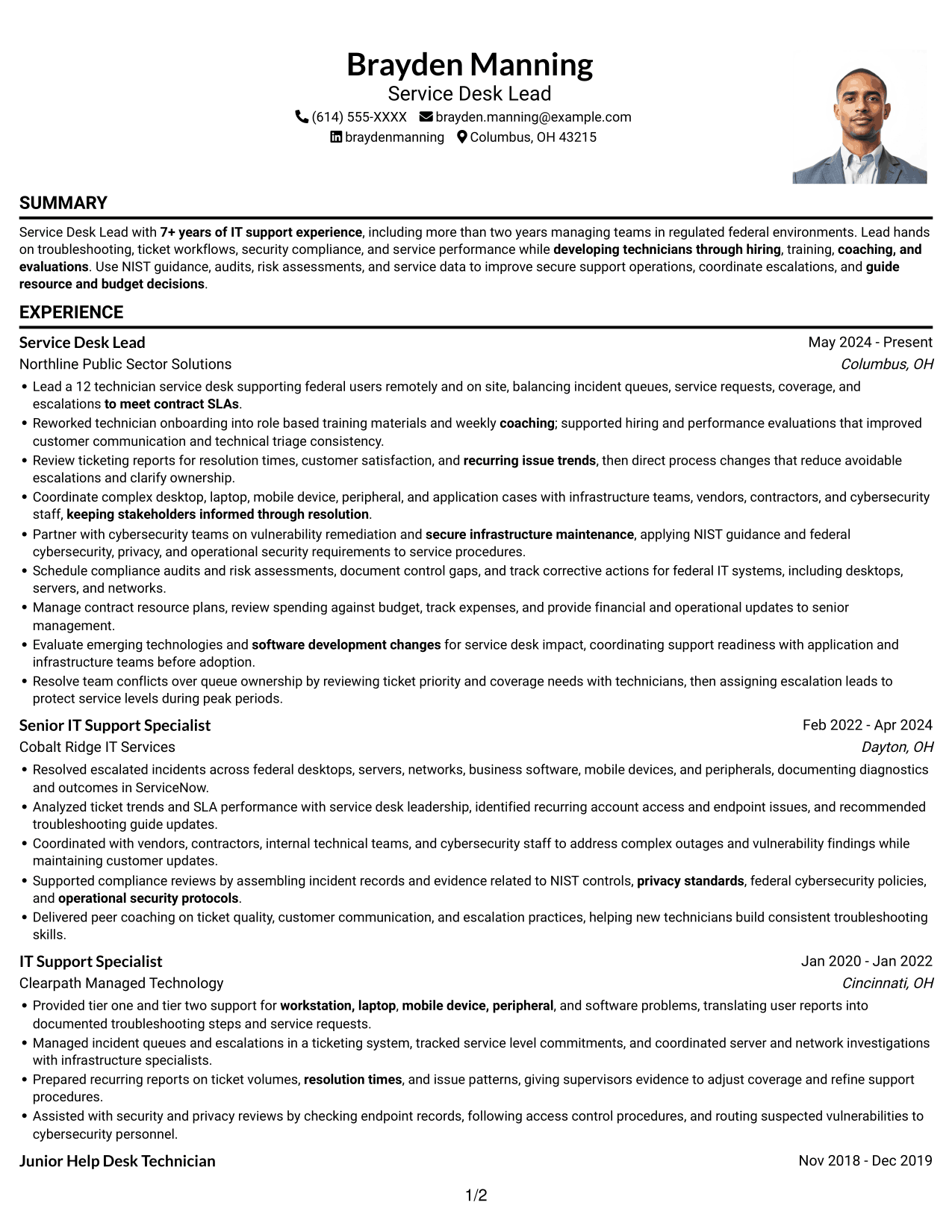
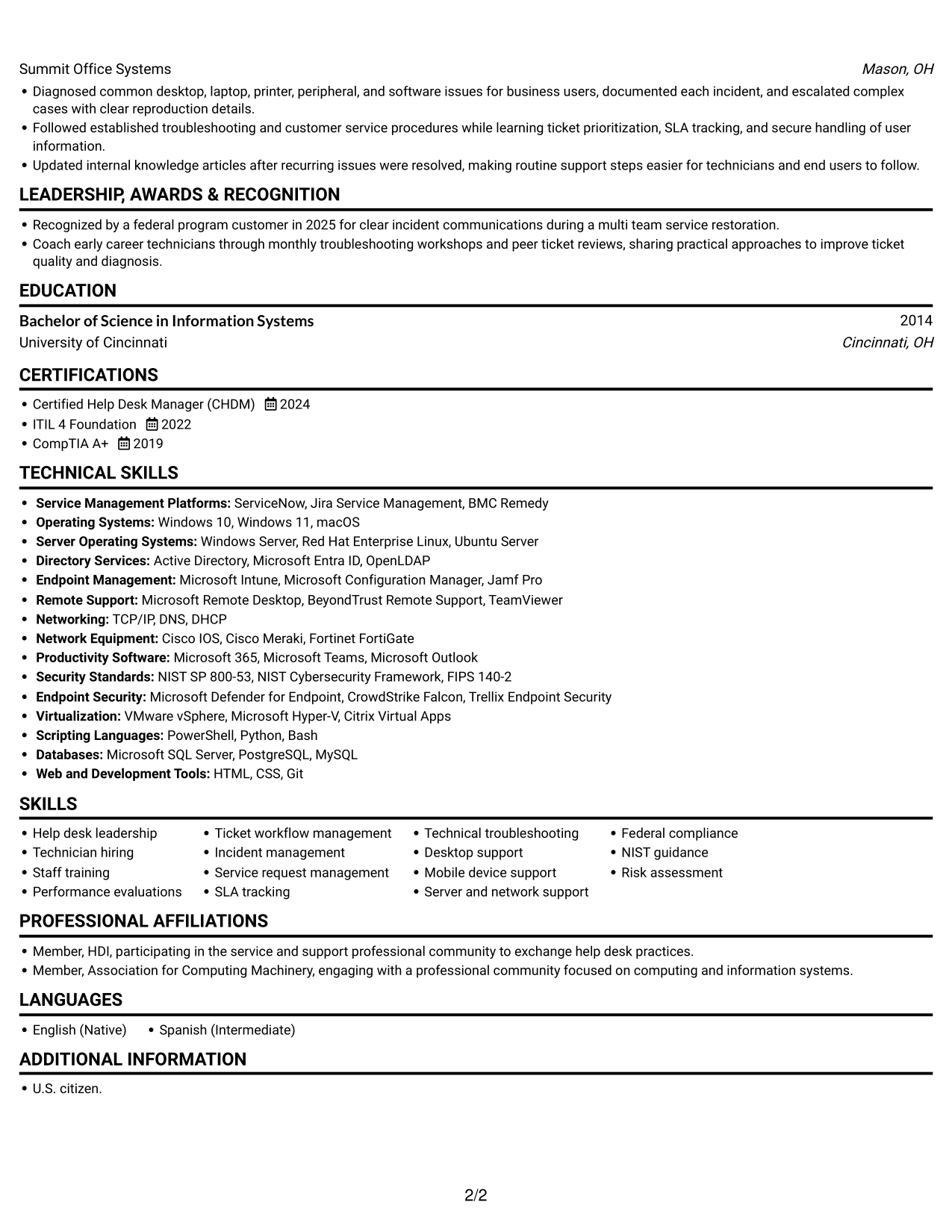
 
Resume example — page 1   Resume example — page 2

Why This Format Works

  • The single-column body keeps experience and education in one review sequence.
  • A direct vertical path helps reviewers trace roles and their achievements.
  • The right-side portrait provides a visible personal identifier beside the resume.

Best For

  • Photo-inclusive application contexts
  • Sequential experience review
  • Detailed technical support histories
  • Education and work history together
  • Readers who prefer one-column pages
 

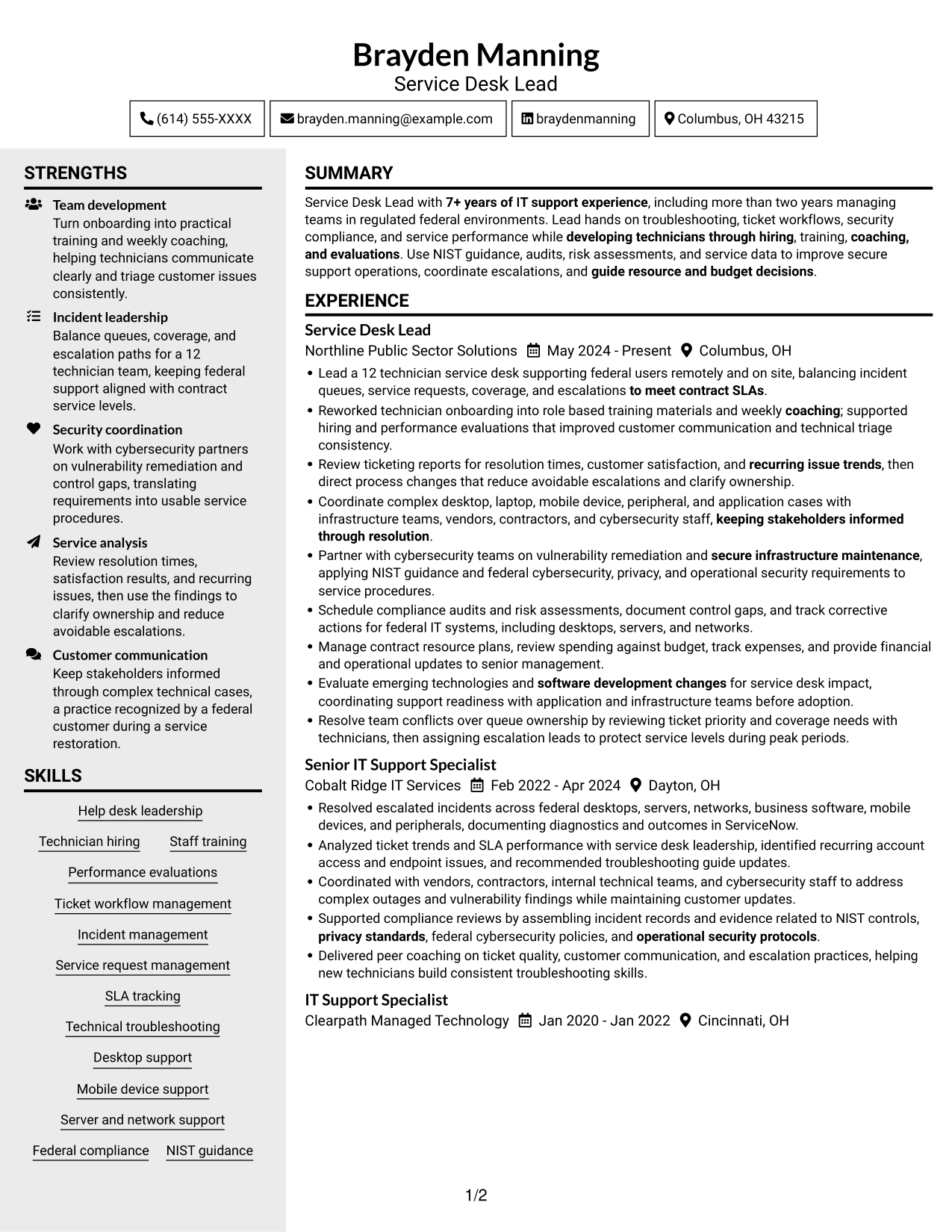
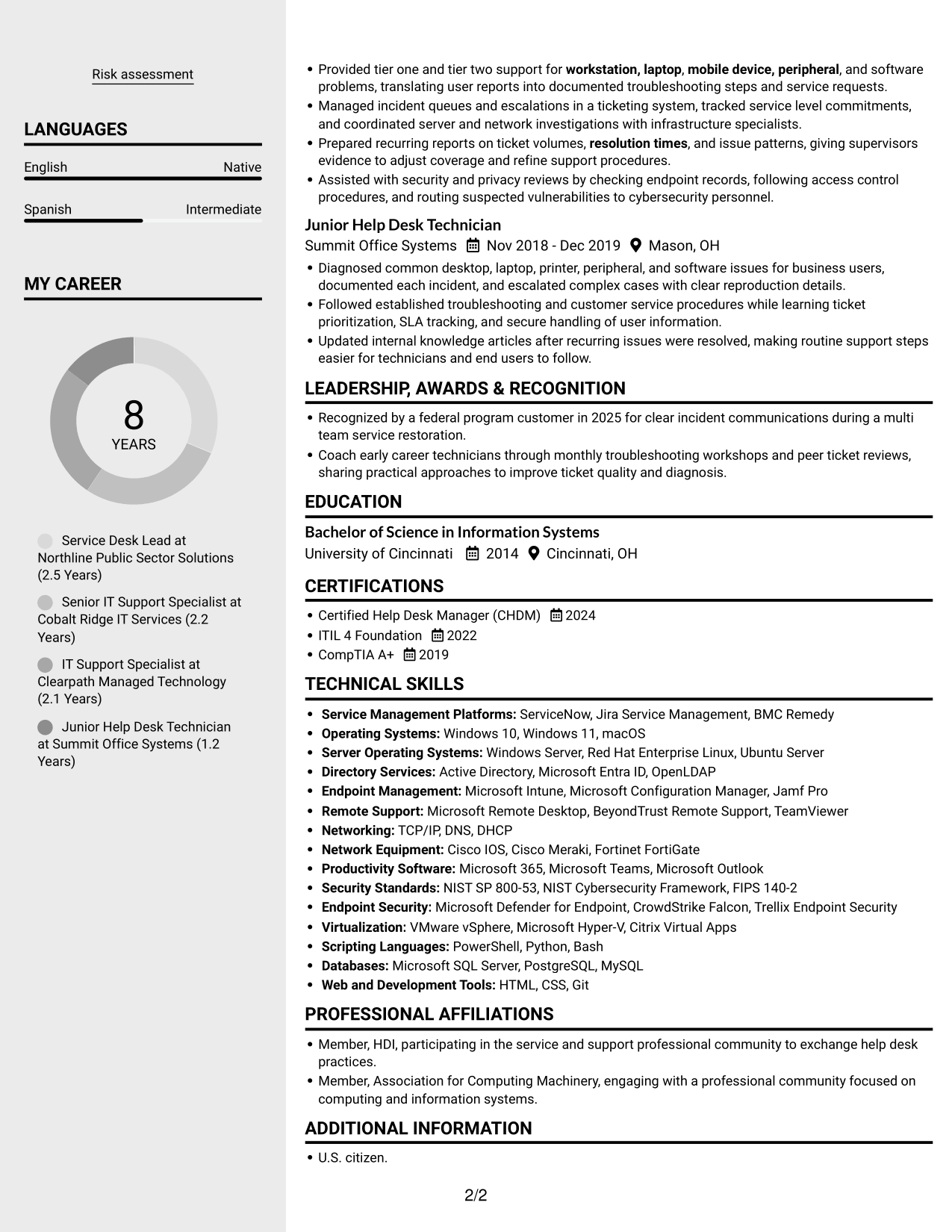
#5 Clean Two Column Sidebar Format Resume Example

The Clean Two Column Sidebar Format separates resume content across two areas, a practical choice for readers who want supporting details near the main experience section.
 
Resume example — page 1   Resume example — page 2

Why This Format Works

  • The sidebar sets supporting details apart from the main experience sequence.
  • Career history retains a clear reading order across its role entries.
  • Separate areas let reviewers locate skills without interrupting the experience narrative.

Best For

  • Distinct main and supporting sections
  • Quick access to skills details
  • Resumes with varied section types
  • Longer role histories
  • Federal contract submissions


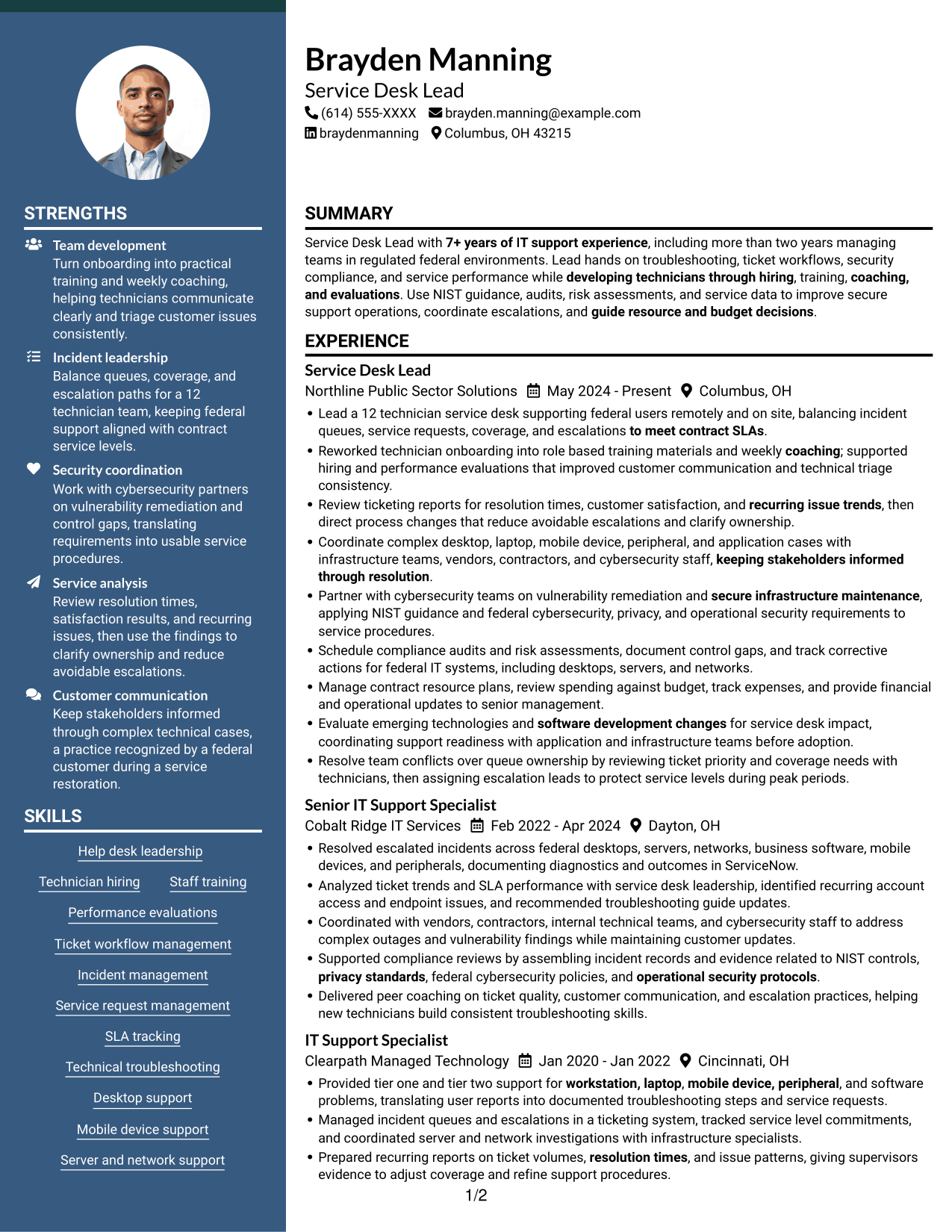
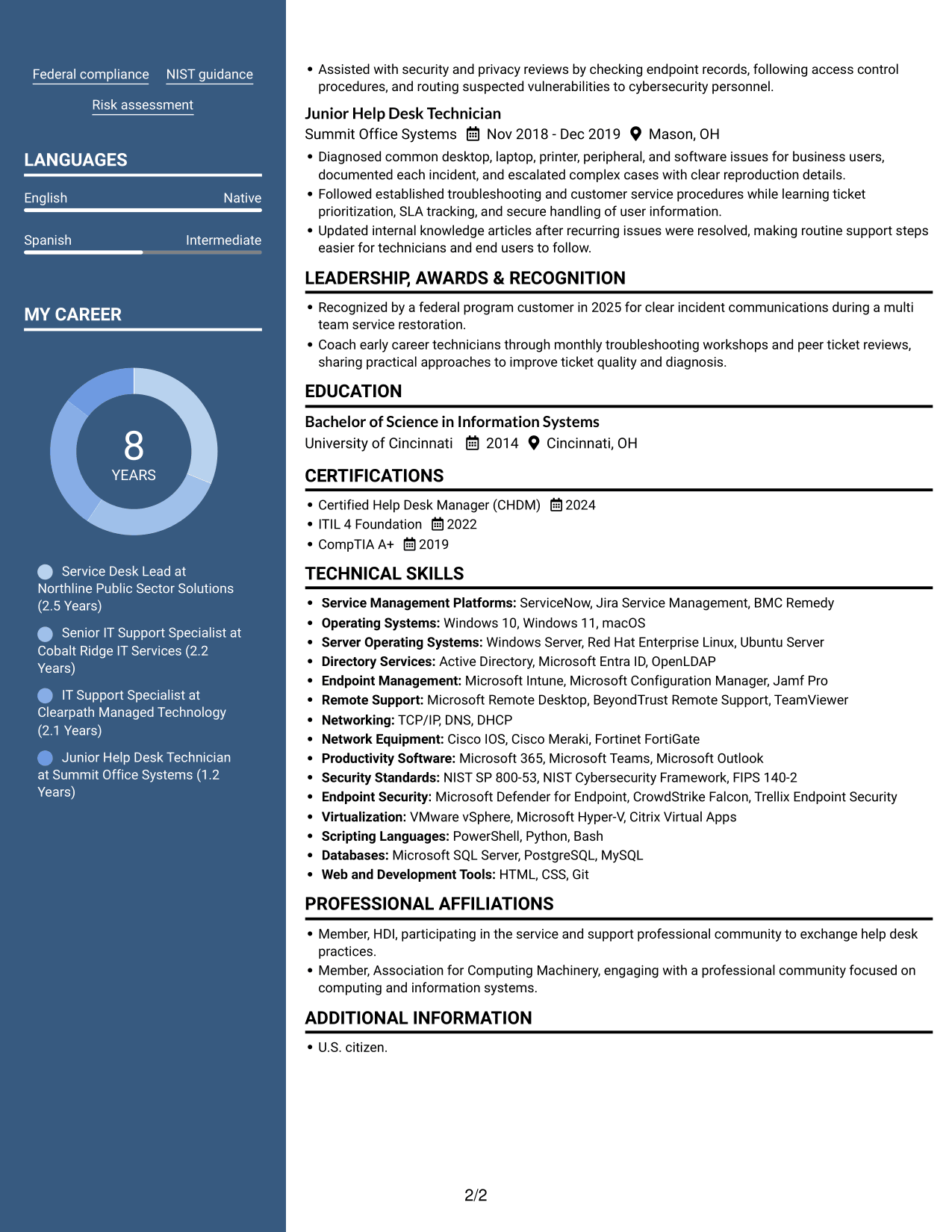
#6 Two Column Format Resume Example

The Two Column Format organizes resume content in two areas, a useful option for readers who prefer to review related sections side by side.
 
Resume example — page 1   Resume example — page 2

Why This Format Works

  • Two-column organization gives experience and supporting sections distinct reading areas.
  • The layout offers a side-to-side route between career history and skills.
  • Education and credentials can be reviewed alongside the broader work record.

Best For

  • Side-by-side content review
  • Resumes combining skills and role history
  • Multiple section types
  • Readers who prefer two-column navigation
  • Federal IT support applications
 

#7 Photo Header Two Column Format Resume Example

The Photo Header Two Column Format combines a portrait in the header with a two-column body, a practical choice when both photo presentation and section separation matter.
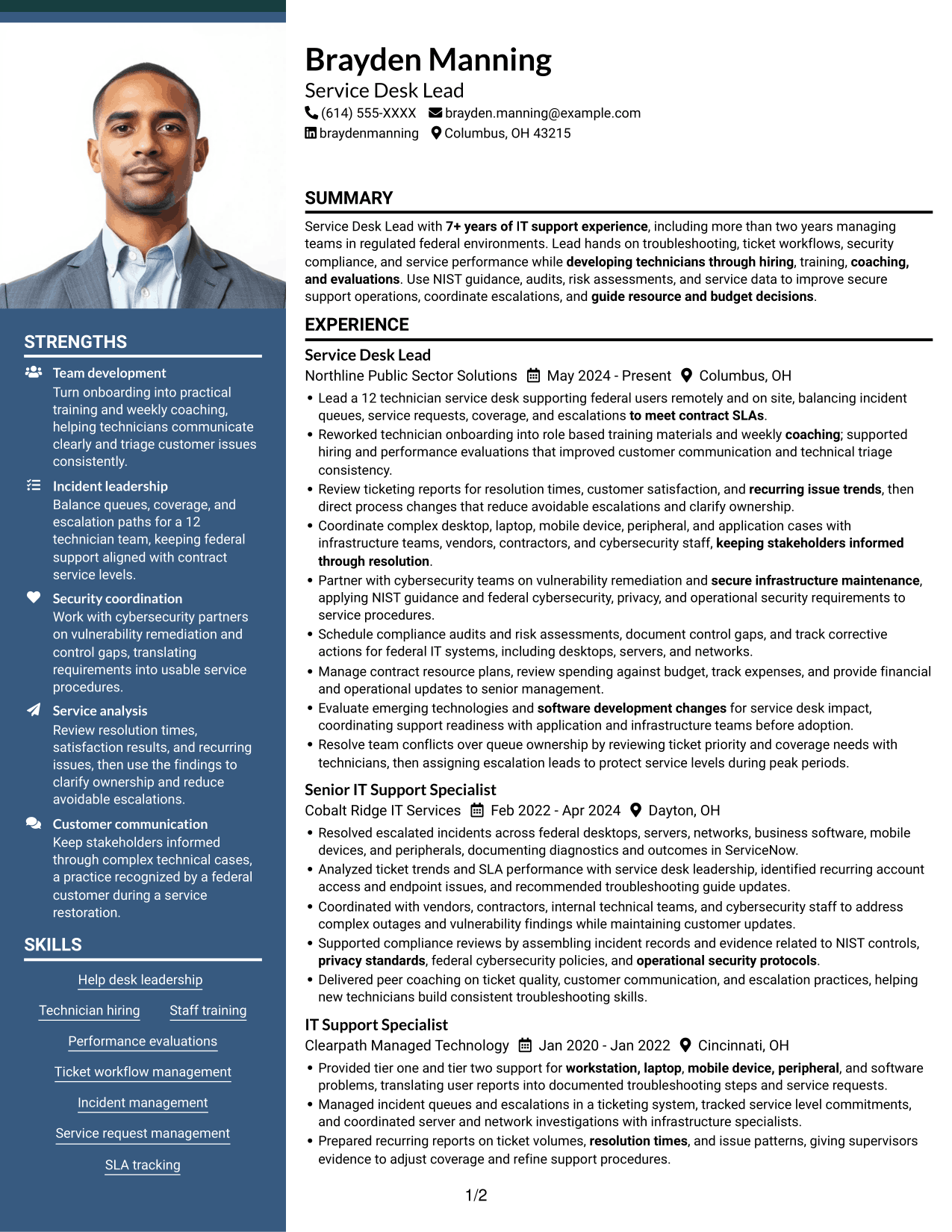
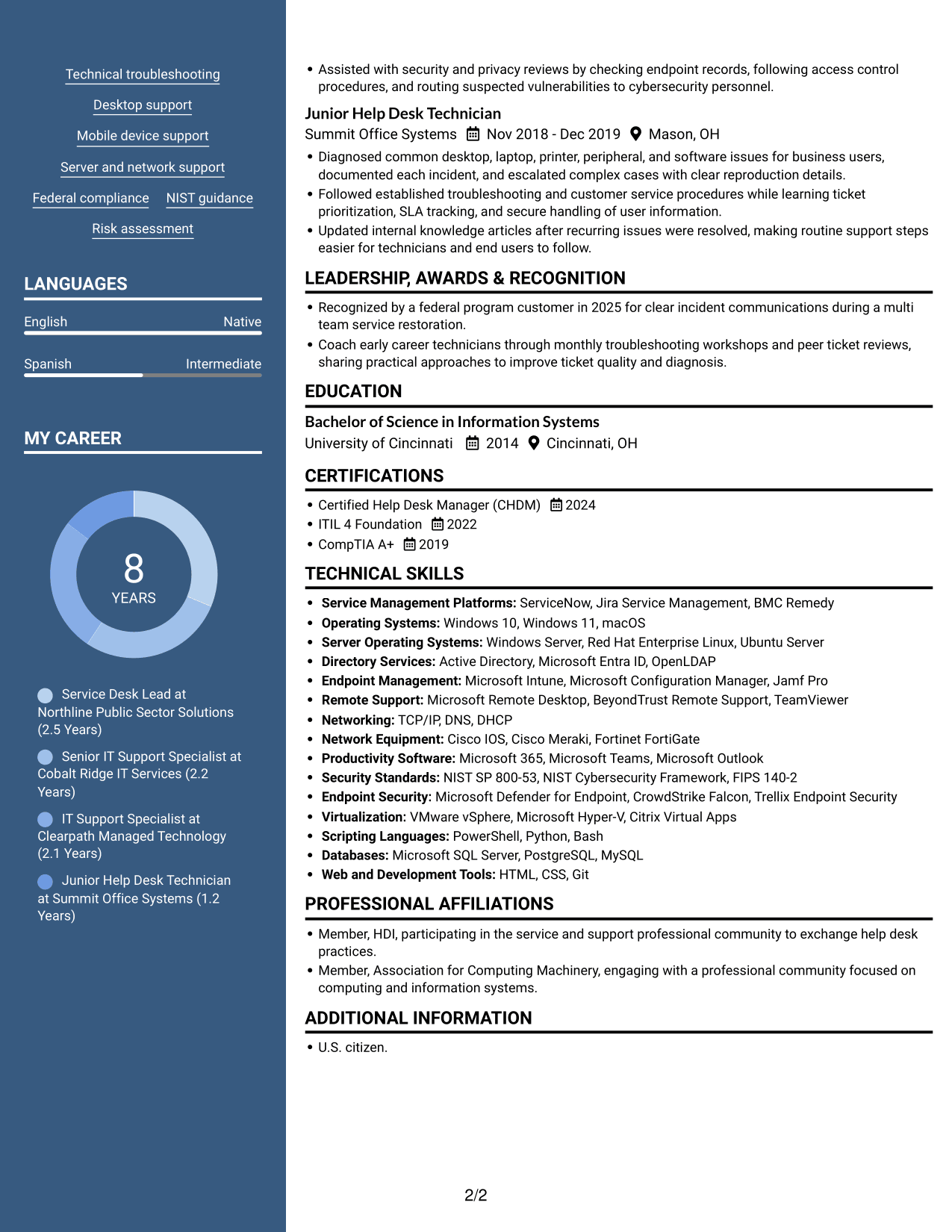
 
Resume example — page 1   Resume example — page 2

Why This Format Works

  • The two-column body gives career history and supporting sections separate reading areas.
  • Reviewers can move between sections without losing the overall resume structure.
  • A photo in the header adds a visible personal identifier above the content.

Best For

  • Photo-inclusive application contexts
  • Two-column reading preferences
  • Resumes balancing role history and supporting sections
  • Several distinct resume sections
  • Federal IT support submissions


Why Build Your Service Desk Lead - Federal IT Support Resume with ResumeInMinutes

ResumeInMinutes lets you review resume examples and customize an example in the editor. Choose a structure that makes your leadership, service operations, and technical evidence easy to scan.

  • Professional resume layouts
  • Clear, readable section structure
  • Role-focused keyword guidance
  • Organized experience and skills
  • PNG image previews
  • Resume customization in the editor

Use the preview images to compare how each format presents your experience, then open the example in the editor to review or customize its structure.


See Also


Frequently Asked Questions

Are these Service Desk Lead - Federal IT Support resume templates ATS-friendly?

The examples use readable headings and clear sections that help organize role-related experience and keywords. ATS results can vary, so use terms such as SLA management, NIST, and incident response only when they accurately describe your background.

Does this page show one resume example or several?

It shows one resume example in different visual formats. Compare the PNG previews, then open an example in the editor to view or customize it.

What should a Service Desk Lead - Federal IT Support resume include?

Include a focused summary, relevant experience, skills, education, and certifications. Show team leadership, ticket and SLA management, troubleshooting, federal security and compliance work, reporting, and measurable improvements where supported by your experience.

Which resume format works well for this role?

Choose a format with clear headings and a simple section order. Make leadership and technical support evidence easy to find, and check that the page remains readable when viewed as an image.

How can I show service desk leadership effectively?

Use concise bullets to describe team size, hiring or training work, coaching, performance reviews, and decisions that improved service. Add specific results when you can support them with accurate details.

Should I include a photo on my resume?

For U.S. applications, a resume without a photo is generally the safer choice. Follow local norms if you are applying in another country.


ATS Score 96%

How we calculate this score

  • Keywords: 60% of the total. AI extracts keywords from your job description. If you do not provide one, a standard job description for the title matching your resume is used. This is not a match to a specific vacancy.
  • Text-based resume: 20%. The text resume assessed here receives 100 for this part.
  • Resume quality: 20%. We start at 100 and subtract points for issues found by our resume checks, down to a minimum of zero.
  • Keyword coverage = round(100 × confirmed matches ÷ total keywords). Exact matches and supported equivalents verified by AI receive full credit; unsupported keywords receive none. Live text checks use the saved equivalents and do not request a new AI review. Without keywords, no overall ATS score is available.
  • Final score = 60% of keyword coverage + 20% of the text score + 20% of the quality score, rounded to a whole number. Without keywords, no overall ATS score is available.

What this score means

Our scores are estimates, not employer ratings. They may contain errors and do not guarantee accurate parsing, a ranking, an interview, or a job. Check your document against the employer’s requirements. You are responsible for relying on this score.

Terms and Conditions

Score weights: Keywords 60% · Text based resume 20% · Resume quality 20%

Keyword coverage: 46 of 49 (94%) · Resume quality: 100%

Resume quality 100% · Weight 20% · Issues (0)

Details
  • ✓Name present: Brayden Manning
  • ✓Email format: brayden.manning@example.com
  • ✓Phone format: (614) 555-XXXX
  • ✓Experience 1: Job title: Service Desk Lead
  • ✓Experience 1: Company name: Northline Public Sector Solutions
  • ✓Experience 1: Work location: Columbus, OH
  • ✓Experience 1: Employment dates: May 2024 - Present
  • ✓Experience 1: Description or achievements: Present
  • ✓Experience 2: Job title: Senior IT Support Specialist
  • ✓Experience 2: Company name: Cobalt Ridge IT Services
  • ✓Experience 2: Work location: Dayton, OH
  • ✓Experience 2: Employment dates: Feb 2022 - Apr 2024
  • ✓Experience 2: Description or achievements: Present
  • ✓Experience 3: Job title: IT Support Specialist
  • ✓Experience 3: Company name: Clearpath Managed Technology
  • ✓Experience 3: Work location: Cincinnati, OH
  • ✓Experience 3: Employment dates: Jan 2020 - Jan 2022
  • ✓Experience 3: Description or achievements: Present
  • ✓Experience 4: Job title: Junior Help Desk Technician
  • ✓Experience 4: Company name: Summit Office Systems
  • ✓Experience 4: Work location: Mason, OH
  • ✓Experience 4: Employment dates: Nov 2018 - Dec 2019
  • ✓Experience 4: Description or achievements: Present
  • ✓No placeholder fields
  • ✓No repeated achievement bullets
  • ✓No empty bullets

No issues found by the current checks.

Text Based Resume 100% · Weight 20%

Parsed text
Brayden Manning
(614) 555-XXXX
brayden.manning@example.com
braydenmanning
Columbus, OH 43215
SUMMARY
Service Desk Lead with 7+ years of IT support experience, including more than two years managing teams in regulated federal environments. Lead hands on troubleshooting, ticket workflows, security compliance, and service performance while developing technicians through hiring, training, coaching, and evaluations. Use NIST guidance, audits, risk assessments, and service data to improve secure support operations, coordinate escalations, and guide resource and budget decisions.
EXPERIENCE
Service Desk Lead
May 2024 - Present
Northline Public Sector Solutions
Columbus, OH
Lead a 12 technician service desk supporting federal users remotely and on site, balancing incident queues, service requests, coverage, and escalations to meet contract SLAs.
Reworked technician onboarding into role based training materials and weekly coaching; supported hiring and performance evaluations that improved customer communication and technical triage consistency.
Review ticketing reports for resolution times, customer satisfaction, and recurring issue trends, then direct process changes that reduce avoidable escalations and clarify ownership.
Coordinate complex desktop, laptop, mobile device, peripheral, and application cases with infrastructure teams, vendors, contractors, and cybersecurity staff, keeping stakeholders informed through resolution.
Partner with cybersecurity teams on vulnerability remediation and secure infrastructure maintenance, applying NIST guidance and federal cybersecurity, privacy, and operational security requirements to service procedures.
Schedule compliance audits and risk assessments, document control gaps, and track corrective actions for federal IT systems, including desktops, servers, and networks.
Manage contract resource plans, review spending against budget, track expenses, and provide financial and operational updates to senior management.
Evaluate emerging technologies and software development changes for service desk impact, coordinating support readiness with application and infrastructure teams before adoption.
Resolve team conflicts over queue ownership by reviewing ticket priority and coverage needs with technicians, then assigning escalation leads to protect service levels during peak periods.
Senior IT Support Specialist
Feb 2022 - Apr 2024
Cobalt Ridge IT Services
Dayton, OH
Resolved escalated incidents across federal desktops, servers, networks, business software, mobile devices, and peripherals, documenting diagnostics and outcomes in ServiceNow.
Analyzed ticket trends and SLA performance with service desk leadership, identified recurring account access and endpoint issues, and recommended troubleshooting guide updates.
Coordinated with vendors, contractors, internal technical teams, and cybersecurity staff to address complex outages and vulnerability findings while maintaining customer updates.
Supported compliance reviews by assembling incident records and evidence related to NIST controls, privacy standards, federal cybersecurity policies, and operational security protocols.
Delivered peer coaching on ticket quality, customer communication, and escalation practices, helping new technicians build consistent troubleshooting skills.
IT Support Specialist
Jan 2020 - Jan 2022
Clearpath Managed Technology
Cincinnati, OH
Provided tier one and tier two support for workstation, laptop, mobile device, peripheral, and software problems, translating user reports into documented troubleshooting steps and service requests.
Managed incident queues and escalations in a ticketing system, tracked service level commitments, and coordinated server and network investigations with infrastructure specialists.
Prepared recurring reports on ticket volumes, resolution times, and issue patterns, giving supervisors evidence to adjust coverage and refine support procedures.
Assisted with security and privacy reviews by checking endpoint records, following access control procedures, and routing suspected vulnerabilities to cybersecurity personnel.
Junior Help Desk Technician
Nov 2018 - Dec 2019
Summit Office Systems
Mason, OH
Diagnosed common desktop, laptop, printer, peripheral, and software issues for business users, documented each incident, and escalated complex cases with clear reproduction details.
Followed established troubleshooting and customer service procedures while learning ticket prioritization, SLA tracking, and secure handling of user information.
Updated internal knowledge articles after recurring issues were resolved, making routine support steps easier for technicians and end users to follow.
LEADERSHIP, AWARDS & RECOGNITION
Recognized by a federal program customer in 2025 for clear incident communications during a multi team service restoration.
Coach early career technicians through monthly troubleshooting workshops and peer ticket reviews, sharing practical approaches to improve ticket quality and diagnosis.
EDUCATION
Bachelor of Science in Information Systems
2014
University of Cincinnati
Cincinnati, OH
CERTIFICATIONS
Certified Help Desk Manager (CHDM)
2024
ITIL 4 Foundation
2022
CompTIA A+
2019
TECHNICAL SKILLS
Service Management Platforms: ServiceNow, Jira Service Management, BMC Remedy
Operating Systems: Windows 10, Windows 11, macOS
Server Operating Systems: Windows Server, Red Hat Enterprise Linux, Ubuntu Server
Directory Services: Active Directory, Microsoft Entra ID, OpenLDAP
Endpoint Management: Microsoft Intune, Microsoft Configuration Manager, Jamf Pro
Remote Support: Microsoft Remote Desktop, BeyondTrust Remote Support, TeamViewer
Networking: TCP/IP, DNS, DHCP
Network Equipment: Cisco IOS, Cisco Meraki, Fortinet FortiGate
Productivity Software: Microsoft 365, Microsoft Teams, Microsoft Outlook
Security Standards: NIST SP 800-53, NIST Cybersecurity Framework, FIPS 140-2
Endpoint Security: Microsoft Defender for Endpoint, CrowdStrike Falcon, Trellix Endpoint Security
Virtualization: VMware vSphere, Microsoft Hyper-V, Citrix Virtual Apps
Scripting Languages: PowerShell, Python, Bash
Databases: Microsoft SQL Server, PostgreSQL, MySQL
Web and Development Tools: HTML, CSS, Git
SKILLS
Help desk leadership
Technician hiring
Staff training
Performance evaluations
Ticket workflow management
Incident management
Service request management
SLA tracking
Technical troubleshooting
Desktop support
Mobile device support
Server and network support
Federal compliance
NIST guidance
Risk assessment
PROFESSIONAL AFFILIATIONS
Member, HDI, participating in the service and support professional community to exchange help desk practices.
Member, Association for Computing Machinery, engaging with a professional community focused on computing and information systems.
LANGUAGES
English (Native)
Spanish (Intermediate)
ADDITIONAL INFORMATION
U.S. citizen.

Matched keywords (46)

  • 7+ years of IT support experienceOriginal keyword in JD: 5–8 years of IT support or help desk experience
  • Bachelor of Science in Information SystemsOriginal keyword in JD: Bachelor’s degree in Computer Science OR Information Technology OR Business Administration
  • U.S. citizen.Original keyword in JD: U.S. citizenship
  • Lead a 12 technician service deskOriginal keyword in JD: Help desk team leadership
  • developing technicians through hiringOriginal keyword in JD: Hiring help desk technicians
  • role based training materials and weekly coachingOriginal keyword in JD: Technician training and development
  • coaching, and evaluationsOriginal keyword in JD: Performance evaluations and constructive feedback
  • federal IT systems, including desktops, servers, and networksOriginal keyword in JD: IT systems and infrastructure
  • Ticket workflow managementOriginal keyword in JD: Ticketing workflow management
  • Incident management
  • Service request management
  • to meet contract SLAsOriginal keyword in JD: SLA management
  • Coordinate complex desktop, laptop, mobile device, peripheral, and application cases with infrastructure teamsOriginal keyword in JD: Complex technical troubleshooting and escalation
  • workstation, laptopOriginal keyword in JD: Desktop and laptop support
  • mobile device, peripheralOriginal keyword in JD: Mobile device and peripheral support
  • software problemsOriginal keyword in JD: Software troubleshooting
  • Server and network support
  • service desk supporting federal users remotely and on siteOriginal keyword in JD: Federal government IT operations
  • federal cybersecurity, privacy, and operational security requirementsOriginal keyword in JD: Federal regulations and compliance
  • NIST guidance
  • applying NIST guidance and federal cybersecurity, privacy, and operational security requirementsOriginal keyword in JD: Cybersecurity policy compliance
  • privacy standards
  • operational security protocols
  • compliance audits
  • risk assessments
  • Partner with cybersecurity teams on vulnerability remediationOriginal keyword in JD: Vulnerability coordination
  • secure infrastructure maintenanceOriginal keyword in JD: Secure IT infrastructure
  • Review ticketing reports for resolution times, customer satisfaction, and recurring issue trendsOriginal keyword in JD: Service desk performance reporting
  • resolution timesOriginal keyword in JD: Resolution-time analysis
  • customer satisfactionOriginal keyword in JD: Customer satisfaction measurement
  • recurring issue trendsOriginal keyword in JD: Issue trend analysis
  • direct process changes that reduce avoidable escalationsOriginal keyword in JD: Service desk process improvement
  • with infrastructure teams, vendors, contractors, and cybersecurity staffOriginal keyword in JD: Vendor and contractor coordination
  • Partner with cybersecurity teams on vulnerability remediationOriginal keyword in JD: Cybersecurity team coordination
  • keeping stakeholders informed through resolutionOriginal keyword in JD: Stakeholder communication
  • Resolve team conflicts over queue ownershipOriginal keyword in JD: Conflict resolution
  • guide resource and budget decisionsOriginal keyword in JD: Operational decision-making
  • Manage contract resource plans, review spending against budgetOriginal keyword in JD: Contract budgeting
  • provide financial and operational updates to senior managementOriginal keyword in JD: Financial oversight
  • Manage contract resource plansOriginal keyword in JD: Resource allocation
  • track expensesOriginal keyword in JD: Expense monitoring
  • Evaluate emerging technologiesOriginal keyword in JD: Emerging technology assessment
  • software development changesOriginal keyword in JD: Software development familiarity
  • ITIL
  • CompTIA A+
  • Certified Help Desk Manager (CHDM)

Missing keywords (3)

  • 2–3 years managing help desk technicians
  • Government security investigation eligibility
  • Classified information access eligibility
Disclaimer: All names, images, contact information, employment histories, achievements, security clearances, military credentials, and other qualifications shown in this content are fictional and used for illustrative purposes only. Any resemblance to actual persons, living or deceased, is purely coincidental.

Resume and cover-letter examples and recommendations in this article reflect general best practices and professional experience and are provided for guidance only. Results may vary based on role, industry, region, and hiring organization.

Content Accuracy and Verification: To the fullest extent permitted by applicable law, we do not represent or warrant that resume or cover-letter guidance, examples, recommendations, or related information are accurate, complete, current, error-free, or suitable for any particular purpose. You are responsible for independently reviewing and verifying the information before relying on it.

ATS and Cover-Letter Scores: ATS scores are estimates calculated using our own formula, informed by publicly available guidance on resume formatting and keyword matching. They are not scores issued or endorsed by an ATS provider or employer. Cover-letter scores are also our own assessments. Parsing, weighting, screening criteria, and results vary between systems, employers, job descriptions, and document formats. No score guarantees successful parsing, a particular ranking, an interview, or employment. Use scores as general guidance and independently check your documents against the employer’s requirements. To the fullest extent permitted by applicable law, we accept no liability for errors in scores or parsing, or losses arising from reliance on these assessments. Nothing in this notice excludes liability or limits consumer rights that cannot lawfully be excluded or limited.

Terms and Conditions
 
> JP 1 1
PDF Footer and Margins Setup
The margins are applied to the document, and the footer shows up in the preview and the PDF

Footer Font Settings

Are you applying for a specific job
so we can tailor your resume to it?
Are you applying for a specific job
so we can tailor your cover letter to it?

Your data stays private and is never used for training.Privacy Policy

Type your details as text to generate a personalized resume Type your details as text to generate a personalized cover letter
Website link found! Ready to create resume from:

Your data stays private and is never used for training.Privacy Policy

Drag the into the box to verify you're human.
Drop here

My Resumes

Displaying {number_of_files} files (out of {total_of_all_files} total)
Name File Type Last Modified: Description:

Rename File

Filename already exists!

Delete Files

Warning: This action is irreversible. Once you click submit, the files will be permanently deleted.

Heading text
Upload From Computer Upload
Select From Existing
LinkedIn
Drag & Drop files anywhere in this tab, or

Uploaded Files

Delete Name Last Updated Use This File
Select this to use the file for generating your resume and cover letter. Only one source—uploaded file, selected file, or LinkedIn text—can be used.

My Files

Resumes or cover letters you create will appear here. No files available yet.
Delete Name Last Updated Use This File
Select this to use the file for generating your resume and cover letter. Only one source—uploaded file, selected file, or LinkedIn text—can be used.

Add LinkedIn Profile PDF

You can download your LinkedIn profile as a PDF by opening linkedin.com in a web browser, clicking your profile photo, selecting the “More” or “Resources” button, and choosing “Save to PDF.” You can then attach the PDF using the Upload From Computer tab.

Paste Your LinkedIn Profile Text

If you have copied the LinkedIn profile text, paste it below. See how to copy your profile from LinkedIn

Select this to use the LinkedIn profile text for generating your resume and cover letter. Only one source—uploaded file, selected file, or LinkedIn text—can be used.

Try these controls

<
>


