
US English


7 Technical Solutions Manager - App Ads Resume Templates with Example
By Ria · Last Updated On October 20, 2026
Resume example — page 1

This guide shows you how to create a Technical Solutions Manager - App Ads resume that makes your technical work clear and easy to review. You will learn how to organize relevant evidence and choose a professional format for this exact role.

Strong resumes for this work connect app install campaign support with clear examples of measurement, troubleshooting, and customer guidance. Highlight relevant experience with MMP integrations, SDK and event setup, attribution, postbacks, SKAdNetwork, and REST APIs, along with the way you investigate issues and work across teams.

The same resume example appears in 7 layouts, so you can compare the PNG image previews and open an example in the editor.

What Makes a Great Technical Solutions Manager - App Ads Resume in 2026

A strong resume uses clear section headings and concise experience bullets. Show how you take technical cases from investigation to resolution, guide customers, and coordinate with Product, Engineering, Sales, and partners.

Support your claims with specific examples involving MMP integrations, SDK and event configuration, SKAN, reporting differences, and REST API troubleshooting. Use relevant terms in context, and describe results only when you can support them with evidence.

Note: Resume examples are for educational purposes only. Use only information that accurately reflects your experience and qualifications. References to real organizations do not imply affiliation or endorsement.

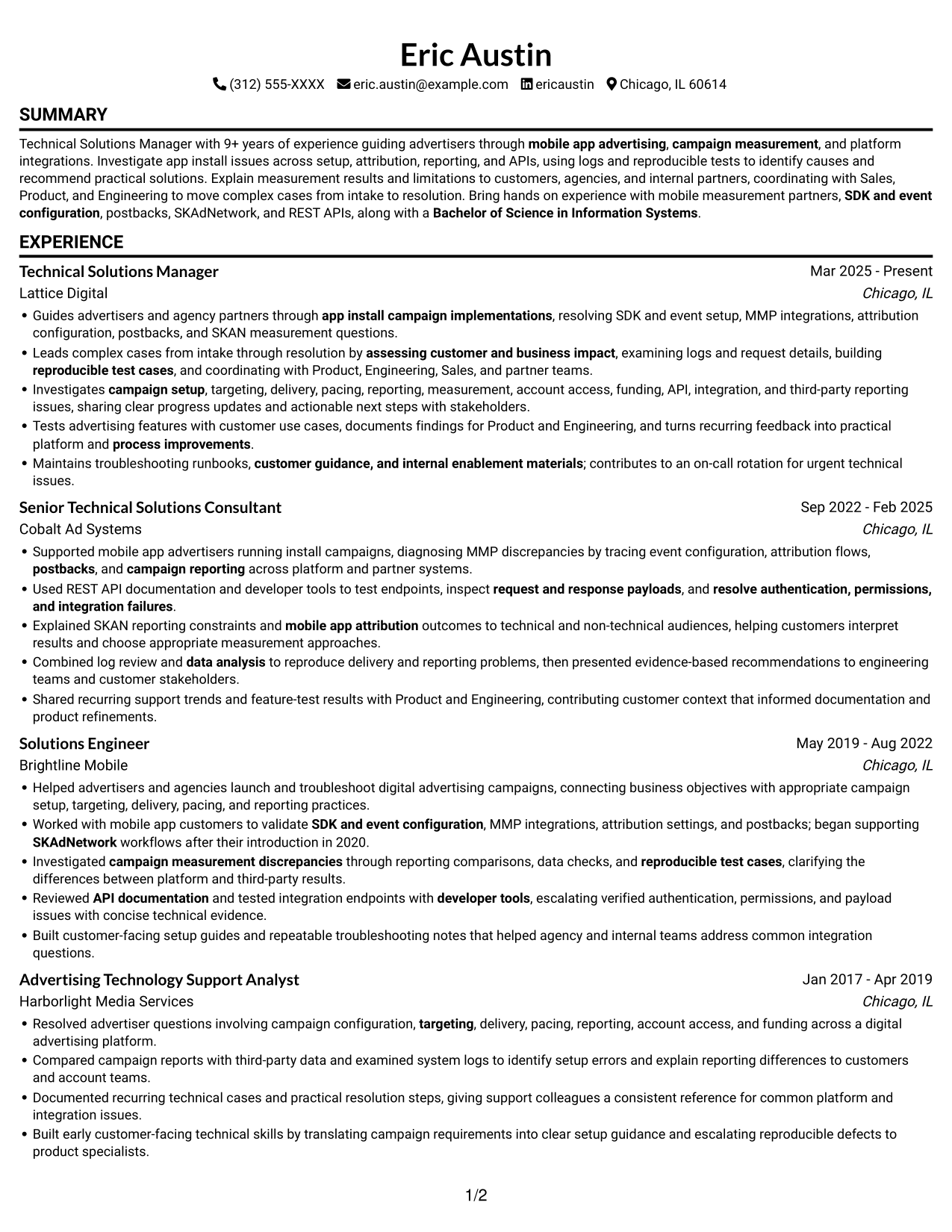
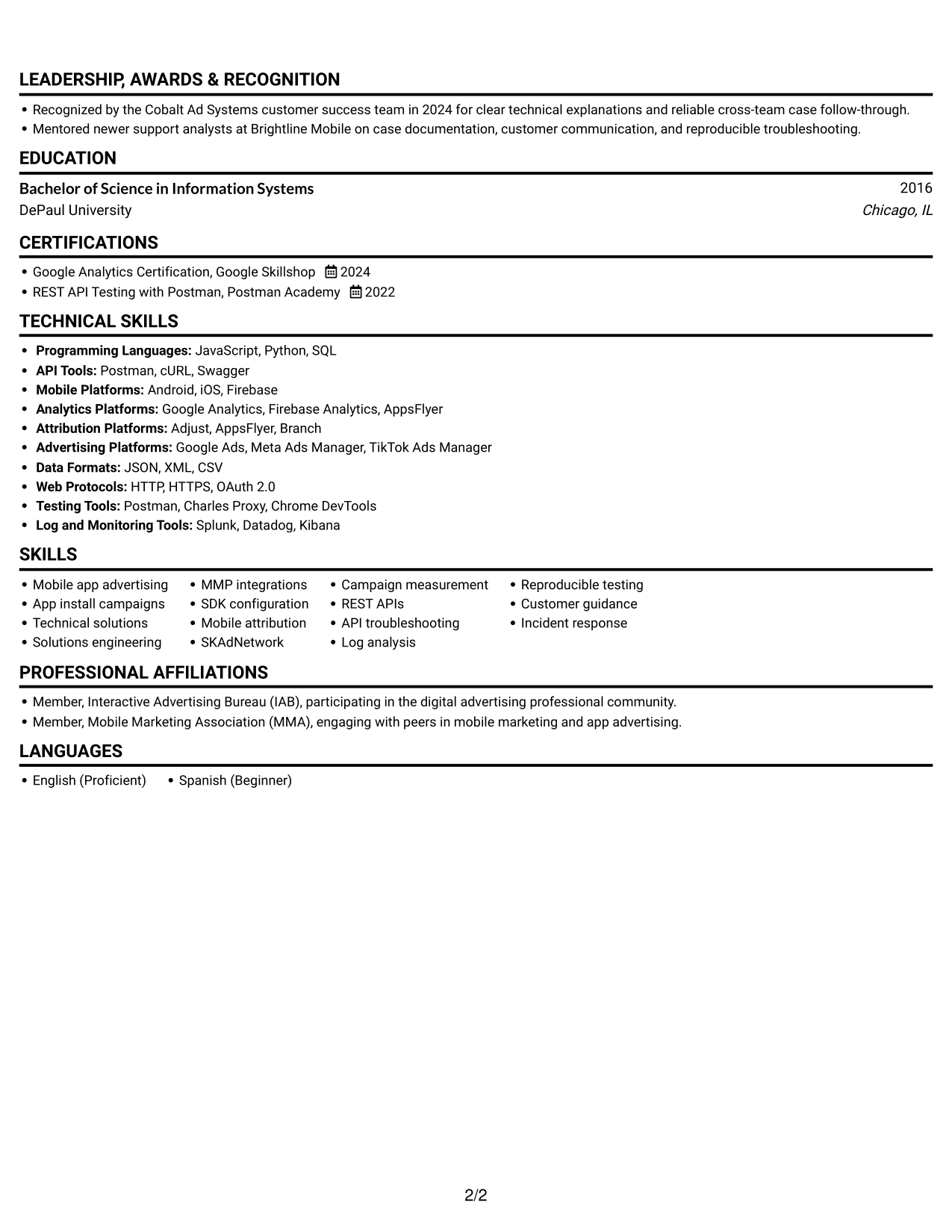
#1 Simple One Column Format Resume Example

A single-column layout keeps the resume in one reading path, a practical choice for following career history from role to role.
 
Resume example — page 1   Resume example — page 2

Why This Format Works

  • A single reading path keeps dated roles in career order for straightforward progress review.
  • Skills and education stay within the same sequence, reducing jumps between resume sections.
  • Experience bullets can present detailed evidence without asking reviewers to compare parallel columns.

Best For

  • Chronological role histories
  • Detailed work examples
  • One-path resume reading
  • Skills and education in one sequence
  • Linear recruiter review

Resume Keywords

  • Technical Solutions Manager with 9+ years of experience guiding advertisers through mobile app advertising, campaign measurement, and platform integrations.
  • Bachelor of Science in Information Systems
  • app install campaign implementations
  • mobile measurement partners
  • SDK and event configuration
  • mobile app attribution
  • postbacks
  • SKAdNetwork
  • campaign measurement discrepancies
  • campaign setup, targeting, delivery, pacing, and reporting practices
  • campaign setup
  • targeting
  • campaign setup, targeting, delivery, pacing, reporting, measurement, account access, funding, API, integration, and third-party reporting issues
  • campaign reporting
  • REST APIs
See all keywords
 

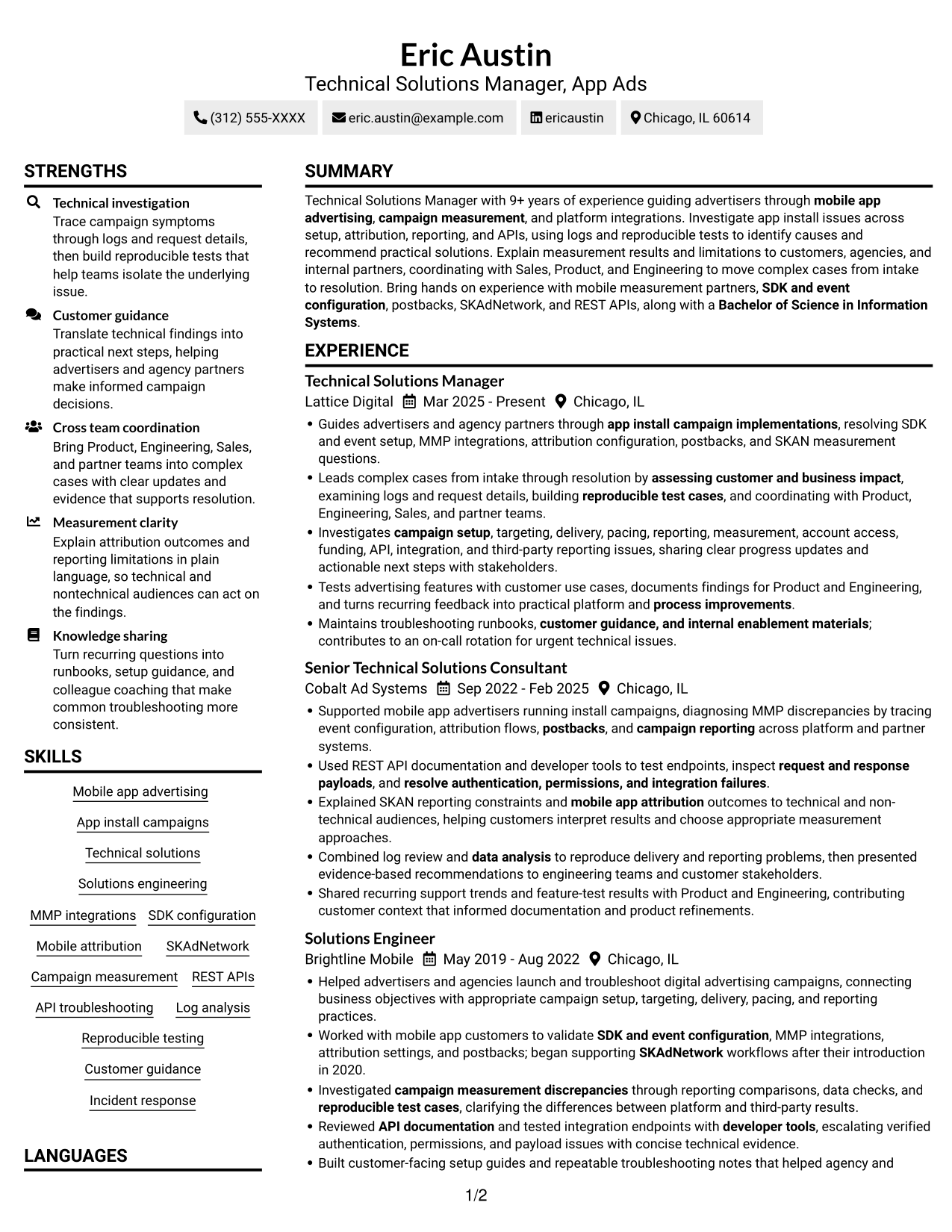
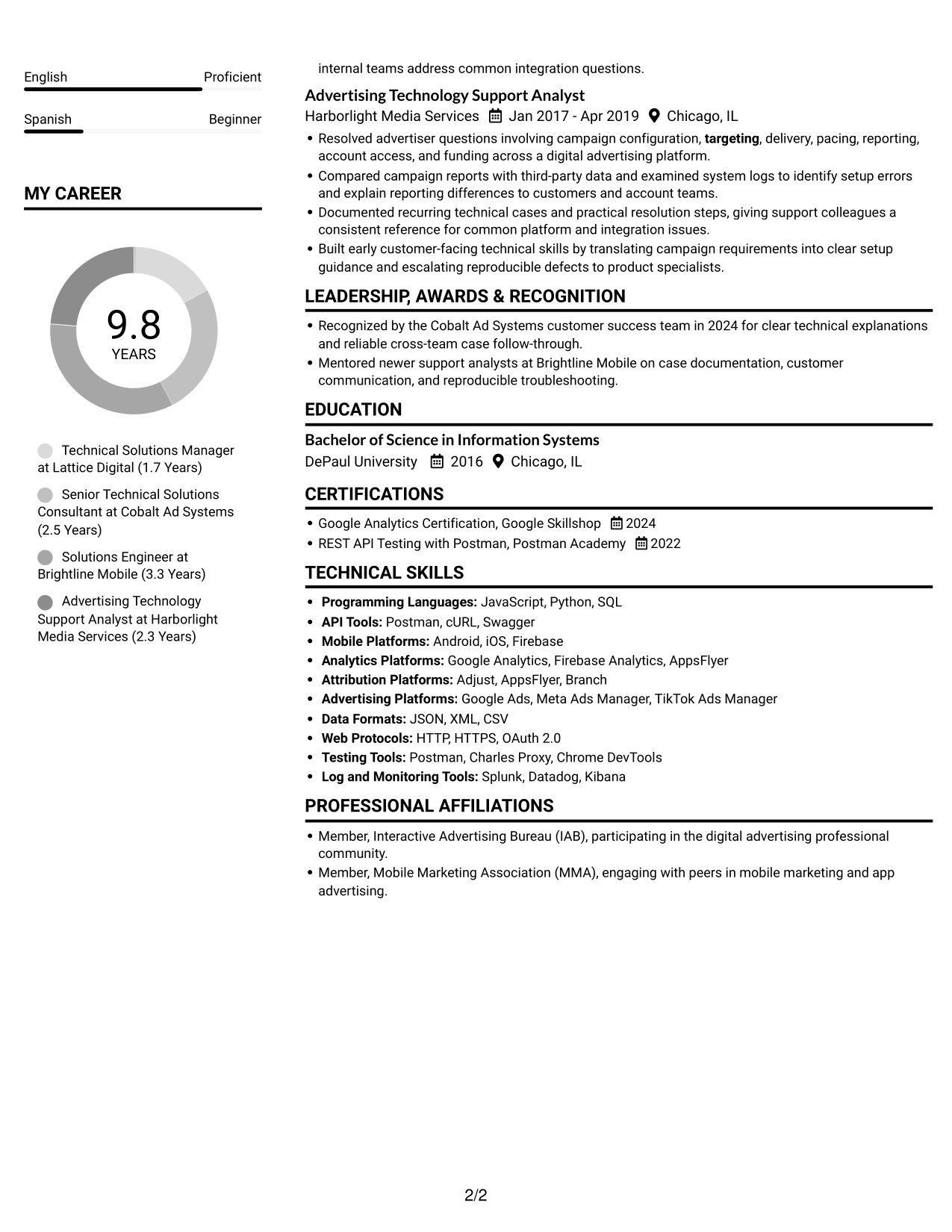
#2 Simple Two Column Format Resume Example

Two columns give the resume a parallel reading structure, which suits readers who want career details and supporting qualifications organized in distinct areas.
 
Resume example — page 1   Resume example — page 2

Why This Format Works

  • Two columns distinguish career history from supporting qualifications while keeping both visible for review.
  • Dated roles can form a clear progression, helping reviewers follow changes in scope over time.
  • A parallel layout makes skills and education easier to locate during a focused review.

Best For

  • Parallel content organization
  • Role-by-role career review
  • Skills beside work history
  • Quick qualification lookup
  • Structured resume scanning

#3 Plain One Column with Shaded Labels Resume Example

The one-column structure keeps each resume section in a shared sequence, a useful choice when readers need to follow technical evidence alongside career history.
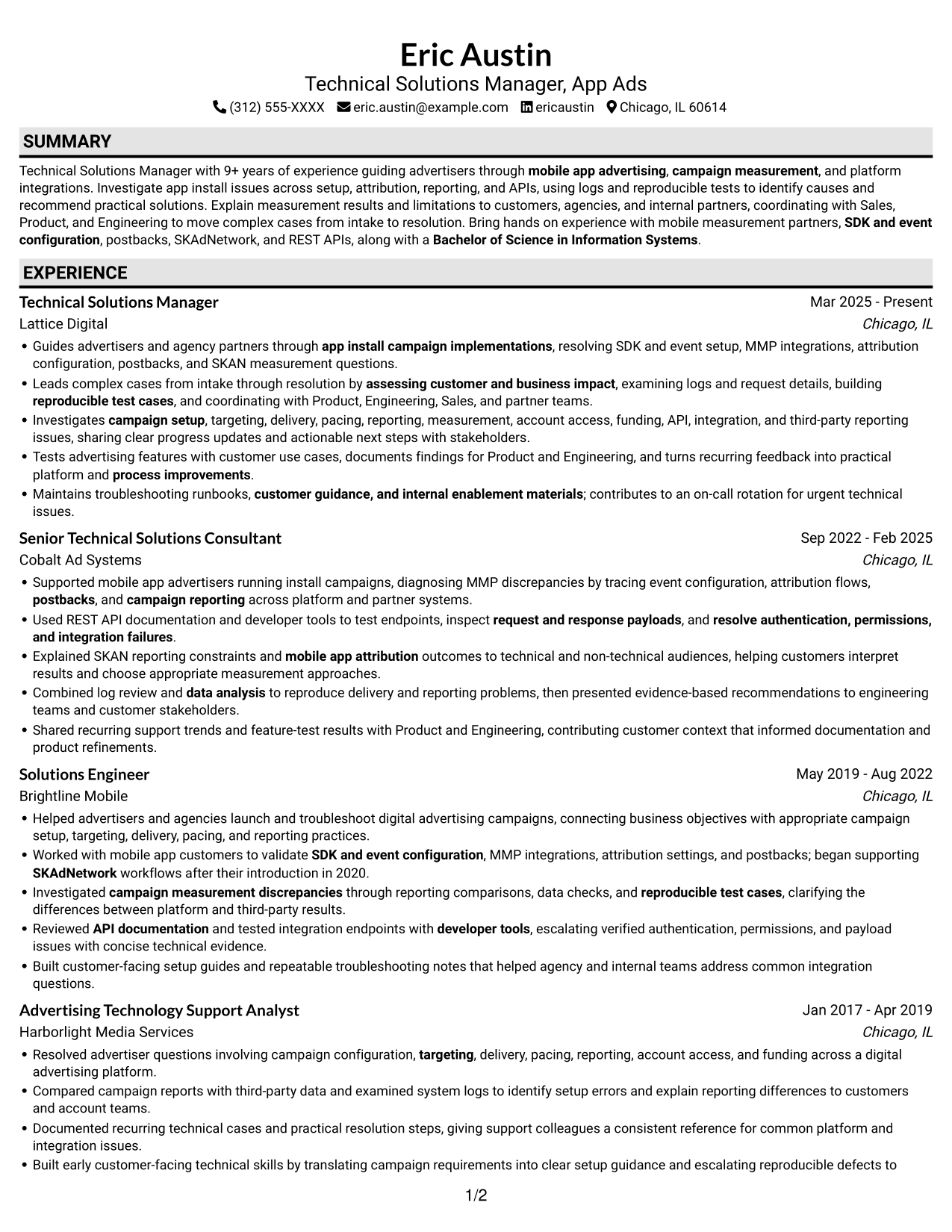
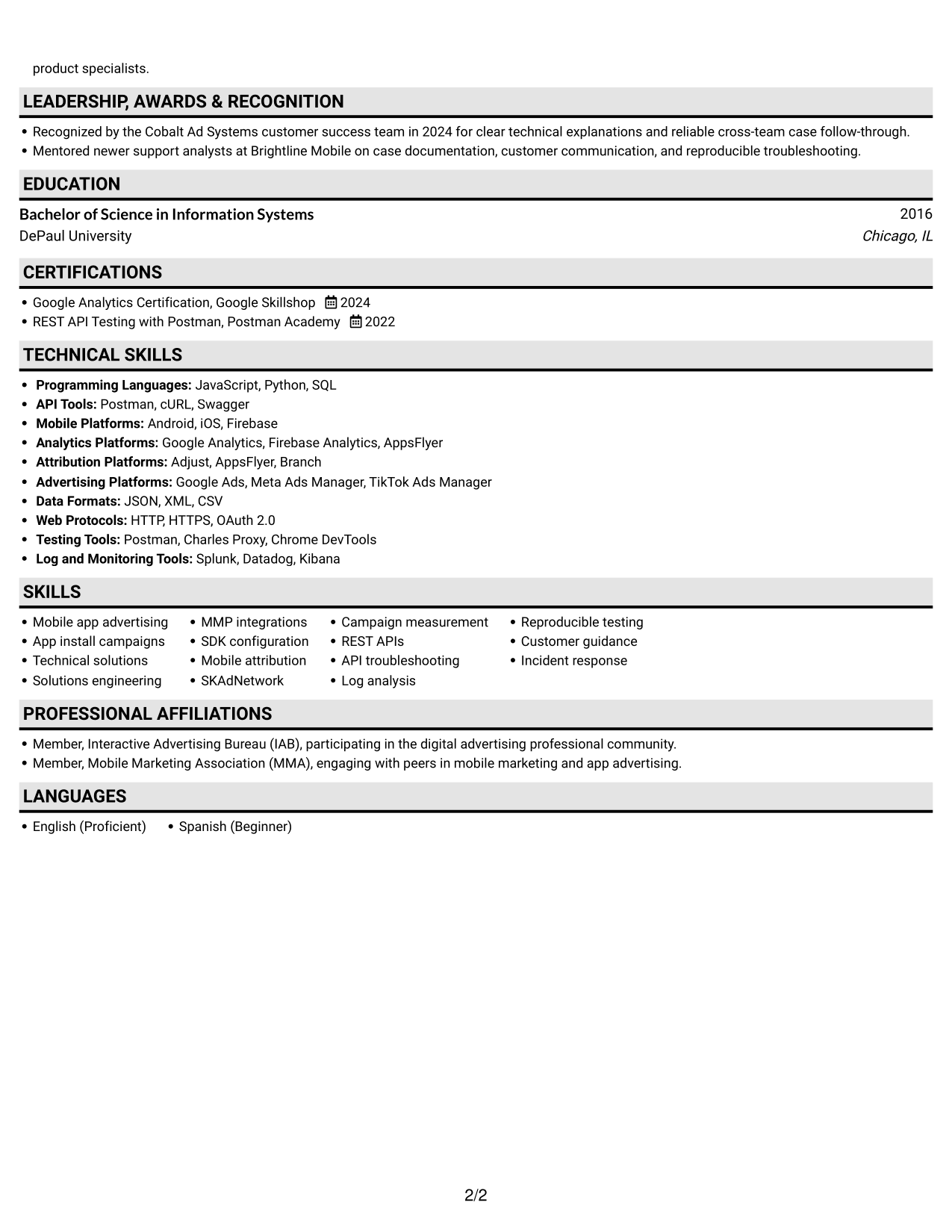
 
Resume example — page 1   Resume example — page 2

Why This Format Works

  • One continuous reading order helps reviewers connect technical evidence with its related work history.
  • Dated experience can be followed from earlier roles to current responsibilities without switching columns.
  • Skills and credentials remain easy to find within the same resume sequence.

Best For

  • Section-by-section review
  • Technical evidence in career context
  • Continuous experience history
  • Qualifications within one reading path
  • Linear resume scanning
 

#4 One Column Format with Photo Right Resume Example

A one-column resume body paired with a photo offers a single reading sequence with a personal visual element for readers who want both.
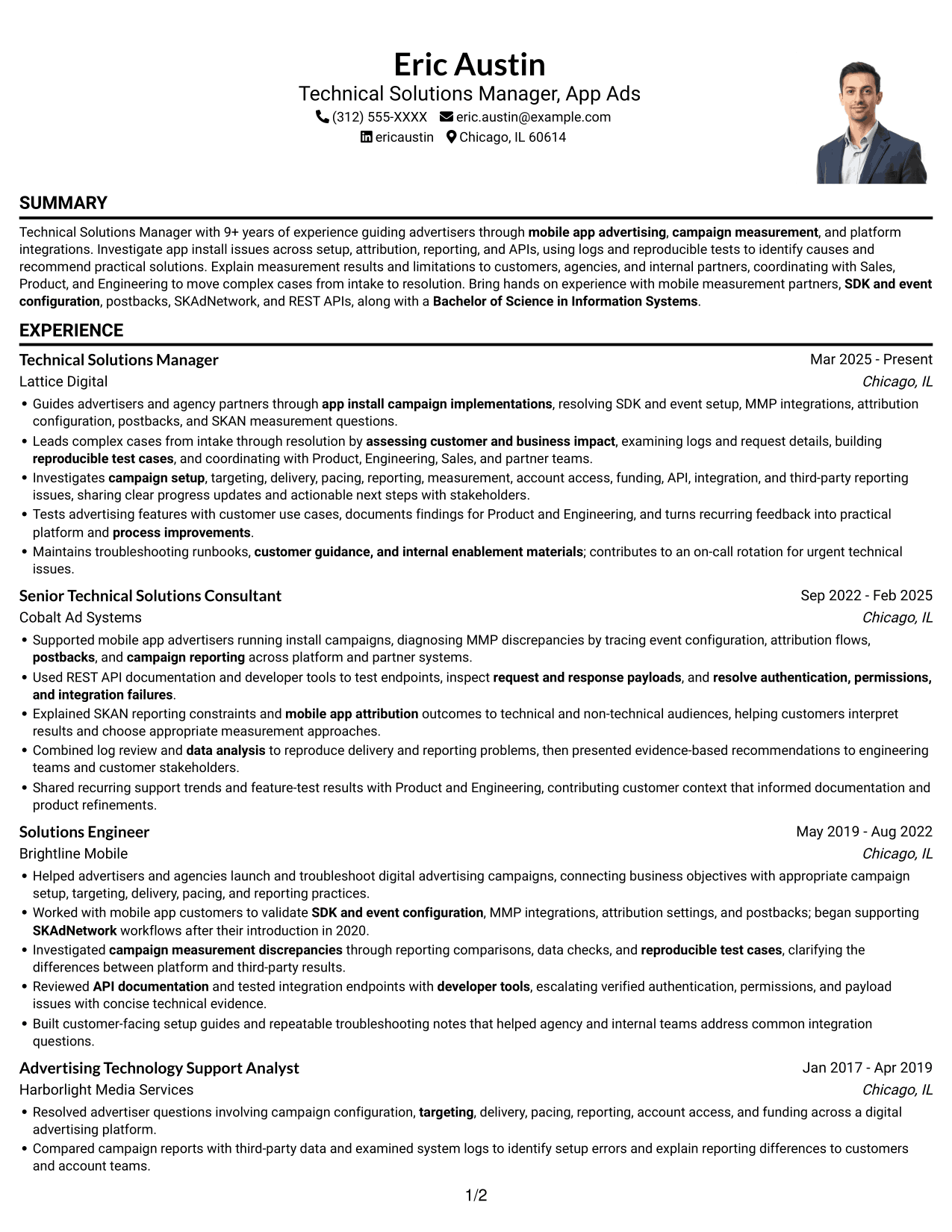
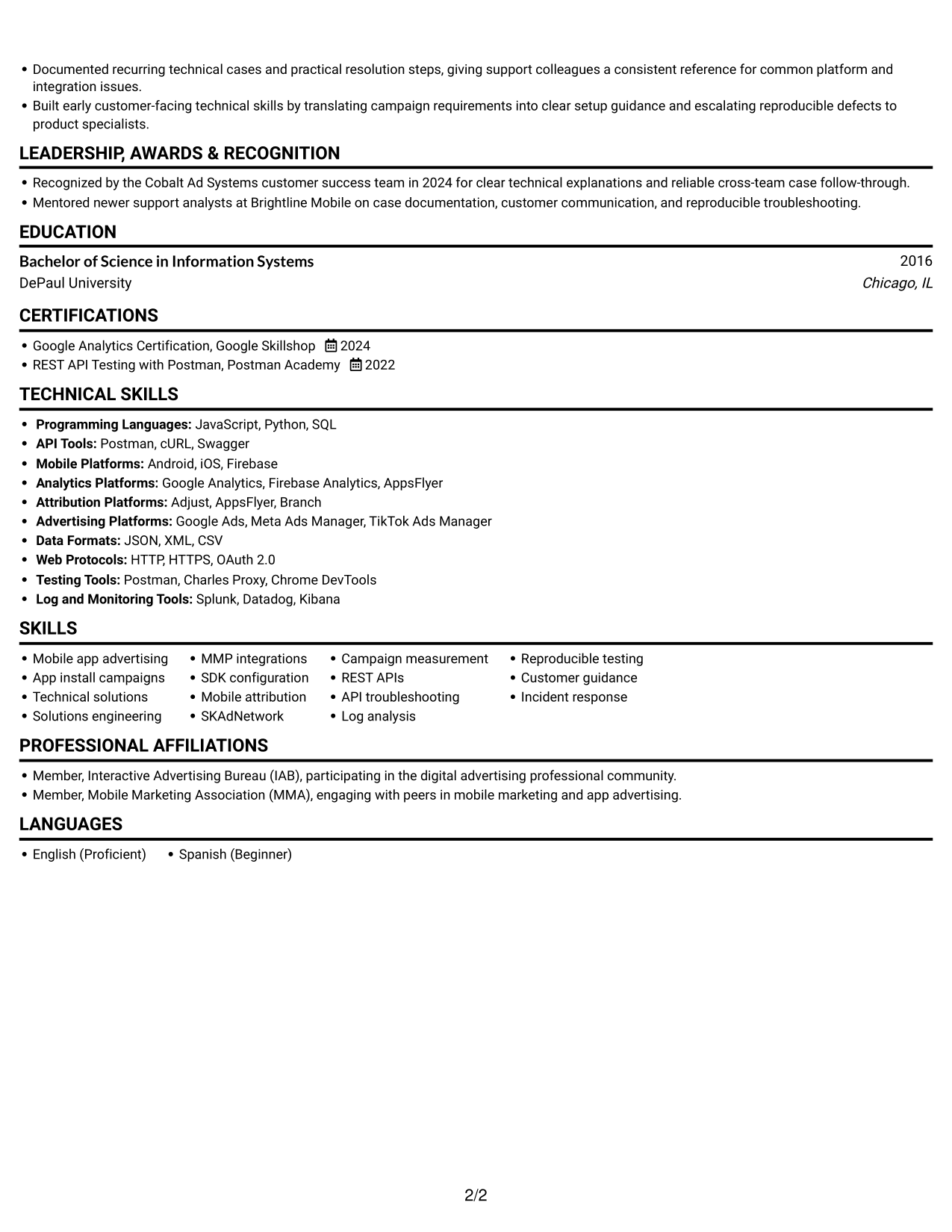
 
Resume example — page 1   Resume example — page 2

Why This Format Works

  • The single content path keeps dated roles in order as reviewers assess career progression.
  • Experience bullets remain together, making related case evidence easier to review in context.
  • Skills and education follow the same reading sequence as the work history.

Best For

  • Photo-inclusive resume preference
  • Chronological career review
  • Experience details read in sequence
  • Skills and education with work history
  • Single-path content review
 

#5 Clean Two Column Sidebar Format Resume Example

The two-column layout separates resume content into parallel areas, making it a practical option for readers who want work history and qualifications easy to distinguish.
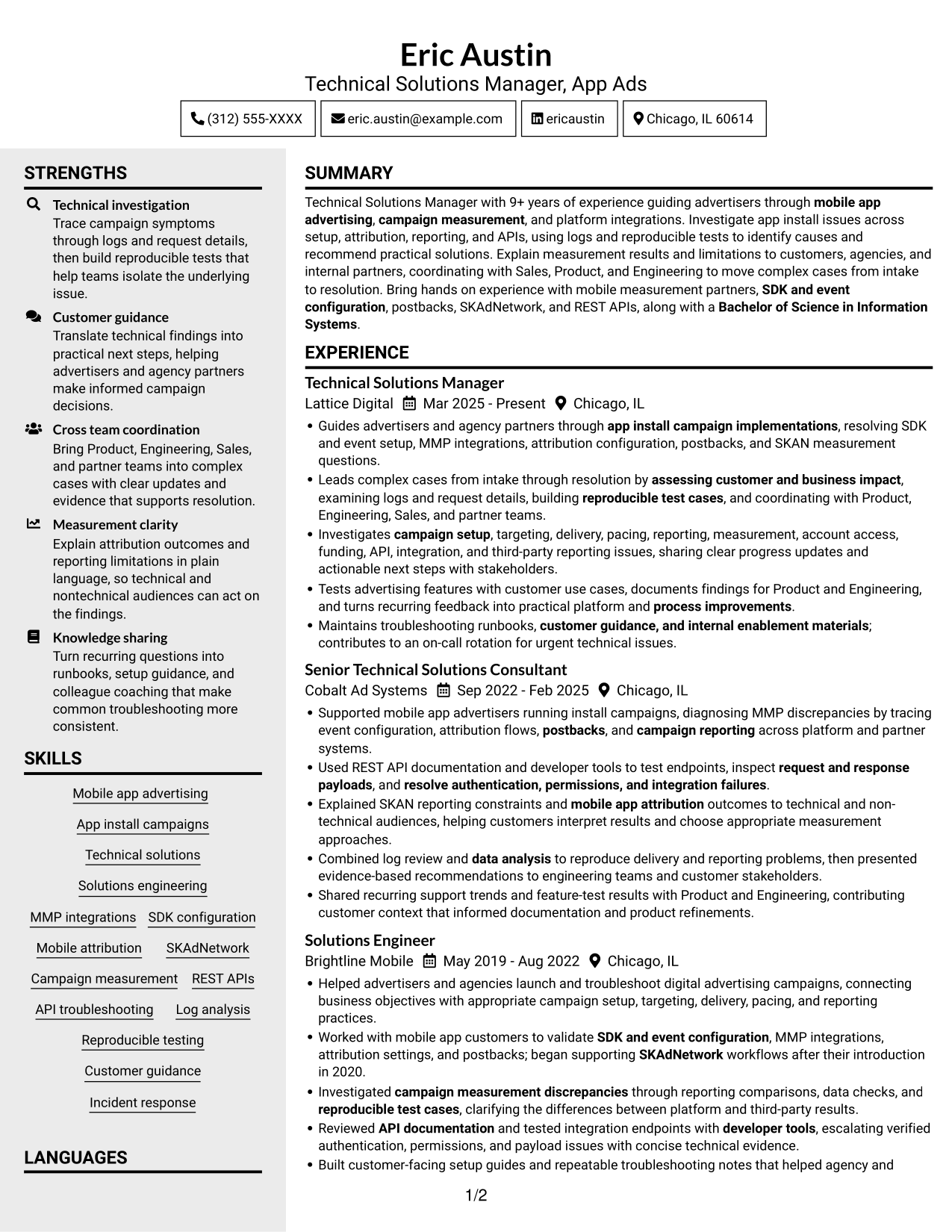
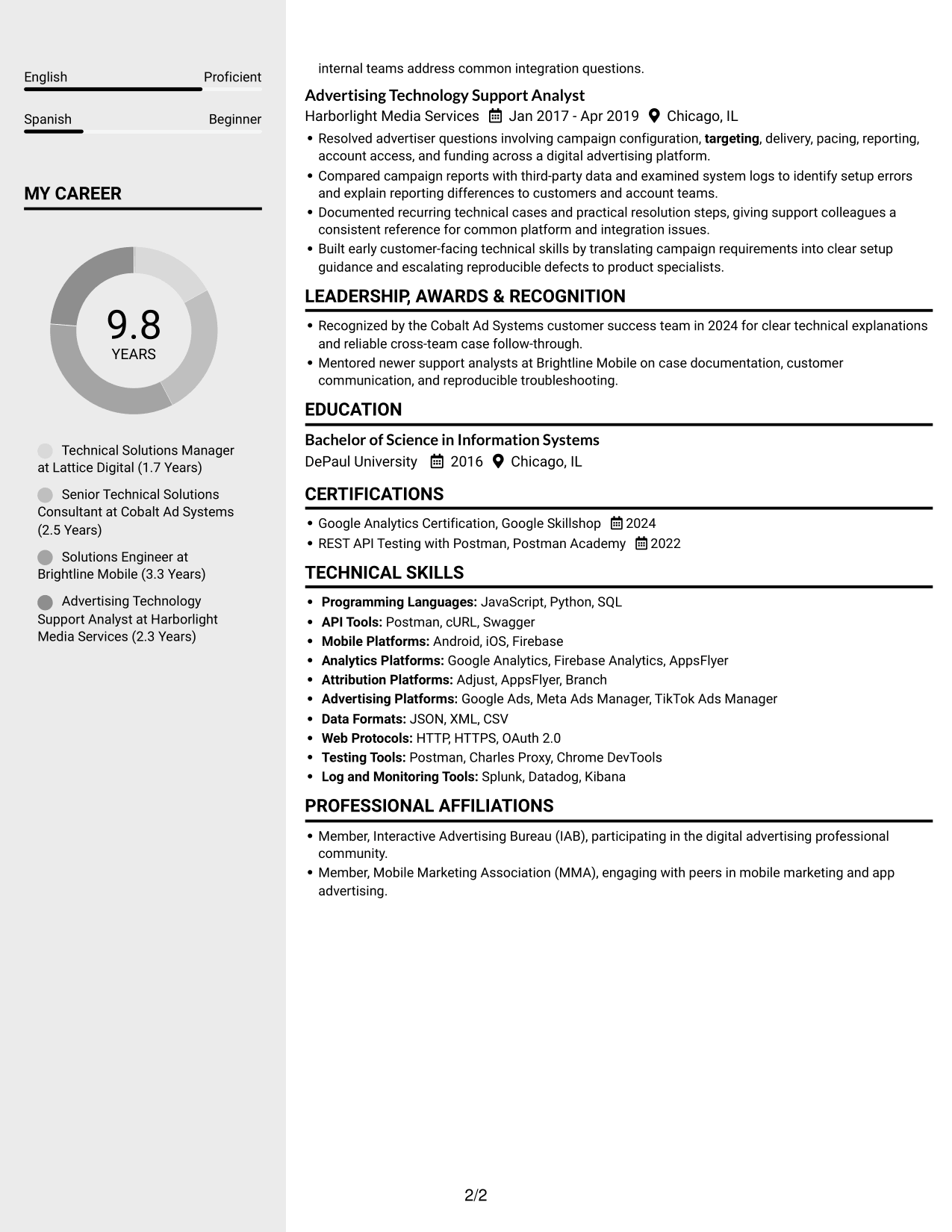
 
Resume example — page 1   Resume example — page 2

Why This Format Works

  • Separate columns distinguish career history from supporting qualifications during a recruiter’s review.
  • The dated work record can retain a clear sequence without merging details into one long block.
  • Skills and education are easier to locate when reviewing experience for relevant evidence.

Best For

  • Distinct content areas
  • Work history with supporting qualifications
  • Fast skills lookup
  • Chronological experience review
  • Parallel resume scanning


#6 Two Column Format Resume Example

Two columns organize the resume in parallel sections, a useful format when readers want to scan career history and supporting details without losing their place.
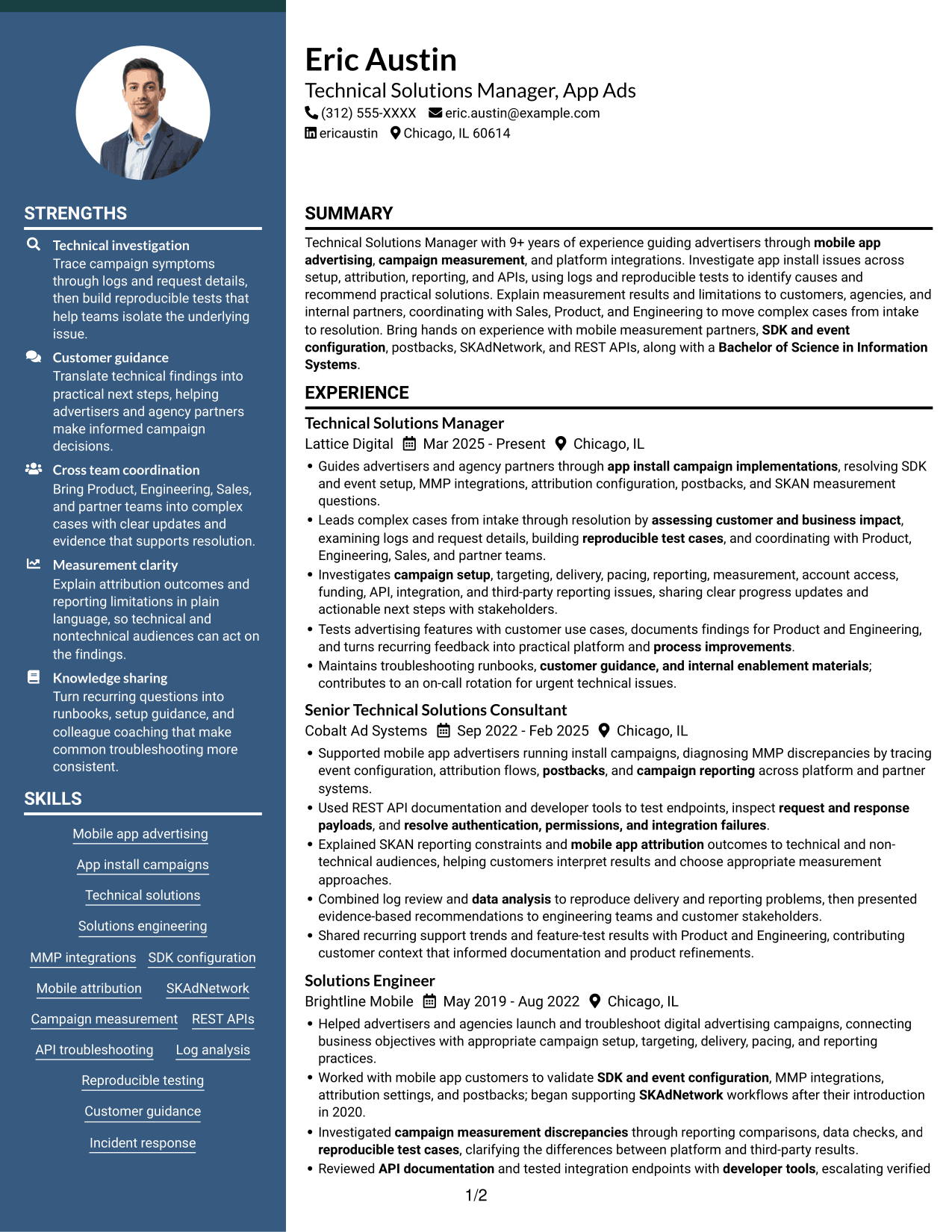
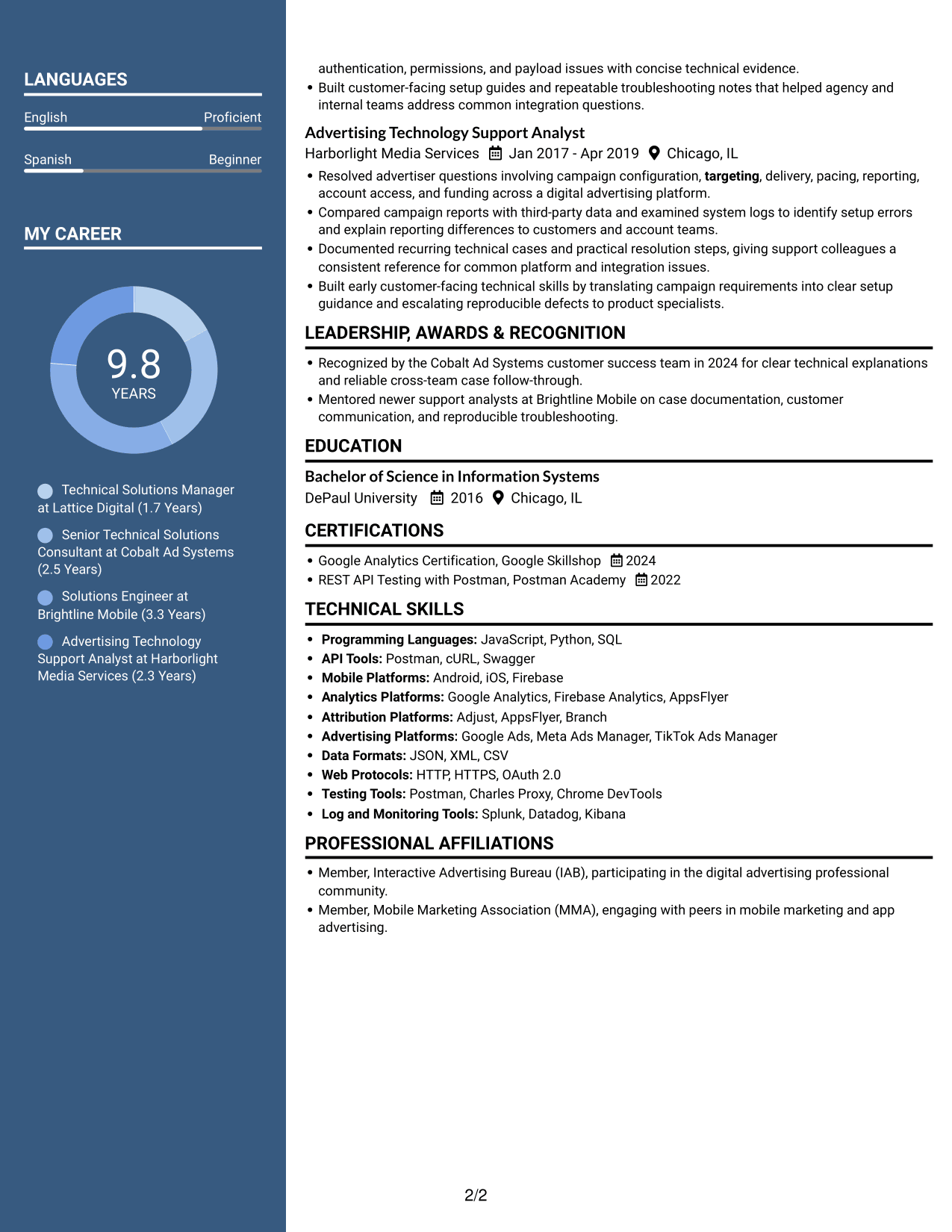
 
Resume example — page 1   Resume example — page 2

Why This Format Works

  • Parallel areas keep work history distinct from qualifications, supporting a more focused resume review.
  • A clear role sequence helps reviewers trace career progression through dated experience.
  • Skills and credentials remain accessible while readers assess the resume’s detailed evidence.

Best For

  • Parallel section review
  • Career progression by role
  • Detailed evidence with credentials
  • Skills available during experience review
  • Organized resume scanning
 

#7 Photo Header Two Column Format Resume Example

A two-column resume with a photo brings a personal visual element to a layout that keeps career information and supporting sections in parallel areas.
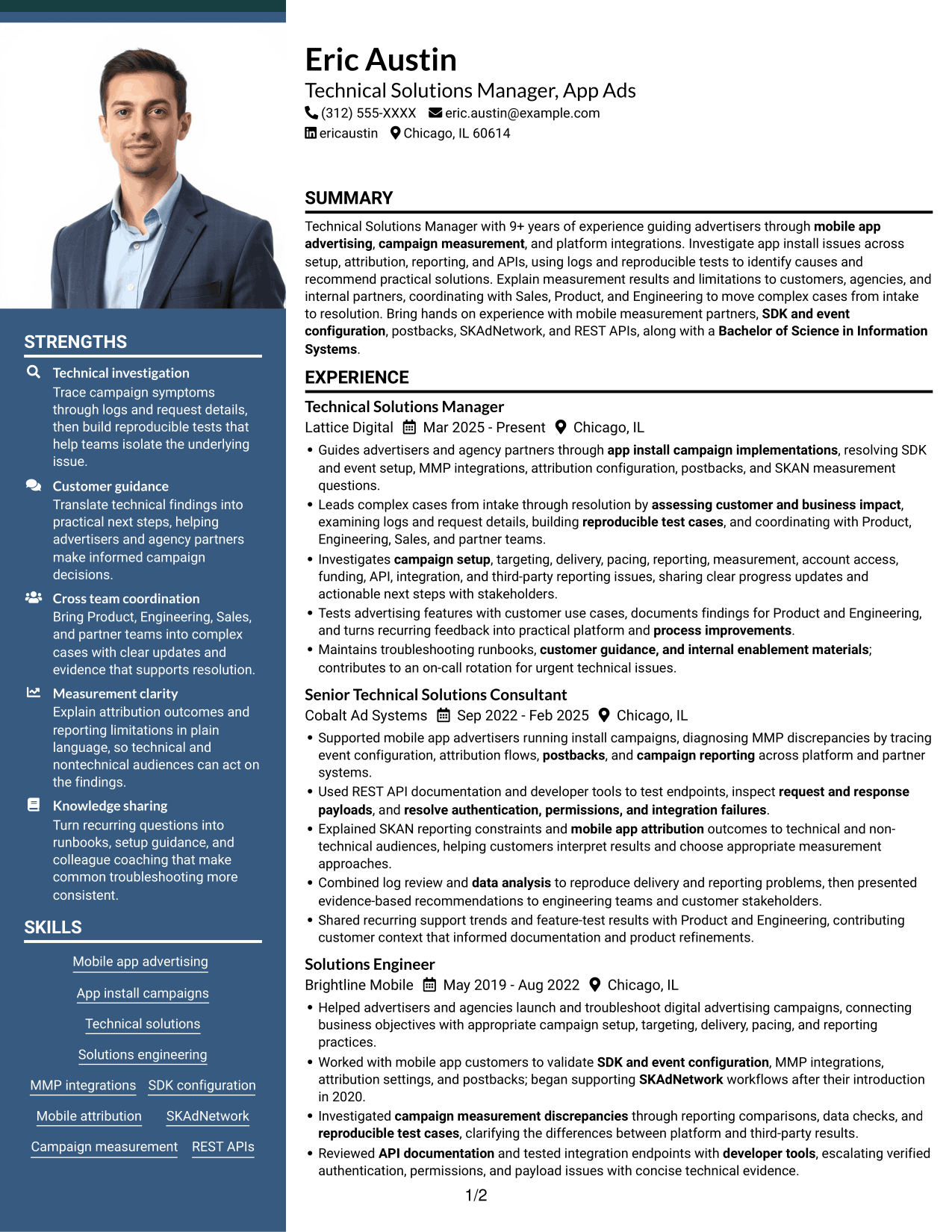
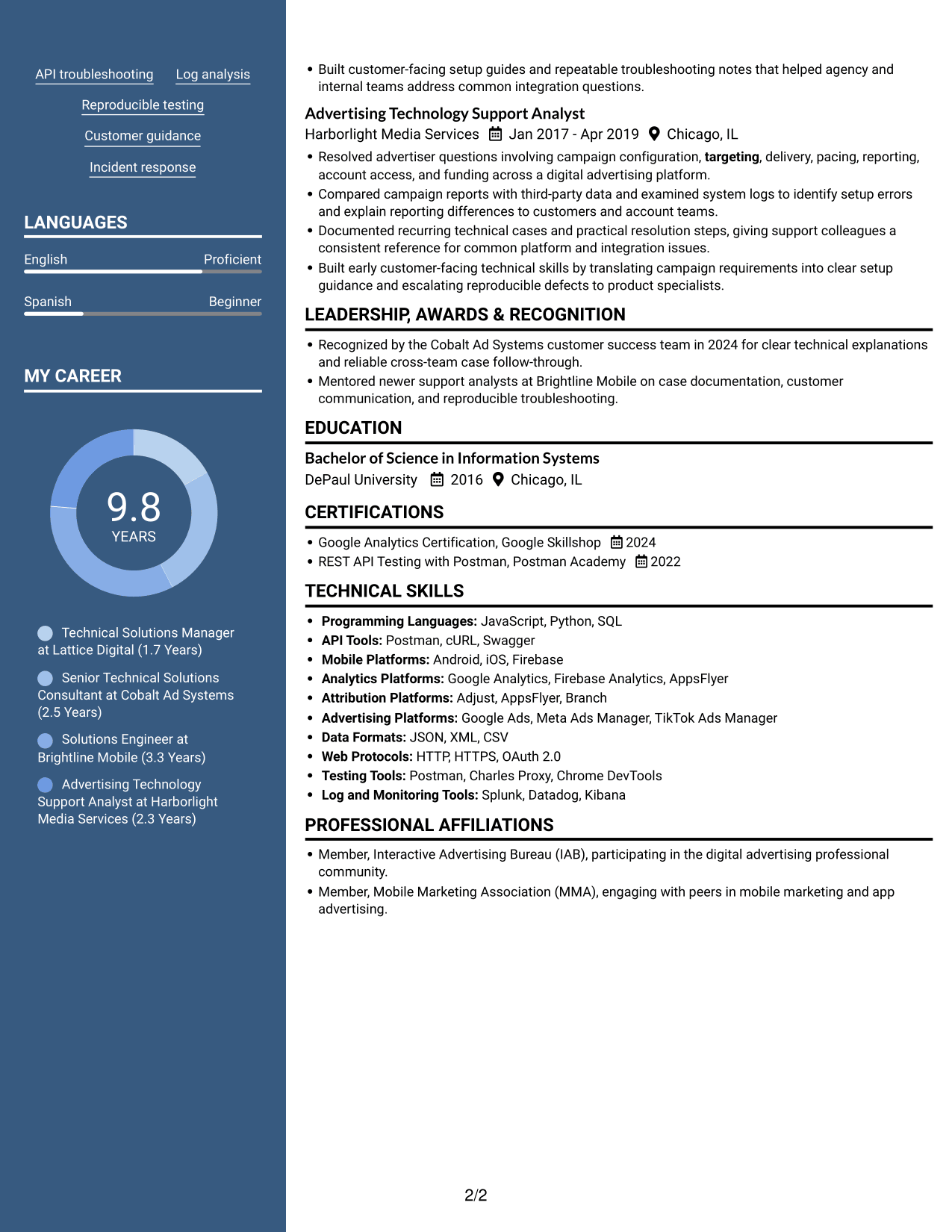
 
Resume example — page 1   Resume example — page 2

Why This Format Works

  • The two-column body distinguishes career history from supporting qualifications for easier section review.
  • Dated experience can remain in sequence while readers also consult other resume sections.
  • Parallel content areas help keep skills and education accessible during a review of work evidence.

Best For

  • Photo-inclusive resume preference
  • Parallel resume organization
  • Chronological work history
  • Experience reviewed with qualifications
  • Structured section scanning


Why Build Your Technical Solutions Manager - App Ads Resume with ResumeInMinutes

ResumeInMinutes lets you compare resume previews and open an example in the editor. Use the format as a starting point, then organize your own experience, skills, education, and certifications around the needs of the role.

  • Clear resume section structure
  • ATS-aware headings and keywords
  • Experience bullet organization
  • Technical skills and tools sections
  • PNG image previews
  • Options to view or customize an example in the editor

Keep the content focused on app advertising, campaign measurement, technical integrations, and practical customer support. Make each bullet clear about the issue, the steps you took, and the outcome when known.


See Also


Frequently Asked Questions

Are these Technical Solutions Manager - App Ads resume templates ATS-friendly?

Use familiar section headings, simple formatting, and role-related terms in your experience and skills. Include mobile app advertising, MMP integrations, attribution, SKAN, campaign reporting, and REST APIs when they match your background.

Are these separate resumes?

No. The page shows one resume example in different visual formats. Compare the PNG image previews, then open an example in the editor if you want to customize it.

What should a Technical Solutions Manager - App Ads resume include?

Include a focused summary, relevant experience, technical skills, education, and certifications. Use concise bullets to show work with app install campaigns, measurement issues, APIs, customer guidance, and cross-team case resolution.

Which resume format works well for this role?

A clear, single-column format is a practical choice because it keeps headings and experience easy to follow. Choose a layout that gives enough space for technical skills and detailed experience bullets without making the page hard to scan.

How can I describe app measurement troubleshooting?

Name the issue, explain how you investigated it, and show what you did next. Relevant evidence may include event configuration, attribution flows, postbacks, SKAN reporting limits, API requests, logs, or a reproducible test case.

Should I include a photo on my resume?

For U.S. applications, a resume without a photo is generally the safer choice. Use the space for relevant experience, technical skills, education, and certifications.


ATS Score 95%

How we calculate this score

  • Keywords: 60% of the total. AI extracts keywords from your job description. If you do not provide one, a standard job description for the title matching your resume is used. This is not a match to a specific vacancy.
  • Text-based resume: 20%. The text resume assessed here receives 100 for this part.
  • Resume quality: 20%. We start at 100 and subtract points for issues found by our resume checks, down to a minimum of zero.
  • Keyword coverage = round(100 × confirmed matches ÷ total keywords). Exact matches and supported equivalents verified by AI receive full credit; unsupported keywords receive none. Live text checks use the saved equivalents and do not request a new AI review. Without keywords, no overall ATS score is available.
  • Final score = 60% of keyword coverage + 20% of the text score + 20% of the quality score, rounded to a whole number. Without keywords, no overall ATS score is available.

What this score means

Our scores are estimates, not employer ratings. They may contain errors and do not guarantee accurate parsing, a ranking, an interview, or a job. Check your document against the employer’s requirements. You are responsible for relying on this score.

Terms and Conditions

Score weights: Keywords 60% · Text based resume 20% · Resume quality 20%

Keyword coverage: 34 of 37 (92%) · Resume quality: 100%

Resume quality 100% · Weight 20% · Issues (0)

Details
  • ✓Name present: Eric Austin
  • ✓Email format: eric.austin@example.com
  • ✓Phone format: (312) 555-XXXX
  • ✓Experience 1: Job title: Technical Solutions Manager
  • ✓Experience 1: Company name: Lattice Digital
  • ✓Experience 1: Work location: Chicago, IL
  • ✓Experience 1: Employment dates: Mar 2025 - Present
  • ✓Experience 1: Description or achievements: Present
  • ✓Experience 2: Job title: Senior Technical Solutions Consultant
  • ✓Experience 2: Company name: Cobalt Ad Systems
  • ✓Experience 2: Work location: Chicago, IL
  • ✓Experience 2: Employment dates: Sep 2022 - Feb 2025
  • ✓Experience 2: Description or achievements: Present
  • ✓Experience 3: Job title: Solutions Engineer
  • ✓Experience 3: Company name: Brightline Mobile
  • ✓Experience 3: Work location: Chicago, IL
  • ✓Experience 3: Employment dates: May 2019 - Aug 2022
  • ✓Experience 3: Description or achievements: Present
  • ✓Experience 4: Job title: Advertising Technology Support Analyst
  • ✓Experience 4: Company name: Harborlight Media Services
  • ✓Experience 4: Work location: Chicago, IL
  • ✓Experience 4: Employment dates: Jan 2017 - Apr 2019
  • ✓Experience 4: Description or achievements: Present
  • ✓No placeholder fields
  • ✓No repeated achievement bullets
  • ✓No empty bullets

No issues found by the current checks.

Text Based Resume 100% · Weight 20%

Parsed text
Eric Austin
(312) 555-XXXX
eric.austin@example.com
ericaustin
Chicago, IL 60614
SUMMARY
Technical Solutions Manager with 9+ years of experience guiding advertisers through mobile app advertising, campaign measurement, and platform integrations. Investigate app install issues across setup, attribution, reporting, and APIs, using logs and reproducible tests to identify causes and recommend practical solutions. Explain measurement results and limitations to customers, agencies, and internal partners, coordinating with Sales, Product, and Engineering to move complex cases from intake to resolution. Bring hands on experience with mobile measurement partners, SDK and event configuration, postbacks, SKAdNetwork, and REST APIs, along with a Bachelor of Science in Information Systems.
EXPERIENCE
Technical Solutions Manager
Mar 2025 - Present
Lattice Digital
Chicago, IL
Guides advertisers and agency partners through app install campaign implementations, resolving SDK and event setup, MMP integrations, attribution configuration, postbacks, and SKAN measurement questions.
Leads complex cases from intake through resolution by assessing customer and business impact, examining logs and request details, building reproducible test cases, and coordinating with Product, Engineering, Sales, and partner teams.
Investigates campaign setup, targeting, delivery, pacing, reporting, measurement, account access, funding, API, integration, and third-party reporting issues, sharing clear progress updates and actionable next steps with stakeholders.
Tests advertising features with customer use cases, documents findings for Product and Engineering, and turns recurring feedback into practical platform and process improvements.
Maintains troubleshooting runbooks, customer guidance, and internal enablement materials; contributes to an on-call rotation for urgent technical issues.
Senior Technical Solutions Consultant
Sep 2022 - Feb 2025
Cobalt Ad Systems
Chicago, IL
Supported mobile app advertisers running install campaigns, diagnosing MMP discrepancies by tracing event configuration, attribution flows, postbacks, and campaign reporting across platform and partner systems.
Used REST API documentation and developer tools to test endpoints, inspect request and response payloads, and resolve authentication, permissions, and integration failures.
Explained SKAN reporting constraints and mobile app attribution outcomes to technical and non-technical audiences, helping customers interpret results and choose appropriate measurement approaches.
Combined log review and data analysis to reproduce delivery and reporting problems, then presented evidence-based recommendations to engineering teams and customer stakeholders.
Shared recurring support trends and feature-test results with Product and Engineering, contributing customer context that informed documentation and product refinements.
Solutions Engineer
May 2019 - Aug 2022
Brightline Mobile
Chicago, IL
Helped advertisers and agencies launch and troubleshoot digital advertising campaigns, connecting business objectives with appropriate campaign setup, targeting, delivery, pacing, and reporting practices.
Worked with mobile app customers to validate SDK and event configuration, MMP integrations, attribution settings, and postbacks; began supporting SKAdNetwork workflows after their introduction in 2020.
Investigated campaign measurement discrepancies through reporting comparisons, data checks, and reproducible test cases, clarifying the differences between platform and third-party results.
Reviewed API documentation and tested integration endpoints with developer tools, escalating verified authentication, permissions, and payload issues with concise technical evidence.
Built customer-facing setup guides and repeatable troubleshooting notes that helped agency and internal teams address common integration questions.
Advertising Technology Support Analyst
Jan 2017 - Apr 2019
Harborlight Media Services
Chicago, IL
Resolved advertiser questions involving campaign configuration, targeting, delivery, pacing, reporting, account access, and funding across a digital advertising platform.
Compared campaign reports with third-party data and examined system logs to identify setup errors and explain reporting differences to customers and account teams.
Documented recurring technical cases and practical resolution steps, giving support colleagues a consistent reference for common platform and integration issues.
Built early customer-facing technical skills by translating campaign requirements into clear setup guidance and escalating reproducible defects to product specialists.
LEADERSHIP, AWARDS & RECOGNITION
Recognized by the Cobalt Ad Systems customer success team in 2024 for clear technical explanations and reliable cross-team case follow-through.
Mentored newer support analysts at Brightline Mobile on case documentation, customer communication, and reproducible troubleshooting.
EDUCATION
Bachelor of Science in Information Systems
2016
DePaul University
Chicago, IL
CERTIFICATIONS
Google Analytics Certification, Google Skillshop
2024
REST API Testing with Postman, Postman Academy
2022
TECHNICAL SKILLS
Programming Languages: JavaScript, Python, SQL
API Tools: Postman, cURL, Swagger
Mobile Platforms: Android, iOS, Firebase
Analytics Platforms: Google Analytics, Firebase Analytics, AppsFlyer
Attribution Platforms: Adjust, AppsFlyer, Branch
Advertising Platforms: Google Ads, Meta Ads Manager, TikTok Ads Manager
Data Formats: JSON, XML, CSV
Web Protocols: HTTP, HTTPS, OAuth 2.0
Testing Tools: Postman, Charles Proxy, Chrome DevTools
Log and Monitoring Tools: Splunk, Datadog, Kibana
SKILLS
Mobile app advertising
App install campaigns
Technical solutions
Solutions engineering
MMP integrations
SDK configuration
Mobile attribution
SKAdNetwork
Campaign measurement
REST APIs
API troubleshooting
Log analysis
Reproducible testing
Customer guidance
Incident response
PROFESSIONAL AFFILIATIONS
Member, Interactive Advertising Bureau (IAB), participating in the digital advertising professional community.
Member, Mobile Marketing Association (MMA), engaging with peers in mobile marketing and app advertising.
LANGUAGES
English (Proficient)
Spanish (Beginner)

Matched keywords (34)

  • Technical Solutions Manager with 9+ years of experience guiding advertisers through mobile app advertising, campaign measurement, and platform integrations.Original keyword in JD: 5+ years in technical solutions, solutions engineering, ad technology, digital advertising, measurement, integrations, or customer-facing technical roles
  • Bachelor of Science in Information SystemsOriginal keyword in JD: Bachelor's degree (BA/BS)
  • app install campaign implementationsOriginal keyword in JD: Mobile app install advertising
  • mobile measurement partnersOriginal keyword in JD: Mobile measurement partners (MMPs)
  • SDK and event configuration
  • mobile app attribution
  • postbacks
  • SKAdNetworkOriginal keyword in JD: SKAdNetwork (SKAN)
  • campaign measurement discrepancies
  • campaign setup, targeting, delivery, pacing, and reporting practicesOriginal keyword in JD: Digital advertising workflows
  • campaign setup
  • targeting
  • campaign setup, targeting, delivery, pacing, reporting, measurement, account access, funding, API, integration, and third-party reporting issuesOriginal keyword in JD: Campaign delivery
  • campaign setup, targeting, delivery, pacing, reporting, measurement, account access, funding, API, integration, and third-party reporting issuesOriginal keyword in JD: Campaign pacing
  • campaign reporting
  • REST APIs
  • resolve authentication, permissions, and integration failuresOriginal keyword in JD: Technical integrations
  • API documentation
  • test endpointsOriginal keyword in JD: Endpoint testing
  • request and response payloads
  • resolve authentication, permissions, and integration failuresOriginal keyword in JD: API authentication and permissions
  • Log analysis
  • data analysis
  • developer tools
  • reproducible test cases
  • Leads complex cases from intake through resolutionOriginal keyword in JD: Technical case management
  • assessing customer and business impactOriginal keyword in JD: Customer and business impact assessment
  • coordinating with Sales, Product, and Engineering to move complex cases from intake to resolutionOriginal keyword in JD: Cross-functional coordination
  • Explained SKAN reporting constraints and mobile app attribution outcomes to technical and non-technical audiencesOriginal keyword in JD: Measurement communication
  • Tests advertising features with customer use casesOriginal keyword in JD: Feature testing
  • Maintains troubleshooting runbooksOriginal keyword in JD: Troubleshooting documentation and runbooks
  • customer guidance, and internal enablement materialsOriginal keyword in JD: Customer enablement materials
  • process improvementsOriginal keyword in JD: Process improvement
  • contributes to an on-call rotation for urgent technical issuesOriginal keyword in JD: On-call incident response

Missing keywords (3)

  • Customer-facing technical guidance
  • Written and verbal communication
  • Customer relationship management
Disclaimer: All names, images, contact information, employment histories, achievements, security clearances, military credentials, and other qualifications shown in this content are fictional and used for illustrative purposes only. Any resemblance to actual persons, living or deceased, is purely coincidental.

Resume and cover-letter examples and recommendations in this article reflect general best practices and professional experience and are provided for guidance only. Results may vary based on role, industry, region, and hiring organization.

Content Accuracy and Verification: To the fullest extent permitted by applicable law, we do not represent or warrant that resume or cover-letter guidance, examples, recommendations, or related information are accurate, complete, current, error-free, or suitable for any particular purpose. You are responsible for independently reviewing and verifying the information before relying on it.

ATS and Cover-Letter Scores: ATS scores are estimates calculated using our own formula, informed by publicly available guidance on resume formatting and keyword matching. They are not scores issued or endorsed by an ATS provider or employer. Cover-letter scores are also our own assessments. Parsing, weighting, screening criteria, and results vary between systems, employers, job descriptions, and document formats. No score guarantees successful parsing, a particular ranking, an interview, or employment. Use scores as general guidance and independently check your documents against the employer’s requirements. To the fullest extent permitted by applicable law, we accept no liability for errors in scores or parsing, or losses arising from reliance on these assessments. Nothing in this notice excludes liability or limits consumer rights that cannot lawfully be excluded or limited.

Terms and Conditions
 
> JP 1 1
PDF Footer and Margins Setup
The margins are applied to the document, and the footer shows up in the preview and the PDF

Footer Font Settings

Are you applying for a specific job
so we can tailor your resume to it?
Are you applying for a specific job
so we can tailor your cover letter to it?

Your data stays private and is never used for training.Privacy Policy

Type your details as text to generate a personalized resume Type your details as text to generate a personalized cover letter
Website link found! Ready to create resume from:

Your data stays private and is never used for training.Privacy Policy

Drag the into the box to verify you're human.
Drop here

My Resumes

Displaying {number_of_files} files (out of {total_of_all_files} total)
Name File Type Last Modified: Description:

Rename File

Filename already exists!

Delete Files

Warning: This action is irreversible. Once you click submit, the files will be permanently deleted.

Heading text
Upload From Computer Upload
Select From Existing
LinkedIn
Drag & Drop files anywhere in this tab, or

Uploaded Files

Delete Name Last Updated Use This File
Select this to use the file for generating your resume and cover letter. Only one source—uploaded file, selected file, or LinkedIn text—can be used.

My Files

Resumes or cover letters you create will appear here. No files available yet.
Delete Name Last Updated Use This File
Select this to use the file for generating your resume and cover letter. Only one source—uploaded file, selected file, or LinkedIn text—can be used.

Add LinkedIn Profile PDF

You can download your LinkedIn profile as a PDF by opening linkedin.com in a web browser, clicking your profile photo, selecting the “More” or “Resources” button, and choosing “Save to PDF.” You can then attach the PDF using the Upload From Computer tab.

Paste Your LinkedIn Profile Text

If you have copied the LinkedIn profile text, paste it below. See how to copy your profile from LinkedIn

Select this to use the LinkedIn profile text for generating your resume and cover letter. Only one source—uploaded file, selected file, or LinkedIn text—can be used.

Try these controls

<
>


