
US English


7 Telecom Operator II - Operator Services Resume Templates with Example
By Ria · Last Updated On October 23, 2026
Resume example — page 1

This practical guide shows you how to create a Telecom Operator II - Operator Services resume that presents your call-handling strengths clearly. Learn how to organize relevant experience and choose a professional layout that helps readers find key details.

Strong resumes for this role show accurate call routing, clear message taking, and a calm response to urgent calls and alarm notifications. Use concise bullet points to explain how you handle patient location inquiries, coordinate with Security and clinical staff, and support after-hours service.

Explore one Telecom Operator II - Operator Services resume example presented in 7 layouts. The guidance also covers ATS-friendly headings, relevant skills, and ways to describe measurable work, such as typing speed or the accuracy of practice-call records.

What Makes a Great Telecom Operator II - Operator Services Resume in 2026

A strong resume uses clear section headings and short bullet points to show call processing, transfers, message accuracy, and emergency response. Put the most relevant experience and skills where a reader can find them quickly.

Use role-related terms such as PBX Smart Console, 24-hour answering service, alarm notifications, patient location inquiries, Microsoft Office, and 42 WPM typing when they match your experience. Add specific results, such as the 30 practice calls used to test message completeness and routing accuracy.

Note: Resume examples are for educational purposes only. Use only information that accurately reflects your experience and qualifications. References to real organizations do not imply affiliation or endorsement.

#1 Simple One Column Format Resume Example

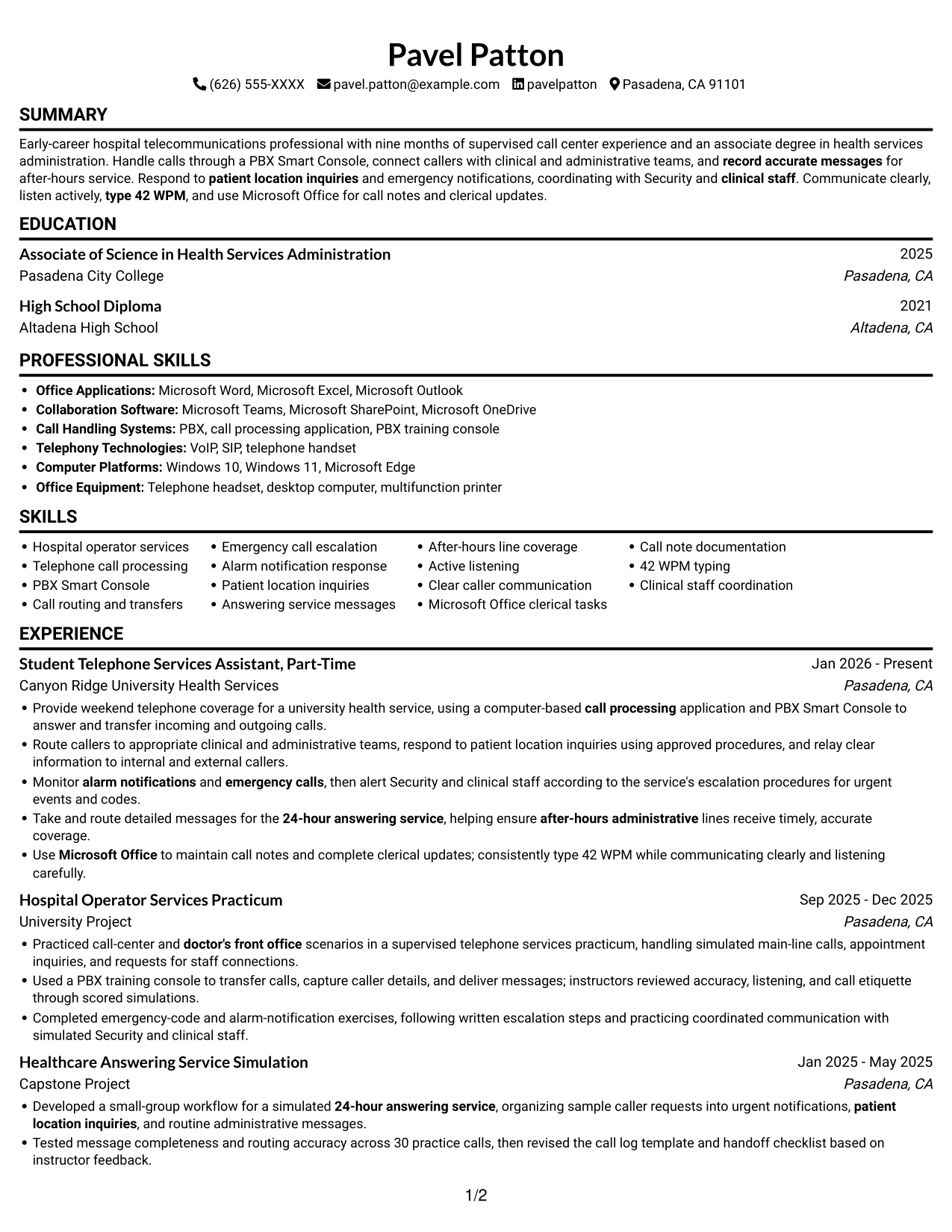
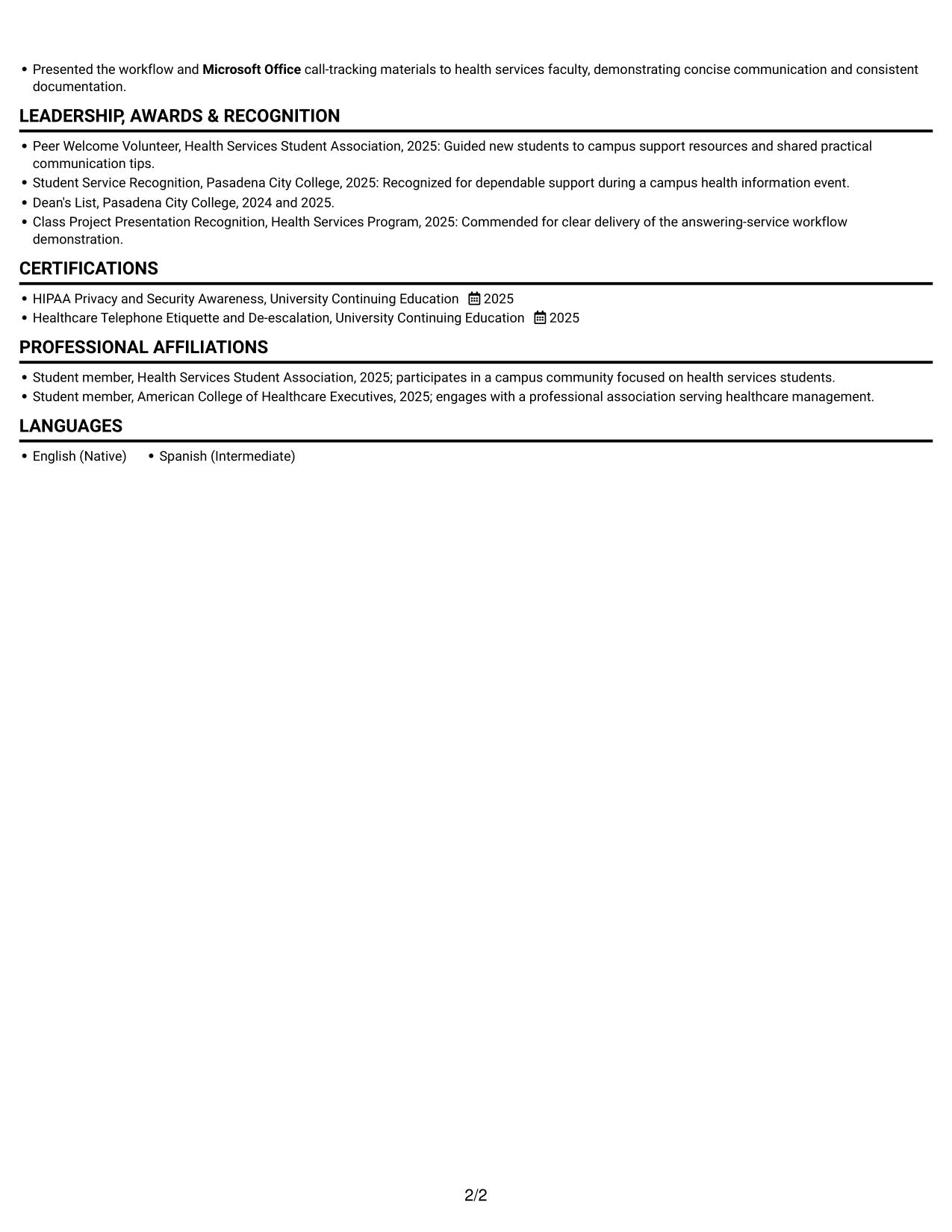
A single vertical column keeps the resume sections in a straightforward top-to-bottom arrangement for familiar review.
 
Resume example — page 1   Resume example — page 2

Why This Format Works

  • The single reading path keeps experience entries in a clear career sequence.
  • Education and credentials stay easy to locate within the section flow.
  • Projects add detail to the record without creating another body column.

Best For

  • Recruiter preference for a familiar reading order
  • Career histories with several sections
  • Projects alongside work experience
  • Skills and credentials in one document
  • Straightforward review of education and experience

Resume Keywords

  • High School Diploma
  • doctor's front office
  • call processing
  • answer and transfer incoming and outgoing calls
  • Call routing and transfers
  • Monitor alarm notifications and emergency calls, then alert Security and clinical staff according to the service's escalation procedures for urgent events and codes.
  • Respond to patient location inquiries and emergency notifications, coordinating with Security and clinical staff.
  • 24-hour answering service
  • record accurate messages
  • patient location inquiries
  • Take and route detailed messages for the 24-hour answering service, helping ensure after-hours administrative lines receive timely, accurate coverage.
  • Active listening
  • Microsoft Office
  • clerical tasks
  • type 42 WPM
 

#2 Simple Two Column Format Resume Example

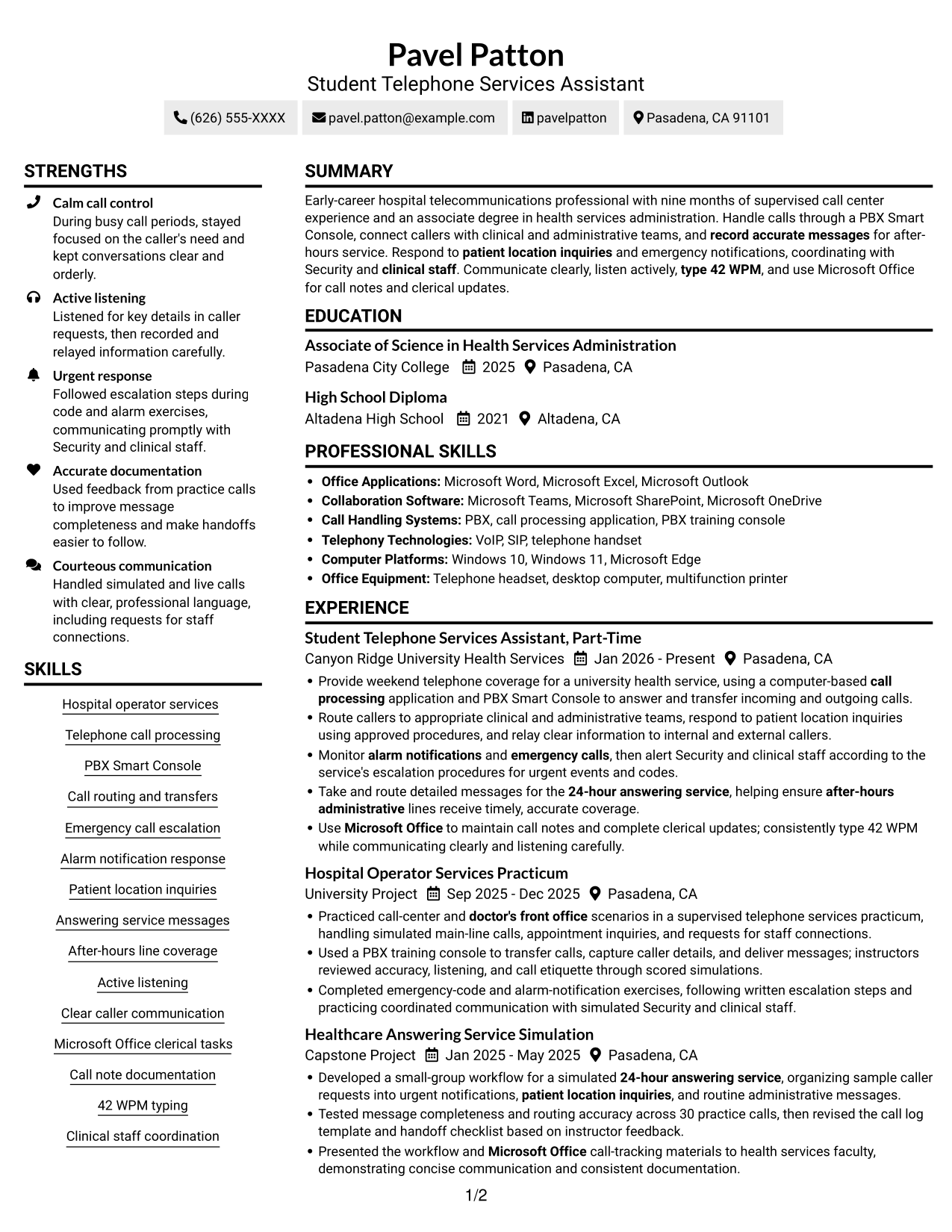
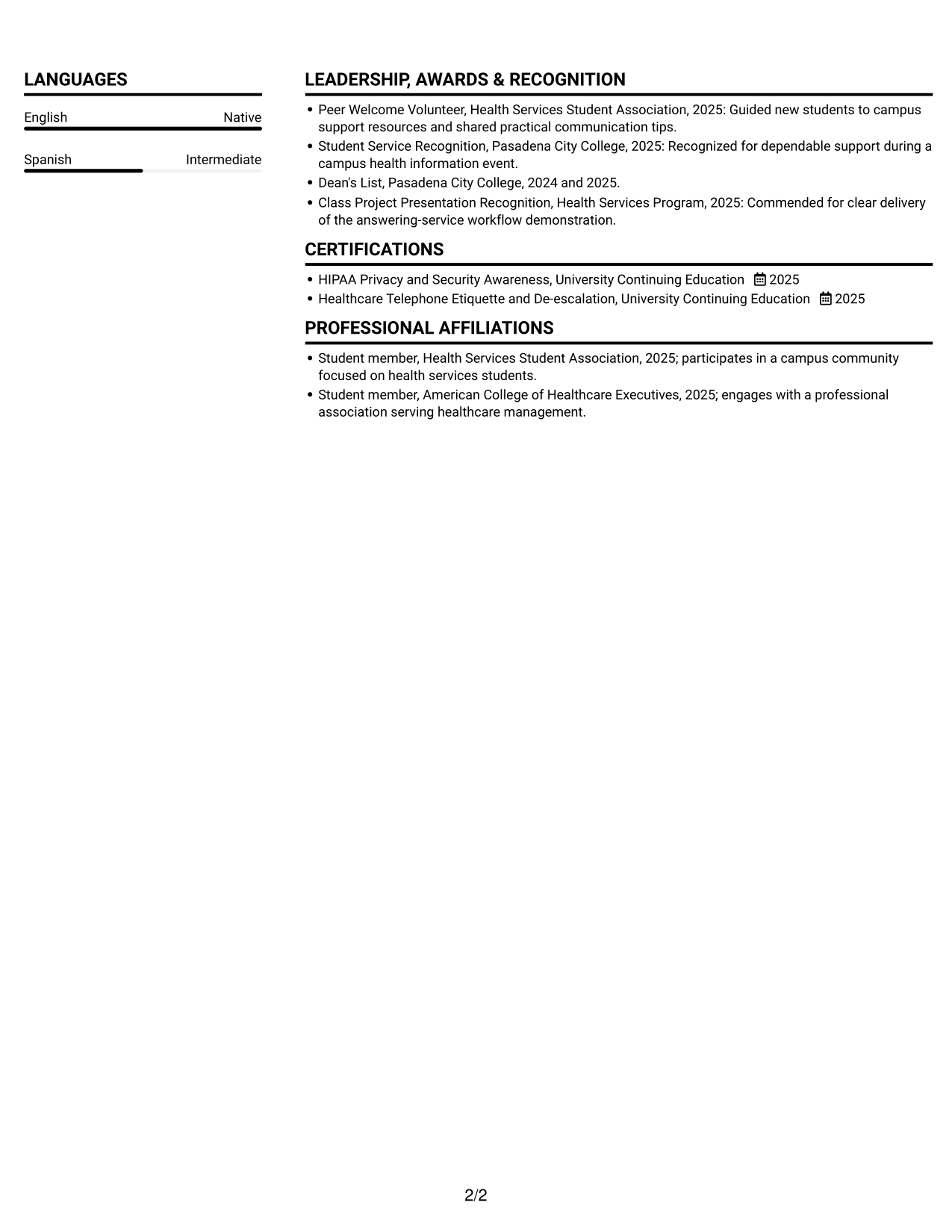
The two-column body places resume content in parallel areas, giving readers a side-by-side way to review related sections.
 
Resume example — page 1   Resume example — page 2

Why This Format Works

  • Parallel body columns let readers move between experience and supporting resume sections.
  • Education and credentials have space apart from detailed experience entries.
  • Skills and project details can be located without reading every work bullet.

Best For

  • Parallel review of work and qualifications
  • Resume content with varied section lengths
  • Work histories with supporting projects
  • Readers who prefer side-by-side organization
  • Applications combining employment and recognition details

#3 Plain One Column with Shaded Labels Resume Example

A single-column layout gives the resume one continuous reading path, which suits reviewers who prefer to follow sections in sequence.
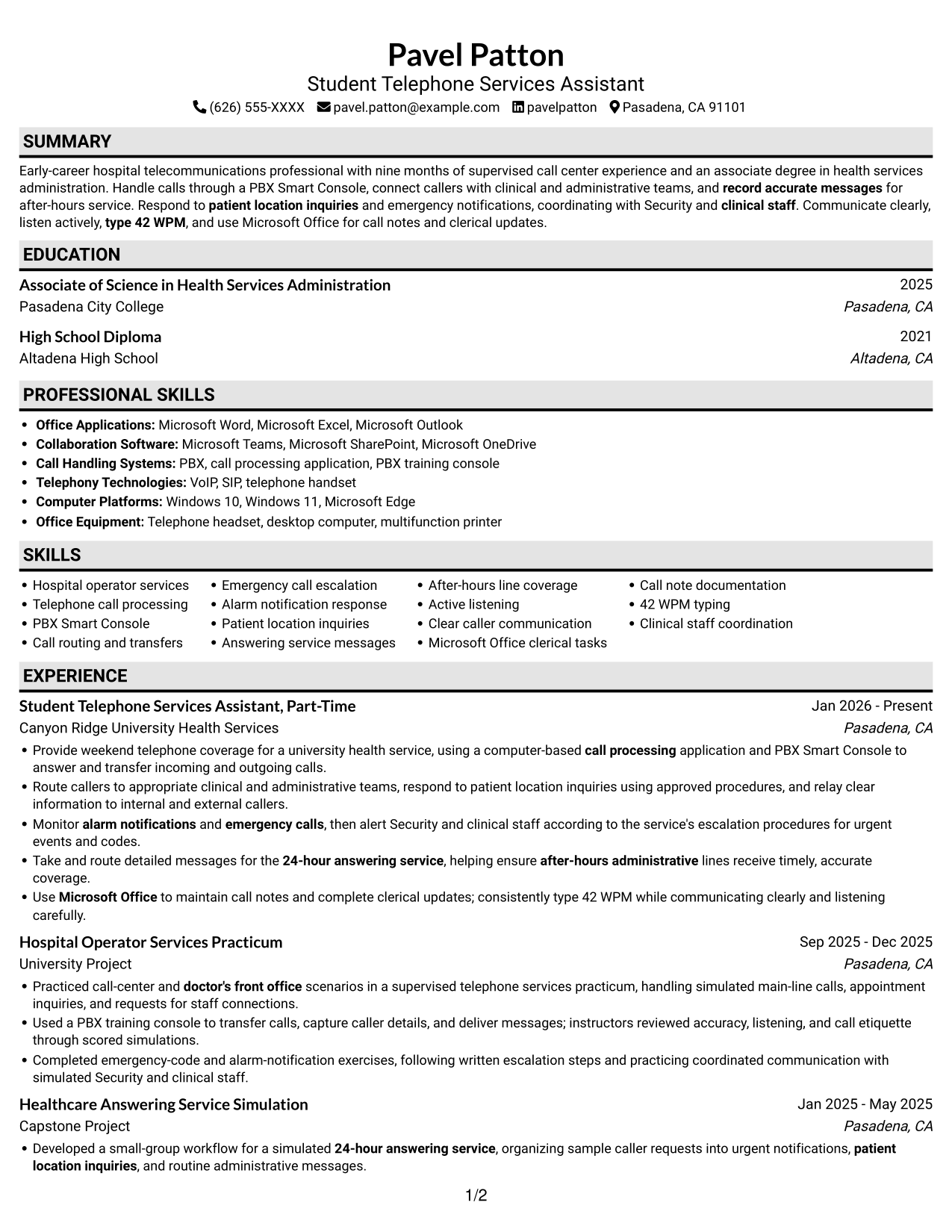
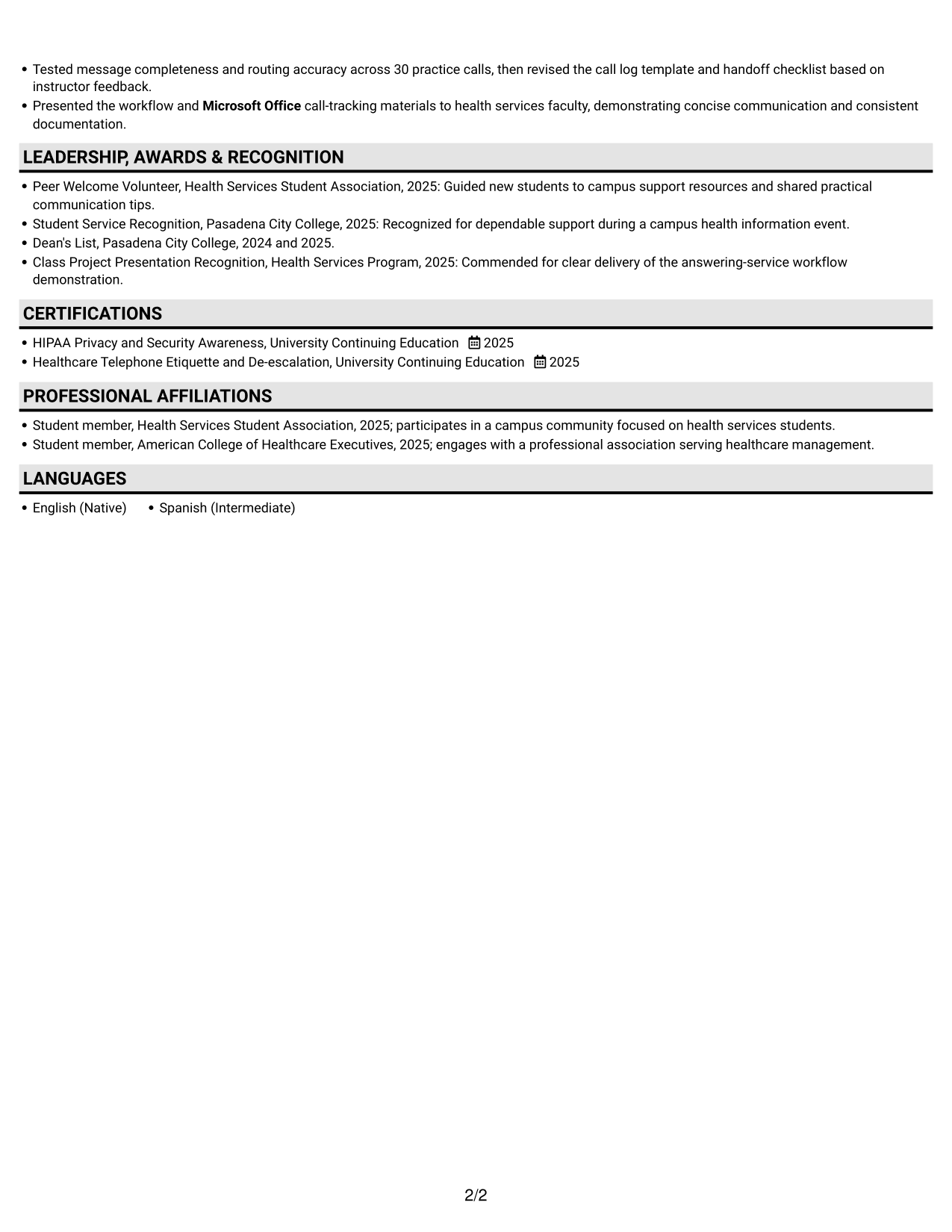
 
Resume example — page 1   Resume example — page 2

Why This Format Works

  • Experience and project entries stay within one consistent reading sequence.
  • Education and credentials can be reviewed as part of the same section flow.
  • Skills remain accessible without asking readers to move across columns.

Best For

  • Preference for one reading path
  • Sequential review of work and projects
  • Resumes with varied experience and project details
  • Education and credentials in one document
  • Readers reviewing several resume sections
 

#4 One Column Format with Photo Right Resume Example

This one-column format includes a photo while keeping resume sections in a single reading path, combining a portrait with familiar organization.
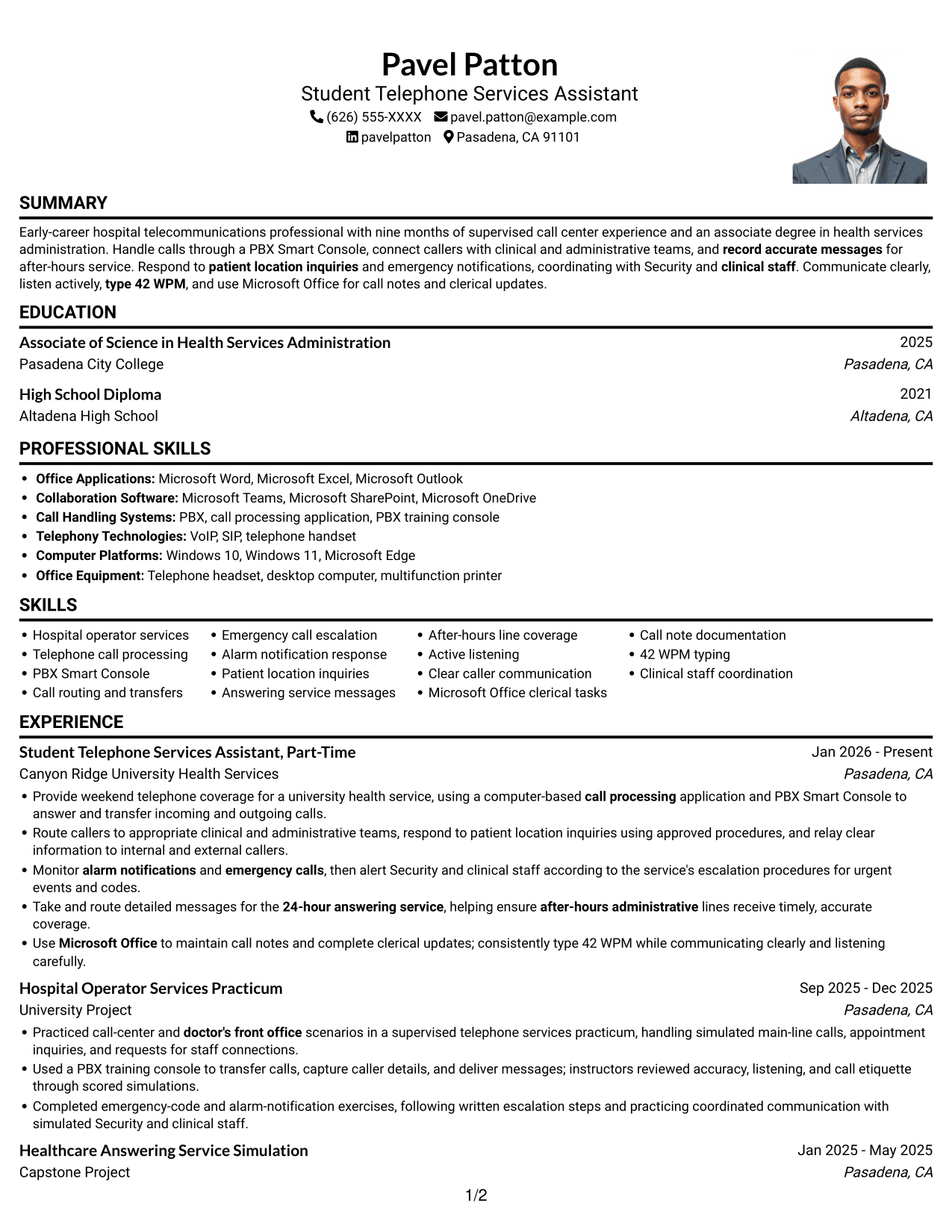
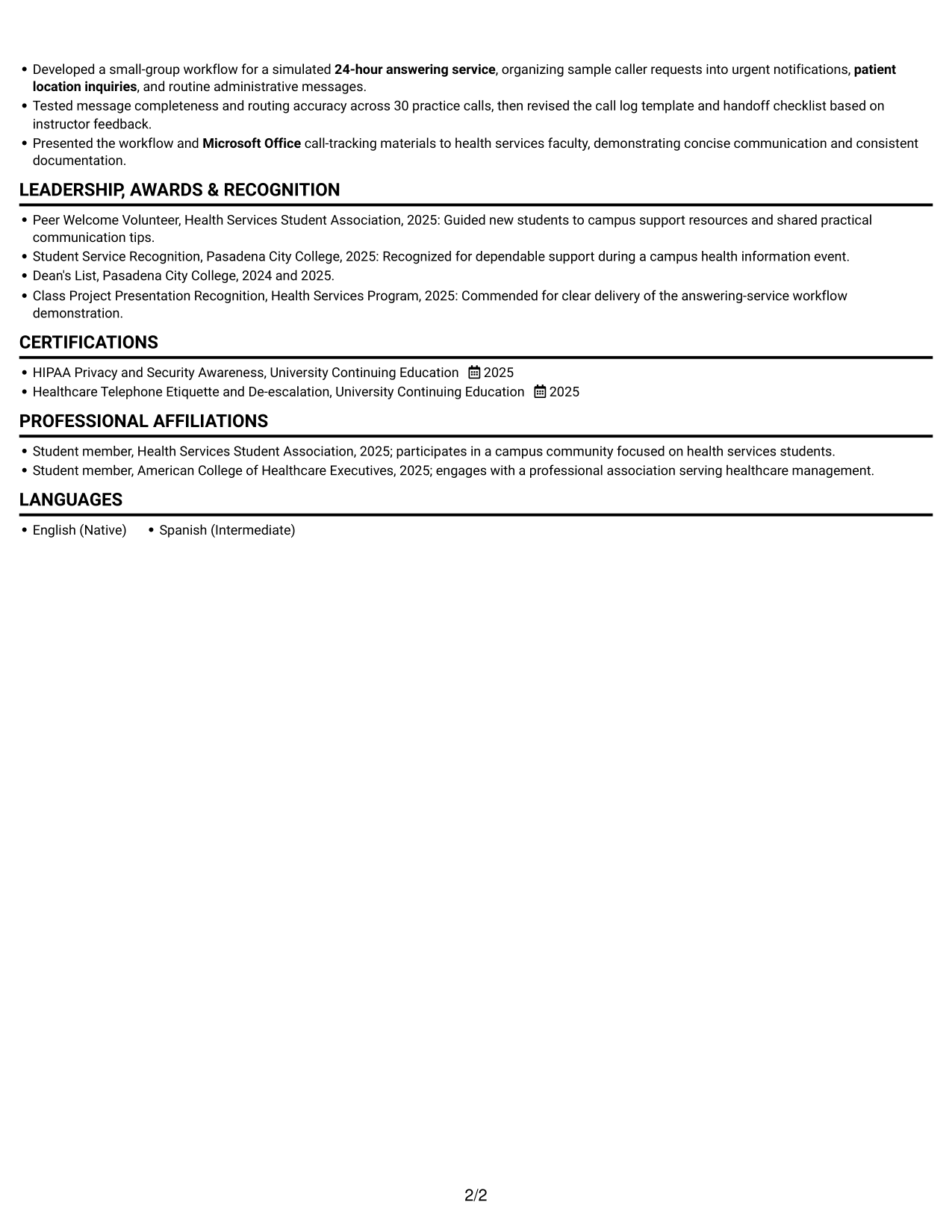
 
Resume example — page 1   Resume example — page 2

Why This Format Works

  • The photo adds a personal visual element while written sections carry the qualifications.
  • Experience entries remain in one sequence for a clear view of career progression.
  • Education and project details fit into the same continuous reading path.

Best For

  • Applications where a portrait is requested
  • Preference for a single reading path
  • Resume reviews covering experience and education
  • Documents combining projects and employment
  • Readers who value a personal visual element
 

#5 Clean Two Column Sidebar Format Resume Example

A two-column body arranges resume content in parallel areas, giving work history and supporting sections a side-by-side structure.
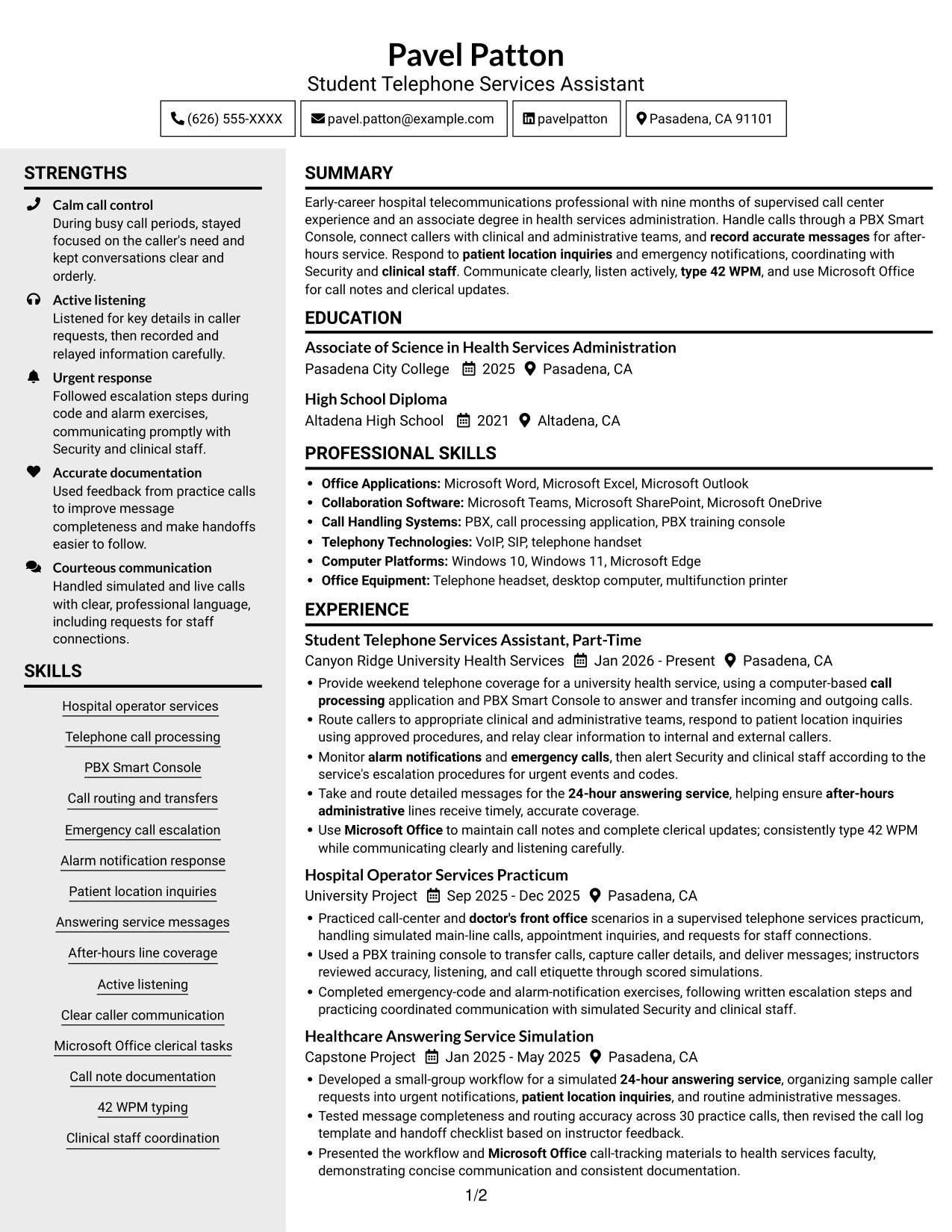
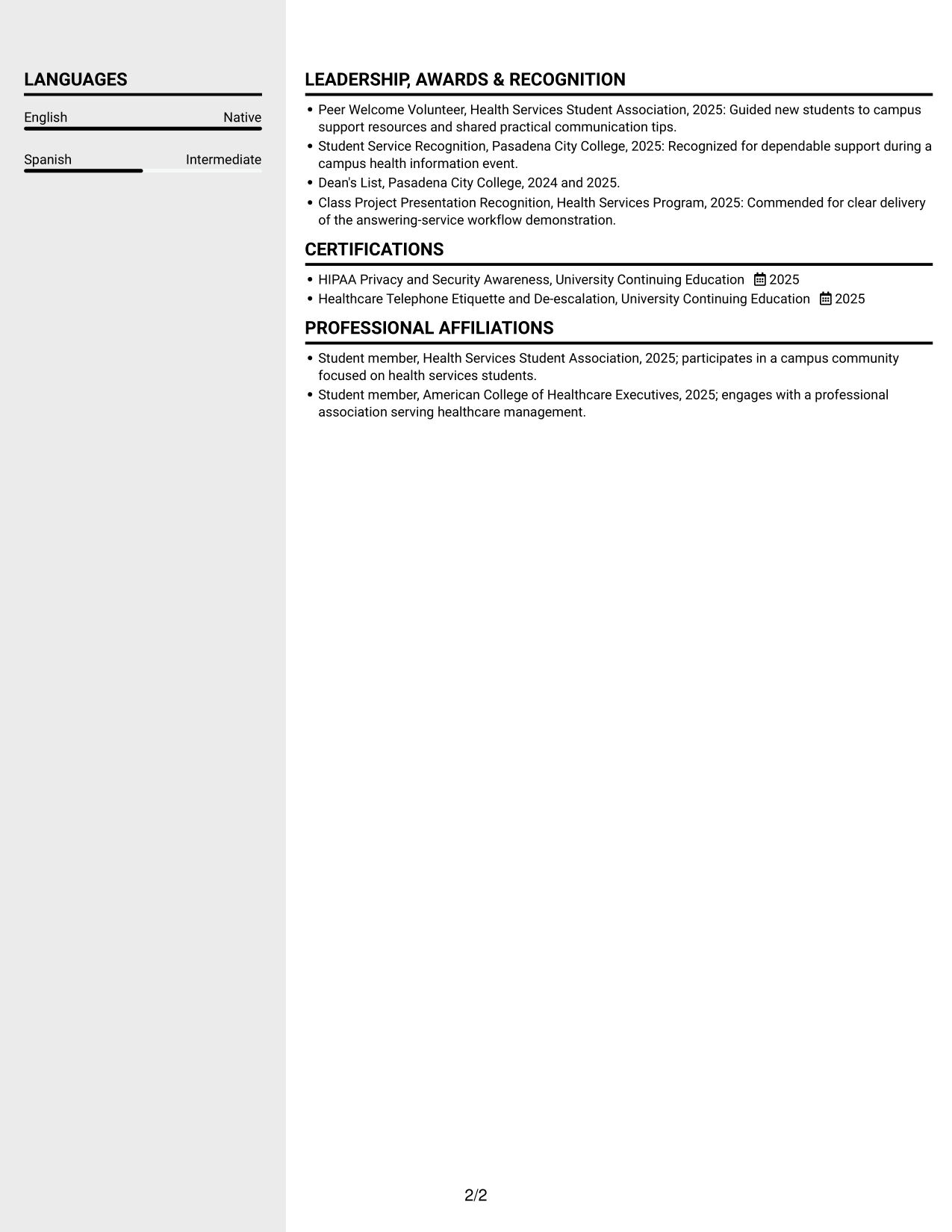
 
Resume example — page 1   Resume example — page 2

Why This Format Works

  • Experience and projects can be reviewed as related parts of the career record.
  • Separate reading areas distinguish education and credentials from longer entries.
  • Skills remain visible as readers review the wider employment history.

Best For

  • Parallel review of work and qualifications
  • Resume content with several sections
  • Work histories with supporting projects
  • Readers who prefer side-by-side organization
  • Applications with education and recognition details


#6 Two Column Format Resume Example

With two columns, this format gives resume sections parallel reading areas for a compact view of career information and supporting details.
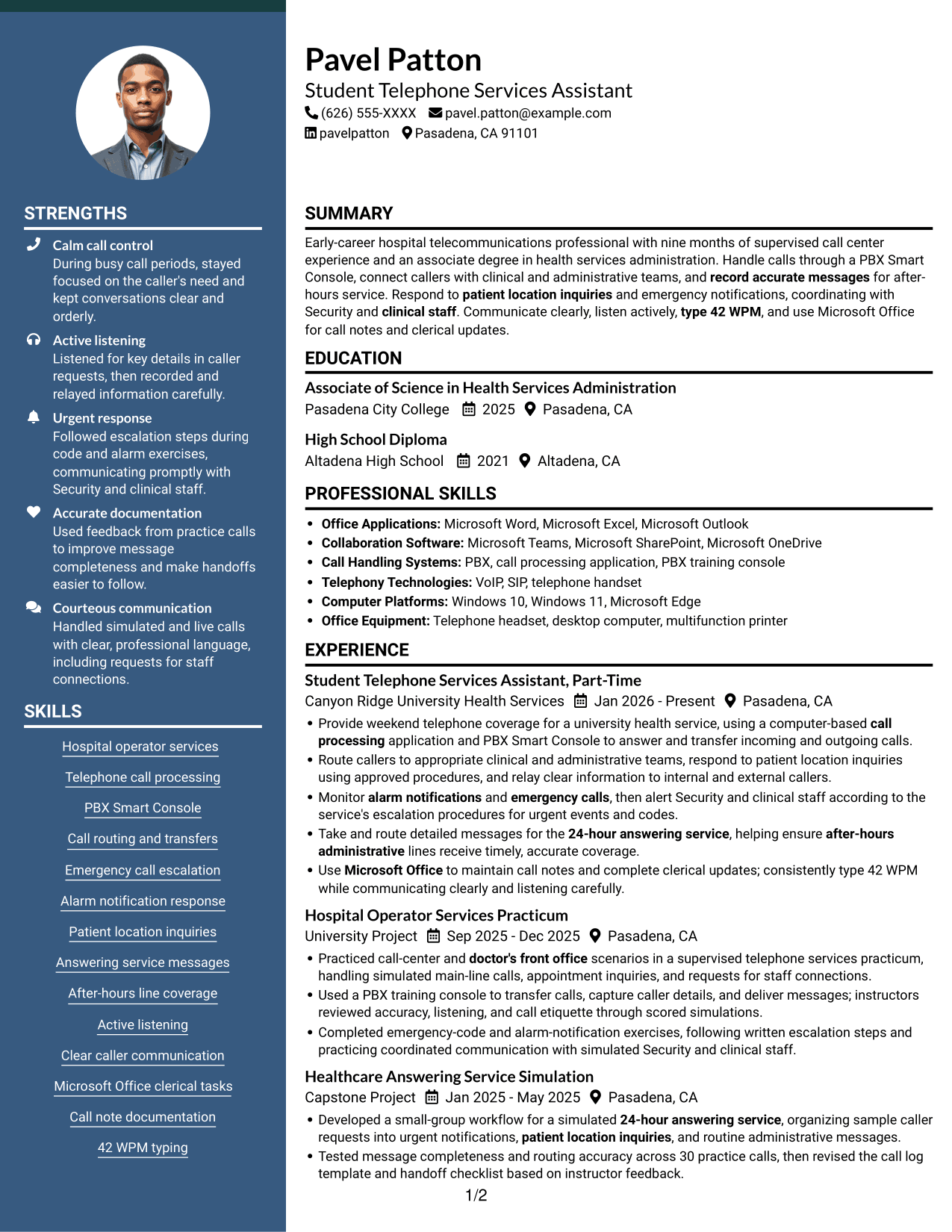
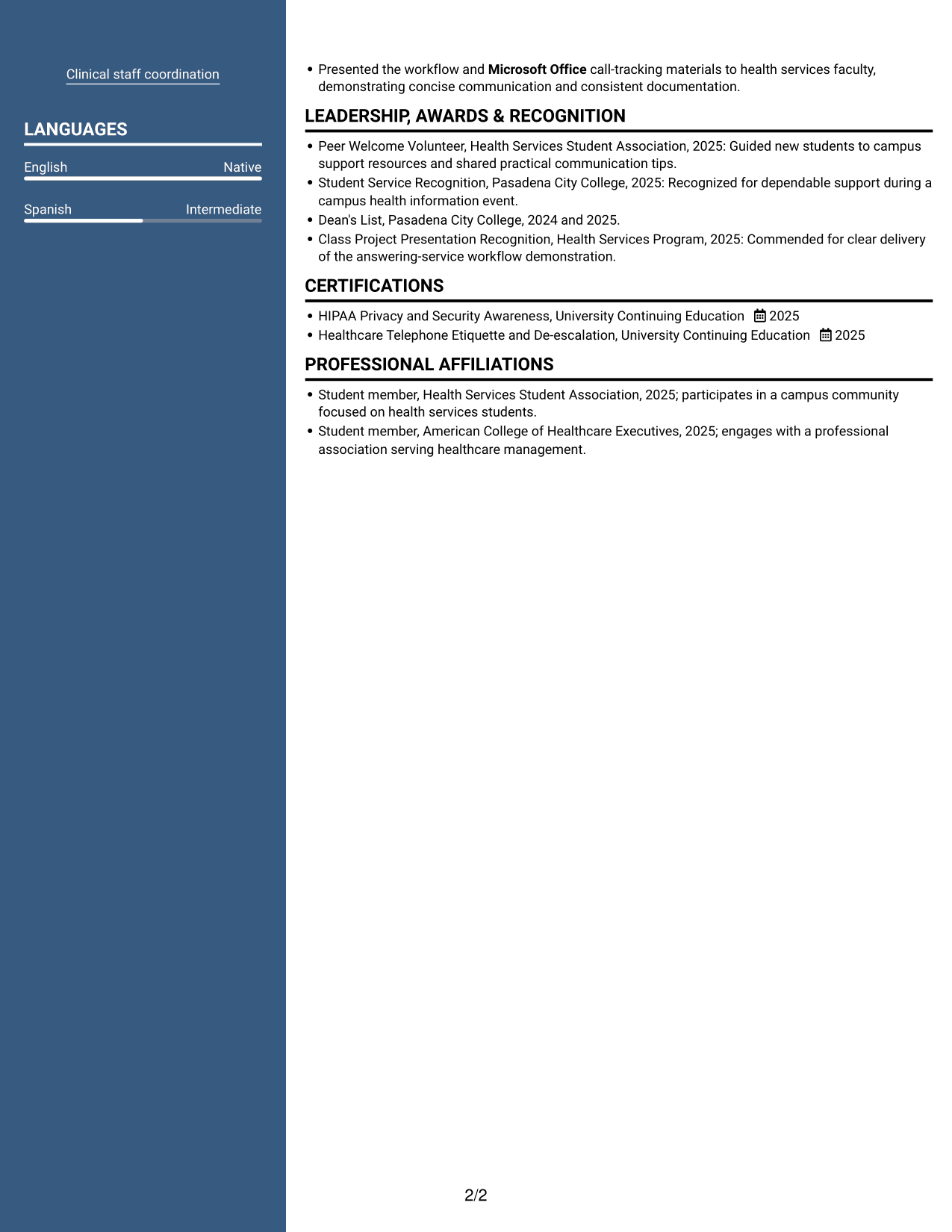
 
Resume example — page 1   Resume example — page 2

Why This Format Works

  • Parallel content areas connect career entries with supporting information in the review.
  • Education and project details are easier to find without retracing every work entry.
  • Skills and credentials have a distinct place in the overall review.

Best For

  • Resume readers who scan by section
  • Employment and project records together
  • Resumes with several credentials
  • Career information with varied detail
  • Side-by-side review of qualifications
 

#7 Photo Header Two Column Format Resume Example

The two-column body combines parallel section organization with a photo, offering a portrait alongside a structured resume layout.
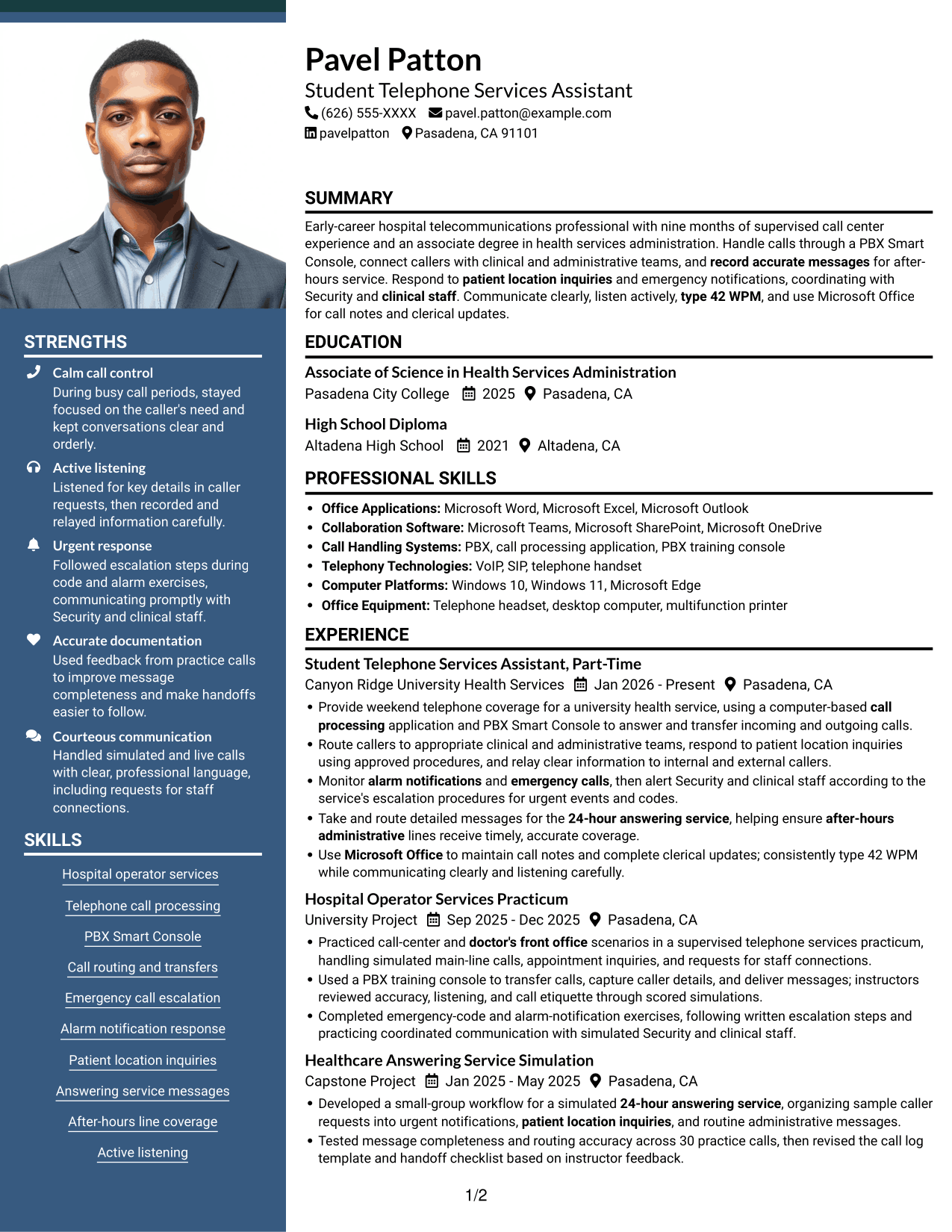
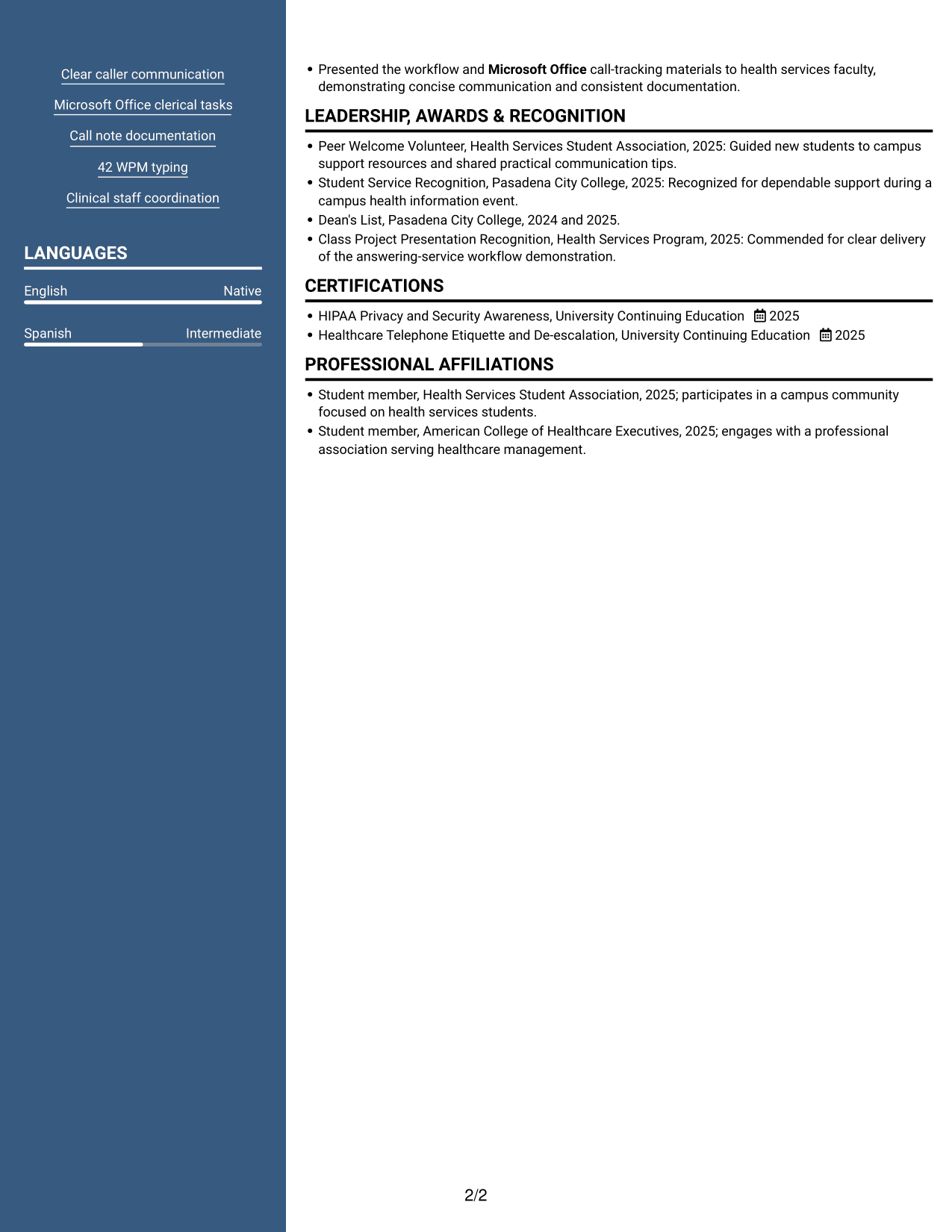
 
Resume example — page 1   Resume example — page 2

Why This Format Works

  • The photo adds a personal visual element without replacing written qualifications.
  • Parallel columns let readers review experience and supporting sections in turn.
  • Education and projects remain part of the broader resume overview.

Best For

  • Applications where a portrait is requested
  • Readers who prefer parallel content areas
  • Resumes combining experience and project work
  • Several supporting sections in one document
  • Portraits paired with a structured resume


See Also


Frequently Asked Questions

Are these Telecom Operator II - Operator Services resume templates ATS-friendly?

The examples use clear headings and readable sections. Include relevant terms such as call processing, PBX Smart Console, call routing, emergency notifications, accurate messages, and Microsoft Office when they reflect your background.

Does this page show several different resumes?

No. It shows the same resume example in different visual layouts, so you can compare how each one presents the information.

What should a Telecom Operator II - Operator Services resume include?

Include a focused summary, relevant call-handling experience, skills, education, and certifications. Describe duties such as routing calls, recording messages, monitoring alarms, and coordinating urgent responses, using accurate details from your own background.

Which resume layout works well for operator services?

A clean, simple layout with standard section headings is a good choice. It helps readers scan your call-handling experience, skills, and education, and it is easier for applicant tracking systems to read.

How can I show relevant experience if I have not held this exact job title?

Use related call center, answering service, or doctor's front office experience, along with supervised practice or projects. Explain the calls you handled, how you routed messages, and how you followed escalation steps without overstating your responsibility.

Should I include a photo on my resume?

Include a photo only if it is customary or expected in your country, region, or industry. For U.S. applications, a resume without a photo is generally the safer choice.


ATS Score 93%

How we calculate this score

  • Keywords: 60% of the total. AI extracts keywords from your job description. If you do not provide one, a standard job description for the title matching your resume is used. This is not a match to a specific vacancy.
  • Text-based resume: 20%. The text resume assessed here receives 100 for this part.
  • Resume quality: 20%. We start at 100 and subtract points for issues found by our resume checks, down to a minimum of zero.
  • Keyword coverage = round(100 × confirmed matches ÷ total keywords). Exact matches and supported equivalents verified by AI receive full credit; unsupported keywords receive none. Live text checks use the saved equivalents and do not request a new AI review. Without keywords, no overall ATS score is available.
  • Final score = 60% of keyword coverage + 20% of the text score + 20% of the quality score, rounded to a whole number. Without keywords, no overall ATS score is available.

What this score means

Our scores are estimates, not employer ratings. They may contain errors and do not guarantee accurate parsing, a ranking, an interview, or a job. Check your document against the employer’s requirements. You are responsible for relying on this score.

Terms and Conditions

Score weights: Keywords 60% · Text based resume 20% · Resume quality 20%

Keyword coverage: 16 of 18 (89%) · Resume quality: 100%

Resume quality 100% · Weight 20% · Issues (0)

Details
  • ✓Name present: Pavel Patton
  • ✓Email format: pavel.patton@example.com
  • ✓Phone format: (626) 555-XXXX
  • ✓Experience 1: Job title: Student Telephone Services Assistant, Part-Time
  • ✓Experience 1: Company name: Canyon Ridge University Health Services
  • ✓Experience 1: Work location: Pasadena, CA
  • ✓Experience 1: Employment dates: Jan 2026 - Present
  • ✓Experience 1: Description or achievements: Present
  • ✓Experience 2: Job title: Hospital Operator Services Practicum
  • ✓Experience 2: Company name: University Project
  • ✓Experience 2: Work location: Pasadena, CA
  • ✓Experience 2: Employment dates: Sep 2025 - Dec 2025
  • ✓Experience 2: Description or achievements: Present
  • ✓Experience 3: Job title: Healthcare Answering Service Simulation
  • ✓Experience 3: Company name: Capstone Project
  • ✓Experience 3: Work location: Pasadena, CA
  • ✓Experience 3: Employment dates: Jan 2025 - May 2025
  • ✓Experience 3: Description or achievements: Present
  • ✓No placeholder fields
  • ✓No repeated achievement bullets
  • ✓No empty bullets

No issues found by the current checks.

Text Based Resume 100% · Weight 20%

Parsed text
Pavel Patton
(626) 555-XXXX
pavel.patton@example.com
pavelpatton
Pasadena, CA 91101
SUMMARY
Early-career hospital telecommunications professional with nine months of supervised call center experience and an associate degree in health services administration. Handle calls through a PBX Smart Console, connect callers with clinical and administrative teams, and record accurate messages for after-hours service. Respond to patient location inquiries and emergency notifications, coordinating with Security and clinical staff. Communicate clearly, listen actively, type 42 WPM, and use Microsoft Office for call notes and clerical updates.
EDUCATION
Associate of Science in Health Services Administration
2025
Pasadena City College
Pasadena, CA
High School Diploma
2021
Altadena High School
Altadena, CA
PROFESSIONAL SKILLS
Office Applications: Microsoft Word, Microsoft Excel, Microsoft Outlook
Collaboration Software: Microsoft Teams, Microsoft SharePoint, Microsoft OneDrive
Call Handling Systems: PBX, call processing application, PBX training console
Telephony Technologies: VoIP, SIP, telephone handset
Computer Platforms: Windows 10, Windows 11, Microsoft Edge
Office Equipment: Telephone headset, desktop computer, multifunction printer
SKILLS
Hospital operator services
Telephone call processing
PBX Smart Console
Call routing and transfers
Emergency call escalation
Alarm notification response
Patient location inquiries
Answering service messages
After-hours line coverage
Active listening
Clear caller communication
Microsoft Office clerical tasks
Call note documentation
42 WPM typing
Clinical staff coordination
EXPERIENCE
Student Telephone Services Assistant, Part-Time
Jan 2026 - Present
Canyon Ridge University Health Services
Pasadena, CA
Provide weekend telephone coverage for a university health service, using a computer-based call processing application and PBX Smart Console to answer and transfer incoming and outgoing calls.
Route callers to appropriate clinical and administrative teams, respond to patient location inquiries using approved procedures, and relay clear information to internal and external callers.
Monitor alarm notifications and emergency calls, then alert Security and clinical staff according to the service's escalation procedures for urgent events and codes.
Take and route detailed messages for the 24-hour answering service, helping ensure after-hours administrative lines receive timely, accurate coverage.
Use Microsoft Office to maintain call notes and complete clerical updates; consistently type 42 WPM while communicating clearly and listening carefully.
Hospital Operator Services Practicum
Sep 2025 - Dec 2025
University Project
Pasadena, CA
Practiced call-center and doctor's front office scenarios in a supervised telephone services practicum, handling simulated main-line calls, appointment inquiries, and requests for staff connections.
Used a PBX training console to transfer calls, capture caller details, and deliver messages; instructors reviewed accuracy, listening, and call etiquette through scored simulations.
Completed emergency-code and alarm-notification exercises, following written escalation steps and practicing coordinated communication with simulated Security and clinical staff.
Healthcare Answering Service Simulation
Jan 2025 - May 2025
Capstone Project
Pasadena, CA
Developed a small-group workflow for a simulated 24-hour answering service, organizing sample caller requests into urgent notifications, patient location inquiries, and routine administrative messages.
Tested message completeness and routing accuracy across 30 practice calls, then revised the call log template and handoff checklist based on instructor feedback.
Presented the workflow and Microsoft Office call-tracking materials to health services faculty, demonstrating concise communication and consistent documentation.
LEADERSHIP, AWARDS & RECOGNITION
Peer Welcome Volunteer, Health Services Student Association, 2025: Guided new students to campus support resources and shared practical communication tips.
Student Service Recognition, Pasadena City College, 2025: Recognized for dependable support during a campus health information event.
Dean's List, Pasadena City College, 2024 and 2025.
Class Project Presentation Recognition, Health Services Program, 2025: Commended for clear delivery of the answering-service workflow demonstration.
CERTIFICATIONS
HIPAA Privacy and Security Awareness, University Continuing Education
2025
Healthcare Telephone Etiquette and De-escalation, University Continuing Education
2025
PROFESSIONAL AFFILIATIONS
Student member, Health Services Student Association, 2025; participates in a campus community focused on health services students.
Student member, American College of Healthcare Executives, 2025; engages with a professional association serving healthcare management.
LANGUAGES
English (Native)
Spanish (Intermediate)

Matched keywords (16)

  • High School DiplomaOriginal keyword in JD: High School Diploma OR GED
  • doctor's front officeOriginal keyword in JD: 6+ months of call center OR doctor's front office OR answering service experience
  • call processing
  • answer and transfer incoming and outgoing callsOriginal keyword in JD: Incoming and outgoing call handling
  • Call routing and transfers
  • Monitor alarm notifications and emergency calls, then alert Security and clinical staff according to the service's escalation procedures for urgent events and codes.Original keyword in JD: Emergency calls and codes
  • Monitor alarm notifications and emergency calls, then alert Security and clinical staff according to the service's escalation procedures for urgent events and codes.Original keyword in JD: Alarm monitoring and emergency notifications
  • Respond to patient location inquiries and emergency notifications, coordinating with Security and clinical staff.Original keyword in JD: Emergency response coordination with Security and clinical staff
  • 24-hour answering service
  • record accurate messagesOriginal keyword in JD: Accurate message taking
  • patient location inquiries
  • Take and route detailed messages for the 24-hour answering service, helping ensure after-hours administrative lines receive timely, accurate coverage.Original keyword in JD: After-hours administrative line coverage
  • Active listening
  • Microsoft Office
  • clerical tasks
  • type 42 WPMOriginal keyword in JD: 35 to 45 WPM typing

Missing keywords (2)

  • Computer-based PBX Smart Console
  • Clear, concise communication
Disclaimer: All names, images, contact information, employment histories, achievements, security clearances, military credentials, and other qualifications shown in this content are fictional and used for illustrative purposes only. Any resemblance to actual persons, living or deceased, is purely coincidental.

Resume and cover-letter examples and recommendations in this article reflect general best practices and professional experience and are provided for guidance only. Results may vary based on role, industry, region, and hiring organization.

Content Accuracy and Verification: To the fullest extent permitted by applicable law, we do not represent or warrant that resume or cover-letter guidance, examples, recommendations, or related information are accurate, complete, current, error-free, or suitable for any particular purpose. You are responsible for independently reviewing and verifying the information before relying on it.

ATS and Cover-Letter Scores: ATS scores are estimates calculated using our own formula, informed by publicly available guidance on resume formatting and keyword matching. They are not scores issued or endorsed by an ATS provider or employer. Cover-letter scores are also our own assessments. Parsing, weighting, screening criteria, and results vary between systems, employers, job descriptions, and document formats. No score guarantees successful parsing, a particular ranking, an interview, or employment. Use scores as general guidance and independently check your documents against the employer’s requirements. To the fullest extent permitted by applicable law, we accept no liability for errors in scores or parsing, or losses arising from reliance on these assessments. Nothing in this notice excludes liability or limits consumer rights that cannot lawfully be excluded or limited.

Terms and Conditions
 
> JP 1 1
PDF Footer and Margins Setup
The margins are applied to the document, and the footer shows up in the preview and the PDF

Footer Font Settings

Are you applying for a specific job
so we can tailor your resume to it?
Are you applying for a specific job
so we can tailor your cover letter to it?

Your data stays private and is never used for training.Privacy Policy

Type your details as text to generate a personalized resume Type your details as text to generate a personalized cover letter
Website link found! Ready to create resume from:

Your data stays private and is never used for training.Privacy Policy

Drag the into the box to verify you're human.
Drop here

My Resumes

Displaying {number_of_files} files (out of {total_of_all_files} total)
Name File Type Last Modified: Description:

Rename File

Filename already exists!

Delete Files

Warning: This action is irreversible. Once you click submit, the files will be permanently deleted.

Heading text
Upload From Computer Upload
Select From Existing
LinkedIn
Drag & Drop files anywhere in this tab, or

Uploaded Files

Delete Name Last Updated Use This File
Select this to use the file for generating your resume and cover letter. Only one source—uploaded file, selected file, or LinkedIn text—can be used.

My Files

Resumes or cover letters you create will appear here. No files available yet.
Delete Name Last Updated Use This File
Select this to use the file for generating your resume and cover letter. Only one source—uploaded file, selected file, or LinkedIn text—can be used.

Add LinkedIn Profile PDF

You can download your LinkedIn profile as a PDF by opening linkedin.com in a web browser, clicking your profile photo, selecting the “More” or “Resources” button, and choosing “Save to PDF.” You can then attach the PDF using the Upload From Computer tab.

Paste Your LinkedIn Profile Text

If you have copied the LinkedIn profile text, paste it below. See how to copy your profile from LinkedIn

Select this to use the LinkedIn profile text for generating your resume and cover letter. Only one source—uploaded file, selected file, or LinkedIn text—can be used.

Try these controls

<
>


