
7 Workday Payroll Systems Analyst Cover Letter Templates with Example
This guide shows you how to write a focused Workday Payroll Systems Analyst cover letter. You will learn how to connect your experience to the role and make a clear case for your fit.
A strong letter explains how you approach payroll testing, validation, and issue resolution. Use direct examples to show how you check results, document findings, and work with other teams.
Explore a practical Workday Payroll Systems Analyst cover letter example presented in 7 layouts. Learn how to shape the opening, choose useful evidence, explain your interest and employer alignment, and close with confidence.
What Makes a Great Workday Payroll Systems Analyst Cover Letter in 2026
A strong letter for this role connects interest in payroll systems work with clear examples of Workday testing, payroll and time validation, or SAP-to-Workday transition support.
Show how you found or confirmed an issue, recorded the evidence, and worked with others to retest a fix. Link those examples to the employer’s needs and explain why the role interests you.
The featured example moves from role interest to specific evidence and a professional close. Adapt that focused progression, choosing a presentation that suits the employer and the communication context.
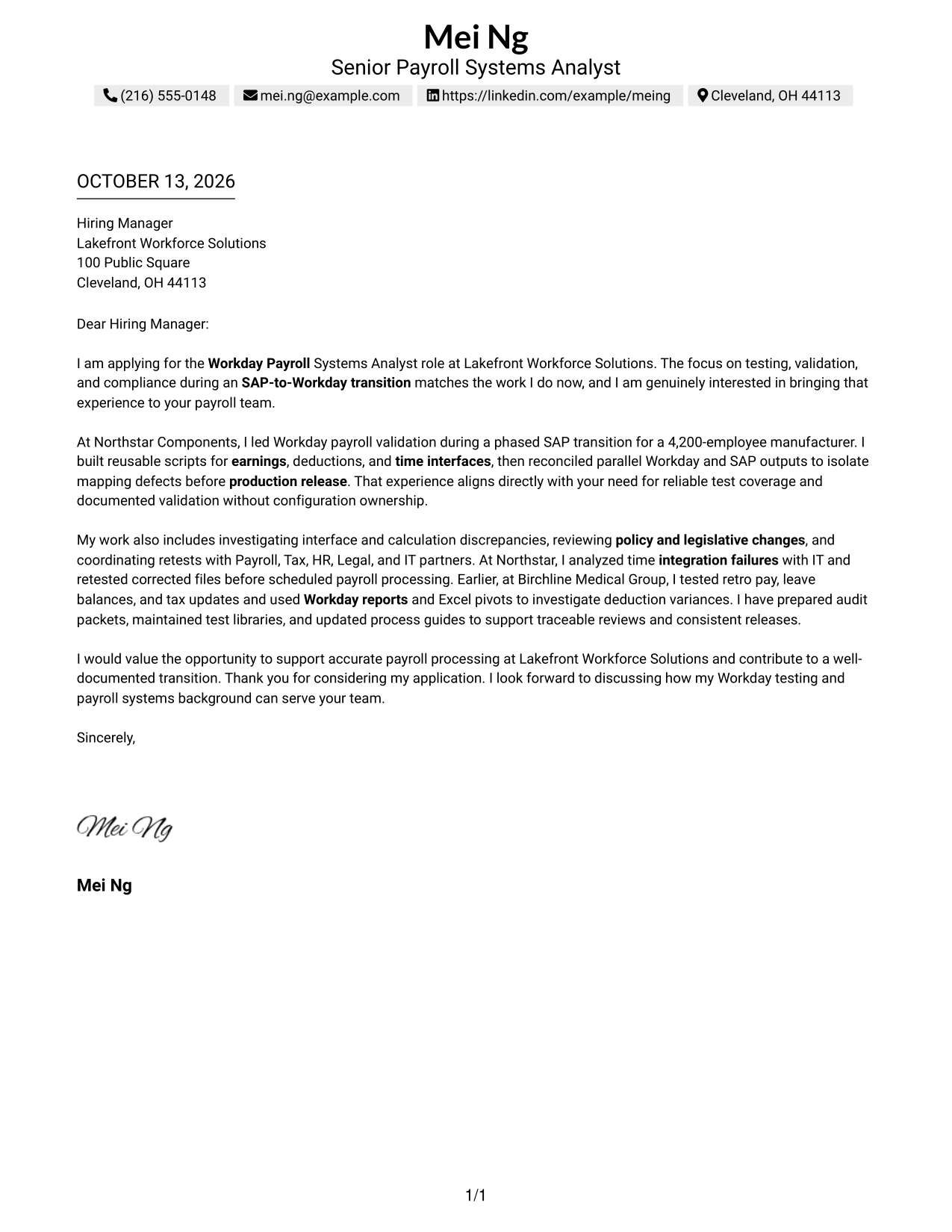
#1 Simple One Column Format Cover Letter Example
The Simple One Column Format places sender details above one continuous letter body, giving reviewers a clear path from motivation to evidence and closing.
Why This Format Works
- A straight reading path carries the opening, motivation, supporting evidence, and closing in order.
- Keeping each paragraph in sequence helps reviewers follow the case for role fit.
- Sender details in the header leave the letter body focused on its message.
Best For
- Straight-through letter reading
- Sender details above the message
- Motivation-led applications
- Evidence followed by a clear close
- Letters with one central argument
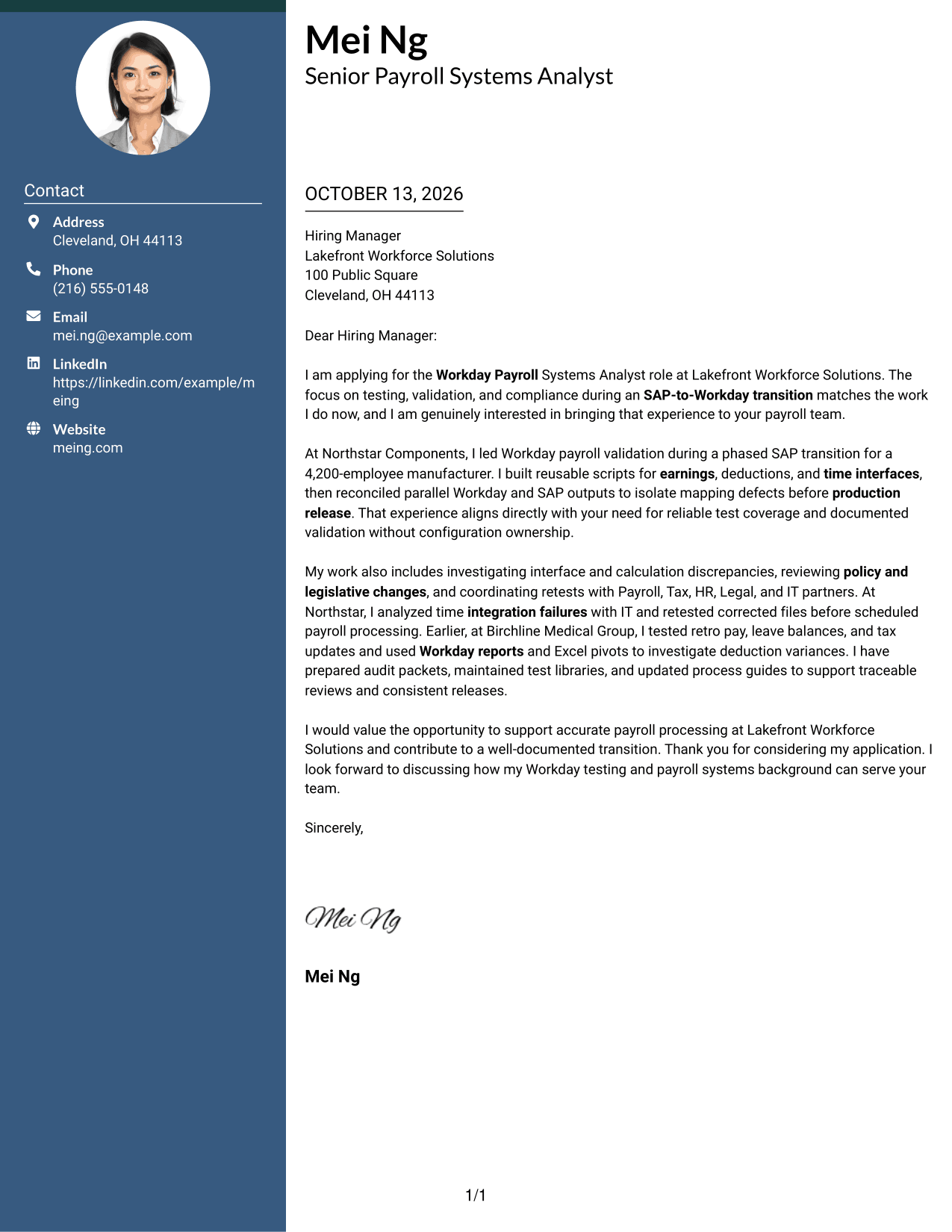
#2 Two Column Format Cover Letter Example
The Two Column Format places contact details in a sidebar beside one continuous letter body, separating contact information from the message while keeping the argument in order.
Why This Format Works
- A contact sidebar keeps sender details apart from the letter's opening and motivation.
- The body's steady paragraph order lets reviewers connect supporting examples with role fit.
- The continuous body keeps the closing attached to the argument built through earlier evidence.
Best For
- Separate contact and message areas
- A continuous persuasive letter body
- Applications with several evidence paragraphs
- Quick access to sender details
- Letters that connect opening and close
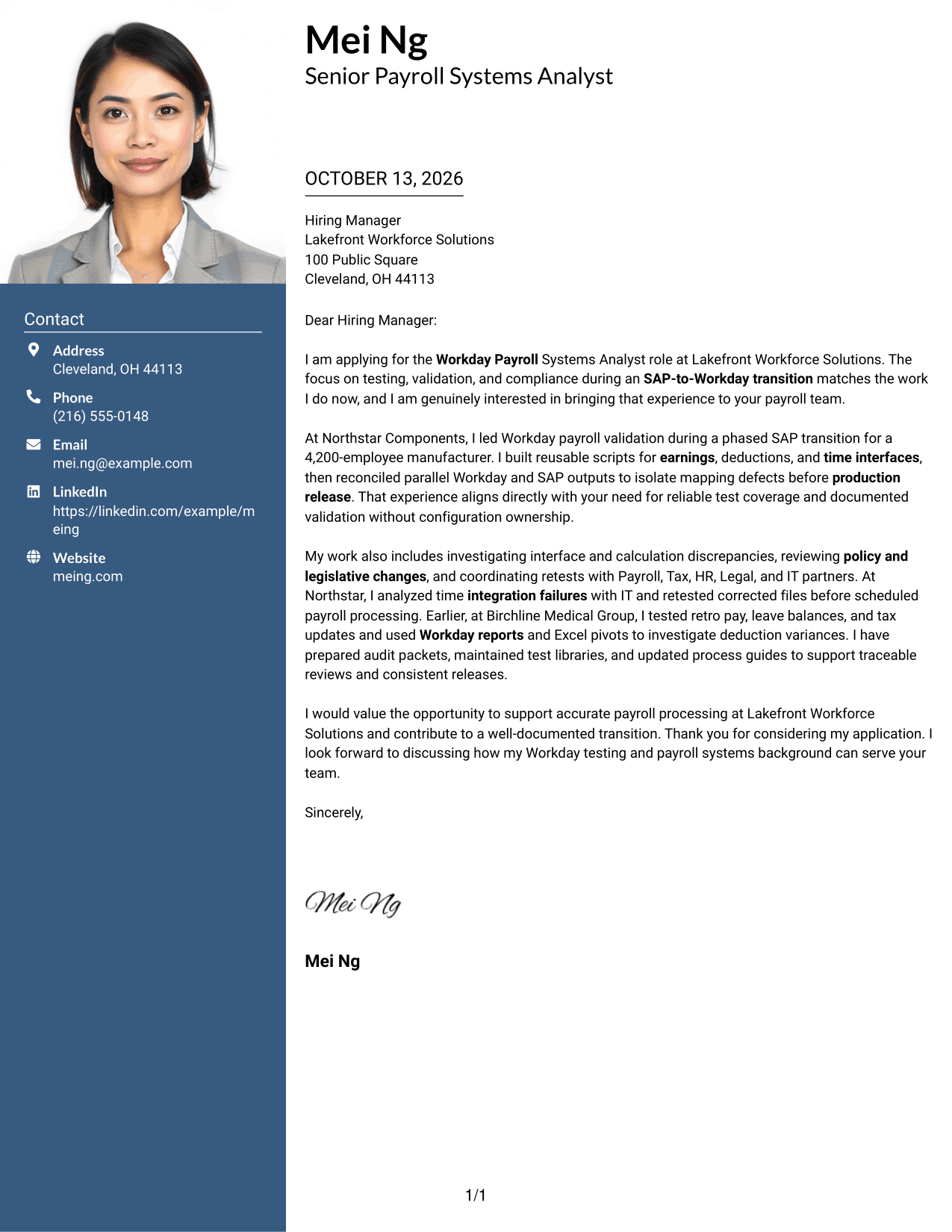
#3 Photo Header Two Column Format Cover Letter Example
The Photo Header Two Column Format pairs a photo header and contact sidebar with one continuous letter body, giving the message a clear visual start without splitting its argument.
Why This Format Works
- Contact sidebar lets reviewers locate sender information without interrupting the opening.
- Photo header gives the message a clear visual starting point before motivation unfolds.
- A single body sequence carries role interest into evidence and a direct close.
Best For
- Photo-inclusive contact headers
- Distinct sender details and letter body
- Applications needing a clear visual start
- Unbroken motivation-to-evidence flow
- Letters with a direct closing request
#4 One Column Format with Photo Cover Letter Example
The One Column Format with Photo places the sender details and photo in the header above one continuous letter body, keeping the message easy to follow from opening to close.
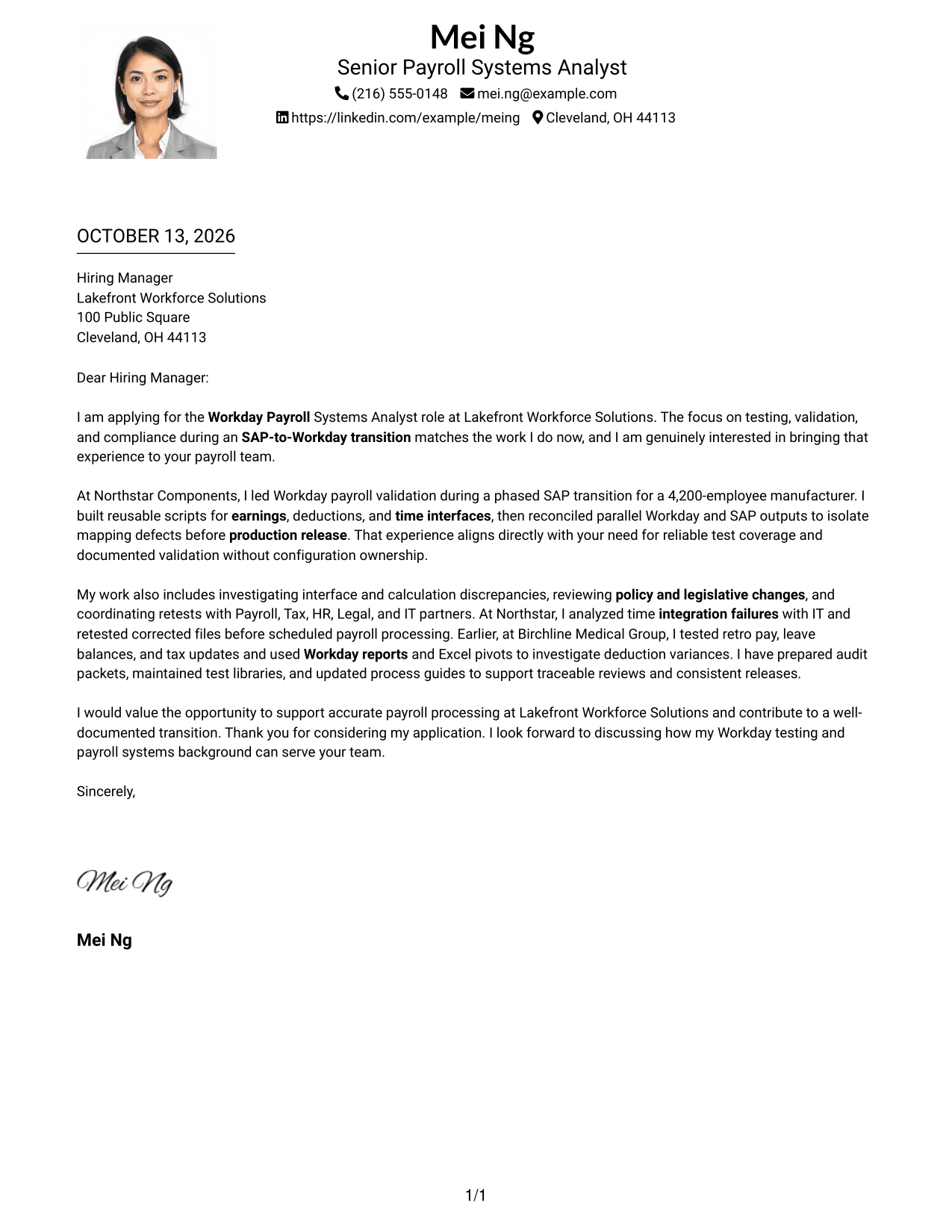
Why This Format Works
- The header keeps contact information visible before the opening makes its case.
- One continuous reading path connects role interest, evidence, and the closing request.
- Paragraph order lets reviewers see how motivation leads into supporting examples.
Best For
- Photo-led header presentation
- One uninterrupted argument
- Letters with sender details above the message
- Motivation before supporting examples
- A closing paragraph that completes the case
#5 Simple Two Column Format Cover Letter Example
The Simple Two Column Format sets contact details beside one continuous letter body, making the difference between sender information and the letter's argument easy to see.
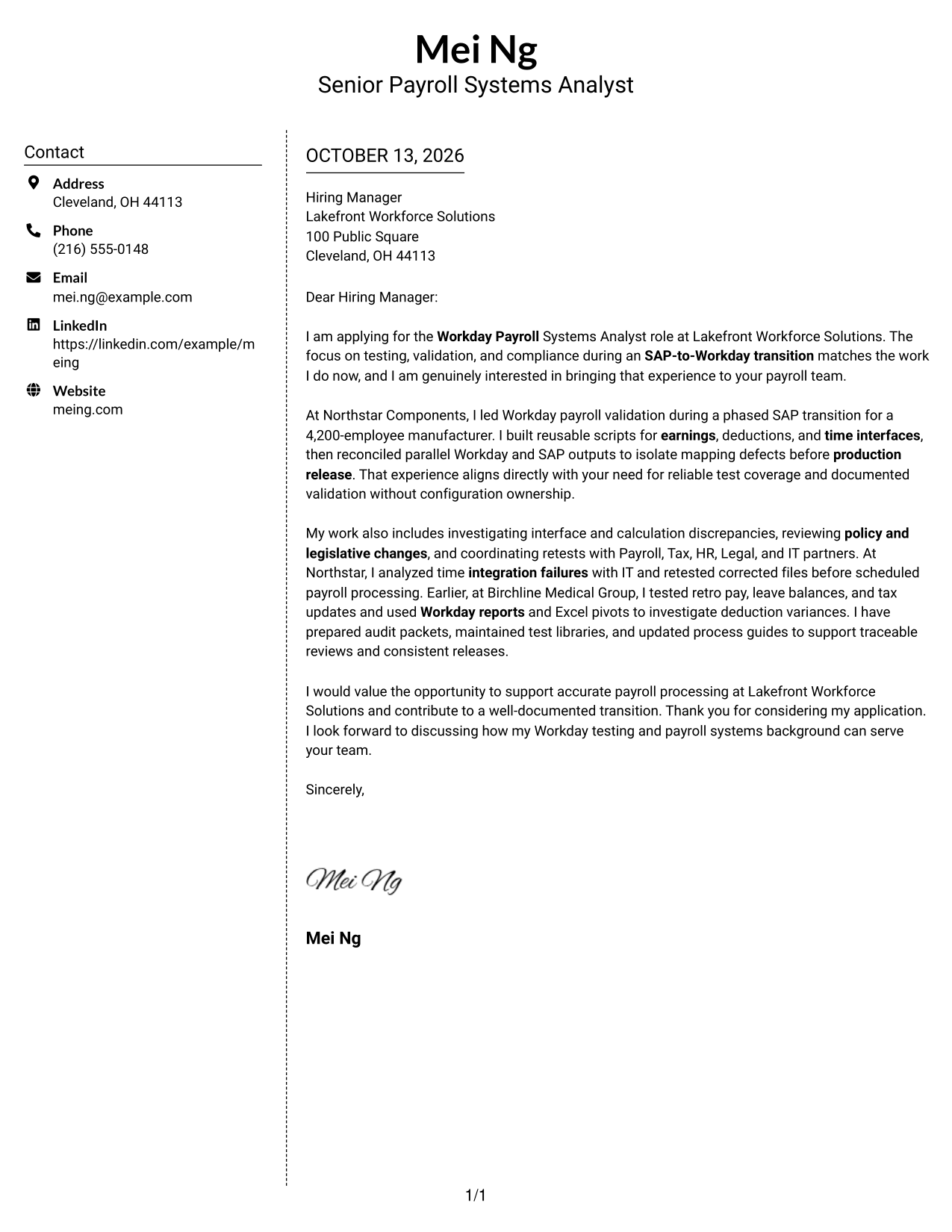
Why This Format Works
- Contact details sit apart, so the body can begin directly with employer interest.
- A continuous letter body preserves the link between evidence and the closing request.
- The clear split helps reviewers move from sender information to the full argument.
Best For
- Simple contact sidebar organization
- Letter bodies that need uninterrupted flow
- Fast separation of contact and message
- Opening-to-closing argument sequence
- Applications with distinct evidence paragraphs
#6 Modern Icon Format Cover Letter Example
The Modern Icon Format uses contact cues in a sidebar beside one continuous letter body, helping reviewers find sender details without interrupting the message.
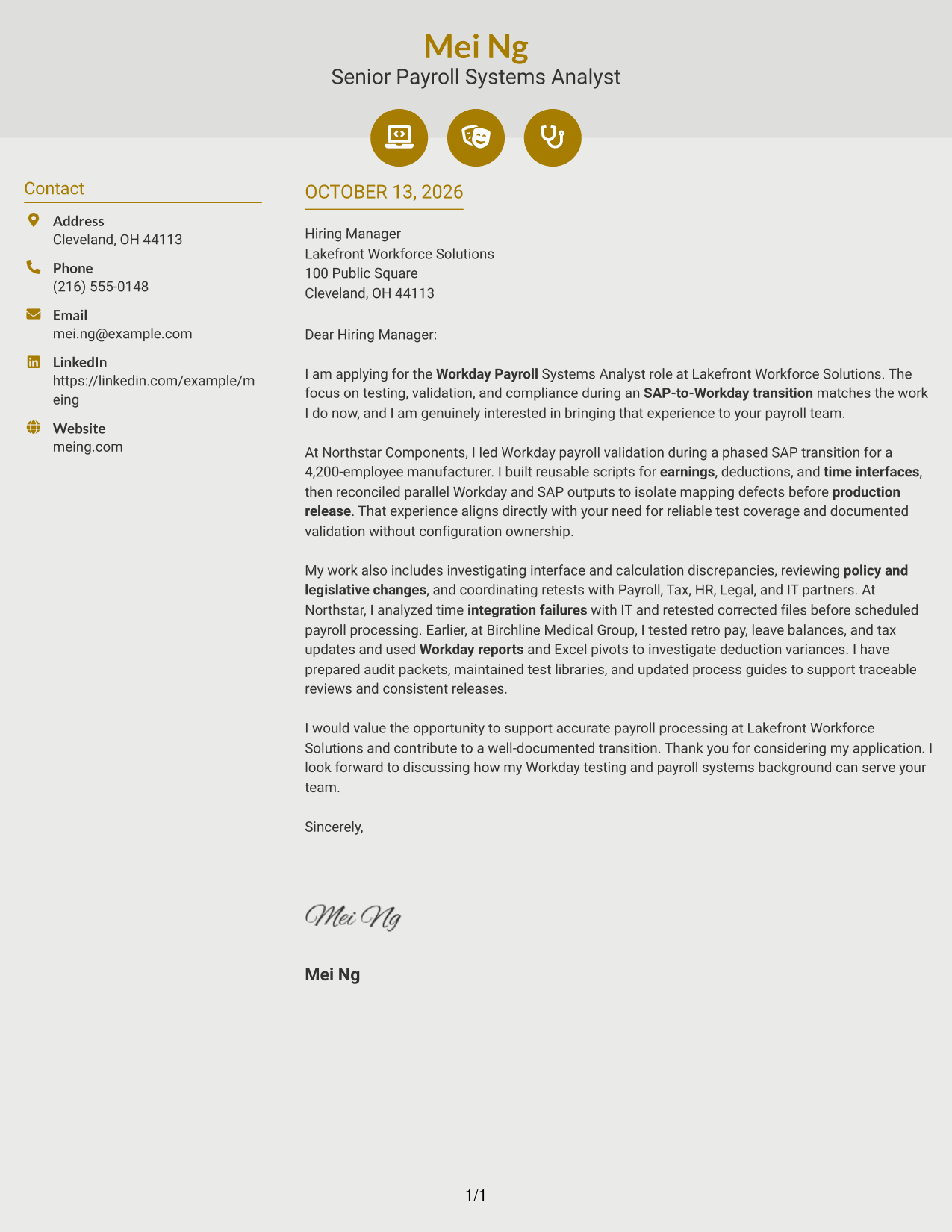
Why This Format Works
- Contact cues help reviewers locate sender details without breaking the letter's argument.
- The uninterrupted body keeps motivation, evidence, and the closing in their intended order.
- A separate contact area leaves the body free to develop role fit.
Best For
- Icon-aided contact lookup
- Contact information beside the letter
- Single-body persuasive messages
- Motivation and evidence in sequence
- Quick return to sender details
#7 Creative Two Tone Format Cover Letter Example
The Creative Two Tone Format uses color contrast to distinguish the contact sidebar from one continuous letter body, helping reviewers find the message without dividing its argument.
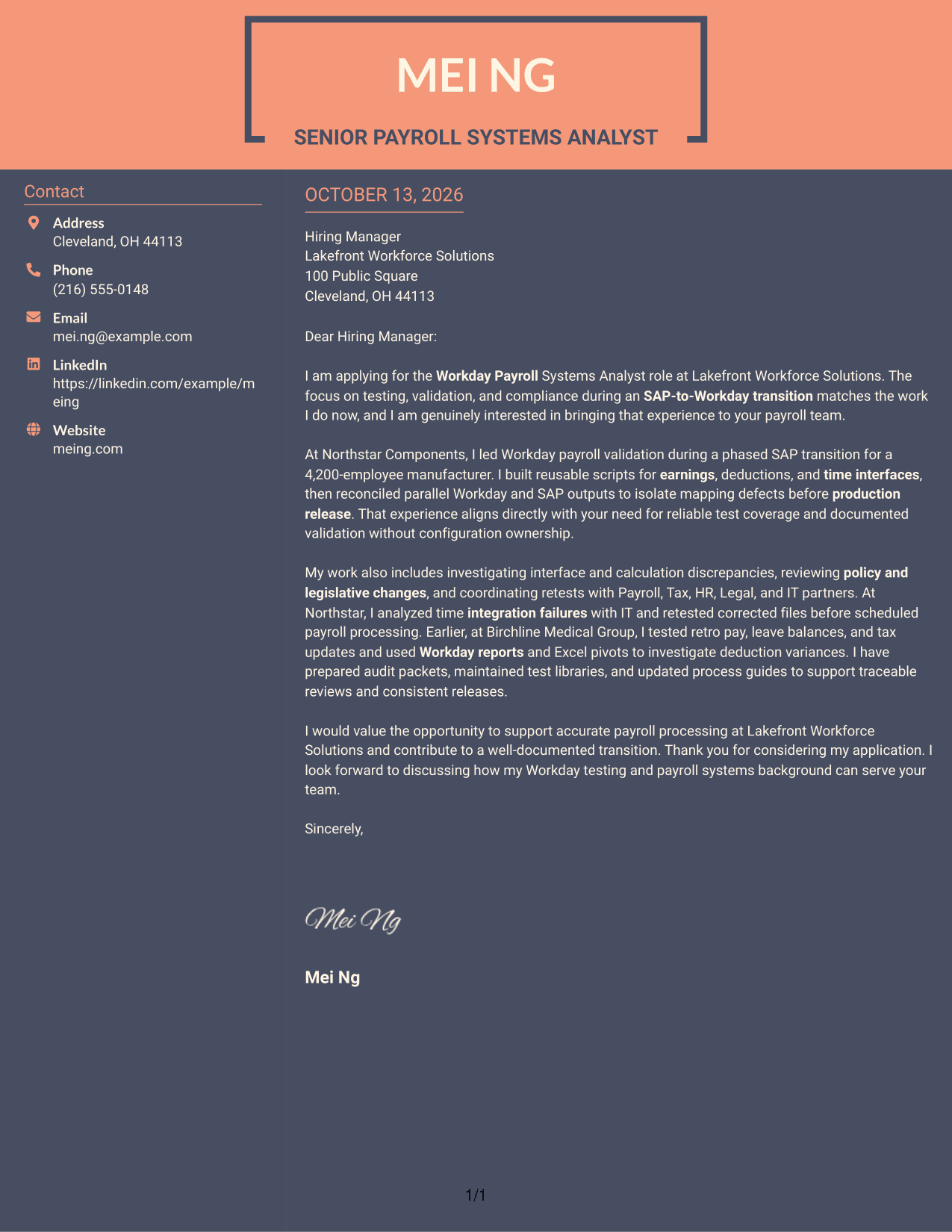
Why This Format Works
- The two-tone distinction separates contact information from the message without splitting its argument.
- A continuous body lets motivation build into evidence before the closing request.
- Color boundaries help reviewers find the letter's opening and final paragraph quickly.
Best For
- Color-separated contact information
- A visually distinct letter body
- Applications needing quick orientation
- Continuous argument from interest to close
- Evidence-led employer fit
Why Use ResumeInMinutes for a Workday Payroll Systems Analyst Cover Letter
ResumeInMinutes gives you a clear starting point for a role-focused cover letter. You can shape the message around your relevant work and the employer’s needs.
- Clear, professional layouts
- Simple editing tools
- Role-focused customization
- Quick letter creation
- Readable presentation choices
- Cover letter templates
Use a direct, professional tone to explain your interest in Workday Payroll systems work, support your claims with specific examples, and show how you would contribute to accurate payroll processing.
See Also
- 7 Workday Payroll Systems Analyst Resume Templates with Example
- 7 Senior IT Analyst - Administrative Systems Management (HR/Payroll) Resume Templates with Example
- 7 Analyst, Quality Systems Resume Templates with Example
- 33 Business Intelligence (BI) Developer / Business Systems Analyst Resume Templates with Example 2026 (ATS-Optimized)
- 7 Business Systems Analyst - Curriculum Systems Specialist Resume Templates with Example
- 7 Business Systems Analyst Resume Templates with Example
- 33 Business Systems / Data Analyst Resume Templates with Example 2026 (ATS-Optimized)
- 7 Departmental Analyst - Technology and Data Systems Resume Templates with Example
- 30+ Business Systems / Data Analyst Cover Letter Templates with Example 2026
- 30+ Accounts Payable Analyst Cover Letter Templates with Example 2026
Frequently Asked Questions
What should a Workday Payroll Systems Analyst cover letter include?
Explain your interest in the role, then give relevant examples of Workday Payroll testing, payroll and time data validation, issue investigation, or audit support. Close by connecting your experience to the employer’s needs.
How can I describe SAP-to-Workday transition experience?
Describe the testing or validation work you performed, such as comparing payroll results, checking time interfaces, or recording defects. Be clear about your contribution and do not claim configuration work unless you performed it.
How can I show payroll testing results in a cover letter?
Give a short example of the issue or test, the steps you took, and the outcome you helped confirm. For instance, you can describe isolating a mapping defect during parallel payroll review if that reflects your experience.
How should I explain compliance and audit work?
Describe how you reviewed payroll results against policy or legislative changes, kept clear evidence, or prepared records for an audit. Use details that match your own work.
What tone works well for this cover letter?
Use a direct and professional tone. Keep the opening focused on the role, use the body to support your fit with relevant examples, and make the closing brief and courteous.
How do I connect my experience to an employer?
Refer to the work described in the job posting, such as testing payroll changes, resolving integration problems, or supporting accurate pay cycles. Explain how your relevant experience could help with those needs.
Can I customize these cover letter templates?
Yes. Edit the wording and presentation to fit the Workday Payroll Systems Analyst role, the employer’s communication style, and the evidence you can support.




