
7 Workday Payroll Systems Analyst Resume Templates with Example
This guide shows you how to build a Workday Payroll Systems Analyst resume that clearly presents your payroll systems work. You will learn how to organize relevant evidence and choose a format that supports quick review.
Strong resumes for this role make payroll testing, time and pay data validation, integration troubleshooting, and audit support easy to find. Clear bullets can show how test scripts, retests, reports, and cross-team work support accurate payroll processing.
The example is presented in 7 layouts. Compare the formats and use the guidance to highlight relevant skills such as Workday Payroll, SAP-to-Workday transition support, Excel reporting, test library maintenance, and compliance review.
What Makes a Great Workday Payroll Systems Analyst Resume in 2026
A strong resume makes payroll testing, data validation, defect follow-up, and audit support easy to scan. Use clear sections and focused bullets to show how your work supports accurate payroll cycles.
Add role-specific terms where they match your experience, such as Workday Payroll, test scripts, time and payroll integrations, legislative compliance, retesting, Workday reports, and audit evidence. Include measurable results when you can support them with facts.
The examples shown below are intentionally detailed to demonstrate a range of experiences, skills, accomplishments and relevant keywords. We prefer detailed resumes as they provide more context to the hiring managers and also help the ATS systems identify relevant qualifications and score your resume better for a match. But the length of a resume is an individual choice. If you want a one page resume, just keep the most relevant experience and information for the job. Note: Resume examples are for educational purposes only. Use only information that accurately reflects your experience and qualifications. References to real organizations do not imply affiliation or endorsement.
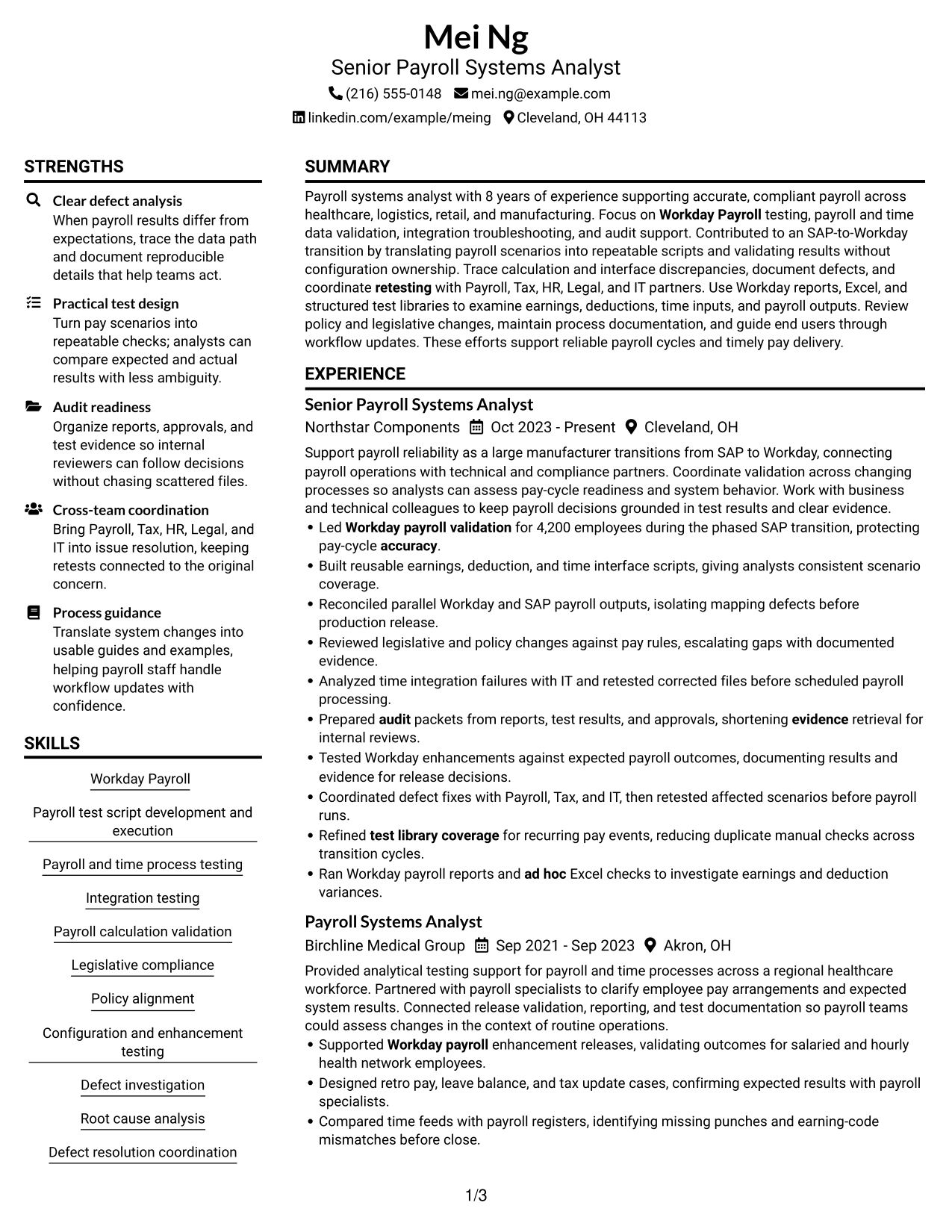
#1 Plain Two Column Format Resume Example
The Plain Two Column Format places resume sections side by side, helping recruiters compare key information while following the work history.
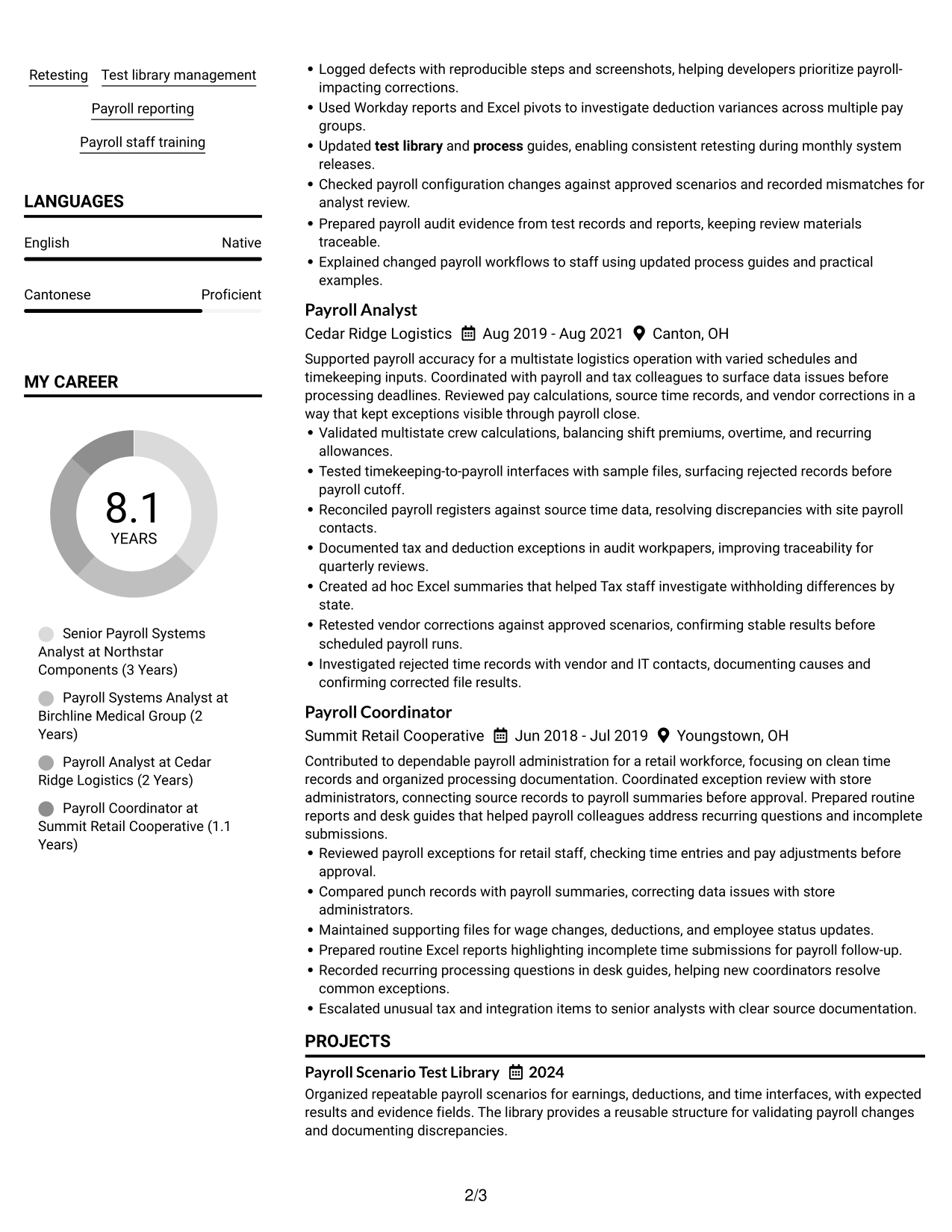
Resume Snapshot
- 8 years supporting payroll systems
- Workday Payroll and SAP-to-Workday transition support
- Bachelor of Business Administration in Information Systems
- Payroll test library and audit evidence work
Why This Format Works
- Side-by-side sections let recruiters compare experience and skills without losing chronology.
- Clear section breaks help reviewers locate education and credentials within a busy work history.
- Consistent grouping keeps achievements and supporting details easy to follow.
Best For
- Resumes with several content sections
- Quick comparison of skills and experience
- Clear separation of education and work history
- Payroll testing and audit records
- Readers who prefer side-by-side sections
Resume Keywords
- Workday Payroll
- Payroll test script development and execution
- Payroll and time process testing
- Integration testing
- Payroll calculation validation
- Legislative compliance
- Policy alignment
- Configuration and enhancement testing
- Defect investigation
- Root cause analysis
- Defect resolution coordination
- Retesting
- Test library management
- Refined test library coverage for recurring pay events, reducing duplicate manual checks across transition cycles.
- Payroll reporting
#2 Simple One Column Format Resume Example
With a single vertical reading path, the Simple One Column Format helps recruiters follow resume sections in order from top to bottom.
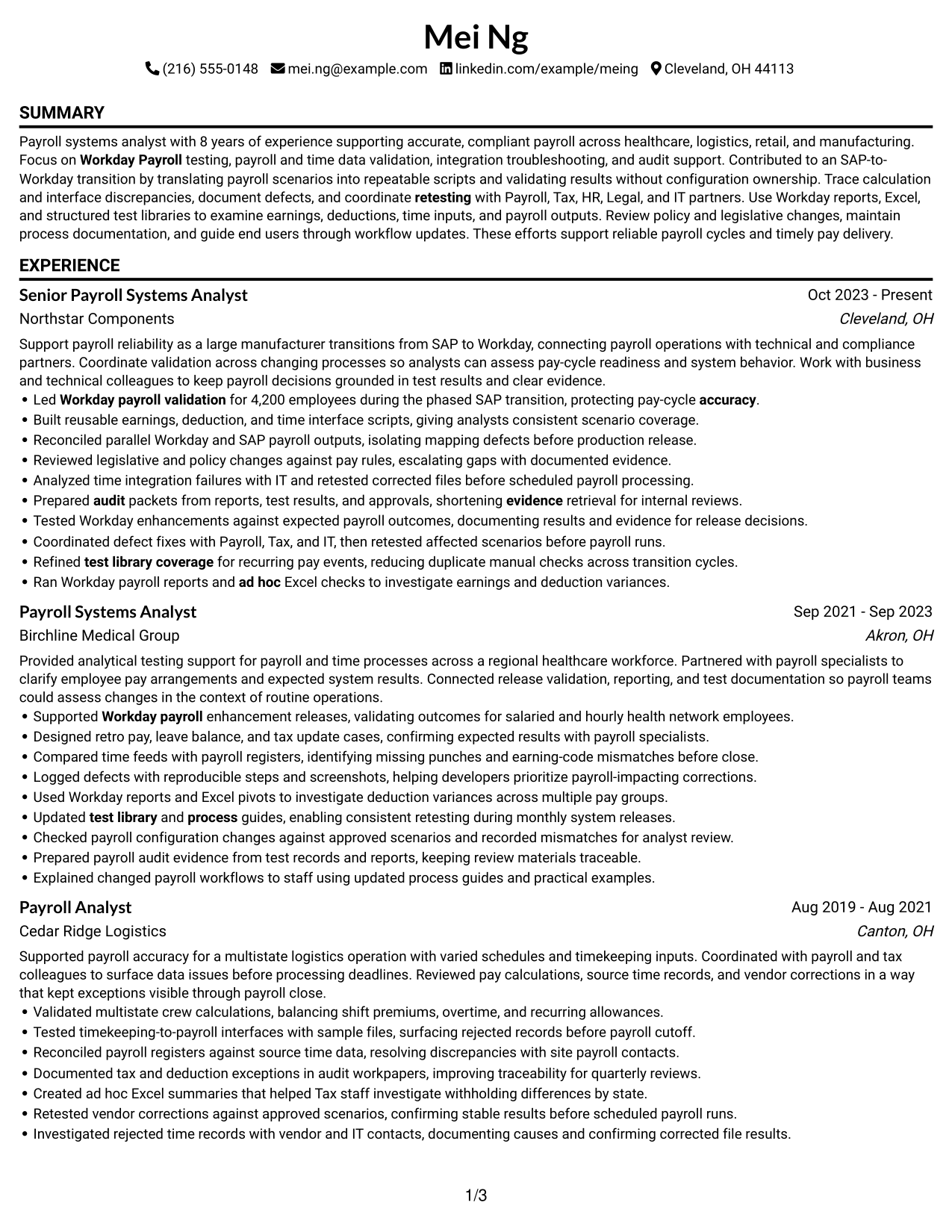
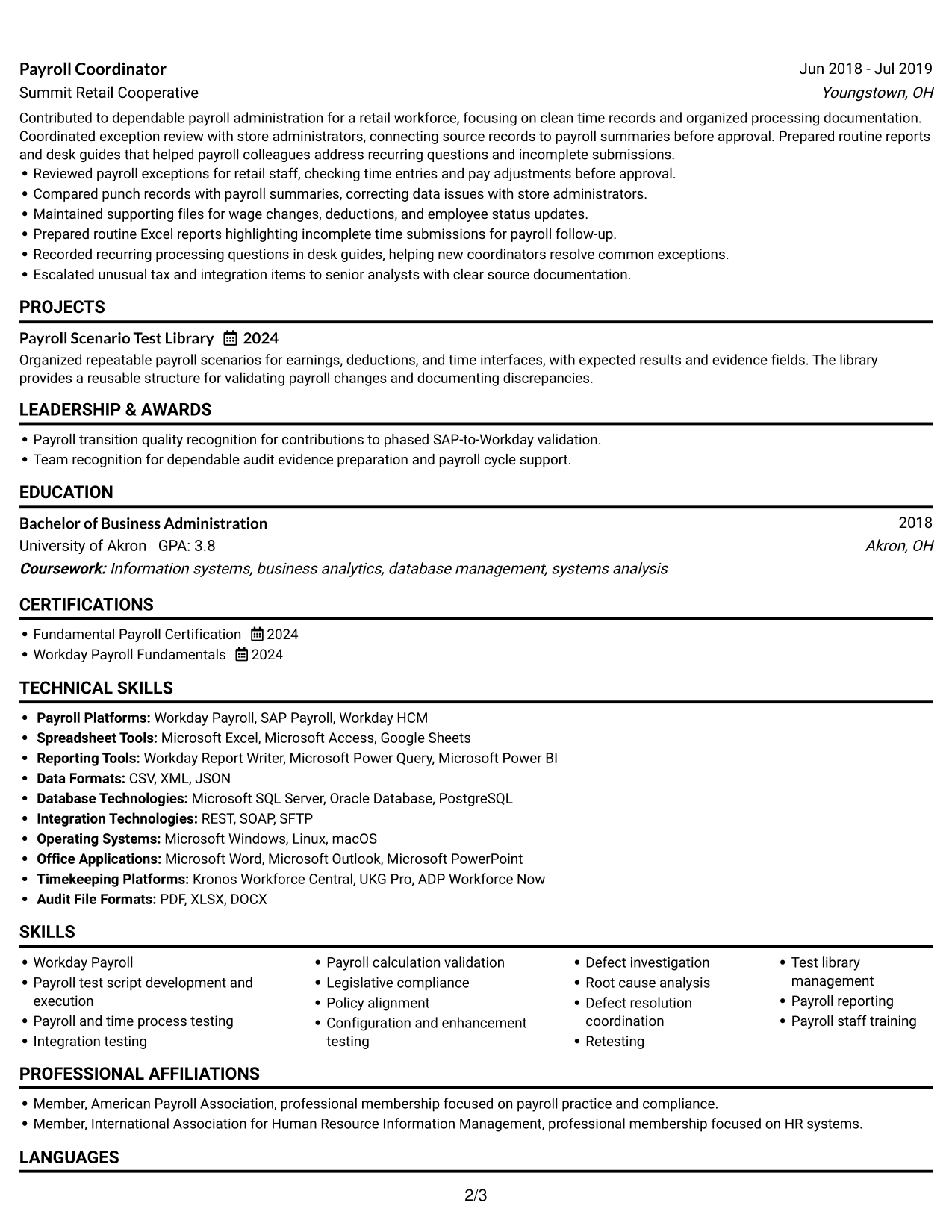
Why This Format Works
- A continuous reading order makes career progression easy to follow from role to role.
- Full-width sections give experience bullets room to present actions and results clearly.
- The simple sequence helps reviewers find education and credentials after the work history.
Best For
- Chronological career histories
- Resumes with detailed experience entries
- Readers who prefer a clear top-to-bottom path
- Education listed after professional experience
- Straightforward ATS review
#3 Clean Two Column Sidebar Format Resume Example
A distinct sidebar gives the Clean Two Column Sidebar Format a clear way to set supporting resume details apart from the main content.
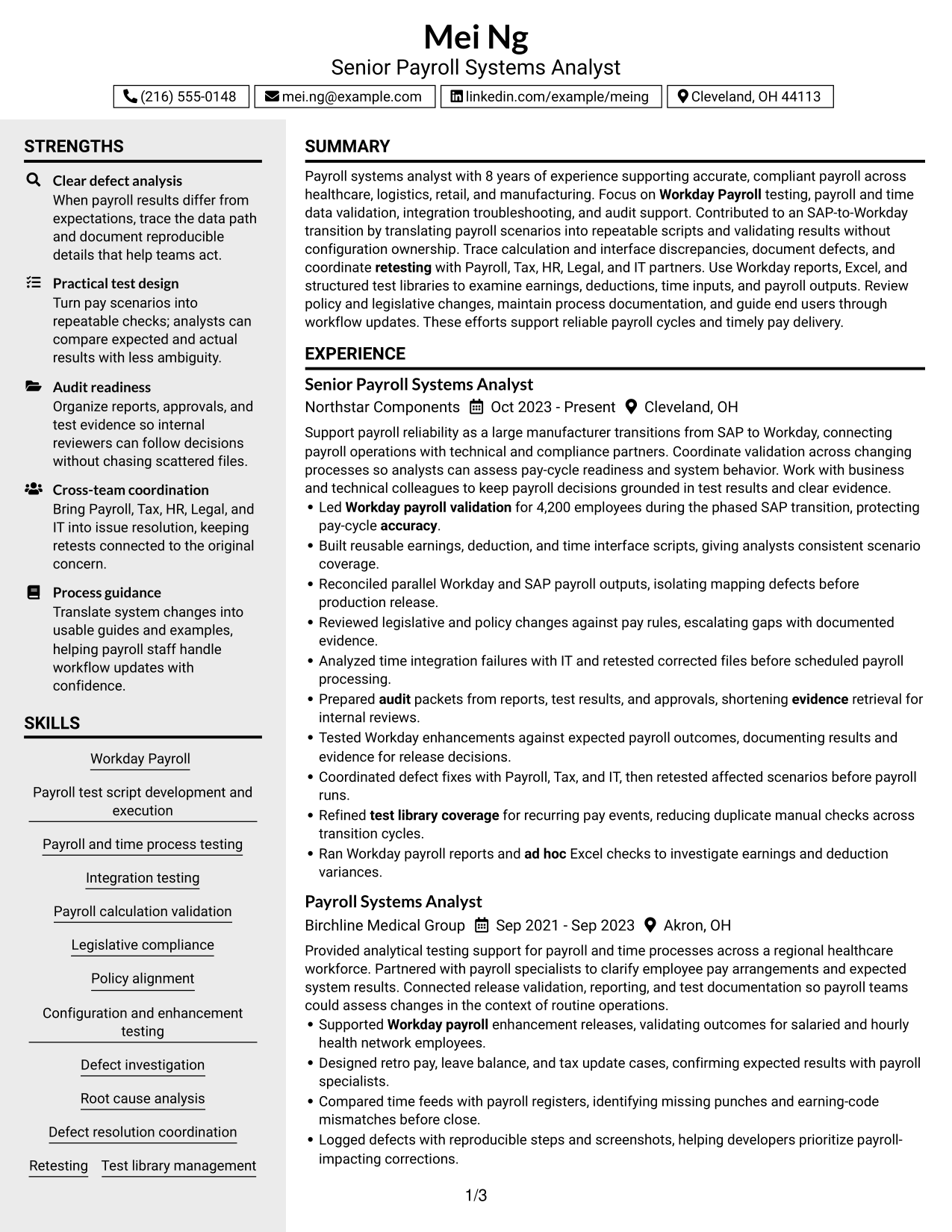
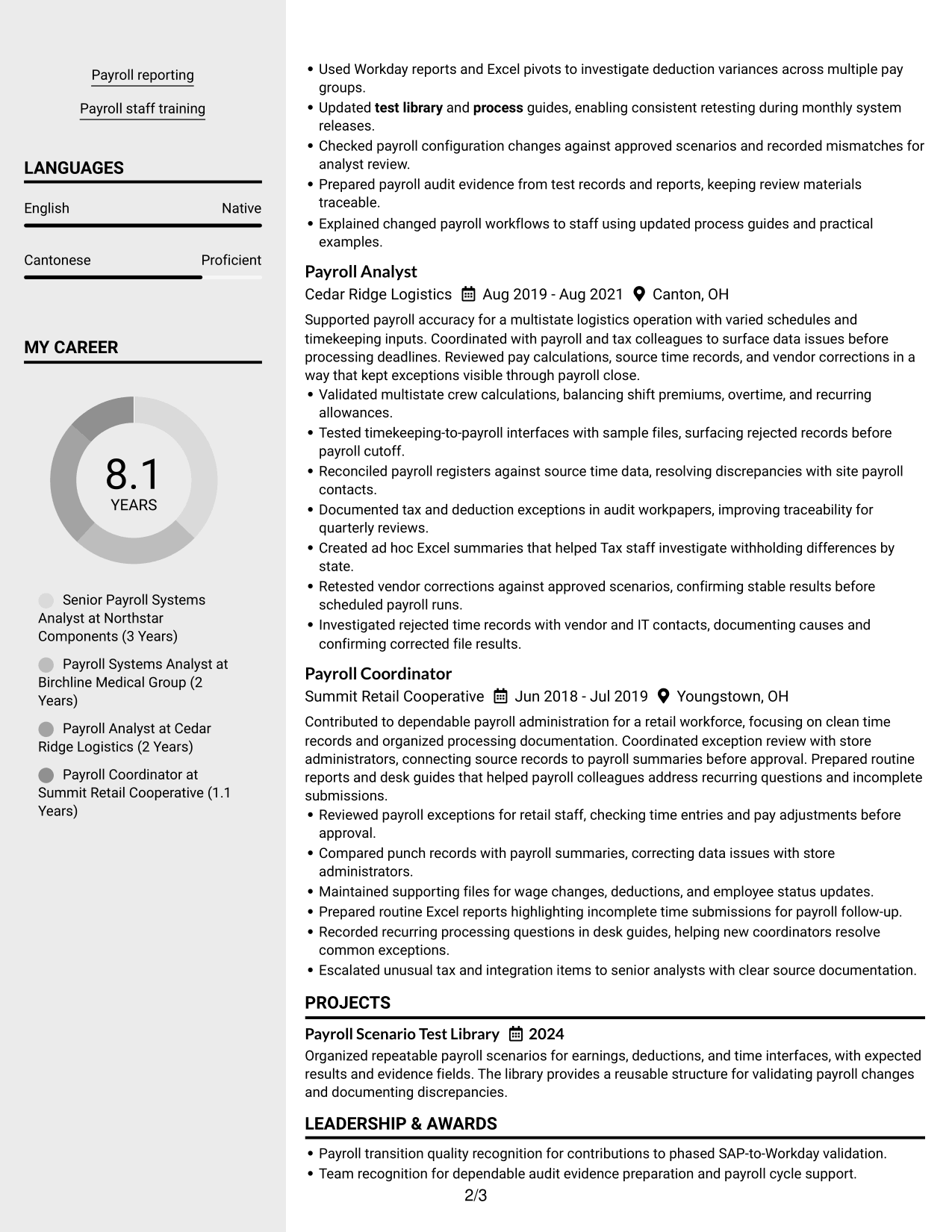
Why This Format Works
- The sidebar separates skills and education from the experience sections recruiters review in sequence.
- Distinct content areas help reviewers return to credentials without losing their place in career history.
- A clean division keeps achievements readable alongside supporting resume details.
Best For
- Resumes with both experience and supporting details
- Quick access to skills and education
- Readers who switch between resume sections
- Career histories with several roles
- A clear distinction between core and supporting content
#4 Two Column Format Resume Example
The Two Column Format arranges resume content in parallel areas, helping recruiters scan different sections without losing the overall structure.
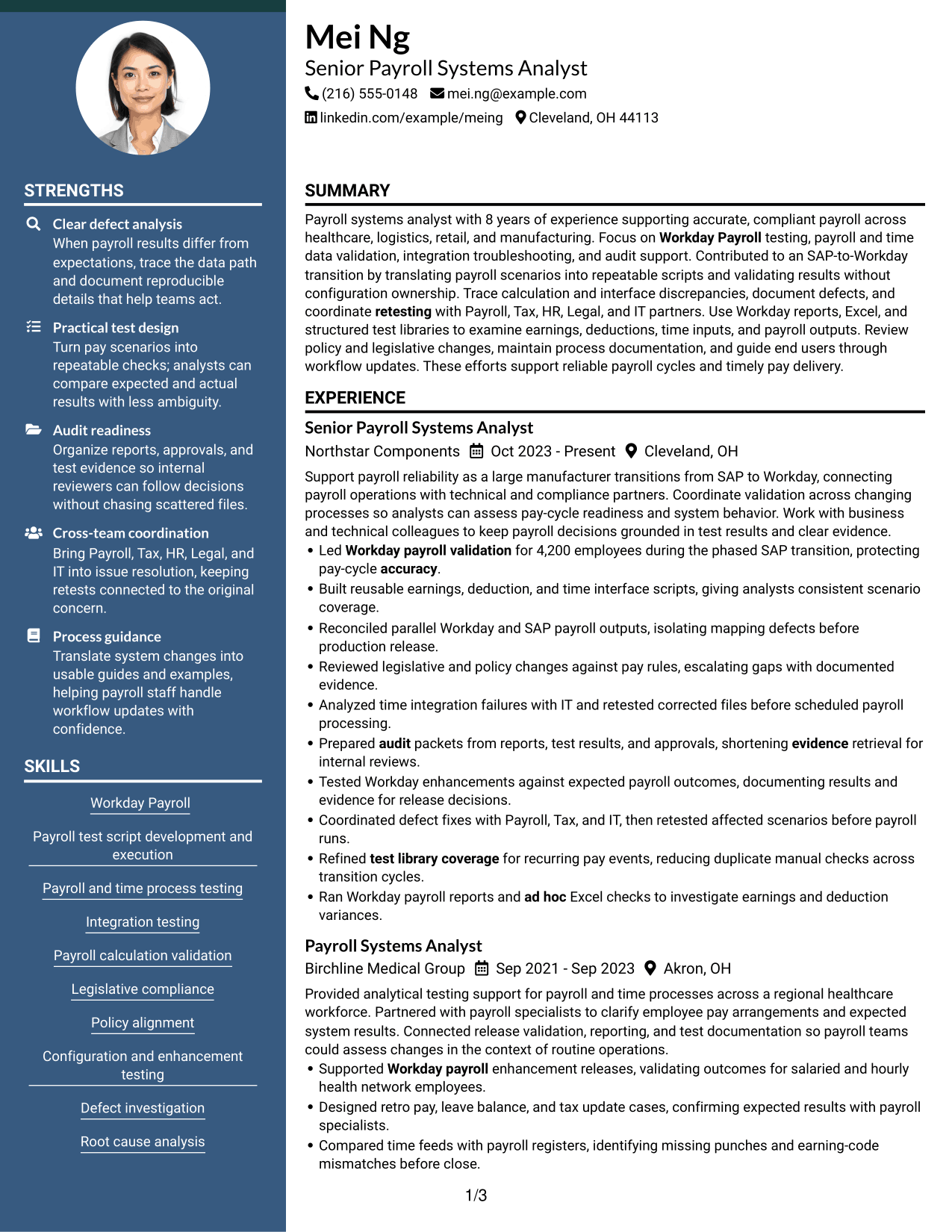
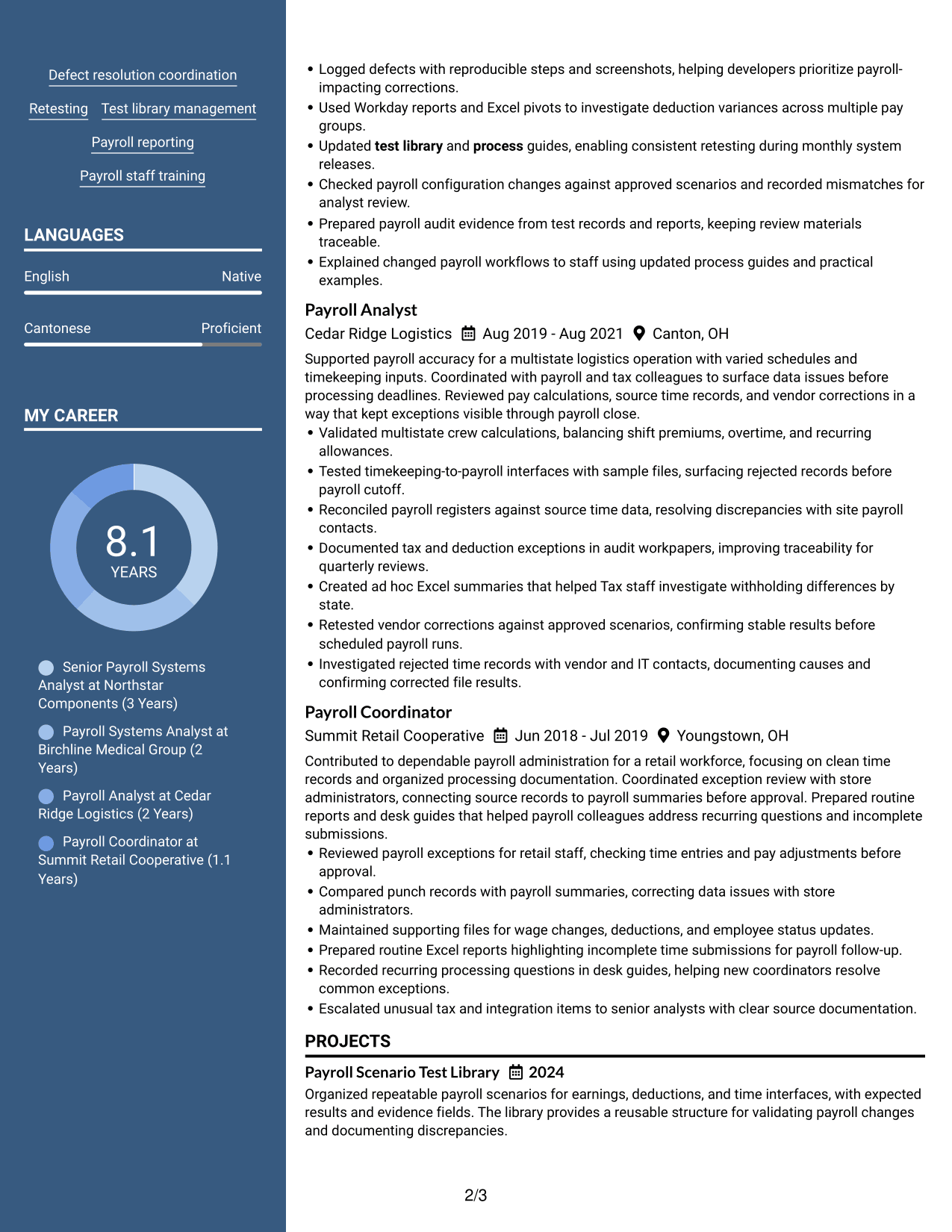
Why This Format Works
- Separate content areas help reviewers distinguish career history from other resume sections.
- Parallel sections make education and credentials easier to locate during a focused review.
- A clear structure keeps skills visible while recruiters assess experience and achievements.
Best For
- Resumes with varied section types
- Reviewers comparing experience with credentials
- Skills and education alongside career history
- Content that benefits from clear grouping
- Payroll systems analyst applications
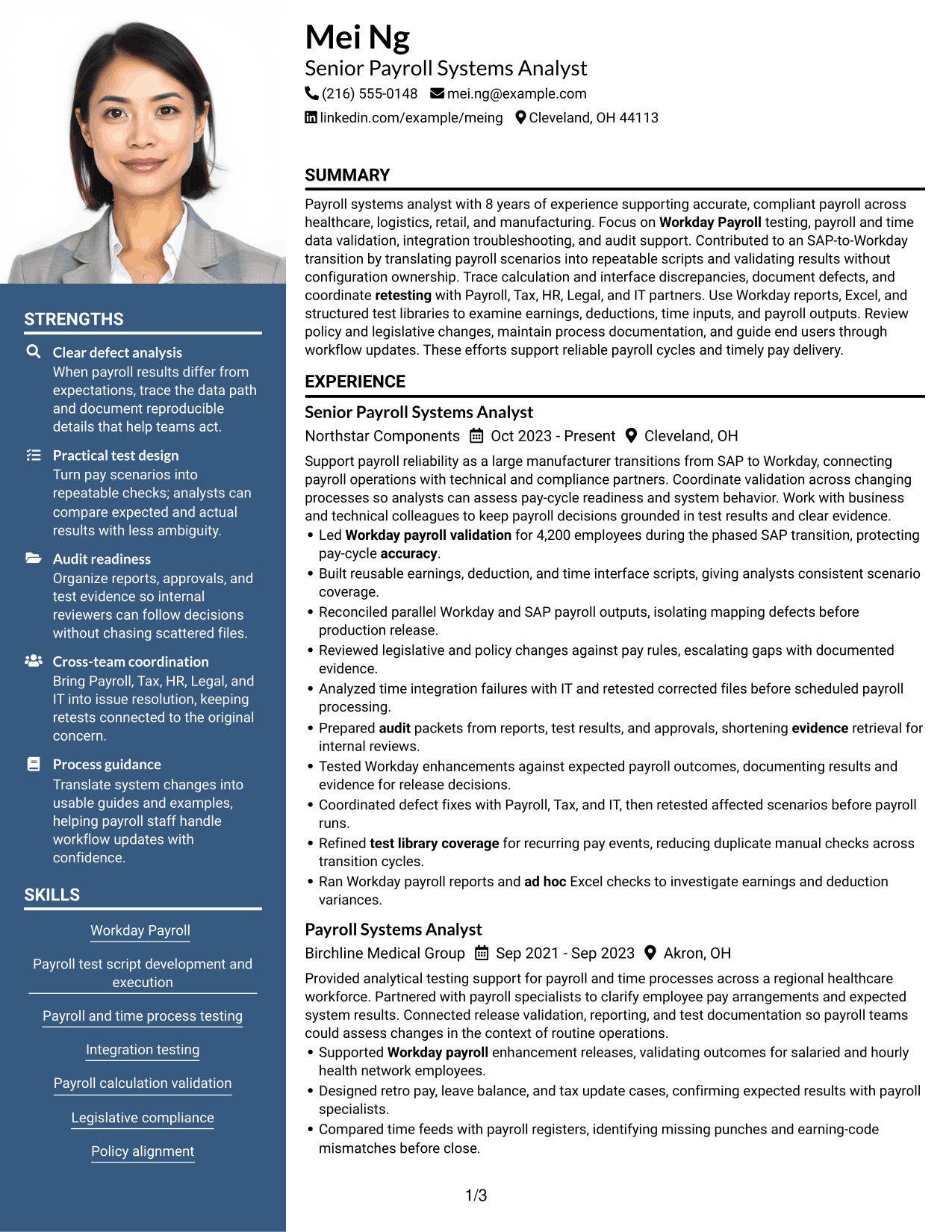
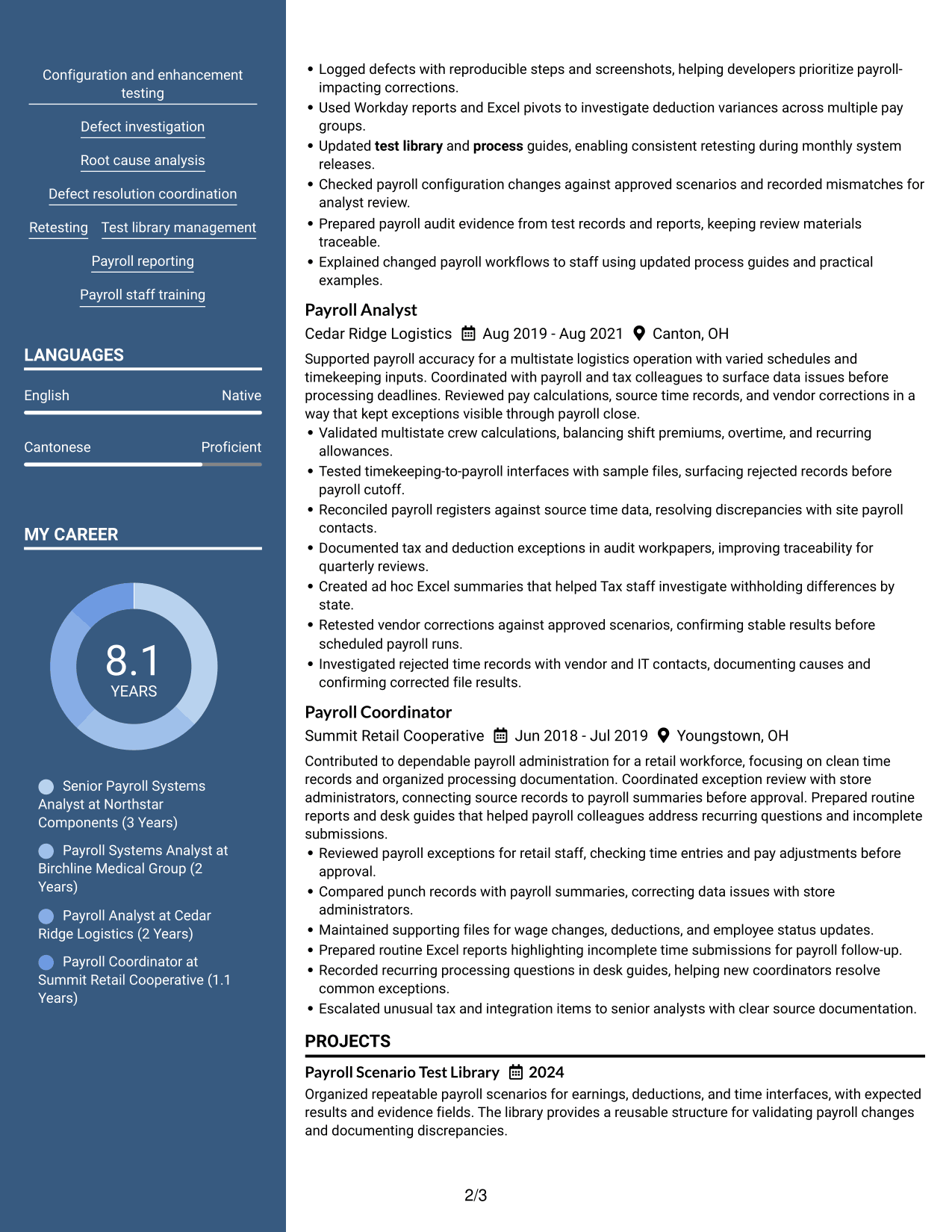
#5 Photo Header Two Column Format Resume Example
A photo header gives this two-column resume a distinct visual identity, with the body arranged for scanning across its section groups.
Why This Format Works
- Two-column sections help recruiters move between experience and supporting content with a clear path.
- Separate content areas keep education and credentials distinct from detailed career history.
- The photo header identifies the resume visually, while the body keeps achievements organized.
Best For
- Applications where a photo is appropriate
- Resumes needing a visible profile image
- Side-by-side organization of resume sections
- Career histories paired with supporting details
- Readers who want visual identification above the content
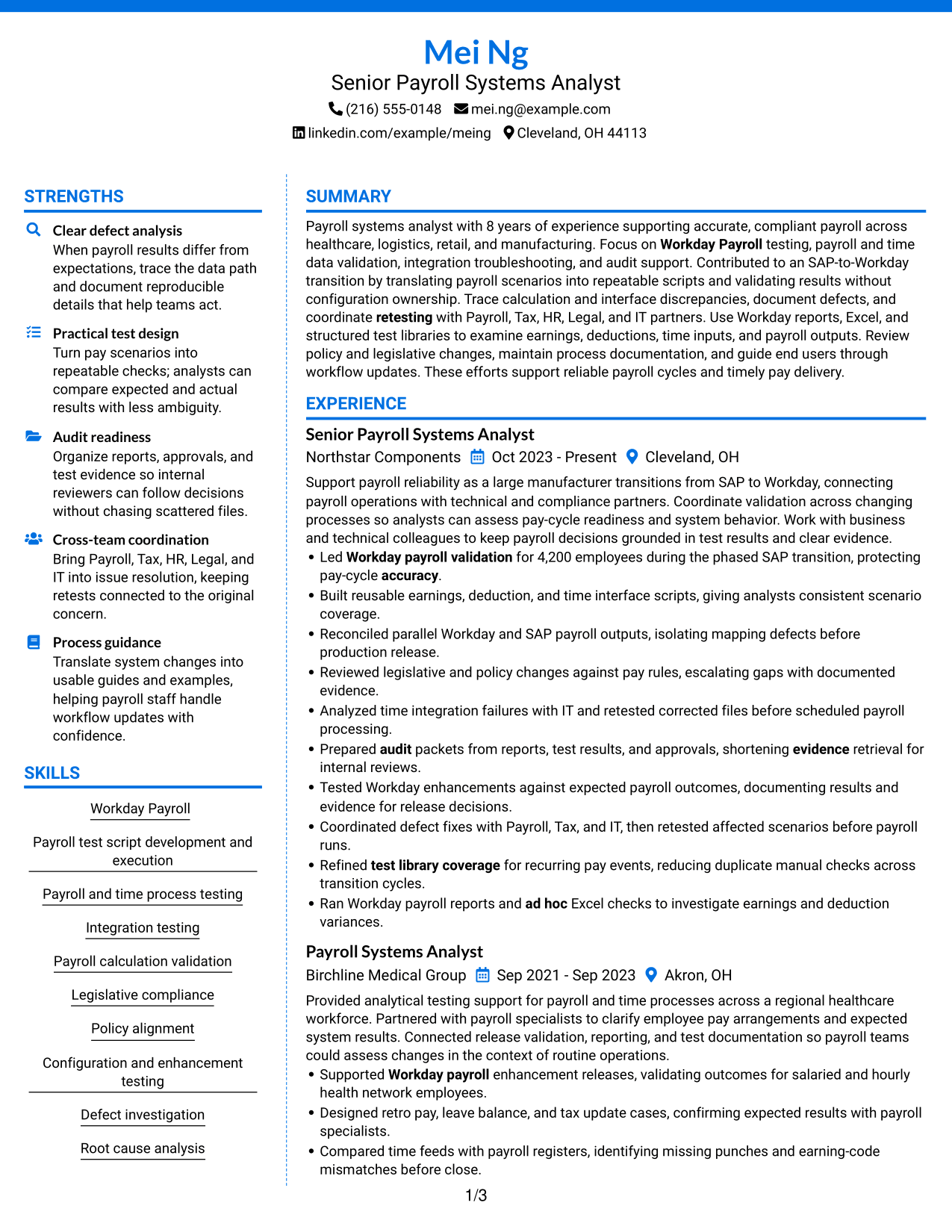
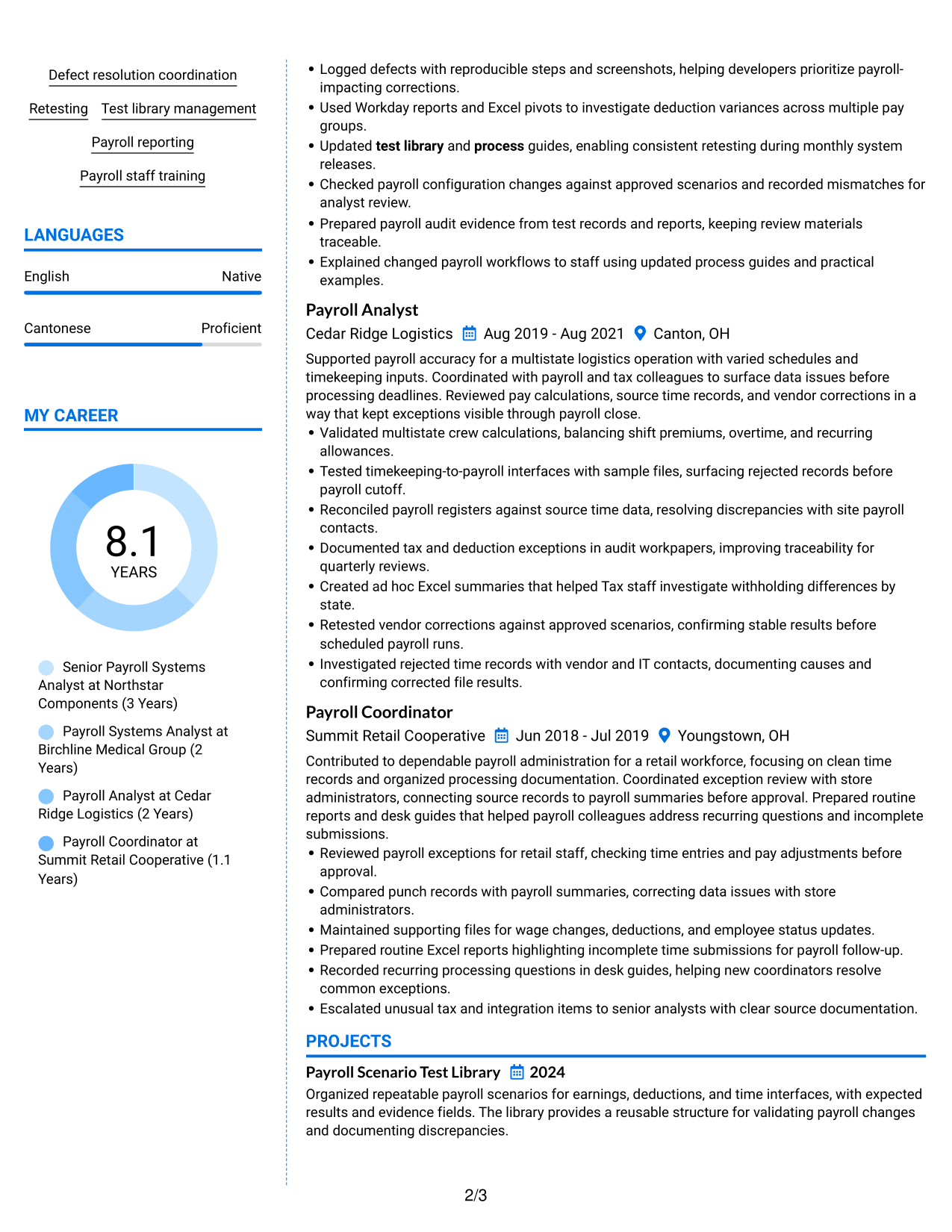
#6 Colored Two Column Format Resume Example
Color contrast distinguishes the section groups in the Colored Two Column Format, helping recruiters scan a structured resume body.
Why This Format Works
- Color contrast marks section groups, helping reviewers find skills and education beside experience.
- Two-column organization gives career history and supporting details separate visual areas.
- Clear visual boundaries help recruiters return to achievement details during a second scan.
Best For
- Section groups that benefit from color contrast
- Side-by-side review of experience and skills
- Resumes with several supporting sections
- Readers scanning for education and credentials
- A structured resume with clear visual divisions
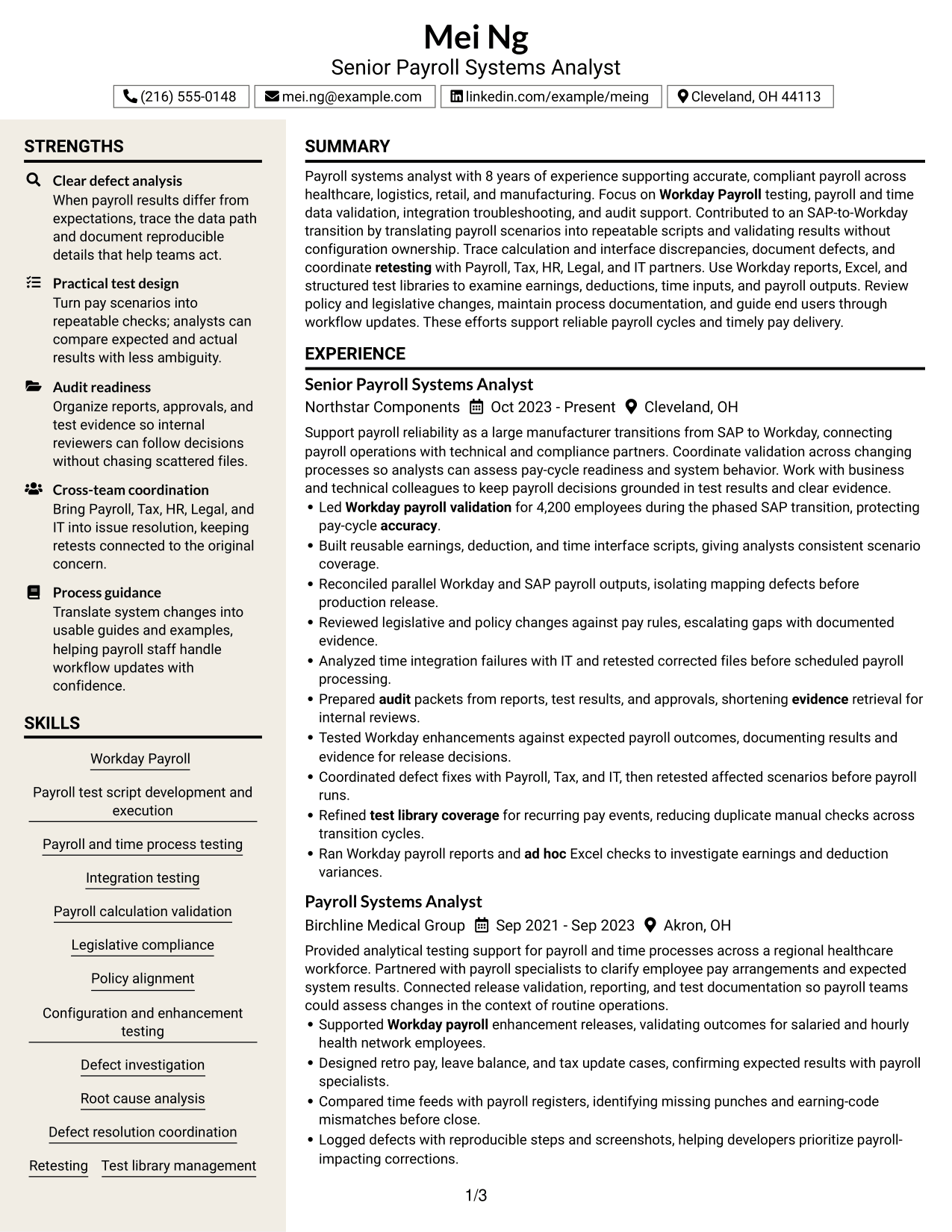
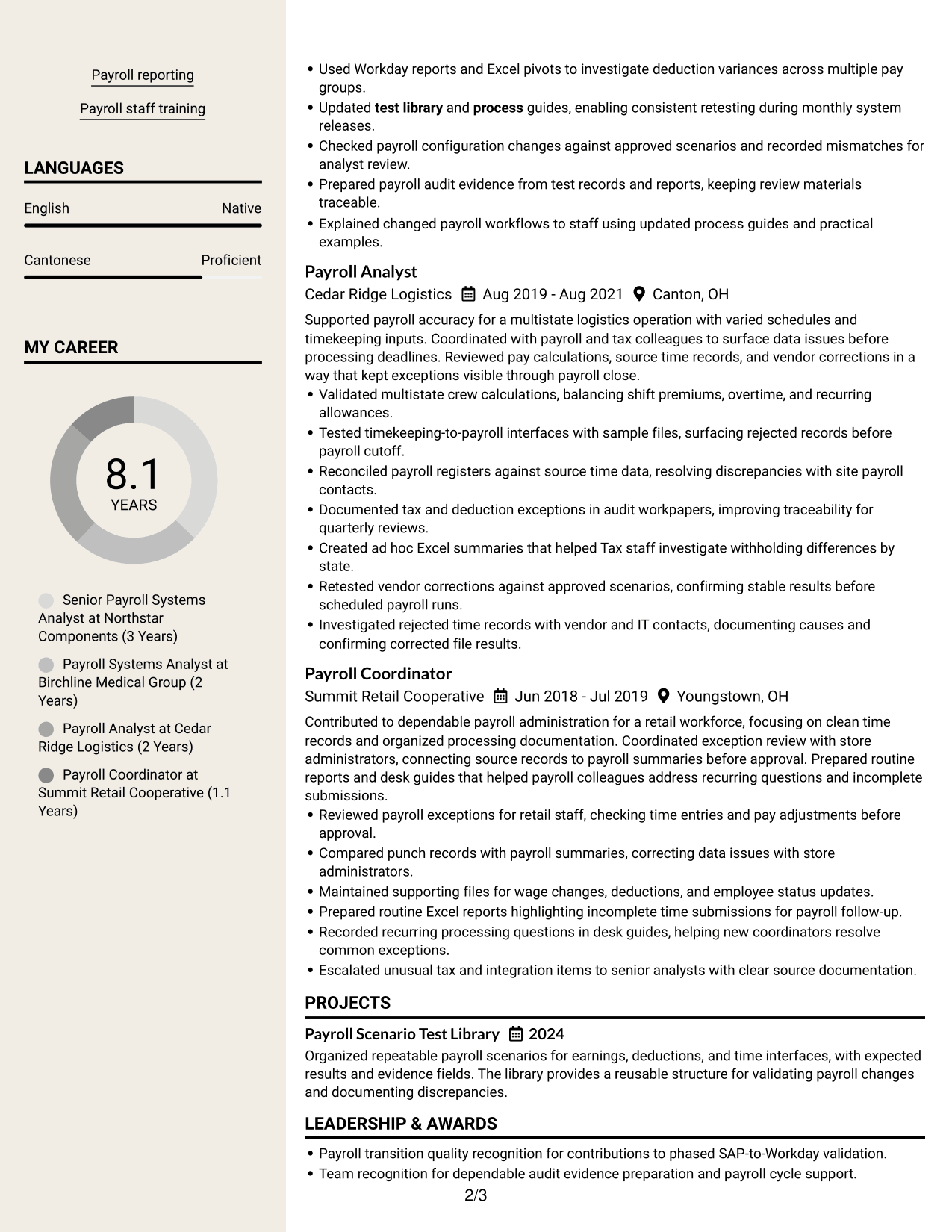
#7 Stylish Two Column Designer Format Resume Example
The Stylish Two Column Designer Format uses a visually distinct two-column presentation to guide recruiters between resume sections.
Why This Format Works
- The two-column reading path helps recruiters scan skills without interrupting the work history.
- Distinct section groups keep education and credentials easy to find during a quick review.
- A strong visual structure gives achievements room to stand apart from supporting details.
Best For
- Resumes needing a distinctive visual style
- Readers who scan across grouped sections
- Experience paired with supporting credentials
- Skills that should be easy to locate
- A polished two-column presentation
Why Build Your Workday Payroll Systems Analyst Resume with ResumeInMinutes
ResumeInMinutes helps you organize payroll systems experience, testing skills, tools, and results in a clear resume. Present work such as validating payroll outputs, investigating interface issues, maintaining test libraries, and preparing audit records in a format that is easy to review.
- Multiple resume layouts
- Clear, ATS-readable sections
- Role-relevant keyword guidance
- Organized skills and experience
- Free PDF resume previews
- Resume editing support
Choose a layout, then tailor your summary, experience, skills, education, and certifications to the Workday Payroll Systems Analyst role. Use specific test examples and verified results to make your contribution clear.
See Also
- 7 Senior IT Analyst - Administrative Systems Management (HR/Payroll) Resume Templates with Example
- 7 Analyst, Quality Systems Resume Templates with Example
- 33 Business Intelligence (BI) Developer / Business Systems Analyst Resume Templates with Example 2026 (ATS-Optimized)
- 7 Business Systems Analyst - Curriculum Systems Specialist Resume Templates with Example
- 7 Business Systems Analyst Resume Templates with Example
- 33 Business Systems / Data Analyst Resume Templates with Example 2026 (ATS-Optimized)
- 7 Departmental Analyst - Technology and Data Systems Resume Templates with Example
- 7 Laboratory Systems Interface Analyst Resume Templates with Example
- 7 Workday Payroll Systems Analyst Cover Letter Templates with Example
- 30+ Business Systems / Data Analyst Cover Letter Templates with Example 2026
Frequently Asked Questions
Are these Workday Payroll Systems Analyst resume templates ATS-friendly?
The layouts use clear sections and readable headings. Include accurate role terms, such as Workday Payroll testing, payroll and time data validation, integration troubleshooting, and audit support, where they match your experience.
Are these different resume examples or layouts?
They show one Workday Payroll Systems Analyst resume example in different visual layouts. The content can help you plan your own sections and bullets.
What should a Workday Payroll Systems Analyst resume include?
Include a focused summary, relevant experience, skills, education, and applicable certifications or projects. Describe payroll testing, test scripts, data checks, defect resolution, reporting, and audit evidence when supported by your background.
Can I download the resume templates as PDFs?
Yes. You can preview the resume layouts as free PDF downloads and compare them before choosing a format.
Which resume style works well for this role?
A simple layout with clear headings is a good choice. It helps readers find payroll systems skills, experience, and results, and it is easier for applicant tracking systems to scan.
How can I show payroll testing results on my resume?
Use concise bullets that name the task, the method, and the outcome. For example, describe the payroll scenarios tested, how discrepancies were investigated, and what changed after retesting. Use numbers only when you can verify them.
Should I include Workday and SAP experience?
Include the systems you have used and explain the work you performed with them. If relevant, describe payroll validation during an SAP-to-Workday transition without suggesting configuration ownership you did not have.
Can I customize these resume templates?
Yes. You can edit the resume content and layout to emphasize your relevant payroll systems experience, tools, skills, and verified results.




