
7 Workday Reporting & Prism Analytics - Application Consultant Resume Templates with Example
This guide shows you how to build a Workday Reporting & Prism Analytics - Application Consultant resume that is focused, easy to scan, and simple to adapt. You will learn how to organize evidence, choose strong resume sections, and compare 7 professional layouts.
For this role, give clear proof of reporting and analytics work. Useful details include Workday HCM reporting, Prism datasets and pipelines, complex Calculated Fields, security, testing, requirements gathering, documentation, and end-user training.
Strong bullets should show what you built, supported, tested, or improved. Use exact job language when it matches your background, and add measurable scope when you can, such as the size of an employee population or the number of people you mentored.
What Makes a Great Workday Reporting & Prism Analytics - Application Consultant Resume in 2026
A strong resume is easy to scan, rich in relevant keywords, and backed by clear evidence. Keep the summary focused and make experience bullets show practical delivery.
Match terms such as Workday Reporting, Prism Analytics, Advanced Reporting, Calculated Fields, testing, security, and requirements gathering only when they are supported by your real experience.
The examples shown below are intentionally detailed to demonstrate a range of experiences, skills, accomplishments and relevant keywords. We prefer detailed resumes as they provide more context to the hiring managers and also help the ATS systems identify relevant qualifications and score your resume better for a match. But the length of a resume is an individual choice. If you want a one page resume, just keep the most relevant experience and information for the job. Note: Resume examples are for educational purposes only. Use only information that accurately reflects your experience and qualifications. References to real organizations do not imply affiliation or endorsement.
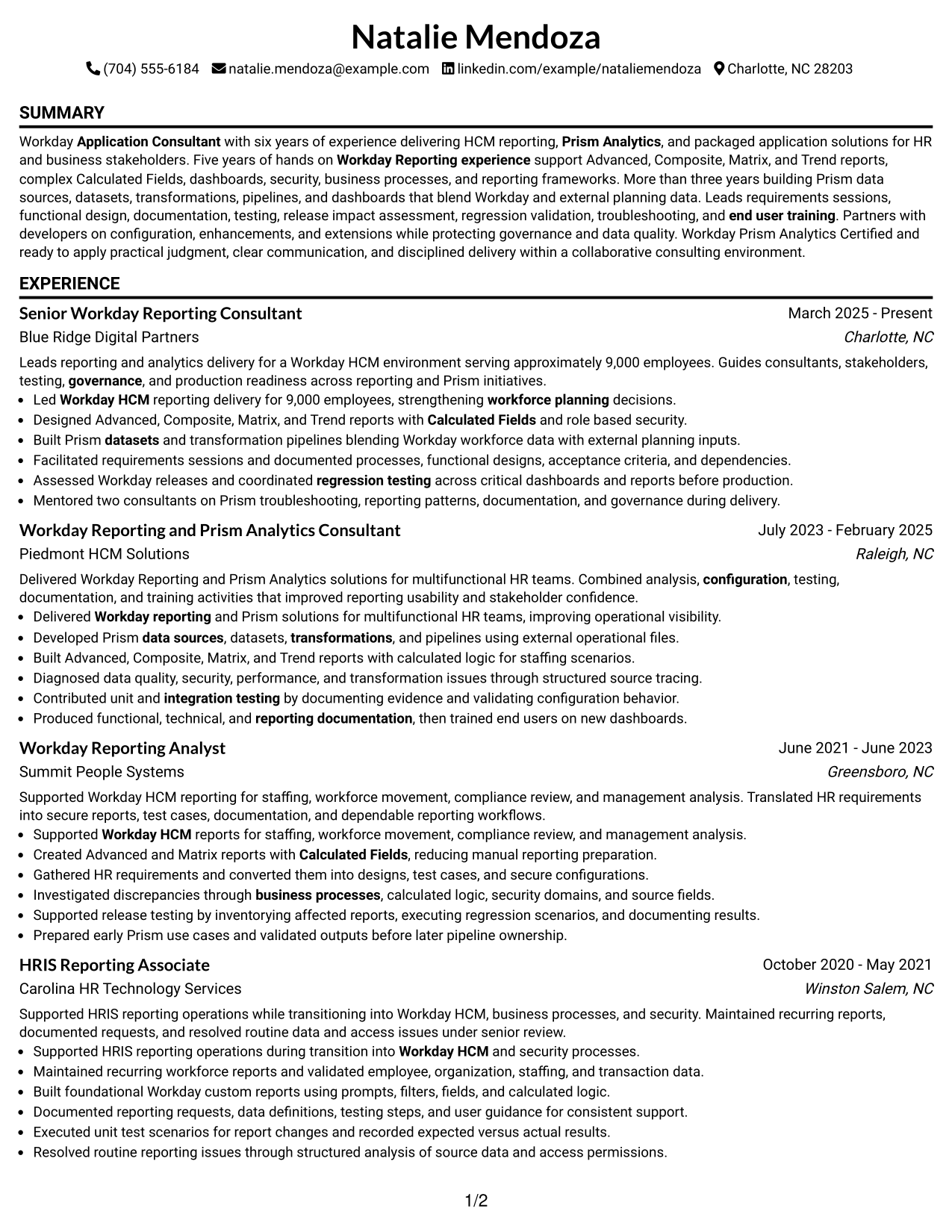
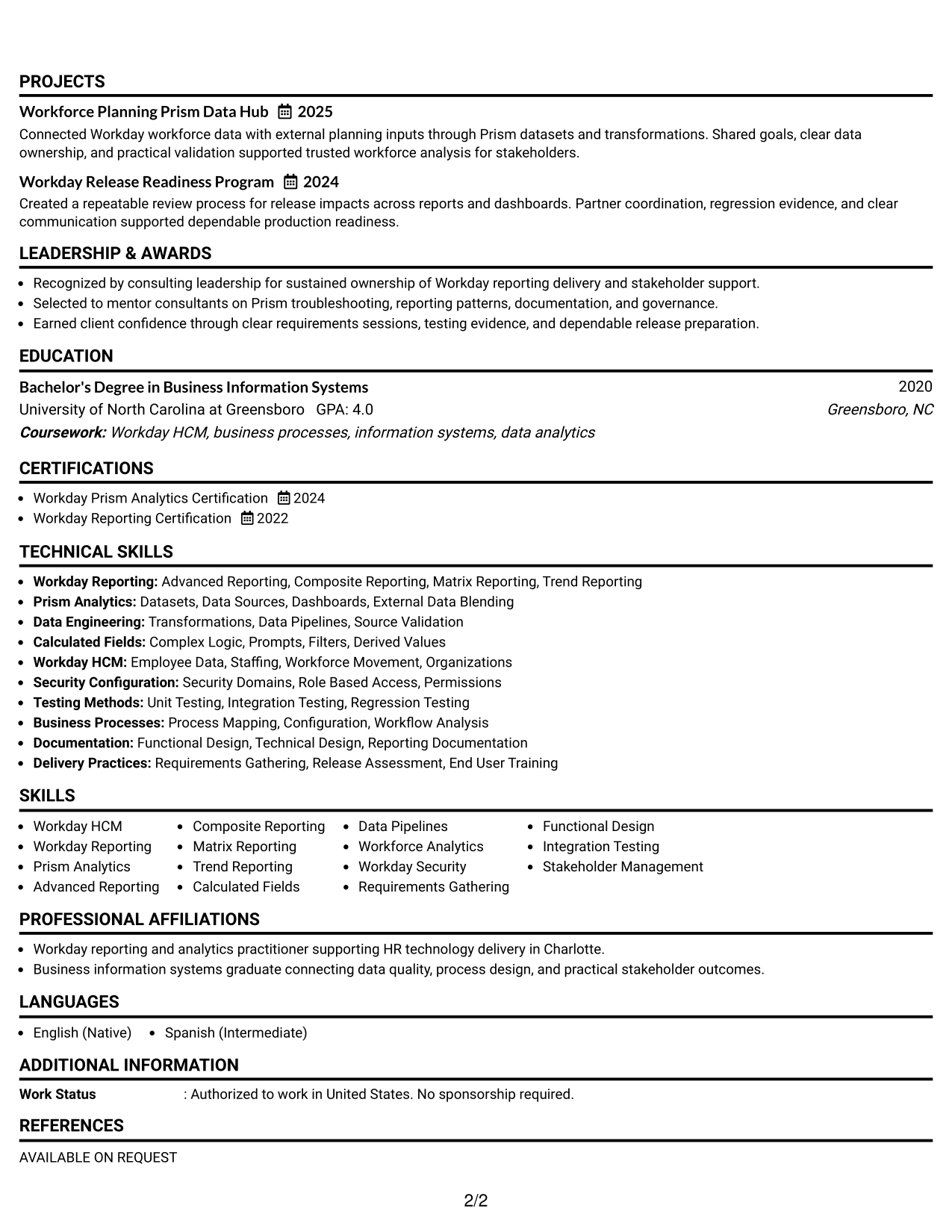
#1 Simple One Column Format Resume Example
A simple one-column flow gives recruiters one clear reading path through the resume, from summary and experience to skills and credentials.
Why This Format Works
- Linear reading keeps career progression easy to follow from role to role.
- Full-width sections give achievement bullets room for clear context and results.
- Simple section order helps recruiters locate skills, education, and credentials quickly.
Best For
- Straightforward recruiter scanning
- Detailed experience sections
- Strong chronological career histories
- Applications using traditional resume structure
- Readers who prefer one clear flow
Resume Keywords
- Workday Reporting
- Prism Analytics
- Workday HCM
- Advanced Reporting
- Composite Reporting
- Matrix Reporting
- Trend Reporting
- Calculated Fields
- Data Pipelines
- Workday Security
- Requirements Gathering
- Regression Testing
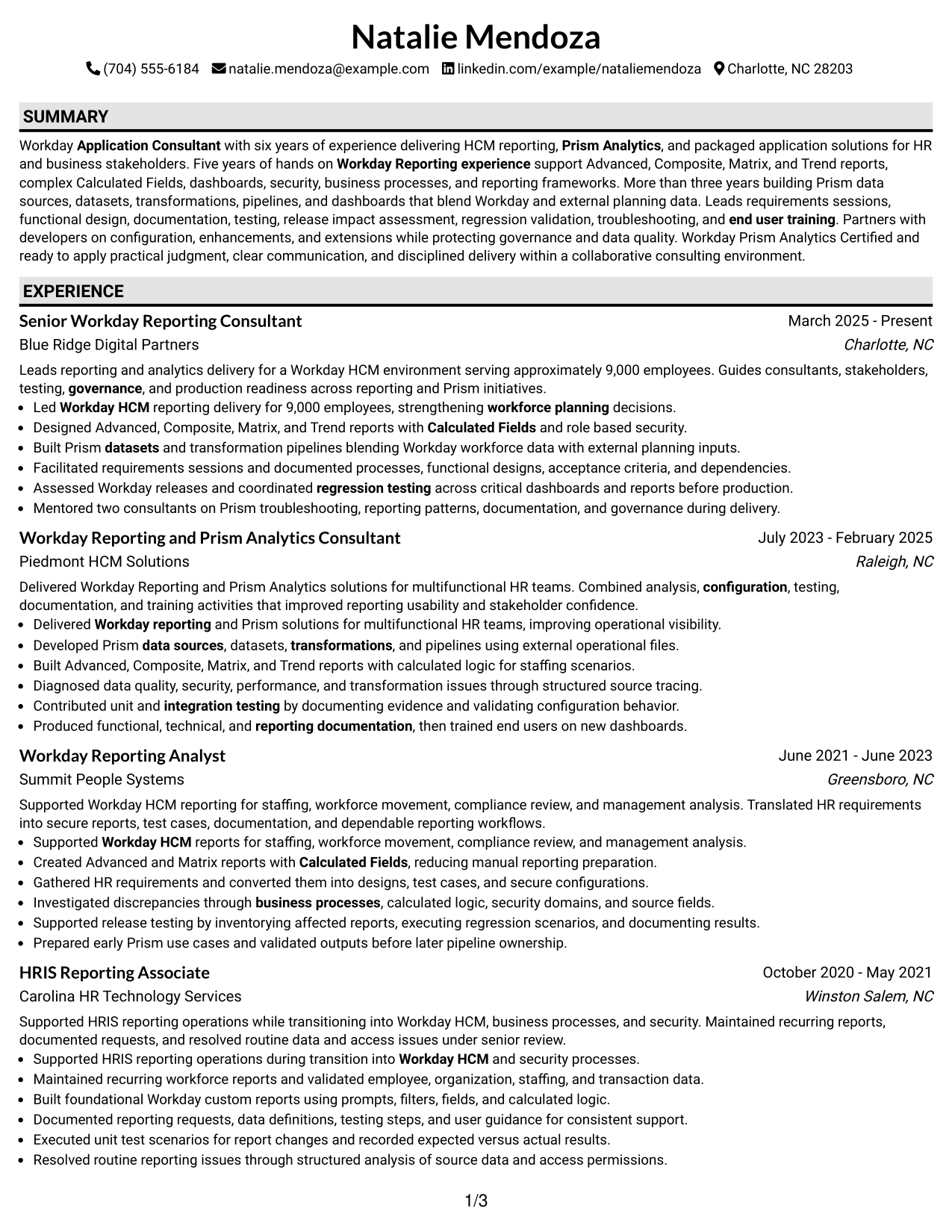
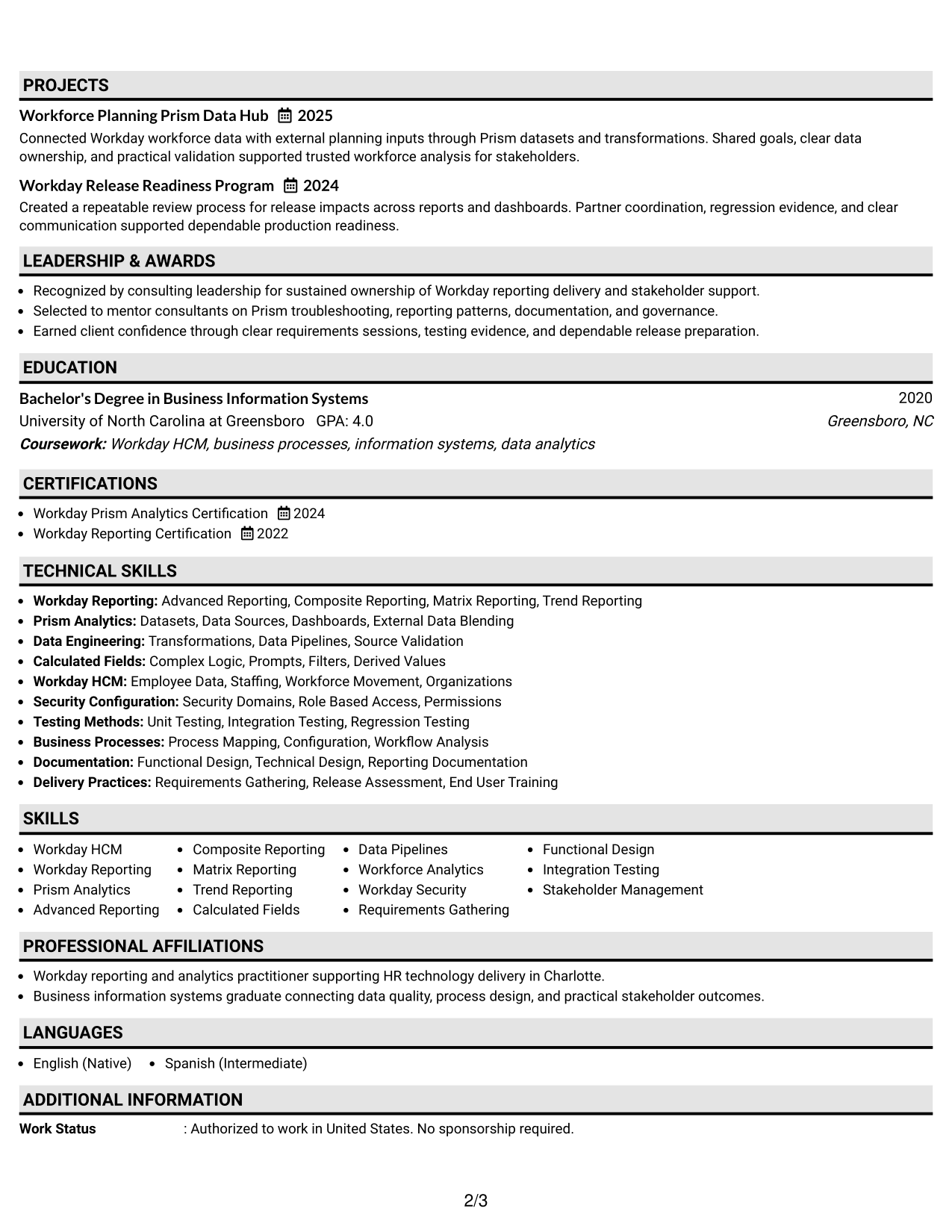
#2 Plain One Column with Shaded Labels Resume Example
Shaded section labels break up the one-column resume so recruiters can move between major content areas without losing the natural top-to-bottom reading order.
Why This Format Works
- Shaded labels create clear stops between experience, skills, education, and credentials.
- One-column reading preserves a direct sequence for career history and achievements.
- Visible section boundaries help reviewers return to key content after scanning.
Best For
- Longer resumes with several sections
- Readers who value clear section breaks
- Chronological experience with supporting credentials
- Applications needing quick section navigation
- Content that benefits from stronger labels
#3 One Column Format with Photo Right Resume Example
This one-column format keeps the resume body in a direct reading path while a photo at the right of the header adds a personal visual element.
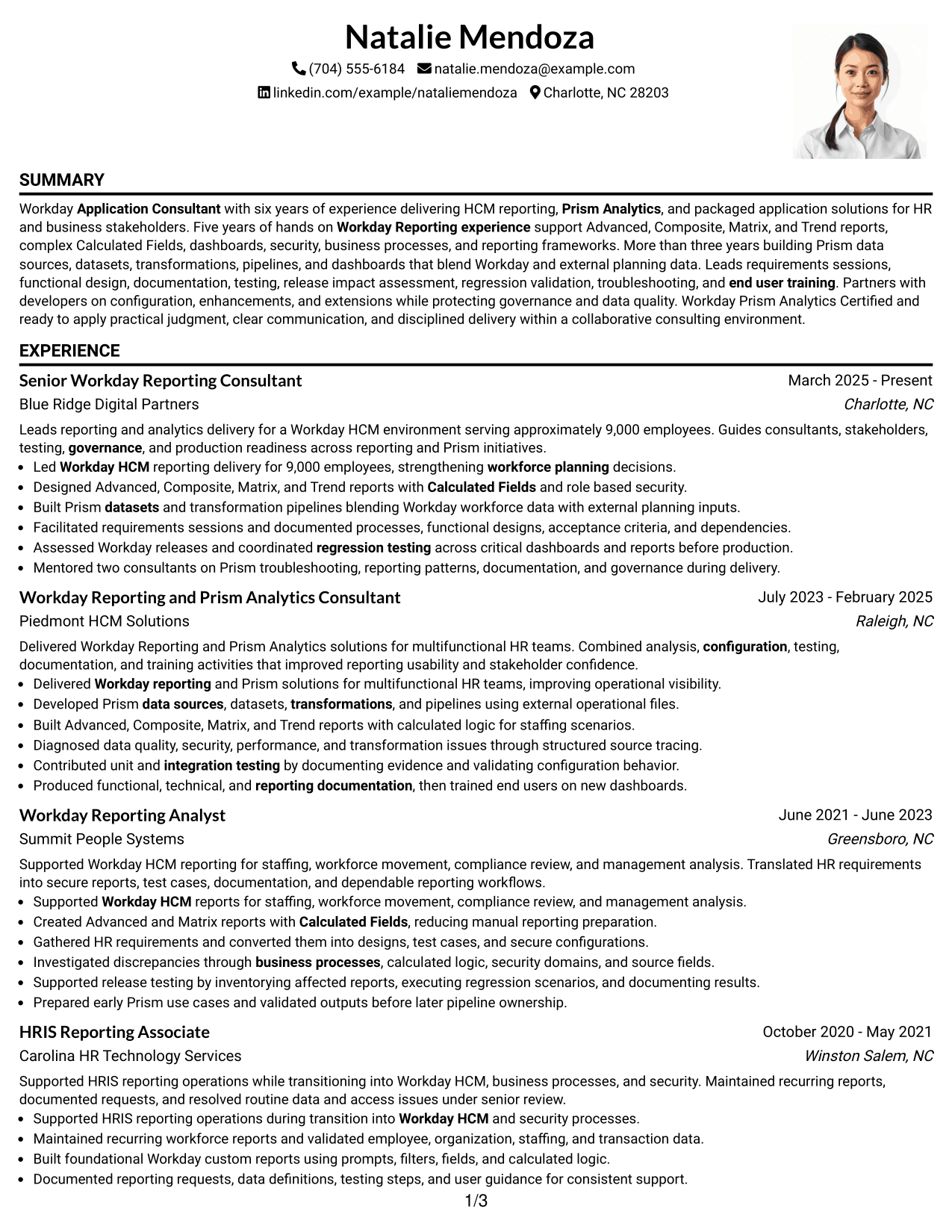
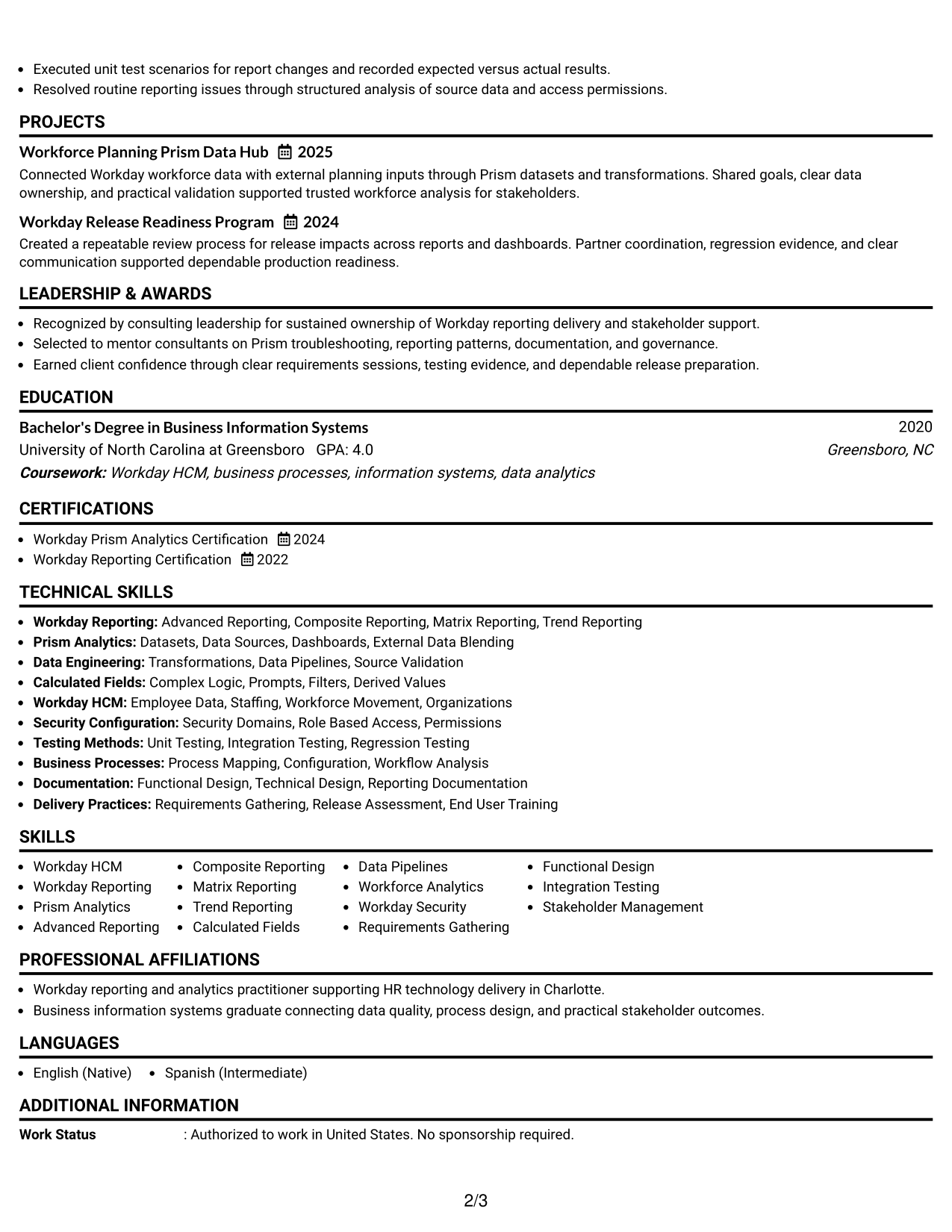
Why This Format Works
- Single body flow keeps experience and achievements in an easy sequence.
- Header photo stays separate from the main sections and career content.
- Full-width body space supports readable skills, education, and credential sections.
Best For
- Markets where resume photos are customary
- Direct top-to-bottom reading
- Experience-heavy professional resumes
- Readers who want a personal header
- Applications outside typical U.S. photo norms
#4 Clean Two Column Sidebar Format Resume Example
A clean two-column sidebar separates supporting details from the main career story, helping recruiters scan compact information while following experience in a distinct area.
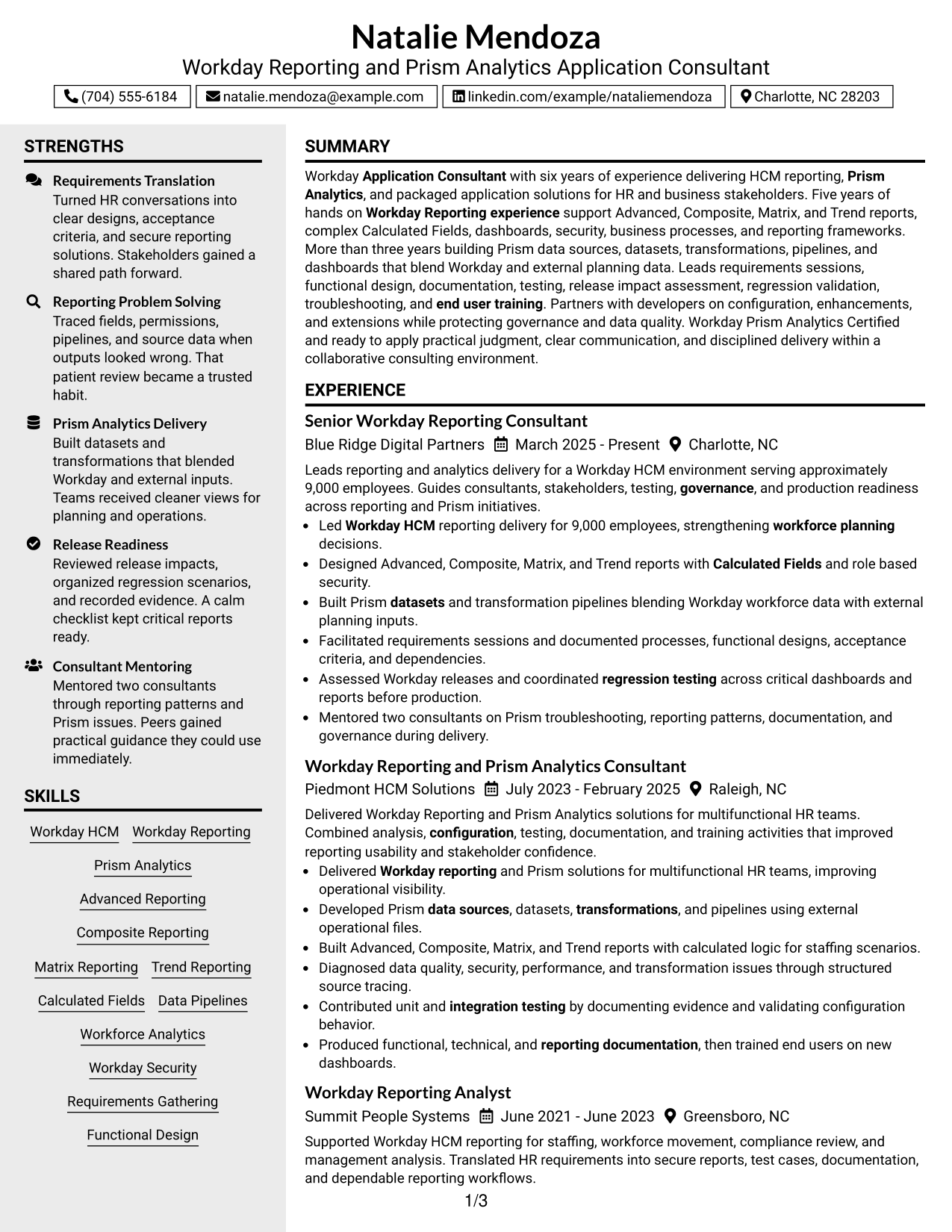
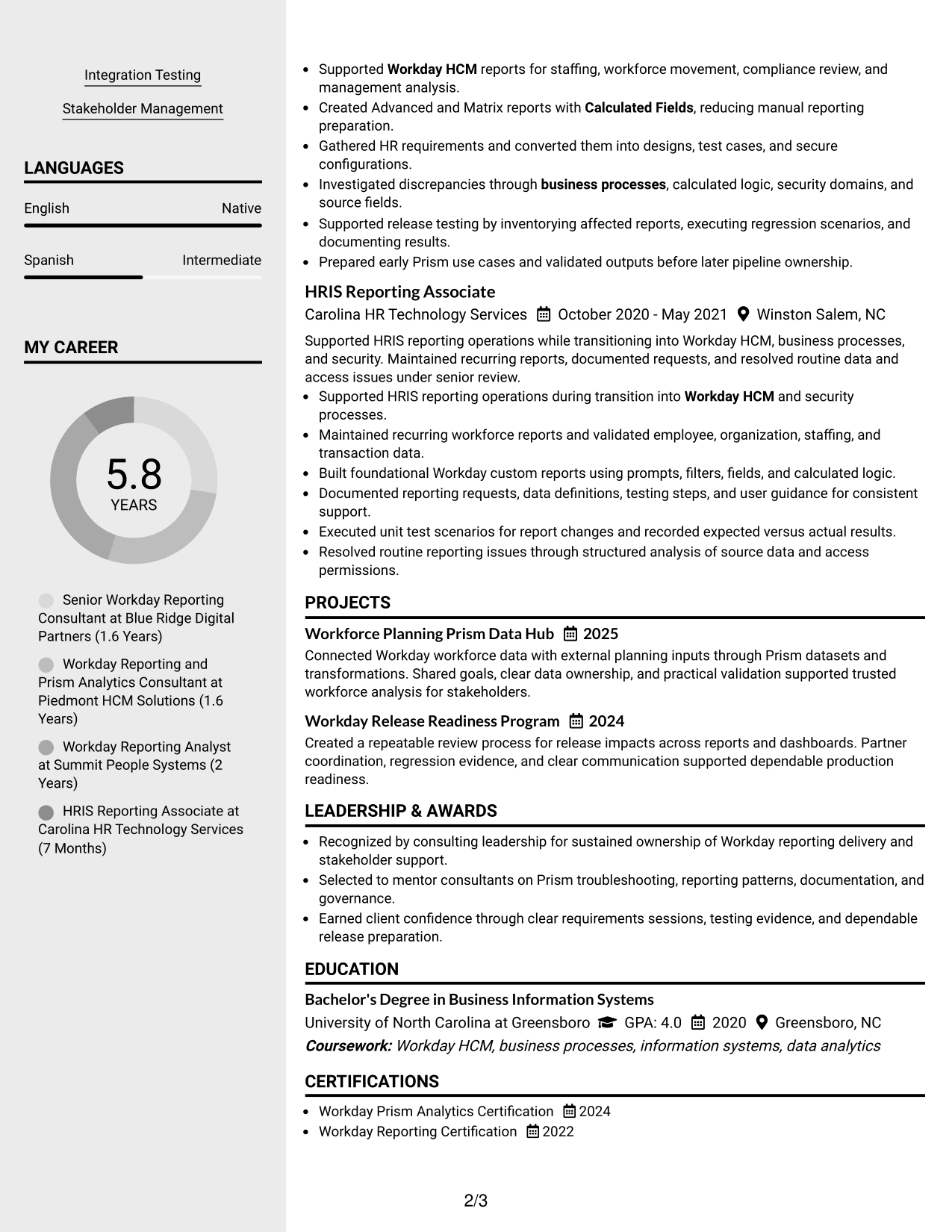
Why This Format Works
- Sidebar separation keeps skills and credentials distinct from the main experience narrative.
- Two-column structure lets recruiters compare supporting qualifications with career progression.
- Main-column space keeps achievement evidence readable despite compact supporting sections.
Best For
- Resumes with broad skills lists
- Credentials needing compact organization
- Readers comparing qualifications and experience
- Career histories with many supporting details
- Applications favoring structured visual separation
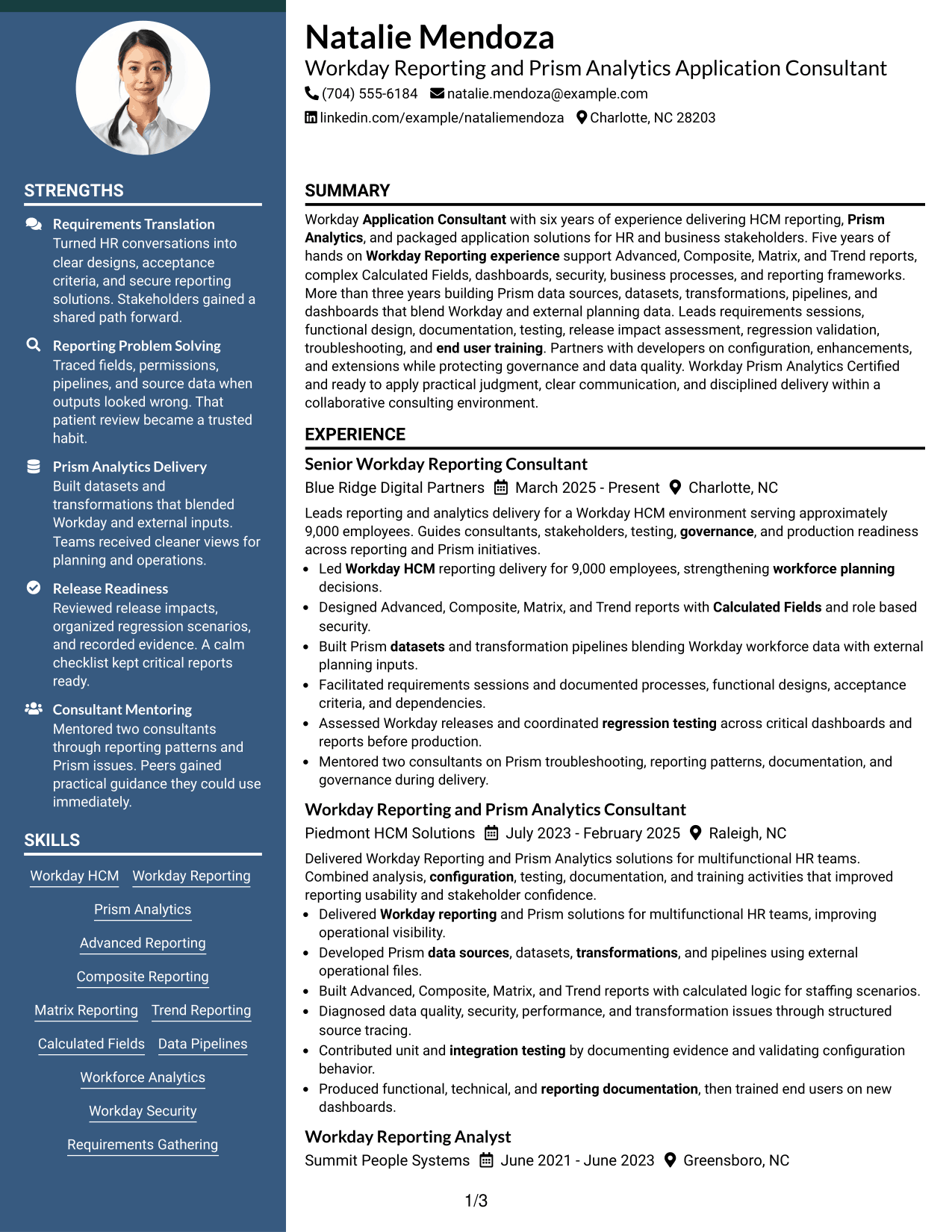
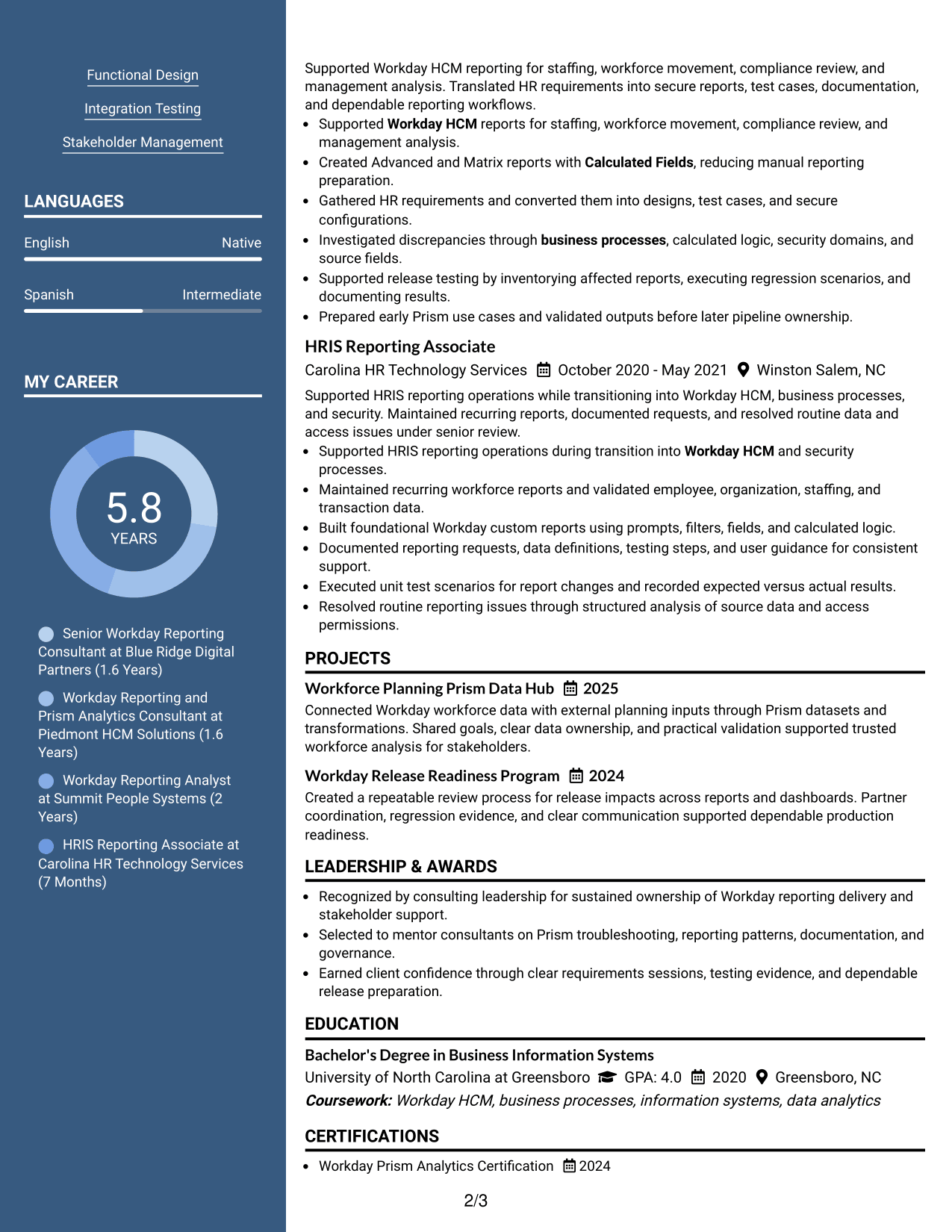
#5 Two Column Format Resume Example
The two-column body divides information into parallel areas, giving recruiters a faster way to compare career content with supporting skills and credentials.
Why This Format Works
- Parallel columns reduce long vertical runs across experience and supporting sections.
- Separate content areas make skills and credentials easier to compare with experience.
- Balanced body space supports both career history and concise achievement evidence.
Best For
- Balanced experience and skills content
- Compact presentation of several sections
- Readers who compare details side by side
- Resumes with substantial supporting qualifications
- Professional applications needing dense organization
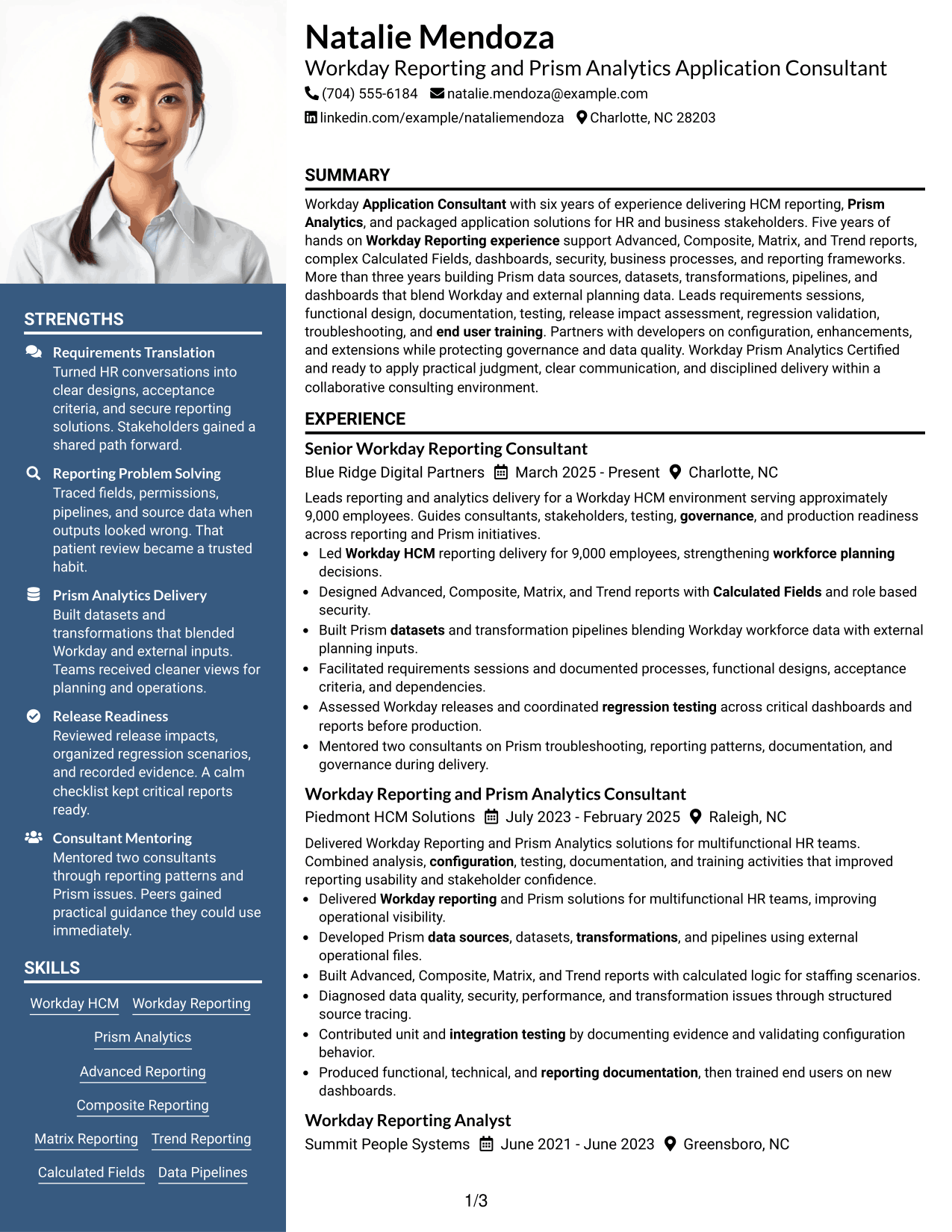
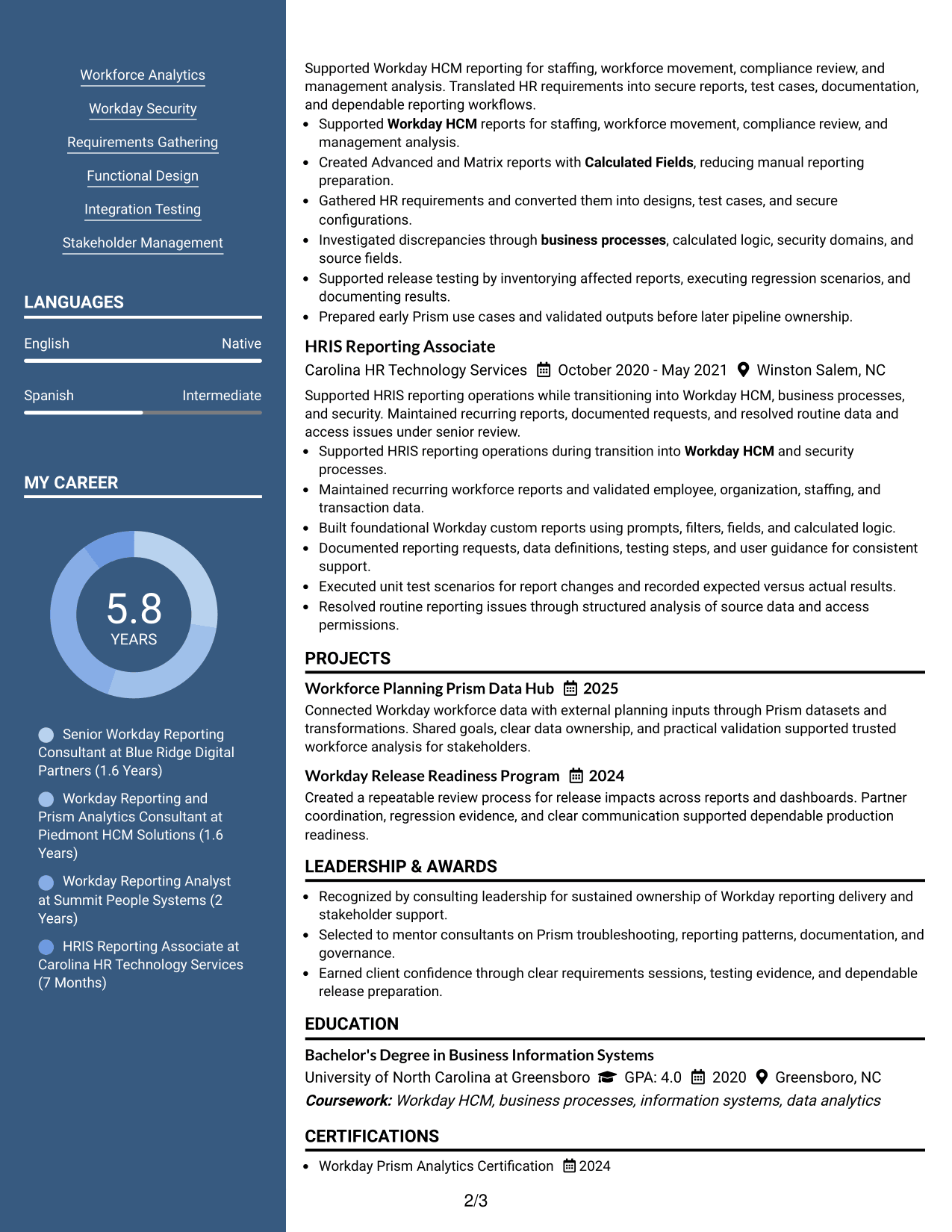
#6 Photo Header Two Column Format Resume Example
A photo header adds a personal visual cue above a two-column body that helps recruiters scan career information and supporting qualifications in separate areas.
Why This Format Works
- Two-column body separates career history from shorter supporting qualification sections.
- Photo remains in the header without interrupting the resume's main content flow.
- Divided body areas help reviewers locate achievements, skills, education, and credentials.
Best For
- Regions where professional photos are expected
- Resumes with varied supporting sections
- Readers who prefer divided content areas
- Career evidence plus compact qualifications
- International applications using photo resumes
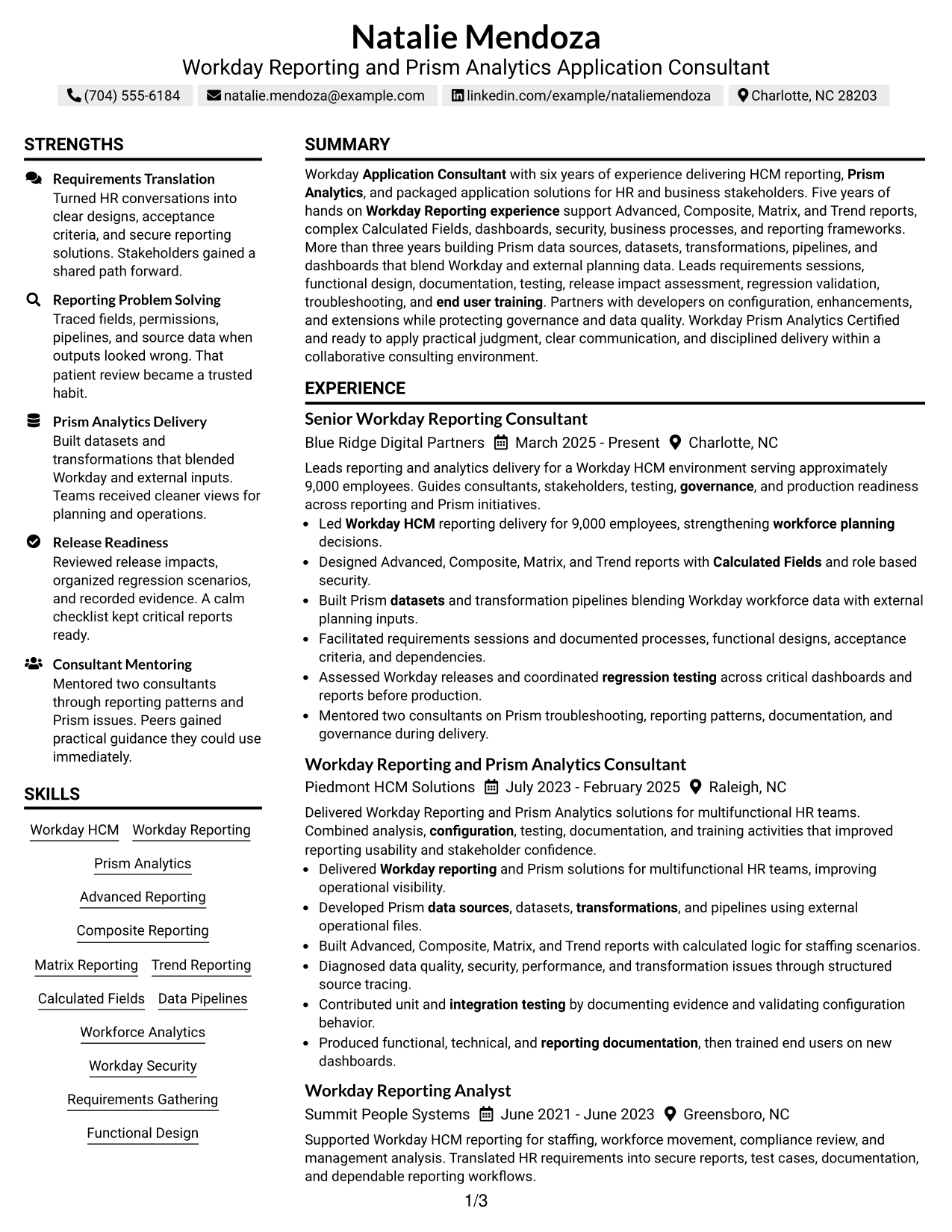
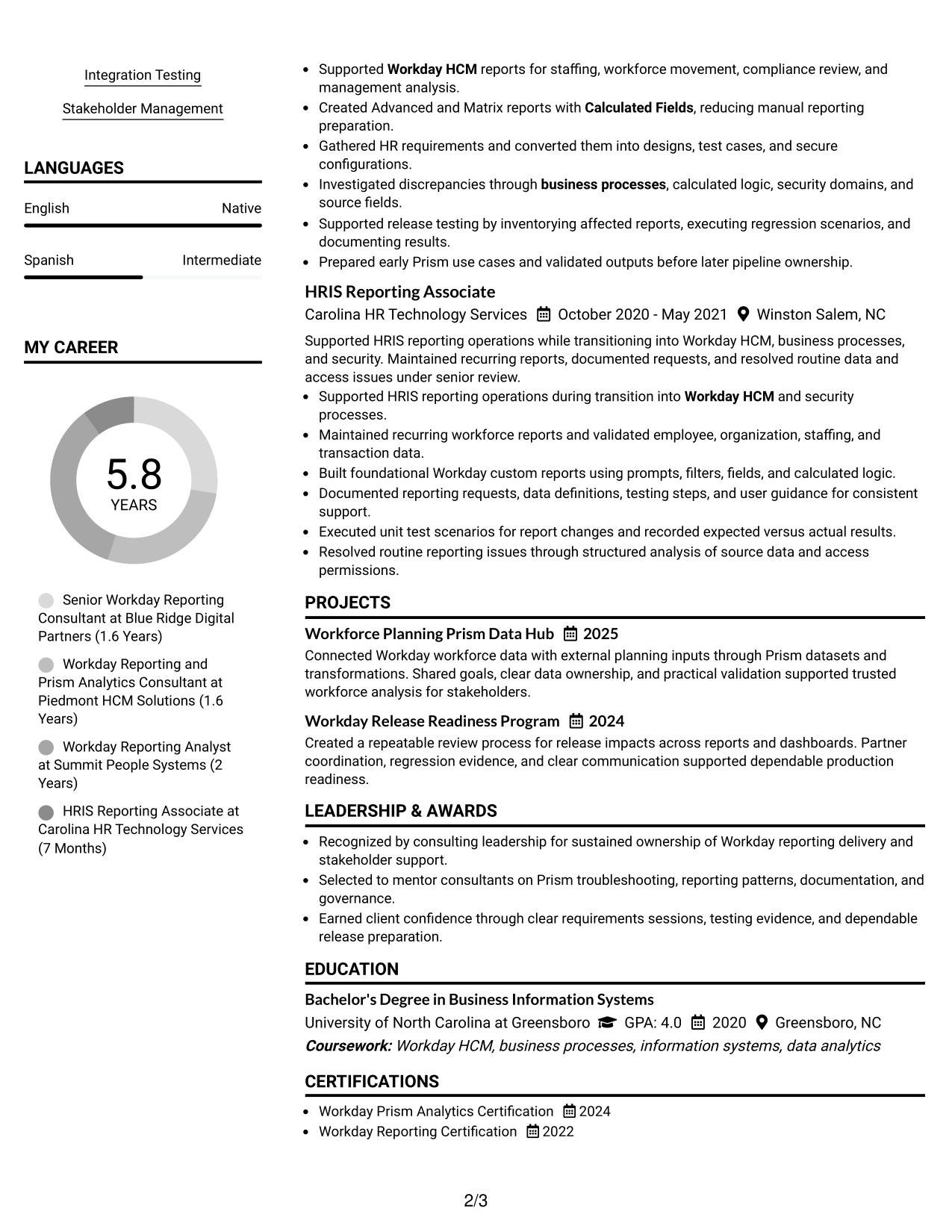
#7 Simple Two Column Format Resume Example
This simple two-column format groups resume content into two clear areas, helping recruiters scan detailed experience alongside concise supporting information.
Why This Format Works
- Simple column divisions keep experience and supporting content easy to distinguish.
- Compact secondary space prevents shorter qualifications from stretching the reading path.
- Clear grouping helps recruiters review achievements, skills, education, and credentials efficiently.
Best For
- Detailed experience with concise side content
- Readers needing fast category scanning
- Resumes balancing depth and compactness
- Applications with several credential types
- Professionals with established career progression
See Also
- 7 Analyst, Reporting & Analytics Resume Templates with Example
- 7 Workday Compensation Application Consultant - Core and Advanced Compensation Resume Templates with Example
- 7 Workday Integration - Application Consultant Resume Templates with Example
- 7 Workday Security - Application Consultant Resume Templates with Example
- 33 Senior Cybersecurity Power BI Reporting Analyst Resume Templates with Example 2026 (ATS-Optimized)
- 7 Integration Engineer 3, Workday - Functional (HCM) Resume Templates with Example
- 7 Senior HR Systems Solutions Architect (Workday) Resume Templates with Example
- 7 Workday Product Operations Manager Resume Templates with Example
- 30+ Senior Cybersecurity Power BI Reporting Analyst Cover Letter Templates with Example 2026
- 30+ Analyst, Data Analytics Cover Letter Templates with Example 2026
Frequently Asked Questions
Are these Workday Reporting & Prism Analytics - Application Consultant resume templates ATS-friendly?
They use clear resume sections and readable headings that support ATS scanning. Your results still depend on using accurate job keywords and simple formatting in the final file.
Are these different resumes?
No. The same Workday Reporting and Prism Analytics resume content is shown in different visual formats so you can compare organization and readability.
What should this resume include?
Include a focused summary, Workday experience, reporting and Prism skills, testing and troubleshooting work, education, certifications, and measurable achievements that are supported by your background.
Which keywords are important for this role?
Useful terms can include Workday Reporting, Workday HCM, Prism Analytics, Advanced Reporting, Composite Reporting, Matrix Reporting, Trend Reporting, Calculated Fields, datasets, transformations, pipelines, dashboards, security, and regression testing.
How should I write experience bullets?
Start with a clear action, name the work you completed, and add a result or scope when available. Keep each bullet focused on one main contribution.
Should I include Workday certifications?
Yes, when you hold them. Relevant certifications can help recruiters confirm specialized training, especially for Workday Reporting and Prism Analytics work.
Should I include a photo on my resume?
For most U.S. applications, a no-photo resume is usually the safer choice. Use a photo only when it is normal and appropriate for the country or market where you apply.
Can I customize these resume templates?
Yes. Adjust the wording, section order, skills, and design to match your verified experience and the needs of the Workday Reporting & Prism Analytics - Application Consultant role.




