
UK English


7 Clinic Administrator - Customer Service CV Templates with Example
By Ria · Last Updated On 26 October 2026
CV example — page 1

This guide shows you how to create a Clinic Administrator - Customer Service CV that is clear, focused and easy to review. You will learn how to present the evidence that matters for this role and compare professional formats.

An effective CV connects a welcoming customer experience with accurate clinic administration. The examples show how to make enquiry handling, appointment information, clinical team liaison and report processing easy to find.

Compare the example in 7 layouts using the PNG image previews, then open a preferred version in the editor to customise it. You will also find advice on ATS readability, section order and keywords such as shared mailbox management, customer management systems and Microsoft Office applications.

What Makes a Great Clinic Administrator - Customer Service CV in 2026

A strong CV makes customer service, clinic administration and accurate document handling easy to scan. Clear bullet points show how you support customers and work with clinical colleagues.

Use relevant terms such as call screening, shared mailboxes, customer management systems and report dispatch. Include results only when you can support them with clear evidence.

Note: CV examples are for educational purposes only. Use only information that accurately reflects your experience and qualifications. References to real organisations do not imply affiliation or endorsement.

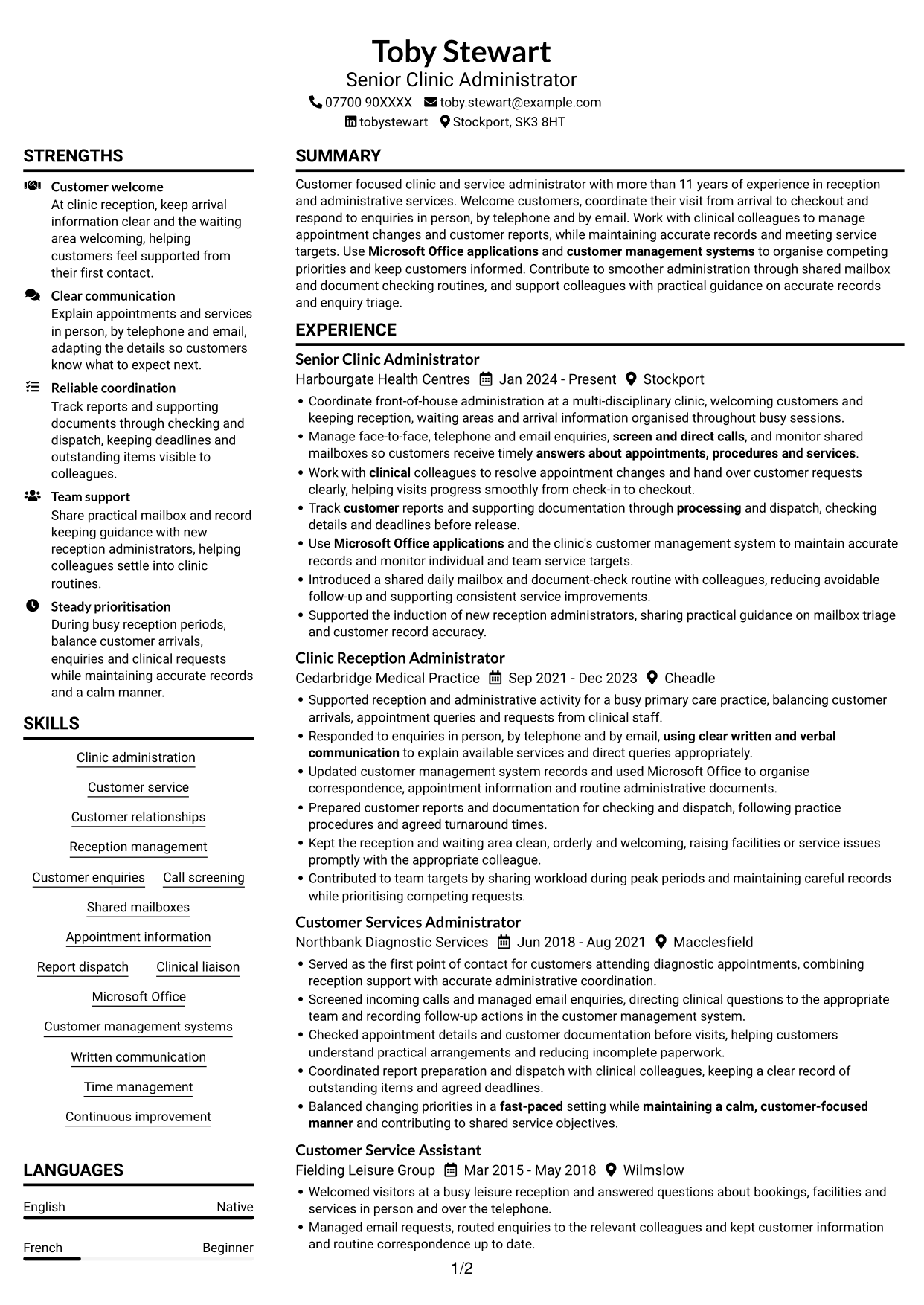
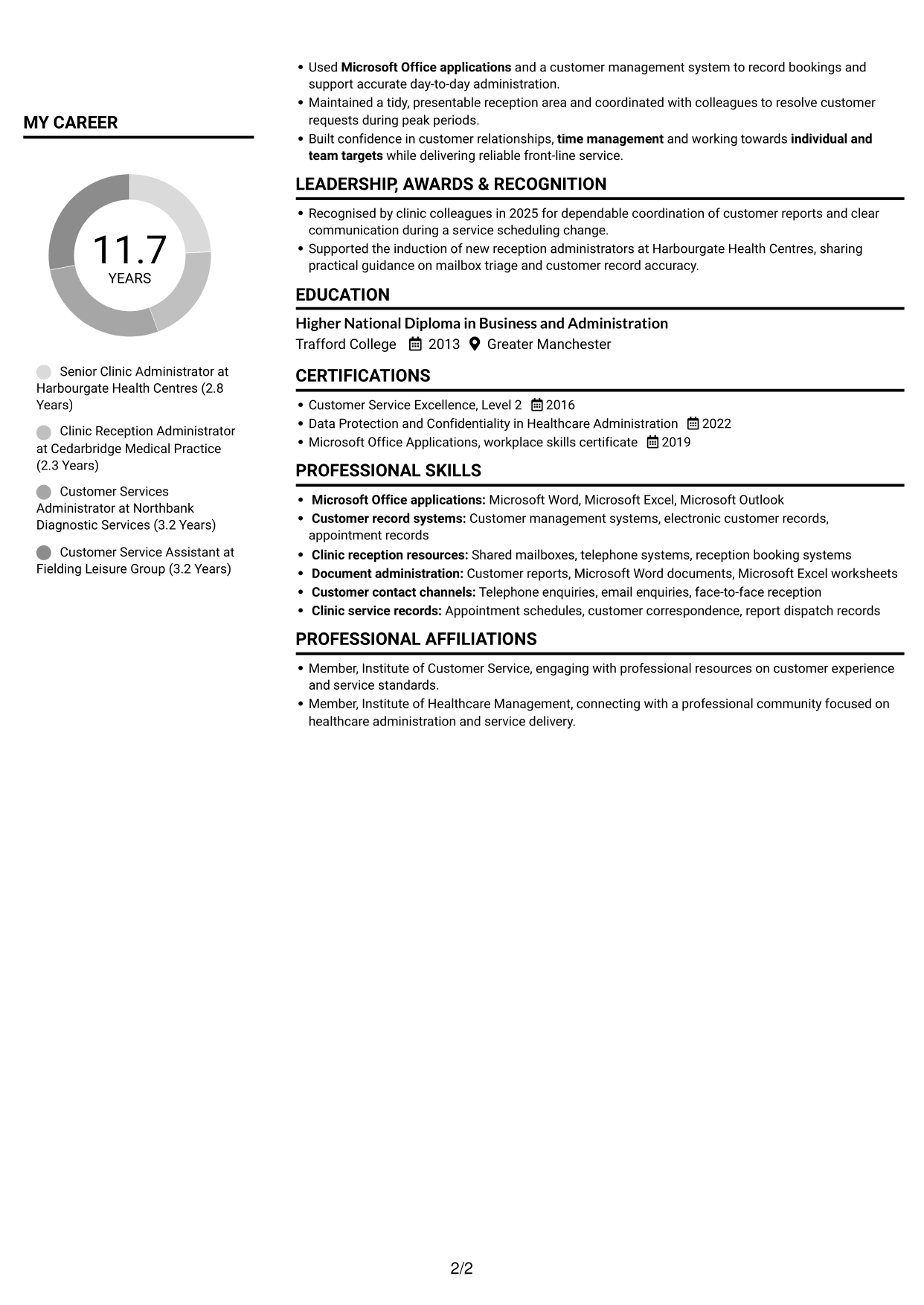
#1 Plain Two Column Format CV Example

The Plain Two Column Format separates CV content into two columns, helping readers compare career history with supporting details.
 
CV example — page 1   CV example — page 2

CV Snapshot

  • More than 11 years in customer-facing administration
  • Experience across clinic, diagnostic and leisure services
  • Higher National Diploma in Business and Administration
  • Recognition for report coordination and clear service communication

Why This Format Works

  • Career history and supporting sections have separate spaces for quick reference.
  • A clear reading order helps reviewers follow roles and dates.
  • Skills, education and credentials can be found without searching through work history.

Best For

  • CVs with substantial work histories
  • Skills and education beside experience
  • Readers comparing career and supporting details
  • Section-rich CV content
  • A preference for two-column reading

CV Keywords

  • Customer service
  • Built confidence in customer relationships
  • face-to-face, telephone and email enquiries
  • using clear written and verbal communication
  • Clinic administration
  • Reception management
  • answers about appointments, procedures and services
  • screen and direct calls
  • monitor shared mailboxes
  • Track customer reports and supporting documentation through processing and dispatch
  • Work with clinical colleagues to resolve appointment changes and hand over customer requests clearly
  • Customer management systems
  • Microsoft Office applications
  • Time management
  • Balanced changing priorities in a fast-paced setting
See all keywords
 

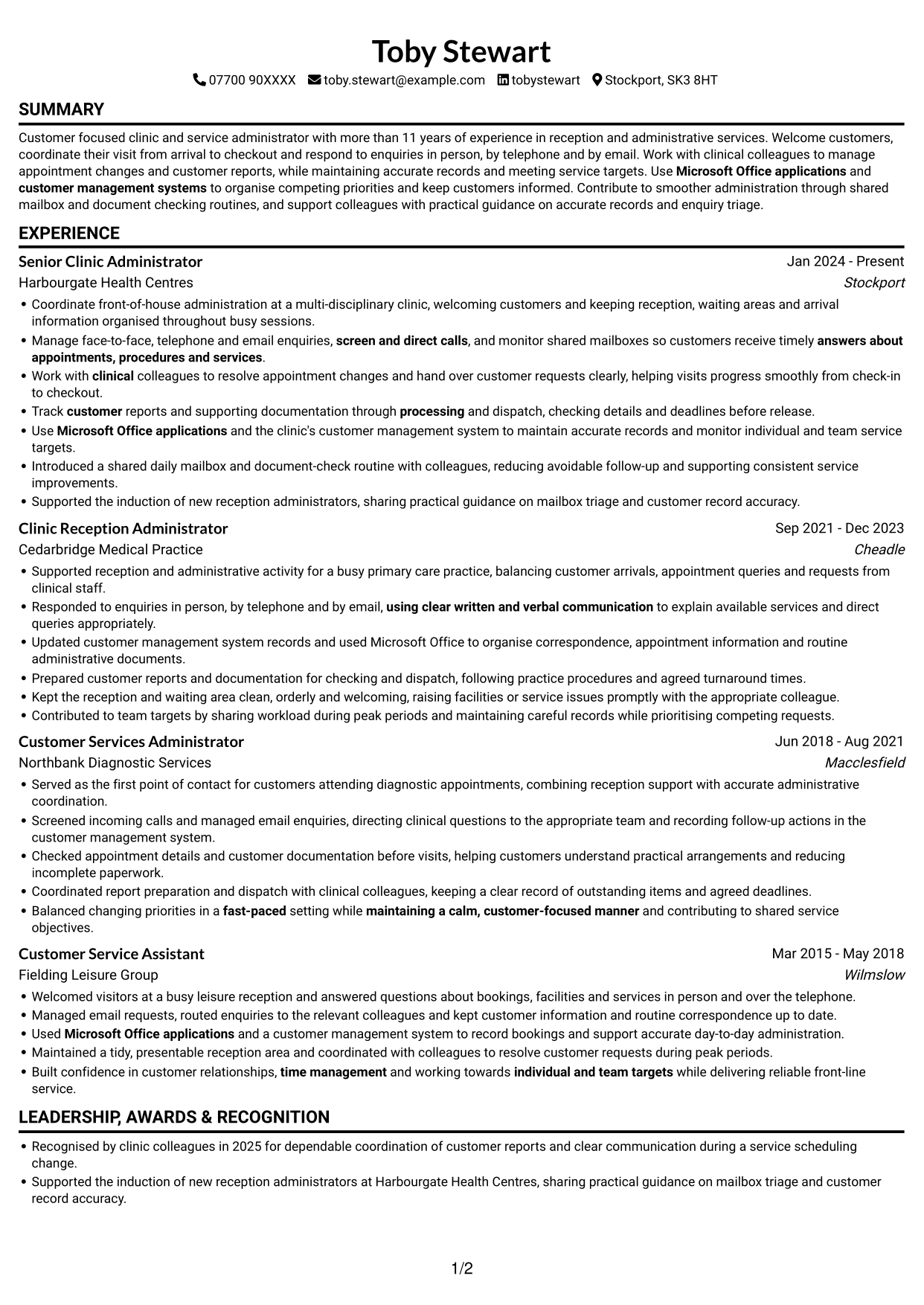
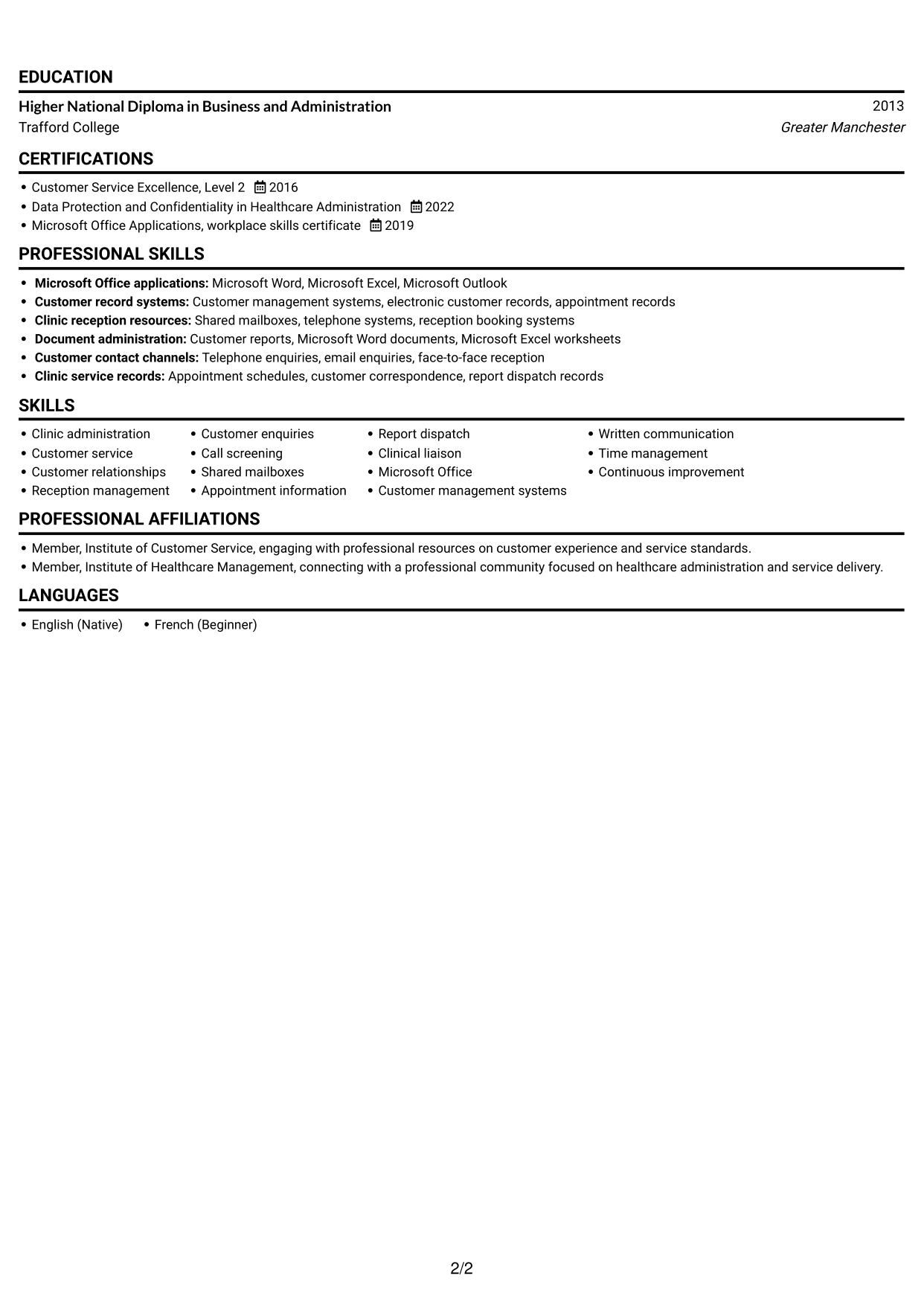
#2 Simple One Column Format CV Example

The Simple One Column Format keeps CV content in one vertical sequence, giving readers a direct route through career history and supporting sections.
 
CV example — page 1   CV example — page 2

Why This Format Works

  • A single reading path helps reviewers follow roles in date order.
  • Experience details remain together, making career progression easier to trace.
  • Skills and education follow the same clear section sequence.

Best For

  • CVs needing a direct reading order
  • Chronological career histories
  • Text-focused application documents
  • Readers following role dates
  • Clearly separated CV sections
 

#3 Clean Two Column Sidebar Format CV Example

The Clean Two Column Sidebar Format uses two columns to keep CV information distinct, helping readers find key sections without losing the career sequence.
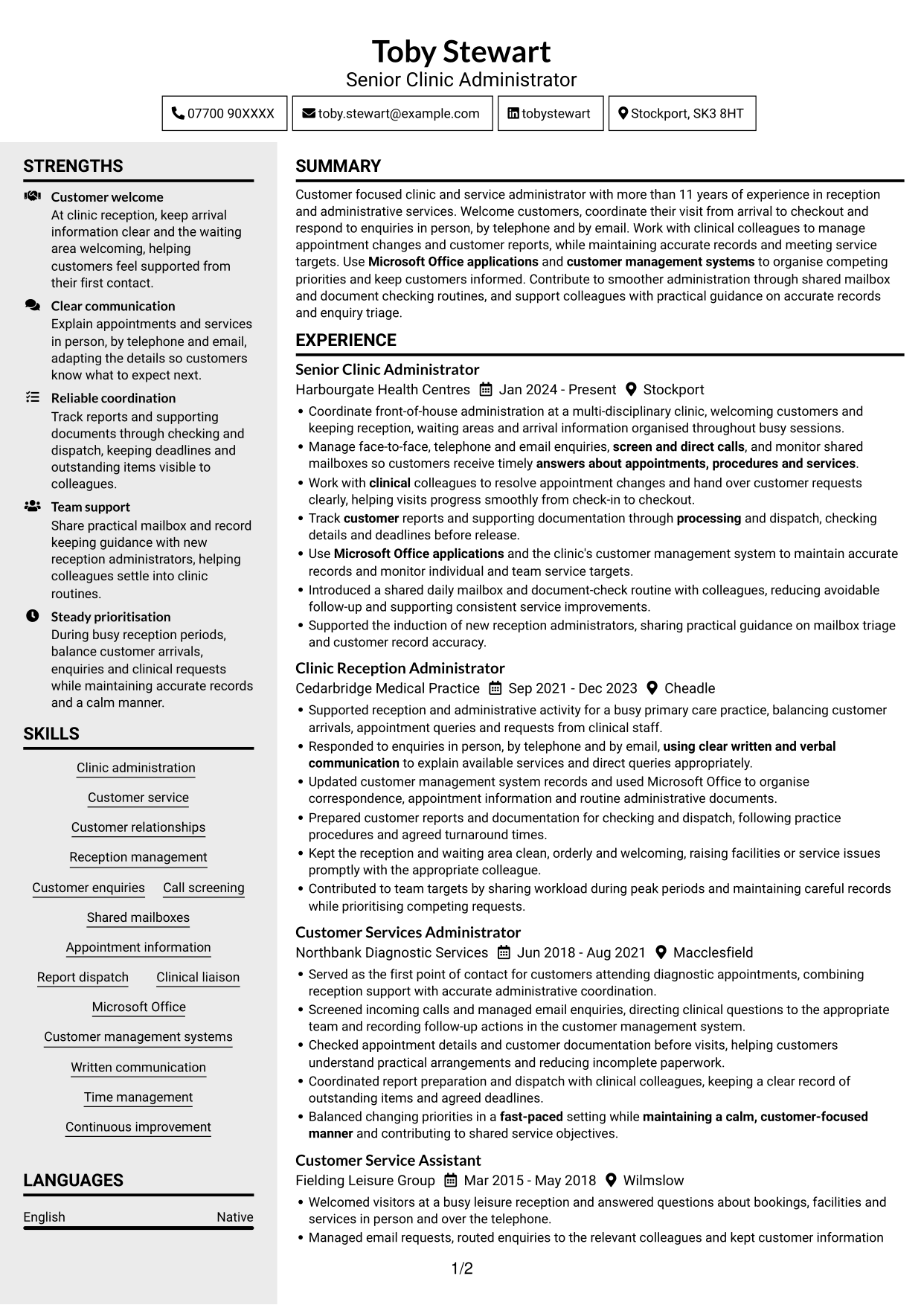
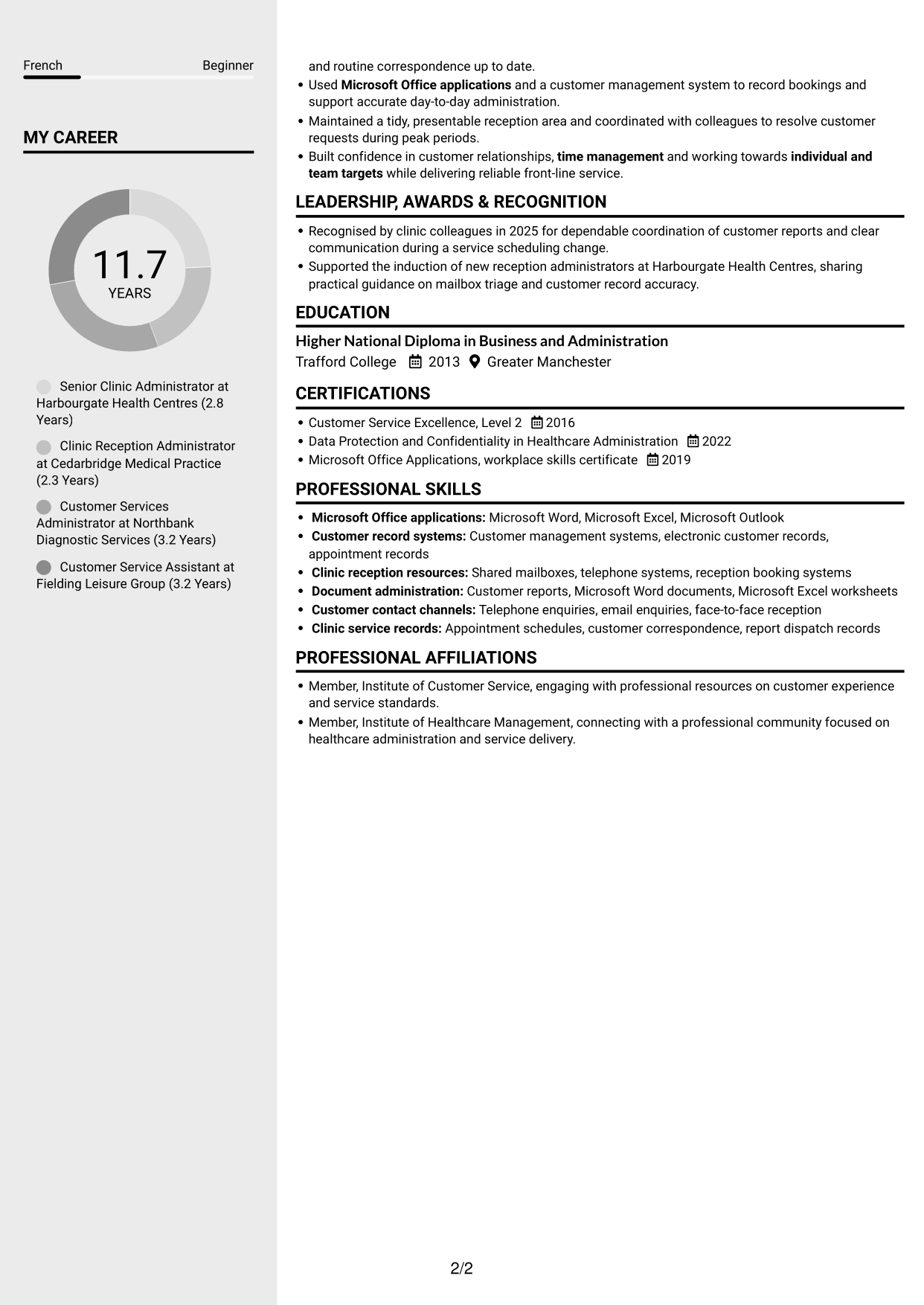
 
CV example — page 1   CV example — page 2

Why This Format Works

  • Separate columns help readers move between work history and other CV sections.
  • The experience sequence stays easy to follow during a quick review.
  • Distinct content areas make skills and education simpler to locate.

Best For

  • CVs with several supporting sections
  • Readers switching between experience and skills
  • Career histories needing clear sequence
  • At-a-glance section navigation
  • A two-column content layout
 

#4 Two Column Format CV Example

The Two Column Format places CV content in parallel columns, giving readers a practical way to review career history alongside other sections.
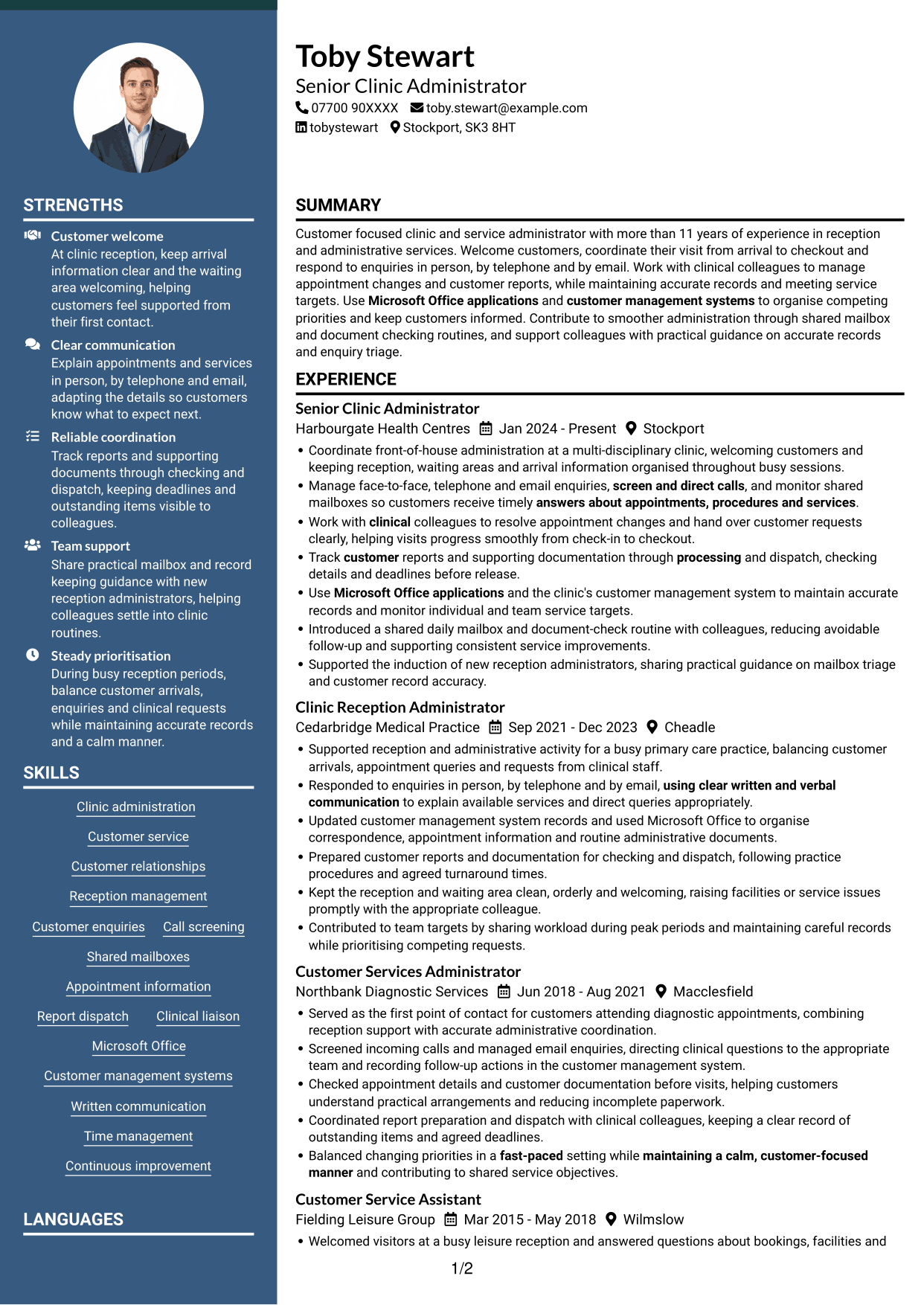
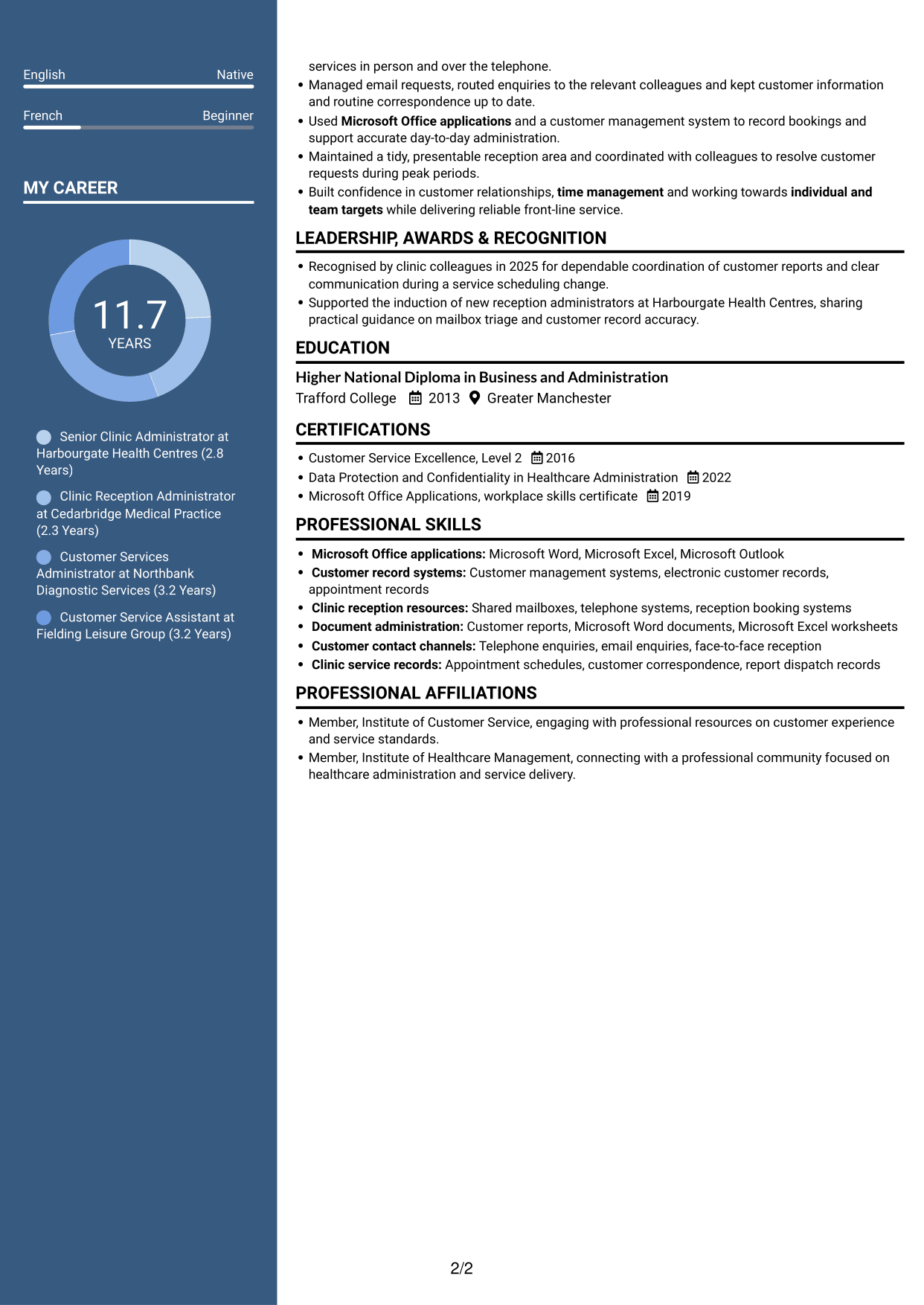
 
CV example — page 1   CV example — page 2

Why This Format Works

  • Parallel columns make career history and supporting information easy to distinguish.
  • Readers can trace experience without overlooking education or credentials.
  • Separate content areas provide a clear route through the CV.

Best For

  • CVs combining experience and qualifications
  • Readers checking several CV sections
  • Career details with supporting information
  • Quick comparison of work and education
  • Two-column reading preference


#5 Photo Header Two Column Format CV Example

The Photo Header Two Column Format includes a portrait in the header and a two-column body, suiting readers who prefer both features in one CV.
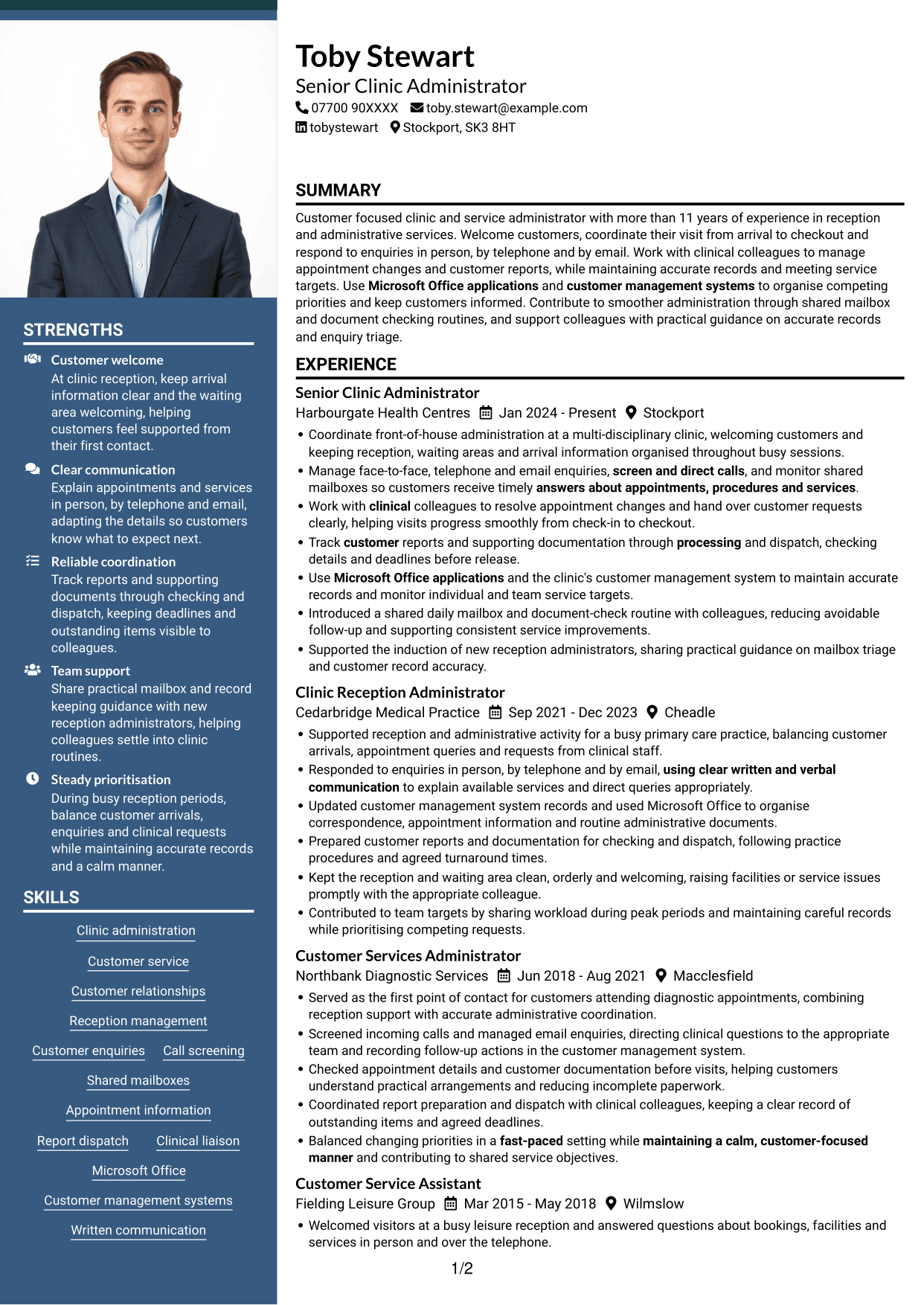
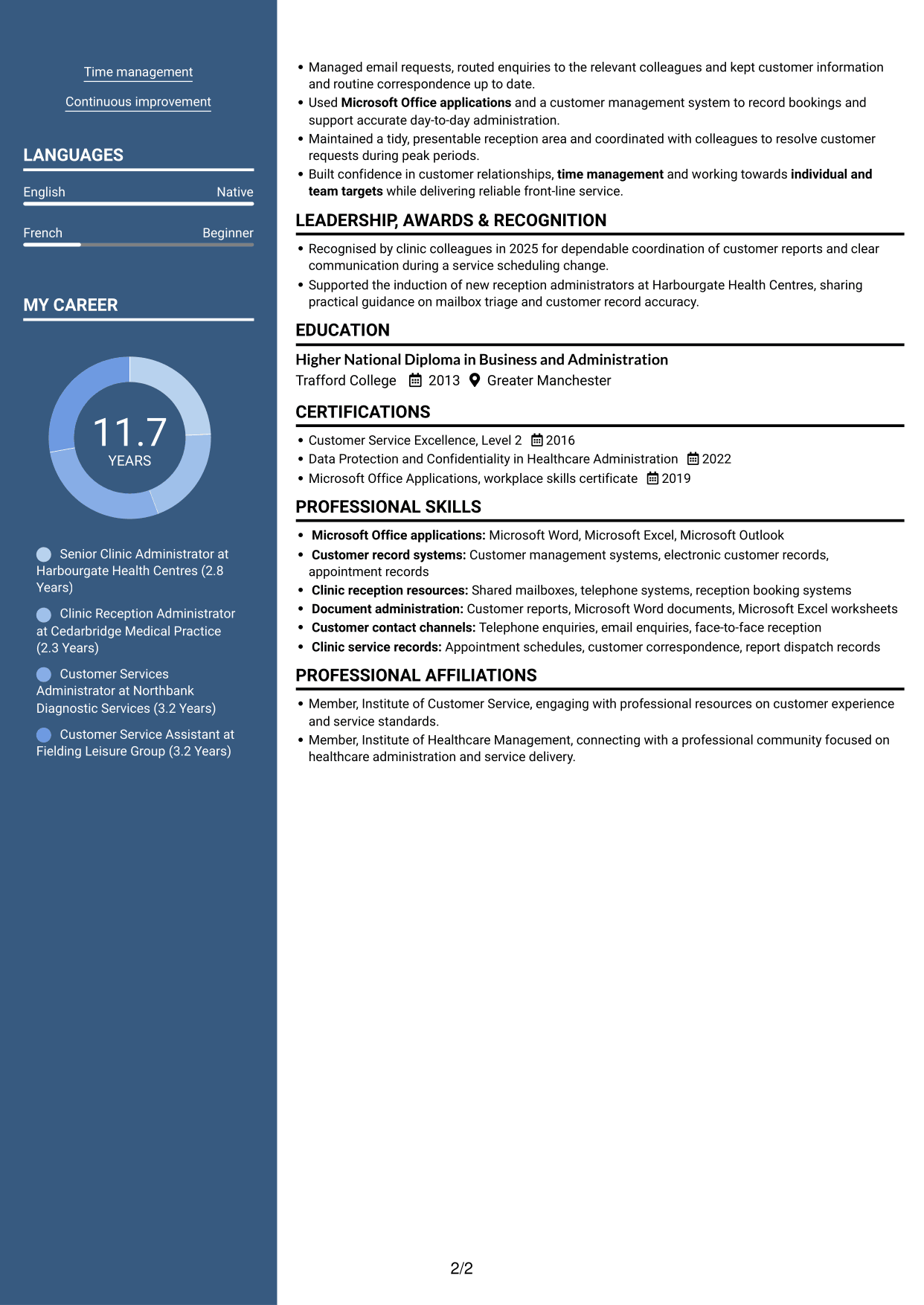
 
CV example — page 1   CV example — page 2

Why This Format Works

  • The two-column body separates experience from other CV information.
  • A portrait in the header gives the document a clear visual identifier.
  • The organised body helps reviewers locate skills, education and career details.

Best For

  • CVs where a header portrait is preferred
  • Two-column document layouts
  • Experience with supporting sections
  • Readers scanning several content areas
  • CVs needing a visual identifier
 

#6 Coloured Two Column Format CV Example

The Coloured Two Column Format organises CV content across two columns, giving readers distinct areas for career history and supporting information.
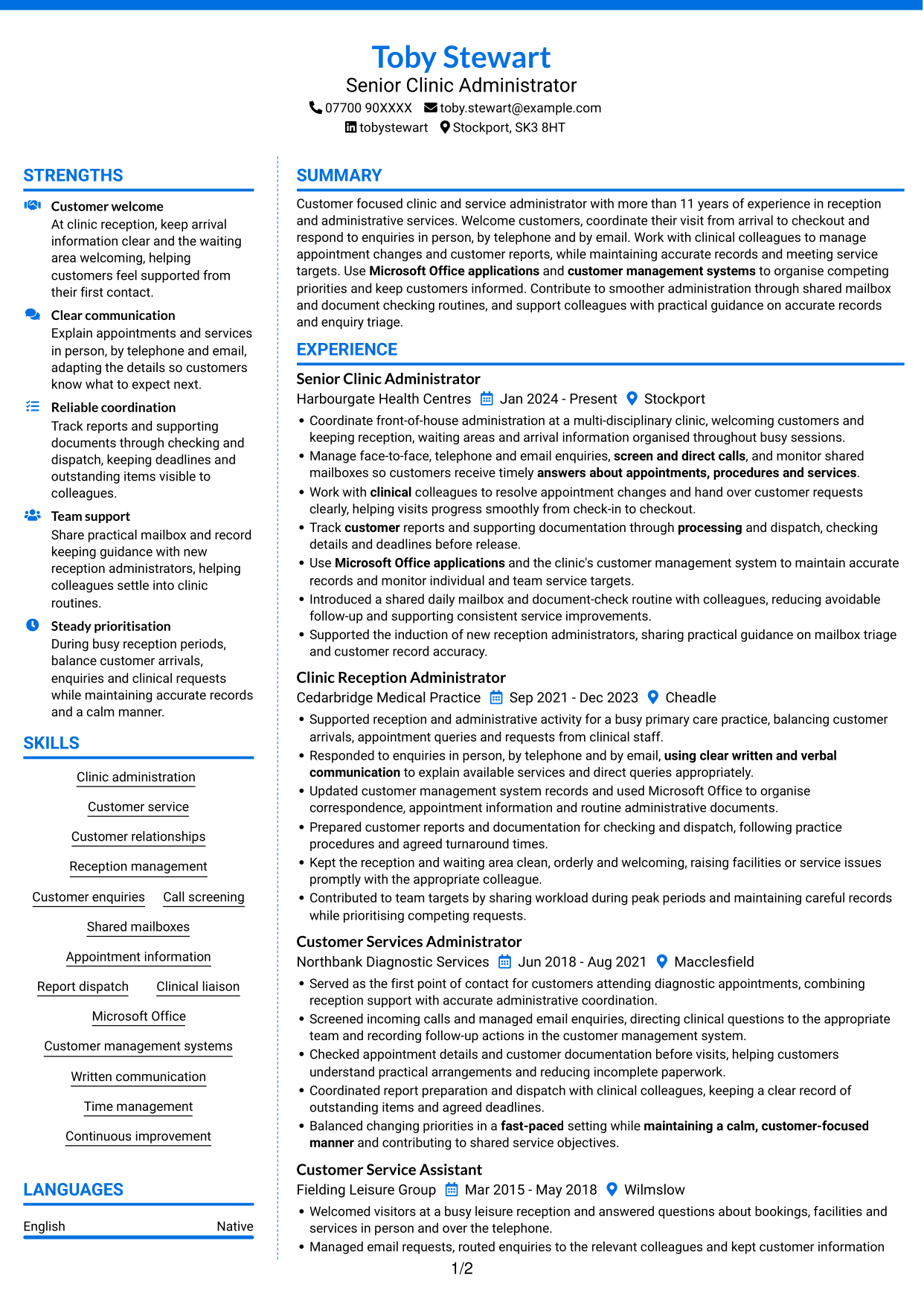
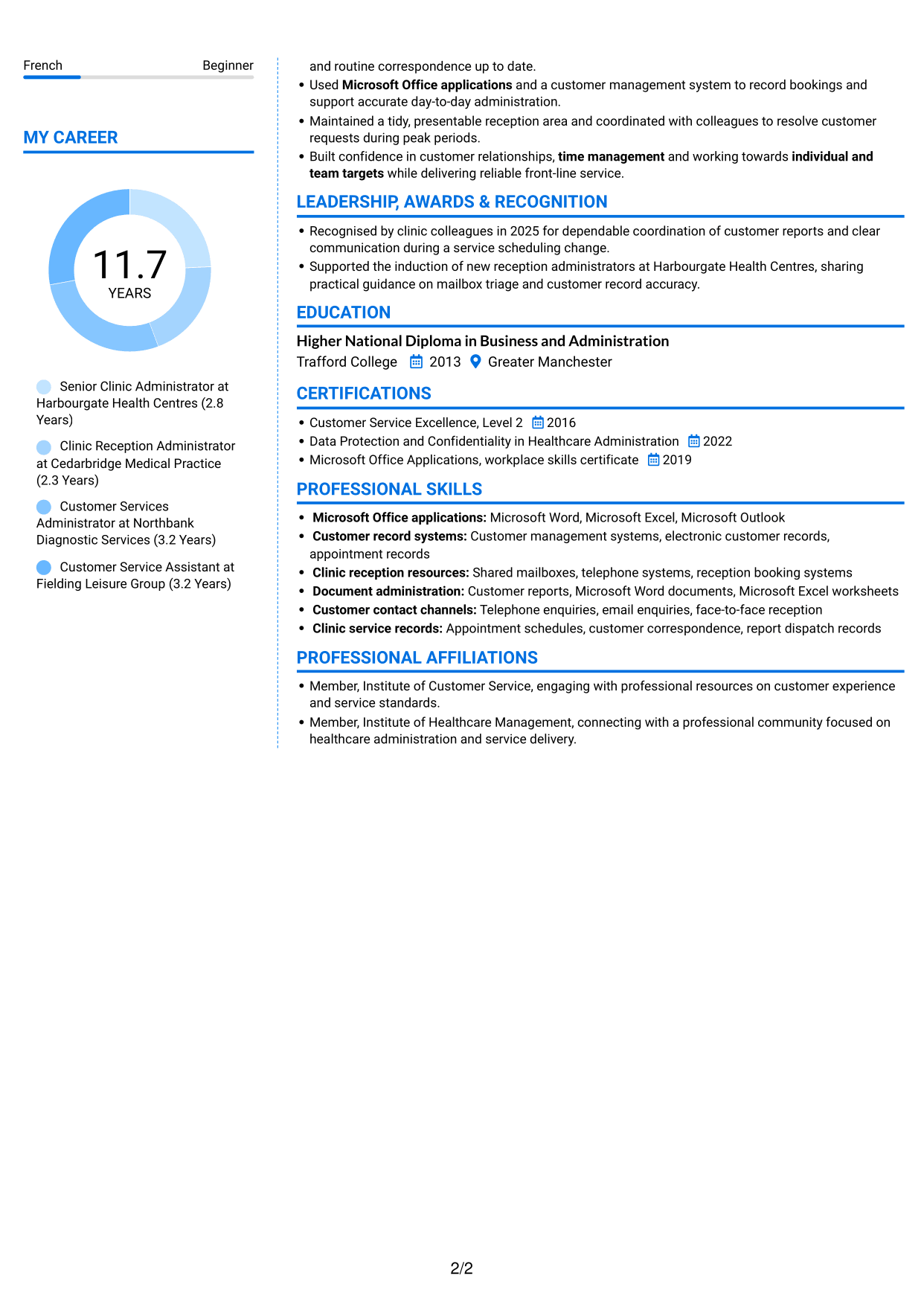
 
CV example — page 1   CV example — page 2

Why This Format Works

  • Two columns help readers separate experience from other CV sections.
  • The career record remains distinct from skills and education.
  • A structured reading order makes key CV details easier to revisit.

Best For

  • CVs with distinct content areas
  • Readers revisiting key career details
  • Experience alongside supporting information
  • Skills and education in the same document
  • A two-column reading style
 

#7 Stylish Two Column Designer Format CV Example

The Stylish Two Column Designer Format sets CV information in two columns, offering a distinct layout for readers who want separate areas for experience and other sections.
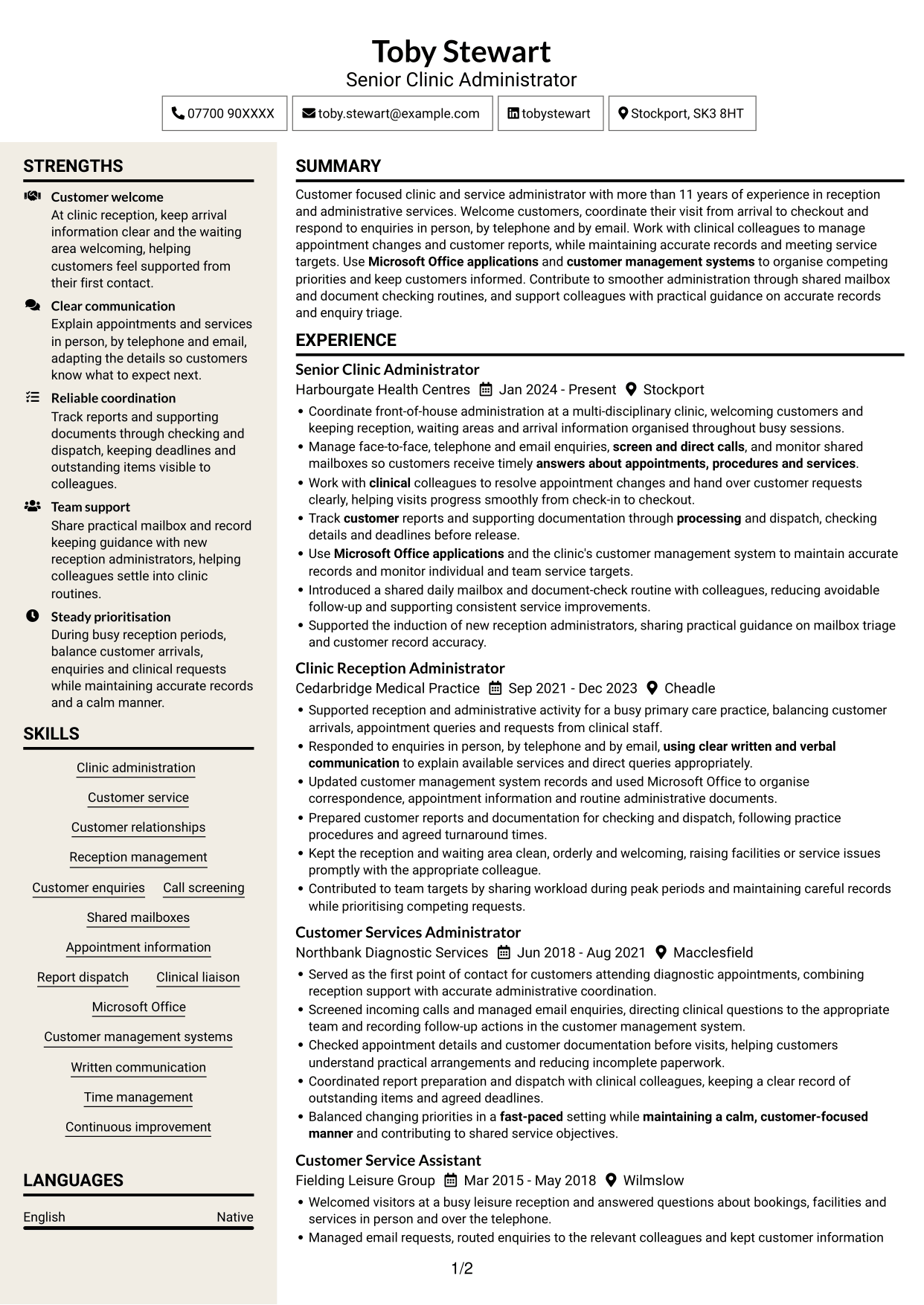
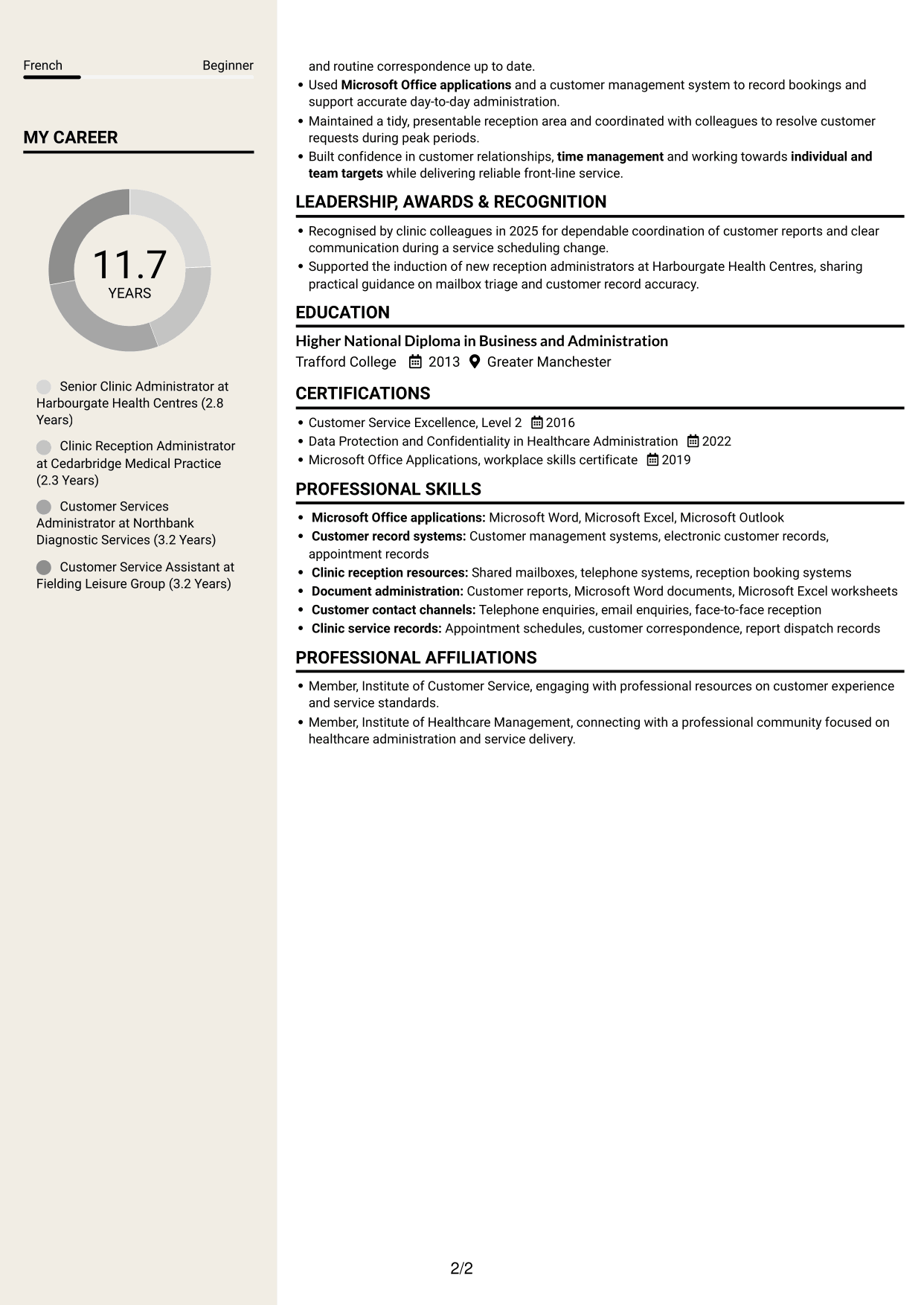
 
CV example — page 1   CV example — page 2

Why This Format Works

  • Separate columns give career history and supporting details their own areas.
  • Reviewers can find skills and education without losing the work sequence.
  • The two-column reading order keeps the CV sections distinct.

Best For

  • CVs with varied supporting details
  • Readers locating skills and education
  • A clear work-history sequence
  • Documents suited to two columns
  • Separate career and qualification sections


Why Build Your Clinic Administrator - Customer Service CV with ResumeInMinutes

ResumeInMinutes helps you organise clinic administration experience, skills and education in a clear CV. Compare PNG image previews, then open an example in the editor to customise its content and layout.

  • Different CV layouts
  • Clear, readable section structure
  • Space for role-specific keywords
  • Organised skills and experience
  • PNG image previews
  • CV customisation in the editor

Choose a format that makes reception duties, customer enquiries and administrative work easy to follow. Keep the focus on accurate records, reliable report processing and effective teamwork.


See Also


Frequently Asked Questions

Are these Clinic Administrator - Customer Service CV templates ATS-friendly?

The examples use clear headings and sections to support scanning. Include relevant terms naturally, such as clinic administration, appointment information, call screening, shared mailboxes and customer management systems.

Are these separate CV examples or different layouts of one example?

This page shows one role-focused CV example in different layouts. Compare the PNG image previews, then open an example in the editor to customise it.

What should a Clinic Administrator - Customer Service CV include?

Include a focused profile, relevant experience, skills and education. Show how you welcome customers, respond to enquiries, manage records, process reports and work with clinical colleagues.

Which CV layout works well for this role?

Choose a layout with clear headings and an easy-to-follow order for experience, skills and education. A simple structure helps recruiters find key details quickly and supports applicant tracking system scanning.

How can I show clinic administration achievements on my CV?

Use concise bullet points to describe the task, your contribution and the result. For example, explain how a mailbox or document-check routine reduced avoidable follow-up, if you can support that result.

Should I include a photo on my CV?

For UK applications, a photo is usually not needed. Use the space for relevant experience, skills and evidence of your results instead.


ATS Score 97%

How we calculate this score

  • Keywords: 60% of the total. AI extracts keywords from your job description. If you do not provide one, a standard job description for the title matching your CV is used. This is not a match to a specific vacancy.
  • Text-based CV: 20%. The text CV assessed here receives 100 for this part.
  • CV quality: 20%. We start at 100 and subtract points for issues found by our CV checks, down to a minimum of zero.
  • Keyword coverage = round(100 × confirmed matches ÷ total keywords). Exact matches and supported equivalents verified by AI receive full credit; unsupported keywords receive none. Live text checks use the saved equivalents and do not request a new AI review. Without keywords, no overall ATS score is available.
  • Final score = 60% of keyword coverage + 20% of the text score + 20% of the quality score, rounded to a whole number. Without keywords, no overall ATS score is available.

What this score means

Our scores are estimates, not employer ratings. They may contain errors and do not guarantee accurate parsing, a ranking, an interview, or a job. Check your document against the employer’s requirements. You are responsible for relying on this score.

Terms and Conditions

Score weights: Keywords 60% · Text based CV 20% · CV quality 20%

Keyword coverage: 18 of 19 (95%) · CV quality: 100%

CV quality 100% · Weight 20% · Issues (0)

Details
  • ✓Name present: Toby Stewart
  • ✓Email format: toby.stewart@example.com
  • ✓Phone format: 07700 90XXXX
  • ✓Experience 1: Job title: Senior Clinic Administrator
  • ✓Experience 1: Company name: Harbourgate Health Centres
  • ✓Experience 1: Work location: Stockport
  • ✓Experience 1: Employment dates: Jan 2024 - Present
  • ✓Experience 1: Description or achievements: Present
  • ✓Experience 2: Job title: Clinic Reception Administrator
  • ✓Experience 2: Company name: Cedarbridge Medical Practice
  • ✓Experience 2: Work location: Cheadle
  • ✓Experience 2: Employment dates: Sep 2021 - Dec 2023
  • ✓Experience 2: Description or achievements: Present
  • ✓Experience 3: Job title: Customer Services Administrator
  • ✓Experience 3: Company name: Northbank Diagnostic Services
  • ✓Experience 3: Work location: Macclesfield
  • ✓Experience 3: Employment dates: Jun 2018 - Aug 2021
  • ✓Experience 3: Description or achievements: Present
  • ✓Experience 4: Job title: Customer Service Assistant
  • ✓Experience 4: Company name: Fielding Leisure Group
  • ✓Experience 4: Work location: Wilmslow
  • ✓Experience 4: Employment dates: Mar 2015 - May 2018
  • ✓Experience 4: Description or achievements: Present
  • ✓No placeholder fields
  • ✓No repeated achievement bullets
  • ✓No empty bullets

No issues found by the current checks.

Text Based CV 100% · Weight 20%

Parsed text
Toby Stewart
Senior Clinic Administrator
07700 90XXXX
tobystewart
toby.stewart@example.com
Stockport, SK3 8HT
STRENGTHS
Customer welcome
At clinic reception, keep arrival information clear and the waiting area welcoming, helping customers feel supported from their first contact.
Clear communication
Explain appointments and services in person, by telephone and email, adapting the details so customers know what to expect next.
Reliable coordination
Track reports and supporting documents through checking and dispatch, keeping deadlines and outstanding items visible to colleagues.
Team support
Share practical mailbox and record keeping guidance with new reception administrators, helping colleagues settle into clinic routines.
Steady prioritisation
During busy reception periods, balance customer arrivals, enquiries and clinical requests while maintaining accurate records and a calm manner.
SUMMARY
Customer focused clinic and service administrator with more than 11 years of experience in reception and administrative services. Welcome customers, coordinate their visit from arrival to checkout and respond to enquiries in person, by telephone and by email. Work with clinical colleagues to manage appointment changes and customer reports, while maintaining accurate records and meeting service targets. Use Microsoft Office applications and customer management systems to organise competing priorities and keep customers informed. Contribute to smoother administration through shared mailbox and document checking routines, and support colleagues with practical guidance on accurate records and enquiry triage.
EXPERIENCE
Senior Clinic Administrator
Harbourgate Health Centres
Jan 2024 - Present
Stockport
Coordinate front-of-house administration at a multi-disciplinary clinic, welcoming customers and keeping reception, waiting areas and arrival information organised throughout busy sessions.
Manage face-to-face, telephone and email enquiries, screen and direct calls, and monitor shared mailboxes so customers receive timely answers about appointments, procedures and services.
Work with clinical colleagues to resolve appointment changes and hand over customer requests clearly, helping visits progress smoothly from check-in to checkout.
Track customer reports and supporting documentation through processing and dispatch, checking details and deadlines before release.
Use Microsoft Office applications and the clinic's customer management system to maintain accurate records and monitor individual and team service targets.
Introduced a shared daily mailbox and document-check routine with colleagues, reducing avoidable follow-up and supporting consistent service improvements.
Supported the induction of new reception administrators, sharing practical guidance on mailbox triage and customer record accuracy.
Clinic Reception Administrator
Cedarbridge Medical Practice
Sep 2021 - Dec 2023
Cheadle
Supported reception and administrative activity for a busy primary care practice, balancing customer arrivals, appointment queries and requests from clinical staff.
Responded to enquiries in person, by telephone and by email, using clear written and verbal communication to explain available services and direct queries appropriately.
Updated customer management system records and used Microsoft Office to organise correspondence, appointment information and routine administrative documents.
Prepared customer reports and documentation for checking and dispatch, following practice procedures and agreed turnaround times.
Kept the reception and waiting area clean, orderly and welcoming, raising facilities or service issues promptly with the appropriate colleague.
Contributed to team targets by sharing workload during peak periods and maintaining careful records while prioritising competing requests.
Customer Services Administrator
Northbank Diagnostic Services
Jun 2018 - Aug 2021
Macclesfield
Served as the first point of contact for customers attending diagnostic appointments, combining reception support with accurate administrative coordination.
Screened incoming calls and managed email enquiries, directing clinical questions to the appropriate team and recording follow-up actions in the customer management system.
Checked appointment details and customer documentation before visits, helping customers understand practical arrangements and reducing incomplete paperwork.
Coordinated report preparation and dispatch with clinical colleagues, keeping a clear record of outstanding items and agreed deadlines.
Balanced changing priorities in a fast-paced setting while maintaining a calm, customer-focused manner and contributing to shared service objectives.
Customer Service Assistant
Fielding Leisure Group
Mar 2015 - May 2018
Wilmslow
Welcomed visitors at a busy leisure reception and answered questions about bookings, facilities and services in person and over the telephone.
Managed email requests, routed enquiries to the relevant colleagues and kept customer information and routine correspondence up to date.
Used Microsoft Office applications and a customer management system to record bookings and support accurate day-to-day administration.
Maintained a tidy, presentable reception area and coordinated with colleagues to resolve customer requests during peak periods.
Built confidence in customer relationships, time management and working towards individual and team targets while delivering reliable front-line service.
SKILLS
Customer enquiries
Report dispatch
Customer management systems
Continuous improvement
Appointment information
Reception management
Written communication
Customer relationships
Clinic administration
Time management
Shared mailboxes
Customer service
Microsoft Office
Clinical liaison
Call screening
LANGUAGES
English
Native
French
Beginner
MY CAREER
11.7Years
Senior Clinic Administrator at Harbourgate Health Centres (2.8 Years)
Clinic Reception Administrator at Cedarbridge Medical Practice (2.3 Years)
Customer Services Administrator at Northbank Diagnostic Services (3.2 Years)
Customer Service Assistant at Fielding Leisure Group (3.2 Years)
LEADERSHIP, AWARDS & RECOGNITION
Recognised by clinic colleagues in 2025 for dependable coordination of customer reports and clear communication during a service scheduling change.
Supported the induction of new reception administrators at Harbourgate Health Centres, sharing practical guidance on mailbox triage and customer record accuracy.
EDUCATION
Higher National Diploma in Business and Administration
Trafford College
2013
Greater Manchester
CERTIFICATIONS
Customer Service Excellence, Level 2
2016
Data Protection and Confidentiality in Healthcare Administration
2022
Microsoft Office Applications, workplace skills certificate
2019
PROFESSIONAL SKILLS
Microsoft Office applications: Microsoft Word, Microsoft Excel, Microsoft Outlook
Customer record systems: Customer management systems, electronic customer records, appointment records
Clinic reception resources: Shared mailboxes, telephone systems, reception booking systems
Document administration: Customer reports, Microsoft Word documents, Microsoft Excel worksheets
Customer contact channels: Telephone enquiries, email enquiries, face-to-face reception
Clinic service records: Appointment schedules, customer correspondence, report dispatch records
PROFESSIONAL AFFILIATIONS
Member, Institute of Customer Service, engaging with professional resources on customer experience and service standards.
Member, Institute of Healthcare Management, connecting with a professional community focused on healthcare administration and service delivery.

Matched keywords (18)

  • Customer service
  • Built confidence in customer relationshipsOriginal keyword in JD: Customer relationship building
  • face-to-face, telephone and email enquiries
  • using clear written and verbal communicationOriginal keyword in JD: Verbal and written communication
  • Clinic administration
  • Reception management
  • answers about appointments, procedures and servicesOriginal keyword in JD: Appointment, procedure and service information
  • screen and direct callsOriginal keyword in JD: Call screening and directing
  • monitor shared mailboxesOriginal keyword in JD: Shared mailbox management
  • Track customer reports and supporting documentation through processing and dispatchOriginal keyword in JD: Customer report processing and dispatch
  • Work with clinical colleagues to resolve appointment changes and hand over customer requests clearlyOriginal keyword in JD: Clinical team liaison
  • Customer management systems
  • Microsoft Office applications
  • Time managementOriginal keyword in JD: Organisation and time management
  • Balanced changing priorities in a fast-paced settingOriginal keyword in JD: Prioritisation in fast-paced environments
  • individual and team targets
  • Continuous improvement
  • maintaining a calm, customer-focused mannerOriginal keyword in JD: Customer-focused approach

Missing keywords (1)

  • Resilience
Disclaimer: All names, images, contact information, employment histories, achievements, security clearances, military credentials, and other qualifications shown in this content are fictional and used for illustrative purposes only. Any resemblance to actual persons, living or deceased, is purely coincidental.

CV and cover letter examples and recommendations in this article reflect general best practices and professional experience and are provided for guidance only. Results may vary based on role, industry, region, and hiring organisation.

Content Accuracy and Verification: To the fullest extent permitted by applicable law, we do not represent or warrant that CV or cover letter guidance, examples, recommendations, or related information are accurate, complete, current, error-free, or suitable for any particular purpose. You are responsible for independently reviewing and verifying the information before relying on it.

ATS and Cover Letter Scores: ATS scores are estimates calculated using our own formula, informed by publicly available guidance on CV formatting and keyword matching. They are not scores issued or endorsed by an ATS provider or employer. Cover letter scores are also our own assessments. Parsing, weighting, screening criteria, and results vary between systems, employers, job descriptions, and document formats. No score guarantees successful parsing, a particular ranking, an interview, or employment. Use scores as general guidance and independently check your documents against the employer’s requirements. To the fullest extent permitted by applicable law, we accept no liability for errors in scores or parsing, or losses arising from reliance on these assessments. Nothing in this notice excludes liability or limits consumer rights that cannot lawfully be excluded or limited.

Terms and Conditions
 
> JP 1 1
PDF Footer and Margins Setup
The margins are applied to the document, and the footer appears in both the preview and the PDF

Footer Font Settings

Are you applying for a specific job
so we can tailor your CV to it?
Are you applying for a specific job
so we can tailor your cover letter to it?

Your data stays private and is never used for training.Privacy Policy

Type your details as text to generate a personalised CV Type your details as text to generate a personalised cover letter
Website link found! Ready to create CV from:

Your data stays private and is never used for training.Privacy Policy

Drag the into the box to verify you're human.
Drop here

My CVs

Showing {number_of_files} files (out of {total_of_all_files} total)
Name File Type Last Modified: Description:

Rename File

Filename already exists!

Delete Files

Warning: This action is irreversible. Once you click submit, the files will be permanently deleted.

Heading text
Upload From Computer Upload
Select From Existing
LinkedIn
Drag & Drop files anywhere in this tab, or

Uploaded Files

Delete Name Last Updated Use This File
Select this to use the file for generating your CV and cover letter. Only one source—uploaded file, selected file, or LinkedIn text—can be used.

My Files

CVs or cover letters you create will appear here. No files available yet.
Delete Name Last Updated Use This File
Select this to use the file for generating your CV and cover letter. Only one source—uploaded file, selected file, or LinkedIn text—can be used.

Add LinkedIn Profile PDF

You can download your LinkedIn profile as a PDF by opening linkedin.com in a web browser, clicking your profile photo, selecting the “More” or “Resources” button, and choosing “Save to PDF.” You can then attach the PDF using the Upload From Computer tab.

Paste Your LinkedIn Profile Text

If you have copied the LinkedIn profile text, paste it below. See how to copy your profile from LinkedIn

Select this to use the LinkedIn profile text for generating your CV and covering letter. Only one source—uploaded file, selected file, or LinkedIn text—can be used.

Try these controls

<
>


