91. How do you find duplicate rows in a table?
Explain SQL techniques for finding duplicate rows, including grouping and counting.
I first identify the columns that define a duplicate. I group by those columns and apply HAVING COUNT() > 1. If I need every original duplicate row, I use a window count or join the duplicate groups back to the table.
See the Code while reading this explanation.
This question asks how to find records that repeat the same meaningful information. Before writing the search, we must decide which parts of a record should be compared. A unique row number is normally excluded because it differs for every record. The result may show one summary for each repeated value, or every record involved in the repetition. We must also decide how to handle missing values and whether differences such as letter case or extra spaces should count as different values. These choices determine what the search reports.
Useful clarifying questions:
- Which columns define a duplicate?
- Should I return duplicate groups or every original duplicate row?
- Should rows containing NULL values be included?
- Should comparisons ignore case, spaces, or other formatting differences?
- Do you only want to identify duplicates, or also remove and prevent them?
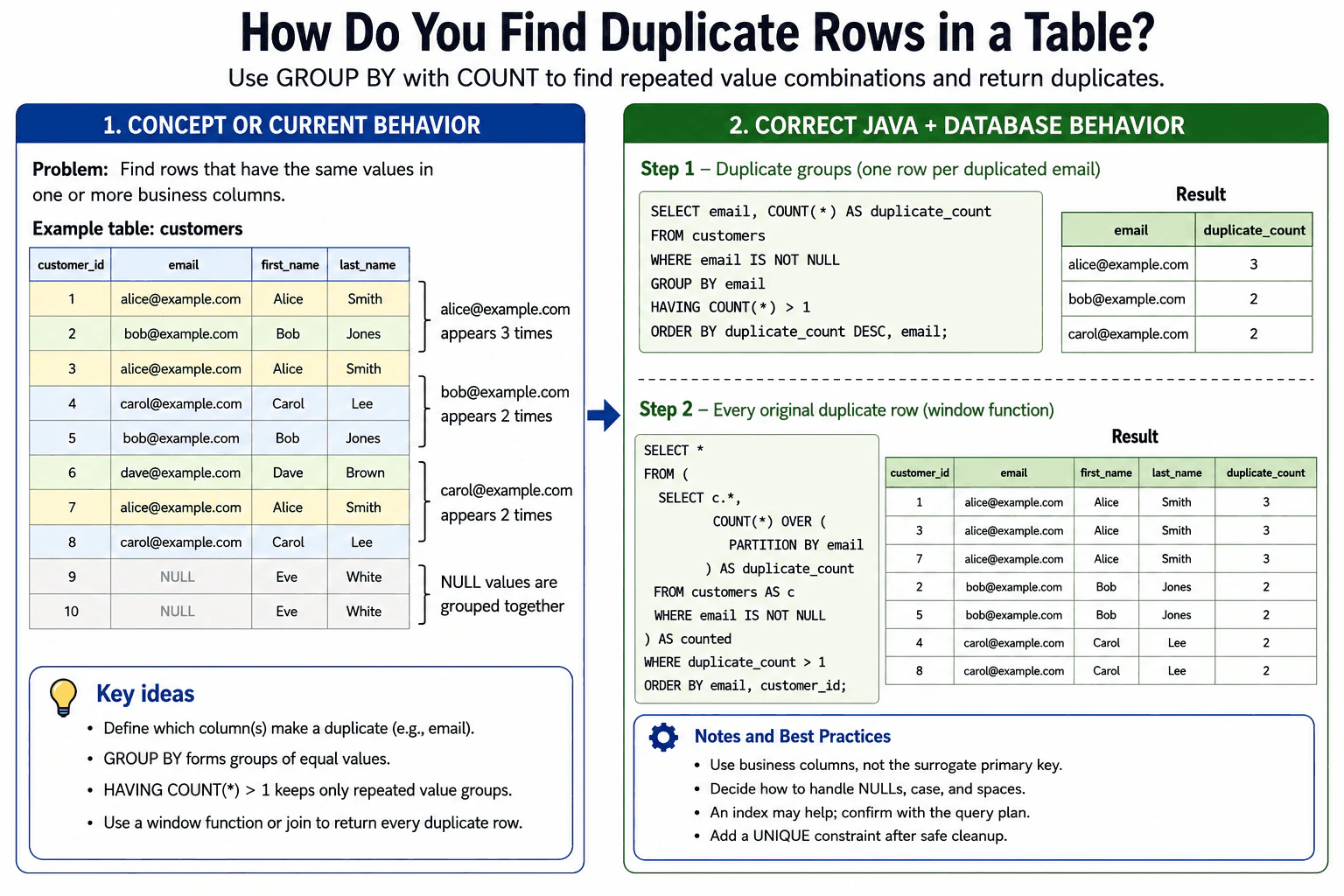
The standard technique is to group rows by the columns that define business uniqueness and keep only groups whose row count is greater than one.
For example, if customer records are duplicates when they have the same email, use:
SELECT email, COUNT(*) AS duplicate_count FROM customers GROUP BY email HAVING COUNT(*) > 1;
GROUP BY forms one group for each email value. COUNT(*) counts all rows in each group. HAVING filters the aggregated groups, so only email values occurring more than once remain. WHERE cannot directly replace HAVING COUNT(*) > 1 because WHERE filters individual rows before grouping, while HAVING filters groups after aggregation.
This grouped query returns one summary row per duplicate email. It does not return every original customer row. To preserve the original rows, use a window function:
SELECT * FROM (SELECT c.*, COUNT(*) OVER (PARTITION BY email) AS duplicate_count FROM customers c) counted WHERE duplicate_count > 1;
A window function calculates the count for each email group without collapsing the individual rows. The outer query then returns rows whose email occurs more than once. Another valid approach is to create the duplicate-key result with GROUP BY and join it back to the original table. The window-function form is often simpler when the database supports window functions.
For duplicates defined by several columns, include the complete business-key combination in GROUP BY or PARTITION BY. For example, duplicate people might be defined by first_name, last_name, and date_of_birth. A generated primary key such as customer_id should normally not be included because it intentionally makes each physical row unique.
SQL GROUP BY places NULL values into the same grouping set, so several rows with NULL in a grouped column can produce a count greater than one. Whether those rows should be treated as business duplicates depends on the requirement. Add a predicate such as WHERE email IS NOT NULL when missing values should be excluded.
The comparison also follows the database column's data type and collation rules. Depending on the database configuration, values such as User@example.com and user@example.com may compare as equal or different. Leading or trailing spaces may also matter. If the business definition requires normalized values, the application or database should store a canonical form, or the detection query must apply an intentional normalization expression. Applying functions during the search can reduce normal index use unless a matching expression-based index exists.
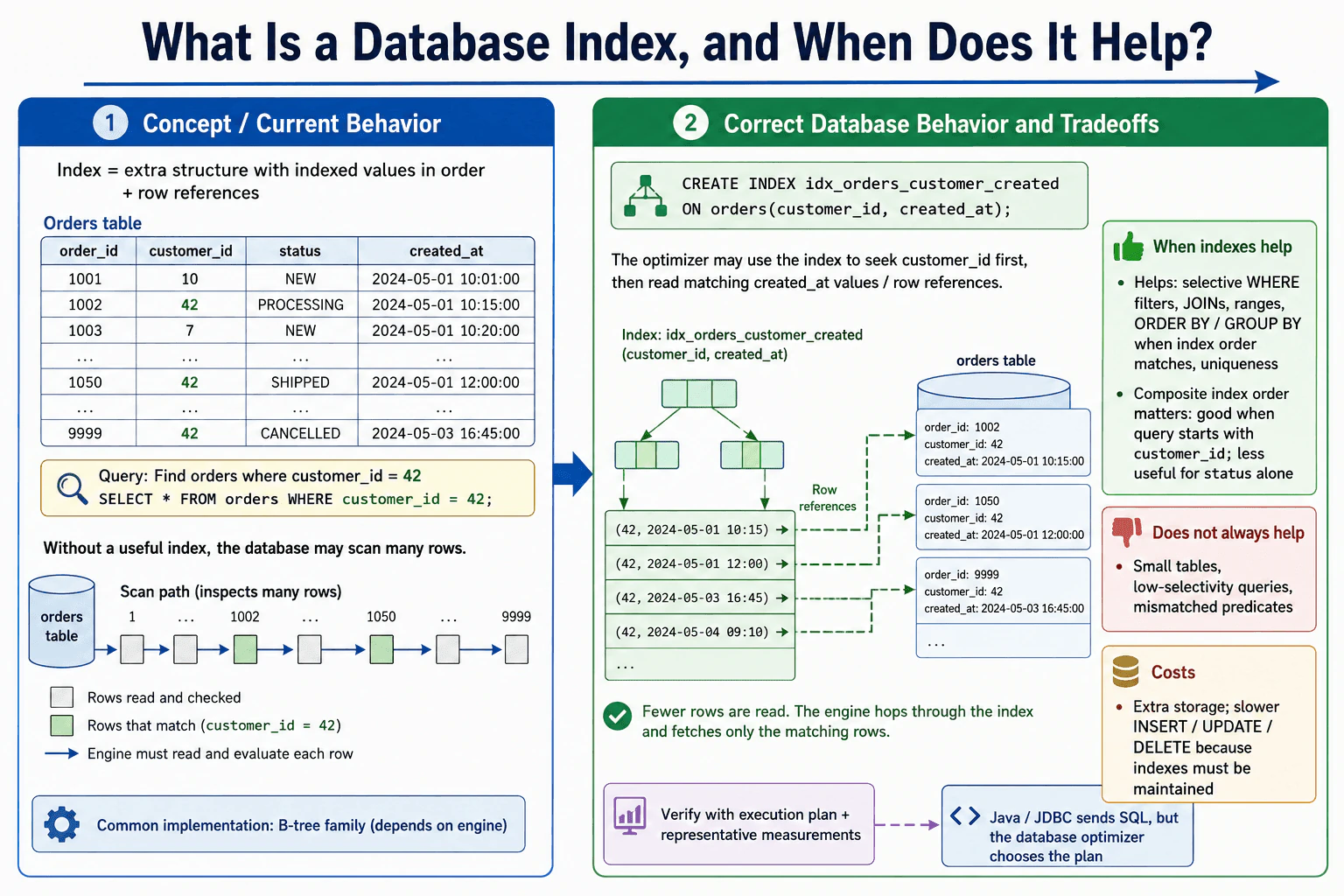
For a large table, the database generally reads the qualifying rows and groups them using a hash-based or sort-based aggregation. The operation may require memory, temporary disk space, or both. An index whose leading columns match the duplicate key can sometimes reduce scanning, sorting, or table lookups, but it does not guarantee a faster plan. Confirm the actual behavior with the database's execution-plan tools and realistic data.
Finding duplicates does not prevent future duplicates. If repeated values violate a business rule, first resolve the existing data and then add a UNIQUE constraint or unique index on the correct business-key columns. Cleanup should be done carefully, preferably in a controlled transaction or staged process, because duplicate rows may contain different dependent data even when their key values match.
- Define the business columns that make two rows duplicates.
- Decide how NULL values, case, whitespace, and normalization should be handled.
- Use WHERE only for row-level exclusions such as ignoring NULL values.
- Group by all duplicate-defining columns.
- Use HAVING COUNT() > 1 to return duplicate groups.
- Use a window function or a join back to the table when every original duplicate row is required.
- Review the execution plan and resource use on large tables.
- If duplicates are invalid, correct existing data and add a UNIQUE constraint to prevent recurrence.
The database normally must examine every row that qualifies for the search, so the work increases as the table grows. It must also maintain grouping or sorting information, which can use memory and may spill to temporary disk storage when the data does not fit. A window-function query preserves every matching row, so it can produce more output than a grouped summary. A suitable index may reduce some reading, sorting, or lookups, but it consumes storage and adds maintenance work to inserts, updates, and deletes. The actual cost depends on the database, data distribution, available memory, indexes, and chosen execution plan.
-- Return one summary row per duplicated non-NULL email
SELECT
  email,
  COUNT() AS duplicate_count
FROM
  customers
WHERE
  email IS NOT NULL
GROUP BY
  email
HAVING
  COUNT() > 1
ORDER BY
  duplicate_count DESC,
  email;


-- Return every original row that belongs to a duplicated non-NULL email
SELECT
  customer_id,
  email,
  first_name,
  last_name,
  duplicate_count
FROM
  (
    SELECT
      c.customer_id,
      c.email,
      c.first_name,
      c.last_name,
      COUNT() OVER (
        PARTITION BY
          c.email
      ) AS duplicate_count
    FROM
      customers AS c
    WHERE
      c.email IS NOT NULL
  ) AS counted_customers
WHERE
  duplicate_count > 1
ORDER BY
  email,
customer_id;This question tests whether the candidate can define duplicates using the correct business columns, aggregate rows with GROUP BY, filter aggregate groups with HAVING, and distinguish a duplicate-group summary from the complete original rows. It also evaluates judgment about NULL values, normalization rules, indexes, query cost, cleanup safety, and uniqueness enforcement.
Common mistakes include grouping by the primary key, which makes each group unique; using WHERE COUNT() > 1 instead of HAVING; assuming a grouped query returns every original row; failing to define the exact business columns that make a duplicate; omitting one column from a multi-column duplicate key; ignoring NULL, collation, case, or whitespace behavior; selecting non-grouped, non-aggregated columns in a grouped query; and applying normalization functions without considering their effect on index use. A serious production mistake is deleting duplicate rows without first defining which row to retain and checking related records, foreign keys, and dependent data. Another mistake is detecting invalid duplicates but not enforcing the rule afterward with an appropriate UNIQUE constraint.
Start by saying that duplicate is a business definition. Show GROUP BY with HAVING COUNT(*) > 1, then explain that a window function returns the full original rows. Briefly mention NULL handling, normalization, execution plans, and a UNIQUE constraint for prevention.